Running a business online these days means not only providing your services or products, but also trying to win attention. Whatever your niche or company size is, your online visibility ultimately affects your business success.
To achieve that online visibility, your digital marketing and SEO have to be strategic. But building and executing a strategy without proper software is nearly impossible. That’s why in this guide, we’ll discover the best tools for digital marketing and SEO that help businesses become more visible and efficient.
Best tools for digital marketing and SEO to gain online visibility
Before we get into the review of each tool, let's take a look at the bigger picture:
Free Google SEO tools:
Explore marketing solutions for your innovative team
1. Lark: Best for project management and collaboration
is an all-in-one digital workspace that brings messaging, video calls, document collaboration, file sharing, project management, approvals, and AI-powered workflows into a single platform. For marketing teams searching for all-in-one to master multiple, complex marketing campaign projects, Lark is an ideal option.
Every SEO and digital marketing team manages multiple tasks simultaneously. A needs an all-in-one platform that streamlines workflows, improves collaboration, and simplifies campaign management. That's exactly what Lark delivers by bringing everything together in one place.
You can manage every project from idea to the final result without jumping between different apps. This not only improves your team’s collaboration and productivity but also helps you optimize your expenses greatly by switching from several tools to just one. That’s why it’s one of the best tools for digital marketing teams who are tired of wasting their time on all the back-and-forth between different solutions.
Key features:
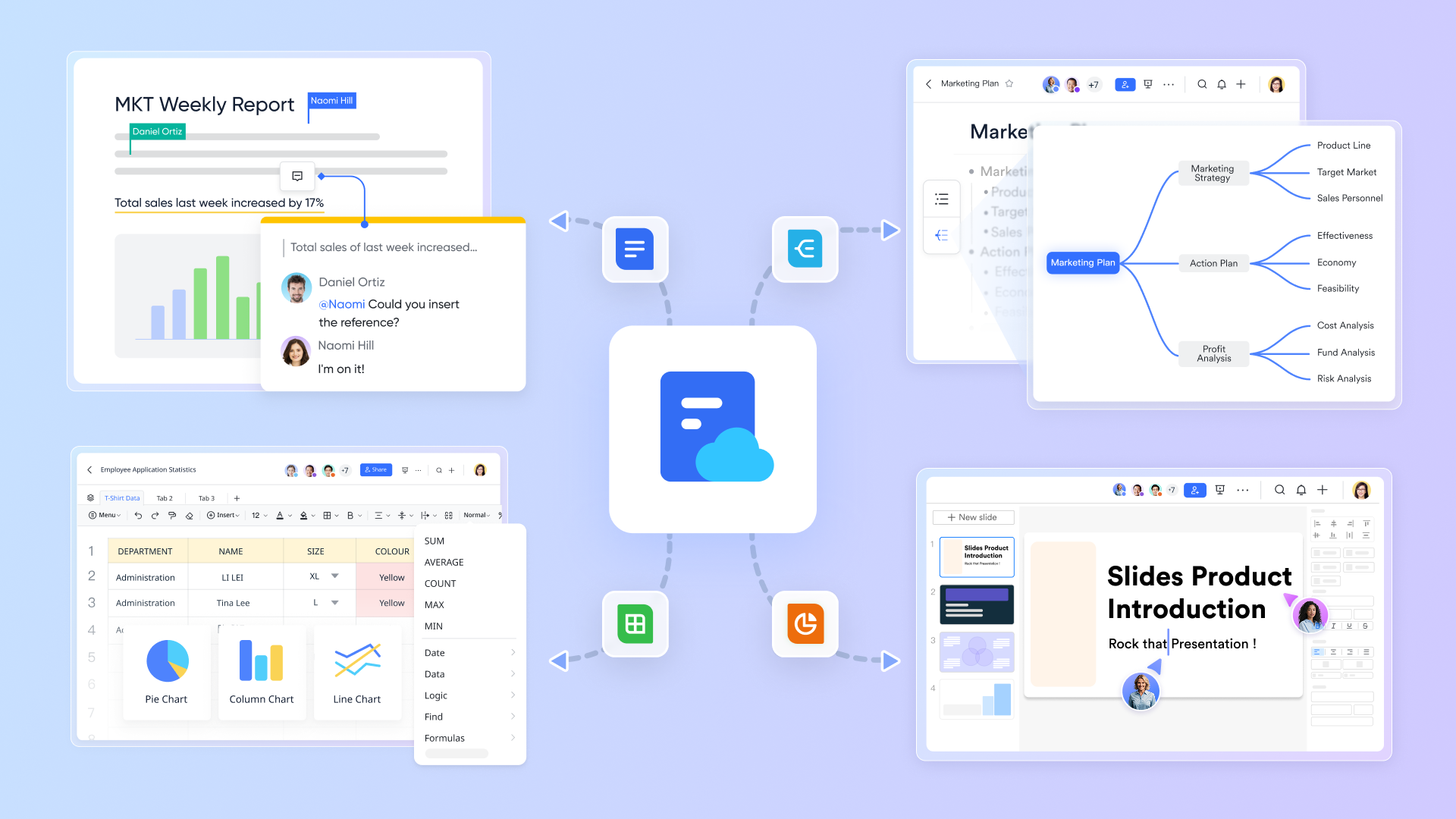
Leverage interactive documents with , which support collaborative whiteboards, real-time polls, live data embedding, diagrams, and various interactive elements to enhance teamwork and creativity.
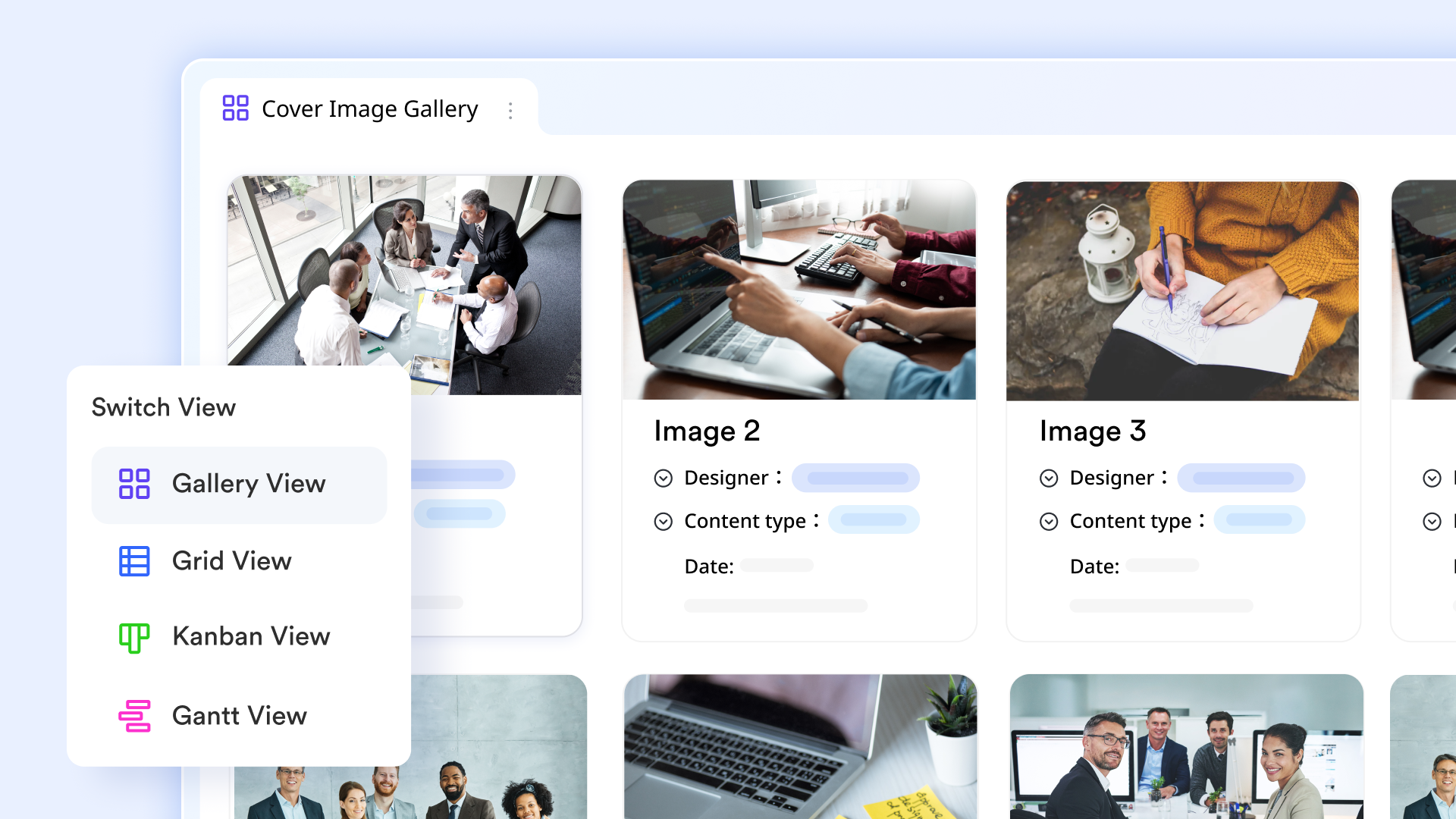
Manage your tasks effortlessly using Lark Tasks, allowing you to set up status updates, auto-reminders, and notifications across workflows without any coding required, streamlining your team's processes. Kanban or Gantt view helps teams to manage all tasks in a clearer way. 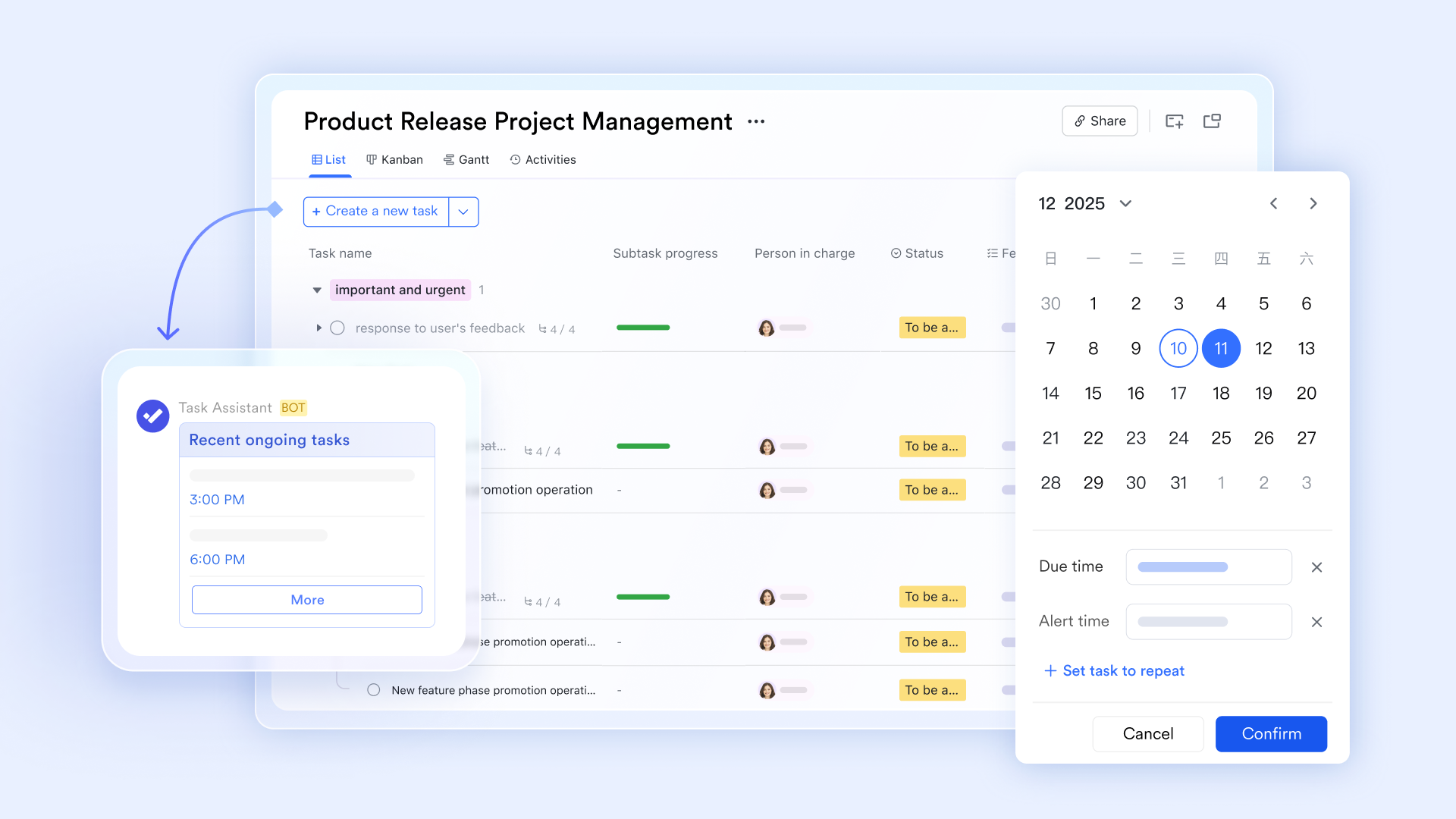
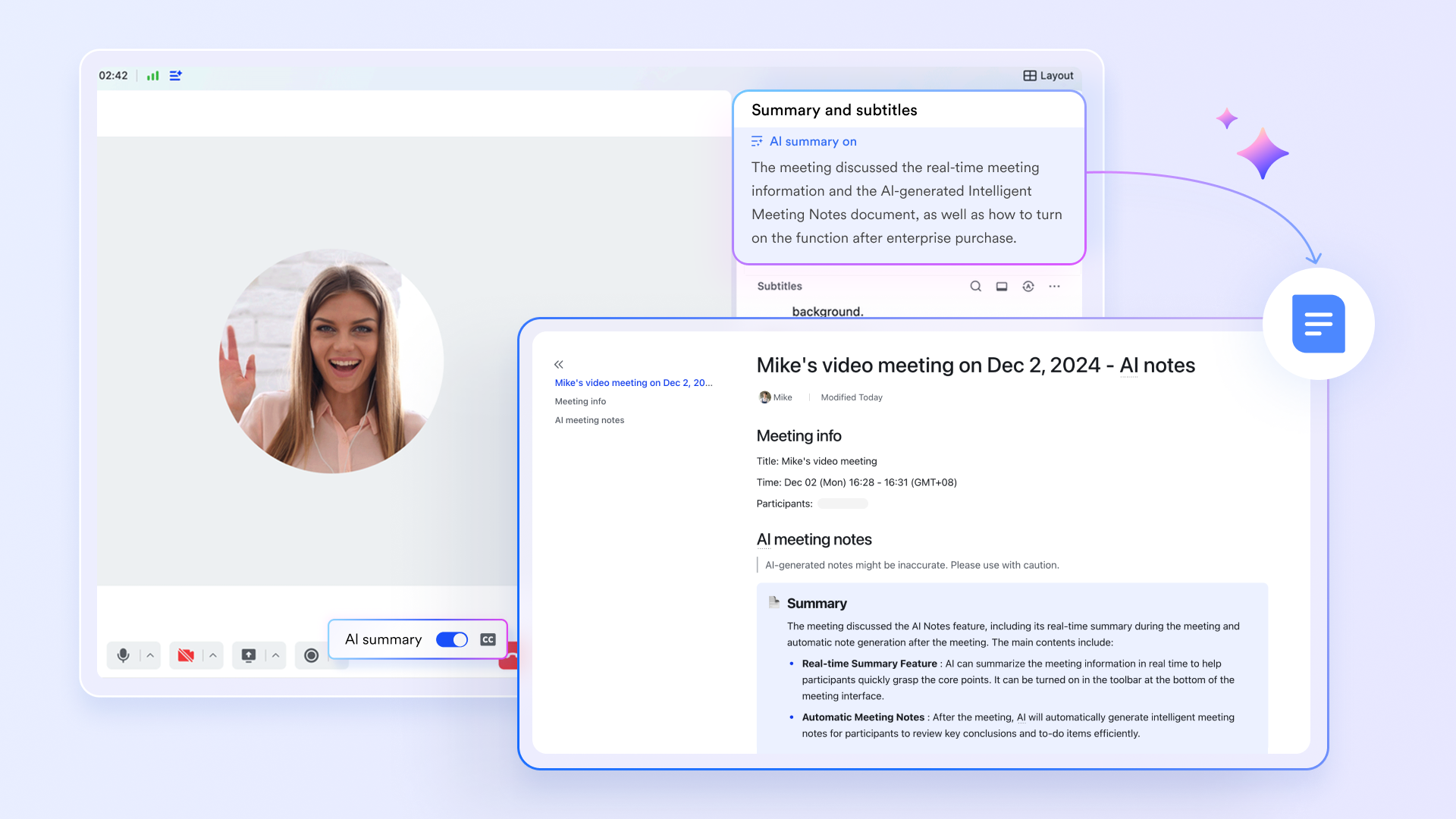
Save hours on reporting with Lark Meeting's , which can capture key points from every meeting, generate concise summaries, create sprint recaps to provide actionable insights, and improve project outcomes.
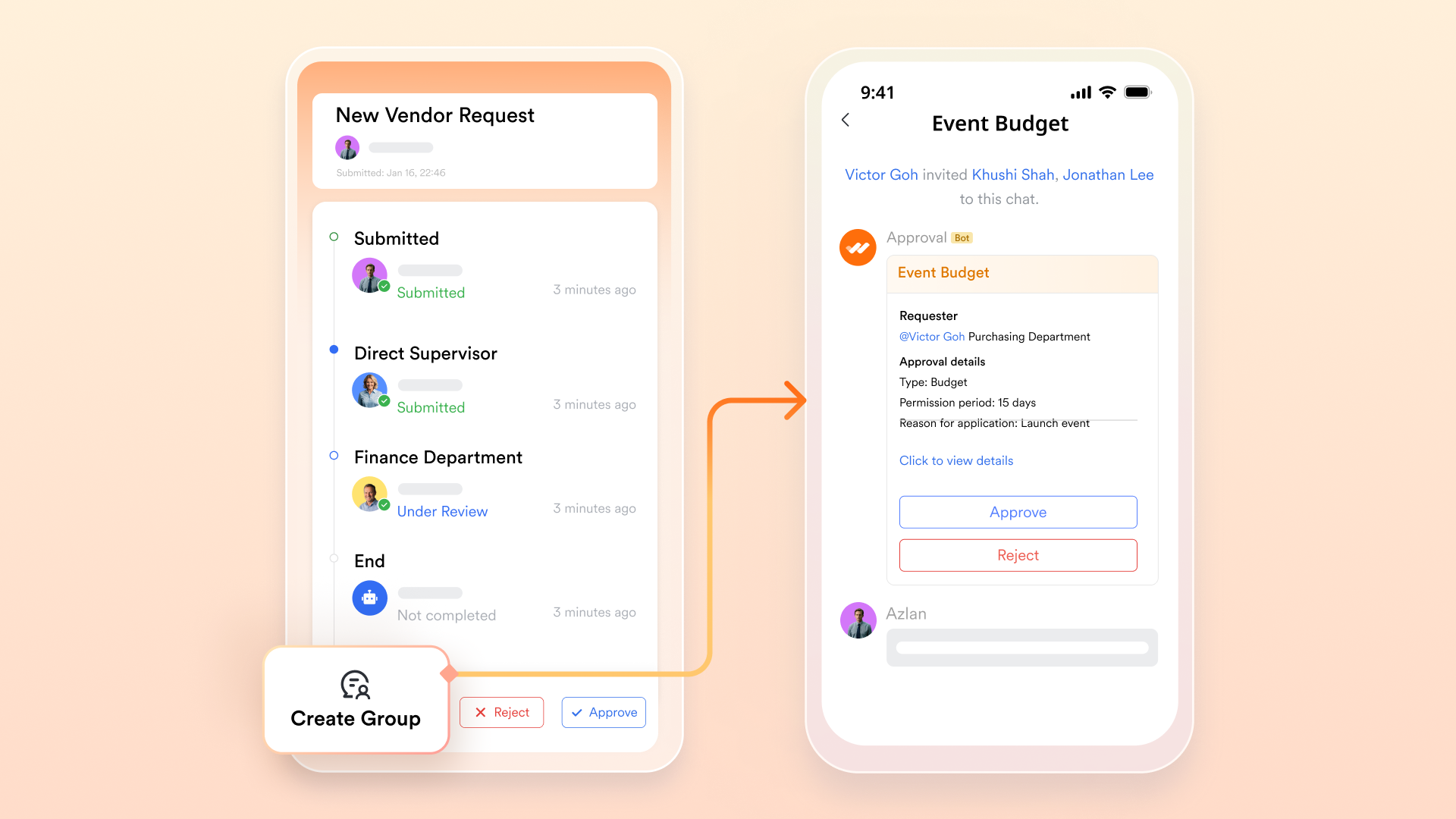
Approve budgets, travel allowances, resource requests, and more directly within your chat using , unifying approval workflows seamlessly into your communication channels for faster decision-making. For more complex approval, users can create a chat group simply by clicking to include everyone involved in the approval process.
offers powerful marketing tools that help teams manage campaigns, track customer data, and streamline marketing workflows, making it an essential asset for marketing teams aiming to boost efficiency and collaboration. Its Kanban, Gantt, Gallery, and Grid view are helpful for marketing teams to manage digital assets.
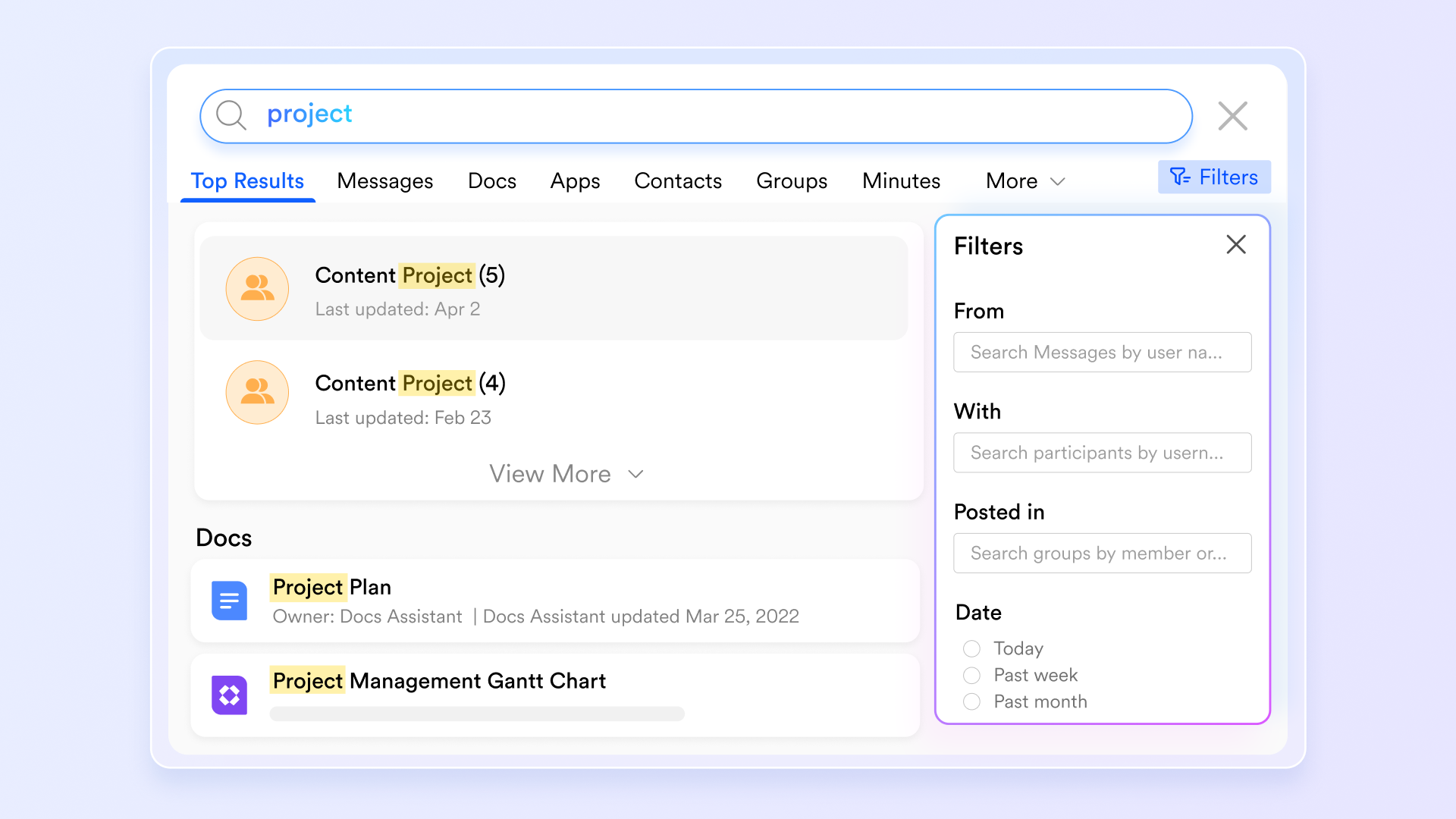
Use Lark Intelligent Search capabilities to quickly find any document, message, or file across the entire Lark Suite, ensuring you have instant access to all your project information and collaboration materials.
:
- Starter plan: that includes 11 powerful tools for up to 20 users. It also comes with 100GB of storage space, 1000 automation runs, AI translations, and more. No credit card needed.
- Pro plan: (billed annually) for up to 500 users. It includes everything in Starter plus group calling for up to 500 attendees, 15TB of storage space, 50,000 automation runs, and more.
- Enterprise plan: for custom pricing. Supports unlimited users and includes even more automation runs and advanced security, compliance, and management features.
For small teams with simple communication needs

18 months message history
1000 Base automation runs/month
2000 rows per table in Base
Most POPULAR
For companies with comprehensive collaboration and management needs
Unlimited message history
500-participant video meetings
50k Base automation runs/month
20k rows per table in Base
For large companies with advanced security and organizational management needs
Get a personalized demo and pricing
Unlimited message history
500-participant video meetings
15 TB storage + 30 GB storage/user
500k Base automation runs/month
50k Base automation runs/month
Most POPULAR
For companies with comprehensive collaboration and management needs
Unlimited message history
500-participant video meetings
50k Base automation runs/month
20k rows per table in Base
2. Semrush: Best for SEO and digital marketing analysis in one place
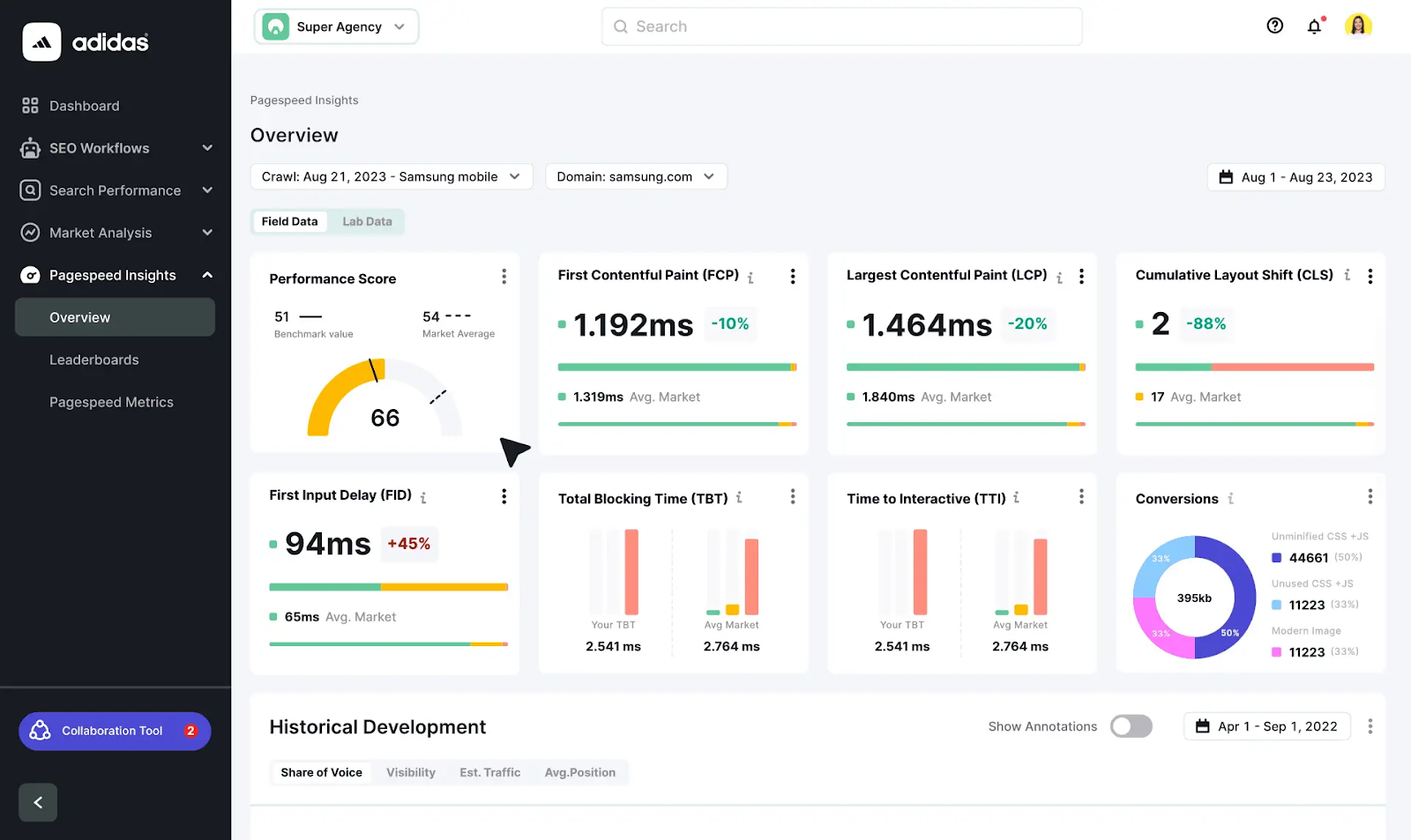
Image source: semrush.com
If there’s one tool every SEO professional knows, it’s Semrush. Before, it was purely SEO software. But now, it has turned into one of the multi-purpose SEO digital marketing tools that help businesses with traditional SEO, , social media management, advertising, and other important marketing tasks.
It’s really strong at competitor analysis. So, marketers can check other websites and see their ranking keywords, advertising strategy, audience overlap, backlink sources, and a variety of other interesting insights. So, it's no longer just SEO specialists who can benefit from this tool, but your entire marketing team, particularly if you're working within a highly competitive niche such as .
Key features:
- Analyze competitors’ traffic sources, top pages, keywords, advertising strategies, and backlink profiles to find new opportunities.
- Discover target keywords with search volume, keyword difficulty, intent insights, and other SEO metrics.
- and track engagement metrics.
- Create and optimize content using topic research and AI-powered recommendations.
Free option: 7-day free trial available.
3. SurferSEO: Best for on-page optimization
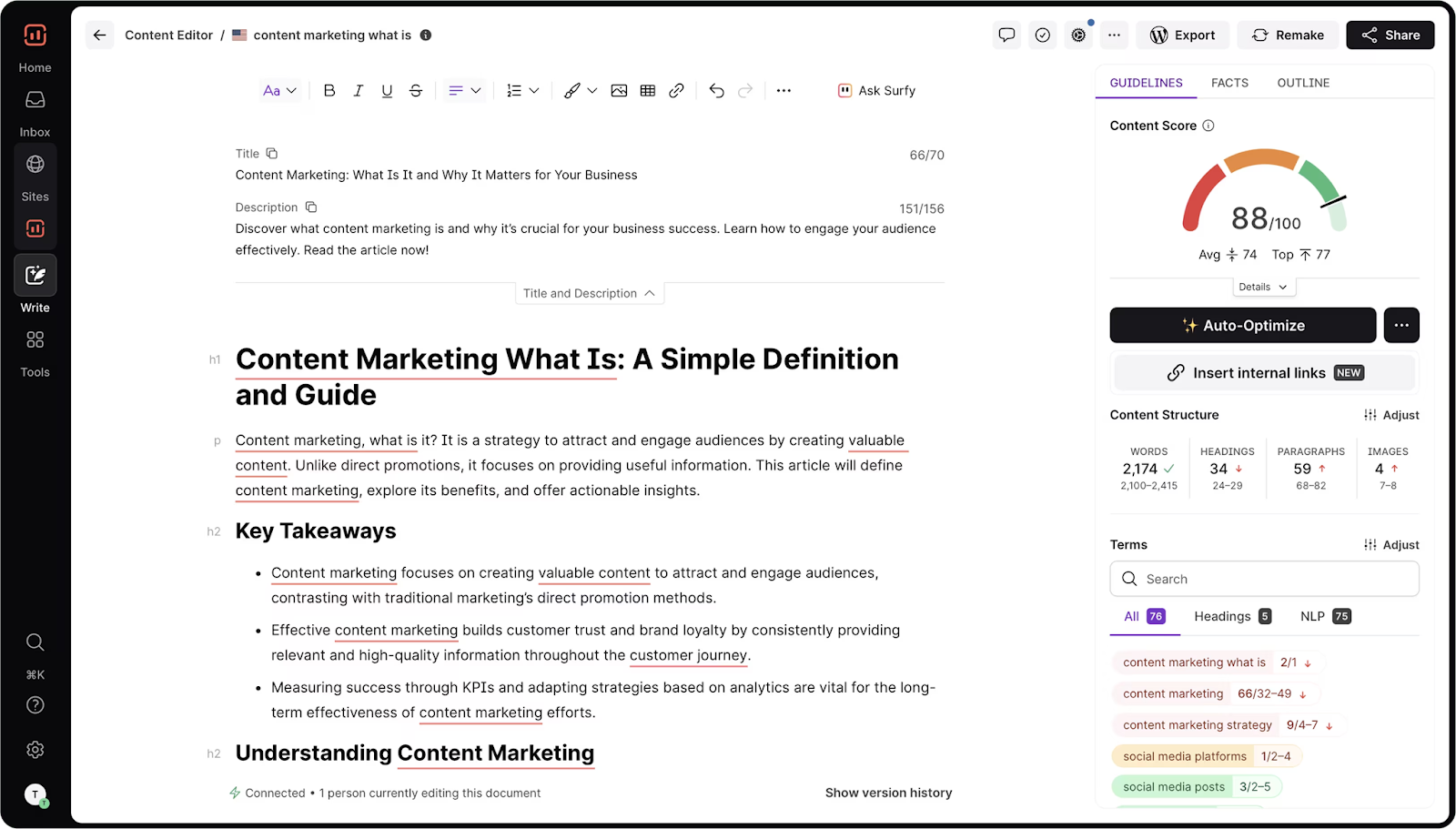
Image source: surferseo.com
SurferSEO focuses on on-page SEO optimization. This SEO software analyzes the top-ranking pages in search results and shows you everything you need to make your content stand out. For example, SurferSEO suggests:
- Keywords and semantically related words to add,
- Outlines, headings, and FAQs you could use,
- The number of headings, paragraphs, images, etc.
If you’ve been doing SEO for some time, you understand that many SEO experts do this manually when preparing tasks for writers. But now, you can leave it all to this tool and improve the chances of your content ranking better in SERPs.
Key features:
- Optimize your content with a real-time editor with optimization score (a Google Doc extension included).
- Get SERP analysis for better keyword optimization.
- Use AI-assisted content recommendations.
Free option: Not available.
4. Adsy: Best for link building and PR placements
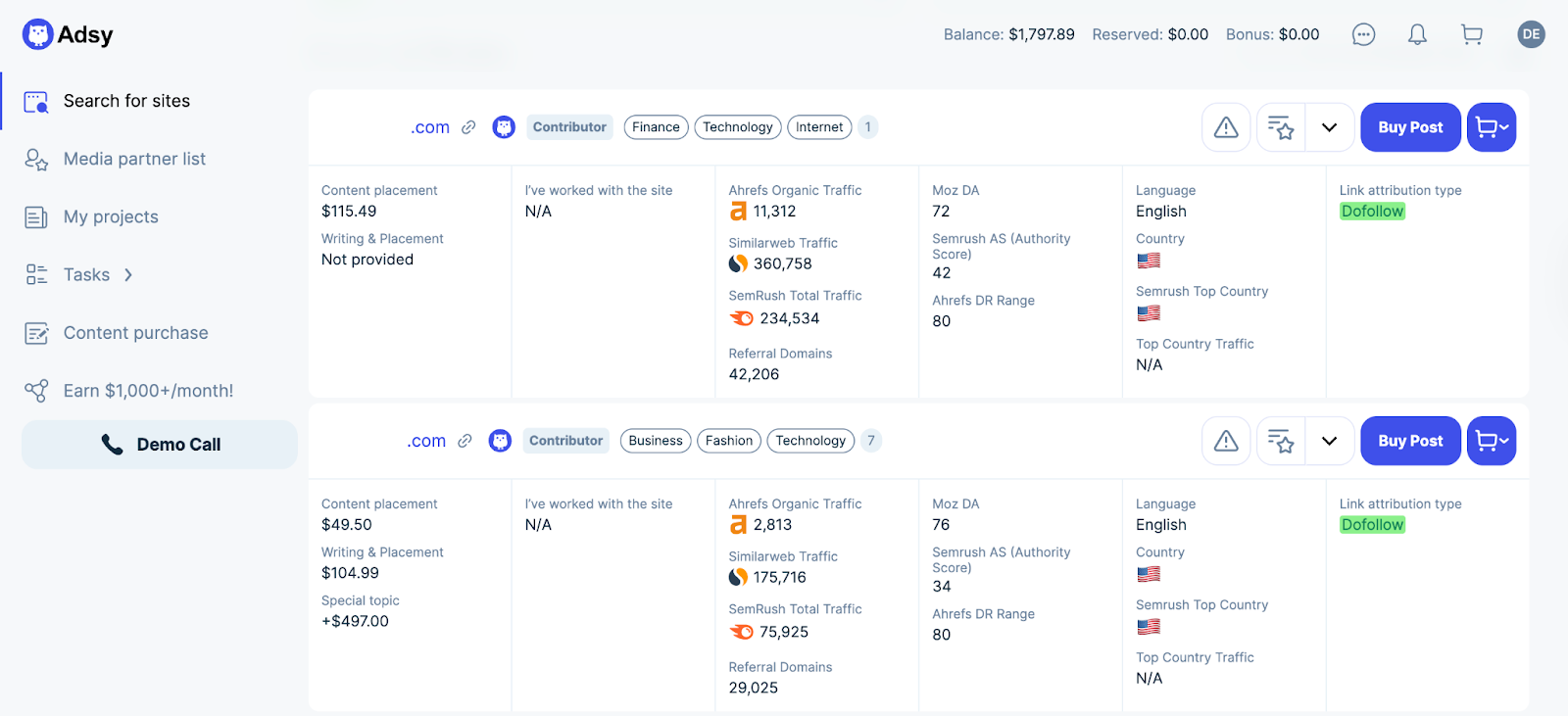
Image source: adsy.com
Adsy is a platform for digital PR and . While link building is consistently ranked as the most difficult SEO task, Adsy solves this issue by giving you access to over 150,000 websites that accept submissions.
So, instead of manually searching for and contacting website editors, you can simply filter out the options that work best for you based on SEO metrics, niche, language, location, etc., and get your post published within days. Many businesses also explore outreach platforms like to simplify backlink acquisition and improve SEO performance. This makes it easier for businesses to:
- Build backlinks for SEO,
- Get more brand mentions for AI visibility,
- Increase domain authority and improve rankings,
- Improve brand visibility and trust by publishing content on credible websites.
Key features:
- Access the inventory of 150,000 websites for article posting.
- Publish guest articles on credible websites in your niche.
- Find relevant media pages for digital PR campaigns.
Free option: Free access to the website inventory.
5. Screaming Frog: Best for technical SEO
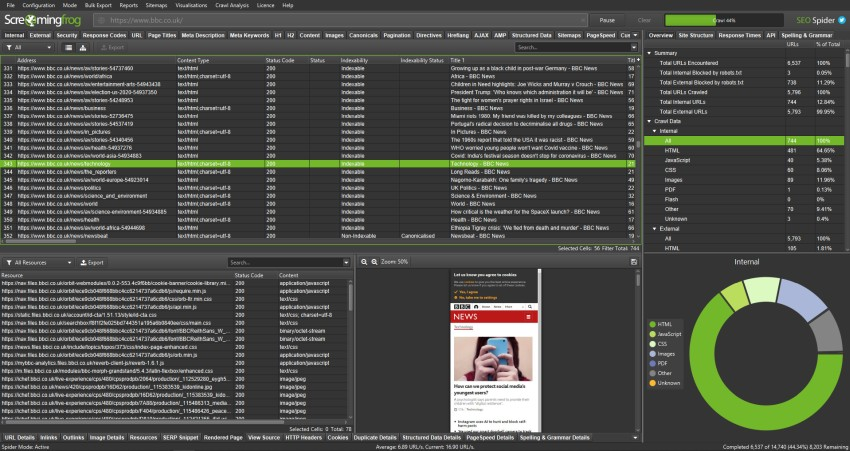
Image source: screamingfrog.co.uk
Search engine optimization is simply impossible without technical SEO. Even the best content won’t rank if search engines can’t properly crawl and index your website. While it is one of the most complex parts of SEO, technical audits are absolutely essential. And that's where you need Screaming Frog.
It is a website crawler that scans your site and identifies technical issues. It can spot broken links, duplicate content, missing meta tags, etc. This is one of the SEO digital marketing tools that gives you a great advantage, as it crawls websites in a way similar to search engine bots. So, you can detect problems before they have any serious effect on your rankings.
Key features:
- Do full website crawling and technical audit in one place.
- Detect broken links and redirect issues.
- Analyze your metadata and duplicate content.
Free option: Free version available.
6. Buffer: Best for social media management
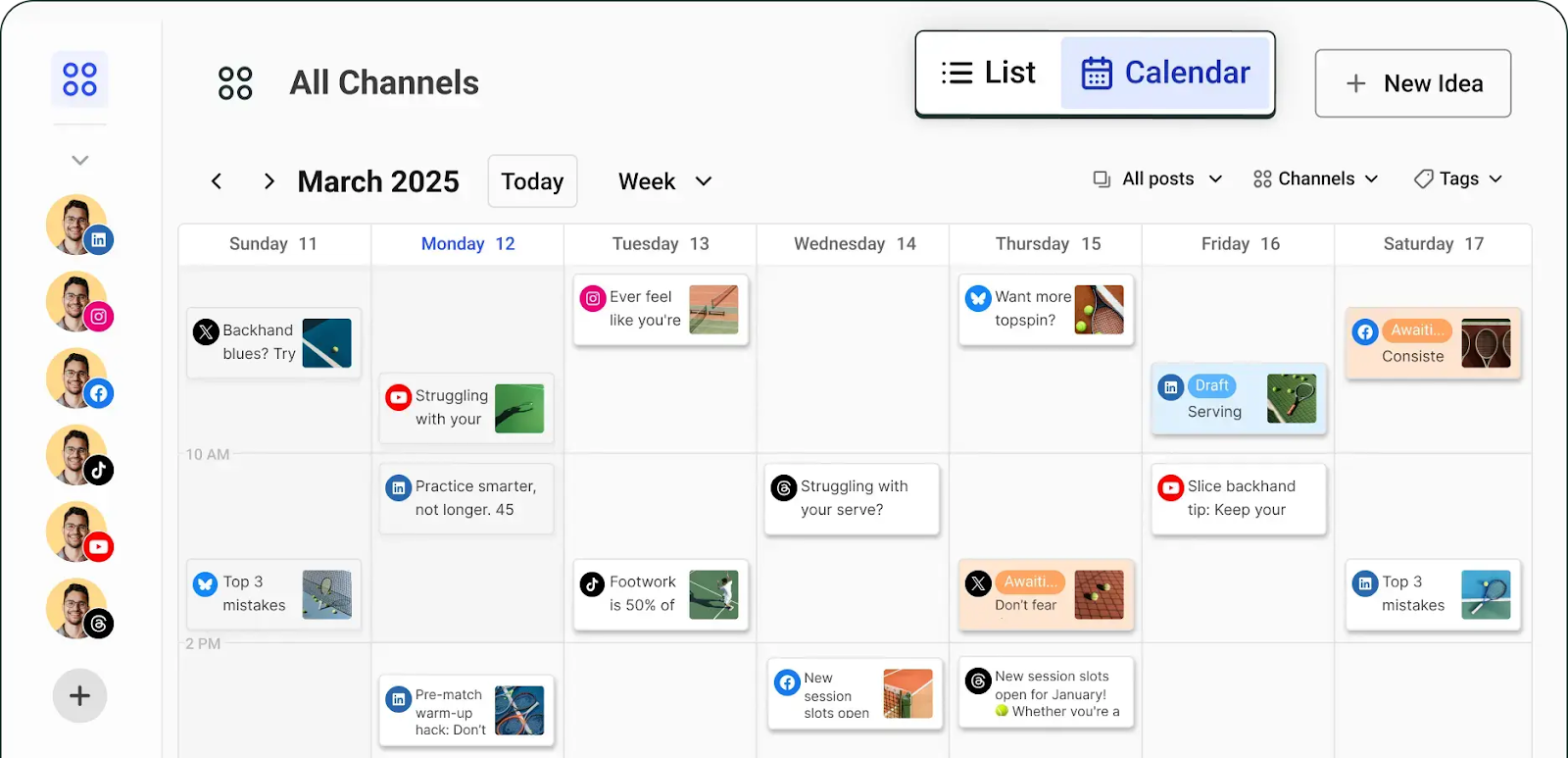
Image source: buffer.com
Social media is a classic source of online visibility, but a number of platforms to handle can be overwhelming. So, instead of logging into each platform separately, Buffer allows you to do everything from one app, including:
- Post scheduling and publishing,
Buffer essentially helps you with social media promotion and makes your content publishing more consistent. It simplifies four main components: content creation, publishing, community engagement, and reporting.
Key features:
- Discover one of the most extensive sets of publishing integrations, from Instagram and X to Bluesky and Mastodon.
- Respond to all your comments across the platforms from one dashboard.
- Get more insights into your audience and content performance with advanced analytics.
Free option: Forever free plan available.
7. Optmyzr: Best for automating and scaling PPC campaigns
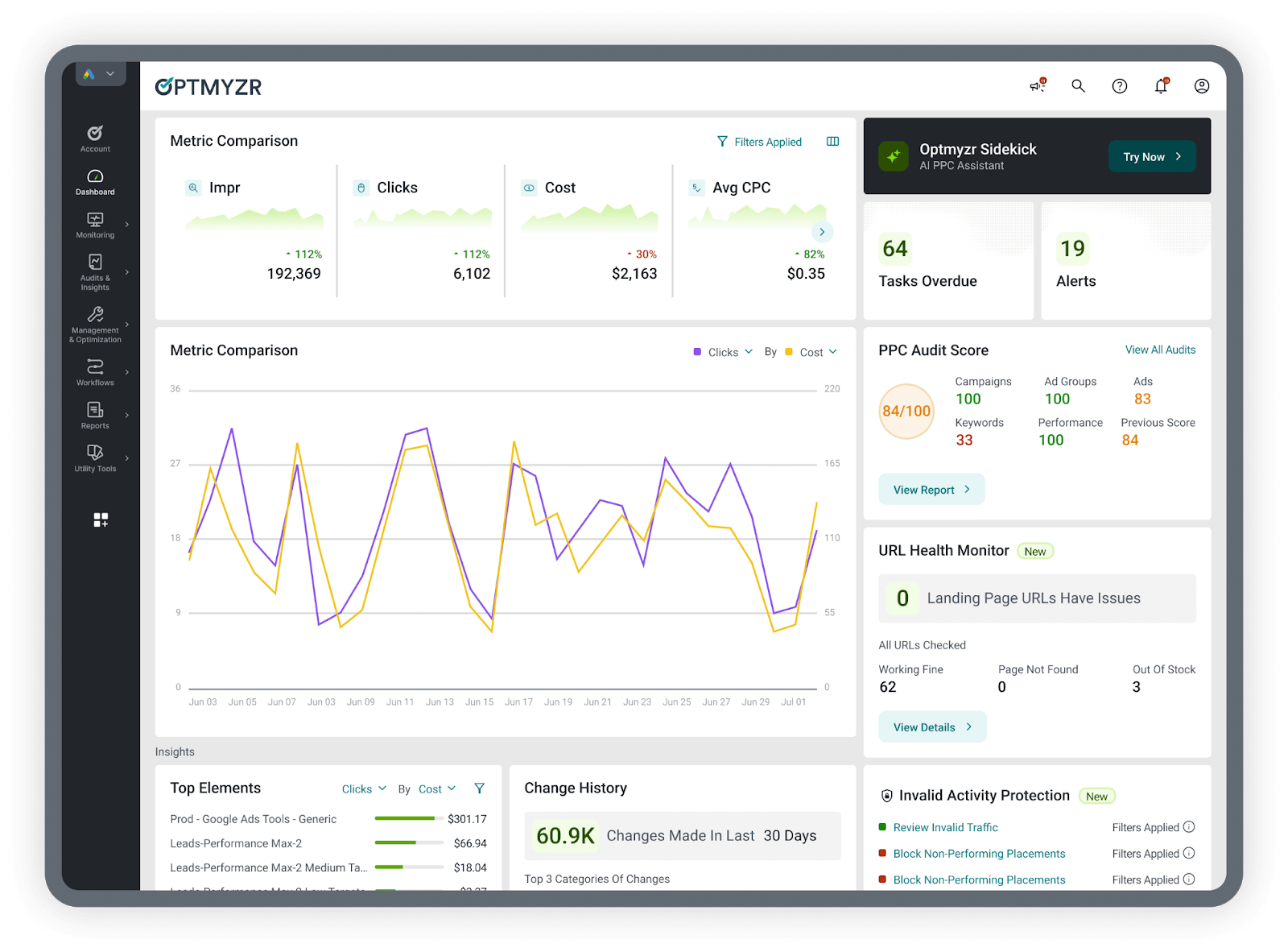
Image source: optmyzr.com
Managing PPC campaigns manually can become extremely complex, especially when you have large with thousands of keywords. Optmyzr helps automate and optimize paid advertising across Google Ads, Microsoft Ads, Amazon Ads, Meta Ads, and LinkedIn Ads.
This tool offers real-time ad campaign monitoring with insights delivered to your email, Slack, Microsoft Teams, or other chats. Besides, it helps you improve bid efficiency, protect your budget, do your accounts health audit, and automate report creation.
Key features:
- Use one interface for all your ad platforms to manage everything from ad creation to reporting.
- Create fully customizable ad automation rules without coding.
- Optimize your campaigns in one click without even opening your ad platform.
- Use Optymzr AI to polish your ad texts and get answers about your accounts.
Free option: 14-day free trial available.
8. Hotjar: Best for understanding user behavior
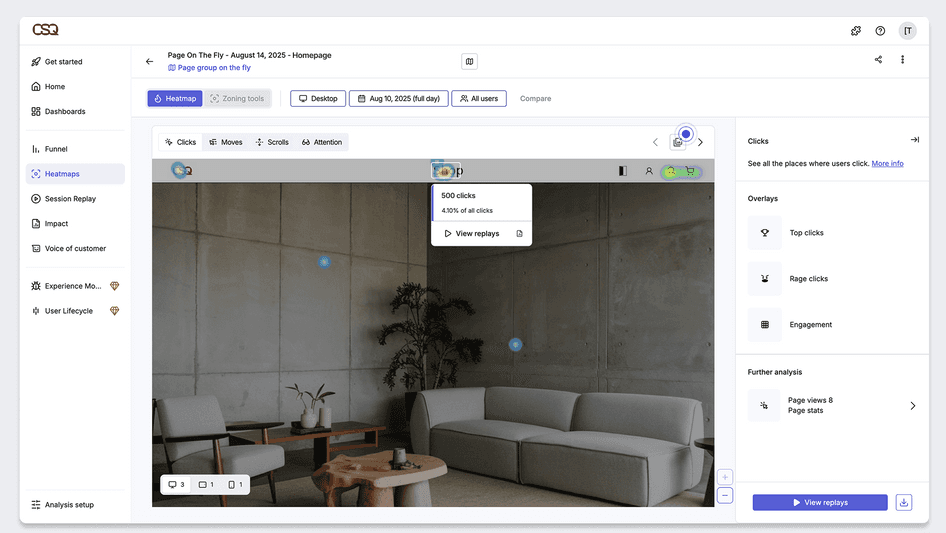
Image source: hotjar.com
Understanding how visitors behave on your website is highly valuable. Hotjar is one of the tools that provides that information. Most traditional analytics solutions focus on numbers, but Hotjar shows visual insights into user behavior. With heatmaps and session recordings, businesses can see:
- Where they abandon pages.
This helps identify UX problems that might reduce conversions. For example, companies often discover that users are missing important buttons or getting confused by navigation. Traditional analytics might not reveal that information.
Key features:
- Use heatmaps to track click and scroll behavior.
- See exactly what your website visitors see with session replay.
- Create surveys to collect user feedback.
- Check where people drop off and compare this data across segments.
Free option: Forever free plan available.
9. Rankability: Best for SEO and AI search visibility
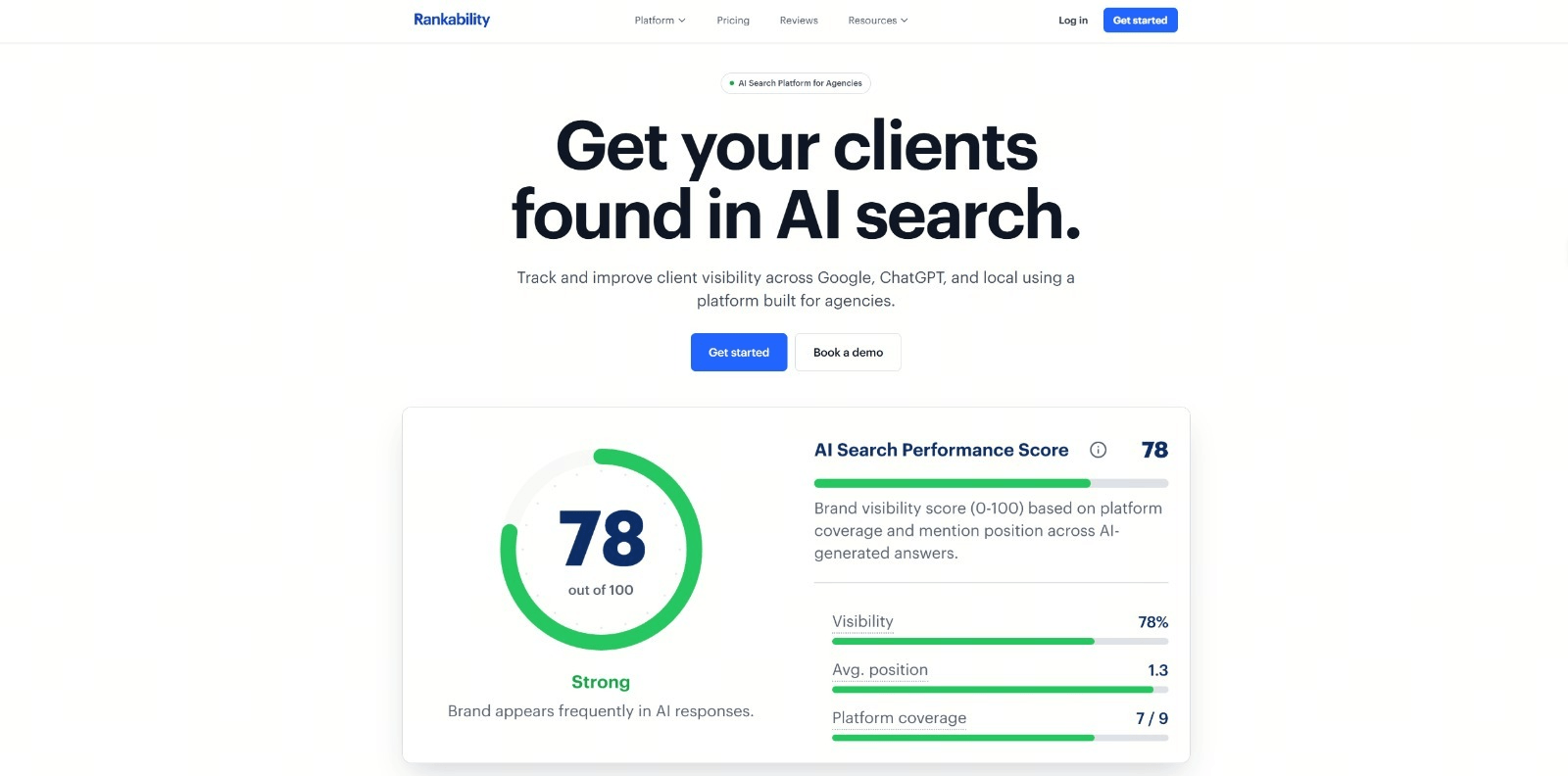
Image source: rankability.com
is an SEO and AI search visibility platform designed to help agencies and marketing teams improve their clients’ presence across traditional search engines and AI platforms. It brings keyword research, content creation, rank tracking, technical audits, backlink analysis, and reporting together in one workspace.
Teams can use Rankability to monitor brand mentions, citations, competitors, local rankings, and share of voice across Google and AI search platforms. Its content optimization tools also provide actionable recommendations for creating and improving pages that perform well in both search results and AI-generated answers.
Key features:
- Keyword research and content opportunity discovery
- AI-assisted content briefs, writing, and optimization
- Traditional, local, and AI search visibility tracking
- Technical, content, and page-level SEO audits
- Backlink analysis and authority-building opportunities
- Multi-client management and client-facing reports
- AI-powered recommendations based on campaign data
Free option: Not available.
Experience an all-in-one solution for your marketing team
Bonus: 3 free Google SEO tools
You don’t necessarily need to use paid software to get useful insights because Google offers several powerful free tools. Many often treat them as small business SEO tools. But if you know how to set them up (especially GA4), they are equally useful for bigger companies as well.
Besides, many SEO experts of the data from these tools when building their SEO client reports. So, they’re definitely worth your attention.
Google Search Console: Best for monitoring search performance and indexing issues
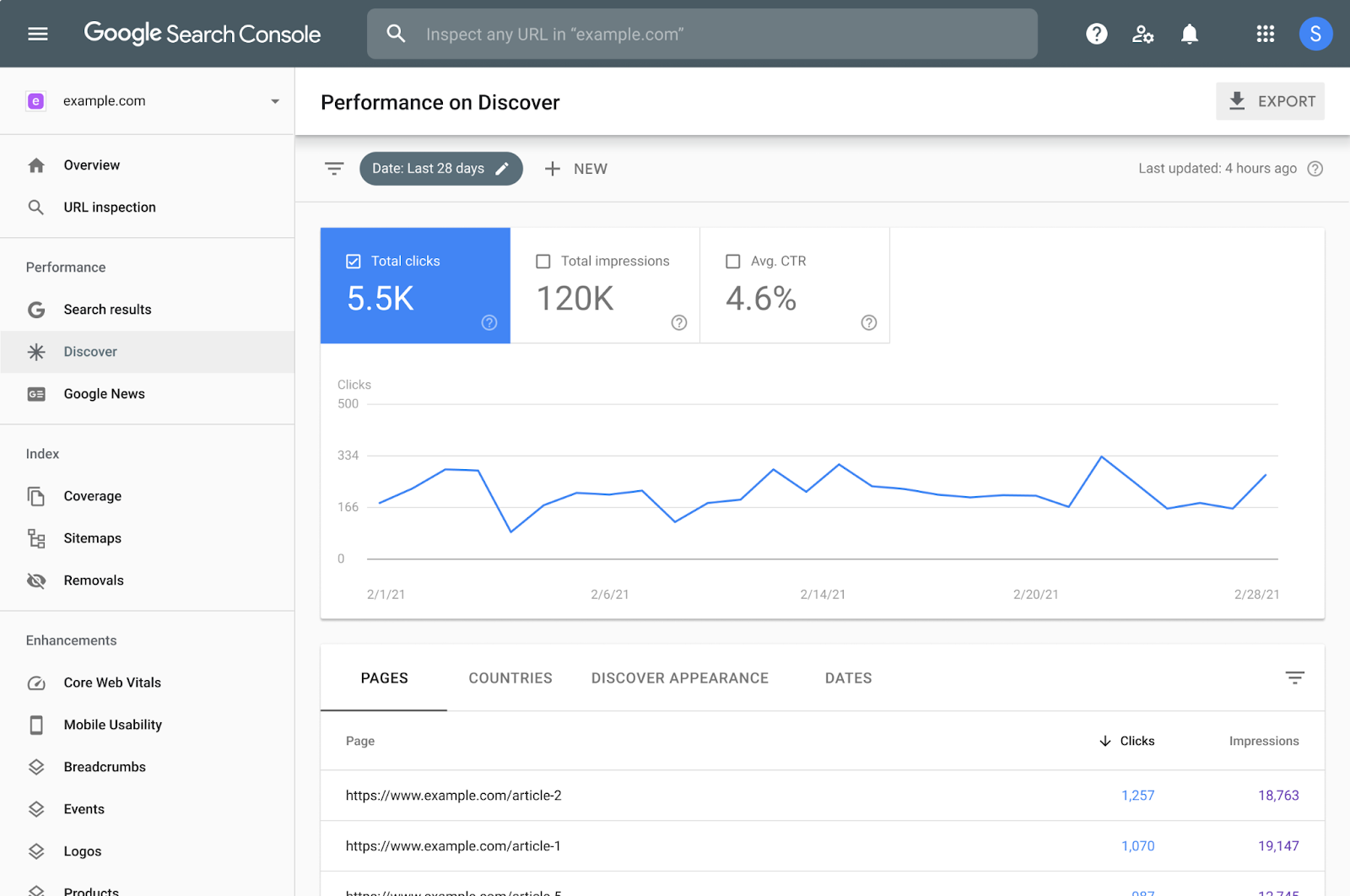
Image source: developers.google.com
Google Search Console (GSC) helps you understand how your website performs in Google search results. Even though it’s a free solution, it has several useful insights:
- Track search queries, impressions, clicks, and average rankings,
- Monitor indexing and submit sitemaps,
- Detect any technical issues,
- Analyze backlinks and internal links,
- Receive alerts about manual penalties or security issues (if any).
It's one of the most reliable and highly useful search engine marketing tools. And since it comes directly from Google, the data is extremely valuable for improving your SEO strategies.
There are two main limitations, though:
- You can only access this data if you can verify domain ownership.
- You can’t analyze your competitors’ websites.
Google Analytics: Best for tracking website traffic and user behavior
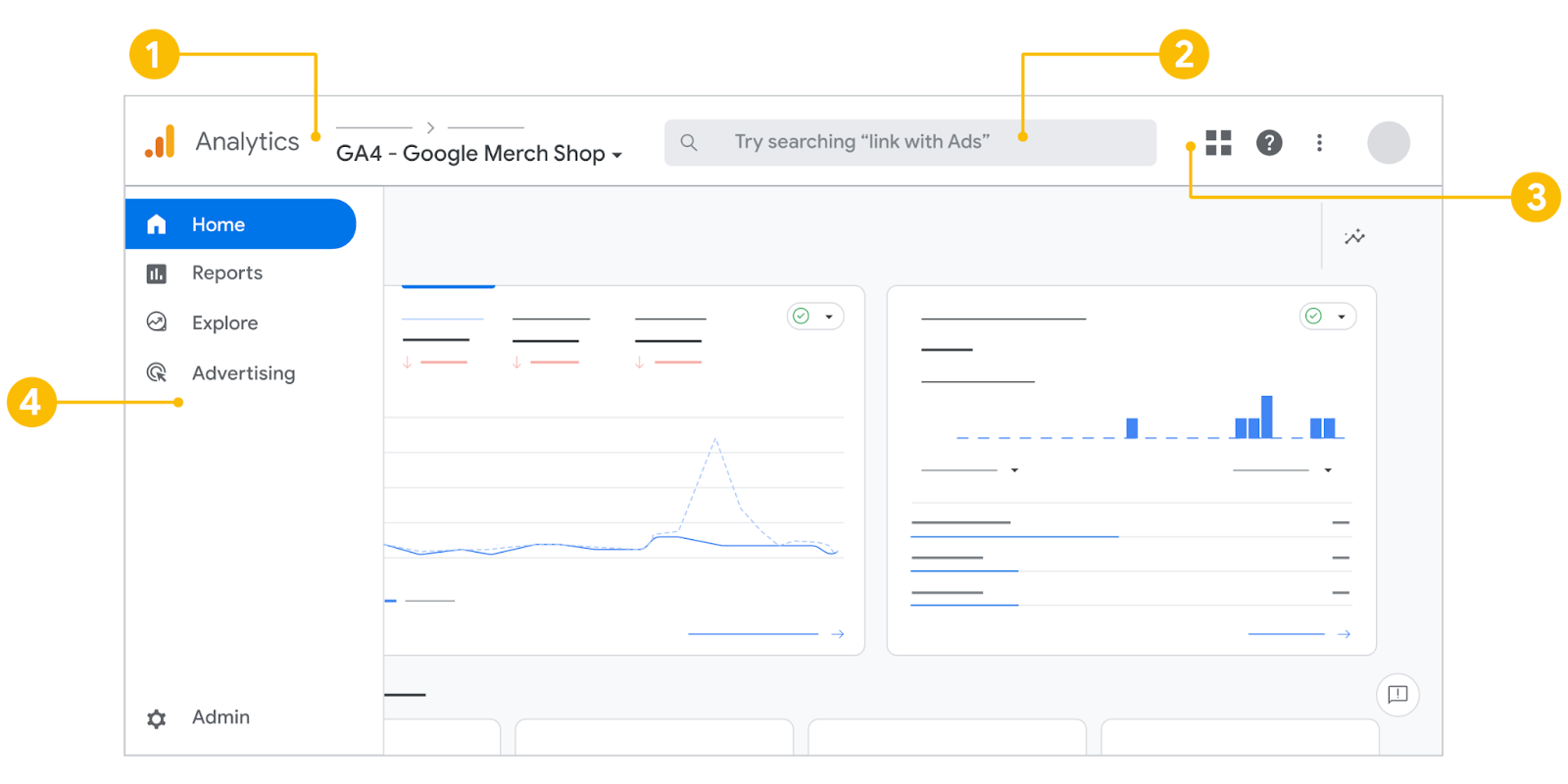
Image source: support.google.com
If GSC is all about how your site is doing in search, Google Analytics (GA4) focuses on what your website visitors do once they land on your website. Essentially, you can do the following:
- Track traffic sources, user acquisition channels, and user behavior,
- Monitor events and conversions (signups, purchases, downloads, etc.),
- Build custom reports and funnels.
Note: The same limitations apply here: you have to verify domain ownership, and you can’t track any other website.
PageSpeed Insights: Best for analyzing website speed and performance
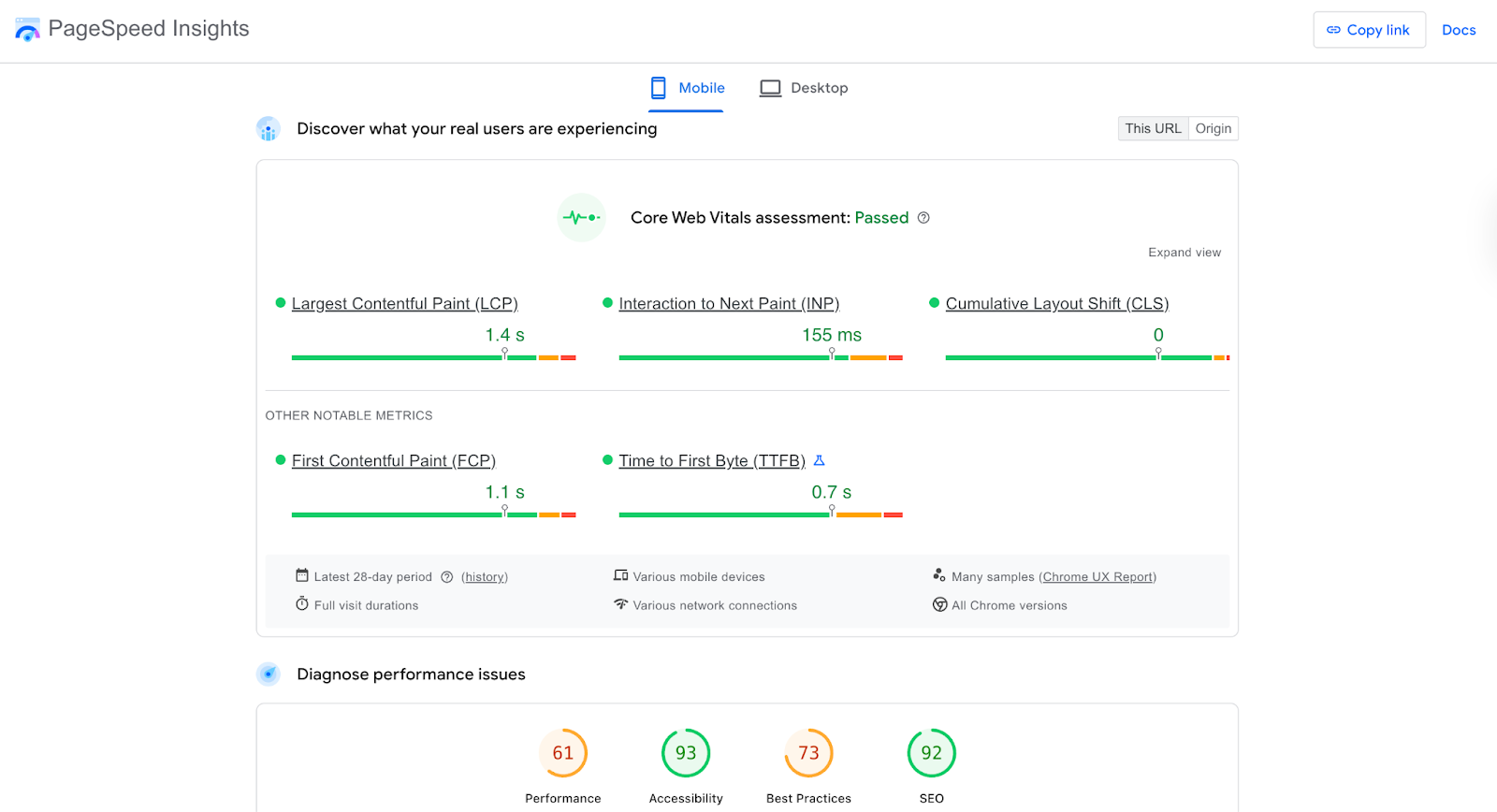
Image source: pagespeed.web.dev
Website speed is one of the most important ranking factors and user experience signals. PageSpeed Insights is a free-to-access tool that analyzes any website’s performance and provides detailed recommendations to improve it. This one helps you:
- Understand your Core Web Vitals,
- Identify slow-loading resources,
- Find actionable optimization suggestions,
- Compare mobile and desktop performance scores.
Conclusion
Improving your business's online visibility is not the easiest task. Yet, the tools on this list help simplify this process, organize it better, speed it up, and make more informed decisions based on the data you get.
Still, any digital marketing and SEO project starts with effective collaboration and management. So, make sure you have an effective project management tool you can trust to not waste your time on unnecessary organizational processes.
Try Lark for free, no credit card needed
FAQs
Do I need to use multiple digital marketing and SEO tools, or can one tool cover all my needs?
Most businesses need multiple tools, as no single one excels at everything. Comprehensive platforms like HubSpot or Semrush help, but pairing tools (e.g., Semrush for keywords, GA4 for traffic) better meets specific goals like boosting visibility.
Are free digital marketing and SEO tools effective enough for small businesses with limited budgets?
Yes, free tools like Google Search Console, GA4, Ubersuggest, and Canva offer robust features for small businesses to build their online presence without cost, laying a solid strategy foundation.
How do I choose the right digital marketing & SEO tools for my business’s unique needs?
Define your core goals (e.g., organic traffic, local visibility), assess your team’s skill level and budget, prioritize aligned tools, and test free trials of paid options to ensure fit.
Will using digital marketing and SEO tools guarantee better online visibility immediately?
No, SEO and digital marketing take time—3–6 months for significant results. Tools streamline efforts and enable data-driven decisions to accelerate progress, but consistency is key.
Do I need technical expertise to use digital marketing and SEO tools effectively?
Not necessarily. Most tools are user-friendly for beginners, with intuitive dashboards and tutorials. Advanced tasks may need basic technical know-how, but tutorials or support can help.
Related reading