














15 Smart Calendar Management Tools to Eliminate Scheduling Chaos

James Lewis
Product Manager
Sep 18, 2026
James Lewis
Sep 18, 2026

14 min read


Keeping schedules organized across growing teams, shifting deadlines, and back-to-back meetings has become one of the biggest productivity challenges professionals face today. As work becomes more distributed and project timelines are more complex, relying on basic calendars and manual scheduling is no longer enough to keep everyone aligned and moving efficiently.
A dedicated calendar management tool helps businesses regain control of their schedules by automating meeting coordination, syncing team availability, and integrating daily time management with broader project workflows. This guide explores the best calendar management tools available today, helping teams and professionals find the right solution to organize their time, reduce scheduling chaos, and work more intentionally every day.
Key takeaways: Top 5 tools for calendar management
Choosing the right calendar management tool can significantly improve how effectively teams coordinate schedules, manage deadlines, and stay aligned across projects and departments. The following tools stand out for their ability to streamline scheduling, reduce conflicts, and connect time management with broader team workflows.
1. Lark: Combines calendar management, meeting scheduling, and team coordination into one collaborative workspace.
2. Google Calendar: Provides intuitive scheduling, smart event suggestions, and shared team calendars with deep Google Workspace integration.
3. Microsoft Outlook Calendar: Delivers powerful meeting coordination and shared calendars with seamless Microsoft 365 ecosystem integration.
4. Motion: Uses AI to automatically prioritize and reschedule tasks based on deadlines and availability for smarter daily planning.
5. Monday.com: Bridges project management and calendar coordination with visual timeline views that keep teams aligned around shared deadlines.
Overview: Top 5 tools for calendar management
Choosing the best calendar management tool depends on team size, workflow complexity, and how closely scheduling needs to connect with broader project and collaboration requirements. Some tools focus on clean and simple scheduling experiences, while others offer AI-powered automation, deep project integrations, and advanced team coordination features. Below is a quick comparison of five leading calendar management tools that help professionals and teams organize their time, reduce scheduling conflicts, and stay aligned around what matters most.
Information source: Official vendor sites
Update time: 2026-03-24
Note: Pricing and plan details reflect publicly available data as of the update date and may vary based on region, billing cycle, and number of agents.

What is a calendar management tool?
A calendar management tool is a digital platform that helps individuals and teams organize schedules, coordinate meetings, track deadlines, and manage time more effectively across daily workflows and longer-term projects. Unlike basic scheduling apps, modern calendar management tools go well beyond simple date and event tracking, offering smart automation, team availability syncing, and seamless integration with project and communication platforms. For developers building these capabilities into their own applications, choosing the best calendar API for their needs can simplify calendar connections, event syncing, and automated meeting workflows.
Many professionals use a time blocking calendar approach to these tools to structure their workday around focused time slots, minimizing interruptions and ensuring high-priority tasks receive dedicated attention. For teams managing multiple campaigns, deadlines, and deliverables, a well-organized content calendar within a calendar management tool helps everyone stay aligned on key dates, publishing schedules, and project milestones without relying on scattered spreadsheets or manual tracking.
Types of calendar management tools
Not all calendar management tools are built the same way. Different platforms serve different scheduling needs, team sizes, and workflow complexities. Understanding the main types available helps professionals and organizations choose the solution that best fits how they actually work and collaborate every day.
- Personal productivity calendars: Personal productivity calendars are designed for individuals who need a clean and simple way to manage daily schedules, set reminders, and block time for focused work. Tools in this category prioritize ease of use, intuitive interfaces, and quick event creation over complex team coordination features.
- AI-powered smart calendars: AI-powered smart calendars use machine learning to automatically schedule tasks, detect conflicts, and optimize daily plans based on priorities and availability. An AI calendar goes beyond passive scheduling by actively suggesting the best times for meetings, rescheduling overdue tasks, and helping users protect time for deep work without manual intervention.
- Project management calendars: Project management calendars connect scheduling directly with task tracking, milestone management, and team workflows. A project tracking calendar gives teams a unified view of deadlines, dependencies, and project progress alongside their daily schedules.
- Team collaboration calendars: Team collaboration calendars are designed to coordinate schedules across multiple people, departments, and time zones. These tools focus on shared availability, group meeting scheduling, and transparent team-wide visibility into who is working on what and when throughout the week.
- Specialized industry calendars: Designed for specific use cases such as content planning, marketing campaigns, HR scheduling, and client management. These tools offer purpose-built templates, workflow integrations, and scheduling features tailored to the unique demands of particular teams and business functions.
Full list: 15 best tools used in smart calendar management
Finding the right tool is about more than a clean interface; it's about choosing a system that scales with your growth. Below, we explore the top 15 calendar management tools designed to help you regain control of your time and unify your team's schedule.
1. Lark: All-in-one productivity superapp with smart calendar management
Lark is an all-in-one collaboration platform that brings calendar management, meeting scheduling, team communication, and project coordination together in one seamlessly connected workspace. Built specifically for distributed and hybrid teams, Lark eliminates the friction of juggling multiple tools by combining smart scheduling with messaging, video conferencing, and document management in a single platform.
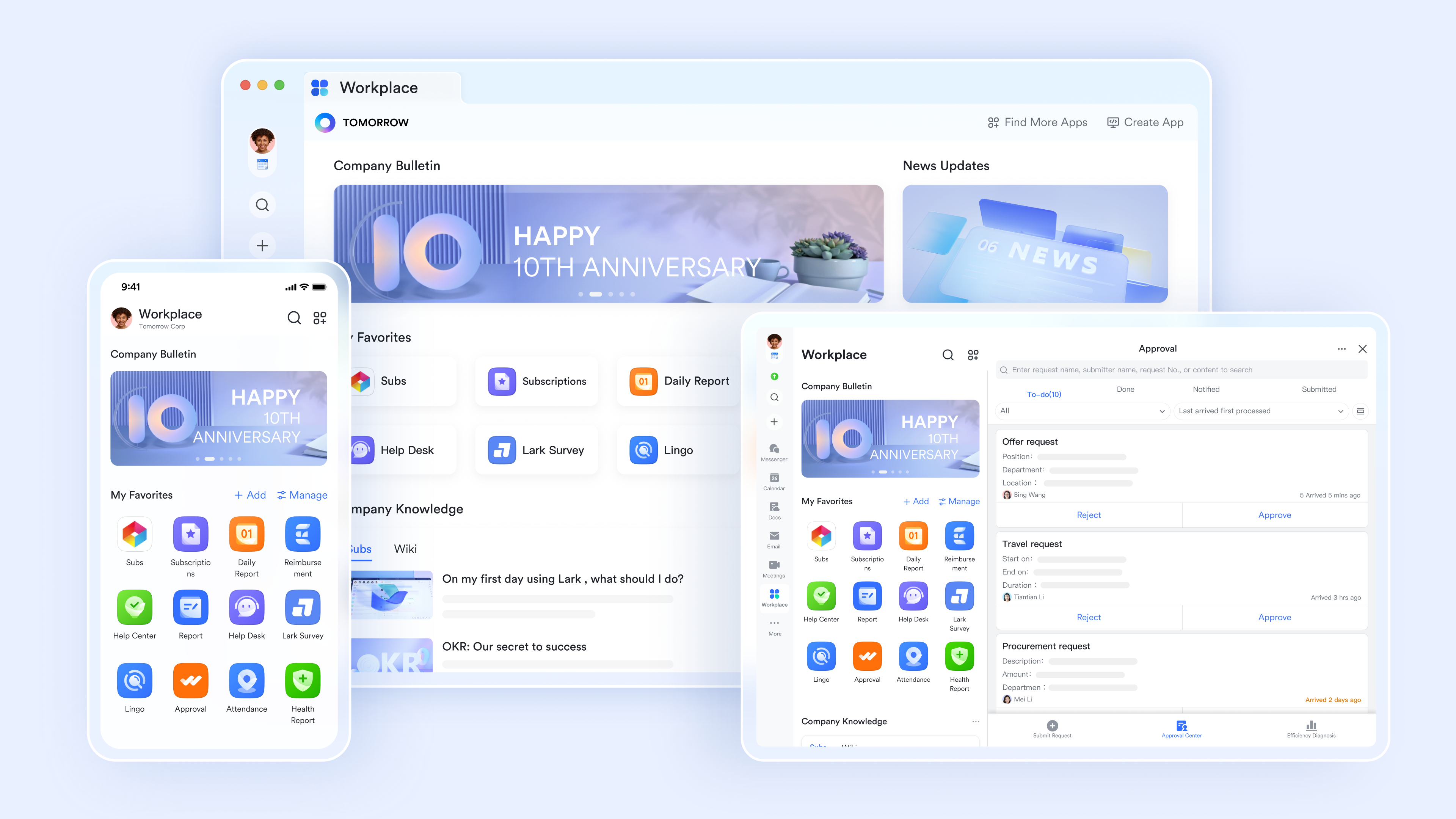
Key features:
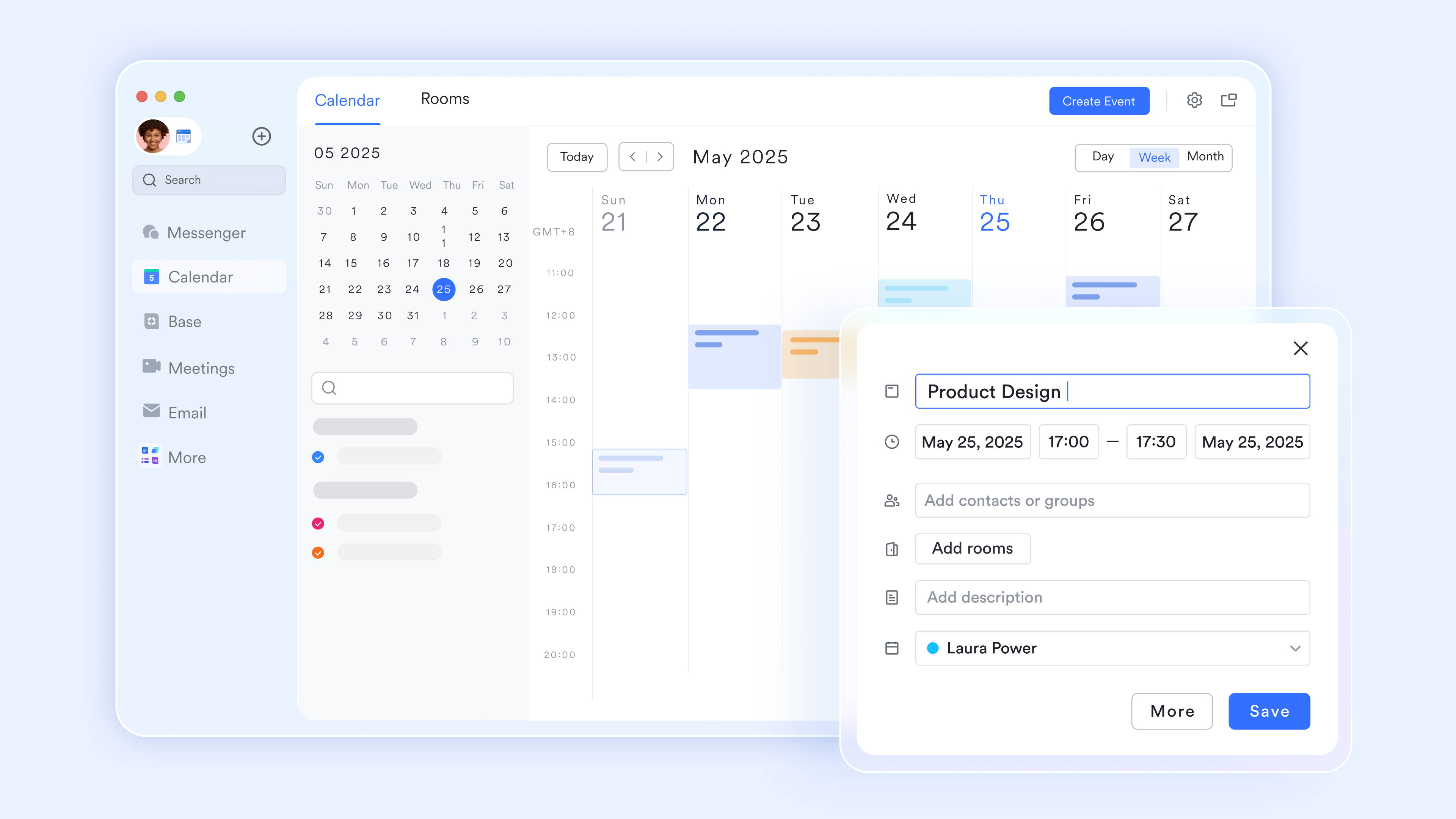
A powerful Scheduler
Similar to tools like Calendly, Lark Calendar includes a built-in Scheduler that lets you create personalized booking links. You can set your "Available Hours" and share a link with external partners or clients. They can book a slot that works for them, which then automatically populates on your personal Calendar and sends out a video meeting link.
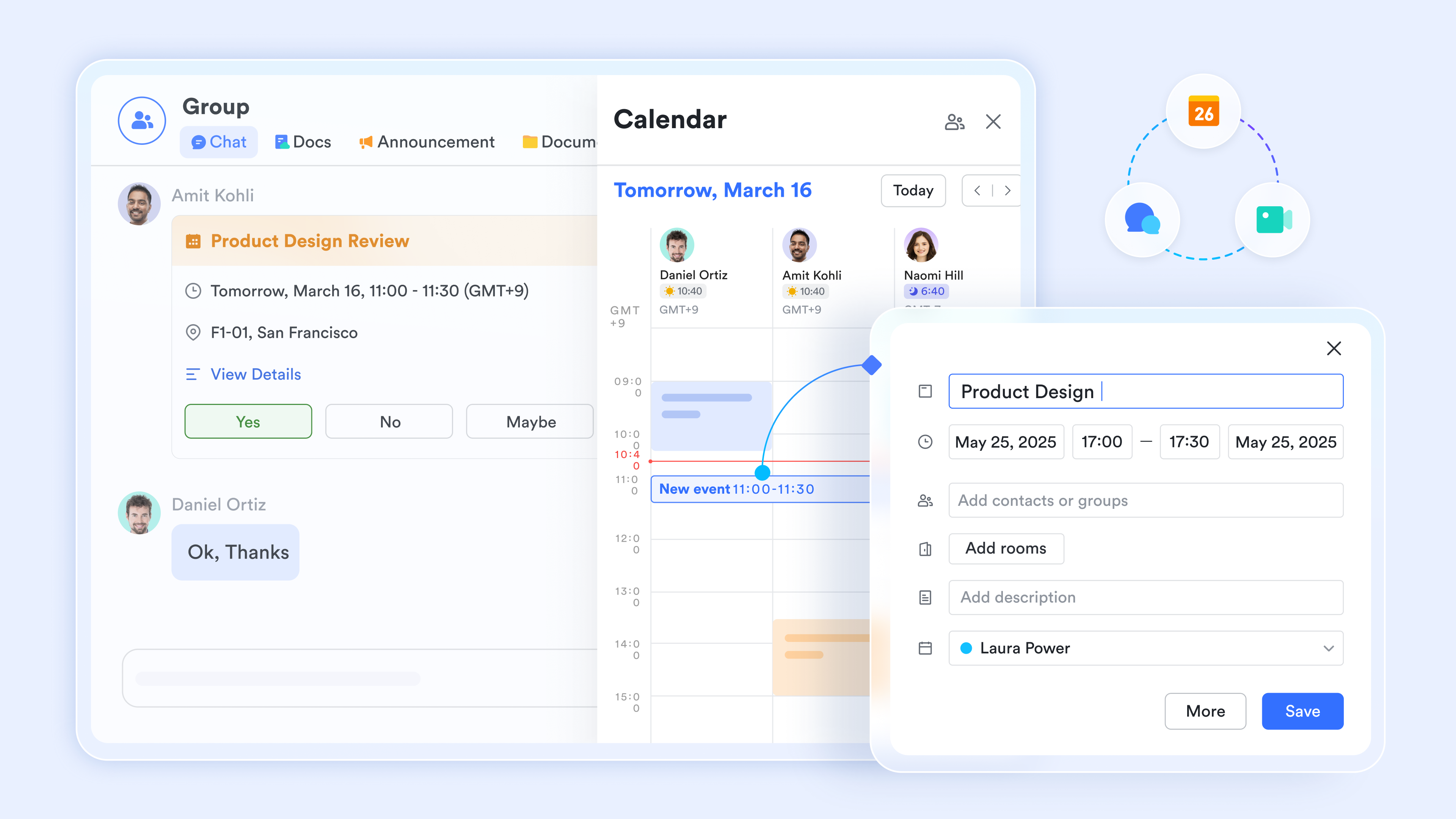
Unified "Meeting Group" chats
Every time you create a calendar event, Lark Calendar can help generate a dedicated Meeting Group Chat. This group includes all invitees and serves as a space for pre-meeting agendas, real-time coordination (e.g., "I'm running 5 minutes late"), and post-meeting follow-ups. Once the meeting ends, the chat remains as a searchable record of the discussion.
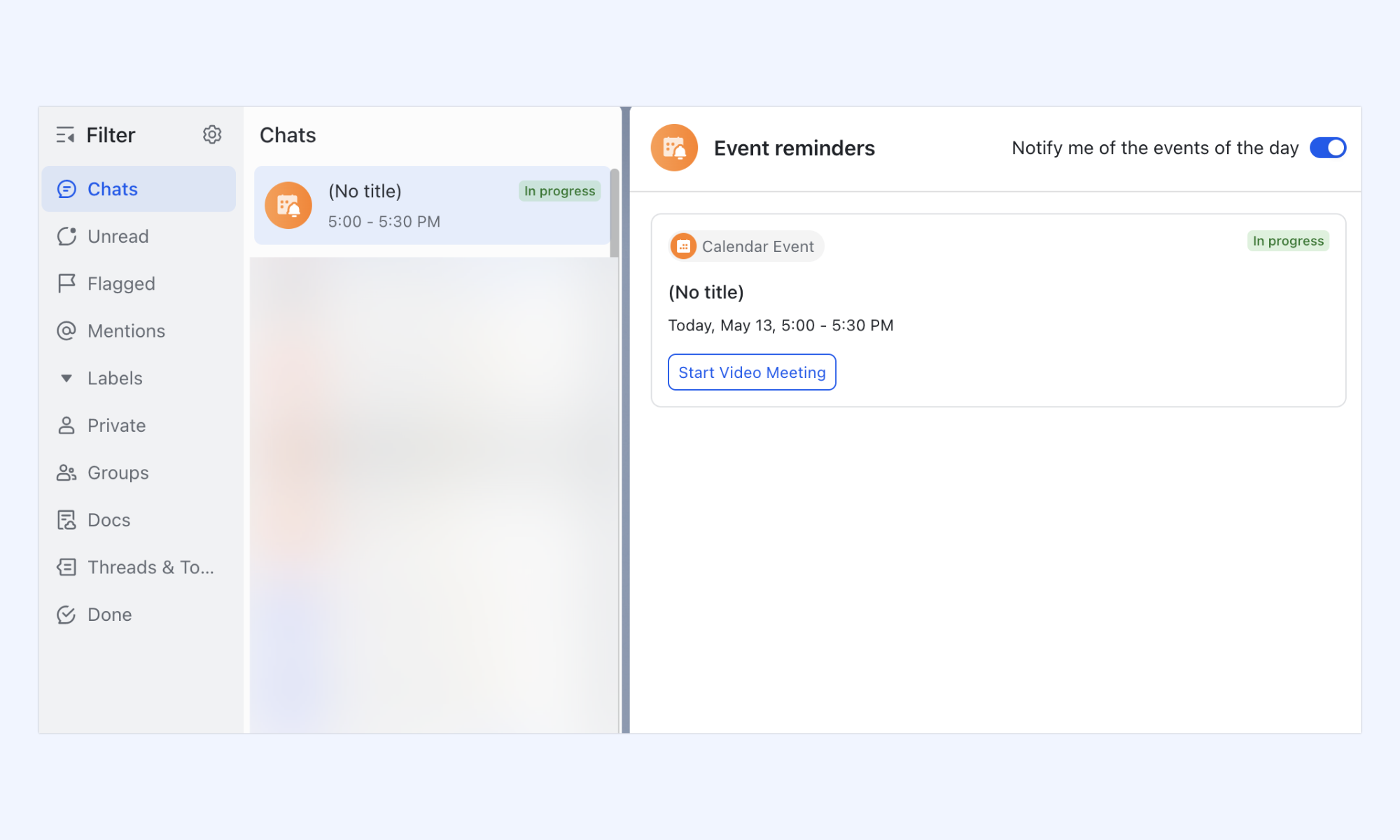
Smart time zone assistant
For distributed teams, the Lark Calendar automatically displays the local time for all participants in a meeting invite. When you drag and drop an event to a new time, it displays a visual time zone slider that shows exactly what time it will be in your colleagues' regions. This time-blocking feature helps you avoid accidental midnight pings.
One-click calendar subscription
Lark calendar subscriptions allow you to follow teammates, meeting rooms, and public schedules to maintain full visibility across your organization. By viewing real-time availability and assigning custom colors to different calendars, you can eliminate back-and-forth scheduling and organize your day in a single workspace.
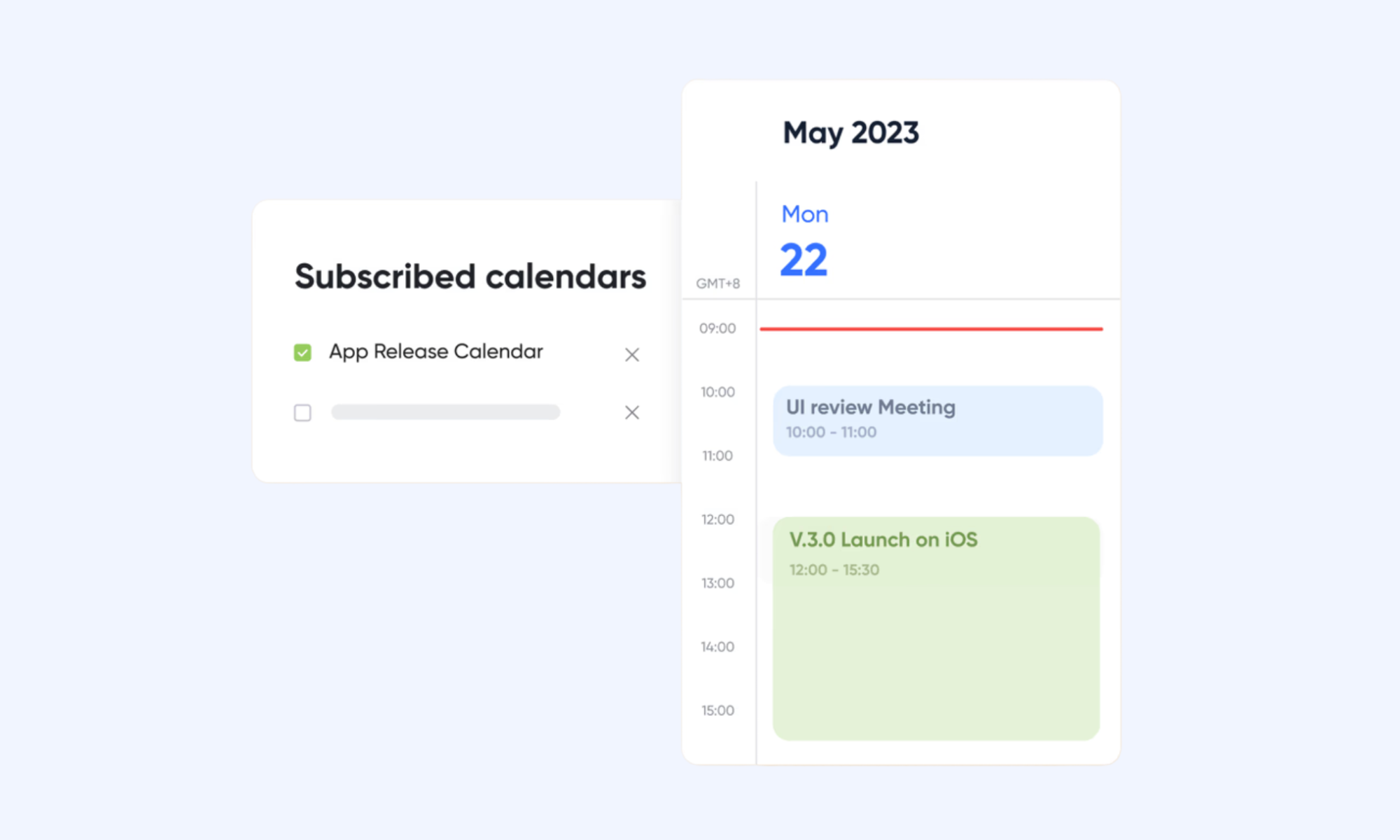
Pros:
- True all-in-one collaboration and scheduling platform
- Excellent for distributed and hybrid team coordination
- Eliminates the need for multiple disconnected tools
- Affordable and scalable for growing organizations
Cons:
- For beginners, it could take time to learn how to use features, but Lark Help Center offers detailed guides.
- Starter plan: Free forever plan that includes 11 powerful tools for up to 20 users. It also comes with 100GB of storage, 1000 automation runs, AI translations, and more.
- Basic plan: $6/user/month (billed annually) for up to 500 users. It includes everything in Starter plus group calling for up to 500 attendees, 5TB of storage, 1000 automation runs, and more. For more details, please contact sales.
- Pro plan: $12/user/month (billed annually) for up to 500 users. It includes everything in Basic plus group calling for up to 500 attendees, 15TB of storage, 50,000 automation runs, and more.
- Enterprise plan: Contact sales for custom pricing. Supports unlimited users and includes even more automation runs and advanced security, compliance, and management features.

Starter
Pro
Enterprise
Starter
For small teams with simple communication needs
$0
/ user / month
20 users max
18 months message history
1-on-1 video meetings
100 GB storage
Lark Docs & Mail
1000 Base automation runs/month
2000 rows per table in Base
Pro
For companies with comprehensive collaboration and management needs
$12
/ user / month
500 users max
Unlimited message history
500-participant video meetings
15 TB storage
Lark Docs & Mail
50k Base automation runs/month
20k rows per table in Base
Enterprise
For large companies with advanced security and organizational management needs
Get a personalized demo and pricing
Unlimited users
Unlimited message history
500-participant video meetings
15 TB storage + 30 GB storage/user
Lark Docs & Mail
500k Base automation runs/month
50k Base automation runs/month
Single sign-on (SSO)
Pro
For companies with comprehensive collaboration and management needs
$12
/ user / month
500 users max
Unlimited message history
500-participant video meetings
15 TB storage
Lark Docs & Mail
50k Base automation runs/month
20k rows per table in Base
2. Google Calendar: Free cloud-based calendar management tool for teams
Google Calendar is a widely used cloud-based scheduling platform that helps individuals and teams organize events, coordinate meetings, and manage shared schedules with simplicity and reliability. With smart scheduling suggestions, shared calendar views, and deep integration across Google Workspace, Google Calendar remains one of the most accessible and trusted calendar management solutions available for teams of all sizes.
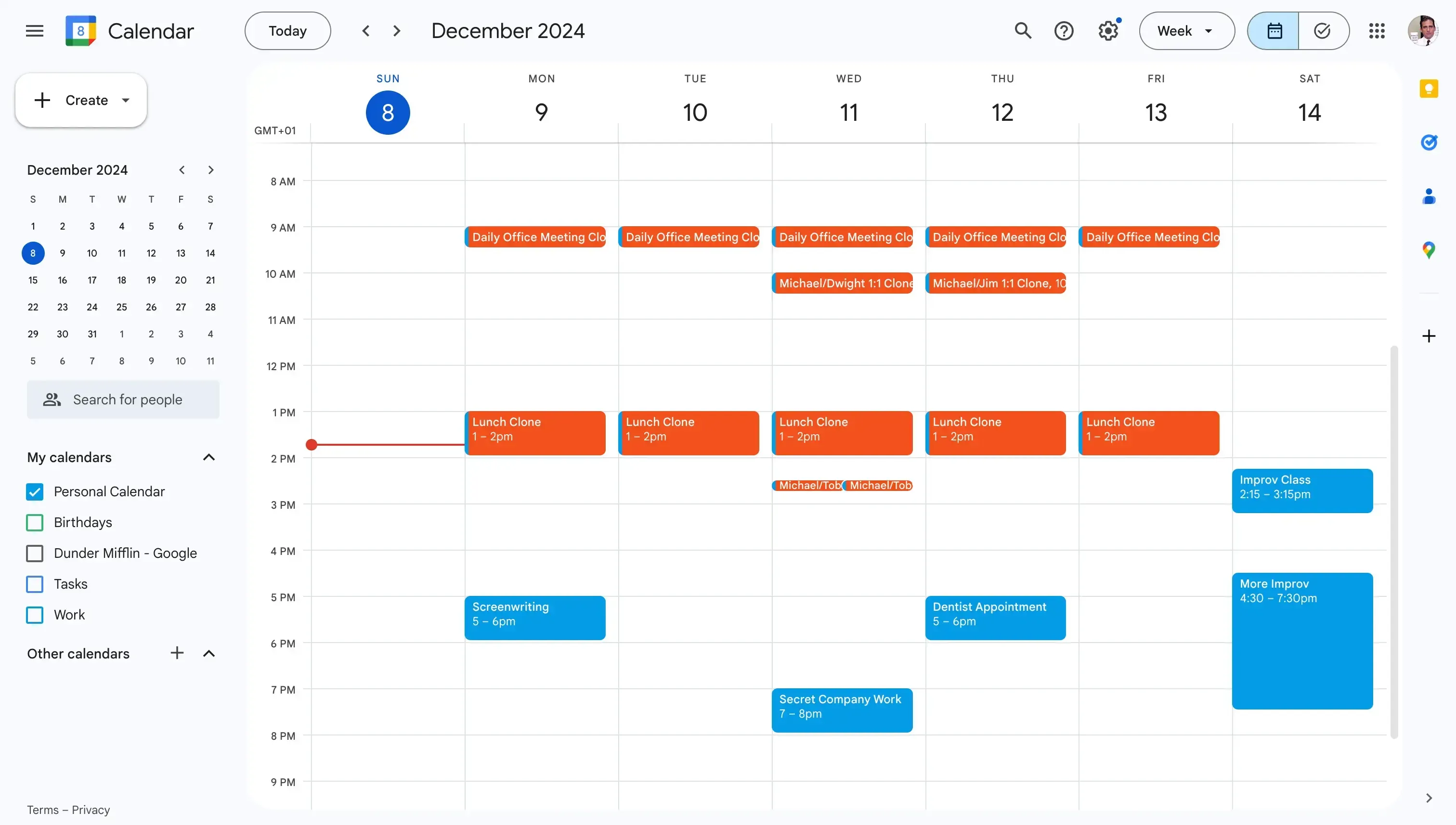
Image source: google.com
Key features:
- Shared team calendars and event scheduling
- Smart meeting suggestions and conflict detection
- Deep Google Workspace ecosystem integration
- Cross-device accessibility and real-time syncing
Pros:
- Free and widely accessible for all users
- Clean and intuitive interface
- Excellent Google Workspace integration
- Reliable cross-device syncing
Cons:
- Limited advanced project management capabilities
- Basic task and workflow management features
- Less suitable for complex team scheduling needs
Pricing:
- Custom pricing
3. Microsoft Outlook Calendar: Enterprise-grade calendar management tool
Microsoft Outlook Calendar is a powerful enterprise scheduling platform that helps organizations manage meetings, coordinate team availability, and maintain structured calendar workflows within the broader Microsoft 365 ecosystem. With advanced meeting coordination, shared calendar management, and deep integration across Teams, SharePoint, and other Microsoft tools, Outlook Calendar remains a go-to choice for enterprise teams that need reliable and feature-rich scheduling capabilities.
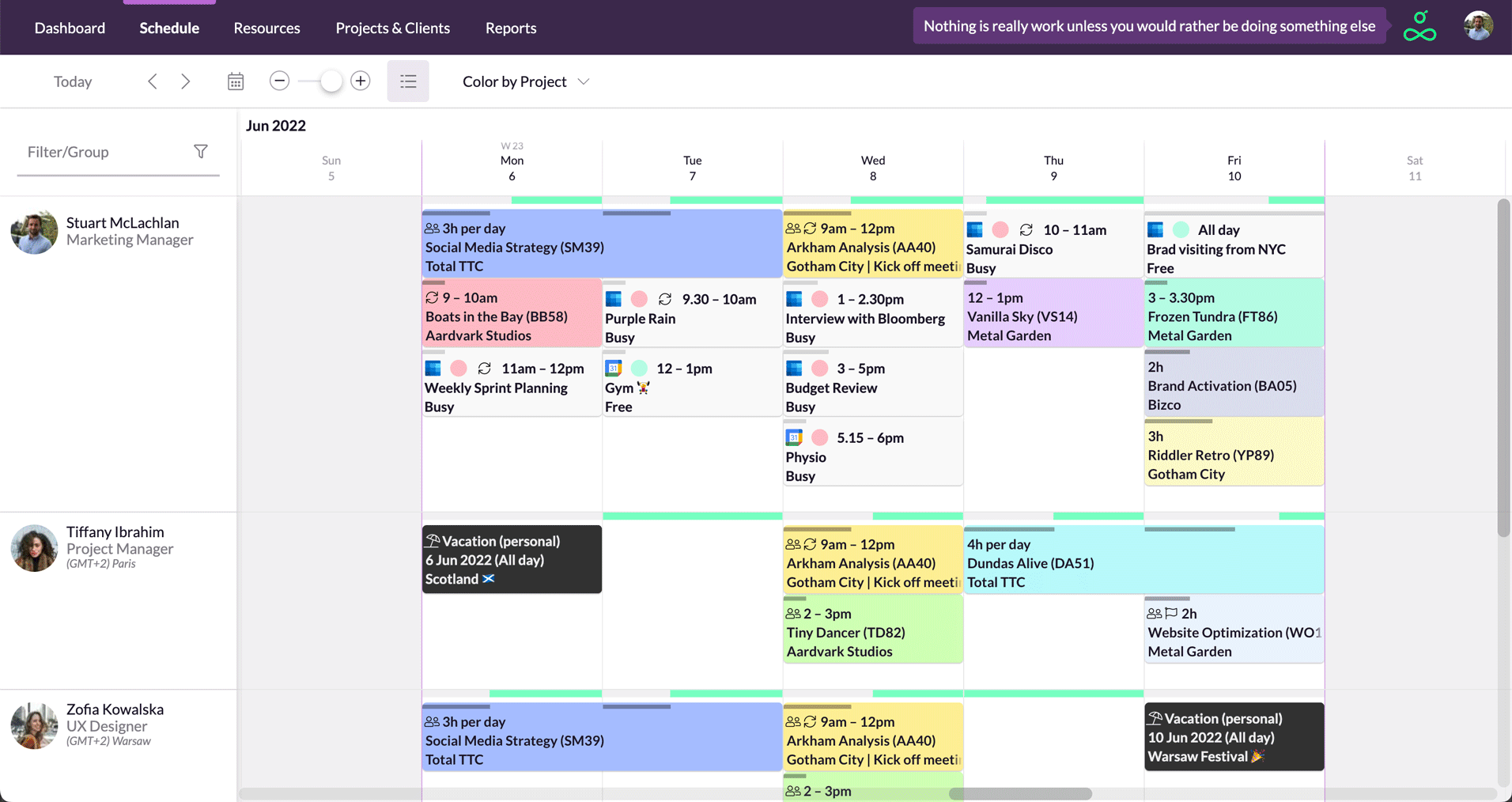
Image source: microsoft.com
Key features:
- Advanced meeting scheduling and coordination
- Shared team calendars and availability viewing
- Deep Microsoft 365 ecosystem integration
- Room and resource booking management tools
Pros:
- Robust enterprise-grade scheduling capabilities
- Seamless Microsoft 365 integration
- Strong shared calendar and meeting management
- Reliable and widely trusted across large organizations
Cons:
- Interface can feel outdated compared to newer tools
- Heavier and less intuitive for non-Microsoft users
- Limited AI-powered scheduling automation features
Pricing:
- Microsoft 365 F3: $8/month (billed annually)
- Microsoft 365 E3: $36/month (billed annually)
- Microsoft 365 E5: $57/month (billed annually)
4. Motion: AI calendar management tool that auto-schedules tasks
Motion is an AI-powered calendar and task management platform that automatically schedules, prioritizes, and reschedules work based on deadlines, priorities, and real-time availability. Designed for busy professionals who want to spend less time planning and more time executing, Motion intelligently builds and rebuilds daily schedules to ensure the most important tasks always get done on time.
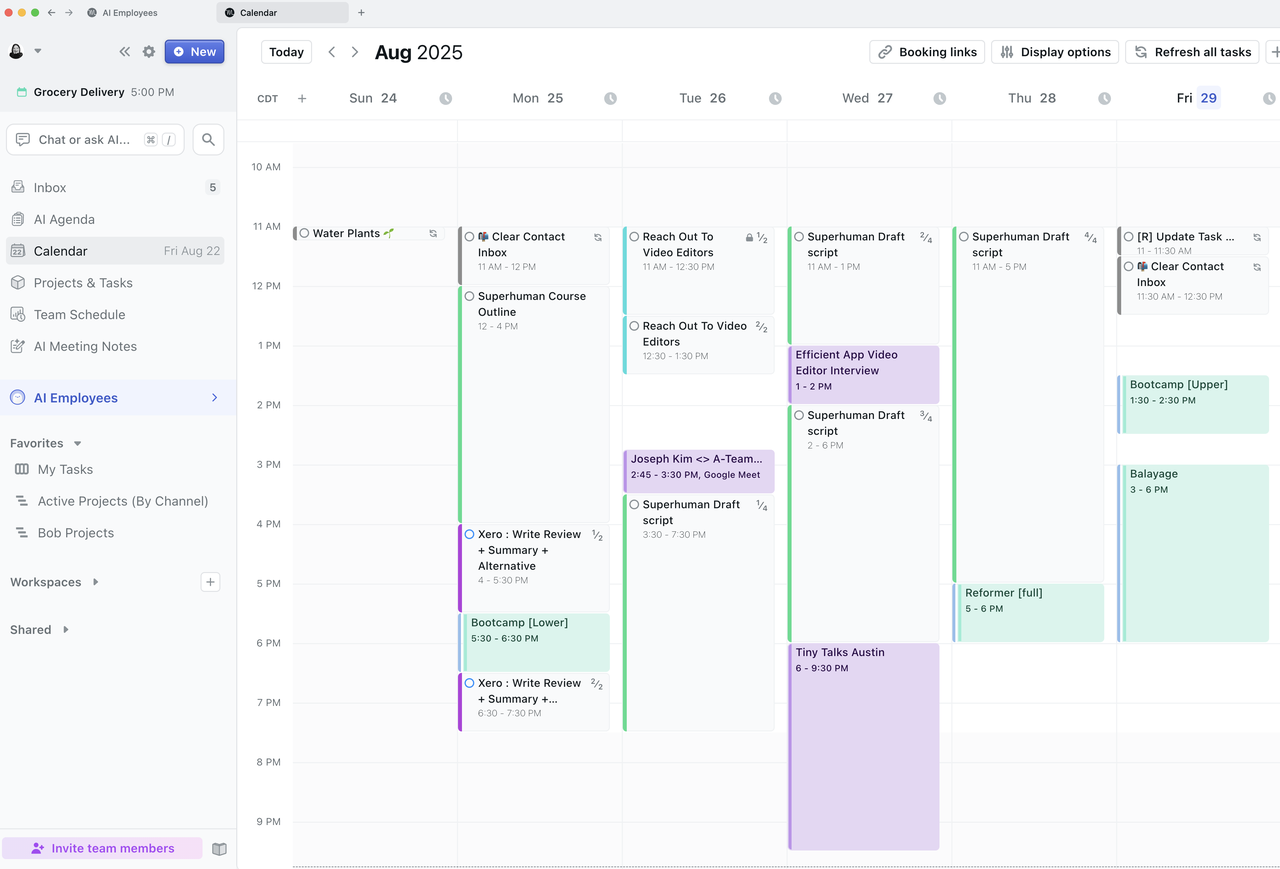
Image source: motion.com
Key features:
- AI-powered automatic task scheduling and rescheduling
- Smart priority management and deadline tracking
- Integrated calendar and project task management
- Real-time schedule adjustment and conflict resolution
Pros:
- Powerful AI automation saves significant planning time
- Automatically adapts schedule to changing priorities
- Combines task management and calendar in one place
- Great for high-output individual professionals
Cons:
- Can feel overwhelming for simple scheduling needs
- Higher pricing compared to basic calendar tools
- Requires time to set up and configure effectively
Pricing:
- AI Workplace: $29/user/month (billed annually)
- Business AI: $49/user/month (billed monthly)
5. Monday.com: Project management calendar tool for connected team scheduling
Monday.com is a flexible work management platform that combines project tracking, team scheduling, and calendar coordination into one visually intuitive workspace. With timeline views, deadline management, and collaborative task tracking, Monday.com helps teams stay aligned around project milestones and daily schedules without losing sight of the bigger picture.
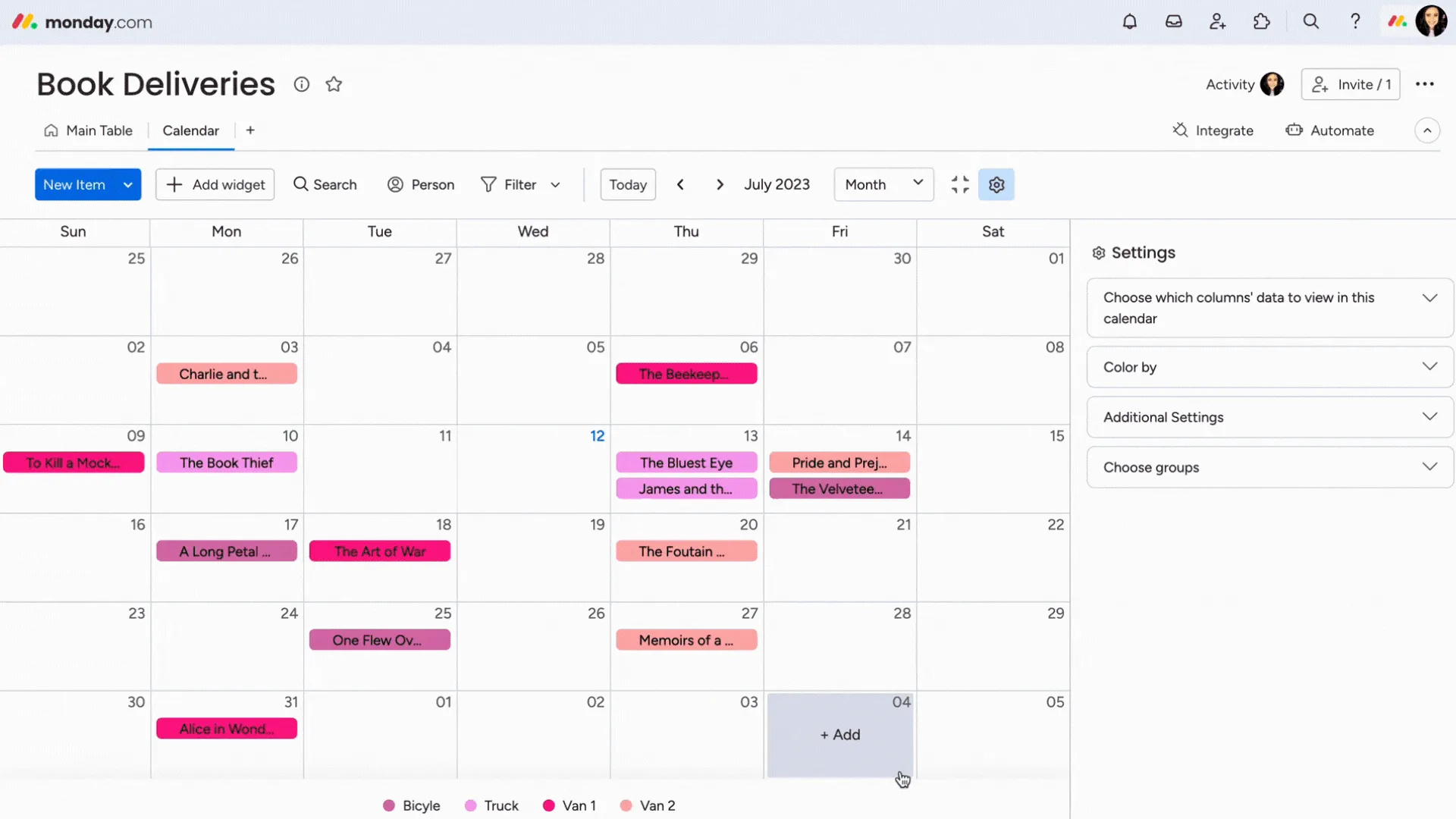
Image source: monday.com
Key features:
- Visual timeline and calendar project views
- Task and deadline tracking across teams
- Customizable workflow and scheduling templates
- Seamless third-party calendar integrations
Pros:
- Highly visual and intuitive interface
- Strong project and calendar coordination tools
- Flexible and customizable for different team needs
- Wide range of third-party integrations
Cons:
- Can be overwhelming for simple scheduling needs
- Higher pricing for advanced features and larger teams
- Calendar features less powerful than dedicated tools
Pricing:
- Free: Up to 2 users with basic boards
- Basic: $9/seat/month (billed annually)
- Standard: $12/seat/month (billed annually)
- Pro: $19/seat/month (billed annually)
- Enterprise: Custom pricing
6. Notion Calendar: Smart calendar management tool for teams
Notion Calendar is a smart scheduling platform that connects team calendars directly with Notion's powerful workspace, bringing together event management, project documentation, and collaborative planning in one unified environment. Designed for teams already working within the Notion ecosystem, it offers a seamless way to align daily schedules with ongoing projects, meeting notes, and team workflows without switching between separate tools.
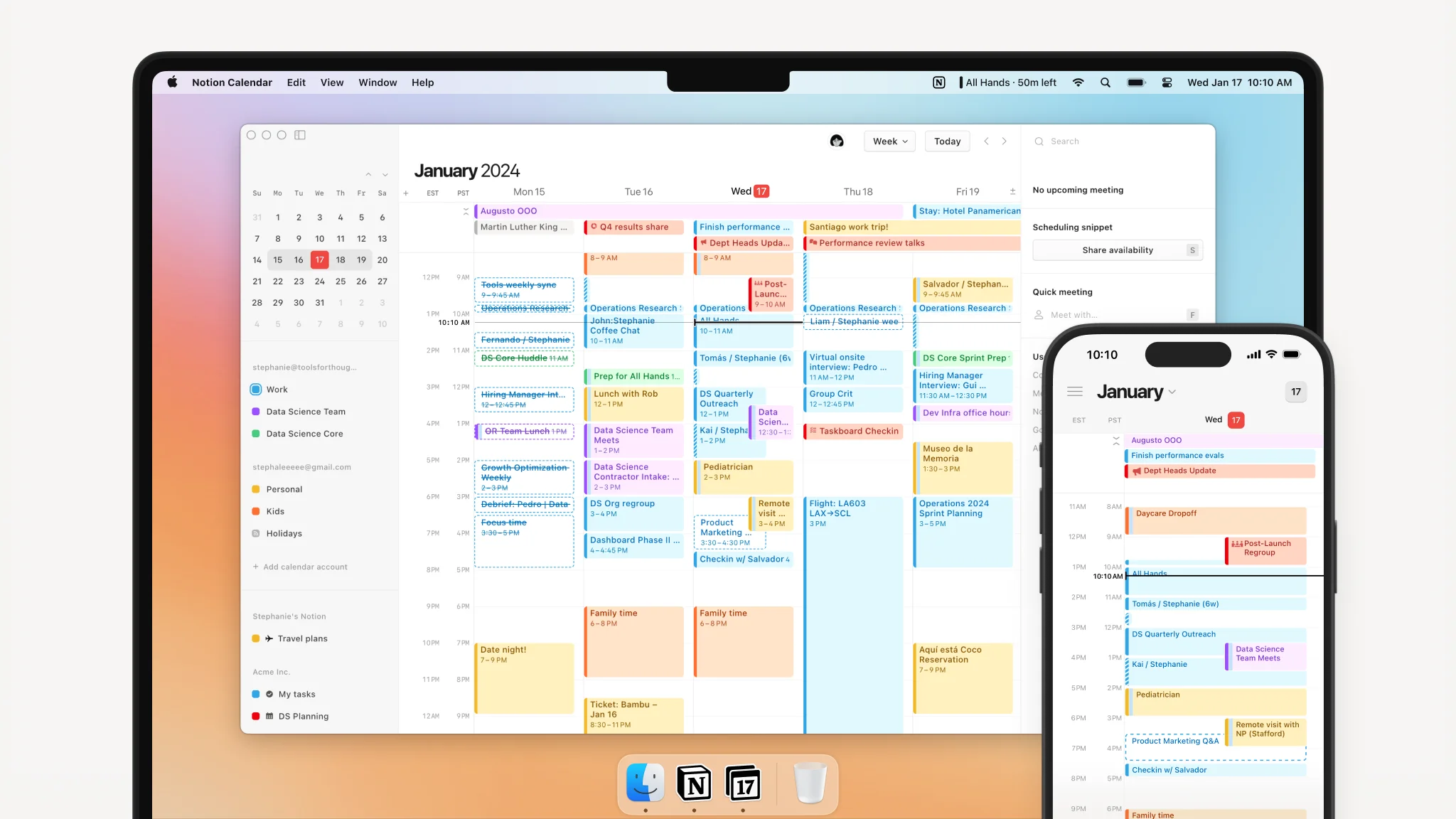
Image source: notion.com
Key features:
- Seamless Notion workspace and calendar integration
- Shared team scheduling and event management
- Connected meeting notes and project documentation
- Cross-device accessibility and real-time syncing
Pros:
- Excellent integration with Notion workspace
- Clean and distraction-free scheduling interface
- Great for teams already using Notion daily
- Connects schedules directly with project documentation
Cons:
- Limited value outside the Notion ecosystem
- Less feature-rich than dedicated calendar platforms
- Basic scheduling automation capabilities
Pricing:
- Free: Available
- Plus: $10/user/month (billed annually)
- Business: $20/user/month (billed annually)
- Enterprise: Custom pricing
7. Calendly: Automated scheduling and calendar management tool
Calendly is a popular automated scheduling platform that eliminates the back-and-forth of meeting coordination by allowing others to book time directly based on real-time availability. Designed for professionals and teams who manage high volumes of external meetings, Calendly streamlines appointment scheduling, reduces manual coordination effort, and integrates seamlessly with major calendar and communication platforms.
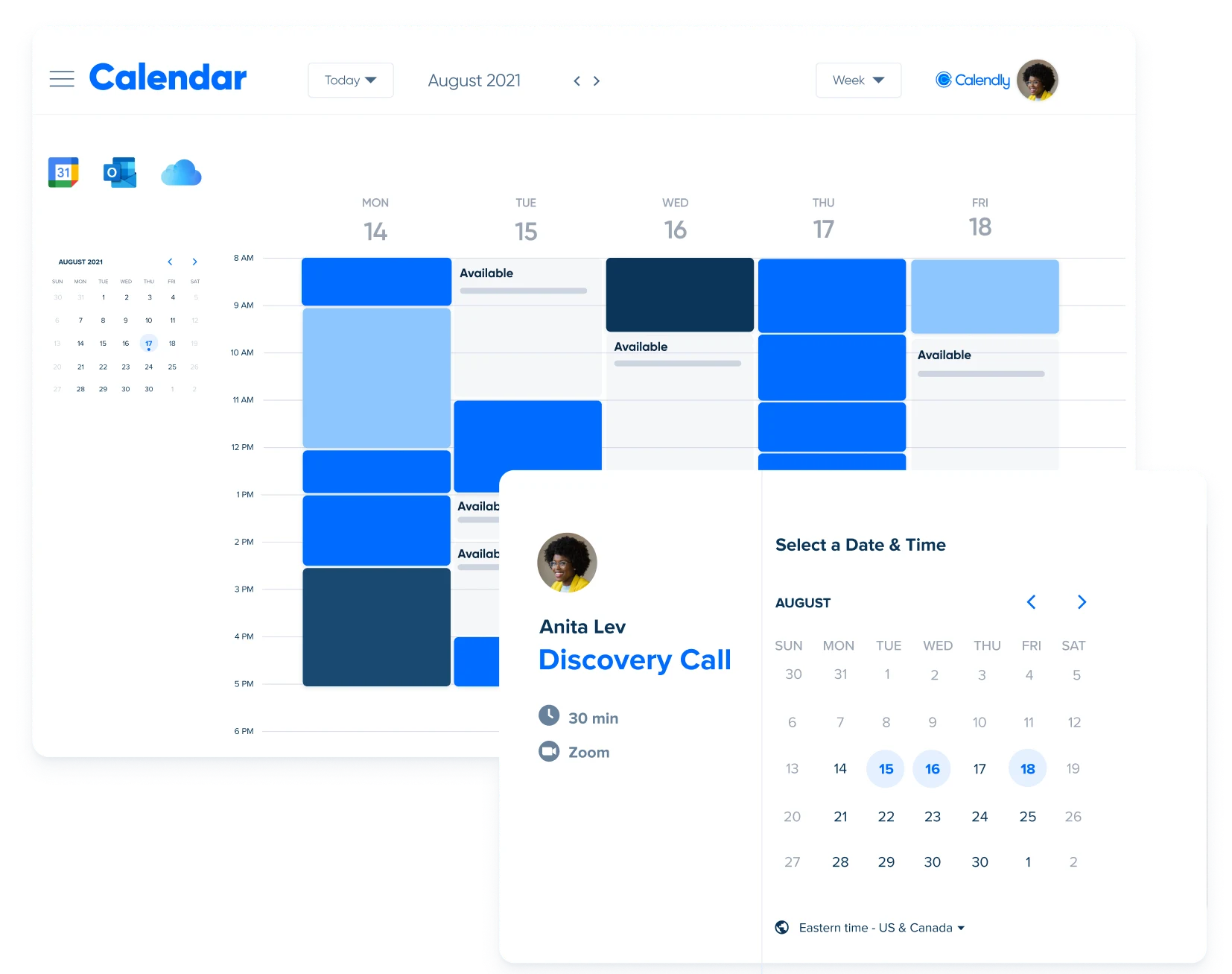
Image source: calendly.com
Key features:
- Automated meeting scheduling and booking pages
- Real-time availability syncing and conflict prevention
- Customizable meeting types and time slot management
- Seamless integration with major calendar platforms
Pros:
- Eliminates back-and-forth meeting coordination
- Clean and professional booking experience
- Wide range of calendar and tool integrations
- Easy to set up and use immediately
Cons:
- Limited beyond external meeting scheduling
- Less suitable for internal team calendar management
- Advanced features locked behind higher pricing tiers
Pricing:
- Free: Available
- Standard: $10/user/month (billed annually)
- Teams: $16/user/month (billed annually)
- Enterprise: Custom pricing
8. Akiflow: Smart calendar management tool with AI task scheduling
Akiflow is a productivity-focused calendar and task management platform that helps professionals consolidate tasks from multiple tools into one unified daily schedule. With AI-powered time blocking and smart scheduling features, Akiflow helps busy professionals plan their day with intention, reduce context switching, and ensure high-priority work always gets the time it deserves.
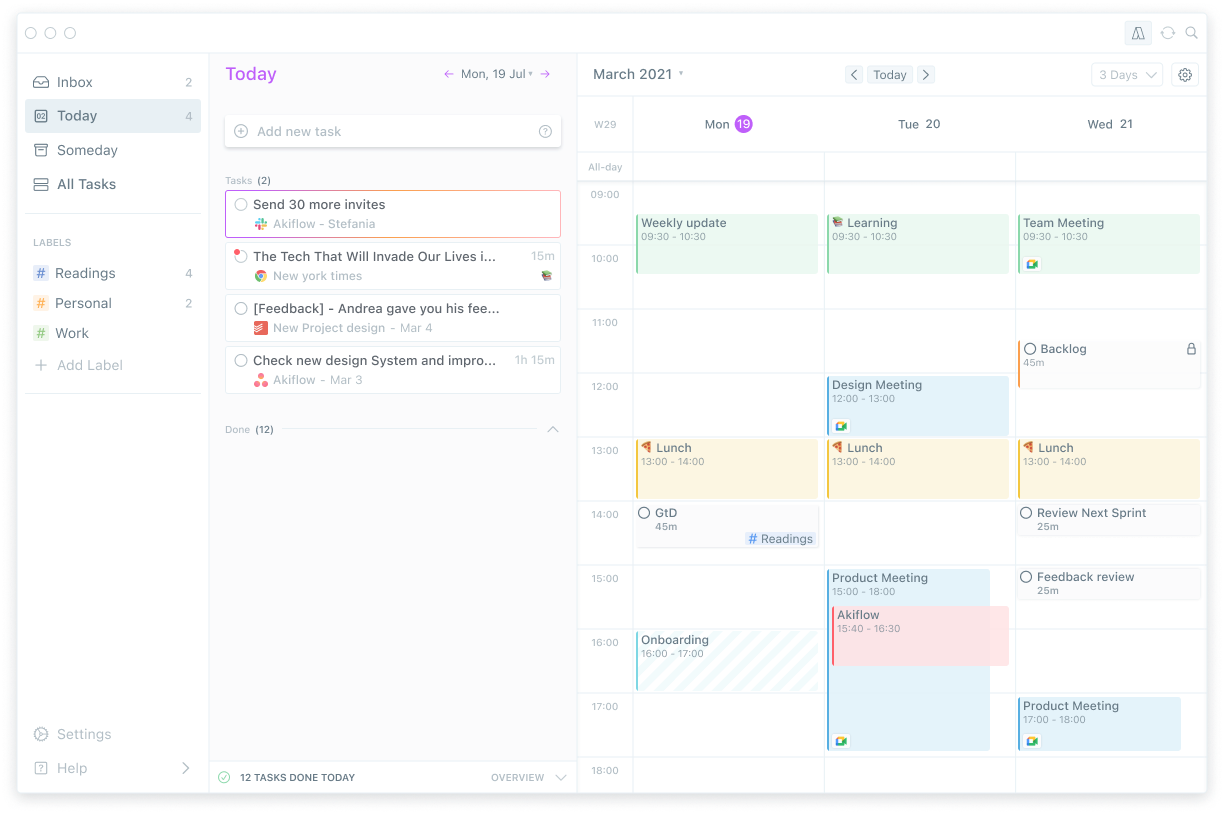
Image source: akiflow.com
Key features:
- AI-powered time blocking and task scheduling
- Unified inbox pulling tasks from multiple platforms
- Daily planning and schedule optimization tools
- Seamless integration with popular productivity apps
Pros:
- Excellent task consolidation from multiple tools
- Strong AI-powered daily planning capabilities
- Reduces context switching significantly
- Clean and focused user interface
Cons:
- Limited team collaboration features
- Less suitable for group scheduling needs
- Higher pricing for individual productivity tool
Pricing:
- Monthly: $34/month
- Yearly: $17/month (billed annually)
- Believer 730: $14.90/month (billed every two years)
9. Morgen: Unified calendar management tool for professionals
Morgen is a unified calendar platform that brings together multiple calendars, task lists, and scheduling workflows into one clean and organized interface. Designed for professionals managing work across several accounts and platforms, Morgen provides a distraction-free scheduling experience with smart time blocking and seamless cross-calendar visibility.
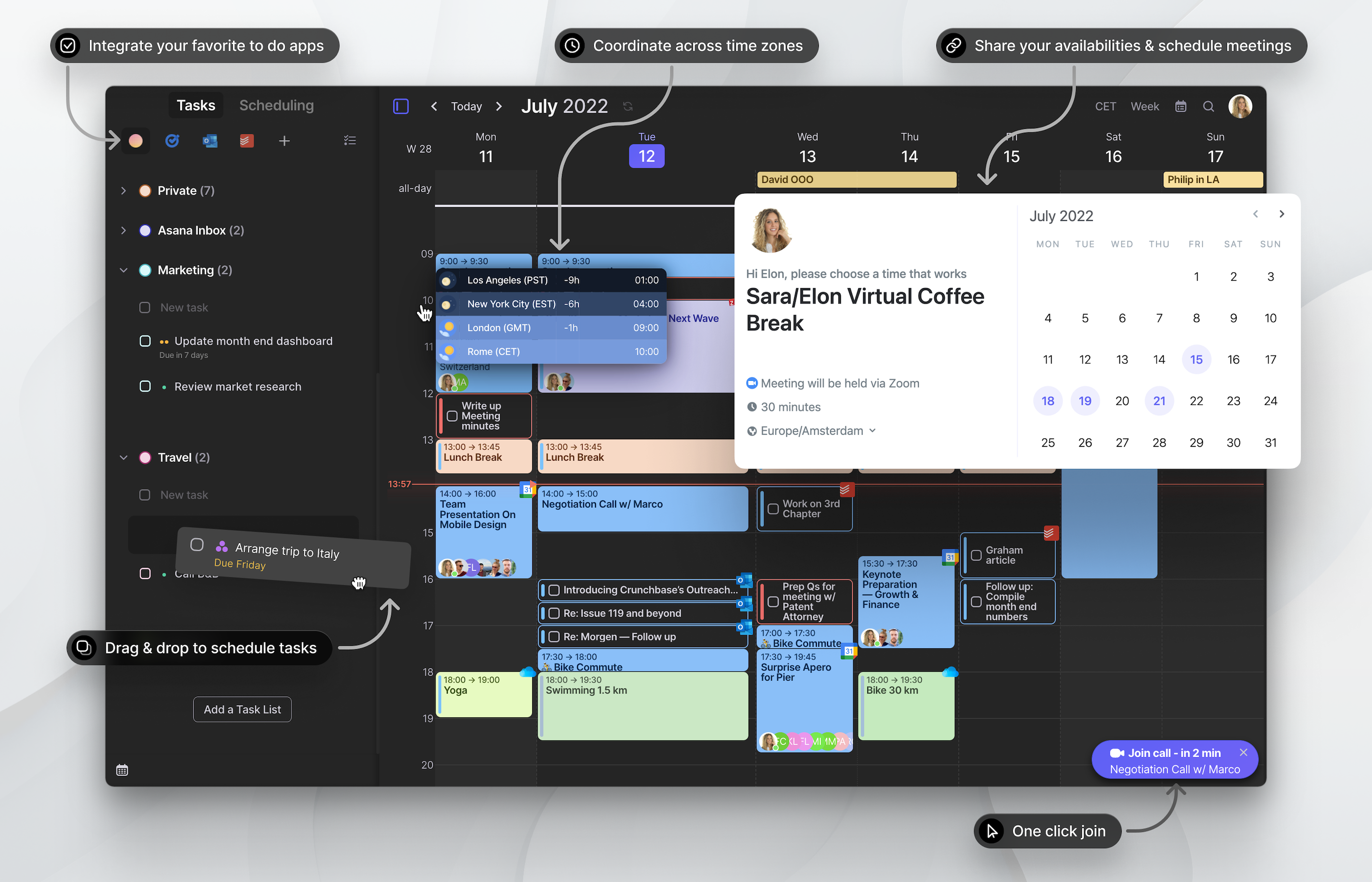
Image source: morgen.com
Key features:
- Unified multi-calendar and account management
- Smart time blocking and daily planning tools
- Task integration and schedule coordination
- Cross-platform accessibility and real-time syncing
Pros:
- Excellent multi-calendar consolidation
- Clean and distraction-free interface
- Strong time blocking capabilities
- Good cross-platform accessibility
Cons:
- Limited team collaboration features
- Fewer advanced AI scheduling capabilities
- Smaller integration ecosystem than larger tools
Pricing:
- Pro: $15/month (billed annually)
- Believer Plan: $6.50/month
10. Wrike: Project management tool with calendar views
Wrike is a robust work management platform that combines project tracking, team collaboration, and calendar views into one powerful and scalable workspace. With Gantt charts, timeline scheduling, and detailed task management, Wrike gives teams clear visibility into project progress and deadlines alongside their day-to-day calendar workflows.
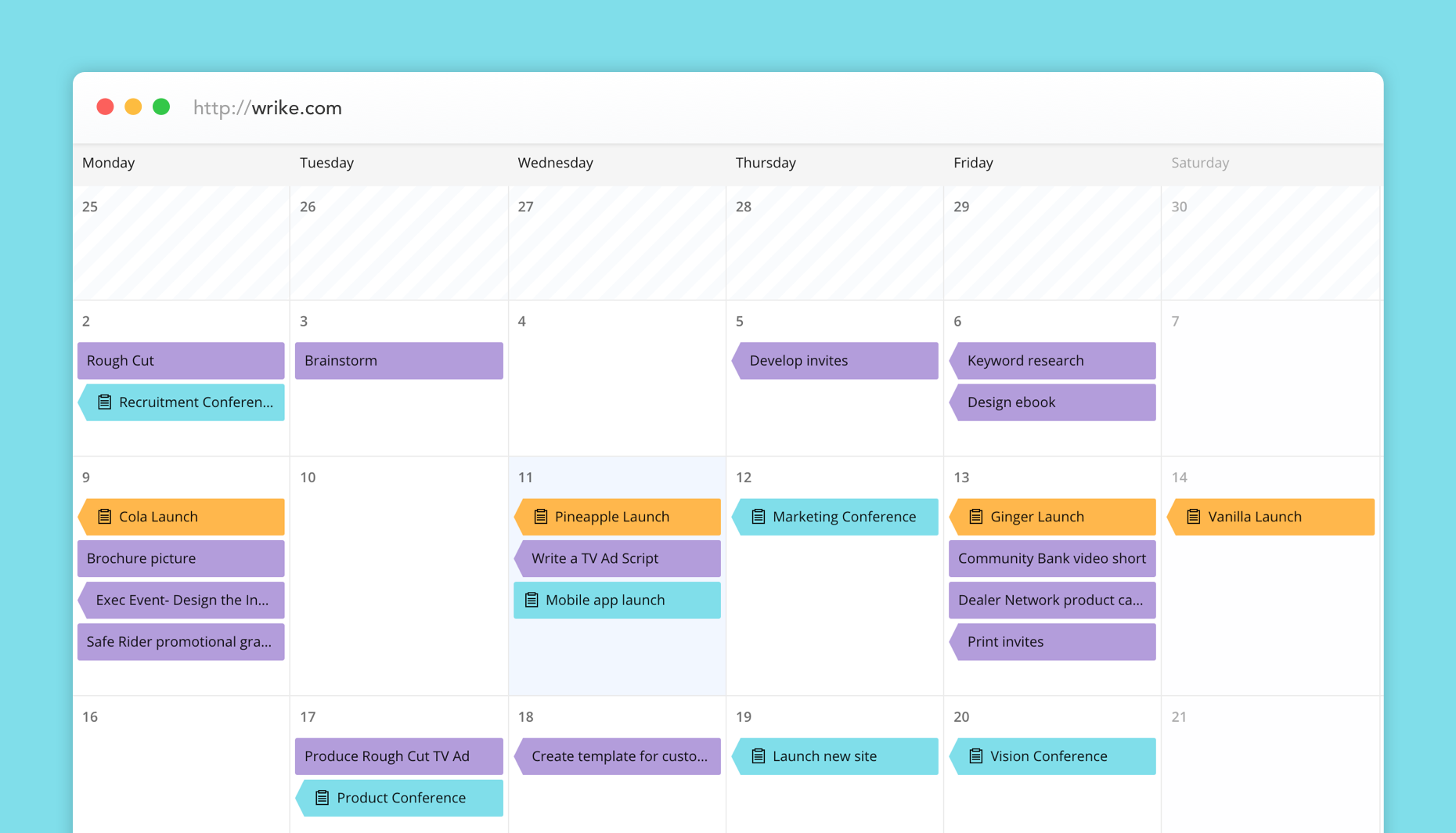
Image source: wrike.com
Key features:
- Calendar and Gantt chart project views
- Task tracking and deadline management tools
- Team collaboration and workflow automation
- Advanced reporting and project analytics
Pros:
- Powerful project and calendar coordination tools
- Strong workflow automation capabilities
- Scales well for large enterprise teams
- Detailed reporting and analytics features
Cons:
- Steeper learning curve for new users
- Can feel complex for simple scheduling needs
- Higher pricing for advanced features
Pricing:
- Free: Available
- Team: $10/user/month (billed annually)
- Business: $25/user/month (billed annually)
- Pinnacle: Custom pricing
- Apex: Custom pricing
11. ClickUp: Project management calendar tool with tasks
ClickUp is an all-in-one productivity platform that combines task management, project tracking, and calendar coordination into one highly customizable workspace. With multiple calendar views, time tracking, and flexible workflow tools, ClickUp gives teams a centralized hub for managing everything from daily schedules to complex long-term project timelines.
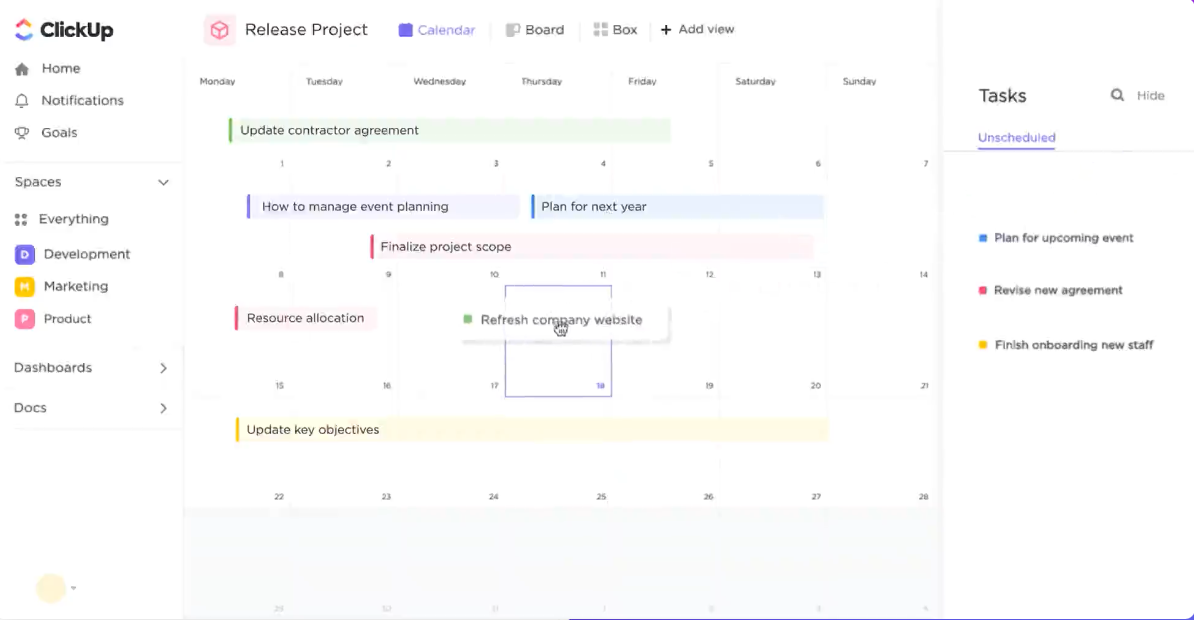
Image source: clickup.com
Key features:
- Multiple calendar and timeline project views
- Task management and time tracking tools
- Highly customizable workflows and dashboards
- Wide range of third-party integrations
Pros:
- Extremely flexible and customizable platform
- Strong combination of tasks and calendar views
- Generous free plan with solid features
- Wide third-party integration options
Cons:
- Can feel overwhelming due to feature density
- Steeper learning curve for new users
- Performance can slow with large workspaces
Pricing:
- Free Forever: Available
- Unlimited: $7/user/month (billed annually)
- Business: $12/user/month (billed annually)
- Enterprise: Custom pricing
12. Zoho Projects: Calendar project management tool
Zoho Projects is a comprehensive project management platform that integrates calendar views, task scheduling, and team collaboration within the broader Zoho ecosystem. With milestone tracking, Gantt charts, and shared project calendars, Zoho Projects helps teams stay organized around project timelines and deadlines in one connected and affordable workspace.
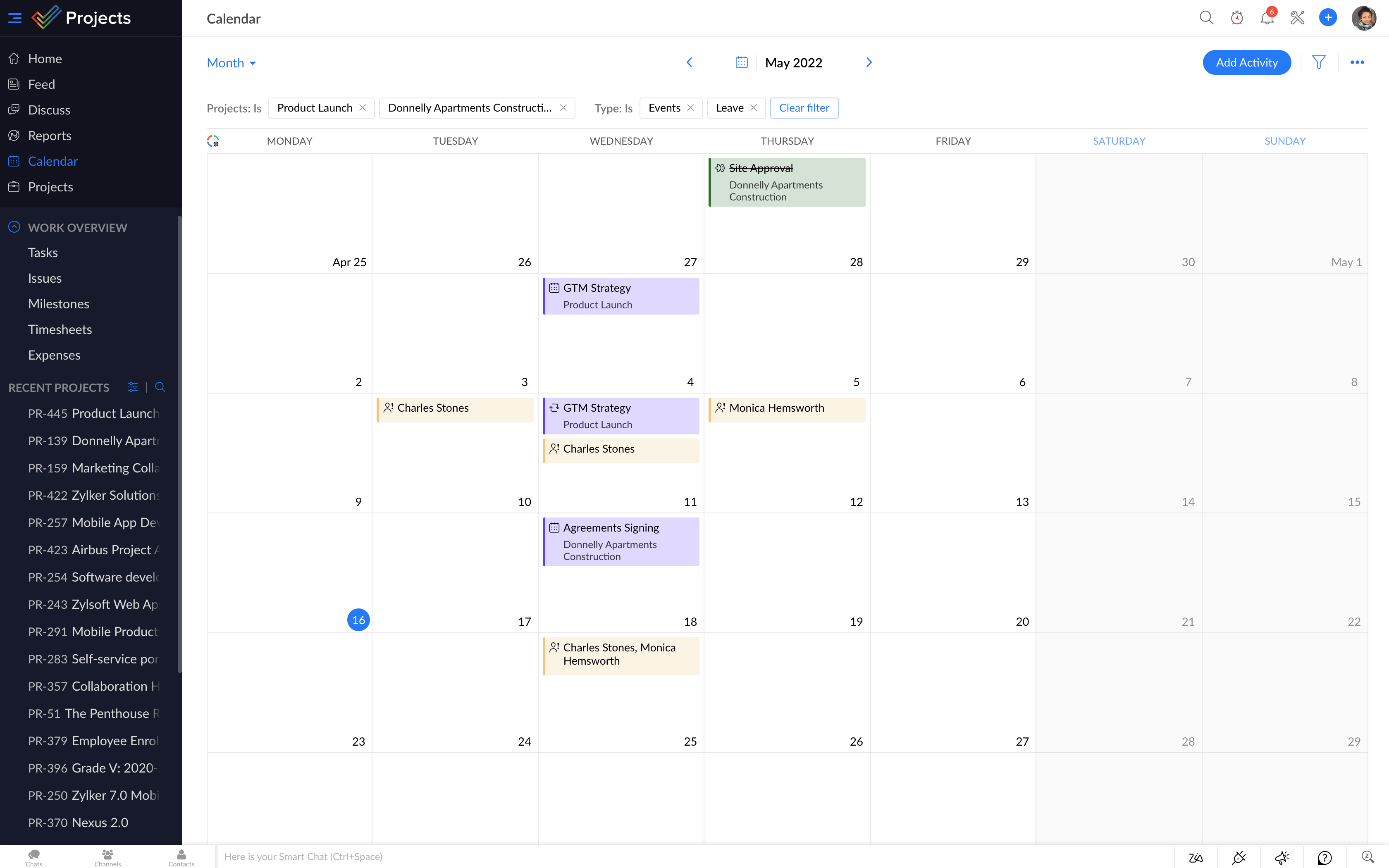
Image source: zoho.com
Key features:
- Shared project calendars and milestone tracking
- Gantt chart and timeline scheduling views
- Task management and team collaboration tools
- Seamless Zoho ecosystem integrations
Pros:
- Affordable pricing for small and mid-sized teams
- Strong Zoho ecosystem connectivity
- Good project calendar and milestone tracking
- Easy to set up and navigate
Cons:
- Interface feels dated compared to newer platforms
- Limited advanced AI scheduling features
- Less suitable outside the Zoho ecosystem
Pricing:
- Free: Up to 5 users and 3 projects at no cost
- Premium: $4/user/month (billed annually)
- Enterprise: $9/user/month (billed annually)
13. Doodle: Group scheduling and calendar management tool
Doodle is a straightforward group scheduling platform designed to simplify the process of finding the best meeting time across multiple participants. With poll-based scheduling, shared availability tools, and calendar integrations, Doodle removes the friction of coordinating group meetings and helps teams reach scheduling consensus quickly and effortlessly.
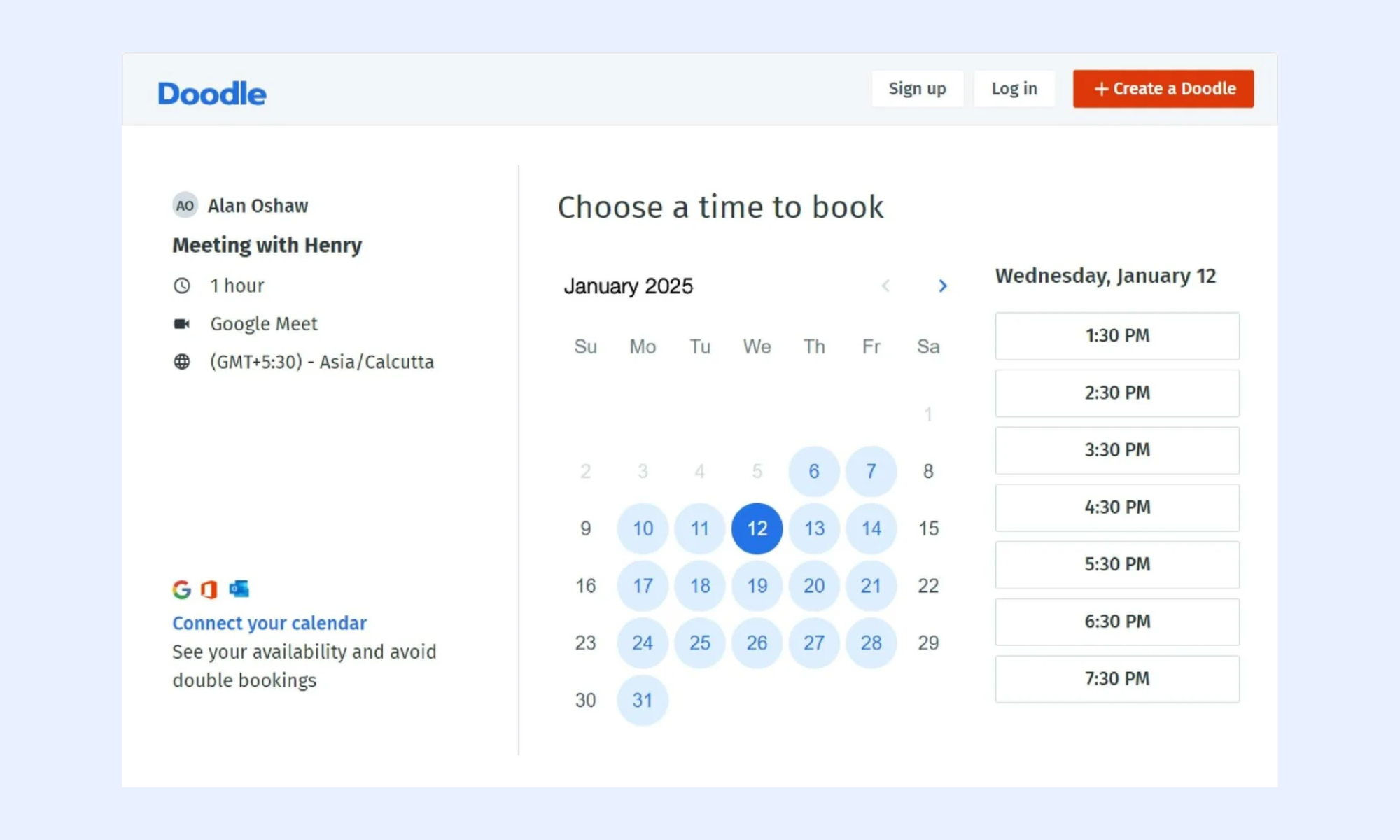
Image source: doodle.com
Key features:
- Poll-based group meeting scheduling
- Shared availability and time slot management
- Automated meeting booking and confirmations
- Integration with major calendar platforms
Pros:
- Extremely simple and easy to use
- Great for coordinating large group meetings
- No account required for participants
- Quick and frictionless scheduling experience
Cons:
- Limited to group meeting coordination
- Basic features compared to full calendar platforms
- Advanced features require a paid subscription
Pricing:
- Free: Available
- Pro: $6.95/user/month
- Team: $8.95/user/month
- Enterprise: Custom pricing
14. Cal.com: Open-source calendar management tool
Cal.com is a flexible open-source scheduling platform that gives individuals and businesses full control over their meeting booking and calendar management workflows. With self-hosting options, deep customization capabilities, and a growing integration ecosystem, Cal.com is an ideal choice for privacy-conscious teams and developers who want a transparent and fully customizable scheduling solution.
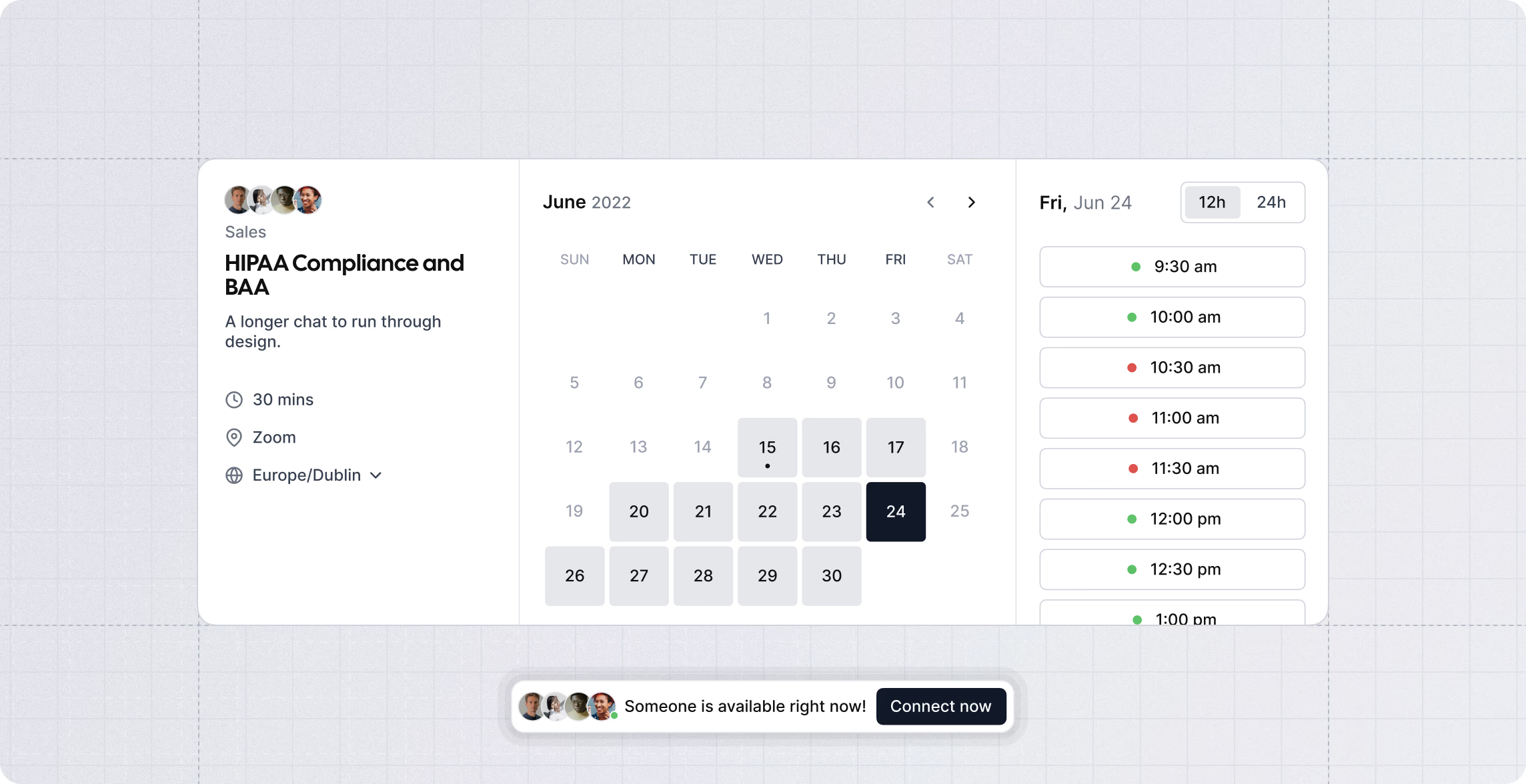
Image source: cal.com
Key features:
- Open-source and self-hosting capabilities
- Customizable booking pages and workflows
- Team scheduling and availability management
- Wide range of third-party integrations
Pros:
- Full data ownership and privacy control
- Highly customizable for specific business needs
- Strong and growing integration ecosystem
- Cost-effective open-source pricing options
Cons:
- Requires technical expertise for self-hosting
- Less polished UI than commercial alternatives
- Limited enterprise support options
Pricing:
- Free: Available
- Teams: $15/user/month
- Organizations: $37/user/month
- Enterprise: Custom pricing
15. Fantastical: AI-assisted smart calendar management tool
Fantastical is a premium AI-assisted calendar platform designed for Apple ecosystem users who want a beautifully designed and intelligently powered scheduling experience. With natural language event creation, smart scheduling suggestions, and unified calendar and task management, Fantastical helps professionals stay organized and in control of their time across all Apple devices.
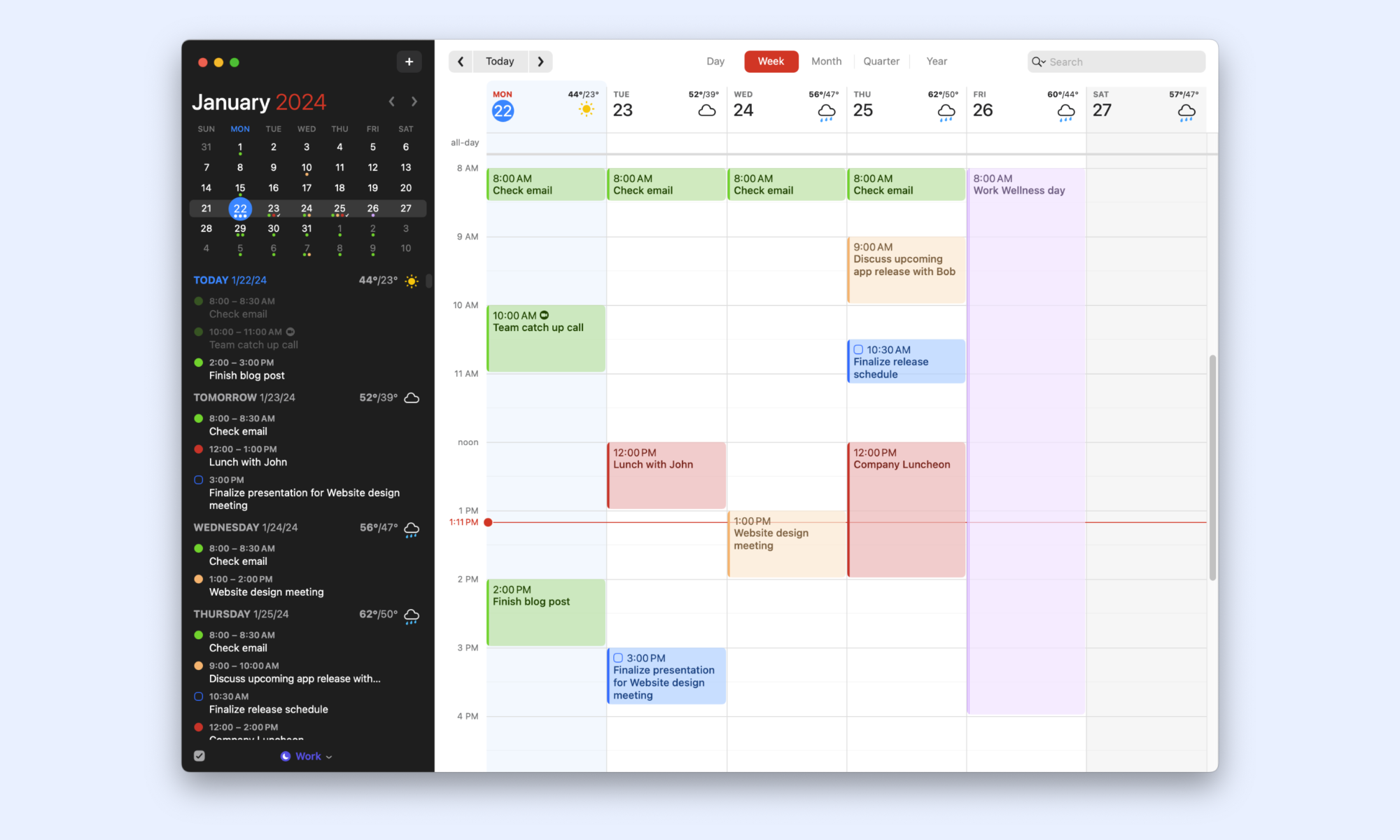
Image source: fantastical.com
Key features:
- AI-assisted natural language event creation
- Unified calendar and task management views
- Smart scheduling suggestions and conflict detection
- Deep Apple ecosystem and cross-platform integration
Pros:
- Beautifully designed and intuitive interface
- Excellent natural language scheduling capabilities
- Strong Apple ecosystem integration
- Combines calendar and task management seamlessly
Cons:
- Best experience limited to Apple ecosystem users
- Premium pricing compared to free alternatives
- Less suitable for large team collaboration needs
Pricing:
- Free: Available
- Individual: $4.99/month
- Family: $8/month
How to get the most out of your calendar management tool
Having the right calendar management tool is only half the battle. Using it effectively is what truly transforms how you manage time, coordinate with teams, and stay on top of competing priorities. Here are five practical ways to get the most out of your calendar management platform every day.
- Build a consistent time-blocking routine: One of the most powerful ways to maximize any calendar tool is to practice structured time-blocking habits. Dedicating specific time slots to focused work, meetings, and administrative tasks prevents schedule fragmentation, reduces reactive working patterns, and ensures your most important priorities always receive dedicated attention throughout the day.
- Connect your calendar with project workflows: A calendar tool works best when it is not operating in isolation. Integrating your scheduling platform with a project manager calendar setup ensures that project deadlines, task assignments, and team milestones are reflected directly in your daily schedule, keeping project execution and time management tightly aligned without manual updates.
- Audit and declutter your calendar regularly: Most professionals accumulate recurring meetings, outdated events, and unnecessary commitments over time that quietly consume valuable working hours. Conducting a regular calendar audit helps identify low-value time drains, reclaim productive hours, and ensure your schedule genuinely reflects your current priorities and responsibilities.
- Use automation to reduce scheduling friction: Modern calendar management tools offer powerful automation features like smart meeting suggestions, auto-scheduling, and availability syncing that eliminate repetitive manual coordination. Taking full advantage of these automation capabilities significantly reduces the administrative burden of scheduling and frees up more time for meaningful and productive work.
- Set clear boundaries with shared calendar visibility: Sharing calendar availability with teammates and stakeholders is essential for smooth collaboration, but it also requires clear boundaries around focused work time. Marking deep work blocks as busy, setting working hours, and using status indicators within your calendar tool helps protect productive time while keeping team coordination transparent and efficient.
New trend: How AI tools for calendar management change landscapes
Scheduling is no longer a manual administrative burden. By using a modern AI tool for calendar management, teams can instantly analyze availability and detect conflicts.
The evolution of scheduling
Scheduling is no longer a manual administrative burden. By using a modern AI tool for calendar management, teams can instantly analyze availability and detect conflicts. These systems automatically suggest optimal meeting times, eliminating coordination friction and giving professionals back meaningful hours every single week.
Protecting deep work
Beyond simple event creation, intelligent platforms proactively reserve focused work blocks before schedules fill up. This helps teams reduce burnout and protect their most productive hours. By prioritizing deep work over reactive demands, these tools ensure that daily routines reflect actual business goals rather than being interrupted by unplanned demands.
Strategic project alignment
For complex workflows, integrating a calendar for project management provides a unified view of deadlines and priorities. This creates a single "line of sight" across departments, allowing for dynamic rescheduling as priorities shift. Ultimately, AI-powered scheduling is becoming a fundamental way for modern teams to organize their collective energy.
Conclusion
Calendar management tools have become an essential part of staying organized, productive, and aligned in today's fast-moving and increasingly complex work environment. The right platform helps professionals and teams coordinate schedules, protect focused work time, reduce meeting overload, and connect daily time management directly to broader project and business goals.
Solutions like Lark demonstrate how calendar management can go even further when combined with team collaboration, messaging, and workflow coordination within a single, fully connected workspace. For organizations that also need to align scheduling with client relationships and sales workflows, integrating calendar management with a CRM system ensures time is always being invested where it creates the most business value.
FAQs
What is the tool to manage multiple calendars?
Several tools are well-suited for managing multiple calendars in one place. Morgen is designed to unify multiple calendar accounts and platforms into a single, clean, and organized interface, making it a strong choice for professionals juggling personal and work schedules. Fantastical also excels at consolidating multiple calendars with a beautifully designed unified view. For teams that need collaboration alongside multi-calendar management, Lark brings shared team calendars, project schedules, and communication workflows into a fully connected workspace.
Can ChatGPT organize my calendar?
ChatGPT itself cannot directly access or organize your calendar, as it lacks native calendar integration or real-time scheduling capabilities. However, it can assist with planning by suggesting time-management strategies, drafting meeting agendas, and helping to prioritize tasks. For actual calendar organization and automation, dedicated AI-powered tools like Motion, Akiflow, and Fantastical are better suited as they connect directly with your calendar, auto-schedule tasks, and dynamically adjust plans based on real-time availability and priorities.
What is the best calendar scheduling tool?
The best calendar scheduling tool depends on individual needs and workflow requirements. Calendly is widely regarded as the top choice for automating external meeting bookings and eliminating scheduling back-and-forth. Motion stands out for professionals who need AI-powered task scheduling and dynamic daily planning. For teams that need scheduling alongside project management and collaboration, Lark and Monday.com offer strong calendar coordination within broader connected workspaces. Ultimately, the best tool is the one that fits naturally into how you and your team already work every day.
What is the best way to manage a calendar?
The most effective way to manage a calendar is to build consistent time-blocking habits that dedicate specific slots to focused work, meetings, and administrative tasks. Regularly auditing and decluttering recurring commitments helps reclaim valuable productive hours that often get lost over time. Connecting your calendar with project management and task tools ensures deadlines and priorities are always reflected in your daily schedule.
Related reading
Table of contents
Start using Lark today

Manage all your work in one place
Boost team efficiency by 10x
Save up to 70% on software costs
Table of contents
Start using Lark today
Manage all your work in one place
Boost team efficiency by 10x
Save up to 70% on software costs
Keep reading








2026 Lark Technologies Pte. Ltd.
Headquartered in Singapore with offices worldwide.






Explore: