In today's fast-paced work environment, teams rely on digital tools to communicate, share information, and manage projects efficiently. A powerful collaboration app helps teams stay connected, organize tasks, and work together smoothly regardless of location. From messaging and video meetings to document sharing and workflow management, modern collaboration platforms bring multiple functions into a single workspace. This reduces communication gaps and improves overall productivity. With many tools available on the market, choosing the right solution can be challenging. In this guide, we explore the best collaboration app solutions that help teams streamline communication, simplify project coordination, and boost team productivity.
Key takeaways: 5 best team collaboration apps
Choosing the right collaboration app can significantly improve how teams communicate, , and share information. The following tools are widely used by organizations to streamline teamwork and maintain productivity across departments.
1. Lark: Lark is an all-in-one collaboration app that combines messaging, video meetings, documents, and workflow tools in a single workspace for seamless team coordination.
2. Slack: Slack is a popular team communication platform that organizes conversations through channels, making it easier for teams to collaborate and share updates in real time.
3. Microsoft Teams: Microsoft Teams integrates chat, video conferencing, and file sharing with Microsoft 365, allowing teams to collaborate directly within the Microsoft ecosystem.
4. Asana: Asana is a and collaboration tool that helps teams organize tasks, track project progress, and manage workflows efficiently.
5. ClickUp: ClickUp is a versatile productivity platform that combines task management, documents, and team collaboration features to help teams manage projects from start to finish.
Overview of collaboration app platforms
Modern collaboration apps help teams communicate, share files, and manage projects within a single digital workspace. These platforms bring together messaging, video meetings, task management, and document collaboration to simplify teamwork. As businesses increasingly adopt remote and hybrid work models, collaboration apps have become essential tools for improving productivity and keeping teams connected.
Information source: Official vendor sites
Update time: 2026-03-03
Note: Pricing and plan details reflect publicly available data as of the update date and may vary based on region, billing cycle, and number of agents.
Connect conversations and workflows with Lark
What defines a modern collaboration app?
Modern team collaboration apps are designed to bring communication, project coordination, and information sharing into a single digital workspace. Instead of relying on separate tools for messaging, meetings, file sharing, and task management, a modern collaboration app integrates these functions to help teams work more efficiently.
Key characteristics of modern team collaboration apps include real-time messaging, video conferencing, shared documents, and features. Many platforms also support automation, integration with other business tools, and cloud-based access so teams can collaborate from anywhere. By centralizing communication and , these apps reduce confusion, improve transparency, and help teams stay aligned on tasks and goals.
18 top collaboration apps for teams
Many modern collaboration apps help teams communicate, manage projects, and share information more efficiently. Below is a curated list of 18 top collaboration apps reviewed for their features, integrations, and ability to support seamless teamwork across organizations.
1. Lark: All-in-one collaboration workspace for unified team execution
is an all-in-one collaboration workspace that brings messaging, meetings, document collaboration, task management, approvals, and AI-powered workflows into a single platform. Instead of relying on separate tools for communication and execution, teams can manage , track projects, and automate processes in a single connected environment.
Unified database with flexible views
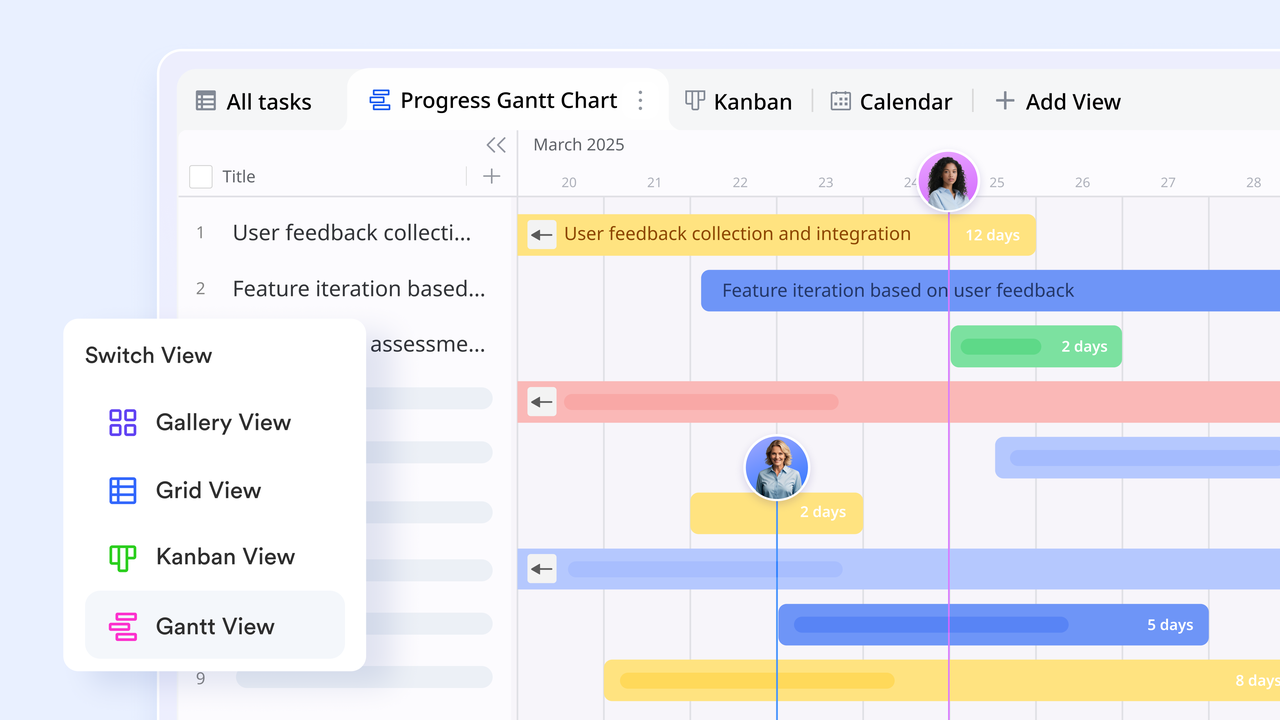
functions as a flexible database that allows teams to visualize their workflow through multiple lenses. Users can toggle between for stage tracking, Calendar views for deadline management, and for complex timeline planning. This ensures that every department can execute its portion of the project using the visual format that best suits its specific workflow.
Contextual communication
serves as the primary engine for keeping team discussions aligned with specific projects. Its core function is the "Topic Group," which organizes conversations into distinct threads to prevent vital information from being buried. By pinning or Lark Tasks directly to the chat header, teams can access the tools they need for execution without ever leaving the conversation window. 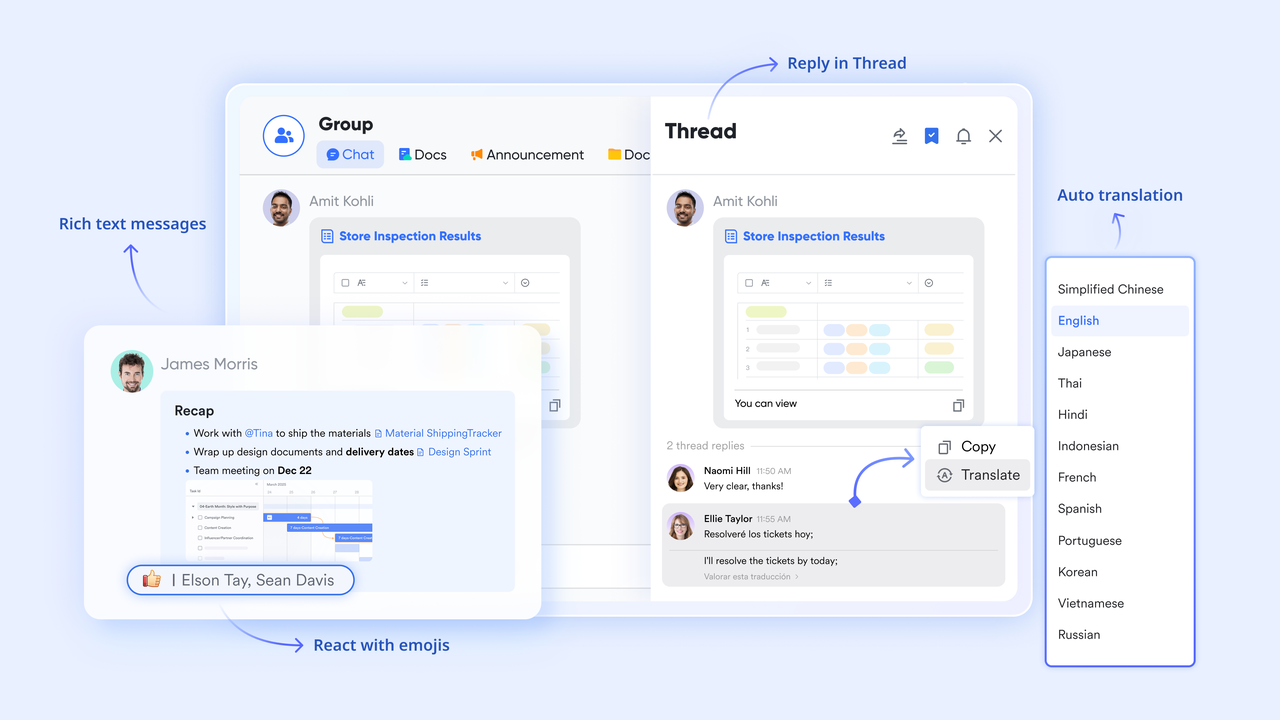
Structured work tracking
Lark Tasks provides the structure needed to turn conversations into actionable items. A specific function of Lark is the ability to create a task instantly from any message in Lark Messenger. These tasks can then be organized into shared lists with clear owners and deadlines, and will be sent through the Message card to ensure no piece of the execution plan is overlooked. 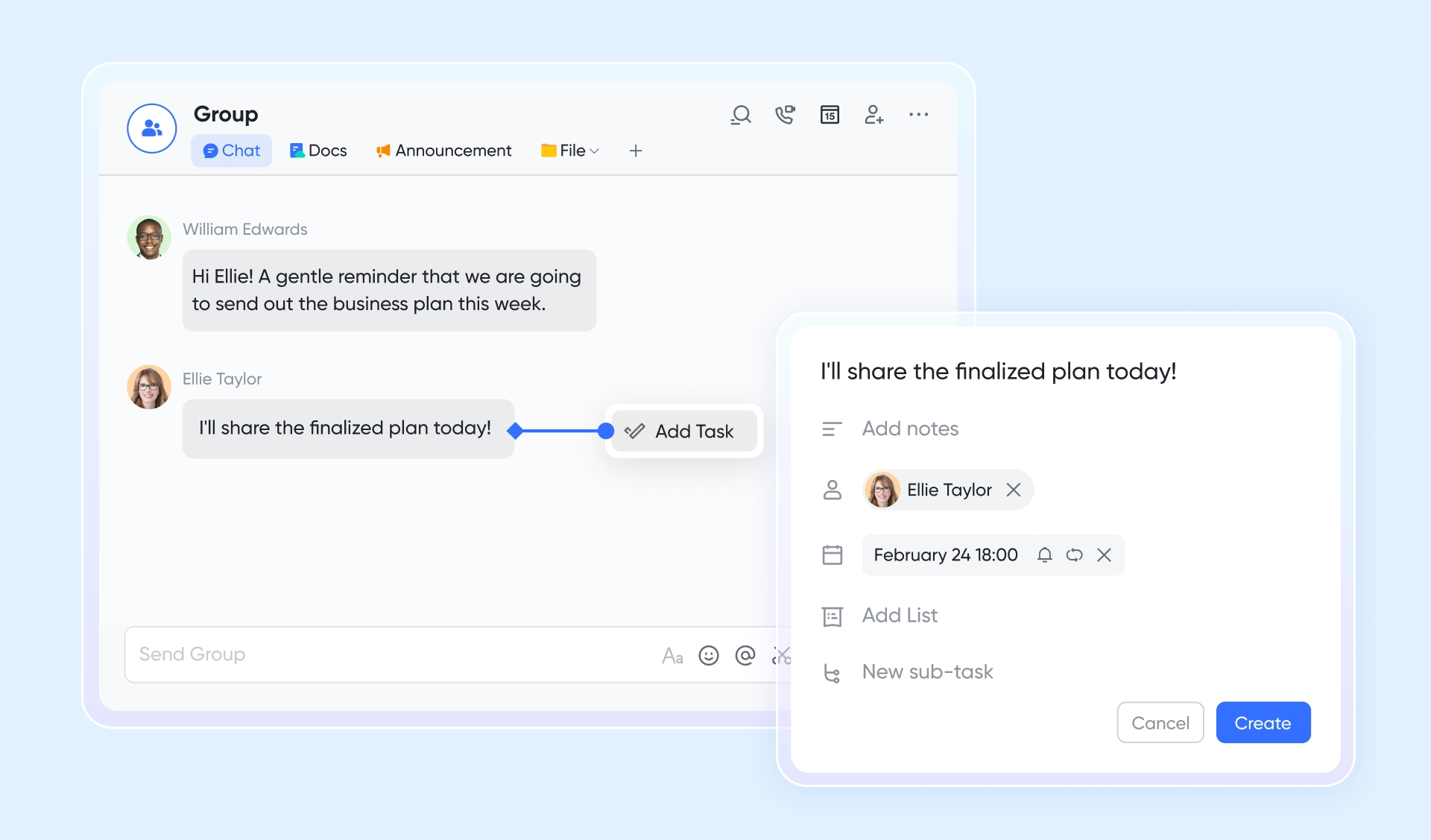
Real-time collaboration
Lark Docs function as dynamic, multimedia workspaces where teams collaborate in real-time. Beyond simple text, this feature allows users to embed live charts, interactive polls, and task lists directly into the page. This ensures that a project brief remains a "living" document where team members can see data updates and provide feedback through block-level comments simultaneously. Version history ensures transparency, making it suitable for collaborative planning, documentation, and knowledge management. 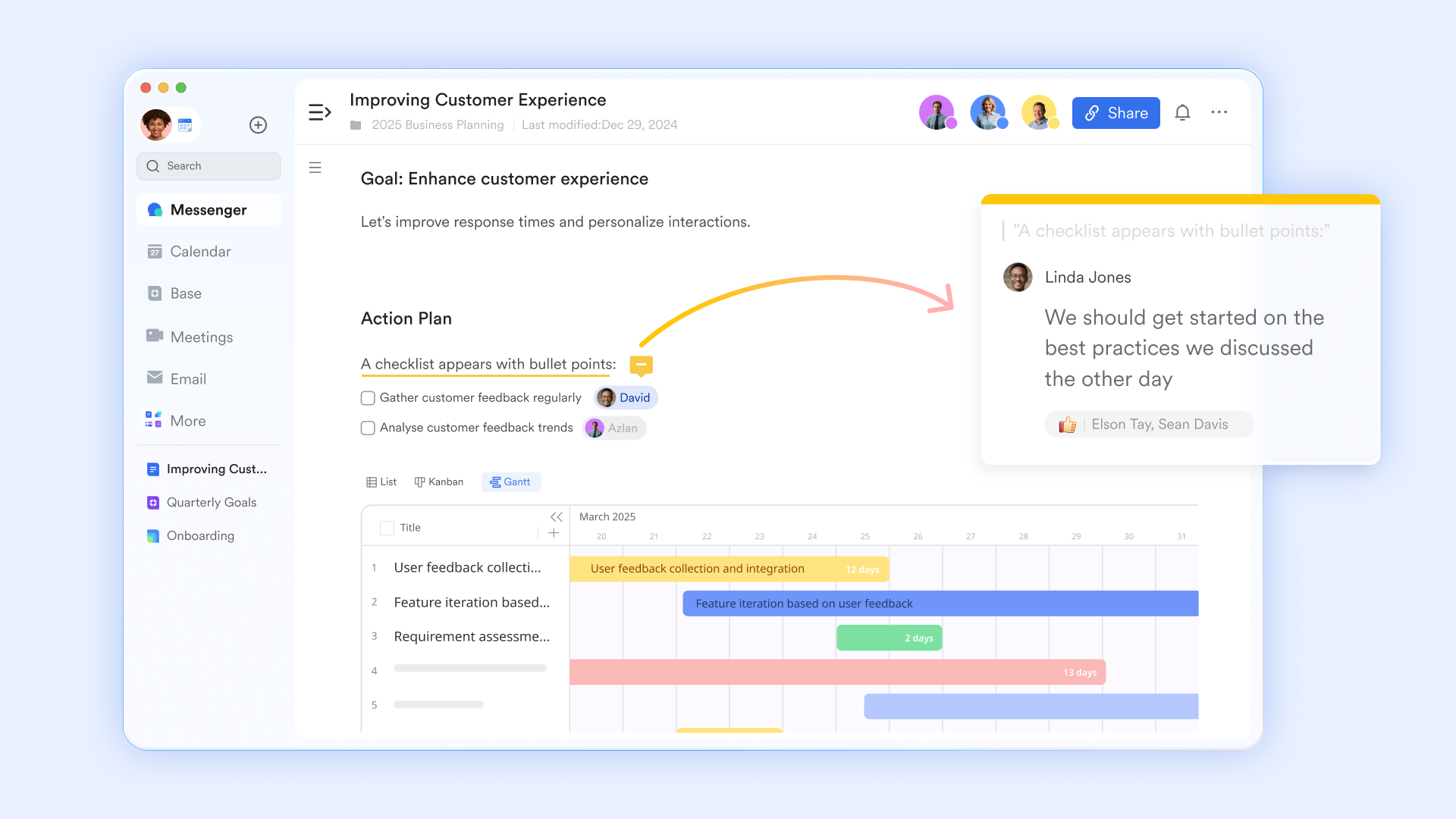
Automated approval workflows
functions as a streamlined system for managing official sign-offs and process transitions. By setting up "Automations" within Lark Base, a project status change can automatically trigger a formal approval request. This function removes the manual effort of chasing stakeholders, as Lark handles the routing, notifications, and logging of every decision within the unified workspace. 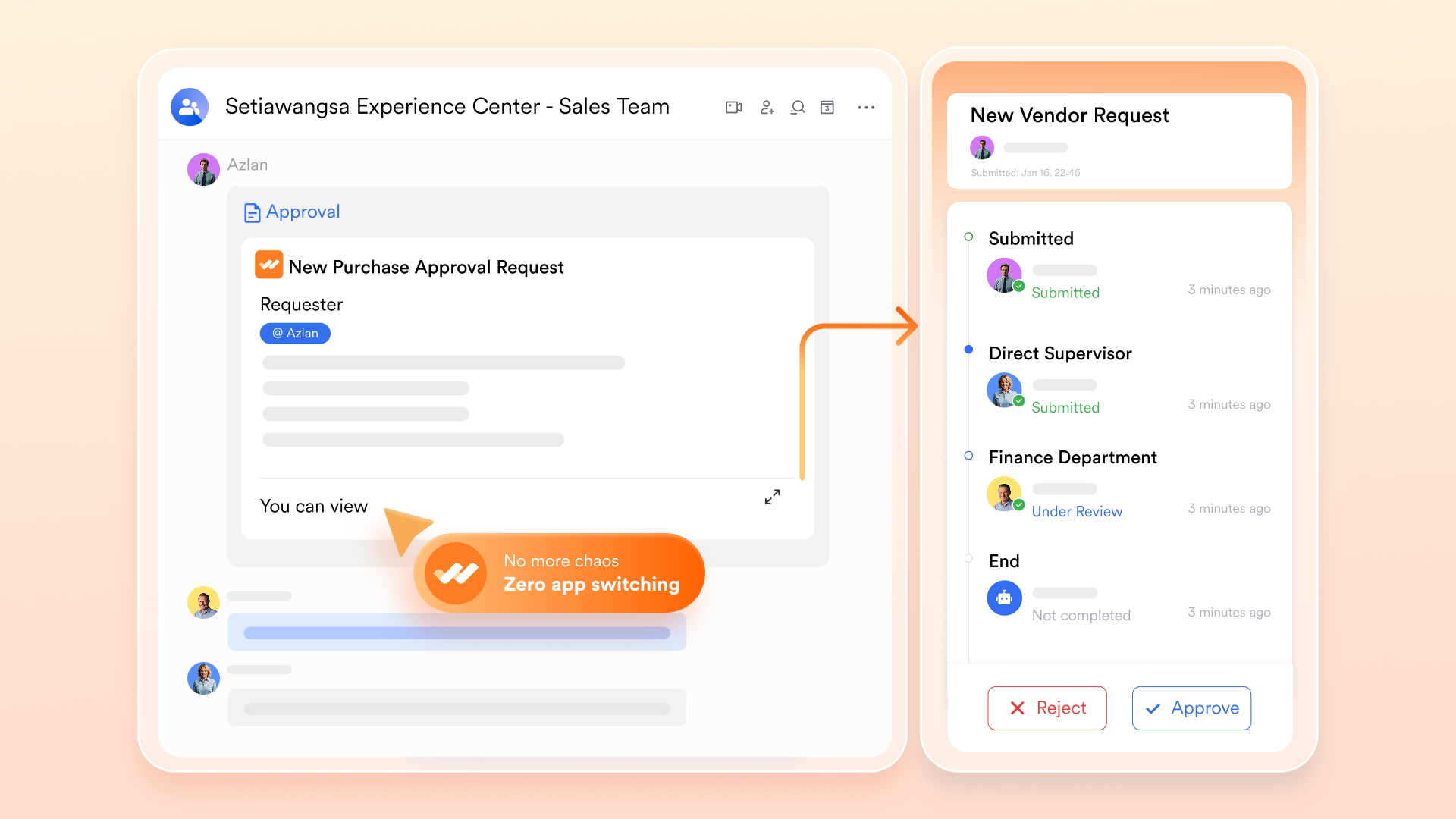
Pros:
- Unified ecosystem: Messenger, Docs, Calendar, Tasks, and Base work seamlessly together without third-party add-ons.
- Actionable communication: Chat-to-action capabilities convert conversations into meetings, approvals, and tasks instantly.
- AI-powered meetings: Automatic transcription and summaries improve clarity and post-meeting accountability.
- Built-in workflow visibility: Tasks sync with project views, creating transparent workload tracking across teams.
Cons:
- Advanced workflow customization may require onboarding support, with structured guidance available through the Lark Help Center.
:
- Starter plan: Free forever plan that includes 11 powerful tools for up to 20 users. It also comes with 100GB of storage, 1000 automation runs, AI translations, and more.
- Basic plan: $6/user/month (billed annually) for up to 500 users. It includes everything in Starter plus group calling for up to 500 attendees, 5TB of storage, 1000 automation runs, and more. For more details, please .
- Pro plan: $12/user/month (billed annually) for up to 500 users. It includes everything in Basic plus group calling for up to 500 attendees, 15TB of storage, 50,000 automation runs, and more.
- Enterprise plan: for custom pricing. Supports unlimited users and includes even more automation runs and advanced security, compliance, and management features.
For small teams with simple communication needs

18 months message history
1000 Base automation runs/month
2000 rows per table in Base
Most POPULAR
For companies with comprehensive collaboration and management needs
Unlimited message history
500-participant video meetings
50k Base automation runs/month
20k rows per table in Base
For large companies with advanced security and organizational management needs
Get a personalized demo and pricing
Unlimited message history
500-participant video meetings
15 TB storage + 30 GB storage/user
500k Base automation runs/month
50k Base automation runs/month
Most POPULAR
For companies with comprehensive collaboration and management needs
Unlimited message history
500-participant video meetings
50k Base automation runs/month
20k rows per table in Base
2. Slack: Messaging-first team communication platform
Slack is a widely used team communication platform designed to help teams collaborate through organized messaging. It allows users to create channels for different projects, departments, or topics, making conversations easier to manage and follow. Teams can share files, links, and updates in real time while keeping discussions structured within channels. Slack also supports direct messaging and group chats for quick communication between team members. With a large integration ecosystem, it connects with many productivity and project management tools, helping teams centralize communication and stay aligned across workflows.
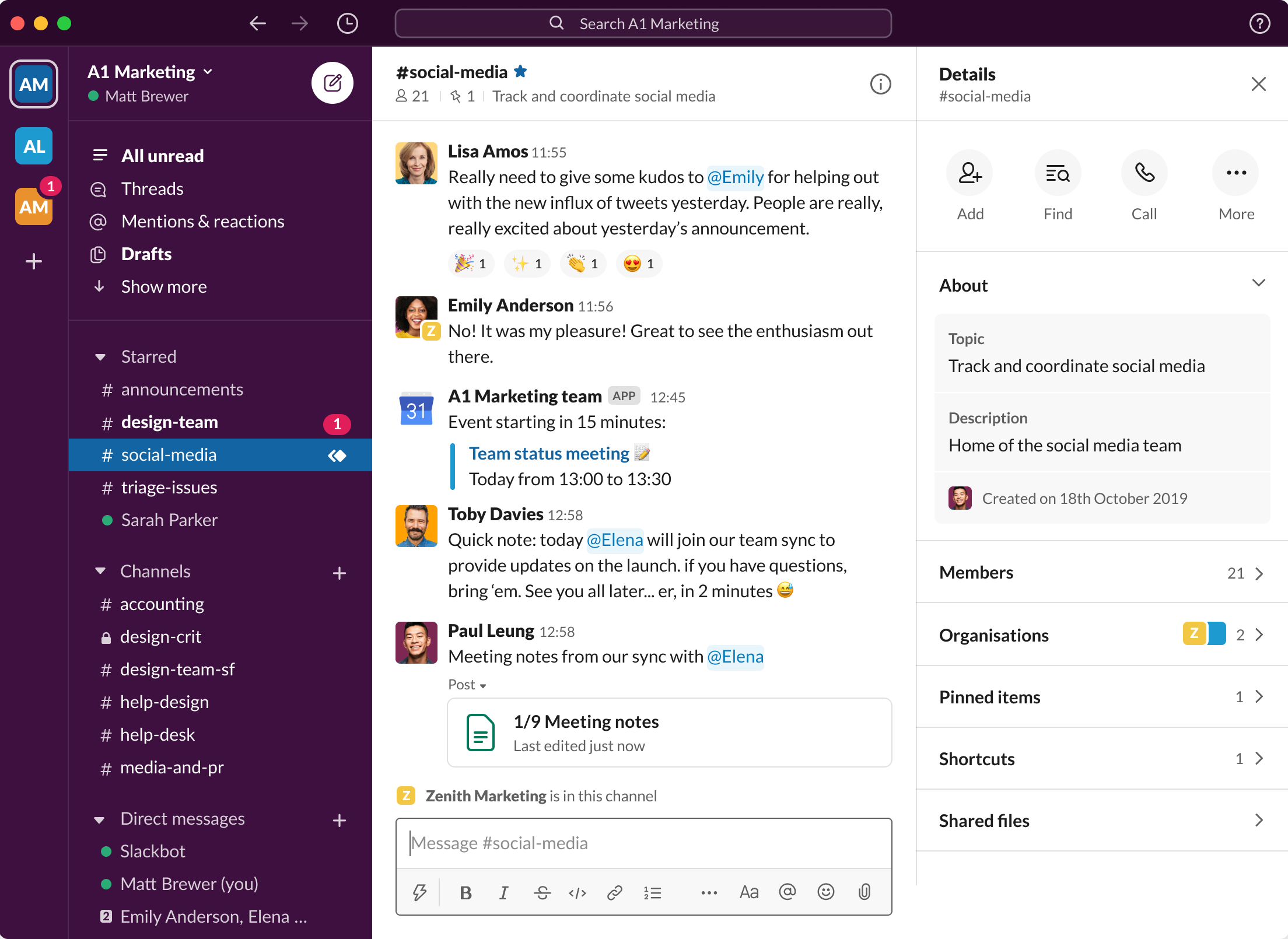
Image source: slack.com
Key features:
- Channel-based messaging with threaded replies
- AI-powered Huddles for quick audio and video sync
- Extensive third-party app integrations
- Advanced search and message archiving
Pros:
- Intuitive and easy to adopt
- Strong integration ecosystem
- Reliable real-time communication
- Scalable across growing teams
Cons:
- Limited built-in task management
- Notification overload risk
- Advanced features require paid plans
Pricing:
- Business+: $9/user/month
- Enterprise+: Custom pricing.
3. Microsoft Teams: Enterprise communication and meeting platform
Microsoft Teams is a collaboration platform designed to support communication, meetings, and teamwork within organizations. It combines chat, video conferencing, file sharing, and team workspaces into a single application. Teams can create dedicated channels for projects or departments, making it easier to organize discussions and share documents. Because it integrates closely with Microsoft 365 tools like Word, Excel, and SharePoint, users can collaborate on files without leaving the platform. With strong security features and enterprise-level capabilities, Microsoft Teams is widely used by businesses to manage communication and support remote or hybrid work environments
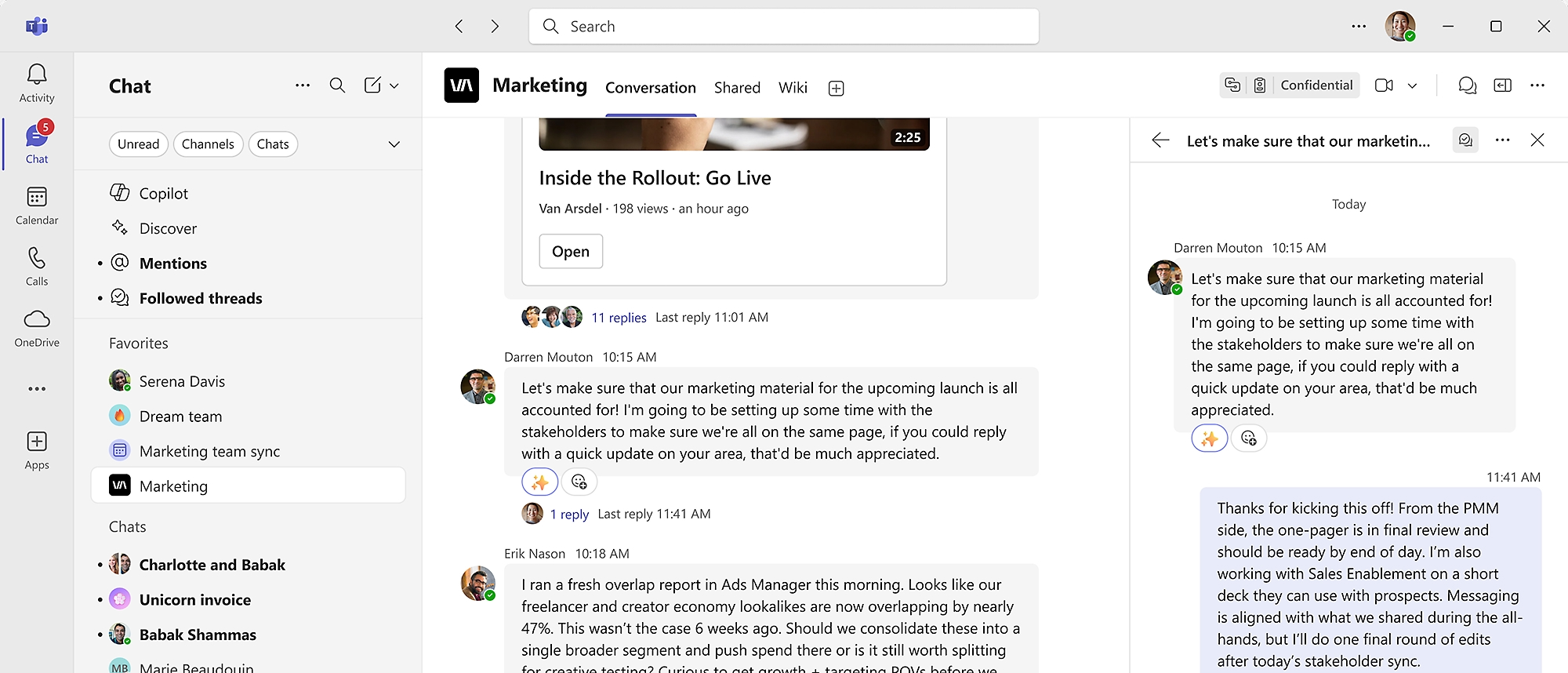
Image source: microsoft.com
Key features:
- Integrated chat and video conferencing
- File collaboration through OneDrive and SharePoint
- Enterprise security and compliance tools
- Mesh 3D immersive meeting environments
Pros:
- Strong enterprise integration
- Robust security framework
- Included within Microsoft licensing bundles
Cons:
- Best optimized for Microsoft users
- Interface can feel complex
- Requires structured IT management
Pricing:
- Microsoft Teams essentials: $4.00/user/month (billed annually).
- Microsoft 365 business basic: $6.00/user/month (billed annually).
- Microsoft 365 business standard: $12.50/user/month (billed annually).
4. Asana: Structured project collaboration application
Asana is a project management and team collaboration platform designed to help teams organize work, track progress, and manage tasks efficiently. It allows users to create projects, assign tasks, set deadlines, and monitor progress through visual tools such as lists, boards, and timelines. Teams can collaborate within tasks by adding comments, attaching files, and sharing updates in real time. Asana also supports workflow automation and integrations with many productivity tools, helping teams streamline processes and keep projects moving forward. Its structured approach makes it especially useful for managing complex projects and coordinating work across multiple teams
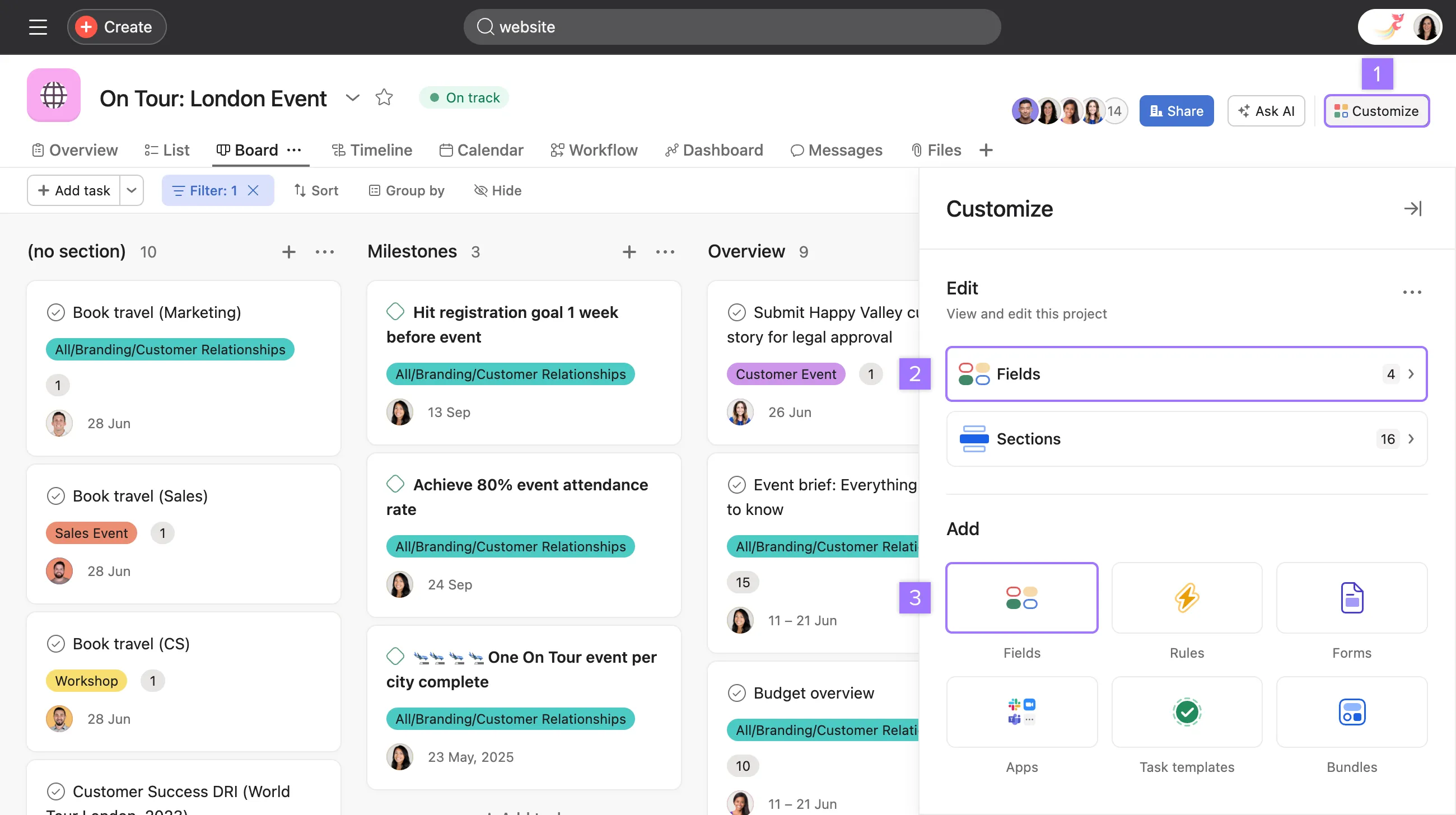
Image source: asana.com
Key features:
- Task dependencies and milestone tracking
- Timeline and Gantt-style project views
- Workflow automation rules
- Advanced reporting dashboards
Pros:
- Strong project visibility
- Scalable for large teams
- Custom automation capabilities
- Clear accountability tracking
Cons:
- Messaging features are limited
- Learning curve for complex setups
- Premium tiers required for advanced analytics
Pricing:
- Starter: $10.99/user/month (billed annually).
- Advanced: $24.99/user/month (billed annually).
- Enterprise: Custom pricing.
5. ClickUp: Customizable project collaboration app
ClickUp is a flexible project collaboration platform designed to help teams plan, manage, and track their work in one place. It offers customizable features such as task lists, boards, timelines, and dashboards that allow teams to organize projects according to their workflow. Users can assign tasks, set priorities, track progress, and collaborate through comments and file sharing. ClickUp also includes automation tools and integrations with many business applications, helping teams streamline processes and improve productivity. Its highly customizable environment makes it suitable for teams that need a tailored approach to project and collaboration management.
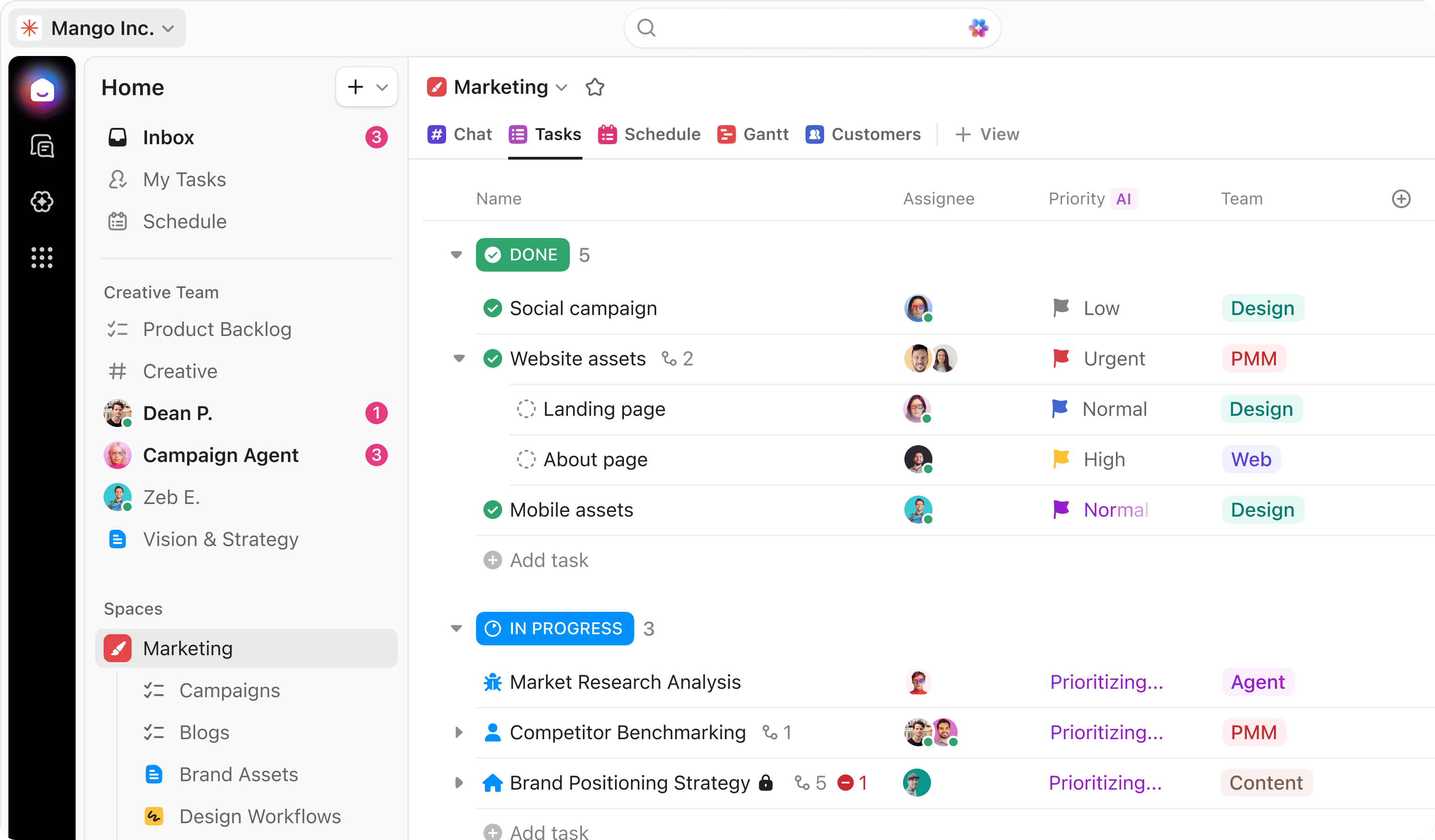
Image source: clickup.com
Key features:
- Custom task hierarchies and views
- Built-in document collaboration
- Automation and recurring workflows
- Goal tracking and reporting dashboards
Pros:
- Suitable for cross-functional teams
Cons:
- The interface can feel overwhelming
- Performance may slow with large workspaces
- Learning curve for advanced setup
Pricing:
- Unlimited: $7/user/month
- Business: $12/user/month
- Enterprise: Custom pricing
6. Monday.com: Visual team workflow management platform
Monday.com is a visual work management platform designed to help teams organize projects, track progress, and collaborate efficiently. It uses customizable boards and dashboards to display tasks, timelines, and project updates in a clear visual format. Teams can assign responsibilities, set deadlines, and monitor project status in real time. The platform also supports automation and integrations with many popular business tools, allowing teams to streamline repetitive tasks and maintain better workflow visibility. Its flexible and visual interface makes it suitable for managing projects across different departments and industries.
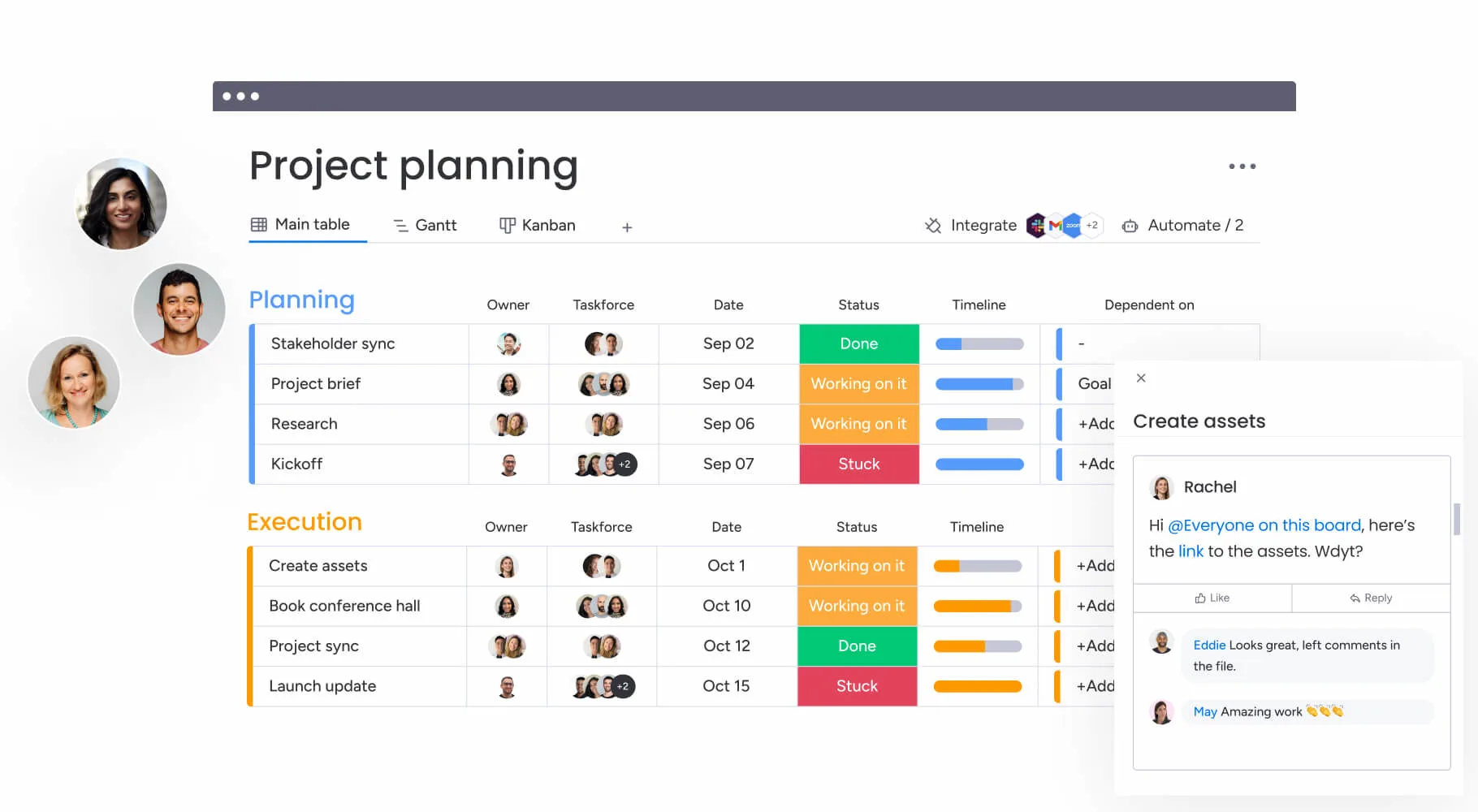
Image source: monday.com
Key features:
- Drag-and-drop workflow builder
- Custom dashboards and reporting
- Automation triggers and rule creation
- Integration with productivity apps
Pros:
- Highly customizable workflows
- Visual and user-friendly interface
- Cross-department adaptability
- Strong automation support
Cons:
- Pricing increases with team size
- Advanced AI features are limited
- Complex boards can become cluttered
Pricing:
- Free: $0 free forever(2 seats)
- Standard: $12/seat/month
- Enterprise: Contact sales
7. Notion: Flexible knowledge and collaboration workspace
Notion is a versatile workspace designed to help teams organize knowledge, manage projects, and collaborate in one place. It combines documents, databases, task management, and note-taking tools into a single platform. Teams can create shared workspaces for project plans, meeting notes, and internal documentation while collaborating in real time. Notion's flexible structure allows users to customize pages and workflows based on their needs. With integrations and templates available, it supports both individual productivity and team collaboration across different types of work.
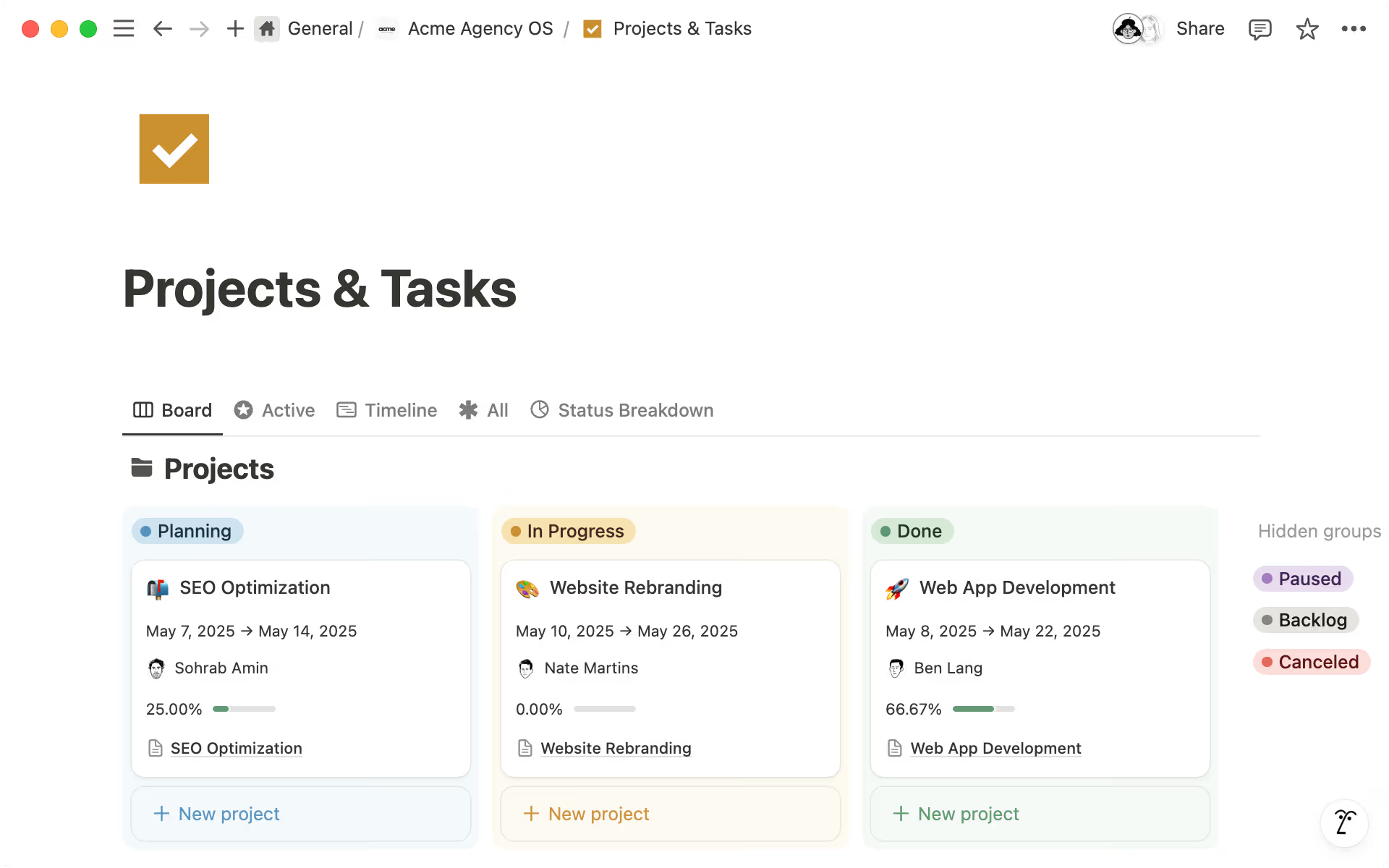
Image source: notion.com
Key features:
- Customizable wiki and database pages
- Real-time collaborative editing
- Linked relational databases
- Templates for project and documentation workflows
Pros:
- Highly flexible structure
- Clean and minimal interface
- Strong documentation capabilities
- Suitable for startups and creative teams
Cons:
- Limited advanced project automation
- Can become disorganized without structure
- Performance may slow with large databases
Pricing:
- Plus: $10/member/month (billed annually).
- Business: $20/member/month (billed annually).
- Enterprise: Custom pricing.
8. Trello: Lightweight Kanban collaboration app
Trello is a simple and visual collaboration tool that uses the Kanban board method to help teams organize tasks and projects. It allows users to create boards, lists, and cards to represent different stages of a workflow. Team members can assign tasks, add comments, attach files, and set due dates directly on cards. This visual structure makes it easy to track progress and manage work at a glance. Trello also supports integrations and automation features that help teams streamline routine tasks and keep projects moving smoothly.
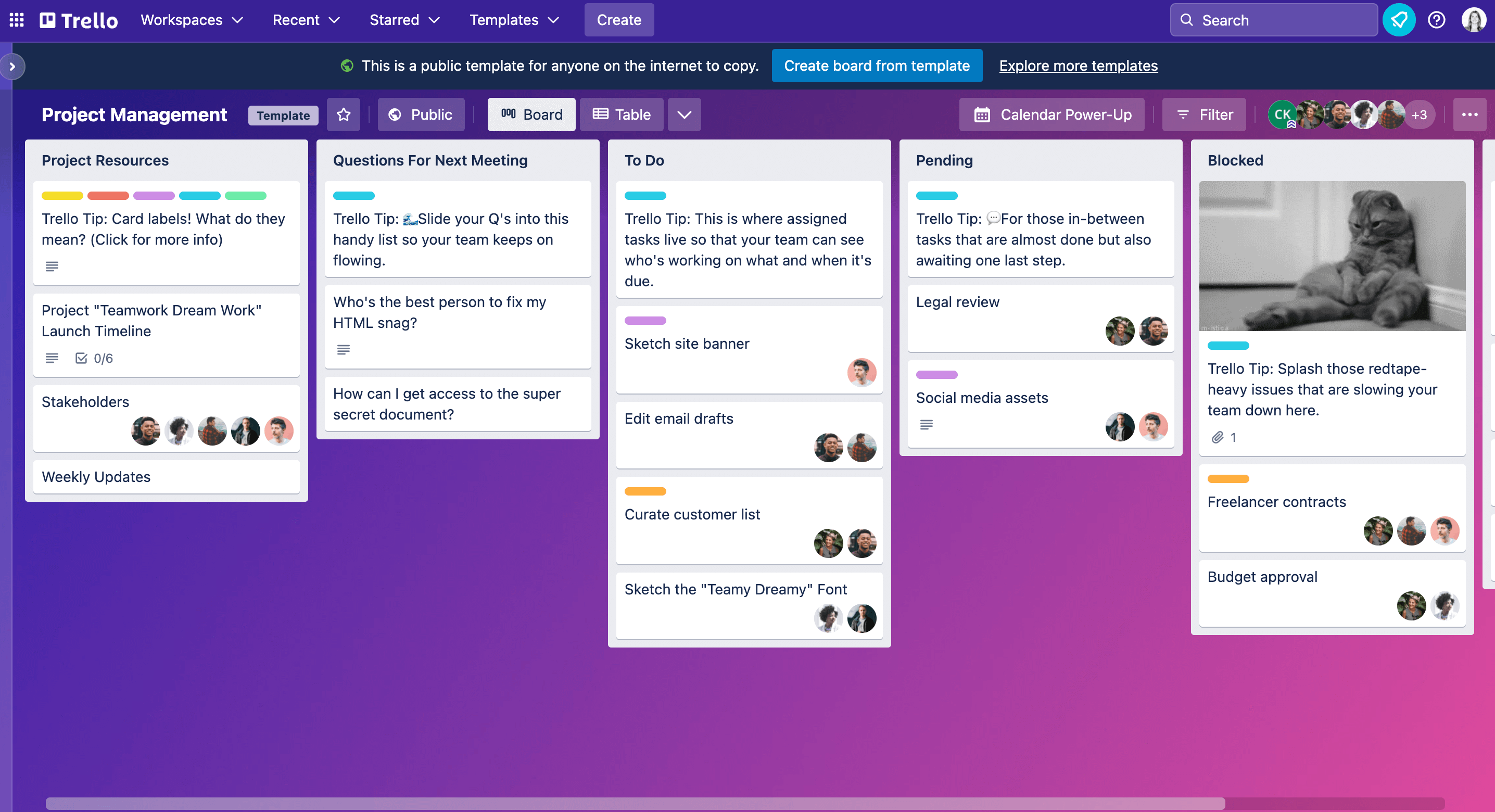
Image source: trello.com
Key features:
- Drag-and-drop Kanban boards
- Task cards with checklists and attachments
- Automation through Butler rules
- Integration with productivity apps
Pros:
Cons:
- Limited complex project tracking
- Minimal reporting features
- Not ideal for large-scale operations
Pricing:
- Standard: $5/user/month (billed annually).
- Premium: $10/user/month (billed annually).
- Enterprise: $17.50/user/month (billed annually).
9. Basecamp: Simple team communication and planning tool
Basecamp is a straightforward collaboration platform designed to help teams manage communication and organize projects in one place. It provides tools for team discussions, task lists, file sharing, and project scheduling. Instead of using multiple apps, teams can keep conversations, documents, and updates within a single project workspace. Basecamp also includes message boards, to-do lists, and automatic check-ins that help teams stay aligned on progress. Its simple interface and structured approach make it a practical option for teams that want an easy way to coordinate work and manage projects without complex features.
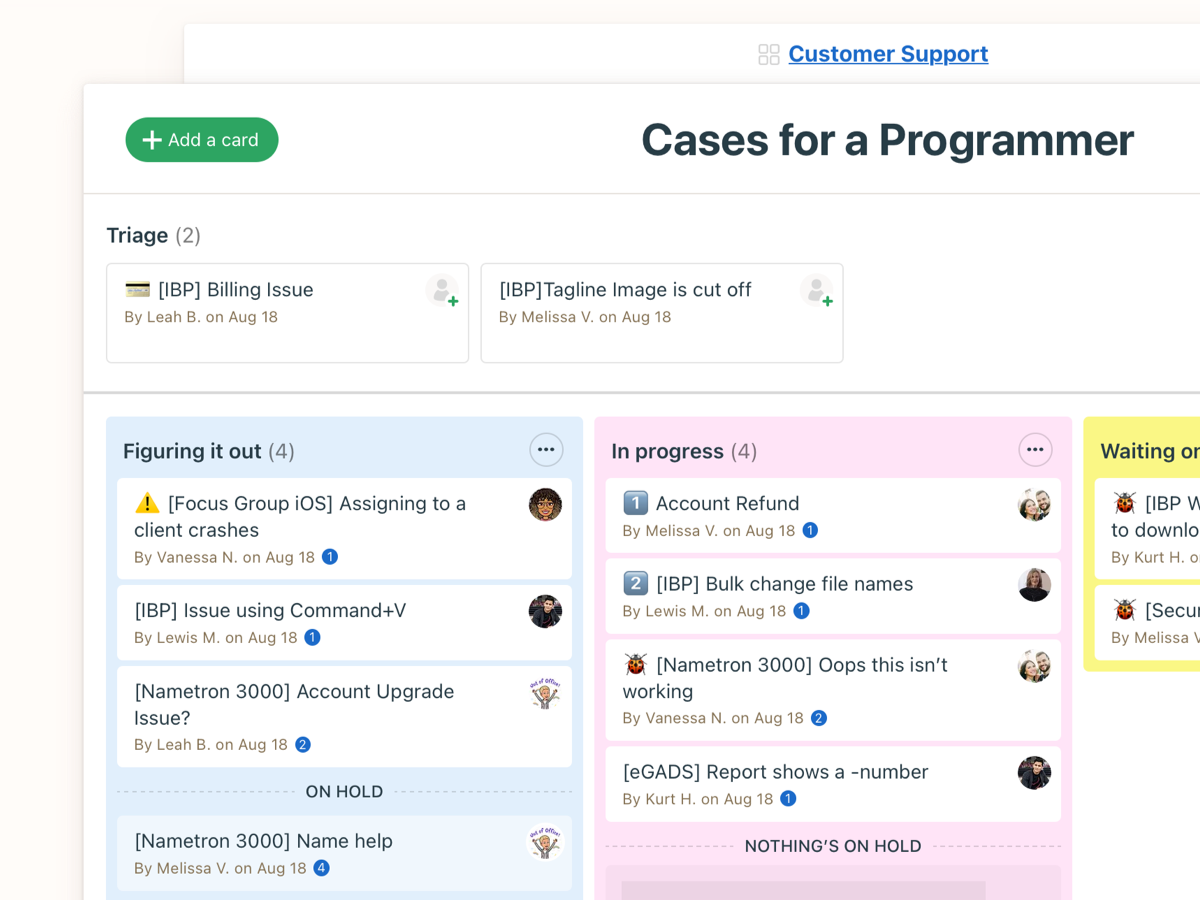
Image source: basecamp.com
Key features:
- To-do lists and message boards
- Centralized file sharing
- Automatic check-in prompts
Pros:
- Simple and clean interface
- All-in-one communication hub
Cons:
- Limited advanced customization
- Fewer automation features
- Reporting capabilities are basic
Pricing:
- Basecamp free: Free forever
- Basecamp plus: $15/user/month
- Basecamp Pro unlimited: $299/month (billed annually)
10. Wrike: Enterprise-grade collaboration management platform
Wrike is a powerful collaboration and project management platform designed for teams that manage complex workflows and large-scale projects. It provides tools for task management, project planning, time tracking, and real-time collaboration. Teams can organize work using dashboards, timelines, and customizable workflows to track progress and manage resources effectively. Wrike also offers advanced reporting, automation features, and integrations with many business tools, making it suitable for enterprises that need structured project management and cross-team collaboration.
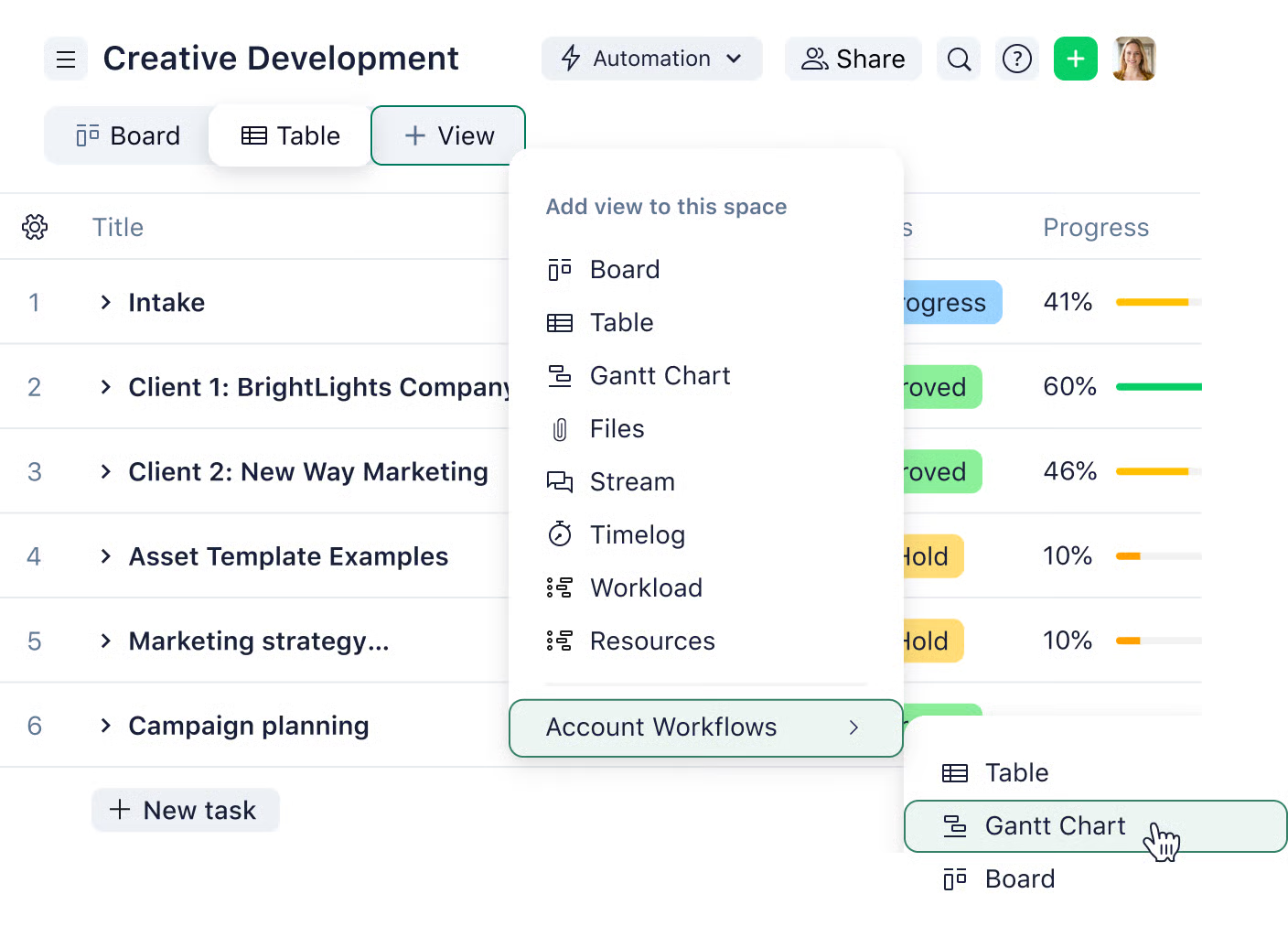
Image source: wrike.com
Key features:
- AI-powered conversation summaries
- Smart search and context surfacing
- Automated workflow triggers
- Integration with productivity apps
Pros:
- Reduces communication overload
- Enterprise-grade security
Cons:
- AI features require a premium plan
- Can become noisy in large teams
- Not a full project management system
Pricing:
- Team: $10 per user/month
- Business: $25 per user/month
- Pinnacle: Custom pricing
11. Smartsheet: Spreadsheet-style collaboration solution
Smartsheet is a collaboration and work management platform that uses a familiar spreadsheet-style interface to help teams organize projects and track tasks. It allows users to manage work through grids, timelines, calendars, and dashboards while collaborating with team members in real time. Teams can assign tasks, set deadlines, share files, and monitor project progress within a single workspace. Smartsheet also supports automation, reporting tools, and integrations with many business applications, making it suitable for teams that prefer a structured and data-driven approach to collaboration and project management.
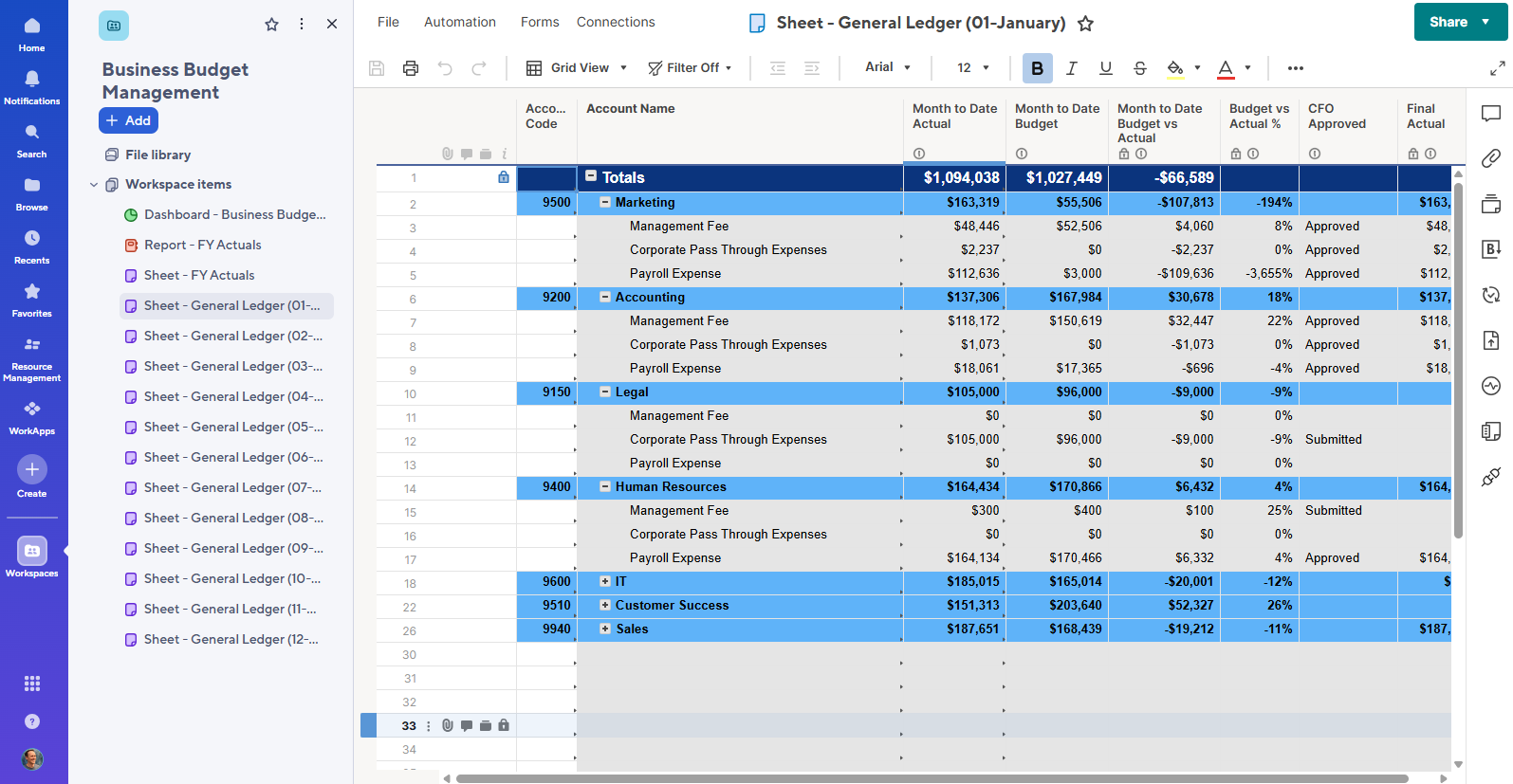
Image source: smartsheet.com
Key features:
- Spreadsheet-based task tracking
- Resource management tools
Pros:
- Familiar spreadsheet interface
- Strong reporting capabilities
- Good integration ecosystem
Cons:
- Learning curve for advanced automation
- The interface may feel outdated
- Premium pricing for full features
Pricing:
- Business: $19/member/month
- Enterprise: Custom pricing
12. Airtable: Database-driven collaboration application
Airtable is a cloud-based collaboration tool that combines the simplicity of spreadsheets with the structure of a relational database. Teams use it to organize data, manage projects, and build custom workflows in a shared workspace. Its flexible database structure allows users to link tables, automate tasks, and collaborate in real time without needing advanced technical skills. Organizations often use Airtable for project tracking, content planning, product management, CRM-style databases, and operational workflows.
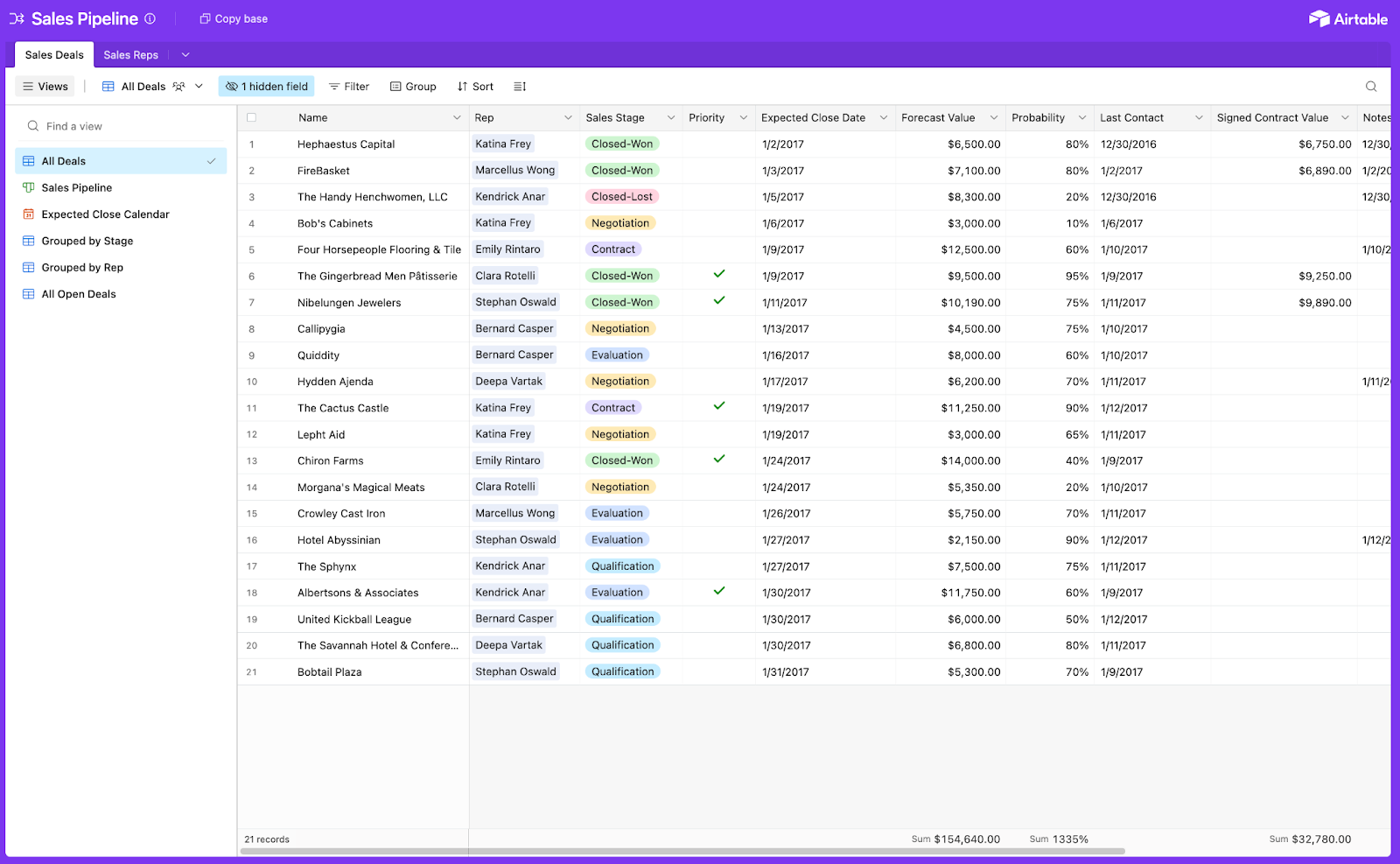
Image source: airtable.com
Key features:
- Relational database structure
- Customizable views and filters
- Integration with external tools
Pros:
- Flexible database design
- User-friendly spreadsheet interface
- Suitable for operations teams
Cons:
- Advanced setups require planning
- Can become complex at scale
- Higher tiers needed for automation depth
Pricing:
- Team: $20/seat/month (billed annually)
- Business: $45/seat/month (billed annually)
- Enterprise scale: Custom pricing
13. Zoho Projects: Affordable project collaboration app
Zoho Projects is an affordable cloud-based project management and collaboration application designed to help teams plan, track, and deliver projects efficiently. It provides task management, time tracking, reporting, and collaboration tools on a single platform, making it suitable for startups, small businesses, and growing teams. The platform includes features like Gantt charts, task lists, Kanban boards, and workflow automation that allow teams to organize work, manage dependencies, and monitor project progress in real time.
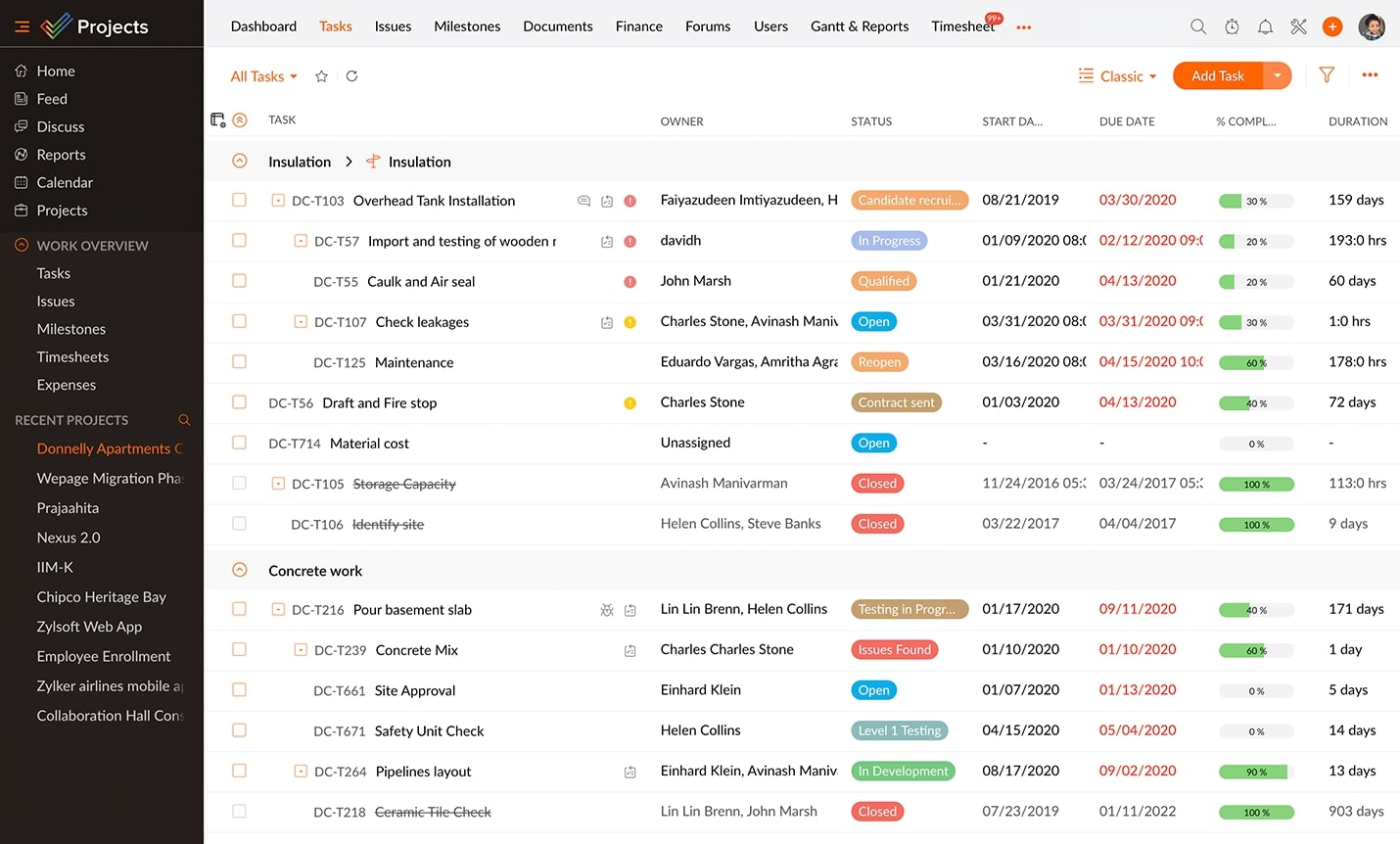
Image source: zoho.com
Key features:
- Advanced reporting dashboards
- Webinar hosting capabilities
- Meeting recording and transcripts
- Breakout rooms for workshops
Pros:
- Reliable global connectivity
- Widely recognized interface
Cons:
- Limited built-in task management
- Security concerns in earlier versions
- Advanced features require paid plans
Pricing:
- Premium: $4 per user/month (billed annually).
- Enterprise: $9 per user/month (billed annually).
- Ultimate: $14 per user/month (billed annually).
14. Hive: Automation-driven team collaboration platform
Hive is a productivity and collaboration platform designed to help teams manage projects, automate workflows, and communicate in a single workspace. It combines task management, messaging, automation tools, and analytics so teams can plan work, track progress, and collaborate more efficiently across departments. The platform supports flexible project views such as Kanban boards, Gantt charts, calendars, and tables, allowing teams to organize work in the way that suits them best. With built-in chat, email integrations, workflow automation, and AI-powered assistance
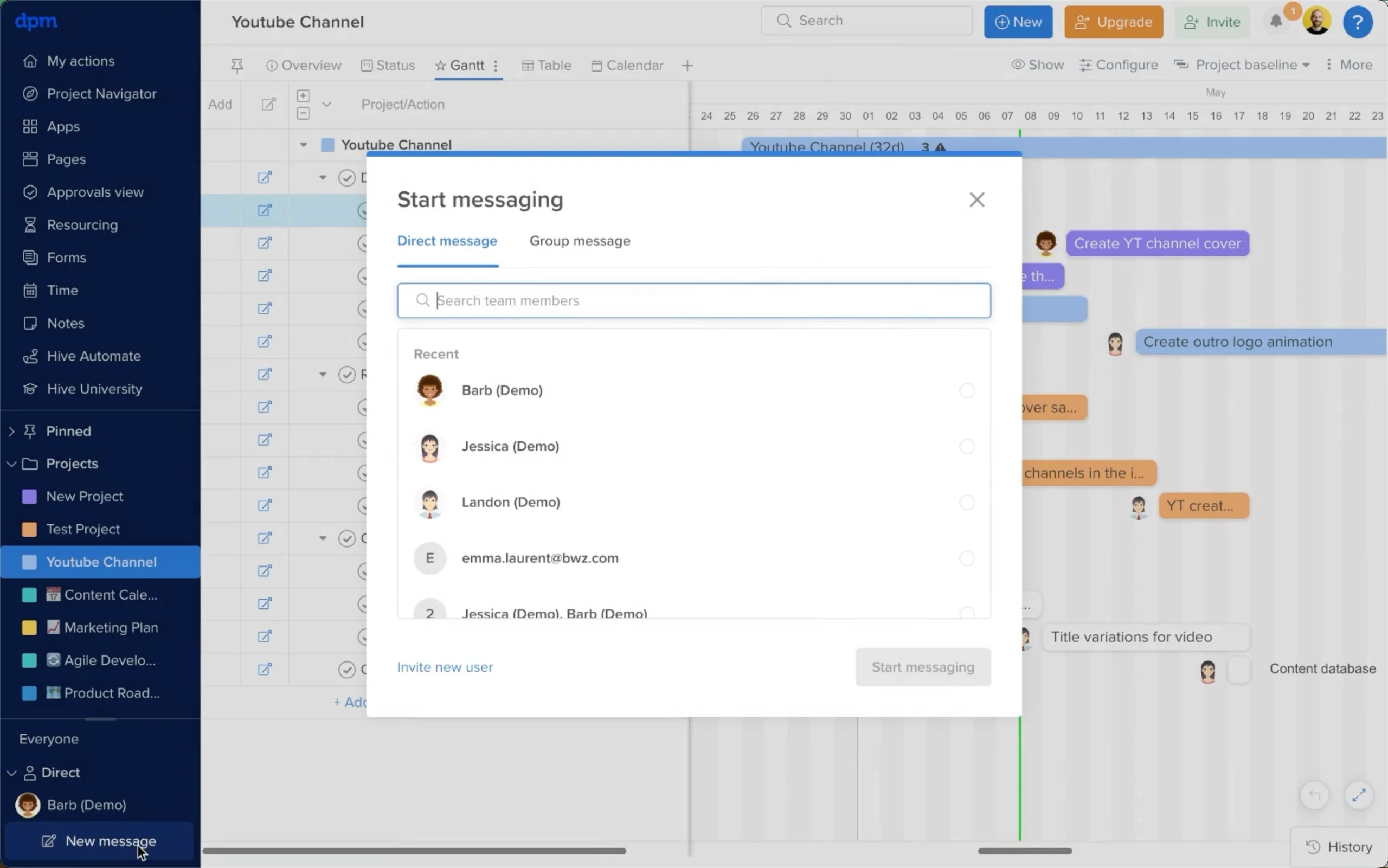
Image source: hive.com
Key features:
- Infinite visual canvas that supports brainstorming, diagramming and journey mapping.
- Real-time multi-user collaboration with timers.
- Extensive template library covering design thinking, agile retrospectives and planning grids.
- Integrations with Google Workspace to streamline collaboration across systems.
Pros:
- Strong visual collaboration environment that organizes complex ideas clearly.
- Advanced facilitation tools that improve meeting structure and participation.
- Effective support for hybrid and remote workshops with real-time updates.
- Wide template selection that accelerates planning and ideation sessions.
Cons:
- Advanced workspace management features are limited to higher-tier plans.
- Not designed for full project lifecycle management without additional tools.
- Pricing may increase significantly for larger teams requiring premium features.
Pricing:
- Starter: $5 per user/month (billed annually)
- Teams: $12 per user/month (billed annually)
- Enterprise: Custom pricing.
15. ProofHub: All-in-one project collaboration tool
ProofHub is an all-in-one project management and team collaboration platform designed to help teams plan projects, assign tasks, communicate, and track progress from a single workspace. It combines task management, file sharing, discussions, time tracking, and reporting tools so teams can manage projects and collaborate without switching between multiple apps. The platform includes features such as Kanban boards, Gantt charts, shared calendars, real-time chat, and document proofing tools, enabling teams to organize work, review files, and maintain clear communication throughout the project lifecycle.
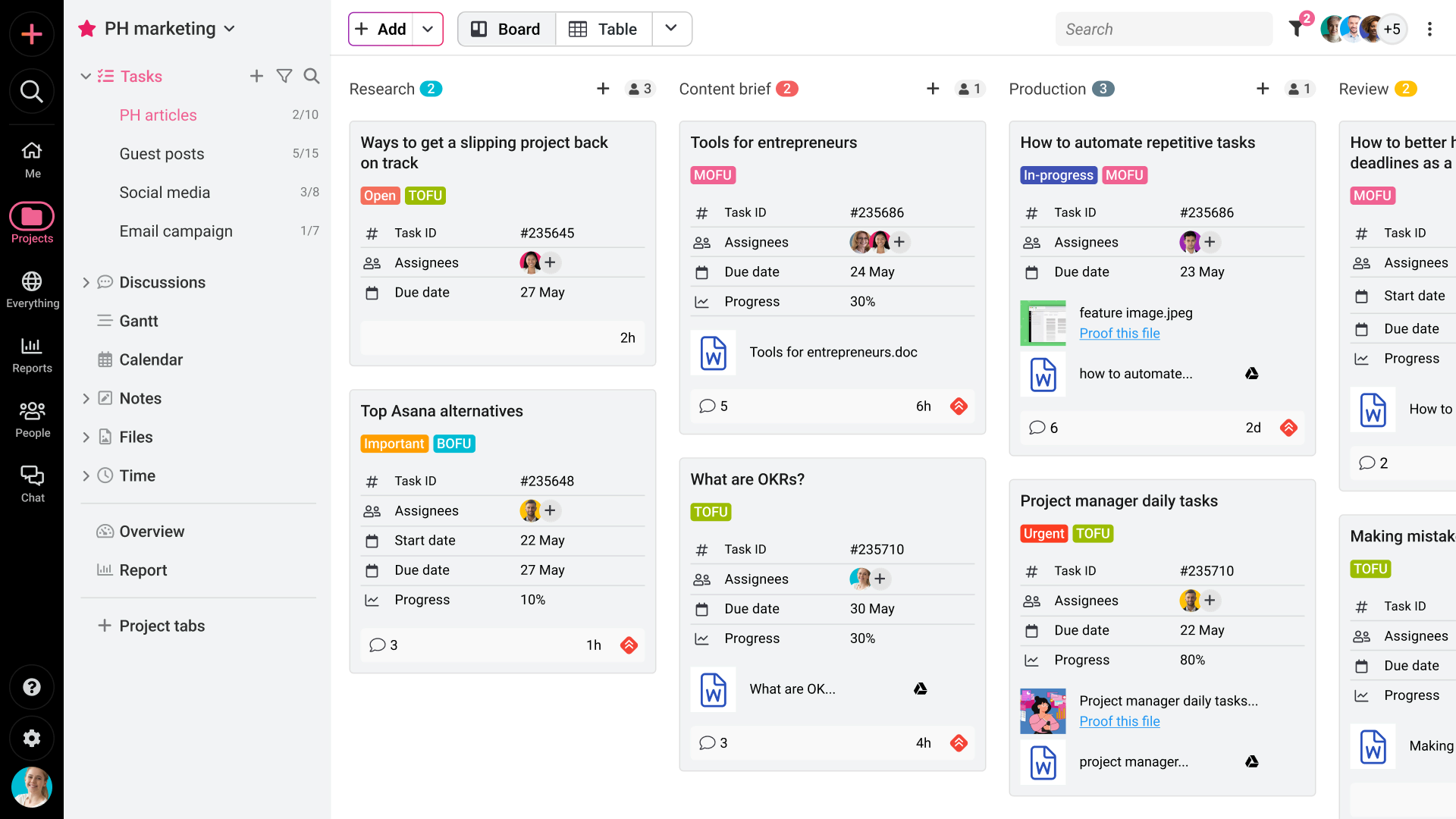
Image source: proofhub.com
Key features:
- Smart task scheduling based on priority
- Automatic focus time protection
- Team availability coordination
- Habit tracking integration
Pros:
- Improves calendar efficiency
- Protects deep work sessions
- Easy Google Calendar integration
- Reduces scheduling conflicts
Cons:
- Works best within the Google ecosystem
- Limited task management features
- Advanced features require a subscription
Pricing:
- Ultimate control: $89 per month (billed annually)
- Essential: $45 per month (billed annually)
16. Miro: Visual brainstorming and collaboration board
Miro is a visual collaboration platform that provides teams with an online whiteboard for brainstorming, planning, and mapping ideas in real time. It allows users to create diagrams, mind maps, sticky-note boards, and workflows on an infinite digital canvas, making it ideal for remote workshops, product design, and strategy planning. Teams can collaborate simultaneously on the same board, leave comments, run voting sessions, and integrate with tools like Slack, Jira, and Microsoft Teams. With templates and AI-assisted features, Miro helps organizations turn ideas into structured plans while keeping distributed teams aligned.
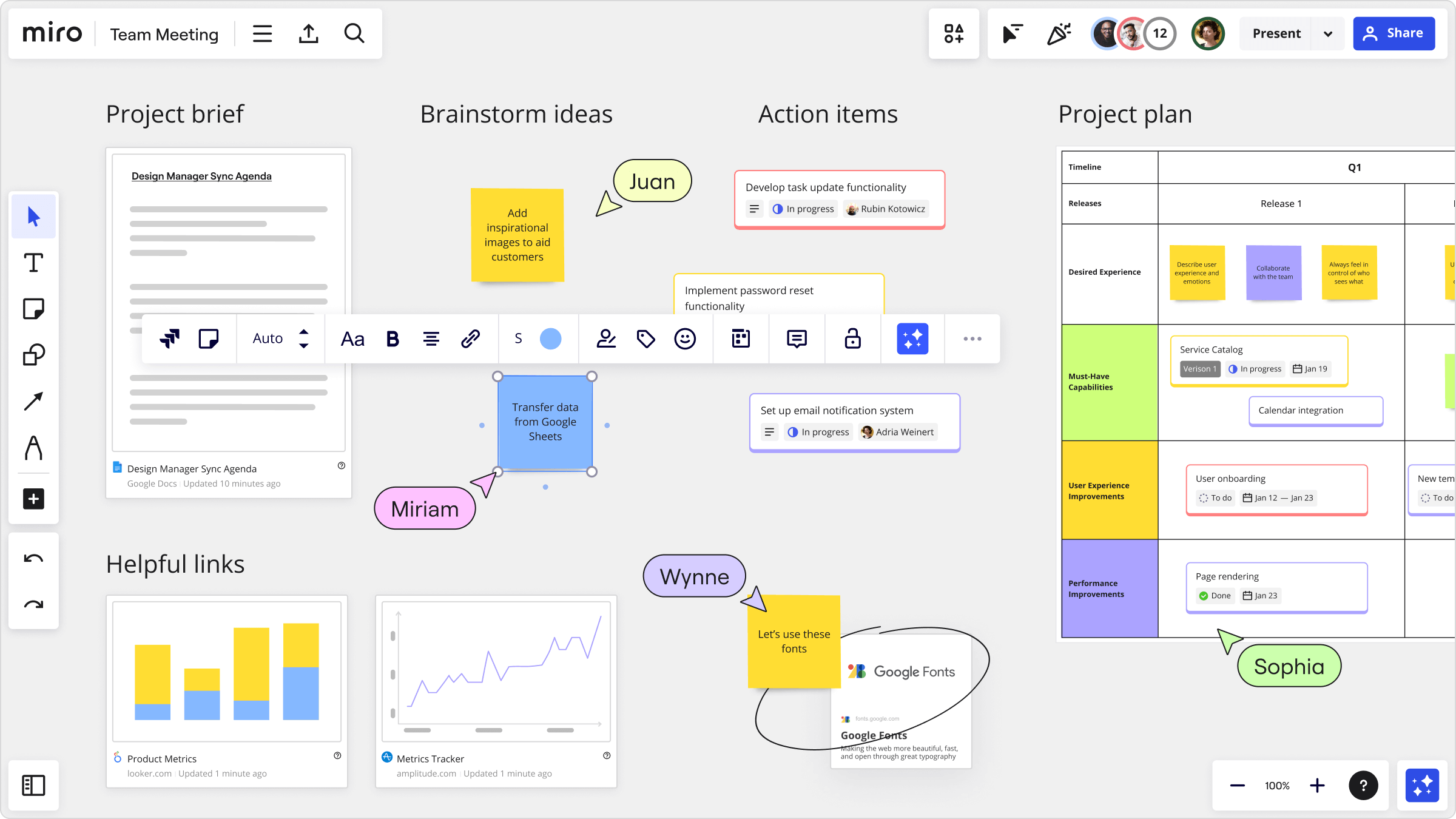
Image source: miro.com
Key features:
- Infinite digital whiteboard canvas
- Pre-built brainstorming templates
- Real-time cursor collaboration
- Integration with project management tools
Pros:
- Excellent remote workshops
- Highly visual collaboration
- Intuitive drag-and-drop interface
- Supports agile and design teams
Cons:
- Limited structured task management
- Can become cluttered with large boards
- Advanced collaboration features require paid plans
Pricing:
- Free: $0 (unlimited members)
- Starter: $8/user/month (billed annually)
- Business: $20/user/month (billed annually)
- Enterprise: Custom pricing
17. Confluence: Knowledge-centric team collaboration platform
Confluence is a team collaboration and knowledge management platform designed to help organizations create, organize, and share documentation in a centralized workspace. Teams use it to build internal knowledge bases, project documentation, meeting notes, and process guides, making information easily accessible across departments. The platform supports real-time editing, page versioning, commenting, and structured content organization through spaces and templates.
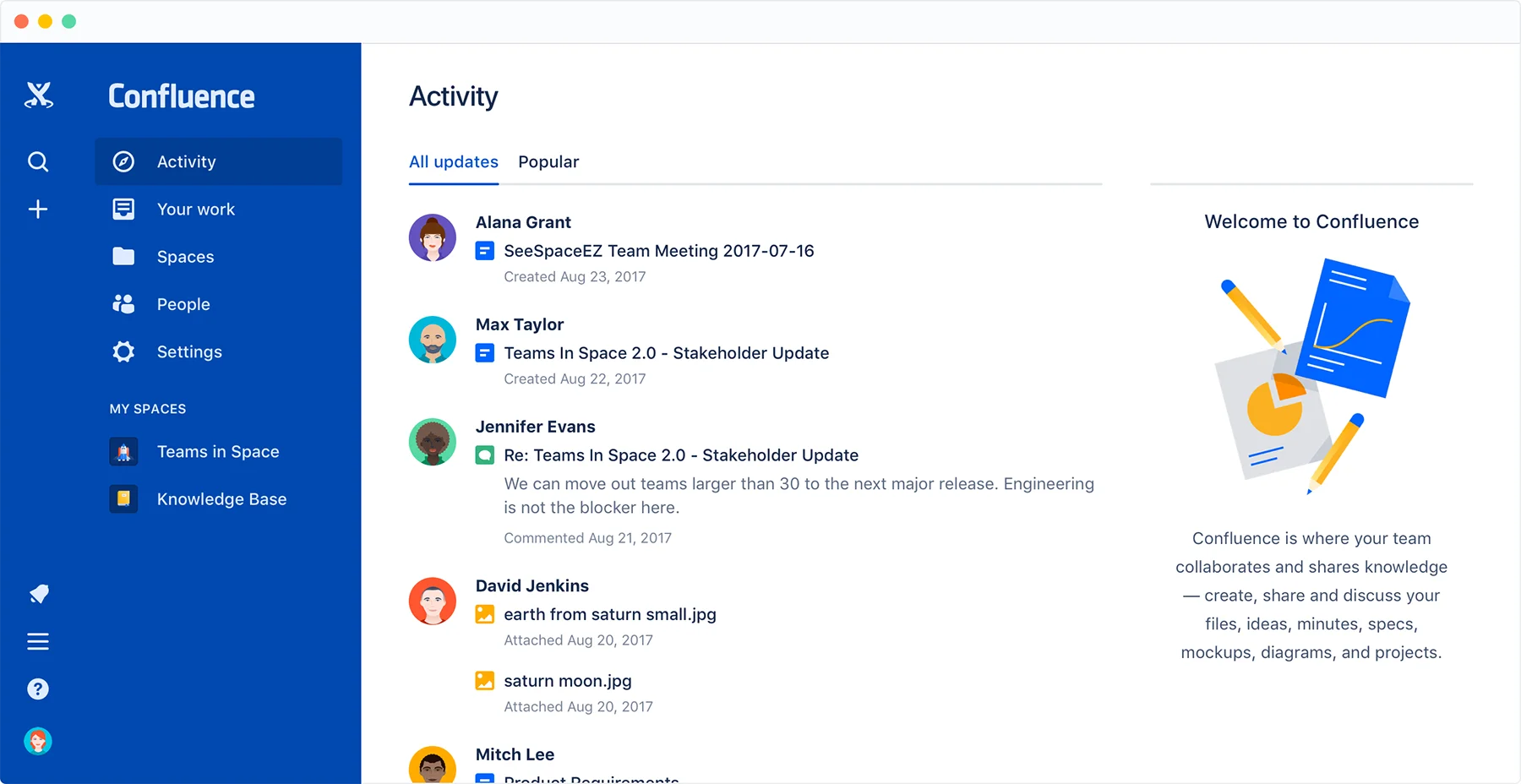
Image source: confluence.com
Key features:
- No-code workflow automation across 6000+ apps
- AI-powered workflow suggestions
- Multi-step automated triggers
- Conditional logic and data formatting tools
Pros:
- Extensive integration ecosystem
- Easy setup for non-technical users
- Reduces repetitive manual tasks
- Scalable automation for growing teams
Cons:
- Complex workflows require higher-tier plans
- Pricing scales with task volume
- Limited in-app collaboration features
Pricing:
- Standard: $5.42 per month
- Premium: $10.44 per month
- Enterprise: Custom pricing
18. Google Workspace: Cloud-based collaboration suite
Google Workspace is a cloud-based productivity and collaboration suite that enables teams to communicate, create documents, and manage work from a unified platform. It includes widely used applications such as Gmail, Google Docs, Google Sheets, Google Drive, and Google Meet, allowing teams to collaborate in real time from anywhere. The platform supports file sharing, real-time editing, cloud storage, and seamless communication tools that help teams stay connected and productive. With strong security controls, integrations with third-party apps, and easy accessibility through a browser.
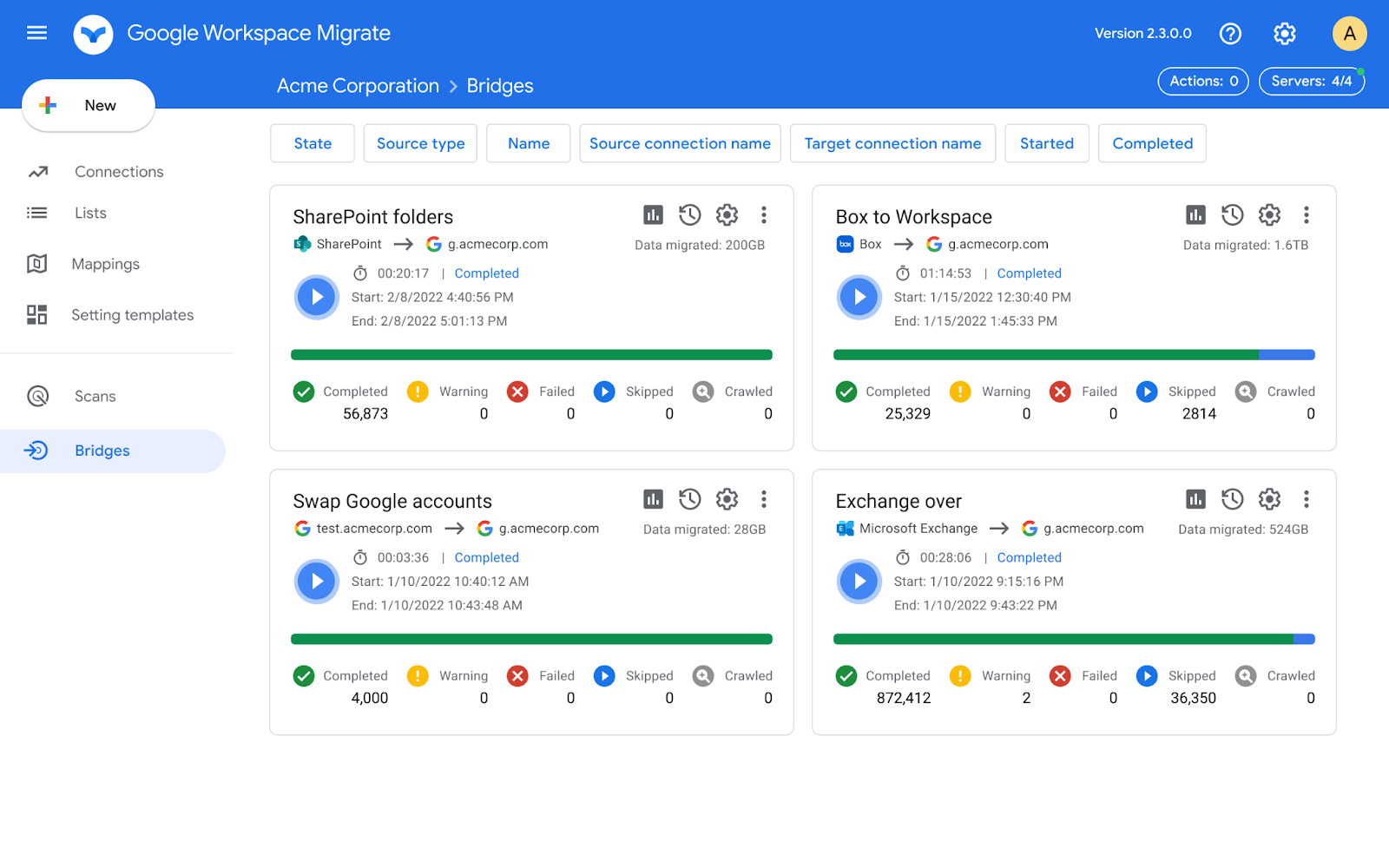
Image source: google.com
Key features:
- Brand voice customization
- Campaign and template workflows
- Strong reporting capabilities
Pros:
- Speeds up content production
- Supports marketing campaigns
Cons:
- Subscription-based pricing
- Requires human editing oversight
- Limited project collaboration features
Pricing:
- Starter: $3.50 per month
- Enterprise: Custom pricing
How to choose the best collaboration app for teams
Selecting the right team collaboration app requires more than simply comparing features. Organizations should evaluate how well a platform supports communication, , and long-term scalability. The best collaboration apps should align with team structure, operational needs, and security requirements while providing real value for daily work. By considering the following factors, businesses can choose the most suitable collaboration app for teams.
- Team size and complexity: Selecting the right team collaboration app requires more than simply comparing features. Organizations should evaluate how well a platform supports communication, workflow management, and long-term scalability. The best collaboration apps should align with team structure, operational needs, and security requirements while providing real value for daily work. By considering the following factors, businesses can choose the most suitable collaboration app for teams.
- Internal vs external collaboration needs: Some teams collaborate mainly within their organization, while others frequently work with clients, vendors, or external partners. In these cases, it is important to choose a collaboration app for teams that allows secure guest access, shared workspaces, and controlled file sharing. Platforms that support both internal and external communication make cross-organization collaboration much easier.
- Automation maturity: Automation capabilities can significantly improve productivity by reducing repetitive tasks. Many of the best collaboration apps now include workflow automation that can trigger actions such as notifications, , or approvals automatically. Teams that rely on structured workflows should prioritize platforms with built-in automation tools.
- Compliance and security standards: Security is a critical factor when choosing a collaboration platform. Businesses should evaluate whether the platform supports encryption, access controls, audit logs, and compliance with industry standards. A reliable team collaboration app must protect sensitive information while allowing teams to collaborate freely.
- Cost-to-value ratio: Pricing should always be evaluated in relation to the features and value a platform provides. Some tools offer basic communication features at low cost, while others provide advanced collaboration capabilities that justify higher pricing. Organizations should assess whether the collaboration app for teams delivers the features needed to improve productivity and support long-term growth.
Conclusion
Choosing the best collaboration app can make a significant difference in how teams communicate, share information, and track task updates. Modern collaboration apps bring messaging, meetings, documents, and task management into one connected workspace, helping teams stay organized and productive. Whether a team needs a simple project collaboration app or a full productivity platform, the right solution should support communication, workflow automation, and secure collaboration.
Among the many available tools, platforms like stand out for combining communication, document management, and workflow features in one environment. By carefully evaluating team size, automation needs, and security requirements, organizations can select the best collaboration app to support seamless teamwork and long-term productivity.
Simplify collaboration across your teams with Lark
FAQs
What are the 5 C's of collaboration?
The 5 C's of collaboration are communication, coordination, cooperation, commitment, and contribution. These elements help teams work effectively by ensuring clear information sharing, aligned responsibilities, mutual support, shared goals, and active participation from every team member.
What is the most popular workplace collaboration tool?
Several tools are widely used as workplace collaboration platforms, including Slack, Microsoft Teams, and Lark. These platforms combine messaging, file sharing, video meetings, and workflow tools to help teams stay connected and manage daily work more efficiently.
How do collaboration apps improve productivity?
Collaboration apps improve productivity by centralizing communication, project updates, and document sharing in one place. Instead of switching between multiple tools, teams can quickly access information, coordinate tasks, and respond to updates in real time, reducing delays and confusion.
Are collaboration apps secure for enterprise use?
Most modern collaboration apps provide enterprise-grade security features, including data encryption, access controls, authentication systems, and activity monitoring. These security measures help protect sensitive business information while allowing teams to collaborate safely across departments and locations.
Can one collaboration app replace multiple tools?
Yes, many modern platforms are designed to replace several separate tools by combining messaging, meetings, file management, and task coordination within a single workspace. This approach simplifies workflows, reduces software costs, and improves team efficiency by keeping everything in one environment.
Related reading



















![What Is a 2-2-3 Work Schedule? Explanation and More [2026]](https://framerusercontent.com/images/uKHRfkp4v7y4azRNTYUmuteNQz8.png)








