














Construction Gantt Chart:10 Templates and Viral Tools

Ryan Tanner
Product Marketing Specialist
Sep 18, 2026
Ryan Tanner
Sep 18, 2026

14 min read


In construction, every delay can lead to costly setbacks, missed deadlines, and unhappy clients. Managing multiple crews, material deliveries, and inspections can quickly become complex, which is why using a construction Gantt chart is essential. This powerful visual tool maps out every task, phase, and dependency in your project, helping managers stay on top of schedules and progress.
In this guide, we'll explain what construction Gantt charts are, their key benefits, components, and templates, and review the best tools — including Lark, Procore, and ClickUp that simplify planning and keep construction projects on track. Here is the list of tools :
- Lark: best for all-in-one collaborative construction scheduling
- Procore: best for comprehensive construction project management
- ClickUp: best for flexible construction workflows and automation
- Monday.com: best for visual construction planning and tracking
- Smartsheet: best for templates and real-time resource tracking
- ProjectManager: best for construction-specific templates and scheduling
- Buildertrend: best for cloud-based residential construction management
- CoConstruct: best for custom builders and remodelers
- Fieldwire: best for on-site construction management and scheduling
- Wrike: best for scalable project and resource management

What is a construction Gantt chart?
A construction Gantt chart is one of the most widely used project management tools that visually represents all tasks, timelines, and dependencies involved in a construction project. It helps managers plan, schedule, and monitor every stage — from site preparation and permitting final inspection and handover. Each activity is displayed as a horizontal bar on a timeline, making it easy to track progress and identify delays.
Unlike a general Gantt chart, a Gantt chart for construction projects is far more detailed and resource-intensive. Construction work involves multiple sequential tasks, such as laying the foundation before framing or completing electrical work before inspections. It also requires coordination among subcontractors, equipment, materials, and regulatory milestones. By using a construction project Gantt chart, teams gain a clear view of dependencies, resource allocation, and critical paths ensuring every part of the build stays synchronized and on schedule.
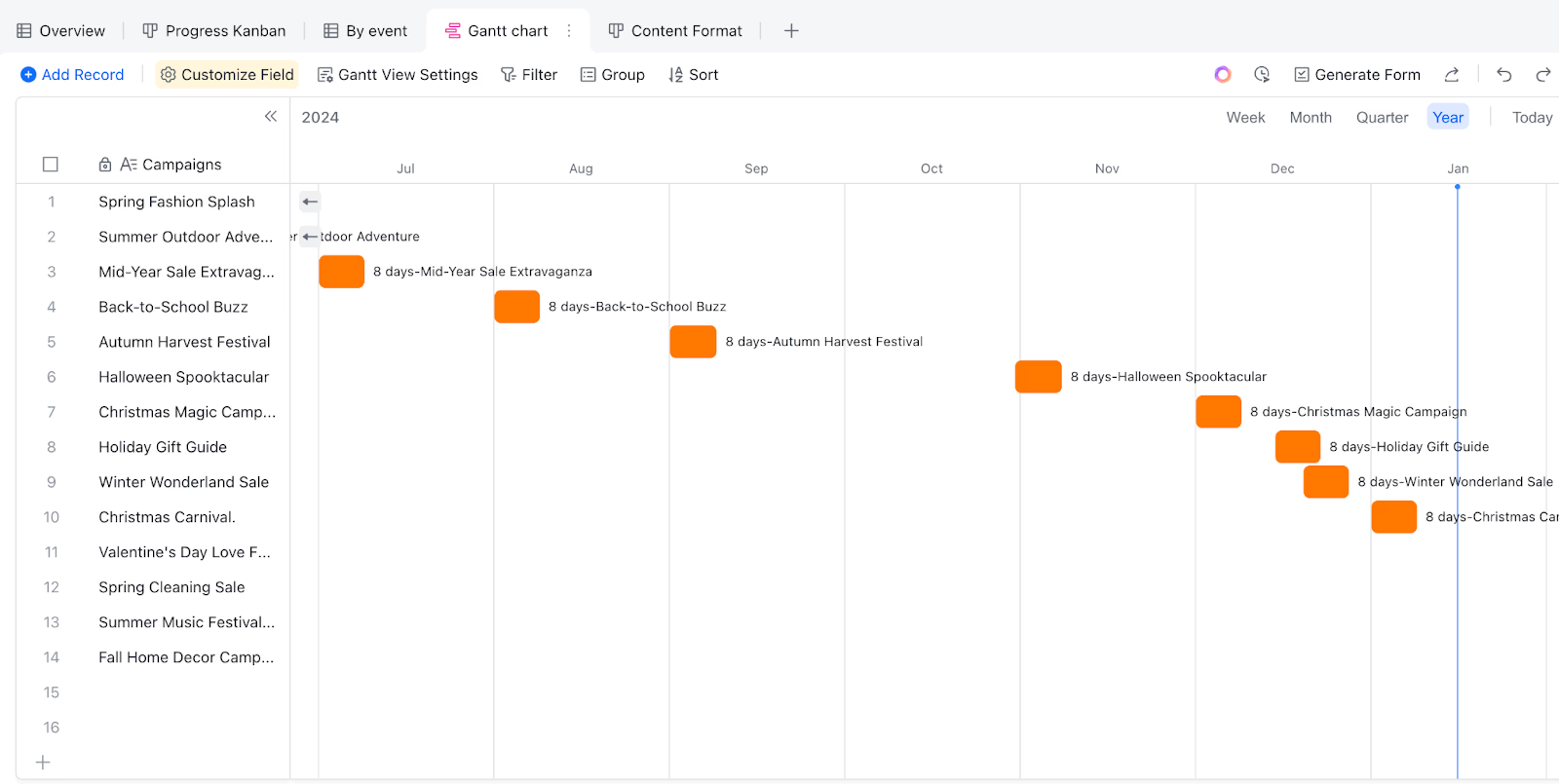
Benefits of using a construction project Gantt chart
A construction Gantt chart is more than just a scheduling tool — it's a central hub for managing time, resources, and coordination across every stage of a project. By offering a clear, visual overview of timelines and dependencies, it helps construction teams stay organized, minimize risks, and ensure projects are completed efficiently and within budget. Here's how it benefits your construction workflow:
- Better scheduling of tasks and subcontractors: With a Gantt chart for construction, you can plan, assign, and track each task in sequence. It ensures that subcontractors and teams work efficiently without overlap or idle time. Managers can allocate resources effectively and monitor task completion to prevent delays and confusion on-site.
- Clear visualization of dependencies: A construction project Gantt chart makes task dependencies visible — showing which activities must be completed before others can begin (e.g., foundation → framing → roofing). This clarity prevents scheduling conflicts and ensures that work progresses in the right order, reducing costly rework.
- Helps track progress against timelines: Real-time tracking allows project managers to compare planned vs. actual progress easily. Construction Gantt charts visually highlight delays or ahead-of-schedule tasks, enabling timely adjustments and better project forecasting.
- Improves communication across teams and stakeholders: By sharing a Gantt chart construction schedule, everyone from site engineers to clients stays aligned on timelines and expectations. It reduces miscommunication, supports transparency, and makes progress updates accessible to all stakeholders in one place.
- Reduces delays and cost overruns: Construction projects often face unexpected delays, but a Gantt chart helps anticipate and mitigate these risks. By monitoring dependencies and timelines closely, managers can adjust schedules quickly, keeping costs under control and projects on track.
Key components of a construction Gantt chart
A well-designed construction Gantt chart template brings structure and visibility to complex construction projects. It breaks down the entire project into manageable parts, allowing teams to plan, execute, and monitor each phase efficiently. From detailed task lists to progress tracking, every component plays a crucial role in ensuring timelines are met and resources are utilized effectively. Below are the main components that make a Gantt chart for construction projects successful.
- Task lists: Every construction project Gantt chart begins with a comprehensive list of tasks covering all project stages from site preparation and permits material procurement and final inspections. These tasks form the core of the schedule, helping managers assign responsibilities and set realistic start and end dates. A detailed task list ensures that no critical step is overlooked, providing a strong foundation for smooth project execution.
- Dependencies: Dependencies define the relationships between tasks, showing which activities must be completed before others can begin, for instance, an inspection before a concrete pour or wiring before drywall installation. Including these links in a Gantt chart construction plan ensures logical sequencing, prevents scheduling conflicts, and maintains efficient project flow. Properly mapped dependencies also help teams anticipate potential delays and plan contingencies.
- Milestones: Milestones serve as key checkpoints in a construction Gantt chart, highlighting major achievements like “foundation completed,” “roof installed,” or “final inspection approved.” They act as performance indicators that measure progress across different project phases. Tracking milestones keeps teams motivated, helps monitor completion percentages, and provides clear updates for clients and stakeholders.
- Resources & workforce allocation: Successful Gantt chart construction planning relies on effective resource management. This includes assigning the right personnel, machinery, and materials to each task. By linking resources directly to activities within the Gantt chart, managers can identify workload imbalances, prevent equipment shortages, and ensure optimal utilization of manpower. This approach minimizes downtime and keeps the project moving efficiently.
- Progress tracking:One of the most valuable features of a construction Gantt chart template is the ability to monitor progress in real time. Using visual indicators such as color codes, progress bars, or completion percentages, teams can instantly see which tasks are on track, delayed, or completed. This visibility enables proactive decision-making, quick rescheduling when needed, and better overall control of project timelines and budgets.
Construction Gantt chart template options
Choosing the right construction Gantt chart template can save valuable setup time and ensure your team starts with a proven project framework. These templates provide pre-built structures for timelines, dependencies, milestones, and task tracking — all customizable to fit your specific construction workflows. Whether you're managing residential builds, commercial projects, or large-scale infrastructure, these ready-to-use templates simplify scheduling and collaboration across teams.
Construction Gantt chart
This template is designed specifically for construction project planning, offering a complete visual timeline of all phases — from groundwork to project completion. It includes predefined fields for tasks, durations, dependencies, and milestones, allowing you to track progress at every stage. Ideal for contractors and site managers, it ensures that all resources, subcontractors, and materials are properly coordinated. With real-time updates and easy customization, it helps maintain visibility and control over project timelines, minimizing delays and confusion.
Project Gantt chart
The Project Gantt chart template is a versatile option that helps construction managers oversee multiple projects or phases simultaneously. It provides a detailed, timeline-based view of tasks, making it easy to coordinate site activities, subcontractors, and suppliers in one unified chart. This template is ideal for firms managing several construction jobs at once, ensuring that each stays on schedule and within budget. You can track overlapping timelines, identify bottlenecks, and adjust workloads effortlessly. With built-in collaboration features, teams can share updates, documents, and feedback directly within the chart — keeping everyone aligned from planning to project delivery.
Comprehensive Gantt chart
The Comprehensive Gantt Chart template is ideal for managing complex construction projects that involve multiple teams, overlapping tasks, and long-term timelines. It provides an advanced structure for mapping out every phase of construction in detail, from initial site surveys to final handovers. This template includes built-in fields for resource allocation, task dependencies, and milestone tracking, helping managers maintain a clear overview of the entire project lifecycle. It also supports data visualization through dashboards and progress indicators, making it easier to identify potential delays or overallocations early. With its depth and flexibility, this template is perfect for large-scale construction firms that require complete project transparency and control.
Project roadmap Gantt chart
The Project Roadmap Gantt Chart template is designed for long-term planning and high-level project tracking across extended construction phases. It helps project managers visualize the overall timeline, major deliverables, and dependencies between different stages of development. This template is especially useful for large infrastructure or commercial construction projects where multiple teams and milestones must align over several months or years. It provides a clear view of how each phase contributes to the project's end goal, improving coordination between management, clients, and contractors. By combining roadmap clarity with traditional Gantt chart functionality, it ensures every stakeholder stays informed and aligned on priorities, progress, and deadlines.
10 Best construction Gantt chart software (Top tools)
1. Lark: Best for collaborative construction scheduling
Lark is a versatile all-in-one SaaS platform designed to simplify collaboration and project management for modern construction teams. Combining scheduling, communication, and documentation into one seamless workspace, Lark ensures that everyone from project managers to on-site teams stays aligned in real time. Its built-in construction Gantt chart tool, available within Lark Base and Task features, allows teams to plan timelines, track dependencies, and monitor progress effortlessly. Whether managing a large-scale infrastructure build or a small residential project, Lark brings visibility, control, and coordination together in one place.
Key features:
- Lark Base for advanced construction Gantt chart management: Lark Base offers an interactive, drag-and-drop Gantt chart feature that allows users to create and adjust project timelines effortlessly. Each task can be assigned to a specific team, subcontractor, or resource, with dependencies that automatically adjust when schedules shift. You can mark milestones like foundation completion, inspection approvals, or handovers, ensuring no critical stage is overlooked. Custom dashboards display progress metrics, helping project managers track completion rates, delays, and resource utilization at a glance.
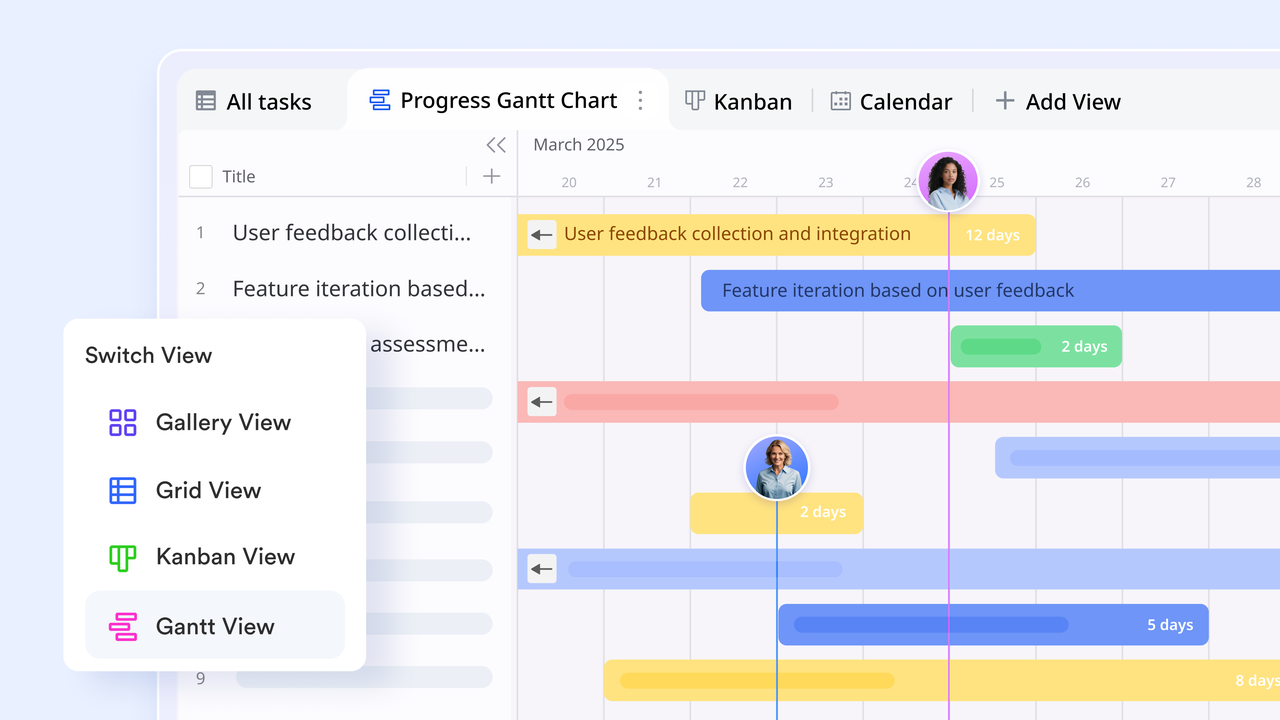
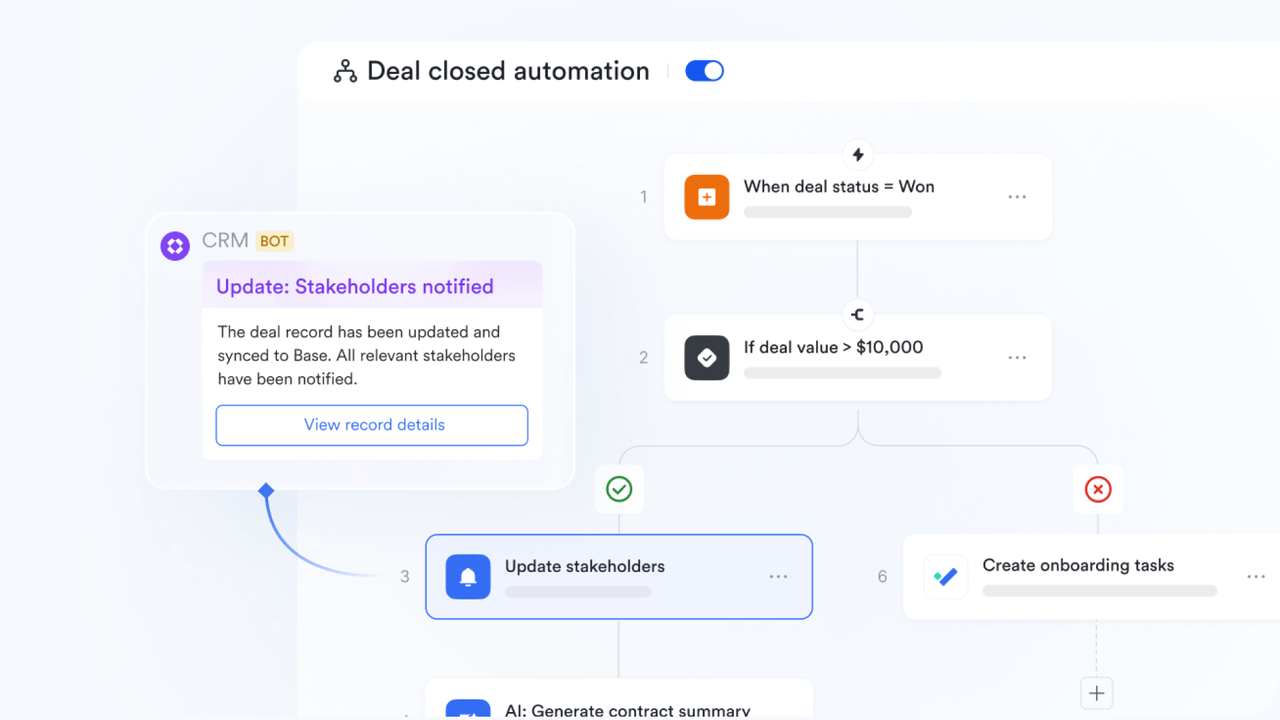
- Workflow automation for construction operations: One of Lark's strongest features is its built-in automation system. Construction teams can automate routine tasks such as sending daily progress reminders, scheduling inspection notifications, or alerting teams when materials are delayed. For example, when a concrete pour is completed, an automated trigger can notify the inspection team or update the next phase on the Gantt chart automatically. This minimizes manual follow-up and ensures every dependency is handled on time.
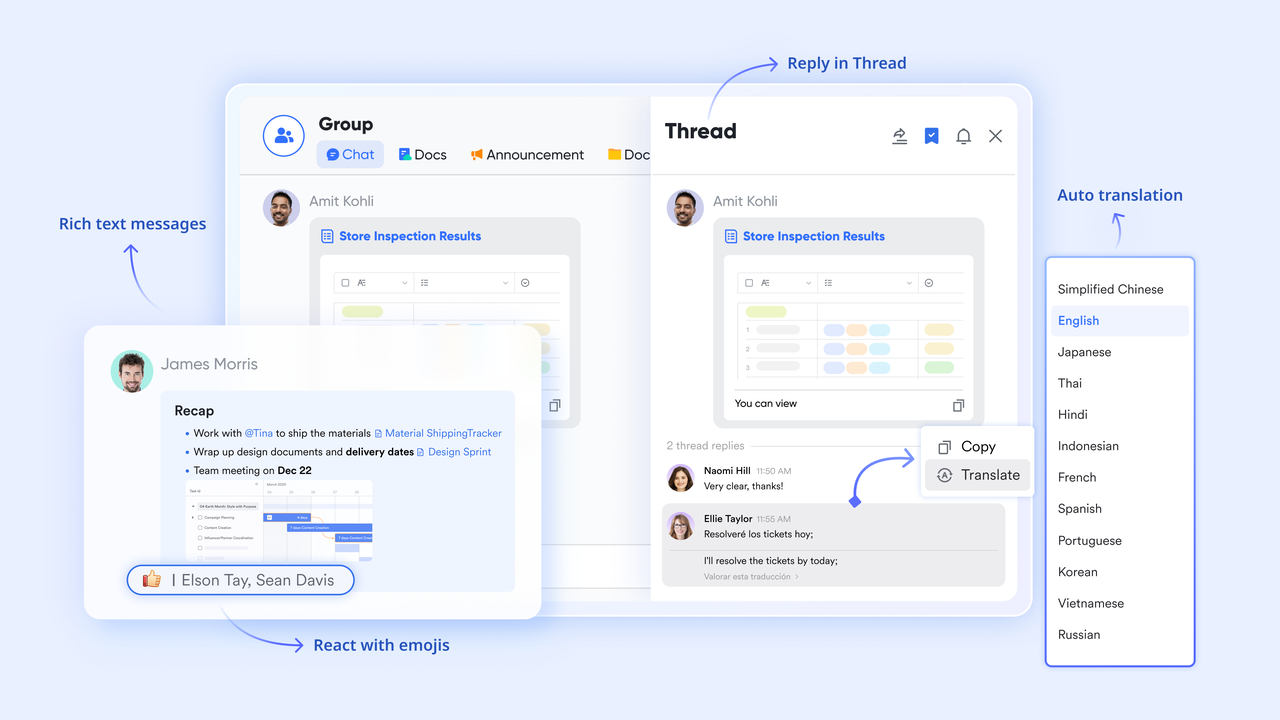
- Lark Messenger and Lark Meetings for real-time communication: Communication is often the weak point in traditional construction software. Lark bridges that gap by embedding chat, video meetings, and comments directly into the project timeline. Contractors and site teams can discuss a task, share photos, or flag issues without switching apps. If a site delay occurs, a project manager can start a video call or chat within the Gantt chart itself to address it immediately. This collaboration of communication and scheduling ensures decisions are made quickly and projects move without delay.
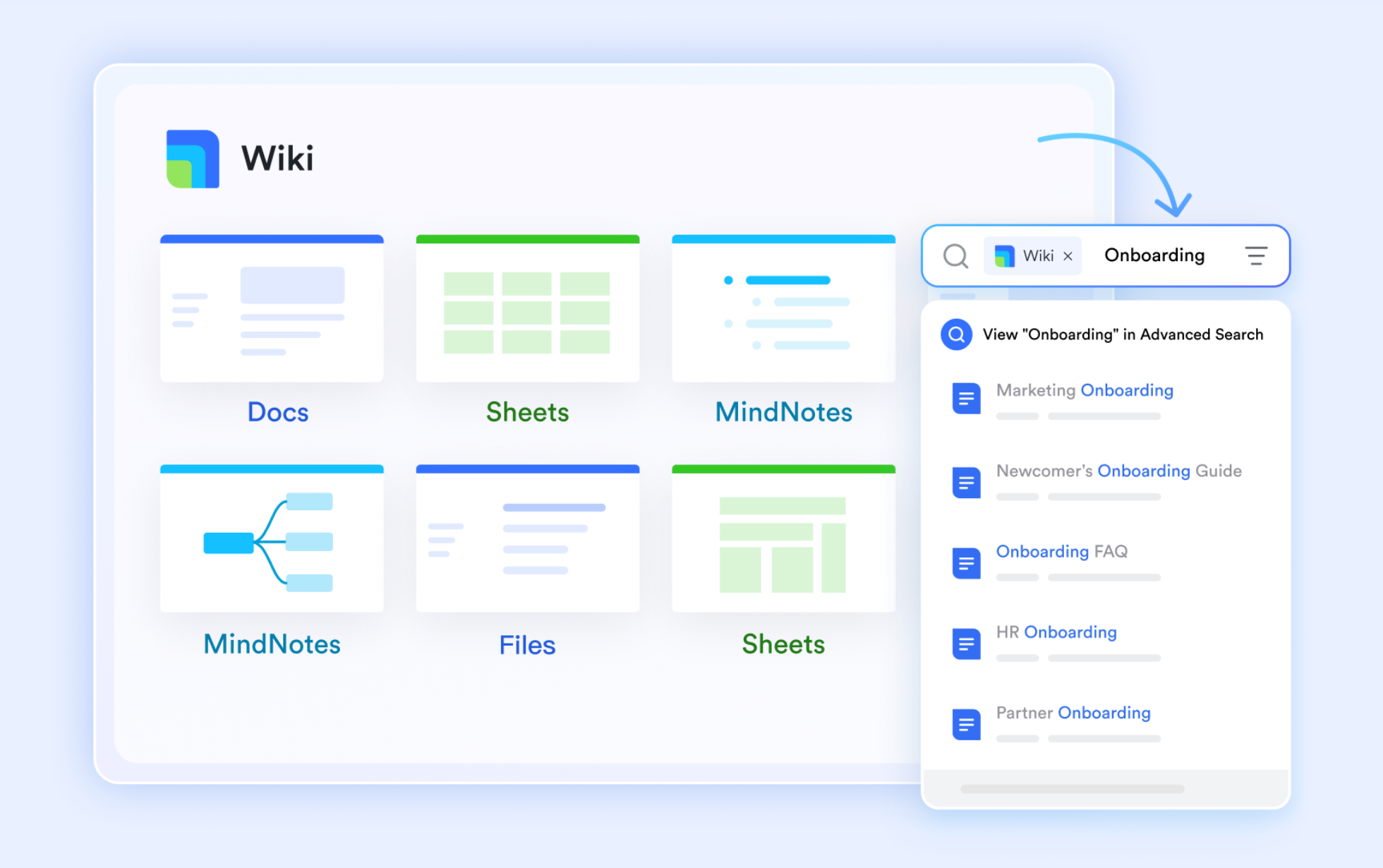
- Lark Docs and Wiki for centralized documentation: Construction projects generate massive amounts of documentation—contracts, blueprints, safety guidelines, permits, and inspection reports. Lark Docs and Lark Wiki centralize all these files in one secure workspace linked directly to relevant tasks or milestones. Team members can co-edit blueprints, update safety protocols, or attach inspection certificates to specific Gantt chart items. This eliminates confusion caused by multiple document versions and ensures the latest information is always accessible on-site and in the office.
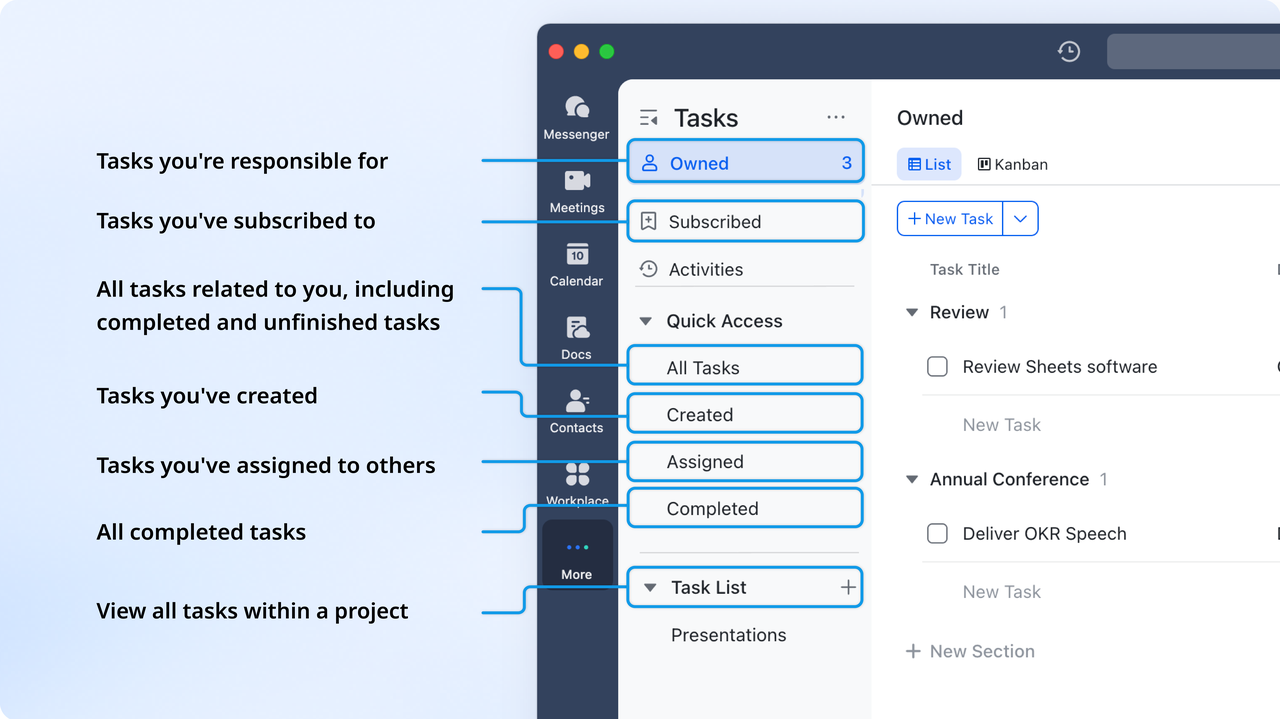
- Customizable task views for all project scales: Lark's flexibility allows teams to switch between simple task views (via Lark Tasks) and complex Gantt timelines (via Lark Base). For smaller renovation projects, the Task feature provides a straightforward list and timeline view for tracking deadlines. For larger builds or infrastructure projects, the Lark Base feature delivers deep customization—adding columns for resource allocation, cost tracking, or inspection checkpoints. This adaptability makes Lark suitable for every level of construction complexity.
- Mobile-friendly design for on-site collaboration: With construction teams constantly in the field, mobile accessibility is essential. Lark Base mobile app mirrors all desktop features, enabling site managers and crew members to view Gantt charts, log task progress, upload site photos, and comment on issues from anywhere. Updates made in the field instantly sync across the platform, ensuring that office and field teams always have a unified view of the project's status.
- Real-time notifications and intelligent reminders: To prevent missed deadlines or communication lapses, Lark's intelligent notification system keeps everyone informed. When a task deadline approaches or a dependency is updated, team members receive automatic reminders in Lark Messenger or Lark Email. Managers can also set up custom alerts—for example, a reminder two days before material delivery or a prompt for safety inspections after structural completion. These reminders maintain accountability and ensure timely execution.
Best for: Lark is best suited for construction companies, general contractors, and project managers seeking an all-in-one tool that combines planning, communication, and reporting. It's ideal for teams that want real-time visibility into their construction project Gantt charts without juggling multiple apps for chat, scheduling, and documentation. Whether managing a single high-rise or coordinating multiple job sites, Lark offers a unified, automated system that keeps every team aligned from the first blueprint to final inspection.
Why it's perfect for construction: Lark stands out because it transforms traditional project scheduling into a connected, intelligent workflow. By combining Gantt chart construction planning, automated task management, and integrated communication, it eliminates information silos and manual coordination. Construction managers can schedule tasks, oversee progress, and resolve issues instantly—all within a single platform. For teams seeking efficiency, clarity, and collaboration, Lark is not just a project management tool; it's the future of construction coordination.
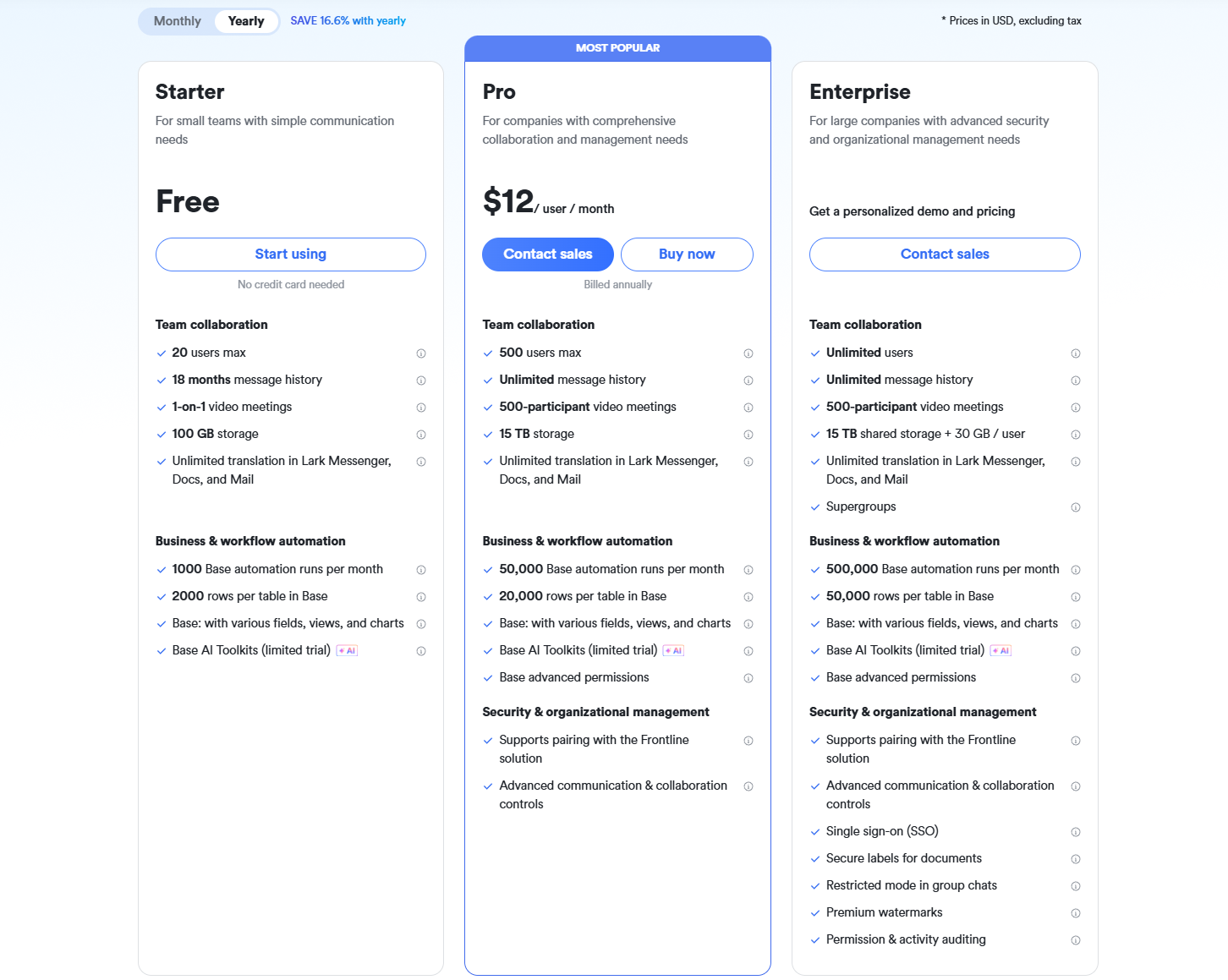
- Starter plan: Free forever plan that includes 11 powerful tools for up to 20 users. It also comes with 100GB of storage, 1000 automation runs, AI translations, and more.
- Pro plan: $12/user/month (billed annually) for up to 500 users. It includes everything in Starter plus group calling for up to 500 attendees, 15TB of storage, 50,000 automation runs, and more.
- Enterprise plan: Contact sales for custom pricing. Supports unlimited users and includes even more automation runs and advanced security, compliance, and management features.
2. Procore: Construction management suite with Gantt charts
Procore is an all-in-one construction management platform that connects project scheduling, budgeting, documentation, and field operations in one place. Its built-in Gantt chart capabilities help teams plan, visualize, and track project progress in real time. With strong collaboration and reporting tools, Procore simplifies coordination between office and on-site teams, making it ideal for large-scale construction projects.
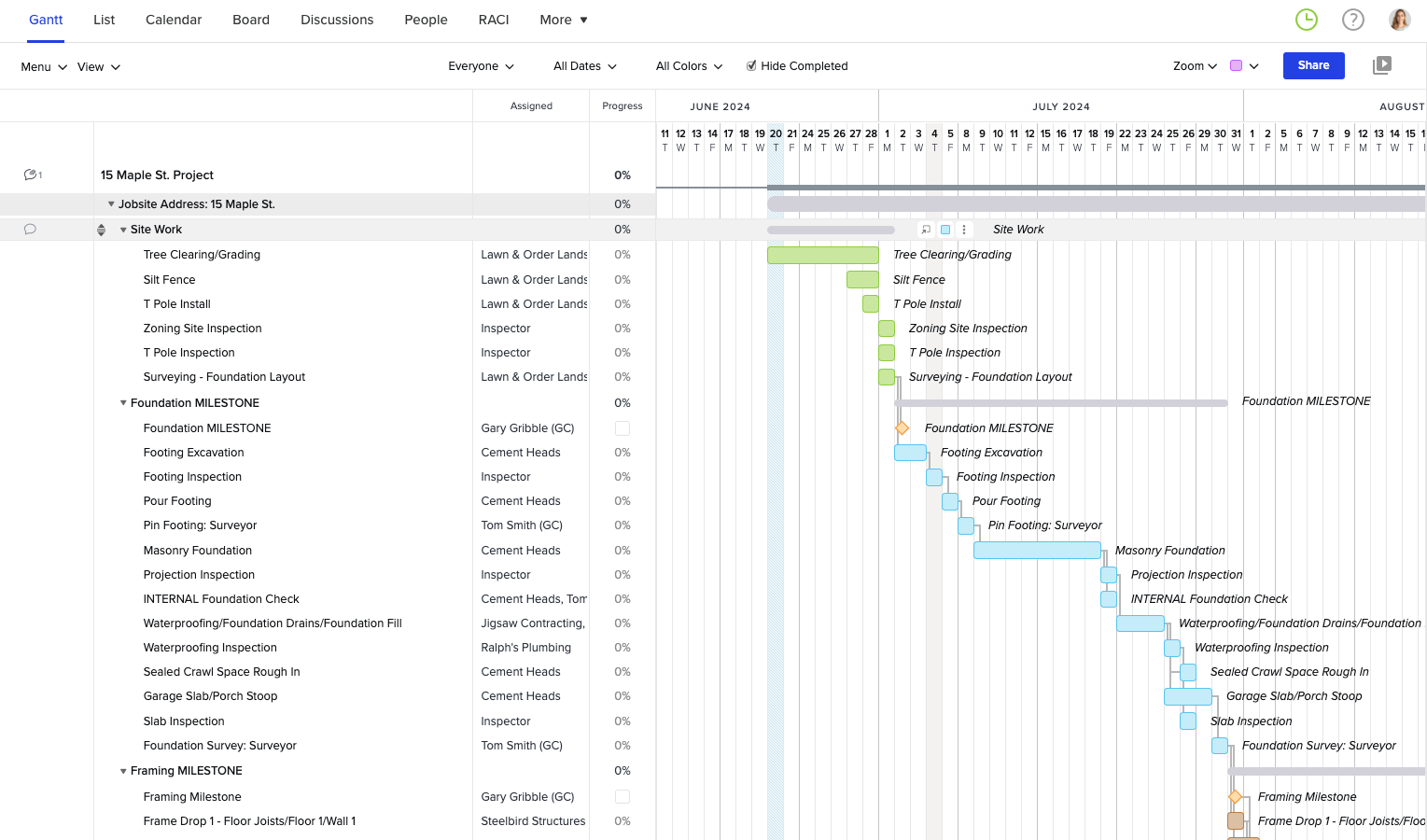
Image source: procore.com
Key features:
- Integrated Gantt charts with task dependencies and critical path tracking
- Centralized document and drawing management with version control
- Real-time cost tracking and budget monitoring
- Mobile access for on-site updates and field communication
- Integrations with popular tools like Sage, Autodesk, and Microsoft Project
Best for:
Ideal for general contractors, builders, and large construction firms managing complex, multi-phase projects that require seamless scheduling, documentation, and cost control.
Pricing:
- Custom pricing based on project size and annual construction volume
- Reports suggest starting around $375/month for smaller setups
- Enterprise plans available with full suite and advanced integrations
3. ClickUp: Flexible tool with construction-specific workflows
ClickUp is a highly customizable work platform that supports construction teams by letting you model workflows around bidding, permitting, site tasks, and handovers. With interactive views including Gantt, Board, and Timeline, it adapts to how your team works. It lets you build templates, automate repetitive actions, and integrate with tools like Slack or BIM systems. Because of its flexibility, ClickUp can suit both small contractors and growing construction firms.
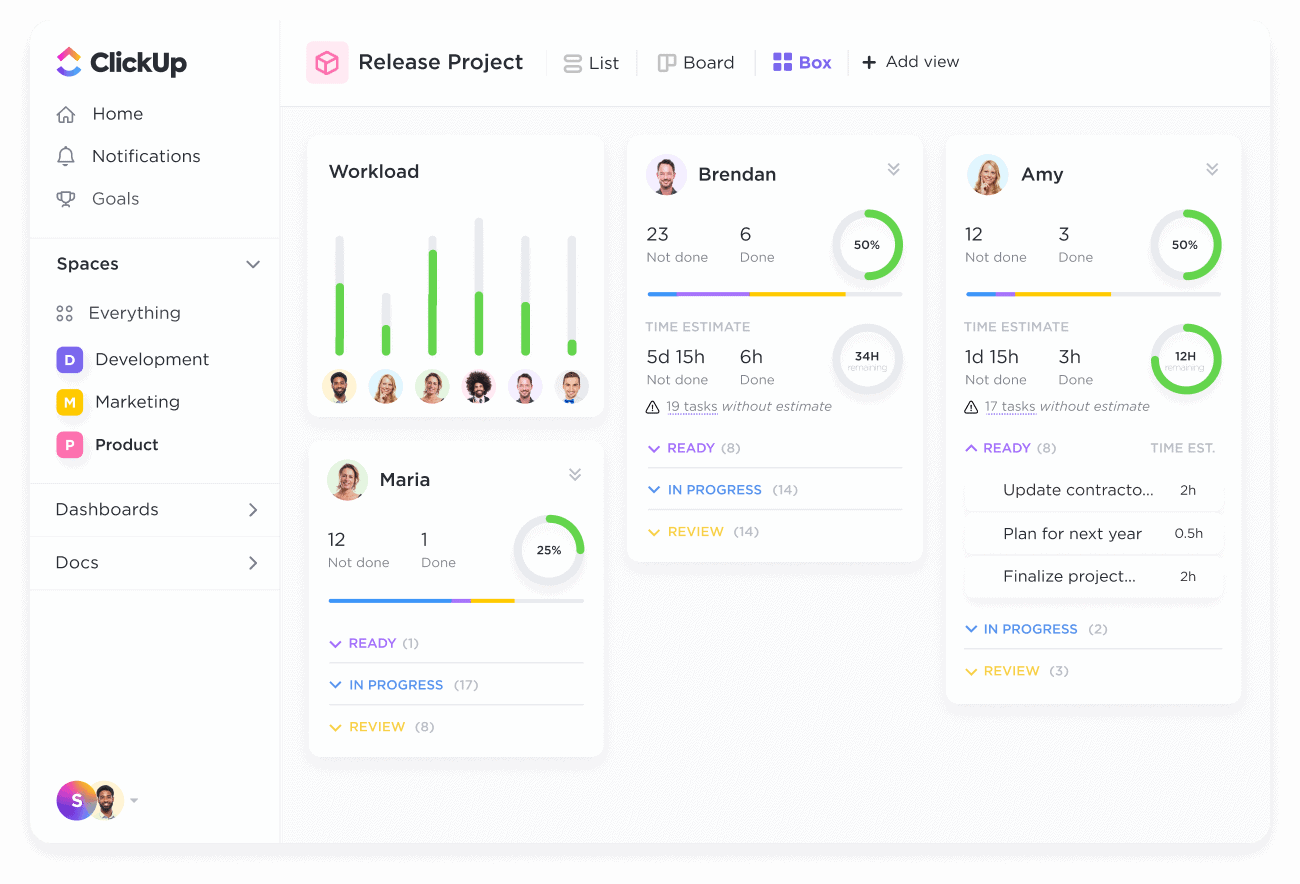
Image source: clickup.com
Key features:
- Custom workflow builder for construction processes such as RFIs, submittals, and punch lists
- Gantt view with task dependencies, critical path, and timeline tracking
- Automations to trigger status updates, reminders, or alerts
- Custom fields and templates for cost codes, change orders, and permits
- Integrations with tools like Dropbox, Slack, and CAD/BIM platforms
Best for:
ClickUp is ideal for construction firms that want a tool they can deeply tailor to specific workflows. It works well for teams that juggle both field operations and office coordination, needing adaptability more than rigid structure.
Pricing:
- Free Forever plan at $0 with basic features
- Unlimited plan at ~$10/user/month (monthly billing)
- Business-level plans at ~$19/user/month for advanced capabilities.
- Enterprise plans with custom features and pricing (contact sales)
4. Monday.com: Visual Gantt views for construction timelines
Monday.com is a visual Work OS that enables construction teams to manage tasks, deadlines, and resources through an intuitive, drag-and-drop interface. Its timeline and Gantt views help planners see overlapping tasks, dependencies, and critical paths at a glance. Because it emphasizes visual clarity and ease of use, it's popular among project managers and client-facing teams. The platform also offers automations, dashboards, and file management — making schedule and progress updates more transparent for all stakeholders.
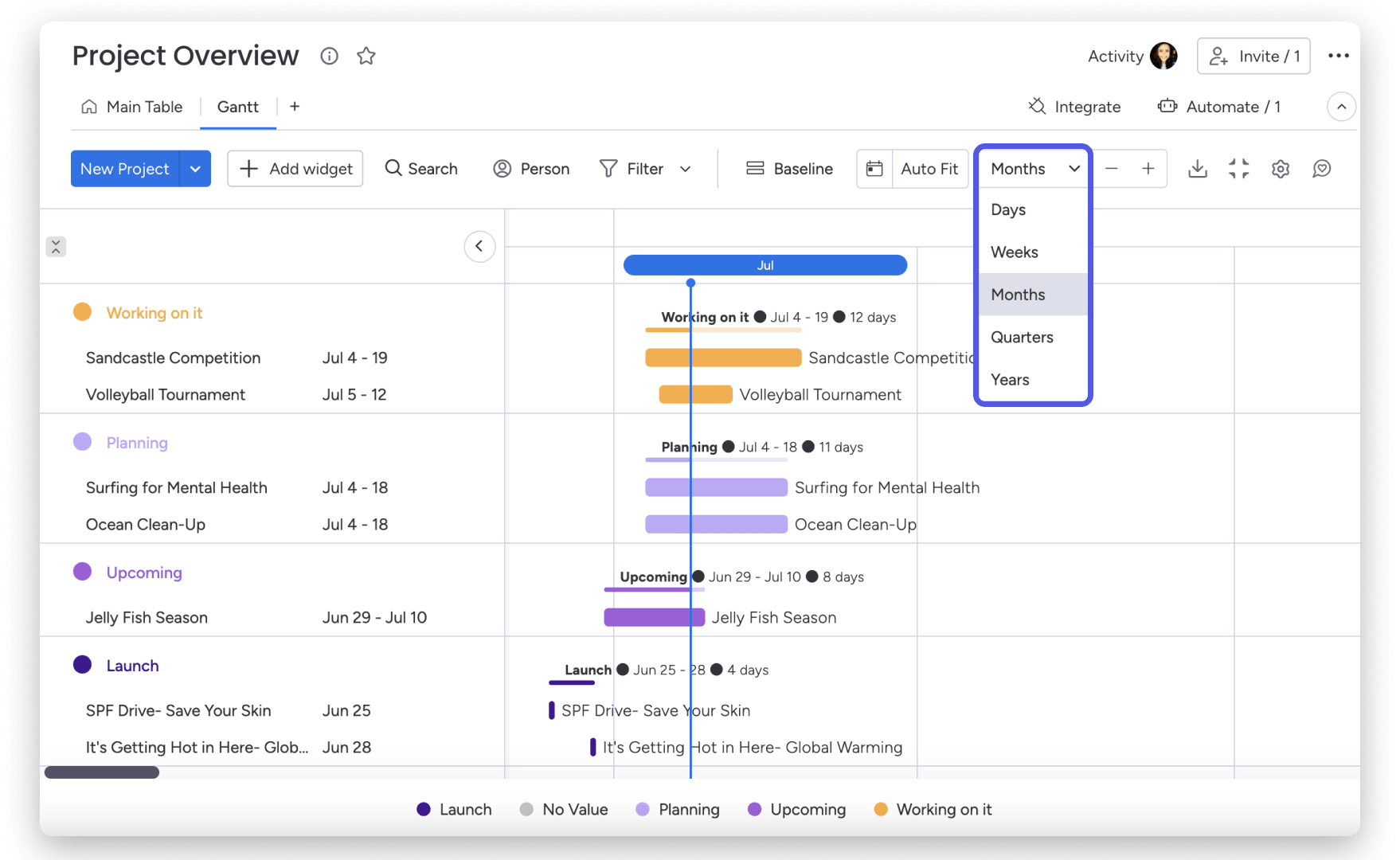
Image source: monday.com
Key features:
- Gantt & timeline view for visual scheduling
- Automations to trigger reminders, status changes, or notifications
- Dashboards combining multiple project boards into unified views
- Time tracking built into tasks for monitoring field work
- Integrations with tools like Excel, Slack, and Google Drive
Best for:
Monday suits construction firms that prioritize visual clarity and stakeholder reporting. It's great for teams needing a balance between project oversight and simple collaboration, especially where non-technical users (clients, subcontractors) need to view timelines.
Pricing:
- Free plan (up to 2 users) with limited features
- Basic plan ~ $9/user/month (billed annually)
- Standard plan ~ $12/user/month with timeline & Gantt views
- Enterprise: custom pricing and advanced features
5. Smartsheet: Templates and dashboards for resource tracking
Smartsheet is a spreadsheet-like work platform that blends flexibility with powerful project features, making it ideal for construction teams looking to manage schedules, budgets, and resources all in one place. Its intuitive grid layout appeals to users familiar with Excel, while its enhanced capabilities like automation, dashboards, and reporting, provide serious project control. Construction firms can leverage Smartsheet's pre-built templates to quickly launch project schedules and resource plans. With real-time dashboards and resource views, it's easier to spot over-allocations, track performance, and keep stakeholders updated.
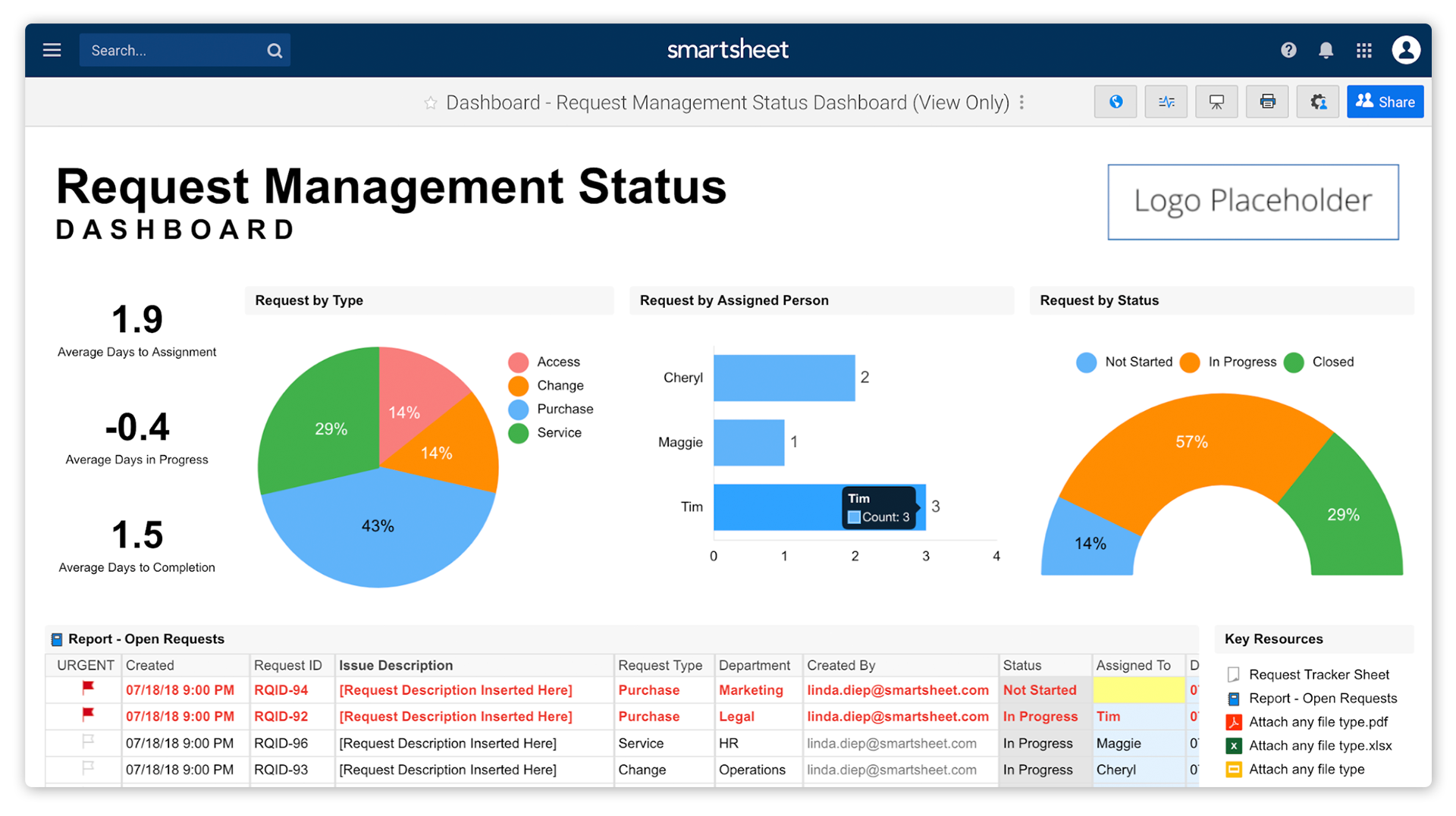
Image source: smartsheet.com
Key features:
- Wide library of construction-ready templates (scheduling, resource plans, budgets)
- Resource allocation views to monitor workforce and equipment usage
- Dashboard reporting to present project health, variances, and KPIs
- Automated alerts, reminders, and dependency updates
- Integration with tools like Microsoft Project, Slack, and BIM software
Best for:
Smartsheet is a strong choice for construction firms that want the familiarity of spreadsheets combined with project management functionality. It's especially suited for teams needing advanced dashboards and resource oversight without sacrificing flexibility.
Pricing:
- Pro plan: starting at ~$7–8/user/month (billed annually)
- Business plan: ~$25/user/month with advanced features and connectors
- Enterprise & Premier: custom pricing based on features, users, and support levels
6. ProjectManager: Construction-specific templates and scheduling
ProjectManager is a project management platform that supports construction teams with ready-made templates, scheduling tools, and detailed views like Gantt charts to plan, execute, and monitor builds. It ties together task tracking, resource planning, dashboards, and reporting, making it easier for contractors to manage complex construction projects end to end.
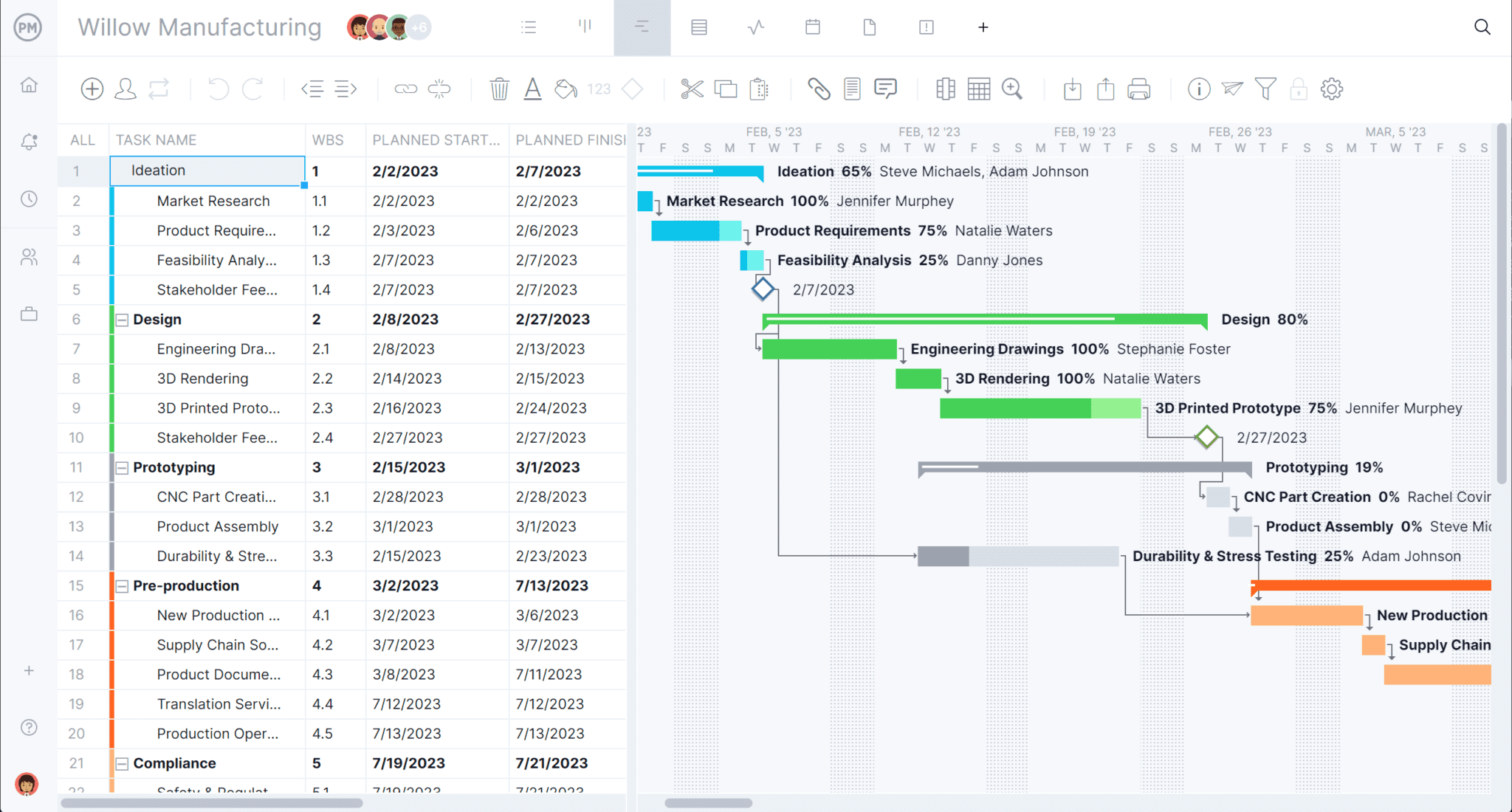
Image source: projectmanager.com
Key features:
- Prebuilt construction templates and sample schedules
- Gantt chart with dependencies, baselines, and timeline views
- Resource management and workload balancing
- Real-time dashboards and progress analytics
- Integration with tools like MS Project, Excel, Slack
Best for:
Construction firms and general contractors looking for a turnkey scheduling solution that offers both structure and flexibility. It's well-suited for teams managing multiple jobs or scaled builds, where visibility across tasks, resources, and progress is essential.
Pricing:
- Team plan: $14/user/month (billed annually) for core features (Gantt, dashboards, up to 20 projects)
- Business plan: $26/user/month (billed annually) for advanced features like resource management, workflows, and more reports
- Enterprise: custom pricing with enhanced security, integrations and support
7. Buildertrend: Cloud-based construction project scheduling
Buildertrend is a leading cloud-based platform designed specifically for homebuilders, remodelers, and specialty contractors. It streamlines every aspect of construction management, from scheduling and budgeting to client communication and document sharing. Its intuitive Gantt chart scheduling feature allows project managers to plan timelines, monitor progress, and make real-time adjustments from any device. With strong client collaboration tools and integrations, Buildertrend helps teams stay connected and projects stay on track.
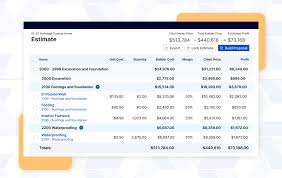
Image source: buildertrend.com
Key features:
- Gantt chart scheduling with task dependencies and drag-and-drop adjustments
- Centralized communication with clients, subcontractors, and teams
- Budgeting and financial tracking linked directly to schedules
- Document and photo sharing for on-site visibility
- Mobile app for field updates and daily logs
Best for:
Buildertrend is best for residential builders, remodelers, and contractors who need an all-in-one solution to manage both office and field operations. It's ideal for teams that prioritize transparency, communication, and client satisfaction throughout the construction process.
Pricing:
- Core plan starts at around $99/month (for basic scheduling and communication tools)
- Pro plan starts at $399/month (includes financial tools, reports, and client management)
- Premium plan available with custom pricing for large-scale builders and enterprises
8. CoConstruct: Tailored for custom builders and remodelers
CoConstruct is a specialized construction management tool built for custom home builders and remodeling firms. It streamlines project financials, client selections, and scheduling in one platform. With built-in scheduling and Gantt-like views, it ties design, estimating, and construction phases together. The system also emphasizes clear client communication and accurate job costs to reduce surprises. It's a good fit for firms that demand both flexibility and professionalism in managing custom builds.
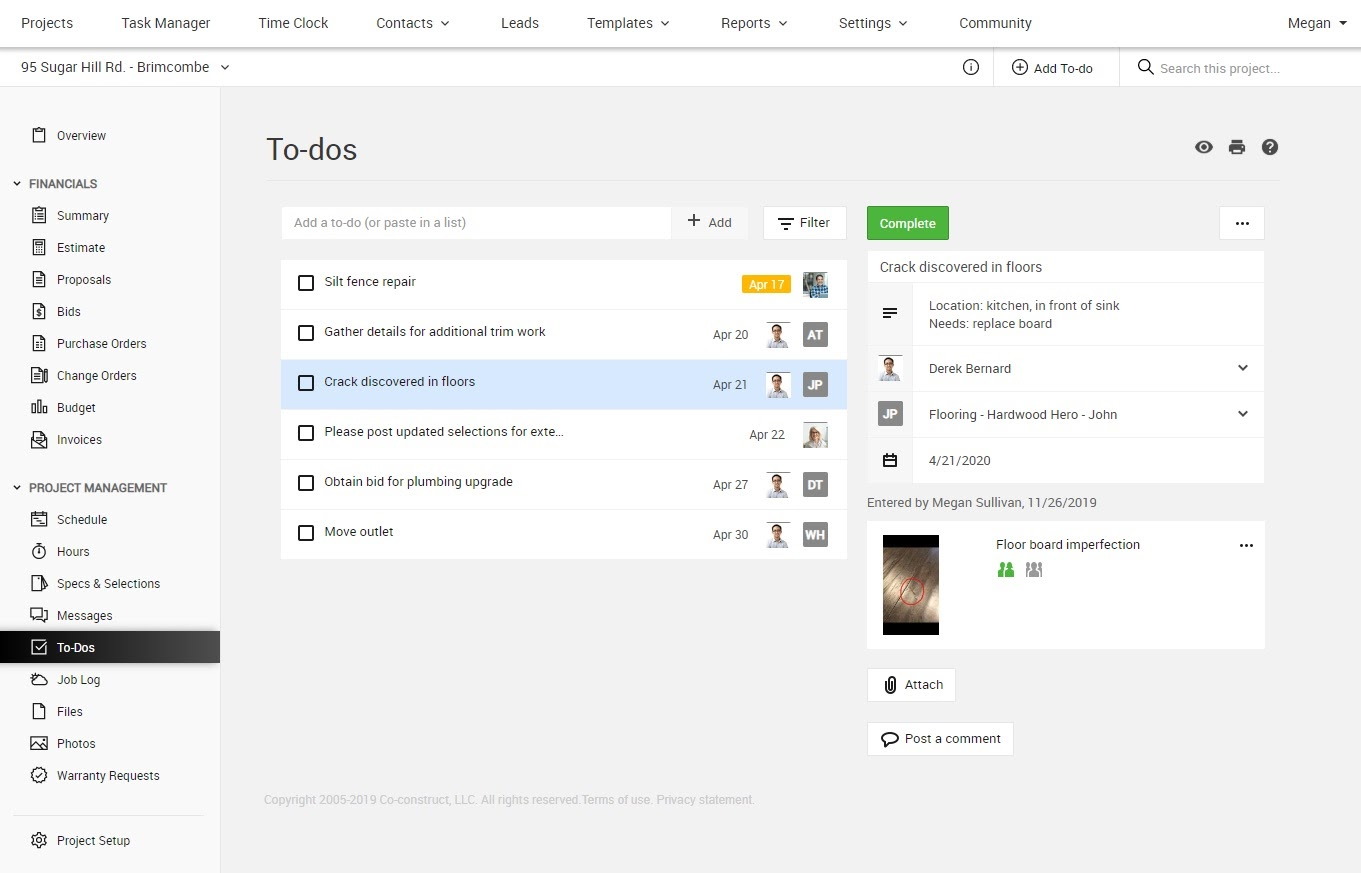
Image source: coconstruct.com
Key features:
- Integrated scheduling with drag-and-drop task management, dependencies, and baselines
- Client selections & spec tools that link decisions to budget and schedule
- Single-entry financial system tying estimates, change orders, and costs
- Mobile field access for updates, timesheets, and photo logs
- Notifications & automated alerts when schedule or selections change
Best for:
Custom home builders, remodelers, and firms handling client-driven projects where design choices, change orders, and client visibility play a central role. It's well suited for teams needing tight alignment between design, budget, and field work across phases.
Pricing:
- Basic edition from around $99/month
- More advanced plans (with expanded features) up to $399/month
- Pricing tiers vary based on features, number of active projects, and modules included
9. Fieldwire: On-site construction management with Gantt scheduling
Fieldwire is an on-site construction management platform built to connect field crews and office teams in real time. It enables project managers, site supervisors, and subcontractors to collaborate seamlessly through shared plans, task tracking, and progress monitoring. Its built-in Gantt scheduling feature allows teams to manage timelines directly from the field, ensuring schedules stay accurate and up to date. With offline access and instant syncing, Fieldwire keeps everyone aligned even on remote sites.
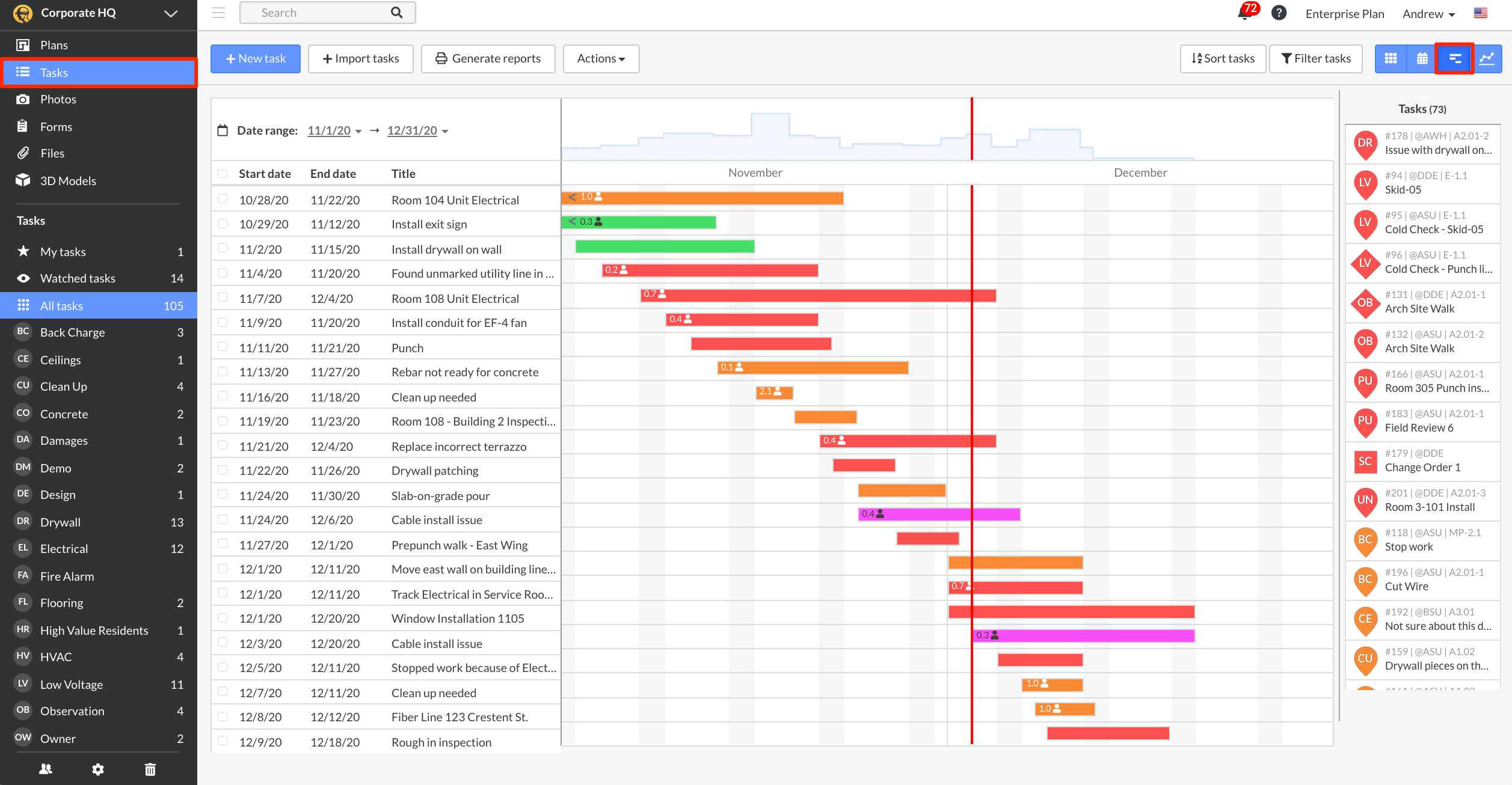
Image source: fieldwire.com
Key features:
- Gantt view with drag-and-drop scheduling and visual task dependencies
- Manpower tracking to compare planned versus actual labor hours
- Task shifting for rescheduling multiple activities at once
- Real-time updates linking drawings, markups, and field notes
- Automated reporting and PDF exports for easy client or stakeholder sharing
Best for:
Fieldwire is ideal for site managers, general contractors, and field teams who need live schedule visibility and coordination on the jobsite. It's perfect for teams that require real-time updates, mobile accessibility, and efficient on-site execution.
Pricing:
- Basic plan available for free with limited projects
- Pro plan starts at approximately $39 per user per month (billed annually)
- Business plan starts at around $59 per user per month
- Business Plus plan available from $89 per user per month with advanced features
- Enterprise pricing available on request for large-scale construction teams
10. Wrike: Scalable project management with Gantt charts
Wrike is a versatile project management platform built to scale with growing teams and complex workflows. It offers robust scheduling, collaboration, and reporting features — including full Gantt chart capabilities — that adapt well to construction project needs. Its emphasis on flexibility, real-time updates, and customizable views makes it a favorite among firms that juggle multiple sites, teams, and client demands.
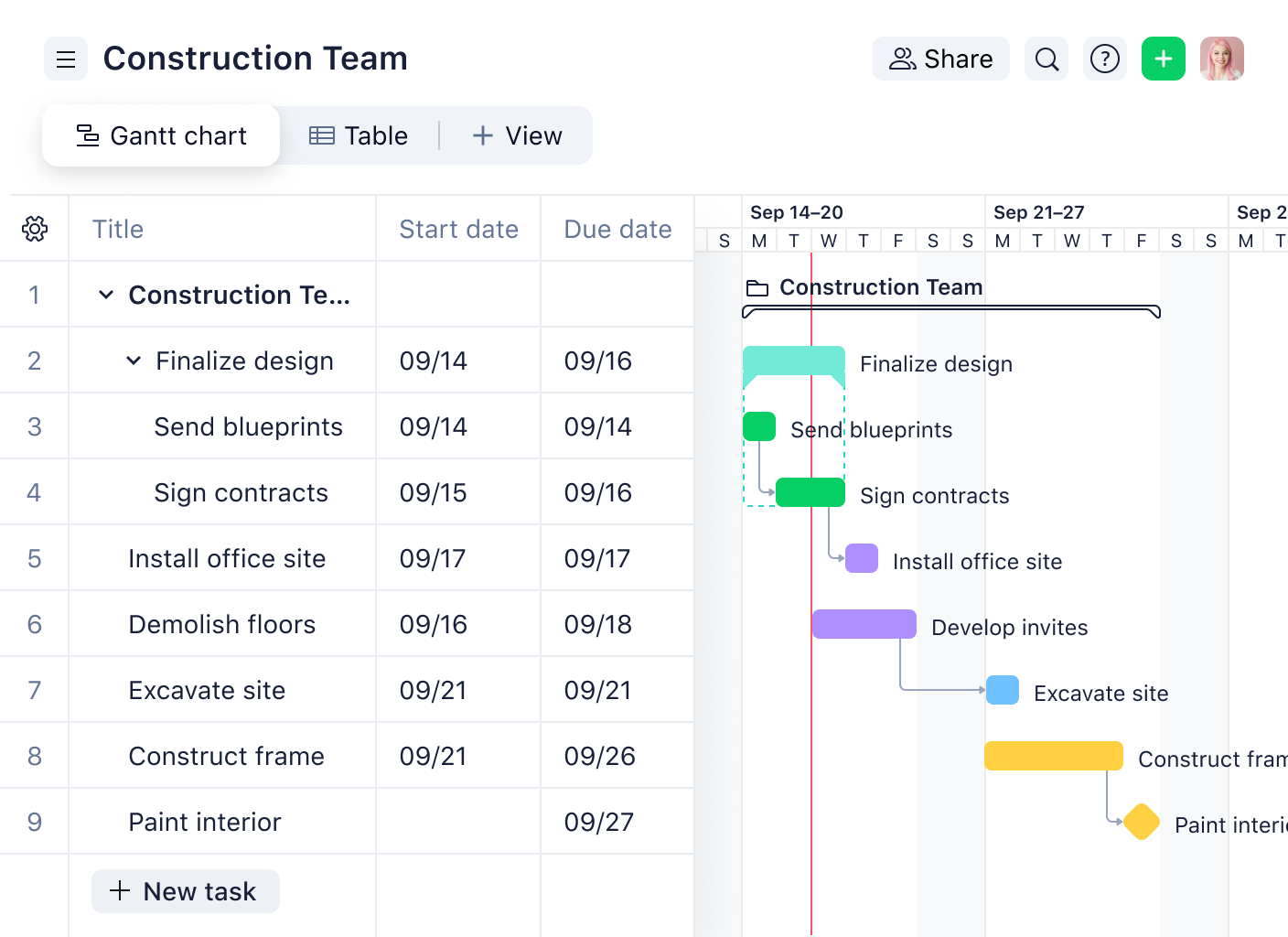
Image source: wrike.com
Key features:
- Interactive Gantt charts with dependencies, baselines, and critical path views
- Custom workflows and approval processes tailored to construction phases
- Workload view to balance resource assignments across tasks
- Dashboards and reports for tracking KPIs, progress, and risk areas
- Integrations with BIM, CAD tools, and third-party apps for extended functionality
Best for:
Wrike is best for mid-to-large construction firms needing a scalable, process-driven tool that can grow with them. It's especially suitable for organizations that manage multiple projects in parallel and require strong reporting, permissions, and cross-department collaboration.
Pricing:
- Free plan with basic task and board features
- Team plan around $9.80/user/month (billed annually)
- Business plan about $24.80/user/month with advanced features
- Enterprise and Pinnacle plans with custom pricing, security, and feature sets
How to create a construction Gantt chart (step by step)
A construction Gantt chart gives you a timeline-first view of the entire build, tying tasks, resources, and milestones into a single schedule. Use it to turn a project plan into an actionable sequence that teams on-site and in the office can follow. Below are practical steps to build a robust construction project Gantt chart.
Step 1: Define project scope and phases
Start by documenting the project scope, deliverables, and high-level phases (design, site prep, foundation, structure, finishes, commissioning). Identify stakeholders, permits, and key constraints that affect sequencing or approvals. Break large phases into logical segments so the schedule reflects real work packages. A clearly defined scope prevents scope creep and gives your construction Gantt chart a stable baseline.
Step 2: List tasks and assign resources
Decompose each phase into discrete tasks (site prep, excavation, slab, framing, MEP, inspections, finishes) and create a work-breakdown structure. For each task assign responsible parties — crews, subcontractors, equipment, and material sources — plus estimated durations. Add contextual fields like cost codes, priority, and location so teams can filter and report easily. Accurate task-level detail ensures the gantt chart construction plan is executable and resource-aware.
Step 3: Map dependencies
Identify logical relationships between tasks (finish-to-start, start-to-start, finish-to-finish) so the schedule reflects real sequencing — for example, foundation complete → framing start → roofing. Flag regulatory and inspection dependencies (inspection before concrete pour, occupancy approvals before handover). Use dependency links in your Gantt tool to automatically adjust successor tasks when predecessors change. Mapping dependencies reveals the critical path and potential bottlenecks early.
Step 4: Add milestones
Establish milestone checkpoints that represent major project achievements: permits approved, foundation poured, roof installed, systems commissioned, final handover. Tie milestones to contractual dates, payments, and client review meetings to keep accountability visible. Display milestones prominently on the timeline so stakeholders can instantly see progress against major targets. Milestones also serve as triggers for reporting, procurement actions, and change-order reviews.
Step 5: Set timelines
Convert task durations into calendar dates, taking into account working days, lead times for materials, crew availability, and seasonal/weather risks. Build in realistic buffers for known uncertainties (permits, inspections, weather) rather than optimistic estimates. Set a project baseline once the timeline is agreed upon, so you can measure schedule variance as work progresses. Well-defined timelines make your construction project gantt chart a reliable tool for commitment and forecasting.
Step 6: Track progress and update regularly
Establish a cadence for updates (daily field logs, weekly schedule reviews, milestone checkpoints) and assign who records percent complete and actual start/finish dates. Capture on-site changes, delays, and resource shortfalls immediately, so the Gantt reflects current reality and drives corrective actions. Use the tool's progress indicators, variance reports, and notifications to replan or reassign resources where needed. Continuous tracking turns the static schedule into a living construction gantt chart that prevents small issues from becoming major delays.
Common mistakes in construction Gantt charts
Even the most experienced project managers can run into issues when building or maintaining a construction Gantt chart. A well-designed schedule should be clear, collaborative, and regularly updated — but small oversights can cause confusion, delays, and inaccurate reporting. Understanding these common mistakes can help you create a construction Gantt chart that truly supports on-time delivery and team coordination.
- Overcomplicating tasks: One of the biggest mistakes is adding too much detail to your Gantt chart. When every minor action becomes a separate task, the chart becomes cluttered and hard to follow. Instead, group related activities into logical phases or work packages that reflect meaningful progress. Keep it detailed enough to track accountability but simple enough for quick updates and easy communication with your teams.
- Not accounting for dependencies and inspections: Failing to link tasks or schedule inspections properly can throw off your entire timeline. For example, starting drywall before electrical inspection approval can cause costly rework. Always define dependencies (finish-to-start, start-to-start) and integrate inspection or permit milestones within your Gantt chart construction plan. This ensures that work flows in the correct order and that regulatory checkpoints are never missed.
- Failing to update progress daily: A construction Gantt chart loses its value when it's not kept current. Site conditions change daily, and even minor delays can ripple through your project schedule. Regular updates, ideally daily or weekly, help identify slippages early and allow time to correct them. Encourage field teams to log progress through mobile tools or quick task updates to maintain real-time accuracy.
- Using static templates instead of collaborative tools: Relying on spreadsheets or static templates limits visibility and collaboration across teams. Static files often lead to version conflicts and delayed communication. Switching to collaborative Gantt chart software allows multiple users to update schedules, track dependencies, and share live progress simultaneously. Platforms like Lark, Monday, or Procore make scheduling dynamic, ensuring everyone — from site managers to clients stays informed and aligned.
Conclusion
A well-structured construction Gantt chart is more than a visual timeline — it's the backbone of effective construction project management. By clearly outlining tasks, dependencies, and milestones, it provides project managers, contractors, and stakeholders with a single source of truth for scheduling and progress tracking. Whether managing small builds or large-scale developments, a Gantt chart for construction projects ensures every phase runs smoothly and on schedule.
Beyond time management, it enhances communication by keeping all teams aligned — from site crews to architects and clients. Real-time visibility helps identify risks early, reduce delays, and control costs more efficiently. With the right tools and templates, such as those offered by platforms like Lark, Procore, or Smartsheet, teams can transform complex construction workflows into structured, trackable plans. In short, a construction project Gantt chart turns planning into performance and deadlines into achievable goals.
FAQs
Can I create a construction Gantt chart in Excel?
Yes, you can create a basic construction Gantt chart in Excel using bar charts or templates. However, Excel requires manual updates and lacks automation, real-time tracking, and collaboration features offered by dedicated Gantt chart software.
What's the best construction Gantt chart software?
The best software depends on your needs, but tools like Lark, Procore, and ClickUp are top choices. Lark stands out for its all-in-one collaboration, automation, and real-time scheduling features tailored for construction teams.
How do Gantt charts help contractors avoid delays?
Gantt charts for construction projects visualize task dependencies and critical paths, allowing managers to identify bottlenecks early. This proactive approach helps contractors adjust schedules, allocate resources, and prevent time overruns.
Can I share a construction project Gantt chart with clients?
Yes, most modern Gantt chart tools like Lark, Monday, or Smartsheet let you securely share live charts or reports with clients, offering transparency and up-to-date progress visibility.
How does Lark improve construction project tracking vs templates?
Unlike static templates, Lark's construction Gantt chart integrates scheduling with chat, file sharing, and automation. It allows live updates from on-site teams, ensuring faster communication, fewer delays, and more accurate project tracking.
Related reading
Table of contents
Start using Lark today

Manage all your work in one place
Boost team efficiency by 10x
Save up to 70% on software costs
Table of contents
Start using Lark today
Manage all your work in one place
Boost team efficiency by 10x
Save up to 70% on software costs
Keep reading







2026 Lark Technologies Pte. Ltd.
Headquartered in Singapore with offices worldwide.






Explore: