














16 Best Content Management Software in 2026 Ranked by Category

Owyn Thomas Kerr
Lark Content Manager
Sep 18, 2026
Owyn Thomas Kerr
Sep 18, 2026


Best content management software
Best full lifecycle content management software
1. Lark - Best for teams that need a cost-effective, AI-powered solution
Lark key features
- Lark Base: A powerful tool for intelligently organizing thousands of pieces of content in a central library. Lark Base provides multiple views and dashboards to track data, content, and timelines. Its AI capabilities can summarize, tag, classify, analyze, and generate content instantly.
- Lark Wiki: Centralized spaces for storing digital assets and company knowledge in wikis, allowing teams to quickly access the materials and information they need.
- Lark Approval: An approval management system that gives teams full control over content usage, budget adjustments, project changes, and more. Team members can easily submit requests and track approvals within a structured workflow.
- Lark Help Desk: Intelligent chatbots that answer frequently asked questions about company knowledge and assets, making information quickly accessible to your team.
- AI content creation: Accelerates creation with on-brand headlines, captions, and draft content generated in seconds, giving your team polished starting points to refine and review instead of building from scratch.
- Built for collaboration: Includes native instant messaging, email, calendars, project management, attendance systems, and OKR tools, so all your work gets done in one app.
- Built-in security features: Granular permission controls, document-level security, and customizable access levels ensure that sensitive content remains protected.
- Template library: A wide variety of templates for different types of projects and teams involved in content management are free to use.
Why I picked Lark
Lark pros and cons
What I liked | What could be better |
Lark is an all-in-one superapp, which means you don't need to use other tools-everything is built in, like chats, video calls, calendars, task management, and more. | Some advanced features are tricky to learn without reading Lark's help center articles or watching YouTube videos. |
Lark's mobile app works well and is ideal for teams that aren't always at their desks. | |
Generous free plan and affordable paid plans make Lark one of the most cost-effective content management platforms on the market. | |
Lark pricing
- Starter plan: Free forever plan that includes 11 powerful tools for up to 20 users. It also comes with 100GB of storage space, 1000 automation runs, AI translations, and more. No credit card needed.
- Basic plan: $6/user/month (billed annually) for up to 500 users. It includes everything in Starter and unlimited message history, 5TB of storage space, 1,000 automation runs, and more. Some users may need to contact sales to purchase this plan.
- Pro plan: $12/user/month (billed annually) for up to 500 users. It includes everything in Basic plus group calling for up to 500 attendees, 15TB of storage space, 50,000 automation runs, and more.
- Enterprise plan: Contact sales for custom pricing. Supports unlimited users and includes even more automation runs and advanced security, compliance, and management features.
Starter
For small teams with simple communication needs
$0
/ user / month

Pro
For companies with comprehensive collaboration and management needs
$12
/ user / month
Enterprise
For large companies with advanced security and organizational management needs
Get a personalized demo and pricing
Pro
For companies with comprehensive collaboration and management needs
$12
/ user / month
2. Wrike - Best for teams that need integration with applications
Wrike key features
- Wrike Whiteboards: Powered by Klaxoon, Wrike Whiteboard is a visual tool that helps your content teams brainstorm, plan, and turn ideas into tasks.
- Custom request forms: Teams can build processes with custom request forms for content projects.
- Multiple views: Gantt, Workload, Calendar, Board, and Table views give your content team a 360-degree view of all campaigns and assets, making it easy to plan, track, and manage every piece of content.
- Proofing: Teams can quickly approve creative assets with Wrike's proofing feature, which lets you leave feedback on multiple file formats and content versions side by side.
Why I picked Wrike
Wrike pros and cons
What I liked | What could be better |
Proofing image and video files is easy, you just leave a comment directly. | Noticeably more expensive than other platforms. |
Wrike provides real-time project insights and helps you measure team performance to ensure content is delivered on time. | The interface may feel a bit cluttered for some users. |
Includes a range of helpful security features which may suit larger enterprises. | |
Wrike pricing
- Free plan: Yes, but with limited features.
- Paid plans: Start at $10 per user per month.
3. Monday.com - Best for teams that prefer lots of customization
Monday.com key features
- Customizable content calendars: Teams can visualize content pipelines with different views to manage deadlines and oversee production schedules.
- Workflow automation: You can reduce your team's manual tasks by automating repetitive work, so that editorial workflows are smooth.
- Monday Campaigns: Monday.com offers an AI-powered marketing tool that helps teams create, launch, and optimize email campaigns without leaving the platform.
- Integrations: Monday.com lets you connect with tools like Outlook, Slack, and Adobe Creative Cloud, which may be tools your content team already uses.
Why I picked Monday.com
Monday.com pros and cons
What I liked | What could be better |
The modern, sleek design of Monday.com stands out against most work platforms. | A minimum of 3 seats is required for paid plans, though this may not be a significant issue for most teams. |
Similar to Wrike, Monday.com offers a wide range of customization options. | Features for planning and tracking content (time tracking, Gantt charts, etc.) are available only in higher-priced plans. |
Monday.com offers multiple ways to visualize data, including Kanban boards, Gantt charts, and calendars. | |
Monday.com pricing
- Free plans and pricing vary by product. However, on the Monday.com Work Management platform, a free plan is available for up to 2 seats, with paid plans starting at $9 per seat per month.
Best web content management software
1. WordPress - Best for small teams that need to publish content
WordPress key features
- Visual builder: You can drag and drop "blocks" of text, images, or videos exactly where you want them to appear, so you can see what your published content will look like while you design the page.
- Themes: There are hundreds of pre-made, professionally designed, customizable templates.
- Design tools: Extended color schemes, typography, borders, and other customization options are available.
- VideoPress: You can upload and publish 4K-resolution videos with different playback speeds.
Why I picked WordPress
WordPress pros and cons
What I liked | What could be better |
A cheap content management system that's beginner-friendly with drag and drop editing and strong community support. | Due to its popularity and its open source, the risk of being hacked or spammed is higher. |
Thousands of plugins and themes to customize how you display your published content | As your business scales, you may want to custom WordPress solution, which can become expensive. |
WordPress is SEO-friendly. Making it easier for your content to be seen by more people. | |
WordPress pricing
- Free plan: Yes, designed for personal use, such as blogs or portfolios.
- Paid plans: Start at $4 per user per month, though most businesses will need a higher-tier plan.
2. HubSpot Content Hub - Best for marketing teams that need consistent branding
HubSpot Content Hub key features
- Content Remix: You can repurpose a piece of content into multiple marketing assets across your different channels.
- Case study generator: You can generate case studies with AI (Breeze) by uploading transcripts or notes.
- Website builder: Build a website for your business with premium cloud hosting and security features.
- Breeze content agent: Create visually engaging landing pages in seconds with a simple drag-and-drop interface and image generator for content creation.
Why I picked HubSpot Content Hub
HubSpot Content Hub pros and cons:
What I liked | What could be better |
Easy to use and quick to create content, landing pages, emails, and more with tools like Content Remix and Content Hub's AI. | Limited customization options compared to other software picks. |
Being able to edit, organize, and publish everything in one place, while keeping aligned with CRM and marketing tools, creates a smooth workflow. | Despite being easy to use, the migration and initial setup can be tricky. |
Built-in SEO suggestions feel like you have a specialist working alongside you. | |
HubSpot Content Hub pricing
- Free plan: Yes, but limited to 2 users and with fewer features.
- Paid plans: Start at $9 per seat per month, with higher plans priced at $450+ per month.
3. Shopify - Best for e-commerce teams that need a CMS
Shopify key features
- Content and product management: Shopify lets you manage product descriptions, images, and other assets in its e-commerce CMS platform.
- Media library: Includes a central library for you to easily manage images, videos, and files online.
- Visual editor: Shopify's editor lets you create, rearrange, and edit content, including landing pages and blog posts.
- Staff roles: Admins can manage access across the team, assigning specific permissions for content tasks.
Why I picked Shopify
Shopify pros and cons
What I liked | What could be better |
Most users agree that Shopify is easy to use. | You'll have to host your branded email through a third-party provider. |
You won't have to pay extra for website hosting as this is included with Shopify. | Content is not Shopify's primary focus, e-commerce is. This means there may be better CMS options out there, especially if you're not involved in e-commerce. |
Shopify includes features to help you add products, manage inventory, display content, manage payments, and review analytics. | |
Shopify pricing
- Free plan: No free plan available.
- Paid plans: Start at $29 per month with costs rising based on features and card rates.
4. Webflow - Best for teams that need design control and SEO performance in one platform
Webflow key features
- Visual Designer: A drag-and-drop canvas that gives teams full control over layout, responsive behavior, and interactions, without writing code.
- Webflow CMS: A flexible content structure that lets teams build custom collections (blog posts, case studies, products) and reuse them dynamically across the site.
- Built-in SEO controls: Native tools for meta titles, descriptions, alt text, and 301 redirects, with clean code that supports strong Core Web Vitals scores.
- AI-powered workflows: Agentic features help teams draft copy, generate pages, and run on-site optimization experiments within a governed brand system.
Why I picked Webflow
Webflow pros and cons
Webflow pricing
- Free plan: Yes, with limited features and a Webflow-branded subdomain.
- Paid plans: Start at $14 per month (billed annually) for basic sites; CMS and business plans scale up from there.
5. Pixpa - Best for creative professionals who need a portfolio, store, and client galleries in one CMS
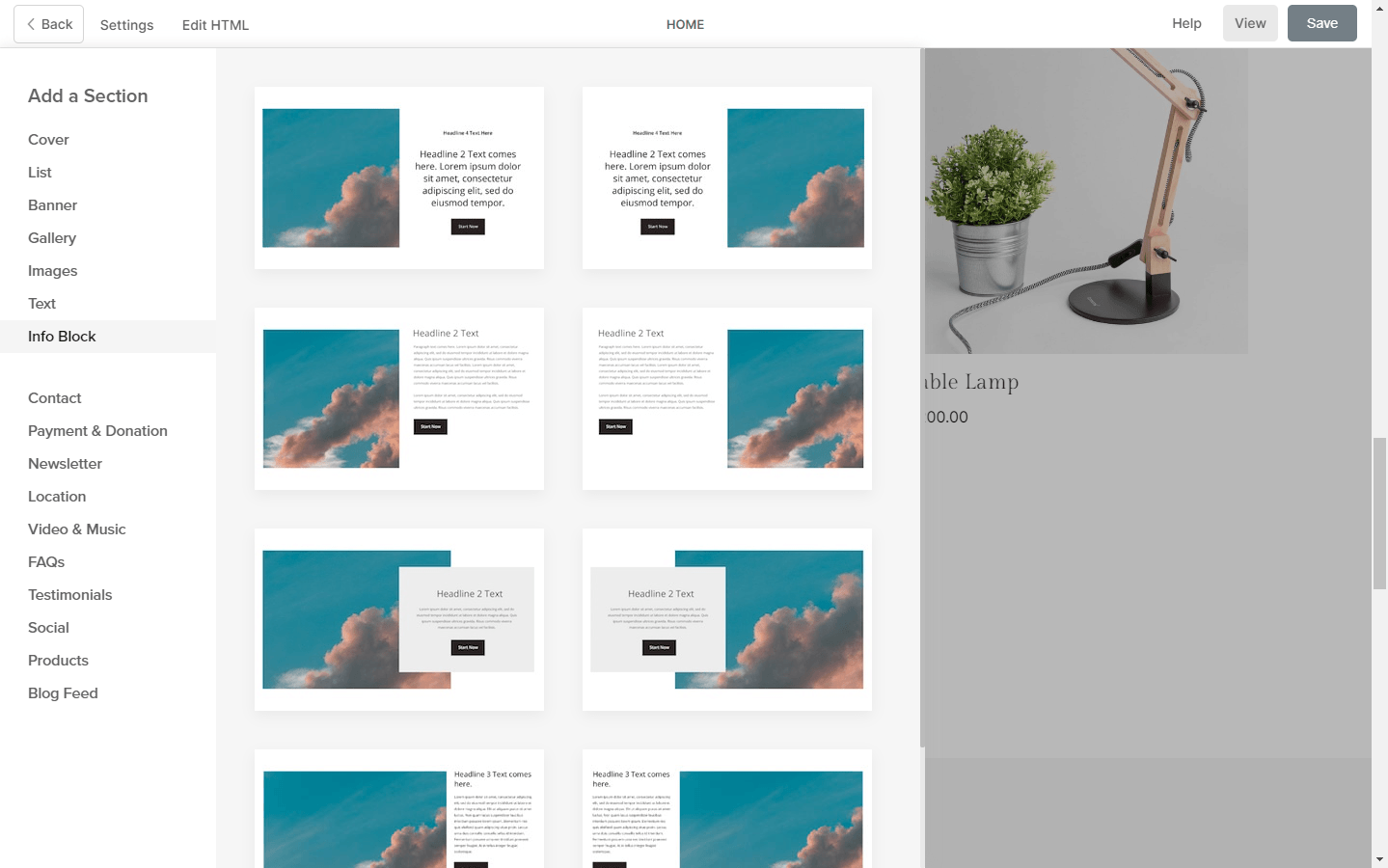
- Visual builder and templates: Drag-and-drop sections with 200+ designer-made, mobile-ready templates, plus custom fonts and custom CSS when you want to go off-template.
- Client galleries and proofing: Share password-protected galleries, collect client selections and comments, and deliver final files without paying for a separate proofing tool.
- Built-in store with zero commission: Sell prints, digital downloads, and services with no commission taken by Pixpa, and connect a print lab to handle fulfilment.
- SEO and AI Writer: Page-level meta controls, sitemaps, and redirects are native rather than plugin-dependent, and the built-in AI Writer drafts page copy, blog posts, and product descriptions.
- Free plan: No free plan. Pixpa offers a 15-day free trial with no credit card required, plus a 30-day money-back guarantee.
- Paid plans: Start at $5.40 per month for Basic on annual billing, rising to $9 for Creator, $12 for Professional, and $15 for Advanced. Month-to-month billing starts at $9.
Best storage and asset management software
1. Brandfolder - Best for teams needing a DAM for their content
Brandfolder key features
- Centralized storage: Brandfolder gives you a single, secure cloud-based repository for all your marketing assets.
- AI asset intelligence: The platform uses machine learning for automated tagging and identifying assets that are visually similar to reduce content waste.
- Bulk editing and automation: Let's you bulk resize, convert formats, and set up automated rules to move or tag assets based on triggers.
- Sharing: Offers secure, controlled sharing through CDN-backed links for websites or direct sharing to social media.
Why I picked Brandfolder
Brandfolder pros and cons
Brandfolder pricing
- Free plan: Not available.
- Paid plans: Only custom pricing is available
2. Microsoft SharePoint - Best for teams seeking an ECM platform
Microsoft SharePoint key features
- Document management: Teams can upload, organize, and co-edit content (such as documents, PPTs, or spreadsheets) within libraries.
- Intranet sites and portals: Allows you to build customizable team sites to share news, resources, and information to ensure brand consistency.
- Security and permissions: Microsoft SharePoint includes enterprise-grade security features, including granular access control and data encryption to protect sensitive content.
- Integration with Microsoft 365: Deep integration with Microsoft Teams, OneDrive, and Office apps to streamline workflows.
Microsoft SharePoint pros and cons
What I liked | What could be better |
SharePoint covers file management, security, and asset library management, making it a diverse content management platform. | SharePoint can be difficult to use for non-technical business users. Being pretty infamous for a clunky user interface doesn't help. |
SharePoint can be used as a CMS for publishing by utilizing its site authoring and publishing model. | Besides licensing, expenses for cusotmization and developers can make it expensive. |
The platform can serve as a backend document repository for CRM systems like Dynamics 365. | |
Microsoft SharePoint pricing
- Free plan: Not available.
- Paid plans: Start at $5 per user per month (without Office apps or Teams)
3. Box - Best for teams needing tight security for their content
Box key features
- Secure content management: Box offers advanced security features, including a zero-trust architecture, watermarking, 256-bit AES encryption, and more.
- Collaboration tools: Real-time editing with Box Notes and whiteboarding with Box Canvas are available.
- Intelligent AI: Box AI enables you to search, summarize, and extract data from documents to generate content.
- Centralized repository: Box acts as a single source of truth for managing and storing content from creation to disposal.
Why I picked Box
Box pros and cons
Box pricing
- Free plan: No free plan available.
- Paid plans: Start at $15 per user per month with a minimum 3 users required.
Other content management software
- Wix: A beginner-friendly website builder with built-in content management, making it easy to create and update pages without technical skills. Best for small businesses and individuals who want a simple, all-in-one site and CMS.
- Adobe CMS: An enterprise-grade CMS designed for delivering personalized, omnichannel content at scale. Best for organizations with complex needs and extensive use of the Adobe ecosystem.
- Notion: Combines documents, databases, and collaboration into a flexible workspace that can also be used to manage content. Best for small teams that want lightweight content management.
- Salesforce CMS: Allows teams to deliver content directly within the Salesforce platform across digital channels. Best for companies already using Salesforce that want integrated content and customer data.
- Google Drive: Stores and organizes files in the cloud, with easy sharing. Best for teams that need simple document storage and collaboration rather than a structured CMS.
- Confluence: A team wiki that helps organizations document, organize, and share internal knowledge. Best for teams managing internal documentation, processes, and knowledge bases.
What is content management software?
Key features of content management software
- Version control & real-time editing: Track changes over time and revert to previous versions when needed. Real-time editing allows multiple users to collaborate instantly, ensuring content is always up to date.
- Workflow automation: Automate routine tasks, approvals, and processes to boost efficiency and reduce manual workload during tasks and projects.
- Access permissions & security safeguards: Control who can view or edit documents while protecting sensitive data through encryption and robust access controls.
- Collaboration tools: Facilitate teamwork with commenting, task assignments, and shared editing, keeping everyone aligned and improving productivity.
- Compliance management: Ensure adherence to industry regulations and internal policies, reducing risk related to data handling and document governance.
- Integration capabilities: Connect with marketing platforms, CRM systems, and other software to create a seamless, unified workflow.
- Customizable dashboards & analytics: Tailor interfaces and track document or content performance to improve usability, monitor engagement, and make informed decisions.
- Publishing and preparation: Most CMS platforms let you publish content directly to websites or apps, or allow you to export your content to a platform that handles publishing.
AI features in content management software
- Automated content tagging: AI analyzes your content and suggests or applies tags automatically, making it easier to organize and search articles or media files without tedious manual work.
- Smart content recommendations: AI surfaces relevant articles, products, or resources to users based on their browsing habits, increasing engagement and time spent on your site.
- AI-driven image optimization: Automatically compress and resize images to improve page load speed while maintaining visual quality—no manual editing required.
- Natural language generation: Some CMS platforms use AI to suggest headlines, summaries, or even draft full articles, helping teams overcome writer's block and maintain a consistent publishing schedule.
- Personalized user experiences: AI customizes site layout, content, or messaging for each visitor based on their behavior and preferences, helping every user feel like a VIP.
- Content accessibility checks: AI scans for accessibility issues—like missing alt text or poor color contrast—making your content more inclusive and readable for everyone.

How to choose the best content management software
- Purpose and scope: Determine whether you need a CMS for publishing content, managing internal documents, storing files and digital assets, or team collaboration and content preparation. Your primary use case will guide your choice.
- Ease of use and collaboration: Look for an intuitive interface, real-time editing, task assignment, and workflow automation that make it easy for teams to work together efficiently.
- Customization and integration: Ensure the platform can be tailored to your processes and branding, and that it connects seamlessly with your existing tools, like marketing, CRM, or analytics systems.
- Security and compliance: Check that the software provides robust access controls, encryption, audit trails, and features to meet regulatory requirements if handling sensitive content.
- Scalability and advanced features: Choose a solution that can grow with your team, handle increased content volume, and include features like AI-powered recommendations, content tagging, or analytics if relevant to your workflow.
- Cost and support: Evaluate pricing models and ensure they align with your budget, while also considering the availability of customer support and documentation to keep your team productive. Additionally, check which platforms offer trials and free plans.
Conclusion
FAQs
What are the different types of content management systems?
What are CMS platforms?
What's the best CMS platform for managing web content?
Which content management platform offers free services?
What are some popular content management systems?
What are ECM systems?
What's the best free content management software in 2026?
Related reading

Start using Lark today

Manage all your work in one place
Boost team efficiency by 10x
Save up to 70% on software costs
Start using Lark today
Manage all your work in one place
Boost team efficiency by 10x
Save up to 70% on software costs
Keep reading







2026 Lark Technologies Pte. Ltd.
Headquartered in Singapore with offices worldwide.





