














8 Must-Have CRMs for Movers to Skyrocket Sales

Ryan Tanner
Product Marketing Specialist
Sep 18, 2026
Ryan Tanner
Sep 18, 2026

23 min read


Running a moving company comes with plenty of early mornings, long days, and unexpected last-minute changes. Most owners know the frustration of chasing down paperwork, answering client texts after hours, or trying to find out where a team is on the road. That's where the right CRM for moving companies steps in—making it easier to keep jobs organized, crews on track, and customers happy.
This guide dives into the must-have platforms for movers, showing how choosing the right CRM for moving companies can simplify daily headaches and spark a strong boost in sales:
1. Lark: A collaborative CRM platform with smart features
2. Monday: Visual workflows for movers
3. HubSpot: Marketing for moving companies
4. MoveItPro: Dispatch CRM for movers
5. SmartMoving: Scheduling for moving teams
6. Movegistics: Pipeline CRM for movers
7. Moverbase: Simple CRM for small movers
8. Supermove: Fleet automation CRM

Why moving companies need CRM
Cause: Core headaches for movers
Every day, moving businesses face a unique suite of problems. There are multiple crews out on jobs, each needing direction and resources. Losing track of even a single detail—like a client's change of address or a time-sensitive booking—can result in dissatisfied customers and lost revenue.
Top pain points include:
- Overlapping move dates and last-minute client requests
- Crew assignments and staff scheduling headaches
- Keeping tabs on trucks, moving equipment, and inventory
- Aligning communications between sales, dispatch, and field teams
- Customers are expecting instant updates on their moves
Benefits: The value of centralizing data and workflows
A strong CRM lets moving companies gather all client, job, and team information in one place. This central hub does more than streamline operations; it creates visibility for everyone involved. Office staff can see which crew is on which job, sales teams get reminders for follow-up calls, and managers can spot issues before they become crises. Real-time dashboards show the status of every move, automating reminders and paperwork along the way.
Trends: A modern mover's lifeline
Moving companies increasingly rely on social channels not just for marketing, but for lead generation and customer support. Integrated CRM platforms allow businesses to automate their social engagement—scheduling posts, responding to inquiries, and even collecting reviews-all within the same environment used to manage jobs and invoicing. This ensures that no message or lead falls through the cracks, while boosting the company's digital reputation.
Key features to look for in CRM software
- Lead management & automated follow-ups
A CRM for moving companies streamlines how new leads are captured, organized, and tracked. Automated follow-ups ensure no potential client falls through the cracks, saving time and boosting conversion rates from inquiry to booking.
- Contact logs & conversation tracking
All customer calls, emails, and chats are saved in one place. CRM software for moving companies makes it easy for any team member to review past conversations, ensuring smooth transitions and personalized service at every touchpoint.
- Scheduling, calendar, and crew dispatch
Efficient CRM platforms let you assign jobs, update crew schedules, and prevent double bookings. Real-time calendar sync and dispatch management keep everyone on track, even when last-minute changes come in.
- Document handling and e-signatures
Moving contracts, policies, and job paperwork are managed within the CRM. Digital signatures simplify client agreements, reduce paperwork errors, and speed up job confirmations—crucial for busy movers.
- Reports, analytics, and dashboards
Built-in dashboards provide instant snapshots of sales, crew activity, and customer trends. With CRM for moving companies, owners make smarter decisions and catch issues before they affect service quality.
Top 8 CRM platforms for moving companies
8 Best moving company CRMs reviewed
1. Lark: A collaborative CRM platform with smart features
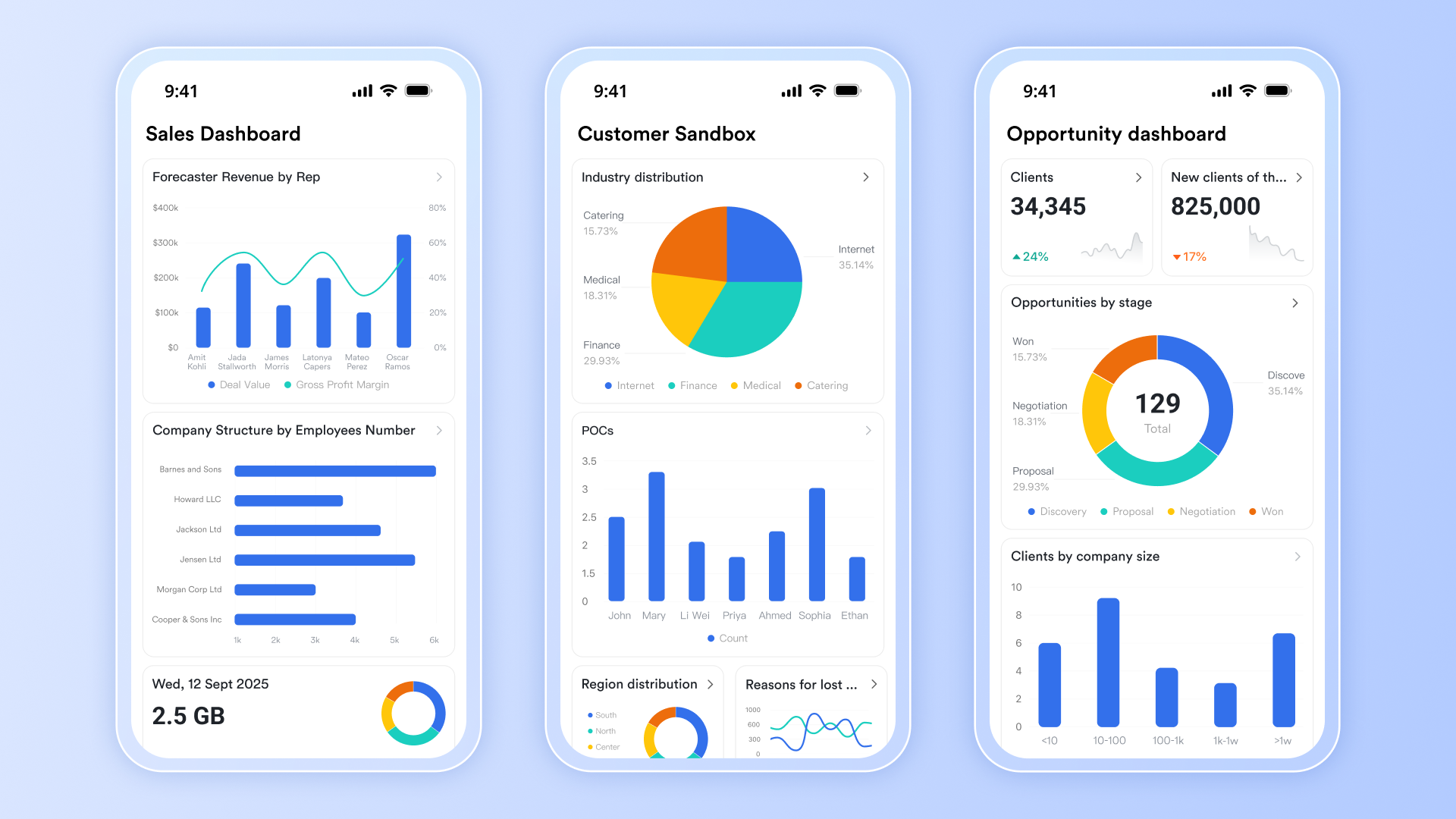
Managing a moving company goes far beyond booking jobs—it's about seamless teamwork, accurate scheduling, real-time communication, and delivering a reliable experience for every customer. Lark brings all these essential workflows together in a flexible, all-in-one workspace purpose-built for modern moving companies.
Lark allows business owners and teams to collaborate from anywhere—helping them stay organized, communicate clearly, and handle each move with greater confidence and control. This all-in-one approach enables moving companies to focus more on growing their business and less on chasing down paperwork or updates.
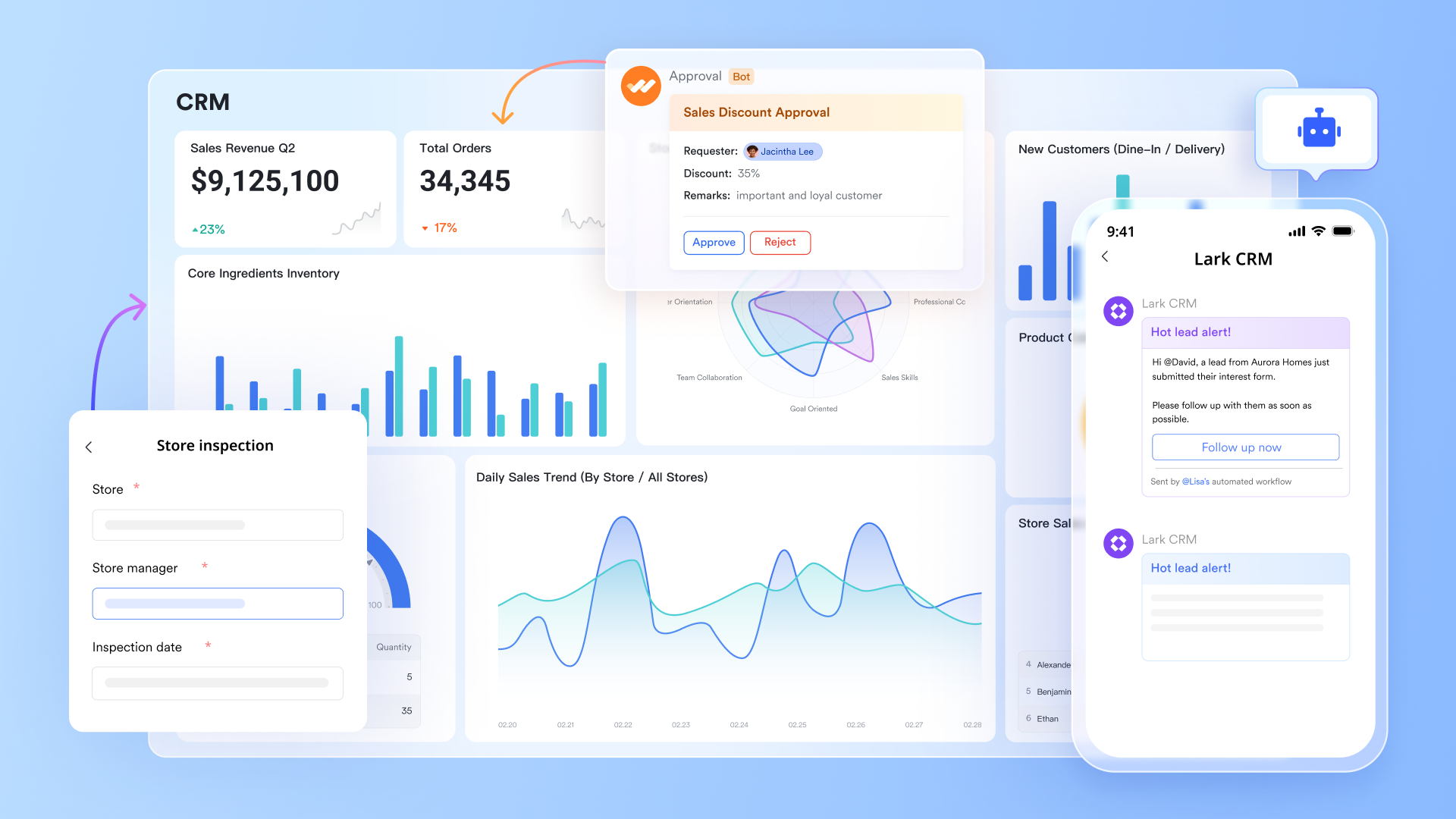
Key features:
- Unified workspace for movers
Lark provides a unified workspace where moving companies can manage team messaging, daily project operations, and secure document sharing. With Messenger and Meetings, crews and office staff can seamlessly coordinate job assignments or respond to urgent changes during moves. Leveraging Base, Tasks, and OKR, sales activities can be tracked and monitored efficiently, leads and tasks are assigned and executed with clear workflows and logs, and personal monthly or yearly targets are managed step by step.
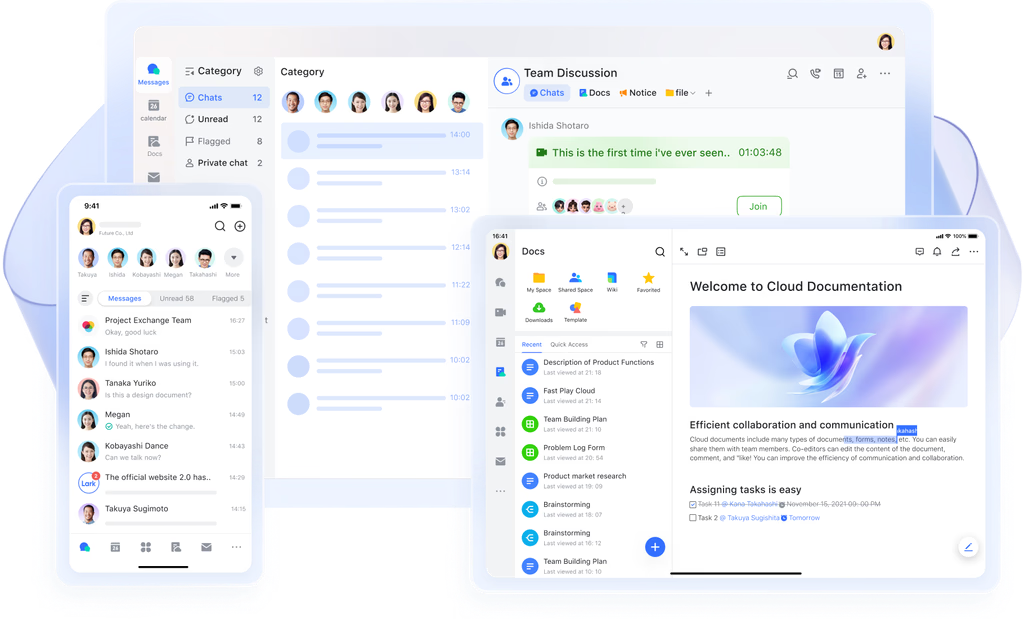
- Smart automation and easy workflow
Automating repetitive tasks can make a big difference, especially for busy movers juggling schedules and follow-ups. Lark Base automates lead tracking and quote approvals, while Docs keeps contracts, inventories, and move checklists easily accessible. Daily tasks like customer notifications, confirmation emails, or status updates can be managed smoothly across these connected tools, streamlining communication and helping teams respond faster to new opportunities.
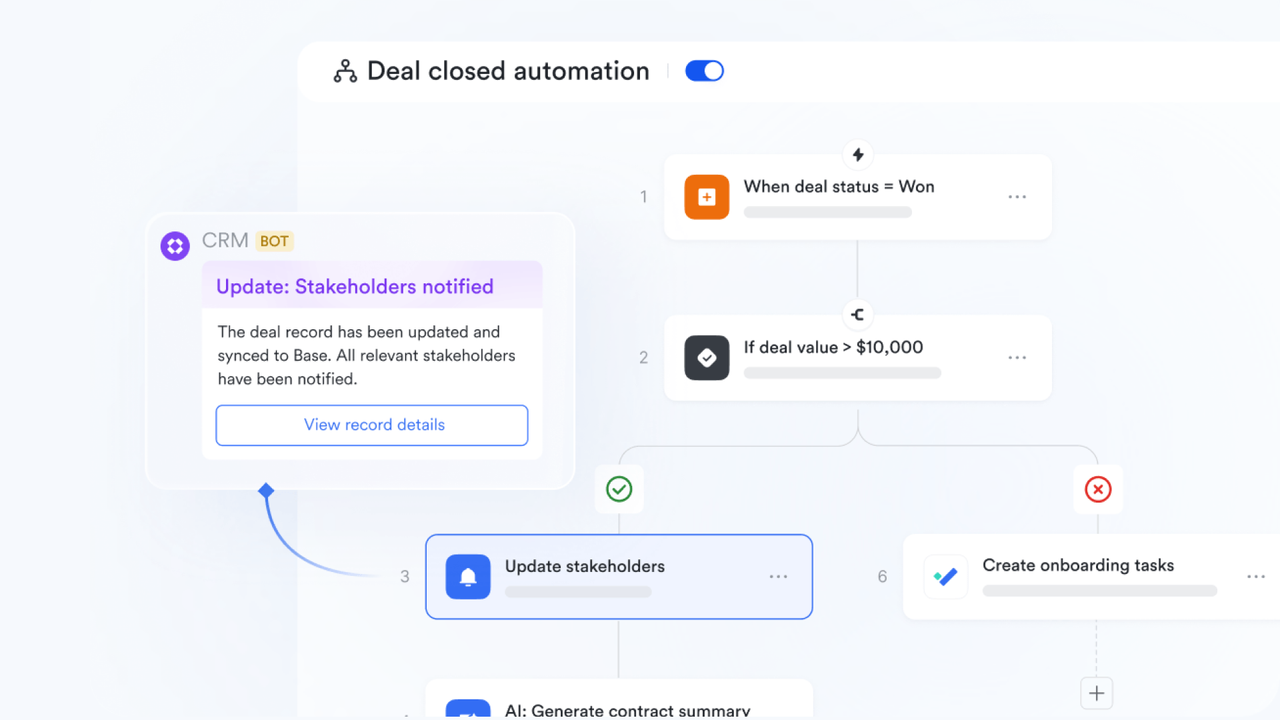
- Excellent for team document collaboration
With its range of unified products, Lark lets sales, dispatch, and moving crews collaborate via shared Docs, maintain updated knowledge in the company Wiki, or record and analyse the trends in Lark Sheets. This unified approach helps everyone move faster and reduces mix-ups.
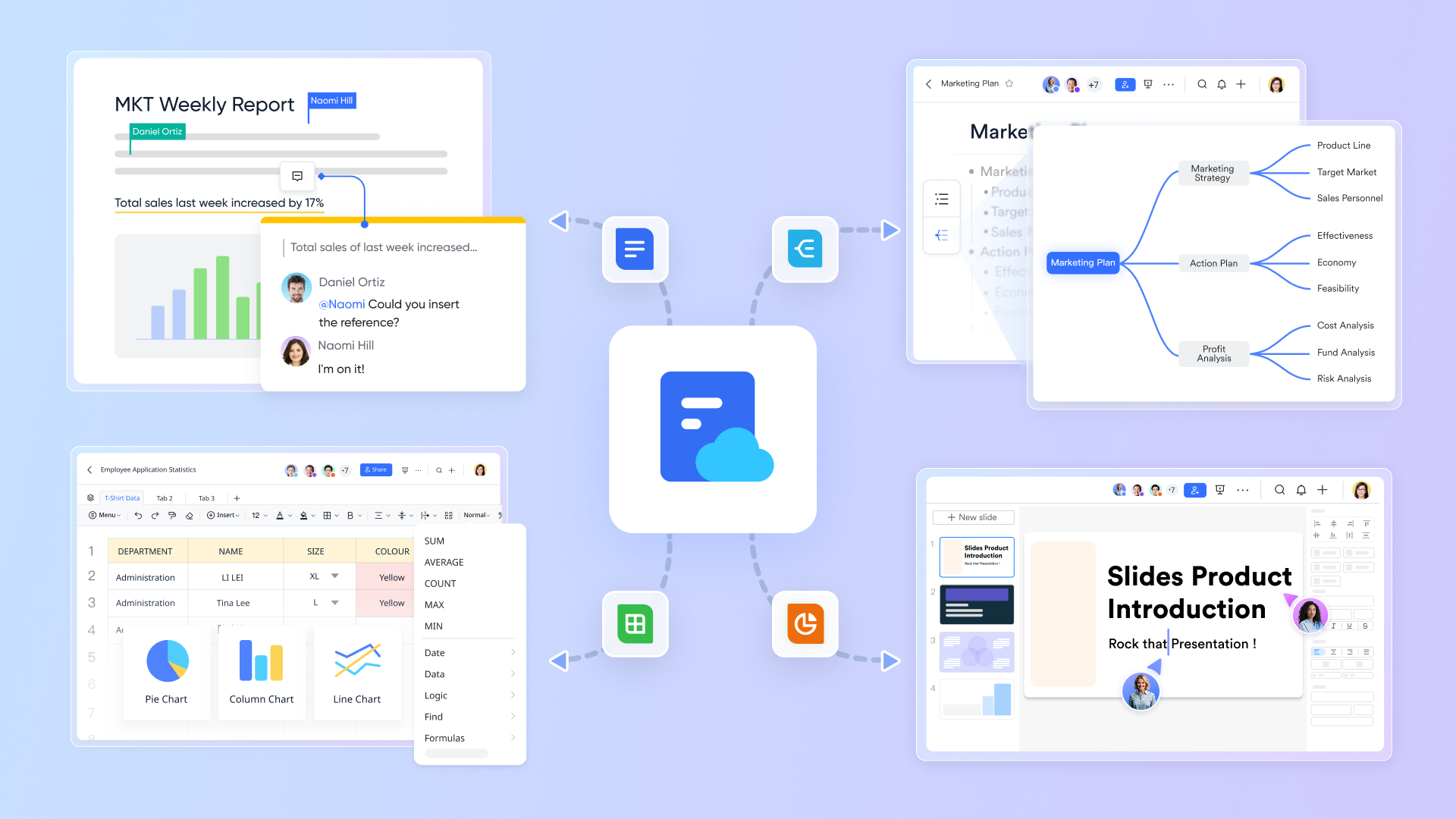
- Mobile-friendlydesign for on-the-go teams
Modern movers need to work from anywhere, and Lark's mobile-friendly tools ensure that field teams can update schedules, access paperwork, and message support staff right from their phone or tablet. The Calendar app makes it simple to see job assignments, shift changes, and manage time slots in real time, helping crews stay organized and responsive throughout the day.
Pros:
- Excellent for team collaboration and cross-department workflows
- Affordable, scalable pricing
- Simplifies communication with built-in chat & video
Cons:
- May require training for users who are used to traditional CRM interfaces
Best for:
Lark is ideal for collaborative teams—especially those in fast-paced environments—who need to unify communication, social media CRM, and workflow automation in a single, user-friendly interface.
- Starter plan: Free forever plan that includes 11 powerful tools for up to 20 users. It also comes with 100GB of storage, 1000 automation runs, AI translations, and more.
- Pro plan: $12/user/month (billed annually) for up to 500 users. It includes everything in Starter plus group calling for up to 500 attendees, 15TB of storage, 50,000 automation runs, and more.
- Enterprise plan: Contact sales for custom pricing. Supports unlimited users and includes even more automation runs and advanced security, compliance, and management features.
2. Monday: Visual workflows for movers
Monday CRM gives moving companies an easy way to manage jobs, track leads, and keep every move running smoothly. Its visual boards and drag-and-drop controls let teams see tasks at a glance and build processes that truly fit their business. With a combination of integrated automations and reporting, it's built for companies looking for flexibility and control over daily work.
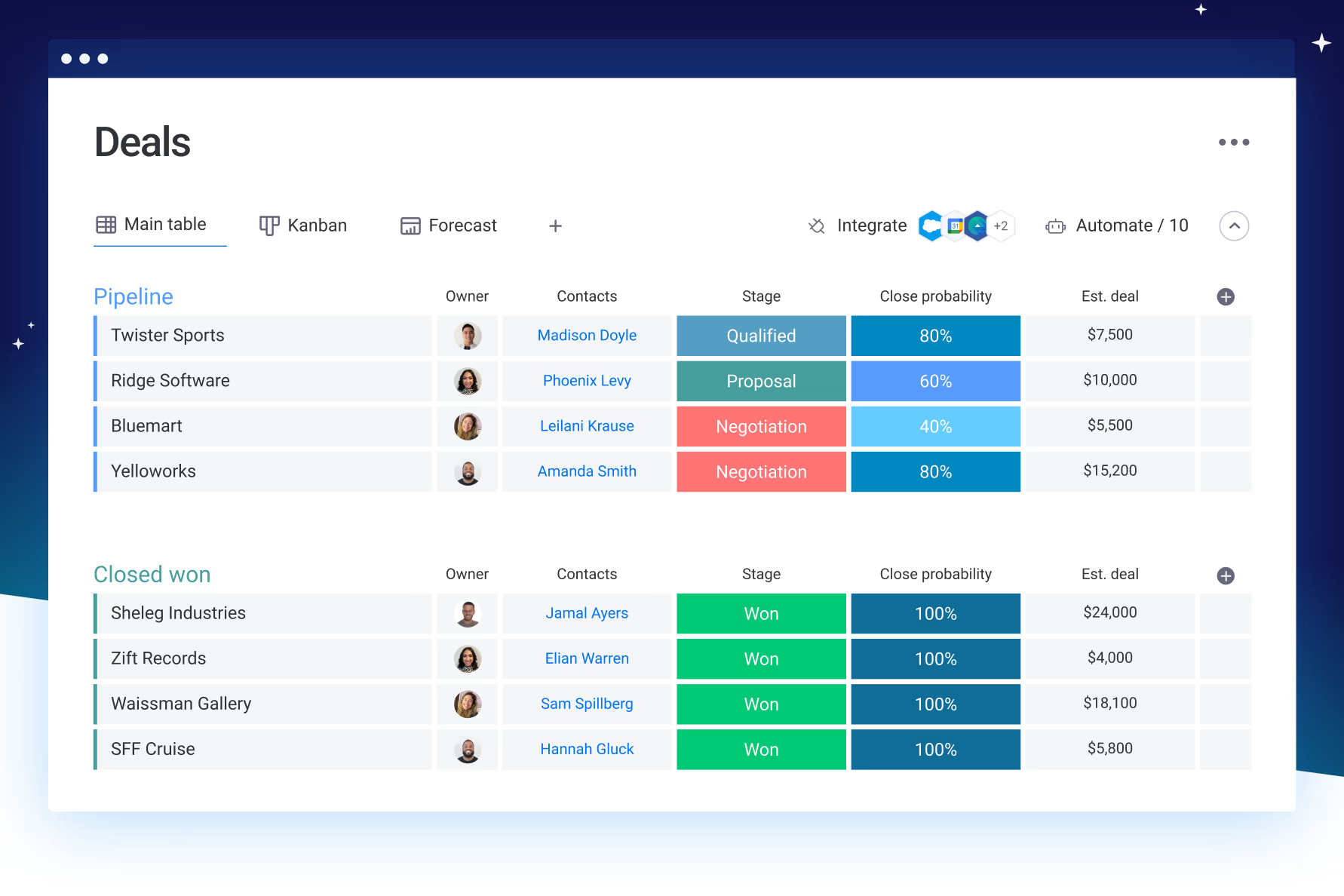
Image source: monday.com
Key features:
- Customizable boards and visual sales pipelines for every move
- Built-in automation for reminders, emails, and routine updates
- Timeline, calendar, and advanced reporting views for job status
- Drag-and-drop interface for effortless task and crew assignments
- Integration with Gmail, Outlook, Mailchimp, and key business apps
Pros:
- Visual boards make job and crew scheduling easier to manage at a glance.
- Automation cuts down manual tasks like sending reminders or updating job status.
- Centralized data keeps customer info, contracts, and timelines in one place for easy access.
- Customizable workflows allow teams to adapt processes to unique moving business needs.
- Customizable boards make it simple to organize leads and job status.
Cons:
- Requires time to set up workflows for specific moving company needs
- Advanced features and automations are pricier on higher plans
Pricing:
Monday CRM offers a free plan (up to 2 users); paid plans start at $12/user/month (billed annually), with Pro plans at $24/user/month for deeper automations and reporting.
3. HubSpot: Marketing for moving companies
HubSpot offers moving companies a flexible CRM platform designed to boost lead generation, sales, and customer satisfaction. Its tools make it easy to market your business, automate communication, and keep all your contacts in one organized hub. From robust email marketing to integrated forms and social posting, HubSpot CRM helps businesses reach customers and track every opportunity without the confusion of scattered systems.
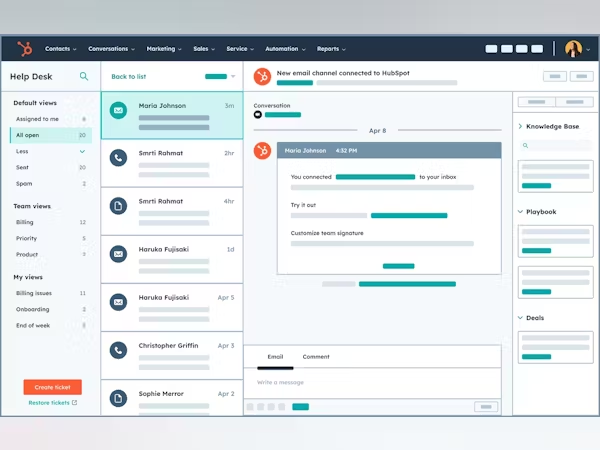
Image source: hubspot.com
Key features:
- Built-in marketing tools, automated emails, and intuitive sales pipelines
- Custom reporting dashboards track campaign performance and booking trends
- Social media posting and ad management built into your main dashboard
- Integrated website forms simplify new lead intake for moving companies
- Advanced analytics tools help spot growth opportunities and optimize outreach
Pros:
- The free core plan covers essential CRM and marketing tools for small teams
- Widely praised for its clean, easy-to-use interface and reliable integrations
- Advanced automation capabilities streamline outreach, emails, and follow-ups
- Lead management maintains a clear view of prospects across all channels
- Reporting tools make it simple to understand what's working and what's not
Cons:
- Costs rise quickly as you scale to advanced marketing and sales features
- The platform may feel overwhelming for moving businesses just starting out
- Additional fees apply for larger contact lists and expanded automation
Pricing:
HubSpot's free plan covers basic CRM, sales, and marketing tools. Paid plans start at $15/user/month for core needs. The Professional plan is $450/month for up to 5 users, unlocking premium automation and analytics.
4. MoveItPro: Dispatch CRM for movers
MoveItPro is designed specifically for moving companies needing powerful dispatch, scheduling, and customer communication tools. With a focus on helping businesses plan moves efficiently and keeping all client data in one place, MoveItPro makes it simple to track jobs, send quotes, and manage crews. Its built-in dashboards and booking automations take the stress out of busy moving seasons, so teams can focus more on quality service.
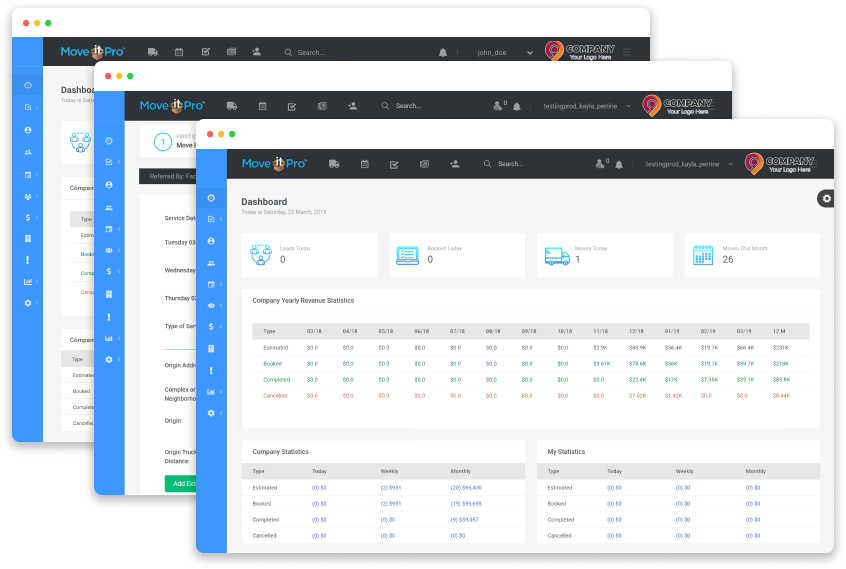
Image source: moveitpro.com
Key features:
- Lead, dispatch, and calendar modules streamline scheduling and team assignments.
- Automated quote calculation and online booking simplify customer experience.
- Integrated call tracking keeps communications and client updates organized.
- Job status dashboards help monitor progress and gather client feedback.
- Mobile apps allow managers and crews to update or view jobs in real time.
Pros:
- Tailored for actual industry needs with call-center and dispatch modules built in.
- Reliable support and onboarding for scheduling and dispatch challenges.
- Centralizes communications to reduce errors and missed calls.
- Live tracking and in-home surveys boost job accuracy and customer trust.
- QuickBooks integration facilitates accounting for moving businesses.
Cons:
- Advanced customizations are limited outside of core moving company workflows.
- Learning curve for companies adopting cloud software for the first time.
Pricing:
MoveItPro starts at $150/month for its base package, offering a free demo and additional pricing as you add modules or users.
5. SmartMoving: Scheduling for moving teams
SmartMoving is built for moving companies that need efficient scheduling, job management, and powerful analytics. Its all-in-one platform centers on helping businesses streamline daily bookings, automate quoting, manage payments, and track performance with detailed dashboards.
Field crews get a mobile app for quick updates, while office teams benefit from smart reporting and deep integrations. SmartMoving's blend of automation and support is best for firms handling multiple jobs or complex moves.
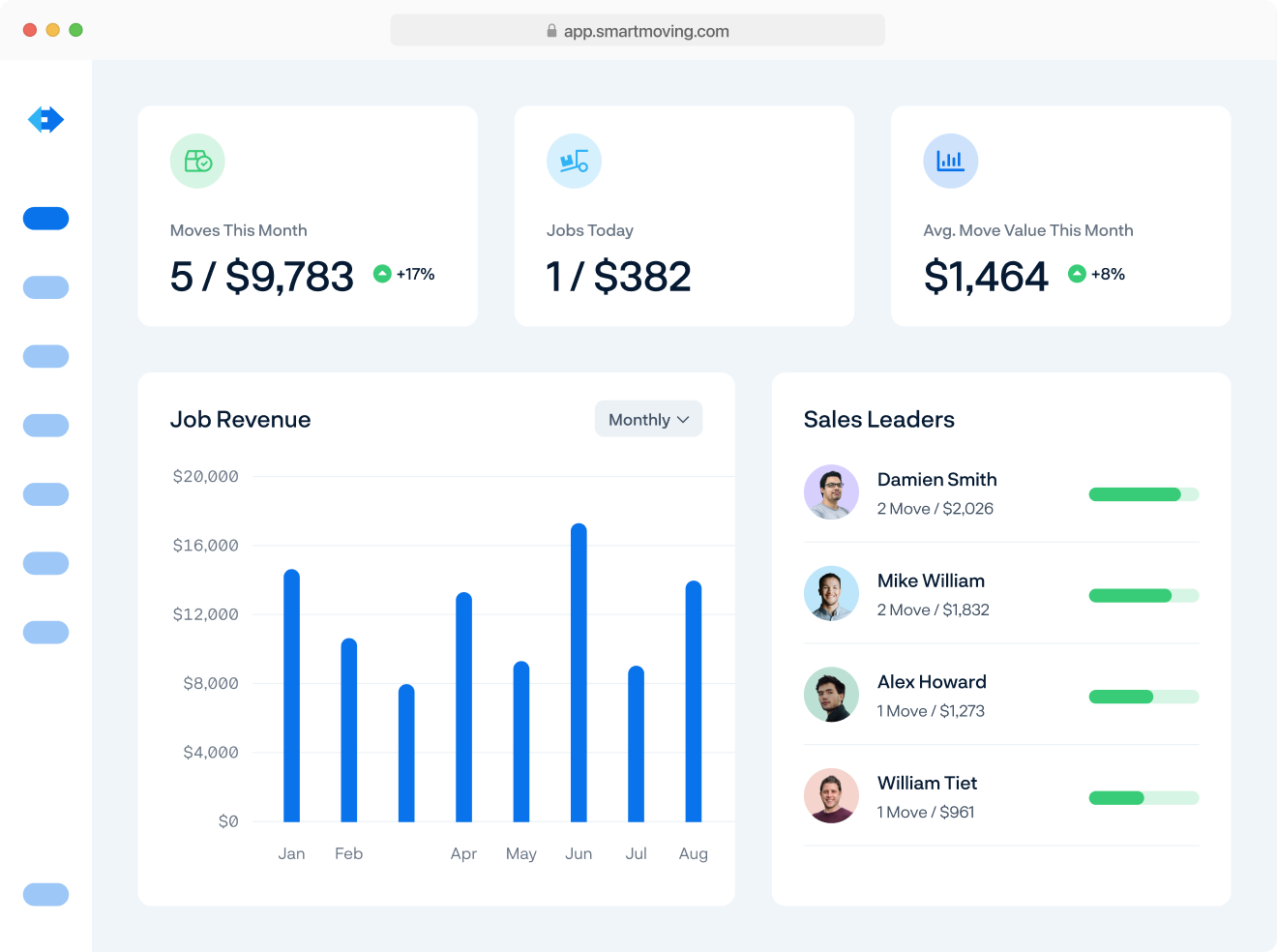
Image source: smartmoving.com
Key features:
- Streamlined booking, scheduling, and job management with mobile crew access.
- Automated quote workflows and invoice generation for every move.
- Efficiency dashboards offer real-time KPIs and reporting insights.
- Built-in integration with QuickBooks and major payment processors.
- Configurable estimates, contracts, and inventory management.
Pros:
- Rich reporting tools let office and field teams track real progress and customer satisfaction.
- Mobile crew app keeps teams in sync and up-to-date during jobs.
- Strong support for complex bookings, multi-day jobs, and storage management.
- Fast onboarding with live support and dedicated success managers.
- Helps reduce manual errors with smart automations and centralized data.
Cons:
- Premium pricing starts at $299/month, higher tiers at $399/month.
- Some learning curve during initial setup and training.
- Advanced features may be more than smaller teams need.
Pricing:
Essential plan starts at $299/month; Growth plan is $399/month, both offering all-inclusive access for moving businesses with ample support.
6. Movegistics: Pipeline CRM for movers
Movegistics is a robust cloud-based CRM designed for moving companies that want to manage leads, operations, and billing under one digital platform. Built to handle local, long-distance, and franchise-based moves, Movegistics guides your entire sales pipeline—from initial quote request through post-job support.
With powerful automations, real-time route and dispatch management, and secure e-signature workflows, moving businesses can streamline every aspect of their process.
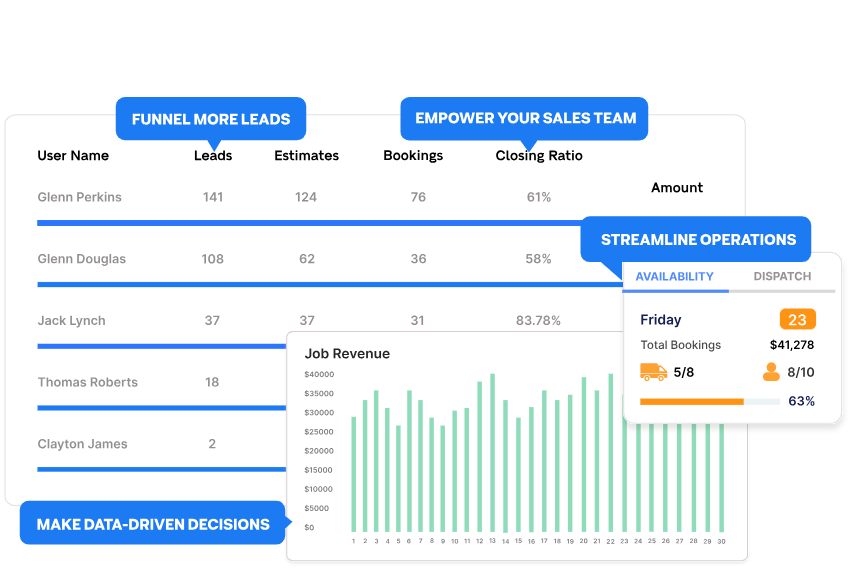
Image source: movegistics.com
Key features:
- Manages the entire pipeline, from estimate creation to post-job follow-up
- E-signature tools and integrated claims support reduce paperwork
- Franchise and long-distance move modules help scale and diversify operations
- Multi-location capabilities make it easy for larger teams to collaborate
- Automated billing and document handling save time for managers and crews
Pros:
- Ideal for long-distance and interstate moving companies.
- Automated billing and digital paperwork capabilities.
- Drag-and-drop crew scheduling with live calendar.
- Custom modules for storage jobs and franchise workflows.
- Dedicated customer support for onboarding and improvement.
Cons:
- Advanced features need high-priced plans for access.
- Extra integrations can add onboarding complexity and costs.
- Customization options require time to learn fully.
Pricing:
Movegistics Growth Plan starts at $199/month, ideal for small to mid-sized moving businesses. The Enterprise Plan is $299/month, adding dispatch, storage, and recurring billing features for expanding movers.
7. Moverbase: Simple CRM for small movers
Moverbase is a user-friendly CRM designed specifically for small moving companies that want a simple, affordable way to manage daily operations. This cloud-based platform streamlines lead capturing, quoting, job scheduling, crew assignments, and customer communications without the clutter or cost of larger enterprise systems.
Moverbase stands out for offering strong value to startups and small teams, with automation features and mobile compatibility that keep your business operations seamless from any device.
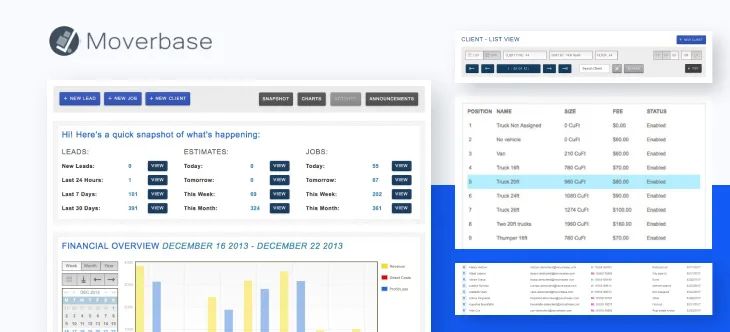
Image source: moverbase.com
Key features:
- Central booking and job management with real-time tracking.
- Automated emails, reminders, and digital document signing.
- Crew, staff, and vehicle assignment tools for easy scheduling.
- Quick, accurate quoting and invoicing built in.
- Integrations with over 400 business applications.
Pros:
- Free forever starter plan for small teams.
- Paid options start at $29/month per user, very affordable.
- Minimal training needed; quick, guided setup.
- Highly intuitive and user-friendly interface.
- Mobile apps for managing jobs on the go.
Cons:
- Limited to basic workflows and core integrations.
- May not scale well for large, growing operations.
- Fewer customization options compared to enterprise CRMs.
Pricing:
Moverbase offers a free forever starter plan suitable for very small teams. Paid plans start at $29 per user per month for core features, with higher tiers available for growing businesses.
8. Supermove: Fleet automation CRM
Supermove is a modern automation-focused CRM designed for moving companies needing advanced fleet, job, and crew management. With support for custom workflows, robust API integrations, and real-time scheduling, Supermove allows moving companies to dramatically simplify logistics management.
The software is best suited for established or growing businesses that want seamless communication, operational transparency, and the power to automate repetitive admin tasks without compromising flexibility.
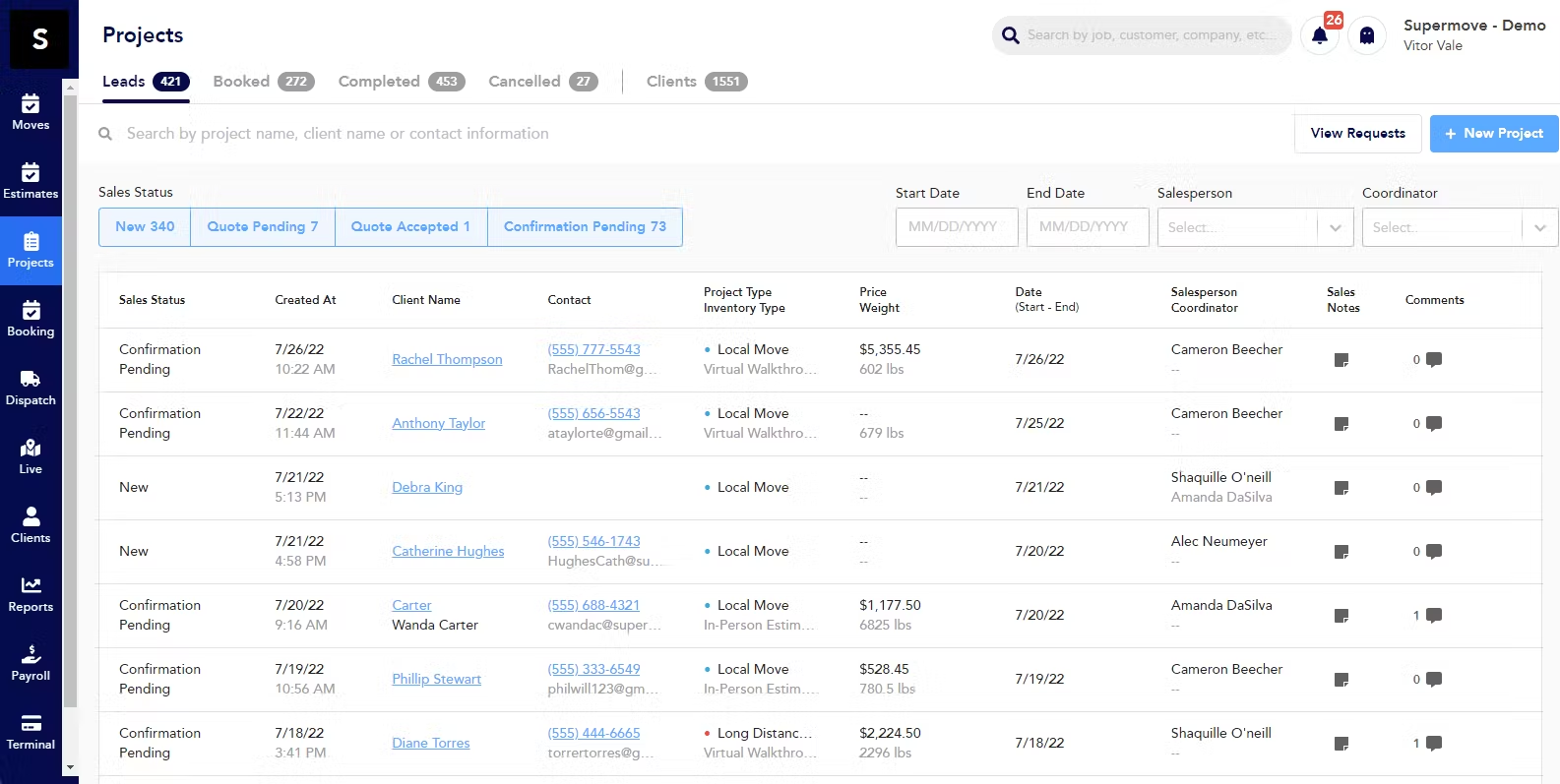
Image source: supermove.com
Key features:
- Fleet, job, crew, and schedule automation on a single dashboard.
- Easy API integrations with logistics, billing, and payroll tools.
- Modern interface focuses on speed, simplicity, and mobile access.
- Full support for building custom workflows and dispatch rules.
- Real-time tracking, online bookings, and automated communications.
Pros:
- Streamlines complex operations for large firms, saving time and reducing manual work.
- Broad API and software integrations boost data flow and reduce double entry.
- Responsive technical support and rapid product updates keep teams happy.
- Highly customizable for unique moving and logistics needs.
- Quick learning curve helps teams work faster with less training.
Cons:
- Pricing can be expensive for small moving companies.
- Advanced features often need specialist setup.
- Occasional reporting or admin issues noted, but improvements are ongoing.
Pricing:
Essential plans start at around $176 per truck per month, which includes CRM, unlimited office users, and core tools. Final costs depend on trucks, users, and optional modules.
Guide to implementing CRM for moving companies
Step 1: Assess business needs and workflows
Begin by pinpointing your company's biggest challenges-lost leads, messy schedules, or slow communications. Review your current workflows and list the top priorities where a CRM for moving companies can help.
Step 2: Evaluate CRM platforms
Compare software based on scalability, integration with your existing apps, and available customer support. Choose a solution that can grow with your team and handle both simple and complex moves.
Step 3: Plan data migration
Gather all customer data, job records, and past communications, then clean and map them for a smooth transition into the new CRM software for moving companies.
Step 4: Set up automation and training
Configure automatic tasks like lead reminders and crew scheduling. Train staff and connect your CRM to social channels for modern, seamless customer interactions.
Step 5: Monitor and optimize
Track adoption, use CRM analytics to adjust processes, and keep refining your workflows for continual improvement.
Hidden costs & pitfalls with CRM adoption
Total cost of ownership
When moving companies choose a CRM platform, real costs often go beyond the listed price. Additional expenses for custom modules, adding extra user seats, premium support, and integrating with other software can add up.
Over time, required upgrades and advanced features may also push monthly or annual costs higher, affecting your total investment in crm software for moving companies.
Common mistakes to avoid
A major pitfall in crm for moving companies is poor data migration. Manual or rushed transfers can result in errors, lost records, and expensive fixes. CRM fatigue is another hidden danger—over-customizing or sending too many notifications can confuse teams and hurt productivity.
Neglecting the needs of mobile crews leads to poor adoption, as desktop-only workflows limit the benefit for field teams. Investing in training and prioritizing real business needs helps minimize these risks.
Conclusion
The right CRM for moving companies does far more than store customer information — it transforms how your business operates. It helps you manage leads, schedule crews, and deliver timely communication so every move runs smoothly. With Lark, you can take this even further. Its connected workspace combines Lark Base for job tracking, Lark Tasks for crew assignments, and Lark Messenger for instant coordination, giving your team real-time visibility and control from booking to delivery.
Automated reminders, live updates, and built-in reporting keep everyone aligned and reduce costly errors, ensuring every customer interaction ends with satisfaction. Choosing a CRM like Lark isn't just about upgrading your software — it's about streamlining your operations, improving service quality, and setting your moving business up for scalable growth.
FAQs
How do I import old customer data into a new CRM?
Most crm for moving companies platforms let you import customer data using CSV files or built-in migration tools. Clean your records beforehand for a smooth transition and use sample uploads to check for errors.
What's the fastest way to train staff on a CRM?
Create simple guides and host short hands-on demos focused on actual jobs. Many CRM software for moving companies offer video tutorials and interactive help centers. Assign CRM "champions" to help new team members.
Can CRM help with data privacy compliance?
Yes, most CRM systems provide secure access controls, audit trails, and built-in support for regulations like GDPR or CCPA. Managing permissions helps protect sensitive customer information and stay compliant.
How do I automate seasonal offers or referral programs?
Set up automated campaigns within your CRM to trigger emails or SMS based on special dates or move history. Focus keywords help you filter lists and send relevant offers to the right clients.
Which CRM metrics matter most for ROI?
Track lead response time, booked jobs, average revenue per client, and customer satisfaction ratings. Reviewing these CRM for moving companies metrics helps you measure the impact and success of your investment.
Related reading
Table of contents
Start using Lark today

Manage all your work in one place
Boost team efficiency by 10x
Save up to 70% on software costs
Table of contents
Start using Lark today
Manage all your work in one place
Boost team efficiency by 10x
Save up to 70% on software costs
Keep reading









2026 Lark Technologies Pte. Ltd.
Headquartered in Singapore with offices worldwide.






Explore: