In our increasingly digital, customer-centric world, businesses of every size need the right tools to build relationships, organize contacts, and drive growth. If you're a devoted Mac user, you know that not all business software is truly tailored to Apple's ecosystem—which makes choosing the best CRM software Mac OS X compatible solution an essential step for seamless workflow and maximum productivity. In 2026 the real question is no longer whether a CRM opens on Mac OS, but whether it respects it: only one major vendor still ships a native Mac app, while every other option on this best CRM for Mac shortlist lives in Safari or Chrome with an iPhone and iPad companion.
Throughout this comprehensive guide, I'll walk you through what a CRM software Mac OS X is, why it matters for Mac users, the real benefits you'll experience, and the features you should expect. I'll also offer an in-depth look at the leading CRM apps designed for Mac OS X, offer guidance on how to choose the perfect fit for your business, explore key trends, and finish with answers to some of the most common questions I hear from fellow Apple fans. Let's dive in and discover how the right Mac CRM can transform your client management and fuel your company's growth—without sacrificing the Apple experience you love.
Request a tailored CRM software for your Mac in Lark
What is CRM software Mac OS X?
At its core, customer relationship management software for Mac is more than just contact storage; it’s your mission control for every interaction, transaction, and communication with your customers. When we talk about Mac OS X, we mean solutions that are carefully optimized for Apple’s operating system, providing a native experience, advanced integration with the Apple ecosystem (Mail, Calendar, Contacts, Siri, and beyond), and a user interface that feels as effortless as your everyday Mac workflow.
The best CRM system for Mac doesn’t just “work” on OS X—it shines. They're crafted with Mac users in mind, avoiding the awkwardness of browser-only apps or poorly-adapted Windows ports. This kind of tailoring enables your team to embrace powerful apple CRM capabilities right from their preferred devices.
Choosing a that’s not truly “Apple ready” can create friction, with limited integrations, lackluster mobile performance, or a disconnect from the tools you use every day. That’s why Mac-specific CRMs exist: to deliver exactly what Apple users expect—speed, consistency, and beauty combined with powerful business management features. This evolution is pushing the boundaries of what a CRM can be. For example, platforms like are redefining the category by integrating powerful CRM functionalities directly into a collaborative suite, creating a single source of truth for all customer-related work on your Mac.
Mac-optimized vs. Mac-compatible: the distinction that matters
Almost every roundup of CRM software for Mac blurs two very different things, and the difference decides how happy your team will be six months in.
Mac-compatible means the CRM simply runs in a modern browser on Mac OS. There is no desktop app, no offline mode and no awareness of Apple system features. HubSpot CRM, Zoho CRM and Agile CRM sit here: they behave in Safari exactly as they do on Windows and ship iOS apps, but they never touch Mac OS at the operating-system level.
Mac-optimized means the vendor ships a native app, follows Mac OS design patterns and hooks into Apple’s built-in tools. Daylite is the clearest example: its Mail Assistant turns an email into a task or an opportunity without leaving Apple Mail, its calendar overlays Apple Calendar, and its contacts sync two ways with Mac OS Contacts.
Use this checklist to tell the two apart before a free trial runs out:
- Native Mac OS windows, menus and typography instead of one more browser tab.
- Support for Mac OS notifications, Dock badge counts and Spotlight indexing.
- Familiar shortcuts such as Command-K for search and Command-comma for preferences.
- Offline access that stays in sync across Mac OS, iPadOS and iOS.
- Two-way Apple Contacts and Calendar sync rather than a Zapier workaround.
Then be honest about which one you need. If your team lives in a browser all day, Mac-compatible Mac CRM software is perfectly fine and gives you a far wider choice of platforms. If you work offline, run your day out of Apple Mail, or want caller ID on your iPhone to come from your CRM records, only a Mac-optimized tool will satisfy you.
Get a perfect CRM solution for Mac OS X in Lark
Benefits of CRM software for Mac
Let's explore why dedicated CRM software Mac OS X brings more to the table for Apple users than generic, cross-platform alternatives. When you invest in a CRM software for Mac that speaks your operating system's language, the gains go beyond aesthetics—they translate into measurable productivity. Here are some of the most valuable advantages you can enjoy when you invest in a CRM system for Mac:
Seamless integration with the Apple ecosystem
Native Mac CRMs allow you to connect your Mail, Contacts, Calendar, and Reminders with just a few clicks. This deep level of integration is especially beneficial for users who rely on Apple's suite of tools to organize daily tasks and client communications, ensuring no interaction is ever lost. For instance, a truly integrated platform like Lark embeds this connectivity into its core, allowing you to create tasks or schedule directly from a , eliminating the need for external integrations with tools like Slack or separate calendar apps. Enhanced productivity for Mac users
Apple champions simplicity and elegance. Mac CRMs echo this philosophy with interfaces that feel familiar, intuitive, and pleasant to use. Whether it's the navigation, shortcuts, or drag-and-drop features, using a CRM software Mac that is truly designed for OS X means you spend less time learning and more time achieving your goals. Native Mac CRM apps support Command+K quick search, trackpad gestures, and Mac OS Notification Center banners—all without the jank of a webview wrapper. Native Mac OS notifications keep your team up to date without breaking focus—and everything runs fluidly, without the , app lags or glitches you might notice on non-native platforms.
Consistent multi-device experience
Gone are the days of only working from your desktop. Mac CRMs provide smooth, automatic sync across MacBooks, iMacs, iPhones, and iPads—so whether you're at your office, on a client visit, or working remotely, your information travels with you. Dedicated iOS CRM apps ensure you're always connected. The ideal CRM for Mac ecosystem also supports Handoff and Universal Clipboard, so you can start logging a call on your MacBook and finish it on your iPhone while walking to a meeting. This is where CRMs with a mobile-first design philosophy, such as , truly excel, ensuring that your sales team can update deals and access information from anywhere with a seamless mobile experience.
Optimized for creative and collaborative teams
Many creative teams, agencies, and tech firms gravitate to the Apple environment for its robust creative software and seamless collaboration. CRM systems for Mac are designed with this in mind—making it easy to share documents, assign tasks, and track projects in a way that feels natural to Apple users. For these teams, the best CRM for Mac is one that plays nicely with the tools they already use daily: Final Cut Pro, Adobe Creative Cloud, Notion, and Figma—without forcing them into a clunky Windows-style interface. For these teams, tools that allow for real-time collaboration on documents and proposals within the CRM itself are invaluable. Lark's ability to let teams edit a shared document during a video call with Magic Share is a prime example of this deep, creative-focused integration.
Elevate Mac CRM with Lark
Key features of CRM software for Mac
Comprehensive interaction history
A standout CRM for Mac keeps a thorough log of every client touchpoint, from emails and calls to meetings and notes. This holistic activity timeline allows you to revisit past conversations with ease, anticipate client needs, and maintain continuity even as your team or client base grows.
Smart email workflows
Email tools within Mac CRMs do more than just send messages—they help you personalize outreach, automate responses, and monitor engagement in real-time. With integrated , scheduling, and delivery tracking, you can nurture leads and respond faster, all without toggling between multiple apps. This is a core pillar of any great customer relationship management software for Mac.
Visual sales progression
Seeing your deals move through different stages brings clarity to your sales process. Customizable pipeline boards, often in a Kanban view, make it easier to spot bottlenecks and opportunities, prioritize actions, and ensure each team member knows exactly where every potential deal stands.
Seamless mobile connectivity
With powerful mobile apps built for iOS, Mac CRMs let you access your contact list, update deal status, and manage tasks wherever you go. Instant notifications and data sync keep you connected to your business, whether you’re in the office, meeting a customer, or working remotely.
Language adaptability
Working with international teams or clients is simple when your CRM is multilingual. Flexible language options empower users to navigate the system, communicate, and share documents in their native language, fostering stronger collaboration and global reach.
Effortless ecosystem integration
Top CRM software for Mac doesn’t operate in a silo—it links smoothly with your favorite business tools. Whether you rely on productivity apps like Slack, Zoom, or Google Workspace, or need to tie in with marketing dashboards, these CRMs provide the connectors and automation options to keep your workflow unified and efficient.
For more Google Workspace's information, you can refer to and .
These features form the foundation of a great Apple CRM. In 2026, any serious Mac CRM software must also include AI-driven automation—from auto-summarized call notes to predictive lead scoring—and enterprise-grade security compliance, including GDPR, SOC 2, and encryption at rest. The best platforms, like , not only master these basics but enhance them with AI-powered insights and built-in automation, turning your CRM from a simple database into an intelligent partner for growth. Explore smarter Mac CRM with Lark
Top 20 CRM software for Mac OS X
Now, let's take a closer look at the top CRM software Mac OS X solutions available today. This curated list represents the best Mac CRM options across native, cloud-based, and all-in-one platforms—each evaluated for Apple ecosystem fit, pricing transparency, and real-world usability on Mac OS and iOS. Each is distinct in its approach, so you'll find the perfect fit no matter your business size or workflow.
1. Lark: The customizable apple CRM and collaboration suite
 Overview:
 Lark isn't only a CRM; it's a comprehensive enterprise platform that redefines productivity for Mac users by unifying customer management with the tools you use every day. Designed with a deep appreciation for the Apple ecosystem, it provides a seamless, native experience across Mac OS and iOS, eliminating the friction of switching between apps and creating a single source of truth for all your business activities.
Key features:
- A truly unified workspace for Mac: Lark consolidates essential business functions—including
- AI-powered lead and customer insights: Leverage built-in AI to with valuable data like company size and industry. The system can even generate personalized discovery questions and call scripts, equipping your sales team with the intelligence needed to close deals faster.
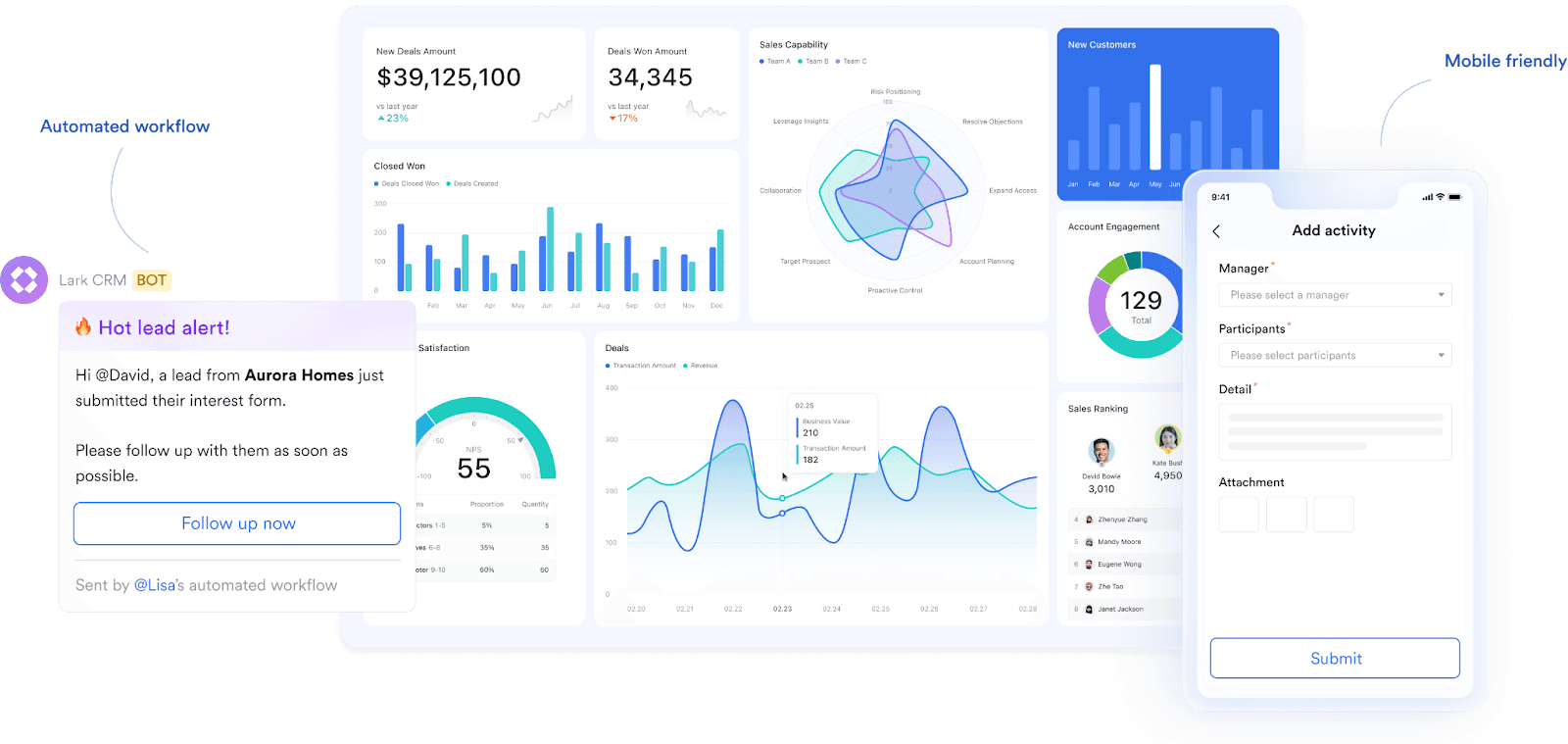
- No-code customization to fit your process: With , you can build and adapt your sales pipelines, contact databases, and project trackers using . This empowers any team member, regardless of technical skill, to create a bespoke CRM system tailored to your unique business needs—no coding required.
🌟
- Intelligent workflow and approval automation: Streamline your operations by automating everything from client follow-ups and task reminders to complex, multi-step . By handling repetitive tasks automatically, Lark frees your team to focus on building relationships and driving revenue.
- A mobile-first design for teams on the go: Lark was built with a mobile-first philosophy, ensuring a powerful and complete . Your sales team can submit updates, manage deals, and collaborate with the team in real-time, from anywhere.
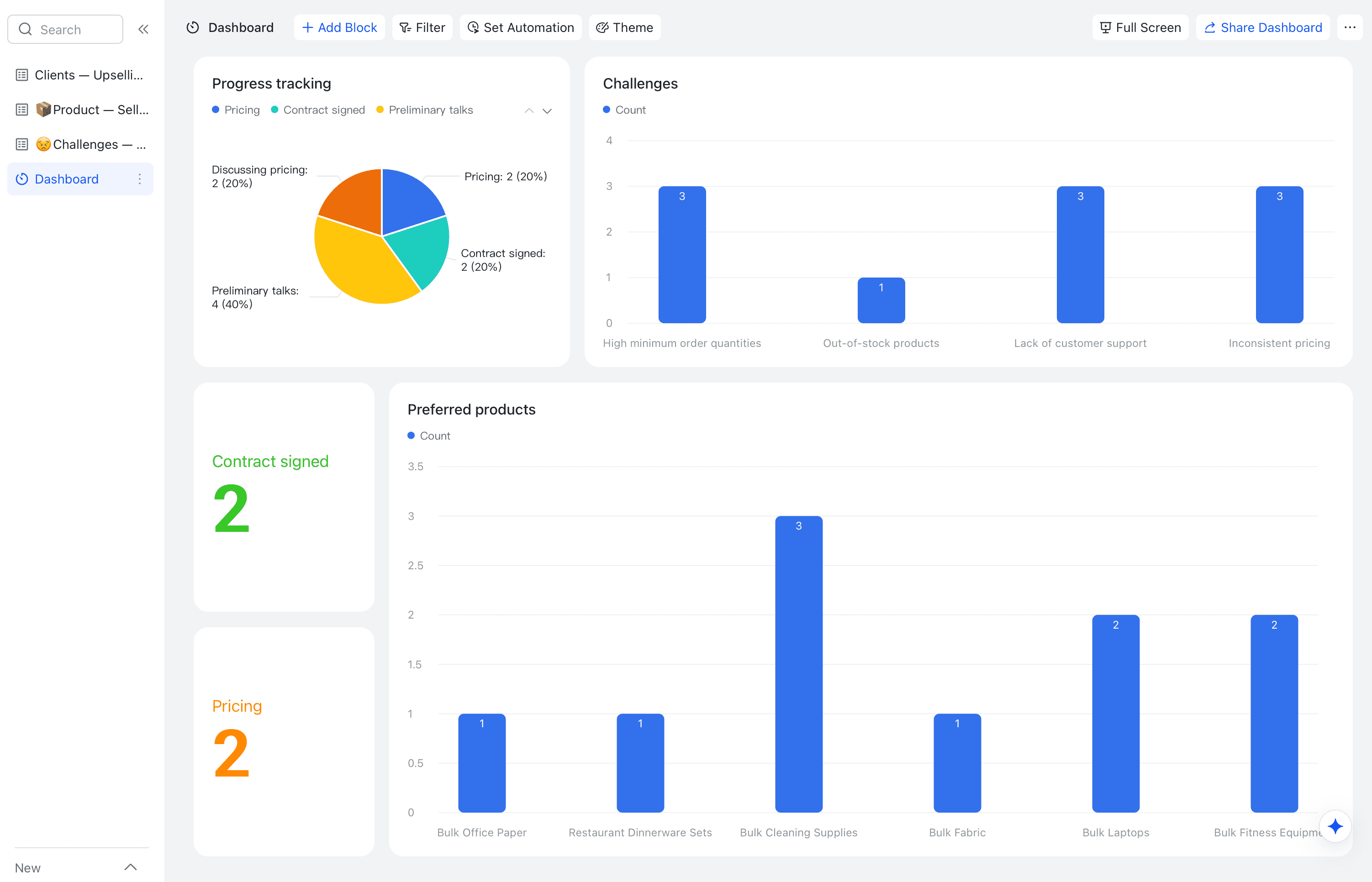
- Real-time dashboards and ready-made templates: Instantly visualize your sales pipeline, track targets, and monitor team performance with fully customizable, real-time dashboards. To get started quickly, you can deploy workflows for lead tracking, customer visits, and contract management with a library of .
- Extensive integrations to centralize your work: . Its native integration platform, Anycross, allows you to centralize all your CRM activities, creating a single, powerful hub for all your work within the Mac environment.
"We've seen an 80% improvement in workflow efficiency and document collaboration. Lark ensures all our information is secure and intact, fostering a smoother, more cohesive work environment."

Jia Yong Chuah
Head of Department
Pricing:
- Starter Plan: A powerful, free CRM software os x solution for up to 20 users. It includes Lark's full suite of 11 integrated tools, perfect for Mac-based startups managing their first customers.
- Pro Plan: At just $12 per user/month, this plan scales your Apple CRM capabilities for up to 500 users, adding features like unlimited AI meeting transcription to enhance sales call analysis.
- Enterprise Plan: For large organizations using Macs, this plan offers custom pricing for unlimited users, providing advanced security and bespoke CRM configurations to meet complex business needs.2. HubSpot CRM: The all-in-one marketing and sales CRM
For small teams with simple communication needs

18 months message history
1000 Base automation runs/month
2000 rows per table in Base
Most POPULAR
For companies with comprehensive collaboration and management needs
Unlimited message history
500-participant video meetings
50k Base automation runs/month
20k rows per table in Base
For large companies with advanced security and organizational management needs
Get a personalized demo and pricing
Unlimited message history
500-participant video meetings
15 TB storage + 30 GB storage/user
500k Base automation runs/month
50k Base automation runs/month
Most POPULAR
For companies with comprehensive collaboration and management needs
Unlimited message history
500-participant video meetings
50k Base automation runs/month
20k rows per table in Base
2. HubSpot CRM: The all-in-one marketing and sales CRM
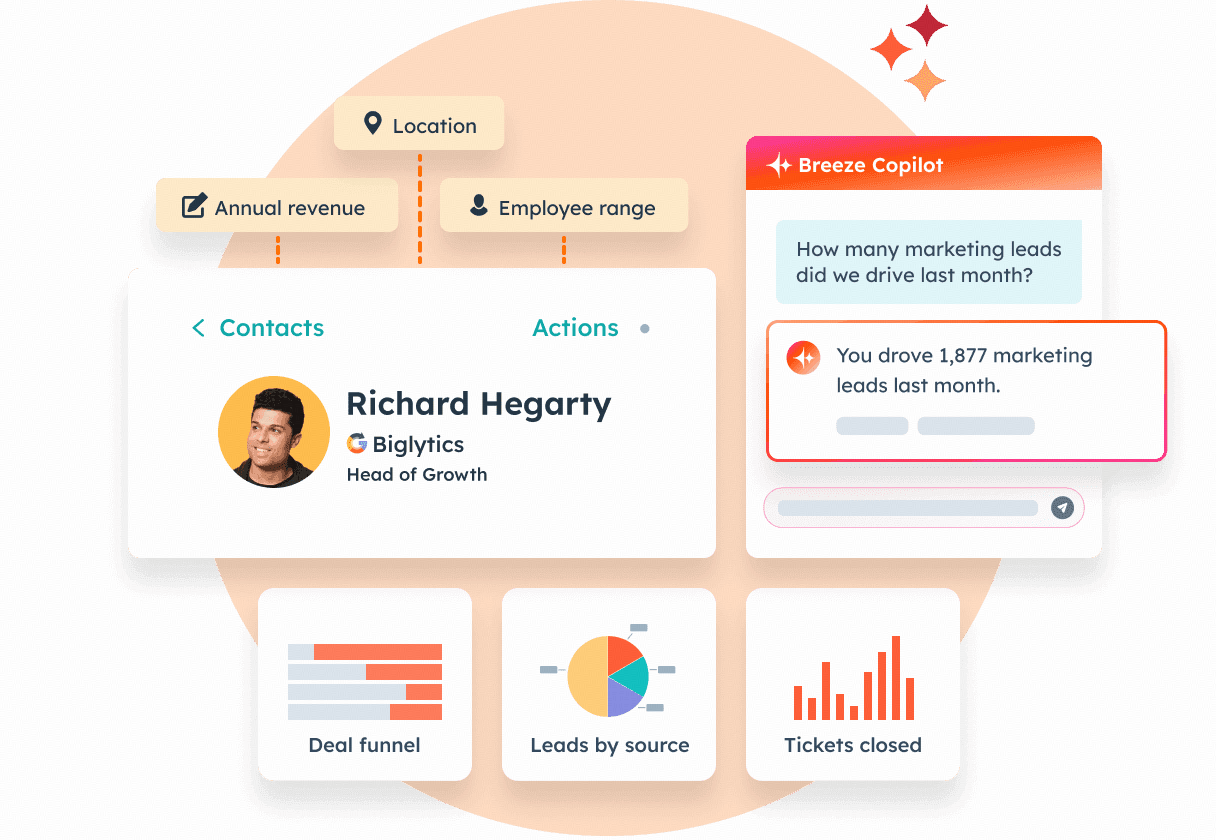
HubSpot CRM delivers an extensive set of sales, marketing, and customer service features, all accessible through a user-friendly platform. Its built-in automation and clear interface make it easy for teams to manage leads and nurture customer relationships. HubSpot CRM enhances team collaboration and drives streamlined business development.
Key features
- Workflow automation: Powerful workflow automation to streamline routine sales and marketing tasks.
- Real-time activity tracking: Real-time activity tracking to keep teams informed and aligned.
- Apple-friendly collaboration: Adaptable to Apple-friendly environments, supporting integrated team collaboration.
- Analytics and reporting: Comprehensive analytics and reporting for data-driven decision-making.
3. Daylite: A true native apple CRM for small business
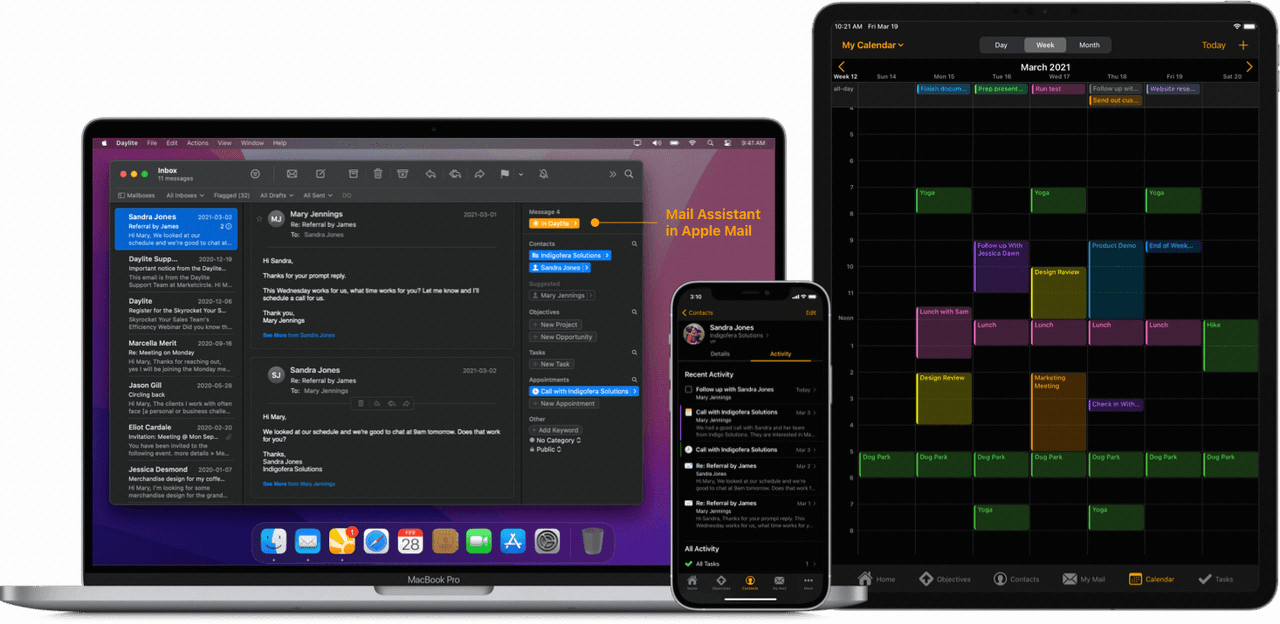
Image source: daylite.marketcircle.com
Daylite is specifically designed for professionals and teams who rely on the Apple ecosystem, blending project management, client organization, and workflow automation into one cohesive platform. Its intuitive interface and unified workspace help users manage complex projects and client relationships with ease. Daylite empowers Apple users to synchronize tasks and boost productivity across all their devices.
Key features
- macOS integration: Deep integration with macOS for a unified user experience.
- Offline access: Advanced offline access for uninterrupted productivity.
- Smart filtering: Smart filtering options to quickly surface key information.
- Customizable views: Fully customizable views to align with unique project needs.
- Mac-centric design: Ideal for Mac-centric teams seeking streamlined project and client management.
4. Zoho CRM: The deeply customizable CRM software Mac
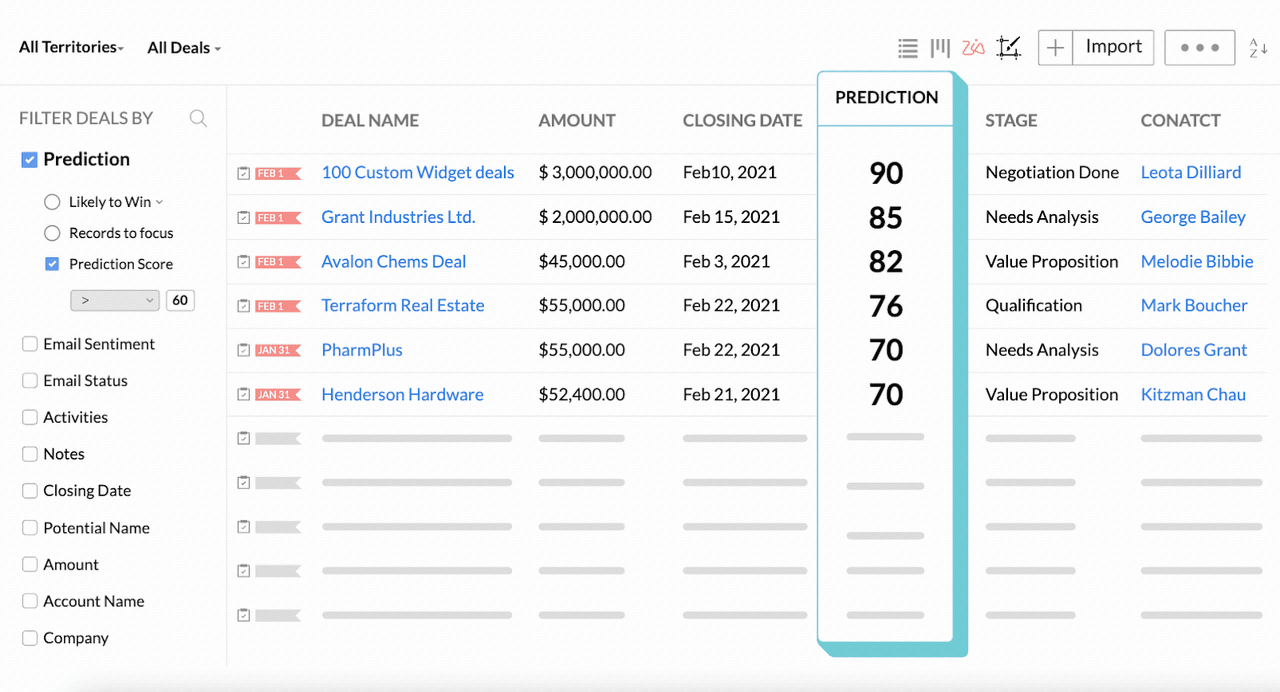
Image source: zoho.com
Zoho CRM is renowned for delivering extensive customization options and smart AI-driven insights, making it a powerful solution for organizations that demand adaptability and intelligence in their customer management. Its scalable platform supports complex sales processes and deep data analysis, letting teams work the way that suits them best. Seamlessly aligning with the Mac ecosystem, Zoho CRM offers Apple users a fluid and consistent experience across devices.
Key features
- Omnichannel tools: Omnichannel communication tools to engage customers via multiple touchpoints.
- AI sales analytics: Sales analytics powered by integrated AI.
- Customizable modules: Flexible and customizable modules for tailored workflows.
- Advanced automation: Advanced automation to streamline repetitive processes.
5. Salesforce Sales Cloud: The enterprise-grade customizable CRM
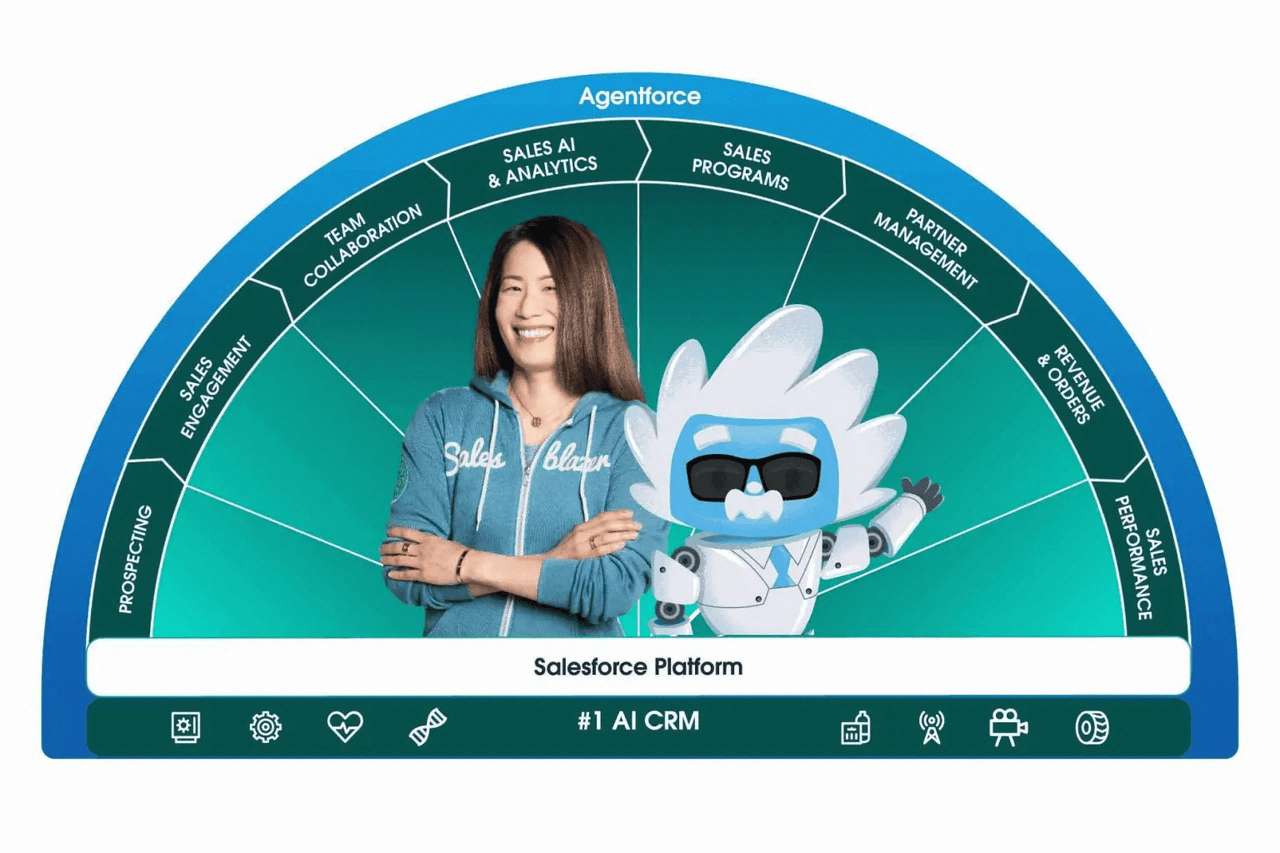
Image source: salesforce.com
Salesforce Sales Cloud is widely recognized for its robust set of CRM features and flexible customization options, making it suitable for organizations of any size. Its scalable platform supports complex sales processes and fosters cross-team collaboration through its vast marketplace and integration capabilities. Designed to work smoothly within the Mac environment, Salesforce helps teams maintain productivity and connectivity across devices.
Key features
- Advanced workflow automation: Advanced workflow automation for streamlined operations.
- In-depth analytics: In-depth analytics and reporting for actionable insights.
- App ecosystem: Expansive third-party app ecosystem to extend CRM functionality.
- Security controls: Comprehensive security and permission controls for data protection.
6. Pipedrive: A visual sales pipeline CRM for Mac
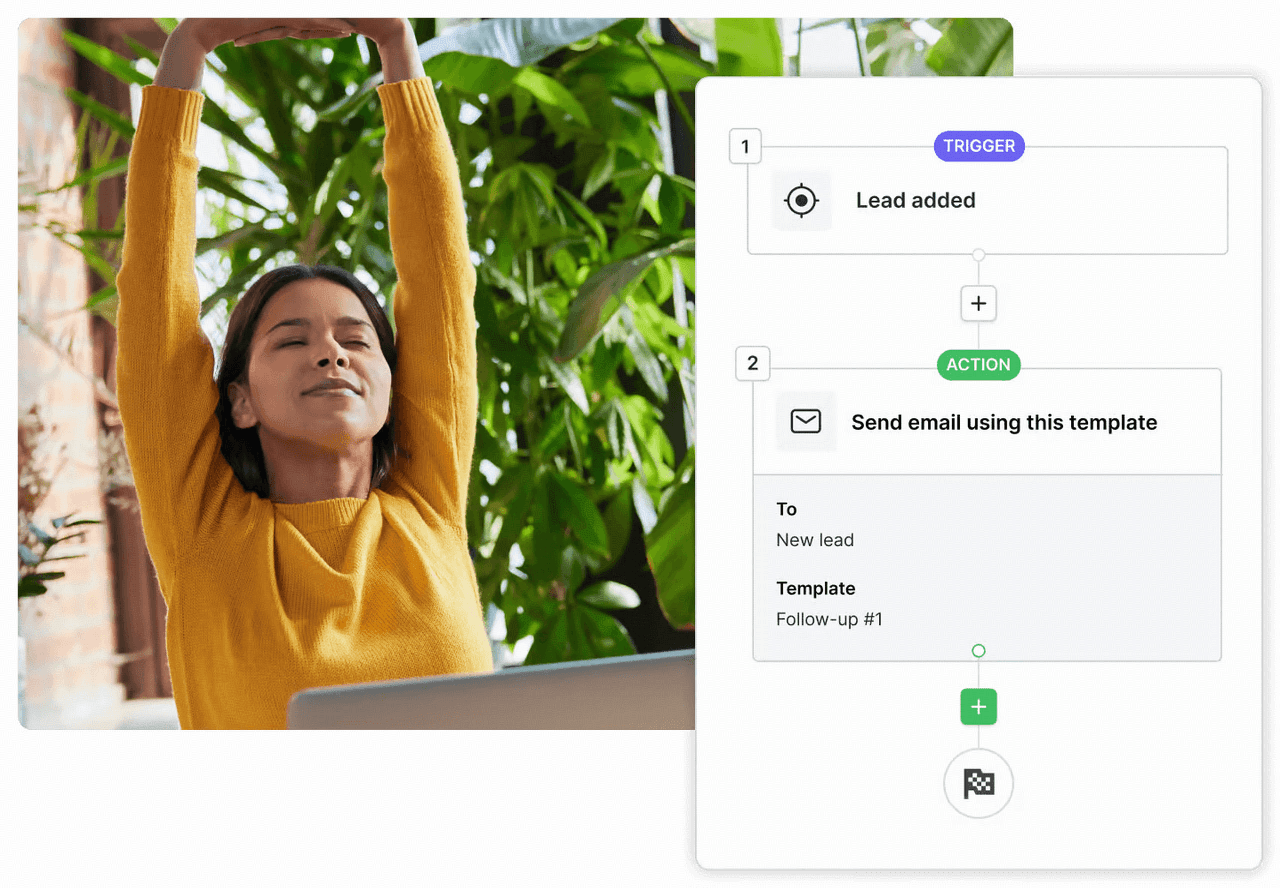
Image source: pipedrive.com
Pipedrive is known for its straightforward and visually engaging approach to sales pipeline management, making it easy for teams to keep deals moving forward. Its clean interface and activity-focused design help boost productivity and accountability among sales professionals. Well-suited for the Mac ecosystem, Pipedrive supports collaborative work and enhances visibility into each stage of your sales process.
Key features
- Drag-and-drop pipelines: Intuitive drag-and-drop pipelines for clear deal tracking.
- Customizable pipeline stages: Fully customizable pipeline stages to fit any sales strategy.
- Smart activity reminders: Smart activity reminders that keep teams on task.
- Seamless integrations: Seamless integration capabilities for optimizing workflows within Apple-friendly environments.
7. Freshsales: Best for AI-powered sales engagement with built-in phone and email
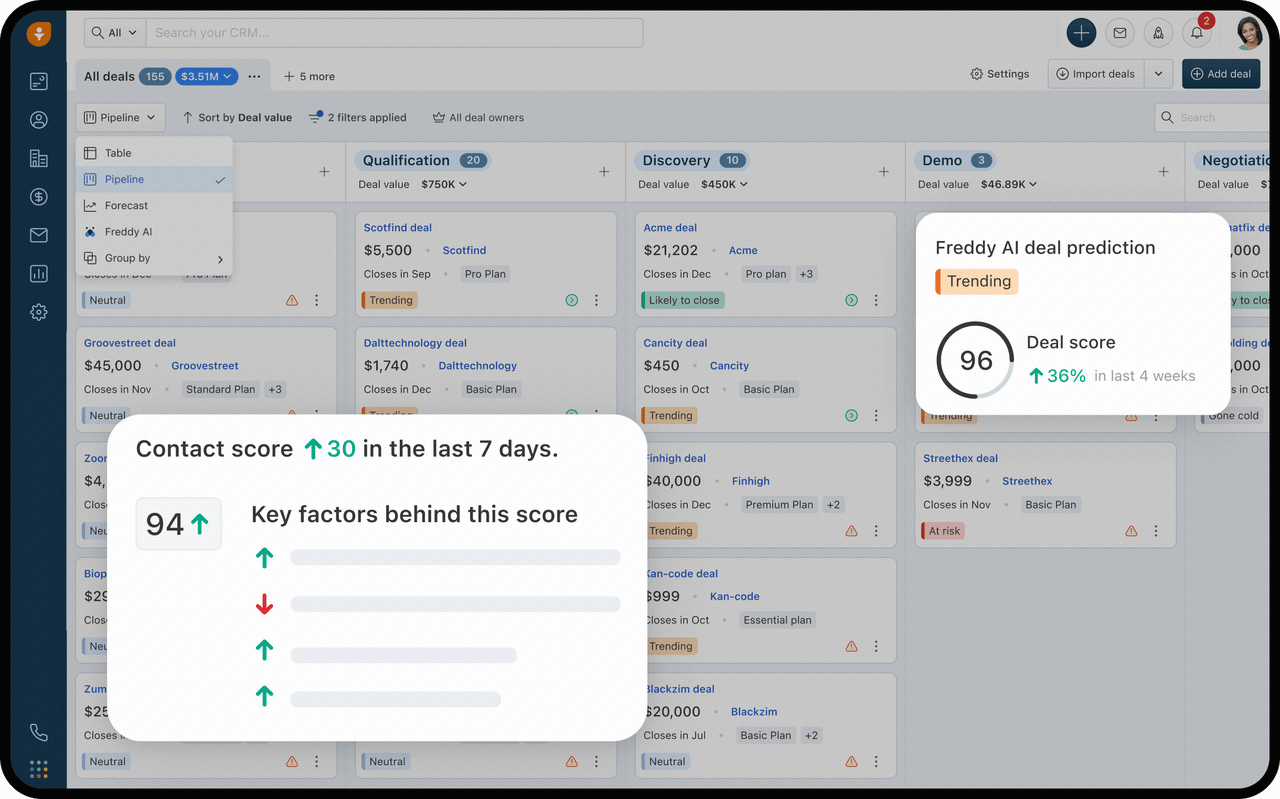
Image source: freshsales.com
Freshsales from Freshworks is a sales-focused CRM that consolidates everything a seller needs — built-in phone, email, chat, lead scoring, a visual pipeline, and event tracking — into one platform, so teams do not juggle separate dialers and inboxes. Its Freddy AI assistant spots high-converting leads, drafts prospecting emails, and recommends the next best action in real time. Because it runs in the browser with polished iOS and Android apps, it fits naturally into a Mac-centric workflow without forcing teams onto Windows-first tooling.
Key features
- Built-in phone, email and chat: Call, email and message prospects from one shared inbox without switching apps.
- Freddy AI: Generative AI lead scoring, deal insights and suggested next steps that accelerate the sales cycle.
- Visual pipeline management: Drag-and-drop stages with Kanban views for contacts, accounts and deals.
- Workflow automation: Route leads and trigger follow-up tasks automatically based on buyer behavior.
- Free mobile apps: Native iOS and Android apps keep reps productive away from their MacBook.
8. Monday CRM: A visual CRM for collaborative teams
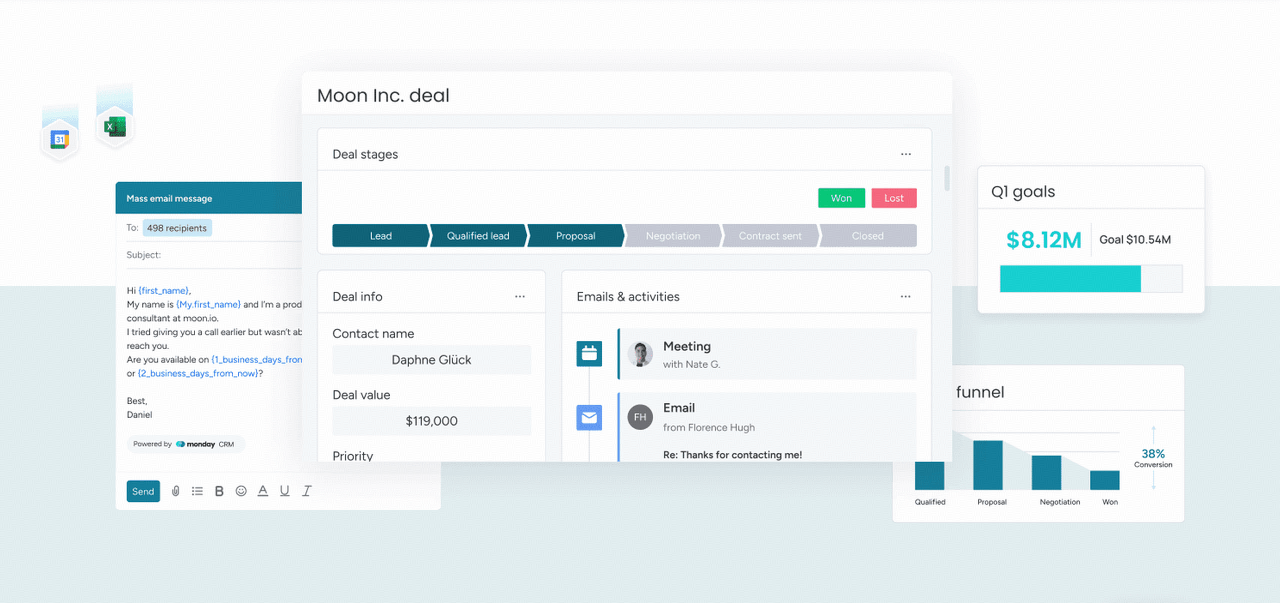
Image source: monday.com
Monday CRM integrates intuitive visual project management with powerful customer tracking, helping teams stay organized and focused on results. Its flexible interface adapts easily to different business processes, making it suitable for a variety of industries and team structures. Monday CRM is designed for compatibility with the Mac environment, delivering a streamlined experience for Apple users and supporting effective across all Apple devices.
Key features
- Customizable dashboards: Customizable dashboards for real-time insight into customer activities and team performance.
- Advanced automation: Advanced automation to simplify repetitive tasks and boost overall efficiency.
- Collaboration tools: Robust collaboration tools for smooth teamwork and communication.
- Versatile workflow management: Versatile workflow management, adaptable to evolving business needs.
9. Insightly: A unified CRM with project management
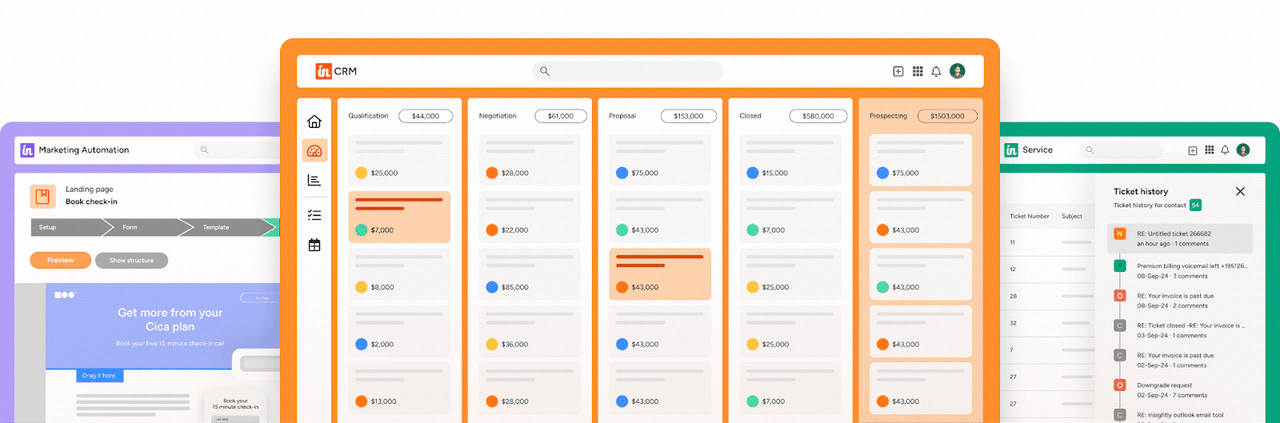 Image source: insightly.com
 Insightly offers a unified platform that brings together core CRM and project management features, making it an ideal choice for growing businesses looking to align sales and execution. Its flexible system adapts readily as companies scale, ensuring organizations can maintain visibility over both customer relationships and project progress. Well-suited for Mac users, Insightly delivers a streamlined experience across Apple environments, supporting teams in managing workflows from anywhere.
Key features
- Task workflows: Structured task workflows for organized operations.
- Project tracking: Dedicated project tracking tools to oversee deliverables and deadlines.
- Apple product integration: Flexible integration with Apple products for seamless compatibility.
- Mac-optimized experience: Designed for ease of use within the Mac ecosystem, promoting efficient team collaboration.
10. Salesflare: Best for zero-data-entry B2B sales teams on Gmail or Outlook
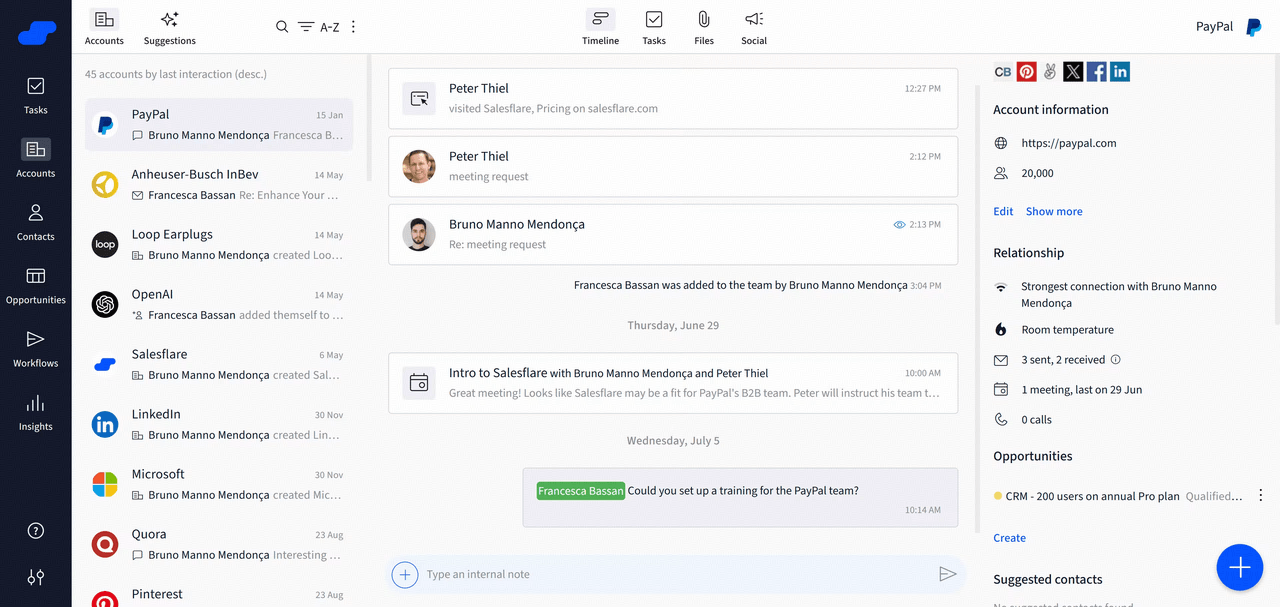
Image source: salesflare.com
Salesflare is a B2B sales CRM designed to eliminate manual data entry. It automatically pulls contact details, emails, meetings and calls from Gmail, Outlook, calendars and LinkedIn, builds enriched company profiles, and surfaces follow-up reminders without reps lifting a finger. Its lightweight web app and companion iOS and Android clients feel right at home for Mac teams already working inside Apple Mail, Gmail or Outlook.
Key features
- Auto contact enrichment: Fills company and contact profiles automatically from email signatures and public sources.
- Email and website tracking: Opens, clicks and page visits are logged to the right record in the background.
- Automated sequences: Multi-email workflows that automatically pause once a lead replies.
- Gmail and Outlook integration: Track and log emails directly from the inbox your team already uses.
- Smart follow-up reminders: Proactive nudges so no opportunity goes cold between meetings.
11. Microsoft Dynamics 365 Sales: Best for enterprise teams already on Microsoft 365
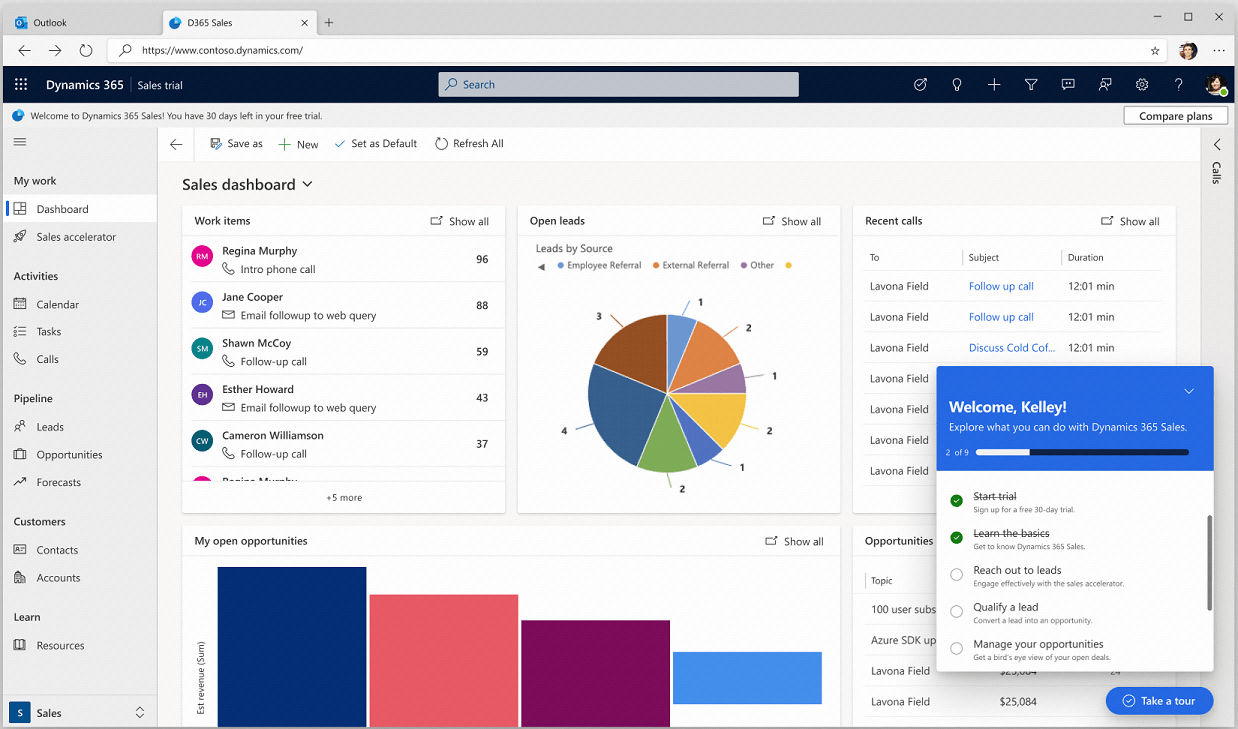
Image source: microsoft.com
Microsoft Dynamics 365 Sales is the AI-first enterprise CRM from Microsoft, embedding Copilot directly into daily seller work — opportunity summaries, meeting prep, natural-language pipeline questions, and email drafting — alongside LinkedIn Sales Navigator and Microsoft Teams. It scales from midsized teams to complex global organizations and pairs deeply with the wider Microsoft 365 stack. For Mac users it is a cloud web app with companion mobile apps, making it accessible from MacBook and iPhone.
Key features
- Copilot in Dynamics 365: Natural-language summaries of leads, opportunities and account news inside the workflow.
- AI forecasting and next-best-action: Predictive deal guidance built into every sales record.
- Microsoft 365 and Teams integration: Works alongside Outlook, Excel, Word and Microsoft Teams.
- LinkedIn Sales Navigator connection: Surface warm relationships directly inside customer records.
- Enterprise customization: Advanced security, permissions and custom entities for complex, regulated businesses.
12. Agile CRM: An affordable sales and marketing automation tool
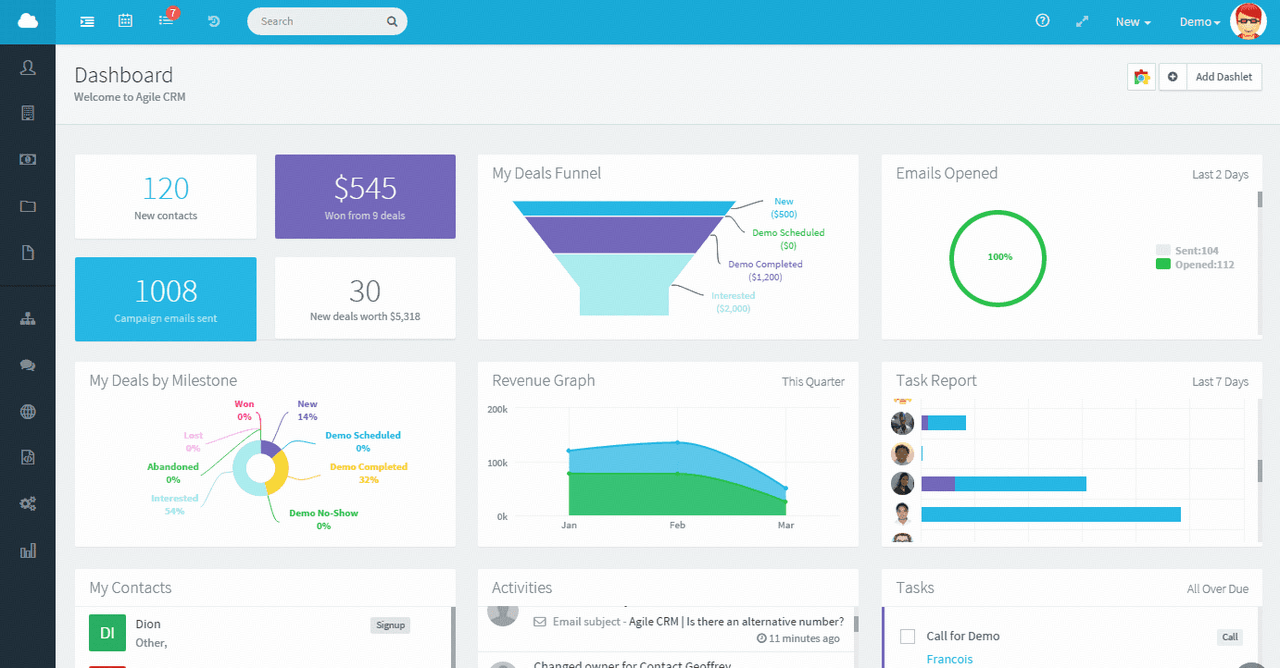
Image source: agilecrm.com
Agile CRM unifies sales, marketing, and customer support automation within a single, easy-to-navigate platform. It empowers organizations to streamline their workflows and boost customer engagement without the complexity of multiple disparate tools. Agile CRM enables seamless coordination and efficient management across Apple devices.
Key features
- Integrated telephony: Integrated telephony to facilitate direct communication with leads and customers.
- Lead capture widgets: Lead capture widgets for efficient collection and organization of prospects.
- Appointment scheduling: Appointment scheduling tools to streamline meeting management.
- Workflow automations: Workflow automations for increased productivity.
13. Less Annoying CRM: A simple CRM software OS X solution
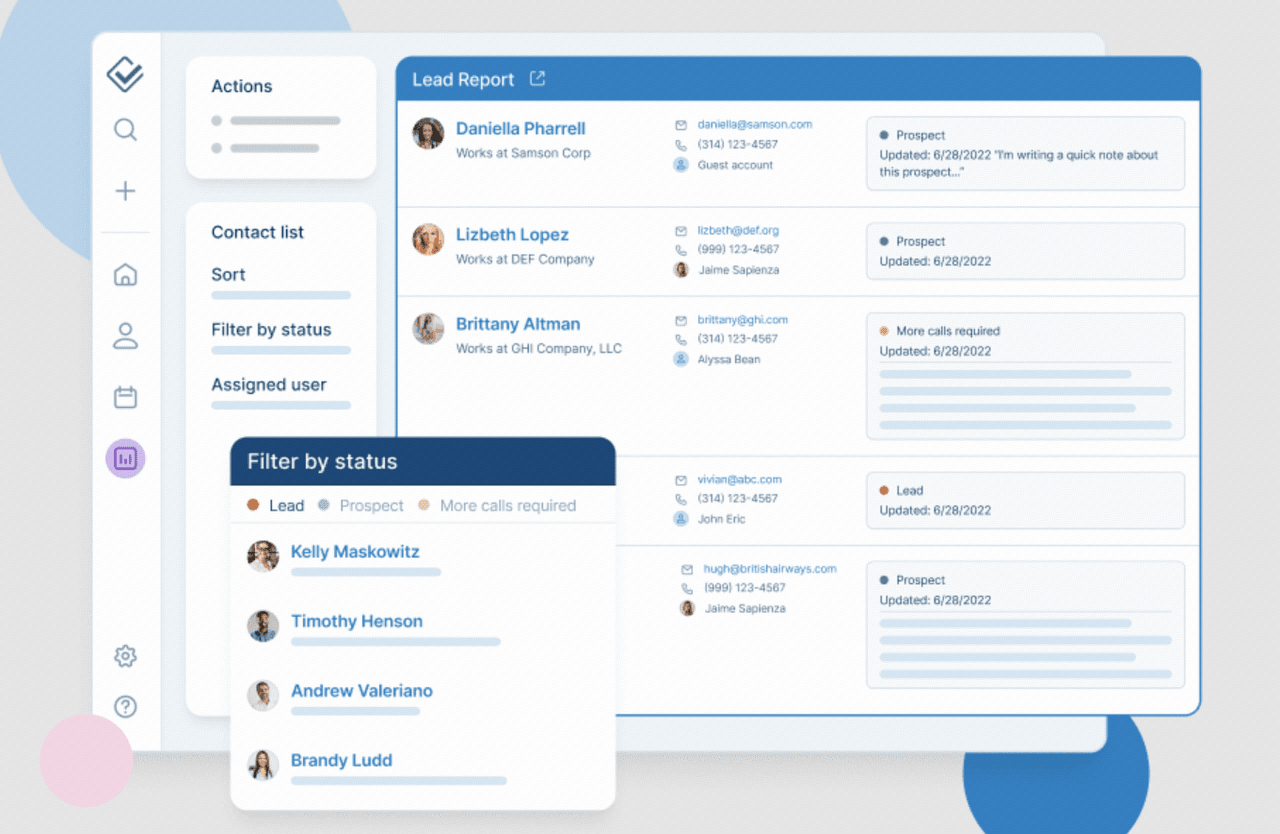
Image source: lessannoyingcrm.com
Less Annoying CRM is designed specifically for small teams and startups seeking a no-fuss approach to customer relationship management. Its intuitive layout and minimal learning curve help teams get up and running quickly without technical complications. Compatible with the Mac ecosystem, this CRM ensures a simple and accessible experience for users working across Apple devices.
Key features
- Clean dashboard: Clean and straightforward dashboard for easy navigation.
- Fast setup: Fast setup process to minimize onboarding time.
- Automatic reminders: Automatic reminders to keep tasks and follow-ups on track.
- Customer task lists: Organized customer task lists to boost productivity.
- Customer support: Exemplary customer support tailored for small business needs.
14. Creatio CRM: The no-code process automation CRM for Mac
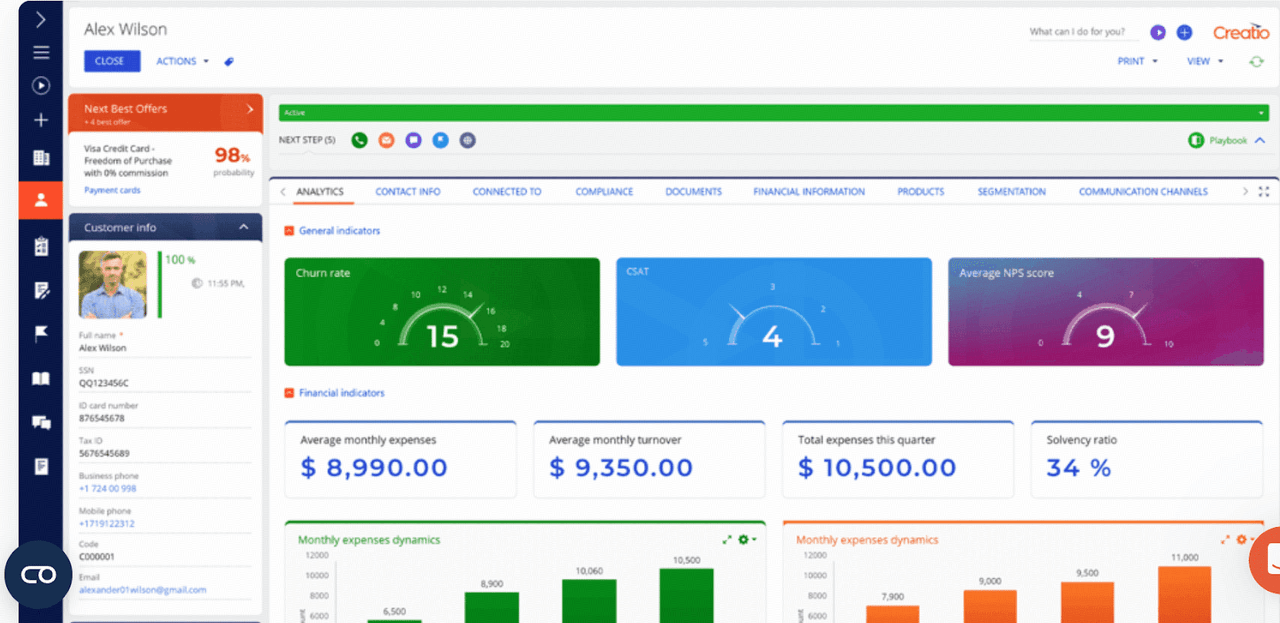
Image source: creatio.com
Creatio CRM is distinguished by its no-code platform, allowing users to design and automate complex business processes without any programming expertise. This process-driven CRM makes it easy for teams to customize workflows and respond quickly to changing business needs. Built with Mac users in mind, Creatio CRM integrates smoothly into the Apple ecosystem, delivering a consistent and intuitive experience for those who prefer working in a Mac environment.
Key features
- No-code process designer: No-code, drag-and-drop process designer for effortless workflow creation.
- Marketing automation: Advanced marketing automation for streamlined customer journeys.
- Mac integration: Strong integration with Mac systems, offering a unified experience across Apple devices.
- Flexible and scalable: Highly flexible and scalable to match evolving business requirements.
15. SugarCRM: The highly flexible on-premise or cloud CRM
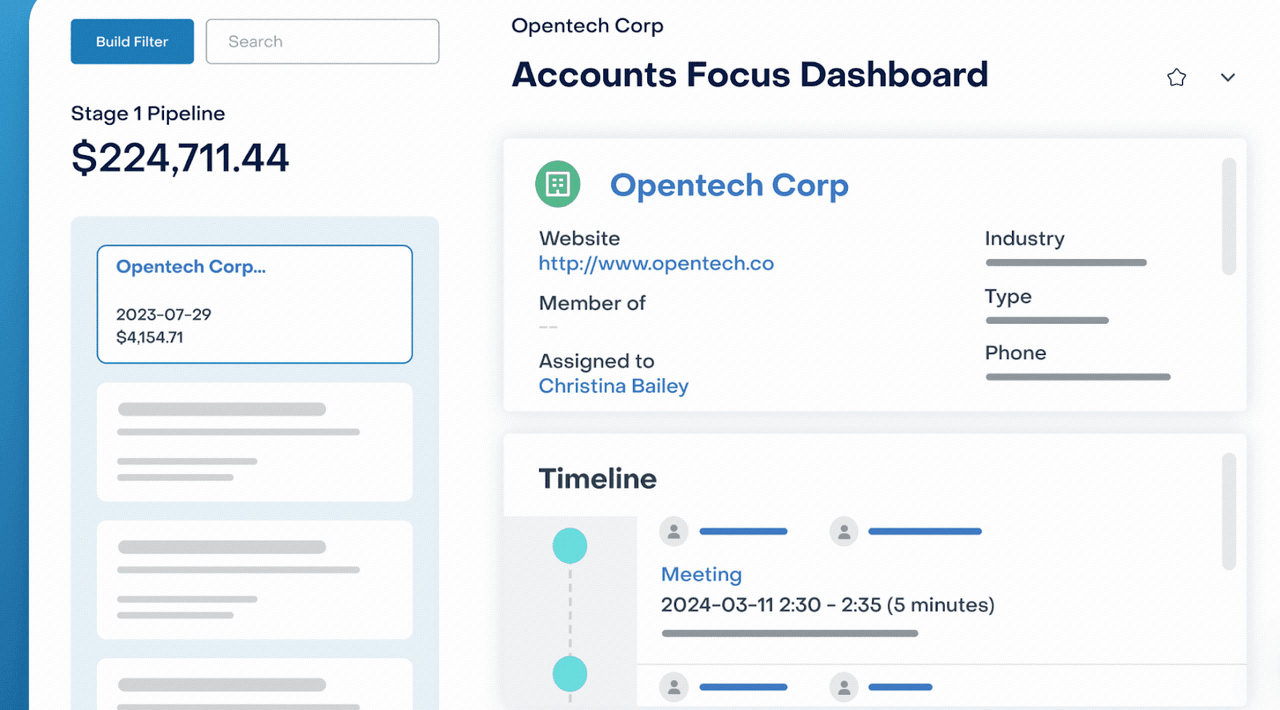
Image source: sugarcrm.com
SugarCRM is designed for organizations that prioritize flexibility, offering extensive customization options to match complex business needs. Its scalable architecture supports growth, letting businesses adapt their CRM as they evolve. Engineered for users invested in the Mac ecosystem, SugarCRM ensures a cohesive and reliable experience across all Apple devices, making it a great fit for teams seeking both power and adaptability.
Key features
- Advanced automation: Advanced automation for streamlining complex workflows.
- AI-driven insights: AI-driven insights to help guide smarter decision-making.
- Data security: Robust data security features for peace of mind.
- Mac workflow integration: Seamlessly integrates with Mac workflows, delivering optimal usability for Apple-focused teams.
16. Keap: Best all-in-one CRM and marketing automation for small businesses
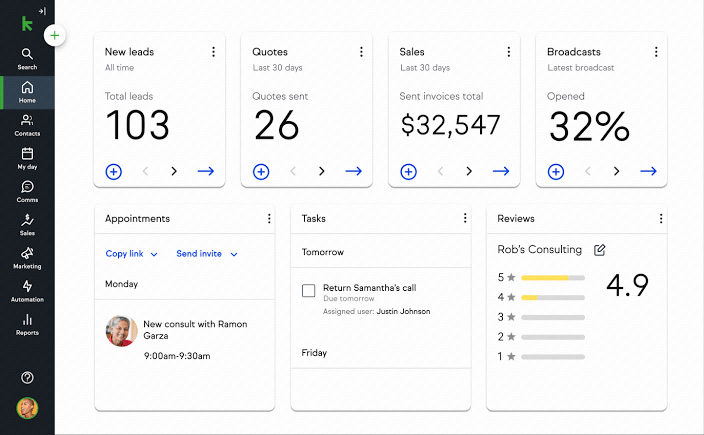
Image source: keap.com
Keap (formerly Infusionsoft) bundles CRM, email and SMS marketing automation, sales pipelines, appointment booking, invoicing and payments into a single subscription aimed at small businesses and solopreneurs. Its drag-and-drop automation builder lets owners trigger follow-ups, text messages and invoices based on customer actions — ideal for lean Mac-based teams that want one tool instead of a disjointed stack. It runs in the browser with mobile apps for iPhone and iPad.
Key features
- All-in-one CRM and payments: Contacts, invoices and payment collection managed in one system.
- Visual automation builder: Drag-and-drop email and SMS sequences triggered by customer actions.
- Multiple sales pipelines: Track new conversion and repeat business side by side.
- Appointments and landing pages: Book meetings and capture leads without extra point solutions.
- Keap AI: Drafts email copy and suggests automations from plain-language prompts.
17. EngageBay: An affordable all-in-one Mac CRM
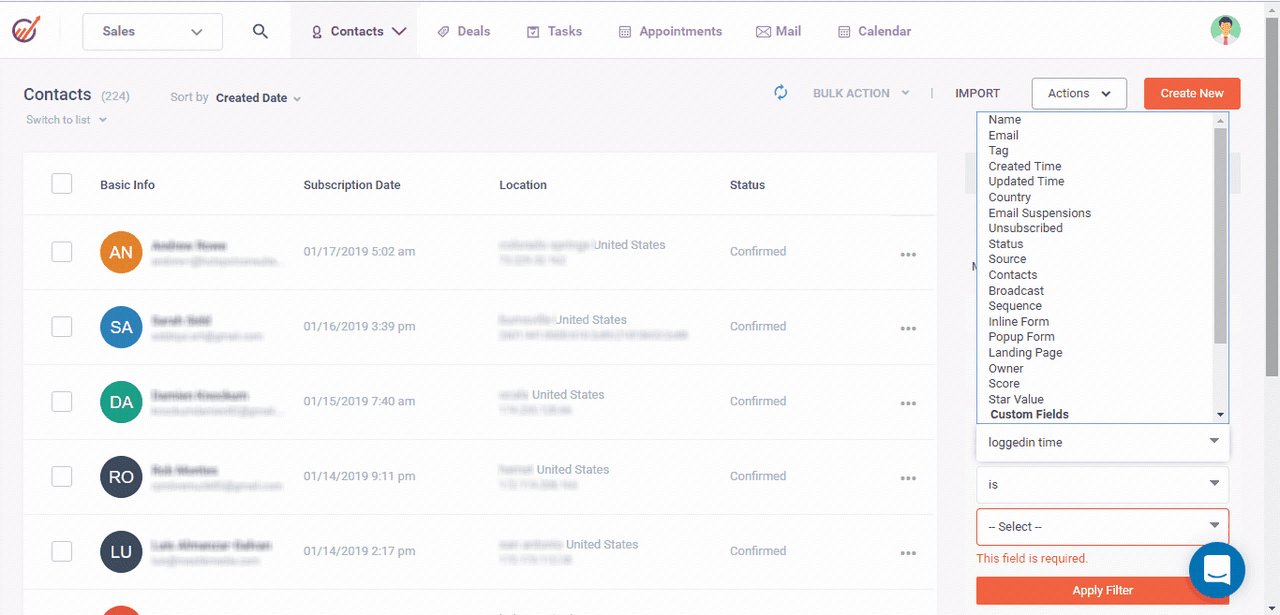
Image source: engagebay.com
EngageBay brings together CRM, marketing automation, and customer support into a single, easy-to-use platform, making it a versatile solution for growing businesses. Its integrated approach helps teams manage the entire customer journey efficiently, from lead capture to ongoing support. EngageBay delivers a consistent and seamless workflow for users across Apple devices.
Key features
- Email campaigns: Robust tools for email campaigns and .
- Customizable webforms: Customizable webforms for streamlined lead capture.
- Lead scoring: Automated lead scoring to prioritize opportunities.
- Apple device access: Accessible on Apple devices, supporting flexible and remote work.
18. Zendesk Sell: Best when sales CRM needs to pair with Zendesk support
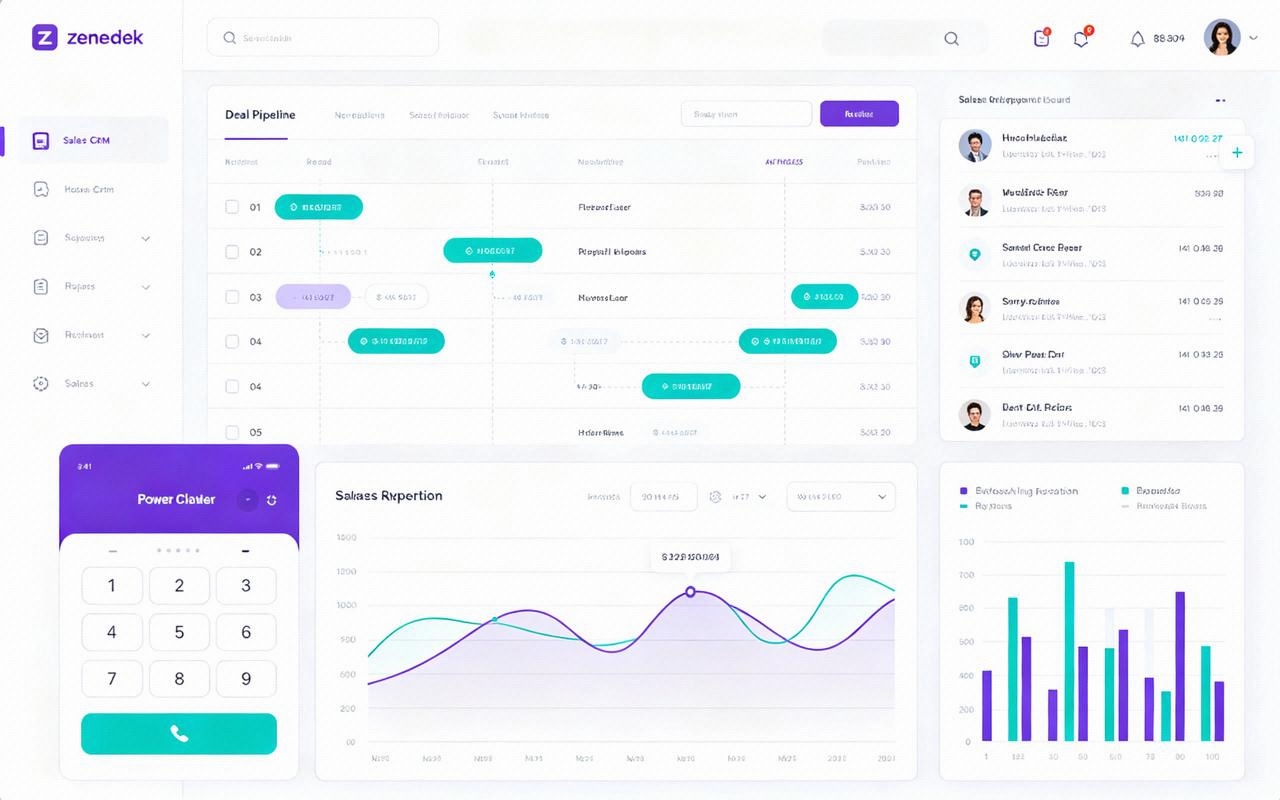
Image source: zendesk.com
Zendesk Sell (formerly Base CRM) is a sales productivity CRM built around pipeline visibility: contact and deal tracking, email sequences, a power dialer, built-in analytics, and the Reach prospecting tool. Its standout advantage is the native pairing with the Zendesk service suite, so sales and support teams share one customer context. It is a clean web product with strong iOS and Android apps, comfortable for Mac-first teams.
Key features
- Pipeline visibility: A clean deal board with stage-level reporting and forecasting.
- Built-in power dialer and sequences: Prospect by phone or email without leaving the CRM.
- Reach prospecting: Enrich contacts and build new pipelines from a single tool.
- Real-time reporting dashboards: Customizable revenue and activity reports for sales leaders.
- Zendesk Suite pairing: Share customer history across sales and support teams seamlessly.
19. Pipeliner CRM: Best for visually driven, process-focused sales teams
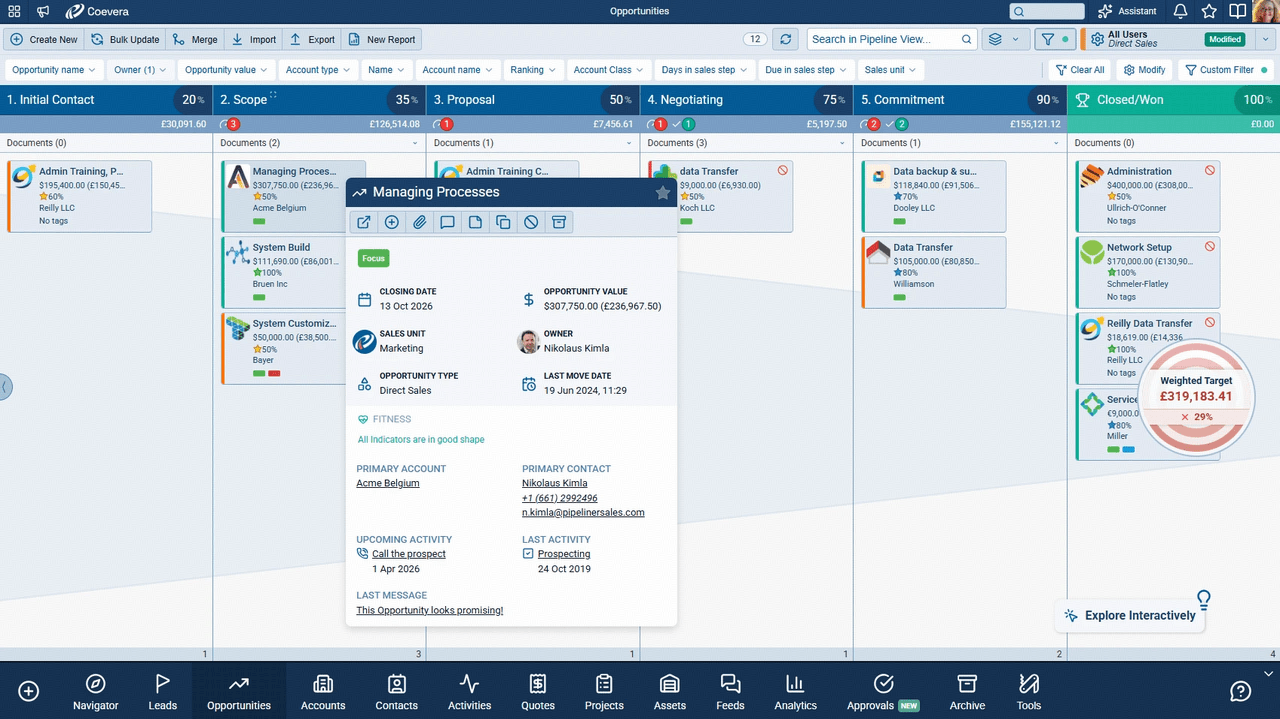
Image source: pipeliner.com
Pipeliner CRM is a visual, process-centric sales CRM that turns pipeline management into an intuitive, layered visualization of stages, quotas and opportunities. Its approach guides reps through a defined sales process rather than asking them to fill a generic database, which teams using MacBooks and iOS devices appreciate for its clarity. It offers Starter, Business and Enterprise editions suited to SMBs scaling into the mid-market.
Key features
- Visual pipeline: Layered stage visualization showing exactly where every deal stands.
- Process-guided selling: Standardized sales steps with built-in next-step prompts.
- Opportunity and quota tracking: Progress wheels and forecasting views for sales managers.
- Productivity and reporting tools: Dashboards designed for sales leaders, not generic BI.
- Cross-device access: Web app plus iOS and Android clients for selling on the move.
20. ClickUp: The ultimate productivity and CRM platform
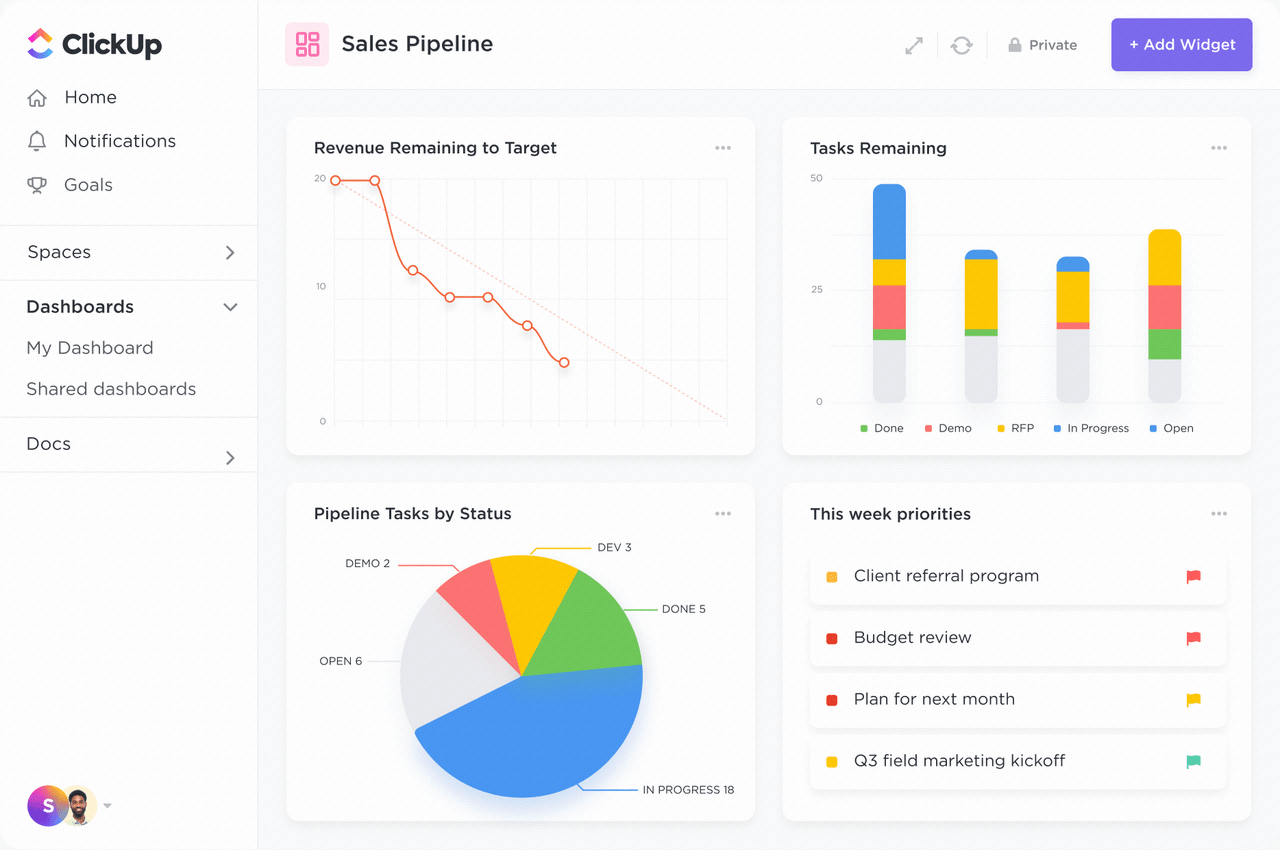
Image source: clickup.com
ClickUp stands out for its remarkable flexibility, uniting CRM, project management, and task organization within a single intuitive workspace. Its highly customizable platform helps businesses of all sizes tailor their workflows to unique team needs. ClickUp ensures consistent performance and coordination across all Apple devices.
Key features
- Custom fields: Custom fields for detailed and adaptable data tracking.
- Multiple views: Multiple board and list view options to match different working styles.
- Workflow automation: Robust workflow automation to increase efficiency and reduce manual tasks.
- Apple notifications: Native support for Apple notifications, enhancing real-time collaboration.
- Mac optimization: Fully optimized for Mac users, delivering a cohesive and integrated experience.
Choosing the right CRM for Mac OS X means knowing what works best with your unique workflow, your team's size, and your integration needs. Whether you value deep native Apple compatibility, advanced automation, or creative collaboration, there is a solution here for you.
Choose Lark for a seamless Mac CRM solution
How to choose the right CRM software for Mac OS X
isn’t just about ticking boxes on a feature list—it’s about finding a solution that truly supports your business in the Apple ecosystem. This step-by-step guide will walk you through the decision-making process, helping you identify what to look for, which questions to ask, and how to ensure you select a CRM that can grow alongside your team and goals.
-
Assess your Apple ecosystem compatibility
Consider how well the CRM aligns with your existing Apple devices and software. Think about whether seamless integration with Mac OS and iOS is important for your workflow. Make a list of the types of connections—like syncing calendars or contacts—that matter most, so you can focus on options built with Mac users in mind. A practical checklist: Does it have a native MacOS app (not just a web app)? Does it support Apple Silicon natively? Can you log in with Touch ID? Does it integrate with Apple Contacts and Calendar without a third-party bridge?
-
Evaluate automation and workflow alignment
Think about the ways automation could boost your team’s productivity. Strong CRM systems designed for Mac typically offer workflow automation features, allowing repetitive tasks and routine follow-ups to be handled automatically. For example, a platform like Lark empowers any user to build powerful workflows with a no-code interface, letting you automate things like sending a reminder in chat when a deal's status changes in your pipeline. Ensure the system makes it easy to streamline your business processes and adapt to your preferred ways of working.
-
Prioritize security and data privacy
Safeguarding your client information is essential. Look for CRM software that runs reliably on Mac and matches your security expectations, offering features like encryption and access controls. Make sure it also complies with relevant privacy regulations and gives you clear options to manage where and how your data is stored.
-
Check customization and scalability
Your business is likely to evolve, so choose a CRM that can be tailored to fit your processes and grow with your team. Look for customizable pipelines and fields, as well as flexible plans that don’t limit you as your needs expand.
-
Review the mobile experience
A high-quality CRM for Mac should offer a strong companion app for iOS, so you can work efficiently from any device. Look for smooth mobile access, reliable syncing, and an intuitive interface that supports productivity when you’re away from your desk.
-
Balance cost with support and ease of use
Don't just compare price tags—consider the overall value. Evaluate what features and services each plan includes, how user-friendly the system is on Mac, and what kind of customer support you'll have access to. For budget-conscious teams, start with a free trial or the free tier of the best CRM software for Mac options above (Lark Starter, HubSpot Free, or Agile CRM) before committing to an annual plan. The best CRM solution offers whenever you need it.
By carefully evaluating these factors, you can find a CRM that feels like a true partner. For teams seeking a solution that excels in automation, mobile access, and overall value, Lark's integrated platform offers a compelling and Mac-native choice.
Lark’s free plan comes with 11 powerful products
Trends for CRM software for Mac
As business and technology continue to evolve, so do the expectations and capabilities of customer relationship management software for Mac. By keeping an eye on these emerging trends, you can future-proof your stack and empower your business to stay ahead of the curve.
-
Deeper Apple ecosystem integration
Developers are quickly leveraging macOS and iOS APIs to deliver more seamless integrations with Apple Calendar, Mail, Contacts. Expect tighter workflow connections that remove manual steps and allow for true “one-click” task automation.
Artificial intelligence is reshaping customer interactions. Smart Mac CRMs are now providing automated recommendations, , natural language processing, and AI-powered reminders—freeing your team to focus on meaningful client engagement. We're already seeing this with platforms like Lark, which uses AI to automatically generate meeting summaries from transcripts and provide intelligent suggestions for client follow-ups.
-
Privacy-first development
With global privacy regulations tightening, Mac CRMs are taking privacy and compliance seriously. Local data options, transparent privacy policies, and consent management tools will become commonplace, catering to businesses that put customer trust first.
-
All-in-one productivity platforms
Instead of juggling separate apps, the trend is moving towards consolidated solutions. are at the forefront of this shift, demonstrating how powerful it is to combine communication, document sharing, project management, and CRM within a single, seamless Mac-friendly environment. This approach is especially attractive for agile teams that want to limit software sprawl and unify their workflows.
These trends highlight a move toward smarter, more integrated, and user-centric tools. Platforms like Lark are not just following these trends but are actively shaping them, offering a future-proof solution that already delivers the AI-driven, all-in-one experience that Mac users demand.
Conclusion
Selecting the right CRM software Mac OS X isn't just about feature checklists; it's about empowering you and your team to build deeper client relationships, make smarter decisions, and maximize the potential of every interaction—all while enjoying the fluidity and innovation of the Apple ecosystem. As we've explored, true Mac CRMs stand apart, offering native design, seamless automation, secure data handling, and the flexibility to support your business as it grows. For most teams, Lark remains the best Mac CRM overall—it combines native MacOS performance, AI automation, and a free tier that makes it easy to start today.
Whether you’re a creative entrepreneur, a growing sales team, or an established business seeking powerful tools to manage , the Mac has never been better served by such a robust and diverse CRM landscape. I encourage you to assess your own workflow, test a few of the top solutions, and experience firsthand how —at the speed and style that only Apple can deliver.
Ready to take the next step? Explore demos and trials of the CRM apps above, ask your team what matters most, and start your journey towards effortless customer relationship management software for Mac today!
Have questions about CRM software?
FAQs
What makes a CRM truly "Mac OS X compatible"?
A CRM is Mac OS X compatible when it offers a native app or optimized browser experience for Mac OS, supports direct integrations (with Mail, Calendar, Contacts), and leverages Mac-specific features like system notifications.
How secure is my data with Mac CRM software?
Security depends on both the software you select and your settings. Choose CRM providers that encrypt data in transit and at rest, limit access via user controls, and adhere to regulatory requirements like GDPR. If your business has advanced privacy needs, favor CRMs that offer on-premise hosting or local backup capabilities.
How do I migrate from another CRM to a Mac-compatible CRM?
Most CRM solutions provide import tools for contacts, deals, and activities (usually via CSV or API). It helps to clean your data before migrating and consult support or guides from your new provider to ease the transition.
Is there a native CRM Mac app, or is everything browser-based?
Daylite by Marketcircle is the only major native CRM Mac app: built with AppKit and SwiftUI, supported on macOS 13 through 15, usable offline, and integrated directly with Apple Mail, Calendar and Contacts. Lark ships a native macOS desktop client for the wider workspace — you can download the Lark app for Mac and keep the pipeline you build in Lark Base next to chat, docs and meetings — and everything else on this list is browser-first with iPhone and iPad companion apps.
Does Apple make its own CRM?
No. Apple does not sell a CRM, so every option here is third-party. Apple Contacts and Apple Calendar cover basic contact storage and scheduling, but they offer no pipeline, no shared team visibility, no interaction history and no reporting — which is precisely the gap a CRM fills. If you would rather close that gap inside the tools your team already opens every morning, a workspace CRM built on Lark Base can hold the pipeline while Lark Messenger and Lark Calendar keep the conversations and follow-ups attached to each record.
What is the best free CRM for Mac?
For teams up to 20 people, Lark's free Starter plan is the most complete answer because the pipeline sits beside chat, docs and meetings, and the ready-made Lark CRM templates give you a working board on day one. If you want a pure sales CRM, Agile CRM (10 users) and Freshsales (3 users) have the most generous caps, HubSpot CRM (2 users) has the best free marketing tooling, and EngageBay's free plan stretches to 15 users. Check the export options before you build a year of history in any of them.
Do I need an internet connection to use a CRM on my Mac?
Usually yes. Browser-based CRMs need connectivity to do anything at all. Daylite and Pipeliner CRM offer offline desktop access with local storage and sync on reconnection, and Zoho CRM's iOS app caches records so you can read and edit them on an iPhone or iPad without signal. Lark's Mac and iOS apps behave the same way: recent messages, docs and Lark Base records stay readable offline and sync once you reconnect, which is the pattern we cover in this mobile CRM guide.
Is monday CRM a good choice for Mac users?
Yes, if you like visual, board-driven workflows. It holds a 4.7/5 overall rating in Capterra's Mac CRM category, runs well in Safari and has capable iOS apps. It is browser-only, so check seat minimums and the per-plan automation limits before you commit. If the seat maths stops working, our CRM comparison and best CRM software roundup show how the same board-style pipeline works in Lark Base, where chat and meetings are included rather than billed per seat.
Which Mac CRM software is best for a small business on a budget?
Start free, then pay for the one thing you are missing. Mac CRM software for small business usually means fewer than 20 users, one pipeline and no full-time administrator, so Lark Starter, Agile CRM's free tier or EngageBay will cover your first year. Start from a Lark CRM template, add Lark Approval only when discounts or contracts genuinely need sign-off, and use our CRM tools guide to sanity-check the shortlist. Move to a paid plan when you need automation, volume forecasting, or reporting your team will genuinely use — not before.
Can I just use Apple Contacts and Numbers instead of a CRM?
Below roughly 30 open deals, honestly yes, and plenty of Mac users do exactly that. What you lose is shared visibility, follow-up reminders tied to deals, and any view of where revenue is stuck. The moment two people need the same customer record — or you forget a follow-up that mattered — a real CRM for Mac earns its subscription. Moving that spreadsheet into Lark Base keeps the grid you are used to but adds owners, reminders and shared views, and these CRM templates show what the finished version looks like.
Related reading