














Beyond sales: 12 CRM use cases that benefits your business

Matthew Sia
Product Marketing Manager
Sep 18, 2026
Matthew Sia
Sep 18, 2026

19 min read


In many growing businesses, customer information scatters across spreadsheets, emails, and apps, hindering sales and support teams. This isn't just a sales or marketing problem; it's a total business problem demanding a total solution.
Modern CRM is essential here. While many focus on specific platforms like Salesforce CRM use cases or Zoho CRM use cases, unification applies to any business. A CRM should be a central hub unifying workflows, data, and collaboration. This article explores that vision, providing in-depth CRM use cases examples for efficiency and scalable growth.

What is a CRM system?
At its core, customer relationship management (CRM) refers to the strategies and tools a business uses to manage and analyze its interactions and relationships. Historically, this meant focusing exclusively on external contacts: leads, prospects, and existing customers. The first CRM systems were essentially digital address books on steroids, designed to help sales teams organize their contacts.
However, the definition and function have evolved dramatically. A modern CRM system is a technology platform that does much more than manage customers. It's a system for managing all critical business relationships and the vast processes that surround them. This is true across industries, leading to specialized applications and questions like "what are top use cases for AI in banking CRM?" or the development of CRM use cases for private equity firms managing investor relations and deal flow.
The primary function has become the creation of a reliable single source of truth. It captures and organizes every touchpoint—an email, a meeting, a support ticket, a marketing engagement—into a central, accessible database. This shift transforms the CRM from a passive record-keeper into an active, strategic asset for the entire organization, from sales and marketing to HR and operations.
12 foundational CRM use cases
These are the essential applications that form the core of most CRM implementations, providing several sample use cases for CRM. They are proven methods for driving revenue, improving marketing effectiveness, and boosting customer loyalty.
For sales department
The sales team is often the first to feel the pain of disorganized data. Effective CRM sales use cases bring order, clarity, and predictability to the revenue-generating engine of the business. By moving away from scattered spreadsheets and notes, sales teams can adopt a structured process that ensures no opportunity is missed.
Centralizing lead and contact management
At its most fundamental level, a CRM system eradicates the chaos of scattered information. Instead of leads getting lost in email threads or languishing in a static spreadsheet, every point of contact is captured and consolidated into a single, dynamic repository. This new lead record instantly becomes the single source of truth, logging every interaction—every email sent, every meeting held, every note taken—in one chronological view.
Visualizing the sales pipeline for clarity
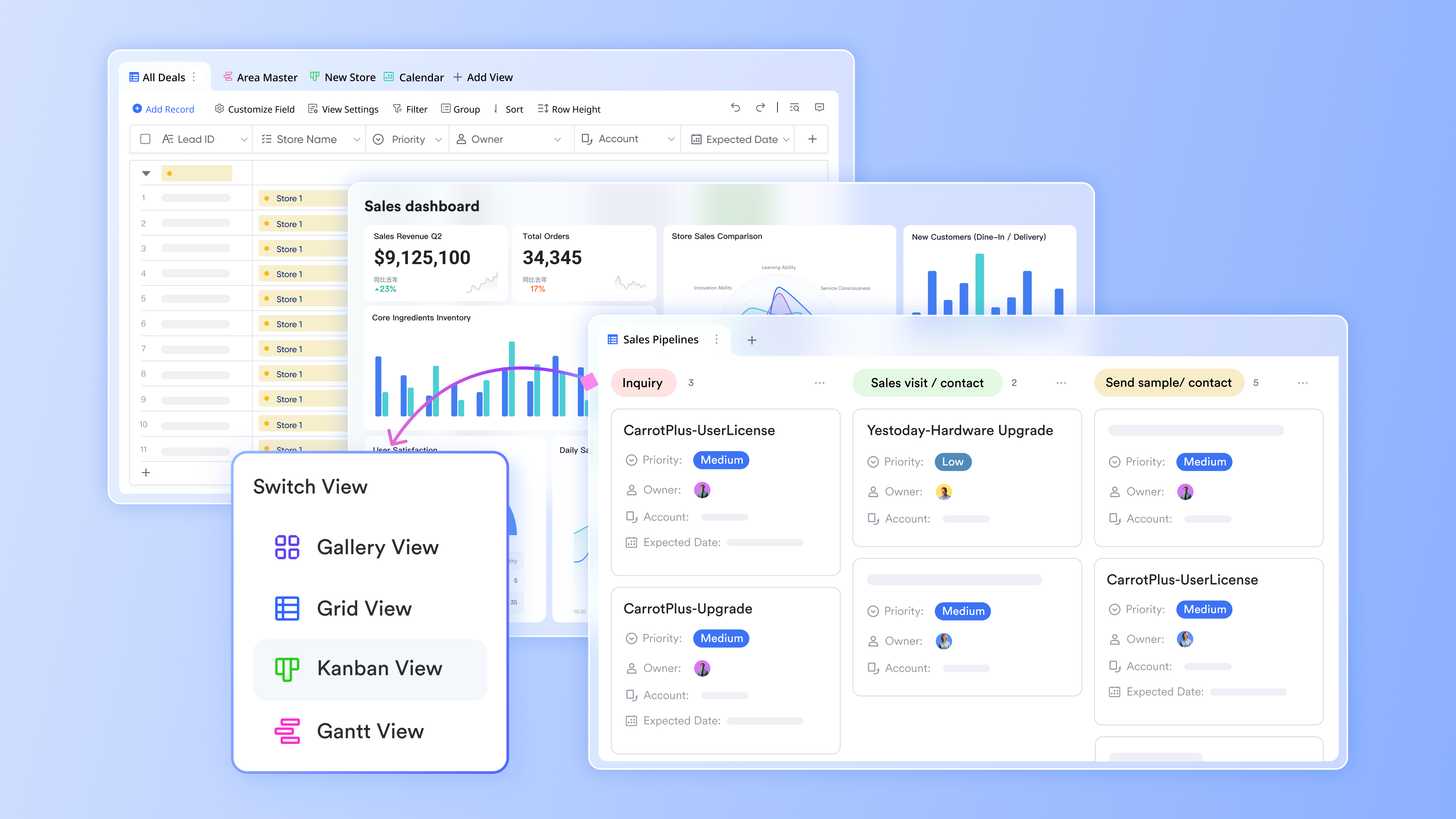
A CRM transforms this process by providing a clear, visual sales pipeline, often in a Kanban-style board format. This visual pipeline is one of the most powerful CRM sales use cases for team alignment. Each sales opportunity is represented as a "deal card" that can be easily dragged and dropped from one stage to the next as it progresses. These deal cards are packed with critical information, allowing sales managers to quickly spot deals that are stalled and helps individual reps prioritize their day.
Automating lead scoring and distribution
In any business, not all leads are created equal. Some are a great fit, others not so much. Using a sales leads management system, like the one available in Lark, one of the best Google Workspace alternatives, allows you to prioritize leads based on key data points. For example, you can categorize leads by industry, company size, or even specific needs identified in their initial inquiry – all customizable fields within Lark. Once leads are tagged, you can use Lark's sorting and filtering to focus on the best prospects. The benefit? Sales reps spend their time on high-potential opportunities, and marketing can refine campaigns based on what's attracting the best leads.
Improving sales forecasting accuracy
Accurate sales forecasting is essential for strategic business planning. A CRM professionalizes this process by grounding forecasts in real-time data, leveraging the structured information already being tracked within the sales pipeline. The calculation is based on the Deal Value, the Expected Close Date, and the Pipeline Stage's weighted probability. This forecasting capability is a prime example of strategic CRM sales use cases.
For marketing department
Marketing teams are tasked with the dual challenge of generating demand and building meaningful relationships with potential customers. A CRM platform serves as the central nervous system for these efforts, connecting every marketing action to a tangible business outcome and enabling a level of personalization and efficiency that is impossible to achieve with disconnected tools.
True personalization involves orchestrating a cohesive and context-aware experience across all touchpoints. A comprehensive marketing base allows teams to manage their entire marketing program from one place, ensuring that all planned assets—blog posts, social media updates, videos—are produced and published on schedule. This is especially critical in competitive markets, making for one of the most important real-world use cases of cloud CRM in e-commerce.
Building segmented email marketing campaigns
Effective marketing relies on sending the right message to the right person at the right time. Once a segment is created, the challenge shifts to crafting compelling copy. This is where modern AI CRM use cases can dramatically accelerate content creation. Instead of starting from a blank page, marketers can leverage structured AI prompt libraries to generate high-quality email copy tailored to different goals and audiences.
Automating lead nurturing workflows
When a new lead expresses interest, a nurturing workflow guides them with automated communications. AI-powered content generation tools can streamline this entire process. Using a curated set of prompts, marketers can quickly brainstorm and flesh out ideas for compelling lead magnets, write promotional copy, and generate a full sequence of nurturing emails, gently guiding the prospect toward a sales-ready state.
The key to proving marketing value is to connect marketing activities directly to sales outcomes. A client relationship management system is the perfect tool for this, acting as the central database connecting every interaction and deal back to a specific client. This allows marketing leaders to build dashboards and reports that clearly answer the question: "For every dollar we spent on this campaign, how much revenue did we generate?"
For customer service and support teams
Exceptional customer service is a powerful competitive advantage. It transforms a transactional relationship into one built on trust and loyalty. A unified platform empowers support teams to move beyond reactive problem-solving and deliver a proactive, efficient, and empathetic customer experience.
Managing support tickets from a unified inbox
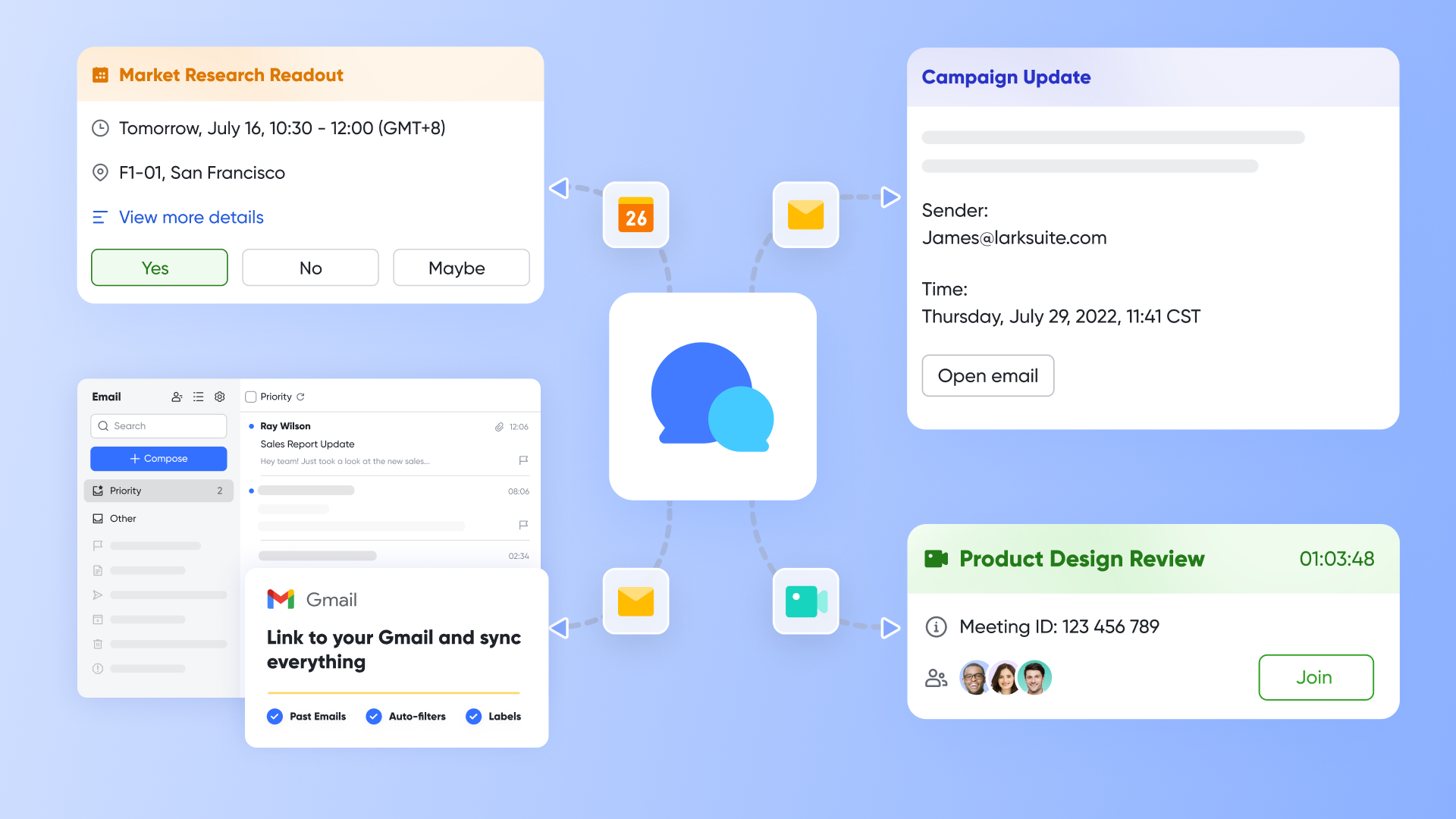
Consolidating all customer requests into a single, collaborative workspace is a game-changer. Imagine a central support address managed as a shared mailbox in Lark Mail. The entire support team has full visibility of all incoming emails in real time. If an agent needs help, they can start a Lark Messenger conversation directly from the email thread, breaking down the walls between support and other departments.
Building a searchable knowledge base
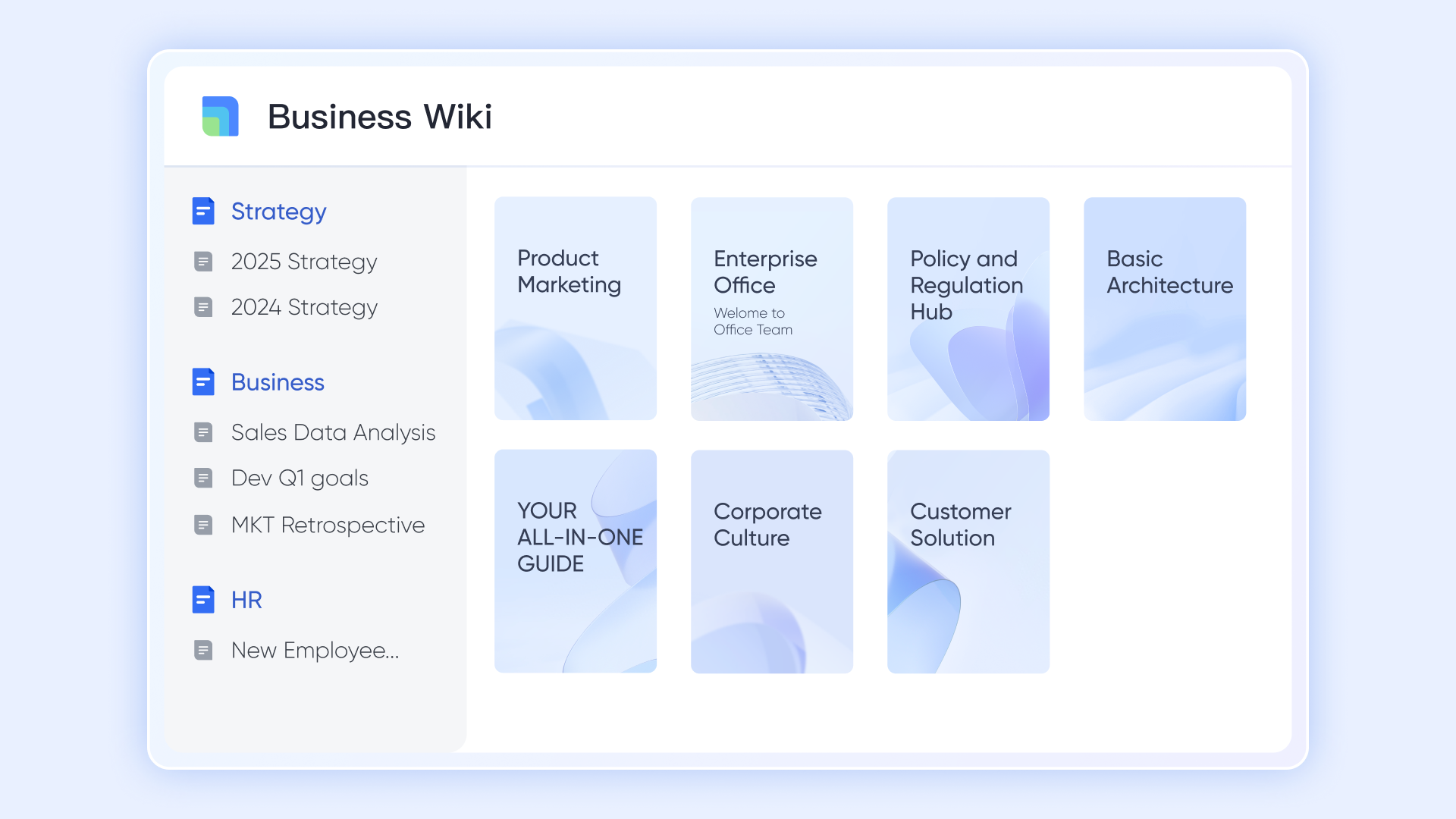
A robust, self-service knowledge base is the most effective way to address recurring questions. Using a feature like Lark Wiki, teams can build a comprehensive help center with standardized templates, rich media, and a powerful search function. This not only empowers customers to solve their own problems but also serves as an invaluable internal resource for agents.
Tracking customer issues and resolution times
In a CRM, every customer inquiry is logged as a structured record, capturing key information for tracking and analysis. This detailed tracking is essential for managers to monitor team workload and ensure SLAs are being met. This structured process is vital for all businesses, and there are many real-world use cases of cloud CRM in e-commerce where tracking resolution times for orders and returns is paramount for customer satisfaction.
Gathering feedback to improve customer satisfaction
The most valuable insights are often hidden in open-ended written comments. This is where dedicated CRM AI use cases, like a user feedback AI analysis system, become indispensable. An AI engine can analyze the unstructured text of each comment to determine Sentiment and categorize feedback into specific themes like "Product Bug" or "User Interface." This provides one of the clearest CRM AI use cases examples that turns raw data into a strategic driver for business improvement.
Core benefits of adopting a CRM platform
Before diving into specific applications, it's helpful to understand the high-level business case. Why move from spreadsheets and disparate apps to a unified CRM platform? The benefits are foundational to building a more resilient and efficient organization.
- Centralize and protect your data: When information is scattered, it is vulnerable. Data can be lost, outdated, or inconsistent. A CRM consolidates all relationship data into one secure, structured location. This ensures data integrity, makes information easier to manage and access, and provides a complete historical context for every interaction. This is the bedrock of data-driven decision-making.
- Enhance customer experience and retention: A disjointed customer experience is a direct result of internal information silos. When a customer has to repeat their issue to multiple departments, trust erodes. A CRM gives every team member a 360-degree view of the customer's journey. A support agent can see purchase history, a salesperson can see past service tickets, and a marketer can see product usage. This shared context empowers teams to deliver seamless, personalized, and proactive service, which is critical for retention.
- Increase team productivity through automation: Every department is burdened by manual, repetitive tasks: data entry, sending follow-up emails, updating records, generating reports. A key function of a modern CRM is workflow automation. It can automate these administrative duties, freeing up teams to focus on higher-value work like building relationships, strategic planning, and creative problem-solving. This is a direct path to improved operational efficiency.
- Gain actionable insights with better reporting: Good decisions are based on good data. Without a central system, generating accurate reports on sales performance, marketing ROI, or customer satisfaction is a labor-intensive and often inaccurate process. A CRM comes with powerful analytics and reporting tools that turn raw data into actionable insights. Dashboards can visualize sales pipelines, campaign effectiveness, and team performance in real time.
- Drive sustainable business growth: Ultimately, all these benefits lead to one primary outcome: growth. Centralized data, improved efficiency, and better customer experience create a well-oiled machine. A CRM provides the scalable infrastructure needed to handle a growing volume of leads, customers, and internal processes without a corresponding explosion in chaos or administrative overhead.
Guide to implement 3 powerful CRM workflows
To make these concepts tangible, here are three step-by-step blueprints, which serve as excellent CRM use cases examples. Consider each blueprint a mini CRM case study for building impactful workflows.
Blueprint 1: Automating the lead nurturing process
This workflow automatically captures leads from your website and sends them a timed sequence of follow-up emails, all without manual intervention.
Step 1: Connect your website lead form
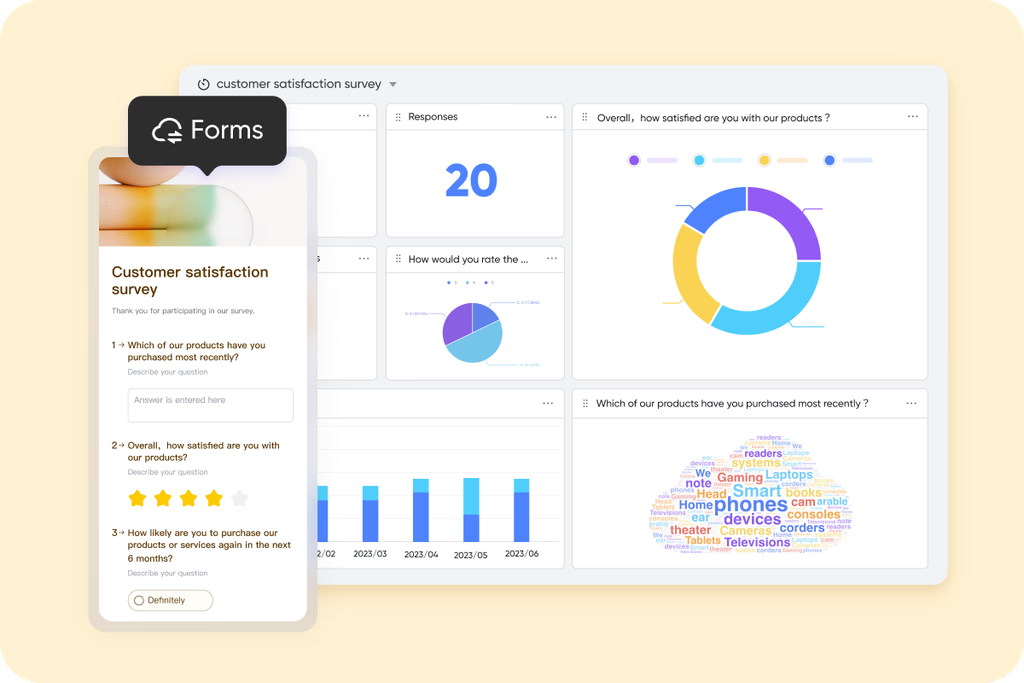
Use a tool to create a central lead database with fields for essential information like Name, Email, Company, and Lead Source. Many platforms offer the ability to generate a shareable web form directly from this database, allowing you to embed it on your "Contact Us" page or link to it from marketing campaigns. When a visitor submits the form, their information is instantly and automatically saved as a new record in your lead database. For example, you could leverage a feature like Lark Forms for this purpose, offering a convenient way to centralize lead data.
Step 2: Define your audience segments
Inside your chosen platform, create an automation triggered when a new record is created. The action should be to send an email. Draft a personalized welcome email, using the ability to insert data directly from the new record to make the email feel personal. Now, every new lead will receive an immediate, personalized welcome email.
For each segment, build an automated email workflow. Email 1 (sent immediately) could deliver the requested content. Email 2 (sent a few days later) could offer a related case study. Email 3 (sent a few days after that) could invite them to a demo.
Step 4: Set the conversion goal
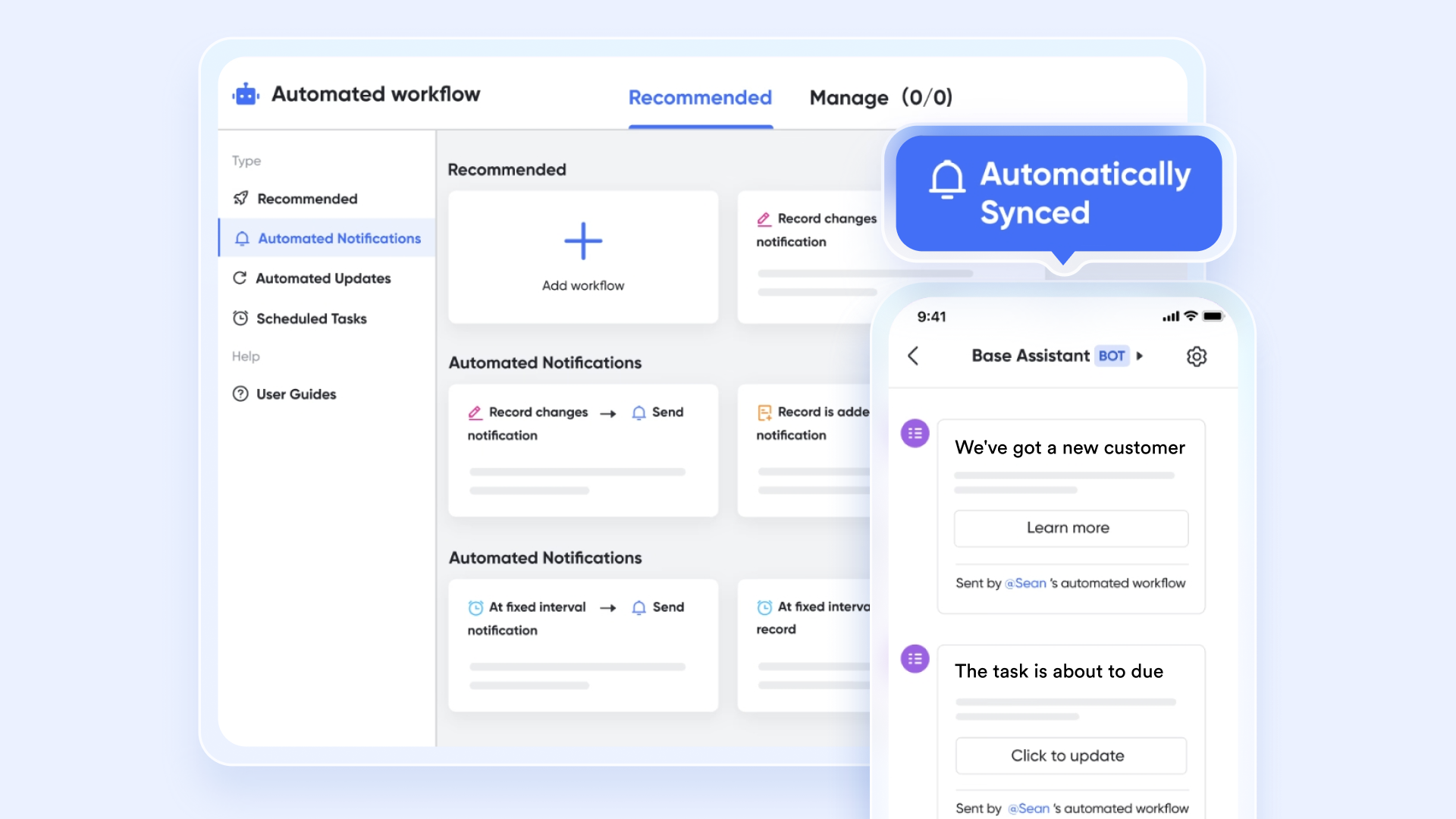
The goal of nurturing is to identify sales-ready leads. Add a link in your emails for actions like "Book a Demo." Create another automation triggered when a record is updated, specifically when a new "Demo Booked" date is added to a record. The action will be to send a notification to your sales team, including the lead's information. This creates a seamless handoff from marketing to sales. With automated workflows in Lark Base, you can effortlessly achieve this.
Blueprint 2: Creating a collaborative sales pipeline
This blueprint uses a visual system and team communication tools to create a sales pipeline that the entire sales team can collaborate on in real time.
Step 1: Define your sales stages
In a new tracking system for deals, create a field named "Stage" with your defined sales stages (e.g., New, Qualified, Demo, Proposal, Negotiation). Now, switch to a visual view and select the "Stage" field as the grouping column. This instantly transforms your list of deals into a visual, drag-and-drop pipeline. Each deal appears as a card that your team can move from one column to the next.
Step 2: Set up automations for stage changes
Create rules that trigger actions when a deal moves from one stage to the next. For instance, when a deal is moved to the "Proposal" stage, a task can be automatically created for the sales manager to review it.
Step 3: Collaborate directly on the deal record
Effective collaboration is key. Choose a platform where every record has its own built-in comments section. If a sales rep has a technical question about a deal, they can simply open the deal card and ask a colleague for input. The colleague gets a notification, can see the full context of the deal right there, and can reply directly on the card. All communication is stored with the deal, eliminating scattered emails and chats. Lark, for example, offers such unified communication features.
Step 4: Build a dashboard to track pipeline velocity
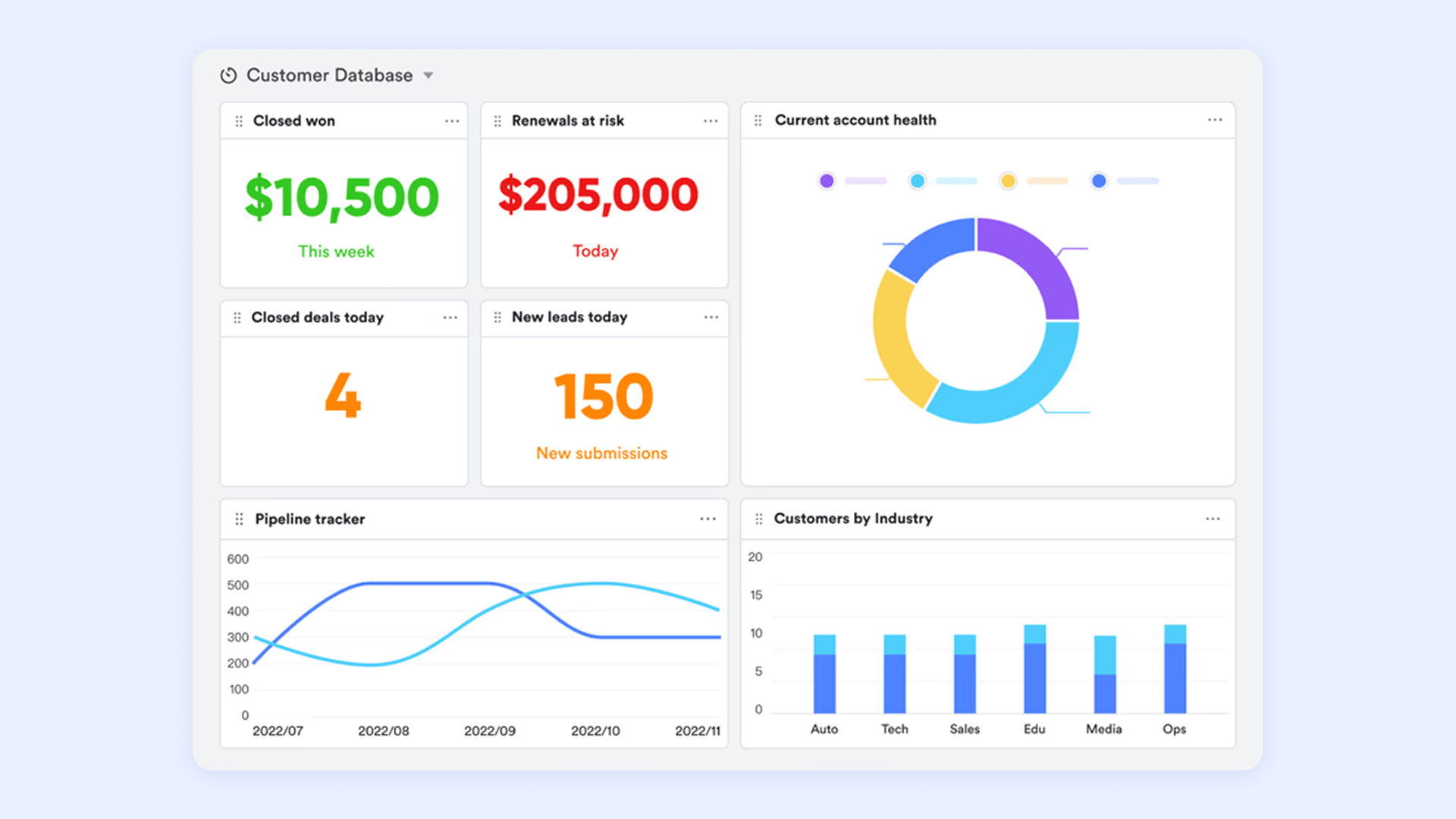
Create a dashboard to visualize team performance. Add charts showing the total value of deals in each stage, deals broken down by lead source, and a trend chart tracking the number of deals won over time. This dashboard becomes the single source of truth for sales performance, accessible to the entire team at any time.
Blueprint 3: Setting up a simple customer feedback loop
This workflow automates feedback collection and uses AI to analyze the results, turning customer opinions into actionable insights.
Step 1: Create a form for submitting post-interaction feedback
As in the lead gen example, create a new system to store all feedback. Add fields like a Rating field, a long-text field for Comments, and a field for "Theme." Create a form from this base. This form is your customer survey.
Step 2: Automate the process of sending the form link
Create a workflow that automatically sends an email containing the survey link to a customer a set time after their support interaction.
Step 3: Funnel all responses into a central database
Ensure that every survey response is automatically logged and linked to the original customer interaction. This provides crucial context for each piece of feedback.
Step 4: Create a report to track satisfaction trends over time
Create a final automation. Configure the system to analyze the "Comments" field, and categorize the feedback. Now, you can build a dashboard that not only tracks your average satisfaction score but also shows a chart of the most common feedback themes, telling you exactly where you need to focus on your improvement efforts. Platforms like Lark that incorporate AI-powered features can automate this analysis, providing valuable insights with minimal manual effort.
How to choose a CRM system for total business unification
For businesses convinced of this broader vision, the criteria for selecting a CRM change. Your evaluation might start with searching for Salesforce CRM use cases or Zoho CRM use cases, but it should evolve to focus on the platform's flexibility for your unique needs.
- Prioritize flexibility and customization: A one-size-fits-all CRM will not work for every department. The platform must be flexible enough to be configured for different workflows, whether you're in e-commerce or a specialized field requiring CRM use cases for private equity.
- Look for powerful integration capabilities: The CRM should be the central hub, not another silo. It must seamlessly connect with the other tools the business relies on, such as email, calendar, accounting software, and marketing automation platforms. Deep, native integrations are always preferable to clunky, third-party connectors. Without need for deep integration, Lark combines these features naturally.
- Ensure it supports cross-departmental collaboration: Evaluate features for commenting, tagging, and linking conversations to records. The potential of blockchain CRM use cases is also emerging here, proposing a future method for creating an unchangeable, secure record of interactions.
- Choose a platform that is easy for all teams to adopt: The most powerful CRM is the one that people actually use. If a system is clunky, slow, or has a steep learning curve, adoption will fail. Prioritize a clean, intuitive user interface and a positive user experience. The goal is to find a tool that makes everyone's job easier, not harder.
Conclusion
The conversation around customer relationship management has fundamentally changed. Its greatest potential is realized when it is deployed as a unifying force across the entire organization, incorporating advanced AI CRM use cases and providing actionable sample use cases for CRM across all departments.
By serving as a single source of truth and a hub for cross-functional workflows, a CRM breaks down the information silos that create friction and inefficiency. Some are even exploring futuristic blockchain CRM use cases for ultimate data security and transparency. The future of productive work is closely combined, and a well-implemented CRM is the operating system at its very core. Explore how Lark's all-in-one platform can help you implement these strategies for your team.
FAQs
What is a CRM use case?
A CRM use case is a specific application of a CRM system to solve a real-world business problem. It defines how CRM features are practically used to achieve a goal, such as automating sales workflows. Essentially, it's the "how-to" for using CRM to improve a specific part of your business.
What can CRM be used for?
A CRM is used to manage all customer interactions and data in one central place. It helps sales, marketing, and service teams track leads, personalize campaigns, and resolve issues. The ultimate goal is to improve customer relationships, streamline processes, and drive revenue.
What are the 7 C's of CRM?
The 7 C's of CRM are a framework for a customer-centric strategy, though interpretations can vary. A common version includes: Customer, Conversation, Content, Context, Channel, Cadence, and Collaboration. They guide businesses in creating a holistic and effective approach to managing customer relationships.
What are the 4 pillars of CRM?
The 4 pillars are the essential foundations for a successful CRM implementation. They are universally recognized as: People, Process, Technology, and Strategy. For a CRM initiative to succeed, all four of these pillars must be aligned and working together.
Related reading
Table of contents
Start using Lark today

Manage all your work in one place
Boost team efficiency by 10x
Save up to 70% on software costs
Table of contents
Start using Lark today
Manage all your work in one place
Boost team efficiency by 10x
Save up to 70% on software costs
Keep reading









2026 Lark Technologies Pte. Ltd.
Headquartered in Singapore with offices worldwide.






Explore: