














CRM vs CMS: Understanding the Differences and Why Integration Matters

Cecilia Lane
Go-to-Market Associate
Sep 18, 2026
Cecilia Lane
Sep 18, 2026

15 min read


Your website generates a steady stream of inquiries, but somehow half of them disappear into email threads and scattered spreadsheets. Meanwhile, your sales team is drowning in follow-ups while your marketing team struggles to update a single landing page without calling IT. Sound familiar?
This scenario plays out daily in growing businesses caught between two critical systems: CRM (Customer Relationship Management) and CMS (Content Management System). While these acronyms often appear together in software discussions, they serve fundamentally different purposes—and understanding when you need each can transform how your business operates.
The real question isn't always "CRM vs CMS"—it's about understanding how these systems work together to create seamless customer experiences. Whether you're evaluating standalone tools or exploring unified platforms like Lark that combine customer intelligence with content operations, this guide will help you make informed decisions for your business needs. Let's break down what each system does, when you need them, and why their integration might be the competitive advantage you're missing.

What is a CRM and why businesses use it
Think of a CRM as your business's central nervous system for customer relationships. Customer Relationship Management software organizes every interaction, conversation, and transaction with your leads and customers in one accessible place—eliminating the chaos of sticky notes, scattered emails, and "I thought you were handling that" moments.
At its core, a CRM is a database designed specifically for tracking people and the business relationships you have with them. But modern CRM systems go far beyond simple contact storage.
Core functions of CRM systems
The core functions of a CRM system center on managing and optimizing customer relationships. It begins with centralized contact and lead management, creating detailed profiles for every individual. Sales pipeline tracking provides visual oversight of all deals, while a complete customer interaction history logs every touchpoint to preserve institutional knowledge. The system automates repetitive tasks through sales automation and delivers actionable insights via reporting and analytics, transforming customer data into strategic business intelligence.
Why businesses rely on CRM
Beyond improved organization, CRM systems prevent leads from being overlooked by ensuring timely follow-up through automated reminders and task assignments. They enhance sales consistency with structured processes, enabling new reps to learn from top performers and allowing managers to proactively address issues. Most importantly, CRMs personalize customer experience by giving support teams immediate access to a customer's complete history, eliminating repetitive questions and delays. For instance, one SaaS company discovered that leads contacted within an hour were three times more likely to convert—a critical insight that emerged only after implementing a CRM, leading to a transformative restructuring of their response workflow.
What is a CMS and how it powers digital content
If CRM is your memory system for customers, a CMS is your publishing dashboard for everything your audience sees online. Content Management Systems (CMS) let you create, edit, and publish website content, blog posts, landing pages, and digital assets without touching code or calling a developer every time you need to fix a typo. Before CMS platforms became widespread, updating a website meant editing HTML files directly or submitting change requests to technical teams—a process that could take days for simple updates. Modern CMS solutions democratized web publishing, putting content control directly in the hands of marketers and content creators.
Core functions of CMS platforms
CMS platforms streamline content management through intuitive visual editors for easy creation, without needing code. Once you register a domain name and establish your online presence, a CMS provides the tools to manage and publish the content visitors see there. They provide structured publishing workflows for scheduling and approvals, centralize digital assets with search and tagging, and enforce design consistency through templates. Built-in SEO tools guide optimization, while multi-channel capabilities enable publishing content across web, email, and social media from a single source.
How CMS transforms content operations
A CMS empowers non-technical teams to publish and update content independently, eliminating development bottlenecks and accelerating campaigns. It ensures brand consistency through templates and enforces design standards across all content. Built-in tools streamline collaboration with workflows and version control, while integrated features enable the scalable execution of SEO and content marketing strategies.
CRM vs CMS: A side-by-side comparison
Now that we've explored each system individually, let's clarify the difference between CRM and CMS with a direct comparison. While both are essential business tools, they serve distinct purposes and support different aspects of your operations.
Understanding complementary roles, not competition
The comparison reveals something important: CRM vs CMS isn't really a versus scenario at all. These systems occupy different domains in your business operations. CRM tracks who your customers are and how you interact with them. CMS manages what content you publish and how your audience consumes it.
When evaluating CRM vs. CMS for your business, the real question isn't which one to choose—it's understanding which problem you need to solve first, and how these systems will eventually work together. Most growing businesses discover they need both, and the companies that integrate them effectively gain significant competitive advantages.
The confusion between CMS vs CRM vs ERP sometimes arises because all three are business management systems. For clarity: ERP (Enterprise Resource Planning) manages internal business processes like inventory, accounting, and operations, while CRM focuses on external customer relationships and CMS handles public-facing content. Some businesses need all three, but they serve distinctly different functions.
Business stages that benefit from CRM
Startups with growing customer bases hit an inflection point where personal relationships and memory no longer scale. Implementing CRM early establishes good habits and prevents the painful data migration from disorganized systems later.
B2B companies with longer sales cycles especially benefit because deals involving multiple touchpoints over weeks or months require meticulous tracking. When your sales cycle spans numerous calls, emails, and meetings with various stakeholders, CRM software becomes an essential infrastructure.
Service businesses managing ongoing client relationships need visibility into account health, renewal dates, upsell opportunities, and service history. Whether you're running an agency, consultancy, or subscription business, CRM helps you proactively manage retention and growth.
Even small teams benefit—I've seen solo entrepreneurs transform their business by implementing simple CRM systems. One consultant I know was losing track of which prospects she'd contacted and when, leading to awkward duplicate outreach or forgotten follow-ups. After implementing CRM with basic automation, her proposal-to-closing rate improved notably simply because nothing fell through the cracks anymore.
The cost of not having CRM often exceeds the investment. Every missed follow-up is potential revenue lost. Every customer who receives inconsistent service is a retention risk. Every sales process inefficiency is time your team could spend on growth activities.
Why Integrating CRM and CMS transforms business outcomes
Integrating CRM and CMS unlocks unique value that neither system delivers alone, especially when paired with a well-planned CMS migration. Here's how it drives business impact:
- Automated lead conversion:
- When a visitor downloads content via your CMS, their data instantly creates a CRM record. Sales receive real-time alerts with full engagement context—content viewed, pages visited, and source.
- Personalized audience experiences:
- Leverage CRM data to dynamically tailor content for returning visitors. A webinar attendee automatically sees relevant case studies, while new visitors receive introductory messaging.
- Unified customer journey tracking:
- Connect content engagement to revenue outcomes. Identify high-converting blog posts or resources, while sales accesses complete prospect content history for informed outreach.
- Data-driven collaboration:
- Shared visibility aligns marketing and sales. Marketing optimizes content based on sales usage, while sales understands campaign context, improving lead handling and accountability.
Real-world Impact
When a prospect reads a blog and downloads a guide, integration automatically creates their CRM profile, triggers tailored emails, and alerts sales upon pricing page visits—enabling contextual outreach. Companies report measurable gains: faster lead response, higher conversion rates, shorter sales cycles, and reduced acquisition costs. Integration transforms marketing-sales dynamics from siloed friction to collaborative growth. Embrace integration to maintain competitiveness—standalone systems cannot match this synergy.
How to integrate your CRM and CMS effectively
Understanding why to integrate CRM and CMS is one thing—actually implementing integration successfully requires planning, the right approach for your technical capabilities, and clear goals. Let's walk through practical integration strategies that work for businesses of various sizes and resources.
Choosing your integration method
There are four main approaches to integrating your CRM and CMS, each balancing implementation ease, flexibility, and maintenance needs:
- Native integrations:
- The simplest option is when your CRM and CMS come from the same vendor. These built-in connections are reliable and quick to set up, often just requiring feature activation and field mapping. While this approach may limit you to the vendor's ecosystem, it reduces complexity for many businesses.
- Plugins and extensions:
- For a balanced integration approach, specialized plugins and extensions serve as vital connectors between CRM and CMS. These tools create seamless bridges that synchronize customer data and interactions in real-time, eliminating manual data transfers. When selecting these solutions, prioritize those with consistent update cycles and positive user feedback to ensure reliability.
- Custom API connections:
- Offers maximum flexibility for unique workflows. Your development team builds tailored integrations for specific data needs. This approach requires technical resources and ongoing maintenance to adapt to API changes, but enables capabilities beyond standard solutions.
- Third-party integration platforms:
- Tools like Lark provide no-code/low-code options to connect apps visually. They allow non-technical teams to build automations quickly, but complex logic may be limited, and costs can increase with usage volume.
- Set up automation rules and triggers that define how your systems interact. Common automations include:
- CMS form submission → Create/update CRM contact with source tracking
- CRM contact reaches qualified lead stage → Add to CMS email marketing list
- Website visitor identified by CRM → Personalize CMS content display
- CMS ebook download → Log activity in CRM contact timeline
- CRM deal closes → Trigger customer onboarding content sequence in CMS
Start with essential automations rather than trying to automate everything immediately. You can add complexity as you understand how the integration performs.
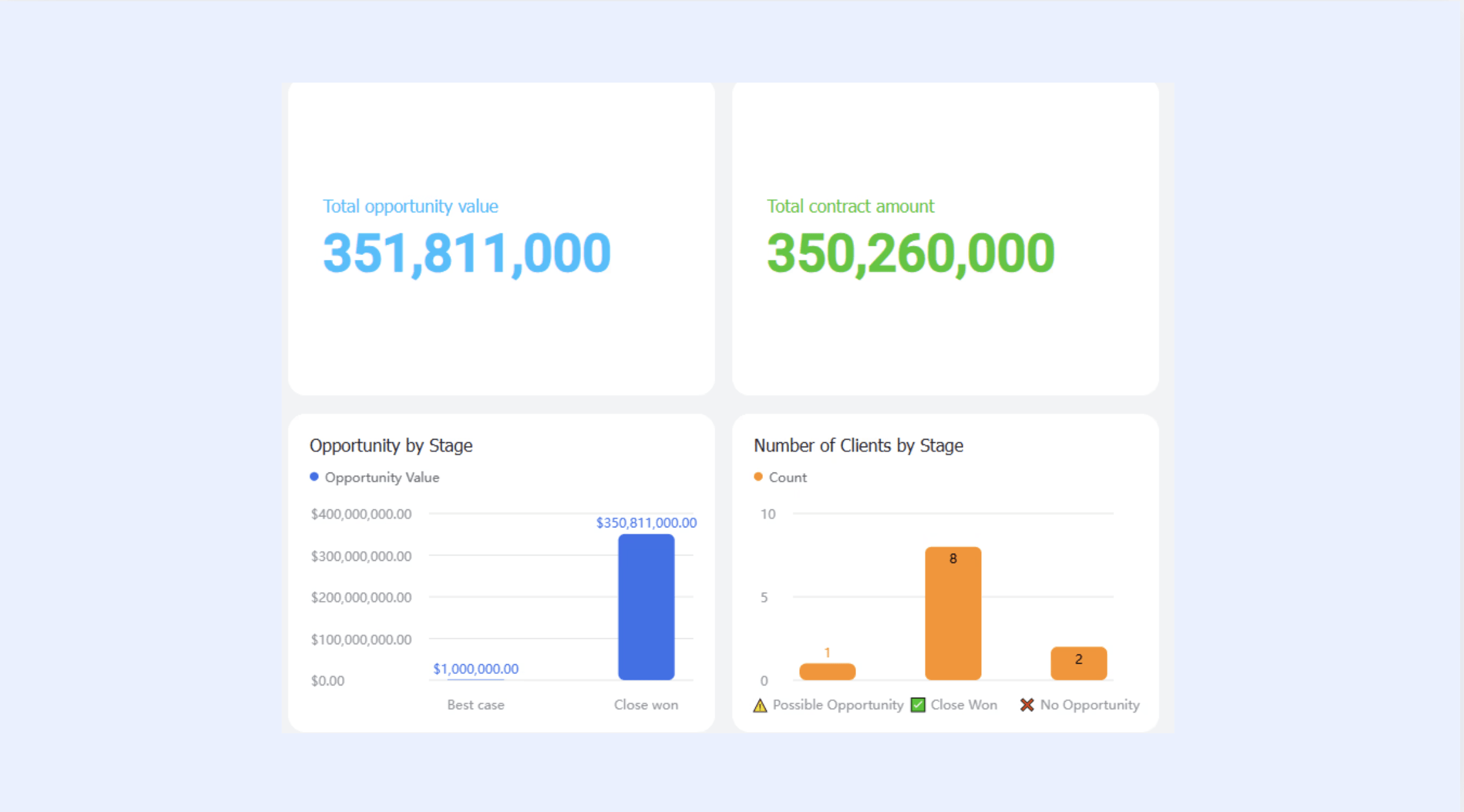
Common integration use cases to implement
- Automated contact creation: Form submissions on your CMS—such as contact requests or content downloads—instantly generate or update CRM records, preventing lead loss.
- Dynamic content personalization: Returning visitors see tailored website experiences based on their CRM data like industry, company size, and buyer journey stage.
- Synchronized email marketing: CMS email tools and CRM maintain aligned subscriber data, ensuring communication consistency and compliance.
- Content engagement tracking: CRM logs prospect content interactions—page views and downloads—providing sales with valuable interest and intent signals.
- Intelligent lead scoring: Systems combine CRM deal data with CMS engagement metrics to automatically identify sales-ready prospects based on content consumption patterns.
These integrations share key benefits: they eliminate manual processes, accelerate response times, enrich decision-making context, and create seamless prospect experiences across content and sales touchpoints.
Pitfalls to avoid
- Data duplication and conflicts emerge when integration creates multiple records for the same person or allows contradictory information across systems. Implement deduplication rules and establish clear data governance policies about which system owns specific data types.
- Over-complicated workflows that try to automate everything often break in unexpected ways and become maintenance nightmares. Start simple, prove value, then gradually add complexity as your team's sophistication grows.
- Insufficient user training means your expensive integration sits unused because teams don't understand the new capabilities or continue using old workarounds from muscle memory. Invest in change management and ongoing education.
- Lack of data governance policies creates chaos as data quality degrades over time. Establish standards for how information should be entered, who can modify records, how duplicates are handled, and regular data quality audits.
Getting CRM and CMS integration right transforms both systems from useful tools into a competitive advantage—but success requires planning, appropriate technical approaches, and ongoing commitment to optimization.
Popular CRM and CMS combinations tool
Understanding integration strategies is valuable, but knowing which specific platforms work well together helps narrow your options. Here are proven combinations across different business needs and budgets. As an all-in-one platform, Lark transcends traditional CRM and CMS boundaries by providing an integrated workspace where all customer and content data coexist on a unified platform. Rather than forcing separate systems to communicate, Lark delivers native integration through its interconnected ecosystem:
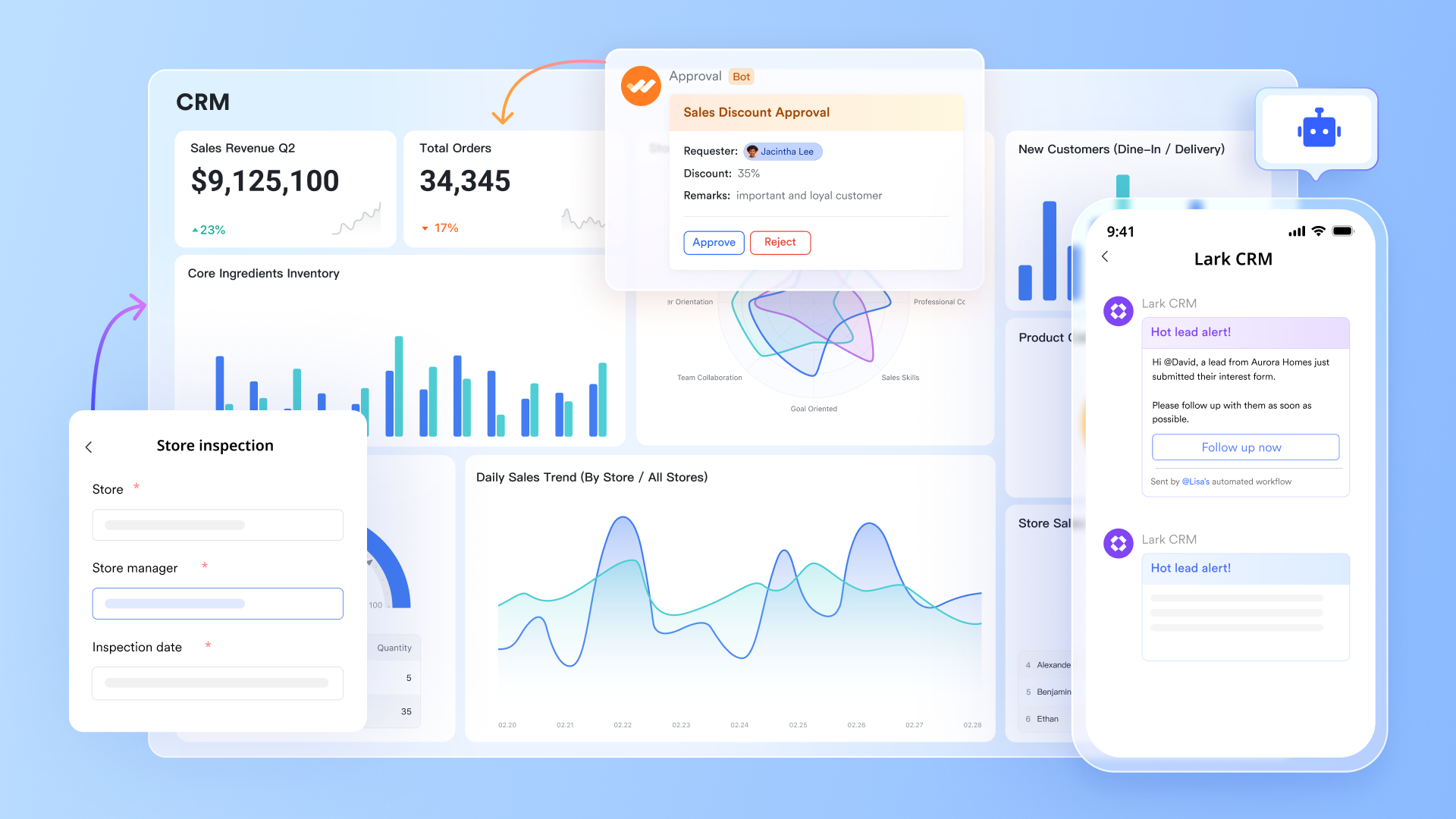
Lark Base serves as the central data hub, functioning as both a flexible customer database for CRM tracking and a structured content repository for CMS needs—all with customizable fields and views.
Lark Docs & Wiki transform content creation into a collaborative process, enabling teams to develop, organize, and distribute marketing materials and knowledge management with built-in version control and real-time co-editing and file collaboration.
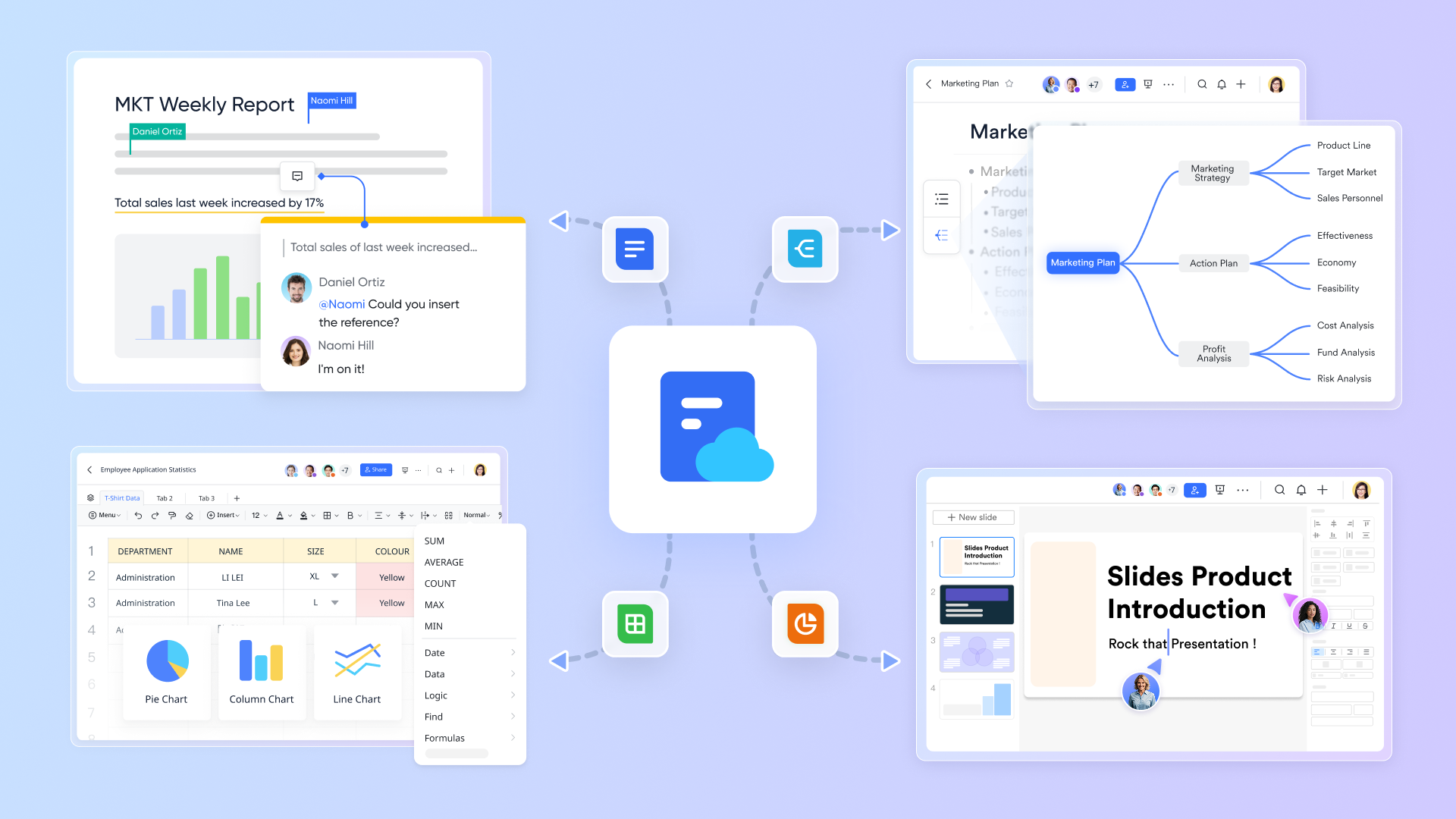
Lark Messenger bridges communication gaps by connecting customer conversations directly to relevant records, allowing teams to discuss specific leads or content pieces in context.
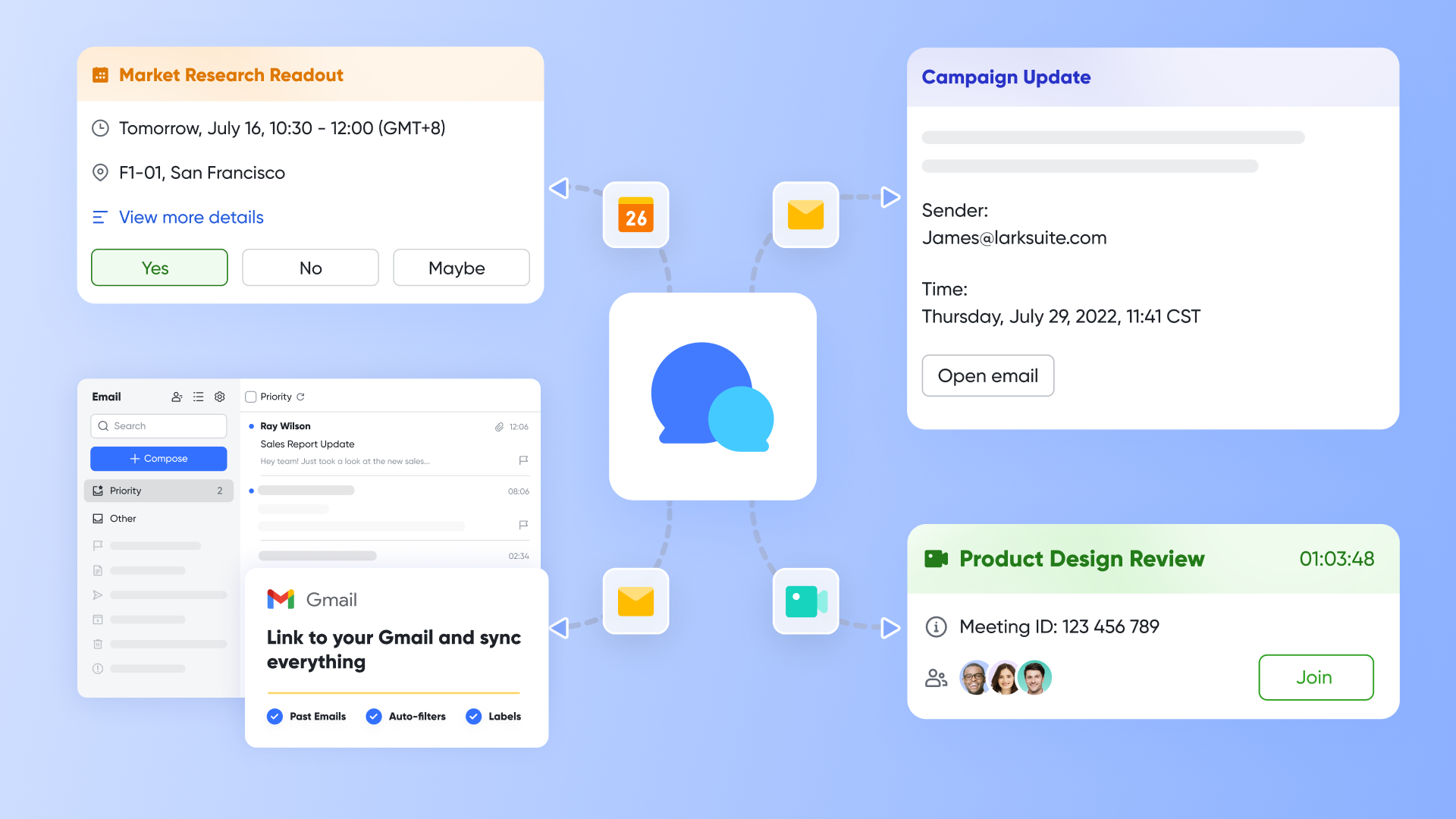
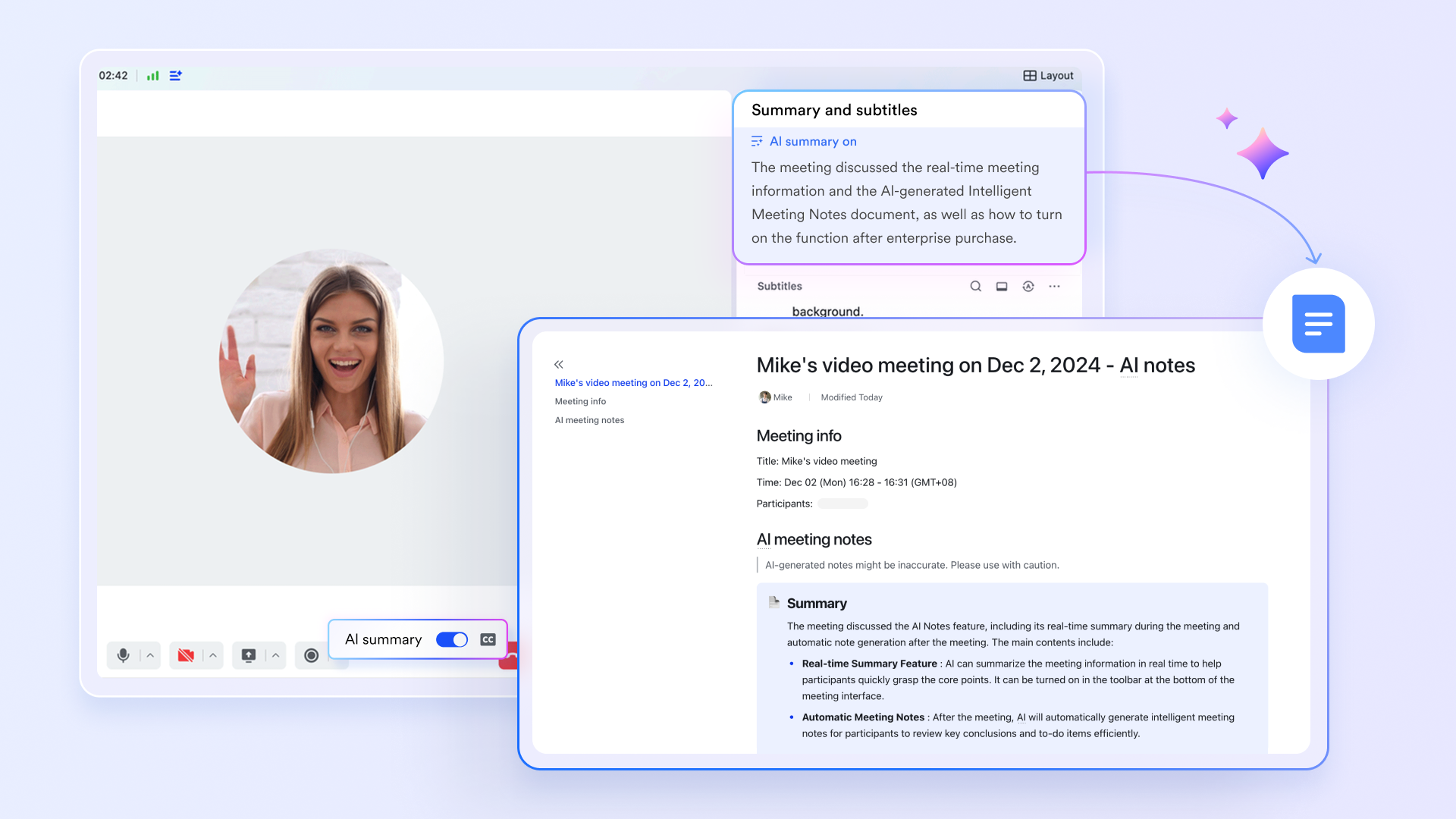
Lark Meetings with AI-powered AI Meeting Notes automatically captures insights from sales and content planning discussions, then syncs action items and decisions directly to corresponding Base records.
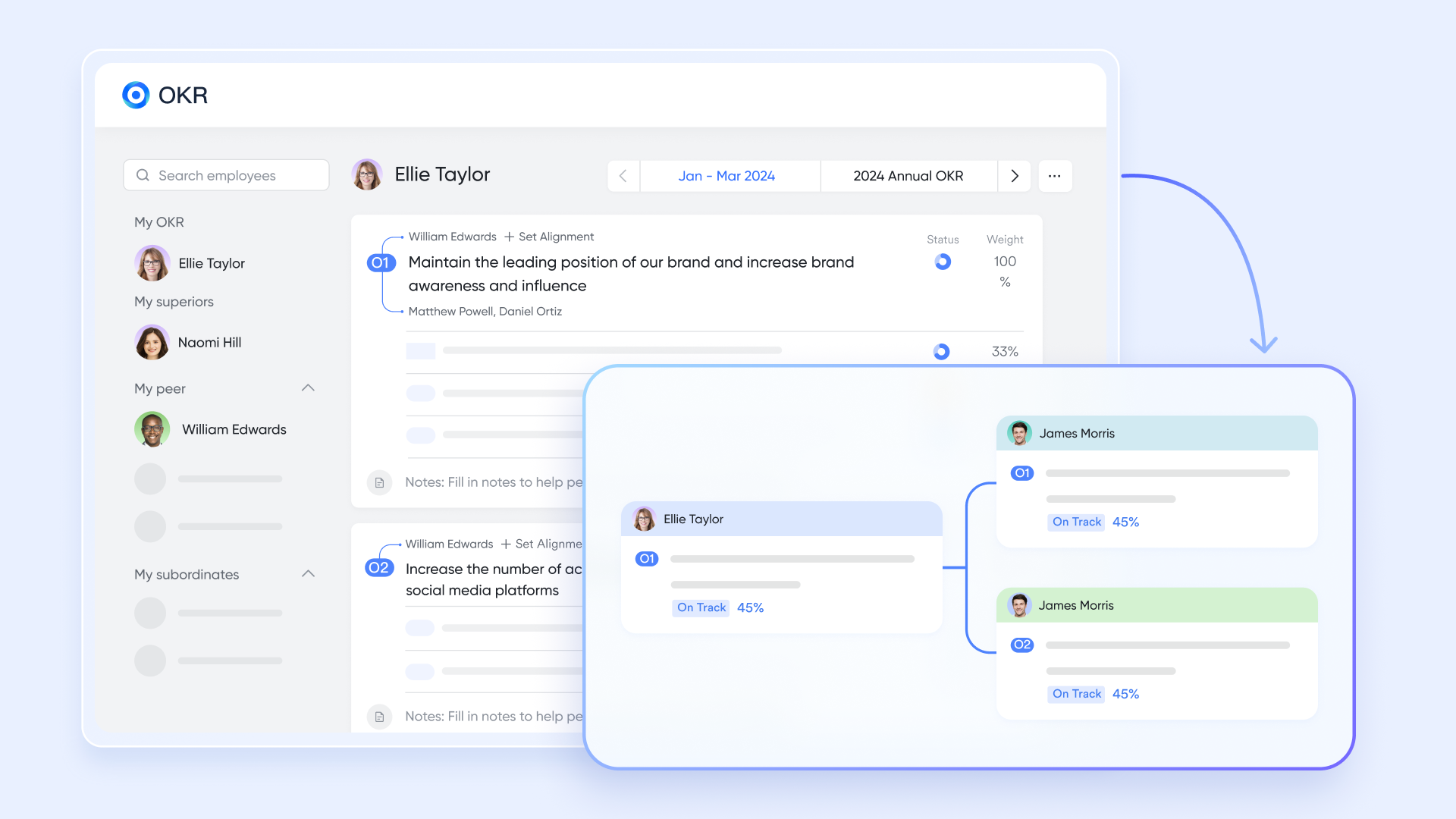
Lark OKR ensures every team works toward shared customer and content goals by transparently aligning marketing's content objectives (CMS) with sales' revenue targets (CRM). This creates organizational accountability for how content directly influences conversion and customer retention.
This architecture eliminates the traditional friction of CRM-CMS integration while providing unprecedented visibility into how content influences customer relationships. Particularly powerful for organizations prioritizing collaboration efficiency and operational flexibility over specialized but siloed software capabilities.
- Starter plan: Free forever plan that includes 11 powerful tools for up to 20 users. It also comes with 100GB of storage, 1000 automation runs, AI translations, and more.
- Basic plan: $6/user/month (billed annually)for up to 500 users, including everything in Starter plus 1-on-1 video meetings, 5TB of storage, 1,000 automation runs, and more. To know more about Basic plan, contact our sales.
- Pro plan: $12/user/month (billed annually) for up to 500 users. It includes everything in Starter plus a group calling for up to 500 attendees, 15TB of storage, 50,000 automation runs, and more.
- Enterprise plan: Contact sales for custom pricing. Supports unlimited users and includes even more automation runs and advanced security, compliance, and management features.
The free tier includes robust functionality suitable for small to mid-size teams. These all-in-one solutions trade some specialized depth for integration simplicity and operational coherence. You're choosing ecosystem commitment over best-of-breed components.
Conclusion
The CRM vs CMS question reveals itself as less about choosing sides and more about understanding how customer relationships and content strategy work together to drive business growth. CRM organizes how you manage people and close deals. CMS organizes how you create content and maintain your digital presence. The real competitive advantage emerges when these systems—whether integrated or unified—work seamlessly together.
The businesses winning today don't just have good CRM and good CMS—they have systems that transform customer insights into better content and content engagement into customer intelligence, creating a flywheel that accelerates with every interaction. Start by solving your most urgent pain point, but plan for integration from day one. Whether you choose best-of-breed tools with robust connections or unified platforms like Lark that eliminate integration complexity entirely, ensure your choice supports collaboration and scales with your growth.
FAQs
What is the difference between CMS and CRM systems?
CMS (Content Management System) manages website content, blog posts, and digital assets, enabling non-technical teams to create and publish content without coding. CRM (Customer Relationship Management) manages customer relationships, sales processes, and interaction history, helping teams track leads and close deals. While CMS focuses on content and publishing workflows, CRM focuses on people and sales workflows.
Is WordPress a CMS or CRM?
WordPress is fundamentally a CMS (Content Management System) designed for creating and managing website content and blogs. However, plugins like Jetpack CRM, WP-CRM, or integrations with external CRMs can add customer relationship management capabilities to WordPress. WordPress excels at content management but requires additional tools for comprehensive CRM functionality.
Is Salesforce a CRM or CMS?
Salesforce is a CRM (Customer Relationship Management) platform designed for managing sales, customer service, and business relationships. While Salesforce offers content management capabilities through Experience Cloud (formerly Community Cloud) for building customer portals, it's not a traditional CMS for website content. Most businesses using Salesforce pair it with dedicated CMS platforms for their website needs.
Is CMS part of CRM?
CMS is not part of CRM—they are separate system categories serving different purposes. However, modern business operations benefit from integrating CMS and CRM so content and customer data work together. Some unified platforms include capabilities of both systems within a single environment, but traditional CMS and CRM remain distinct tools that companies connect through integration.
Can small businesses afford CRM and CMS integration?
Yes, small businesses have accessible integration options including free tools like HubSpot's free CRM with WordPress, Zapier's free tier for basic automation, or unified platforms like Lark with free tiers. Many integration plugins cost less than premium coffee subscriptions monthly. The bigger investment is time spent configuring and learning systems, but even simple integrations provide immediate value through automated lead capture.
How do I know if I need CRM, CMS, or both?
If leads are getting lost, follow-ups are inconsistent, or customer information is scattered, you need CRM. If website updates require IT help, content publishing is slow, or multiple people need to manage web content, you need CMS. Most growing businesses eventually need both—start with whichever pain point costs you more revenue or operational efficiency today
Related reading
Table of contents
Start using Lark today

Manage all your work in one place
Boost team efficiency by 10x
Save up to 70% on software costs
Table of contents
Start using Lark today
Manage all your work in one place
Boost team efficiency by 10x
Save up to 70% on software costs
Keep reading









2026 Lark Technologies Pte. Ltd.
Headquartered in Singapore with offices worldwide.






Explore: