More businesses are adopting artificial intelligence, but enterprise managers face a tough balancing act. You need smart AI tools to boost productivity, but you also must protect sensitive company data. This is where enterprise GPT solutions come into play. While standard consumer AI tools pose security risks, enterprise-grade platforms promise better privacy and centralized control. In this guide, we will explore ChatGPT Enterprise, analyze its pricing model, and look at the best unified productivity alternatives that embed AI directly into your daily work.
What is ChatGPT Enterprise?
When evaluating AI tools, you might ask: what is ChatGPT Enterprise? It is a managed version of OpenAI's chatbot designed specifically for organizations. Unlike the consumer version, the enterprise tier focuses on robust privacy, centralized administration, and advanced capabilities for work environments. According to official support documentation, it is built around two primary types of seats: standard ChatGPT seats and Codex seats for developers . Standard seats provide access to projects, company knowledge, and advanced data analysis. The primary draw for business leaders is that OpenAI does not train its models on your business data or conversations .
This enterprise tier provides a secure playground for employees to use AI without risking corporate data leaks. However, adopting it means adding another standalone tool to your existing software stack.
Breaking down the ChatGPT Enterprise cost and pricing model
Understanding the chat gpt enterprise cost requires looking at the tiered pricing structure. While consumer versions have clear price tags, the enterprise tier operates on a custom quote basis.
Here is a breakdown of the typical pricing tiers based on available information:
- Free version: Costs $0 per month and includes limited access to GPT-5.5 Instant, along with restricted messages, file uploads, image generation, and basic Codex use.
- Go version: Priced at $8 per month, offering higher message and upload limits plus longer memory, though users should note that this tier may contain advertisements.
- Plus version: Costs $20 per month and steps up to GPT-5.5 Thinking for advanced reasoning. It adds custom GPTs, stronger context support, higher deep research quotas, and early access to new features.
- Pro version: Starting at $100 per month, this powerful tier delivers massive 5x to 20x usage quotas, GPT-5.5 Pro reasoning, unlimited GPT-5.3 access, and maximum capacity for deep research and agent modes.
Because the true GPT enterprise pricing depends on your team size and specific needs, you will need to contact their sales team for an exact figure. Beyond the sticker price, managers should also consider the hidden costs of deployment. Adding a separate chat interface requires training staff, establishing new guidelines, and managing a separate admin console. This can drive up your total cost of ownership compared to using a unified workspace that already has AI built right in.
Core features: Why teams are adopting enterprise GPT
Teams are drawn to enterprise AI because it offers fewer limitations and higher security. The platform removes all usage caps and performs significantly faster than standard versions.
Key features that appeal to corporate teams include:
- Extended context windows: The platform includes a 32k context window, allowing users to process inputs or files that are four times longer than standard limits .
- Advanced data analysis: Both technical and non-technical teams can analyze large datasets, create charts, and solve complex mathematical problems.
- Centralized administration: The admin console features domain verification, SSO connectivity, and detailed usage insights for large-scale deployment.
- Customization: Workspaces can share chat templates internally to standardize workflows across the company.
As a workflow example, consider how a financial analyst might use this. They can upload a massive quarterly earnings spreadsheet into the secure chat interface, ask the AI to identify spending anomalies, and generate a summary report. Because the platform is SOC 2 compliant, the analyst can perform this task without violating company data policies.
However, while these features are powerful, they still force the analyst to copy the final report out of the chat interface and paste it into their actual presentation or document software.
Get your custom enterprise GPT for free
The hidden risks of deploying standalone enterprise chat GPT
We often think adding solves everything. However, buying a standalone enterprise chat GPT can actually create data silos. When artificial intelligence is separated from your actual work documents, your team experiences workflow friction.
For example, imagine a marketing manager writing a campaign brief. They have to open a separate browser tab for the AI, type their prompt, copy the generated text, switch back to their document, and paste it in. This constant switching wastes time and often breaks text formatting. Furthermore, having standalone tools makes it harder for IT leaders to track where company knowledge lives. Employees might inadvertently copy sensitive data across different windows, increasing security vulnerabilities despite the platform's privacy claims.
Best tools for enterprise GPT: Top alternatives evaluated
To avoid this friction, many companies are looking for alternative solutions that combine AI directly into daily workflows. Unified platforms embed smart features right where the work happens, ensuring better security and higher adoption rates. Here is a look at the top contenders.
1. Lark: Best for teams needing a unified workspace
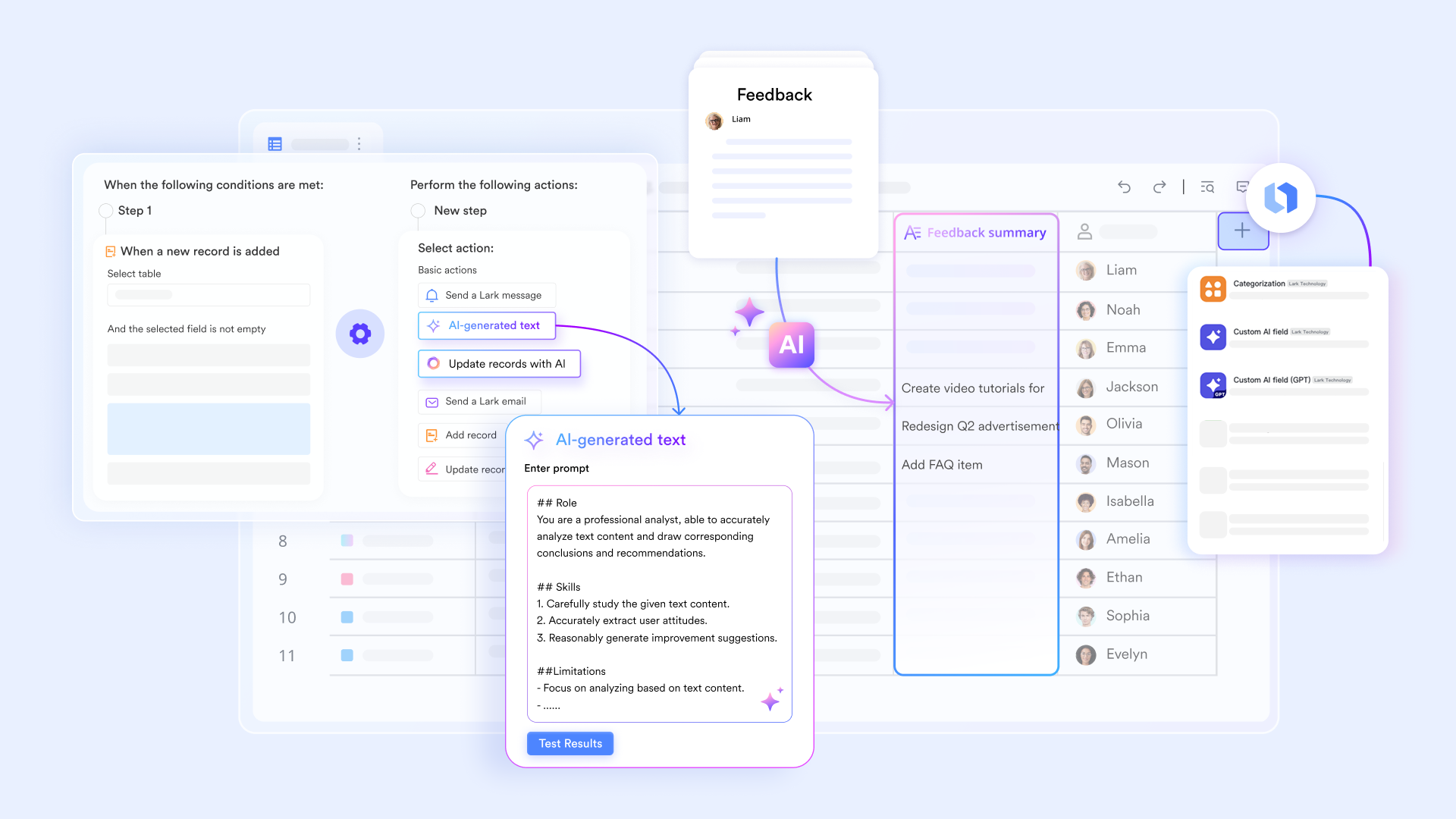
is an all-in-one enterprise superapp designed to replace scattered software by unifying AI, , , , , and into a single workspace. The interface feels modern and intuitive, saving users from constantly jumping between different browser tabs. Instead of treating AI as a separate chat window, Lark embeds its smart capabilities natively inside the workspace.
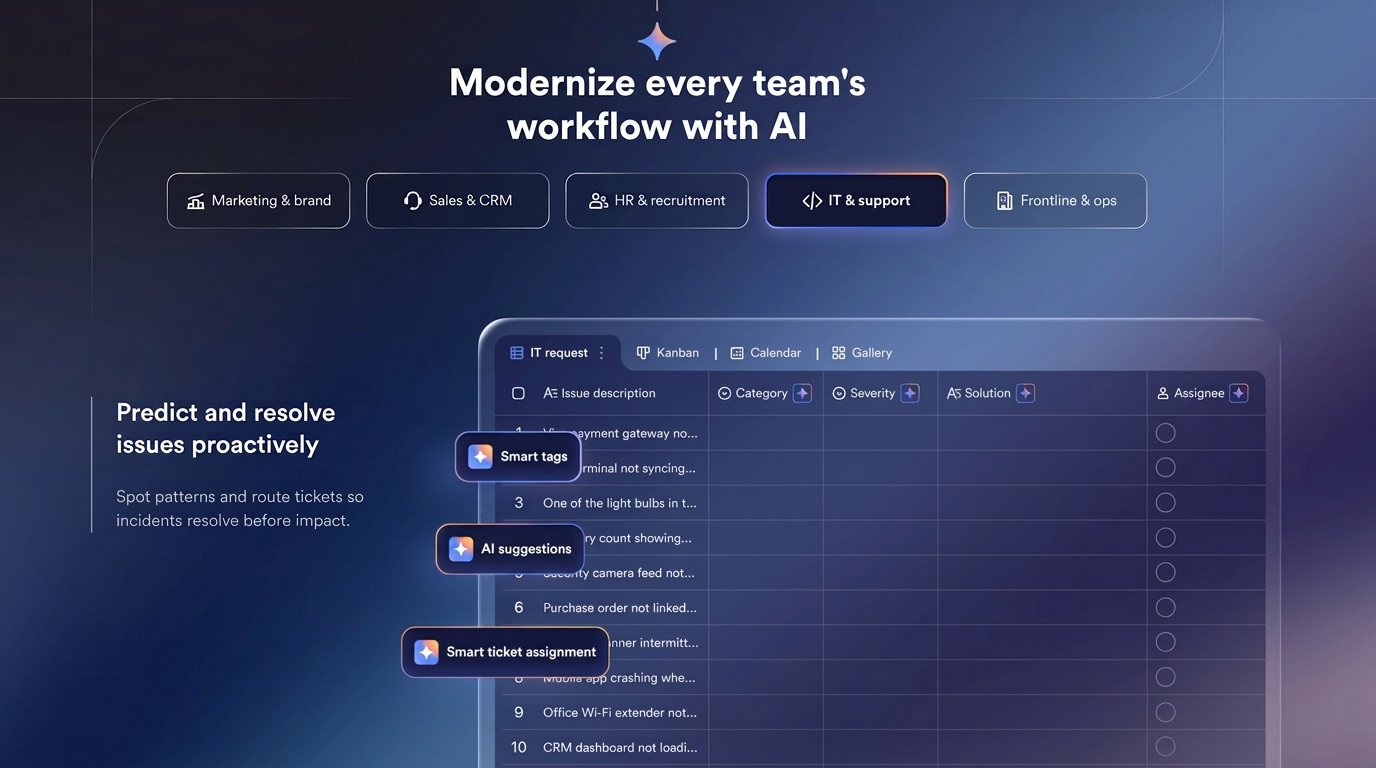
Core functions span across messaging, document creation, video meetings, and approval workflows. You can generate text directly within a cloud document or use Lark Base to automate project tracking without manual data entry. This unified approach ensures that your company data remains secure within one manageable ecosystem.
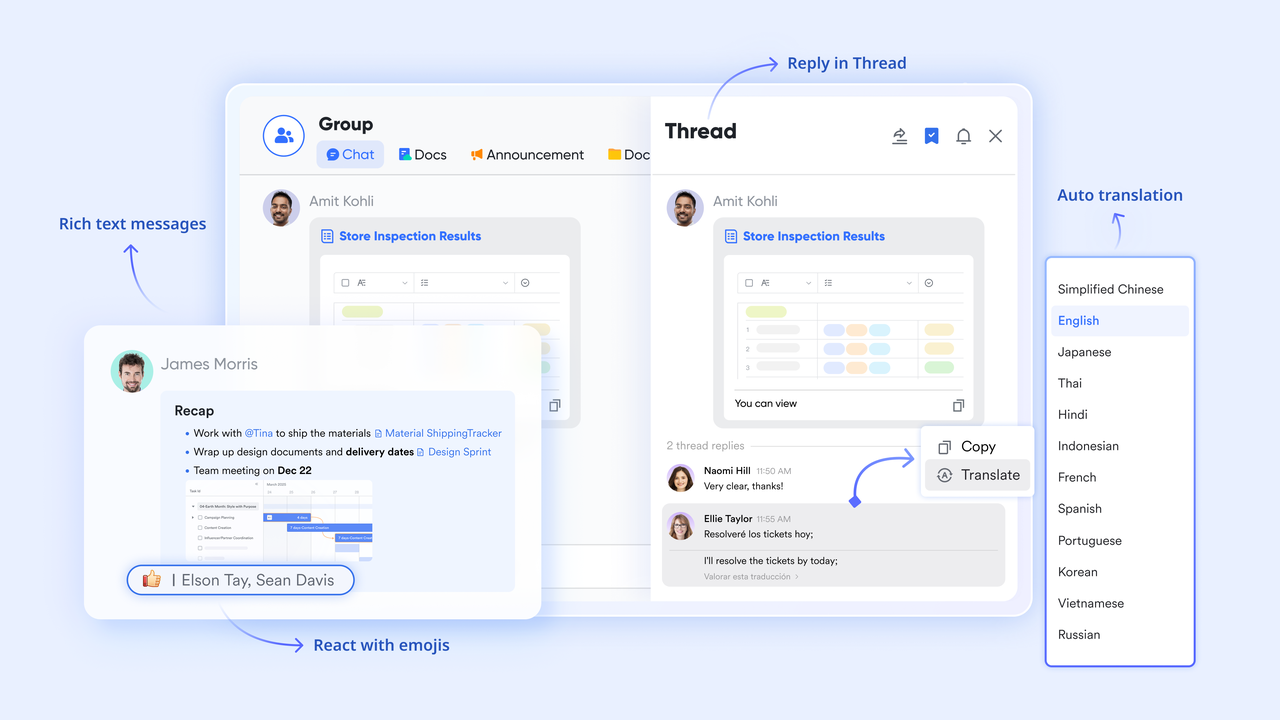
Cross-border language support: Working across different time zones and native languages often creates communication gaps. I appreciate how this platform handles live text translations during , within group , and across shared documents. It allows multinational offices to collaborate easily without letting language differences slow down the work.
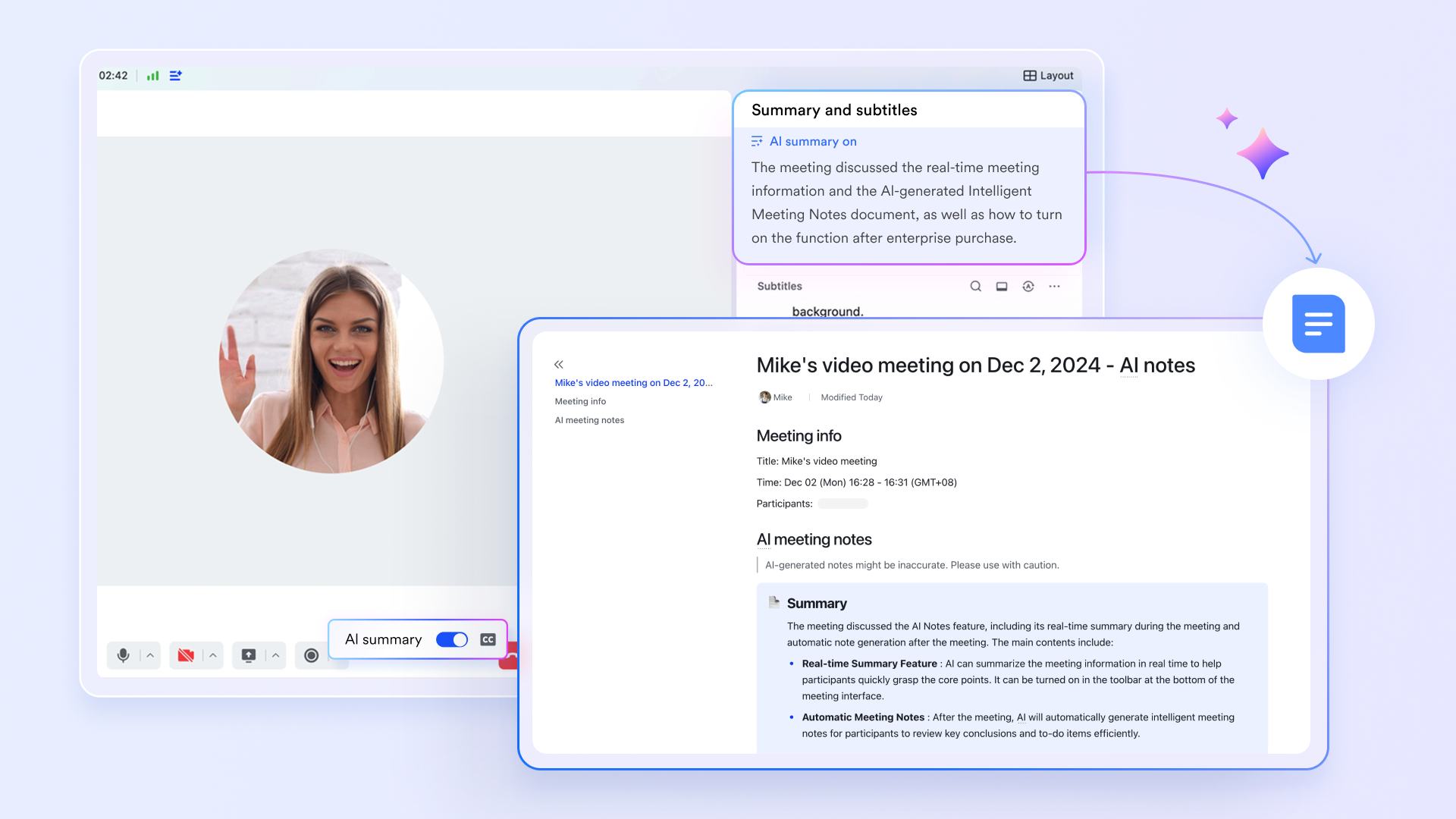
Automated call transcriptions and action items: You do not need to pay for a separate transcription service or assign a dedicated note taker for every sync. transcribes your video meetings in real time and automatically extracts the most important takeaways and next steps after the call ends.
Instant data insights with Base AI: Turn complex project spreadsheets into clear takeaways. allows you to summarize table data, search records instantly, and generate business insights without writing complicated formulas, giving project managers the power of a data analyst directly in their workspace.
Pros:
- Combines messaging, documents, and project management in one unified workspace.
- Includes a highly capable free tier with 100GB of storage.
- Embeds AI writing and translation natively inside documents and chats.
Cons:
- It may take some time for new users to learn all the features. Visit Lark's and for helpful guides and tips.
Pricing:
- Starter plan: that includes 11 powerful tools for up to 20 users. It also comes with 100GB of storage space, 1000 automation runs, AI translations, and more. No credit card needed.
- Basic plan: (billed annually) for up to 500 users. It includes everything in Starter and unlimited message history, 5TB of storage space, 1,000 automation runs, and more. Some users may need to to purchase this plan.
- Pro plan: (billed annually) for up to 500 users. It includes everything in Basic plus group calling for up to 500 attendees, 15TB of storage space, 50,000 automation runs, and more.
- Enterprise plan: for custom pricing. Supports unlimited users and includes even more automation runs and advanced security, compliance, and management features.
For small teams with simple communication needs

18 months message history
1000 Base automation runs/month
2000 rows per table in Base
Most POPULAR
For companies with comprehensive collaboration and management needs
Unlimited message history
500-participant video meetings
50k Base automation runs/month
20k rows per table in Base
For large companies with advanced security and organizational management needs
Get a personalized demo and pricing
Unlimited message history
500-participant video meetings
15 TB storage + 30 GB storage/user
500k Base automation runs/month
50k Base automation runs/month
Most POPULAR
For companies with comprehensive collaboration and management needs
Unlimited message history
500-participant video meetings
50k Base automation runs/month
20k rows per table in Base
2. Notion AI: Best for teams focused on knowledge management
Notion AI brings a minimalist writing experience right into your workspace. The interface remains clean and distraction free, letting users summon smart assistance just by pressing the spacebar on an empty line. It feels less like a chatbot and more like an invisible editor living inside your documents.
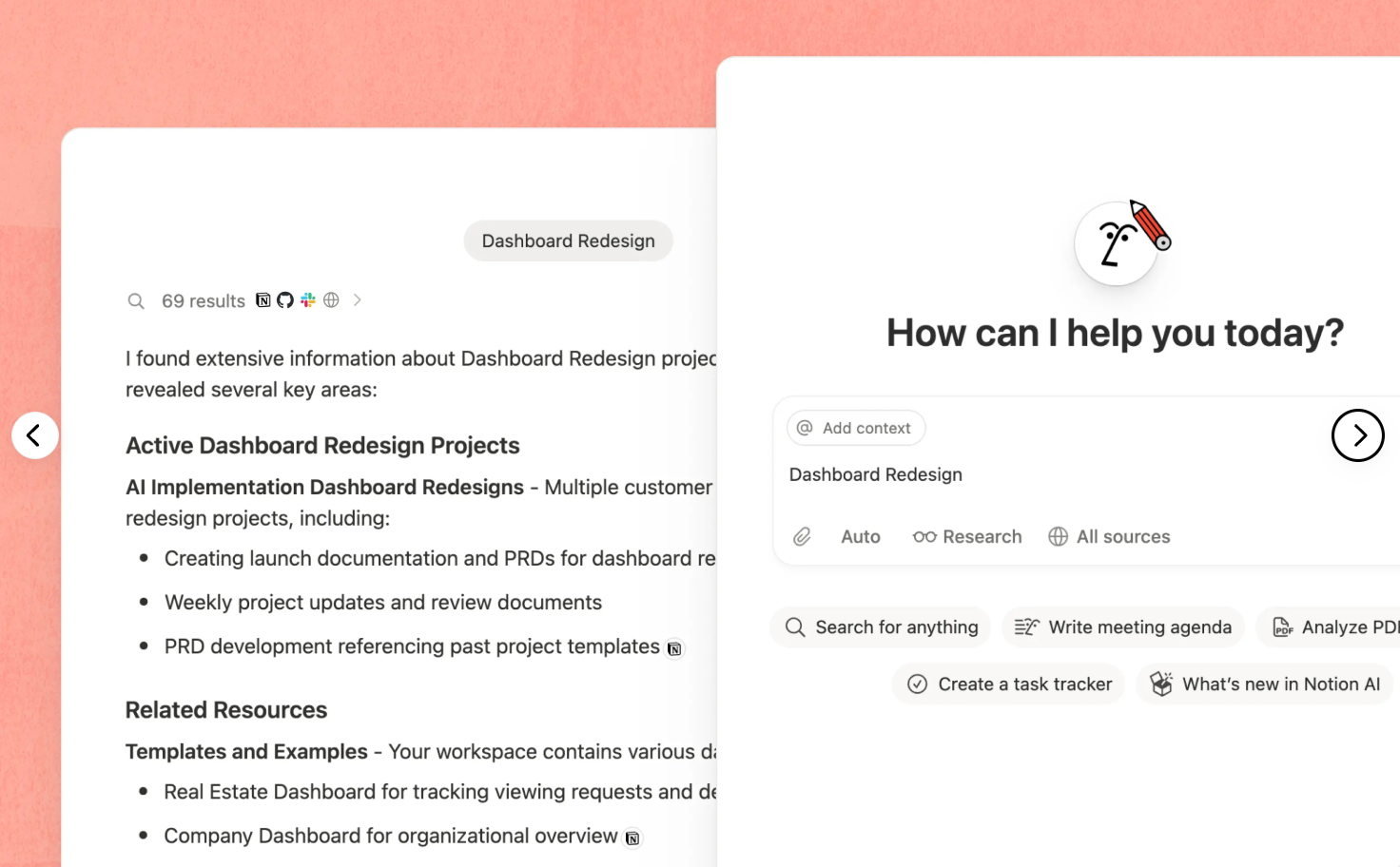
Image resource: notion.com
The core functionality excels at organizing messy notes into structured tables or extracting action items from meeting transcripts. It connects directly with your existing wiki pages to answer questions based on corporate knowledge. However, it requires a well organized workspace to yield the best automated results.
Pros:
- Embeds natively into a highly flexible document editor.
- Extracts action items quickly from messy meeting notes.
- Maintains a clean and distraction free user interface.
Cons:
- Requires structured databases for the AI to perform well.
- Lacks native video conferencing and advanced chat capabilities.
Pricing:
- Free: $0 per member / month
- Plus: $10 per member / month
- Business: $20 per member / month
- Enterprise: Custom pricing
3. Asana Intelligence: Best for strict goal and portfolio tracking
Asana Intelligence applies smart algorithms toportfolio management and goal tracking. The platform maintains its signature colorful and structured interface while adding smart suggestions to project timelines. Users can access these features when setting up new workflows or reviewing team capacity.
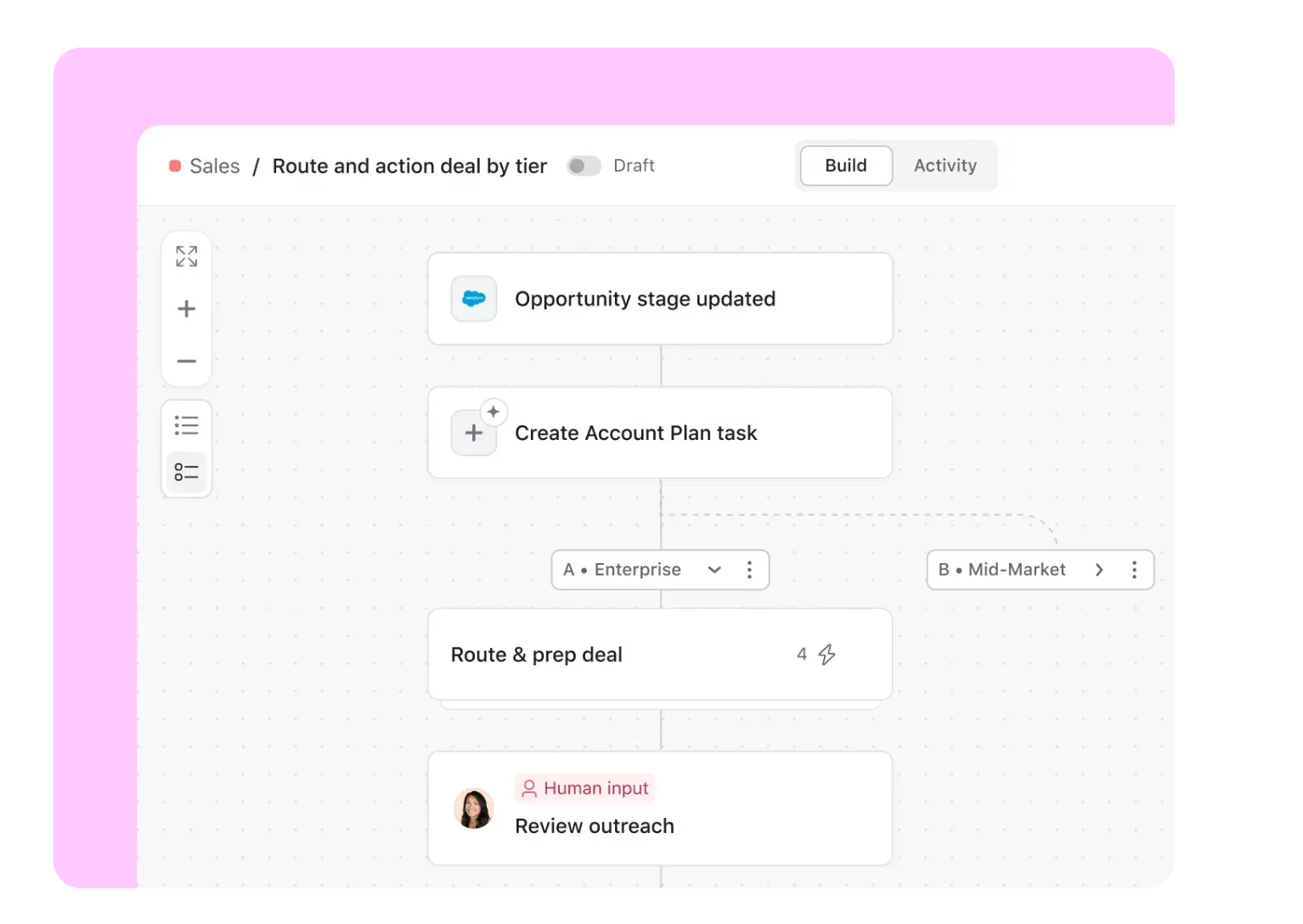
Image resource: asana.com
This solution is highly effective for identifying bottlenecks before they delay a product launch. It can analyze the current workload of your team and suggest more realistic deadlines. It helps managers keep remote teams aligned on massive corporate goals without requiring constant status update meetings.
Pros:
- Identifies project bottlenecks before they cause major delays.
- Suggests realistic deadlines based on current team workload.
- Aligns remote teams on goals without constant status meetings.
Cons:
- Offers limited capabilities for creative writing and document generation.
- Demands strict adherence to specific project management methodologies.
Pricing:
- Personal: US$0, Free forever
- Starter: US$10.99 per user, per month billed annually
- Advanced: US$24.99 per user, per month billed annually
- Enterprise: Contact sales for pricing
4. ClickUp Brain: Best for complex project and task automation
ClickUp Brain takes a unique approach by connecting neural networks directly to your tasks and company wikis. The interface is highly detailed, offering customized views for different departments. Users interact with the smart features through a dedicated sidebar or right inside task descriptions.
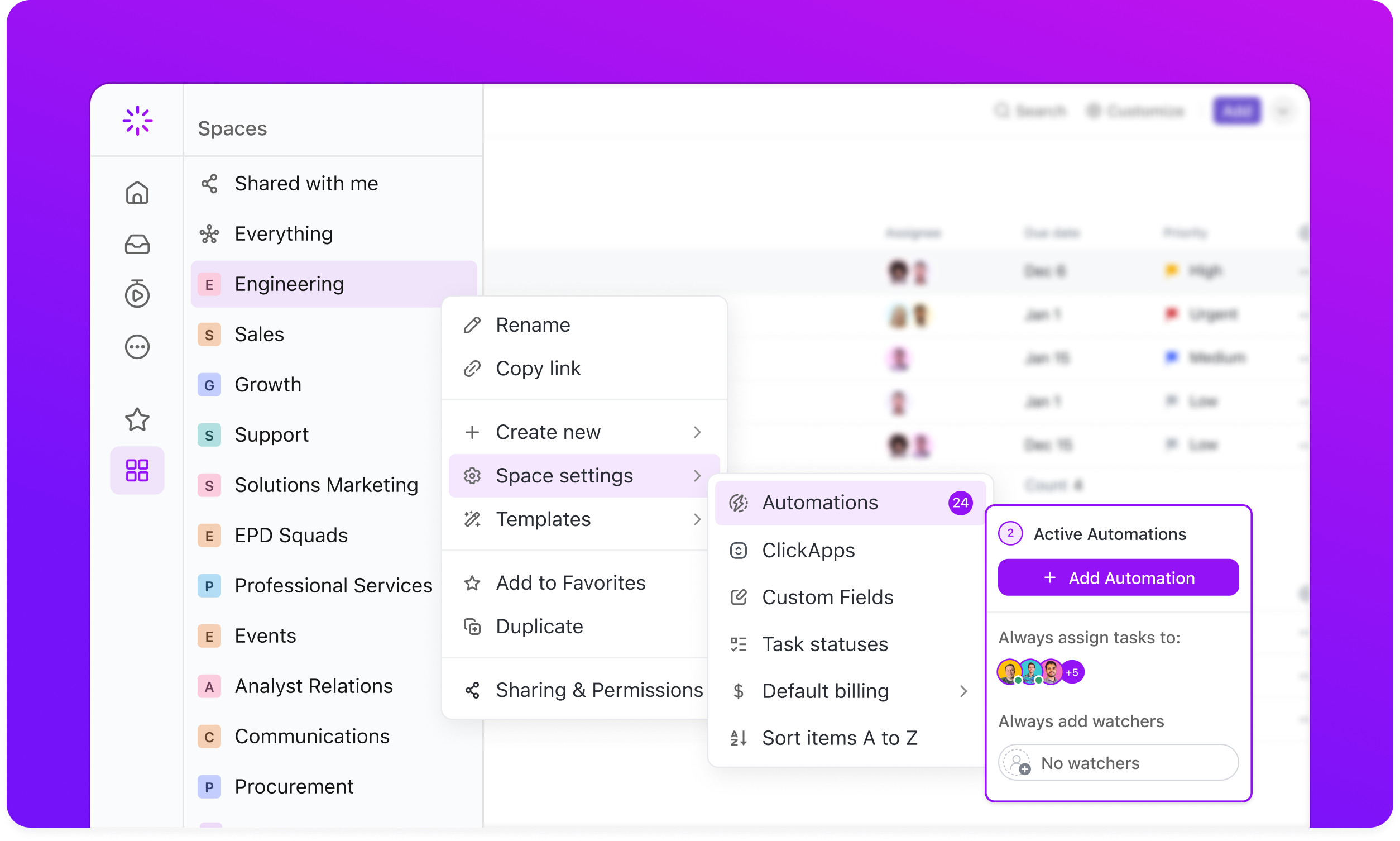
Image source: clickup.com
Its main strength lies in bridging the gap between project planning and execution. You can ask it to generate subtasks for a massive marketing campaign or summarize long comment threads on a delayed project. It acts as a project manager assistant rather than just a conversational tool.
Pros:
- Highly customizable task statuses and custom fields.
- Offers a massive library of pre-built workflow templates.
- Includes basic whiteboarding and document features.
Cons:
- Feature bloat leads to a cluttered, overwhelming user interface.
- High customization often results in low adoption rates across non-technical staff.
Pricing:
- ClickUp offers a Free Forever plan with limited storage and automation limits.
- Paid plans start at $9 per user/month (billed annually).
5. Slack AI: Best for fast asynchronous channel communication
Slack AI focuses strictly on making channel based communication more efficient. The user interface remains exactly the same as the classic chat application, with new smart features tucked neatly into the search bar and thread views. This design ensures that employees do not have to learn a new system.
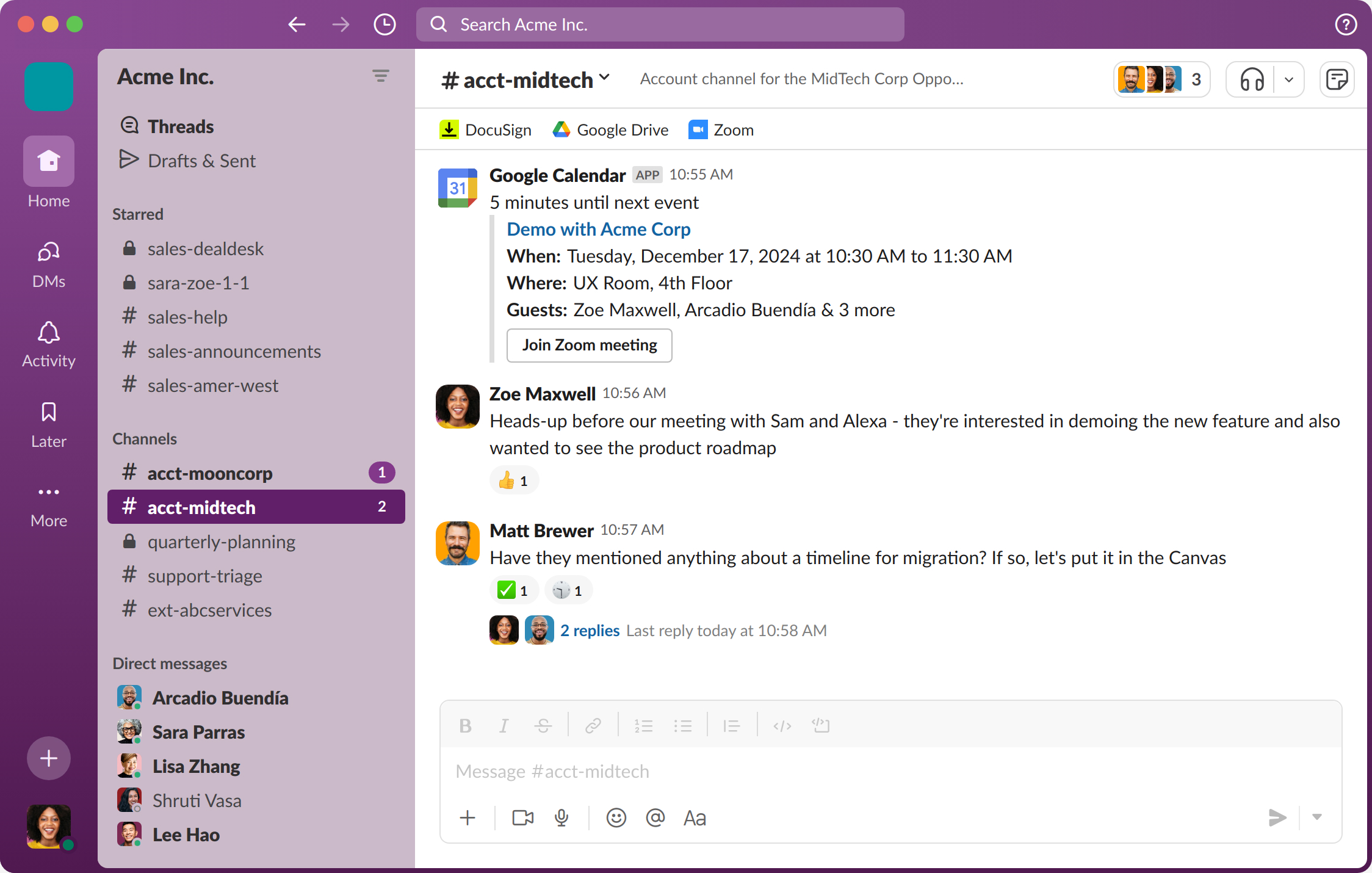
Image source: slack.com
The tool shines when you need to catch up after a long vacation. It can summarize hundreds of unread messages in a channel and provide a bulleted list of key decisions. It also searches through years of chat history to find specific answers without requiring manual scrolling.
Pros:
- Summarizes massive channel threads into clear decision points.
- Finds specific answers quickly across years of chat history.
- Keeps the familiar interface without adding confusing new menus.
Cons:
- Focuses purely on chat without robust native document editing.
- Comes with a high price tag for large corporate teams.
Pricing:
- Enterprise+: Custom pricing
6. Microsoft Copilot: Best for teams using the Office ecosystem
Microsoft Copilot presents a familiar user interface for anyone accustomed to Word, Excel, and PowerPoint. It lives right inside the ribbon menu of these classic applications, offering a highly professional and corporate user experience. The design choices make it feel like a natural extension of tools your team probably already uses.
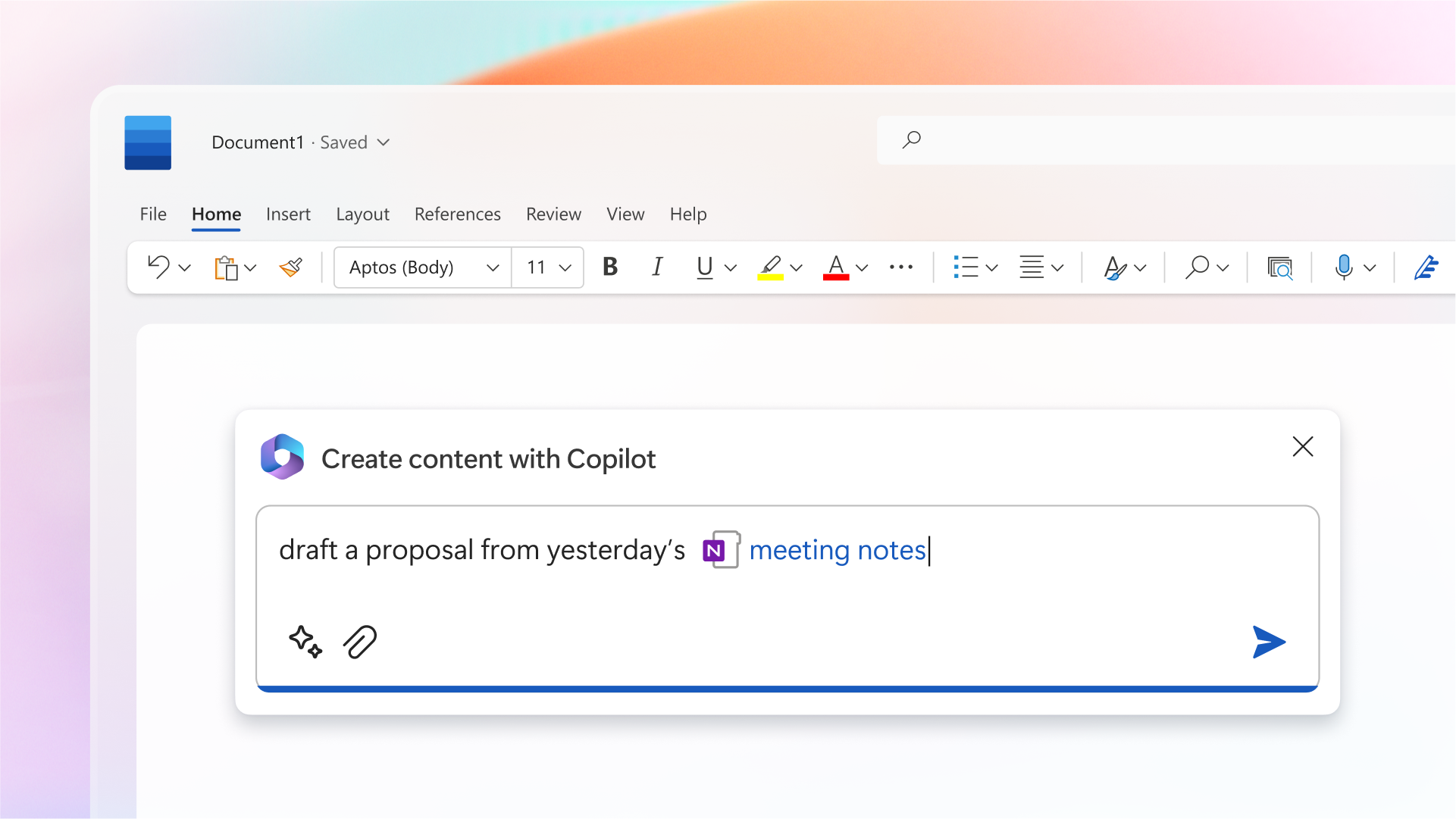
Image source: microsoft.com
The core functionality revolves around enhancing traditional document creation and communication. It can summarize long email threads in Outlook, generate presentation slides from a text prompt, and recap Teams video meetings. This makes it a powerful option for organizations fully committed to the Microsoft environment.
Pros:
- Connects naturally with familiar Word, Excel, and PowerPoint applications.
- Summarizes lengthy email threads and video meetings effectively.
- Relies on established enterprise security and compliance standards.
Cons:
- Carries a high per user cost on top of existing software licenses.
- Runs slower when processing extremely heavy spreadsheet datasets.
Pricing
- Business: $18.00 per user/month (billed annually).
- Enterprise plan: $30.00 per user/month (billed annually).
7. Gemini: Best for organizations relying on cloud collaboration
Gemini offers a clean, web-based user interface that aligns perfectly with Google's minimalist design philosophy. It usually appears in a side panel within Docs and Sheets, keeping the workspace uncluttered while remaining easily accessible. The user experience is highly optimized for real-time, browser-based collaboration.
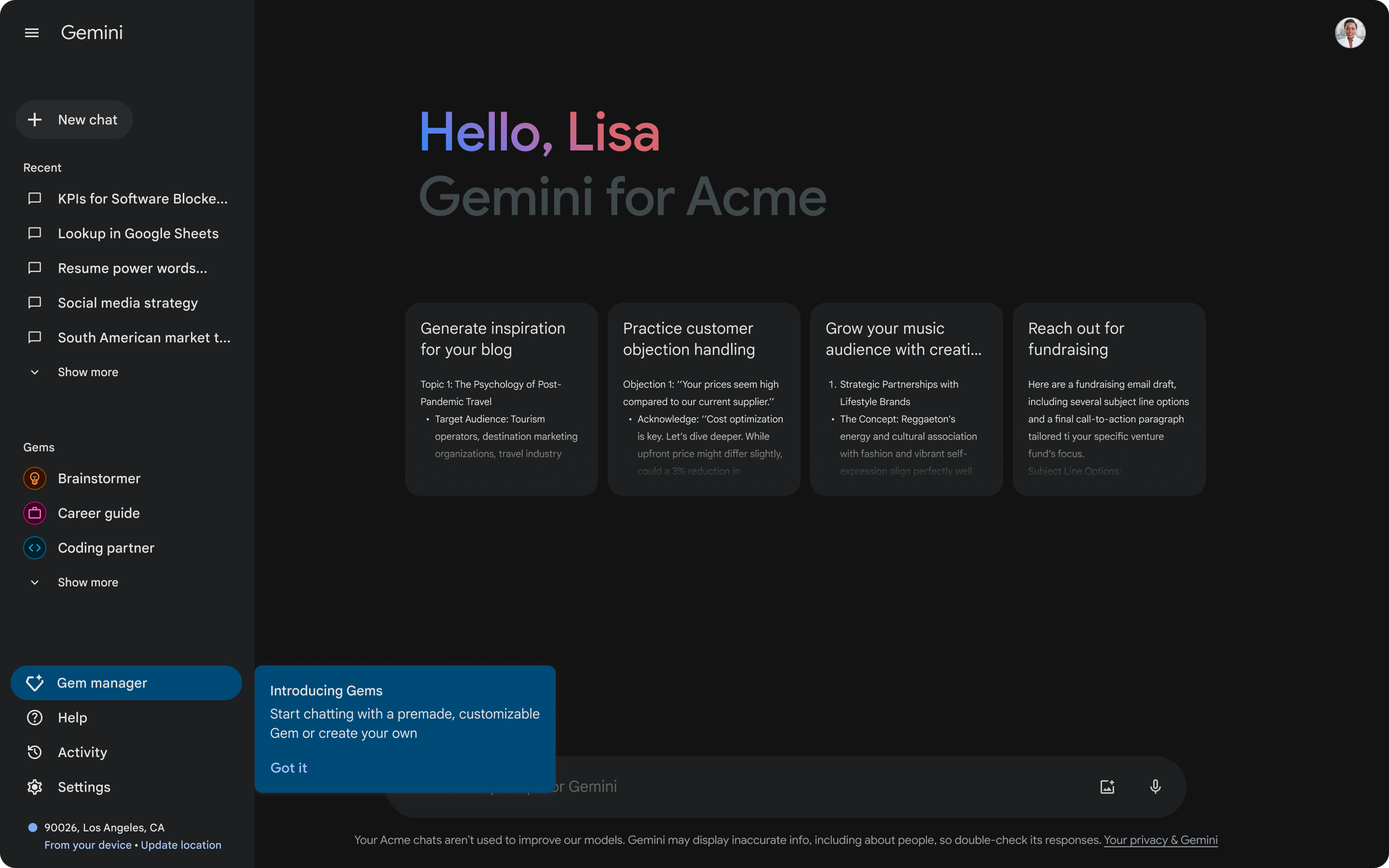
Image source: google.com
Its core functions excel at drafting emails in Gmail, writing reports in Docs, and organizing data in Sheets. You can also use it to generate custom images for your Google Slides presentations. It acts as a helpful digital assistant for teams that live exclusively in the cloud.
Pros:
- Connects smoothly with Google Docs, Sheets, and Gmail.
- Offers a clean and intuitive web-based interface.
- Provides strong real-time collaboration features for remote teams.
Cons:
- Lacks advanced project management and complex workflow automation capabilities.
- Requires costly subscription upgrades for full enterprise access.
Pricing
- Google AI Plus: $4.99 / month
- Google AI Pro: $19.99 / month
- Google AI Ultra: Starting at $99.99 / month; $199.99 / month
Learn more about the best tool Lark for enterprise GPT
How to choose the right enterprise GPT solution for your workflow
Evaluating the right solution requires looking past flashy features and focusing on your actual workflow. You should assess your team's specific needs versus the risk of software bloat.
When making your final choice, prioritize these three critical areas:
- Assess the total cost of ownership: Think beyond just the monthly subscription fee. Consider a scenario where an IT manager audits company software spending. They might find teams paying separately for a chat app, a project management tool, and a standalone AI subscription. By consolidating these functions into a unified suite, the manager .
- Prioritize security and administrative control: creates security blind spots. Unified platforms offer robust administrative control, ensuring that your data stays secure within one managed ecosystem rather than floating across different browser tabs.
- Run a pilot program for user adoption: Even the most powerful smart tool fails if your team refuses to use it. Before committing to a long term contract, run a pilot test with a small group of active users. Ask them if the new capabilities actually save them time or just add confusing steps to their daily routine. High adoption rates only happen when the technology feels like a natural fit with how your employees already work.
Conclusion
Balancing artificial intelligence innovation with strict corporate security is a major challenge for IT leaders today. While standalone chat solutions offer powerful data processing, they often create workflow friction and new data silos. For maximum productivity, I recommend choosing platforms that embed smart features directly into the spaces where your team already collaborates. By selecting unified tools like , you protect company data while empowering your employees to work smarter without constantly switching between applications.
Consolidate your fragmented AI tools into the unified workspace
FAQs
How much is chat gpt enterprise?
Because OpenAI tailors the enterprise offering to specific organizational needs, there is no public price tag. You must contact their sales team for a custom quote based on your required seat count and usage volume.
Is there a chat gpt enterprise API?
Yes, the enterprise tier includes API credits for custom solutions. This allows your developers to build specific applications utilizing advanced language models while maintaining strict corporate data privacy controls.
What is the difference between ChatGPT Plus and Enterprise?
The Plus version costs a flat $20 per user each month and offers standard access to advanced models. The Enterprise tier removes usage caps, provides much longer context windows, and adds a dedicated admin console with SSO connectivity to manage large teams securely.
Related reading