Evernote has long been one of the most recognizable names in note-taking. For years, it shaped how individuals capture ideas, save web clippings, and build personal knowledge archives. In this Evernote review, we examine how the product has evolved as work shifts from individual productivity toward collaborative, execution-driven workflows that demand more than static notes.
This in-depth Evernote review examines what Evernote is designed for today, how its features perform in real-world use, where practical limitations begin to surface, and why some modern teams are exploring complementary tools such as Lark as their needs expand beyond personal knowledge storage into shared planning and coordinated execution.
What Evernote is designed for today
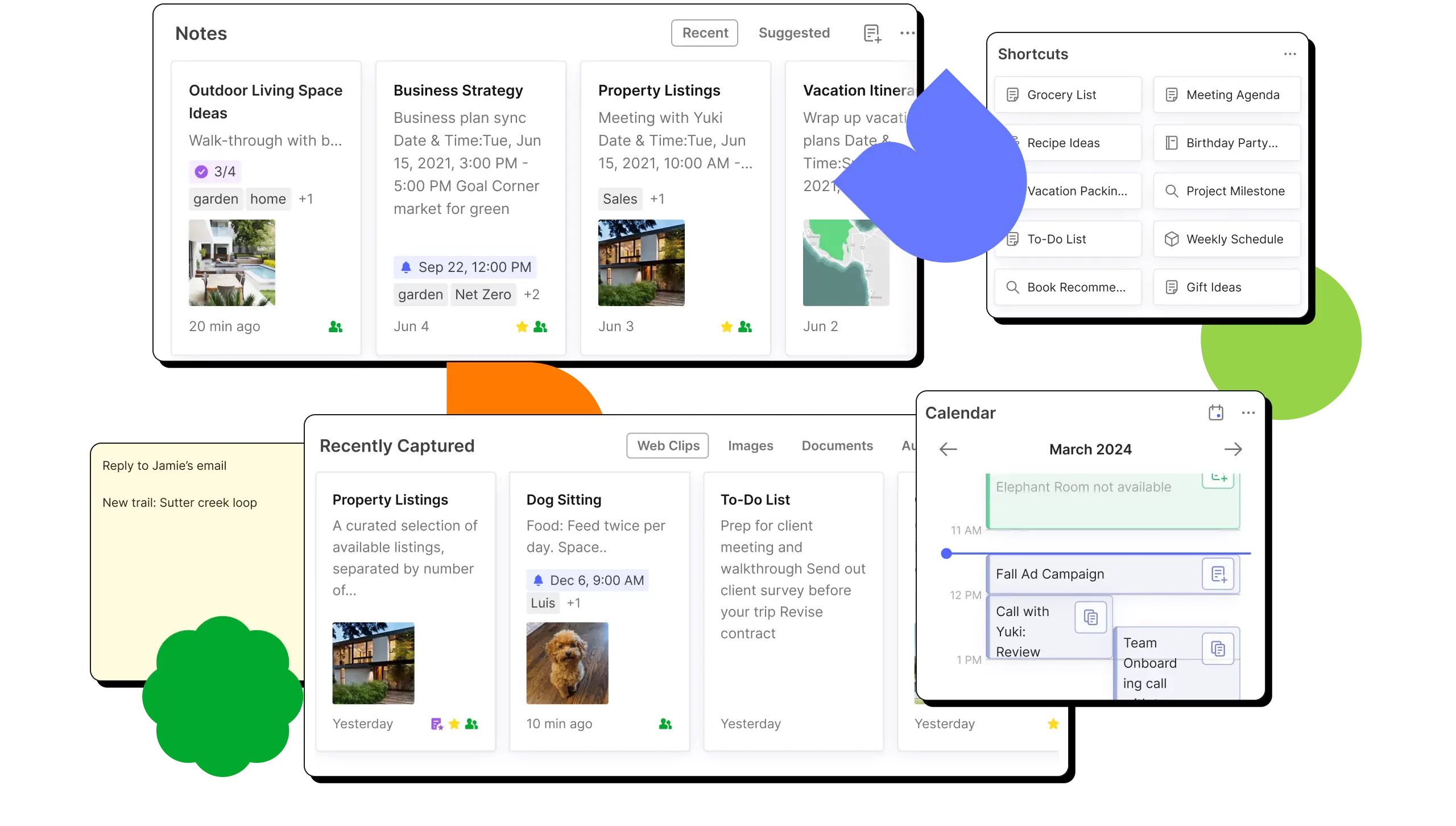
Image source: evernote.com
Evernote is primarily designed as a personal rather than a complete collaborative workspace. Its core strength lies in helping individuals capture, store, and retrieve information over long periods. Evernote works well for personal research, journaling, meeting notes, web clippings, scanned documents, and reference material that users want to archive and search later.
The platform emphasizes information recall over execution. Features like notebooks, tags, powerful search, and document scanning make it easy to build a private knowledge library that grows gradually. Evernote is also suitable for light personal planning through basic , especially for solo professionals managing their own schedules and ideas.
However, Evernote is not designed to coordinate complex workflows, manage shared ownership, or support deeply connected team processes. Its structure reflects a world where notes are endpoints, not starting points for collaborative work.
Review of Evernote: Core functions listed
Evernote focuses on fast, flexible note capture with an emphasis on and retrieval. Its features are designed to help individuals collect information from many sources and find it later with minimal friction.
- Rich note editor: Evernote supports formatted text, tables, checklists, images, PDFs, and audio recordings. This allows users to keep diverse content types together inside a single note.
- Web Clipper: The Web Clipper lets users save articles, web pages, and screenshots directly to Evernote. Clipped content is stored cleanly for offline access and future reference.
- Document scanning and OCR: Evernote can scan physical documents and automatically extract text using OCR. This makes handwritten notes and printed material searchable.
- Cross-device sync: Notes , keeping personal information accessible on desktop, tablet, and mobile without manual transfers.
Knowledge management: How Evernote structures information
Evernote is built around the idea that information should be easy to store now and find later. Its organization and retrieval tools are optimized for long-term personal knowledge management rather than .
- Notebooks for high-level grouping: Notebooks act as containers for related notes, such as work, personal, or research topics. They provide a simple structure but can become rigid as content grows.
- Tags for flexible categorization: Tags allow notes to be labeled across multiple themes without duplication. This helps users connect ideas over time, especially when information spans multiple contexts.
- Powerful search across content: Evernote's search can scan text inside notes, PDFs, and images using OCR. This makes it effective for recalling information even when exact locations are forgotten.
- AI-powered discovery and recall: attempt to surface relevant notes through summaries and contextual search. While helpful for resurfacing older content, they focus more on recall than actionable insights.
Task management: Tasks, reminders, and light planning in Evernote
Evernote includes basic planning tools designed to support rather than full project management. These features work best when tasks are closely tied to personal notes.
- Task lists inside notes: Tasks can be added directly within notes, keeping to-dos connected to reference material. However, tasks lack advanced dependencies, priorities, or workflow logic.
- Due dates and reminders: Users can assign due dates and receive reminders for tasks. This supports personal follow-ups but becomes hard to manage across multiple notes.
- Calendar-linked task view: Tasks can be viewed alongside calendar timelines to show upcoming deadlines. This helps with short-term planning but offers limited project-level visibility.
- Limited support for structured projects: Evernote struggles with multi-owner tasks, progress tracking, and cross-note coordination. As projects grow, quickly becomes fragmented.
Collaboration in Evernote: What's possible and what's not
Evernote offers limited collaboration features that are best described as note sharing rather than true teamwork.
- Basic sharing vs. true collaboration: Evernote focuses primarily on simple note and notebook sharing rather than providing a comprehensive platform for team-based coordination.
- Limited permission control: While users can assign "view" or "edit" access to others, the permissions are basic and best suited for sharing reference materials or small-scale .
- Disconnected feedback: Comments provide basic feedback but lack strong contextual anchoring to specific content, making it difficult to track long-form discussions as a note evolves.
- Lack of accountability: The platform offers no clear way to assign task ownership or track collaborator accountability across different workflows.
- Coordination friction: Without structured visibility, version control, or decision tracking, cross-functional teams often struggle to manage complex projects effectively.
- Informal over operational: Ultimately, the collaboration features remain lightweight and informal, serving as a secondary tool rather than a robust operational system for teams.
AI features in Evernote and their real impact
Evernote's AI features are designed to improve information recall and readability, not to automate workflows or decision-making. They add convenience, but their impact depends heavily on how notes are used.
- AI-powered note summaries: Evernote can generate . This is useful for revisiting dense content, but summaries are descriptive rather than action-oriented.
- Enhanced search and context discovery: AI helps surface relevant notes based on keywords and context. It improves recall for extensive archives but doesn't connect insights across notes.
- Content assistance and rewriting: Basic AI writing support can clean up text or adjust tone. These tools assist clarity but do not meaningfully accelerate complex writing tasks.
- Limited automation or execution value: Evernote's AI does not trigger . It enhances reading and searching, not follow-through or collaboration.
Discover approaches beyond standalone note-taking
Evernote pricing reviews
Evernote's pricing tiers range from a free plan with basic note capture to individual paid plans and higher-tier options for power users or small teams. The free plan limits you to two synced devices and a low upload quota, which can frustrate users with lots of content. Paid plans raise upload limits, add offline access and better search, but and advanced collaboration remain modest. For many users, the cost bumps up before Evernote truly feels like a whole workspace, especially when compared to tools built around connected work and team execution.
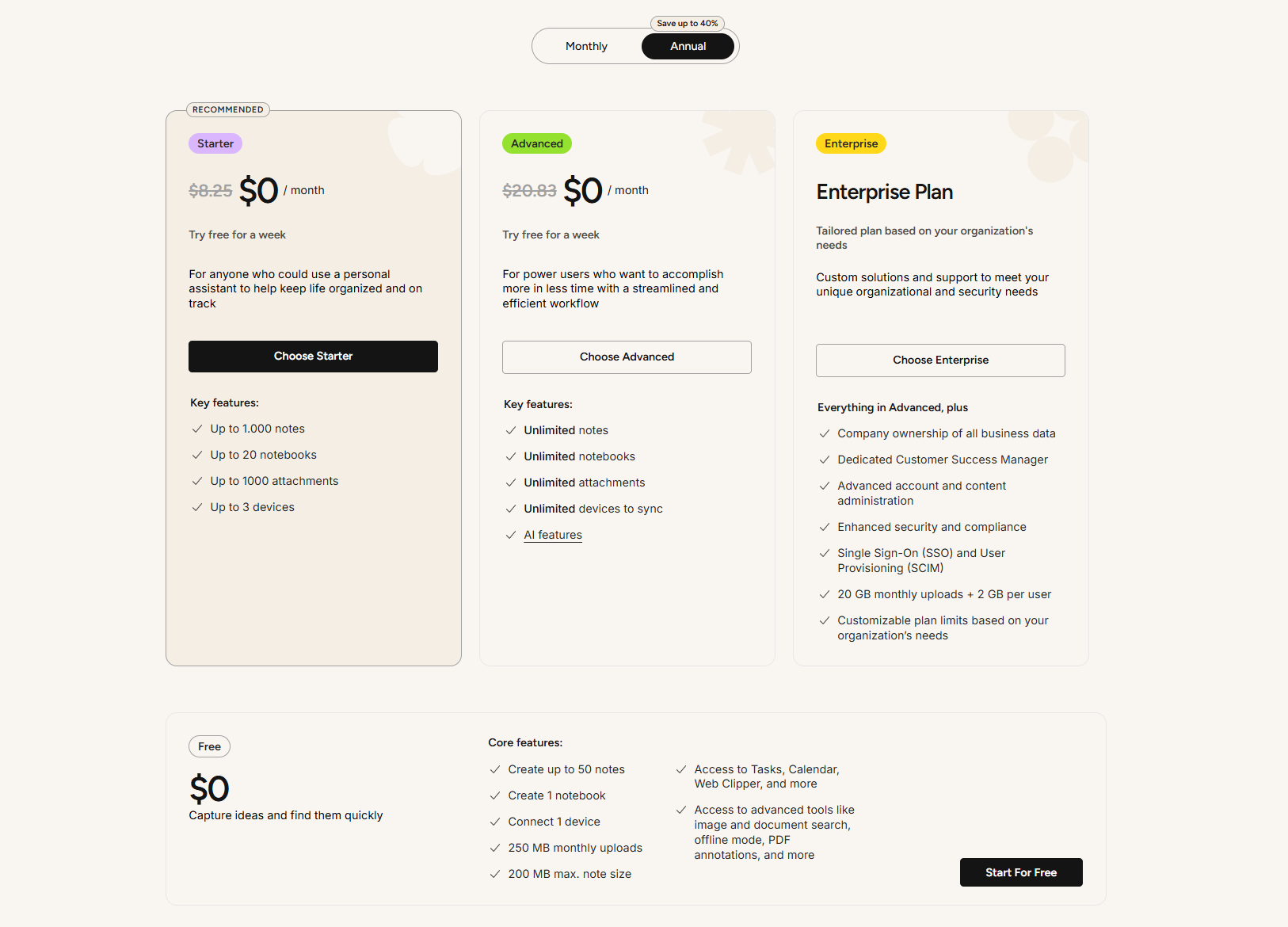
Information source: evernote.com
Update time: 2025-12-23
Note: Pricing and plan details reflect publicly available data as of the update date and may vary based on region, billing cycle, and number of agents.
Where Evernote starts to feel limiting
Evernote's limitations become more visible as usage moves beyond personal note-taking:
- Scaling limitations: Evernote functions well for personal storage but struggles to support complex organizational structures or team coordination.
- Isolated information: Notes remain siloed, making it difficult to connect individual ideas into repeatable workflows or cohesive shared processes.
- Lightweight task management: Task features lack essential capabilities like ownership, dependencies, and progress tracking, which are necessary for managing real projects.
- Organizational decay: The system’s heavy reliance on manual tagging often leads to inconsistent organization and difficulty in retrieving data over time.
- Frequent context switching: To execute work, users must constantly jump between notes, tasks, and external tools, disrupting productivity.
- Static archiving: As complexity increases, the platform acts more as a static digital archive than a dynamic, operational system.
See how notes evolve into structured team workflows
Emerging option: From notes to connected workspaces with Lark
As work becomes more cross-functional and execution-driven, many teams need more than a place to store notes. Lark approaches where information, discussions, and follow-up actions stay connected. Instead of treating notes as static endpoints, documents can evolve alongside tasks, data, and collaboration. This shift helps teams reduce fragmentation and keep context intact as work moves from idea to execution.
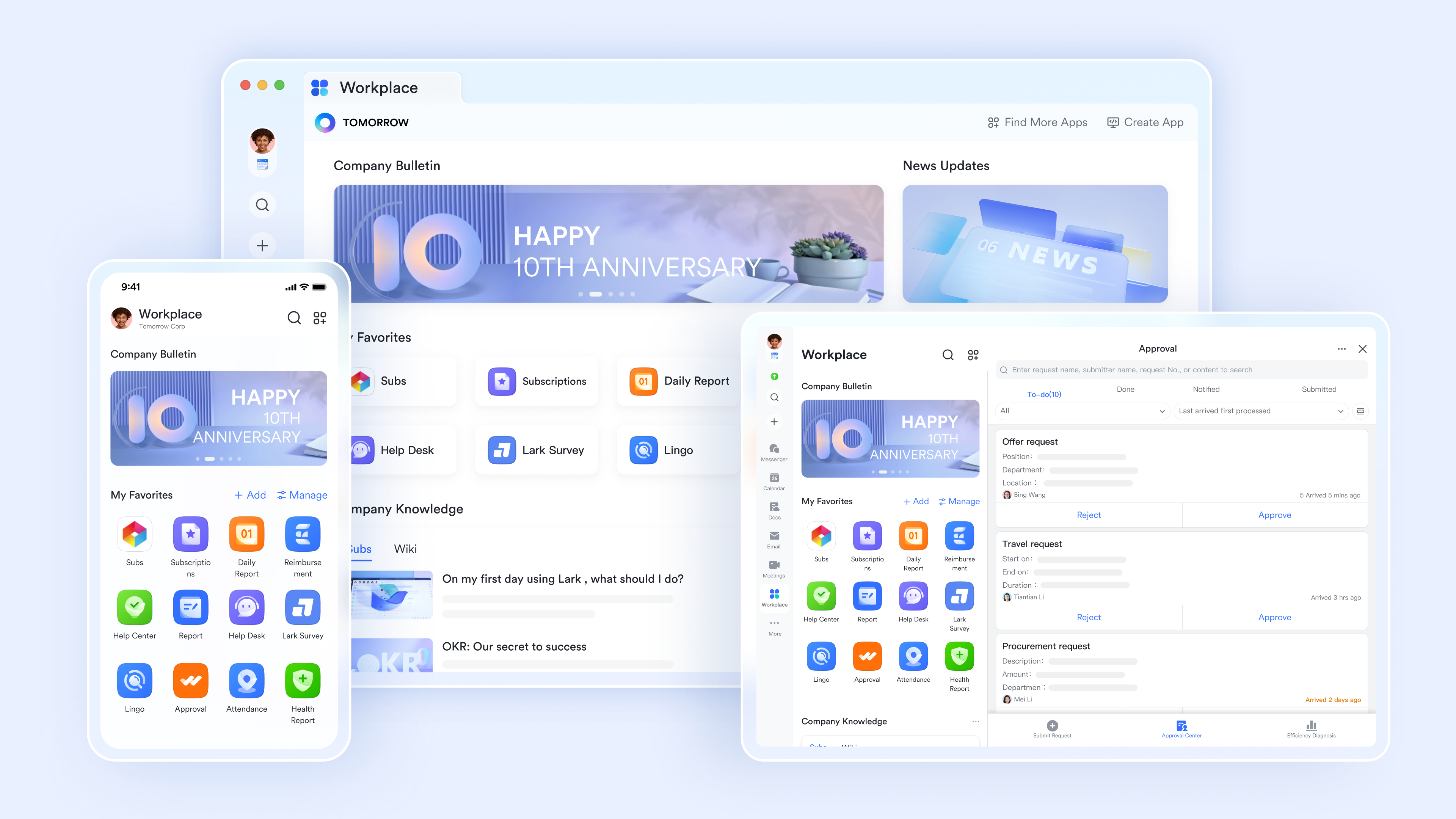
Operational workspace and not a note container
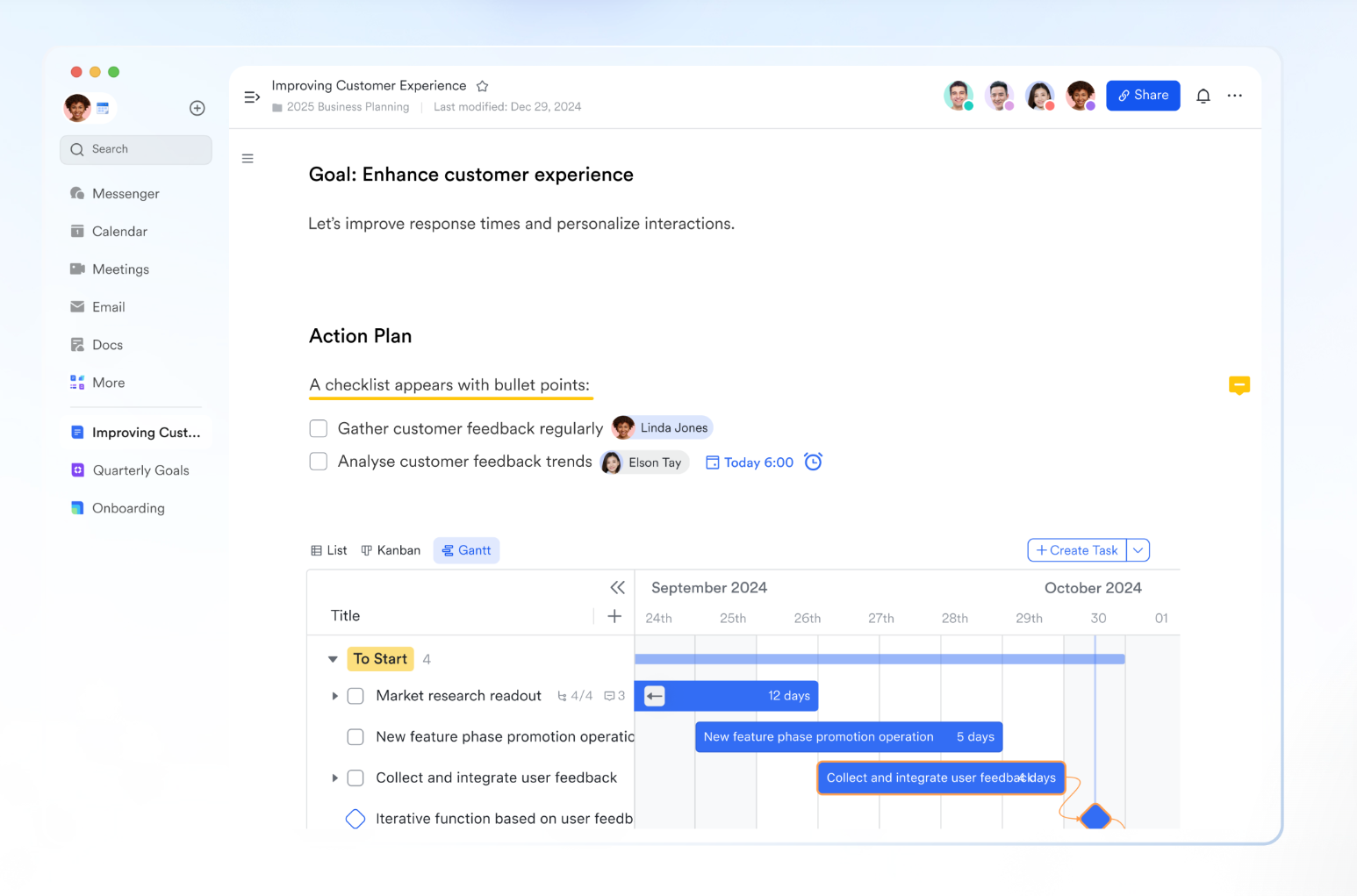
is built on a block-based architecture, where every element—text, table, task list, diagram, embed, or file—functions independently. Users can insert interactive blocks such as task checklists with assignees, embedded Bases, synced Sheets, flowcharts, UML diagrams, polls, calendars, and media files directly into a document. Synced blocks provide a single source of truth: the same block can appear in , and updates propagate everywhere instantly.
Functional advantage over Evernote: Evernote stores notes as isolated files. Lark Docs lets documents actively run work, turning notes into execution hubs rather than passive references.
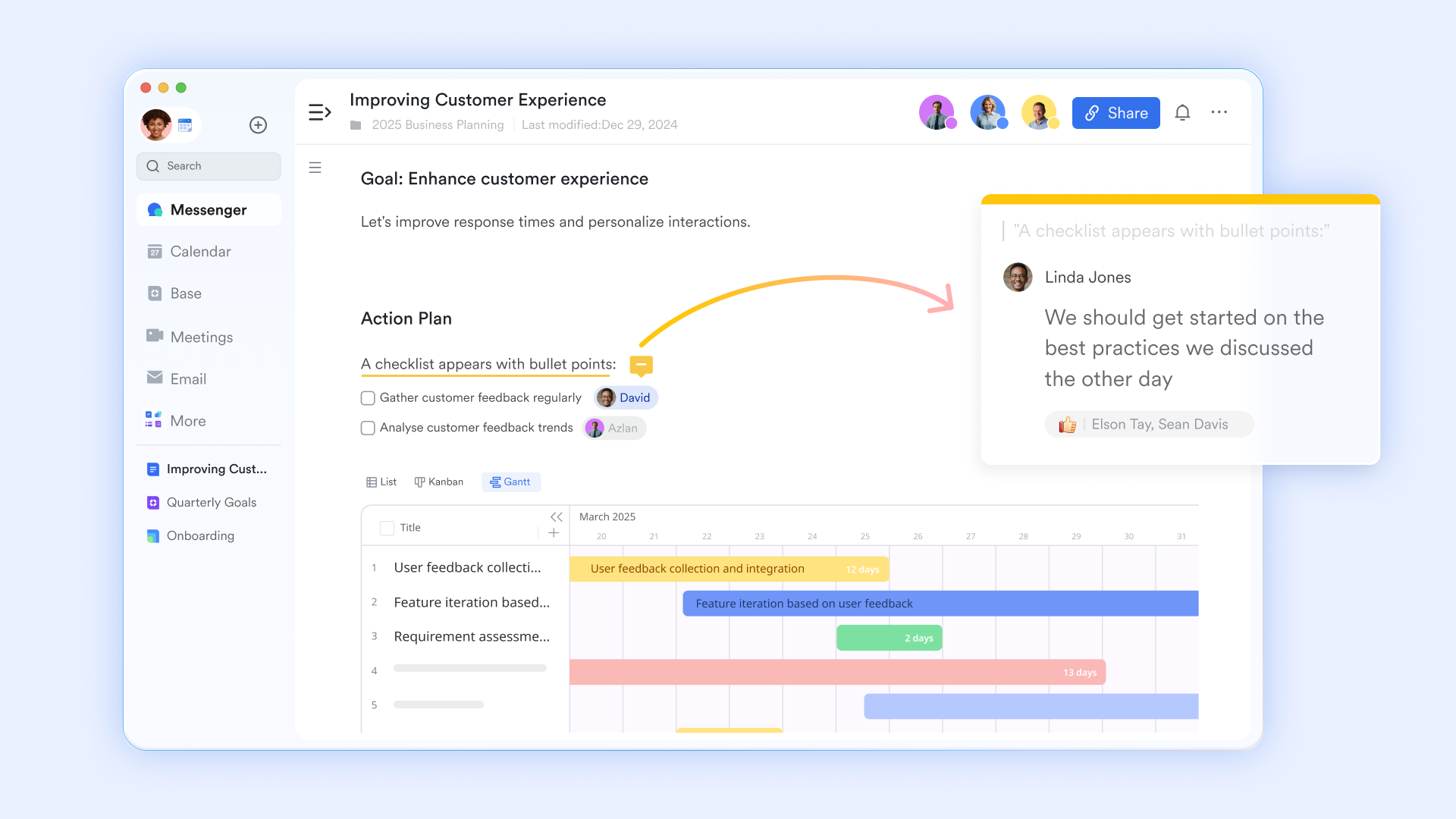
Inline collaboration tied directly to document logic
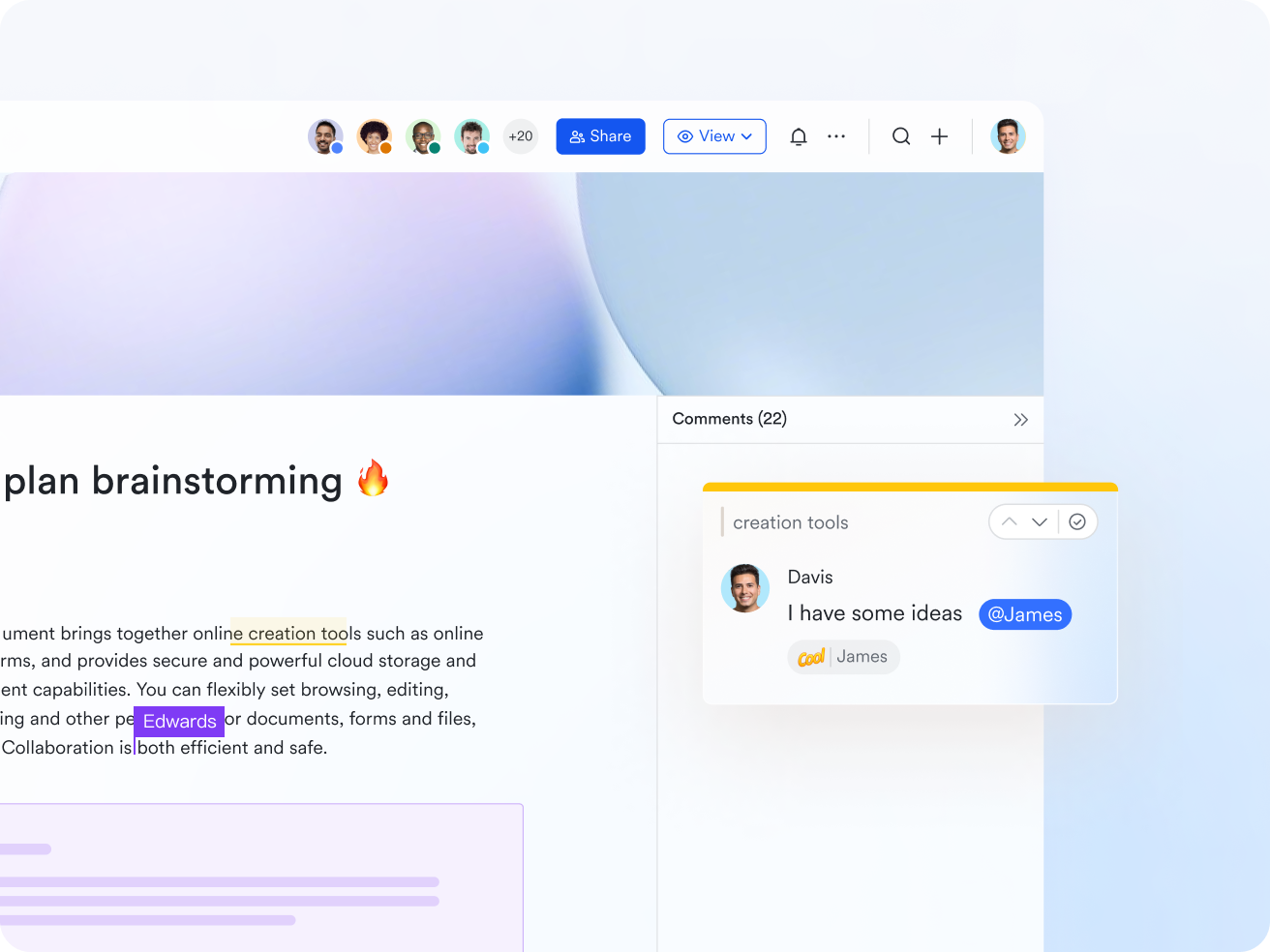
Comments in Lark Docs are deeply connected to content blocks. Users can comment on specific text, tables, or blocks, @mention collaborators, attach images, translate comments, mark them private, resolve them without deletion, or follow for updates. Comments generate real-time notifications and remain anchored to exact document locations even as content shifts. Functional advantage over Evernote: Evernote comments lack structural awareness. Lark comments remain contextually attached to evolving content, enabling faster decisions and reducing clarification loops.
MindNotes for bidirectional thinking and structured execution
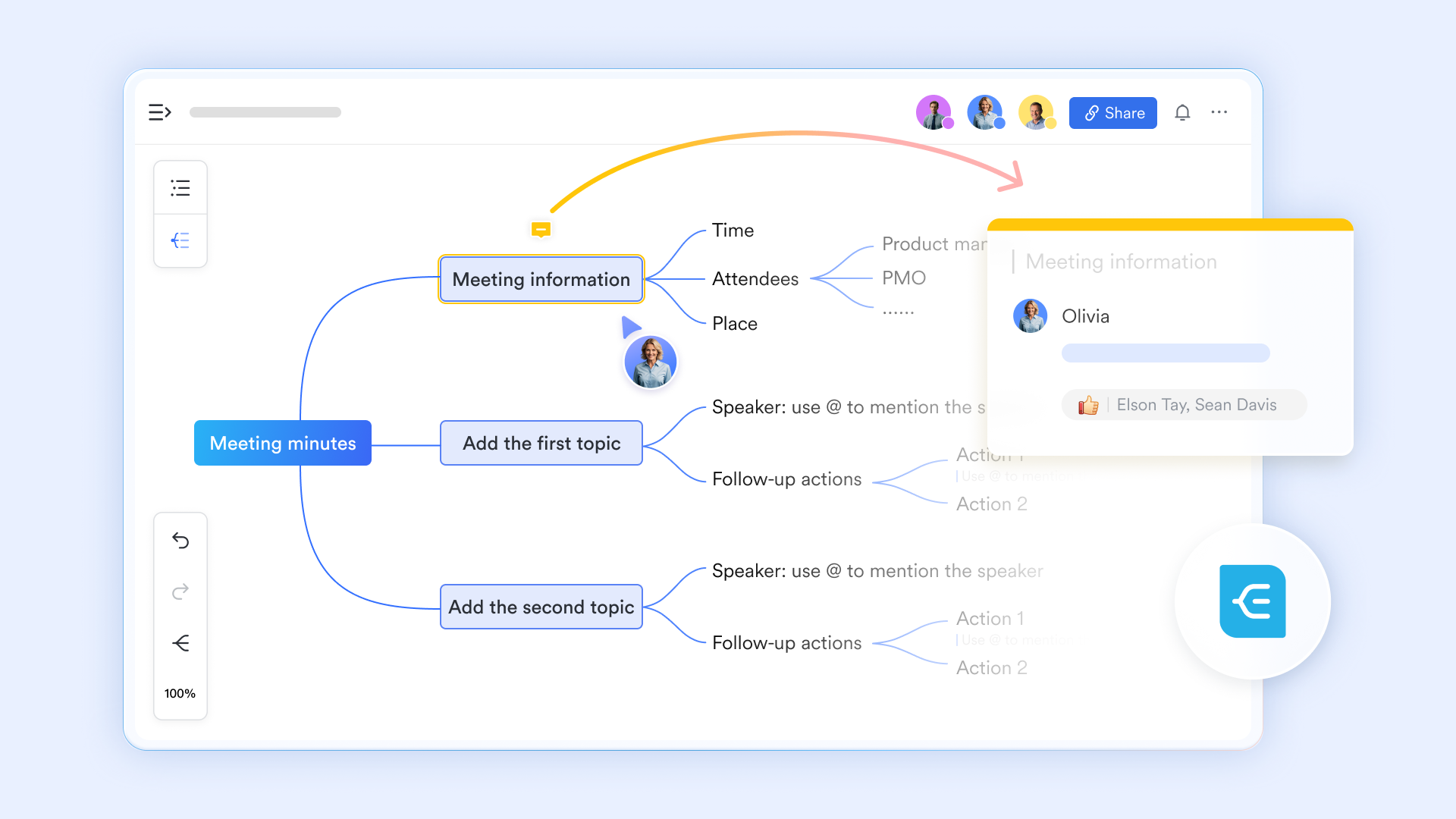
operates in two synchronized views: Outline view for rapid text-based input and for spatial reasoning. Nodes support hierarchical nesting, drag-and-drop reordering, zoom-in focus mode, comments, images, status markers, and descriptions. Each node has a shareable link, allowing teams to reference exact ideas during discussions.
Functional advantage over Evernote: Evernote forces linear note-taking. Lark MindNotes supports both divergent brainstorming and convergent structuring within a single artifact, which is critical for planning and problem-solving.
Built-in version control for living documents
includes explicit , allowing users to manually save named versions, view or restore previous versions, delete outdated ones, and share version-specific links. Saved versions are immutable, ensuring reference stability while the main document continues evolving. Permissions apply consistently across versions.
Functional advantage over Evernote: Evernote's history is passive and opaque. Lark gives teams intentional control over document states, supporting approvals, audits, and knowledge governance.
Native multilingual support inside documents and comments
Lark provides for full documents, selected text, and comments. Users can choose display modes (translation only or original + translation), insert translations inline with aligned formatting, save translated versions, and comment directly on translated content. Automatic translation rules can be applied across documents.
Functional advantage over Evernote: Evernote relies on external translation or manual duplication. Lark embeds multilingual collaboration directly into the writing and review process.

Knowledge that stays organized at scale
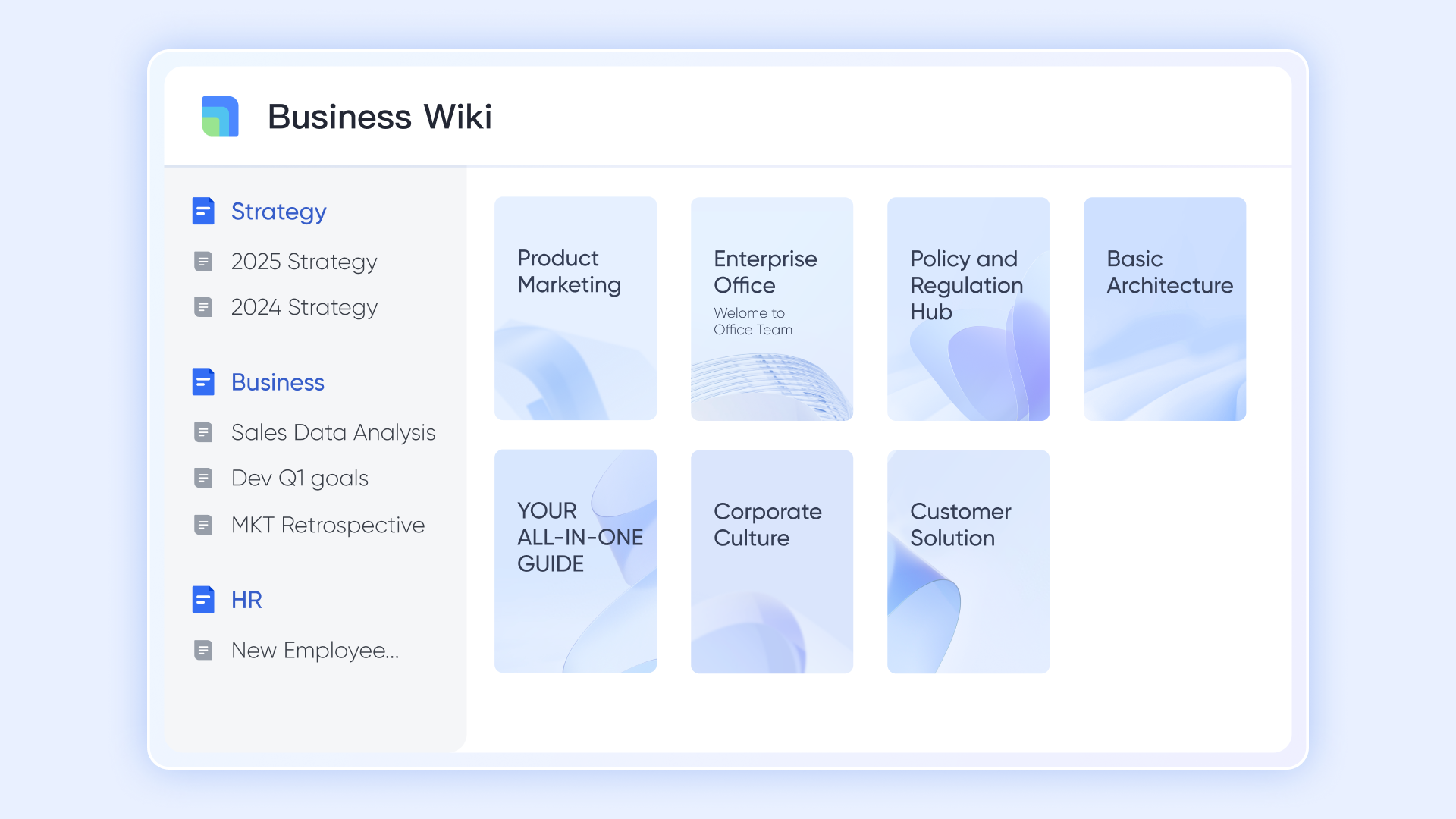
With , documents can be structured into hierarchical knowledge spaces with controlled permissions, page inheritance, and navigation. Pages can be moved, versioned, restored, or reassigned without breaking links. This supports long-term beyond personal notes.
Functional advantage over Evernote: Evernote notebooks struggle at scale. Lark Wiki supports team-wide knowledge systems with governance and structure.
:
- Starter plan: Free forever plan that includes 11 powerful tools for up to 20 users. It also comes with 100GB of storage, 1000 automation runs, AI translations, and more.
- Basic plan: $6/user/month (billed annually) for up to 500 users. It includes everything in Starter plus group calling for up to 500 attendees, 5TB of storage, 1000 automation runs, and more. For more details, please .
- Pro plan: $12/user/month (billed annually) for up to 500 users. It includes everything in Basic plus group calling for up to 500 attendees, 15TB of storage, 50,000 automation runs, and more.
- Enterprise plan: for custom pricing. Supports unlimited users and includes even more automation runs and advanced security, compliance, and management features.
For small teams with simple communication needs

18 months message history
1000 Base automation runs/month
2000 rows per table in Base
Most POPULAR
For companies with comprehensive collaboration and management needs
Unlimited message history
500-participant video meetings
50k Base automation runs/month
20k rows per table in Base
For large companies with advanced security and organizational management needs
Get a personalized demo and pricing
Unlimited message history
500-participant video meetings
15 TB storage + 30 GB storage/user
500k Base automation runs/month
50k Base automation runs/month
Most POPULAR
For companies with comprehensive collaboration and management needs
Unlimited message history
500-participant video meetings
50k Base automation runs/month
20k rows per table in Base
Evernote vs Lark: Which fits your workflow style
Evernote remains a strong choice for individuals focused on personal knowledge capture and long-term reference. Its straightforward notebook and tagging system is easy to adopt for simple archives and idea capture. Users who don't need deep or integrated task execution will find it familiar and reliable. It's also a good fit for solo professionals who prefer a minimal learning curve. For those whose work rarely goes beyond individual note-taking, Evernote remains a recognizable and valuable tool.
Teams that need to combine documentation, tasks, and real-time collaboration benefit from more integrated workspace tools. When work requires shared context, , and live coordination, a connected workspace reduces friction. Organizations managing multi-step projects, cross-functional handoffs, or team knowledge bases see better alignment. Frequent context switching between stand-alone tools also fades when tasks and content live together. For collaborative execution and reducing tool sprawl, this style supports modern team dynamics more effectively.
Conclusion
Evernote remains a dependable tool for , long-term reference, and individual knowledge management. Its strengths lie in capture, search, and recall, making it a solid choice for users who primarily work alone and value simplicity. However, as work becomes more collaborative and execution-oriented, Evernote's limitations around structure, workflows, and team coordination become harder to ignore. Notes remain largely static, tasks stay lightweight, and context often spills into other tools.
This is where teams begin to look beyond traditional note apps. Platforms like reflect a shift toward connected workspaces, where documentation, discussion, and follow-up live together instead of in silos. Rather than replacing notes, this approach expands what notes can do—supporting shared ownership, more precise execution, and less context switching. If your needs are growing from personal organization to team-wide coordination, it may be the right time to explore how Lark supports work that moves seamlessly from ideas to action.
Understand what teams need from workspaces today
FAQs
Is Evernote good enough for team knowledge bases?
Evernote works well for sharing reference notes, but it lacks the structure needed for scalable team knowledge systems. Permissions, ownership, and navigation become harder to manage as content grows. In a review of Evernote, many teams pair it with platforms like Lark when shared context and governance matter.
How does Evernote compare to newer AI-first note apps?
Evernote's AI focuses on summaries and recall rather than proactive workflows or automation. Newer tools emphasize execution alongside intelligence, not just discovery. In an Evernote review 2026 context, teams often evaluate Lark for AI features tied directly to collaboration and follow-through.
Can Evernote replace internal documentation tools?
Evernote can store documents, but it struggles with versioning, structured hierarchies, and cross-team visibility. Internal documentation usually requires clearer ownership and long-term maintenance. Even when using a weekly review Evernote template, teams often rely on Lark for living documentation.
What happens to notes when Evernote storage limits are reached?
Once limits are hit, uploads stop until space is freed or a plan is upgraded. This can interrupt workflows and delay access to new information. In many Evernote app review discussions, teams compare this with Lark's more predictable workspace-based storage.
How hard is it to move from Evernote to a team workspace?
Exporting notes is straightforward, but reorganizing them into structured systems takes planning. The biggest challenge is redefining how notes connect to work. Many teams use Lark not just to migrate content, but to redesign workflows around .
Related reading






























