














13 Best Freshdesk Alternatives for Streamlined Customer Support

Ryan Tanner
Product Marketing Specialist
Sep 18, 2026
Ryan Tanner
Sep 18, 2026

17 min read


Customer service teams today need tools that do more than just manage tickets. They need connected workspaces where communication, automation, and collaboration live side by side. Traditional helpdesks often create silos between support, sales, and product teams, leading to slower resolutions and disjointed customer experiences.
That's where all-in-one workspaces come in. These platforms bring chat, documentation, analytics, and ticket tracking together so teams can act instantly, not just react. If you're exploring Freshdesk alternatives to streamline your workflows and scale efficiently, here are 12 tools worth your attention, from startup-friendly options to enterprise-grade systems.
1. Lark: All-in-one workspace for service and support teams
2. Zendesk: Enterprise-grade support and automation platform
3. Help Scout: Shared inbox for human-centered support
4. BoldDesk: Cost-effective ticketing with self-service options
5. Hiver: AI-powered helpdesk for complex, high-stakes support
6. ProProfs Help Desk: Simple, intuitive ticket management tool
7. Zoho Desk: Context-aware support from the Zoho ecosystem
8. Desk365: Microsoft 365 helpdesk for IT and service teams
9. DevRev: Unified workspace connecting support and product
10. Kapture CRM: Enterprise-grade support automation system
11. LiveAgent: Multi-channel support with real-time chat tools
12. Monday Service CRM: Visual support and project workflows
13. Chatty: AI chatbot for e-commerce customer support and sales

Why businesses look for a Freshdesk alternative
Many organizations start with Freshdesk but eventually reach a point where the platform no longer fits their support operations. As ticket volume grows and more teams become involved in customer conversations, limitations around cost, collaboration, and workflow depth begin to surface. What starts as a simple helpdesk often turns into an ecosystem of disconnected tools for reporting, internal messaging, and follow-up work. That's when companies begin looking for alternatives that can scale with their support model instead of forcing workarounds.
- Cost escalation: Teams often begin on lower tiers but face higher per-agent pricing as ticket counts and automation needs increase. Add-ons for chat, analytics, or knowledge management can quickly raise the total cost of ownership. As support becomes multi-team, licensing expenses multiply even faster. This makes Freshdesk less attractive for growing organizations with expanding support roles.
- Limited collaboration: Freshdesk handles customer tickets well, but internal conversations often move to email, Slack, or other chat tools. This splits context between platforms and forces agents to chase updates manually. When product or engineering teams are involved, the disconnect becomes even more visible because Freshdesk is not where they work every day.
- Rigid workflows: Customizing Freshdesk beyond basic ticket routing can require advanced configuration, marketplace add-ons, or external automation tools. Teams that need multi-step workflows, shared ownership, or linked tasks often end up building workarounds. The system works best for linear support queues, not cross-functional processes.
- Tool overload: Freshdesk does not replace project tracking, documentation, analytics, or real-time team communication. Support teams often need 3–5 extra tools just to manage escalations, dashboards, and collaboration. This leads to duplicated work, scattered data, and slow handoffs across departments.
- AI limitations: Freshdesk offers basic chatbot and intent recognition features, but customization can be limited to non-standard or industry-specific workflows. AI cannot always adapt to multi-owner tickets or cases requiring multi-department coordination. Teams looking for deeper automation usually turn to platforms with more flexible AI logic.
These pain points lead many teams to explore alternatives to Freshdesk that offer broader collaboration and flexibility.
Quick overview of 13 best alternatives to Freshdesk
Full list: Top 13 Freshdesk alternatives for modern support teams
Support teams today need more than a ticketing system. They need tools that help them route requests, collaborate across departments, automate follow-ups, and track performance in real time. The tools below represent a mix of all-in-one workspaces, enterprise helpdesks, and lightweight support platforms, each suited for a different type of team, budget, and support model.
1. Lark: All-in-one workspace for service and support teams
Lark transforms traditional helpdesk operations by combining ticket management, real-time messaging, analytics, and documentation into one connected workspace. Instead of relying on multiple apps, teams can handle requests, updates, and collaboration directly where work happens.
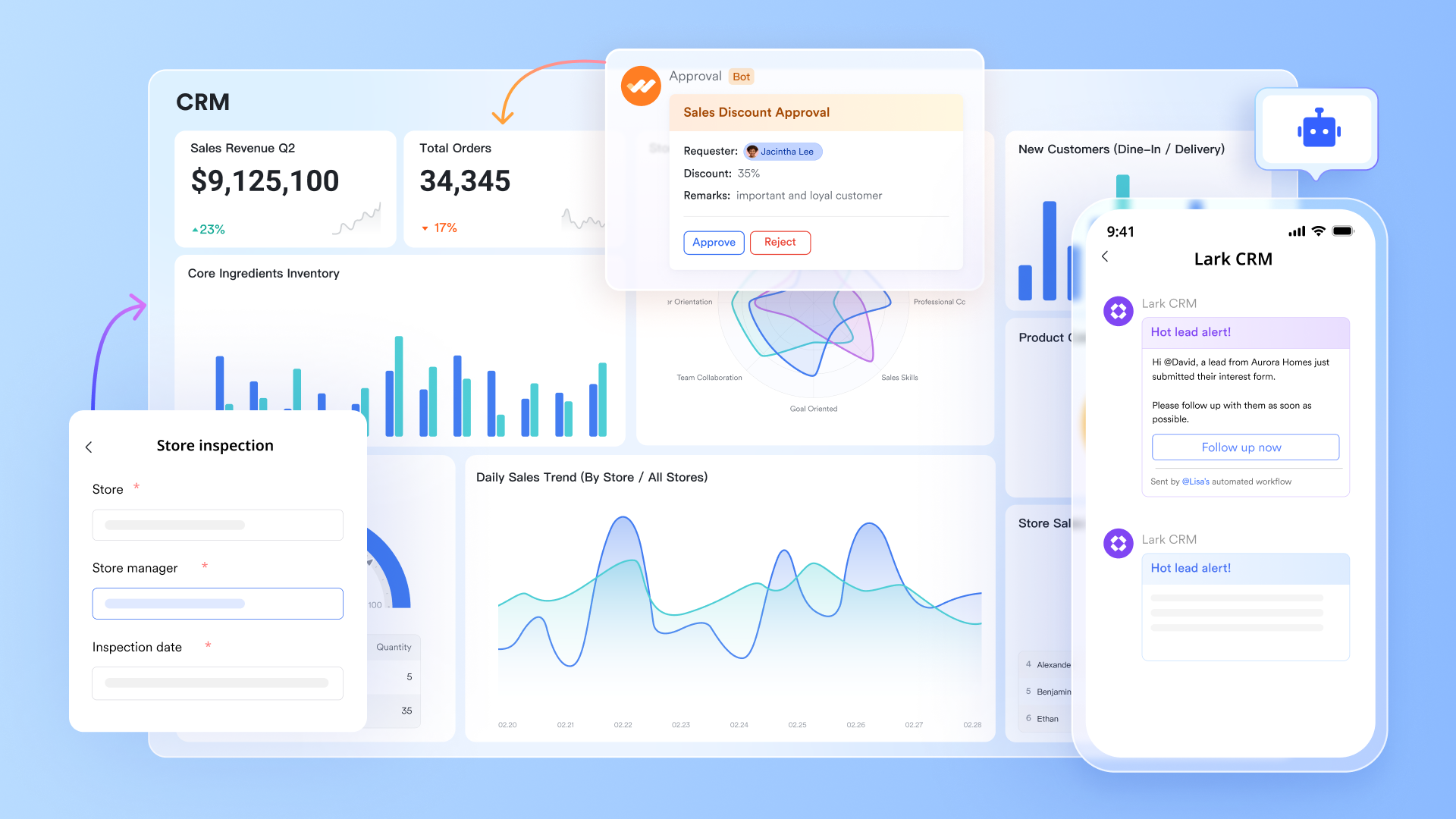
- Lark Base: Custom ticket management and service data tracking
Lark Base serves as a flexible system for organizing and automating service data. Teams can build custom databases for tickets, assign owners, set SLA timers, and trigger notifications automatically.
You can add fields for ticket type, status, priority, assigned agent, SLA timer, customer name, and channel (email, chat, or phone). Each record behaves like a live object. You can automate status changes, assign ownership, or trigger notifications when certain conditions are met.
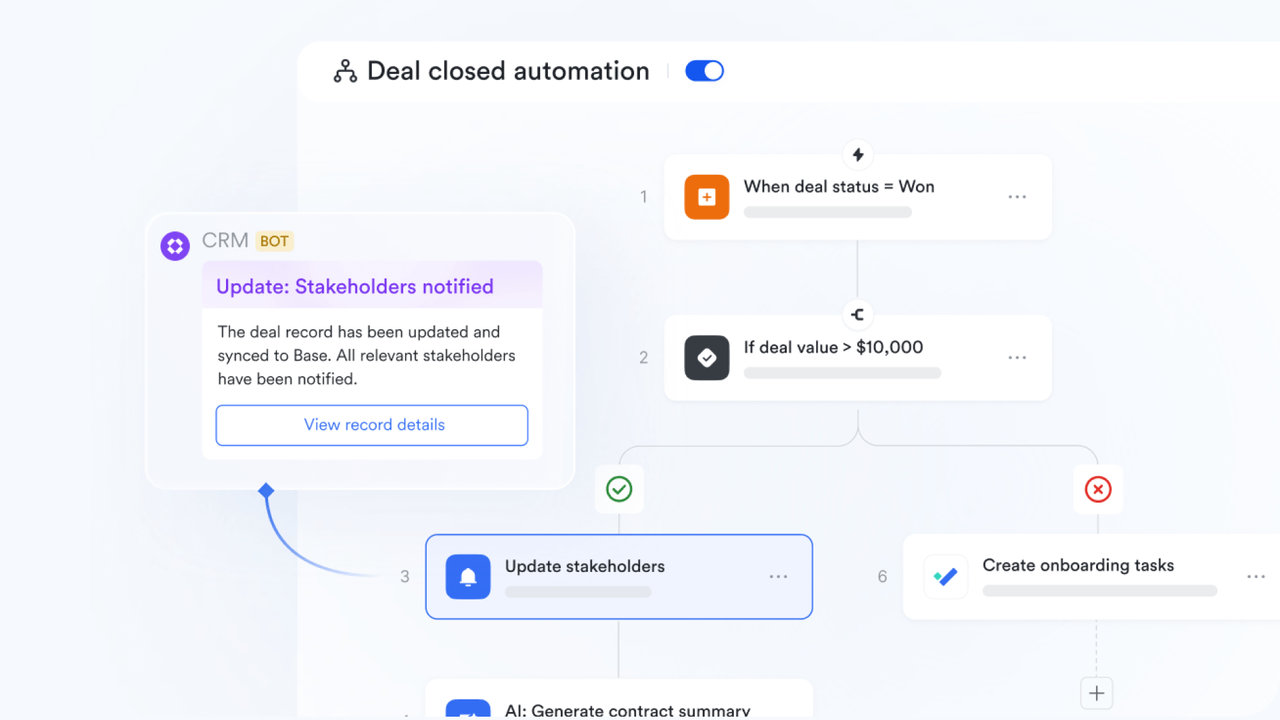
For example, when a ticket status moves from "In Progress" to "Resolved", Lark automatically updates the corresponding entry on the table, posts a success message to your Messenger group chat, and notifies the customer success lead for review. Every update happens instantly, creating a transparent, traceable workflow across departments.
Why it matters: Lark Base keeps service operations transparent and traceable without third-party tools
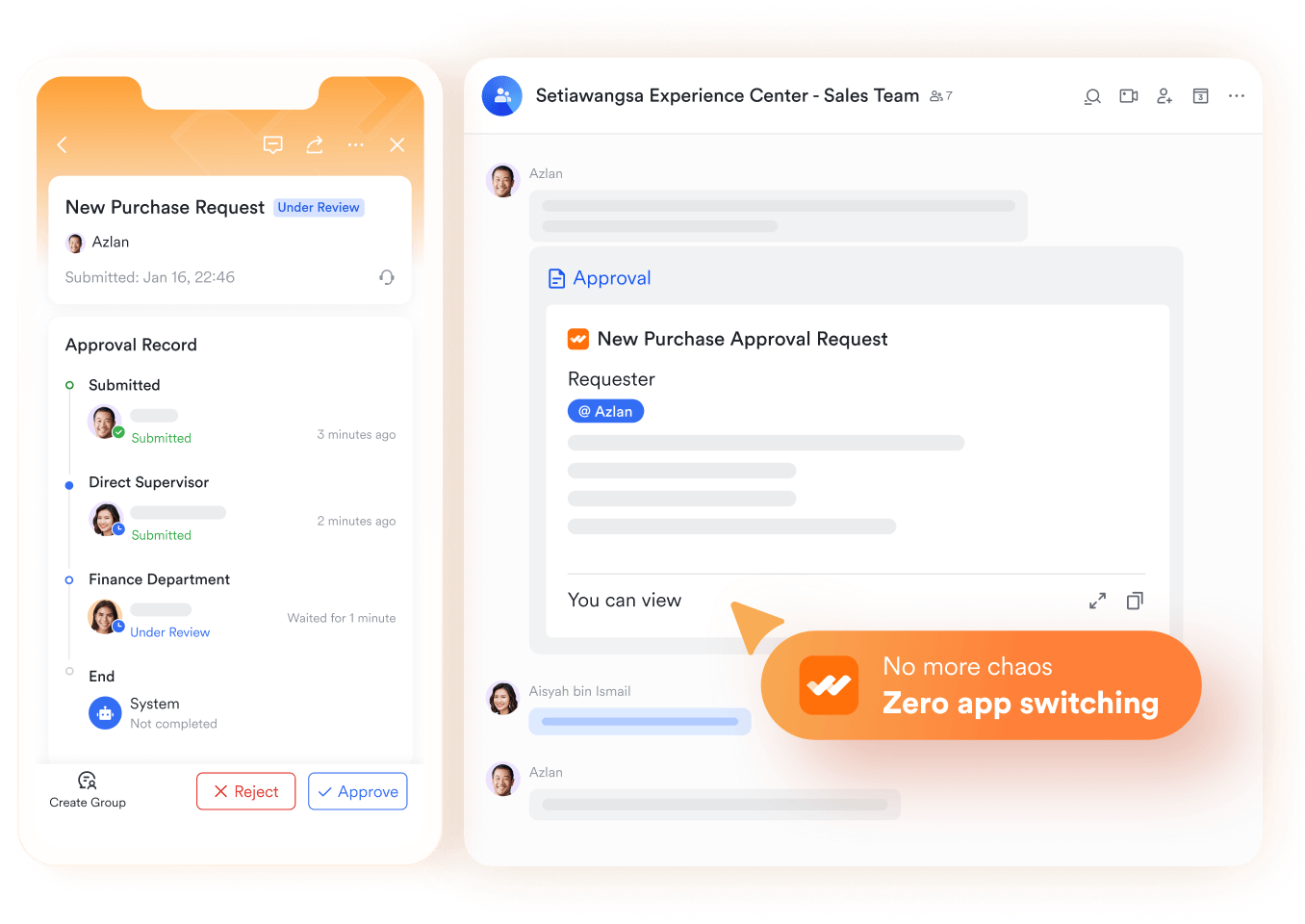
Lark Approval: Streamline every approval and request
Lark Approval lets you seamlessly sync approval data with Base for efficient management and analysis. Teams can collaborate directly on approval requests by commenting, creating group chats, and sharing, downloading, or printing records as needed.
The approval process is highly customizable, with flexible templates and deep integration across Lark’s ecosystem. Combined with automation and workflow tools in Lark Base, it supports complex, multi-step processes using conditional logic and AI-powered nodes.
Why it matters: It streamlines decision-making and boosts accountability across teams. Instead of chasing emails or juggling spreadsheets, all approval requests—from leave applications to client contracts—are centralized, transparent, and trackable.
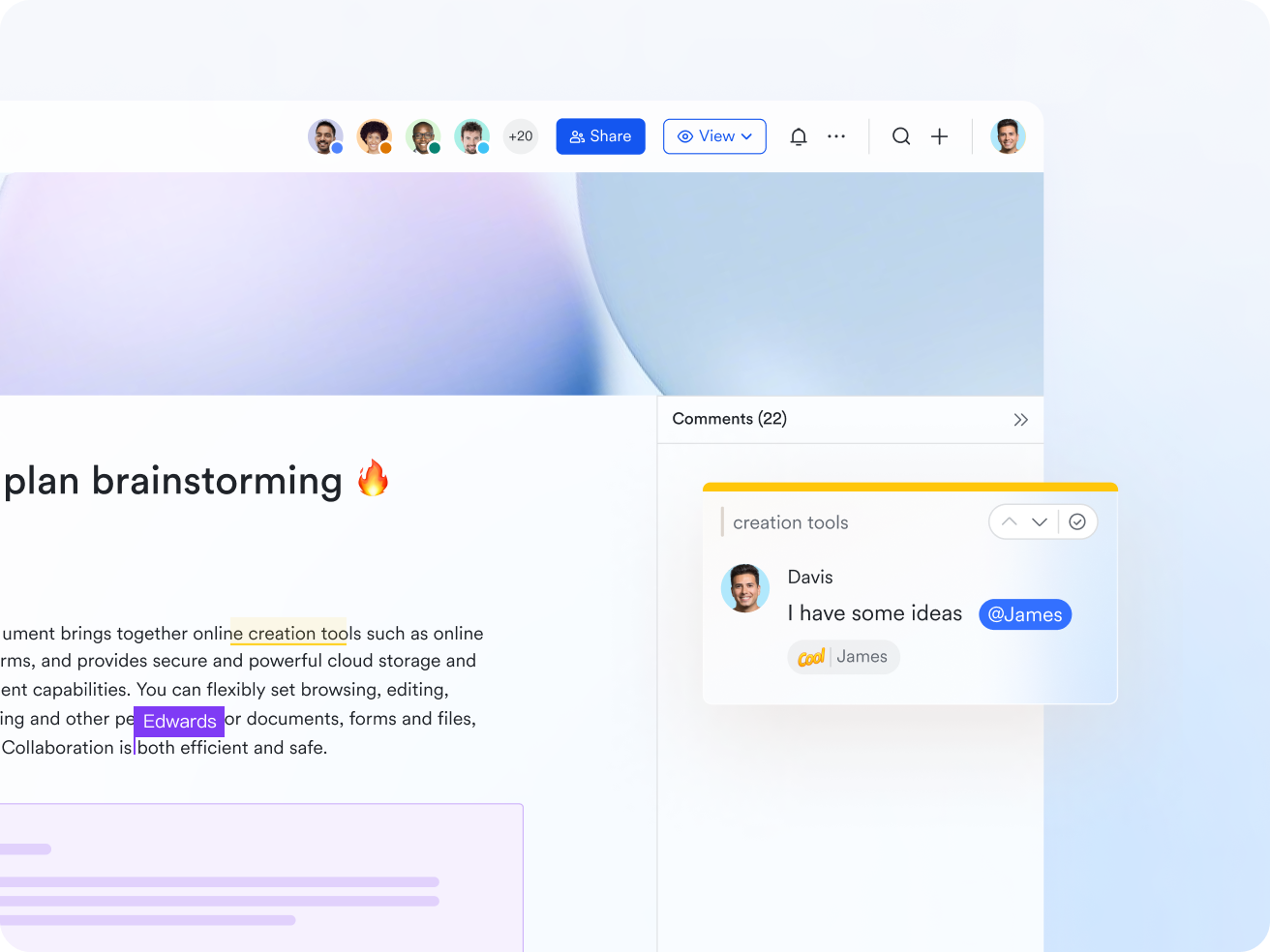
- Lark Docs: Shared knowledge base and internal SOPs
Customer support teams thrive on quick, consistent information and Lark Docs becomes their single source of truth. Instead of scattering standard operating procedures (SOPs), FAQs, and troubleshooting steps across multiple tools, Docs lets teams build a collaborative knowledge base inside the same workspace.
Agents can co-author documents like "Password Reset Guidelines," "Refund Policy Playbook," or "Onboarding Checklist." Each doc supports inline comments, real-time editing, and permission controls. Teams can even embed live base tables or sheet dashboards inside Docs for instant data context.
For instance, a "Product Issue Escalation Guide" in Docs might include an embedded Base table of known issues with assigned owners and fix statuses. Agents no longer have to toggle between tools . They have all the context and documentation they need at their fingertips.
Why it matters: Lark Docs helps support teams deliver faster, more accurate responses. It transforms static documents into living resources that grow and improve with every interaction.
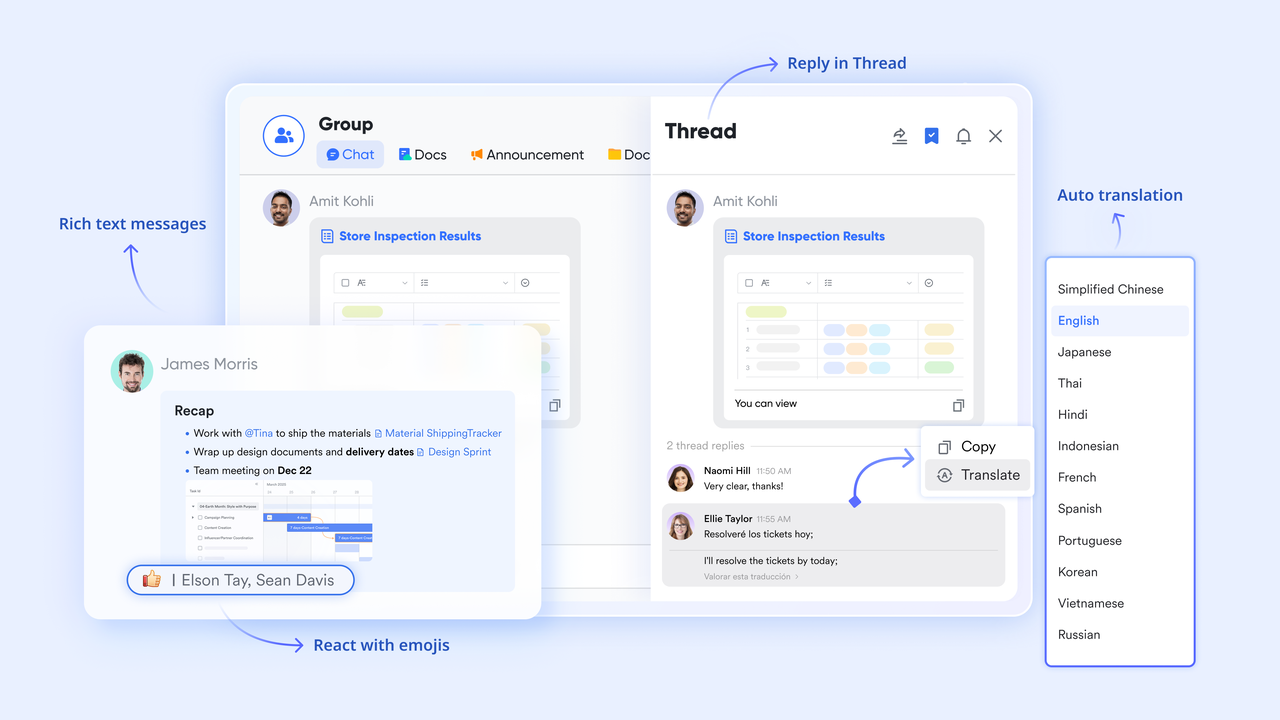
- Lark Messenger: Real-time collaboration around tickets
Support doesn't stop at the helpdesk it's a conversation that moves between agents, engineers, and managers. Lark Messenger makes that collaboration frictionless by connecting discussions directly to your support data.
Instead of relying on disconnected emails or chat apps, teams can share live ticket links from Base, drop screenshots, or paste Docs links and open it right inside Messenger. Each conversation stays contextual when you click a linked ticket, you jump straight to the full record in Base.
Imagine a high-priority bug reported by a key client: the support agent shares the Base entry in a "Critical Issues" chat, tags engineering, and attaches the troubleshooting Doc. Developers can respond, upload patches, and mark resolution directly all within the same thread.
Why it matters: Lark Messenger shortens resolution time by uniting people and data. Conversations stay focused, teams respond faster, and no details are lost in translation.
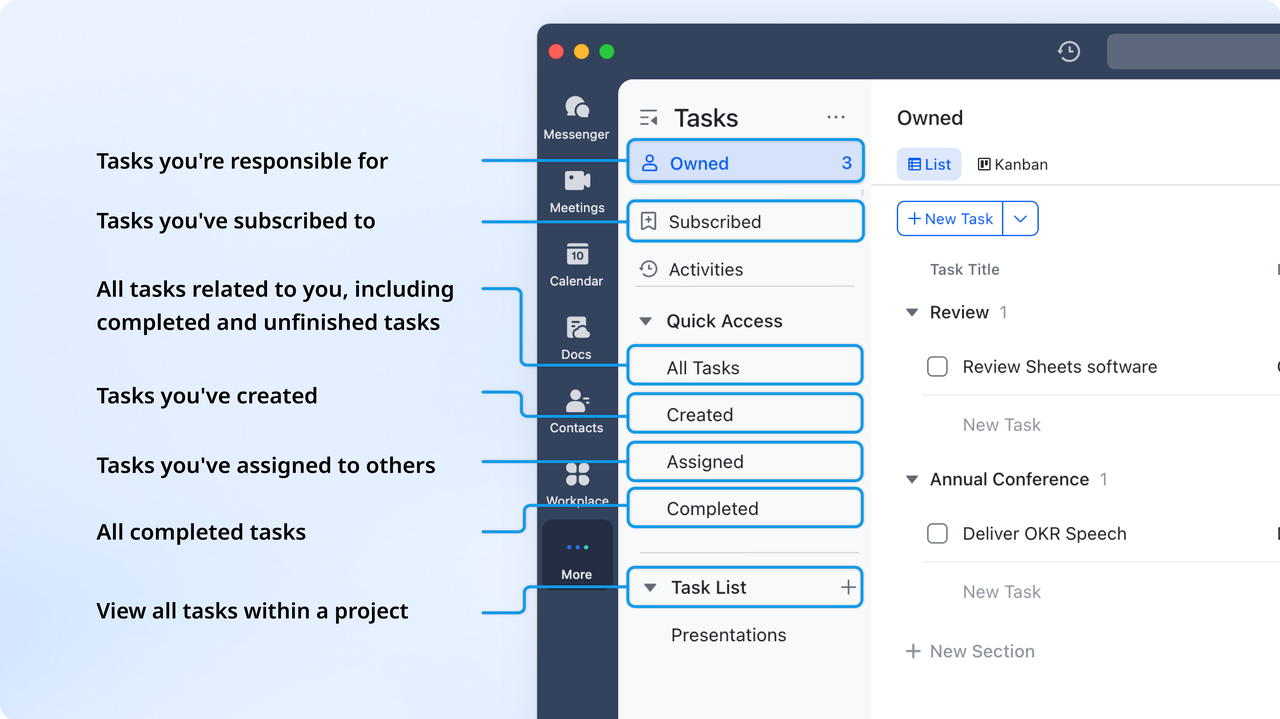
- Lark Tasks: Ownership and accountability
Customer issues often trigger follow-up work beyond the initial support ticket, a patch to deploy, a documentation update, or a training reminder. Lark Tasks ensures every next step is captured, assigned, and completed.
Task lists can be synced to Base, and updates to the task list will automatically sync to Base every hour. It records assigned owners, due dates, and linked resources. Managers can view all open tasks by category, priority, or assignee ensuring full visibility and accountability.
For example, when a support ticket is tagged as a "feature bug," Lark automatically creates a task for the engineering team with a link to the original ticket, related documentation in Docs, and performance data from Sheets. As the fix progresses, task statuses are updated in real time, and all the involved teams support, QA, and product stay informed.
Why it matters: Lark Tasks transforms customer insights into action. Every ticket leads to measurable outcomes, ensuring no follow-up falls through the cracks.
- Starter plan: Free forever plan that includes 11 powerful tools for up to 20 users. It also comes with 100GB of storage, 1000 automation runs, AI translations, and more.
- Pro plan: $12/user/month (billed annually) for up to 500 users. It includes everything in Starter plus group calling for up to 500 attendees, 15TB of storage, 50,000 automation runs, and more.
- Enterprise plan: Contact sales for custom pricing. Supports unlimited users and includes even more automation runs and advanced security, compliance, and management features.
2. Zendesk: Enterprise-grade support and automation platform
Zendesk is one of the most established platforms in the customer service space and is often adopted by larger organizations with high ticket volume and multi-channel requirements. It provides a structured model for handling support across chat, email, messaging apps, voice, and self-service portals.
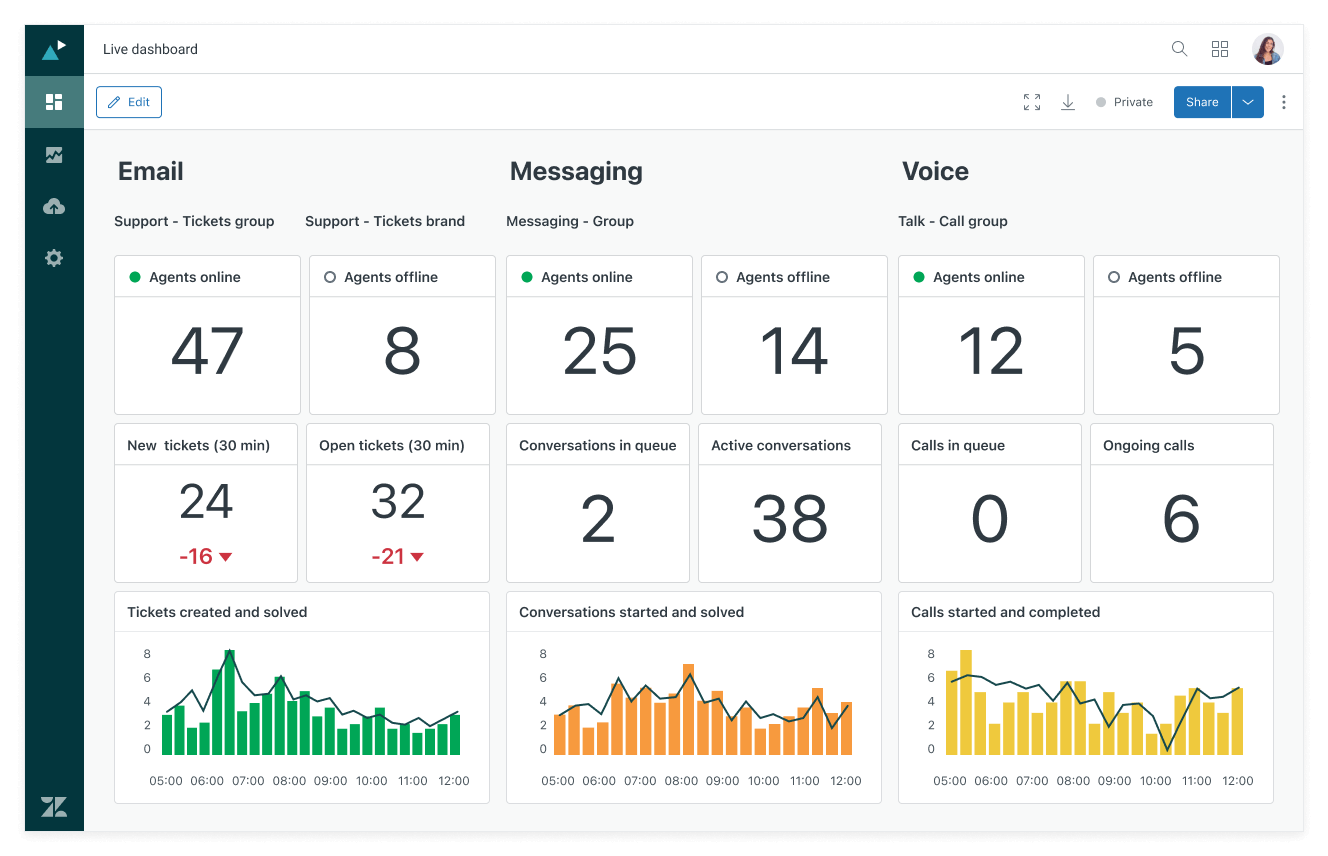
Image source: zendesk.com
Key features:
- Omnichannel ticket management across chat, email, phone, and social platforms
- AI-powered intent detection and auto-assignment for faster response times
- Advanced analytics dashboards with SLA tracking and team performance insights
- Built-in help center and community forums for self-service support
- Extensive app marketplace for integrations with CRMs, analytics tools, and workflow software
Pros:
- Highly scalable for distributed and enterprise teams
- Strong reporting, routing, and automation controls
- Flexible configuration for large numbers of agents or departments
- Mature ecosystem with many third-party extensions
- Supports advanced setups like call centers and multilingual support
Cons:
- Setup is complex for smaller teams
- Costs rise rapidly as channels, automations, or agent seats increase
Customer insight: Users value Zendesk's scalability and data visibility, noting that it excels in structured enterprise environments. However, smaller teams sometimes find the setup and customization process time-intensive.
Pricing: Starts at $25 per agent/month (Suite Team plan). Higher tiers include advanced analytics, automation, and AI features.
3. Help Scout: Shared inbox for human-centered support
Help Scout focuses on email-based customer support with a clean, conversational interface that feels more personal than a traditional ticketing layout. It is built for teams that want structure without losing the tone and familiarity of email-style responses.
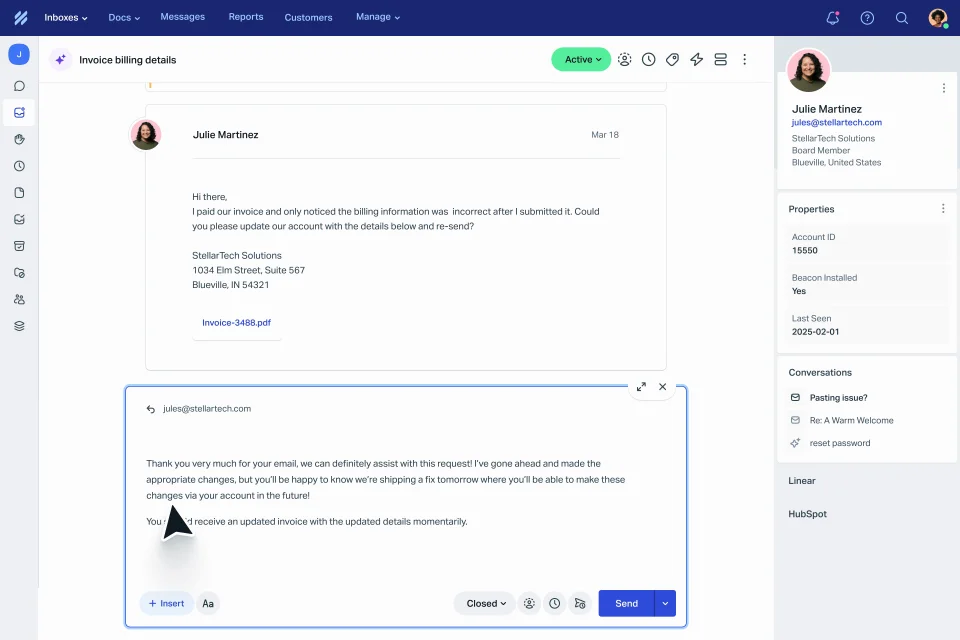
Image source: helpscout.com
Key features:
- Shared inbox with collision notifications and internal notes
- Basic customer profiles visible alongside conversations
- Simple workflow rules for tagging, assigning, and auto-responding
- Built-in knowledge base for public help articles
- Reporting for volume, response time, and satisfaction scores
Pros:
- Easy to learn and fast to deploy
- Intuitive interface that feels like modern email, not a ticket queue
- Good fit for small teams that value personal replies
- No complex setup or technical configuration required
- Integrates well with Shopify, HubSpot, Slack, and more
Cons:
- Limited workflow depth for multi-team support
- Fewer advanced analytics options than larger platforms
Customer insight: Teams appreciate how Help Scout keeps supporting humans and lightweight. Users say it is ideal for relationship-driven support but can feel limited once they need heavy automation or advanced reporting.
Pricing: Plans start at around $20 per user monthly, with higher tiers adding reporting, user permissions, and integrations.
4. BoldDesk: Cost-effective ticketing with self-service options
BoldDesk is designed for teams that want reliable ticket management and automation at a lower cost than enterprise tools. It supports both external customer support and internal departments like HR or IT, making it useful for mid-sized service operations.
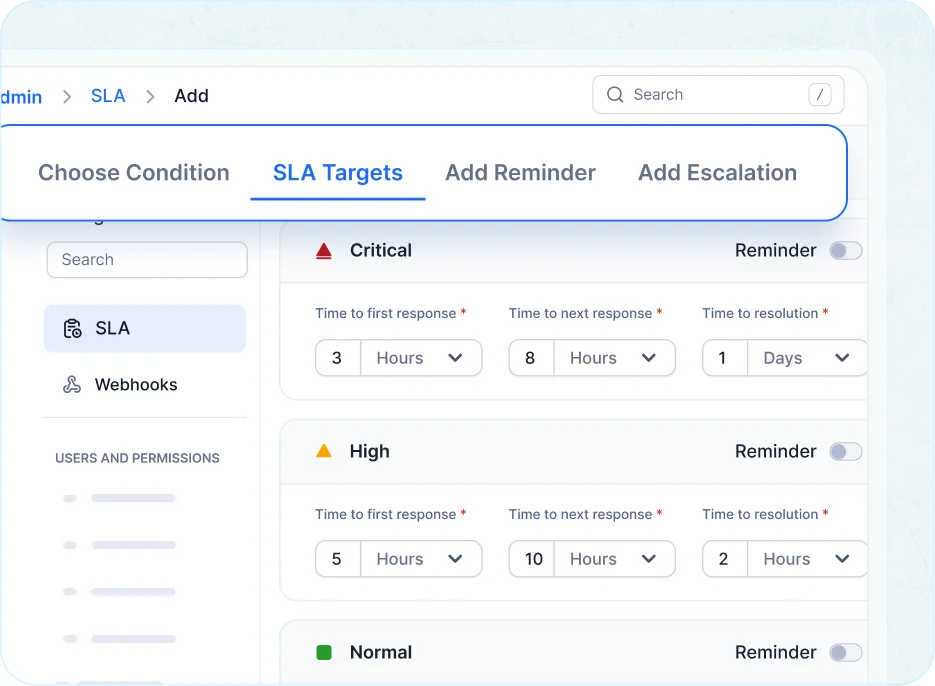
Image source: bolddesk.com
Key features:
- Custom forms, categories, and workflow rules
- End-user portal for ticket submission and tracking
- SLA rules, tagging, and escalation conditions
- Knowledge base builder for public and internal articles
- Reporting on agent performance and resolution speed
Pros:
- Affordable pricing compared to most Freshdesk alternatives free and paid
- Clean user interface with low onboarding effort
- Good automation and ticket workflow flexibility
- Works well for support teams that don't need multi-channel complexity
- Offers portal, knowledge base, and SLA tools in the core product
Cons:
- Fewer native integrations than older platforms
- Advanced analytics require higher tiers
Customer insight: Users say BoldDesk delivers strong value for the price and feels modern without being overwhelming. Teams switching from Freshdesk often cite lower cost and faster setup as the main benefits.
Pricing: Plans start at around $12 per agent monthly, with higher tiers offering more automation and reporting visibility.
5. Hiver: AI-powered helpdesk for complex, high-stakes support
Hiver is an AI-powered customer service platform built for teams handling complex, high-stakes support. Most helpdesks focus on deflecting simple tickets. Hiver goes the other way: it keeps account-centric context intact across channels and tools, so even the most difficult requests get resolved with full visibility. Support agents see customer health, sentiment, and revenue timelines pulled directly from CRMs and ERPs, which makes high-precision resolutions possible. Since it operates directly inside Google Workspace, agents face no new interface, making it a strong choice for those optimizing their current setup without exploring extensive Google Workspace alternatives or incurring additional Google Workspace pricing for separate tools.
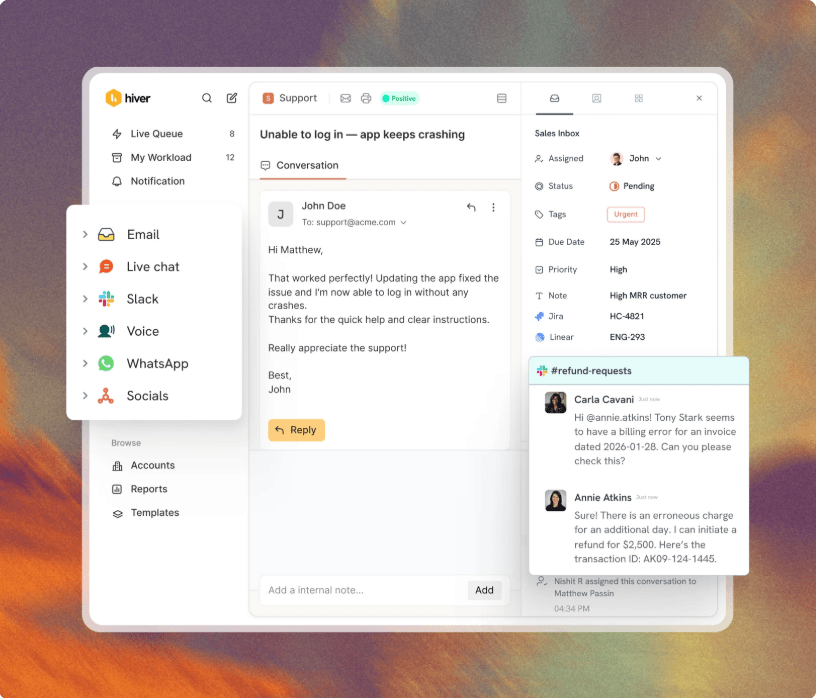
Image source: hiverhq.com
Key features:
- Cross-team customer operations: Sync updates in real time with tools like Jira, Salesforce, and NetSuite to collaborate with engineering and success teams.
- Account-centric context: Get a complete view of every customer, pulled from every system that matters, including revenue and renewal timelines.
- High-stakes AI: Deploy reliable AI agents that go beyond simple deflection to resolve complex requests and assist teams on difficult inquiries.
Pros:
- Strongest cross-team collaboration features for complex, multi-department support workflows.
- AI and agents work with deep customer context pulled from third-party systems.
- Zero learning curve for teams using the Gmail-integrated version.
- 24/7 human support included on every plan.
Cons:
- Built for high-stakes, relationship-driven support, so transactional teams may not need its depth.
- Advanced AI capabilities and premium CRM integrations sit in higher tiers.
Customer insight: One G2 reviewer noted that Hiver ended their team's "tab-switching fatigue" by bringing email, live chat, and documentation into one place, adding that turning every request into a task with a clear owner means no customer query slips through the cracks.
Pricing: Plans start at around $25 per user monthly, with higher tiers adding analytics and automation features.
6. ProProfs Help Desk: Simple, intuitive ticket management tool
ProProfs Help Desk is built for small and growing teams that need basic ticket handling without complicated setup or deep admin work. It supports both customer and internal support use cases and is often adopted by businesses moving away from shared inboxes for the first time.
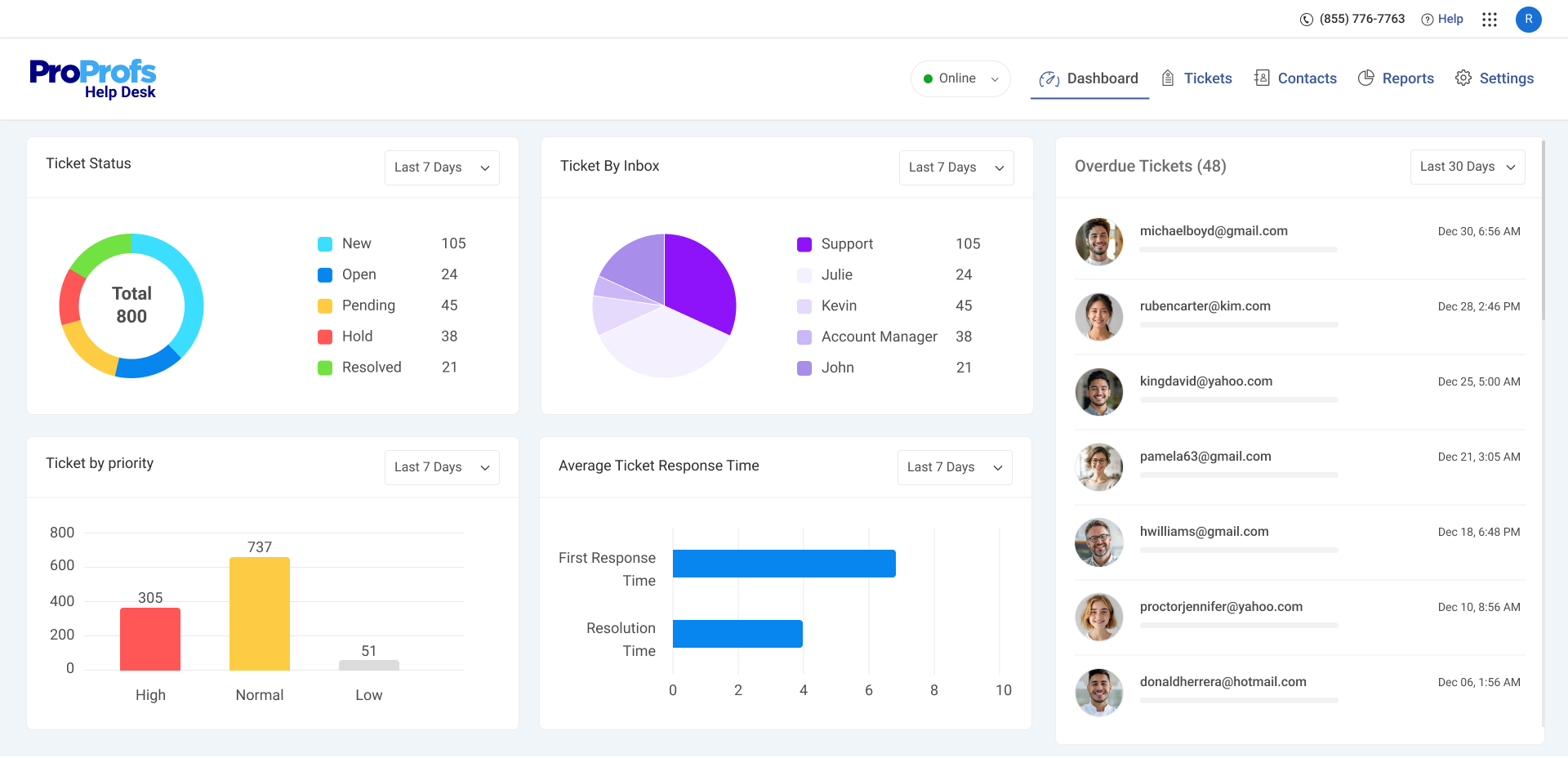
Image source: proprofsdesk.com
Key features:
- Email-based ticket creation and routing rules
- Canned responses and internal notes for faster replies
- Knowledge base builder for public and internal FAQs
- SLA deadlines, priority fields, and assignment rules
- Ticket history to track full conversation logs
Pros:
- Easy to deploy with little configuration required
- Affordable for teams that want low monthly cost
- Good starting point for teams transitioning away from manual email support
- Includes survey tools, training modules, and knowledge management add-ons
- Works well for basic single-queue workflows
Cons:
- Limited customization and automation depth for complex environments
- Not ideal for large teams with tiered support structures or multi-channel requests
Customer insight: Users describe ProProfs as simple and reliable, noting that it solves basic ticketing needs well but may need upgrading once dashboards, workflows, or channels increase.
Pricing: Plans typically begin around $10 per agent monthly, with higher tiers offering more rules, reporting, and customization.
7. Zoho Desk: Context-aware support from the Zoho ecosystem
Zoho Desk is a smart helpdesk tool designed for teams that already use other Zoho products like CRM, Books, or Projects. It connects customer records, sales data, SLAs, and ticket history in one synced interface, making it easier for agents to view full customer context before replying. The platform is known for its automation, low learning curve, and strong multi-channel coverage for email, chat, web, and social support. It is popular with mid-sized support teams that want both affordability and deep CRM alignment.
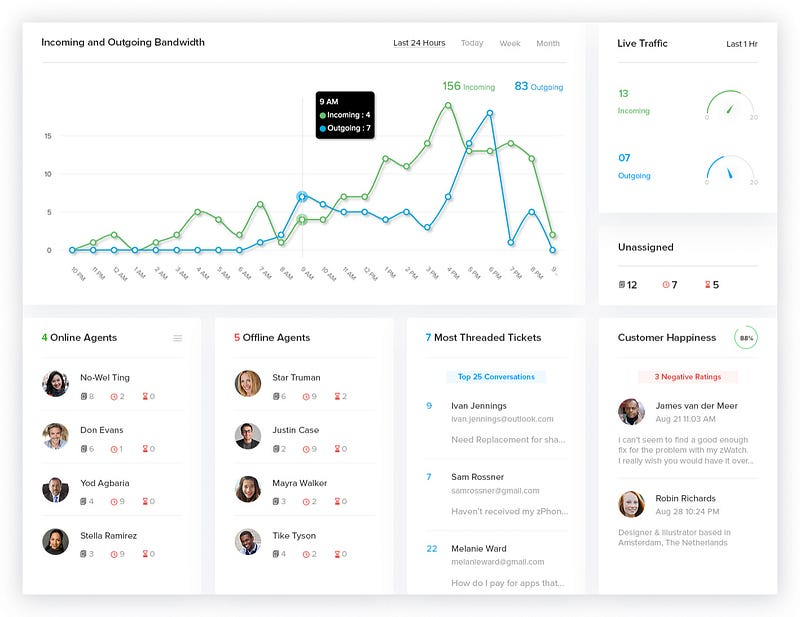
Image source: zoho.com
Key features:
- Multi-channel ticketing across email, web, social, and chat
- Contextual support data pulled directly from Zoho CRM and other apps
- AI assistant "Zia" for sentiment detection, auto-tagging, and reply suggestions
- Custom SLAs, workflows, and macros to automate escalations and assignments
- Self-service portal, help center, and community forums
- Role-based permissions for large or segmented teams
Pros:
- Works seamlessly with other tools in the Zoho ecosystem
- AI features reduce manual work for tagging, replies, and prioritization
- Offers full visibility of customer lifecycle data for agents
- Scales well for small to mid-sized global support teams
- Includes built-in knowledge base and community features
Cons:
- Best experience requires using other Zoho products
- Interface can feel dated compared to newer platforms
Customer insight: Users say Zoho Desk delivers strong value when used with Zoho CRM because agents benefit from full customer history in one view instead of switching apps.
Pricing: Free plan available for up to three agents. Paid plans start at around $14 per user monthly, with higher tiers adding AI, advanced workflows, and multi-brand support.
8. Desk365: Microsoft 365 helpdesk for IT and service teams
Desk365 is built for organizations that run their operations inside Microsoft 365 and want a helpdesk that works directly inside Teams, Outlook, and Azure AD. It is primarily used for internal support teams such as HR, facilities, and IT service desks, but it can also handle external customer support. The platform reduces context switching by letting agents reply to and manage tickets without leaving teams.
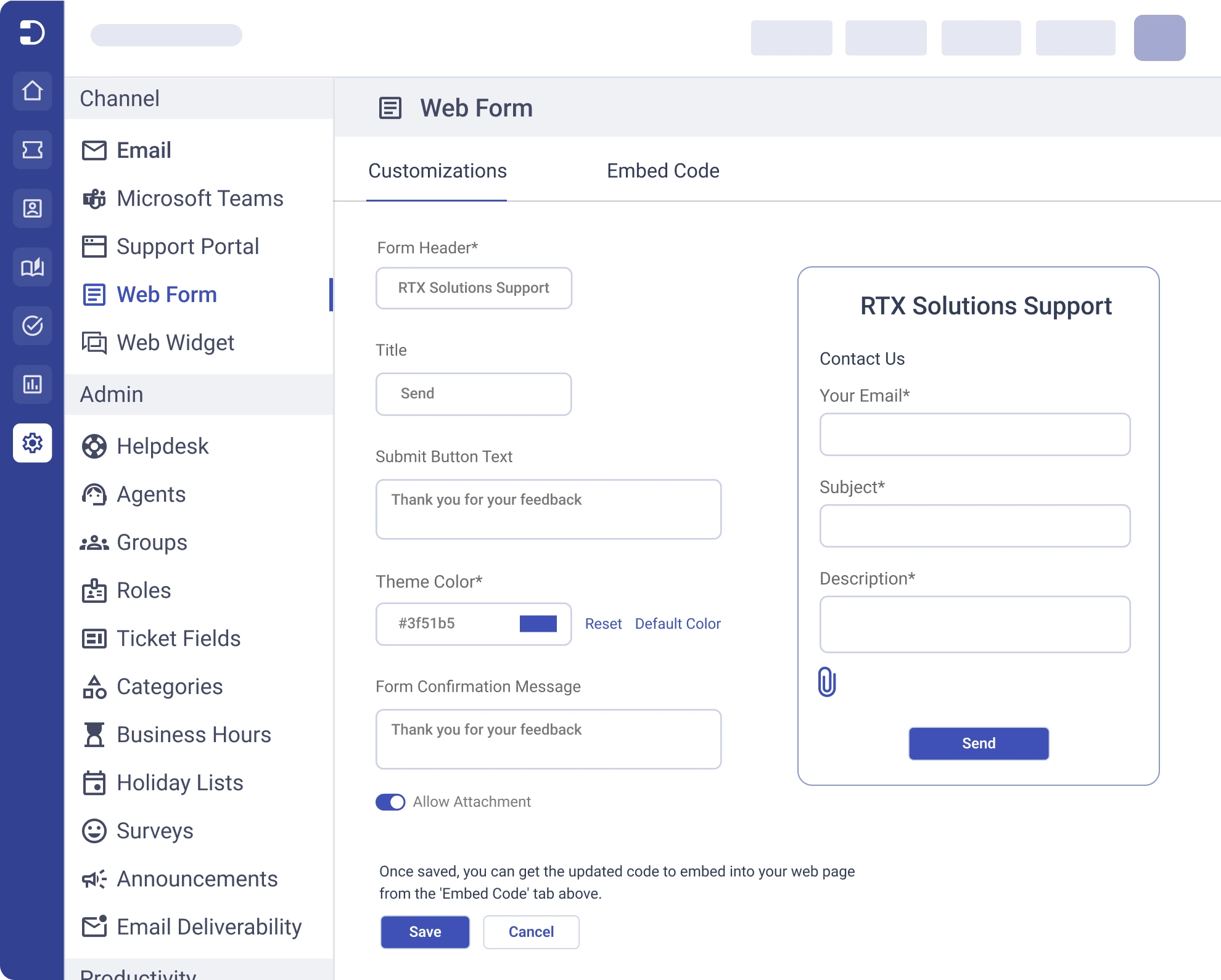
Image source: desk365.io
Key features:
- Raise and reply to tickets directly within Teams
- Email, web, and Team-based support channels
- SLA timers, rules-based routing, and automation flows
- Custom dashboards and reports for service workload analysis
- Asset and requester record tracking built into tickets
- Knowledge base with internal access controls
Pros:
- Integrates deeply with Microsoft Teams and Outlook
- Fast adoption for companies already using Microsoft 365 apps
- Lower cost than most enterprise ticketing tools
- Good fit for internal ticketing across departments
- Simple UI with minimal onboarding time
Cons:
- Not ideal for external multi-channel customer support
- Reporting depth is more limited than dedicated BI platforms
Customer insight: Users like Desk365 feel like a natural extension of teams and reduce the need to train employees on a separate helpdesk interface.
Pricing: Plans start at around $12 per agent monthly, with higher tiers adding more automation and reporting features.
9. DevRev: Unified workspace connecting support and product
DevRev is designed for SaaS and tech-first companies that want support conversations, customer feedback, bug reports, and engineering tickets all linked inside one shared workspace. Instead of keeping support and development in separate tools, DevRev maps every ticket to a product component, release cycle, or roadmap item, so customer issues and product decisions stay aligned.
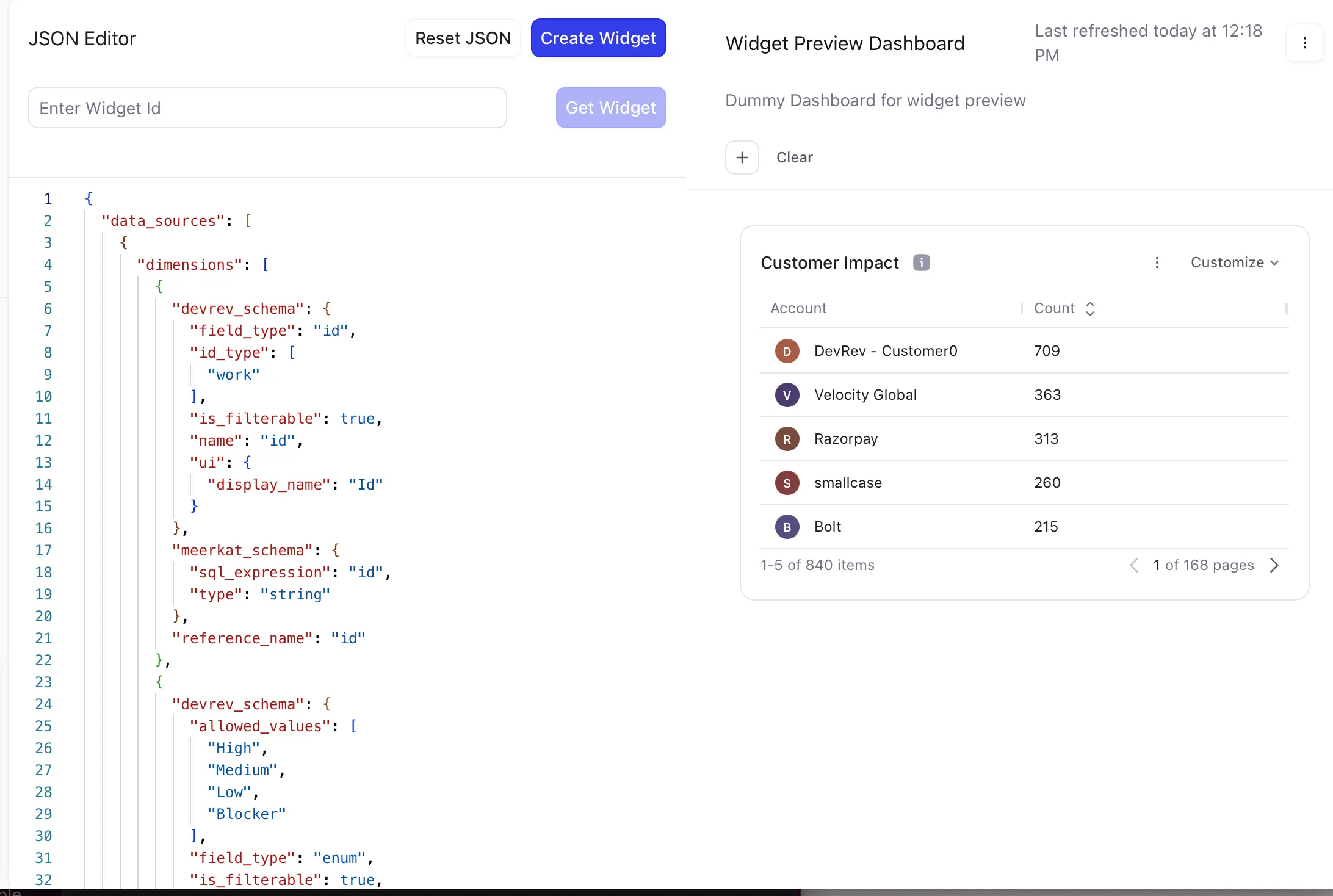
Image source: devrev.ai
Key features:
- Link tickets to product issues, feature requests, and changelogs
- AI-powered triage, summaries, and prioritization
- Visual timeline for every customer interaction across channels
- Roadmap and release planning connected to support data
- Reporting on churn impact, user sentiment, and product friction
- API and SDK for embedding support experience in app
Pros:
- Eliminates disconnect between support teams and engineers
- Helps product teams prioritize based on real customer impact
- Strong AI assistance for classification and insights
- Useful for SaaS teams with fast release cycles
- Turns support data into actionable product decisions
Cons:
- Not designed for non-technical support use cases
- Requires adoption across both support and product teams to be effective
Customer insight: Teams say DevRev turns tickets into product intelligence instead of storing them as disconnected service requests, which helps fix issues faster.
Pricing: Custom pricing depending on team size, usage layers, and product module requirements.
10. Kapture CRM: Enterprise-grade support automation system
Kapture CRM is a support automation platform built for enterprises that need a single system to manage call centers, digital support, field service, and CRM-based ticketing. It is strong in industries where workflows require multiple escalations, approvals, and SLA checkpoints, such as telecom, BFSI, healthcare, and logistics.
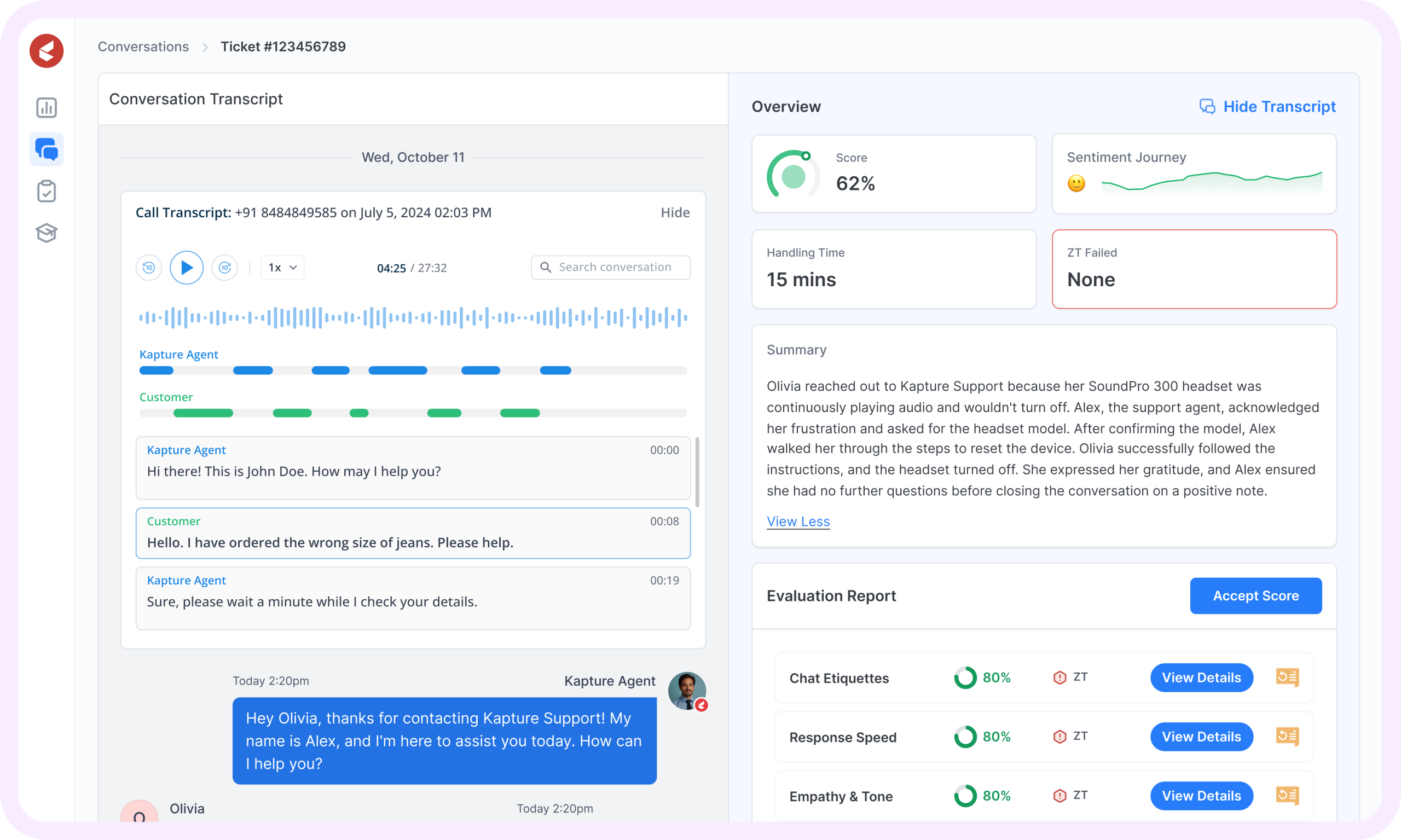
Image source: kapture.cx
Key features
- Ticket routing across voice, chat, email, and social platforms
- Customer lifecycle tracking through built-in CRM database
- Journey flows for multi-stage case handling and escalations
- Field-force automation with ticket-to-dispatch workflows
- SLA dashboards with zone, agent, and product segmentation
- Custom rules engine for complex enterprise workflows
Pros:
- Designed for large support operations with layered ownership
- Works across digital, call-center, and field support environments
- Highly configurable for industry-specific use cases
- Includes strong SLA enforcement, compliance tracking, and reporting
- Good fit for service-heavy enterprises with multi-region teams
Cons:
- Too heavy for small to mid-sized companies
- Requires onboarding and admin time to customize fully
Customer insight: Users say Kapture works best when ticket workflows span multiple departments and require CRM-level visibility rather than simple helpdesk handling.
Pricing: Fully customized pricing based on number of agents, channels, and CRM modules.
11. LiveAgent: Multi-channel support with real-time chat tools
LiveAgent is a helpdesk platform built for businesses that rely on fast, multi-channel communication, including email, chat, calls, and social media. It is frequently used by ecommerce, travel, hosting, and consumer-facing brands where real-time resolution matters more than deep workflow customization.
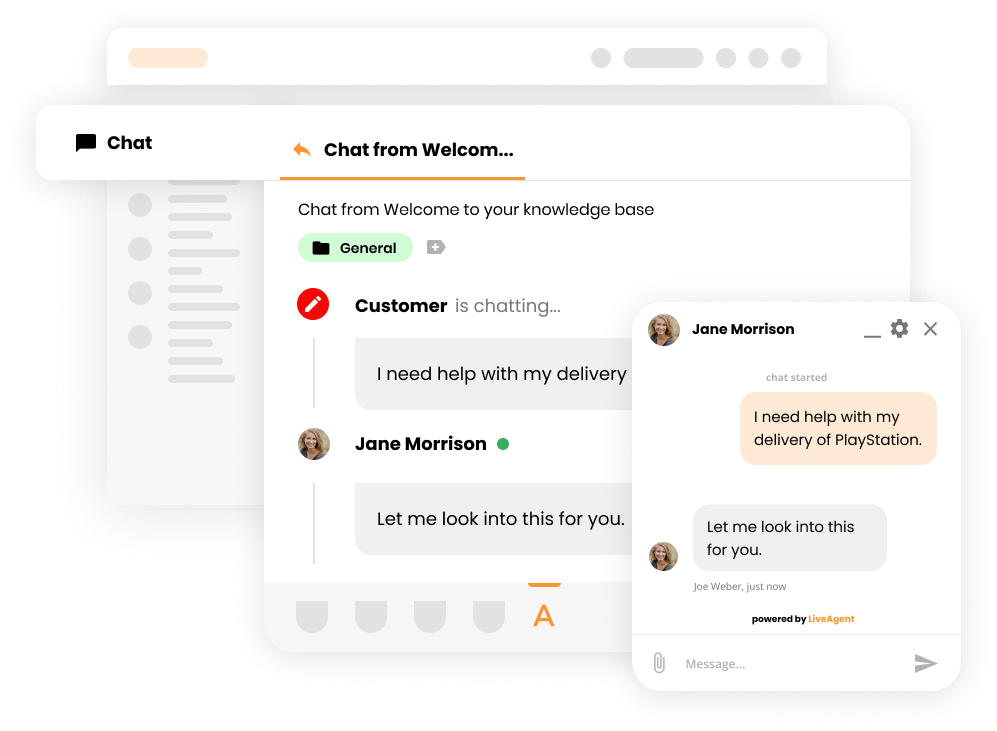
Image source: liveagent.com
Key features:
- Live chat widget with message routing and canned replies
- Call center support with IVR, call recording, and agent transfers
- Ticketing across email, web, and social networks
- Automated rules for tagging, workflow triggers, and priorities
- Multi-brand knowledge base and customer portal
- Reporting for agent performance, workload, and channel volume
Pros:
- Strong live chat and voice support features
- Good balance of channels for customer-facing businesses
- Easy deployment without technical setup
- Supports multilingual teams and global support ops
- Lower price entry compared to many Freshdesk competitors
Cons:
- Interface is more functional than modern
- Some features require add-ons or higher-level plans
Customer insight: Teams like LiveAgent provide chat, email, and phone support in one place without needing extra plugins or integrations.
Pricing: Plans begin at around $9 per agent monthly, with voice, chat, and automation features added in higher tiers.
12. Monday Service CRM: Visual support and project workflows
Monday Service CRM extends Monday.com's visual boards into customer and internal support use cases. It gives teams a flexible, spreadsheet-style view of tickets instead of traditional queue layouts, making it easier to track ownership, urgency, and follow-up work in a single workspace.
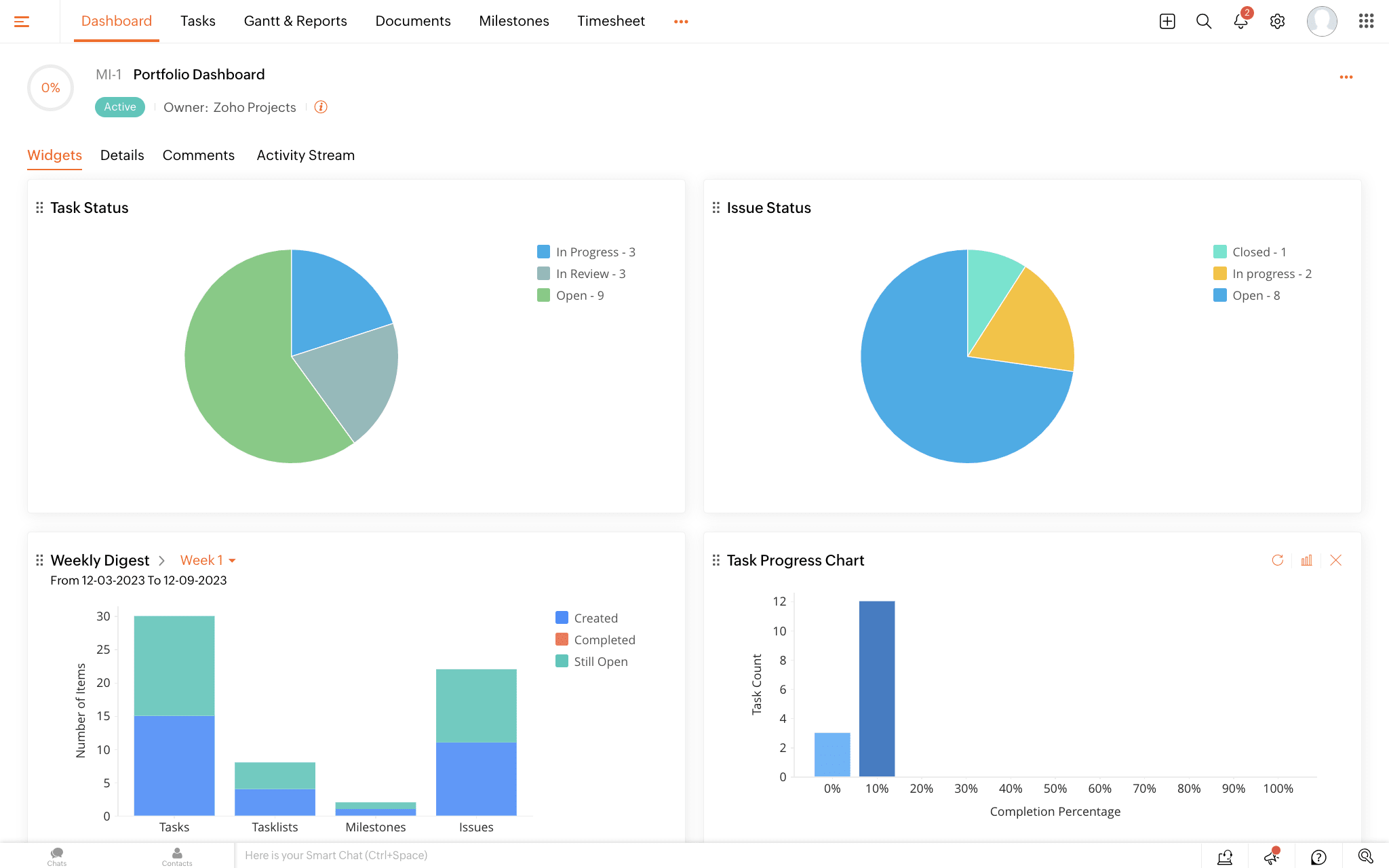
Image source: monday.com
Key features:
- Drag-and-drop boards for ticket tracking and team assignments
- Workflow automation to update status, trigger follow-ups, or assign tasks
- Built-in dashboards for SLA tracking, workload monitoring, and performance reporting
- Integrations with Gmail, Outlook, Slack, and other collaboration tools
- Shared views that align support, sales, and product teams on customer needs
Pros:
- Visual interface makes support workloads easy to understand
- Good for teams that need customization more than rigid workflows
- Works for both internal and external service requests
- Flexible automations without complex admin setup
- Suitable for cross-functional teams already using Monday.com
Cons:
- Not a traditional ticketing structure, it may require adaptation
- Some SLA and routing features are limited compared to full helpdesks
Customer insight: Users praise Monday's clean design and automation features for streamlining daily support tasks, though some note that managing complex ticketing scenarios may require additional setup.
Pricing: Starts at $10 per user/month, billed annually. Free trial available.
13. Chatty: AI chatbot for e-commerce customer support and sales
Chatty is an AI chatbot built for Shopify storefronts, designed to handle real-time pre- and post-purchase customer questions without a full ticketing system. Answering high-intent shopper queries and automating routine support, it helps merchants reduce drop-offs while scaling customer interactions efficiently.
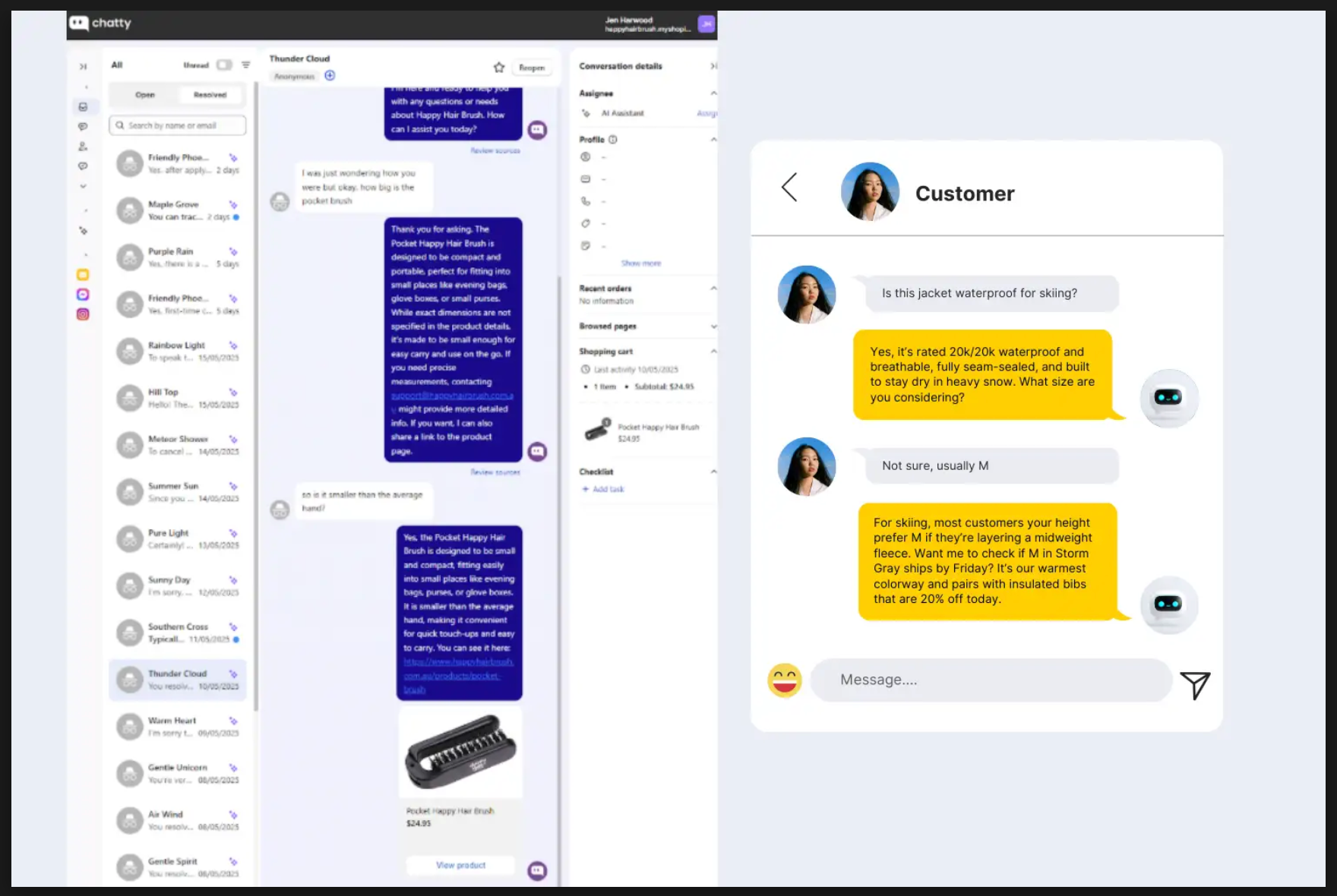
Image source: chatty.net
Key features:
- AI chatbot trained on Shopify product data, FAQs, and store policies
- Real-time live chat with human handoff for complex conversations
- Automated responses for pre-purchase and post-purchase inquiries
- Product recommendations and guided selling via chat
- Native Shopify integration with minimal setup
Pros:
- Built specifically for Shopify storefront use cases
- Helps reduce pre-purchase friction and cart abandonment
- Automates repetitive support questions efficiently
- Easy deployment without complex workflows or configuration
Cons:
- Not designed for advanced ticketing or SLA-driven support teams
- Limited omnichannel and enterprise-level reporting capabilities
Customer insight: Merchants value Chatty for its ability to engage shoppers at critical decision points before checkout, while still handling routine support questions after purchase. This makes it especially useful for stores where chat is part of the sales journey, not just customer service.
Pricing: Chatty offers a free plan for basic chatbot usage. Paid plans start at $19.99 per user/month, with higher tiers at $49.99 and $199.99 per user/month, increasing AI reply limits, agent capacity, and analytics features.
How to choose the right Freshdesk alternative
Selecting the best replacement for Freshdesk depends on how your support team works, how many departments are involved, and how much automation is required. Some tools act as simple ticketing systems, while others connect support with product, engineering, and sales. Before switching platforms, teams should evaluate usability, workflow flexibility, and long-term scalability.
- Decide whether you need standalone ticketing or full collaboration: Some tools only manage customer requests, while others include messaging, task management, and shared context across multiple teams. If support often involves internal handoffs or cross-department approvals, a full workspace will be more useful than a ticket-only tool.
- Compare automation depth, not just the number of channels: Channel coverage matters, but the biggest efficiency gains come from removing manual work. Look for platforms that automate assignments, reminders, escalations, and follow-up tasks instead of just routing tickets from email or chat.
- Check whether dashboards are real time or require exports: Many tools still depend on CSV reports or scheduled email summaries. Real-time analytics give managers live visibility into SLAs, backlogs, and agent workload, so they can adjust faster during peak volume.
- Evaluate cross-team workflows: If tickets require involvement from other departments, the system should support shared visibility and linked ownership. Otherwise, agents will still rely on Slack or email to chase updates.
- Look beyond license cost and factor in add-ons and automation caps: Pricing often increases once teams need reporting, chat, extra users, or API access. The total cost of ownership is usually higher than the entry plan suggests.
- Test whether your support team can work without switching tools: If agents still depend on external docs, spreadsheets, chat threads, or task apps, the new platform won't fix workflow fragmentation. The right tool reduces switching, not increases it.
Best practices for migrating from Freshdesk
Switching from Freshdesk to another platform requires planning to protect ticket history, workflows, and customer experience. The goal is not just to move data but to improve the support process during migration. A structured transition helps avoid service delays, agent confusion, and data loss while the new platform is being adopted.
- Export tickets, satisfaction scores, and knowledge base before disabling your account: Once a Freshdesk subscription ends, access to historical data becomes limited. Export ticket records, attachments, tags, and survey results early, so nothing is lost during the transition.
- Rebuild workflows based on real usage data, not legacy habits: A migration is the perfect time to remove unused queues, outdated categories, or excessive manual steps. Use actual ticket reports to decide which processes should be redesigned instead of copying the old system exactly.
- Run internal testing with sandbox or soft launch before enabling customer access: Testing helps catch missing automation rules, broken notifications, or permission issues before real tickets start flowing into the new platform. This prevents customer-facing problems later.
- Focus on interface changes, new reply, escalation, and documentation habits: A better tool still fails if old behaviors continue. Training should focus on how to collaborate, use automation, and log context properly, not just where the buttons are located.
- Set up new SLAs and routing rules before importing live tickets: If assignment logic, priority tiers, or SLA timers are missing, tickets will pile up instantly. Build and test routing workflows first, then migrate real ticket data.
- Notify customers if support email addresses, portals, or ticket IDs will change: Even small changes can affect customer replies or login access. A simple transition message maintains trust and avoids confusion when the new system goes live.
Conclusion
Finding the right Freshdesk alternative depends on what your support team is trying to solve whether that's reducing costs, improving automation, enabling cross-team collaboration, or bringing support data into one shared system. Some platforms act as simpler ticketing replacements, while others expand into full operational workspaces that connect support with product, sales, and internal teams.
As teams outgrow traditional helpdesks, many start looking for tools that don't just manage tickets, but also handle documentation, communication, reporting, and follow-up work in a single place. That's where platforms like Lark become relevant, because they don't treat support as a separate function. Instead, they give teams one workspace where tickets, conversations, dashboards, and tasks stay connected and updated in real time, removing the need to jump between multiple apps.
FAQs
Which Freshdesk alternative is best for startups or small teams?
Small teams usually prefer Help Scout, Hiver, or ProProfs Help Desk because they offer simple ticketing without complex setup or admin layers. These tools work well for email-based support and teams that prioritize quick onboarding. Lark becomes a stronger choice when small teams also need internal chat, shared documents, and automation in the same workspace. It removes the need for multiple apps and keeps all support communication in one place.
Can Lark replace both ticketing and communication tools?
Yes, because Lark combines ticketing, team messaging, knowledge documentation, and reporting inside a single platform. Support agents can manage tickets and collaborate with other departments without switching tools. This removes the need for a separate chat app just to discuss customer issues or escalate cases. Teams get support, communication, and internal workflows all in one interface.
How does Lark handle automation compared to Freshdesk?
Lark, Zendesk, and DevRev offer the most advanced automation capabilities among Freshdesk competitors. Zendesk focuses on workflow routing inside the ticket queue, while DevRev connects automation to product issues and engineering work. Lark automates ticket updates, data syncing, chat notifications, and task creation across the entire workspace, not just the helpdesk. This makes it more useful for multi-team support workflows.
What's the most affordable Freshdesk alternative with collaboration features?
BoldDesk and Hiver are affordable options for teams that mainly handle email-based support and want lightweight automation. They keep pricing predictable without requiring add-ons. Lark offers stronger long-term value when teams want to replace multiple tools such as ticketing systems, chat apps, spreadsheets, and internal documentation software. The savings increase as more teams adopt it beyond customer support.
Can Lark integrate with CRM and product feedback workflows?
Yes, Lark connects with CRM platforms, engineering tools, scheduling apps, and shared drives so support teams can work alongside product and sales without losing context. It is commonly used as the central workspace for tickets, customer data, and product feedback. Many teams prefer this model because it removes handoff delays and keeps support insights visible across the company.
Related reading
Table of contents
Start using Lark today

Manage all your work in one place
Boost team efficiency by 10x
Save up to 70% on software costs
Table of contents
Start using Lark today
Manage all your work in one place
Boost team efficiency by 10x
Save up to 70% on software costs
Keep reading









2026 Lark Technologies Pte. Ltd.
Headquartered in Singapore with offices worldwide.






Explore: