














Smarter HubSpot Workflow Examples for Modern Teams

Fecilia Clarke
Solutions Marketing Specialist
Sep 18, 2026
Fecilia Clarke
Sep 18, 2026

15 min read


HubSpot workflows are the engine of modern revenue operations. They are how you scale your business, create consistent customer experiences, and improve your entire business operations. You're likely already using them to automate emails and manage data. But what comes next? How do you go from simple, linear automation to true, cross-functional team orchestration that boosts operational efficiency? How do you connect your automated workflows to the dynamic, human collaboration that actually closes deals and solves customer problems?
The truth is, while HubSpot is fantastic at automating tasks inside its platform, the next level of growth happens when you bridge the gap between your systems and your people. In this guide, we'll start with powerful HubSpot workflow examples to build a strong foundation. Then, we’ll explore how to evolve your strategy from simple automation to full-fledged orchestration, solving the common challenges that limit even the most well-designed workflow automation.
What is HubSpot ?
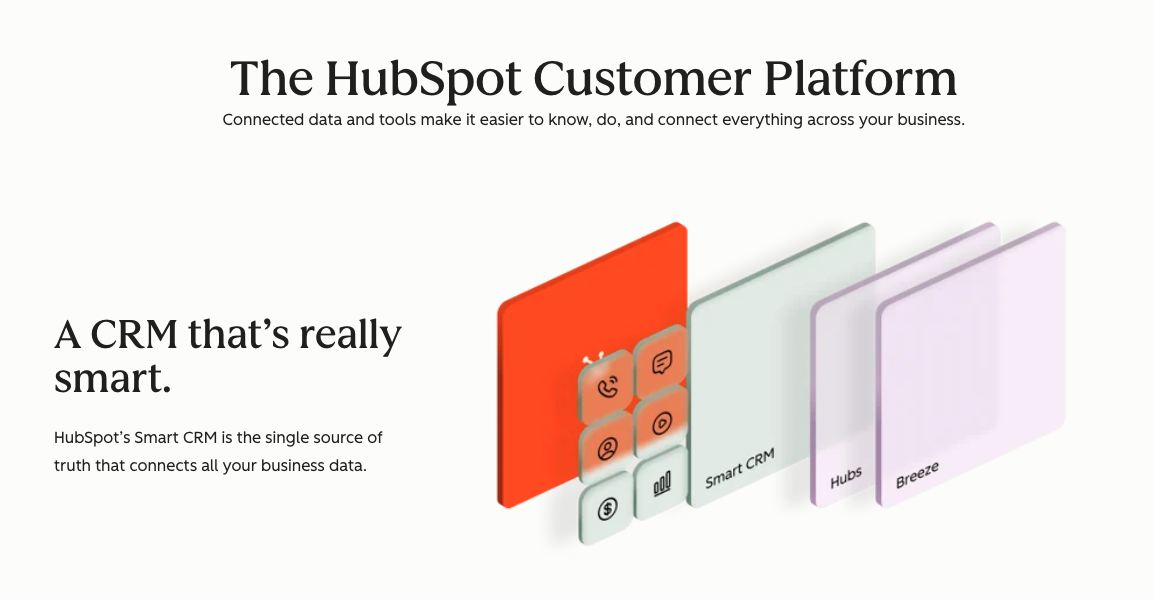
Image source: hubspot.com
For those who may be new to the ecosystem, let's start with a simple definition. HubSpot is a leading customer relationship management (CRM) platform designed to help companies attract, engage, and delight their customers. It’s not just one single product, but a suite of integrated tools, or "Hubs," that cover every stage of the customer journey. This includes the Marketing Hub, Sales Hub, Service Hub, CMS Hub, and Operations Hub. Each one is powerful on its own, but they are designed to work together to streamline processes.
Think of your HubSpot account as your company's central system of record for every customer interaction. It’s where you store contact information, track deals, manage support tickets, and launch marketing campaigns. And the workflow tool is the engine that brings all of this data to life. These are a series of automated actions that you can trigger based on a contact’s behavior or properties, ensuring the right actions happen at exactly the right time and improving your overall business process.

10 powerful hubspot automation workflow examples to build today
To satisfy your search for practical automation, let's dive into foundational workflows that can deliver immediate value. We’ve grouped these by business function, providing the common problem they solve and the solution you can build in HubSpot. This list of HubSpot workflow examples provides the building blocks for an efficient and scalable revenue operation.
Foundational sales workflows
Instantly route and notify reps about new high-value leads
- Problem: In sales, speed is everything. When a qualified lead submits a "Contact Sales" form, every minute that passes before a sales rep follows up dramatically decreases the chance of a conversion. Manual assigning leads is slow and prone to human error, leaving valuable opportunities to go cold. You need to automate lead assignment effectively.
- Solution: Create a contact based workflows that automates lead assignment. The enrollment triggers would be a form submission or a high HubSpot lead scoring value. You can then use if/then branches to route leads to the most relevant person on your sales team. The final step is to create internal notifications to alert the new contact owner, ensuring your sales rep can act immediately while the lead's interest is at its peak. This is a classic automated workflow that pays dividends immediately.
Create deal stage-based tasks for a consistent sales process
- Problem: Your sales process is well-defined, but reps sometimes forget critical steps as a deal progresses. Forgetting to send a security questionnaire or schedule a technical deep-dive can delay the deal stage progression and create a poor buyer experience. You need to ensure every rep follows the playbook every time.
- Solution: Build a deal-based workflow in HubSpot where the enrollment trigger is a deal stage change. For example, when a deal moves to "Qualified to Buy," the workflow can automatically create tasks for the deal owner to "Schedule a Discovery Call." This deal stage automation is crucial for maintaining momentum in your sales funnel. This ensures no step is missed, standardizing your process and acting as a safety net for your team.
Send internal alerts for high-value deal activity
- Problem: Sales managers need visibility into the pipeline but don't have time to manually check every deal stage every day. They risk missing key moments, like a major deal being created or an at-risk account needing executive attention.
- Solution: Create a deal-based workflow to send notifications to leadership about important activity. For instance, set the enrollment criteria to be "Deal Amount is greater than [your high value]" and "Deal Stage is Created." The action would be to send an internal notification to the Head of Sales. You can also create a workflow that sends an alert if a high-value deal has had no activity logged, enabling proactive intervention by your sales representatives.
Essential marketing automation workflows
Build a dynamic welcome series to nurture leads
- Problem: You send the same generic welcome email to every person who subscribes, regardless of whether they downloaded a technical whitepaper or signed up for a lighthearted newsletter. This one-size-fits-all approach from multiple form submissions misses a huge opportunity to nurture leads effectively.
- Solution: This is a fantastic HubSpot workflow example that showcases the power of branching. Create a contact-based workflow triggered when a contact submits a form. Use an if/then branch based on the form used. Someone who downloaded an ebook should receive different marketing emails than someone who subscribed to your blog. This is a core part of any lead nurturing strategy, creating a far more tailored and effective experience from day one.
Update a contact when they become a marketing qualified lead
- Problem: The handoff from marketing to sales is one of the most common points of failure. The marketing team is busy generating leads, but if their status isn't properly updated in the CRM, the sales team may never know they exist. You need to define the moment a prospect becomes a marketing qualified lead (MQL).
- Solution: Automate the handoff with a workflow based on your lead scoring model. Set the enrollment trigger to be when a contact’s lead score becomes greater than your MQL threshold. The workflow should then perform two key actions: first, it sets the lead's lifecycle stage property to "Marketing Qualified Lead," and second, it sends an internal notification to the sales team, signaling a new lead is ready to become a sales qualified lead (SQL). This is a pillar of marketing automation.
Launch re-engagement campaigns for inactive contacts
- Problem: Your database is full of contacts who haven't engaged in months. These contacts can hurt your email deliverability rates and may increase your Marketing Hub Professional subscription costs, all while providing no value to your marketing strategy.
- Solution: Build a workflow to win back or clean up your list. You can enroll contacts into a workflow where the trigger is a list of contacts where "Last seen" or "Last marketing email open date" is more than six months ago. The workflow can send a 2-3 automated email re-engagement sequence. For contacts who still don't engage, you can add a final step to manage their status, keeping your database healthy.
Core service & operations workflows
Automate support ticket creation and routing
- Problem: When a customer emails your support address, it creates a ticket, but it just sits in a general queue. Your support team has to manually triage every single ticket, which is inefficient and leads to slower response times and lower customer satisfaction.
- Solution: If you have Service Hub Professional, you can create a ticket-based workflow that routes tickets automatically. The enrollment trigger would be "Ticket Created." Use if/then branches based on keywords in the email subject. The workflow can then assign the ticket to the appropriate team and set its priority level, ensuring the right expert sees the right ticket faster, improving the customer experience.
Send post-service feedback surveys for customer engagement
- Problem: You have no systematic way of knowing if your customers are happy with the support they receive. This lack of data makes it impossible to measure and improve your service quality and overall customer engagement.
- Solution: Build a simple yet powerful workflow to automate feedback collection. The trigger should be when a ticket status changes to "Closed." Add a short time delay and then send a follow-up email asking the customer to rate their experience. These follow up emails can link to a survey page, allowing you to gather valuable data consistently. This helps you understand your customers and improve service.
Implement data hygiene workflows to format data
- Problem: Your CRM data is messy. You have inconsistent country codes and job titles. This messy data makes segmentation and reporting nearly impossible. Manually cleaning this data is one of the most painful repetitive tasks your operations team faces.
- Solution: Use a workflow to be your automated data janitor. You can create a workflow that enrolls any contact where a specific contact property is known but needs cleaning. Then, use branches to check for common variations and format data to a standard value. You can also create workflows to capitalize names. This is a key way to automate repetitive tasks.
Keep company and contact lifecycle stages in sync
- Problem: A contact at a key account gets promoted to "Customer," but their associated company record still says "Lead." This creates confusing and inaccurate reports based on lifecycle stages. You need reliable lifecycle stage updates.
- Solution: Create a workflow that syncs the lifecycle stage between related objects. The enrollment trigger would be when a contact's stage changes. The workflow action would be to copy that property value to their associated company. This is a great example of cross hub workflows ensuring data integrity across your CRM.
The power and the pitfalls: What to know about using hubspot workflows
The examples above show just how much you can accomplish when you use HubSpot workflows. When you harness them correctly, the benefits are undeniable. But to reach the next level of operational excellence, we have to look honestly at both sides of the coin.
The pros: Why we love HubSpot automation
First, let's celebrate what makes the HubSpot workflows engine so powerful. It provides a robust foundation for scaling your business. Sales automation and marketing automation save hundreds of hours. It’s also an incredible tool for ensuring consistency. By using workflows to manage data and processes, you create a single, standardized way of operating. Finally, it's the bedrock of modern marketing, allowing you to build sophisticated, personalized automated emails that guide prospects through the buyer's journey. You can even start from a pre-built workflow template to get going quickly.
The cons: The hidden operational gaps
However, the automation journey doesn't end when one of the workflow actions is complete. The biggest challenges appear in the space between the automated action and the necessary human response. This is where friction emerges, even with the best HubSpot integrates.
1. Notification overload. The default action for many internal alerts is to send an email. At first, this seems helpful. But soon, your team’s inbox is flooded with a constant stream of low-context notifications. This automated noise buries the truly urgent signals, and your team starts to tune it all out. The internal notification system becomes part of the problem, not the solution.
2. Disconnected approvals. Many critical processes require a human decision. A sales rep may need a manager’s approval for a discount. In HubSpot, the workflow simply pauses. It relies on the employee to send an email and track down the manager. This manual, untrackable process breaks the seamless transition you’re aiming for, introducing delays and stalling your deal.
3. Constant context switching. A HubSpot notification tells you what to do, but it can't help you do it. An alert says a new lead is assigned. Now you must stop, open a new browser tab, log into HubSpot, and find the record. Each of these "switches" costs time and mental energy, adding up to significant productivity loss, even when using features like custom objects to store data.
4. Rigid team handoffs. Workflows are great at task creation. For instance, when a deal is won, it can assign tasks to the onboarding team. But onboarding isn't one task; it's a complex project. The simple task created by HubSpot is a fire-and-forget action, not a tool for true cross-functional project orchestration, and it often requires external tools to manage properly. The lead status might be "Won," but the lead status updates don't tell the whole story of the work that follows.
How to solve the problems: A truly connected platform
Solving the challenges of HubSpot's workflows requires a more connected and intelligent approach to how your teams work. The true advantage lies in understanding how an all-in-one tool like Lark empowers you to build powerful workflows that streamline your processes and make every member of your team more effective. With Lark, you can move beyond simply automating tasks to creating truly dynamic and responsive systems tailored to your specific needs.
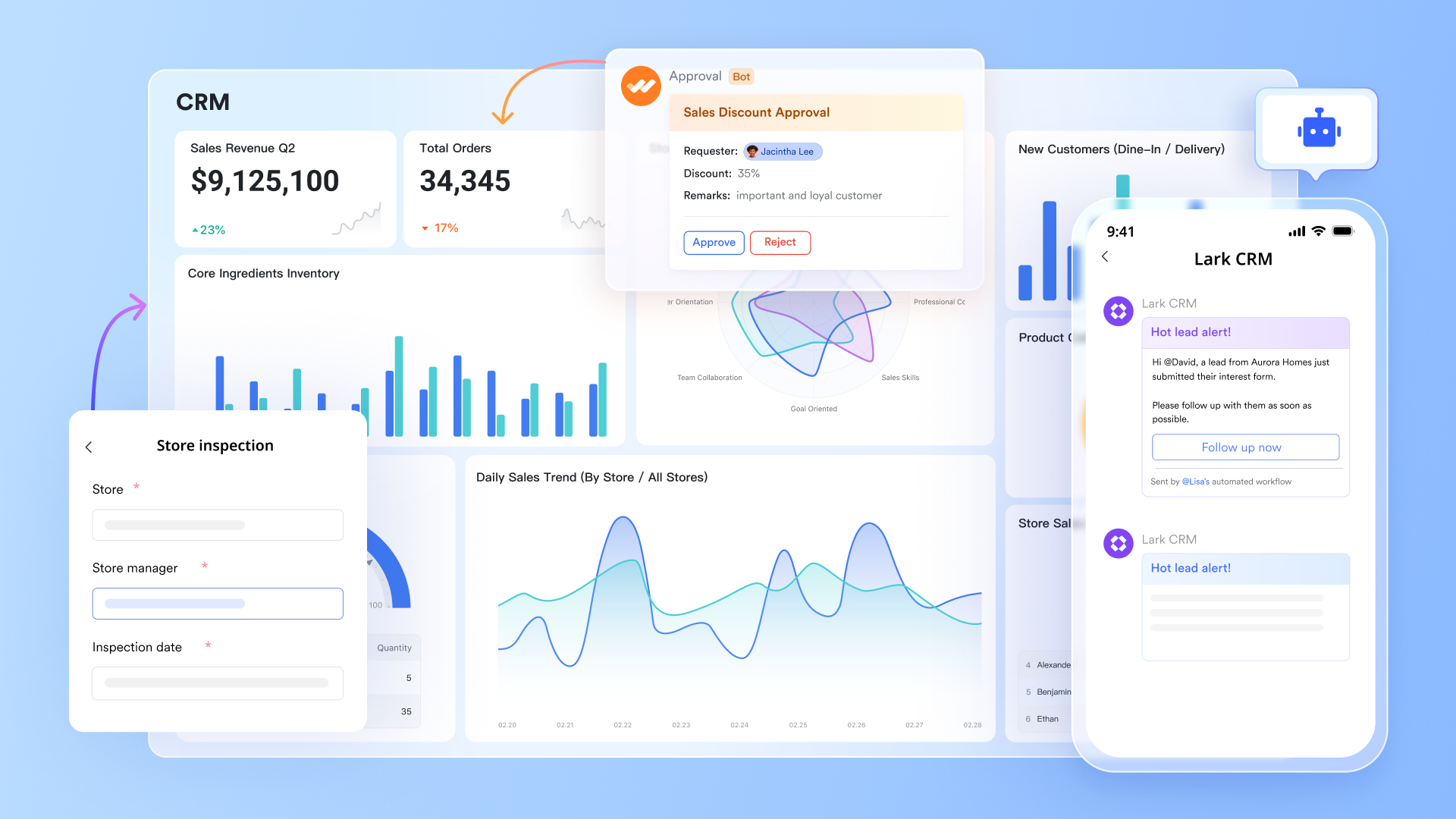
Customize workflows to fit your business
Lark understands that every business is unique, and off-the-shelf solutions often fall short. That's why at the heart of Lark's automation capabilities is Lark Base: a dynamic and intelligent system built for custom workflow solutions. It's far more than a simple database or spreadsheet; it's a platform where every piece of information—whether it's a project plan, a sales lead, or an expense report—is a structured data object ready to trigger and be acted upon by automations you design. Base offers unparalleled flexibility, allowing you to build workflow solutions that perfectly mirror the unique needs and processes of your organization. With Lark Base, you are not constrained by rigid templates; you have the power to craft the exact workflow your business demands.
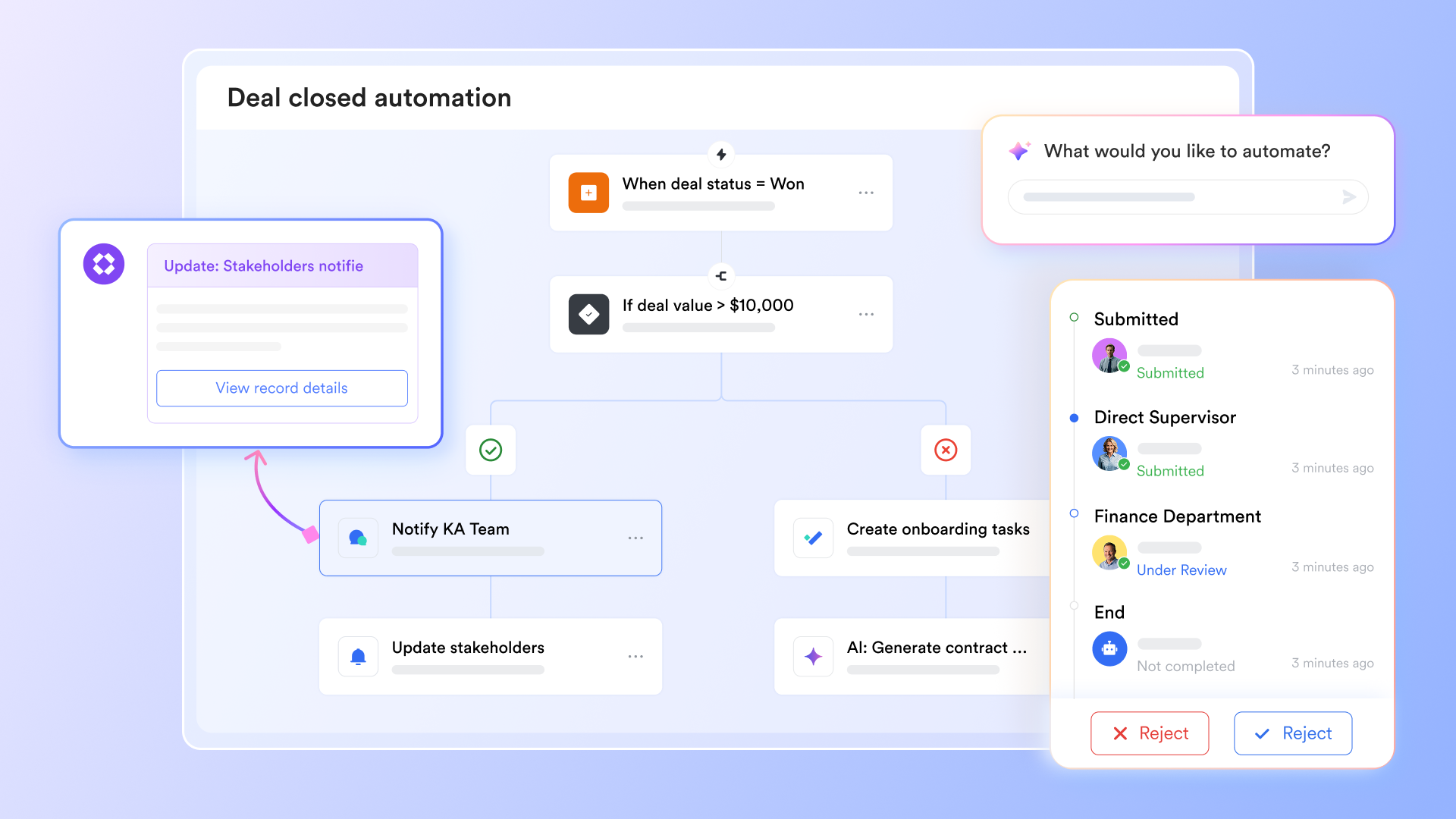
No-code automation for everyone
The visual, no-code automation builder allows any user, regardless of technical skill, to create custom workflows. You can set triggers based on record updates, form submissions, or scheduled times, and then define actions like sending customized notifications, creating calendar events, assigning tasks, or updating other records. This ease of use empowers everyone in your team to contribute to automation efforts, fostering a culture of continuous improvement.
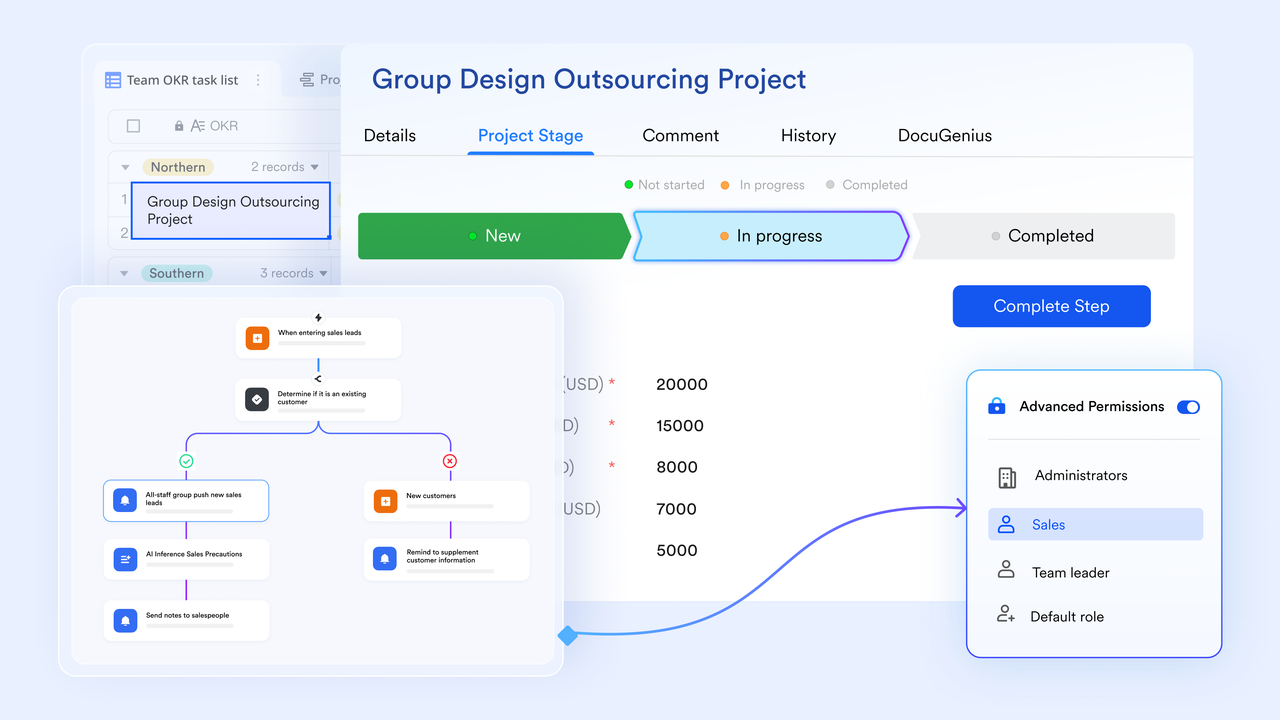
A centralized, intelligent platform
Unlike systems that require constant switching between disparate tools, Lark brings everything together in one unified workspace. Your data, your conversations, and your automation logic all live side-by-side, enabling a seamless flow of information and action. This eliminates the context-switching that plagues traditional automation efforts and empowers your team to stay focused and productive.
Stop integrating and start saving now
With an all-in-one solution like Lark, you don't need to integrate too many other tools, which means that you can save more money for your innovation. Below is Lark's pricing plans:
- Free plan: Includes 11 powerful products, supporting up to 20 users, 100 GB storage, 1,000 automation runs and unlimited AI translation in chats, docs and email.
- Paid plans: The most popular paid plan is $12/user/month, supporting up to 500 users. Includes unlimited message history, 50,000 automated Base workflow executions per month.
- Enterprise plan: Custom pricing.
Conclusion
HubSpot provides an essential, powerful automation engine. It’s the perfect tool for standardizing processes and executing tasks at scale. However, its true power—and the true potential of your team—is unlocked only when you bridge the critical gap between automated tasks and agile human collaboration. Stop letting your most important workflows end in a cluttered inbox or a forgotten chat notification.
However, when you try an all-in-one collaborative suite like Lark, you do more than just make individual tasks faster. You make your entire revenue team more intelligent, more connected, and more effective. You create a seamless operating rhythm where systems and people work in perfect harmony.
FAQs
What exactly is HubSpot used for?
HubSpot is a versatile platform used to manage and improve various aspects of a business, primarily focusing on marketing, sales, and customer service. It helps companies attract visitors, convert leads, close deals, and delight customers. Key functions include marketing automation, CRM, sales management, content management, customer service ticketing, and analytics. The goal is to align marketing and sales efforts to drive growth and improve customer relationships.
Is HubSpot a CRM or CMS?
HubSpot is both a CRM (Customer Relationship Management) and a CMS (Content Management System), but it is more widely recognized as a CRM. Its CRM functionality helps manage interactions and data throughout the customer lifecycle. HubSpot CMS allows users to create and manage website content, blog posts, and landing pages. The integrated nature of both tools allows for better alignment between marketing, sales, and service efforts.
What websites use HubSpot?
Identifying all websites using HubSpot is challenging, but it's commonly adopted by businesses across various industries, including technology, marketing, and e-commerce. HubSpot offers a tool to detect if a website uses its platform, but many websites choose not to publicly disclose their technology stack. Common signs that a website might use HubSpot include forms, pop-ups, and tracking cookies associated with HubSpot domains.
Who is HubSpot's biggest competitor?
HubSpot faces competition from several CRM and marketing automation platforms. Some of its most prominent competitors include Lark, Salesforce, Marketo (now part of Adobe), Pardot (owned by Salesforce), and ActiveCampaign. These platforms offer similar functionalities, such as CRM, marketing automation, and sales tools, targeting businesses of varying sizes and industries. The choice between these platforms often depends on specific business needs, budget, and integration requirements.
Related reading
Table of contents
Start using Lark today

Manage all your work in one place
Boost team efficiency by 10x
Save up to 70% on software costs
Table of contents
Start using Lark today
Manage all your work in one place
Boost team efficiency by 10x
Save up to 70% on software costs
Keep reading



Lark recognized in 2023 Gartner® Collaborative Content Workspaces and Meeting Solutions reports
Lark, the global superapp for productivity, is delighted to announce it receives recognition in the Gartner's 2023 Innovation Insight for Collaborative Content Workspaces and Market Guide for Meeting Solutions.





2026 Lark Technologies Pte. Ltd.
Headquartered in Singapore with offices worldwide.






Explore: