The project planning process is the foundation of every successful project, guiding teams from idea to execution with clarity and structure. It involves defining objectives, setting timelines, allocating resources, and identifying potential risks to ensure projects stay on track. An effective plan not only boosts efficiency but also minimizes miscommunication and delays. Using , teams can collaborate seamlessly, manage tasks, and centralize project documentation—all within one connected workspace. With real-time updates and smart automation, Lark simplifies planning and execution, helping teams stay aligned and achieve their goals more efficiently.
Simplify your project planning today
What is the project planning process?
The is a structured approach used by project managers and teams to define objectives, outline tasks, allocate resources, and set timelines for a project. It serves as a that guides the team from project initiation to successful completion while minimizing risks and ensuring alignment with organizational goals. A well-defined helps anticipate challenges, manage resources efficiently, and maintain control over scope, budget, and schedule.
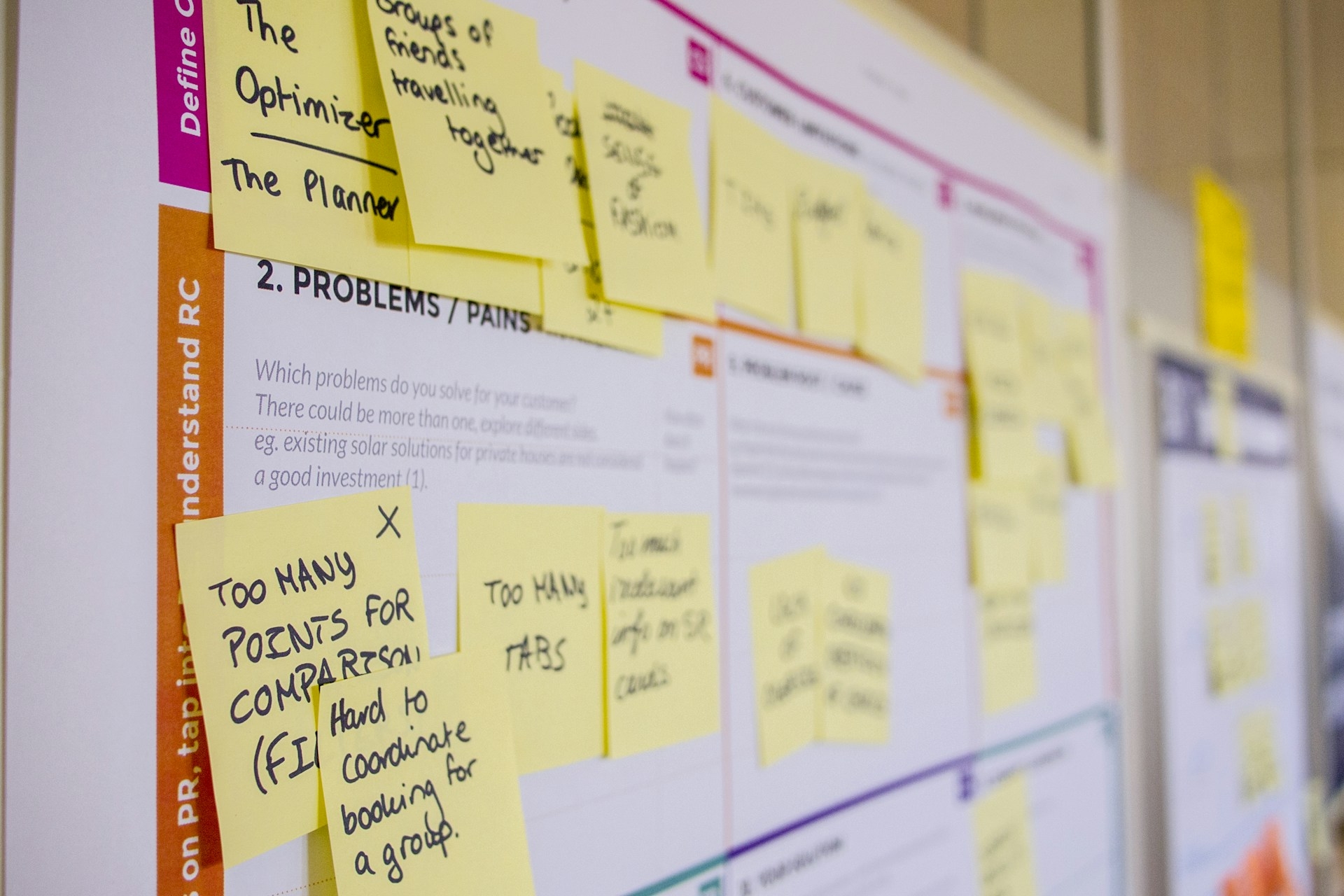
Image source: unsplash.com
8 Key characteristics of the project planning process:
1. Goal-oriented: Clearly defines project objectives and desired outcomes.
2. Structured & systematic: Follows an organized approach with defined steps and milestones.
3. Resource-focused: Identifies and allocates human, financial, and material resources efficiently.
4. Time-bound: Establishes schedules, deadlines, and critical milestones for task completion.
5. Risk-aware: Considers potential risks and outlines mitigation strategies.
6. Flexible & adaptable: Allows adjustments as project conditions or requirements change.
7. Stakeholder-centric: Ensures communication and involvement of all relevant stakeholders.
8. Measurable & trackable: Uses KPIs and monitoring mechanisms to assess progress and performance.
Essential components of a project plan process
A comprehensive project plan ensures clarity, alignment, and effective execution. The key components include:
- Project scope: Defines the deliverables, boundaries, and exclusions of the project. It clarifies what is included and what is not, helping prevent scope creep and ensuring the team focuses on agreed-upon outcomes. A clearly defined scope also serves as a reference point for evaluating project changes or requests.
- Objectives and goals: Establishes clear, measurable, and achievable targets using SMART criteria (Specific, Measurable, Achievable, Relevant, Time-bound). This ensures the team has a concrete understanding of project expectations. Well-defined objectives help motivate the team and provide a benchmark for measuring success.
- Timeline and milestones: Outlines deadlines, critical milestones, and task dependencies. It provides a , anticipate delays, and keep the project on track. Milestones also enable early detection of potential bottlenecks and allow timely adjustments.
- Resource allocation: Assigns responsibilities to team members and allocates financial, human, and material resources efficiently. Proper resource planning ensures tasks are completed without overloading the team. Efficient allocation also maximizes productivity and prevents resource conflicts.
- Budgeting: Estimates costs, plans expenditures, and monitors financial performance throughout the project. Accurate budgeting helps prevent overspending and ensures that resources are used effectively. A well-monitored budget also allows project managers to make informed decisions on reallocating funds when necessary.
Streamline your project planning workflow.
Why project planning software is important for teams
Project planning software has become an essential tool for modern teams. It helps streamline workflows, improve communication, and keep projects on track. Let's explore why these tools are so important for project success:
- Enhances collaboration and communication: Project planning software centralizes communication, allowing team members to discuss tasks, share updates, and provide feedback in real time. This reduces misunderstandings and keeps everyone aligned, especially in remote or cross-functional teams.
- Improves task and resource management: These tools help teams assign tasks, set deadlines, and allocate resources efficiently. By visualizing workloads and dependencies, teams can prevent overloading individuals and ensure resources are used effectively.
- Provides real-time visibility and tracking: offers dashboards and reporting features that allow managers and team members to track progress in real time. This helps identify bottlenecks early and ensures the timely completion of tasks.
- Facilitates better decision-making: By consolidating project data on one platform, teams can make informed decisions quickly. Risk assessment, progress tracking, and resource availability become easier to analyze, supporting strategic choices.
- Increases accountability and transparency: With clearly assigned tasks, deadlines, and responsibilities, team members understand their roles and deliverables. Transparent tracking ensures accountability and encourages a proactive approach to completing tasks.
Turn planning into flawless execution.
Practice with Lark: How to create an effective project planning process
A well-structured project plan is the backbone of successful execution — it ensures everyone understands the goals, timelines, and dependencies before work begins. Yet, many teams still rely on fragmented that make planning time-consuming and error-prone.changes that by giving teams a connected environment where project planning, communication, and coordination happen in one place.
With Lark, planning isn't a separate phase; it's a continuous, collaborative process that evolves as your project progresses. Here's how Lark helps you design and manage an effective project planning process from start to finish.
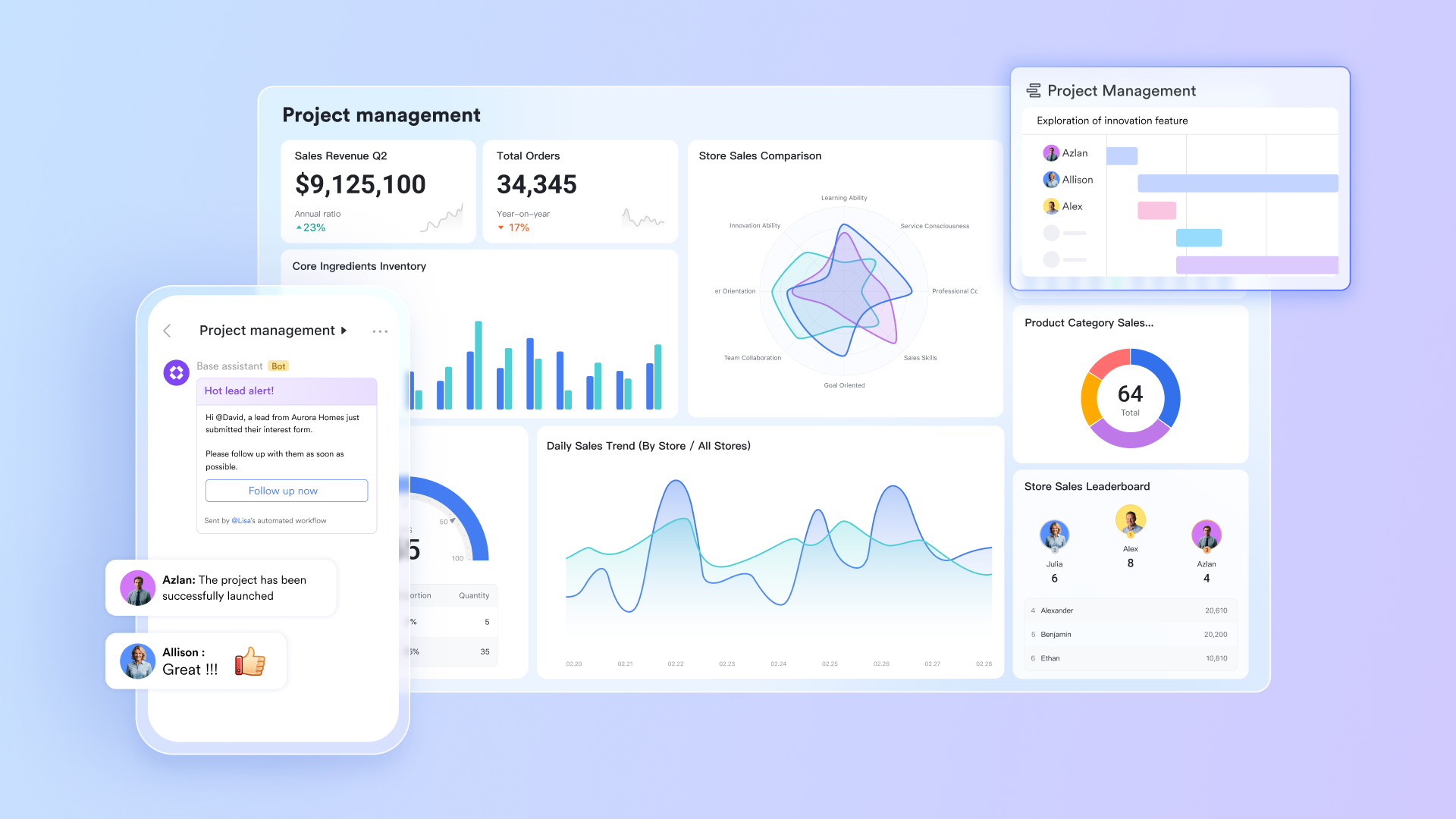
1. Centralize your project blueprint in Lark Base
Every great plan starts with a clear structure. acts as your project's command center, where you can define phases, set milestones, assign responsibilities, and in real time.
Create custom fields for project categories, deadlines, owners, or budgets — all tailored to your team's workflow. Switch effortlessly between Kanban, Grid, and Gantt views to visualize your project plan from different angles. This adaptability lets planners and stakeholders monitor schedules and identify bottlenecks early.
Example: When planning a new software rollout, your team can use Lark Base to map feature development timelines, testing schedules, and release milestones — all visible in one dynamic Gantt chart.
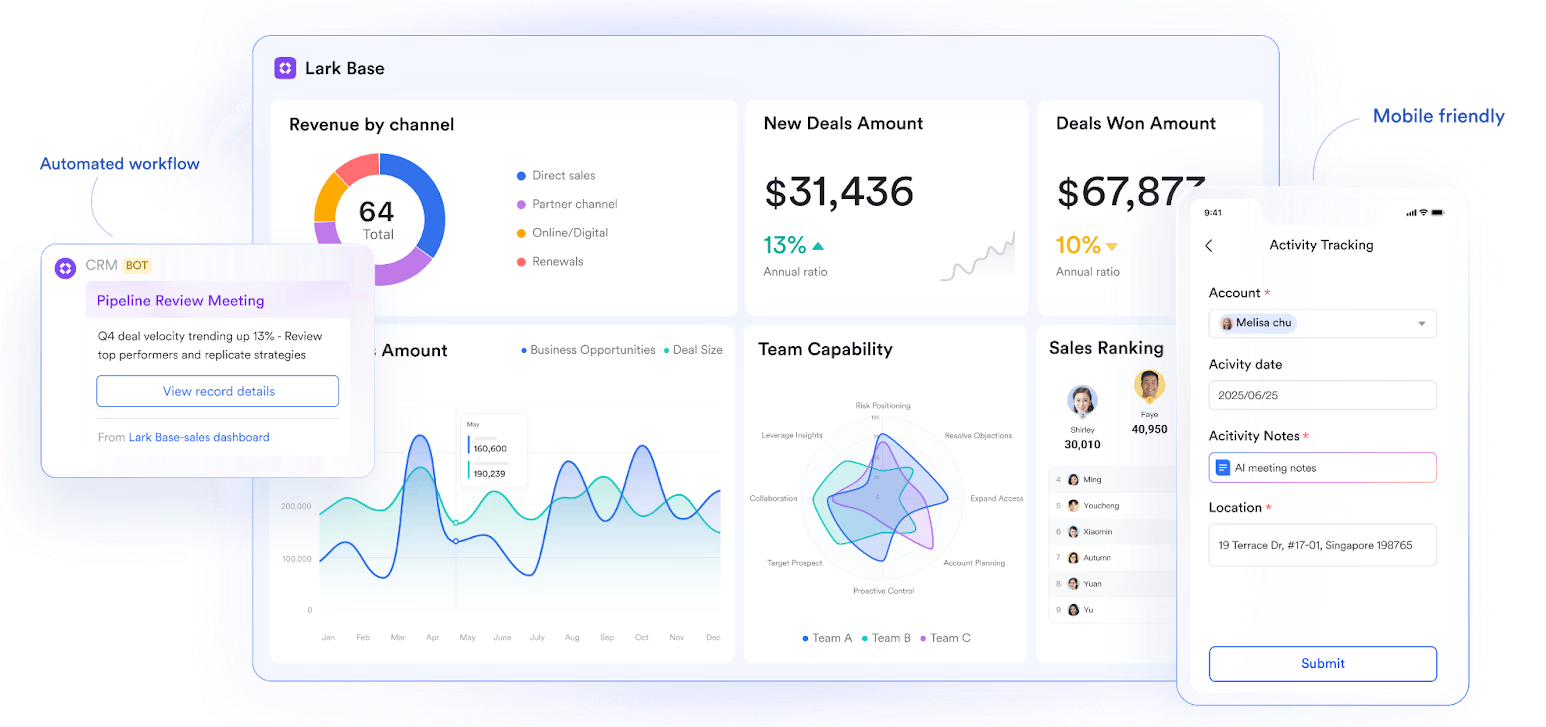
2. Align timelines and accountability with Lark Calendar
Effective planning demands visibility into who's doing what — and when. transforms project timelines into actionable schedules that every team member can follow.
Project managers can schedule milestones, kickoff meetings, and review checkpoints in shared project calendars that sync automatically with each team member's personal calendar. Smart notifications help prevent overlaps, while availability previews ensure that planning sessions or critical deadlines are never missed.
Example: For a marketing campaign, the project lead can map content creation, design review, and launch events across teams, allowing everyone to see how their timelines interconnect.
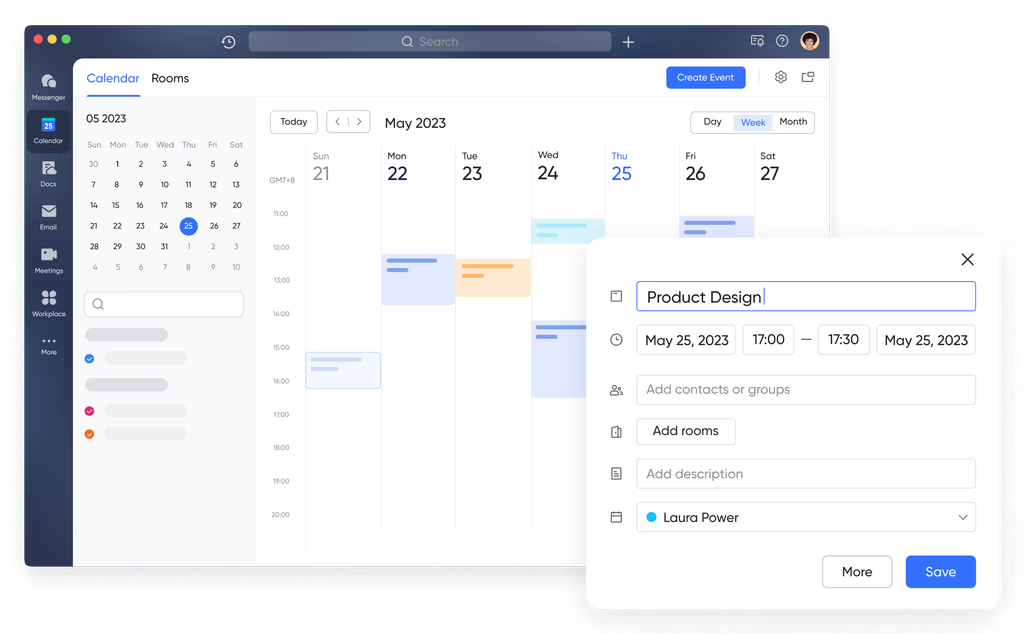
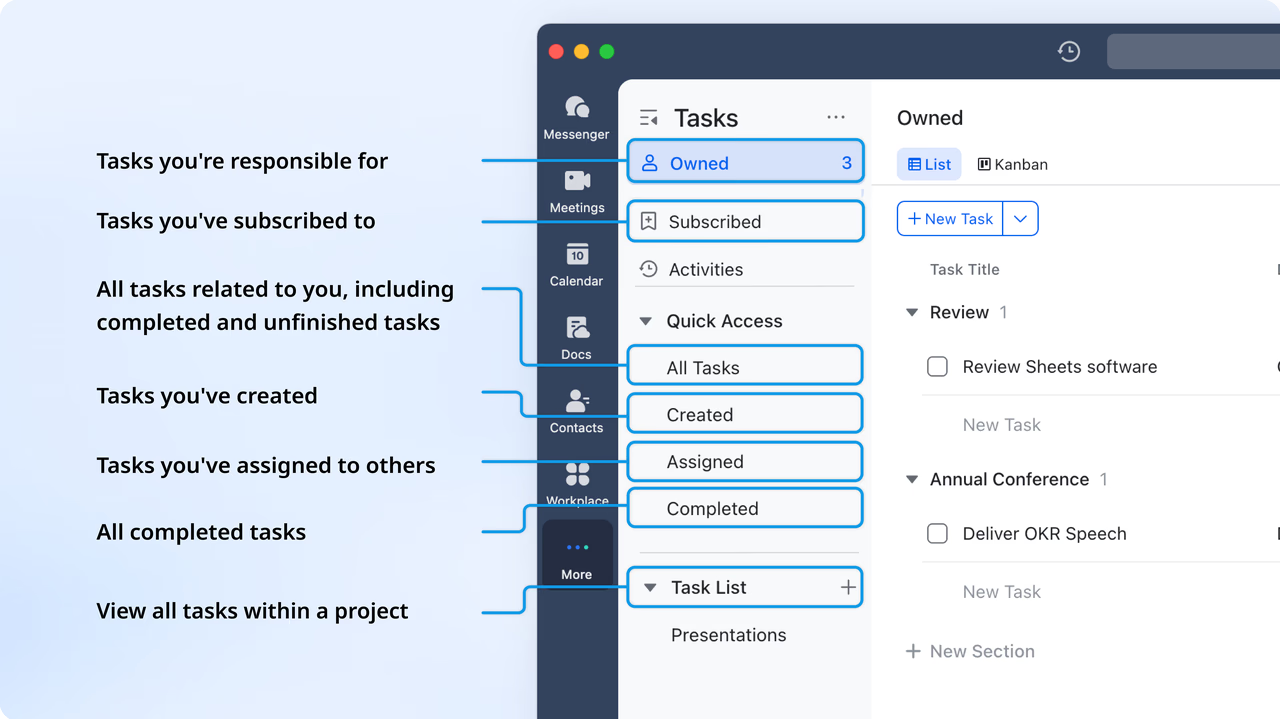
3. Turn plans into tasks with clarity using Lark Tasks
Planning isn't complete until every deliverable is assigned. With , you can transform your project blueprint into actionable, trackable steps. Each task includes details like due dates, descriptions, attachments, and assignees — making accountability clear from day one.
As plans evolve, tasks automatically update across connected views in Lark Base. You can tag dependencies, set priority levels, and use auto-reminders to keep everyone on track.
Example: When finalizing a client proposal timeline, the project manager can instantly assign writing, design, and review tasks to respective owners — ensuring no step is overlooked.
4. Collaborate on planning documents in Lark Docs
In traditional setups, project plans are often static documents lost in email chains. replaces that with a living, collaborative workspace. Teams can co-edit project charters, risk registers, or resource plans in real time, embed Lark Base tables, and tag teammates for instant feedback. This fluid environment keeps your project plan evolving — from brainstorming to approval — without version confusion.
Example: During planning for a product launch, the operations team can create a shared Doc outlining timelines and dependencies, embedding the live Base view to reflect status changes as they happen. 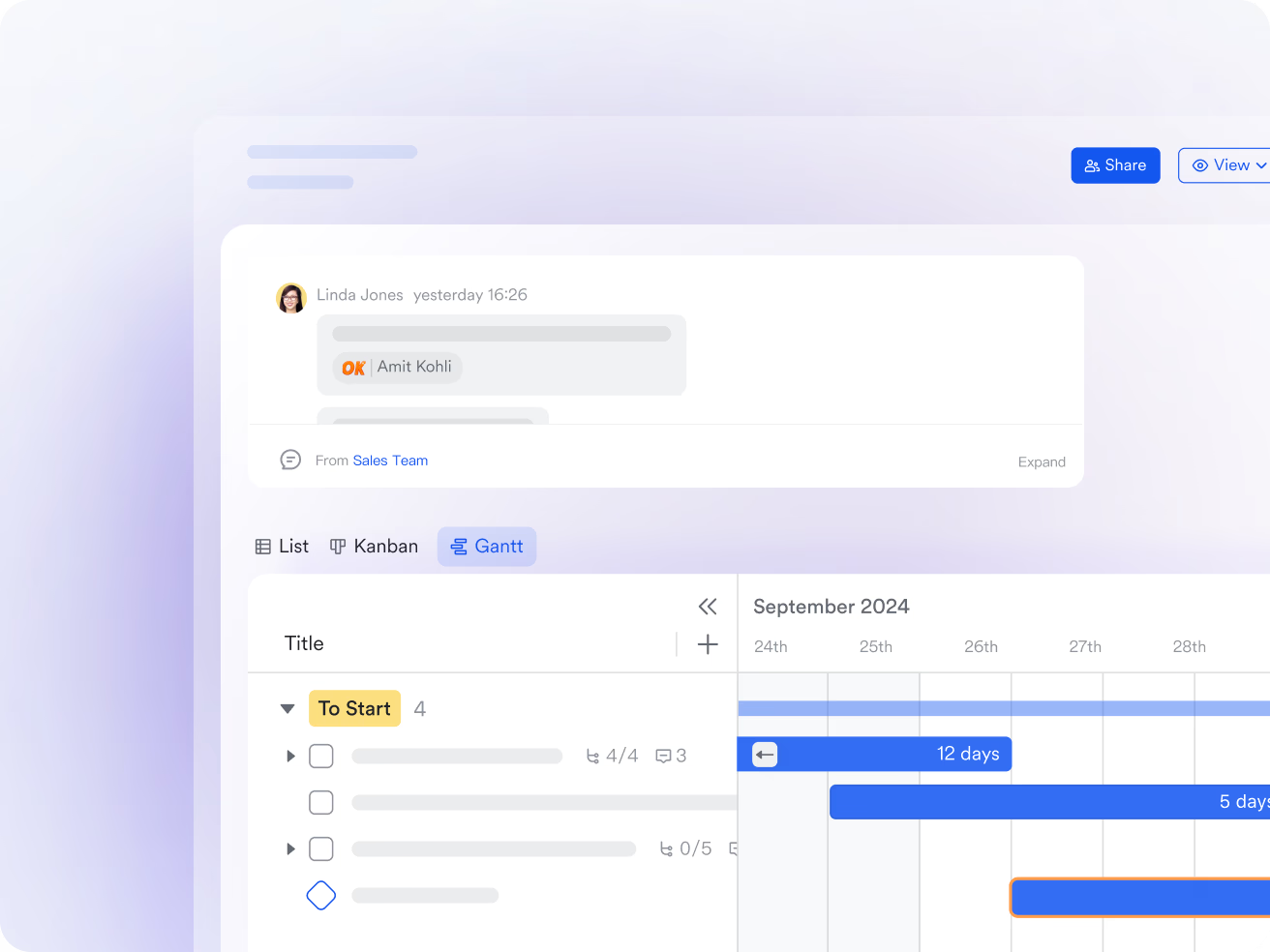
5. Maintain alignment through Lark Meetings
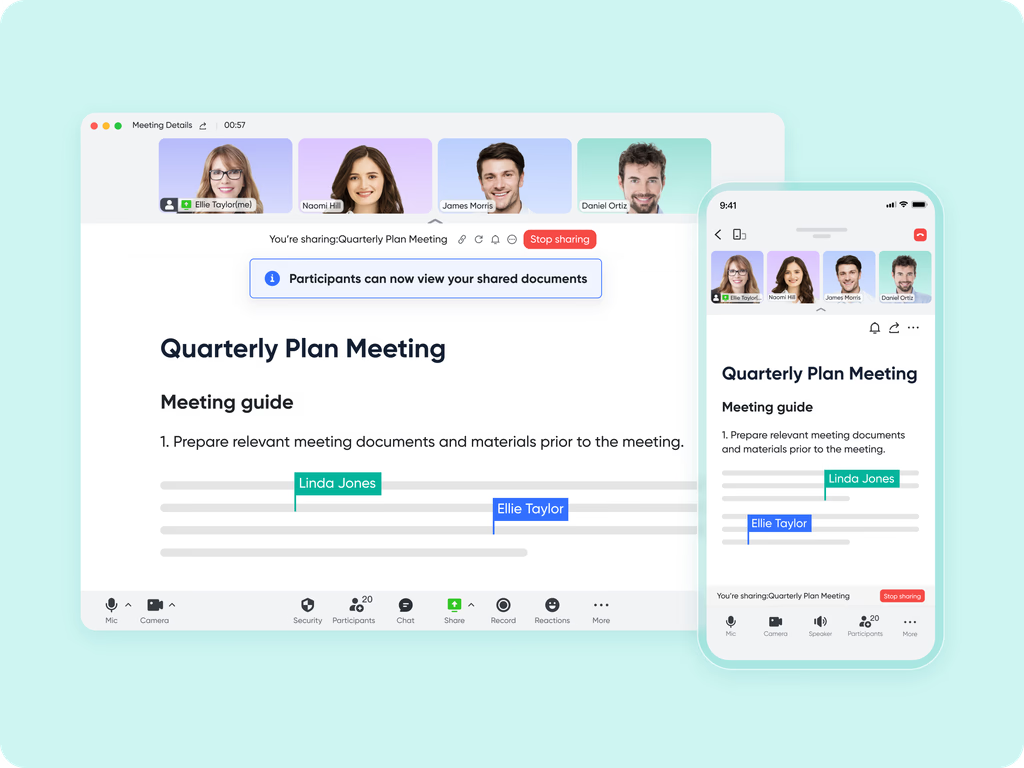
Meetings are crucial for refining and finalizing plans — but they often lead to disconnected follow-ups. makes every session purposeful by linking discussions directly with your planning materials.
Launch meetings from your project chat or calendar, share planning Docs in real time through Magic Share, and capture key decisions automatically with AI-generated meeting notes. Missed a meeting? Recordings and summaries ensure everyone stays informed without needing another recap call. Example: During a planning review session, the team can view the project Base live, assign action items mid-discussion, and have next steps for instant distribution.
- Starter plan: Free forever plan that includes 11 powerful tools for up to 20 users. It also comes with 100GB of storage, 1000 automation runs, AI translations, and more.
- Pro plan: $12/user/month (billed annually) for up to 500 users. It includes everything in Starter plus group calling for up to 500 attendees, 15TB of storage, 50,000 automation runs, and more.
- Enterprise plan: for custom pricing. Supports unlimited users and includes even more automation runs and advanced security, compliance, and management features.
For small teams with simple communication needs

18 months message history
1000 Base automation runs/month
2000 rows per table in Base
Most POPULAR
For companies with comprehensive collaboration and management needs
Unlimited message history
500-participant video meetings
50k Base automation runs/month
20k rows per table in Base
For large companies with advanced security and organizational management needs
Get a personalized demo and pricing
Unlimited message history
500-participant video meetings
15 TB storage + 30 GB storage/user
500k Base automation runs/month
50k Base automation runs/month
Most POPULAR
For companies with comprehensive collaboration and management needs
Unlimited message history
500-participant video meetings
50k Base automation runs/month
20k rows per table in Base
Common mistakes to avoid in the project planning process
By being aware of common pitfalls, teams can improve planning accuracy and overall project outcomes. Let's explore the mistakes to avoid in your project planning process:
- Undefined or vague project objectives: Failing to set clear, measurable goals can lead to confusion and misalignment among team members. Every project should have smart objectives to guide decisions and track effectively. Without defined objectives, teams may waste time on unnecessary tasks that don't contribute to the project's success.
- Poor scope definition: Not clearly defining project boundaries and deliverables often results in scope creep, added costs, and missed deadlines. A well-documented scope ensures all stakeholders share a common understanding. It also makes it easier to evaluate and approve any proposed changes during the project.
- Inadequate resource planning: Underestimating the required resources or misallocating tasks can overburden team members and delay project completion. Proper is critical for balanced workloads and timely delivery. Effective planning also helps identify skill gaps and ensure the right people are assigned to the right tasks.
- Ignoring risks and contingencies: Skipping risk assessment or failing to plan for potential obstacles leaves projects vulnerable to unexpected challenges. Identifying risks early allows teams to implement mitigation strategies proactively. A robust contingency plan ensures projects can adapt quickly without significant disruption.
- Lack of stakeholder communication: Poor communication with stakeholders can result in misaligned expectations and delayed approvals. Regular updates and transparent reporting keep stakeholders informed and engaged throughout the . Consistent communication also strengthens trust and encourages collaborative problem-solving.
Conclusion
The project planning process is the backbone of successful project execution. By defining clear objectives, outlining scope, allocating resources effectively, and proactively managing risks, teams can increase efficiency and achieve better outcomes. Avoiding common mistakes like vague goals, poor resource planning, and a lack of stakeholder communication ensures smoother project delivery.
With Lark, teams can centralize planning, collaborate in real time, track progress, and maintain transparency across all stages of a project. Leveraging Lark's tools makes project planning more structured, efficient, and adaptable, helping teams achieve consistent success.
Transform projects with better planning.
FAQs
How can teams simplify complex project planning for large teams?
Large teams can centralize all project planning tools in one workspace, assign tasks, track progress, and manage timelines efficiently. Lark helps by providing real-time collaboration features that keep everyone aligned, even across different locations. This ensures that project updates are communicated instantly, reducing delays caused by miscommunication.
Can potential risks be identified during the planning phase?
Documenting tasks, dependencies, and milestones makes it easier to spot potential bottlenecks or risks. Lark's dashboards and automated reminders allow teams to proactively address issues before they impact project delivery. Teams can also track risk mitigation actions directly within Lark, ensuring nothing is overlooked.
How does collaboration improve between cross-functional teams?
Shared documents, task boards, and messaging tools keep all stakeholders informed and engaged. Using Lark, teams can co-edit plans, leave comments, and get instant updates to ensure alignment across departments. This seamless collaboration reduces errors and fosters faster decision-making across teams.
Is it possible to track project changes and updates effectively?
Version control and real-time notifications make it simple to track updates and modifications in project plans. Lark ensures transparency by showing who made changes and when, maintaining accountability throughout the project lifecycle. It also allows managers to generate reports for stakeholders without manually compiling information.
How can small teams benefit from using project planning tools?
Even small teams can streamline workflows, manage tasks, and maintain visibility on project progress. Lark provides intuitive templates and a simple interface that reduces planning overhead and improves execution. This helps small teams stay organized and scale their project management processes efficiently.
Related reading
























