














Create No Code CRM in Minutes: Top 9 tools and Platforms Reviwed

Satvik Saxena
Content Specialist
Oct 30, 2026
Satvik Saxena
Oct 30, 2026

19 min read
Add to preferred sources


Building strong customer relationships is essential for every growing business. However, traditional CRMs often demand complex setup and technical expertise. That's where a no-code CRM makes a difference—allowing teams to design, customize, and automate workflows without writing a single line of code.
In this guide, you'll learn what a no-code CRM is, how it works, its benefits and limitations, and how to build one. We'll also explore the best no-code CRM tools, including platforms like Lark, Airtable, and NocoDB, to help you find the perfect fit for your business needs:
1. Lark: All-in-one no-code CRM & collaboration suite
2. Airtable: Customizable CRM built on spreadsheet logic
3. NocoDB: Open-source database turned CRM solution
4. Bitrix24: Full-featured CRM with project management tools
5. Mailchimp CRM: Marketing-focused CRM for audience management
6. nocrm.io: Simplified lead tracking for sales teams
7. Fuzen: AI-assisted no-code CRM builder
8. ConvergeHub: Low-code CRM designed for SMBs
9. Zapier: Connects and automates CRM workflows

What is a no-code CRM?
A no-code CRM is a customer relationship management system that lets you build, customize, and manage your workflows without writing a single line of code. Instead of relying on developers, users can use drag-and-drop interfaces, prebuilt templates, and automation tools to create personalized CRMs that fit their business needs.
In contrast, low-code CRMs offer partial coding flexibility for more complex customizations, while traditional CRMs often require full-scale development and IT support.
Key functions of a no-code CRM include contact management, pipeline tracking, workflow automation, and analytics dashboards for performance insights. These systems empower teams to move faster, reduce costs, and adapt to changing processes easily.
No-code CRMs are ideal for startups, SMBs, marketers, and operations teams seeking agility and simplicity. Whether you're managing leads, tracking deals, or automating tasks, a no-code CRM builder provides the freedom to create your perfect system effortlessly.
How does a no-code CRM work?
A no-code CRM works through simple, visual interfaces that let users design automated workflows without technical skills. It connects data, actions, and tools seamlessly to create a fully functional CRM system.
- Visual builders: Use drag-and-drop editors to design pipelines, dashboards, and workflows, no programming needed.
- Data tables: Store and manage customer details, deals, and interactions in structured, easy-to-filter databases.
- Automation engines: Run background processes that handle repetitive tasks like follow-ups or reminders automatically.
- Triggers and actions: The logic behind every automation—when a "trigger" occurs (like a new lead added), a predefined "action" (such as sending a notification) follows.
- Example workflow: A lead submits a form, the contact is added to your CRM → the sales team receives an instant alert to follow up.
Core components of a no-code CRM
A no-code CRM runs on a few key building blocks that make it powerful yet simple to use. Each layer plays a crucial role in organizing data, automating actions, and connecting your business tools seamlessly.
- Database layer: Stores and manages all customer and deal information in structured tables, making it easy to sort, search, and update data.
- Automation engine: Handles repetitive tasks like sending reminders or follow-ups automatically, ensuring timely communication and smooth workflows.
- User interface: Offers visual dashboards and Kanban pipelines that help teams track deals and activities effortlessly through an intuitive, drag-and-drop design.
- Integration layer: Connects your CRM with email, chat, analytics, and storage apps, allowing information to flow smoothly across all business systems.
Why choose a no-code CRM?
A no-code CRM offers the perfect balance of flexibility, speed, and simplicity for teams that want to manage customer relationships without relying on developers. It empowers businesses to move faster, save costs, and stay connected across tools.
- Flexibility and speed in setup: No-code CRMs can be launched in hours, not weeks. Their drag-and-drop design lets teams create and adjust workflows instantly as business needs evolve.
- Cost efficiency: Skip the development costs tied to traditional CRMs. With no-code CRM builders, you save money on engineering resources while gaining enterprise-grade functionality.
- Ease of integration: Connect seamlessly with tools like email, chat, analytics, and marketing platforms. This ensures your CRM fits naturally into your existing tech stack.
- Empowers non-technical teams: Marketers, sales reps, and operations staff can build, maintain, and automate processes on their own—reducing IT dependency and boosting productivity.
Take a glance at the chosen no-code CRM tools
Top 9 no-code CRM tools and platforms you should explore
1. Lark : All-in-one no-code CRM & collaboration suite
Lark is more than just a CRM — it's a complete no-code work suite designed for teams who want to manage customers, projects, and communication from one platform. Instead of juggling multiple apps for sales tracking, email, and meetings, Lark combines everything in one seamless ecosystem. With tools like Lark Base, Messenger, Calendar, Docs, and AI-powered automation, teams can build customized workflows, track performance, and collaborate in real time — all without writing a single line of code.
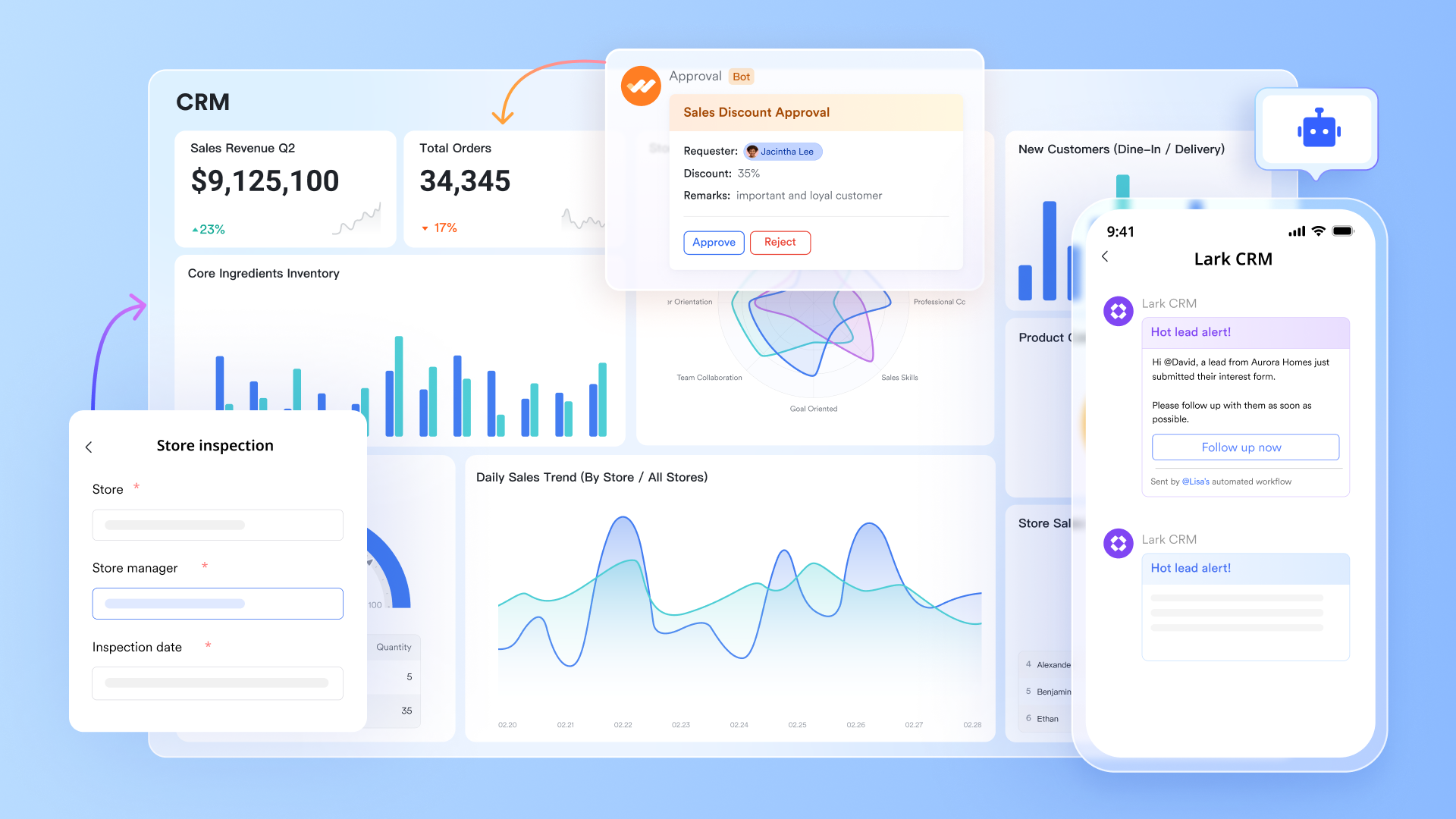
Key features:
Build a no-code CRM in Lark Base
Lark Base is the backbone of your no-code CRM builder. It lets you design data tables for contacts, leads, deals, and accounts — much like Airtable, but united into your communication suite.
- For example, a sales manager can create a "Deal Tracker" table that automatically assigns leads to team members based on region.
- Use linked records to connect clients, tasks, and invoices.
- Set up form views, so marketing teams can feed new leads directly into your CRM via a simple form — Unintegration is needed.
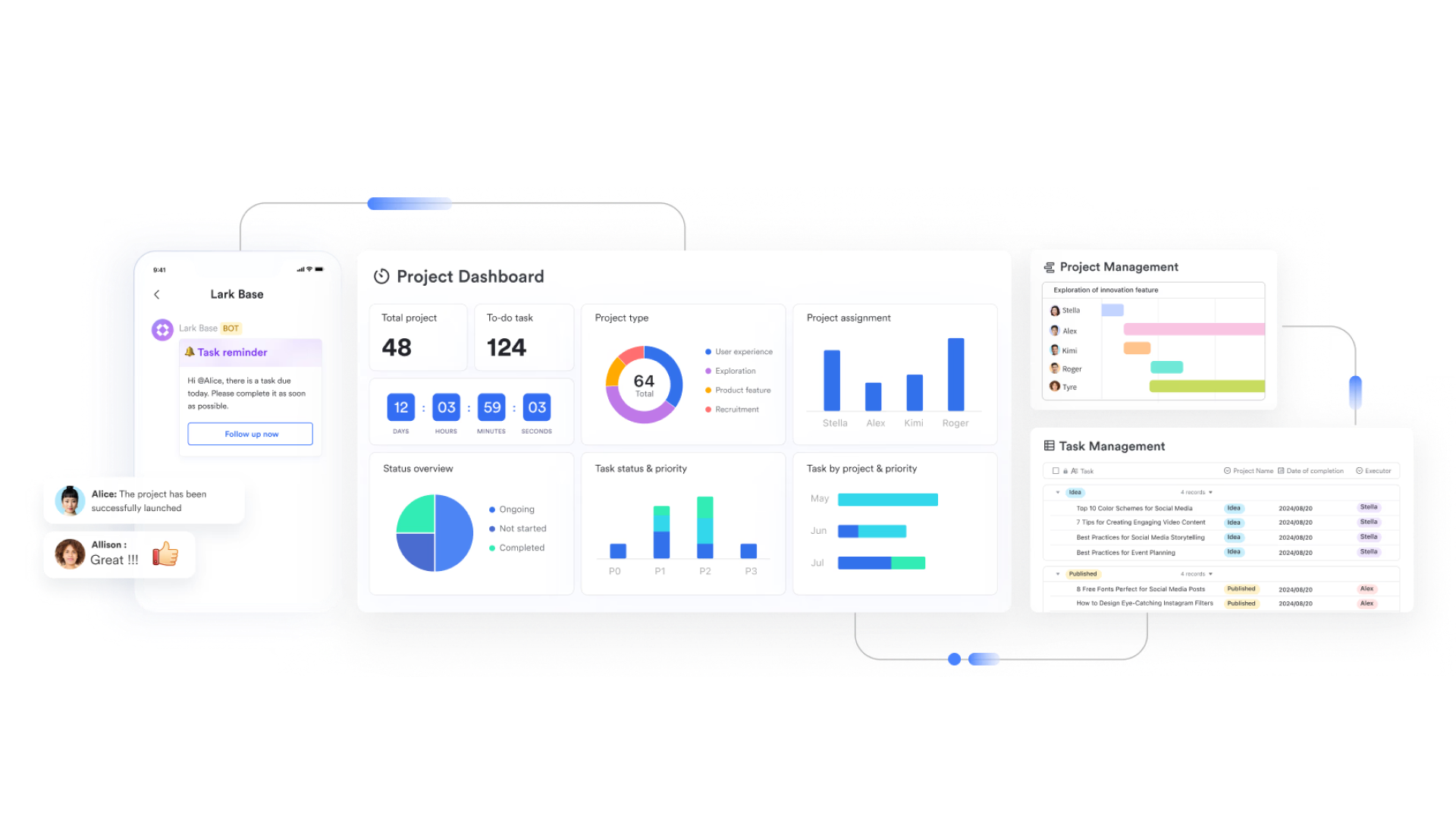
Automate workflows with triggers and actions
Lark's automation engine works on a no-code "trigger–action" logic. You can automate everything from lead assignment to follow-up reminders without any technical setup.
Example: When a form is submitted → the lead record is created in Lark Base → a message is sent to the assigned sales rep in Lark Messenger → a meeting invite is automatically added to their Lark Calendar.
Automations can also handle routine admin tasks like updating deal status or sending internal notifications when a contract is signed.
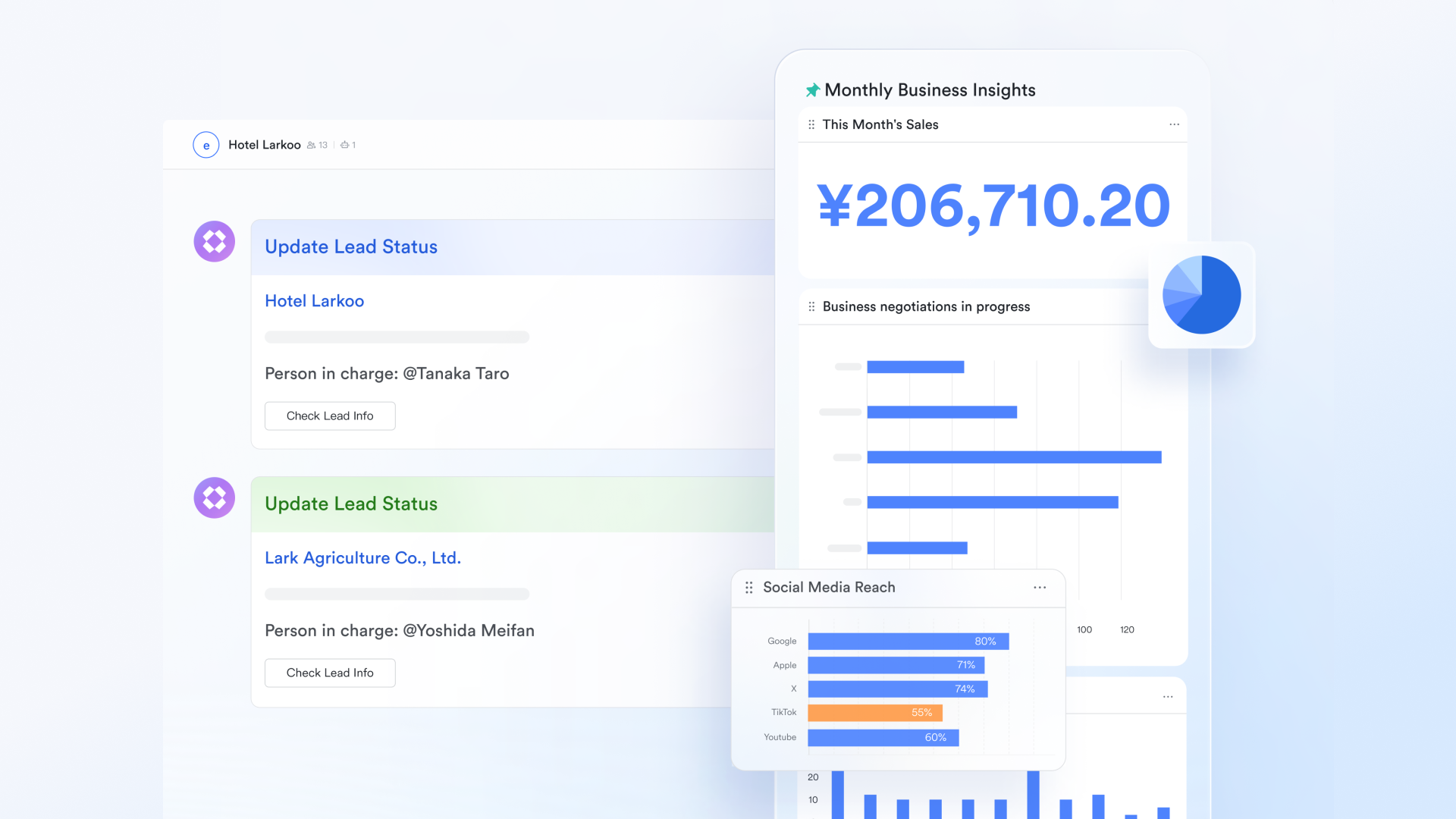
Real-time dashboards and analytics
- Track deal progress, conversion rates, and sales performance using charts and pivot tables.
- Managers can set up dashboards that automatically refresh every time new leads or updates are added.
- You can even link dashboards to OKR tracking to align sales goals with company performance.
Example: A marketing lead can monitor how many qualified leads came in from different channels, while sales can track which team members are closing the most deals — all in one view.
AI-powered sales assistance:
Lark unites OpenAI-powered tools that help your team work smarter, not harder.
- Generate call summaries after meetings using AI transcription.
- Create quick account summaries or lead profiles by pulling data from emails, notes, and previous chats.
- Use AI in Docs to generate follow-up emails, proposal drafts, or marketing content in seconds.
Example: After a client call, AI can summarize key points, suggest next steps, and even create a pre-filled follow-up email for your approval.
- Starter plan: Free forever plan that includes Sheets, Docs, Base, and 8 other powerful tools for up to 20 users. It also comes with 100GB of cloud storage, 1000 automation runs, AI translations, and more.
- Pro plan: $12/user/month (billed annually) for up to 500 users. It includes everything in Starter plus group calling for up to 500 attendees, 15TB of storage, 50,000 automation runs, and more.
- Enterprise plan: Contact sales for custom pricing. Supports unlimited users and includes even more automation runs and advanced security, compliance, and management features.
2. Airtable: Customizable CRM built on spreadsheet logic
Airtable brings the familiarity of spreadsheets together with the power of databases, creating a simple yet dynamic system for managing relationships and projects. Its drag-and-drop interface allows teams to organize contacts, track deals, and automate workflows with ease. You can customize views like Grid, Kanban, or Calendar to match your sales or project pipeline. Airtable's intuitive structure makes it easy for non-technical users to build personalized systems fast. It's a great choice for teams that value flexibility and visual clarity in managing their data.
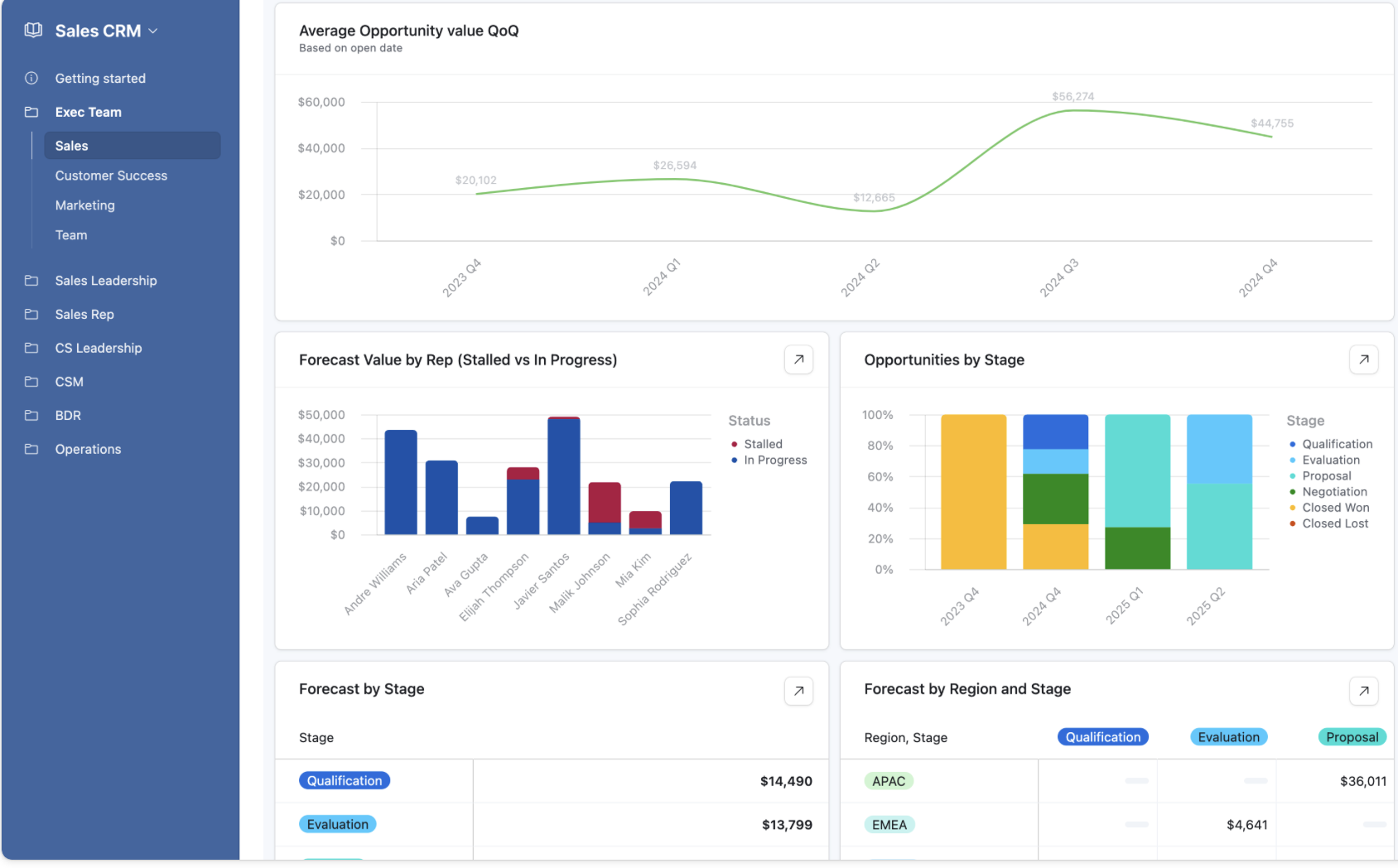
Image source: airtable.com
Features:
- Spreadsheet-style interface with linked database functionality.
- Multiple view options (Grid, Kanban, Calendar, Gallery).
- Built-in automation for reminders, updates, and task creation.
- Custom templates for CRM, content, and project tracking.
- Integration with 1,000+ tools including Slack, Zapier, and Google Workspace.
Pros:
- Intuitive for spreadsheet users to adopt quickly.
- Highly flexible for building custom workflows.
- Strong collaboration and integration support.
- Visually organized dashboards improve clarity and tracking.
Cons:
- Limited native reporting and analytics features.
- Can become complex to manage as data scales.NocoDB: Open-source database turned CRM solution.
3. NocoDB: Open-source database turned CRM solution
NocoDB converts any SQL database into a sleek, visual workspace that can act as your CRM, project tracker, or operations hub. As an open-source platform, it gives teams full transparency and control, letting them self-host their data and avoid dependency on external vendors. Its interface mirrors modern spreadsheet tools, making adoption easy. You can manage customers, leads, and projects while integrating automation and external APIs. NocoDB suits teams that want scalability, customization, and data ownership in their workflow.
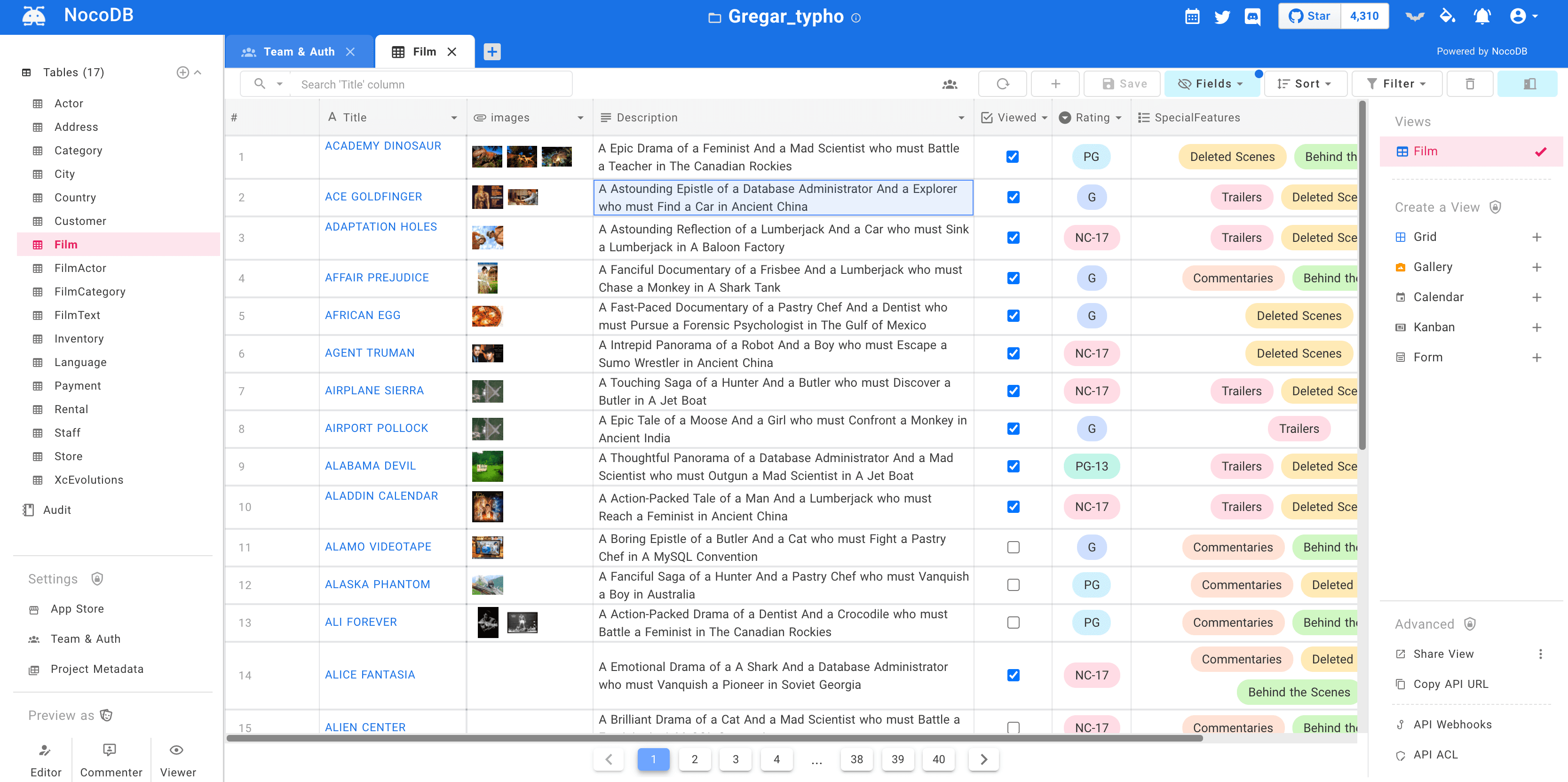
Image source: nocodb.com
Features:
- Open-source and self-hosted—full data control.
- Converts any SQL database (MySQL, PostgreSQL, etc.) into a no-code app.
- Supports Grid, Gallery, and Kanban views.
- REST API and webhook support for automation and integrations.
- Collaborative features with role-based permissions.
Pros:
- 100% free and open-source with no licensing costs.
- Complete control over data privacy and customization.
- Highly scalable for developers and IT teams.
- Flexible integration options for automation and APIs.
Cons:
- Requires some technical setup for hosting and configuration.
- Lacks the polish and ready-made templates of commercial CRMs.
4. Bitrix24: Full-featured CRM with project management tools
Bitrix24 is a full-featured platform that merges CRM capabilities with project management, communication, and automation tools. It's designed for organizations that want to centralize sales, marketing, and collaboration in one ecosystem. The system supports team chat, document sharing, lead tracking, and even contact center integration. With visual pipelines and workflow designers, it's easy to adapt the CRM to your team's processes. Bitrix24 is perfect for businesses seeking a unified workspace that combines productivity and customer management.
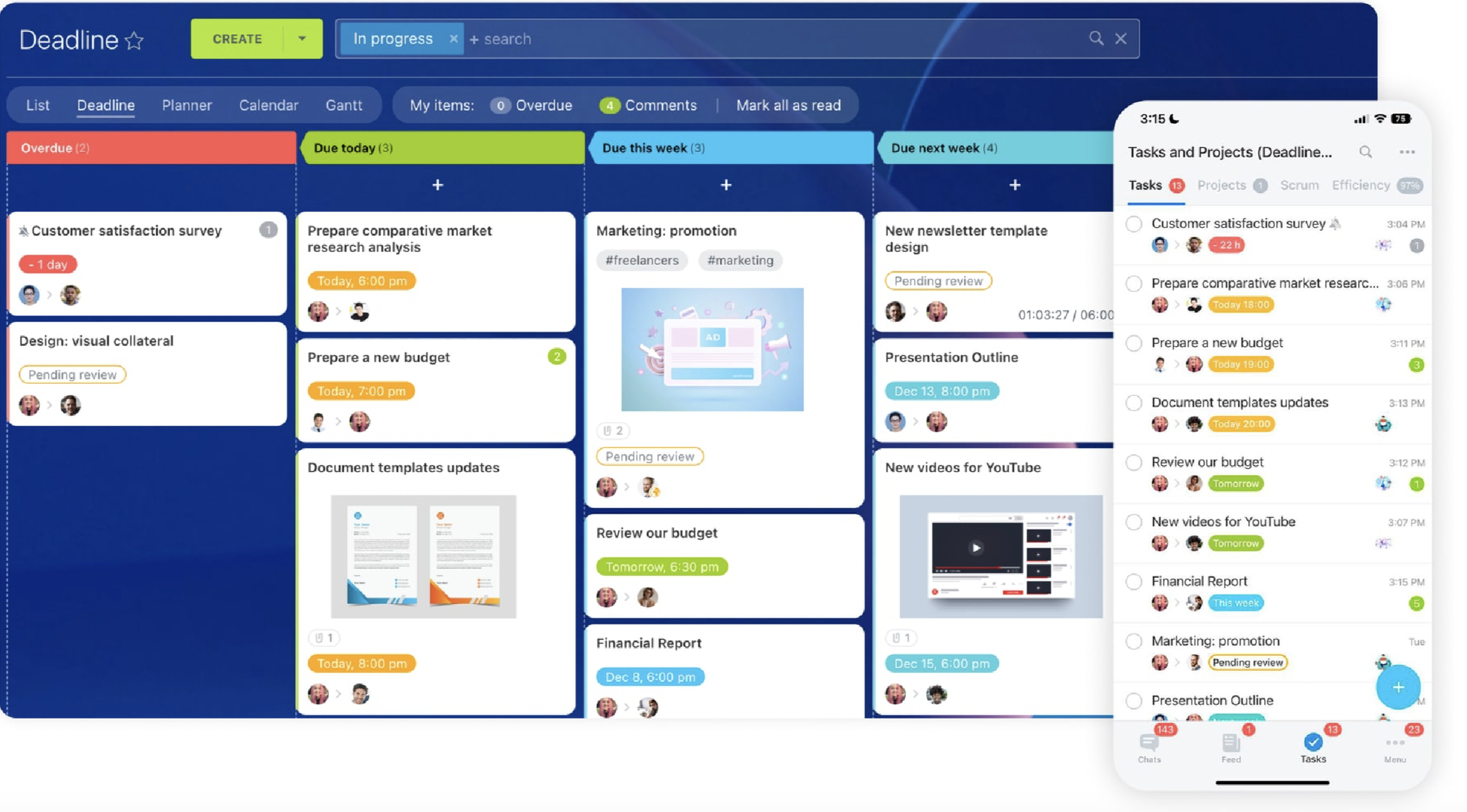
Image source: bitrix24.com
Features:
- Unified CRM, project management, and communication tools.
- Drag-and-drop sales pipeline and workflow automation.
- Built-in telephony, live chat, and email marketing tools.
- Integration with Google Workspace, Microsoft 365, and social platforms.
- Mobile app support for on-the-go management.
Pros:
- Combines CRM and project management in one platform.
- Strong communication tools with chat, calls, and video.
- Good for both internal collaboration and client management.
- Offers a free plan with solid core features.
Cons:
- The interface can feel cluttered and complex for beginners.
- Advanced automation features are limited to higher-priced plans.
5. Mailchimp CRM: Marketing-focused CRM for audience management
Mailchimp extends far beyond email marketing by offering tools to manage customer relationships, segment audiences, and automate campaigns. It lets you capture and track leads while nurturing them with targeted, data-driven outreach. The interface is simple yet powerful, ideal for small businesses and marketing teams. Real-time analytics and predictive insights help optimize every campaign for better engagement. Mailchimp's blend of CRM and marketing tools makes it a go-to platform for building lasting audience connections.
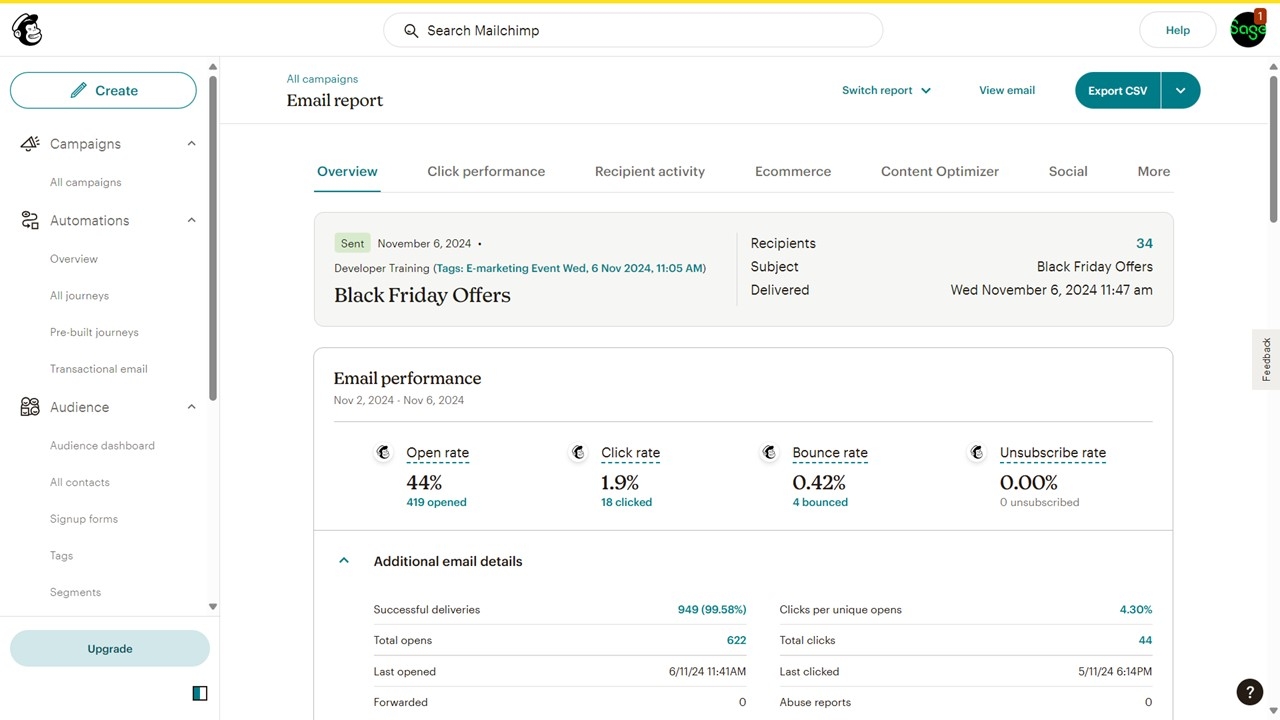
Image source: mailchimp.com
Features:
- Centralized audience and contact management.
- Automated email and campaign workflows.
- Customer segmentation and behavioral targeting.
- Built-in analytics and performance dashboards.
- Integrations with eCommerce and social platforms.
Pros:
- Perfect for marketing-focused teams and SMBs.
- Seamless blend of CRM and email automation.
- Strong analytics and reporting tools.
- Easy-to-use, visually appealing interface.
Cons:
- Limited CRM customization beyond marketing features.
- Advanced automation available only in higher-tier plans.
6. nocrm.io: Simplified lead tracking for sales teams
noCRM.io takes a refreshingly simple approach, prioritizing sales action over data entry. It helps teams focus on closing deals through clear pipelines and intuitive workflows. Leads can be added directly from emails, web forms, or spreadsheets with minimal setup. The system emphasizes actionable steps like follow-ups and reminders instead of complex fields and forms. Perfect for SMBs, noCRM.io is made for teams that want a straightforward, deal-driven CRM experience.
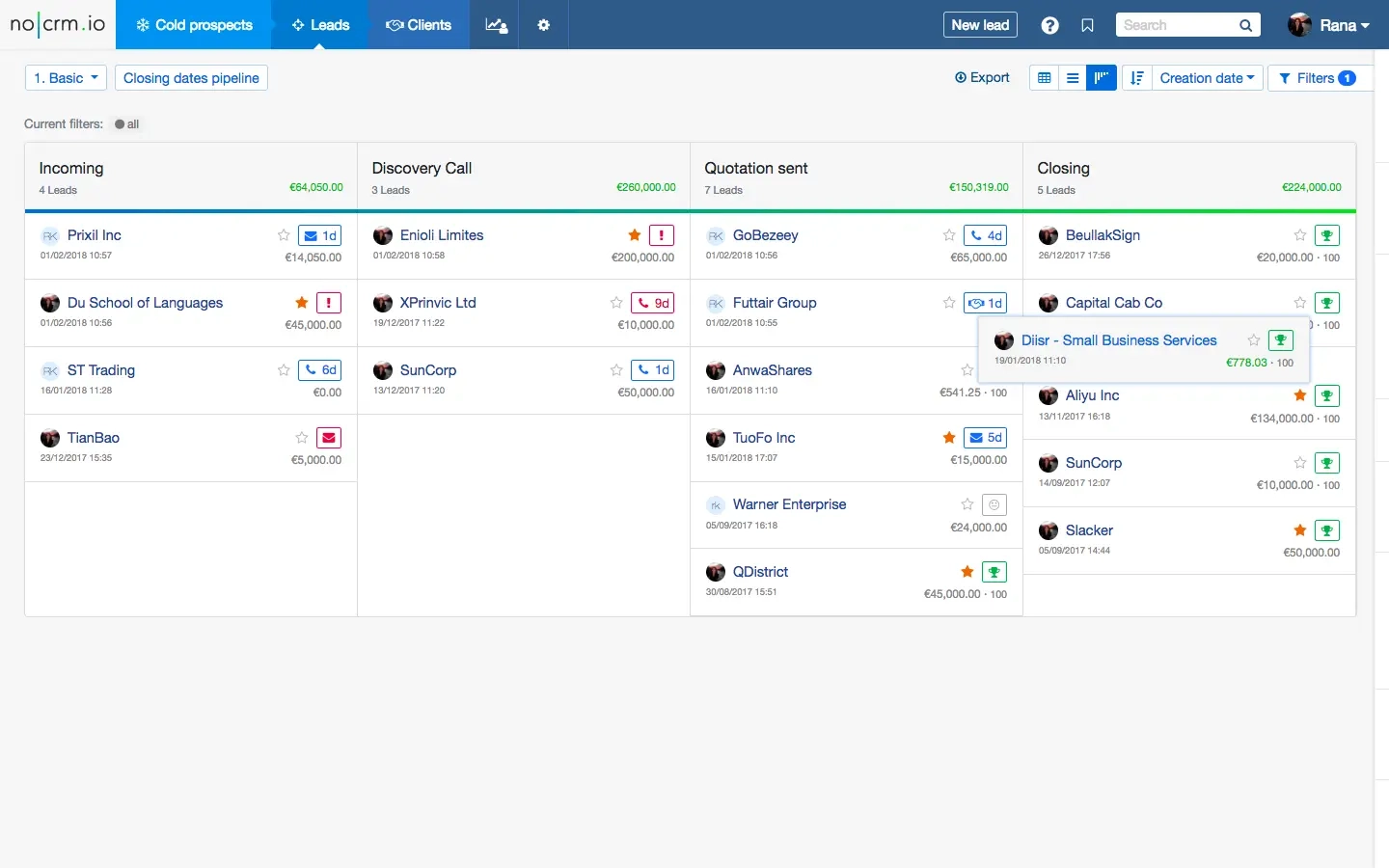
Image source: nocrm.io.com
Features:
- Simple and visual lead management pipelines.
- Quick lead capture from email, forms, or CSV imports.
- Automated reminders and follow-up tracking.
- Mobile app for on-the-go deal updates.
- Integration with tools like Google Workspace, Slack, and Zapier.
Pros:
- Focused purely on practical sales tracking.
- Easy to set up and start using.
- Helps sales teams stay organized and proactive.
- Lightweight, fast, and mobile-friendly.
Cons:
- Limited marketing and automation capabilities.
- Not ideal for teams needing advanced reporting or analytics.
7. Fuzen: AI-assisted no-code CRM builder
Fuzen blends no-code simplicity with AI intelligence, helping businesses build custom CRM systems tailored to their processes. It provides ready-to-use templates for lead management, project tracking, and automation, cutting setup time significantly. The platform's AI features suggest workflows and optimizations based on user activity. You can manage your entire sales process — from data capture, to deal with closure — inside one interface. Fuzen is ideal for startups and small businesses that want smart automation without technical complexity..
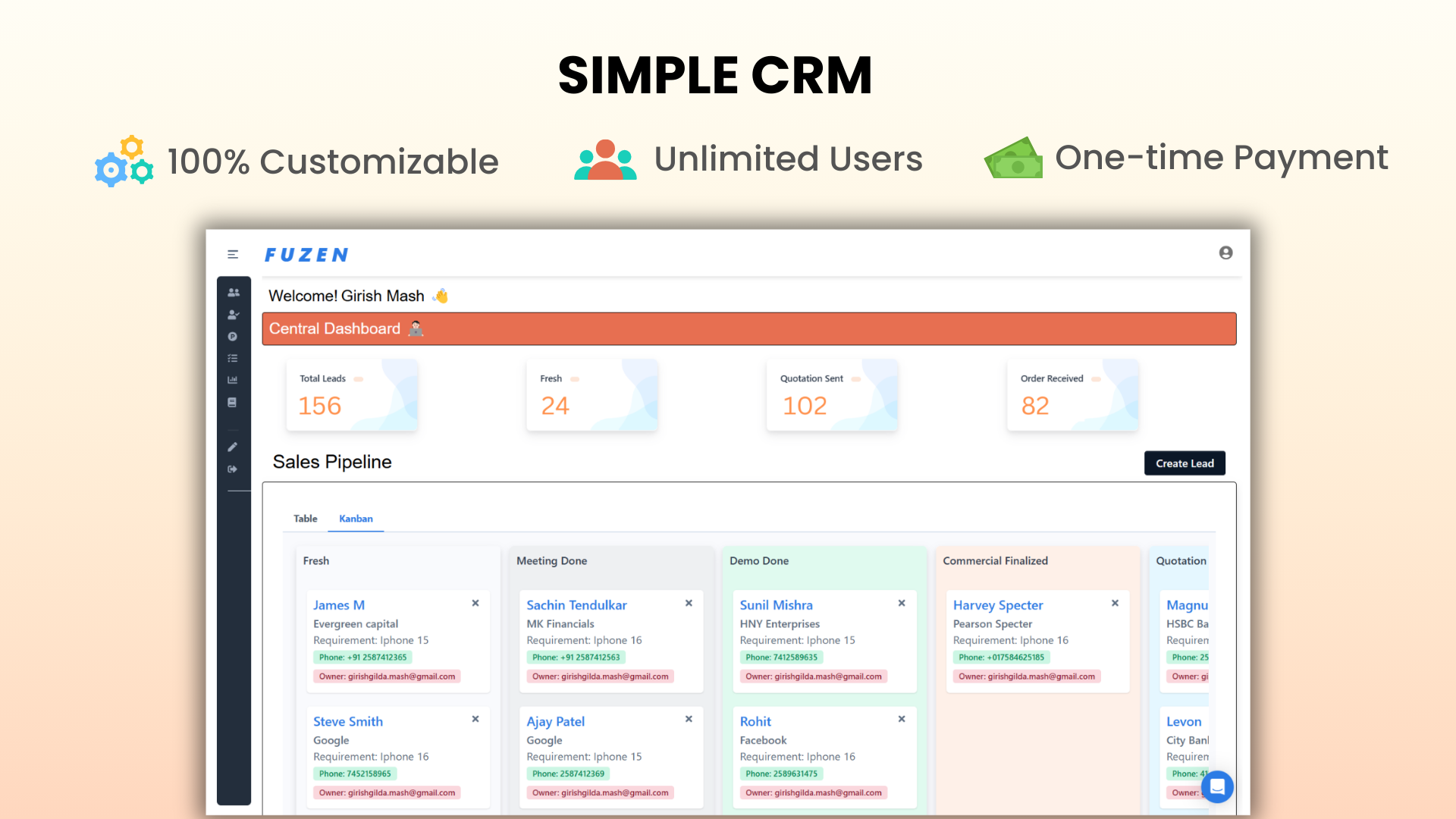
Image source: fuzen.com
Features:
- AI-assisted workflow creation and automation.
- Pre-built templates for CRM, project, and sales processes.
- Visual builder for pipeline and data management.
- Integrations with Google Drive, Gmail, and other cloud apps.
- Real-time analytics and insights dashboard.
Pros:
- AI support simplifies setup and workflow optimization.
- Great balance between automation and customization.
- Ideal for teams without coding or IT support.
- Cloud-based and integrates easily with common business tools.
Cons:
- May lack depth for large-scale enterprise use.
- Limited community support compared to older CRM platforms.
8. ConvergeHub: Low-code CRM designed for SMBs
ConvergeHub offers a balanced mix of sales, marketing, and customer service management with a low-code interface. Teams can build custom workflows, automate follow-ups, and track performance across departments with minimal technical effort. Its all-in-one dashboard gives a complete view of the customer journey from lead to retention. Built-in billing, collaboration, and analytics tools simplify everyday operations. ConvergeHub is perfect for growing businesses that need enterprise-grade features without overhead.
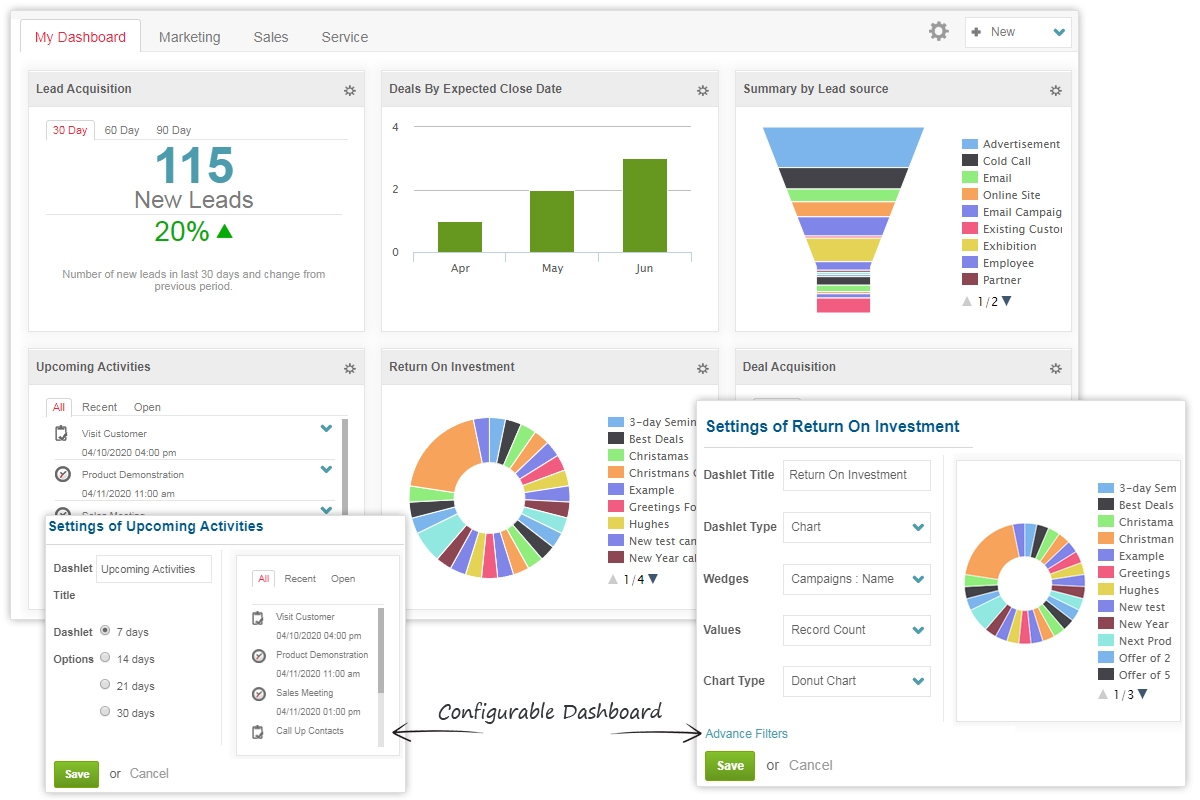
Image source: covergehub.com
Features:
- Unified CRM for sales, marketing, support, and billing.
- Low-code workflow builder for automation.
- Integrated email marketing and lead scoring.
- Customer 360° view and advanced reporting.
- Role-based access and team collaboration tools.
Pros:
- Combines CRM, marketing, and billing in one system.
- Easy to customize with minimal technical skills.
- Excellent for SMBs aiming to scale operations.
- Strong customer support and user training options.
Cons:
- Interface can feel cluttered for new users.
- Limited integration ecosystem compared to newer no-code platforms.
9. Zapier: Connects and automates CRM workflows
Zapier serves as the invisible connector that powers automation between thousands of apps — from CRMs to chat and marketing tools. It uses a "trigger-action" logic to make your tools work together seamlessly. For instance, you can automate a workflow that adds new form submissions into your CRM, sends a Slack update, and triggers an email — all in seconds. Its flexibility means you can connect virtually any app stack. Zapier is indispensable for teams that want to streamline CRM operations without coding.
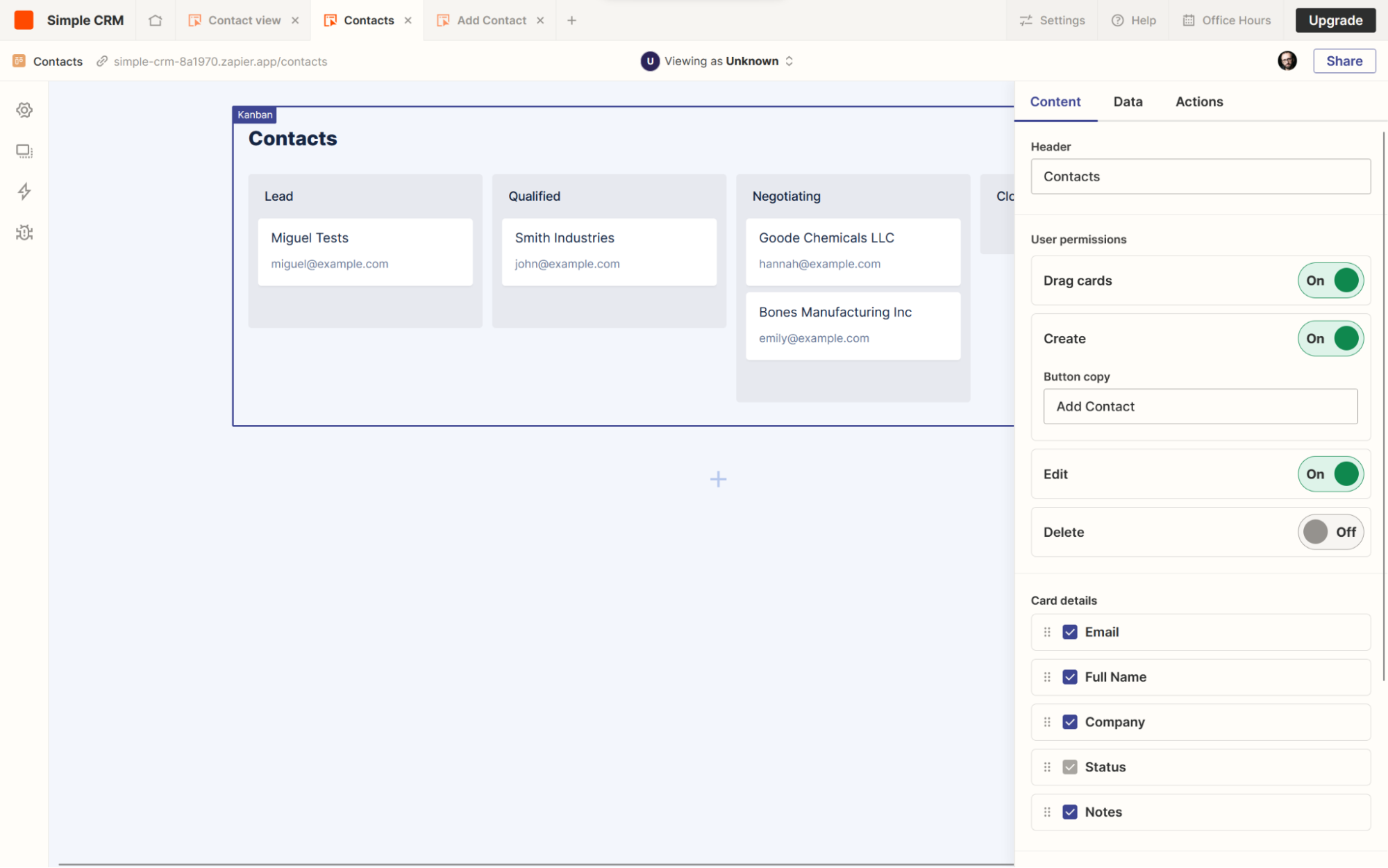
Image source: zaiper.com
Features:
- Connects 6,000+ apps without coding.
- Automates lead management, emails, and task updates.
- Visual workflow editor for easy setup.
- Conditional logic for complex automation chains.
- Integrates seamlessly with all major CRMs.
Pros:
- Extremely flexible and works across multiple platforms.
- Saves time by eliminating manual, repetitive tasks.
- Great for connecting niche tools into one workflow.
- Ideal for building automation-first no-code CRM systems.
Cons:
- Can get expensive at scale with many automations.
- Limited data storage or reporting features compared to full CRMs.
How to choose the right no-code CRM
Selecting the right no-code CRM depends on your team's needs, workflow complexity, and growth plans. The ideal CRM should fit your business processes today—while giving you the flexibility to scale tomorrow:
- Match tool capabilities with your workflow complexity:
If your workflows are simple—like lead tracking or contact management—tools such as nocrm.io or Airtable work perfectly. For more advanced workflows with automation and analytics, Lark or Bitrix24 are great choices.
- Check integration compatibility:
Make sure your CRM connects with tools your team already uses. Zapier can bridge multiple apps, while Lark and ConvergeHub offer native integrations for chat, docs, and analytics.
- Consider data security and scalability:
As your business grows, your CRM should grow with you. Lark and ConvergeHub provide enterprise-grade security and scalable cloud infrastructure, ensuring data integrity and compliance.
- Start small — expand as your workflow grows:
Begin with a free or entry-level plan like Lark's Starter Plan or Airtable's free tier. Once your team's needs evolve, upgrade for more automation, reporting, and customization options.
Conclusion
A no-code CRM empowers teams to take control of their customer relationships without relying on developers or complex coding. It offers flexibility, speed, and affordability—letting businesses build tailored workflows that fit their exact needs. With tools like Lark, Airtable, and NocoDB, you can automate processes, track leads, and collaborate seamlessly in one place.
Lark leads the way: as a no-code CRM, Lark lets teams build tailored client workflows using Lark Base, Sheets, and Approval to automate processes, track leads, and collaborate in one unified workspace. Airtable and NocoDB remain excellent choices for rapid prototyping and flexible databases, but starting with Lark gives you built-in collaboration, tasking, and approval capabilities that accelerate real-world use.
FAQs
Can I migrate my existing CRM data to a no-code CRM?
Yes, most no-code CRMs like Lark, Airtable, and Bitrix24 allow easy data import from Excel, Google Sheets, or traditional CRMs such as Salesforce or HubSpot. Some even offer integration tools or APIs for automated syncing, so you don't lose any customer information during migration.
Do no-code CRMs support automation for marketing and sales?
Definitely, platforms like Lark, Fuzen, and Zapier specialize in workflow automation — letting you set up triggers and actions like automatic follow-ups, lead assignments, or campaign updates without coding. This saves time and keeps your sales and marketing teams aligned.
Is a no-code CRM secure for storing customer information?
Yes, reputable no-code CRMs follow enterprise-grade security standards such as data encryption, access control, and compliance with GDPR or SOC 2. For instance, Lark offers built-in data permissions, cloud backups, and admin management to ensure your data stays protected.
Can large enterprises use no-code CRMs effectively?
Absolutely. While originally popular with startups and SMBs, no-code CRM tools like Lark, ConvergeHub, and Bitrix24 now scale easily for large organizations. Their advanced automation, integrations, and role-based access features make them suitable for enterprise workflows too.
How much technical knowledge do I need to use a no-code CRM?
Almost none! No-code CRMs are built for non-technical users. Using drag-and-drop builders, visual dashboards, and ready-made templates, you can build or customize a CRM in minutes — no IT team is required. Lark Base, for example, lets you design workflows as easily as using a spreadsheet.
What are some examples of real businesses using no-code CRMs successfully?
Small agencies use Airtable to track clients, retail teams use Lark to manage leads and automate follow-ups, and tech startups often deploy NocoDB or Fuzen to customize CRMs around their sales pipelines. These examples show how flexible and powerful no-code solutions can be across industries.
Related reading
Table of contents
Start using Lark today

Manage all your work in one place
Boost team efficiency by 10x
Save up to 70% on software costs
Table of contents
Start using Lark today
Manage all your work in one place
Boost team efficiency by 10x
Save up to 70% on software costs
Keep reading








2026 Lark Technologies Pte. Ltd.
Headquartered in Singapore with offices worldwide.






Explore: