Online time tracking software helps teams record work hours, measure productivity, and generate accurate reports without relying on manual spreadsheets. As hybrid and remote work continue to expand, businesses need reliable tools to capture employee activity, track project time, and simplify billing across multiple teams. Modern platforms offer automated timers, detailed dashboards, and integrations that streamline operations and reduce administrative overhead. Whether you manage freelancers, remote employees, or in-office teams, the right system ensures clarity and accountability. Below are the 15 best online time tracking software tools worth considering today:
1. Lark: Best All-in-one online time tracking software
2. Hubstaff: Top online employee time tracking & monitoring tool
3. Clockify: Best free online time tracking software for teams
4. Toggl Track: Simple & fast online time tracking software
5. Harvest: Online time tracking & billing software for teams
6. Time Doctor: Advanced online time tracking for remote teams
7. Everhour: Time tracking built into
8. Timely: Automatic online time tracking with AI
9. Paymo: Time tracking and project management for agencies
10. Timecamp: Online time tracking with advanced reporting
11. Rescuetime: Productivity tracking and focus time management
12. Clickup: All-in-One work platform with built-in time tracking
13. Quickbooks Time: GPS-enabled mobile time tracking software
14. Bonsai: Freelance time tracking and billing software
15. Insightful: Workforce analytics and time tracking platform
Simplify time tracking for your project
First glance: Comparison table of top employee time tracking tools
Before exploring each platform in depth, a side-by-side comparison helps highlight which tools excel in automation, reporting, remote team support, and billing workflows. Whether you need online software for distributed teams, project-based billing, or productivity measurement, this overview gives a quick snapshot of core strengths. Use the table below to identify the best online time tracking software for your organization's workflow.
Information source: Official vendor sites
Update time: 2025-11-30
Note: Pricing and plan details reflect publicly available data as of the update date and may vary based on region, billing cycle, and number of agents.
What is online time tracking software and how does it work?
Online time tracking software helps teams record work hours, tasks, and project activity through web-based timers, automated logging, or AI-driven tracking. Instead of relying on spreadsheets or manual entries, these tools capture data in real time and store it securely in the cloud. Most platforms sync activity across devices, generate visual reports, and connect with project management or payroll systems. This makes online for employees essential for accurate billing, performance insights, and project forecasting.
What features should a good online time tracking software include?
A reliable online time tracking software should help teams capture hours accurately, analyze performance, and simplify billing or payroll workflows. The best online time tracking software also reduces administrative work through automation and integration. Whether your team manages client projects, field operations, or remote employees, the right features ensure accuracy, transparency, and effortless reporting. Below are the core capabilities every tool should offer.
- Real-time tracking and manual timers: Employees should be able to start, pause, and stop timers with one click from the web or mobile. This prevents under-reporting and ensures accurate hourly logs. online also syncs data across multiple devices instantly.
- Project and task-level tracking: Teams need visibility into how hours are spent on tasks, clients, or internal projects. Online project time tracking software groups work into categories for accurate reporting and billing. This is crucial for agencies, consultants, and engineering teams.
- Automated reminders and idle detection: Automatic nudges help employees avoid missing time entries, while idle detection reduces inflated hours. This ensures reported time reflects actual productive activity. These automation features improve accuracy without extra manual oversight.
- Advanced reports and dashboards: Managers need access to summaries, weekly , project breakdowns, and performance insights. Strong analytics help identify bottlenecks, workload issues, and project overruns. The best online employee time tracking software turns raw data into actionable insights.
- Integrations with project, payroll, and billing tools: Seamless syncing with project management software, , and accounting platforms reduces duplicate work. Online time tracking and billing software relies heavily on these integrations to automate end-to-end workflows. This keeps hours consistent across systems.
- Mobile and GPS support: Field teams and remote workers need mobile apps with GPS logging so hours are tracked accurately in different locations. Online employee time tracking software should work even without stable connectivity. This is essential for construction, logistics, and service teams.
- User roles and permissions: Admins should be able to control who edits timesheets, views data, or approves entries. Permissions and approvals help maintain data accuracy and prevent unauthorized changes. This is especially important in large organizations with multiple teams.
Start managing employee hours smarter
Top 15 online time tracking tools reviewed
Choosing the right online time tracking software depends on your team size, workflow style, and reporting needs. Some tools focus on automated tracking, while others offer project-based insights, GPS features, or in-depth analytics. Whether your goal is billing accuracy, productivity measurement, or simpler timesheets, the platforms below represent the best online employee time tracking software available today. Each tool is reviewed with features, pros, cons, and pricing to help you compare easily.
1. Lark: Best all-in-one online time tracking software
stands out as a powerful all-in-one online that brings scheduling, task planning, and into a single cloud workspace. Teams can track working hours, manage deadlines, and monitor progress without switching between disconnected tools. Its cloud-first design ensures that data stays accessible, consistent, and updated in real time across locations and devices. From flexible time logs to visual capacity planning, Lark supports both daily tracking and long-term project accountability.
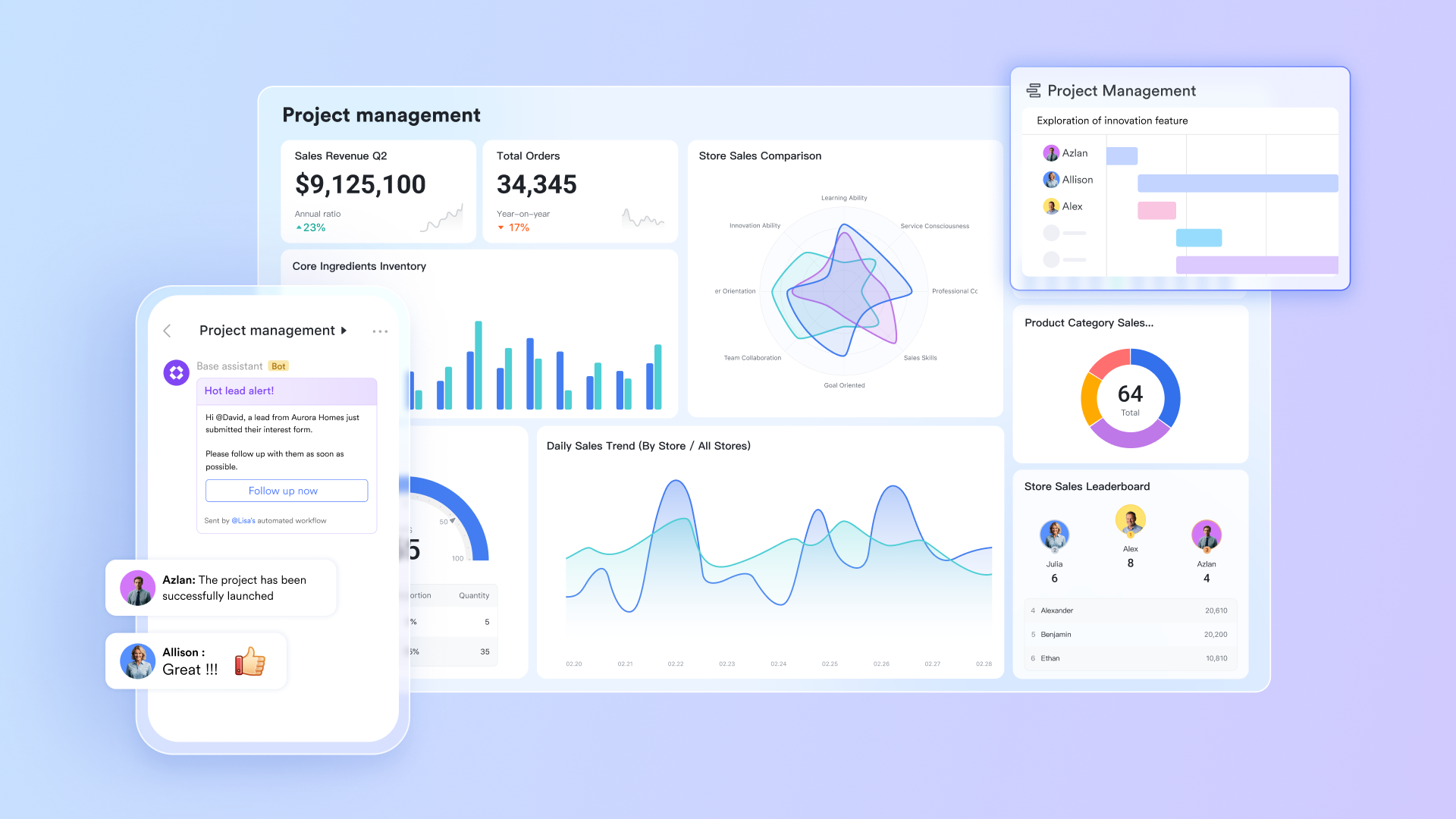
Lark Base: Centralised database for flexible time tracking
works as a cloud-based database that teams can tailor into a fully flexible time-tracking system. By using customizable fields and formulas, you can capture, calculate, and visualize time data without relying on rigid templates. Field shortcuts simplify common tasks like converting date formats, tracking remaining days, monitoring progress, and calculating weekly or monthly breakdowns. With Lark Base running entirely on the cloud, all time logs, formulas, and dashboards update instantly and remain accessible from any device, creating a centralized, always-synced system for flexible and scalable time tracking. 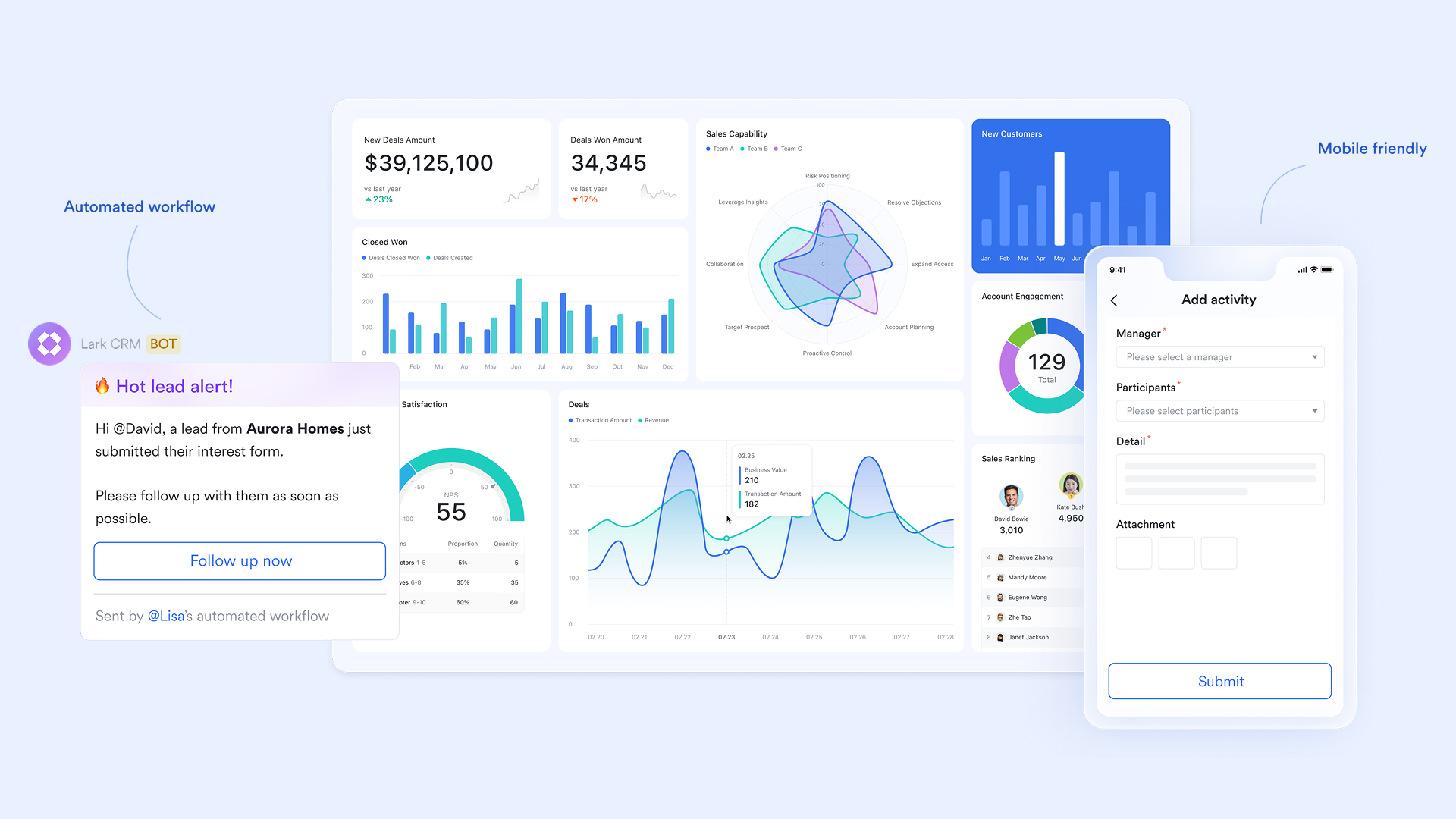
Lark Tasks: Task-linked online time accountability
Lark Tasks connects time tracking directly to real work by linking schedules, deadlines, and progress to individual tasks. You can assign start and end dates to each task, clearly defining when work should begin and when it is expected to finish. These tasks automatically appear within the Calendar view, where scheduled time blocks and task durations are visually displayed, making it easy to understand how daily and weekly workloads are structured. 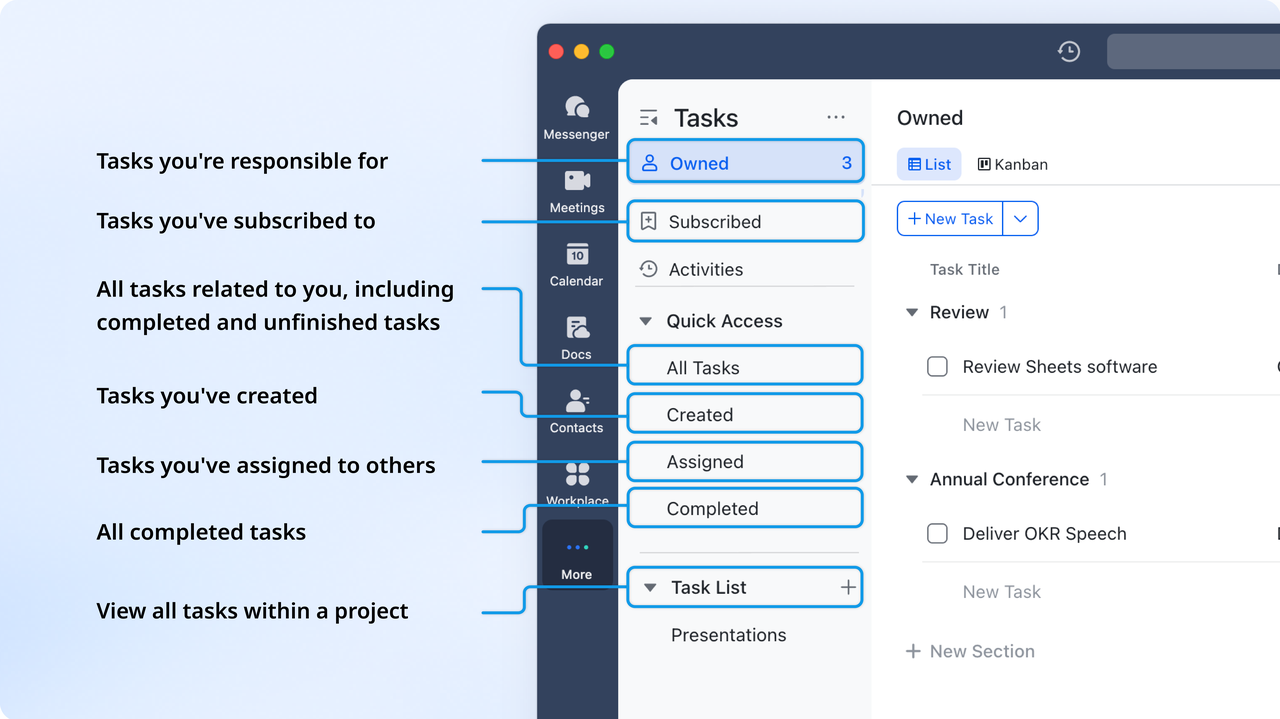
Lark Base Gantt view: Streamlined timelines for process tracking
In Lark Base the Gantt chart view further enhances time accountability by providing a timeline-based overview of projects. It allows teams to visualize task sequences, dependencies, and key milestones, so everyone understands how individual contributions affect overall delivery timelines. Managers can monitor progress in real time, identify potential delays early, and adjust schedules as needed—ensuring that time spent aligns with project plans and team capacity. 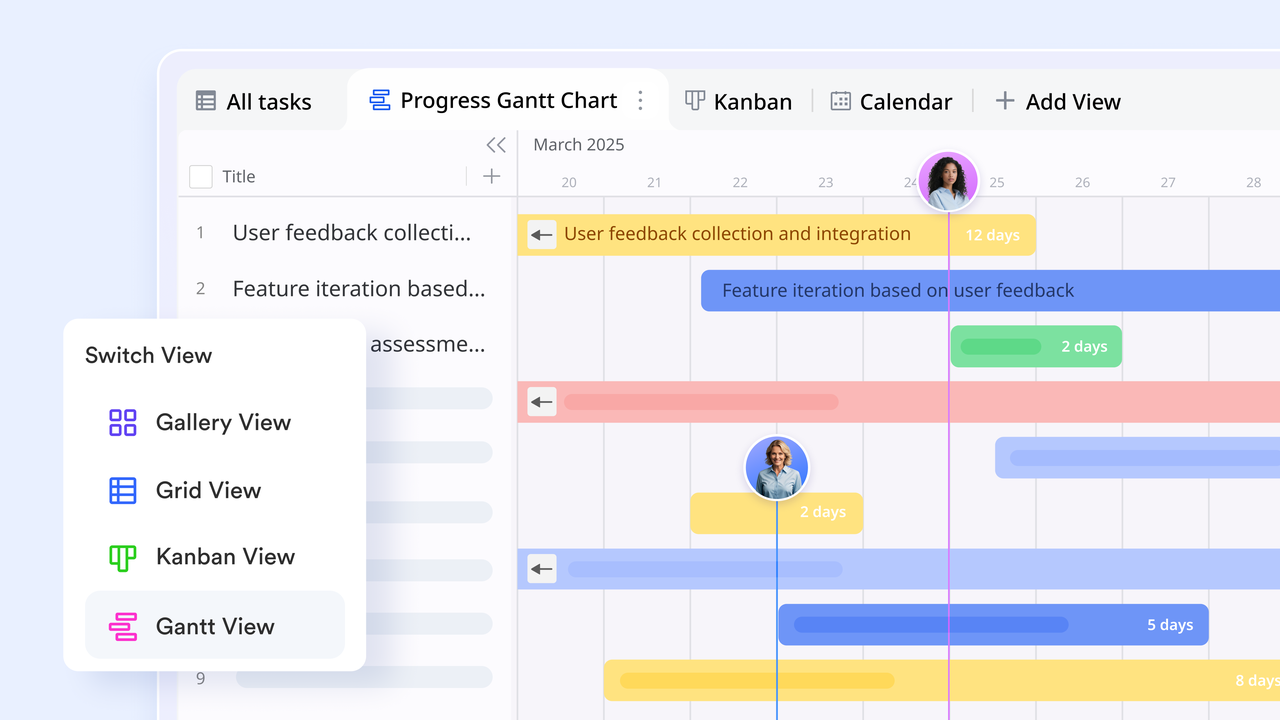
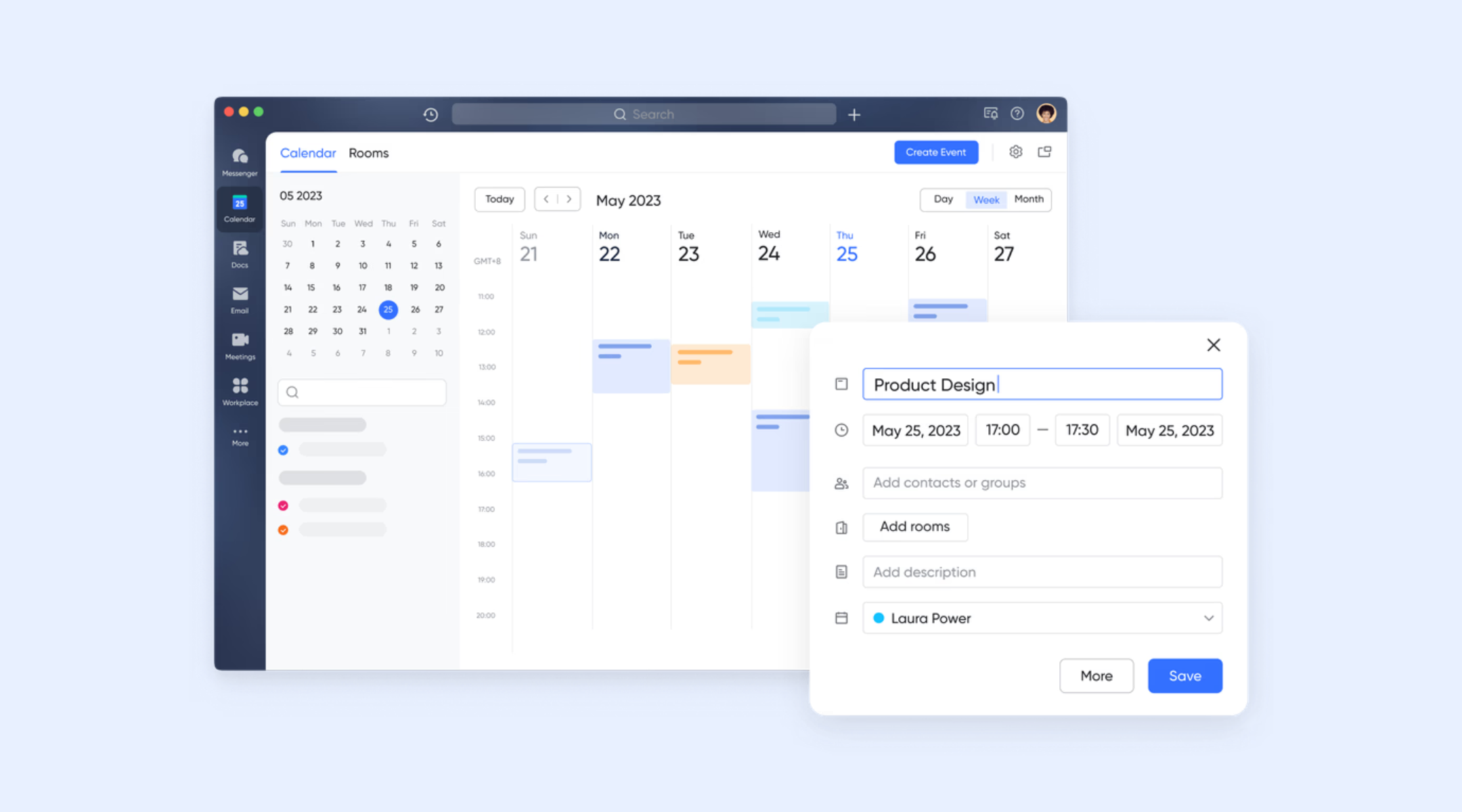
Lark Calendar: Visual scheduling and capacity planning
offers visual scheduling and capacity-planning tools that make it easy to coordinate team availability and manage project timelines. Teams can see participant schedules at a glance, set up meetings with clear agendas, and toggle between day, week, and month views to evaluate workload distribution. Within Lark Base, the calendar view displays records by date, letting you drag and reschedule entries directly on the timeline for flexible planning, deadline adjustments, and real-time project coordination.
Cloud data storage & centralized access: The backbone of Lark's time tracking
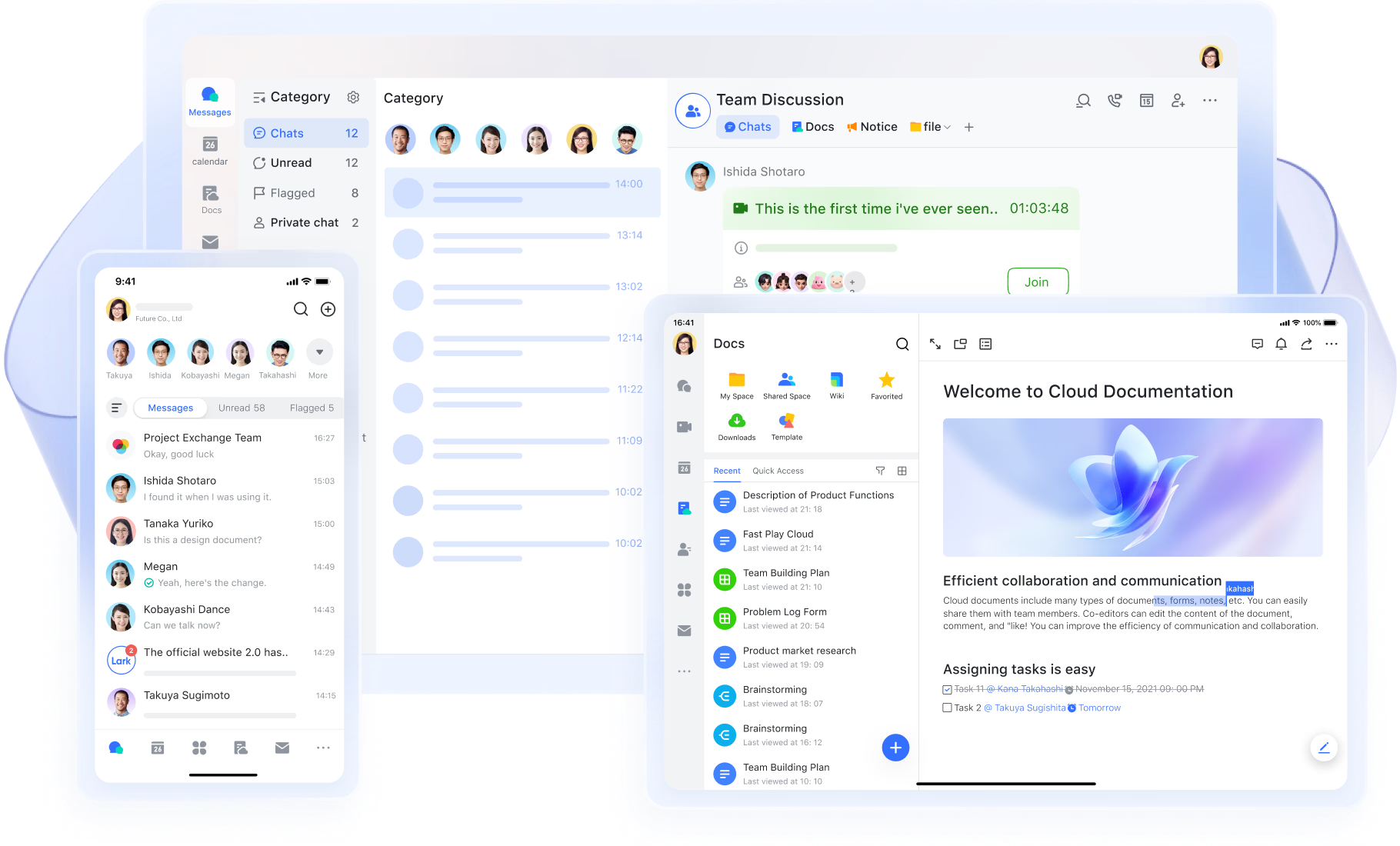
At the core of Lark's time-tracking is a cloud-first infrastructure that stores all data centrally, eliminating reliance on local files or spreadsheets. Updates are synced instantly, so any change made by a team member is reflected for everyone in real time. Secure, permission-based access ensures that only authorized users can audit log in, edit, approve, or export hours. Cross-device accessibility enables seamless tracking across laptops, tablets, and smartphones. Centralized storage preserves data consistency, avoiding conflicting timesheets. Managers can generate accurate reports at any time without manual consolidation. Lark supports data compliance auditing to help organizations meet regulatory requirements in industries like finance and healthcare.
Pros:
- Unified workspace reduces tool-switching
- Excellent for remote and hybrid teams
- Strong automation for reminders and approvals
- Clear visibility across tasks, hours, and workloads
Cons:
- Advanced reporting requires setup, while its Help Center provides complete guidance
:
- Starter plan: Free forever plan that includes 11 powerful tools for up to 20 users. It also comes with 100GB of storage, 1000 automation runs, AI translations, and more.
- Basic plan: $6/user/month (billed annually) for up to 500 users. It includes everything in Starter plus group calling for up to 500 attendees, 5TB of storage, 1000 automation runs, and more. For more details, please .
- Pro plan: $12/user/month (billed annually) for up to 500 users. It includes everything in Basic plus group calling for up to 500 attendees, 15TB of storage, 50,000 automation runs, and more.
- Enterprise plan: for custom pricing. Supports unlimited users and includes even more automation runs and advanced security, compliance, and management features.
For small teams with simple communication needs

18 months message history
1000 Base automation runs/month
2000 rows per table in Base
Most POPULAR
For companies with comprehensive collaboration and management needs
Unlimited message history
500-participant video meetings
50k Base automation runs/month
20k rows per table in Base
For large companies with advanced security and organizational management needs
Get a personalized demo and pricing
Unlimited message history
500-participant video meetings
15 TB storage + 30 GB storage/user
500k Base automation runs/month
50k Base automation runs/month
Most POPULAR
For companies with comprehensive collaboration and management needs
Unlimited message history
500-participant video meetings
50k Base automation runs/month
20k rows per table in Base
2. Hubstaff: Top online employee time tracking & monitoring tool
Hubstaff is a leading online employee time tracking software known for screenshots, activity levels, and GPS monitoring. It's one of the best tools for field teams, remote companies, and service organizations that require detailed visibility. Hubstaff includes automated payroll, productivity metrics, and project-based tracking for accurate billing. The platform also supports geofencing, enabling automatic clock-ins when employees enter a work zone. Its combination of monitoring and reporting makes it a strong choice for data-driven operations.
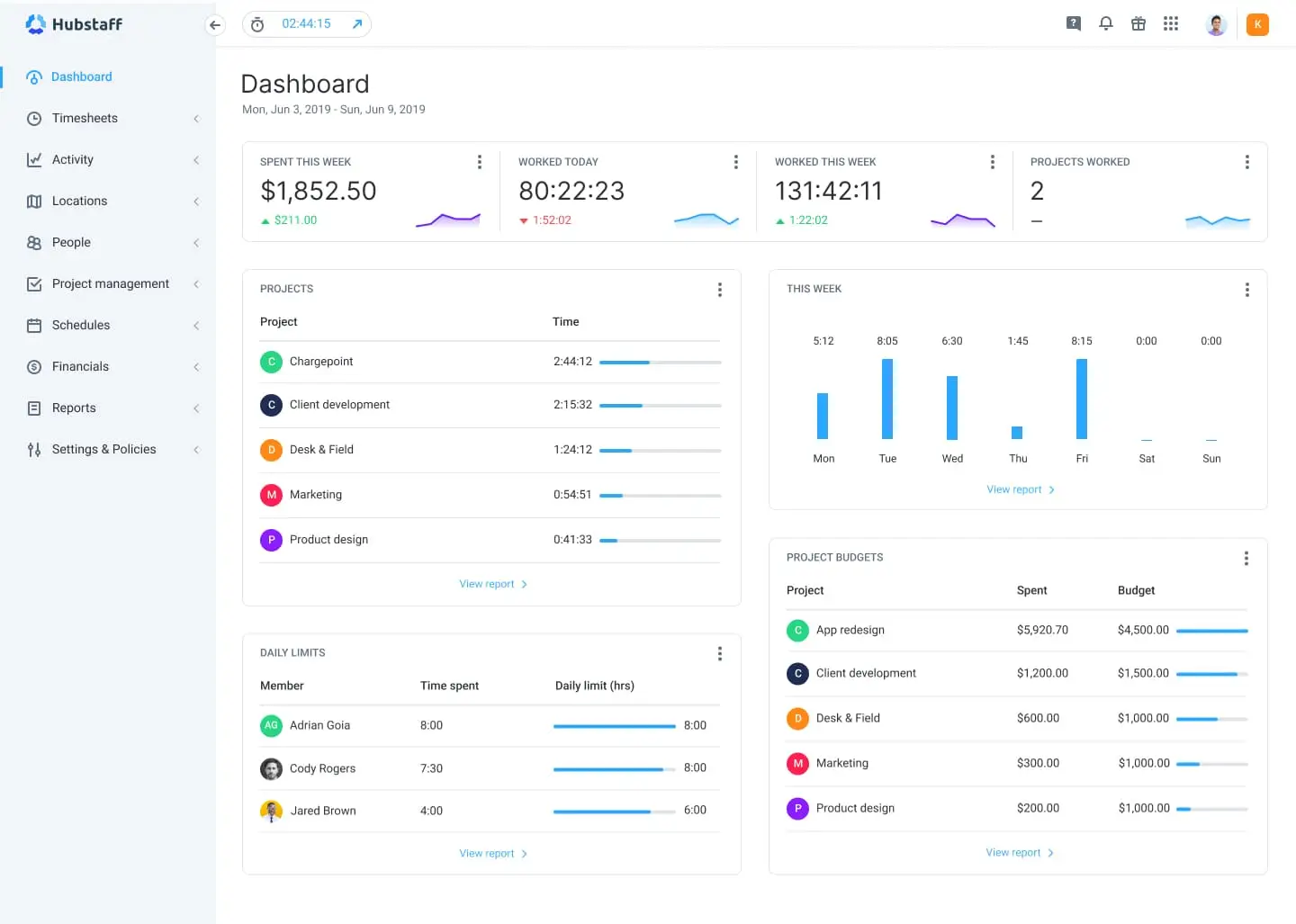
Image source: hubstaff.com
Key features:
- Time tracking with activity monitoring
- GPS and geofencing for mobile teams
- Automated payroll and invoicing
- Productivity dashboards and project reports
Pros:
- Ideal for field and remote workforce tracking
- Strong monitoring capabilities
- Accurate reporting with real-time insights
- Integrated payroll reduces admin work
Cons:
- Monitoring features may feel intrusive
- Higher-tier plans needed for advanced tools
Pricing:
- Starter: $4.99 per seat/month (2-seat minimum)
- Grow: $7.50 per seat/month (2-seat minimum)
- Team (Popular): $10 per seat/month (2-seat minimum)
- Enterprise: $25 per seat/month (billed annually)
3. Clockify: Best free online time tracking software for teams
Clockify is one of the most popular free online time tracking software tools for teams of any size. It supports unlimited users, projects, and tracking entries even on the free plan. Teams can track time manually or with timers, categorize hours, and generate basic reports. Paid plans add approvals, advanced analytics, and project profitability insights. Clockify is ideal for startups, agencies, and distributed teams needing simple, scalable tracking without cost barriers.
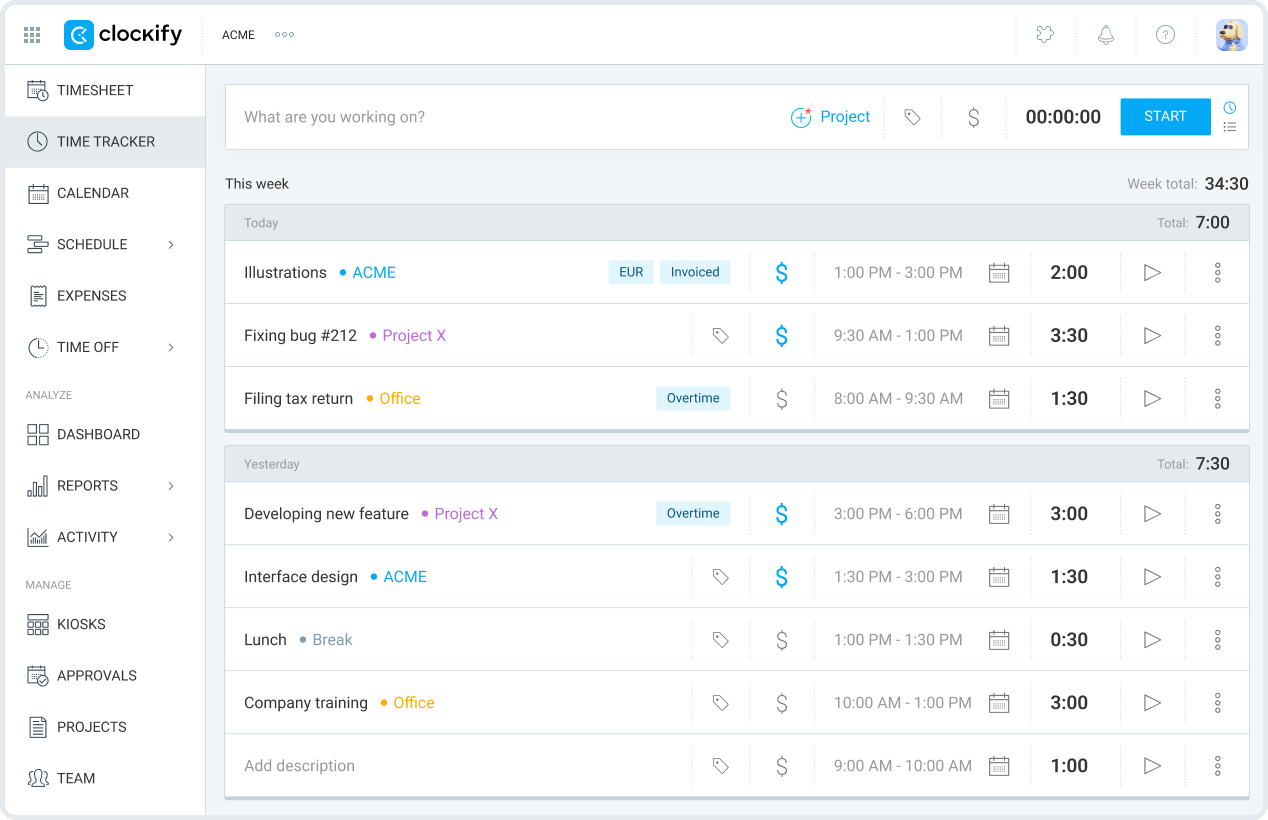
Image source: clockify.com
Key features:
- Unlimited tracking for free
- Project and task-based timers
- Visual timesheets and reports
- Integrations with project management platforms
Pros:
- Market's strongest free time tracking plan
- Great for task and project tracking
- Flexible for teams of any size
Cons:
- Advanced reporting requires upgrades
- Limited built-in productivity features
Pricing:
- Standard: $5.49 per seat/month (billed annually; $6.99 monthly)
- Pro: $7.99 per seat/month (billed annually; $9.99 monthly)
- Enterprise: $11.99 per seat/month (billed annually; $14.99 monthly)
- Cake.com Bundle: $12.99 per seat/month (billed annually; $15.99 monthly)
4. Toggl Track: Simple & fast online time tracking software
Toggl Track is designed for teams wanting a clean, fast, and intuitive time tracking experience. With one-click timers, browser extensions, and mobile apps, it minimizes friction and helps users log hours effortlessly. Toggl also includes project analytics and profitability insights for agencies and consultants. It's one of the best online time tracking software options for teams focused on ease of use above complex monitoring. Its elegant interface appeals to creative teams, freelancers, and remote employees.
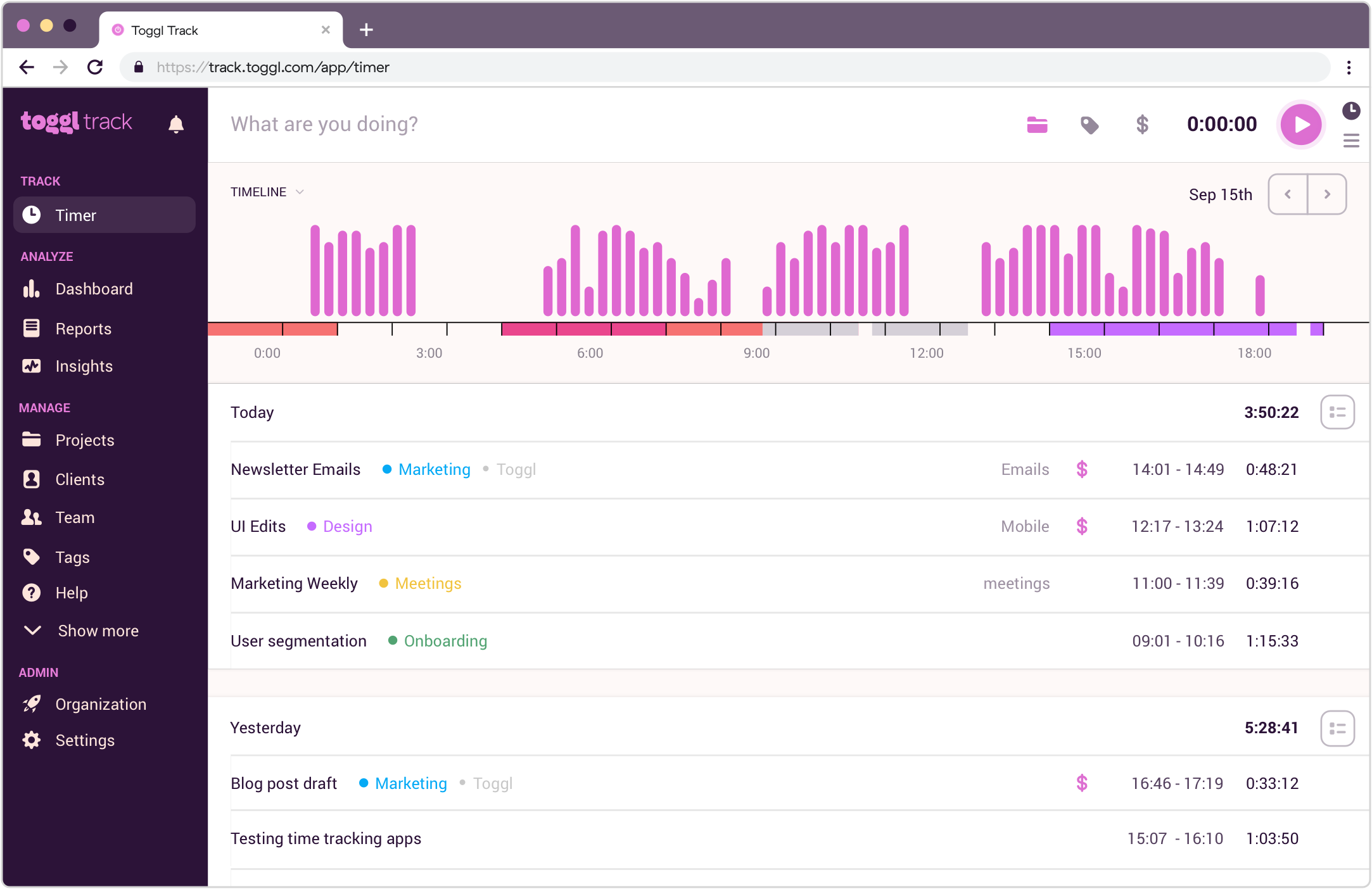
Image source: toggl.com
Key features:
- One-click timers across web, desktop, and mobile
- Detailed project and client reports
- Idle detection and reminders
- Integrations with 100+ tools
Pros:
- Beautiful, minimal interface
- Strong tagging and categorization
- Useful insights for billing teams
Cons:
- No GPS or monitoring features
- Larger organizations may need more structure
Pricing:
- Free: $0 per user/month (free for up to 5 users)
- Starter: $9 per user/month
- Premium: $18 per user/month
- Enterprise: Custom pricing (contact sales)
5. Harvest: Online time tracking & billing software for teams
Harvest is a popular online time tracking and billing software built for teams needing accurate project hours, invoicing, and expense tracking in one place. It's widely used by agencies, consultancies, and engineering teams that manage multiple clients and billable projects. Harvest offers intuitive timers, detailed reports, and integrated invoicing that converts tracked hours into invoices automatically. Its budgeting features help teams monitor project limits and prevent overruns. With lightweight apps and browser extensions, Harvest makes time tracking easy while providing reliable financial insights for leaders and project managers.
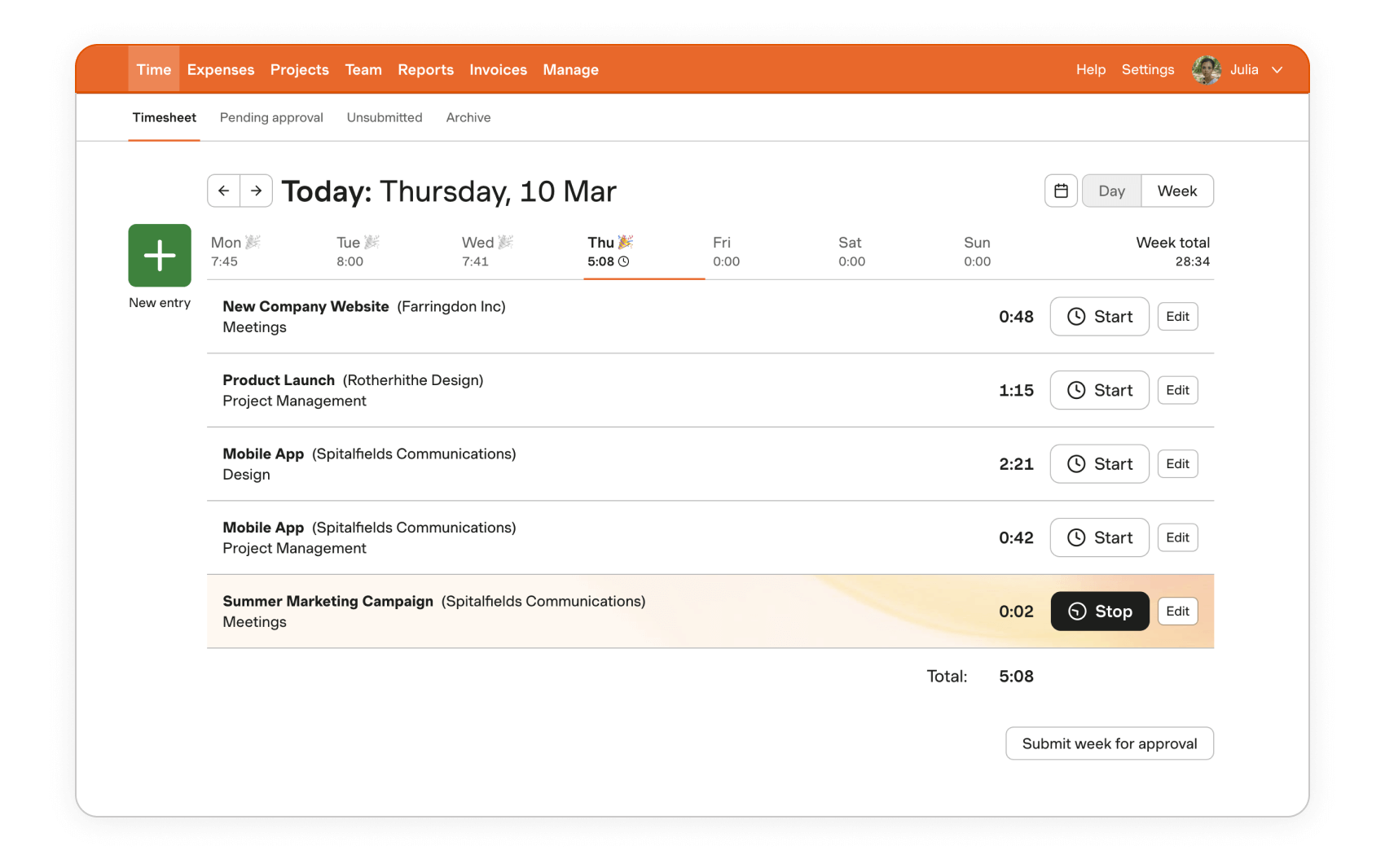
Image source: getharvest.com
Key features:
- Time tracking with instant invoicing
- Project budgets and cost tracking
- Expense management with receipt uploads
- Integrations with project, finance, and accounting tools
Pros:
- Great for client billing workflows
- Easy, intuitive interface for all teams
- Excellent reporting and profitability tracking
- Strong integrations across finance and PM tools
Cons:
- Limited monitoring and productivity features
- Can become expensive for large teams
Pricing:
- Free: $0 forever (1 seat, up to 2 projects)
- Premium: Custom pricing (contact sales)
6. Time Doctor: Advanced online time tracking for remote teams
Time Doctor is designed for distributed teams that require precise tracking, detailed analytics, and optional monitoring features. It captures hours through manual timers or automated tracking and provides activity breakdowns for stronger productivity insights. With screenshots, distraction alerts, and website usage reporting, it helps teams identify bottlenecks and inefficiencies. Time Doctor also integrates with payroll, project management systems, and communication tools for streamlined operations. Remote companies, BPOs, and service firms rely on it for accuracy and visibility across global teams.
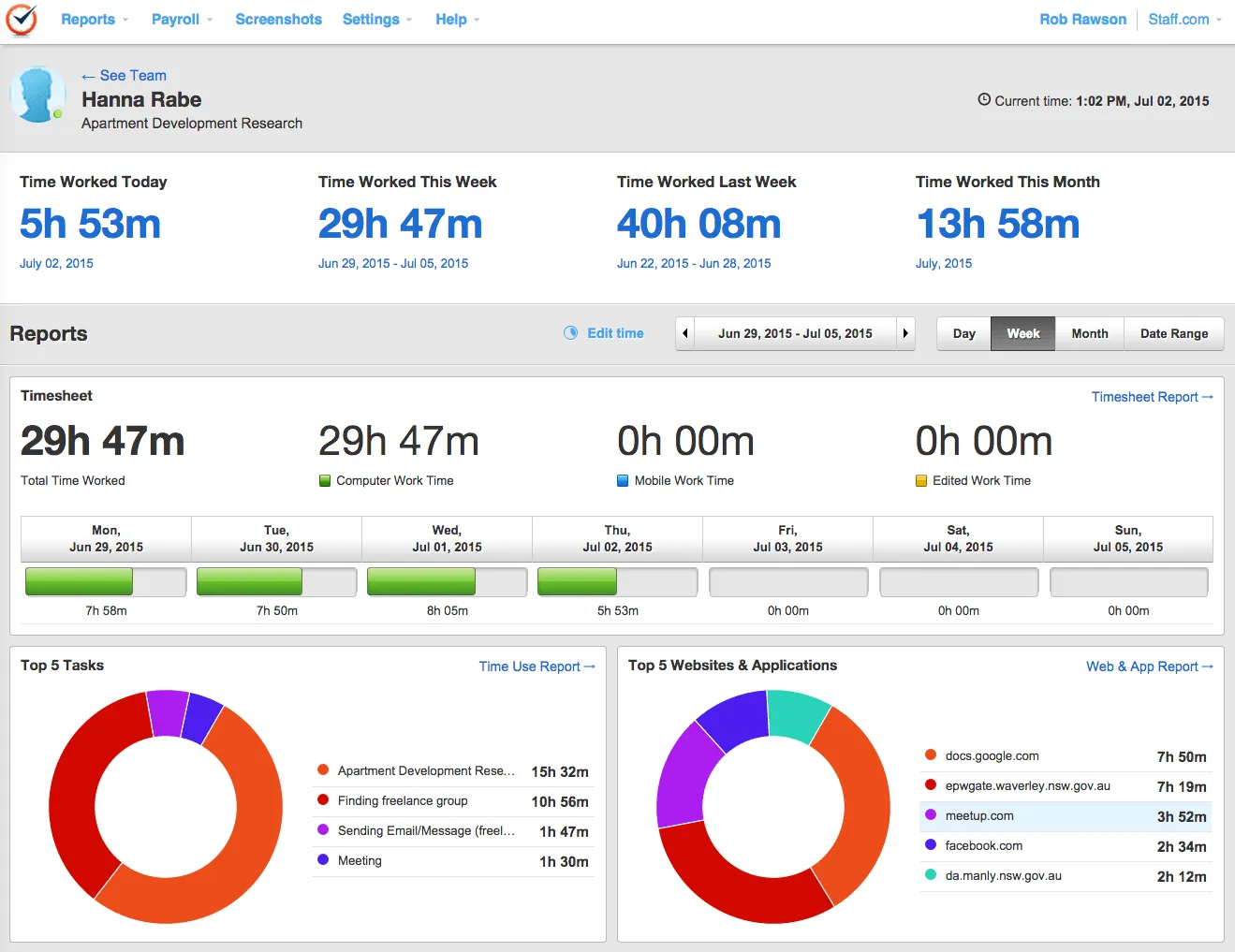
Image source: timedoctor.com
Key features:
- Automated and manual time tracking
- Website, app, and inactivity monitoring
- Optional screenshots for compliance
- Payroll and PM integrations
Pros:
- Excellent visibility for remote teams
- Detailed analytics and productivity insights
- Strong compliance features
- Flexible tracking options
Cons:
- Monitoring can feel intrusive
- Interface is less modern than competitors
Pricing:
- Basic: $6.67 per user/month (billed annually; $8 month-to-month)
- Standard: $11.67 per user/month (billed annually; $14 month-to-month)
- Premium (Popular): $16.70 per user/month (billed annually; $20 month-to-month)
- Enterprise: Custom pricing (monthly & annual plans available)
7. Everhour: Time tracking built into project management tools
Everhour integrates seamlessly with platforms like Asana, Notion, ClickUp, and Trello, making it ideal for teams already using project management software. Instead of switching tools, users log time directly within their workflows. Everhour adds budgeting, invoicing, and detailed reporting that enhance project-level visibility. Agencies, product teams, and tech companies use it to track billable hours effortlessly. Its lightweight design ensures teams adopt time tracking without friction.
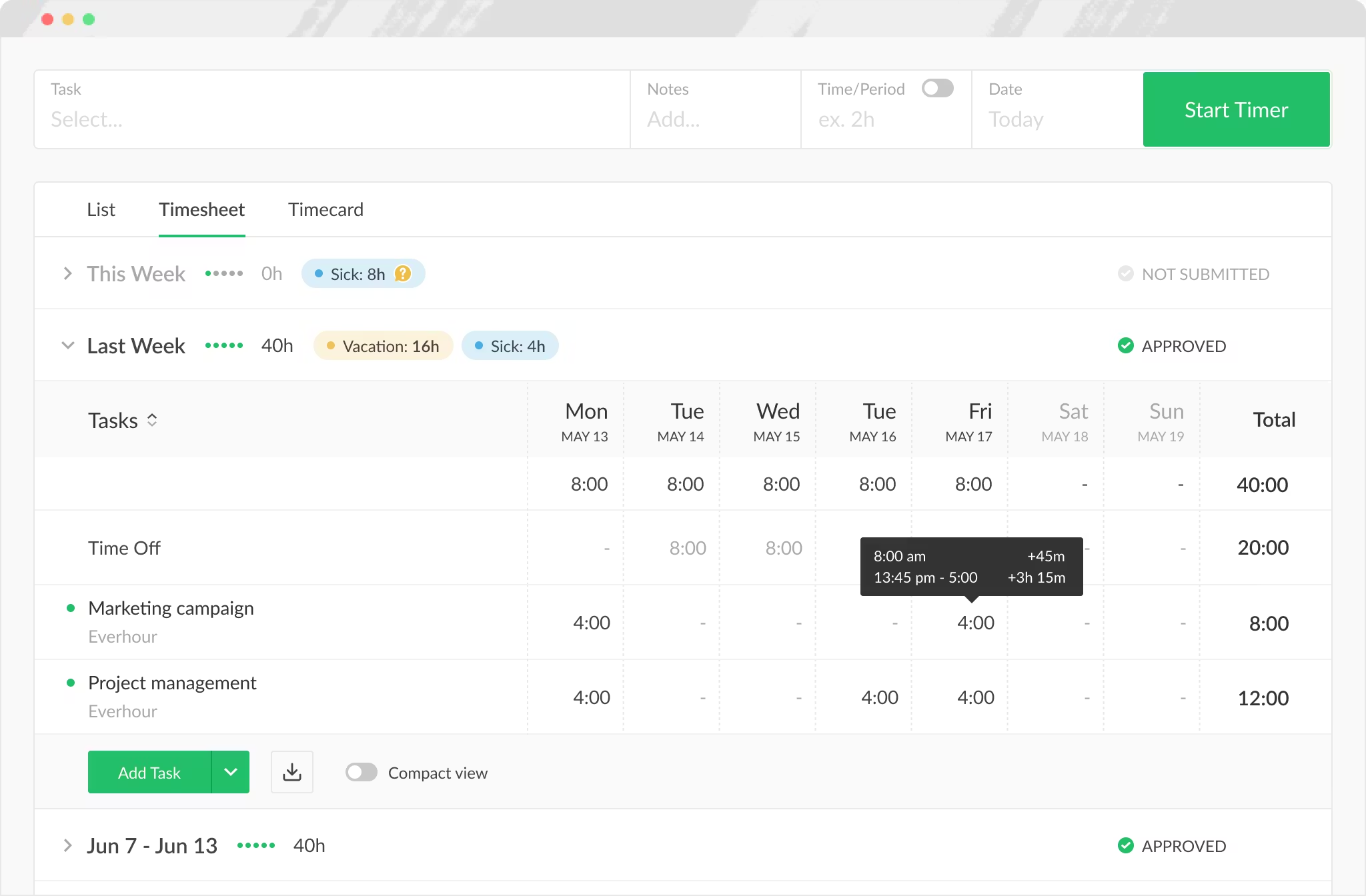
Image source: everhour.com
Key features:
- Native integrations with major PM tools
- Project budgets and cost tracking
- Timesheets and visual reporting
- Invoicing for client projects
Pros:
- Feels naturally embedded into workflow
- Great for teams using Asana or Notion
- Clean design and intuitive experience
- Accurate billing and budgeting tools
Cons:
- Limited standalone features without integrations
Pricing:
- Free: $0 per seat/month (free for up to 5 seats)
- Team: $8.50 per seat/month (billed yearly; 5-seat minimum)
8. Timely: Automatic online time tracking with AI
Timely stands out for its AI-powered “Memory” feature, which automatically records activity across apps, websites, and documents. Instead of manually starting timers, users get a timeline of their workday that can be easily converted into timesheets. This makes it one of the best online employee time tracking software options for teams who want minimal manual effort. Timely also offers project dashboards, team capacity planning, and powerful reporting. It's ideal for consultants, creatives, and knowledge workers.
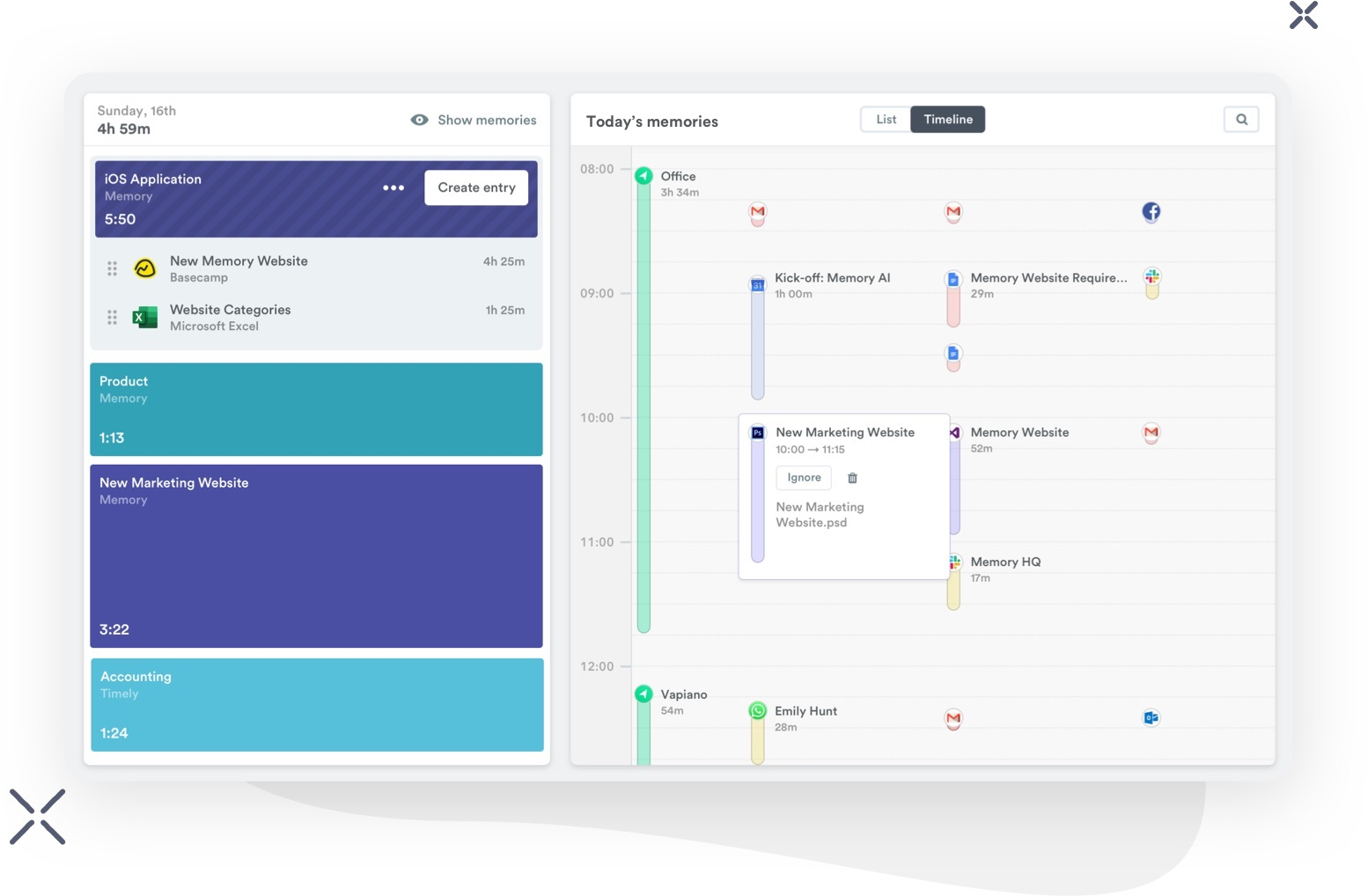
Image source: timely.com
Key features:
- AI-powered automatic tracking
- Activity timeline for daily work
- Project dashboards and team scheduling
- In-depth reporting and analytics
Pros:
- Eliminates manual time entry
- Highly accurate activity logs
- Great for creative and project teams
Cons:
- Pricier than basic time trackers
- No monitoring features for compliance-heavy teams
Pricing:
- Build: $26 per staff/month (billed monthly)
- Elevate: $39 per staff/month (billed monthly)
- Innovate (Recommended): $47 per staff/month (billed monthly)
9. Paymo: Time tracking and project management for agencies
Paymo combines online project time tracking software with client management, invoicing, file sharing, and project scheduling. Creative agencies, engineering teams, and consultancies appreciate its balance of PM tools and thorough time tracking features. Users can track hours directly on tasks, create estimates, and convert logged hours into invoices. Paymo also offers team scheduling and workload planning, making it valuable for resource allocation. It's a strong all-in-one platform for teams handling multi-stage client work.
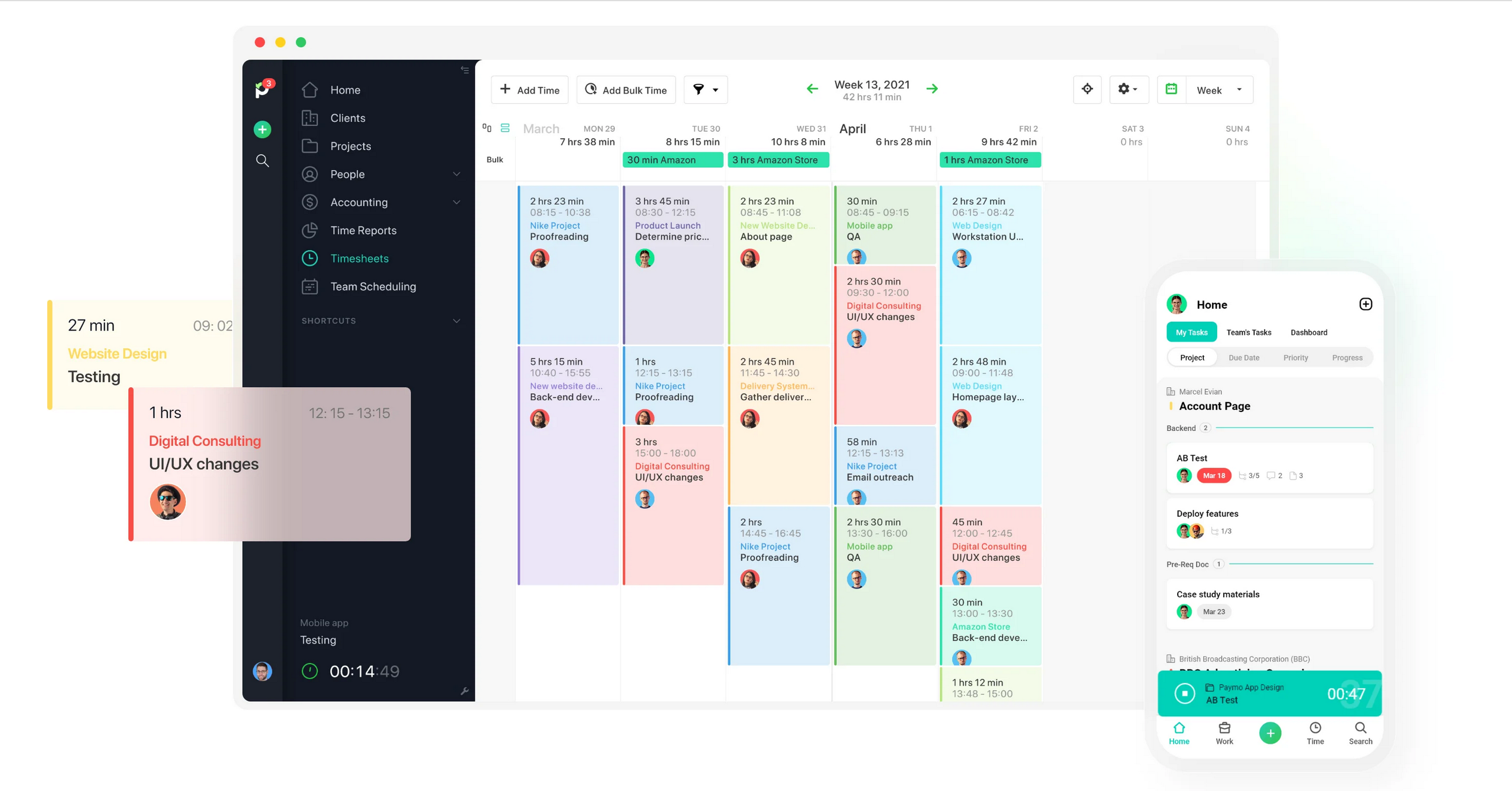
Image source: paymo.com
Key Features:
- Task-based time tracking
- Project and resource management
- Invoicing and expense tracking
- File proofing and collaboration tools
Pros:
- Excellent for agency workflows
- Strong reporting and billing tools
- Combines PM + time tracking in one app
- Good for managing workloads and schedules
Cons:
- Can feel overwhelming for small teams
- Interface has a learning curve
Pricing:
- Free: $0 per month (limited to 1 user)
- Plus (Most popular): $10.90 per user/month
- Pro: $16.90 per user/month
10. Timecamp: Online time tracking with advanced reporting
Timecamp offers automated time tracking, detailed reporting, and strong integrations, making it a popular choice for teams needing project-level clarity. Its desktop app automatically detects activity and assigns time to tasks, reducing manual entry. Timecamp supports attendance tracking, budgeting, invoicing, and billable vs non-billable hour classification—ideal for agencies and professional service teams. Its reporting tools make it one of the best online options for insight-focused organizations. With competitive pricing, it's suitable for businesses of all sizes.
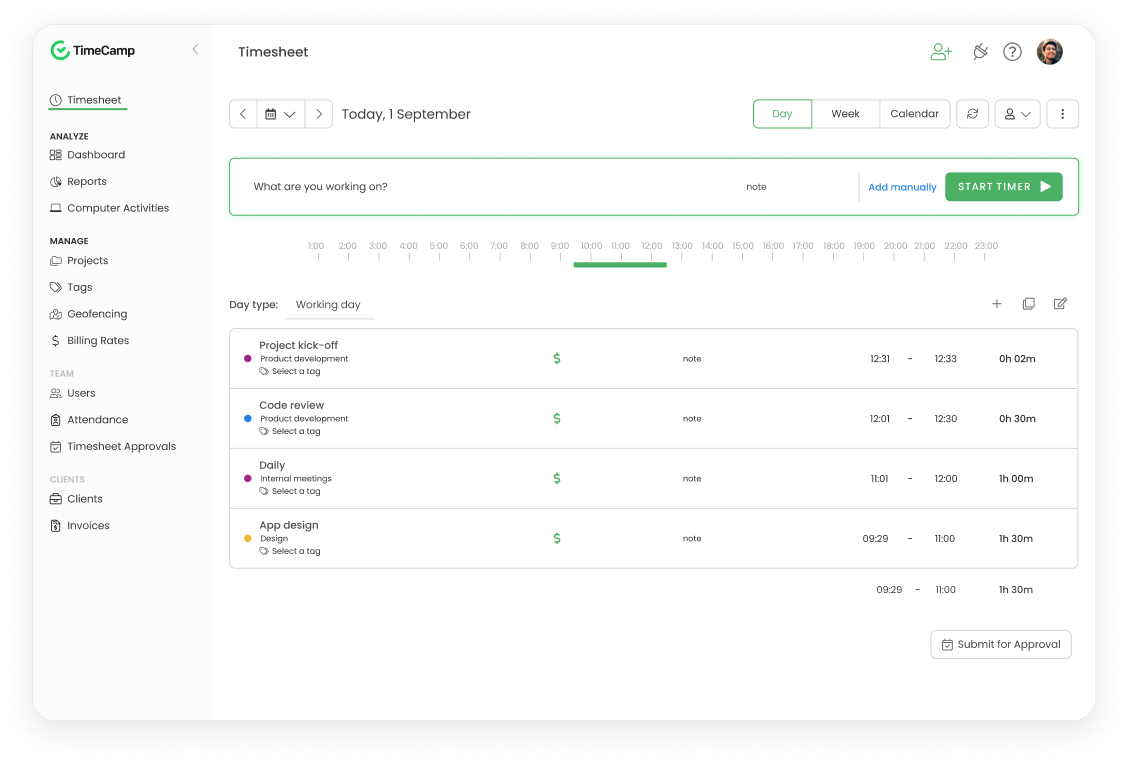
Image source: timecamp.com
Key features:
- Automatic and manual tracking
- Billable and non-billable categorization
- Project budgets and profitability reports
- Integrations with major PM and finance tools
Pros:
- Strong reporting capabilities
- Useful for billing and forecasting
- Easy-to-use automatic tracking
- Works well for distributed teams
Cons:
- Desktop tracker can feel heavy
- Free plan has limited features
Pricing:
- Starter: $1.49 per user/billed annually; $1.99 month-to-month
- Premium: $2.99 per user/billed annually; $3.99 month-to-month
- Ultimate (Most Popular): $3.99 per user/billed annually; $5.99 month-to-month
- Enterprise: $11.99 per user/billed annually; $14.99 month-to-month
11. Rescuetime: Productivity tracking and focus time management
RescueTime is designed for teams and individuals who want to understand how work hours are actually spent rather than simply tracking time. It automatically records app and website usage, giving users a detailed breakdown of productive vs. distracting activity. RescueTime also offers “Focus Sessions” to block digital distractions and help users maintain deep work. While not a traditional employee time tracking software online, it's highly effective for productivity coaching. It's ideal for knowledge workers, remote professionals, and teams wanting behavioral insight alongside time tracking.
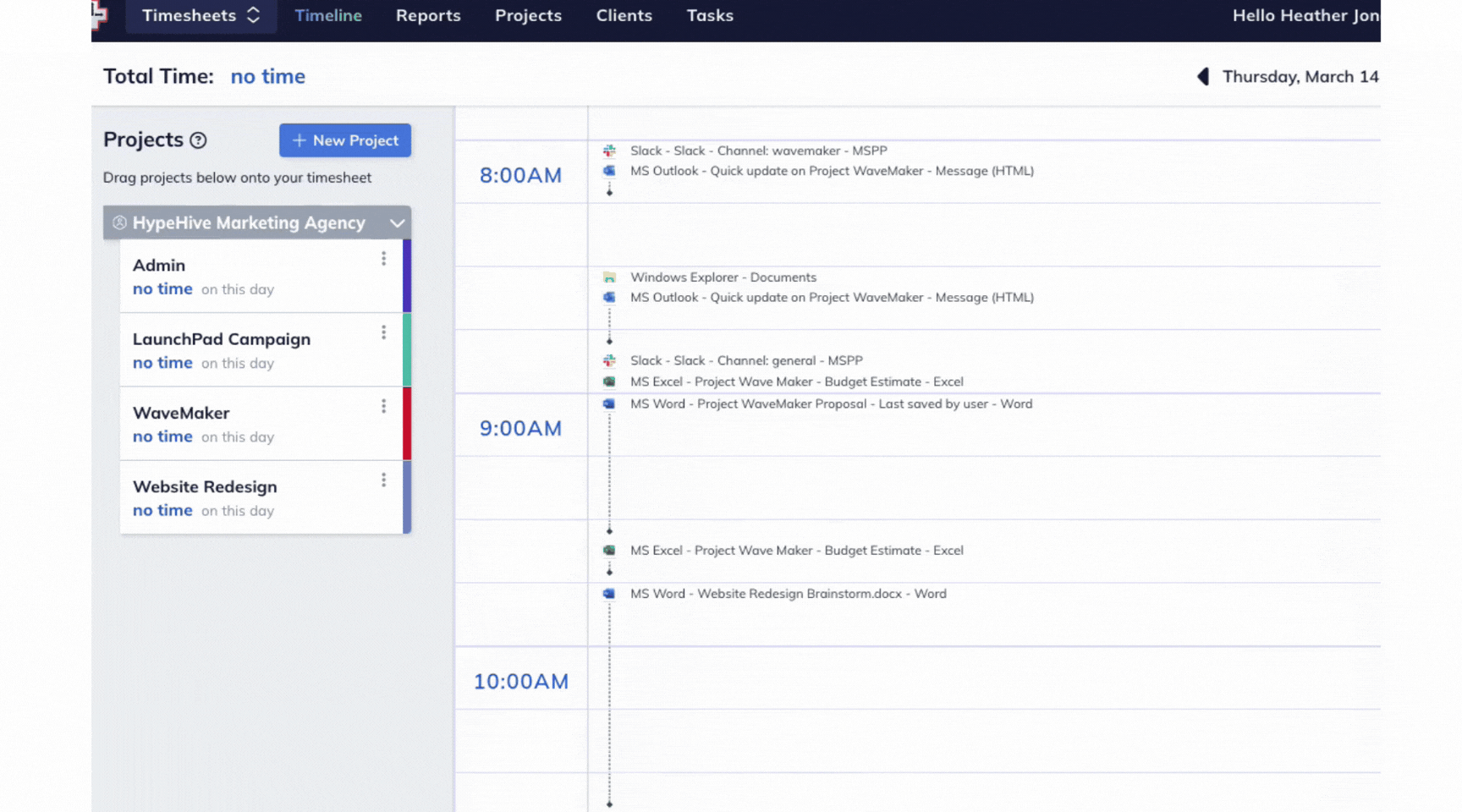
Image source: rescuetime.com
Key features:
- Automatic activity tracking
- Productivity scores and trends
- Focus Sessions for deep work
- App and website usage insights
Pros:
- Excellent for understanding productivity patterns
- Automatic, hands-off tracking
- Helps reduce digital distractions
- Useful for personal and team insights
Cons:
- Not ideal for billable hours
- Limited project-level time tracking
Pricing:
- Solo: $7 per month (billed annually at $84)
- Solo+: $12 per month (billed annually at $144)
- Team: $10 per user/month (billed annually at $120 per user)
- Team+: $16 per user/month (billed annually at $192 per user)
12. ClickUp: All-in-One work platform with built-in time tracking
ClickUp combines project management, docs, tasks, scheduling, forms, and built-in time tracking in a single unified workspace. Teams can log hours on tasks, measure time spent across projects, and compare estimates versus actuals. Its flexible views—lists, timelines, boards, and calendars—make it versatile for developers, marketing teams, and operations. ClickUp also integrates time tracking with goals, workloads, and sprint management. It's one of the best online time tracking software options for teams needing an all-in-one work management solution.
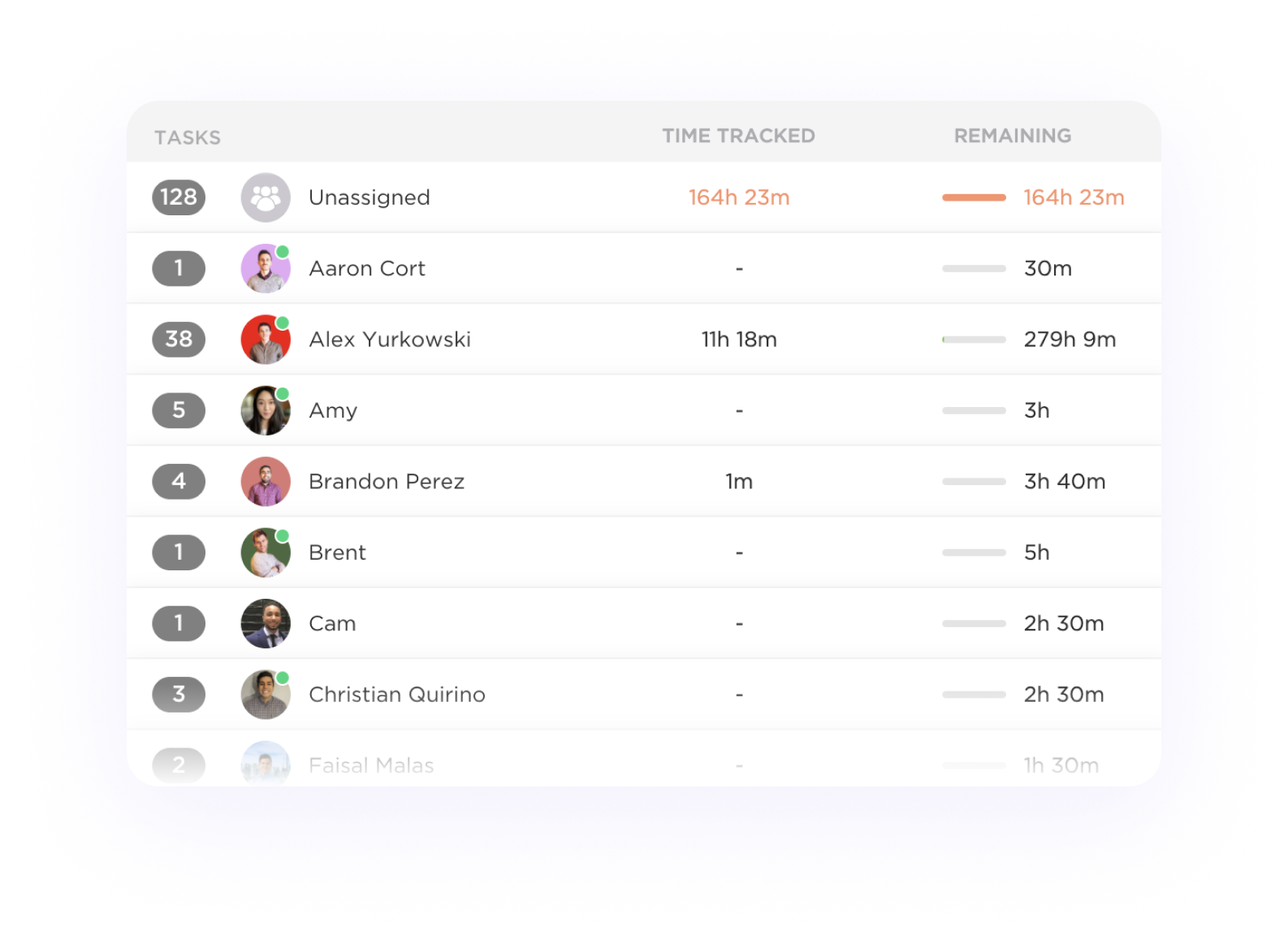
Image source: clickup.com
Key features:
- Built-in task-level time tracking
- Billable and non-billable reporting
- Workload and sprint views
- Integrations with 1,000+ apps
Pros:
- Ideal for teams wanting PM + time tracking
- Great for agile and cross-functional teams
Cons:
- Can feel complex for new users
- Too many features for simple needs
Pricing:
- Free forever: $0 per month
- Unlimited: $7 per user/month (paid yearly)
- Business (Popular): $12 per user/month (paid yearly)
- Enterprise: Flexible pricing (contact sales)
13. QuickBooks Time: GPS-enabled mobile time tracking software
QuickBooks Time (formerly TSheets) specializes in mobile, GPS-based time tracking for field employees and service teams. Its geofencing features trigger automatic clock-ins when employees enter job sites, removing manual effort. QuickBooks Time integrates seamlessly with QuickBooks accounting for payroll, billing, and compliance. The platform supports scheduling, alerts, and approvals, making it ideal for construction crews, delivery teams, landscapers, and field technicians. It's a top choice for companies needing accurate mobile logs and location-aware tracking.
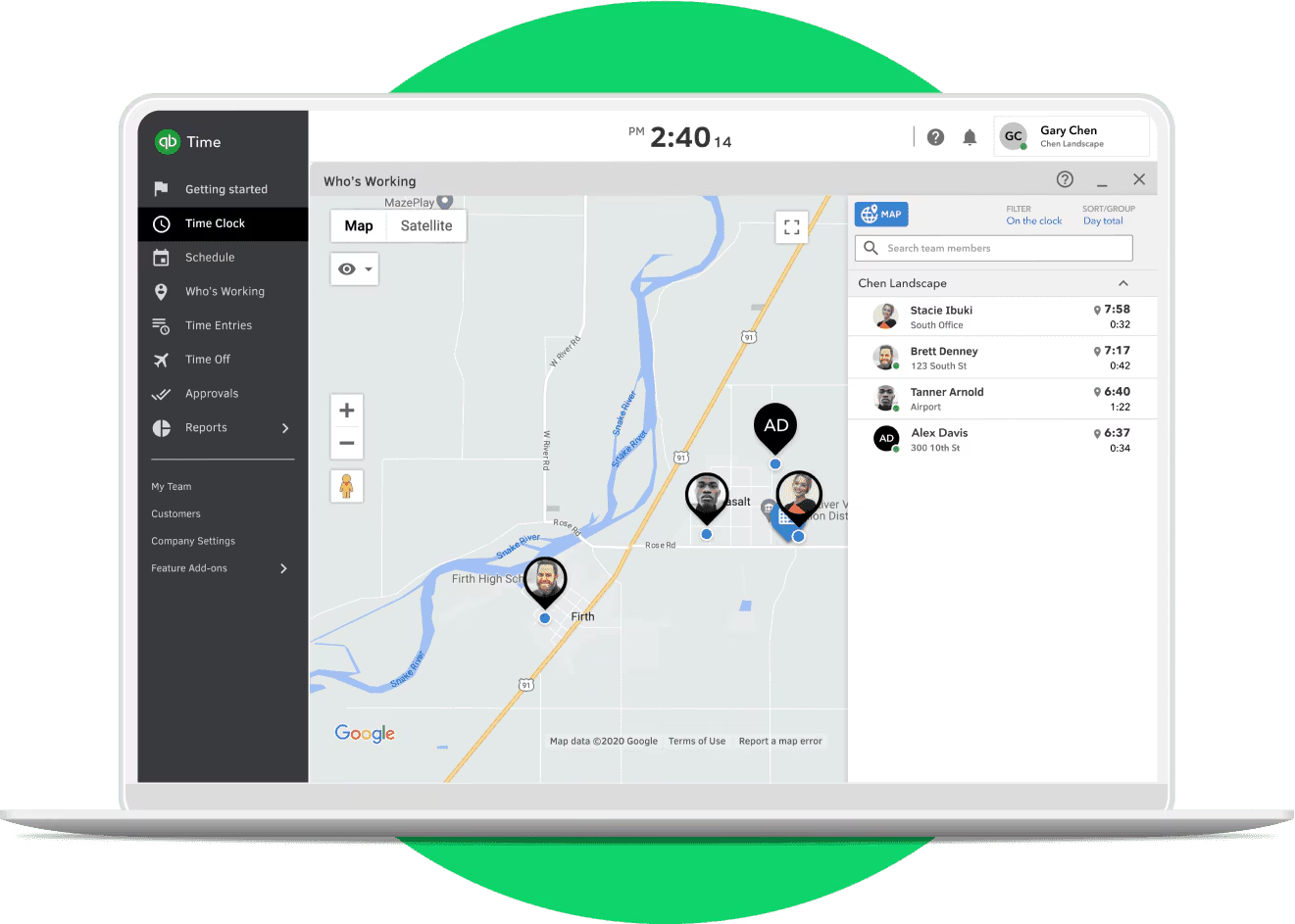
Image source: quickbooks.com
Key features:
- GPS time tracking with geofencing
- Mobile apps for field teams
- Scheduling and shift notifications
- Payroll integration with QuickBooks
Pros:
- Excellent for field-based operations
- Strong payroll and billing sync
- Easy for employees to use on mobile
Cons:
- Not ideal for knowledge workers
- Pricing is higher for larger teams
Pricing:
- Time premium: $6 per month + $8 per user/month (base fee includes 1 admin)
- Time elite: $12 per month + $10 per user/month (base fee includes 1 admin)
- Time premium + payroll premium: $26.40 per month + $10 per employee/month
- Time elite + payroll elite: $40.20 per month + $12 per employee/month
14. Bonsai: Freelance time tracking and billing software
Bonsai is a complete toolkit for freelancers, offering time tracking, invoicing, contracts, proposals, and payment tools inside one platform. Its online time tracking and billing software helps solo professionals convert hours into invoices instantly. Bonsai's templates make it easy to create contracts, manage clients, and handle tax documents. The interface is minimal and fast, making it appealing to consultants, designers, and independent creators. It's ideal for freelancers wanting a streamlined, client-facing workflow.
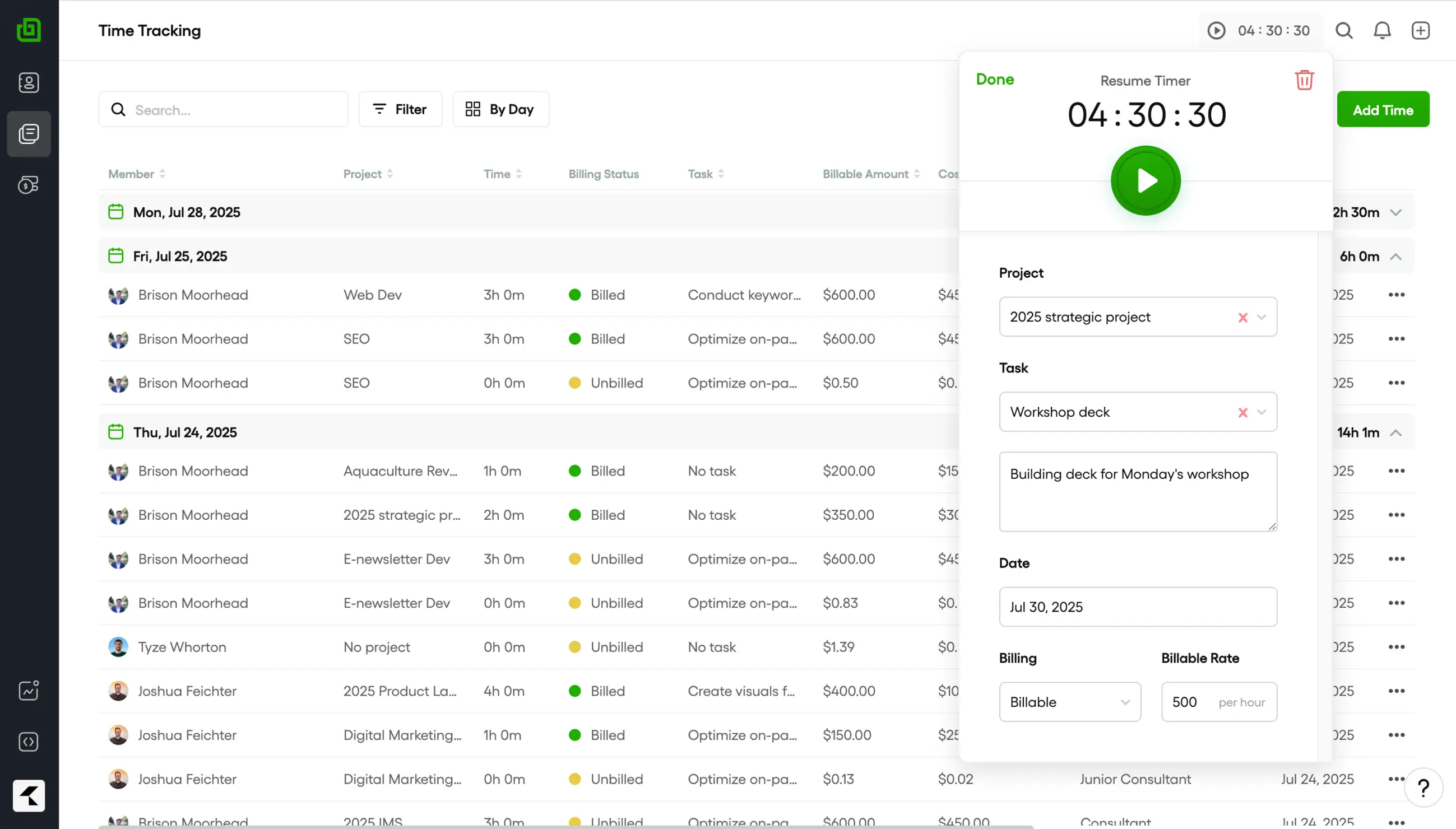
Image source: bonsai.com
Key features:
- Timers and project-level tracking
- Automated invoicing and proposals
- Contract and form templates
- Expense and tax tracking
Pros:
- Clean interface with minimal setup
- All-in-one client management
Cons:
- Not suitable for large teams
- Limited advanced reporting
Pricing:
- Basic: $9 per user/month
- Essentials: $19 per user/month
- Premium (Most popular): $29 per user/month
- Elite: $49 per user/month
15. Insightful: Workforce analytics and time tracking platform
Insightful (formerly Workpuls) blends employee time tracking with deep productivity and workforce analytics. It offers automatic activity tracking, app usage insights, and productivity scoring that help leaders understand team performance trends. Insightful is especially valuable for remote, distributed, or large teams needing accountability and compliance. It also includes project tracking, attendance monitoring, and real-time activity dashboards. For companies wanting an online employee time tracking software with monitoring and analytics, Insightful fits well.
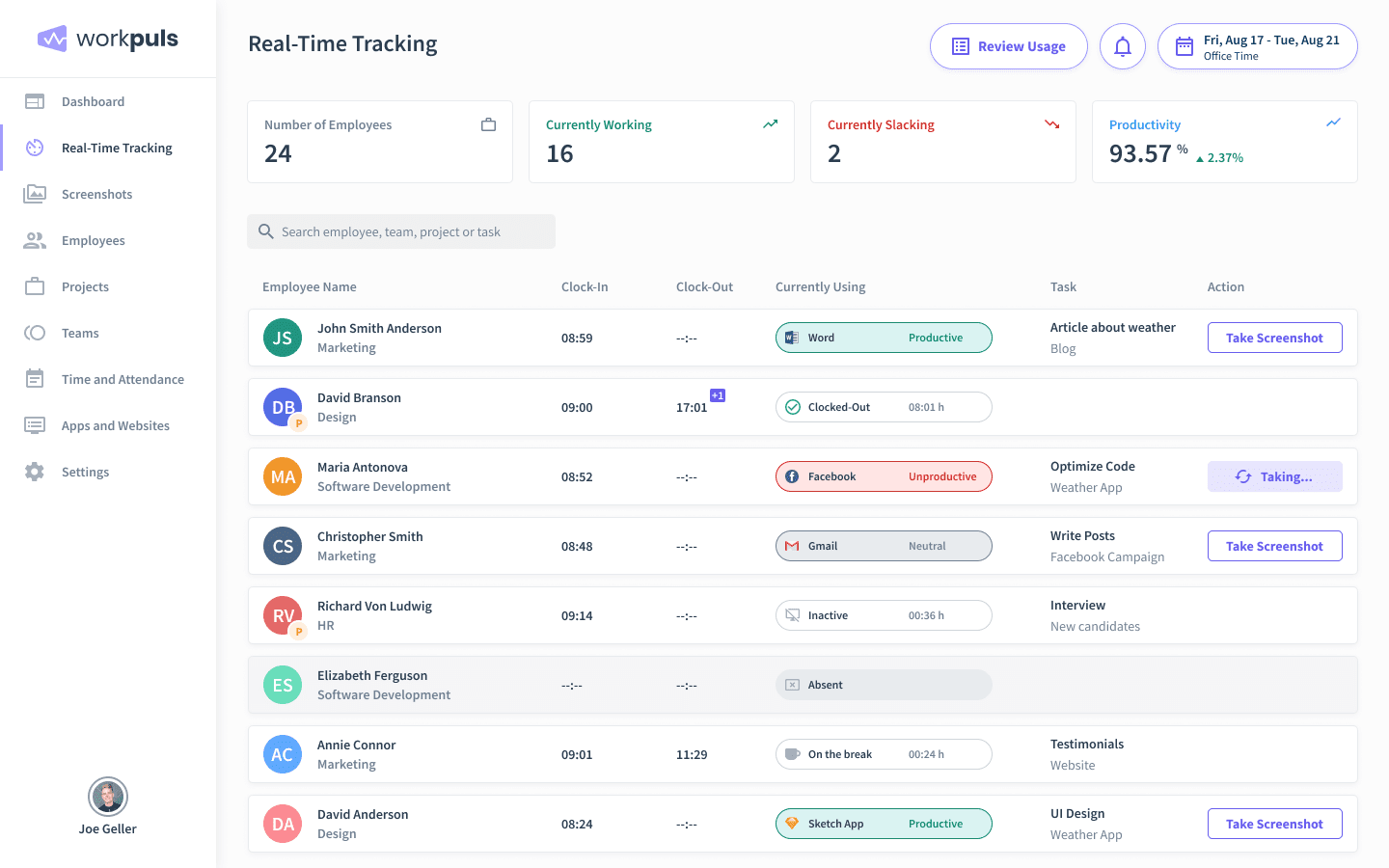
Image source: insightful.io
Key features:
- Automated tracking with behavior insights
- Productivity and activity scoring
- Project and task-level reporting
- Attendance and real-time dashboards
Pros:
- Excellent analytics depth
- Great for large and remote teams
- Strong compliance and visibility features
- Reliable automatic tracking
Cons:
- Not ideal for teams avoiding monitoring
- Pricing can scale up fast
Pricing:
- Productivity management: $6.40 per seat/month (billed annually)
- Time tracking: $8.00 per seat/month (billed annually)
- Process improvement: $12.00 per seat/month (billed annually)
- Enterprise solution: Custom pricing (billed annually; contact sales)
Bonus tip: How secure are cloud-based time-tracking platforms?
follow strict security standards to protect employee data, working hours, and productivity records. Most tools use encryption, access controls, audit logs, and such as SOC 2, GDPR, and ISO certifications to ensure information stays safe at every stage. Role-based permissions prevent unauthorized access, while secure cloud backups protect against data loss. When choosing online time tracking software, selecting a platform with transparent policies and strong governance provides long-term peace of mind. Conclusion
Online time tracking software helps teams improve accuracy, understand workloads, and prevent project overruns by replacing manual timesheets with real-time, centralized tracking. Whether you need automated logs, project-based insights, GPS tracking, or billing reports, the right solution ensures transparency and smoother coordination across remote or hybrid teams. Tools like Clockify, Toggl Track, Timely, and Hubstaff each serve different needs depending on structure and scale. For teams looking to combine tracking, collaboration, scheduling, and reporting in one place, provides a connected experience that reduces friction and keeps work aligned.
Manage time and tasks better using Lark
FAQs
How can online time tracking software help reduce project overruns?
Online time tracking tools provide real-time visibility into how hours are spent across tasks, helping teams catch delays early and reallocate resources before budgets slip. Accurate logs also improve forecasting for future projects by revealing patterns in workload and time consumption. Platforms that combine tracking with collaboration features, like Lark, make it easier to stay aligned and prevent overruns.
Can online time tracking software help measure billable vs. non-billable hours?
Yes, most time tracking software online allows teams to categorize hours by client, task type, or billing status. This helps agencies, consultants, and freelancers generate accurate invoices while understanding profitability. Tools that centralize tasks, time entries, and documentation—such as Lark—make billable tracking more organized and transparent.
Are there online time tracking tools that support multiple currencies for billing?
Many online time tracking and billing software platforms support multi-currency invoicing to help global teams manage client payments accurately. This is especially useful for agencies and freelancers working across different regions. Solutions that connect time logs with project data, like Lark, streamline multi-currency workflows by keeping everything in one system.
Do online time tracking tools support geofencing for field employees?
Some online employee time tracking software includes GPS and geofencing features that automatically clock employees in when they arrive at a job site. This reduces manual entry and ensures accurate logs for field operations. Platforms that integrate scheduling, tracking, and communication—like Lark—help teams coordinate mobile employees more efficiently.
How does online time tracking software support freelancers and contract workers?
Freelancers benefit from tools that combine timers, invoicing, and client management, allowing them to streamline billing and track project progress. Many systems also offer expense tracking and time categorization for easier reporting. Platforms that unify time tracking with project organization, such as Lark, help independent workers stay organized and deliver work more professionally.
Related reading





























