Modern organizations generate thousands—sometimes millions—of documents each month. From invoices and contracts to HR letters and compliance reports, these outputs are essential to daily operations. Without the right systems, managing them can become slow, error-prone, and costly.
An output management system helps centralize the creation, formatting, delivery, and archiving of documents. Instead of relying on disconnected tools and manual steps, businesses can automate document generation and distribution across multiple channels. Some unified work platforms, such as Lark, also support parts of this process by combining document creation, workflow automation, and collaboration in a single environment. This guide explains how output management systems work and when to use them.
What is an output management system?
An output management system (OMS) is software that controls how are created, formatted, delivered, and stored. It takes data from enterprise systems—such as ERP, CRM, HR, or finance platforms—and converts it into structured outputs, including invoices, statements, contracts, reports, and emails.
Instead of relying on manual document creation or multiple disconnected tools, an OMS uses predefined templates and rules to ensure consistency, accuracy, and compliance. It automatically applies branding, formats content, selects delivery channels, and routes documents to the right recipients.
Output management systems also maintain a centralized archive, making it easier to track document history, meet regulatory requirements, and support audits. By , an OMS reduces errors, saves time, and improves operational efficiency across departments such as finance, customer service, HR, and compliance.
How an output management system works behind the scenes
An output management system operates through a series of automated steps that transform raw business data into structured, deliverable documents. Instead of manual processing, the system follows predefined rules and templates. This ensures consistent formatting, accurate content, and timely delivery across all .
Step 1: Data input from enterprise systems
The process begins with data collected from ERP, CRM, HR, and accounting systems. The OMS connects to these sources through integrations or APIs to retrieve real-time information. This ensures that every document reflects accurate and up-to-date business data.
Step 2: Template-based document generation
The system then inserts the collected data into predefined document templates. These templates control layout, branding, text blocks, and conditional fields. As a result, documents such as invoices and reports are generated consistently without manual formatting.
Step 3: Formatting, routing, and delivery logic
Once generated, the OMS applies rules to determine the final format and delivery method. It can convert files into PDFs, emails, or print-ready versions based on business requirements. The system also automatically routes documents to the right recipients or approval steps.
Step 4: Archiving and audit tracking
After delivery, the system stores a copy of each document in a centralized archive. This allows teams to search past communications and maintain compliance records. provide full visibility into when documents are created, sent, opened, or approved.
4 types of output management systems
Output management systems have evolved over time to meet changing business and technological needs. Different types focus on specific goals, such as print optimization, customer communications, or workflow automation. Understanding these categories helps organizations choose the solution that best fits their operational requirements.
- Print-focused legacy systems: These were among the earliest output management solutions, designed primarily for high-volume printing environments. They focused on formatting documents for printers, managing queues, and optimizing print resources. While reliable, they often lack the flexibility needed for modern digital or multi-channel communication.
- Customer communication management platforms: Customer communication management (CCM) systems are built to handle personalized, high-volume customer interactions. They generate statements, notifications, and like email, SMS, and print. These platforms emphasize consistency, personalization, and regulatory compliance in customer-facing documents.
- Cloud-based document automation tools: focus on generating and delivering documents through online platforms. They typically offer template libraries, automation rules, and integrations with other business systems. Because they are cloud-native, they are easier to scale, update, and access from anywhere.
- Workflow-driven output systems: These systems treat document generation as part of a larger operational workflow. Instead of producing output alone, they link documents to approvals, tasks, and business processes. This approach improves visibility, reduces manual handoffs, and ensures documents move through the right steps automatically.
Common use cases for output management systems
Output management systems are widely used across departments to automate document creation and delivery. They help organizations manage high volumes of output accurately and consistently. From customer communications to internal records, these systems reduce manual effort and improve operational efficiency.
- Invoice and billing generation: Finance teams use output management systems to automatically generate invoices from accounting or ERP data. The system applies templates, calculates totals, and formats documents in accordance with company standards. Invoices can then be delivered through email, customer portals, or print without manual intervention.
- Customer statements and reports: Many businesses send regular statements, summaries, or performance reports to customers. An OMS can compile data, personalize content, and distribute documents across digital and print channels. This ensures and a consistent customer experience.
- HR documents and internal communications: Human resources teams rely on output systems to create offer letters, payslips, policy updates, and internal notices. Templates ensure that branding, legal language, and formatting remain consistent. also reduces administrative workload and speeds up communication.
- Regulatory and compliance reporting: Organizations in regulated industries must generate detailed reports for authorities and audits. Output management systems help compile accurate data, format reports according to requirements, and store them securely. This improves compliance, reduces errors, and simplifies audit preparation.
Output management system vs workflow automation software
Output management systems and workflow automation platforms are often discussed together because both deal with and documents. However, they are built with different priorities and use cases in mind. Understanding these differences helps organizations choose the right solution for their operational needs.
- Document-centric systems vs process-centric systems: Output management systems are primarily designed to generate, format, and deliver documents. Their main focus is on producing accurate outputs from structured data sources. , on the other hand, centers around managing tasks, approvals, and end-to-end business processes.
- Limitations of output-only thinking: When organizations focus solely on document outputs, they may overlook the processes that produce them. This can result in disconnected tools, manual handoffs, and limited visibility into workflows. Over time, these gaps can reduce efficiency and make operations harder to scale.
- When workflow-first platforms are more effective: Workflow-first platforms are better suited for environments where documents are only one step in a larger process. They connect tasks, approvals, data updates, and communications into a single system. This approach improves transparency, reduces delays, and helps teams manage complex operations more effectively.
Limitations of traditional output management systems
Traditional output management systems were designed for large enterprises with stable, high-volume document needs. While they are reliable for certain use cases, many struggle to keep up with modern, fast-changing workflows. As organizations move toward cloud-based and , these limitations become more noticeable.
- Heavy enterprise infrastructure: Many traditional OMS solutions require on-premise servers, specialized hardware, and complex configurations. This infrastructure can be expensive to set up and maintain. It also makes scaling or upgrading the system more time-consuming.
- Limited flexibility for non-IT teams: Older systems often depend on technical teams to modify templates, rules, or workflows. Non-IT departments may need to submit requests and wait for changes to be implemented. This slows down operations and reduces agility in day-to-day tasks.
- Slow adaptation to operational changes: Traditional OMS platforms are not always built for rapid updates or evolving business needs. Adjusting , delivery rules, or integrations can take significant time. As a result, organizations may struggle to respond quickly to market or regulatory changes.
- High maintenance and customization costs: Legacy systems often require ongoing maintenance, patches, and specialized expertise. Customizations can become costly and difficult to manage over time. These expenses add up, especially for organizations modernizing their document workflows.
As organizations look beyond traditional output management systems, many are turning to unified platforms that connect documents with everyday workflows. Instead of treating outputs as isolated files, these tools integrate creation, approvals, communication, and automation in one place. This approach helps teams move faster while maintaining consistency and visibility across processes. Platforms like Lark demonstrate how modern workspaces can support output workflows within a broader operational system.
Streamline output workflows with a modern workspace
Modern choice: How Lark supports and streamlines output workflows
Modern output workflows are no longer limited to generating and sending documents. Teams now need systems that connect document creation with approvals, communication, data, and automation in one place. Instead of treating outputs as final files, organizations are beginning to view them as part of ongoing operational processes. This shift requires tools that support collaboration, real-time updates, and automated routing. supports these needs by combining document creation, , messaging, and workflow automation into a unified platform.
A unified hub for output data management
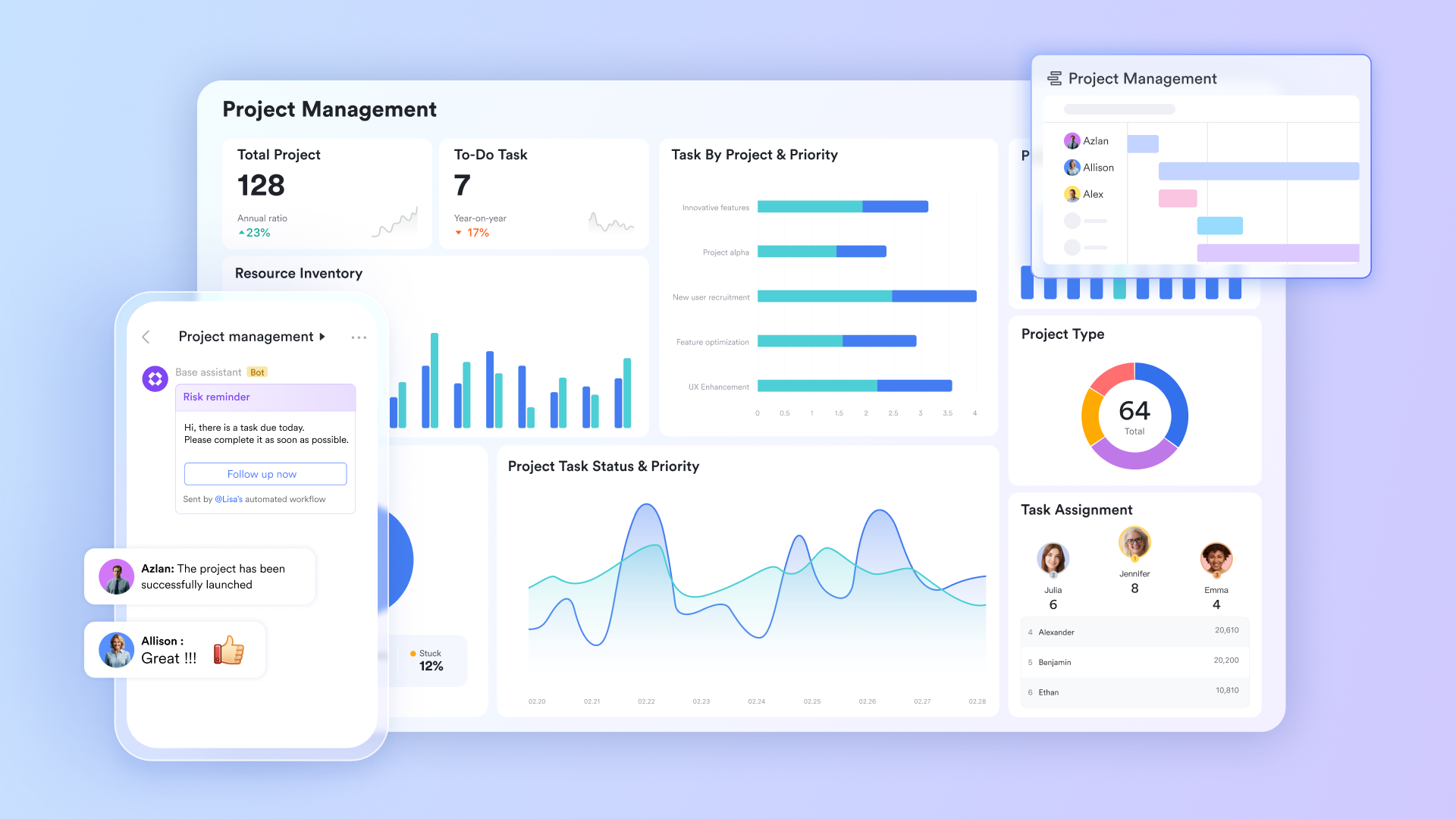
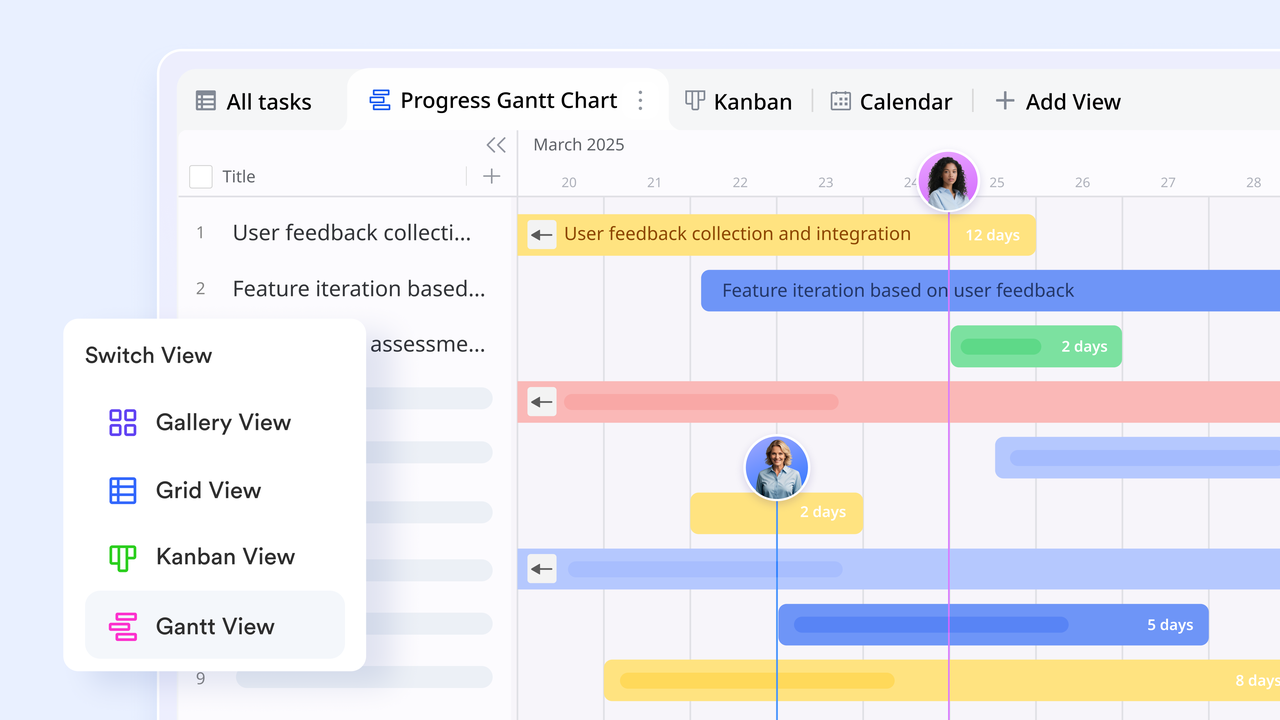
serves as the sophisticated architectural foundation for your document operations, moving beyond simple spreadsheets to act as a relational database. It allows teams to organize document-related metadata—such as project owners, deadlines, and priority levels—into highly customizable views, including and . By treating documents as data points, Base can automatically create a new Doc using pre-filled templates whenever a specific record is updated, ensuring your core documentation remains consistent, structured, and instantly accessible.
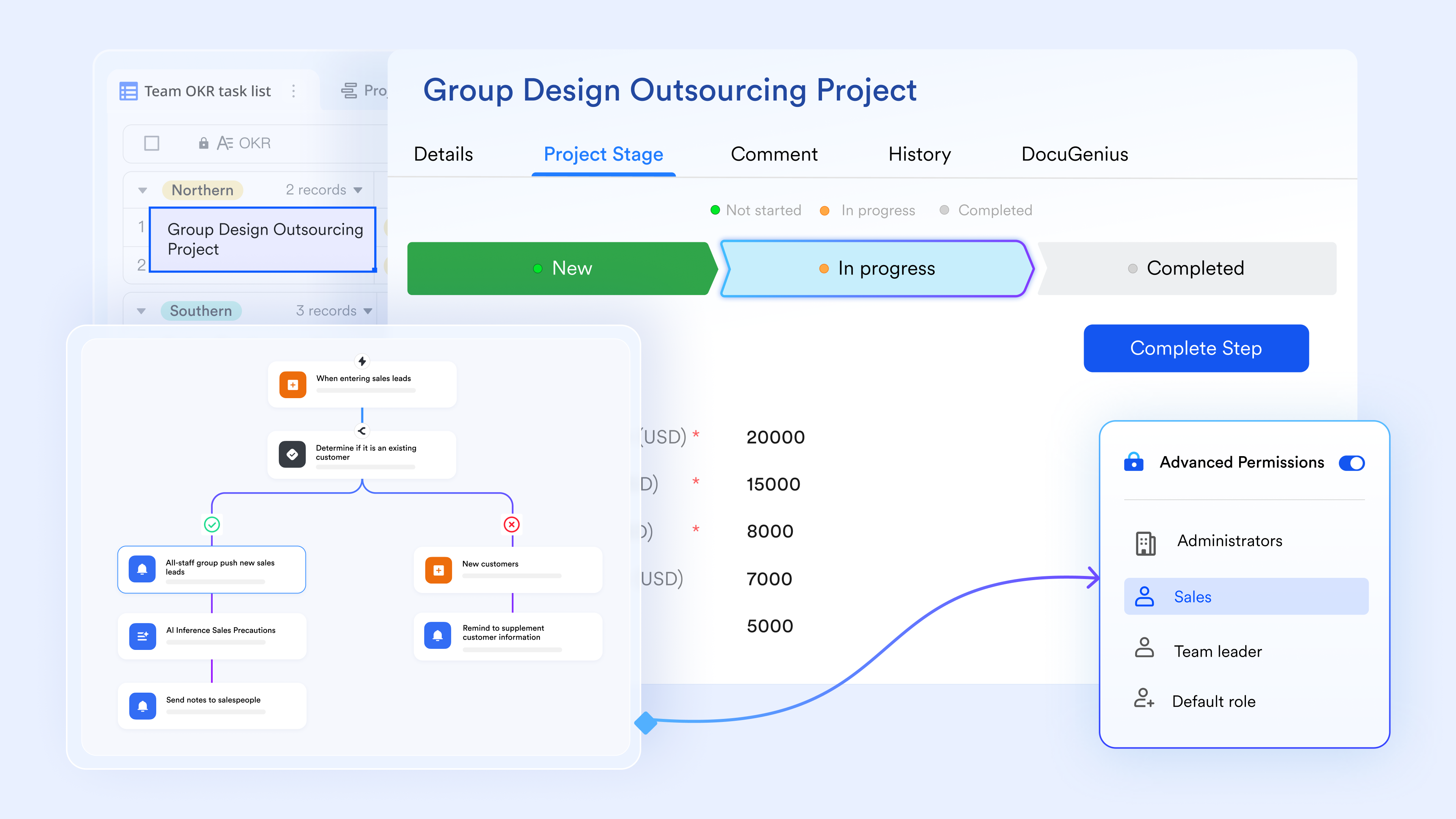
Automated workflow and routing logic
To eliminate bottlenecks caused by manual sign-offs, Lark integrates complex approval workflows directly into the communication stream. You can logic that sends documents to the appropriate stakeholders based on specific criteria, such as budget thresholds or department types. Approvers receive interactive cards in their chat interface, allowing them to review, comment on, or authorize a document with a single click. This seamless integration ensures that "work about work" doesn't stall and maintains an auditable trail of every decision made throughout the document's lifecycle.
Collaborative document creation and editing
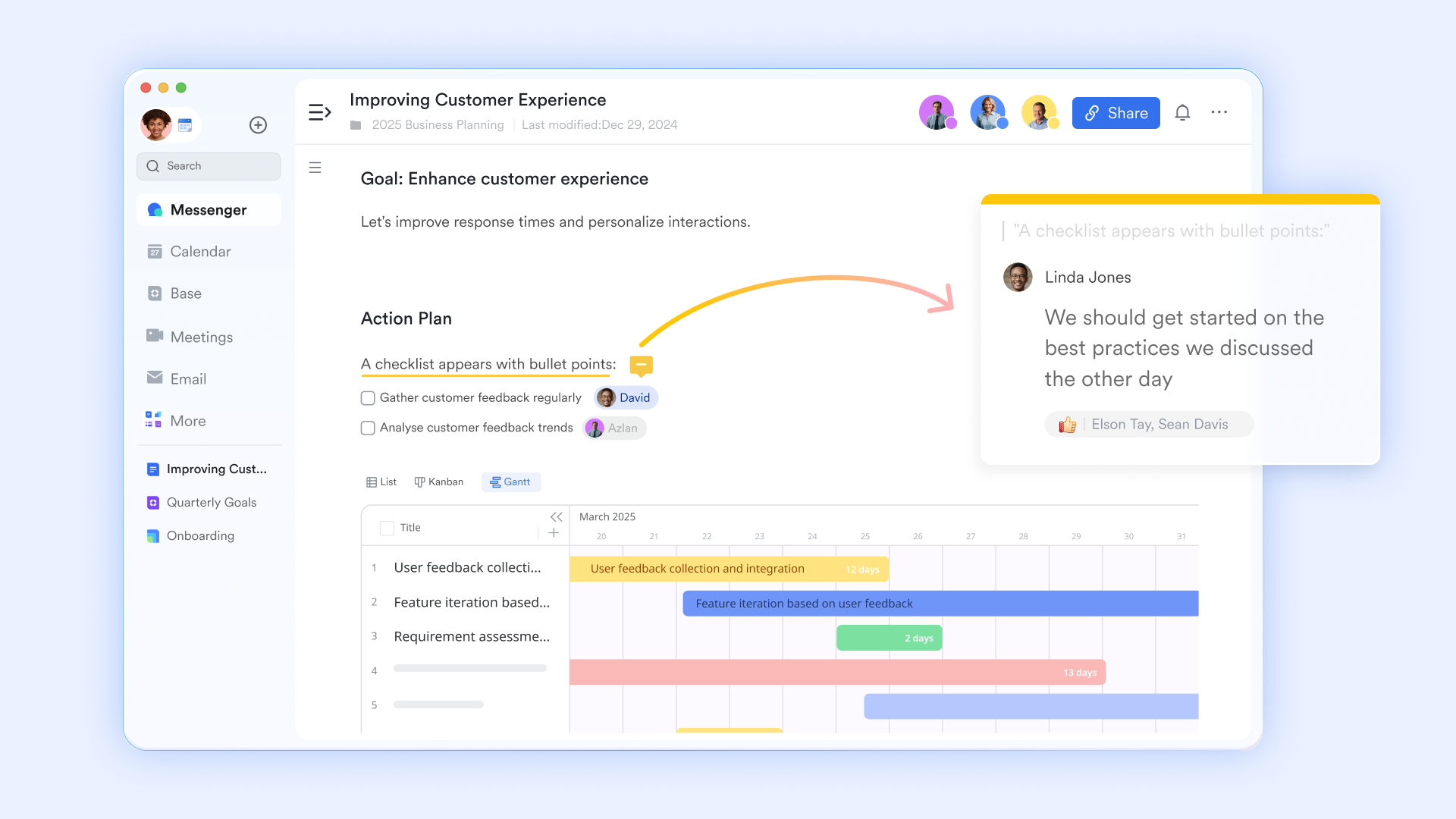
redefines the concept of a "file" by providing a live, multimedia canvas where teams can build content in real time. These docs support block-based architecture, allowing you to embed everything from interactive Lark Base tables and task lists to third-party videos and polls. Because the platform is built for the web, there is no need for manual saving or versioning; every . This creates a "single source of truth," with the document serving as a dynamic project hub rather than a static document.
Smooth communication across teams
serves as the platform's central nervous system, ensuring discussions remain tethered to the actual work. Unlike traditional chat apps, Lark allows you to open and edit documents in a split-screen view directly within a chat window, so you never lose your place in a conversation. Notifications, document comments, and approval requests are funneled into , allowing team members to provide feedback and resolve queries without the cognitive load of tab-switching. This deep integration ensures that every piece of communication is backed by the full project context.

:
- Starter plan: Free forever plan that includes 11 powerful tools for up to 20 users. It also includes 100GB of storage, 1000 automation runs, AI translation, and more.
- Pro plan: $12/user/month (billed annually) for up to 500 users. It includes everything in Starter plus group calling for up to 500 attendees, 15TB of storage, 50,000 automation runs, and more.
- Enterprise plan: for custom pricing. Supports unlimited users and includes even more automation runs and advanced security, compliance, and management features.
For small teams with simple communication needs

18 months message history
1000 Base automation runs/month
2000 rows per table in Base
Most POPULAR
For companies with comprehensive collaboration and management needs
Unlimited message history
500-participant video meetings
50k Base automation runs/month
20k rows per table in Base
For large companies with advanced security and organizational management needs
Get a personalized demo and pricing
Unlimited message history
500-participant video meetings
15 TB storage + 30 GB storage/user
500k Base automation runs/month
50k Base automation runs/month
Most POPULAR
For companies with comprehensive collaboration and management needs
Unlimited message history
500-participant video meetings
50k Base automation runs/month
20k rows per table in Base
How to evaluate an output management system
Choosing the right output management system requires more than just comparing features. Organizations should consider how well the system fits their operational needs, growth plans, and team structure. A thoughtful evaluation helps ensure the solution remains useful as processes evolve.
- Scalability and automation depth: An effective OMS should handle growing document volumes without performance issues. It should support , batch processing, and multi-channel delivery. This ensures the system can scale as the business expands.
- Customization without IT dependency: Modern systems should allow non-technical teams to adjust templates, rules, and workflows. Drag-and-drop editors or low-code tools make it easier to implement changes. This reduces reliance on IT and speeds up everyday operations.
- Collaboration and visibility features: Teams often need to review, approve, or discuss documents before delivery. An OMS with improves transparency and communication. It also helps track document status and approval histories in real time.
- Long-term adaptability: Businesses evolve, and their document requirements change over time. A good OMS should integrate easily with new systems and support future workflows. Flexible architecture ensures the platform remains relevant as operations grow or shift.
Conclusion
Output management systems play a critical role in helping organizations generate, deliver, and store business documents accurately and consistently. By automating template-based creation, routing, and archiving, these systems reduce manual effort and improve compliance across departments. However, as workflows become more collaborative and fast-moving, many teams need tools that connect document outputs with tasks, approvals, and .
That's where unified work platforms come into the picture. Instead of treating documents as standalone outputs, solutions like integrate document creation, workflow automation, messaging, and data management in a single environment. This approach helps teams move faster, maintain visibility, and reduce operational friction. If you're exploring ways to modernize your document workflows, consider starting with a platform that brings outputs, processes, and collaboration together in a single, connected workspace.
Achieve high-level output management with Lark today
FAQs
Is an output management system only for large enterprises?
Output were traditionally used by large enterprises with high document volumes. However, modern cloud tools have made similar capabilities accessible to smaller teams. Platforms like Lark allow growing businesses to manage document workflows without heavy infrastructure.
How does an output management system support digital transformation?
An OMS reduces manual paperwork by automating document creation, delivery, and storage. This helps organizations move from paper-based or fragmented processes to digital, trackable workflows. Solutions like Lark also combine documents, approvals, and communication to support broader digital transformation efforts.
Can output management systems replace manual document workflows?
Yes, many output management systems are designed to automate repetitive document tasks. They use templates, data integrations, and routing rules to reduce manual input and errors. With platforms like Lark, teams can also connect to approvals and real-time collaboration.
How does automation improve document delivery accuracy?
Automation removes the need for manual formatting, copying, or sending documents. The system applies predefined templates and delivery rules to ensure consistency. Tools like Lark further improve accuracy by linking documents with workflows, approvals, and centralized communication.
Related reading