Looking for a task tracking app? There's no shortage of task tracking apps, but finding the right one can feel like a task in itself.
While teams can track work in spreadsheets or shared documents, task management quickly becomes more complex at scale. Different roles, deadlines, and workflows demand more than a simple checklist.
To save you time, our team of experts researched and tested a variety of options across desktop, web, and mobile. Here are the best task tracking apps for different needs and workflows.
Top task tracking apps
Here are the three best tracking apps out of the eight that we reviewed:
- Lark: Best for businesses that need a complete task management solution
- Todoist: Best for personal task tracking
- Microsoft To Do: Best for Microsoft 365 users
How we evaluate task tracking apps
Our team uses a transparent, repeatable process to evaluate task-tracking apps. Each evaluation is based on hands-on testing in real-world scenarios, with consistent scoring criteria to ensure fair comparisons.
We assess apps based on:
- Features and task management capabilities
- Security, privacy, and compliance
- Integrations and cross-platform compatibility
- Pricing and overall value
- Customer support and community resources
We test tools using standardized workflows for project planning, task assignment, deadline tracking, team collaboration, and reporting. We verify official pricing and product updates, incorporate user feedback from multiple sources, and do not accept paid placements. Because task management software evolves quickly, we review and update our content at least quarterly to reflect major product changes. To learn more, see our .
Task tracking apps at a glance
Below is a comparison table of the top apps, comparing what they're best for, key strengths, and pricing.
Best task tracking apps for 2026
Here's our list of the best task tracking apps for different use cases.
1. Lark (Web, Windows, Mac, Linux, Android, iPhone, iPad)
Best for: Businesses that need a complete task management solution
is an all-in-one AI workspace that delivers the ultimate task-tracking solution for businesses looking to execute faster and work smarter. Many teams rely on separate apps for chatting, document sharing, and to-do tracking, which creates slow workflows and, sadly, inevitably leads to missed or lost action items. Lark solves this by embedding task management with tools like chat, video calls, email, docs, AI, automation, and .
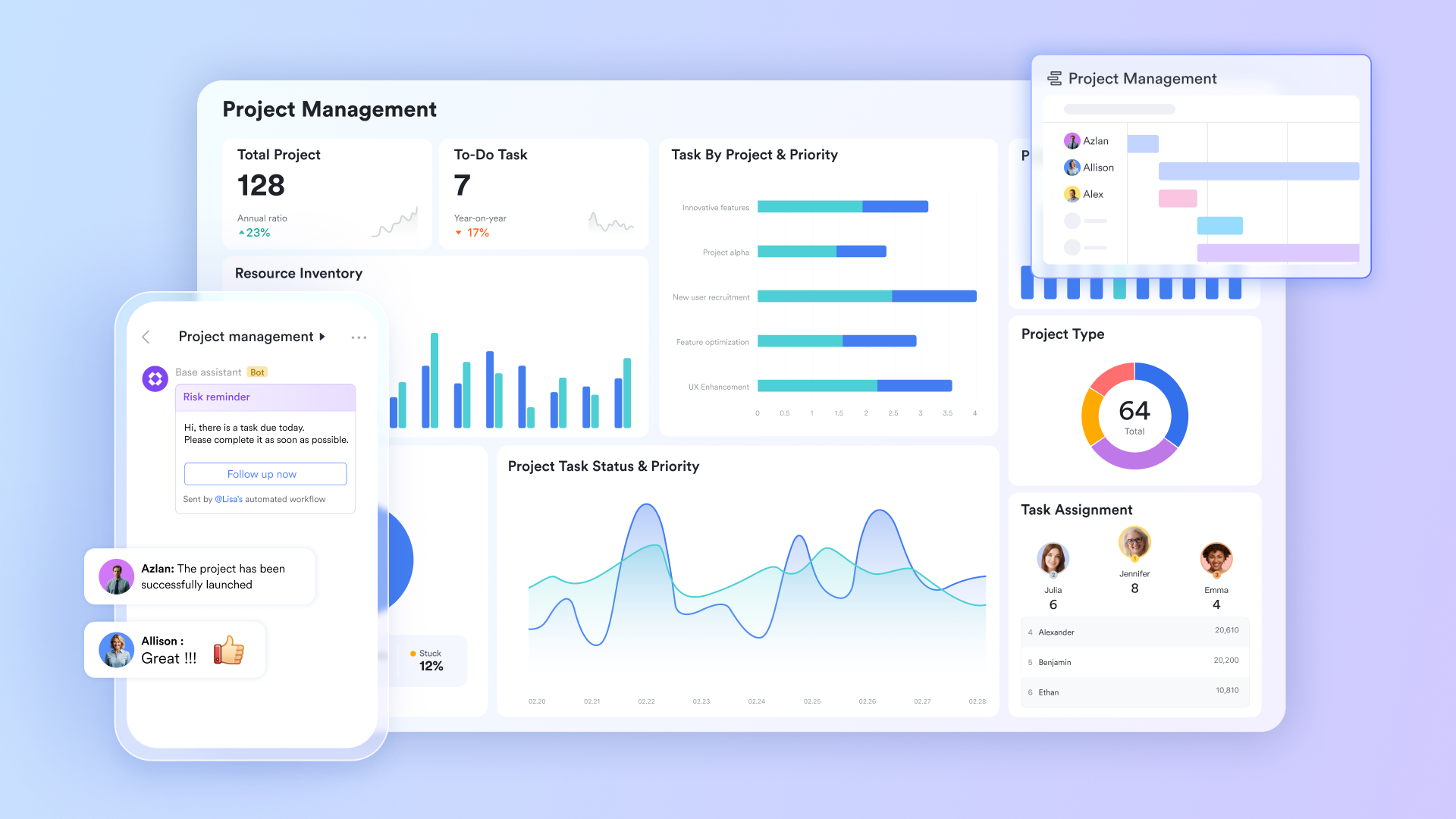
Because tasks live right next to your team communication, you can easily assign action items in , delegate work inside a , and let AI summarize next steps after you end a video call with your team. With Lark, all your tasks, data, and work stay organized, centralized, and visible, so your team knows who is doing what and by when.
Why we chose Lark:
What stood out to us was how Lark kept all our task management in one place. Instead of juggling multiple apps, our team could discuss, plan, assign, create, and track work in a single platform. It included all the essential tools we needed, such as customizable Kanban boards, Gantt charts, task lists, deadlines, and real-time updates, built directly alongside our group chats. Lark's AI added even more value by summarizing meetings, generating updates, and analyzing large datasets that we could turn into clear, visual project dashboards.
Lark pros:
- Conversations stay connected to your work with your tasks, chats, and together in the same place, making it easy to share updates, clarify details, and keep your team aligned without losing context.
- Lark offers multiple ways to view your tasks, including Kanban, Gantt, and list views, that clearly display owners, deadlines, priorities, and statuses, so your team can track progress in the way that works best for them.
- Intelligent, built-in automation that anyone can set up can handle reminders, status changes, and notifications, reducing manual follow-ups and keeping tasks moving on schedule.
- Lark AI features generate summaries, capture action items, assign task owners, and analyze your project data to save your team time on admin work.
- Task-related can be initiated, reviewed, and approved on any device, with managers able to see request notifications directly in their chat feed, helping prevent missed requests and delays.
- Highly-rated mobile app across app stores, with a score of 4.8 on the Apple App Store. Additionally, Lark was rated as a High Performer and Grid Leader in 2025 by G2.
- Lark offers the most cost-effective solution for businesses when you compare pricing and features side-by-side.
Lark cons:
- New users may need to visit the or to learn how to use some advanced features.
Lark rating:
"What amazes me most is how seamlessly Lark brings people, tools, and workflows so easily together, making it easy for ideas to spark, evolve, and take shape, turning everyday conversations into real innovations, no matter where they come from in the organization."
Cubic Wu, Chief Information Officer of Goto
Lark pricing:
- Starter plan: that includes 11 powerful tools for up to 20 users. It also includes 100 GB of storage, 1,000 automation runs, AI translation, and more. No credit card needed.
- Basic plan: (billed annually) for up to 500 users. It includes everything in Starter and unlimited message history, 5TB of storage space, 1,000 automation runs, and more. Some users may need to to purchase this plan.
- Pro plan: (billed annually) for up to 500 users. It includes everything in Basic, plus group calling for up to 500 attendees, 15 TB of storage, 50,000 automation runs, and more.
- Enterprise plan: for custom pricing. Supports unlimited users and includes even more automation runs and advanced security, compliance, and management features.
For small teams with simple communication needs

18 months message history
1000 Base automation runs/month
2000 rows per table in Base
Most POPULAR
For companies with comprehensive collaboration and management needs
Unlimited message history
500-participant video meetings
50k Base automation runs/month
20k rows per table in Base
For large companies with advanced security and organizational management needs
Get a personalized demo and pricing
Unlimited message history
500-participant video meetings
15 TB storage + 30 GB storage/user
500k Base automation runs/month
50k Base automation runs/month
Most POPULAR
For companies with comprehensive collaboration and management needs
Unlimited message history
500-participant video meetings
50k Base automation runs/month
20k rows per table in Base
2. Todoist (Web, Windows, Mac, Android, iPhone, iPad)
Best for: Personal task tracking
If you're looking for a straightforward task management solution for personal use, then Todoist is worth considering. While there are more powerful tools on the market, Todoist has found a great balance between power and simplicity, which may be why it's become such a popular to-do list app in recent years.
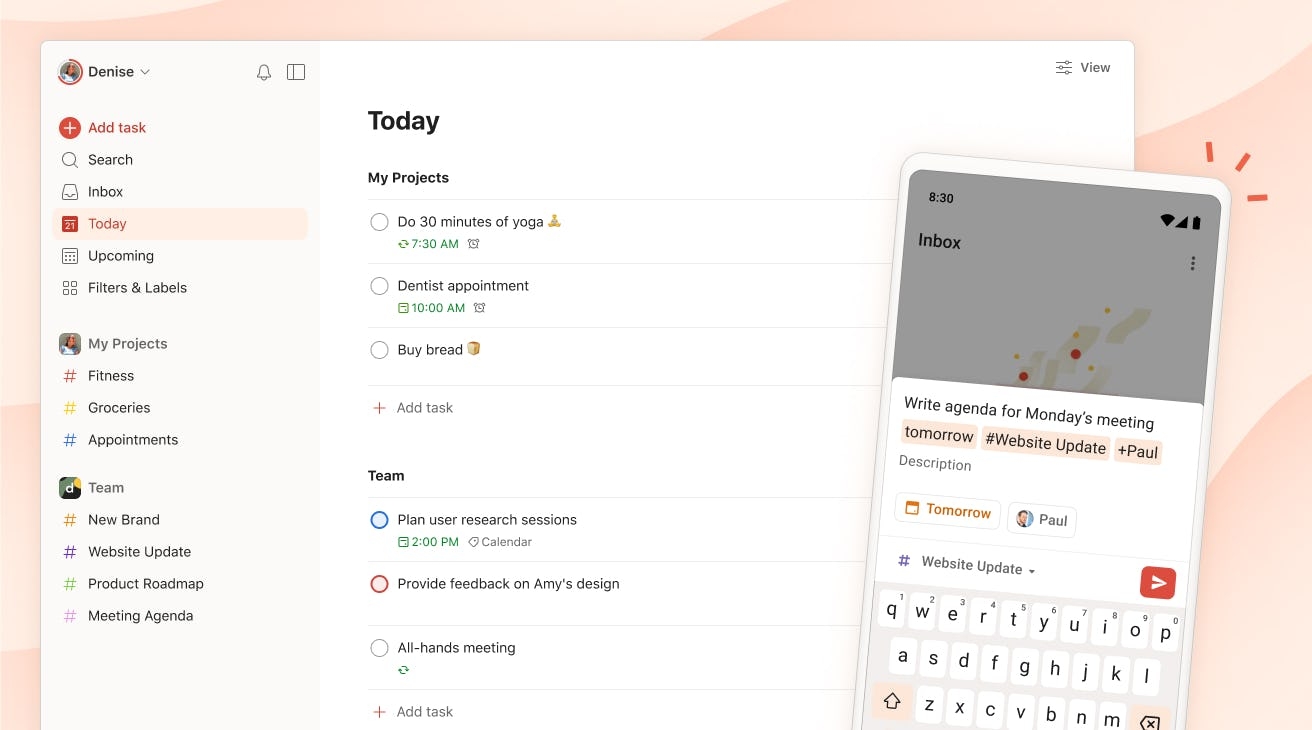
Image source:
Why we recommend Todoist:
We picked Todoist because it was incredibly quick for us to add tasks on every device we tested. Tasks synced instantly when we switched devices, making it easy to keep work moving without interruptions. We also found that its natural language processing significantly sped up task creation. While the reporting and productivity insights felt too basic for our team's needs, we agreed it works well for simple task tracking and personal to-do lists.
Todoist pros:
- Simple integration with natural language processing makes creating tasks quick and easy.
- Syncs seamlessly across web, desktop, mobile, and browser extensions.
- Strong task organization with priorities, sub-projects, labels, and filters available.
- The gamified feature, Todoist Karma, rewards you with points for completing tasks and serves as a visual tracker to help boost motivation.
Todoist cons:
- Not suitable for businesses unless you pay for the highest-tier plan, which, at $8, does not offer the same functionality or power as team collaborative platforms with more features.
- Custom filters for task views, team projects, roles & permissions, and other critical features are restricted unless you pay for the highest-tier plan.
Todoist rating:
Todoist pricing:
- Pro plan: $5 per user/month
- Business plan: $8 plus local tax per user/month
3. Microsoft To Do (Web, Android, Windows, Mac, iPhone, iPad)
Best for: Microsoft 365 users
For a simple yet intelligent approach, Microsoft To Do helps you organize, prioritize, and complete all your tasks in one place. Microsoft's take on task management integrates smoothly with Microsoft 365 apps and is included with a 365 plan, making it ideal for teams already using Microsoft Teams and other MS apps.
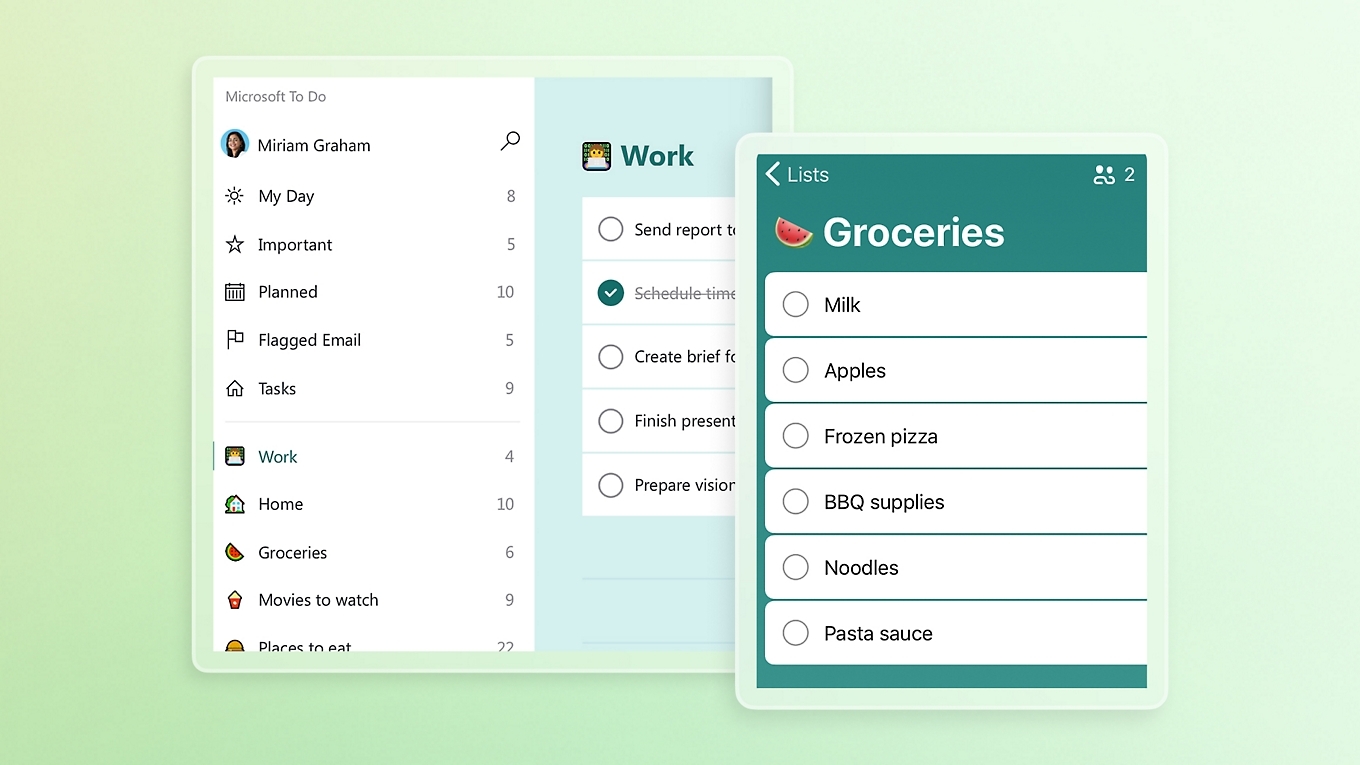
Image source: microsoft.com
Why we recommend Microsoft To Do:
We picked Microsoft To Do because if you already have a Microsoft 365 subscription, it is hard to justify paying for another task manager. It covers the core features most teams need and is included at no extra cost. We especially liked the "My Day" feature, which made it easy to see what was completed and what was due each day, helping our team stay focused and organized.
Microsoft To Do pros:
- Simplifies task tracking with a daily view that lets you start your workday knowing what needs to get done.
- Gives you core task functionality such as subtasks (known as "steps"), notes, files attachments, reminders, and due dates.
- Syncs well with Microsoft Outlook, Microsoft Planner, and other apps.
- Getting started is quick and easy.
Microsoft To Do cons:
- Limited features for managing complex tasks and projects.
- To get the most out of the software, your team needs to be fully integrated within the Microsoft 365 ecosystem.
Microsoft To Do rating:
Microsoft To Do pricing:
- Microsoft To Do is free to use with a Microsoft account. The software is included with Family, Personal, and Business plans.
- For businesses that need Microsoft To Do, Microsoft Teams, and other 365 apps, pricing starts at $6 per user/month (Microsoft 365 Business Basic).
4. TickTick (Web, Android, Windows, Mac, iPhone, iPad)
Best for: Built-in timers and calendars
TickTick is a task list app that continues to grow in popularity thanks to its wide range of features and availability across multiple platforms. It supports productivity methods like Getting Things Done (GTD) and the Pomodoro Technique, helping users break work into manageable steps. With built-in tools such as habit tracking, calendar views, and timers, TickTick goes beyond basic task tracking.
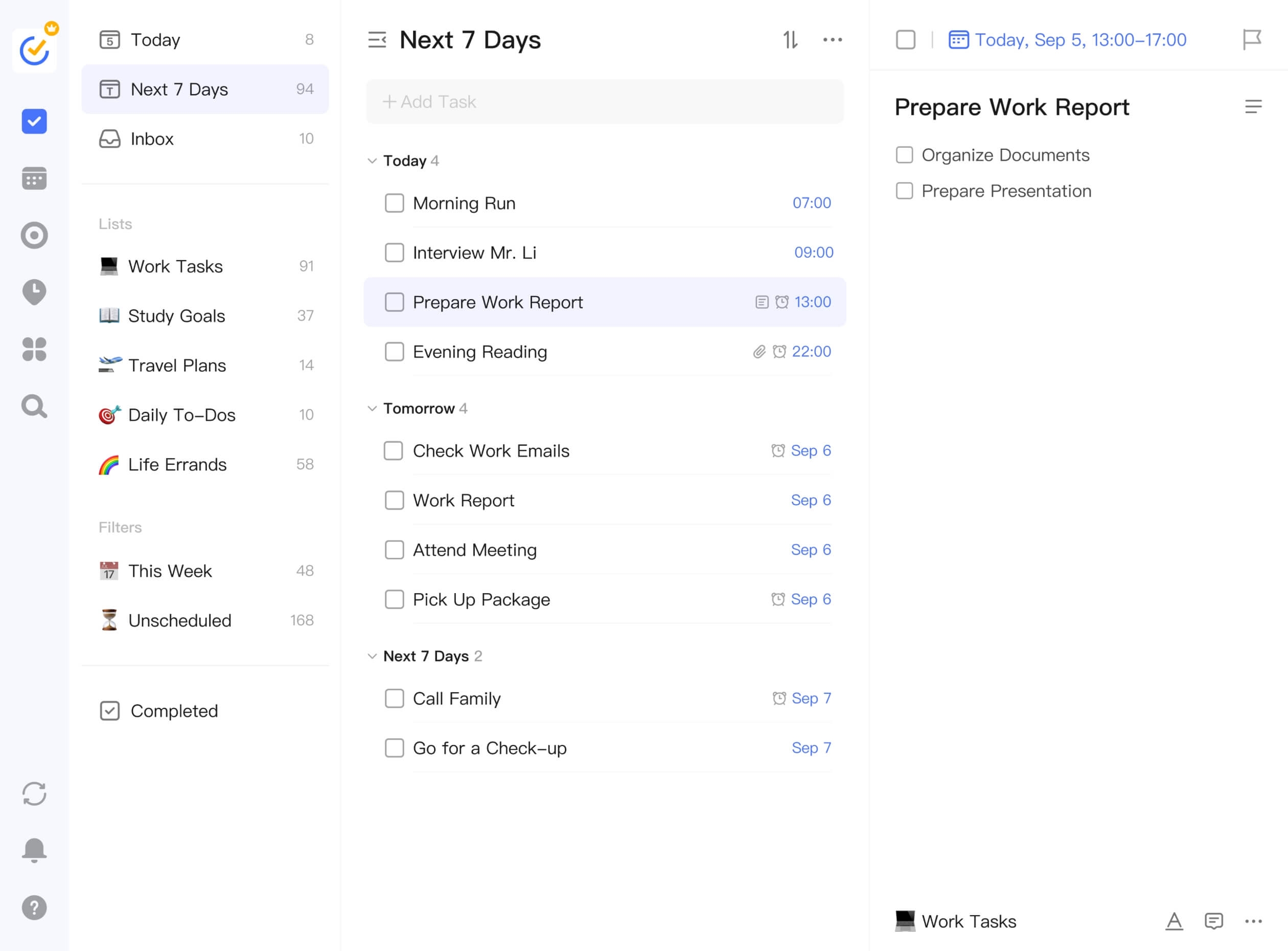
Image source: ticktick.com
Why we recommend TickTick:
TickTick makes our list because it makes keeping track from one task to the next super easy. One thing our team liked is how TickTick lets you annotate tasks in seconds and create tasks directly from email. What's more, we found the subtasks function helpful for breaking down our more complex work into smaller, more manageable tasks.
TickTick pros:
- Brings together a to-do list, calendar view, Pomodoro timer, and habit tracker in one app.
- Includes tools designed to help you stay focused and track how much time is spent on particular tasks.
- Helps you prioritize tasks by using the Eisenhower Matrix.
- Offers daily, weekly, and monthly calendar views, making it effective for time blocking.
TickTick cons:
- Highly restricted free version that lets you create up to 9 lists and receive only 2 reminders per day, which might be too few for some teams.
- Lacks collaboration features, making it less suitable for multi-person project tracking or complex team workflows.
TickTick rating:
TickTick pricing:
- TickTick Premium unlocks all features, costing $35.99 per user/year.
5. Trello (Web, Android, Windows, Mac, iPhone, iPad)
Best for: Visual task management
is known for its simplicity and Kanban boards. A highly visual approach to task management, the platform is built around a system of boards, lists, and cards that you can drag and drop to track progress. If that sounds simple, you're right: Trello is easy to get started with and requires little setup for teams.
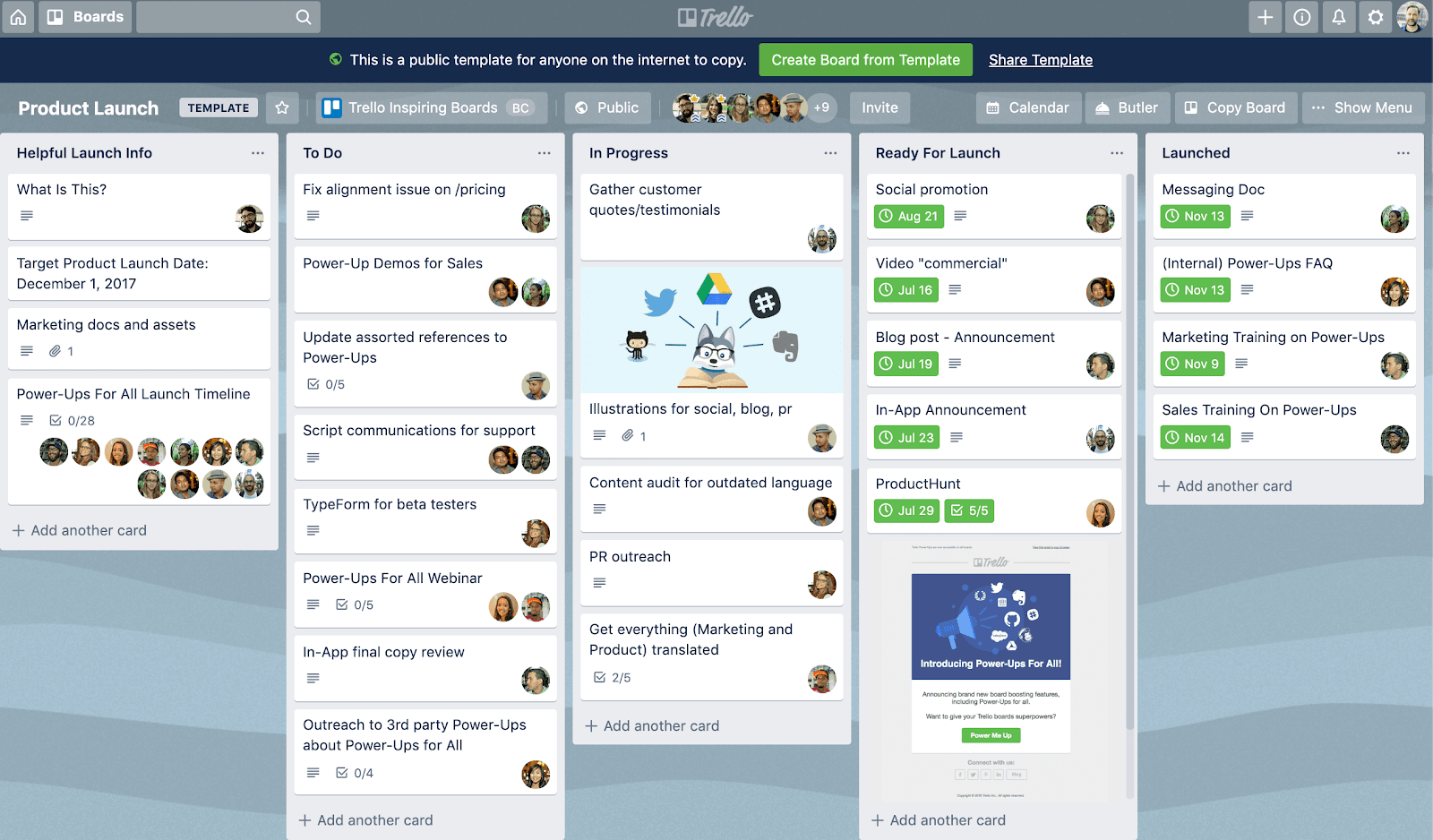
Image source: trello.com
Why we recommend Trello:
Our team chose Trello because it gave us a unique way to see the bigger picture across our ongoing tasks and projects. Our team was up and running using Trello within a few minutes, and we all noted how easy it was to get acquainted with the features. We noticed the free plan was generous compared to similar task management solutions, so we reckon this would be a great starting point for startups or entrepreneurs.
Trello pros:
- An intuitive and easy-to-use platform that takes only minutes to learn how to use.
- Offers an excellent at-a-glance overview of project statuses.
- An appealing free plan that's worth considering if you don't want to pay for task tracking apps.
- Trello will be a favorite app for Kanban users, with drag-and-drop functionality at its core.
Trello cons:
- The simpler the tasks, the better. Boards become cluttered and difficult to manage the more lists and cards you have.
- Trello AI, admin and security features, and dashboard, map, and other views only come with the Premium plan.
Trello rating:
Trello pricing:
- Standard plan: $5 per user/month
- Premium plan: $10 per user/month
- Enterprise plan: You must contact sales for a quote
6. Asana (Web, Android, Windows, Mac, iPhone, iPad)
Best for: Cross-functional projects
For agile teams and cross-functional workflows, offers a user-friendly solution that simplifies task creation, assignment, and tracking. The powerful work management platform is designed to handle a variety of use cases and offers multiple ways to visualize and manage tasks, including lists, timelines, and boards.
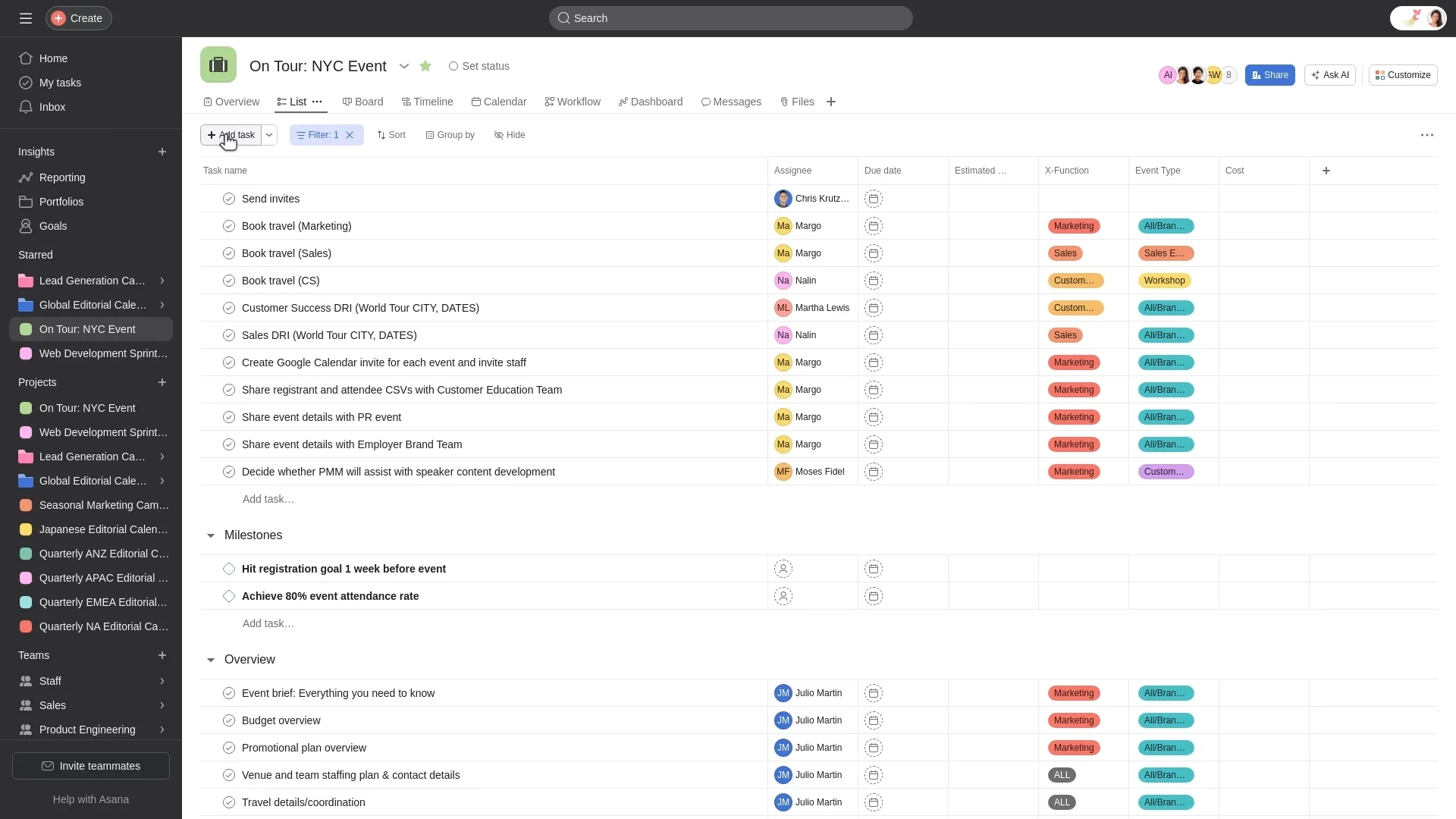
Image source: asana.com
Why we recommend Asana:
We picked Asana because, as an Agile team, it provided us with a clear, structured way to work. It supports Scrum and Kanban with sprint boards, timeline roadmaps, and customizable fields for priorities and statuses. We could easily break work into tasks and subtasks, assign owners, and track progress in real time. While tools like Trello excel at Kanban board task tracking, Asana supports a more scalable, cross-functional approach.
Asana pros:
- Designed for cross-functional teams, with extensive customization options.
- Robust integration capabilities (Slack, Google Drive, etc.) to help boost productivity.
- Modern, stylish interface makes working on the platform more enjoyable.
- Your team stays aligned and accountable through features such as @mentions, task comments, link attachments, and project dashboards.
Asana cons:
- Expensive compared to other task tracking apps we reviewed and tested. Whether it's worth paying for Asana depends on your business size and your task tracking needs.
- Asana has a single assignee limit, meaning you can assign only one user to a task. While subtasks are available, our team didn't like this restriction because it may cause issues with accountability in some scenarios.
Asana rating:
Asana pricing:
- Starter plan: $10.99 per user/month
- Advanced plan: $24.99 per user/month
- Enterprise plan: You must contact sales for pricing
7. Reminders (Web, Mac, iPhone, iPad)
Best for: Apple users who need personal task tracking
If you're reading this on an Apple device, you can find Apple's built-in task management app already installed (unless you uninstalled it!). Reminders is a free solution that helps you capture, organize, and complete everyday tasks across your Apple devices. While Reminders lacks features most businesses would demand, if you're an individual looking for a straightforward, reliable way to track your to-dos, Reminders might be all you need.
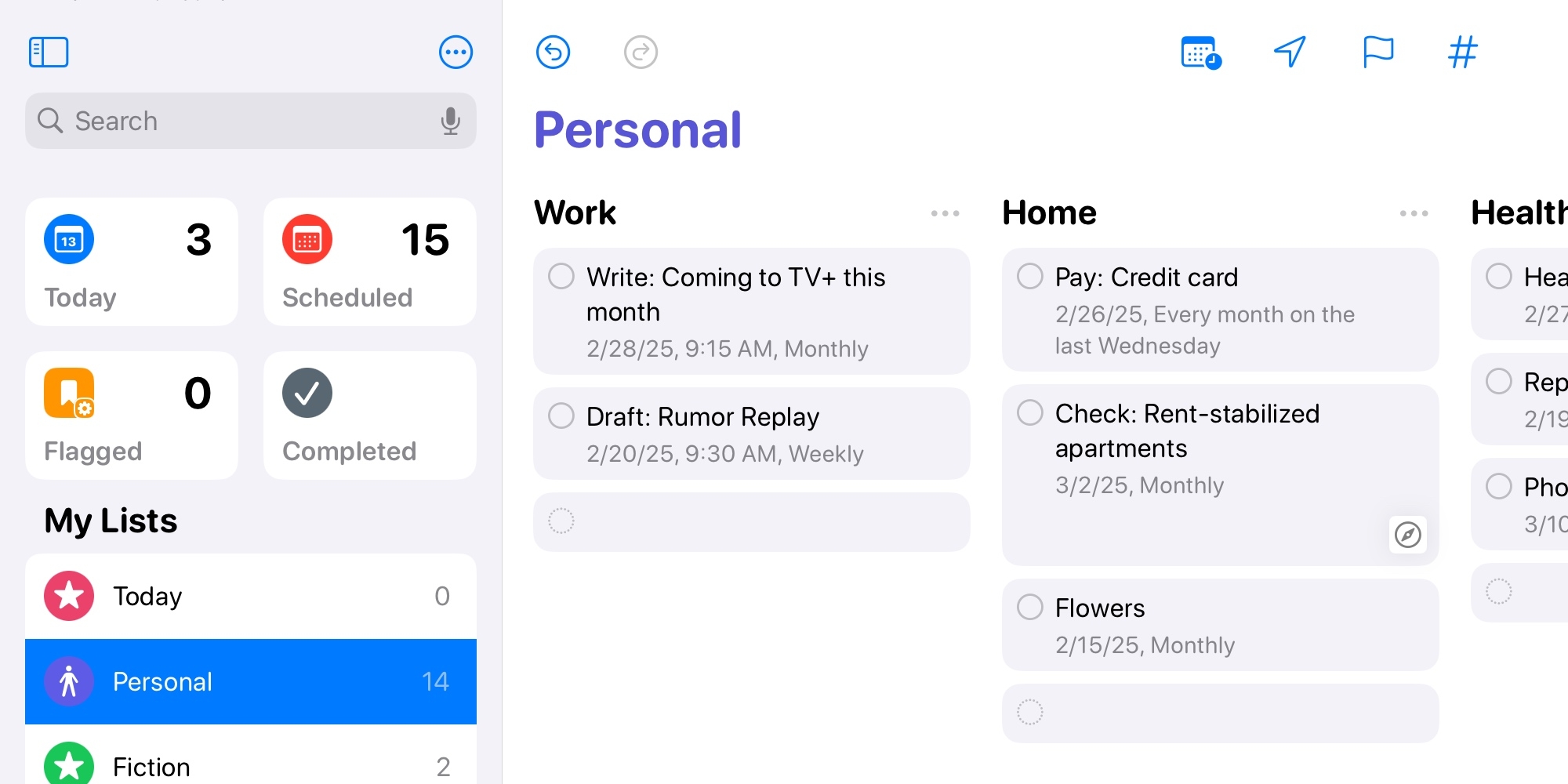
Image source:
Why we recommend Reminders:
We chose Reminders because it's a practical option for solopreneurs looking for a simple, free way to track daily tasks. After downloading so many tools recently, we appreciated that it was already installed and ready to use across our devices. That said, it is too limited for most businesses, especially given its lack of essential features. Still, for solo work, its tags, due dates, subtasks, and priority levels can help you get your work done.
Reminders pros:
- Completely free and comes pre-installed on your Apple devices.
- Easy to create new tasks, share lists, and assign tasks to other iCloud users.
- Supports basic task management through subtasks, notes, file attachments, and more.
- Automatically organizes your tasks and offers location-based reminders.
Reminders cons:
- Not suitable for cross-platform teams or users. You can only use Reminders on Apple devices.
- Not recommended for teams due to a lack of project tracking features and the absence of task views, such as Kanban and Gantt.
Reminders rating:
Reminders pricing:
8. Google Tasks (Web, Android, iPhone, iPad)
Best for: Google users who need personal task tracking
For teams already using or considering Google Workspace, Google Tasks is a minimalist to-do list app built into the Google ecosystem. It's designed to help manage daily tasks across desktop and mobile devices. Even if you're just using Gmail or Google Calendar with a personal Google account, you can access Google Tasks directly within those apps, making it a free option worth checking out.
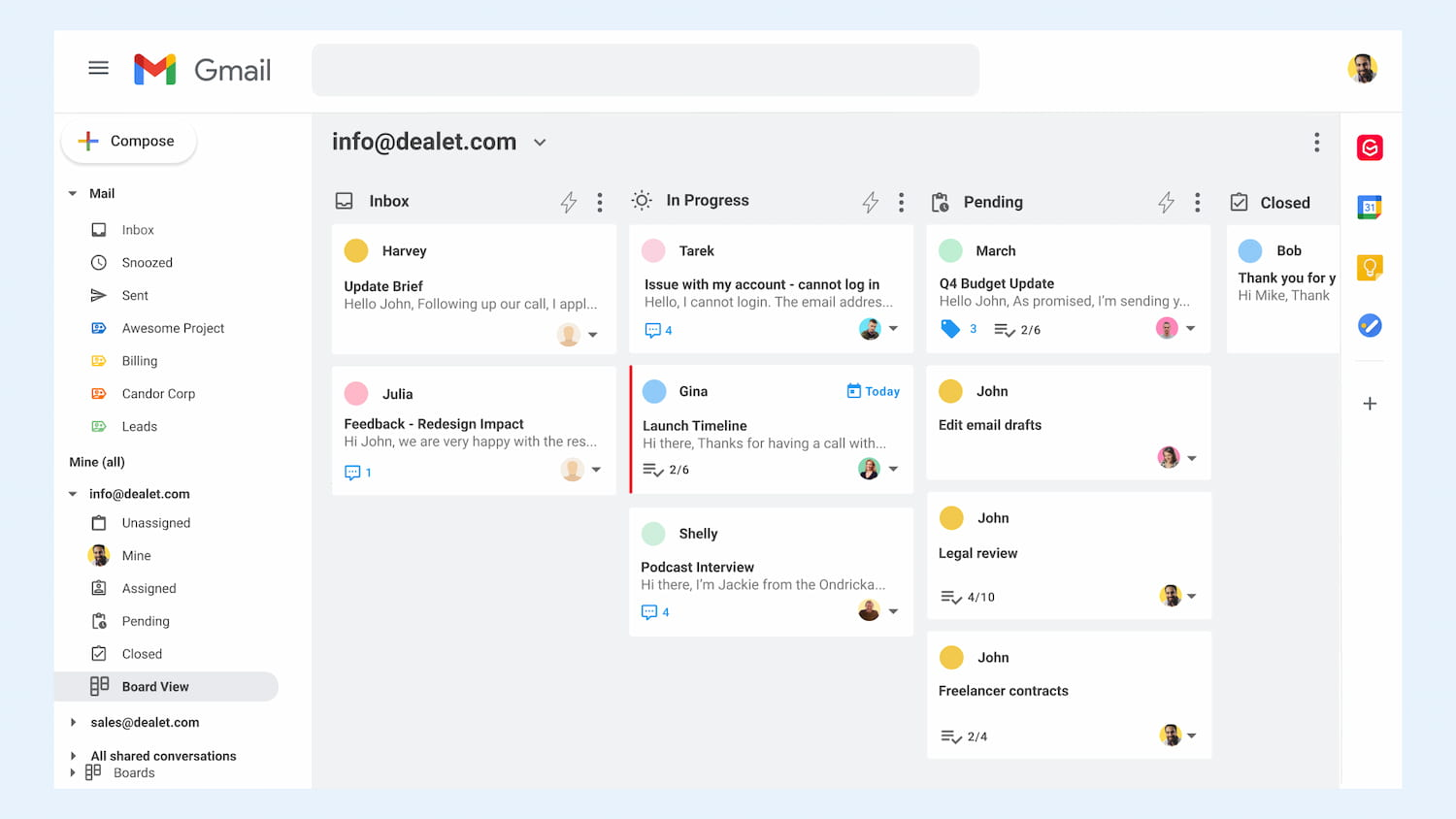
Image source:
Why we recommend Google Tasks:
We picked Google Tasks because it's a great choice for individuals and small teams using Google Workspace, or for those who already work in Gmail or Google Calendar. During testing, we liked how easy it was to turn emails into tasks and see deadlines directly alongside calendar events. It requires almost no setup, works across devices, and stays neatly integrated within the Google ecosystem. While it lacks advanced views and reporting, it works well for lightweight task tracking.
Google Tasks pros:
- Integrates with Gmail and Calendar, letting you drag and drop emails into tasks or view tasks in your calendar
- For Gmail and Google Calendar users, Google Tasks is an obvious free choice
- Setting up tasks that repeat at set times is simple and ideal for managing regular obligations.
- Google Gemini can add, edit, and display your tasks and reminders from Google Tasks, so you never forget what needs to be completed.
Google Tasks cons:
- Without purchasing Google Workspace, your team may not be able to utilize Google Tasks effectively across its workflows.
- Limited functionality compared to other task tracking apps in this list. For example, a lack of project views, data analysis, search functionality, and limited task delegation.
Google Tasks rating:
Google Tasks pricing:
- For businesses, purchasing a Google Workspace plan enables greater collaboration, delegation, integration, and security. Paid plans start at $7 per user/month.
Other task tracking options
Here are a few ideas if none of the above task tracking apps quite fit what you're looking for:
- like ClickUp and Jira can be used for task tracking and are obvious choices if you're already using them to manage your team's work.
- like Microsoft OneNote, Evernote, and Notion can also be used to track tasks if you want to combine your action items and note writing.
- are a great solution. Tools like Sunsama and Motion include task management features.
- such as Toggl Track and Clockify can double as task trackers by letting you log work and set timers for specific tasks.
- Apple users have many great options, including Things 3 and OmniFocus. Just check out the .
Conclusion
Choosing the right task tracking app isn't easy. What works for a fast-moving team is likely different from what one person needs for their daily life. While we think Lark offers the best task-tracking solution, it's worth experimenting with a few options to find the one that best fits your needs.
The good news is that most task tracking tools, including Lark, offer free plans, so you can test them without any commitment and find the one that truly helps you stay organized and productive.
FAQs about task tracking apps
What is a task tracking app?
A task tracking app is software (or a web app) that helps you capture, organize, and complete your work in one place. These tools have become essential for managing the flood of digital responsibilities that come from remote work, multiple communication channels, and always-connected devices.
What are the key features of a task tracking app?
An effective task tracking app lets users create tasks with deadlines, set priority levels, assign responsibilities, and break larger tasks into subtasks for better organization. It provides ways to monitor progress using Kanban boards, Gantt charts, or calendar views. Key features also include team collaboration through comments and file sharing, automated reminders, support for recurring tasks, and integration with other software, which helps boost productivity and improve visibility across projects.
Is a free task tracking app enough?
For most personal use cases, yes. Free tiers from Lark, Todoist, TickTick, Microsoft To Do, and Google Tasks cover the basics. However, you'll likely need paid features when you need team collaboration, advanced integrations, reminders, templates, or custom filters beyond the basic limits, or admin controls and reporting for a business.
Can I use one app for both personal and work tasks?
Yes. The pros of using a single app are that everything will be in one place, there's no context switching between tools, and you'll have a unified review process. On the other hand, having one app will blur work and personal boundaries, and make it harder to disconnect after hours.
If your work doesn't require team collaboration in the app, using one app for both can work well. Create separate projects for “Work” and “Personal” to maintain boundaries and make sure your important tasks never get lost. If your team uses a specific app, consider using that for work, and a simple to-do app for personal life.
What's the difference between a task list and a task tracking app?
A task list is a simple list of items to complete—think paper checklist or basic online to-do list.
A task tracking app adds organization (projects, tags, priorities), time awareness (due dates, recurring schedules), visibility (calendar view, filters, search), collaboration (for team versions), and automation (natural language input, integrations)
What's the difference between task tracking apps, to-do lists, and project management tools?
Task tracking apps focus on monitoring individual tasks and their progress, giving you the ability to see exactly what's done and what remains. To-do list apps are simpler tools for jotting down and checking off tasks, and project management tools coordinate entire projects with workflows, timelines, and team collaboration.
What are the best simple to-do list apps?
Todoist, Microsoft To Do, Google Tasks, Apple Reminders, and Any.do are some of the best simple to-do list apps available. However, for teams, software such as Lark, Trello, or Asana offers a more comprehensive task management solution tailored to business needs.
What's the best app for keeping track of tasks?
The best choice largely depends on your specific needs. During our rigorous testing, we found Lark to be the best app for task tracking, followed by Todoist and Microsoft To Do.
What's the best task tracking app for project management?
Lark, Trello, Asana, and ClickUp all offer robust task-tracking for project management. Among them, Lark stands out as the most comprehensive solution, offering an all-in-one collaborative workspace that unites essential features in a single, streamlined platform.
Related reading































