If you feel like your workday is a constant juggling act between different browser tabs and desktop applications, you are not alone. For global, remote, and hybrid teams, communication has never been more accessible, yet our productivity toolkits have rarely felt so fragmented.
Finding the right web meeting app isn't just about ensuring your camera works or that your audio doesn't lag. It is about finding a digital environment where your team can actually get work done together. In this guide, I will walk you through the top web meeting software available today. We will look past the marketing jargon, compare the heavyweights, and explore why a unified approach—bringing your video, chat, and documents under one roof—might be the best decision your growing business makes this year.
What is a web meeting app?
At its core, a web meeting app is a software platform that allows individuals and teams to connect in real-time over the internet using video, audio, and text chat. Unlike legacy teleconferencing systems that relied on standard telephone lines and clunky hardware, modern utilize Voice over Internet Protocol (VoIP) and cloud technology. This means you can join a meeting from anywhere in the world using a computer, smartphone, or tablet, provided you have a stable internet connection.
However, the definition has evolved significantly over the last few years. Today, a web meeting app is rarely just a digital camera feed. It serves as a virtual conference room and is often the entry point into a comprehensive digital workspace. The best platforms natively incorporate screen sharing, live cloud-document editing, and digital whiteboarding, allowing participants not just to talk about work, but to actually execute it together simultaneously.
Why are web meeting applications important?
In our current era of distributed workforces and globalized markets, web meeting applications serve as the essential infrastructure holding modern businesses together. Based on my analysis of the rapid shift toward remote work, these platforms are critical for several distinct reasons:
- Facilitating open : As businesses increasingly depend on seamless internal and external communication, web meeting apps provide the immediate, interactive environment needed to keep teams aligned. They transform passive conversations into active work sessions through integrated tools like digital whiteboarding and document co-editing.
- Enhancing the speed of decision-making: Relying solely on email or delayed text chains often creates operational bottlenecks. Web meeting software allows leaders to gather cross-functional teams in a single virtual room, address complex challenges visually, and finalize decisions instantly—drastically reducing project turnaround times.
- Democratizing talent acquisition: When physical location is no longer a barrier to effective communication, growing SMEs can recruit top-tier talent from anywhere on the globe. A robust web meeting platform ensures that remote hires feel just as connected and engaged as traditional in-office employees.
See how Lark makes every meeting more productive
Top 8 web meeting applications compared
When we evaluate the current market, it becomes clear that there are two distinct paths: traditional, standalone video conferencing tools and modern, unified productivity suites. Based on my experience analyzing communication software, relying solely on isolated applications often creates bottlenecks. Let us break down how some of the most prominent web meeting applications stack up, focusing on how they handle real-world workflows.
1. Lark: The ultimate all-in-one unified productivity suite
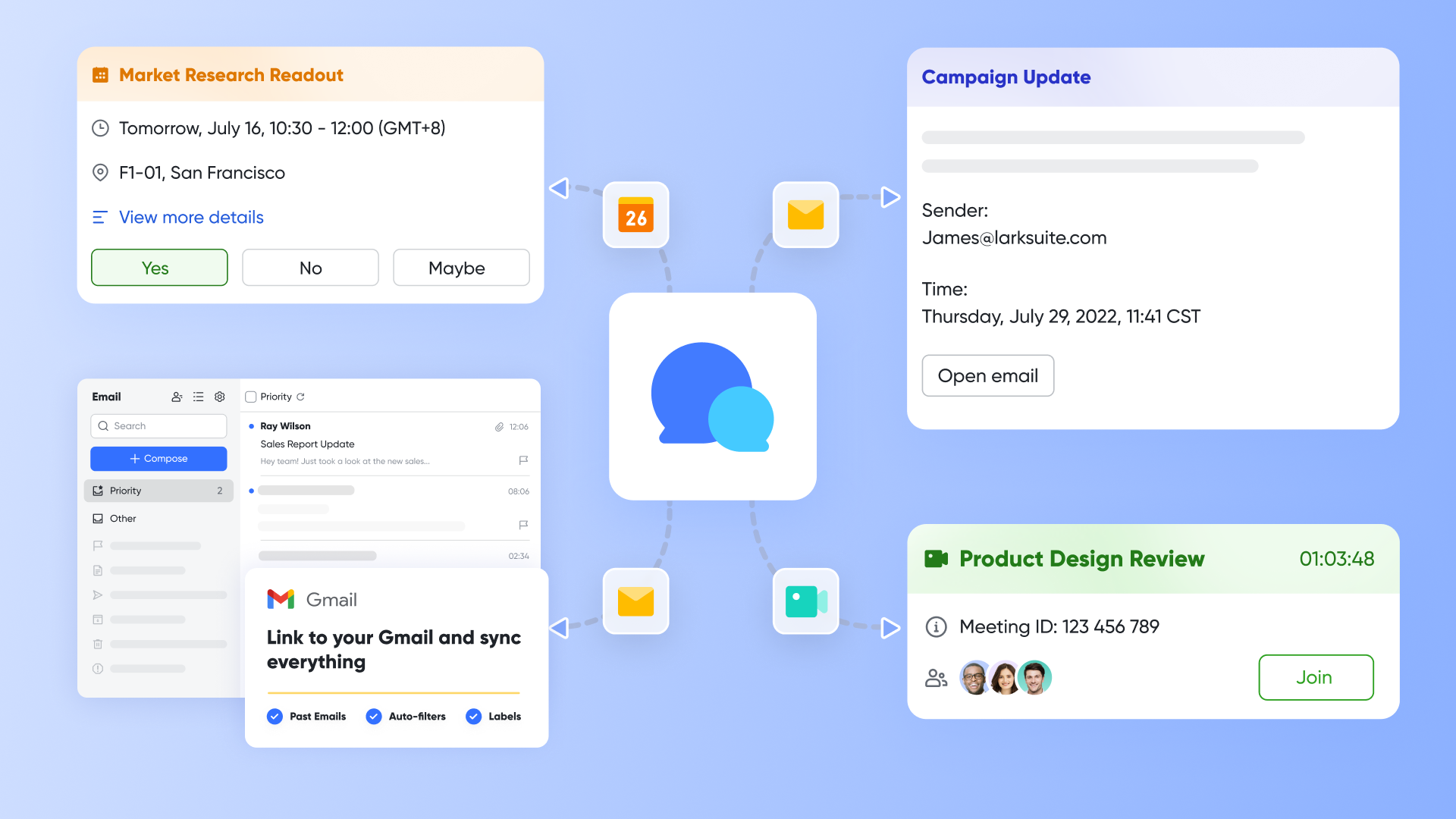
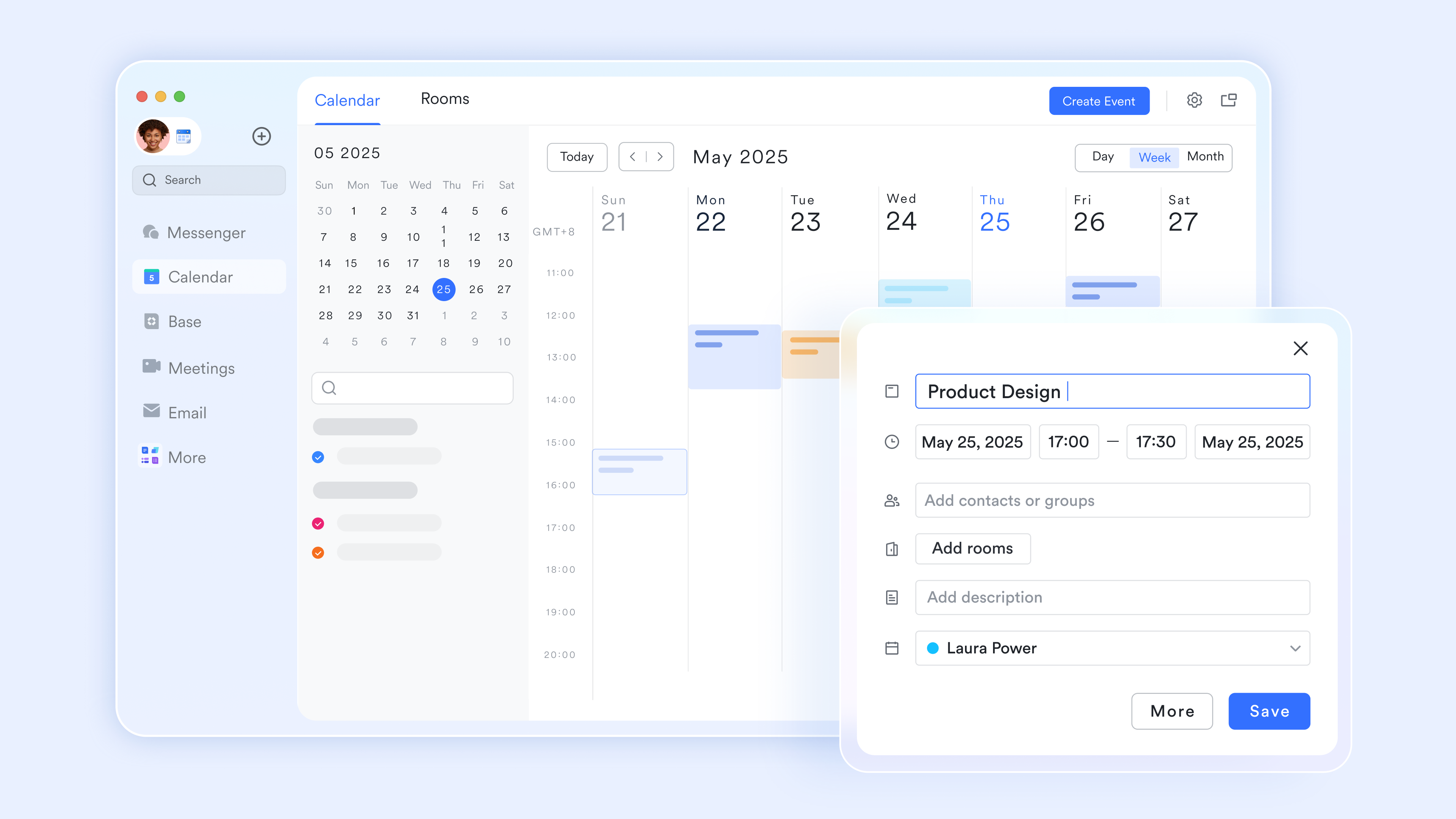
is designed specifically to solve the "app fatigue" that plagues modern . Instead of treating video conferencing as an isolated event, Lark unifies it directly into a broader, cloud-native workspace. The user interface seamlessly combines messaging, video meetings, document and sheet collaboration, calendars, email, and OKR tracking. This means your team can transition from a text chat to a live video call, and simultaneously co-edit a project document without ever leaving the application or opening a new browser tab.
What makes Lark particularly effective is its focus on workflow automation. By removing the boundaries between different , it solves the pain point of fragmented tool stacks. A meeting decision can instantly trigger a pre-set approval workflow or update a shared wiki, minimizing the manual data entry that usually follows a sync. While its comprehensive nature requires a brief adjustment period as teams learn to centralize their work, the resulting cost-efficiency and context retention are highly rewarding.
Pros:
Turn your screen into a shared canvas for real-time collaboration
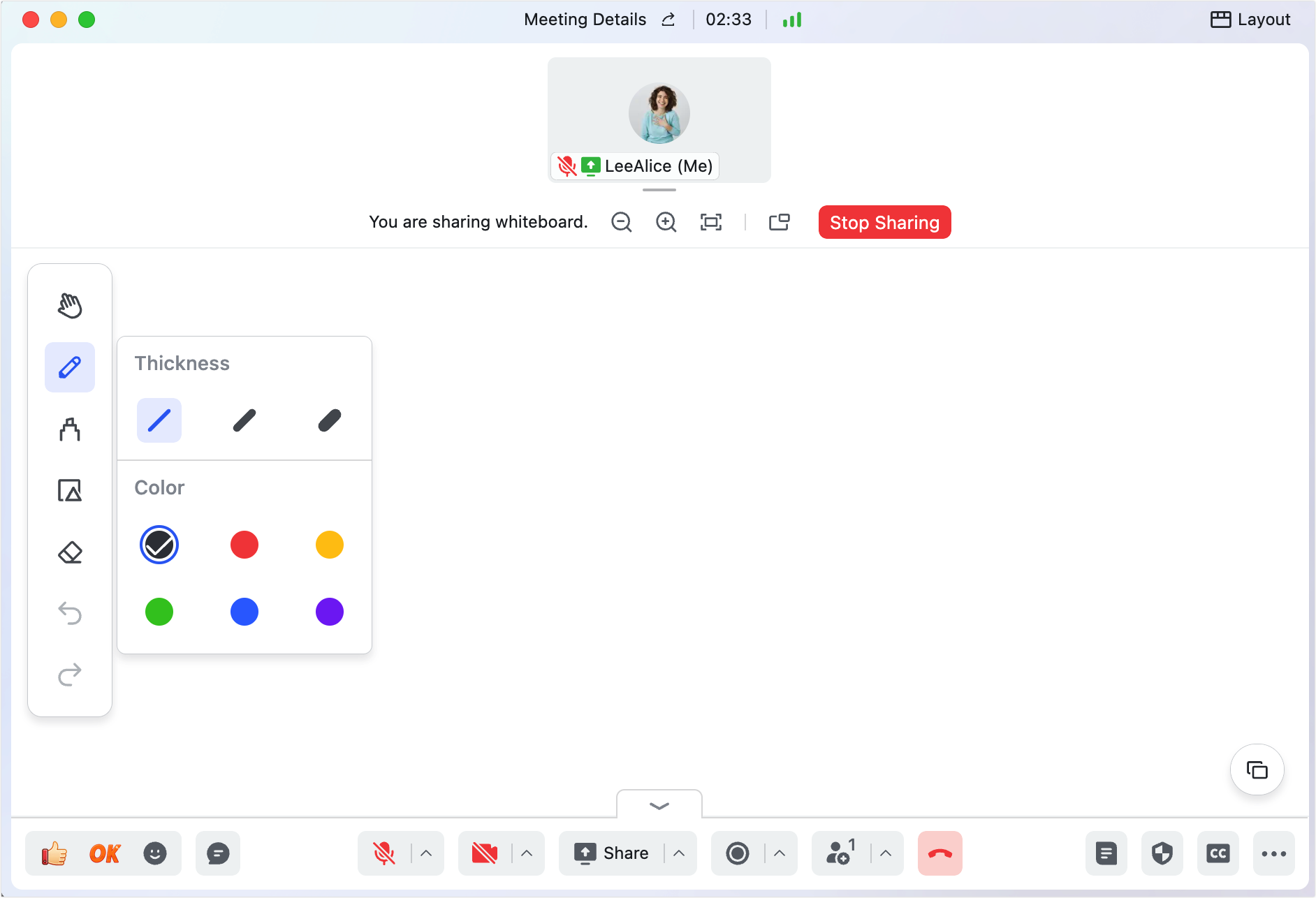
Most web meetings rely on static screen sharing, where only one person controls the view while others watch passively. transforms this dynamic with its built-in whiteboard that everyone can use together. When the host shares a whiteboard, all participants can draw, add shapes, write text, and highlight ideas in real time. This turns presentations into collaborative workshops where ideas are built together. During a product brainstorm or , the whole team can sketch concepts, annotate diagrams, and capture feedback directly on the same canvas. No more saying "can you see my cursor?"—everyone sees the same board and can contribute instantly.
Make shared content interactive, not just visible
Sharing documents in traditional web meetings often means everyone watches the presenter scroll through a static file. Lark Magic Share feature makes shared content truly interactive. When you share , Lark Sheets, or , participants can choose to follow your pacing or explore on their own. They can zoom in to read details, scroll ahead to preview upcoming sections, and even click links—all without disrupting the presenter's flow. When they're ready to sync up again, one click returns them to your view. This flexibility means everyone can absorb information at their own speed while staying aligned as a team. For training sessions or complex data reviews, participants can dig into details independently without slowing down the whole group. 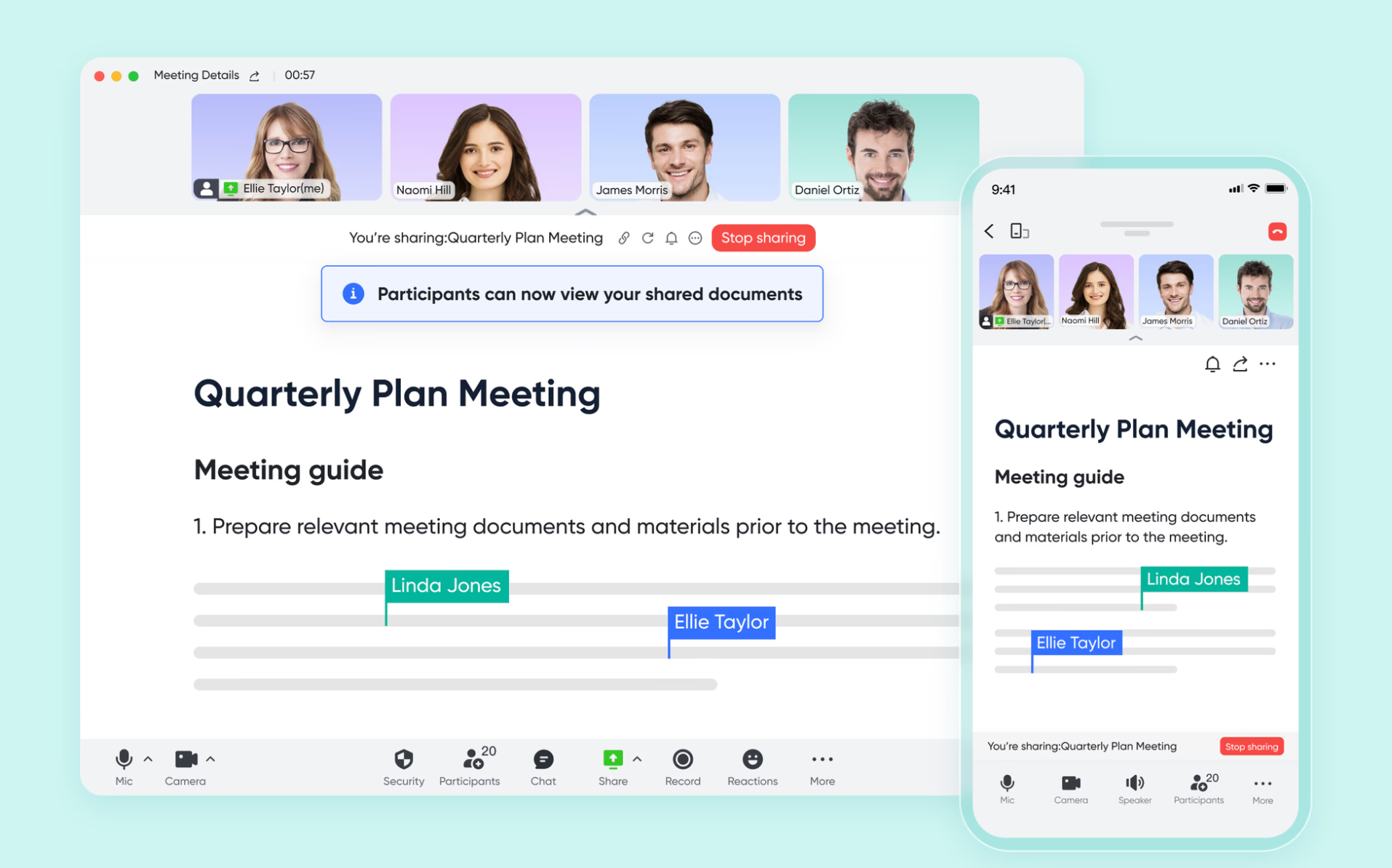
Let AI capture action items so your team can stay focused
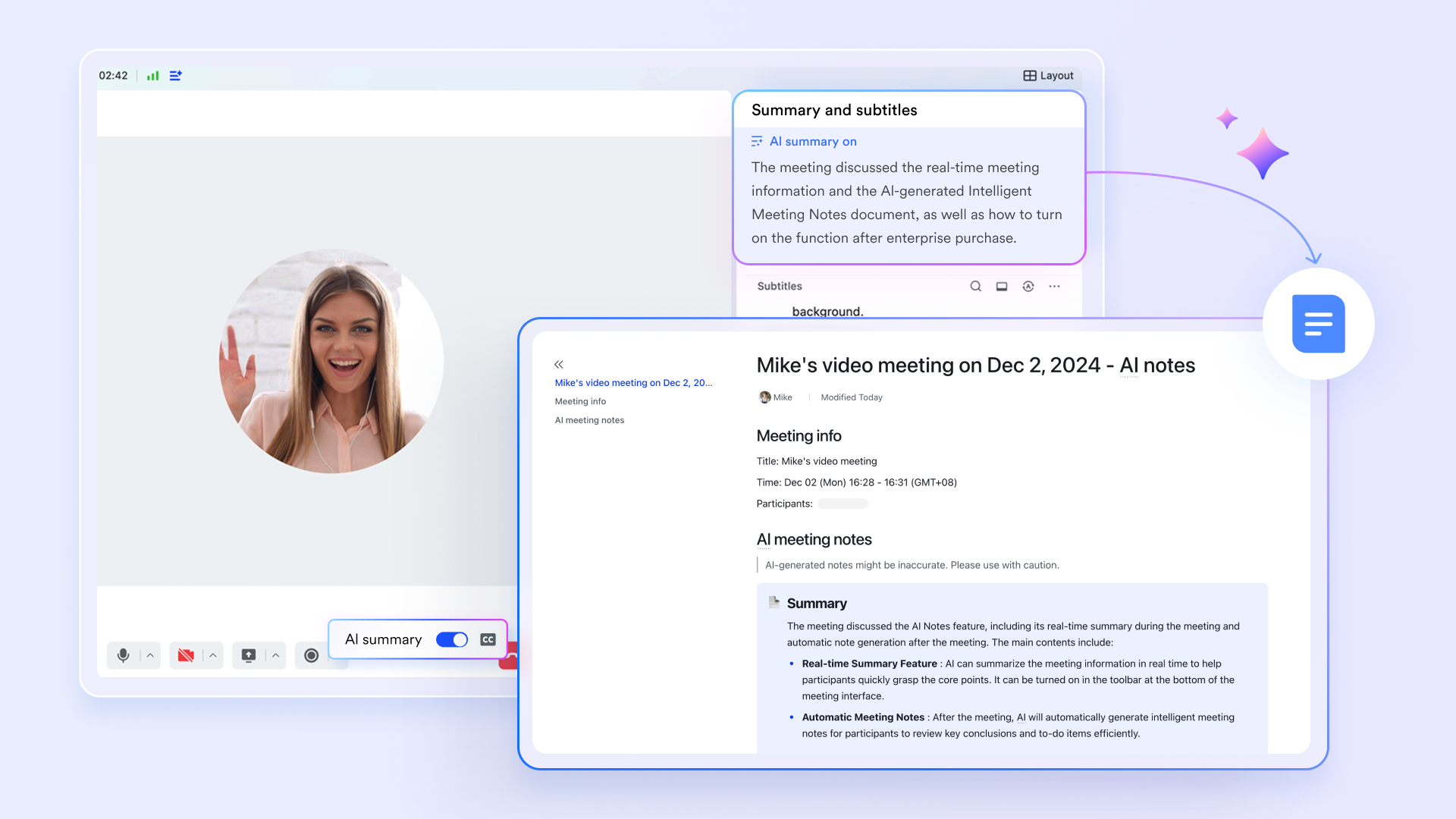
Taking notes during a meeting divides attention and often leads to missed decisions. works silently in the background to capture everything. When you enable AI summaries, it automatically identifies key discussion points, decisions, and—most importantly—action items. After the meeting, a structured summary document is generated and shared with all attendees via the meeting group chat. Each action item is clearly listed with assigned owners. Your team never has to ask "who was supposed to follow up on that?" Because the AI captured it accurately.
Connect scheduling seamlessly from calendar to meeting
The friction of web meetings often starts before the meeting begins—back-and-forth emails to find a time, links that get lost, and documents that never make it to attendees. eliminates this friction through deep integration. When scheduling, you can see colleagues' availability directly in the calendar view and pick a time that works for everyone. Attendees join with one click from the calendar event.
Cons:
- It may take some time to adapt, but helps a lot.
The verdict: Lark is best for growing SMEs and remote teams struggling with fragmented tool stacks. It stands out by offering a genuinely unified workspace that dramatically reduces software bloat and context switching.
:
- Starter plan: Free forever plan that includes 11 powerful tools for up to 20 users. It also comes with 100GB of storage, 1000 automation runs, AI translations, and more.
- Basic plan: $6/user/month (billed annually) for up to 500 users. It includes everything in Starter plus group calling for up to 500 attendees, 5TB of storage, 1000 automation runs, and more. For more details, please .
- Pro plan: $12/user/month (billed annually) for up to 500 users. It includes everything in Basic plus group calling for up to 500 attendees, 15TB of storage, 50,000 automation runs, and more.
- Enterprise plan: for custom pricing. Supports unlimited users and includes even more automation runs and advanced security, compliance, and management features.
For small teams with simple communication needs

18 months message history
1000 Base automation runs/month
2000 rows per table in Base
Most POPULAR
For companies with comprehensive collaboration and management needs
Unlimited message history
500-participant video meetings
50k Base automation runs/month
20k rows per table in Base
For large companies with advanced security and organizational management needs
Get a personalized demo and pricing
Unlimited message history
500-participant video meetings
15 TB storage + 30 GB storage/user
500k Base automation runs/month
50k Base automation runs/month
Most POPULAR
For companies with comprehensive collaboration and management needs
Unlimited message history
500-participant video meetings
50k Base automation runs/month
20k rows per table in Base
2. Zoom: A reliable heavyweight for pure video meetings
Zoom earned its massive market share by mastering the fundamentals: providing highly stable, low-latency video and audio experiences. The user experience is famously intuitive, allowing users to join meetings with a single click. Recently, Zoom has expanded its feature set with a heavy emphasis on AI and personalization. Hosts have granular control over their virtual environments, from highly customizable waiting rooms (where attendees can be admitted one by one) to engaging 3D avatars that mirror facial expressions for users experiencing camera fatigue.
Despite its innovations—such as the AI Companion which generates chat responses and recaps meeting highlights—Zoom remains a dedicated communications tool rather than a full productivity suite. It excels at large-scale webinars and standard video calls, offering a wide array of video layouts and screen-sharing controls. However, because it lacks deep, native document creation and project management capabilities, you will still need to rely heavily on third-party applications to manage your actual work outside of the live call.
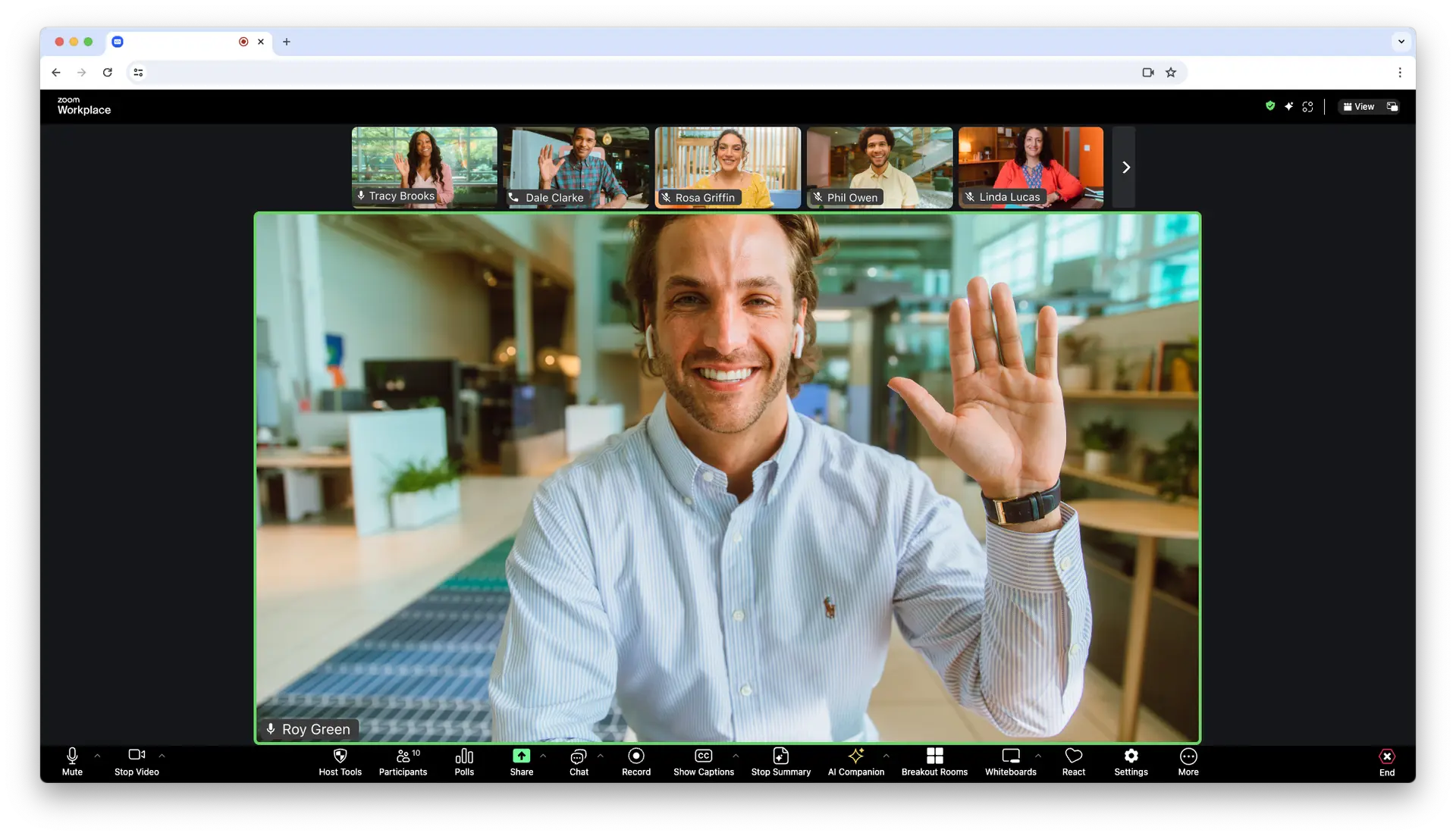
Image source: zoom.com
Pros:
- End-to-end encryption is included across all plans, ensuring a highly secure meeting environment.
- Offers incredibly scalable webinar capabilities, supporting up to 100,000 attendees and 100 video panelists.
- Provides a wide range of customizable account settings and host controls.
Cons:
- The free version imposes a strict 40-minute duration limit on group meetings.
- Customer support can be difficult to reach, potentially frustrating users requiring immediate assistance.
The verdict: Zoom is best for enterprises running large-scale video meetings and webinar events. It stands out due to its unmatched video reliability, scalable event architecture, and fun, engaging video features.
Pricing:
- Professional: $14.16/user/month (billed annually).
- Business: $18.32/user/month (billed annually).
- Enterprise: Contact sales.
3. Microsoft Teams: The standard for Microsoft 365 enterprises
Microsoft Teams is a deeply integrated unified communication platform designed to act as the central hub for organizations already utilizing the Microsoft ecosystem. Its interface effortlessly connects with legacy applications like Outlook, Word, Excel, and SharePoint. During a video call, users can seamlessly transition to a collaborative Whiteboard packed with 60 templates, or utilize advanced features like "Together Mode," which uses AI to map participants into a shared virtual environment like an auditorium or coffee shop.
While Teams is incredibly powerful, it is also notoriously heavy. The platform is robust, offering detailed public and private channel configurations, but navigating its interface and managing SharePoint file permissions can be complex. The addition of Microsoft CoPilot—a generative AI assistant that can summarize discussions and suggest action items in real time—adds immense value, but the steep learning curve makes it a daunting choice for smaller, agile teams looking for a lightweight solution.
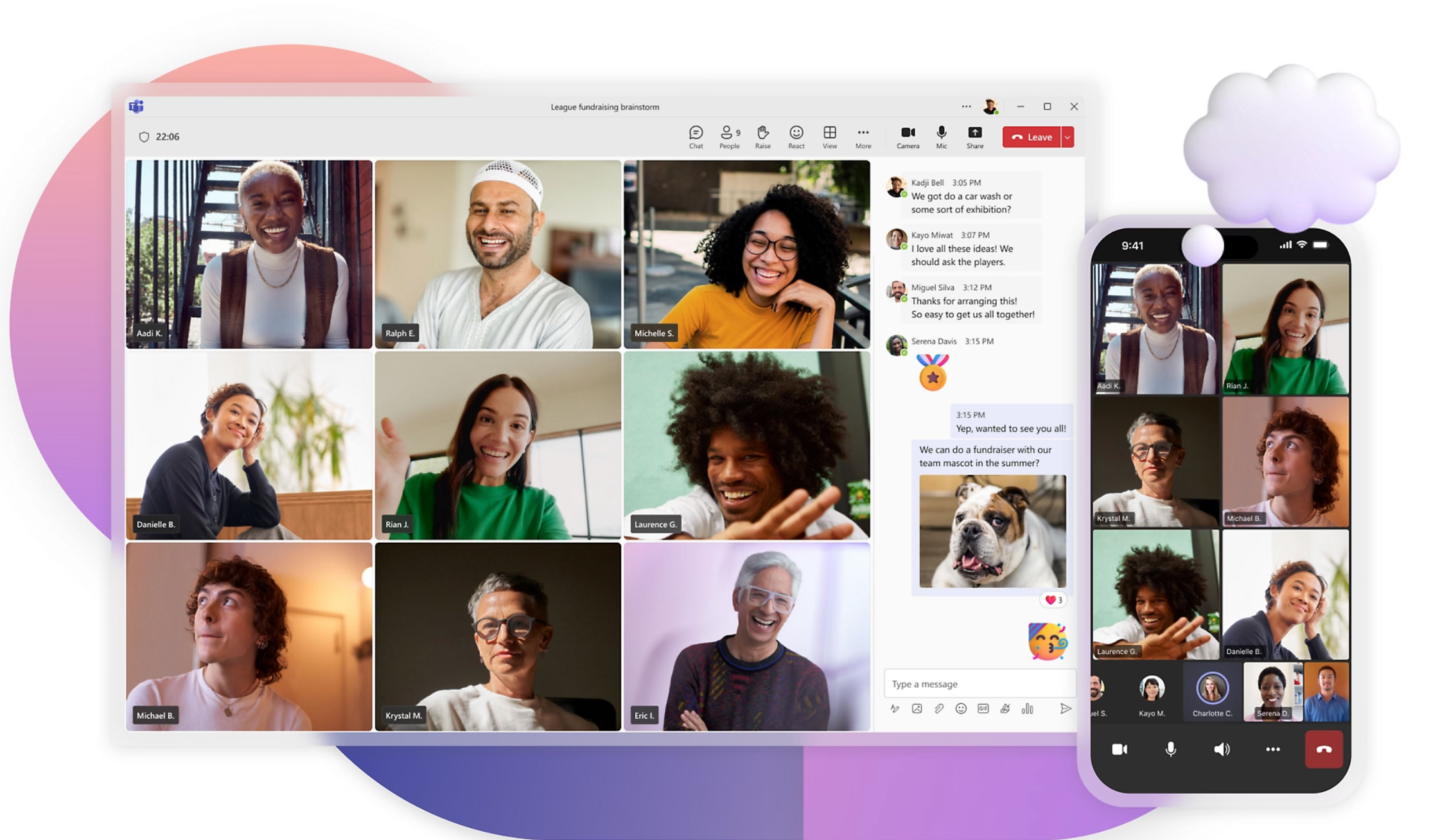
Image source: microsoft.com
Pros:
- Allows for large meetings with up to 300 participants across all plans.
- Offers highly accurate meeting transcriptions and live captions.
- Features a very inexpensive entry-level Essentials plan starting at just $4 per user/month.
Cons:
- Lacks End-to-End Encryption (E2EE) for standard video meetings.
- Crucial security features like Multi-factor authentication are only included in upper-tier pricing plans.
The verdict: Microsoft Teams is best for large businesses and enterprises heavily invested in Microsoft 365. It stands out by transforming traditional Microsoft desktop applications into a cohesive, cloud-connected meeting experience.
Pricing:
- Microsoft Teams Essentials: $4.00/user/month (billed annually).
- Microsoft 365 Business Basic: $6.00/user/month (billed annually).
- Microsoft 365 Business Standard: $12.50/user/month (billed annually).
4. Google Meet: The frictionless browser-based meeting solution
Google Meet shines as the quintessential browser-based meeting solution. Designed for maximum accessibility, it requires no heavy desktop client downloads, making it exceptionally user-friendly. The platform integrates flawlessly with Google Workspace. Users can easily schedule calls via Google Calendar, or jump directly into a video call from a collaborative Google Doc, Sheet, or Slide simply by clicking the Meet icon. This creates a highly fluid experience for remote teams actively co-creating content.
The interface is intentionally simple, prioritizing core functionality over a bloated feature set. While it handles basic video and audio exceptionally well, some of its most compelling modern tools—such as the Gemini generative AI add-on that takes notes and translates captions in real time—are gated behind extra paywalls. Furthermore, advanced audio features like noise cancellation are reserved only for upper-tier pricing plans, which can result in a less polished audio experience for entry-level users.
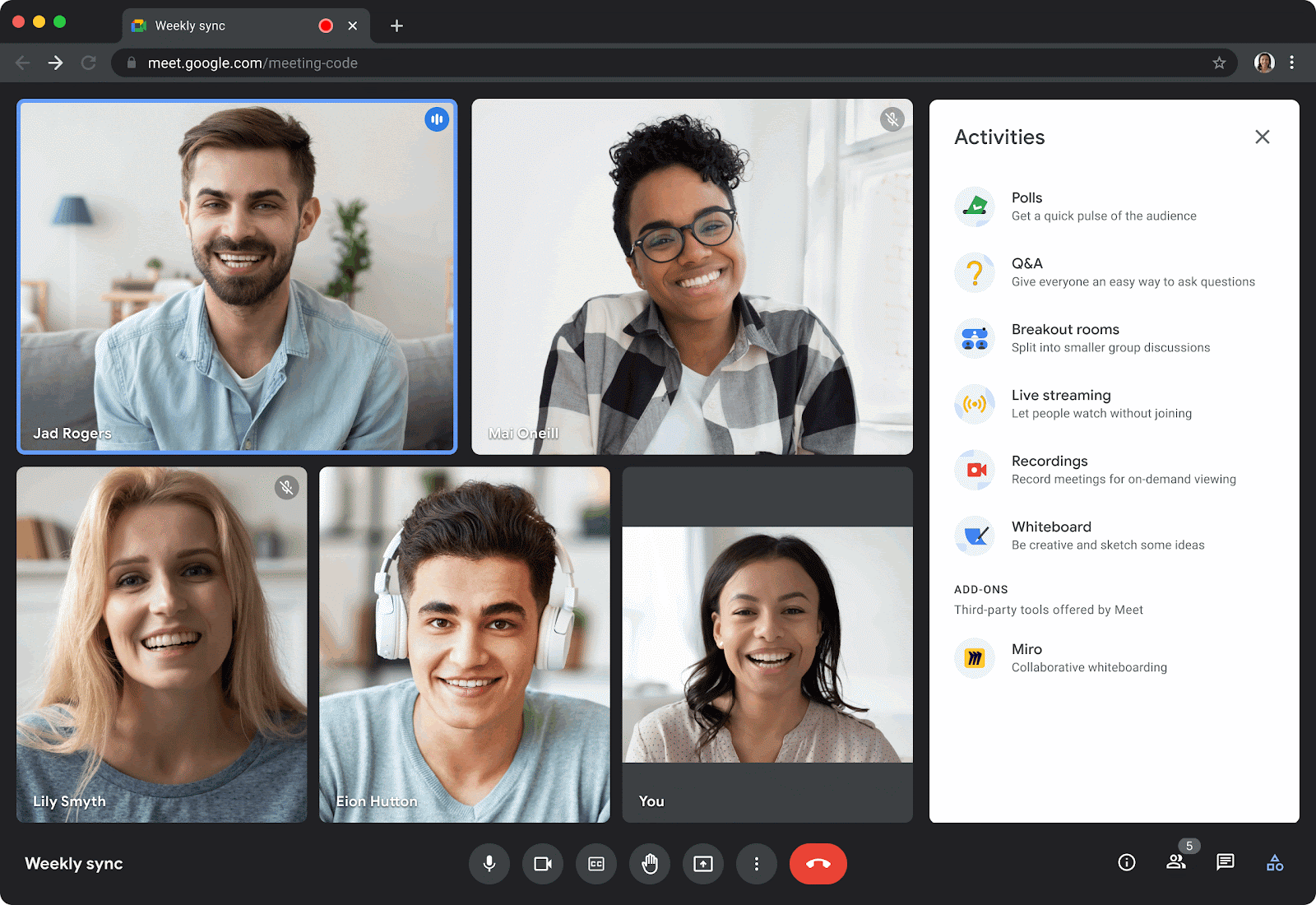
Image source: workspaceupdates.googleblog.com
Pros:
- Paid plans support massive scale, allowing up to 1,000 participants and 24-hour meeting durations.
- Features a highly user-friendly interface with native, one-click integration into Google Docs, Sheets, and Slides.
- Includes strong security protocols, featuring 2-step verification and endpoint management for all paid plans.
Cons:
- Generative AI features (like live transcription and automated summaries) require the expensive Gemini add-on.
- Users must pay extra to access 24/7 live customer support.
The verdict: Google Meet is best for remote teams that are already actively using Google Workspace applications. It stands out for its frictionless, no-download browser experience and tight integration with Google Docs.
Pricing:
- Starter: $9.40/user/month (billed annually).
- Standard: $15.07/user/month (billed annually).
- Plus: $29.40/user/month (billed annually).
- Enterprise: Contact sales.
5. Webex: A highly secure platform with engaging features
Webex by Cisco is an enterprise-grade video meeting platform that uniquely balances rigorous security with an engaging, interactive user interface. It excels in solving the challenges of global collaboration by offering real-time closed captions in multiple languages (English, French, German, and Spanish). The platform also features Webex Meeting Assist, an intelligent virtual assistant that not only creates summaries but allows users to manually highlight parts of the transcript using voice commands.
Webex introduces several innovative tools to combat meeting fatigue, such as gesture controls that recognize physical actions (like a thumbs up or raising a hand) and translate them into on-screen reactions. The user interface allows for immense customization, letting hosts view up to 81 participants simultaneously or float panels across multiple monitors. However, its pricing structure can be complex, and some of the most advanced real-time translation features require significant extra fees.
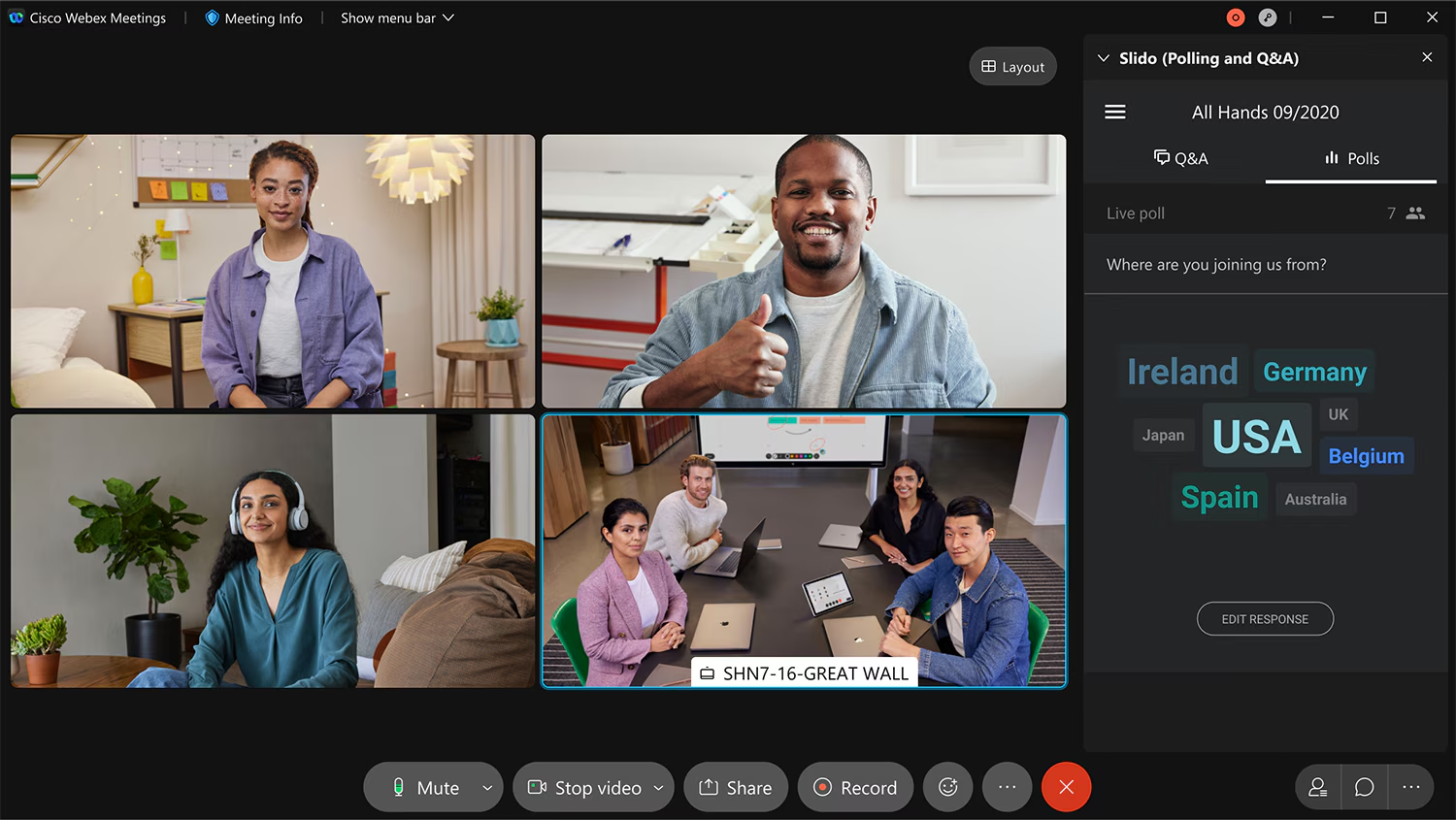
Image source: help.webex.com
Pros:
- Provides high-level security with End-to-End Encryption included on all plans, even the free version.
- Offers robust accessibility with closed captioning available in multiple languages.
- Allows users the unique flexibility to join overlapping meetings simultaneously.
Cons:
- The free version restricts users to a strict 40-minute time limit on meetings.
- Real-time translation is not included natively and requires an expensive $30 per license/month add-on.
The verdict: Webex is best for global teams that require rigorous security and the ability to scale globally. It stands out due to its advanced voice-command virtual assistant and multi-language accessibility features.
Pricing:
- Meet: $12/user/month (billed annually).
- Suite: $22.50/user/month (billed annually).
- Enterprise: Contact sales.
6. GoTo Meeting: A smart solution for efficient SMBs
GoTo Meeting is built specifically to facilitate efficient, secure communications for small to mid-sized businesses. It is designed to work seamlessly within the broader GoTo ecosystem, though it functions perfectly as a standalone application. The platform is tailored to make external meetings more productive, offering practical features like keyboard and mouse sharing, which allows hosts to take control of a participant's screen, and a unique "Slide to PDF" tool that automatically compiles shared presentation slides into a chronological PDF document.
The mobile experience is where GoTo Meeting truly shines. It features a highly practical "Commuter mode" that disables video to save bandwidth while enhancing microphone capabilities, ideal for employees taking calls on the go. However, the platform is somewhat lacking in modern audio processing; the absence of built-in noise cancellation can result in lower audio quality compared to competitors, and its AI-powered smart assistant is still in its infancy regarding transcription accuracy.
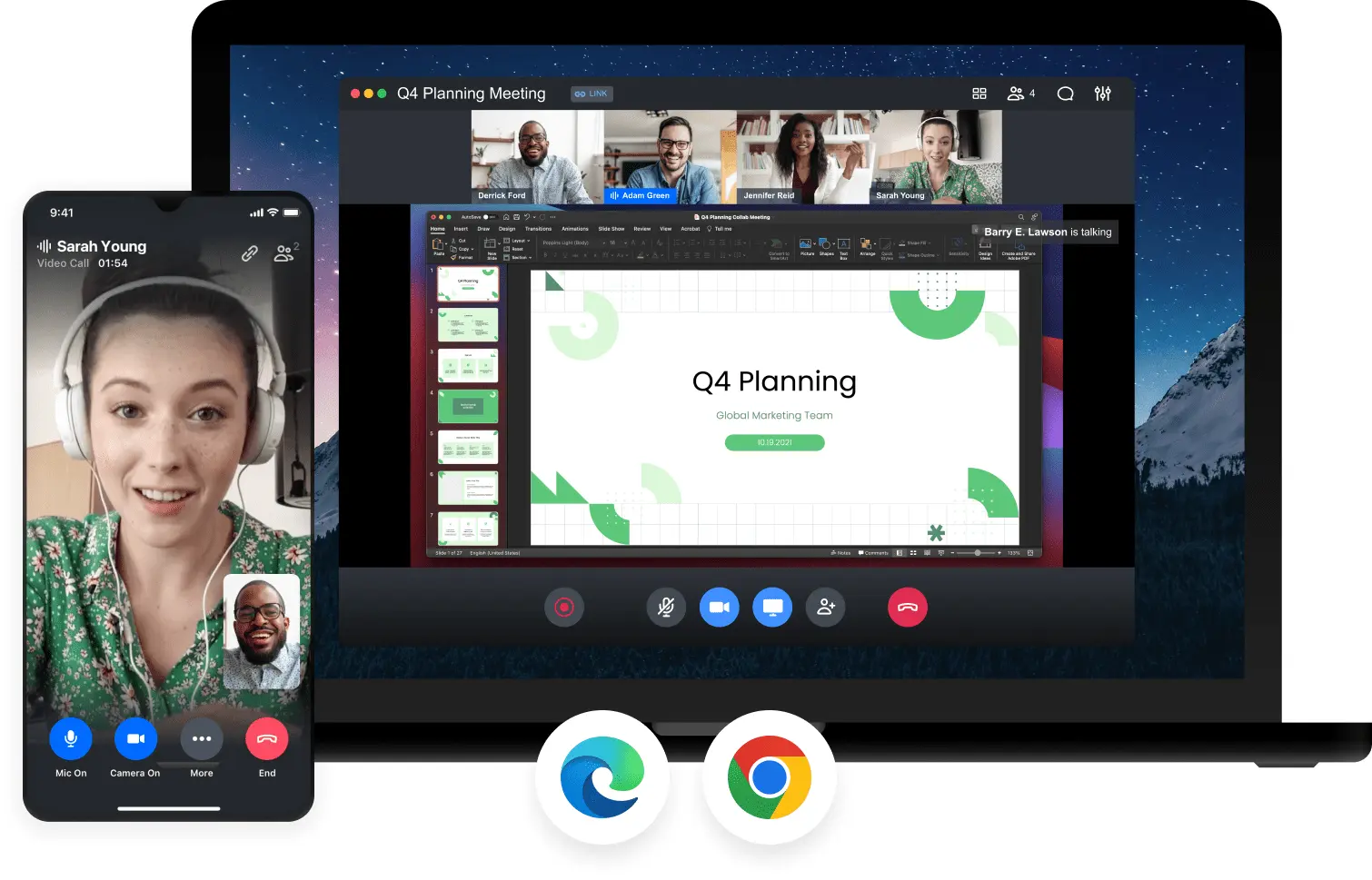
Image source: goto.com
Pros:
- Provides excellent reliability with 24/7 live phone and web customer support for all users.
- Breakout rooms are included natively in every plan, facilitating smaller group discussions.
- Integrates smoothly with critical business tools like Slack, Google Calendar, and Salesforce.
Cons:
- There is no free version available, forcing users directly into a paid subscription.
- Lacks background noise cancellation, which can noticeably diminish overall audio quality.
The verdict: GoTo Meeting is best for small teams and SMBs that conduct regular external meetings and require hands-on technical support. It stands out for its practical mobility features like commuter mode and its reliable 24/7 customer service.
Pricing:
- Professional: $12/organizer/month (billed annually).
- Business: $16/organizer/month (billed annually).
- Enterprise: Contact sales.
7. Dialpad: An AI-powered meetings platform for modern teams
Dialpad has leveraged significant research into artificial intelligence and natural language processing to create a modern, sleek video meeting solution. Its platform, AI Meetings, features a minimalistic organizer interface that hides powerful capabilities beneath the surface. One of its most impressive technical feats is its ability to dynamically adjust video resolution based on each participant's available bandwidth, ensuring that calls rarely freeze even on poor internet connections. Built-in background noise reduction further ensures crisp audio.
The platform excels at automating the administrative work of hosting meetings. During a call, users can open a side panel to view highly accurate live transcripts, while Dialpad AI automatically captures custom action items and interesting questions in real-time. Despite these impressive AI tools, Dialpad is built for smaller groups. It lacks certain foundational collaboration tools like breakout rooms, and its strict participant caps make it unsuitable for hosting massive company-wide town halls.

Image source: dialpad.com
Pros:
- Offers a highly affordable paid version starting at just $15 per user/month.
- Prioritizes data protection with high-level security, including AES 256-bit encryption, SSO, and HIPAA compliance.
- Features an intuitive Meeting Analytics Dashboard that provides quick overviews of meeting data and durations.
Cons:
- Meeting capacity is strictly capped at 150 participants, with a maximum meeting duration of 5 hours.
- The platform does not support breakout rooms, limiting its utility for collaborative workshops.
The verdict: Dialpad is best for teams of fewer than 100 people who want to automate their meeting workflows. It stands out for its seamless, built-in AI transcriptions and bandwidth-optimizing video engine.
Pricing:
8. RingCentral: A highly secure choice for sensitive industries
RingCentral is an industry leader in providing highly secure, unified communications. While video conferencing is included in its broader RingEx plans, its standalone video product is a powerhouse in its own right. The user experience centers around high-definition video coupled with AI-powered appearance enhancements and noise cancellation. For collaborative sessions, its digital whiteboard includes a brilliant "mini map" feature to navigate massive canvases and a "bring everyone to me" button to corral stray participants.
What truly differentiates RingCentral is its uncompromising approach to security and compliance. It is one of the rare platforms to offer true end-to-end encryption alongside granular user safety controls and strict HIPAA compliance. It also offers a unique "Call Me/Call Out" feature, allowing hosts to dial participants directly into the meeting—a massive advantage when dealing with non-technical clients. However, because the platform is so feature-dense, new users often face a steep learning curve when navigating its myriad menus and settings.
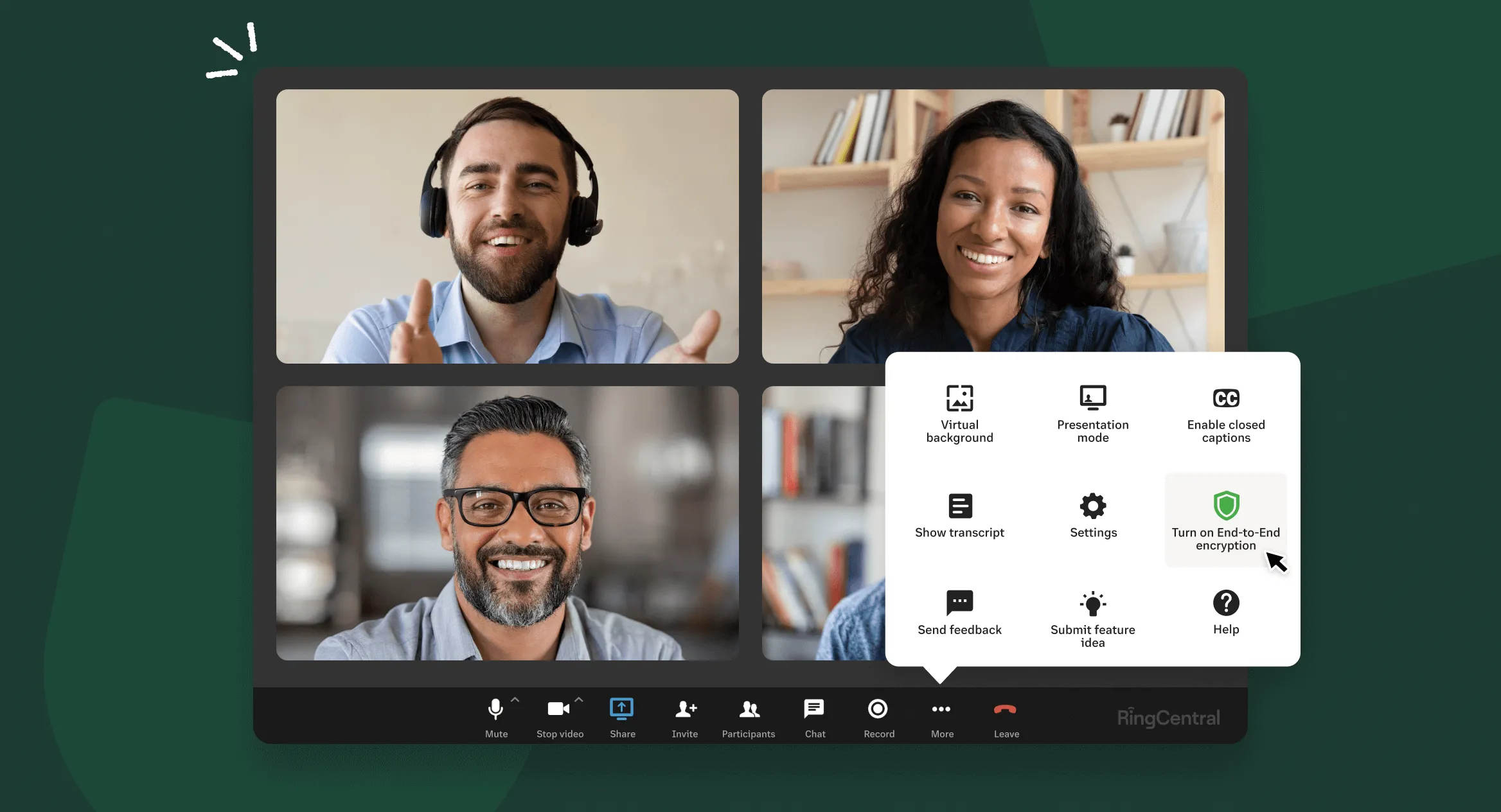
Image source: ringcentral.com
Pros:
- Offers an incredibly robust free plan that includes video recording and AI-powered live transcription.
- Provides industry-leading security as one of the only major platforms offering true End-to-End Encryption.
- Features an easy upgrade path to scale up to RingCentral Webinar for massive events.
Cons:
- Standard video meetings are limited to 200 participants unless you purchase the expensive Webinar subscription.
- The sheer volume of features and menus results in a steep learning curve for new users.
The verdict: RingCentral is best for companies in healthcare, finance, or legal industries that require an exceptionally high level of security. It stands out by offering robust, enterprise-grade compliance features alongside a highly generous free plan.
Pricing:
What to know when considering web conferencing software
When you are actively evaluating platforms to adopt, it is easy to get distracted by flashy marketing or novel features like 3D avatars. However, to make a resilient and cost-effective choice for your business, I always advise leaders to focus on a few foundational elements. Here is what you need to know before making a commitment:
- Evaluate the true : A standalone video app might look inexpensive on paper. However, if that app requires you to purchase separate subscriptions for team messaging, cloud document storage, and project management tools, your software budget will skyrocket. Look closely at unified productivity suites that consolidate these features. Finding a platform that offers multiple collaboration tools under one unified interface can drastically lower your monthly SaaS expenses.
- Understand the reality of "free" plans: Almost every provider offers a free tier, but the restrictions vary wildly. Many heavily gate their usage, cutting your meetings off after 40 minutes or severely limiting your participant count. If you are a growing SME on a tight budget, look for platforms that offer generous, permanently free tiers—like Lark's Starter plan, which includes 11 powerful tools and 100GB of storage for up to 20 users without harsh meeting time limits.
- Consider external friction: Internal meetings are one thing, but how easy is it for a prospective client to join your call? If your software forces external guests to download a heavy desktop client, register for an account, and navigate complex permissions just to say hello, you are introducing unnecessary friction. Prioritize platforms that offer seamless, one-click browser access for external attendees.
- Assess bandwidth optimization: High-definition 4K video is excellent in a corporate office with gigabit internet. But if your remote employees or clients are joining from locations with unstable connections, heavy software will freeze and crash. You need a platform with an intelligent video engine that dynamically scales resolution to maintain stable audio even when bandwidth drops.
- Prioritize post-meeting workflows: The biggest bottleneck in remote work isn't the meeting itself; it is what happens afterward. Consider whether the software helps you capture decisions. Does it offer integrated wikis or ? The ability to turn a live conversation into an automated approval workflow or a tracked OKR is what separates a basic communication tool from a true productivity multiplier.
How unified workspaces outperform standalone web meeting services
The primary flaw in traditional software deployment is treating video conferencing, team chat, and document editing as separate disciplines. A unified productivity suite inherently outperforms a standalone web meeting service because it aligns with how human beings actually work: dynamically and fluidly. When you use a unified workspace, the benefits compound:
- Context retention: When you start a video call from a chat channel, all the files, context, and history are right there. You don't have to spend the first ten minutes of the meeting catching everyone up.
- Centralized search: Finding an old file is notoriously difficult when your stack is fragmented. In a unified system, one search bar queries your chats, , wikis, and cloud docs simultaneously.
- Automated transitions: Standalone apps require manual data entry. In a unified suite, you can set a rule so that when a meeting ends, the notes are automatically filed into your team's knowledge management wiki, and action items are pushed to your .
Conclusion
Choosing the right web meeting app is no longer just about video quality; it is about seamless collaboration. By transitioning from disjointed tools to a unified workspace, your team can eliminate app fatigue and boost productivity. Platforms like offer a compelling, cost-effective way to bring messaging, meetings, and documents together. Evaluate your current software stack, test drive a unified solution, and watch your team's workflow transform. The future of work isn't about having more apps—it’s about having the right ones.
Make your meetings more efficient with Lark
FAQs
What is the best app for online meetings?
The ideal app depends entirely on your workflow and specific business needs. While standalone tools like Zoom excel at large-scale webinars, modern hybrid teams often benefit most from unified productivity suites like Lark. By seamlessly combining HD video meetings, team chat, and real-time cloud document collaboration into one platform, Lark effectively eliminates app fatigue and drastically improves daily efficiency.
Is Webex a free app?
Yes, Webex offers a basic free plan that notably includes high-level end-to-end encryption, which is a rare feature for unpaid tiers. However, this free version is quite restrictive for growing teams, capping group meetings at a strict 40-minute time limit and a maximum of 100 participants. To host longer meetings or access advanced AI transcription features, you must upgrade to a paid subscription.
Is Webex better than Zoom?
Choosing between the two depends on your organizational priorities. Webex is generally considered superior for global enterprises and healthcare organizations that require rigorous, industry-leading security and advanced multi-language accessibility. Conversely, Zoom is widely recognized as better for its overall ease of use, frictionless meeting entry, and highly reliable video quality across varying internet connections.
Is Google Meet free?
Yes, Google Meet (commonly referred to as Google meetings) offers a highly accessible free version for anyone with a standard Google account. The free tier allows you to host group video calls with up to 100 participants for a maximum of 60 minutes per meeting. For extended meeting durations, larger participant caps, and access to premium Gemini AI tools, you will need a paid Google Workspace plan.
Related reading



















![What Is a 2-2-3 Work Schedule? Explanation and More [2026]](https://framerusercontent.com/images/uKHRfkp4v7y4azRNTYUmuteNQz8.png)








