Top 15 Google Drive Alternatives for Storage, Privacy & Collaboration

Ryan Tanner

Product Marketing Specialist

Aug 5, 2026

Ryan Tanner

Product Marketing Specialist

Aug 5, 2026

Try Lark for free
25 min read
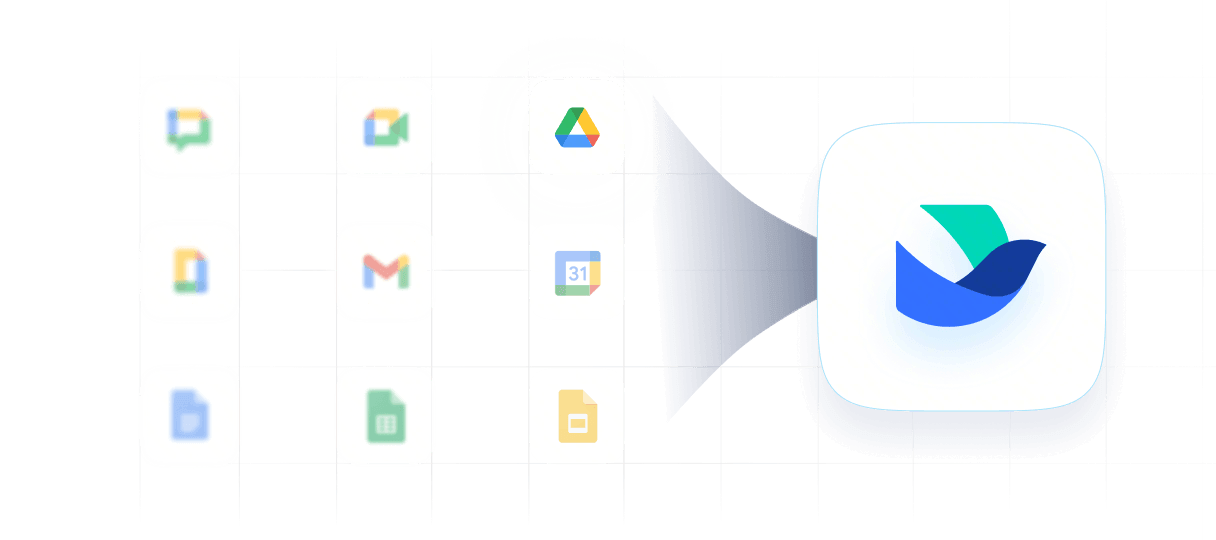
Cloud storage has become central to digital work, and as teams grow and security expectations rise, many users begin exploring Google Drive alternatives that offer more flexibility. While Google Drive remains convenient, its storage limits, pricing, and privacy considerations often prompt individuals and businesses to compare new options. Whether you need end-to-end encryption, self-hosted control, lifetime storage, or a workspace that supports smoother collaboration like Lark, the market now offers strong choices.
This guide highlights 15 alternatives and breaks down their features, usability, security, and pricing, so you can evaluate which platform fits your needs—whether you're a solo creator, privacy-focused user, or growing team.

Key takeaways: Best Google Drive alternatives at a glance

1. Lark: Best for unified file storage and team collaboration
2. Dropbox: Best for simple cloud storage and fast syncing
3. Microsoft OneDrive: Best for Windows and Microsoft 365 users
4. Box: Best for enterprise-grade security and file governance
5. pCloud: Best for lifetime cloud storage and media-friendly features
6. Sync.com: Best for privacy-first storage with zero-knowledge protection

See new options and move ahead with confidence

Overview snapshot: Best top alternatives to Google Drive

Top 5 tools
Best for
Key strengths
Pricing plans (USD/annual)
Lark
Unified file storage + full team collaboration
All-in-one workspace: real-time Docs, database/workflows (Base), Tasks, Messenger, Mail, Calendar, Meetings, Approvals, OKRs — reduces tool-switching
Starter: Free (up to 20 users)
Basic: $6/user/mo
Pro: $12/user/mo
Enterprise: custom pricing
Dropbox
Simple cloud storage & fast syncing
Folder-based interface, reliable sync across devices, easy sharing, version history
Plus: $9.99/mo
Standard: $15/mo
Professional: $16.58/mo
Advanced: $24/mo
Enterprise: custom
Microsoft OneDrive (via Microsoft 365)
Windows/Microsoft-ecosystem users
Native integration with Windows & Office, automatic backup/sync, file versioning
Personal: $9.99/mo
Family: $12.99/mo
Box
Enterprise-grade security & file governance
Advanced permissions, workflow automation, secure sharing, compliance/audit tools
Business: $15/mo
Business Plus: $25/mo
Enterprise: $35/mo
Enterprise Plus: $50/mo
pCloud
Flexible cloud storage + media-friendly use
Optional client-side encryption, “virtual drive”, media streaming & file recovery
500 GB plan: $49.99/yr
2TB plan: $99.99/yr
10TB: $199.99/yr
Information source: Official vendor sites
Update time: 2025-11-28
Note: Pricing and plan details reflect publicly available data as of the update date and may vary based on region, billing cycle, and number of agents.

Why people look for Google Drive alternatives today

Many individuals and businesses are now reassessing their cloud storage needs as digital work expands, security expectations increase, and collaboration becomes more complex. Relying on a single storage provider can feel limiting, especially when teams need greater flexibility, stronger privacy controls, and more predictable costs. As these needs evolve, users begin exploring alternatives to Google Drive that better align with changing workflows and organizational structures. This shift is driven not only by dissatisfaction, but also by a desire to find tools that better support modern productivity. With more platforms offering specialized features, teams now have a broader ecosystem to explore.
  • Storage limits and pricing: Users often start searching for the best Google Drive alternatives due to rising storage demands and the incremental costs of upgrading storage. Google Drive's tiers may feel restrictive to content creators, remote teams, or businesses handling large media files. As data grows faster than expected, people look for platforms with more flexible storage models. Some providers offer lifetime plans, which reduce long-term expenses. Others, such as those following the model of Google Workspace pricing, present clearer, more predictable pricing structures.
  • Privacy preferences and encryption needs: A growing number of users want cloud services that prioritize privacy, especially those who manage sensitive documents or prefer stronger encryption than what mainstream tools provide. This is why many seek free alternatives to Google Drive that include zero-knowledge protection or stronger data custody guarantees. These platforms appeal to users who value confidentiality above convenience. Enhanced security settings help protect personal and professional data more effectively. For these reasons, encryption-focused services continue gaining momentum.
  • Business workflow requirements: As organizations scale, they need cloud platforms that do more than store files—they need tools that support operational consistency. Many teams explore alternatives to Google Drive because they need workflow automation, structured collaboration spaces, and project tracking that integrate with daily processes. Basic file syncing often falls short for businesses managing multiple departments or long-running initiatives. Platforms designed around workflows rather than simple storage become more attractive. This shift is evident in distributed or rapidly growing teams.
  • Need for advanced permissions or governance: Companies handling confidential documentation require detailed access controls, activity logs, and governance features that go beyond basic sharing settings. This leads many to evaluate the best Google Drive alternatives that offer stricter compliance tools and customizable permission layers. Businesses want clarity around who can view, edit, or share sensitive data. Advanced audit trails help organizations stay compliant with internal rules and industry regulations. Governance-oriented platforms become essential as teams expand.
  • Desire for open-source or self-hosted control: Certain users and organizations want complete control over where their data lives, how it is stored, and who can access it. This encourages them to look for free, self-hosted, or open-source alternatives to Google Drive, giving them greater independence from commercial providers. These platforms appeal to IT teams that want customization, transparency, and private hosting environments. Control over security settings provides additional confidence for regulated industries. Self-hosted ecosystems also allow deeper integration with internal tools and systems.

Explore your options and take the next step forward

15 Best Google Drive alternatives for teams and businesses

1. Lark: Best for unified file storage and collaborative document platform

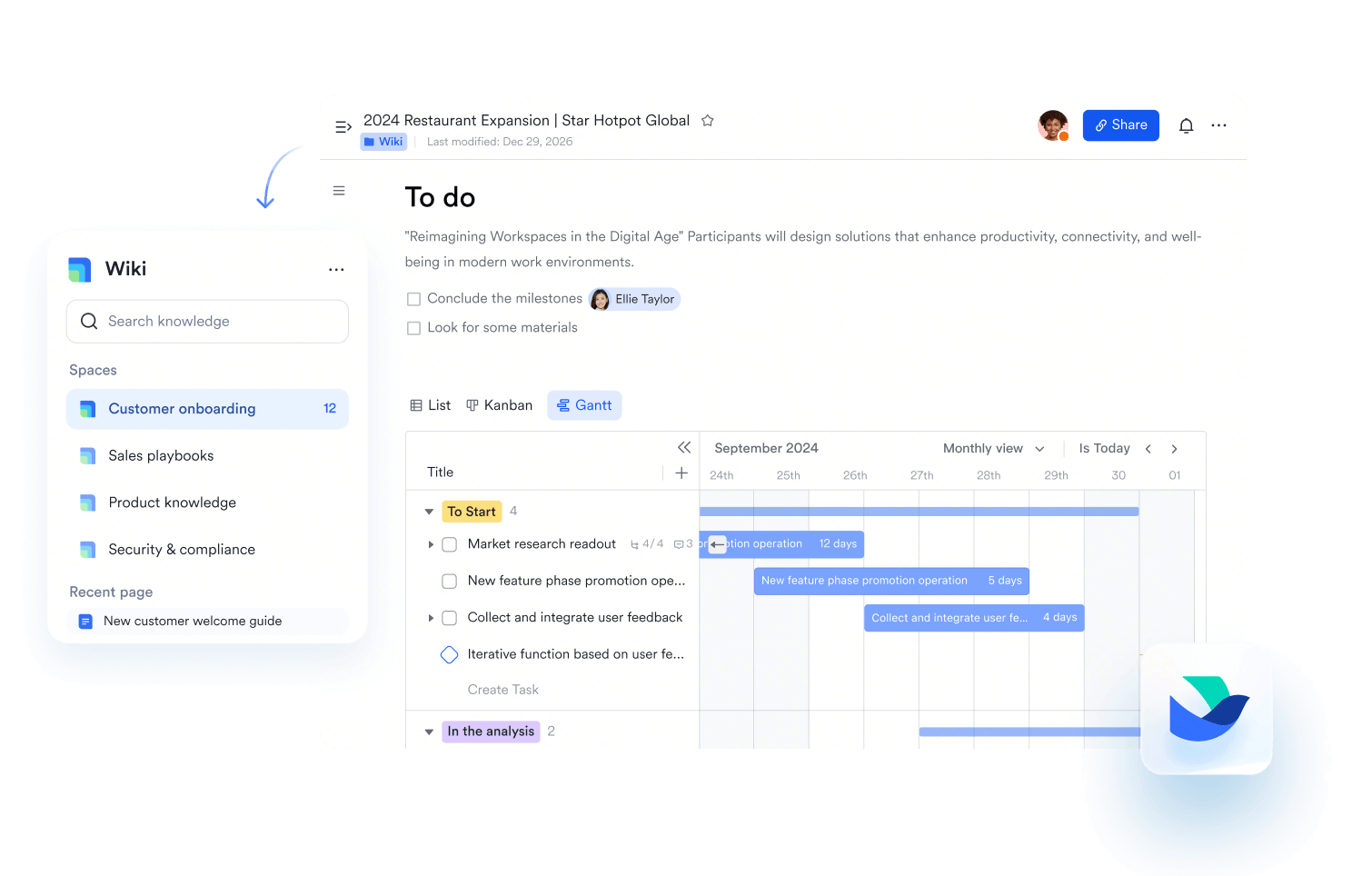
Lark is a modern alternative to Google Drive, offering cloud-based file storage, real-time collaboration, and powerful organizational tools. Beyond simple file storage, Lark enables teams to create, edit, and manage documents seamlessly in one platform. With granular permissions, version control, and intelligent search, Lark ensures your files are secure, easy to find, and accessible across devices—making it a comprehensive solution for team productivity.
Unified file storage and collaborative document platform
Accessible & generous file storage
Lark offers generous storage to support team collaboration. On its Starter plan, up to 20 users receive 100 GB of free shared storage, covering Lark Docs, Messenger, Mail, and Minutes etc. This unified storage lets teams store, access, and manage a wide range of content in one convenient place without worrying about running out of space.
Safe sharing and permission controls
Lark offers granular permission controls to keep your files secure. You can grant view, edit, or manage rights to individual users, groups, or entire departments. Administrators can control external sharing, allowing it only with trusted parties if needed. Link sharing can be limited to collaborators or customized per document. Permissions also inherit from parent folders, but stricter controls can be applied, with a lock icon indicating restricted access.
Instant sharing and permission controls
Cross-device file sync & cloud storage
Lark makes file access effortless across devices. Files shared in group chats in Lark Messenger are instantly available to open or download anywhere you log in. All documents created in Lark—whether Docs, Sheets, Base, MindNotes, or Slides—are automatically stored in the cloud and stay synced across your devices. For organizations, directory sync tools keep data consistent across systems without manual effort. Together, these features provide smooth, reliable access to your files wherever work happens.
Real-time collaboration & editing
Lark Docs enables true real-time collaboration, allowing multiple users to view and edit documents simultaneously with automatic cloud saving. Team members can @mention colleagues, leave inline comments, suggest edits, and interact directly inside documents without sending files back and forth. Synced blocks ensure information remains consistent across multiple documents by updating all linked content automatically whenever a change is made. Lark Docs also supports rich content types, including images, tables, videos, code blocks, embeds, and checklists, making it easy to create comprehensive project documentation, meeting notes, standard operating procedures, and collaborative knowledge bases.
Real-time collaboration & editing
File versioning & history + recovery
Lark's version control keeps your files organized and trackable. When you upload a new version, previous versions are preserved in edit history, and only files of the same type can replace the original. You can view past versions by clicking the Edit History icon, and easily restore any version with a single click—creating a new record to track the restoration. All updates and restorations are logged for full transparency. File owners or users with manage/edit permissions can upload, view, restore, download, or delete versions as needed.
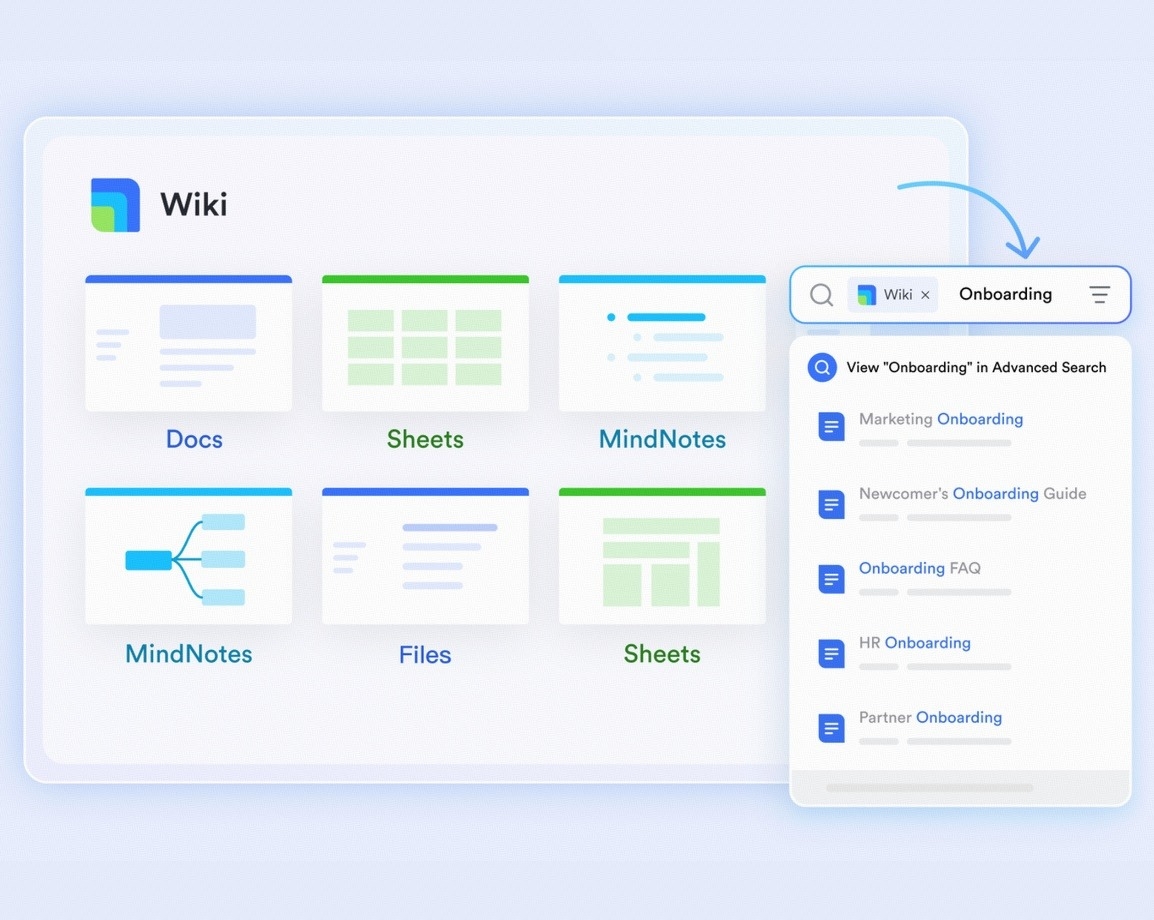
Robust search and file-management tools
Lark provides powerful search and file-management tools to keep your work organized and accessible. You can quickly find files, documents, or messages across chats, Docs, Sheets, and Slides with intelligent search filters. Folders and tags help organize content for easy navigation, while sorting and filtering options let you locate what you need in seconds. Permissions and sharing settings are integrated directly, ensuring secure and efficient file management across your team.
Robust search and file-management tools
  • Starter plan: Free forever plan that includes 11 powerful tools for up to 20 users. It also comes with 100GB of storage, 1000 automation runs, AI translations, and more.
  • Basic plan: $6/user/month (billed annually) for up to 500 users. It includes everything in Starter plus group calling for up to 500 attendees, 5TB of storage, 1000 automation runs, and more. For more details, please contact sales.
  • Pro plan: $12/user/month (billed annually) for up to 500 users. It includes everything in Basic plus group calling for up to 500 attendees, 15TB of storage, 50,000 automation runs, and more.
  • Enterprise plan: Contact sales for custom pricing. Supports unlimited users and includes even more automation runs and advanced security, compliance, and management features.
Starter
Pro
Enterprise

Starter

For small teams with simple communication needs

$0

/ user / month

Try for free

No credit card needed

20 users max
18 months message history
1-on-1 video meetings
100 GB storage
Lark Docs & Mail
1000 Base automation runs/month
2000 rows per table in Base

Pro

For companies with comprehensive collaboration and management needs

$12

/ user / month

Billed annually

500 users max
Unlimited message history
500-participant video meetings
15 TB storage
Lark Docs & Mail
50k Base automation runs/month
20k rows per table in Base

Enterprise

For large companies with advanced security and organizational management needs

Get a personalized demo and pricing

Unlimited users
Unlimited message history
500-participant video meetings
15 TB storage + 30 GB storage/user
Lark Docs & Mail
500k Base automation runs/month
50k Base automation runs/month
Single sign-on (SSO)

Pro

For companies with comprehensive collaboration and management needs

$12

/ user / month

Billed annually

500 users max
Unlimited message history
500-participant video meetings
15 TB storage
Lark Docs & Mail
50k Base automation runs/month
20k rows per table in Base

2. Dropbox: Best for simple cloud storage and fast syncing

Dropbox offers a straightforward, reliable cloud storage service that many people and teams trust for everyday files, media, and sharing. It focuses on ease of use and speed: once installed, it automatically keeps everything in sync across devices, so you don't need to worry about manual uploads or file version issues. For users who value simplicity over complex workflows, Dropbox delivers a familiar folder-based interface that feels like working on your local drive — but accessible anywhere. Its sharing and sync tools make file access seamless, whether you're on a phone, laptop, or desktop. For many, it's one of the best Google Drive alternatives when you prioritize syncing reliability and convenience over advanced collaboration features.
Dropbox is the best for simple cloud storage and fast syncing
Image source: dropbox.com
Key features:
  • Fast and reliable cross-device syncing: add or modify a file on one device, and it updates everywhere automatically.
  • Familiar folder-based interface that mirrors your computer's file system — no new paradigm to learn.
  • Seamless file sharing: generate shareable links, grant access to others, and share large files with ease.
  • Version history and recovery: recover deleted files or revert to earlier versions (depending on plan).
Pros:
  • Very easy to use and intuitive — suitable even for non-technical users or individuals unfamiliar with cloud storage.
  • Syncing is fast and dependable, ideal for those working across multiple devices or collaborating remotely.
  • Sharing and access control are simple, making it easy to give others access without complicated setups.
Cons:
  • Free storage is limited (only 2 GB), which may quickly become insufficient for users with large files or frequent backups.
  • Collaboration features are basic compared to full-fledged collaboration suites — they lack built-in document editing and task coordination.
Pricing:
  • Plus plan: $9.99/month (billed annually).
  • Standard plan: $15/month (billed annually).
  • Professional plan: $16.58/month (billed annually).
  • Advanced plan: $24/month (billed annually).
  • Enterprise plan: Custom pricing.

3. Microsoft OneDrive: Best for Windows and Microsoft 365 users

OneDrive offers seamless integration with Windows and a deep connection with Microsoft's productivity tools, making it a reliable choice for users entrenched in the Microsoft ecosystem. Whether you're saving files directly from Word, Excel, or PowerPoint, or relying on automatic backups and syncing across devices, OneDrive keeps your data accessible and synced without extra fuss. For many Windows users, it feels as if cloud storage is built into the operating system itself. Its tight integration with Office apps makes collaboration easy for teams using Microsoft 365. As one of the best Google Drive alternatives for Windows-centric workflows, OneDrive balances ease, integration, and convenience.
Microsoft OneDrive is for Windows and Microsoft 365 users
Image source: microsoft.com
Key features:
  • Native integration with Windows File Explorer, so cloud files appear alongside local files — easy to access without launching a separate app.
  • Automatic backup of Desktop, Documents, Pictures (and other user-selected folders) to cloud storage to protect important personal or work data.
  • Deep compatibility with Microsoft Office apps: Word, Excel, and PowerPoint automatically link to cloud storage and support version history and shared editing.
  • File versioning and recovery — track changes over time, revert to older versions if needed, and recover deleted files.
Pros:
  • Highly convenient for users who already use Windows and Microsoft 365 — feels like part of the OS.
  • Integration with Office apps provides smooth document editing, sharing, and collaboration without extra tools.
  • Consistent cross-device experience ensures you can access files from anywhere on any device.
Cons:
  • Privacy and encryption protections are not as strong as zero-knowledge alternatives — some users may prefer more secure storage for sensitive data.
  • Best experience is limited to users within the Microsoft ecosystem; cross-platform users may face limitations.
Pricing:
  • Microsoft 365 Personal: $9.99/month (billed annually).
  • Microsoft 365 Family: $12.99/month (billed annually).

4. Box: Best for enterprise-grade security and file governance

Box is designed for businesses and organizations — particularly those that need secure, governed storage and collaboration across teams, departments, and external partners. Rather than focusing solely on simple file storage, Box prioritizes control, compliance, and administrative oversight to help companies manage data safely. For teams that handle sensitive documents or require structured access and governance, Box is one of the best Google Drive alternatives in the enterprise cloud space, blending security and collaboration.
Box is for enterprise-grade security and file governance
Image source: box.com
Key features:
  • Advanced permission controls that allow fine-grained management of who can view, edit, or share specific files or folders, giving administrators strong governance over data access.
  • Workflow automation, enabled by features like Box Relay, allows teams to create automated approval processes, content review cycles, and organized document workflows.
  • Secure external collaboration capabilities that let organizations safely share content with partners, clients, or vendors — while maintaining control over access and activity.
  • Robust audit logs and activity tracking so administrators can monitor user actions, document versions, sharing history, and compliance-related events.
Pros:
  • Strong security and governance tools are ideal for enterprises, regulated industries, and teams handling sensitive data.
  • Fine-tuned permission settings that help maintain data access hygiene and limit risks associated with sharing or leaks.
  • Efficient external collaboration while retaining control — helpful when working with partners or third parties.
Cons:
  • User experience and interface complexity may be overwhelming for small teams or non-technical users.
  • Less suited for casual usage or simple personal storage — more enterprise-oriented than consumer-friendly.
Pricing:
  • Business plan: $15/month (billed annually).
  • Business plus plan: $25/month (billed annually).
  • Enterprise plan: $35/month (billed annually).
  • Enterprise plus plan: $50/month (billed annually).

5. pCloud: Best for lifetime cloud storage and media-friendly features

pCloud is a versatile cloud storage service known for offering both subscription and lifetime plans, giving users long-term flexibility without being locked into recurring payments. It blends simple file storage with optional client-side encryption and robust media streaming, making it useful for personal users, freelancers, and creators. As one of the more flexible Google Drive alternatives, pCloud appeals to anyone seeking a balance between affordability, security, and ease of use. Its clean interface, multi-device support, and robust file-management features make it an efficient solution for everyday storage and media access.
pCloud is for lifetime cloud storage and media-friendly features
Image source: pcloud.com
Key features:
  • Provides a generous free storage allocation paired with smooth onboarding, giving new users a comfortable entry point while offering enough space for initial backups, documents, and media files without needing to upgrade immediately.
  • Offers an optional client-side encryption module that ensures files are encrypted before they leave your device, giving you complete control over access and enhancing privacy for sensitive information that requires maximum confidentiality.
  • Includes a virtual drive that behaves like a local disk without consuming actual device storage, allowing you to access, upload, and organize cloud files as if they were stored on your computer, even though they remain hosted remotely.
  • Supports strong file recovery and version history, enabling users to restore deleted content, roll back accidental edits, and maintain accurate file progress across projects and teams over extended periods.
Pros:
  • Offers flexible storage plans that include both recurring subscriptions and lifetime one-time payments, giving users long-term cost control and better financial predictability when compared to monthly billing models.
  • Optional zero-knowledge encryption significantly enhances security by ensuring only you can decrypt your protected files, providing peace of mind for users who prioritize privacy or handle confidential documents.
  • The virtual drive helps save physical disk space on devices with limited storage while still offering quick access to all cloud-stored content through a familiar, file-system-like interface.
Cons:
  • Complete privacy protection requires purchasing the separate encryption add-on, meaning the most secure features are not included in the free or basic plans, which may disappoint users expecting built-in zero-knowledge security.
  • Although the free storage tier is helpful, it may not be sufficient for users with heavy media requirements, significant backup needs, or long-term multi-device workflows that demand more consistent storage availability.
Pricing:
  • Premium 500GB: $49.99/year (billed annually).
  • Premium Plus 2TB: $99.99/year (billed annually).
  • Ultra 10TB: $199.99/year (billed annually).

6. Sync.com: Best for privacy-first storage with zero-knowledge protection

Sync.com is widely regarded as one of the strongest privacy-focused cloud storage options for individuals, freelancers, and teams who prioritize security above all else. Unlike many mainstream cloud platforms, Sync.com is built around zero-knowledge encryption, meaning only you can access your files — not the company, not third parties, and not integrated apps. This approach makes it highly appealing to users seeking serious alternatives to Google Drive that eliminate concerns about data scanning or unauthorized access. Its interface remains familiar and straightforward, giving you strong privacy without sacrificing usability. Whether you're storing confidential documents, client files, or personal archives, Sync.com offers the reassurance of complete encryption by default.
Sync.com is for privacy-first storage with zero-knowledge protection
Image source: sync.com
Key features:
  • Built with zero-knowledge, end-to-end encryption that ensures all files are encrypted locally before uploading, giving users maximum privacy and control without needing any technical setup or additional plug-ins.
  • Provides secure file-sharing tools, including password-protected links, download limits, link expiry dates, and restricted access options, allowing users to share sensitive content without compromising confidentiality.
  • Offers a secure vault area that stores files without syncing them to devices, enabling safe long-term archiving for confidential records, large media, or files users want available only in the cloud.
  • Includes file version history and comprehensive recovery capabilities that let users restore earlier versions, retrieve deleted files, and maintain safer project continuity in case of mistakes or accidental removals.
Pros:
  • Offers one of the strongest privacy and security models among cloud storage services, making it ideal for users handling legal, financial, medical, or confidential personal data.
  • All encryption is handled automatically with no user configuration required — making security effortless even for non-technical individuals.
  • Sharing settings are incredibly detailed, enabling safe collaboration without losing visibility or control over who accesses files and how they use them.
Cons:
  • Syncing speeds can be slower than non-encrypted platforms because every file must be encrypted before uploading and decrypted when accessed.
  • Lacks real-time co-editing, integrated team workspaces, and productivity tools found in collaboration-focused platforms; Sync.com is strictly storage and secure sharing.
Pricing:
  • Teams standard plan: $3/user/month (billed annually).
  • Teams unlimited plan: $7.50/user/month (billed annually).
  • Enterprise plan: Custom pricing.

7. Mega: Best for generous free storage and encrypted sharing

Mega is one of the most recognizable cloud storage platforms for users who want a large free storage allowance combined with strong built-in encryption. Its visually clean interface, straightforward sharing tools, and privacy-first positioning make it appealing to individuals, students, freelancers, and small teams. Mega is especially popular among users looking for free alternatives to Google Drive with a large initial storage allowance and automatic encryption, requiring no technical knowledge. With robust mobile apps, backup capabilities, and secure messaging, Mega offers a multi-purpose environment that blends cloud storage with privacy-centric communication.
Mega is the best for generous free storage and encrypted sharing
Image source: mega.com
Key features:
  • Provides a significantly larger free storage tier compared to most mainstream cloud platforms, giving users ample space for photos, videos, documents, and personal backups without needing to upgrade early.
  • Offers default end-to-end encryption for all uploaded files, ensuring data is encrypted on the user's device before transfer and protecting against unauthorized access or data exposure.
  • Includes built-in encrypted chat and calling features that let users communicate securely within the same ecosystem, creating an all-in-one environment for privacy-conscious individuals or small teams.
  • Supports multi-device backup options that let users sync folders across desktops, laptops, and mobile devices, ensuring seamless access and consistent updates across platforms.
Pros:
  • One of the most extensive free storage offerings on the market makes it appealing to users who want substantial space without an immediate financial commitment.
  • Encryption is automatic and always enabled, ensuring private and confidential file handling without any additional tools or configuration steps required.
  • Offers built-in encrypted communication features that allow secure messaging and calling, adding extra value for those who want both storage and privacy-friendly communication.
Cons:
  • Transfer quotas limit how much users can upload or download within specific periods, especially on the free tier, which can slow down heavy usage.
  • Encryption keys must be kept safe by the user; losing them may permanently prevent access to stored content.
Pricing:
  • Pro lite plan: $5.67/month (billed annually).
  • Pro I plan: $11.36/month (billed annually).
  • Pro II plan: $22.73/month (billed annually).
  • Pro III plan: $34.10/month (billed annually).

8. Tresorit: Best for high-security file management and compliance needs

Tresorit is built for users and organizations that place security, compliance, and controlled collaboration at the center of their workflows. Unlike general-purpose storage platforms, Tresorit focuses intensely on protecting confidential information through strict end-to-end encryption and enterprise-grade controls. This makes it highly appealing for legal firms, healthcare providers, financial services teams, and privacy-focused businesses that cannot afford data leaks or unauthorized access. As one of the strongest alternatives to Google Drive for regulated industries, Tresorit prioritizes encryption, permission governance, and oversight rather than mass-market convenience. Its interface remains polished and professional, giving users a secure environment without sacrificing usability.
Tresorit is for high-security file management and compliance needs
Image source: tresorit.com
Key features:
  • Uses end-to-end encryption for every file and folder by default, ensuring that only authorized users can decrypt and view content, making it ideal for handling sensitive documents requiring protected storage and transmission.
  • Provides detailed permission controls for granular collaboration, letting admins determine who can upload, modify, download, forward, or share specific files, enabling precise oversight in multi-team environments.
  • Includes compliance-ready features designed for industries with strict data-handling rules, offering capabilities that support GDPR, HIPAA, and other regulatory standards to help organizations maintain consistent auditability.
  • Supports secure sharing options with password protection, link expiration, and access restrictions, making it safe to collaborate with clients, partners, or teammates without risking exposure of confidential data.
Pros:
  • One of the strongest security-first cloud platforms available, making it highly suitable for organizations that handle confidential, regulated, or legally sensitive data.
  • Enforced encryption ensures that no unauthorized party — including the service provider — may access files, giving users complete confidence in the confidentiality of their data.
  • Permission controls and sharing settings are incredibly detailed, enabling tight control over every interaction with stored files.
Cons:
  • Pricing is higher than that of typical consumer-focused storage platforms, which may not suit casual users or small teams with basic needs.
  • Does not include real-time co-editing or collaborative document tools, making it less suitable for teams requiring dynamic, integrated workflows.
Pricing:
  • Personal lite plan: $4.75/month (billed annually).
  • Personal essential plan: $11.99/month (billed annually).
  • Personal pro plan: $27.49/user/month (billed annually).

9. Proton Drive: Best for encrypted personal and business file storage

Proton Drive is designed for users who want strong privacy without sacrificing simplicity. Built by the creators of Proton Mail and Proton VPN, the platform brings a security-first mindset to cloud storage, ensuring every file is encrypted before it leaves your device. Proton Drive appeals to individuals, freelancers, activists, researchers, and privacy-conscious users who want a trustworthy, Switzerland-based service that prioritizes data rights. As one of the best Google Drive alternatives for privacy, Proton Drive offers a clean interface, smooth syncing, and secure sharing features while staying true to a zero-access philosophy. It provides reliable protection without requiring technical expertise.
Proton Drive is for encrypted personal and business file storage
Image source: proton.com
Key features:
  • Uses end-to-end encryption for all files and metadata, ensuring only the user can decrypt them and preventing the provider from viewing stored content.
  • Provides secure sharing links that preserve encryption, ensuring recipients can access shared files safely while preventing unauthorized forwarding or interception.
  • Stores data in privacy-friendly jurisdictions with strong data protection laws, giving users greater confidence in compliance and in their sovereignty over their stored information.
  • Supports multi-device syncing across desktop and mobile environments, letting users access encrypted files seamlessly at home, work, or on the go.
Pros:
  • Strong encryption and zero-access architecture make it ideal for users who prioritize privacy above mainstream convenience.
  • A clean, modern interface ensures high security without overwhelming users, delivering a smooth experience similar to familiar cloud platforms.
  • Encrypted sharing mechanisms enable safe collaboration without weakening privacy standards, making them useful for both personal and professional exchanges.
Cons:
  • Collaboration features remain limited — no real-time multi-user editing or teamwork-focused tools compared to more workspace-oriented platforms.
  • Storage tiers on lower plans may feel restrictive for users with large media libraries or heavy file-management needs.
Pricing:
  • Proton drive plus plan: $2.49/month (billed annually).
  • Proton unlimited plan: $6.49/month (billed annually).
  • Proton duo plan: $14.99/month (billed annually).

10. Nextcloud: Best open-source, self-hosted Google Drive alternative

Nextcloud is a powerful open-source platform designed for users and organizations who want complete control over their data. Instead of relying on third-party servers, Nextcloud lets you host your files on your own infrastructure — either a home server, office hardware, or cloud provider of your choice. This makes it one of the most appealing alternatives to Google Drive for privacy-focused teams, IT departments, educational institutions, and organizations with strict compliance rules. Beyond simple file storage, Nextcloud offers apps for collaboration, messaging, calendars, task management, and more, allowing teams to build a customizable workspace tailored to their specific operational needs.
Nextcloud is an open-source, self-hosted Google Drive alternative
Image source: nextcloud.com
Key features:
  • Fully self-hosted structure that gives users complete autonomy over where data is stored, how it is accessed, and who can control it, making it ideal for environments where data sovereignty is critical.
  • Supports a robust plugin ecosystem of hundreds of apps that extend functionality into messaging, spreadsheets, document editing, project tracking, and workflow tools, making it highly adaptable.
  • Provides strong user and admin permission controls that allow organizations to define access rules, audit usage, enforce policies, and maintain structured governance across departments.
  • Offers powerful syncing across devices via desktop and mobile clients so that teams can access, upload, and update files seamlessly on Windows, macOS, Linux, iOS, and Android.
Pros:
  • Total data ownership gives organizations confidence that no external provider can access, analyze, or store their information.
  • Highly customizable — teams can install only the features they need, resulting in a tailored experience rather than a one-size-fits-all platform.
  • Integrates deeply with the company's existing infrastructure, making it easier to build internal workflows, compliance systems, and tailored departmental solutions.
Cons:
  • Requires technical skills to install, configure, maintain, and secure — not a simple plug-and-play option for casual users.
  • Hardware and hosting costs vary depending on deployment size, meaning users must manage servers, storage, updates, and troubleshooting.
Pricing:
  • Enterprise subscription: Custom pricing.
  • Hosting costs vary depending on whether you use your own hardware or rent cloud servers.

11. ownCloud: Best for flexible, customizable self-hosted file platforms

ownCloud is a well-established open-source platform that gives organizations complete control over their data while providing cloud-like storage, syncing, and sharing capabilities. It appeals to businesses, universities, government agencies, and privacy-conscious users who want to avoid placing data on third-party servers. Like Nextcloud, ownCloud allows complete customization and integrates into existing IT environments, making it one of the strongest Google Drive alternatives for teams that require autonomy, transparency, and infrastructure control. With its modularity, encryption support, and hybrid storage options, ownCloud helps teams build a secure, scalable system tailored to their internal processes.
ownCloud is for flexible, customizable self-hosted file platforms
Image source: owncloud.com
Key features:
  • Offers a self-hosted architecture that lets users store files on their own servers or trusted infrastructure providers, enabling complete control over data governance, residency, and security standards.
  • Provides powerful syncing tools with desktop and mobile clients, ensuring files remain up to date across Windows, macOS, Linux, iOS, and Android devices without relying on public cloud providers.
  • Includes modular extensions that allow teams to activate features such as workflow automation, collaborative editing (via Collabora or OnlyOffice), encryption modules, and improved metadata handling.
  • Ensures secure file-sharing with password protection, expiration dates, permission controls, and encrypted transfers, helping organizations maintain strict access oversight.
Pros:
  • Full ownership of data offers maximum privacy, making it ideal for organizations with regulatory or internal compliance requirements.
  • Highly customizable thanks to modules and APIs, enabling IT teams to tailor workflows, data structures, and integrations to their specific environment.
  • Hybrid deployment options make it practical for organizations transitioning from on-premises to the cloud or requiring mixed environments across different departments.
Cons:
  • Requires technical expertise to install, configure, secure, and maintain, making it less suitable for users seeking ready-made cloud storage.
  • Advanced collaborative features require third-party integrations, adding extra steps and complexity to setup.
Pricing:
  • Enterprise subscription: Custom pricing.
  • Hosting costs vary depending on whether you use your own hardware or rent cloud servers.

12. Zoho WorkDrive: Best for team folders and business file organization

Zoho WorkDrive is built for businesses that want structured, team-oriented file management rather than simple personal cloud storage. Unlike consumer cloud platforms that focus mainly on individual folders, WorkDrive organizes content around teams, departments, and shared spaces, making it ideal for growing organizations with multi-layered collaboration needs. It offers strong access controls, team-specific workspaces, audit logs, and security features that help managers maintain consistent file governance. As one of the best Google Drive alternatives for businesses already using productivity or CRM software, WorkDrive integrates naturally into professional workflows and supports smooth cross-team collaboration.
Zoho WorkDrive is for team folders and business file organization
Image source: zoho.com
Key features:
  • Provides team-based folder structures that enable entire departments, project groups, or functional units to collaborate within shared workspaces, making it easier for organizations to maintain consistent file organization.
  • Offers activity tracking and detailed file insights that allow managers to monitor who viewed, edited, or shared documents, helping teams understand engagement and maintain accountability.
  • Includes secure external sharing options with granular permission controls, password protection, expiry settings, and link-based access rules to protect sensitive business information.
  • Supports built-in collaboration tools, including file previews, comments, annotation features, and document history, helping teams streamline internal communication.
Pros:
  • Ideal for structured organizations because its team folder system mirrors real business structures and department workflows.
  • Strong integration with Zoho's larger suite makes WorkDrive especially beneficial for teams already using Zoho's CRM, project management, or support tools.
  • Offers clear visibility into activity, file usage, and collaboration patterns, improving oversight for managers and team leads.
Cons:
  • Best suited for businesses; individual users may find the interface too work-oriented and less intuitive for personal storage.
  • Real-time co-editing is limited to integrated apps and may feel less fluid than platforms built for dynamic, real-time collaboration.
Pricing:
  • Starter plan: $2.50/user/month (billed annually).
  • Team plan: $4.50/user/month (billed annually).
  • Business plan: $9/user/month (billed annually).

13. Apple iCloud Drive: Best for Apple ecosystem users and device backups

Apple iCloud Drive is designed for individuals and teams deeply embedded in the Apple ecosystem, offering seamless syncing across iPhones, iPads, and Macs. It focuses on simplicity, device continuity, and automated backup, making it especially appealing for users who rely heavily on Apple devices for work and personal use. As one of the most convenient alternatives to Google Drive for Apple users, iCloud Drive integrates seamlessly with apps like Notes, Pages, Keynote, and Photos while keeping all content synced in the background. It emphasizes minimal setup, strong device-level security, and effortless access across Apple hardware.
Apple iCloud Drive is for Apple ecosystem users and device backups
Image source: apple.com
Key features:
  • Provides automatic syncing across all Apple devices, ensuring files, photos, messages, and app data stay up to date in real time without manual folder management or repeated uploads.
  • Includes full-device backup features for iPhones and iPads, allowing users to restore their entire setup — from settings to apps to media — with a single tap on any new or reset device.
  • Integrates deeply with native Apple applications such as Pages, Numbers, Keynote, Notes, and Photos, enabling seamless editing, saving, and collaboration without leaving the Apple environment.
  • Provides strong device-level encryption and secure keychain management to protect stored data, benefiting users who want privacy without having to handle technical settings.
Pros:
  • Best cloud storage experience for Apple users because it integrates naturally with the ecosystem, requiring no extra apps or complicated setup.
  • Automated backups make device transitions effortless, enabling users to quickly and reliably restore their entire digital environment.
  • Collaboration features inside Apple apps are simple, streamlined, and ideal for small teams, students, and families who rely on native tools.
Cons:
  • Limited usefulness for Windows or Android users, as many features work best—or even exclusively —within Apple's hardware ecosystem.
  • Collaboration outside Apple-native formats feels restricted, especially when working with users in non-Apple environments.
Pricing:
  • 50GB plan: $0.99/month (billed annually).
  • 200GB plan: $2.99/month (billed annually).
  • 2TB plan: $9.99/month (billed annually).

14. Internxt: Best for privacy-focused and eco-friendly cloud storage

Internxt is a modern cloud storage platform built around two core principles: privacy and sustainability. Designed for users who want simple, secure, and ethical cloud storage, Internxt uses strong zero-knowledge encryption and decentralized infrastructure to protect files before they leave your device. It also positions itself as an environmentally conscious alternative to traditional cloud providers by emphasizing green hosting initiatives. Internxt is an appealing choice for individuals, students, freelancers, and small teams who prefer lightweight tools and strongly value data privacy. As an emerging alternative to Google Drive, it offers a minimalist interface and privacy-first technology.
Internxt is for privacy-focused and eco-friendly cloud storage
Image source: internxt.com
Key features:
  • Provides full zero-knowledge, end-to-end encryption for all uploaded content, ensuring that only the user can decrypt stored files and no third party — including the provider — can access their data.
  • Utilizes a decentralized storage architecture that distributes encrypted file fragments across multiple nodes, enhancing both privacy and resilience while reducing reliance on centralized data centers.
  • Offers secure sharing options with protected links, controlled access settings, and encrypted transfers, helping users share sensitive information without exposing files to unauthorized viewers.
  • Includes simple mobile and desktop apps for file storage, photo management, and backups, ensuring a clean user experience with minimal technical complexity.
Pros:
  • Firm privacy commitments make it ideal for users who want a secure storage service without sacrificing simplicity or ease of use.
  • Decentralized storage architecture adds an extra layer of protection compared to conventional centralized cloud services.
  • The clean, minimalist interface is easy to navigate, especially for users who prefer a lighter, distraction-free design.
Cons:
  • Collaboration tools are minimal—no real-time editing or integrated workspace features —which limits their usefulness for business teams.
  • Syncing speeds may vary depending on distributed storage performance, making it less consistent than traditional cloud platforms.
Pricing:
  • Essential plan: $33/year (billed annually).
  • Premium plan: $66/year (billed annually).
  • Ultimate: $99/year (billed annually).

15. Koofr: Best for multi-cloud connections and clean file organization

Koofr is a lightweight, efficient cloud storage service designed for users who want simple file management combined with the unique ability to connect multiple cloud accounts in one place. Its clean interface, focus on usability, and practical organizational tools make it especially appealing for individuals, freelancers, students, and small teams who want an uncluttered environment for everyday files. One of Koofr's standout advantages is its multi-cloud linking, which allows users to manage files across different cloud providers from a single dashboard. As one of the overlooked but valuable Google Drive alternatives, Koofr offers a balanced mix of accessibility, simplicity, and innovative storage features.
Koofr is for multi-cloud connections and clean file organization
Image source: koofr.com
Key features:
  • Lets users connect to and manage files from other cloud services, such as Google Drive, Dropbox, and OneDrive, through a single unified interface, eliminating the need to switch between accounts and dashboards.
  • Provides unlimited file upload size, allowing users to store and transfer huge files without worrying about individual file limits, which is especially useful for media creators and professionals.
  • Offers easy-to-use file organization tools with a clean folder structure, smooth navigation, and supportive search capabilities, helping users maintain clarity even with large digital libraries.
  • Supports secure sharing with customizable links, optional expiration rules, and controlled access settings, giving users safe collaboration options for both personal and professional use.
Pros:
  • Unique multi-cloud aggregation feature makes it excellent for users who maintain multiple cloud accounts and want to centralize file access.
  • A simple, clean interface makes it easy to navigate, making it suitable for individuals who prefer a minimal, non-distracting workspace.
  • Unlimited file upload size is a significant advantage for photographers, videographers, designers, and users handling substantial assets.
Cons:
  • Collaboration tools are minimal, with no real-time editing, commenting systems, or workplace-style integrations for team coordination.
  • The free storage tier is small, encouraging users to upgrade sooner if they depend heavily on cloud storage.
Pricing:
  • S plan: $0.59/month (billed annually).
  • M plan: $1.22/month (billed annually).
  • L plan: $2.45/month (billed annually).
  • XL plan: $4.90/month (billed annually).
  • XXL plan: $12.26/month (billed annually).

How to choose the best Google Drive alternative for your needs

Selecting the right cloud platform depends on how you work, what you store, and how much control you need over your files. Different tools focus on other strengths, so choosing one simply because it's popular may not align with your actual workflow needs. Teams may require structured collaboration, while individuals may only need simple backup and syncing. As more Google Drive alternatives emerge, free options, users have a wider range of features, pricing, and privacy models to compare. Evaluating each category carefully helps you choose a long-term solution rather than switching tools repeatedly. With clarity on your priorities, the decision becomes far easier and more strategic.
  • Storage type: Understanding what kind of storage you need is the first step, whether you're managing photos, documents, videos, or complete system backups. Some platforms offer simple folder syncing, while others include advanced archiving or cold-storage options. Heavy media users may need a system optimized for significant assets rather than basic file syncing. Casual users may prefer something lighter and more streamlined. Many discussions on Reddit about Google Drive alternatives highlight the importance of matching storage capacity to personal workflows.
  • Privacy needs: Privacy levels differ significantly across cloud platforms, from standard encryption to complete zero-knowledge protection. If you store sensitive client files, legal records, research documents, or confidential personal information, stronger encryption becomes essential. Users seeking maximum security often turn to privacy-centric services with strict data sovereignty. These tools ensure only you can access your files, even in shared environments. Solutions like Google Drive and alternative open-source platforms offer complete transparency into how data is handled and stored.
  • Team size: Your team's structure affects which cloud platform will work best as your organization grows. Smaller groups may do well with simple shared folders, while larger teams may require workspaces with permission controls and organized departmental folders. The larger the team, the more critical admin oversight, audit logs, and user roles become. Smooth onboarding also matters when bringing in new employees. Many comparisons, such as Dropbox Google Drive alternatives, emphasize how specific platforms scale more effectively than others.
  • Real-time collaboration: Some cloud services are built for storage, while others focus on helping teams work together on documents, tasks, and projects. If your work involves creating content with others, real-time editing and commenting can significantly improve speed and coordination. Teams relying on shared documents and frequent updates should look for tools that keep projects aligned without constant file downloads. Fast, frictionless collaboration also helps remote or hybrid teams operate more effectively. Many businesses explore Reddit threads on Google Drive alternatives to understand which tools offer the best collaborative experience.
  • Integrations: Some users want their cloud storage to connect with creative tools, CRM systems, editing suites, or automation services. This helps streamline daily workflows and reduces repetitive tasks. If your work depends on multiple tools, a storage service with strong compatibility may increase productivity. Tools that lack external connections may feel limited to multi-app workflows.
  • Budget: Cloud storage pricing can vary widely depending on storage capacity, features, and long-term commitments. Subscription-based services may be affordable initially, but become costly as storage needs increase. Lifetime storage options may offer more predictable long-term savings for individuals or freelancers. Businesses must also consider team seat costs and administrative add-ons. Many users looking for Google Drive alternatives start with free options and work up to entry-level tiers before committing to paid plans.
  • Device ecosystem: The devices you use daily influence which cloud service best fits your needs. Apple users may prefer Apple-centric storage, while Windows or Linux users may look for broader platform support. Cross-platform flexibility becomes essential for hybrid device environments. Smooth syncing across all devices ensures consistent access to critical files. Some users prefer open-source Google Drive alternatives that offer maximum control, regardless of the operating system.

Conclusion

Choosing the right cloud storage solution depends on your workflow, privacy expectations, and the level of collaboration your team requires. While some platforms excel at encryption and personal backups, others focus on organization-wide file sharing, structured workspaces, and scalable team management. The tools outlined in this guide highlight how diverse the landscape has become, from feature-rich business platforms to simpler services built for individual use.
Whether you need ample storage, strict compliance controls, open-source self-hosting, or seamless device syncing, there's an alternative that fits your specific requirements.
If your priority is not just storing files but connecting them to communication, tasks, databases, and everyday teamwork, Lark offers a unified environment designed for clarity and coordinated execution. It helps teams keep information, discussions, and actions in one place, reducing fragmentation across multiple apps. Explore Lark to see how an integrated workspace can simplify your work and improve team alignment.

Discover your choices and pick what aligns with you

FAQs

Which Google Drive alternative is best for storing large media files?

Large media creators often prefer platforms that support quick uploads, smooth previews, and generous storage allowances. Services like pCloud or Mega work well for large video and photo libraries, especially for users comparing options in free Reddit threads about Google Drive alternatives. For teams that also need to coordinate tasks, briefs, or review cycles around those media assets, Lark helps keep storage, communication, and project discussions connected in one workspace. This makes it easier to manage files while staying aligned across the team.

Are there Google Drive alternatives that offer lifetime storage plans?

Yes, some platforms offer lifetime plans that avoid recurring fees and suit users who prefer long-term cost stability. These options often appeal to individuals and freelancers who want predictable ownership of their cloud space. Many recommendations in Google Drive alternatives self-hosted forums highlight lifetime-encrypted or hybrid models, depending on user preference. If your work also involves team collaboration or documentation, Lark provides an integrated environment where files naturally link to tasks, chats, and workflows.

What's the difference between encrypted cloud storage and standard cloud storage?

Encrypted platforms lock files before they upload, ensuring no provider or third party can access them without your key. Standard cloud storage encrypts data in transit but typically retains access for indexing or recovery features. Users exploring Google Drive alternatives for free Reddit discussions often choose encryption-first tools when handling sensitive files. For everyday collaboration, Lark offers a secure workspace where documents, comments, and tasks stay organized without unnecessarily exposing content.

Can self-hosted Google Drive alternatives work for non-technical users?

Self-hosted platforms can be powerful, but they often require knowledge of servers, updates, and security to run smoothly. This makes them less convenient for users without technical experience, even though self-hosted alternatives to Google Drive offer complete data control. Non-technical users usually prefer managed or hosted solutions that reduce complexity. Lark supports this group with a ready-to-use collaborative workspace that integrates storage, messaging, and workflows seamlessly, with no setup required.

Which Google Drive alternative offers the best mobile app experience?

Many users prioritize smooth syncing, quick previews, and reliable offline access when choosing a mobile-friendly cloud service. Options like Dropbox and iCloud Drive tend to perform well for casual use, and users often compare experiences via free Reddit posts about Google Drive alternatives. For teams needing more than storage, Lark's mobile app provides integrated messaging, tasks, docs, and file access, helping work stay connected across devices. This makes remote collaboration more straightforward and more consistent.

Related reading

Ryan Tanner

Product Marketing Specialist

Ryan is a Product Marketing Specialist. Having helped over 150 project managers overcome challenges, Ryan delivers actionable strategies and forward-thinking insights to elevate your team's performance by leveraging innovative methods for revolutionary project execution.

Keep reading