














Top 25 workflow software tools to boost your team's productivity in 2026

Benjamin Grant
Lark Content Manager
Sep 18, 2026
Benjamin Grant
Sep 18, 2026

12 min read


Ever feel like your workday is a frantic game of switching between apps? You’re tracking tasks in one place, chatting with your team in another, searching for documents in a third, and trying to manage approvals through a tangled mess of email threads. If that sounds familiar, you’re not alone. As more and more tools are introduced into the workplace, what are supposed to be assets have become liabilities.
Workflow software is designed to help you tackle this issue. It’s more than just a digital to-do list; it’s the engine that connects your teams as well as your processes. A great workflow management software can automate repetitive tasks, streamline complex projects, and bring all your team’s collaboration into one central hub, ensuring everyone is on the same page.
In this guide, we’ll break down the top 25 tools, exploring their top features, pricing, and weighing their pros and cons.
Top workflow software
- Lark for all-in-one collaboration and customizable workflows
- monday.com for visual projects and timelines
- ClickUp for advanced customization
- Asana for cross-functional project management workflows
- Wrike for enterprise-level teams with complex needs
- Trello for beginners and simple task management
- Smartsheet for spreadsheet-style workflows
- Airtable for building custom database-style applications
- Jira for agile software development teams
- Notion for flexible workspaces and custom knowledge bases

What is workflow software?
Workflow software is simply a tool that helps people work together more smoothly. Instead of chasing updates through endless emails or wondering who’s responsible for the next step, workflow software lays everything out in an easy-to-follow path. Each task is assigned to the right person, reminders are sent automatically, and progress is visible to everyone involved.
Think of it as a digital checklist that not only shows you what needs to be done, but also moves things forward without you having to nudge anyone. It cuts down on repetitive work, prevents things from slipping through the cracks, and keeps teams focused on the important stuff.
Workflow software vs. workflow management software
These two terms often get mixed up, but here’s the difference:
- Workflow software is about getting the job done. It makes sure tasks move from start to finish in the right order, with the right people involved.
- Workflow management software zooms out. It’s not just about completing tasks—it’s about designing smarter processes, spotting where things slow down, and improving how work flows across a whole organization.
Workflow software helps you finish today’s tasks; workflow management software helps you make tomorrow’s tasks easier.
Benefits of workflow software
Implementing the right workflow management solution delivers tangible benefits that go straight to your bottom line:
- Boosted productivity and efficiency: By putting repetitive tasks on autopilot, your team is freed up to focus on the strategic, high-value work that truly drives growth.
- Fewer mistakes: Automated workflows run on rule-based logic (For example: "if this happens, then do that"), which drastically reduces the potential for human error that comes with manual data entry or forgotten steps.
- Better team collaboration: A centralized platform breaks down the walls between departments. Everyone can see the status of a project, share real-time updates, and understand how their individual tasks contribute to the bigger picture, keeping the entire team on the same page.
- Clearer accountability: With defined task owners, deadlines, and transparent approval trails, nothing gets lost or forgotten. It’s always clear who is responsible for what, and when it’s due.
- Continuous improvement: Reports and analytics can help you spot bottlenecks in your processes. This data empowers you to make informed decisions and continuously refine your workflows for greater operational efficiency.
How we evaluate workflow software
To give you the most reliable recommendations, we conducted a deep-dive analysis based on a clear set of criteria. Our goal is to give you all the necessary information to help you decide which is the best workflow tool for your specific needs.
We looked at a diverse range of categories, from all-in-one tools and traditional workflow system software to more unconventional programs that can be used to manage workflows. Here’s what we looked at for each platform:
- Core functionality: Does the software deliver on the fundamental promises of workflow management? We assessed its capabilities in task management, process automation, and team collaboration.
- Ease of use and onboarding: How steep is the learning curve? We prioritized tools that teams can adopt quickly without needing weeks of training. An intuitive interface is key to successful implementation.
- Standout features and innovation: What makes this tool special? We looked for unique features, particularly in areas like AI, no-code/low-code customization, and extensive integrations, that set it apart from the competition.
- Pricing and value for money: Is the pricing model transparent, fair, and free of hidden costs? We analyzed whether the tool provides a strong return on investment, paying close attention to confusing pricing tiers or expensive add-ons that can inflate the final bill.
- Customer support and security: When you run into an issue, how easy is it to get help? We also examined the security measures each platform has in place to protect your company’s data.
Best workflow software at a glance
Here is a quick overview of our top picks out of the 25 workflow software solutions we've reviewed.
25 best workflow software solutions of 2026
Lark - Best for all-in-one collaboration and customizable workflows
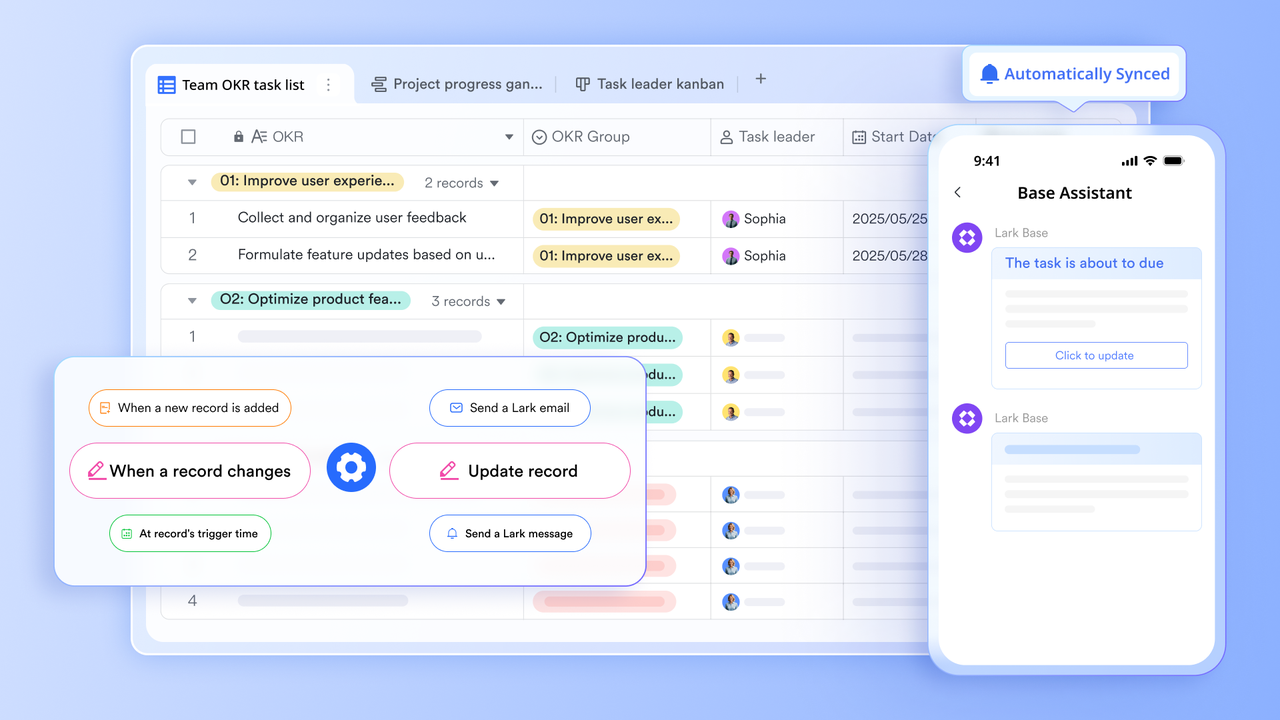
Lark is a unified workflow software that redefines productivity by putting everything you need in a single platform. It’s the ultimate solution for designing and automating your team's work, from complex projects to simple approval requests.
It uniquely combines messaging, video calling, cloud documents, business systems, project management, approval management, and more, so your team can move from discussion to execution without ever leaving the app. The best part? Lark’s intuitive design means you can build powerful workflows without any coding.
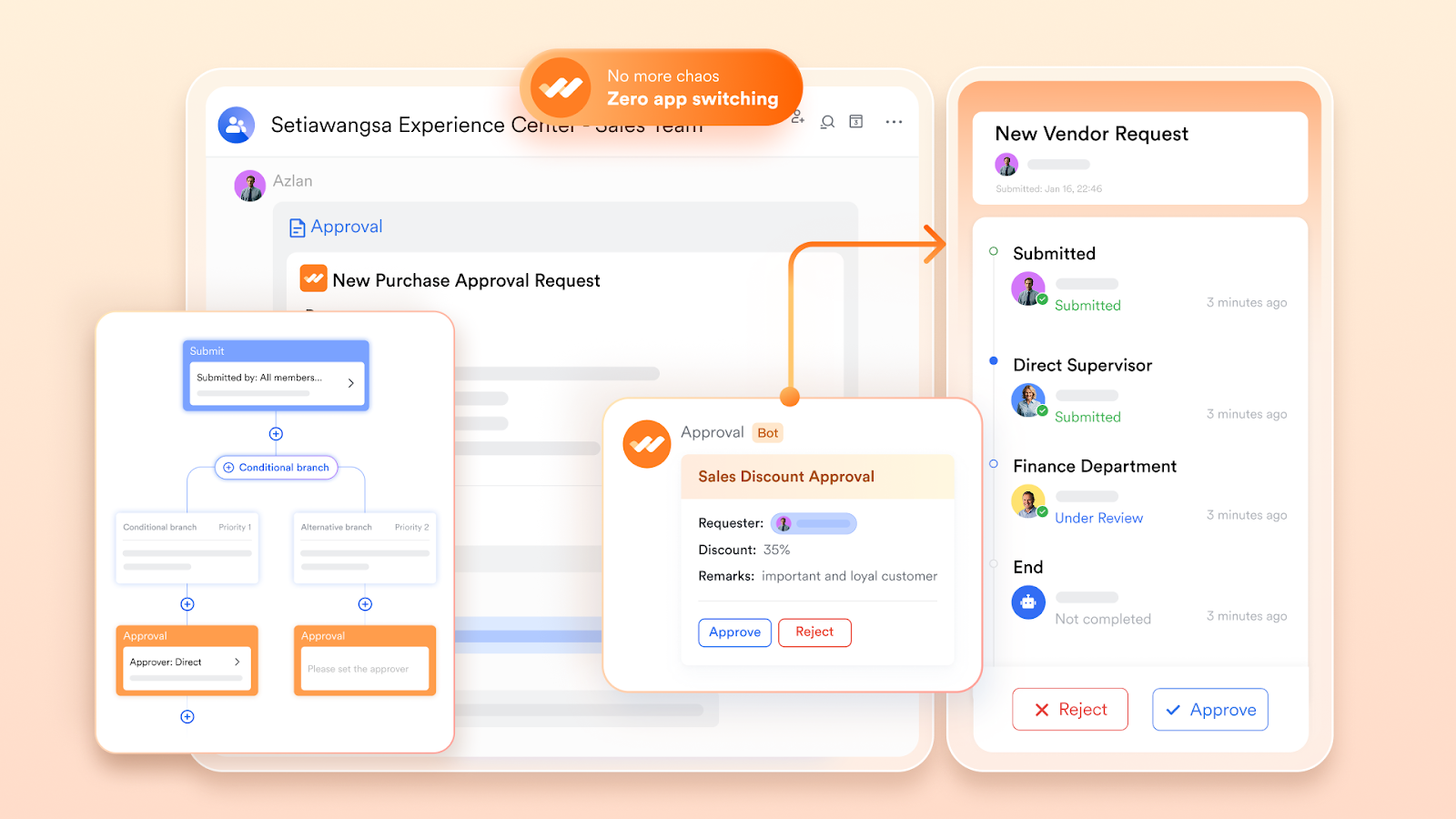
Unlike other solutions that require expensive and complex integrations, Lark provides a cohesive, integrated experience that works out of the box. By consolidating your communication, productivity, and workflow tools, Lark helps your team reduce friction, accelerate processes, and focus on achieving their goals.
Key features:
- Seamless approval processes: End the chaos of chasing approvals via email and chat. Lark Approval gives you complete control over your decision-making processes. Every request, from expenses to leave, is automatically routed to the right person, eliminating bottlenecks.
- AI-powered productivity: Free your team from repetitive work and let them focus on what truly matters. Lark embeds powerful AI capabilities, such as content generation and AI-meeting notes, directly into your workflows to help you complete work faster.
- Integrated communication: Transition from a chat to a video call, share a document with a single click, or pull up meeting notes without ever leaving your conversation. This cohesive experience eliminates distractions, reduces context switching, and helps your team stay in the flow of work.
Pricing:
- Starter: Free forever for up to 20 users. This plan comes with 11 tools that work seamlessly together, and includes 100GB of storage, 1,000 automated Base workflow executions per month, unlimited AI translation, and enterprise search.
- Pro: $12 per user/month (billed annually). This plan is for growing teams of up to 500 users and includes 15 TB of storage, 50,000 workflow executions, unlimited AI meeting transcription, and group video calls.
- Enterprise: Custom pricing for large organizations needing unlimited users, advanced security controls like SSO, and supergroups for up to 50,000 members.
Pros:
- Eliminates app-toggling: Unlike other solutions that require you to stitch together multiple apps with integrations, Lark provides a native, all-in-one experience. This deep integration reduces context-switching and keeps all your data and work in one place.
- No-code accessibility: Lark's design is highly user-friendly and accessible to non-technical users. The no-code interface for both workflow and automation builder means that anyone on your team can create and manage powerful workflows.
- Scalability: Lark is designed to grow with your business, offering plans that support everything from small startups to large enterprises. Its flexibility allows it to handle increasingly complex workflows without sacrificing performance.
- Mobile experience: Lark is optimized for mobile, allowing teams to access and update projects, communicate with colleagues, and approve requests from anywhere. This makes it particularly effective for hybrid teams or businesses with frontline employees.
- Cost-effectiveness: By consolidating multiple tools, Lark is the most affordable workflow software available. Its generous free plan also makes it an excellent choice for small teams.
Cons:
- Some teams may need visit Lark’s help center to learn about certain AI features and advanced tools.
Monday- Best for visual projects and timeline planning
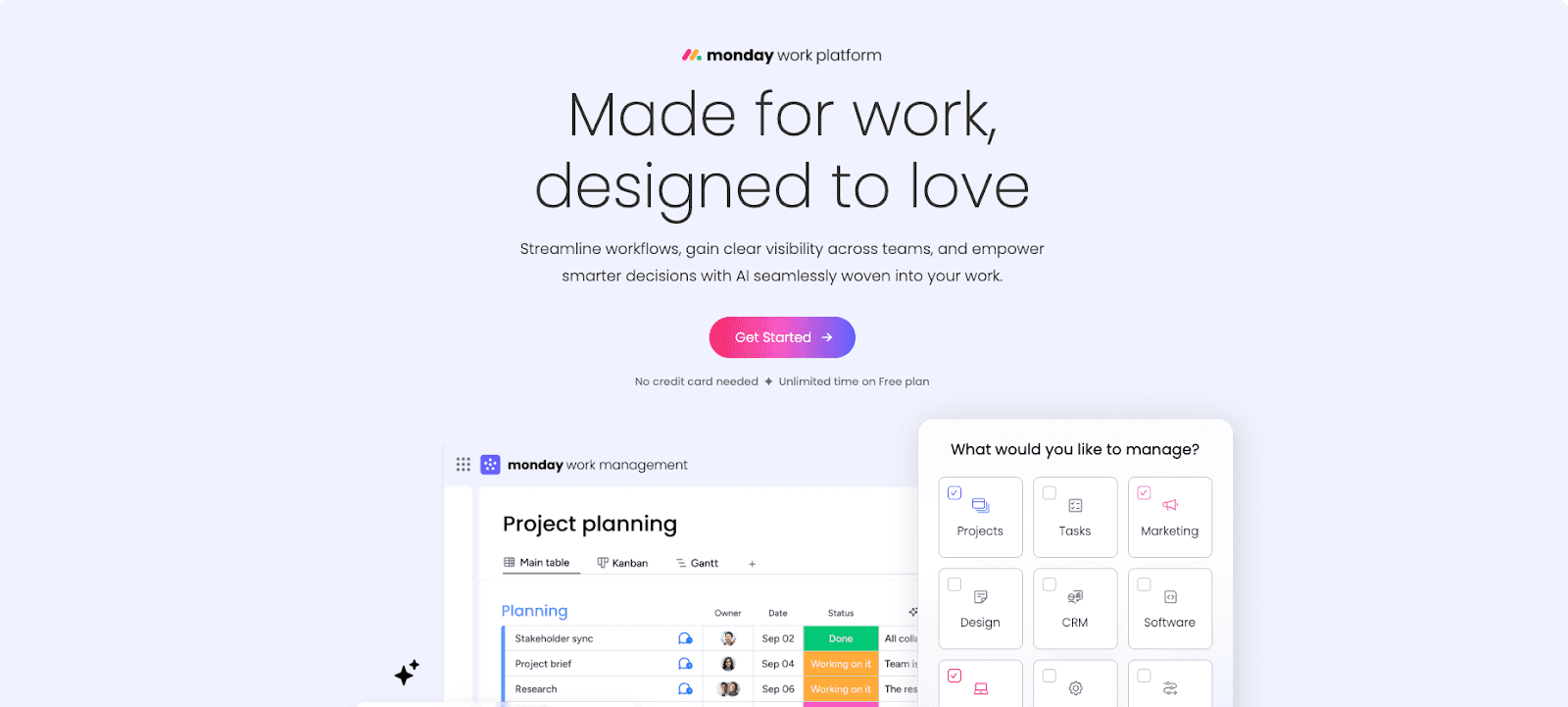
Image source: monday.com
Monday.com is a highly visual and colorful platform that aims to help teams manage projects, deadlines, and complex workflows. It’s particularly strong for standardizing processes and providing clear, at-a-glance visibility through its customizable dashboards and timeline views, making it a favorite among teams that need to juggle multiple deadlines.
Key features:
- Visual boards and views: Monday.com's flexible boards can be viewed as Kanban, Gantt charts, calendars, and timelines to suit different needs.
- Customizable dashboards: Create real-time dashboards that pull data from multiple boards to track progress, monitor budgets, and gain high-level insights.
- Workflow automation recipes: Use pre-built automation "recipes" or create your own to handle repetitive tasks like sending notifications or moving tasks between stages.
- Extensive integrations: Connects with a wide range of popular business tools, including Slack, Dropbox, Adobe Creative Cloud, and Salesforce.
Pricing:
- Monday pricing starts at $9 per user/month. A free plan is available.
Pros:
- The highly visual and intuitive interface makes it easy to track project progress at a glance.
- Excellent for standardizing processes and creating powerful custom dashboards.
- Strong automation and integration capabilities allow it to connect with many other tools in your stack.
Cons:
- The pricing model can be confusing and expensive, with separate products for Work Management, Sales CRM, and Dev that can quickly increase costs.
- The free plan is very restrictive and not practical for most teams.
- Every team member who needs to do more than just view boards requires a paid license, which can make it costly for larger teams.
ClickUp - Best for advanced customization
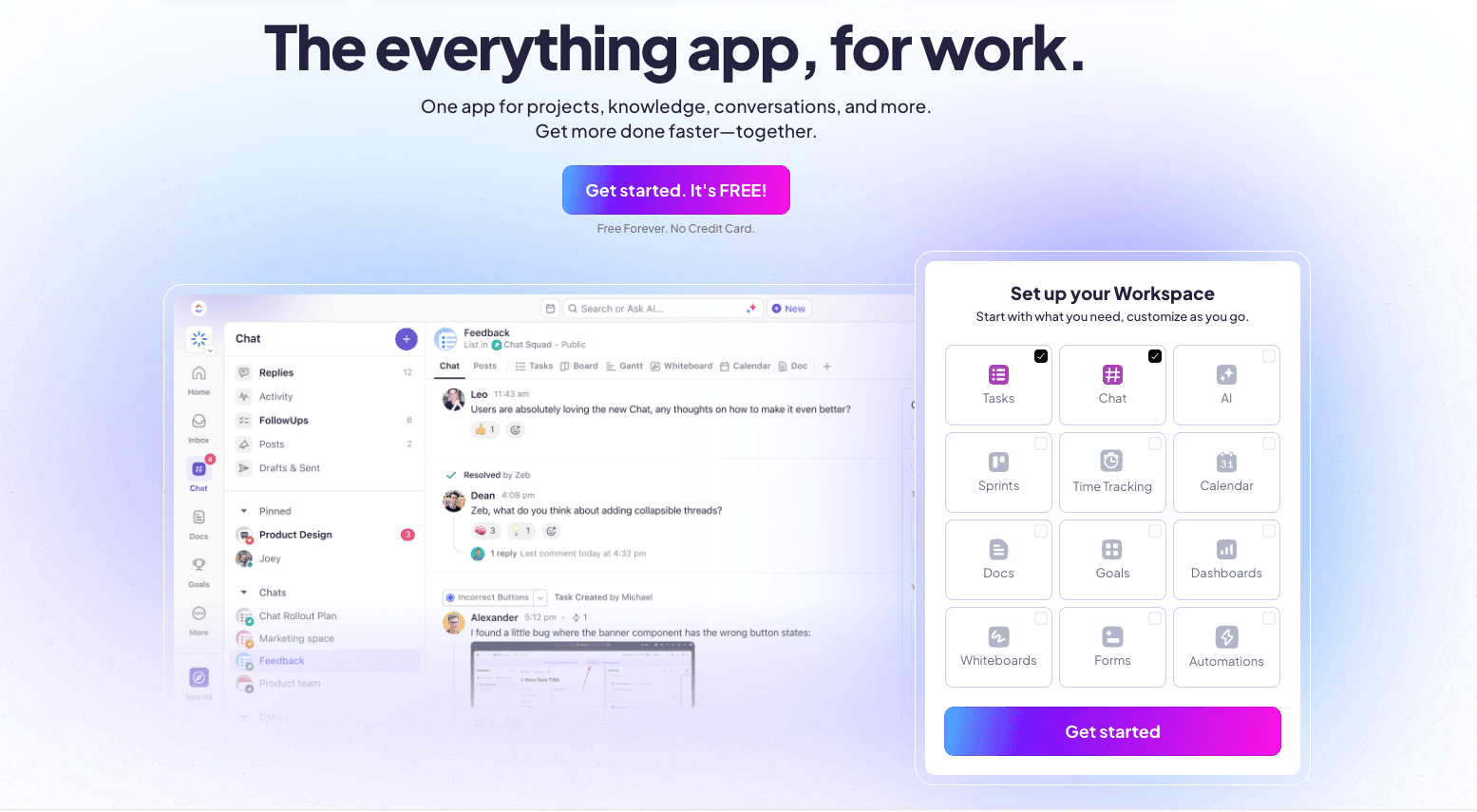
Image source: clickup.com
ClickUp positions itself as the "everything app for work," aiming to consolidate all your productivity tools into a single platform. With a wide range of customizable features, it's designed for teams that want granular control and to tailor every aspect of their workflow, from custom task statuses to unique project views.
Key features:
- 15+ customizable views: Offers an extensive range of views, including List, Board, Calendar, Gantt, and Box view, allowing teams to visualize work in whatever way suits them best.
- Advanced task management: Features include custom fields, custom statuses, task dependencies, priorities, and multiple assignees for granular control over tasks.
- Integrated docs, whiteboards, and chat: Provides built-in tools for knowledge management, visual collaboration, and real-time team communication, reducing the need for external apps.
- Powerful automation builder: Create custom automation rules to streamline workflows, assign tasks, post comments, and move statuses automatically.
Pricing:
- ClickUp pricing starts at $7 per user/month. A free plan is available.
Pros:
- Feature-rich and customizable, offering a solution for a wide variety of workflows or processes.
- The free plan has a generous user limit, making it accessible for teams to try out.
- Powerful collaboration tools, including real-time editing in Docs and an integrated chat view.
Cons:
- The vast number of features and customization options can be overwhelming for new users, leading to a steep learning curve.
- The interface can feel cluttered and has been reported to be slow or laggy at times, especially with large projects.
- The mobile app is often considered less intuitive and more challenging to navigate than the desktop version.
Asana - Best for cross-functional project management workflows
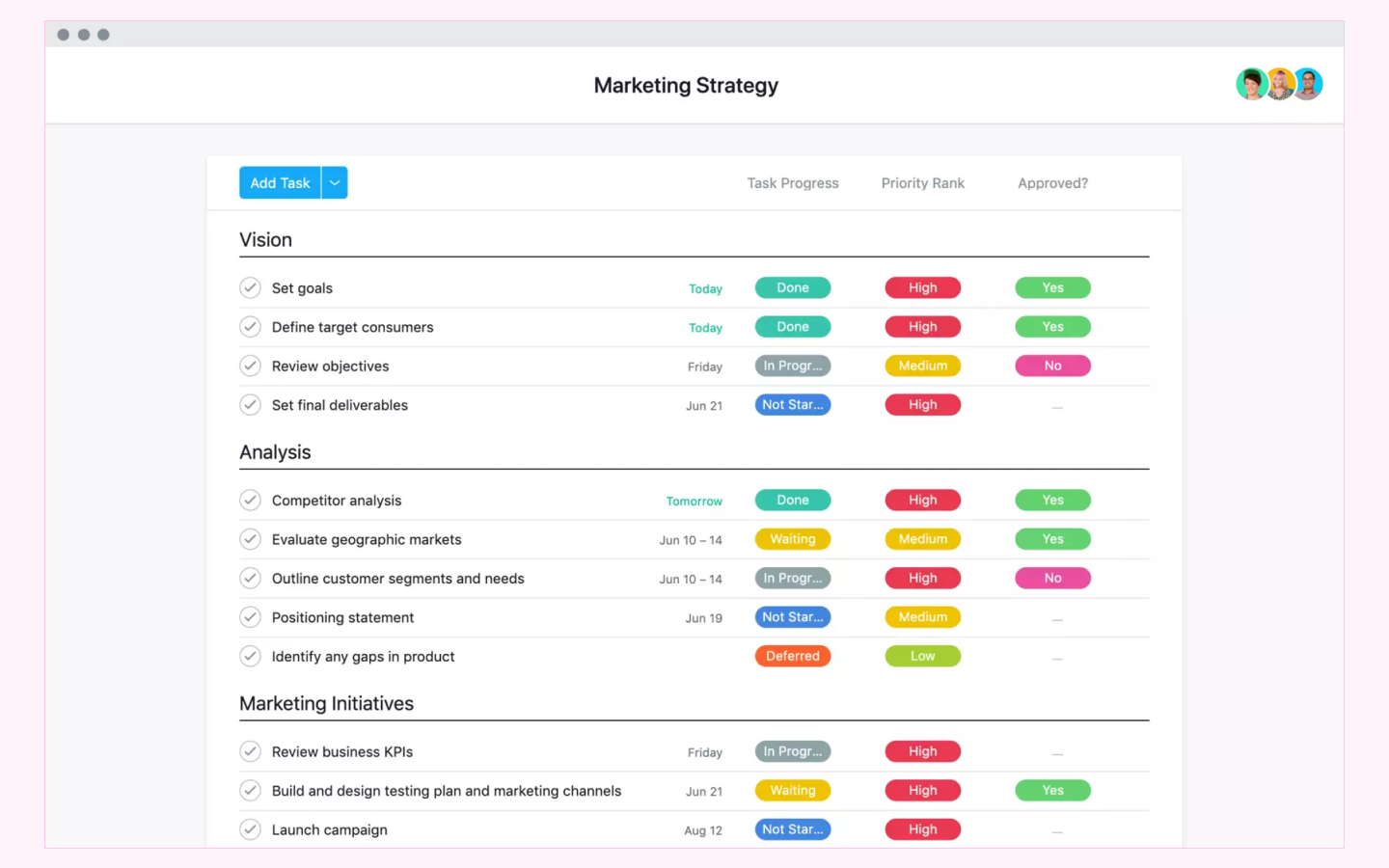
Image source: fluentpro.com
Asana is a popular and well-established project management tool that helps teams organize, track, and manage their work. It's particularly effective for managing projects with many interconnected tasks across different departments, such as marketing campaigns, product launches, and operational workflows.
Key features:
- Multiple project views: View work in various formats, including List, Board, Calendar, and Timeline, to suit different project management styles.
- Goals and portfolios: Connect strategic company objectives to the projects and portfolios that support them, providing a clear line of sight from daily tasks to business goals.
- Workflow builder and rules: Create workflows to automate routine tasks and create standardized processes using a visual workflow builder and custom rules.
- Reporting and dashboards: Generate real-time reports and dashboards to monitor project progress, track key metrics, and identify risks.
- App integrations: Integrates with hundreds of business tools like Slack, Microsoft Teams, Salesforce, and Adobe Creative Cloud to keep work connected.
Pricing:
- Asana pricing starts at $10.99 per user/month. A free plan is available.
Pros:
- The user-friendly interface is easy to navigate for core tasks.
- The Goals feature is excellent for connecting daily work to strategic company objectives.
- Robust free plan offers a lot of functionality for small teams.
Cons:
- It can be more expensive than many competitors, especially at the Advanced tier.
- Customer service and support are often cited as being subpar or non-existent, particularly for enterprise issues.
- The mobile applications are considered weaker and less functional than the desktop version.
Wrike - Best for enterprises with complex project needs
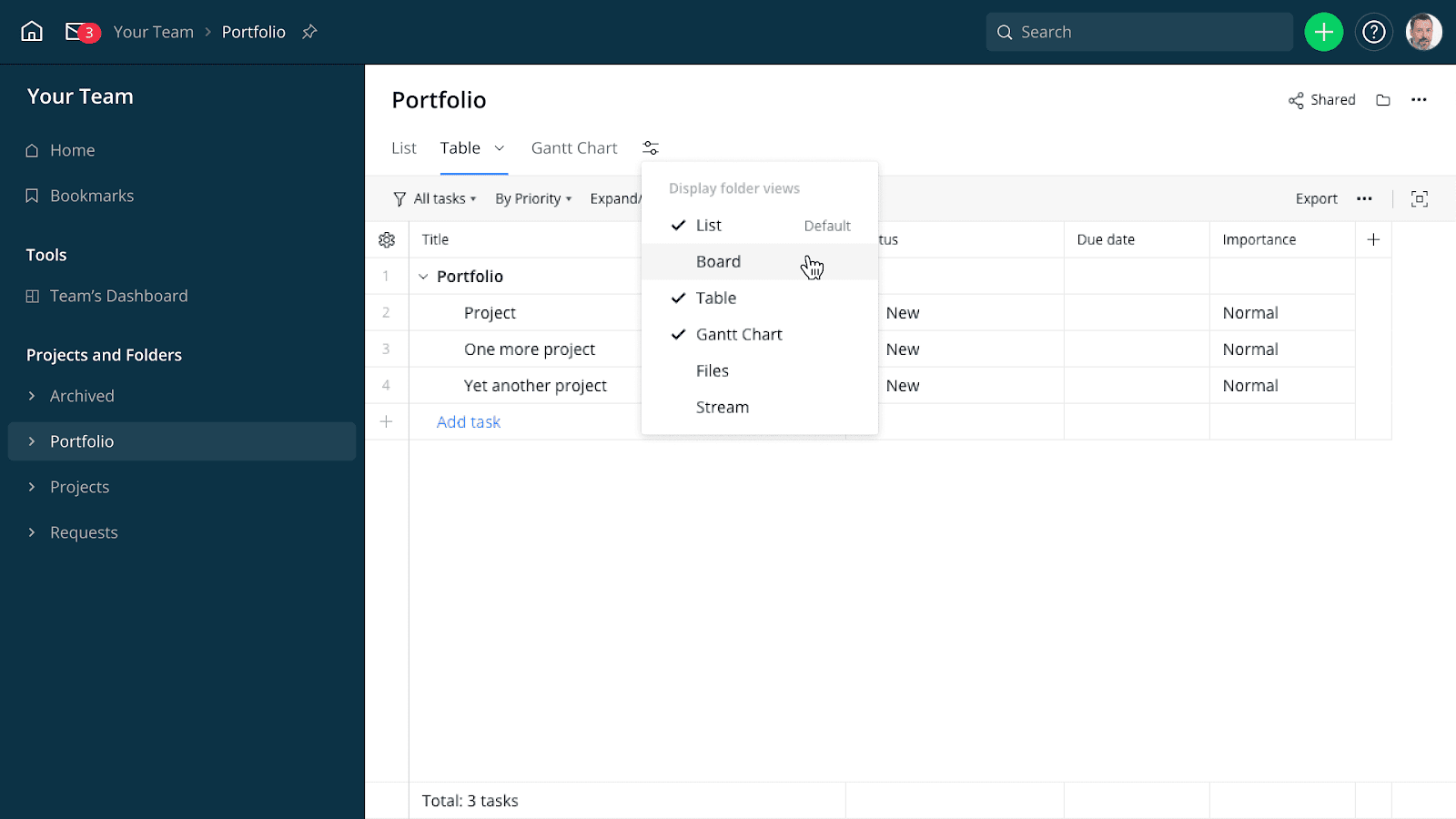
Image source: wrike.com
Wrike is a powerful and versatile enterprise workflow management software designed to give large teams detailed control over complex projects and cross-functional workflows. It's built for scalability and offers robust features for resource management, advanced reporting, and enterprise-grade security.
Key features:
- Customizable dashboards and reports: Create shareable, real-time dashboards and reports to get 360-degree visibility across all projects and teams.
- Dynamic request forms: Use conditional logic to build smart request forms that automatically assign tasks and route work to the correct team for more efficient workflows.
- Interactive Gantt charts and workload views: Plan projects, manage dependencies, and visualize team capacity with interactive timelines and workload management tools.
- Proofing and approvals: A built-in tool for collaborating on creative assets, allowing for direct feedback, version comparison, and streamlined approval cycles.
- Enterprise-grade security: Offers advanced security features like custom access roles, user audit reports, and add-ons like Wrike Lock for managing encryption keys.
Pricing:
- Wrike pricing starts at $10 per user/month. A free plan is available.
Pros:
- A powerful and versatile platform capable of managing complex projects and portfolios.
- Excellent security and administrative controls make it a strong choice for enterprises.
- Offers a wide range of integrations with over 400 applications.
Cons:
- It has a steep learning curve, and the interface can be overwhelming for new users.
- Many essential features, like time tracking or advanced integrations, are locked behind the more expensive Business and Enterprise plans.
- The pricing structure can be confusing, with pricey add-ons and a significant price jump between tiers.
Trello - Best for beginners needing simple visual task management
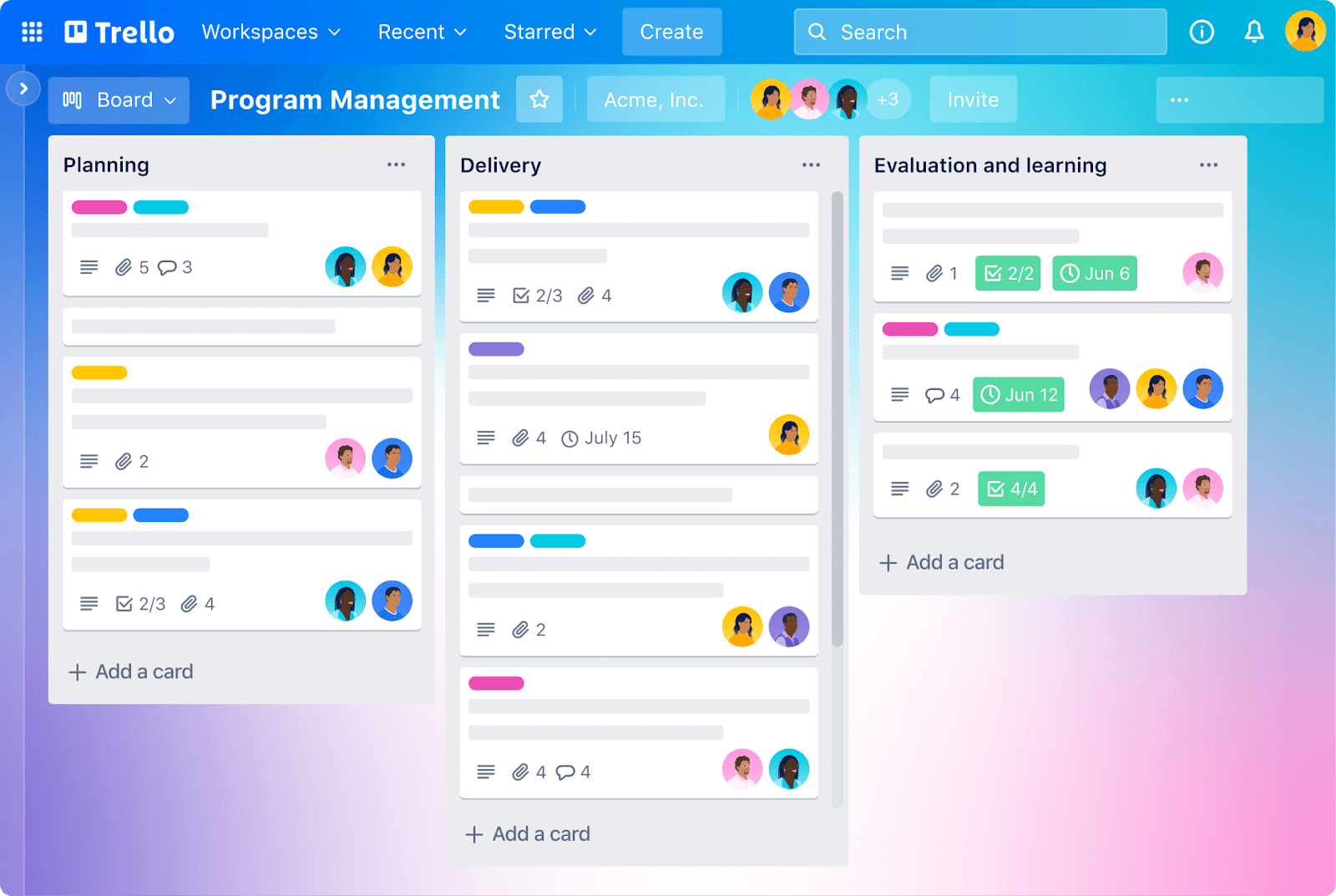
Image source: trello.com
Trello is the classic Kanban-style workflow tool, famous for its simplicity and ease of use. It uses a visual system of boards, lists, and cards that you can drag and drop to track the progress of tasks. It's an excellent choice for individuals, students, and small teams managing straightforward projects or personal to-do lists. In fact, a lot of its customers cite ease of use as the reason for choosing Trello.
Key features:
- Kanban boards: The core of Trello, allowing you to visualize your workflow in columns (e.g., To Do, Doing, Done) and move tasks (cards) between them.
- Cards with checklists and due dates: Each card can contain detailed information, including descriptions, file attachments, checklists, labels, and due dates.
- Automation: A no-code automation tool built into every board that can create rules, buttons, and commands to automate repetitive actions.
- Power-ups and integrations: Extend Trello's functionality by integrating with over 200 apps like Slack, Google Drive, and Jira, or by adding "Power-Ups" for features like calendars and custom fields.
Pricing:
- Trello pricing starts at $5 per user/month. A free plan is available.
Pros:
- Extremely intuitive and easy to use, with virtually no learning curve, making it perfect for beginners.
- The visual Kanban board approach is great for simplifying complex processes into manageable steps.
- Affordable pricing with a generous free plan that is great for personal use or small teams.
Cons:
- Lacks advanced project management features like native Gantt charts, time tracking, and detailed reporting, making it unsuitable for complex projects.
- Not easily scalable for large teams or organizations with complex, multi-stage workflows.
- The free plan's limit of 10 collaborators and 10 boards can be restrictive for growing teams.
Smartsheet - Best for teams that love spreadsheets
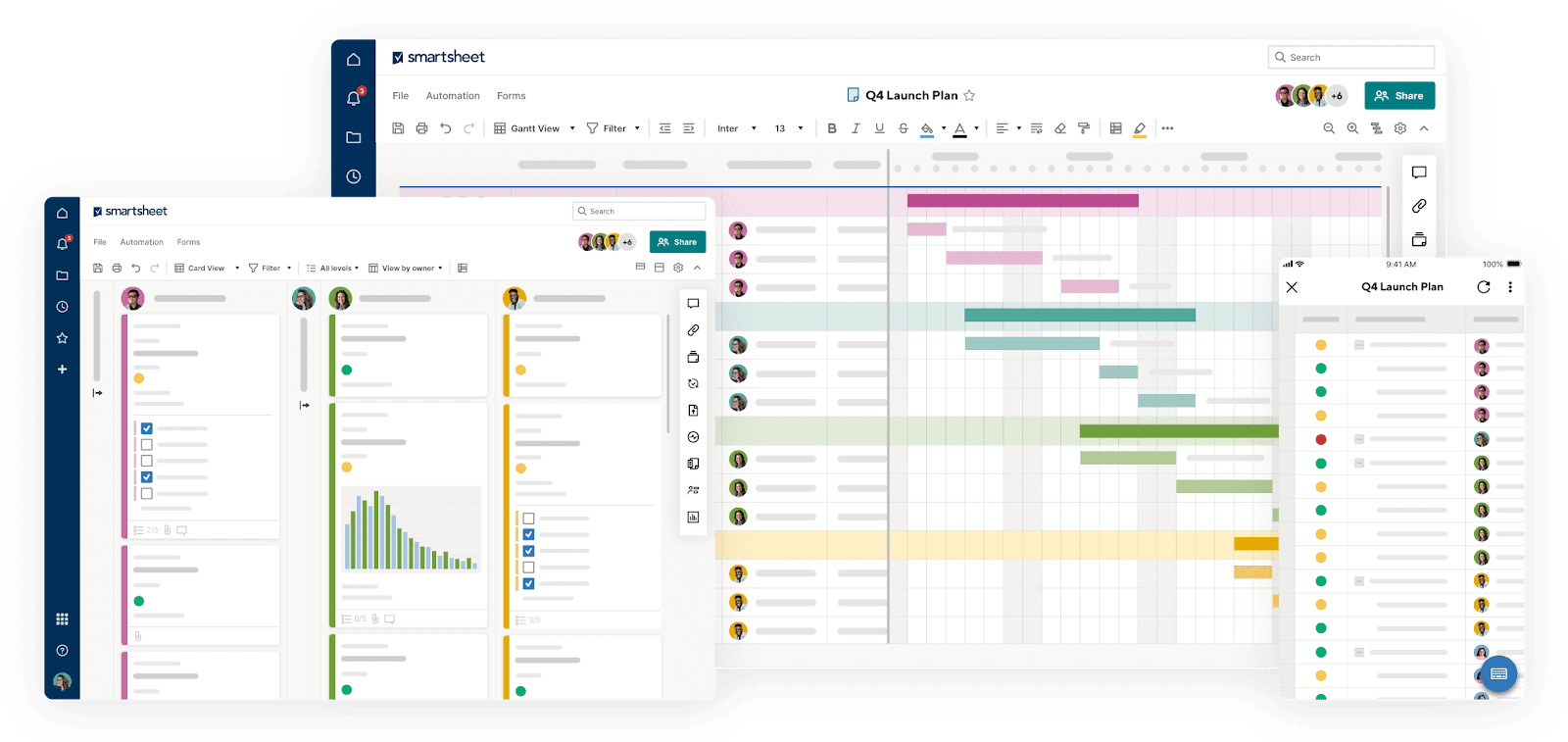
Image source: smartsheet.com
Smartsheet is a workflow management platform that combines the grid-like interface of a spreadsheet with powerful project management capabilities. It's designed for teams that are comfortable working in spreadsheets but need more robust features for automation, collaboration, and reporting to manage their projects and processes.
Key features:
- Grid, Gantt, card, and calendar views: While the core is a grid, you can easily switch to other views to visualize your data as a project plan, Kanban board, or calendar.
- Workflow automation: Build automated workflows to send alerts, request approvals, and update rows based on specific triggers and conditions.
- Dashboards and reports: Create customizable, widget-based dashboards that provide real-time visibility into project status, key metrics, and trends by pulling data from multiple sheets.
- Forms: Build forms with conditional logic to collect consistent data from internal or external stakeholders, which automatically populates your sheets.
- Extensive integrations: Connects with a wide array of business tools, including Microsoft 365, Google Workspace, Salesforce, and Jira, to keep data in sync across your tech stack.
Pricing:
- Smartsheet pricing starts at $9 per user/month. No free plan is available.
Pros:
- The spreadsheet-like interface is familiar and easy to adopt for teams accustomed to Excel or Google Sheets.
- Wide array of features for data management, with robust formulas, cross-sheet linking, and reporting capabilities.
- Strong automation and workflow features help streamline repetitive processes effectively.
Cons:
- Can feel less intuitive and more rigid for teams that prefer more visual, drag-and-drop interfaces.
- Some users report that pages and sheets can be slow to load, especially with large amounts of data.
- Pricing for advanced features and premium apps (like Dynamic View or Control Center) can become quite high.
Airtable - Best for building custom database-style applications and workflows
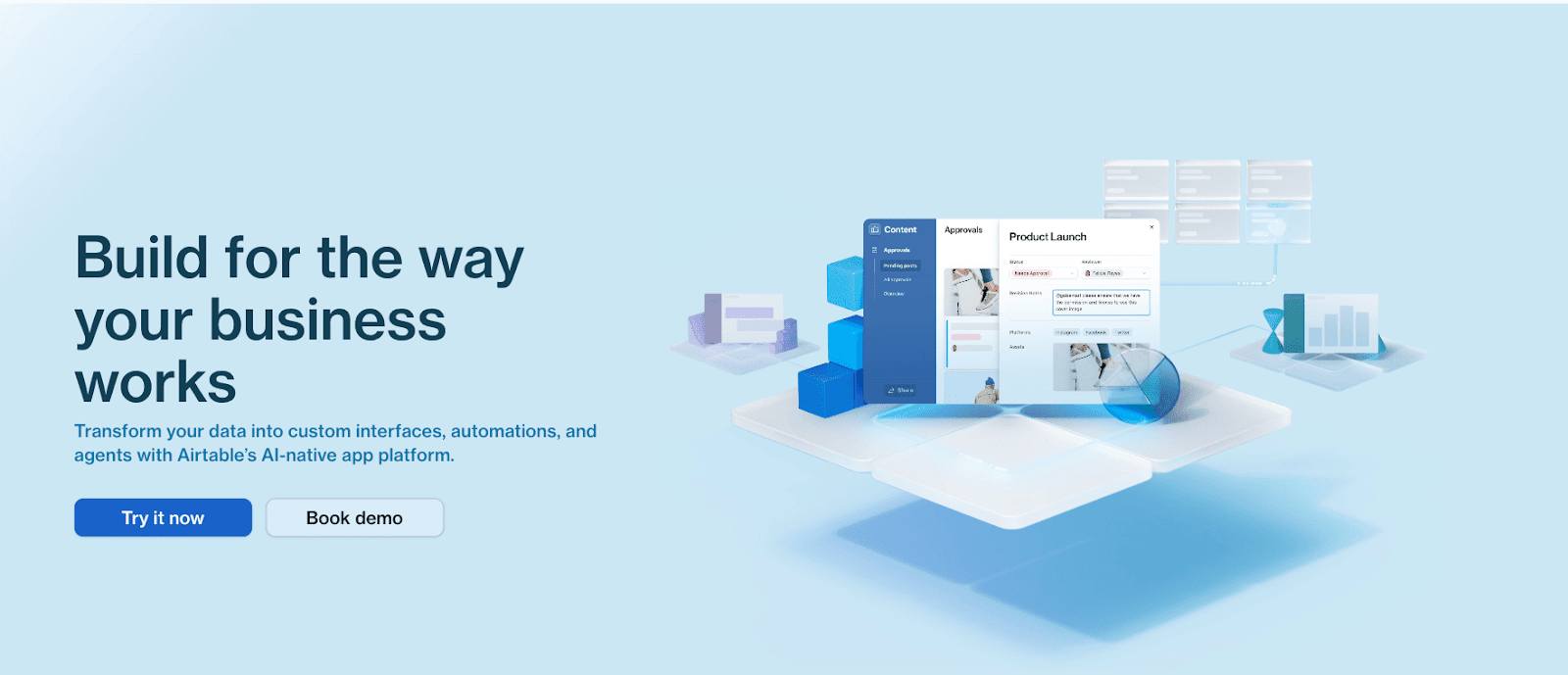
Image source: airtable.com
Airtable is a highly flexible platform that blends the simplicity of a spreadsheet with the power of a relational database. It's a no-code/low-code tool that empowers teams to build their own custom applications for managing anything from a content calendar and product roadmap to a lightweight CRM or inventory tracker.
Key features:
- Flexible databases: Create powerful databases with rich field types like attachments, checkboxes, dropdowns, and links to records in other tables.
- Customizable views: Visualize your data in multiple ways, including Grid, Calendar, Kanban, Gallery, Gantt, and Form views, to suit any workflow.
- Interface designer: Build custom, interactive interfaces on top of your data, allowing collaborators to view and interact with information without being overwhelmed by the entire database.
- Automations: Set up automations that trigger actions within Airtable or in external apps like Slack and Gmail when records are created or updated.
- Airtable AI: An integrated AI feature that can help summarize data, generate content, categorize records, and assist in building apps with natural language prompts.
Pricing:
- Airtable pricing starts at $20 per user/month. A free plan is available.
Pros:
- Versatile and flexible, allowing you to build almost any custom workflow or application you can imagine.
- The user-friendly, colorful interface makes database concepts accessible to non-technical users.
- Excellent for organizing and managing structured data in a collaborative environment.
Cons:
- It has a steep learning curve to master its more advanced features, like formulas and relational database design.
- The per-seat pricing model can become very expensive as your team and data grow, with strict limits on records and automations forcing upgrades.
- Lacks some of the built-in, dedicated collaboration and communication tools found in all-in-one platforms.
Jira - Best for agile software development teams
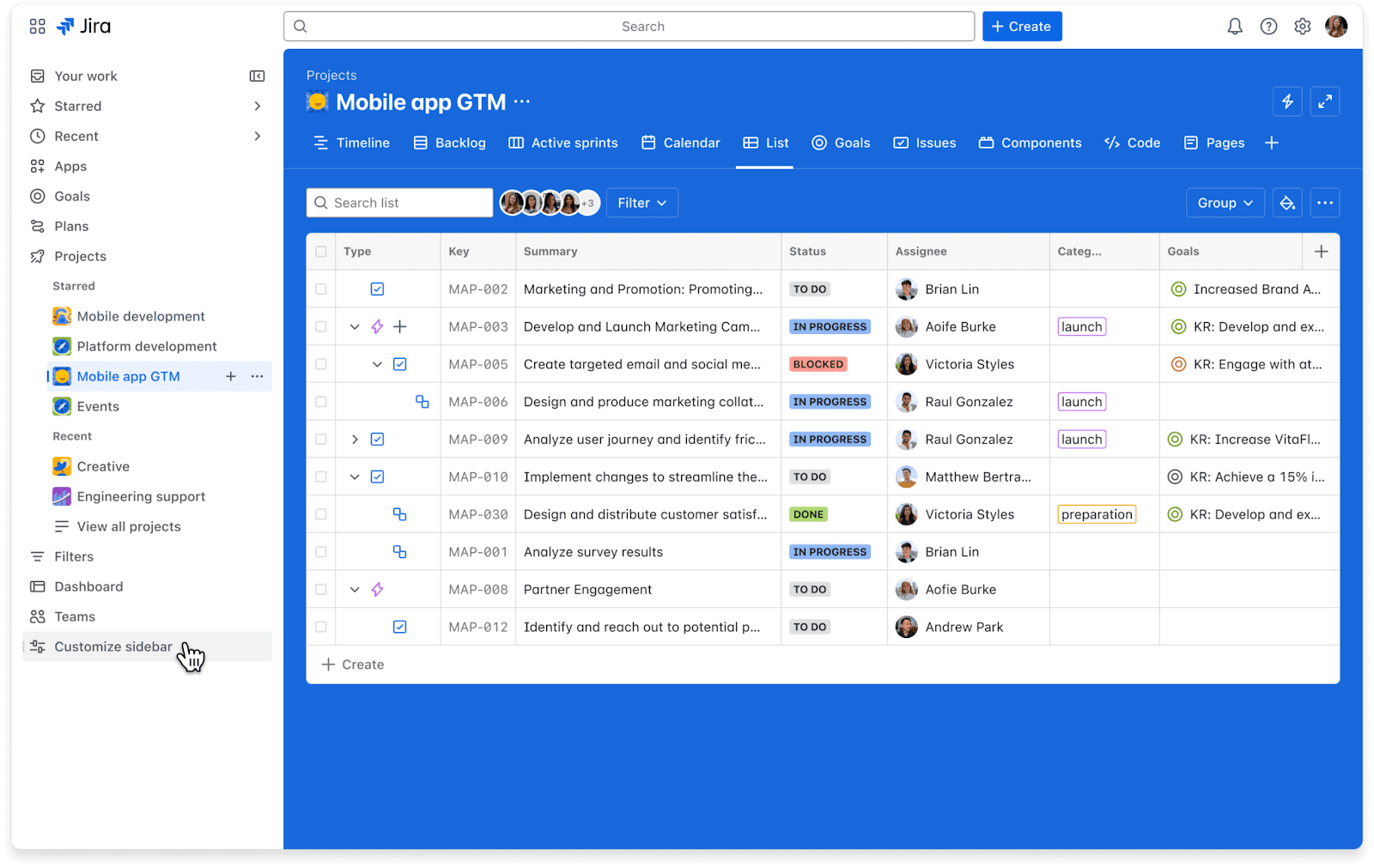
Image source: atlassian.com
Jira, from Atlassian, is a well-known agile project management software. It is purpose-built for planning, tracking, and releasing software, with deep features for managing sprints, backlogs, user stories, and bug tracking. While it can be adapted for other business projects, its DNA is rooted in software development.
Key features:
- Scrum and Kanban boards: Highly customizable boards designed specifically for agile methodologies, allowing teams to manage sprints and visualize their workflow.
- Advanced roadmaps: Plan and track work across multiple teams and projects on a timeline to manage dependencies and communicate plans to stakeholders.
- Customizable workflows and issue types: Tailor Jira to match your team's exact process by creating custom issue types (e.g., Story, Bug, Task) and workflows to move them from "To Do" to "Done".
- Powerful reporting: Generate detailed agile reports like burndown charts, velocity charts, and cumulative flow diagrams to monitor progress and improve team performance.
Pricing:
- Jira pricing starts at $8.60 per user/month. A free plan is available.
Pros:
- A powerful and feature-rich tool for agile software development teams.
- Highly customizable workflows allow it to adapt to any development process.
- Seamless integration with a massive ecosystem of developer tools and Atlassian products.
Cons:
- The interface is complex, cluttered, and filled with technical jargon, making it overwhelming and non-intuitive for non-technical teams.
- It has a very steep learning curve, even for project managers.
- While powerful for its niche, it can be overkill and poorly suited for general business project management.
Notion - Best for flexibility and custom knowledge bases

Image source: notion.com
Notion is like a digital set of building blocks for your work. It started as a note-taking app and has evolved into a highly flexible workspace where you can create interconnected docs, wikis, databases, and project trackers. It's loved by individuals and teams who want to build their own custom solution for knowledge management and light project management.
Key features:
- Connected docs and pages: Create pages for anything and easily nest them or link them together to build a powerful internal wiki or knowledge base.
- Databases with multiple views: Create simple but powerful databases to track projects, tasks, or anything else, and visualize them as tables, boards, lists, calendars, and galleries.
- Notion AI: An AI assistant that can help you write, summarize, brainstorm ideas, and translate content directly within your pages.
- Real-time collaboration: Work on pages and databases with your team simultaneously, with comments and mentions to keep communication in context.
Pricing:
- Notion pricing starts at $10 per user/month. A free plan is available.
Pros:
- Flexible and versatile, allowing you to build a custom workspace tailored to your exact needs.
- Excellent for creating beautiful and functional internal wikis and knowledge bases.
- The free plan is great for personal use and small-scale collaboration.
Cons:
- Lacks some of the robust, dedicated project management features of competitors, such as advanced reporting, native Gantt charts, or complex dependency management.
- The sheer flexibility can be a double-edged sword; without a clear structure, it can quickly become disorganized and messy.
- Automation capabilities are more limited compared to dedicated workflow automation tools.
Zapier - Best for connecting apps and automating tasks
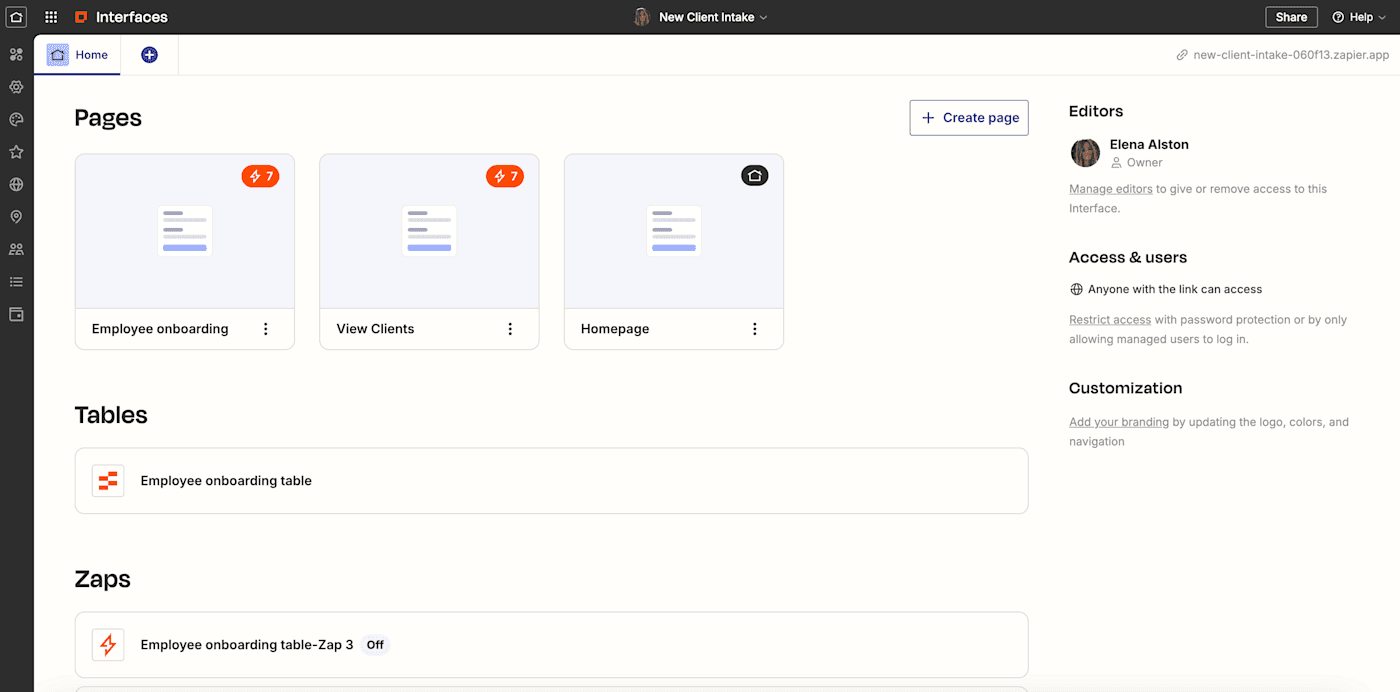
Image source: zapier.com
Zapier is the go-to app for integration. It's an automation tool that acts as a bridge between thousands of different web applications, allowing you to create automated workflows (called "Zaps") without writing a single line of code. If you need to make two or more apps talk to each other, Zapier is almost always the answer.
Key features:
- 7,000+ app integrations: Connects with a massive library of apps, including everything from Gmail and Slack to Salesforce and Shopify.
- Simple workflow editor: The visual editor makes it easy to set up a trigger (the "if this") and one or more actions (the "then that") to build your workflow.
- Multi-step Zaps: Paid plans allow you to create complex workflows with multiple steps and actions that run in sequence.
- Filters and paths: Add conditional logic to your Zaps, so they only run when certain conditions are met, allowing for more sophisticated automation.
- Built-in AI tools: Use AI to help generate code steps, map data fields between apps, and troubleshoot errors in your Zaps.
Pricing:
- Zapier pricing starts at $19.99 per month. A free plan is available.
Pros:
- An unparalleled number of integrations makes it possible to connect almost any tool in your tech stack.
- The user-friendly interface makes it easy for non-technical users to build simple automations quickly.
- A massive library of pre-built Zap templates helps you get started in minutes.
Cons:
- The task-based pricing model can become extremely expensive very quickly, especially for businesses with high-volume workflows.
- The free plan is very limited, with only 100 tasks per month and a 15-minute delay on Zaps, making it unsuitable for most business use cases.
- It lacks a dedicated mobile app for creating or managing Zaps on the go. Part of the Microsoft Power Platform, Power Automate is an enterprise-grade workflow automation tool designed to streamline processes across the entire Microsoft ecosystem and beyond. It offers both cloud-based automation (DPA) for connecting apps and services, and powerful desktop-based automation (RPA) for interacting with legacy systems.
Microsoft Power Automate - Best for teams that use Microsoft 365

Image source: microsoft.com
Key features:
- Deep Microsoft 365 integration: Native experiences within Microsoft Teams, SharePoint, Excel, and Outlook allow you to build and trigger flows without leaving your favorite apps.
- Robotic Process Automation (RPA): Use desktop flows to automate tasks on legacy systems, websites, and desktop applications that don't have APIs.
- AI Builder and Copilot: Leverage built-in AI models to process documents, analyze text, and predict outcomes. Copilot allows you to build and edit automations using natural language.
- 1,000+ connectors: Connect to a wide range of Microsoft and third-party services, including Salesforce, Dropbox, and Google Drive.
- Process mining: Analyze your business processes to identify bottlenecks and discover new opportunities for automation.
Pricing:
- Power Automate Premium: $15 per user/month. No free plan is available.
Pros:
- Unmatched integration with the Microsoft 365 and Dynamics 365 ecosystem, making it a natural choice for organizations using those tools.
- Powerful RPA capabilities allow you to automate tasks on older, non-API systems, which many competitors can't do.
- Strong AI and process mining features provide deep insights and advanced automation possibilities.
Cons:
- It can be complex to configure, especially for users who are not already familiar with the Power Platform environment.
- Some specific connectors or advanced functions may require additional licenses or payments, which can complicate the cost structure.
- The user interface is less intuitive than some more modern, user-focused process workflow tools.
Process Street - Best for managing recurring checklists and SOPs
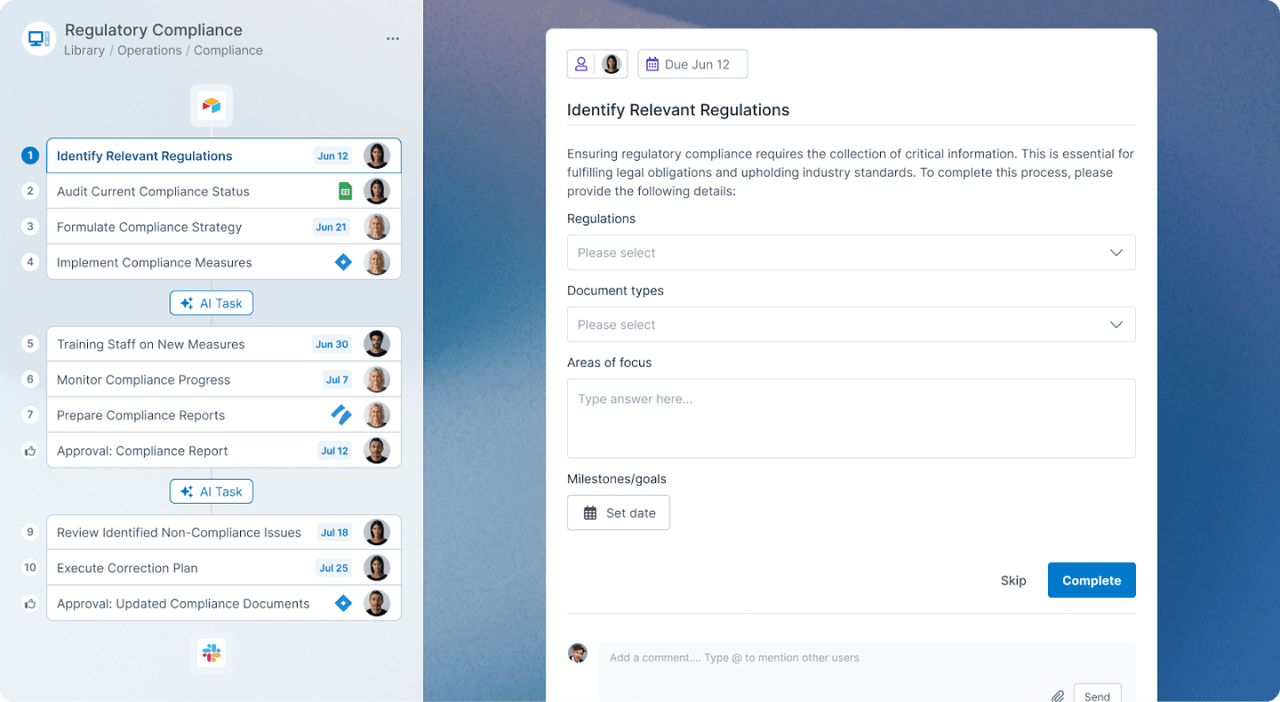
Image source: process.st
Process Street is a powerful workflow management platform focused on helping teams manage recurring checklists, procedures, and SOPs. It's designed to ensure consistency, reduce errors, and maintain compliance by turning your static process documents into interactive, automated workflows that guide your team through every step.
Key features:
- AI-powered workflow generator: Create a detailed workflow template in seconds from a simple text prompt or by importing a document.
- Dynamic checklists with conditional logic: Build smart checklists where steps can appear or disappear based on the inputs from previous tasks.
- Approvals: Add single or multi-level approval tasks into any workflow to ensure work is reviewed and signed off by the right people before moving forward.
- Task assignments and scheduling: Assign tasks to specific team members or roles, set dynamic due dates, and schedule workflows to run automatically.
- Integrations and automation: Connect to over 1,000 other apps via Zapier, webhooks, or native integrations to automate actions like sending Slack messages or updating your CRM.
Pricing:
- Process Street provides custom pricing with no free plan.
Pros:
- Excellent for creating and enforcing standardized processes, which is crucial for compliance, quality control, and training.
- The no-code workflow builder with conditional logic and approvals is powerful yet accessible to non-technical users.
- Strong automation and integration capabilities allow it to fit into a broader tech stack.
Cons:
- Can be overly structured and complex for teams needing a more flexible, creative project management tool.
- Some users have reported that the user interface can be clunky and that the reporting features are limited.
Hive - Best for user feedback and flexible add-ons
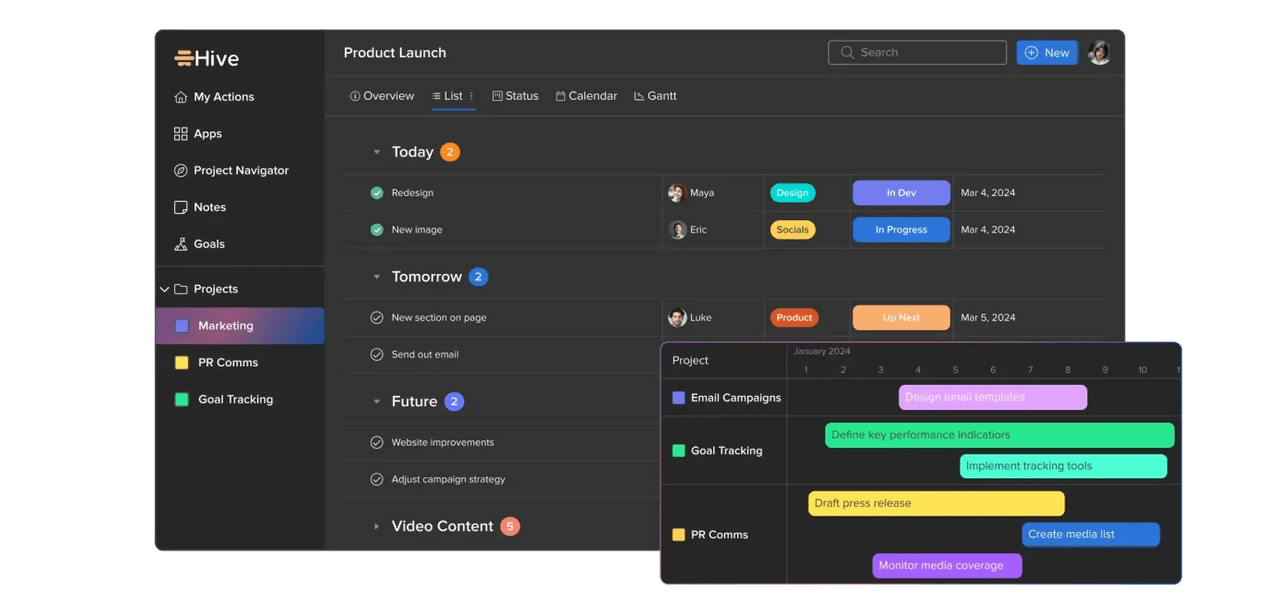
Image source: process.st
Hive is an all-in-one collaboration and project management software that proudly calls itself "the world's only democratically-built platform". This means its features and development roadmap are heavily influenced by user feedback. It offers a solid set of core project management tools, with the ability to add more advanced functionality through add-ons.
Key features:
- Multiple project views: Manage and visualize your work with various views, including Kanban, Gantt, Calendar, and Table views.
- Native chat and email integration: Communicate with your team via direct messages and group chats, and bring your email inbox directly into Hive to manage communication without switching apps.
- Automation: Build easy-to-use workflows to automate task creation, status changes, and assignments to cut down on manual work.
- Forms and request intake: Use Hive Forms to streamline creative requests, client intake, or internal requests, and automatically create and assign tasks based on form submissions.
Pricing:
- Hive pricing starts at $5 per user/month. A free plan is available.
Pros:
- Strong project management and collaboration features, including native chat and email.
- The democratic development process means the platform evolves based on what users actually want.
- The add-on model provides flexibility to only pay for the advanced features you need.
Cons:
- Many features that are standard in other platforms (like timesheets, resourcing, and approvals) are paid add-ons, which can significantly increase the total cost of the software.
- The Starter plan is quite limited, with a cap of only 10 projects.
- The need to purchase multiple add-ons can make the final price less transparent than a simple tiered plan.
Backlog - Best for teams that need to manage workflows and coding
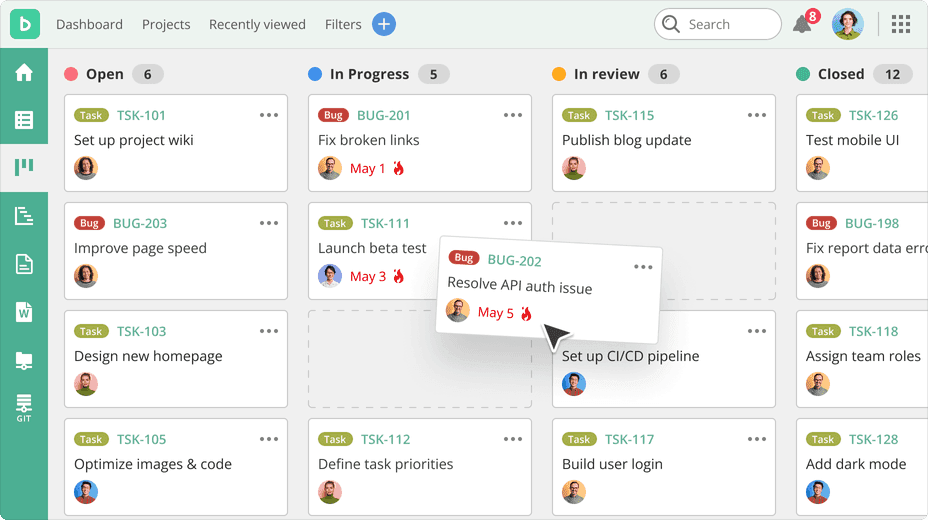
Image source: nulab.com
Backlog, by Nulab, is an all-in-one project and code management tool designed for development teams. It uniquely combines traditional project management features like task tracking and Gantt charts with developer-centric tools like Git and Subversion repositories, bug tracking, and pull requests, allowing teams to manage their entire development lifecycle in a single platform.
Key features:
- Integrated version control: Host and manage Git and Subversion repositories directly within Backlog, linking code commits and pull requests to specific tasks and issues.
- Bug and issue tracking: A powerful system for tracking bugs, tasks, and requests, with customizable categories, priorities, and statuses.
- Project and task management: Organize work with parent tasks and subtasks, visualize timelines with Gantt and burndown charts, and track progress with Kanban-style boards.
- Wikis: Create a central knowledge base for each project to store documentation, meeting notes, and team resources.
- Code collaboration tools: Review code with inline comments, manage pull requests, and use a difference viewer to compare code changes, all within the context of your project tasks.
Pricing:
- Backlog pricing starts at $35 per month for 30 users. A free plan is available.
Pros:
- Excellent for development teams, as it seamlessly combines project management with code management and bug tracking.
- The flat-rate monthly pricing for Standard and Premium plans is very affordable and predictable for larger teams.
- Visual tools like Gantt charts and Kanban boards make it easy for both technical and non-technical team members to collaborate.
Cons:
- The user interface can be confusing and not as intuitive for new users, especially those unfamiliar with developer-focused tools.
- It lacks some of the advanced project management features found in more general-purpose tools, such as robust reporting or time tracking widgets.
- The mobile app experience is often reported as being less functional than the desktop version.
Nintex - Best for document-heavy processes
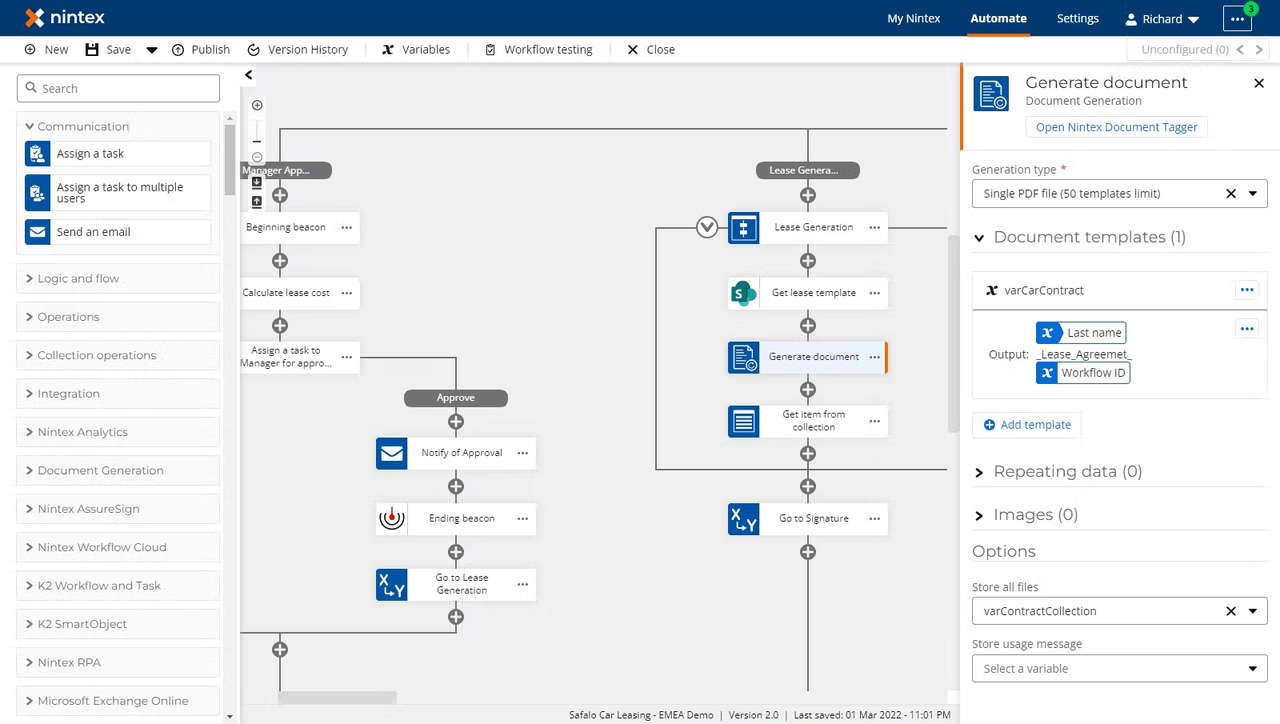
Image source: nintex.com
Nintex - Best for document-heavy processesNintex is a powerful and sophisticated enterprise workflow management software designed for automating complex, large-scale business processes, particularly those that are document-heavy. It offers a comprehensive suite of tools for process mapping, workflow automation, robotic process automation (RPA), and document generation, making it a go-to solution for large organizations looking to drive digital transformation.
Key features:
- Advanced workflow automation: Design and manage sophisticated workflows with drag-and-drop tools and agentic AI that connects people, systems, and data across the enterprise.
- Process management and mapping: Discover, document, and manage core business processes to ensure visibility, control, and compliance with standards like ISO.
- Document automation and eSign: Automatically generate and route documents like contracts and invoices, pulling data from multiple systems, and managing the entire e-signature process.
- Robotic Process Automation (RPA): Deploy software bots to handle repetitive, manual tasks on legacy systems and applications, freeing up human employees for higher-value work.
- Deep integration with Microsoft and Salesforce: Extends the capabilities of key enterprise platforms like SharePoint, Office 365, and Salesforce with powerful automation.
Pricing:
- Nintex only provides custom pricing with no free plan available.
Pros:
- An extremely powerful and flexible platform for automating complex, mission-critical workflows across a large enterprise.
- Excellent for document-centric processes, with strong document generation and e-signature capabilities.
- Strong integration with core enterprise systems like Salesforce and the entire Microsoft stack.
Cons:
- The price point is very high, making it inaccessible for small and medium-sized businesses.
- Some users report that the RPA functionality is still maturing and needs improvement in areas like exception handling and integrations.
- Can have a significant learning curve, especially when implementing new or advanced features.
Kissflow - Best for non-technical users needing to build processes
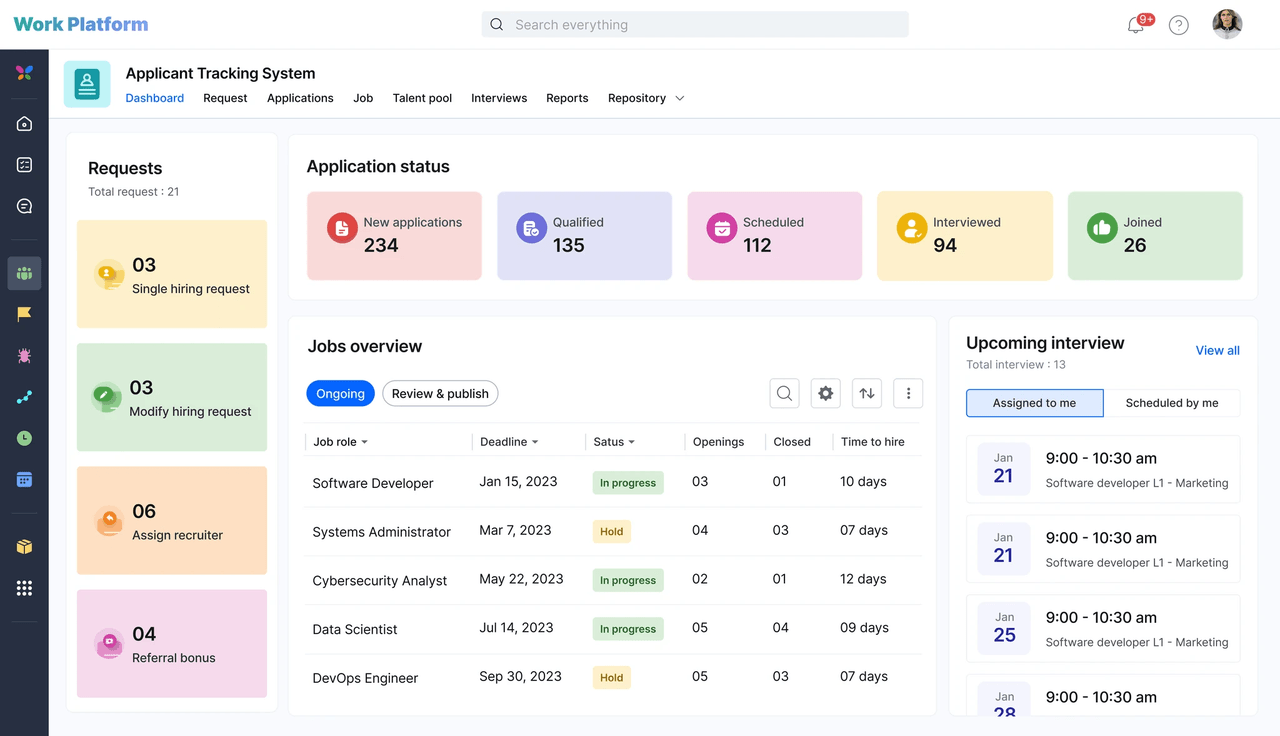
Image source: kissflow.com
Kissflow is a low-code/no-code workflow management platform that emphasizes simplicity and ease of use. It's designed to empower non-technical business users (often called "citizen developers") to build their own forms, automate workflows, and manage processes without needing to write code. It's a great choice for departments like HR, finance, and procurement that want to digitize their internal processes.
Key features:
- Visual workflow builder: A simple, drag-and-drop interface for designing and visualizing workflows, defining roles, and setting up rules.
- Customizable forms: Build custom forms to capture data for any process, from purchase requests to employee onboarding, and integrate them into your workflows.
- No-code integrations: Easily connect Kissflow to other business applications using pre-built connectors, without needing API expertise.
- Process analytics and reports: Get detailed reports and analytics on your workflows to track performance, identify bottlenecks, and make data-driven decisions.
- Case management boards: Use customizable boards to handle ticketing, support requests, and other case-based work in a visual, collaborative way.
Pricing:
- Kissflow pricing starts at $1,500 per month. No free plan is available.
Pros:
- The simple, easy-to-navigate user interface makes it accessible for non-technical users to build their own solutions.
- A good choice for beginners looking to get started with workflow automation without a steep learning curve.
- The platform is versatile and can be used to automate a wide range of departmental processes.
Cons:
- The pricing structure, with a high entry point for its basic plan, can be expensive and prohibitive for small businesses.
- Some users find that the user interface, while simple, can take time to get used to, and that certain ease-of-use features are limited.
- Customer service has been criticized by some users for being unresponsive or making cancellations difficult.
Pipefy - Best for drag-and-drop workflow design
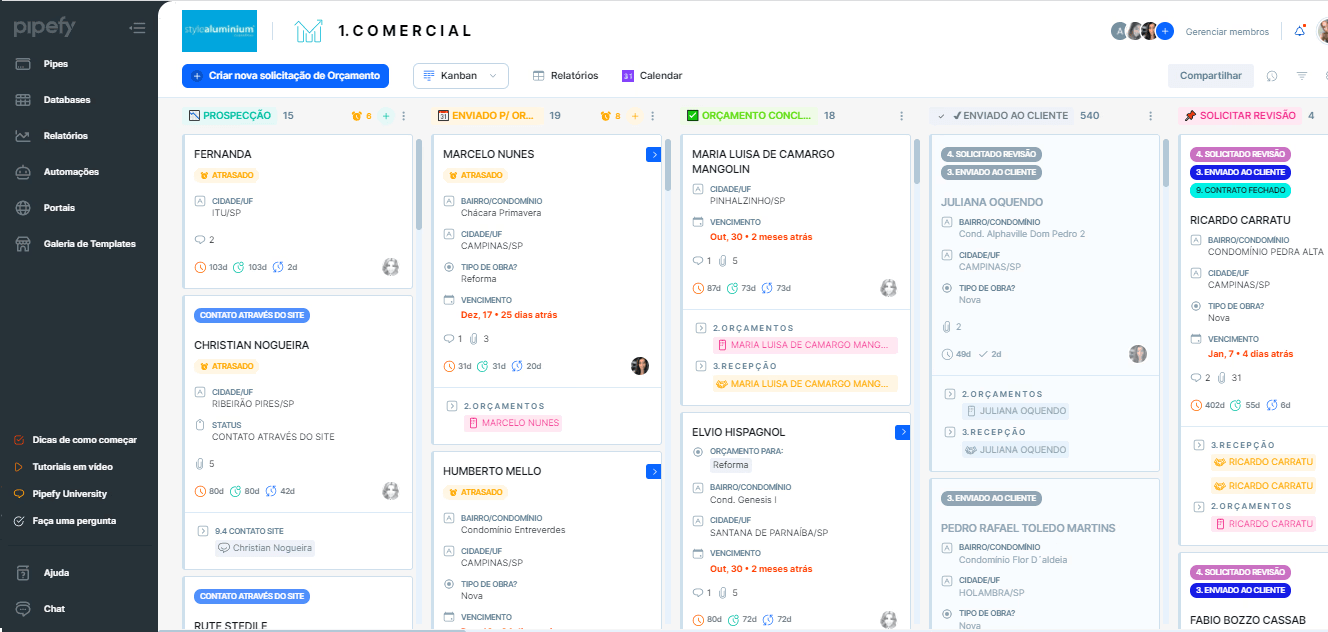 Image source: pipefy.com
Image source: pipefy.comPipefy is a cloud-based, no-code workflow management platform that allows teams to visually design, automate, and optimize processes. It uses a Kanban-style interface where each "card" represents a process instance (like a new hire or a customer ticket) that moves through customizable phases. It's particularly strong for standardizing request-based workflows like IT support, HR requests, and procurement.
Key features:
- Visual workflow builder: Design and customize your processes with a drag-and-drop interface, defining phases, rules, and automations.
- Public forms: Create shareable forms to collect requests and data from external users (like customers or vendors), which automatically create new cards in your workflow.
- Plug-and-play templates: Get started quickly with a wide range of pre-built templates for common business processes like employee onboarding, purchase approvals, and help desk tickets.
- AI agents and automation: Use AI to automate interactions, route tasks, and keep workflows running 24/7. Set up rules to automatically assign tasks, send emails, and move cards.
- Integrations: Connect Pipefy to your other business tools like Slack, Microsoft Teams, and various CRMs to create an integrated workflow ecosystem.
Pricing:
- Pipefy pricing starts at $20 per user/month. A free plan is available.
Pros:
- The intuitive, visual interface is easy to use and makes it simple to understand the status of any process.
- Affordable pricing with a functional free plan makes it accessible for small to medium-sized businesses.
- Comes with a great library of pre-built templates that help teams implement standard workflows quickly.
Cons:
- The dashboard and reporting features could be better organized and more customizable.
- Some users have reported issues with automated emails from Pipefy being flagged as spam.
- An unexpected platform upgrade caused disruption for some users, indicating potential communication issues around product changes.
Kintone - Best for building no-code applications and databases
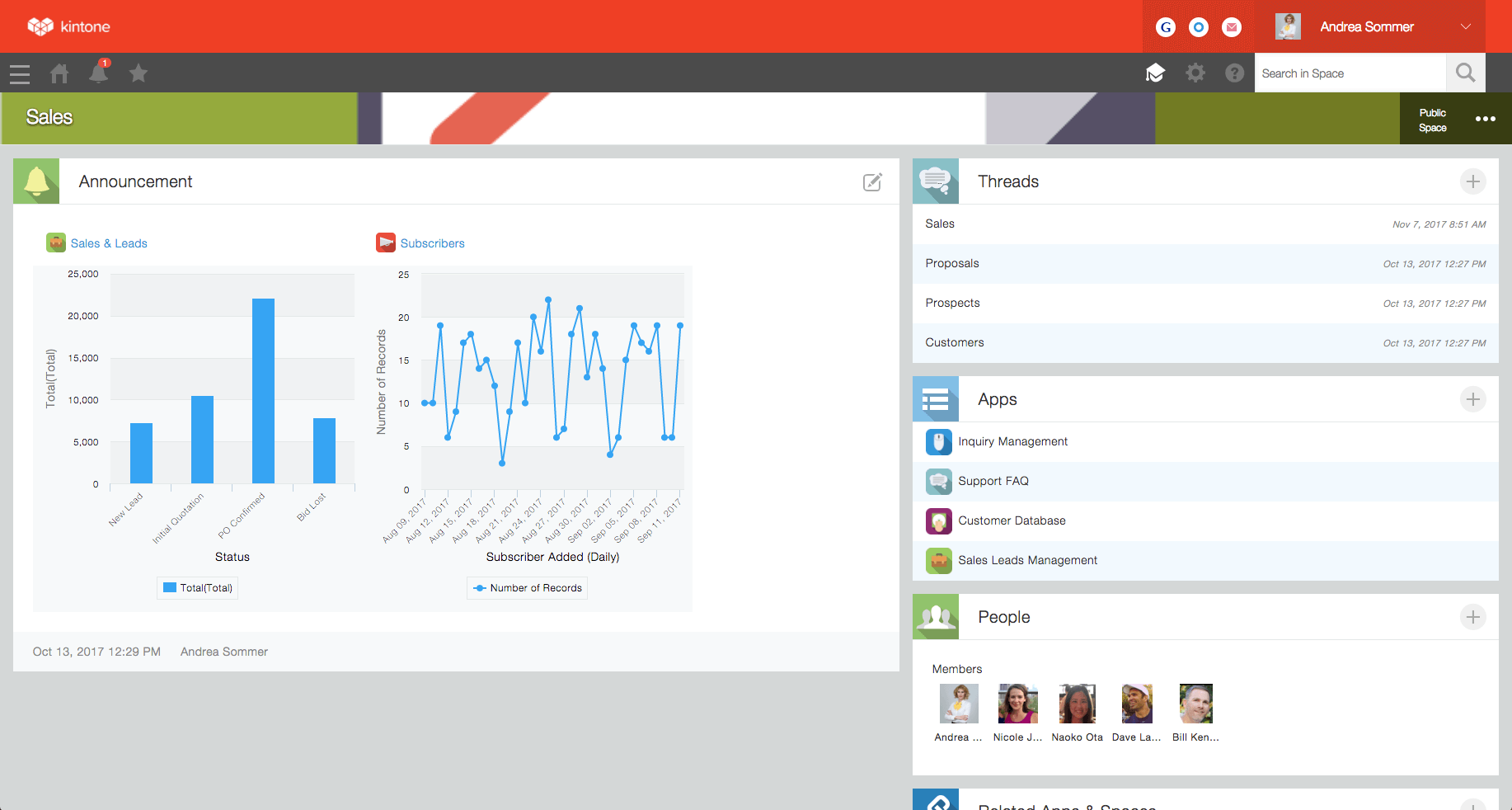
Kintone is an all-in-one, highly customizable workplace platform that empowers teams to build their own business applications, databases, and workflows without writing any code. It's designed to centralize scattered data from spreadsheets and emails into dynamic, collaborative apps that can manage everything from CRM and project management to expense reporting and HR processes.
Key features:
- No-code app builder: Use a drag-and-drop interface to build custom database apps to track whatever data is critical for your team.
- Process management and workflows: Design and automate step-by-step workflows with custom reminders, notifications, and approval steps to keep work moving.
- Centralized data and communication: Communicate directly on data records, ensuring that conversations and context are never separated from the work itself.
- Granular permissions: Control exactly who can see and edit what, down to the field level, ensuring data security and proper access for all collaborators.
- Spaces for team collaboration: Create dedicated workspaces for different teams, departments, or projects to organize all relevant apps, data, and discussions in one place.
Pricing:
- Kintone pricing starts at $24 per user/month. A free plan is unavailable.
Pros:
- Highly customizable platform that allows teams to build solutions perfectly tailored to their unique processes.
- The no-code app builder is powerful yet accessible, empowering business users to create their own tools.
- Excellent customer support is frequently praised by users, with a dedicated team helping with implementation and setup.
Cons:
- The 5-user minimum makes the platform inaccessible and too expensive for very small teams or individual users.
- Some users find the user interface to be less modern and more clunky compared to newer competitors.
- While powerful, the sheer number of features and customization options can lead to a steep learning curve for new users.
Next Matter - Best for complex, cross-functional service operations
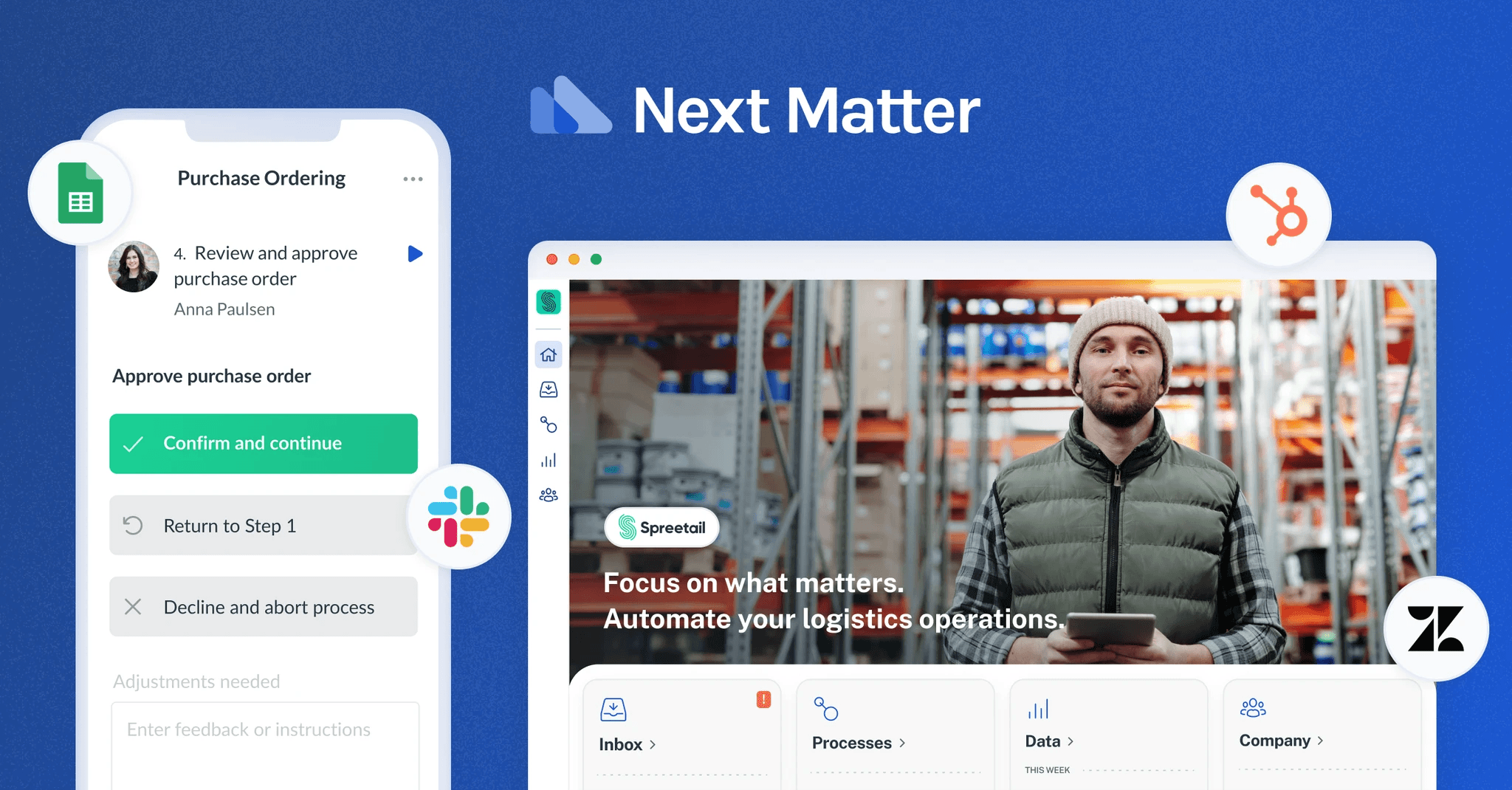 Image source: nextmatter.com
Image source: nextmatter.comNext Matter is an enterprise-grade workflow automation platform designed for high-stakes service teams in areas like customer onboarding, compliance, and claims processing. It focuses on ensuring 100% service reliability by automating and orchestrating complex, multi-step processes that involve collaboration across multiple teams, systems, and even external users.
Key features:
- Visual workflow builder: Design complex workflows with a no-code, drag-and-drop interface that supports conditional logic, parallel tasks, and integrations.
- Enterprise-grade integrations: Connect with critical business systems like CRMs (Zendesk), databases, and custom APIs to create end-to-end automated processes.
- External portals and guest access: Engage external users like customers or partners in your workflows through secure public forms, portals, and guest tasks.
- Manager dashboards and analytics: Get real-time visibility into all running processes, track deadlines and SLAs, and use data exports to analyze team performance and identify bottlenecks.
- Governance and compliance: Built for high-stakes environments with features like audit logs, versioning, and enterprise-grade security (SOC 2, GDPR) to meet compliance requirements.
Pricing:
- Next Matter’s pricing starts at $625/month + $19/user/month. No free plan is available.
Pros:
- Excellent for automating and standardizing complex, mission-critical service operations where reliability and compliance are key.
- Provides true end-to-end process orchestration, connecting internal teams, external users, and various systems in a single flow.
- Highly scalable and secure, with options for custom deployments on private clouds (AWS, Azure, Google).
Cons:
- The high platform fee makes it an enterprise-focused tool and inaccessible for small or even most medium-sized businesses.
- Has a more limited number of native, pre-built integrations compared to platforms like Zapier, relying more on custom API connections for extensibility.
- Its focus on structured, repeatable processes makes it less suitable for more dynamic, creative project management.
Other workflow software
- ProcessMaker - An open-source, business process management software that excels at automating form-based approval workflows.
- ProofHub - A project management and team collaboration software that provides a range of tools for managing your team’s workflows for a flat monthly fee.
- Bit.ai - An AI-powered platform that focuses on creating smart, interactive, and collaborative documents and wikis. It's designed for teams that need to create and share knowledge effectively.
- Shift - Not a traditional workflow management tool, but rather a desktop browser designed to solve the problem of productivity lost from constantly switching between tabs and apps.
- Fluix - A no-code workflow automation software designed specifically for businesses with mobile and field service teams, such as those in construction, energy, aviation, and remodeling.
- Cflow - A no-code, cloud-based workflow automation and business process management platform that excels at automating form-based approval workflows across departments.
How to choose the right workflow software for your team
Choosing the right workflow software for your team doesn't have to be complicated. Instead of searching for the single "best" tool, focus on finding the one that fits your team's specific needs, size, and budget.
According to Paul McKee, founder of 15 Worksheets, the most successful teams don't just pick software based on features—they choose tools that align with how they actually work. "The biggest mistake companies make is selecting overly complex platforms that end up creating more friction than they solve," he says. "Start with your team's simplest, most repetitive processes and find software that makes those effortless first."
To figure this out, start by asking yourself these questions:
- What is your team size and budget? Are you a small team that can thrive on a generous free plan, or a large enterprise needing advanced security and scalability?
- What are your biggest pain points? Are you drowning in repetitive manual tasks, struggling with cross-departmental communication, or lacking visibility into project progress?
- What are your business needs? Do we need a simple task tracker or a platform to build complex, custom applications? Your need for customization will heavily influence your choice.
- How important is it to have all our tools—chat, docs, meetings, and tasks—in one place? The cost of app-switching, both in subscription fees and lost productivity, is a real factor to consider.
Conclusion
The best workflow software is a balancing act: it needs to be powerful enough for complex tasks but simple enough for your entire team to use. It should consolidate essential tools to cut down on costs and friction while still offering advanced features. For example, a mobile app development company might require a different set of tools compared to a smaller team, especially when it comes to managing development workflows, collaborating across departments, or tracking project progress.
An excellent example of this is Lark. Designed to solve the issue of fragmented digital workplaces, it combines a relational database, integrated chat and meetings, and collaborative docs into a single app. Its easy-to-set-up automation makes it accessible for everyone, not just technical users. Lark offers enterprise-level power without the typical complexity or high price, directly addressing common pain points in the market.
Stop juggling apps and start streamlining your work. Experience the power of having everything in one place by trying Lark’s feature-rich Starter plan—it’s free forever for up to 20 team members.
FAQs
What is workflow management software?
Workflow management software helps a business organize its work from start to finish with an intuitive platform used to improve workflow processes, making them clearer and more efficient for everyone involved. This kind of tool allows tasks to move smoothly from one person to the next, reducing manual effort and boosting workplace productivity. Over time, it supports steady process improvements.
What is workflow automation software?
Workflow automation software is designed to simplify processes by letting technology handle repetitive, manual work. For example, it can automatically send email reminders, route documents for signatures, or update project statuses, saving time and reducing errors.
Many tools are no-code platforms, meaning you don’t need technical knowledge to configure workflows that fit your team’s exact needs. With features like reporting tools, you can monitor and improve workflows effectively.
What is the best small business workflow software?
There is no single "best" option; the right small business workflow software depends on your company’s needs. Look for an intuitive platform that allows you to configure workflows easily, reduces manual effort, and enhances workplace productivity. A tool that is easy for your team to adopt and customizable to your unique processes will lead to the most effective process improvements.
Is there any free workflow software available?
Yes. Several free workflow management tools are available. For all-in-one no-code platforms, options like Lark and ClickUp are great choices. Traditional tools like Asana and Wrike also offer free plans. These platforms reduce manual effort, improve workplace productivity, and often include reporting tools to track your team’s progress.
What is the best workflow software?
There’s no single “best” workflow software—it depends on your business operations and goals. Popular platforms like Lark, monday.com, and Trello help teams manage tasks and projects efficiently. The best tools allow you to streamline processes, improve collaboration, and reduce time-consuming processes through task automation.
Does Microsoft have a workflow tool?
Yes. Microsoft Power Automate is a workflow automation solution that allows users to automate handoffs, send automated notifications, and connect apps and services. It’s ideal for streamlining approvals, alerts, and other repetitive tasks in business operations.
Does Google have a workflow tool?
Yes. Google Workspace includes workflow capabilities through Google Apps Script or AppSheet, which help teams automate handoffs, track projects, and reduce repetitive data entry. These tools support project tracking and can simplify workflows without coding knowledge.
Is Salesforce a workflow tool?
Salesforce is primarily a CRM, but it offers workflow automation features through Salesforce Flow. Businesses can automate lead assignments, approvals, and alerts while tracking key performance indicators, improving efficiency, and reducing time-consuming processes.
Related reading
Table of contents
Start using Lark today

Manage all your work in one place
Boost team efficiency by 10x
Save up to 70% on software costs
Table of contents
Start using Lark today
Manage all your work in one place
Boost team efficiency by 10x
Save up to 70% on software costs
Keep reading







2026 Lark Technologies Pte. Ltd.
Headquartered in Singapore with offices worldwide.






Explore: