


8 Best CRM Packages: Streamline Management and Workflow

Ryan Tanner
Product Marketing Specialist
Aug 5, 2026
Ryan Tanner
Aug 5, 2026

18 min read


Choosing the best CRM packages can make or break how effectively your business manages customer relationships. A good CRM doesn't just store contacts, it connects teams, automates workflows, and provides insights that drive smarter sales decisions. With so many options available, finding the right fit depends on your team's size, goals, and workflow style.
From feature-rich enterprise platforms like Salesforce to flexible, user-friendly systems like HubSpot and Zoho, today's CRM tools cater to every need. Alongside these, modern collaboration platforms such as Lark are increasingly being used to complement CRM systems helping teams communicate seamlessly, share data, and stay aligned across projects. This guide compares the top CRM packages to help you choose the one that best fits your business.
- Lark: A connected workspace built for CRM collaboration.
- Salesforce CRM: The enterprise standard for customer management.
- HubSpot CRM: The best free CRM for growing teams.
- Pipedrive: Visual sales pipeline management made simple.
- Monday Sales CRM: Flexible CRM built for cross-team projects.
- Zoho CRM: Affordable and feature-rich CRM for SMBs.
- Zendesk Sell: CRM designed for customer-centric sales.
- Freshsales: AI-powered CRM for smarter deal management.

What is a CRM package, and why does it matter
A CRM package (Customer Relationship Management package) is a suite of tools designed to help businesses manage interactions with customers and prospects throughout the sales lifecycle. It centralises data such as contact details, communication history, and deal progress, giving teams a complete view of customer relationships.
Beyond simple record-keeping, CRM packages streamline workflows by automating tasks like lead nurturing, follow-ups, and reporting. They also combine with marketing, support, and finance systems to create a unified business environment. CRM packages matter because they enable organisations to build stronger relationships, improve sales efficiency, and make data-driven decisions. By providing visibility across teams, they ensure no lead or customer is overlooked.
Image source: unsplash.com
Key features to look for in a CRM system
A reliable CRM package should do more than just store customer data, it should help teams collaborate, automate tasks, and make informed decisions. Here are the most essential features to consider when choosing a CRM system:
- Contact and lead management: A strong CRM should centralize all customer and prospect information in one place. It helps sales teams track every interaction, from initial outreach to final conversion. This ensures that no lead is forgotten, enabling better relationship management and higher conversion rates.
- Workflow automation and sales pipeline visualization: Automation simplifies repetitive sales tasks like follow-ups, lead assignments, and deal updates. Visual pipelines help teams see exactly where each deal stands, making it easier to prioritize efforts and forecast revenue. Together, these tools enhance productivity and shorten sales cycles.
- Email and chat communication tools: Collaborated email and messaging features keep communication within the CRM, eliminating the need to switch between apps. Teams can track customer interactions, respond faster, and maintain a consistent tone across all messages. This unified approach strengthens engagement and builds trust.
- Reporting and analytics dashboards: Comprehensive reporting tools give managers real-time insights into sales performance, team productivity, and customer trends. Customizable dashboards allow users to track KPIs and visualise growth opportunities. With data-driven analytics, businesses can make smarter strategic decisions.
- Collaboration with marketing, finance, or support systems: A connected CRM unifies data across multiple departments for seamless collaboration. Collaboration with marketing automation, accounting, or support platforms ensures teams work from the same information source. This reduces manual work and improves visibility across the customer journey.
- Scalability and user-friendliness: The best CRMs grow with your business and remain easy to use for all team members. An intuitive interface reduces onboarding time, while scalable features adapt to increasing data and user needs. This flexibility ensures long-term efficiency and adoption.
- Data security and compliance: Customer data protection is vital for trust and compliance. Robust CRMs include encryption, access controls, and audit trails to prevent unauthorized access. They also comply with major data protection regulations like GDPR, ensuring your business remains secure and credible.
Full list: Top 8 CRM packages to consider
1. Lark: A connected workspace built for CRM collaboration
For customer-facing teams, managing relationships often means juggling multiple tools, spreadsheets for leads, emails for updates, and chat apps for communication. Lark brings all these elements together into one connected workspace. It provides sales, marketing, and support teams with a shared platform to manage CRM activities efficiently, maintain data accuracy, and collaborate throughout every stage of the customer journey.
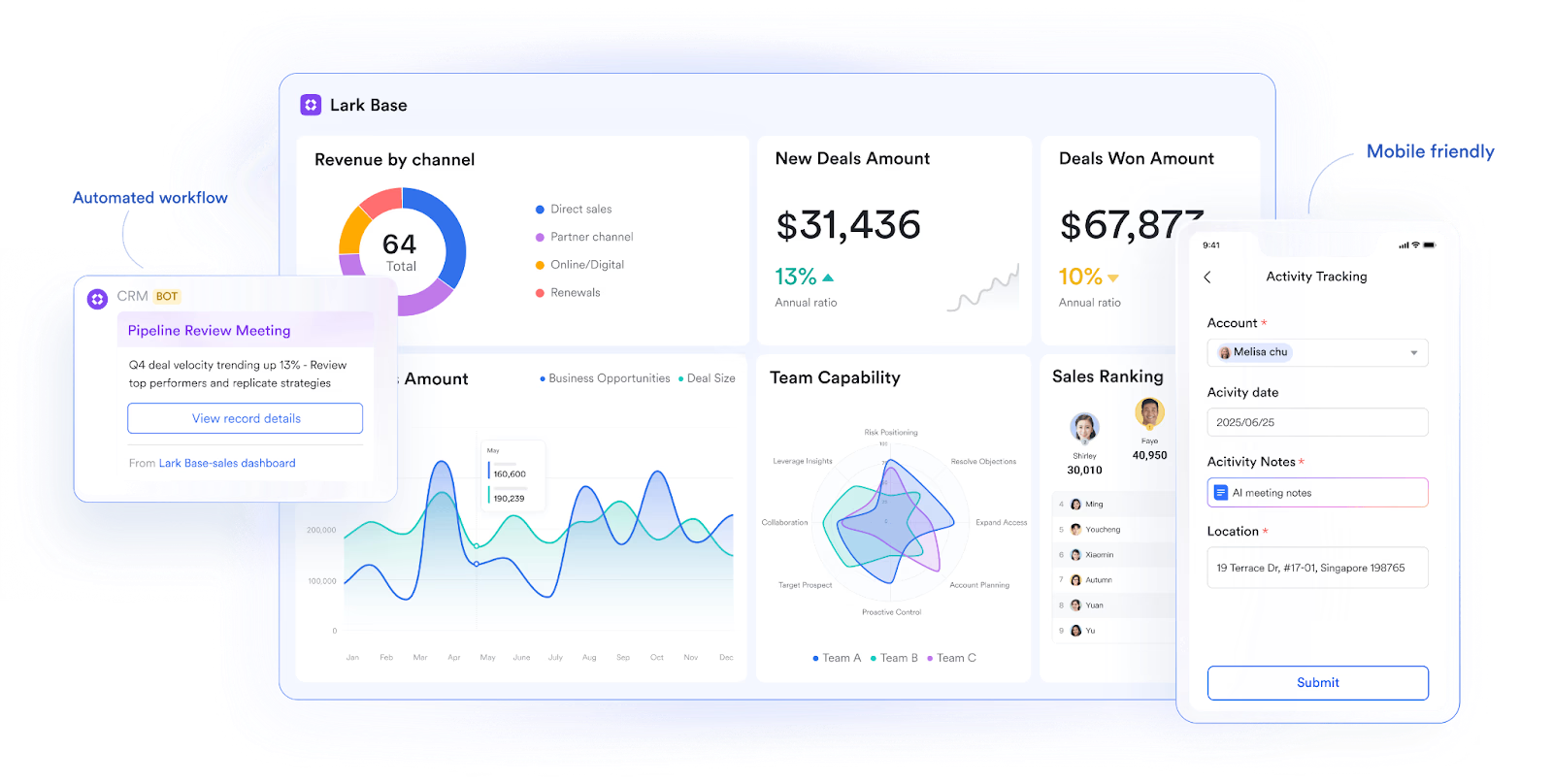
Lark Base: Configure CRM Mini Apps for end-to-end management
Lark Base allows teams to build lightweight CRM systems without efforts. Instead of relying on complex setups, teams can customize Base tables, views, and workflows that match their CRM structure, whether it's tracking lead status, updating customer information, or assigning account owners. Frontline staff can access CRM data on mobile devices, submit updates instantly, and trigger follow-up actions directly within Base. This ensures that sales representatives, managers, and support agents always work with the most up-to-date information.
Base also supports multiple tables and views, so teams can look at their CRM data from different perspectives by region, stage, or account type without duplicating effort. Dashboards and flow fields provide quick visibility into performance and sales metrics.
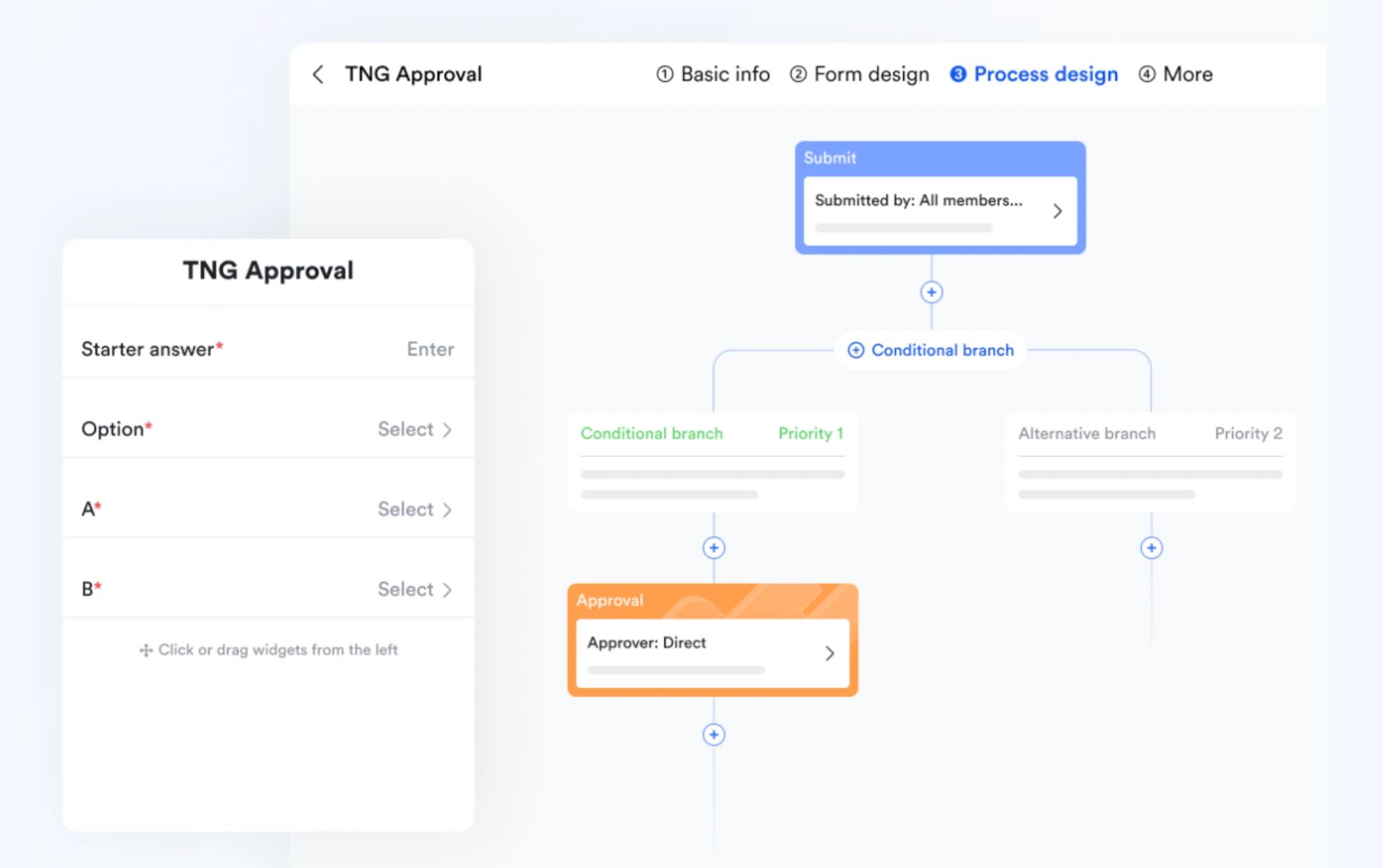
Lark Approval: Streamline CRM processes and decision-making
CRM workflows often involve approvals like qualifying leads, offering discounts, or signing off on contracts. With Lark Approval, these steps happen in one connected space. Sales and finance teams can process requests directly from their Lark workspace, removing the need to jump between systems or emails.
Each approval record stays linked to related deals or customer profiles in Base, creating a single source of truth. Managers receive automated notifications, so they can review and approve submissions faster. This not only accelerates decision-making but also improves traceability across the CRM lifecycle.
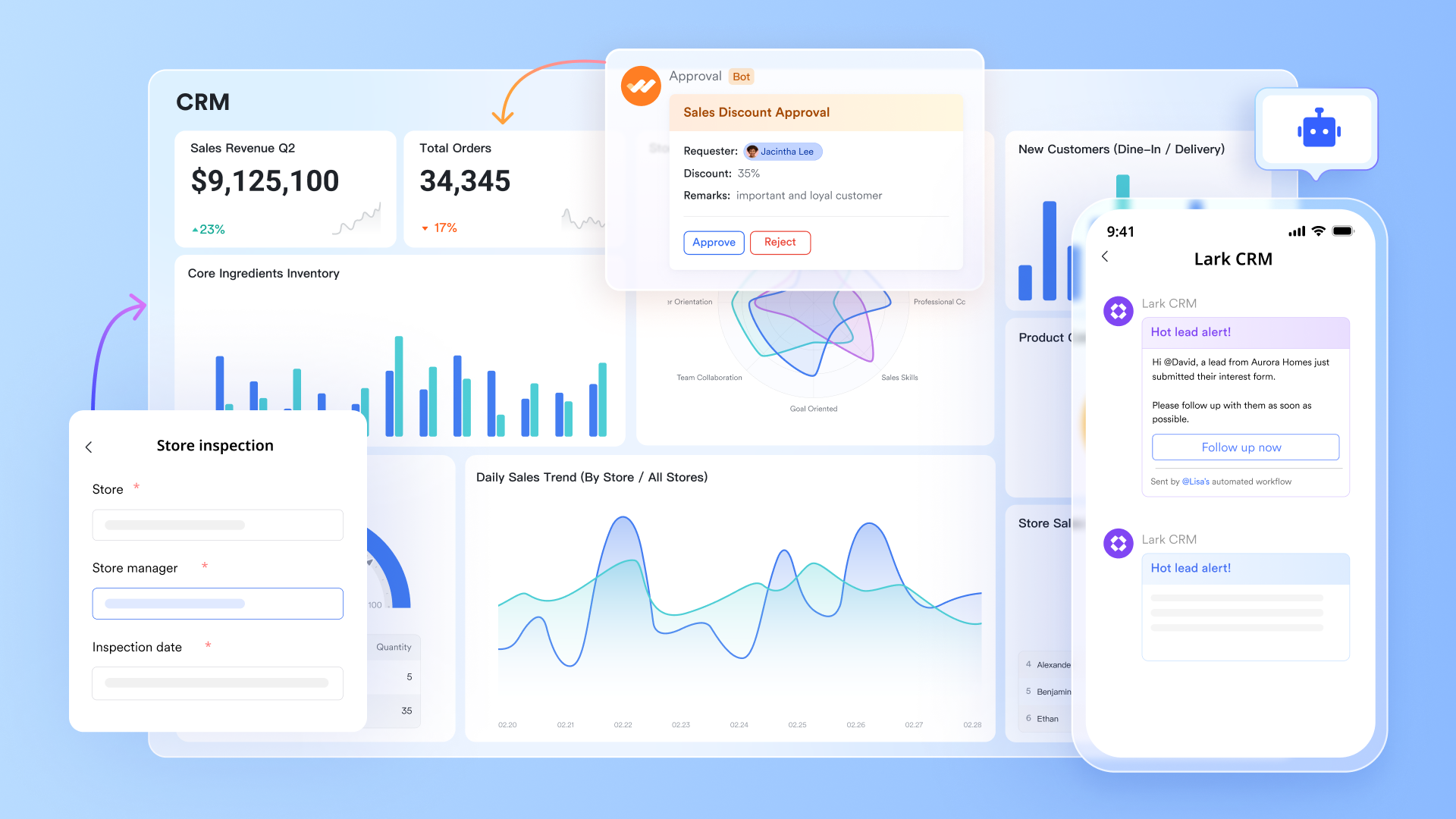
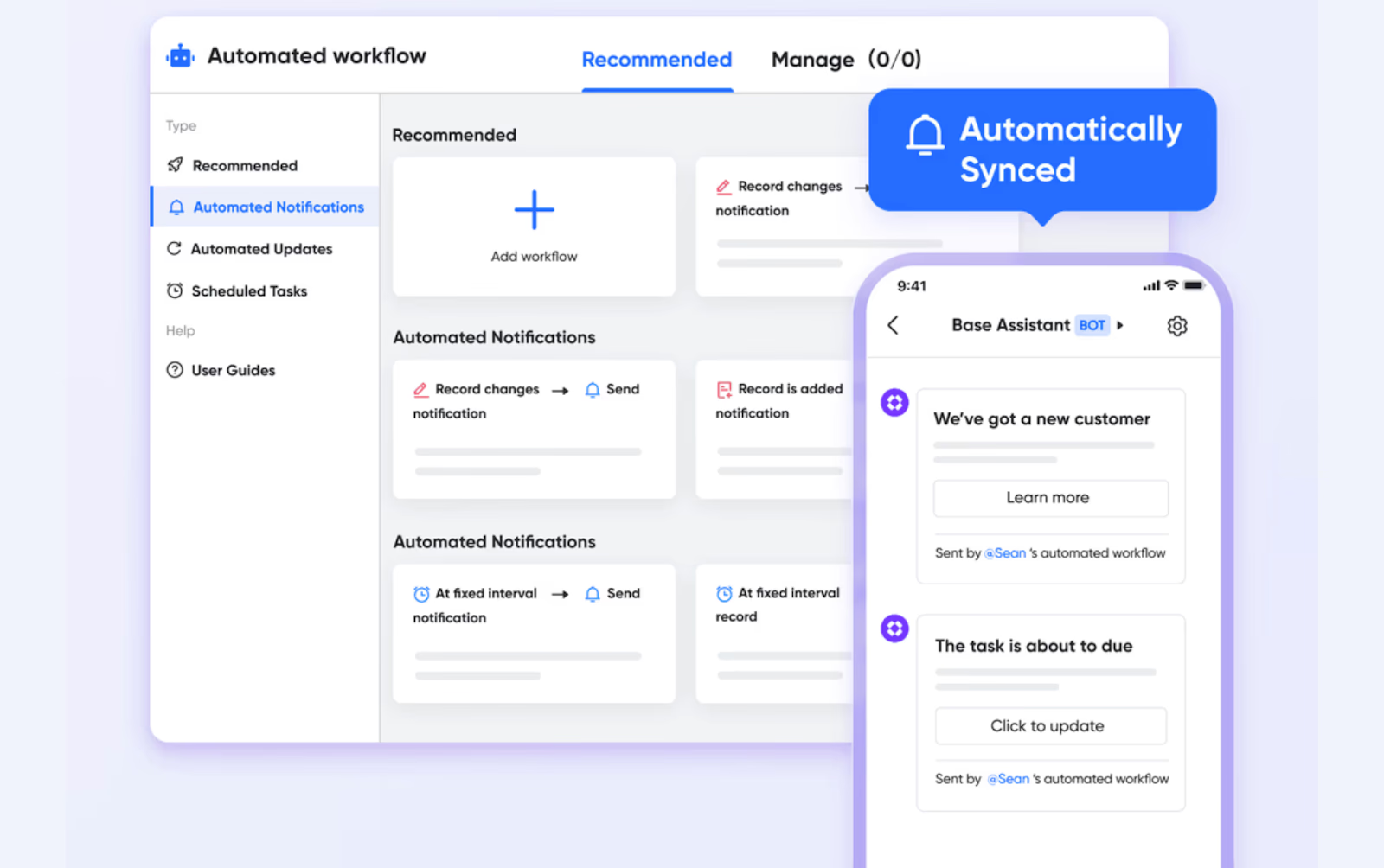
Lark Base automations & Lark Messenger: Automate CRM notifications and discussions
Communication is the backbone of CRM collaboration. Via automations in Lark Base, Lark Messenger ensures that updates, alerts, and discussions happen instantly and in the right context. Bots and message cards can be configured to deliver automated CRM notifications such as new leads added, deals closed, or approvals pending—directly into relevant chats or group conversations.
Team members can comment on messages, mention stakeholders, and attach related Docs or Base views. This brings every CRM update into the same space where teams already communicate, reducing misalignment and saving time.
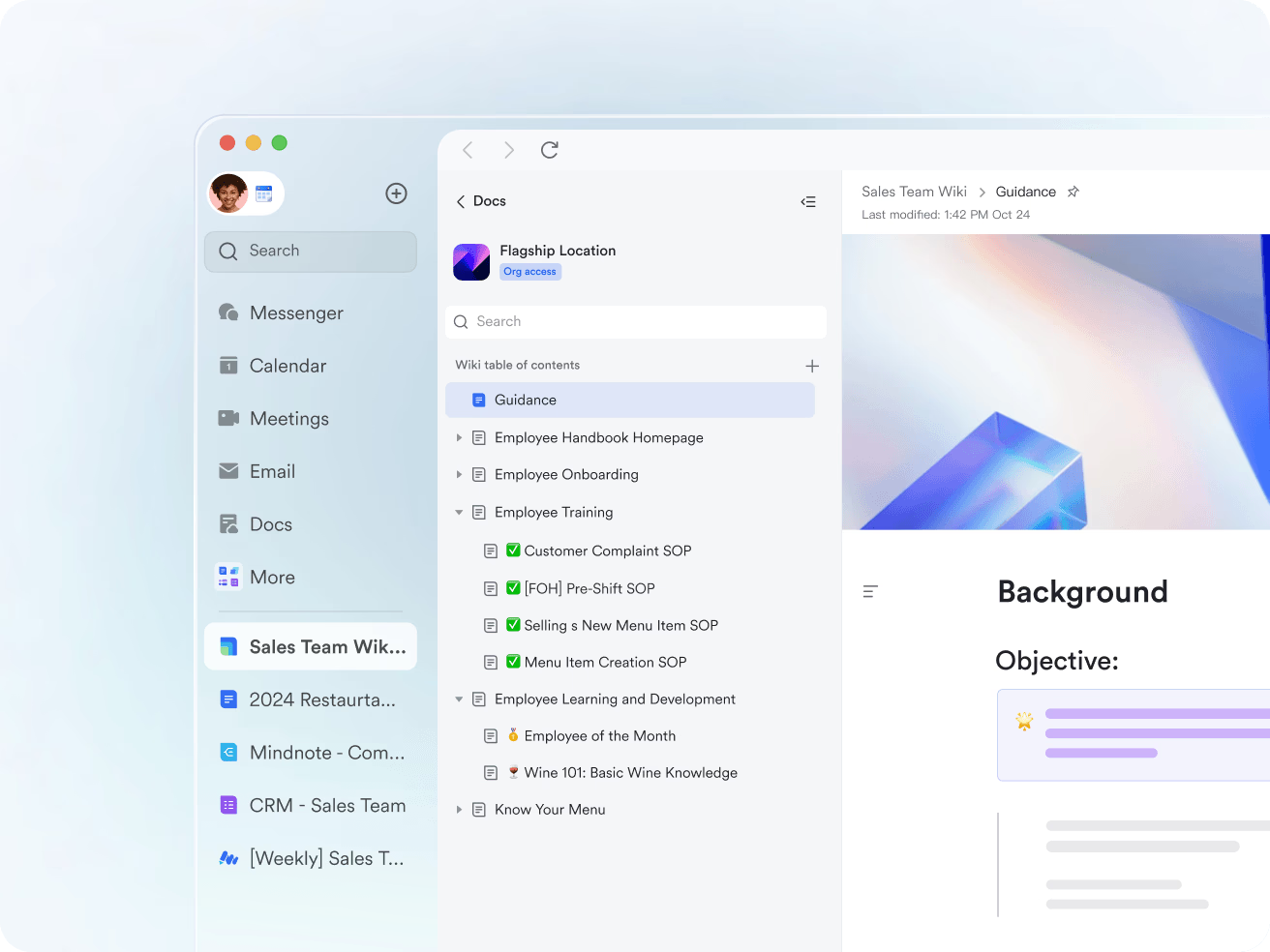
Lark Docs: Centralize CRM documentation and customer knowledge
Sales and support teams rely heavily on documentation proposals, call summaries, and client reports. Lark Docs provides a shared space where CRM-related content can be created and edited in real time. Teams can co-author meeting notes, embed videos or polls for feedback, and link CRM tables from Base for contextual reference.
Advanced sharing controls ensure sensitive customer data remains protected, while version history helps teams track document changes easily. With Lark Docs, CRM information stays structured, searchable, and always accessible to relevant stakeholders.
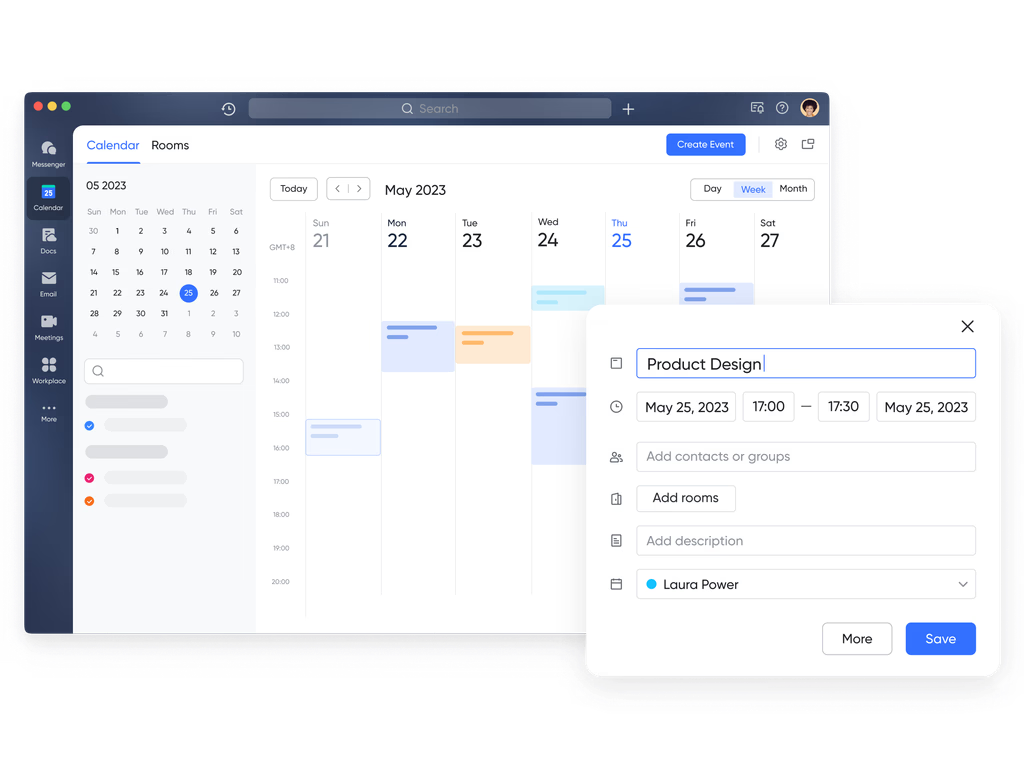
Lark Tasks & Lark Calendar: Coordinate CRM activities efficiently
CRM collaboration often depends on task alignment and scheduling. Lark Tasks lets managers assign follow-ups, monitor progress, and maintain accountability across the team. Tasks can link directly to specific leads or opportunities, keeping action items visible and traceable. Meanwhile, Lark Calendar ensures ongoing Tasks are displayed and meetings with clients and internal reviews stay synchronized. Teams can check availability, book meetings, and attach related CRM documents, all within the same workspace.
- Starter plan: Free forever plan that includes 11 powerful tools for up to 20 users. It also comes with 100GB of storage, 1000 automation runs, AI translations, and more.
- Basic plan: $6/user/month (billed annually) for up to 500 users. It includes everything in Starter plus group calling for up to 500 attendees, 5TB of storage, 1000 automation runs, and more.
- Pro plan: $12/user/month (billed annually) for up to 500 users. It includes everything in Starter plus group calling for up to 500 attendees, 15TB of storage, 50,000 automation runs, and more.
- Enterprise plan: Contact sales for custom pricing. Supports unlimited users and includes even more automation runs and advanced security, compliance, and management features.
2. Salesforce CRM: The enterprise standard for customer management
Salesforce CRM is one of the most established and powerful customer relationship management platforms in the world. Designed for enterprises, it offers unmatched flexibility, customisation, and scalability across departments. Its robust tools help organisations manage complex sales processes, analyse customer data, and drive smarter business decisions. With AI-driven insights and deep integrations, Salesforce sets the benchmark for enterprise-grade CRM systems.
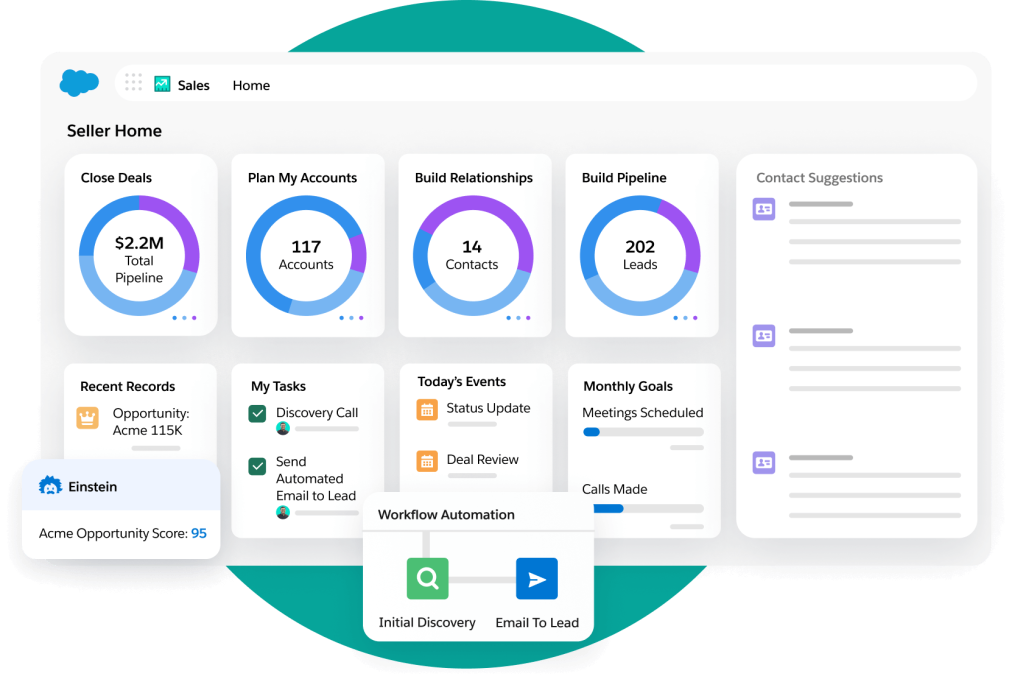
Image source: salesforce.com
Key features:
- Comprehensive contact, account, and opportunity management for a 360° customer view.
- Customizable sales pipelines and automated workflows for every business process.
- AI-powered analytics and predictive insights through Salesforce Einstein.
- Real-time reporting and dashboards for performance tracking and forecasting.
- Seamless integration with thousands of third-party tools via AppExchange.
Strengths:
- Highly customizable for different industries, roles, and workflows.
- Extensive automation and reporting capabilities for data-driven decision-making.
- Large ecosystem of integrations, apps, and developer support.
- Proven scalability for global teams and complex organizations.
Weaknesses:
- Steeper learning curve and setup complexity compared to simpler CRMs.
- Higher pricing and maintenance costs may deter small businesses.
Pricing:
- Essentials: From $25/user/month (basic CRM features).
- Professional: From $80/user/month (standard automation and reporting).
- Enterprise: From $165/user/month (advanced customization and analytics).
- Unlimited: From $330/user/month (full functionality with premium support).
3. HubSpot CRM: The best free CRM for growing teams
HubSpot CRM is one of the most popular free CRMs for startups and small businesses. It offers a clean interface, fast setup, and deep integration with HubSpot's marketing and service hubs. Designed for scalability, HubSpot allows teams to start free and add advanced features as they grow. It's ideal for businesses seeking simplicity, automation, and inbound marketing integration.
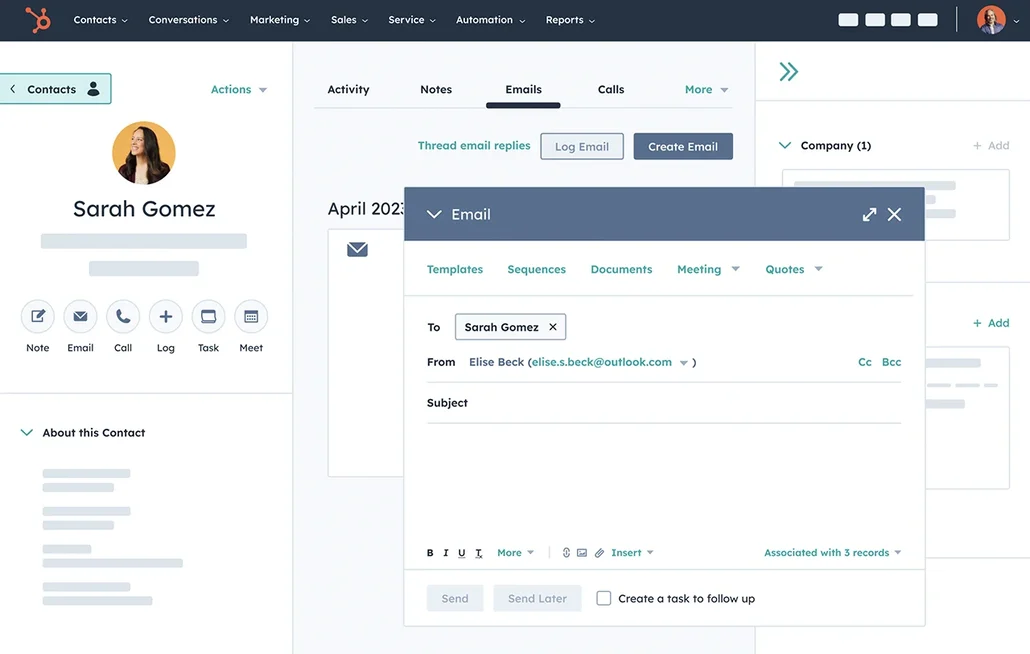
Image source: hubspot.com
Key features:
- Contact and lead management with email tracking and scheduling.
- Visual deal pipelines and activity timelines.
- Built-in marketing automation tools for lead nurturing.
- Integrated chat, forms, and ticketing systems.
- Real-time analytics and sales reporting.
Strengths:
- Free forever plan with generous features.
- Seamless integration with marketing and service hubs.
- Intuitive interface with minimal learning curve.
- Extensive library of templates and workflows.
Weaknesses:
- Advanced automation requires paid plans.
- Limited customization compared to enterprise CRMs.
Pricing:
- Free plan: Core CRM features included.
- Starter: From $18/user/month.
- Professional: From $90/user/month.
- Enterprise: From $150/user/month.
4. Pipedrive: Visual sales pipeline management made simple
Pipedrive is built around visual deal tracking and pipeline management, making it perfect for sales-driven teams. Its intuitive interface focuses on moving deals forward efficiently and improving conversion rates. With automation and analytics tools, Pipedrive helps sales reps stay organized and productive. It's ideal for small to mid-sized businesses that want simplicity without sacrificing functionality.
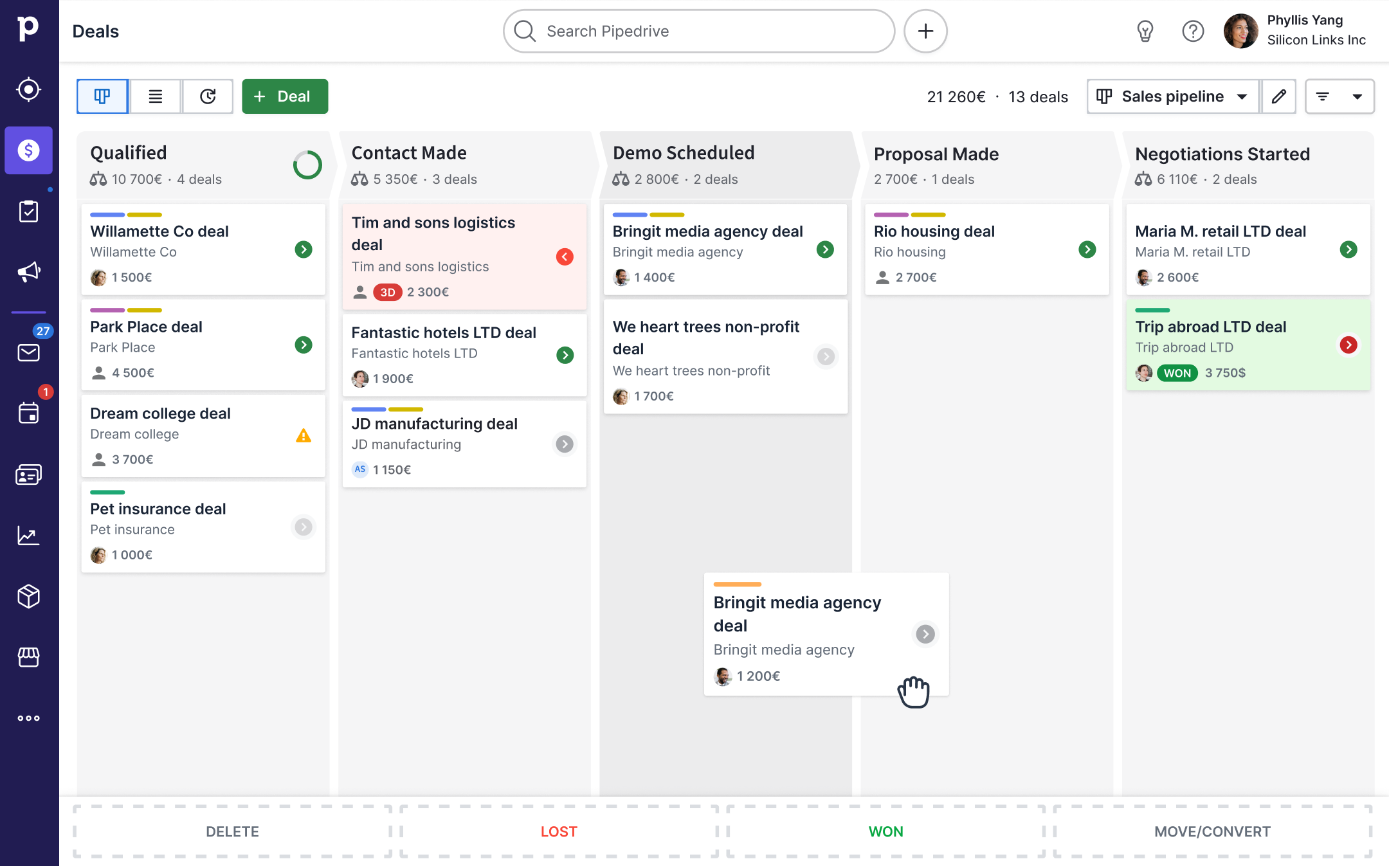
Image source: pipedrive.com
Key features:
- Visual sales pipelines with drag-and-drop functionality.
- Deal, contact, and activity management in one view.
- Email tracking and smart reminders.
- Workflow automation and goal tracking.
- Reporting dashboards for pipeline performance.
Strengths:
- Easy to set up and use with minimal training.
- Highly visual interface enhances sales tracking.
- Affordable pricing for growing teams.
- Mobile app for on-the-go updates.
Weaknesses:
- Limited marketing and support integrations.
- Lacks deep analytics compared to advanced CRMs.
Pricing:
- Essential: $12/user/month.
- Advanced: $24/user/month.
- Professional: $49/user/month.
- Enterprise: $99/user/month.
5. Monday Sales CRM: Flexible CRM built for cross-team projects
Monday Sales CRM extends the power of Monday.com's work OS into sales management. It's ideal for teams that want to align sales, marketing, and project workflows in one flexible platform. With custom dashboards and automation, it gives full visibility into every stage of the sales process. Monday's visual boards and integrations make it a great choice for cross-functional collaboration.
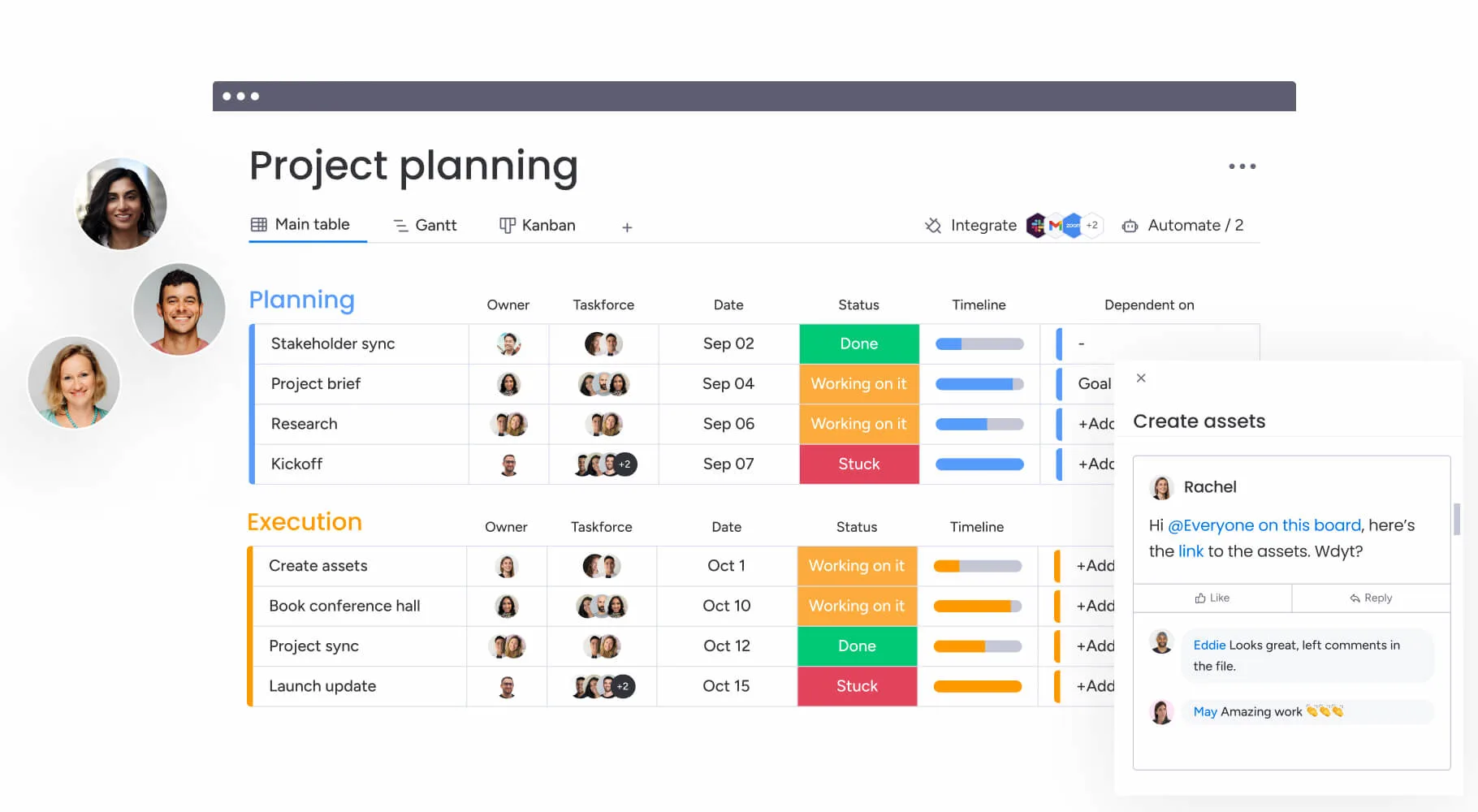
Image source: monday.com
Key features:
- Fully customizable boards for leads, accounts, and pipelines.
- Automation for deal stages, notifications, and assignments.
- Dashboards that visualize performance and progress.
- Integration with Gmail, Outlook, and LinkedIn.
- Collaboration tools that sync across departments.
Strengths:
- Highly flexible and visual interface.
- Integrates project management and CRM functions.
- Great for marketing and sales alignment.
- Strong automation and time-saving workflows.
Weaknesses:
- Limited advanced CRM analytics.
- Can be complex to customize for new users.
Pricing:
- Basic: $10/user/month.
- Standard: $14/user/month.
- Pro: $24/user/month.
- Enterprise: Custom pricing.
6. Zoho CRM: Affordable and feature-rich CRM for SMBs
Zoho CRM offers powerful automation and analytics at an affordable price, making it a top pick for small and mid-sized businesses. It combines sales automation, marketing tools, and AI-driven insights in one platform. With multi-channel communication and strong customization, Zoho CRM helps businesses build smarter sales processes without breaking the budget.
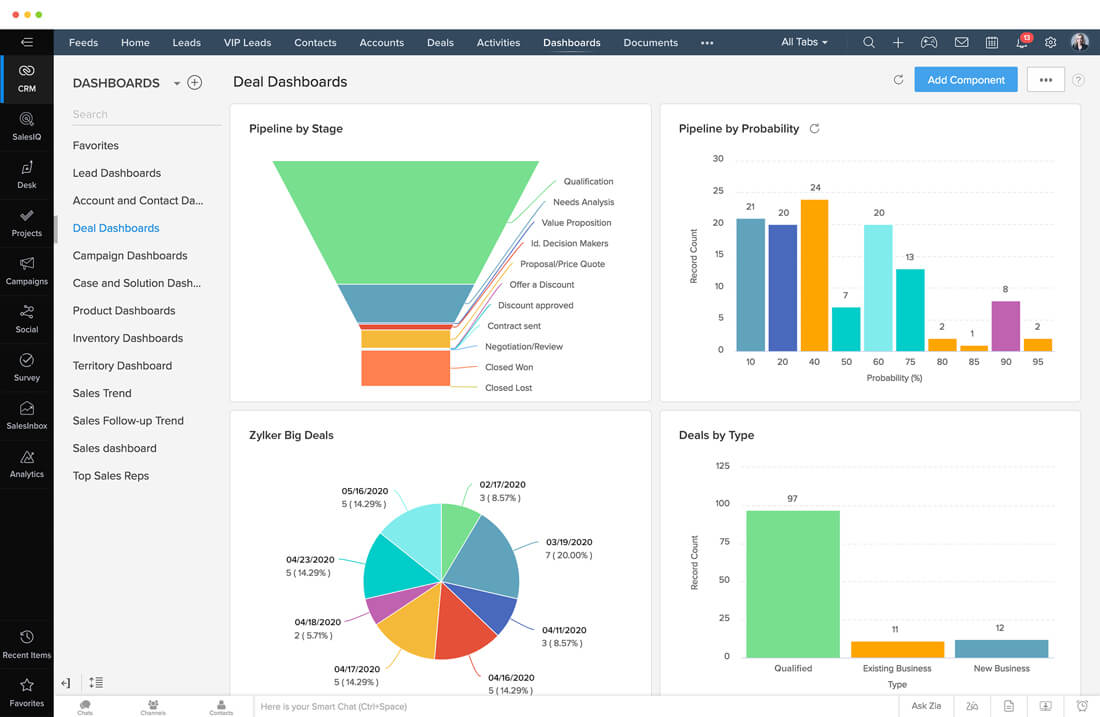
Image source: zoho.com
Key features:
- Lead and contact management with AI scoring.
- Multi-channel communication via email, phone, and social.
- Workflow automation and task management.
- Custom dashboards and real-time analytics.
- Integration with Zoho ecosystem and third-party apps.
Strengths:
- Excellent value for money.
- Robust automation and customization options.
- User-friendly interface suitable for small teams.
- Frequent feature updates and improvements.
Weaknesses:
- Limited support response time on lower tiers.
- Interface can feel cluttered to new users.
Pricing:
- Standard: $14/user/month.
- Professional: $23/user/month.
- Enterprise: $40/user/month.
- Ultimate: $52/user/month.
7. Zendesk Sell: CRM designed for customer-centric sales
Zendesk Sell brings Zendesk's customer-first philosophy to sales management. It's designed to give sales and support teams shared visibility into every customer interaction. With tools for pipeline tracking, email engagement, and mobile CRM, Zendesk Sell simplifies sales processes while improving customer communication. It's a strong choice for teams already using Zendesk's support suite.
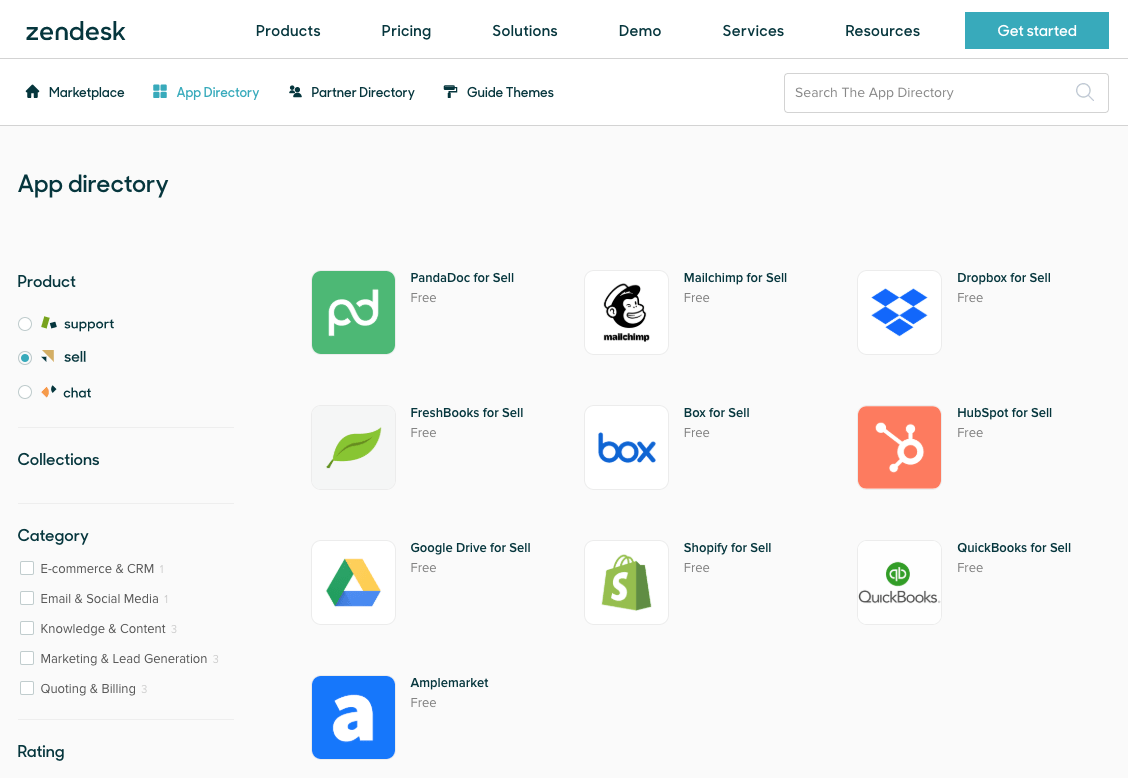
Image source: zendesk.com
Key features:
- Lead, contact, and deal tracking in one interface.
- Built-in email tracking and templates.
- Mobile CRM for field sales and remote teams.
- Reporting and sales performance analytics.
- Integration with Zendesk Support and other tools.
Strengths:
- Unified view of support and sales interactions.
- Easy to use with minimal setup.
- Great mobile experience.
- Integrates seamlessly within the Zendesk ecosystem.
Weaknesses:
- Limited customization outside Zendesk environment.
- Smaller app marketplace compared to other CRMs.
Pricing:
- Team: $19/user/month.
- Growth: $49/user/month.
- Professional: $99/user/month.
- Enterprise: Custom pricing.
8. Freshsales: AI-powered CRM for smarter deal management
Freshsales, part of the Freshworks suite, focuses on simplicity and intelligence. Its AI-driven features help teams prioritize leads, automate follow-ups, and close deals faster. Freshsales combines communication, analytics, and automation in one clean, modern interface—ideal for mid-sized businesses looking for a smart yet affordable CRM solution.
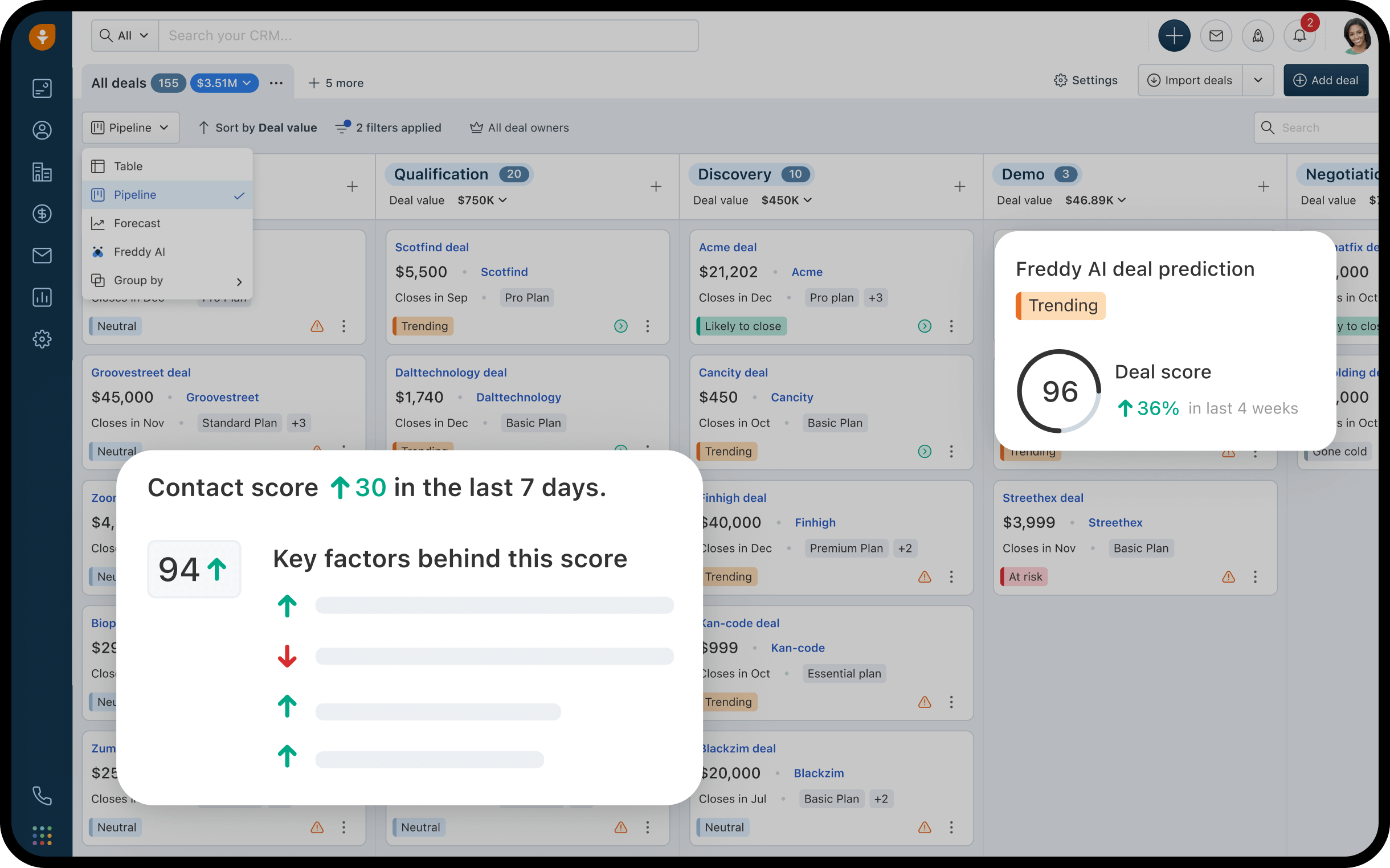
Image source: freshsales.com
Key features:
- Lead scoring and AI-based sales insights.
- Email, call, and chat integration within the CRM.
- Visual deal pipelines and workflow automation.
- Analytics dashboards and sales forecasting.
- Seamless integration with Freshdesk, Freshmarketer, and others.
Strengths:
- User-friendly interface with quick onboarding.
- AI helps focus efforts on high-value deals.
- Affordable pricing and transparent plans.
- Excellent customer support and documentation.
Weaknesses:
- Limited advanced customization for enterprise users.
- Fewer third-party integrations than Salesforce or HubSpot.
Pricing:
- Growth: $15/user/month.
- Pro: $39/user/month.
- Enterprise: $69/user/month.
CRM trends and market insights
The CRM landscape is evolving rapidly as businesses seek smarter, faster, and more connected ways to manage customer relationships. Modern systems are no longer just about storing contact data, they're becoming intelligent and collaborative platforms. Here are the key trends shaping how organisations use CRM tools today:
- Rising focus on automation and AI-driven sales assistance: Automation and AI are transforming how sales teams operate by eliminating manual data entry and suggesting next best actions. From lead scoring to predictive deal forecasting, AI helps teams prioritise high-value prospects. This not only increases efficiency but also improves conversion rates through data-backed insights.
- Growing preference for all-in-one workspaces like Lark: Businesses are moving away from fragmented tools toward unified platforms that combine communication, data, and workflows. All-in-one workspaces like Lark help teams collaborate in real time, manage projects, and automate CRM data sharing. This collaboration reduces tool fatigue and ensures teams stay aligned across sales and support.
- Cloud adoption driving accessibility and scalability: Cloud-based CRM systems are becoming the standard for organizations of all sizes. They allow teams to access customer data anytime, anywhere, which is essential for hybrid and remote work. Cloud solutions also scale effortlessly as businesses grow, providing flexible pricing and seamless updates.
- Increasing need for collaboration tools embedded in CRM ecosystems: Modern CRMs are no longer standalone databases, they're collaboration hubs that connect departments. Built-in chat, task management, and file-sharing tools improve transparency between sales, marketing, and support. This shift helps teams communicate faster, close deals more efficiently, and deliver a consistent customer experience.
Conclusion
Selecting the right CRM package is crucial for fostering stronger customer relationships, enhancing team collaboration, and driving business growth. From robust enterprise systems like Salesforce to flexible and affordable options like HubSpot, Zoho, or Pipedrive, today's CRM tools cater to every business size and goal.
Beyond traditional CRMs, modern workspaces such as Lark are redefining how teams collaborate—bridging communication, data sharing, and workflow automation within one platform. The key is to select a CRM that aligns with your company's needs, collaborates seamlessly with your tools, and scales as you grow. With the right combination of technology and teamwork, your CRM can become the foundation for smarter selling, better service, and long-term customer success.
FAQs
What is a CRM package used for?
A CRM package is used to manage customer data, track interactions, and automate sales and marketing tasks. It helps businesses build stronger relationships and improve communication across teams. The result is better customer satisfaction, higher sales efficiency, and smarter decision-making.
Which CRM is best for small businesses?
For small businesses, tools like HubSpot CRM and Zoho CRM are ideal due to their affordability and ease of use. They offer essential features like contact management and automation without complexity. Lark can complement these by improving collaboration and workflow efficiency.
Is CRM software easy to learn and use?
Most modern CRM systems are designed to be user-friendly and intuitive. Platforms like HubSpot, Pipedrive, and Freshsales offer guided onboarding and visual dashboards. With minimal training, teams can start managing leads and tracking performance efficiently.
What's the difference between a CRM and ERP system?
A CRM focuses on managing customer interactions, sales, and marketing activities. An ERP handles core business operations like finance, supply chain, and inventory management. Together, they provide a complete view of both customer relationships and internal processes.
Can Lark work alongside my existing CRM tool?
Yes, Lark combines easily with most CRMs through APIs and automation tools. This allows teams to sync data, automate workflows, and communicate without switching platforms. It enhances collaboration while ensuring your CRM data stays connected and up to date.
Related reading
Table of contents
Start using Lark today

Manage all your work in one place
Boost team efficiency by 10x
Save up to 70% on software costs
Table of contents
Start using Lark today
Manage all your work in one place
Boost team efficiency by 10x
Save up to 70% on software costs
Keep reading









2026 Lark Technologies Pte. Ltd.
Headquartered in Singapore with offices worldwide.






Explore: