














A Buyer's Practical Guide to Wholesale CRM: What, Why, How and Which

Jennifer Taylor
Product Demand Generation Specialist
Sep 18, 2026
Jennifer Taylor
Sep 18, 2026

28 min read


Wholesale distribution runs on negotiated pricing, reliable availability, and repeat orders that must hit promised margins. A CRM for wholesalers should align sales with operations by exposing contract pricing, available‑to‑promise inventory, and reorder cadence—not just stages and activity tallies. Winning systems model bill‑to/ship‑to hierarchies, streamline quote approvals, and warn teams about backorders, substitutions, and credit holds before customers notice. Increasingly, the fastest path to value is an all‑in‑one workspace that unites chat, docs, calendar, meetings, tasks, approvals, and a no‑code database with automation. This guide reviews 10 CRM options for wholesalers to help you pick the right fit.
Key takeaways: Top 10 CRM for wholesalers
1. Lark: All‑in‑one work platform with no‑code CRM
2. Salesforce Sales Cloud: Wholesale CRM with CPQ
3. White Cup CRM: Wholesale CRM with ERP analytics and pricing
4. SPOTIO: Field sales routing for wholesale and distributors
5. Pipeline CRM: Simple CRM for repeat wholesale sales
6. Microsoft Dynamics 365 Sales: CRM and ERP alignment for distributors
7. NetSuite CRM: Native CRM for NetSuite wholesale ERP
8. Zoho CRM: Affordable CRM with automation for wholesalers
9. HubSpot Sales Hub: Easy CRM with quotes for wholesalers
10. Skynamo: Mobile CRM for field wholesale reps
The best CRM for wholesalers at a glance
What is CRM for wholesalers and why it matters
Wholesale distribution is an operations‑intensive motion where sales promises must match manufacturing and logistics realities. Unlike generic CRMs built around linear opportunity stages, a CRM for wholesalers must handle multi‑branch account structures, customer‑specific price contracts, and a steady rhythm of replenishment orders that behave differently from net‑new deals. The platform should also surface inventory constraints and lead times so that quotes are both fast and accurate, with clear approvals to protect margin. Key differences from generic systems include:
- Account hierarchy and complexity: Bill‑to parents with many ship‑to children, each with different contacts, schedules, and credit terms. Hierarchy drives pricing, taxes, and fulfillment logic.
- Pricing governance: Tiered price lists, contract overrides, volume breaks, rebates, and discount floors require flexible quote rules and auditable approvals. Businesses comparing collaboration platforms often review Google Workspace pricing and ClickUp pricing before making a final decision.
- Inventory dependency: Quotes and promises hinge on available‑to‑promise (ATP), substitution options, and realistic ETAs across warehouses and branches.
- Reorder cadence: Healthy accounts reorder on predictable cycles; gaps and dormant SKUs are early churn signals that require proactive nudges.
- ERP gravity: Contracts, invoices, credit holds, and order status live in ERP; the CRM must respect the system of record and keep teams in sync.
These elements improve outcomes that matter to distributors.
- Quote speed and quality: Shorter turnaround with accurate contract prices and lead times increases win rates and reduces last‑minute escalations.
- Margin protection: Automated guardrails enforce pricing policies and streamline approvals, preserving profitability without slowing deals.
- Service reliability: Realistic ETAs, substitution suggestions, and backorder alerts reduce "where is my order?" calls and build trust.
- Account retention and growth: Reorder visibility, cadence tracking, and targeted cross‑sell suggestions expand share of wallet.
- Territory execution: Mobile‑first visit capture, route planning, and coverage dashboards align field effort with revenue potential.
Must‑have features in CRM for wholesalers
The capabilities below consistently move outcomes in distribution. Each sub‑section highlights what to look for and why it matters.
- Account and contact hierarchy with bill‑to/ship‑to: A faithful data model mirrors the real customer structure. A bill‑to parent with branches and multiple ship‑to addresses. Contacts should align by location and role. This prevents duplicate records, enables branch‑level reporting, and supports contracts that apply at the right level.
- Price lists, contracts, and quote approvals (CPQ‑lite): Quoting must be fast and compliant. Look for tiered price lists, contract pricing, volume breaks, and discount floors. Approval thresholds route exceptions to managers and finance with context. Audit trails simplify quarterly reviews and prevent policy drift.
- Inventory and available‑to‑promise in the sales workflow: Sales should see inventory snapshots, inbound POs, and lead times at the quote step. Substitution logic and alternates reduce lost sales during stockouts. Branch‑level visibility helps reps steer orders to where inventory exists.
- Reorder cadence and proactive alerts: Many wholesale "deals" are actually replenishment cycles. Automation should flag cadence gaps, suggest reorders by SKU, and notify account owners when a cohort falls behind expected patterns. This is essential for retention.
- Field sales mobility, territories, and routes: Outside reps need offline‑capable notes, photo capture, quick check‑ins, and route planning. Territory models and coverage dashboards keep teams focused and prevent orphaned accounts. Mobile usability directly impacts adoption.
- Workflow automation for follow‑ups and exceptions: Automate post‑meeting follow‑ups, quote expirations, approval escalations, backorder notifications, and credit‑hold alerts. Simple, visible workflows outperform sprawling automations that reps cannot understand.
- Dashboards and reporting aligned to wholesale KPIs: Beyond pipeline, leaders need margin by account, fill rate, reorder frequency, territory coverage, and on‑time delivery. Leading indicators (quote cycle time, cadence gaps) should sit alongside lagging results for coaching.
- ERP, EDI, ecommerce, and BI integrations: CRM value rises when it reflects ERP data: contract pricing, invoices, order status, and credit limits. EDI events (POs, ASNs, invoices) should translate into practical status cues for account teams. Ecommerce portals can consume CRM intelligence for personalized reorder lists and promotions.
- AI assistance for next-best actions: Effective suggestions focus on wholesale realities: predicted reorders by SKU, churn risk from cadence gaps, and cross‑sell based on segment behavior. Explanations and dismiss options help reps trust and adopt recommendations.
- Security, compliance, and auditability: Role‑based access, data retention policies, and approval logs protect sensitive pricing and contract details. Reliable permissions and audit trails are essential for governance and customer trust.
Benefits of CRM for wholesalers
Selecting the right platform becomes a force multiplier for distributors when it connects sales intent to operational truth. Teams evaluating strategically best CRM for wholesalers effectively and seeking to assess notably wholesale CRM software clearly should anchor on outcomes: faster quotes, higher retention, protected margins, and fewer fulfillment surprises. The benefits below translate wholesale‑specific requirements into day‑to‑day gains for inside sales, field reps, customer service, and leadership.
- Streamline sales automation: Automation reduces repetitive work and speeds revenue cycles. Robust workflows auto‑enrich accounts and contacts from forms and emails, log activities from calendar and calls, and trigger follow‑ups after meetings without manual entry. Quote tasks can kick off when a request arrives, approvals can route instantly if a discount breaches thresholds, and reorder reminders can fire precisely when cadence slips. By removing clicks and context switching, teams spend more time engaging customers and less time updating systems, which directly lifts win rates and shortens cycle times.
- Elevate customer satisfaction and retention: A consolidated customer record surfaces contract pricing, order history, service tickets, and preferences in one place. Sellers can confirm available‑to‑promise inventory, offer timely substitutions, and set accurate ETAs. Service teams can see backorder exposure and credit status without chasing operations. Personalization becomes practical—reaching out with relevant promotions, pack sizes, or alternates—and proactive notifications reduce "where is my order?" calls. The result is higher NPS, stronger retention, and more wallet share among core accounts.
- Accelerate quote speed and protect margins: Pricing complexity makes or breaks wholesale deals. A capable system applies tiered price lists, customer‑specific contracts, and volume breaks automatically, then enforces discount floors with auditable approvals. Templates standardize terms and taxes, while guardrails prevent leakage. Leaders gain visibility into exception reasons and margin impact, enabling coaching with facts rather than anecdotes. A useful buying cue is to summarize especially best CRM features for wholesalers succinctly as quote‑to‑cash accuracy, approval rigor, and audit trails that stand up to reviews.
- Improve forecasting, inventory, and decision quality: Analytics tie activity to outcomes that matter: fill rate, reorder frequency, margin by account, slow‑moving SKUs, and on‑time delivery. Seasonality and cohort behavior become visible, guiding purchasing and promotional timing. Predictive signals identify churn risk when cadence dips or when a product line loses share in a territory. For executive alignment, comparison frameworks should highlight comparatively best CRM for distributors and wholesalers objectively—measuring real gains in forecast accuracy, stockout avoidance, and profitability rather than vanity pipeline metrics.
- Strengthen field execution and territory coverage: Outside reps need a mobile‑first experience that works offline, captures notes and photos in seconds, and auto‑logs visits with geo verification. Outside reps need a mobile‑first experience that works offline, captures notes and photos in seconds, and auto‑logs visits with geo verification. Route planning reduces windshield time and prioritizes calls by value, SLA, or risk. Territory dashboards reveal coverage gaps and ensure high‑potential branches are not neglected. Wholesale distributors managing their own delivery fleets can extend these gains further by learning how to automate driver dispatch and tracking, ensuring orders move from quote to doorstep without manual handoff delays. Automated dispatch eliminates the back-and-forth of phone calls and spreadsheets, giving dispatchers real-time visibility into driver availability, route progress, and delivery confirmations. When field data syncs seamlessly, handoffs to inside sales are smoother, follow‑ups are timely, and quotes are created with the right context, increasing conversion and customer confidence.
- Enhance marketing precision and attribution: Segmentation based on industry, buying frequency, average order value, preferred SKUs, and service thresholds powers targeted campaigns. Email and SMS automation nurtures buyers through replenishment cycles and re‑engages dormant accounts with relevant offers. Multitouch attribution clarifies which campaigns influence quotes and reorders, allowing budgets to shift toward high‑ROI motions. Over time, campaign and cohort insights inform smarter promotions and bundling, tightening the loop between marketing and sales.
- Align sales and operations for fewer surprises: Tighter alignment with ERP and EDI brings operational truth into the sales workflow. Contract pricing, invoices, credit holds, and order status become accessible to account teams, while backorder and substitution alerts trigger proactive outreach. This transparency reduces escalations, creates consistent expectations, and turns potential issues into relationship‑building moments. When sales and operations operate from the same data, promises become realistic, and expedite costs fall.
- Reduce total cost of ownership over time: Efficiency gains compound. Automation lowers administrative overhead; cleaner data reduces rework; and mobile usability drives adoption, keeping records accurate without nagging. Clear budgeting helps stakeholders plan sensibly; leadership should answer directly how much does a best CRM for wholesalers cost? transparently to calibrate licenses, implementation, integrations, and ongoing admin. The right fit minimizes custom code and leverages configurable workflows, keeping maintenance predictable and freeing teams to iterate as the business evolves.
Product snapshots: 10 options to evaluate
1. Lark: All‑in‑one work platform with no‑code CRM
Overview
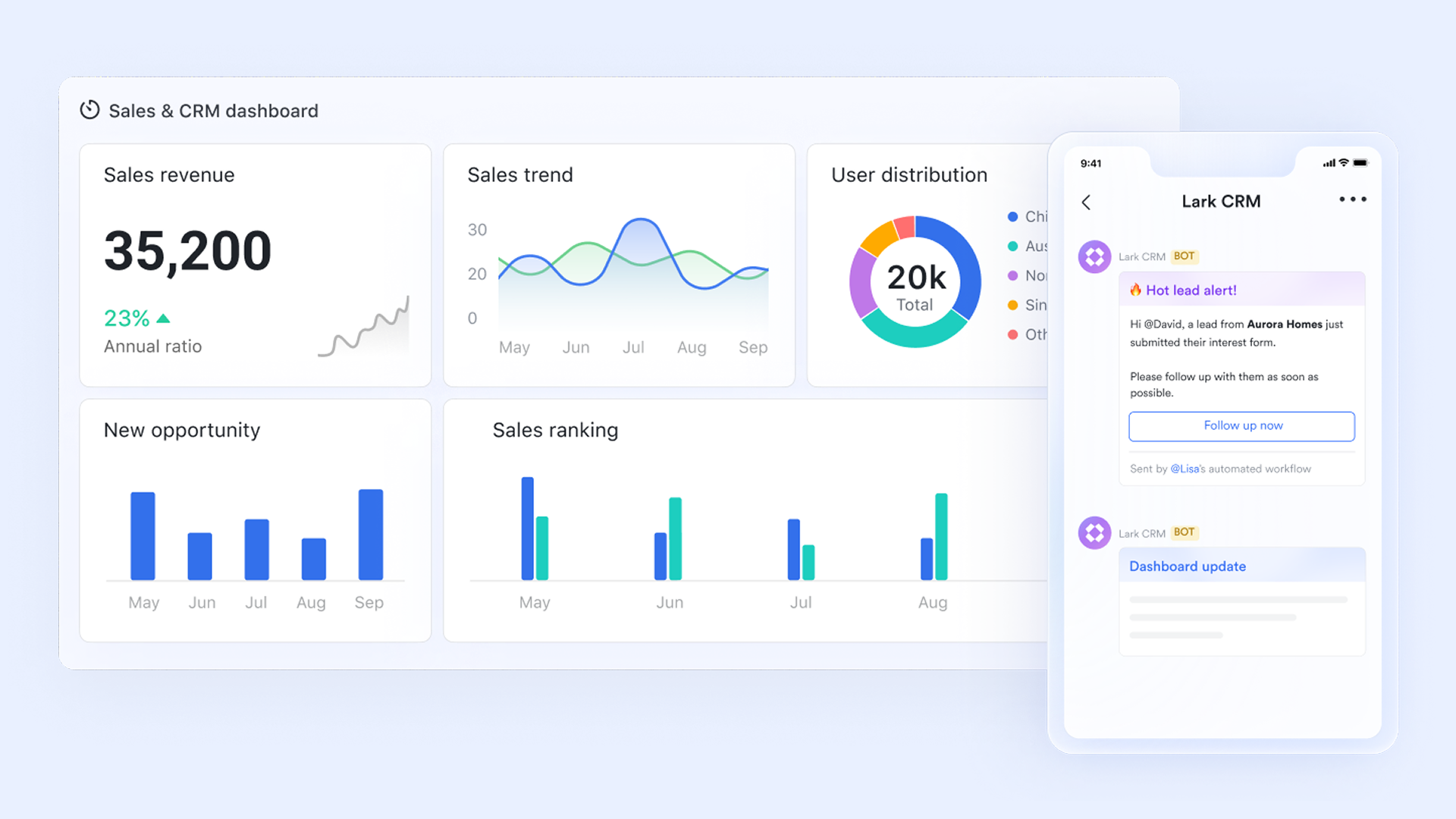
Lark is an all-in-one collaboration and management platform that seamlessly combines tools like instant messaging, calendaring, cloud documents, and video conferencing. For wholesalers, this collaborative approach is particularly powerful. It brings together teams and customer information, breaking down information silos and providing a centralized hub for managing client interactions and internal processes. By connecting various aspects of daily operations, Lark helps streamline workflows, enhance team collaboration, and ultimately supports business growth .
Key features:
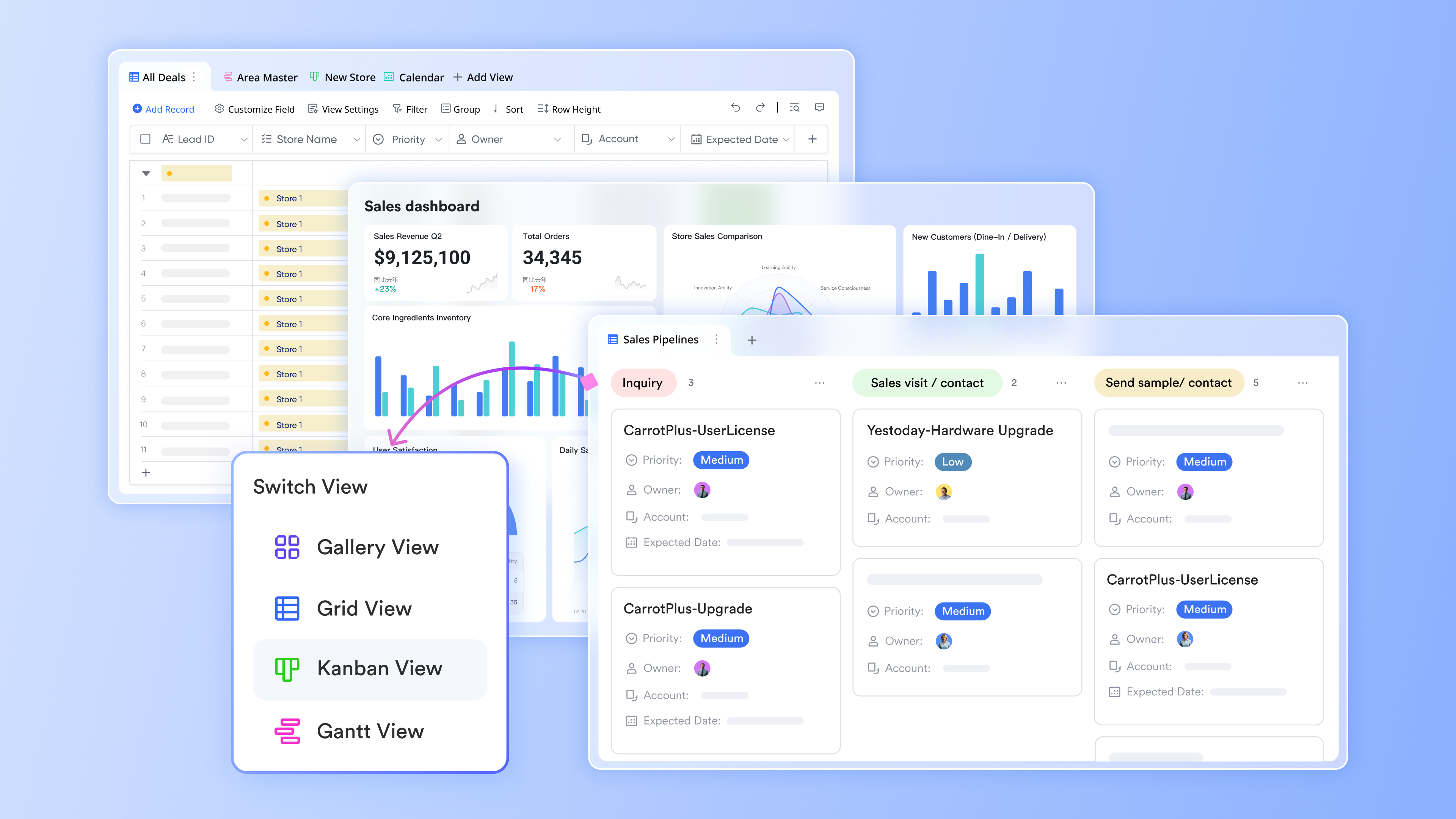
If you're evaluating the best CRM for wholesalers or wholesale CRM software, Lark Base gives you a relational, no‑code database to model "Accounts", "Contacts", "Ship‑to/Branch", "SKUs", "Price Lists", "Opportunities", "Quotes", "RMAs", and "RFQs" with configurable views and permissions. Reps manage pipelines in Kanban and Calendar views, while charts surface margin, fill‑rate, and reorder trends. Docs and Wiki embed catalogs, promotion rules, and policies directly in records so "Quotes" always reflect the latest source of truth.
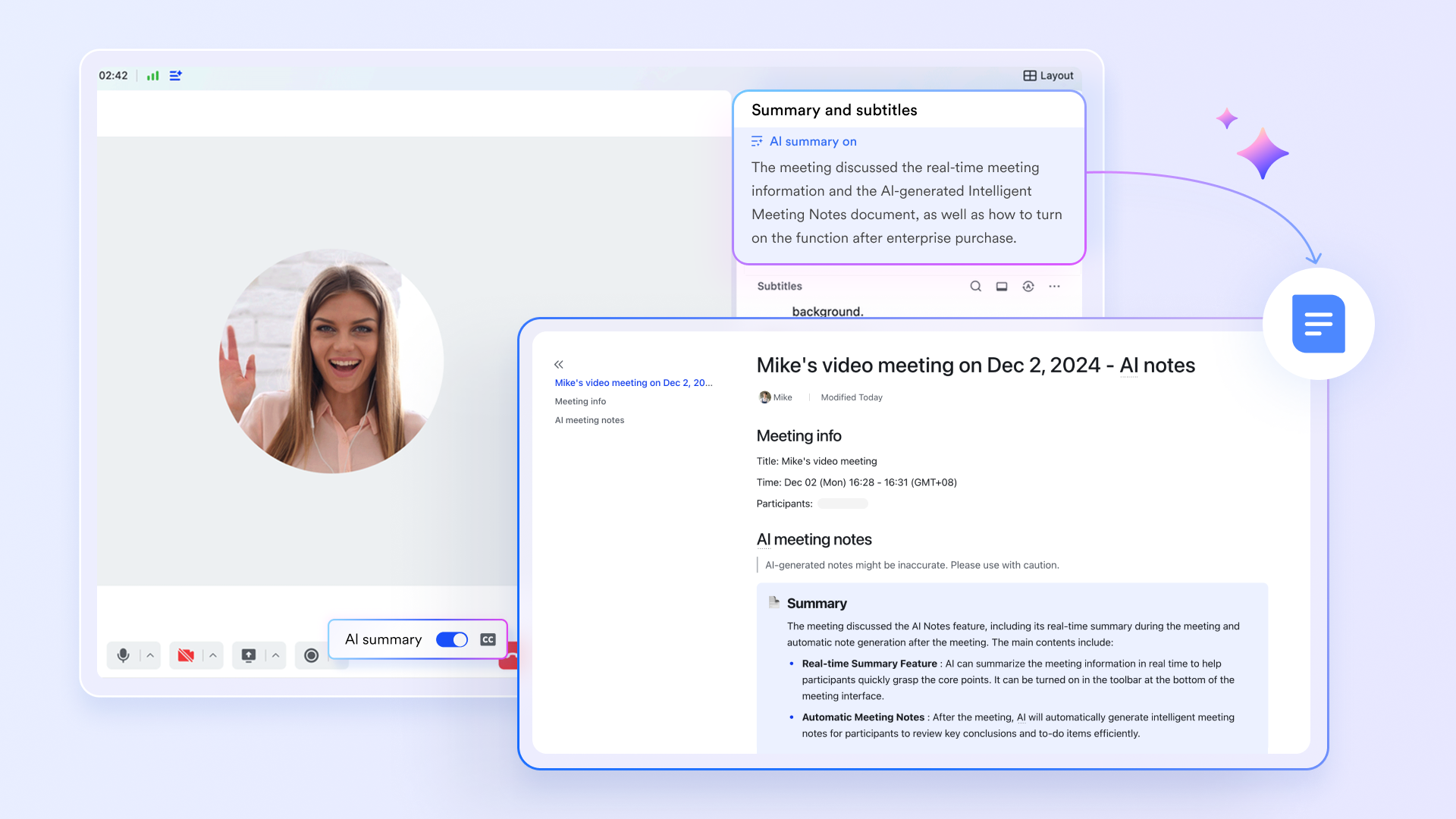
Lark Meetings elevate your meeting efficiency with intelligent AI tools. Lark AI Meeting Notes automatically summarize customer calls, extracting key discussion points and decisions. Furthermore, follow-up tasks and next steps are automatically scheduled in your Calendar, ensuring nothing is missed. This process transforms your meeting minutes into actionable outcomes, streamlining your workflow from discussion to execution.
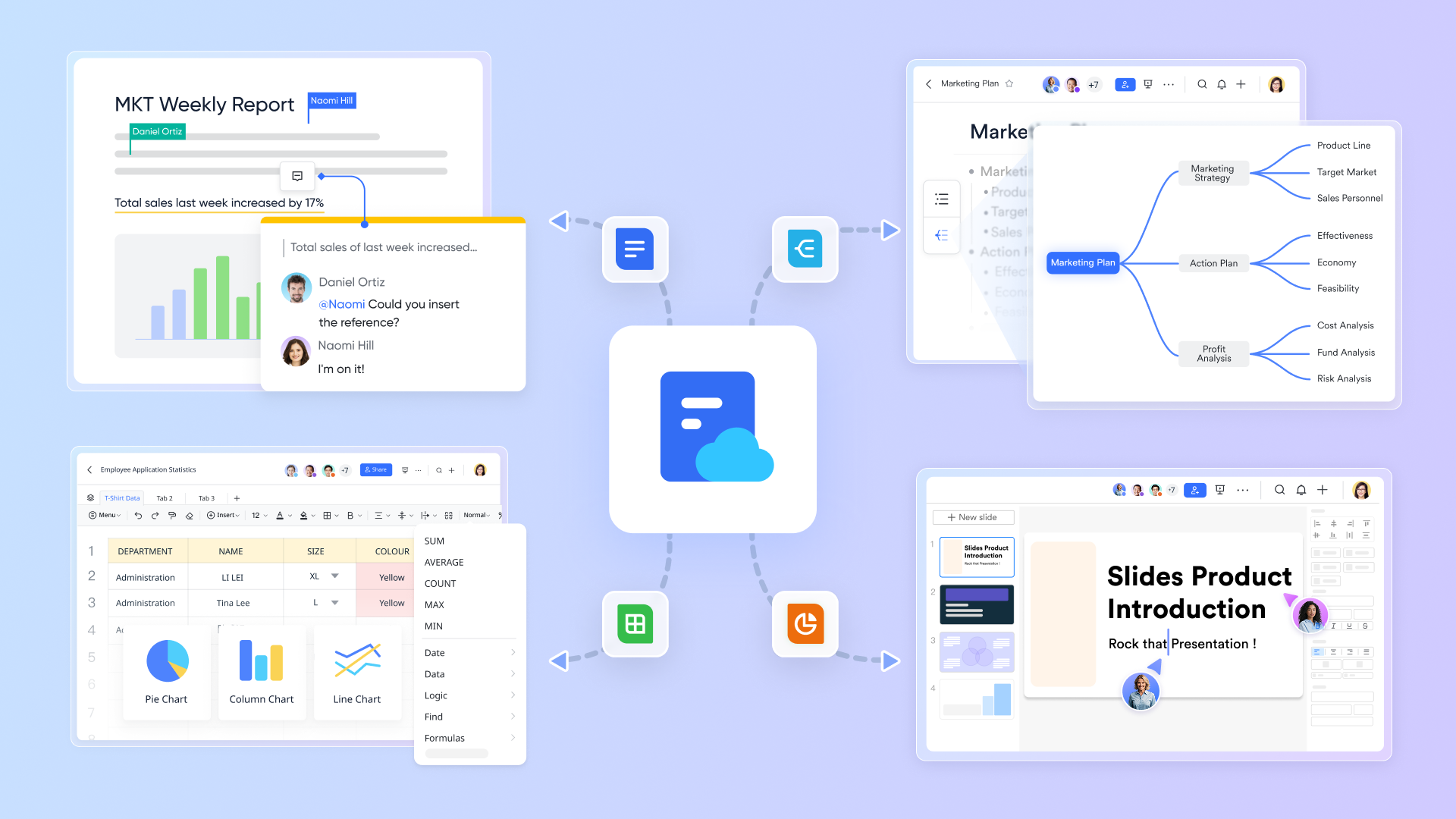
Lark Docs empowers wholesale teams to co-edit and update pricing policies, playbooks, and sales contracts in real-time, ensuring that everyone has access to the latest and most accurate information. This collaborative feature enhances the agility of sales processes, allowing staff to respond quickly to customer needs and market changes. Meanwhile, Lark Wiki acts as a centralized, searchable repository for essential resources, preserving institutional knowledge and standardizing procedures across the organization. By maintaining a well-organized library of documents, wholesalers can improve training, onboarding, and retention of best practices, creating a more efficient operational landscape.
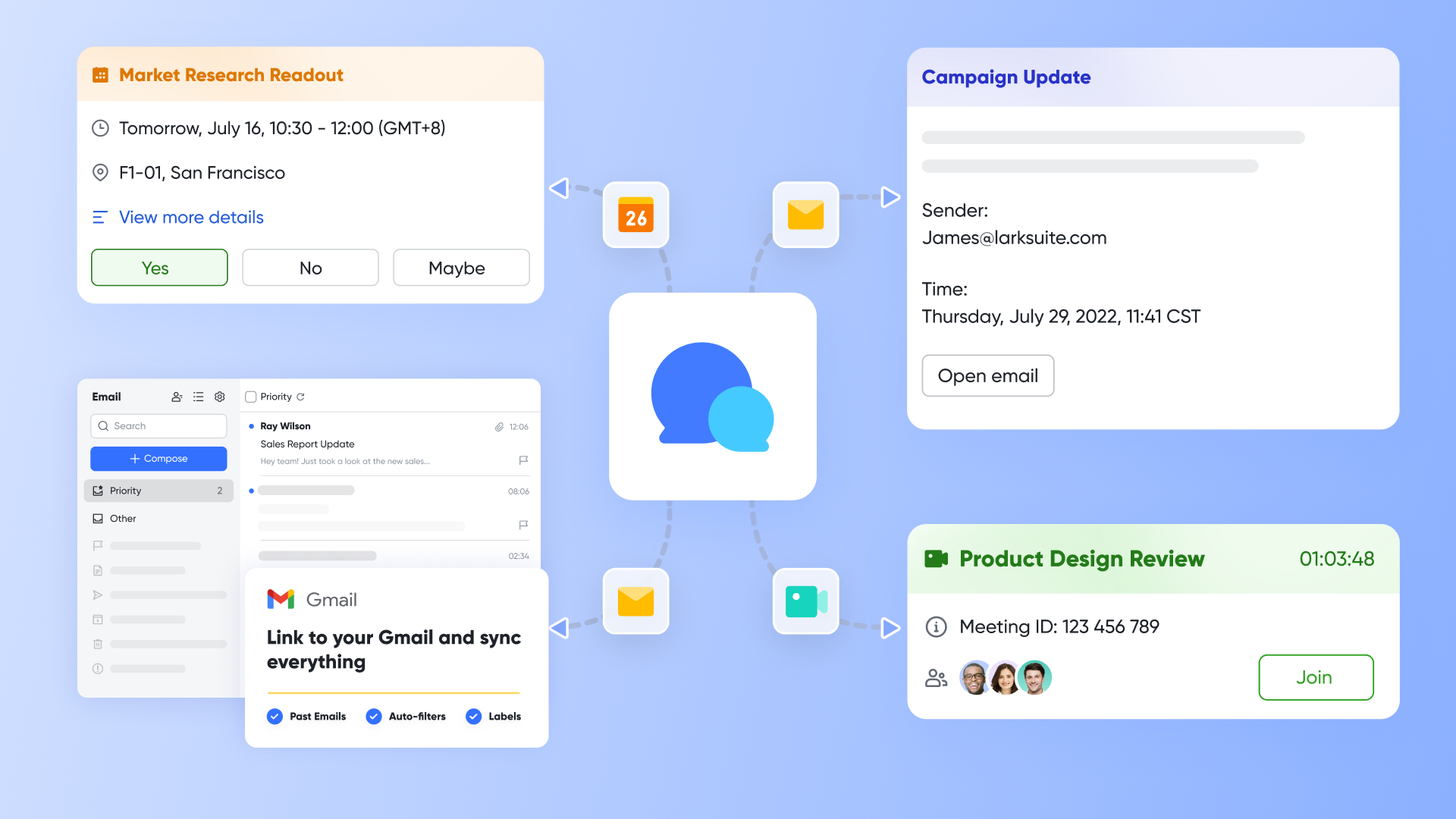
Lark Messenger facilitates seamless communication within dedicated account "war rooms" or channels specific to client engagements. This capability allows teams to pin crucial Base Account records, attach important documents such as RFQs, and discuss delivery updates—all within a unified and searchable timeline for every client. By integrating with other Lark applications, Messenger eliminates silos, ensuring that sales, operations, and finance collaborate effectively in real-time. This centralization of communication enhances the overall responsiveness of wholesale teams, allowing them to coordinate efforts more efficiently and provide exceptional customer service. With these core functionalities, Lark equips wholesalers with the tools needed to streamline key processes, boost transparency, and elevate collaboration within their operations.
Best for:
Distributors seeking a fast, integrated path to a wholesale‑fit CRM, with strong adoption by inside and outside sales, and a desire to automate quotes, approvals, and field capture without heavy custom code.
Limitations:
- Require light configuration to align templates and terminology with wholesale workflows.
- Starter plan: Free forever plan with 11 powerful tools for up to 20 users, 100GB storage, 1,000 automation runs, AI translations, and more. No credit card needed.
- Basic plan: $6/user/month (billed annually) for up to 500 users. Includes everything in Starter plus unlimited message history, 5TB storage, 1,000 automation runs, and more. Some users may need to contact sales to purchase.
- Pro plan: $12/user/month (billed annually) for up to 500 users. Includes everything in Basic plus group calling for up to 500 attendees, 15TB storage, 50,000 automation runs, and more.
- Enterprise plan: Contact sales for custom pricing. Supports unlimited users and includes advanced automation, security, compliance, and management features.
Real user feedback:
"It finally got reps to log visits because notes sit next to chat and calendar. Adoption stopped being a fight."
"Quote approvals are smoother and fully auditable, so margin conversations are easier."
"AI meeting summaries ensure follow‑ups are not missed, even when reps are on the road."
Note: All reviews above are sourced from G2.

2. Salesforce Sales Cloud: Wholesale CRM with CPQ
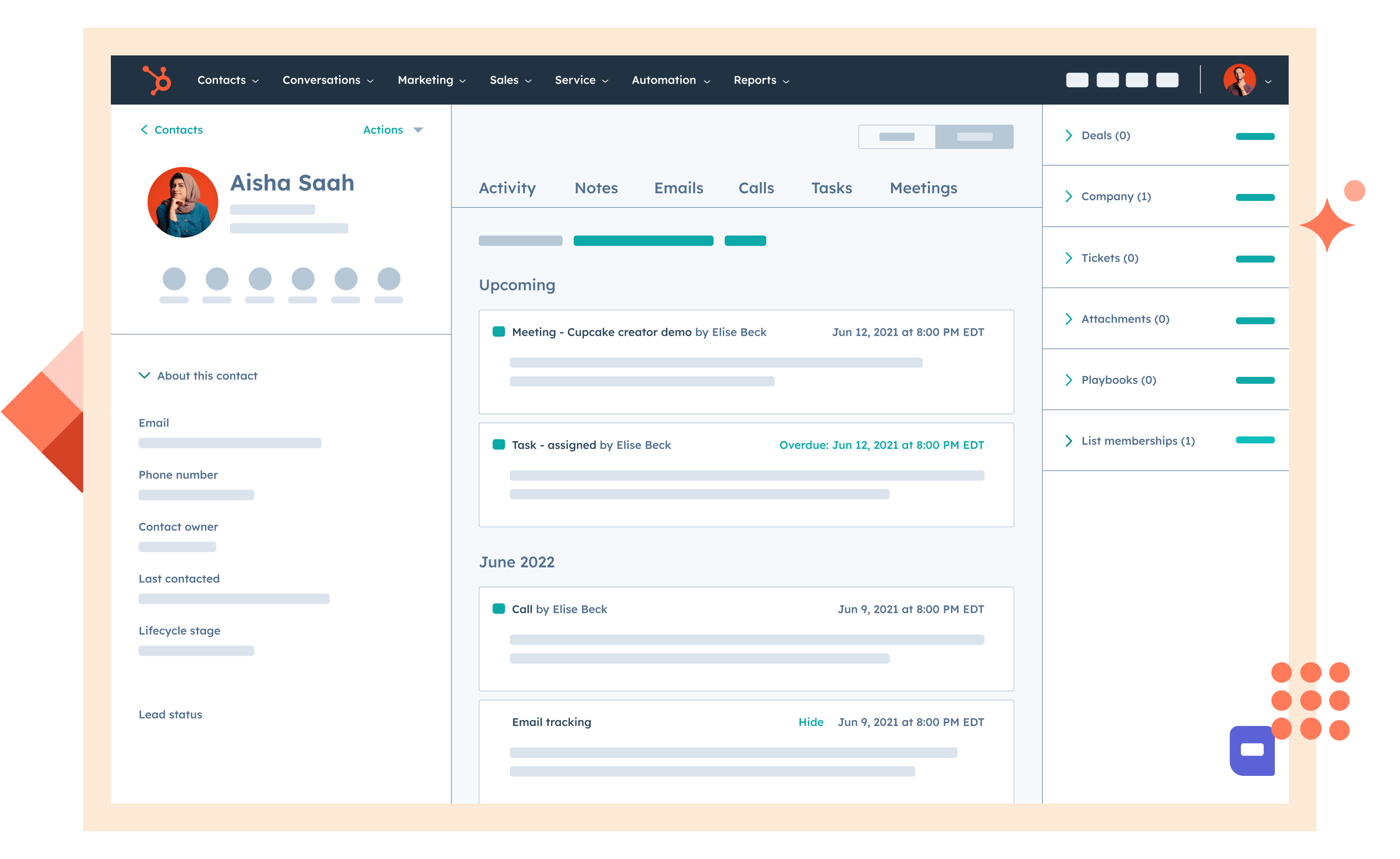
Image source: salesforce.com
Overview
Salesforce is a widely adopted enterprise CRM known for extensibility and a large ecosystem. Distributors lean on account hierarchies, territory management, and AppExchange integrations, often adding CPQ for pricing and approvals and Field Service for routing and on‑site workflows. The platform fits organizations that need deep customization and have capacity for disciplined administration.
Key features:
- Account and territory management with robust role‑based security and sharing rules.
- CPQ add‑on for complex price rules, discount schedules, guided selling, and multi‑step approvals.
- AppExchange marketplace with ERP, EDI, and analytics integrations; strong API platform for custom development.
- Field Service and mobile apps enabling route planning, work orders, offline usage; analytics via CRM Analytics.
Best for:
Mid‑market and enterprise distributors requiring advanced customization, mature partner options, and CPQ‑level pricing governance.
Limitations:
- Cost and complexity can rise quickly with CPQ, advanced analytics, and multiple integrations.
- Risk of technical debt without governance; user experience depends heavily on thoughtful configuration.
Pricing:
- Free plan: Not available
- Paid plans: Start at $25/user/month(billed annually)
Real user feedback:
"Customization power is high, but a dedicated admin was essential to prevent process sprawl."
Note: All reviews above are sourced from G2.
3. White Cup CRM: Wholesale CRM with ERP analytics and pricing
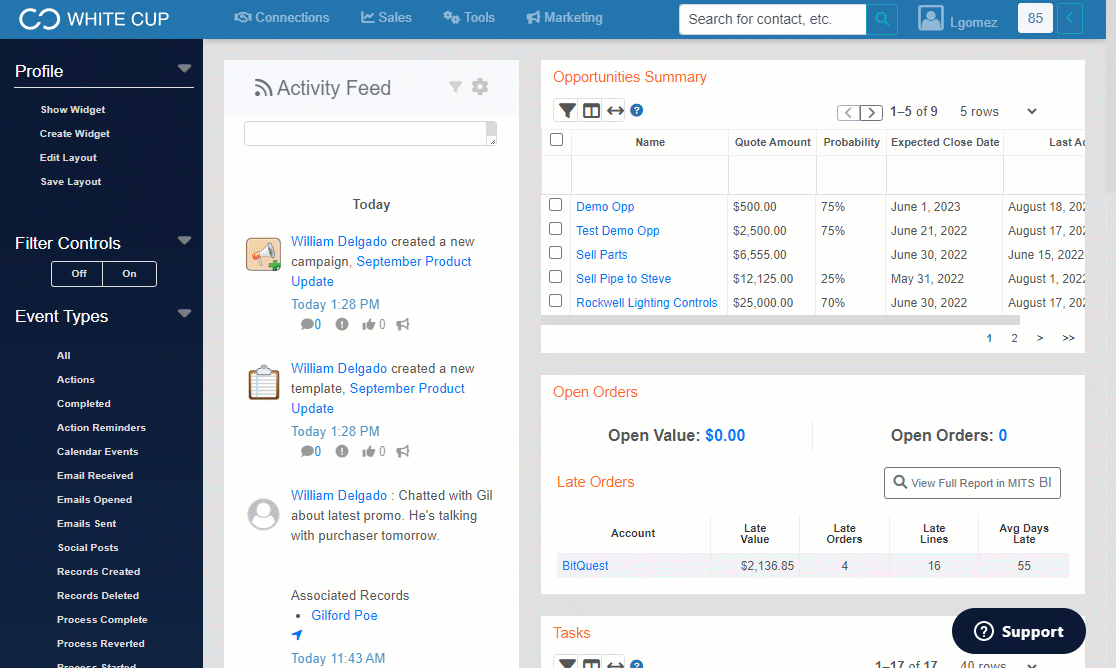
Image source: whitecupsolutions.com
Overview
White Cup targets distributors with CRM blended into analytics and ERP alignment. The emphasis is on margin, product performance, and reorder insights rather than generic pipeline stages. Industry‑tuned dashboards and workflows speak in distributor terms from day one.
Key features:
- Distributor‑specific data structures for contracts, price lists, product groups, and margin analysis.
- Ready‑made dashboards for fill rate, reorder cadence, profitability by account, and gap analysis.
- Sales planning and quoting tools designed around wholesale realities, with collaboration features for account teams.
Best for:
Distributors wanting a CRM aligned to wholesale KPIs out of the box and tighter analytics without assembling multiple tools.
Limitations:
- Smaller ecosystem than generalist platforms; niche integrations may require custom work.
- Flexibility may feel constrained for organizations with unusual, non‑distributor processes.
Pricing:
- Based on annual revenue
Real user feedback:
"The analytics match how distributors think—margin and mix, not just stages."
Note: All reviews above are sourced from G2.
4. SPOTIO: Field sales routing for wholesale and distributors
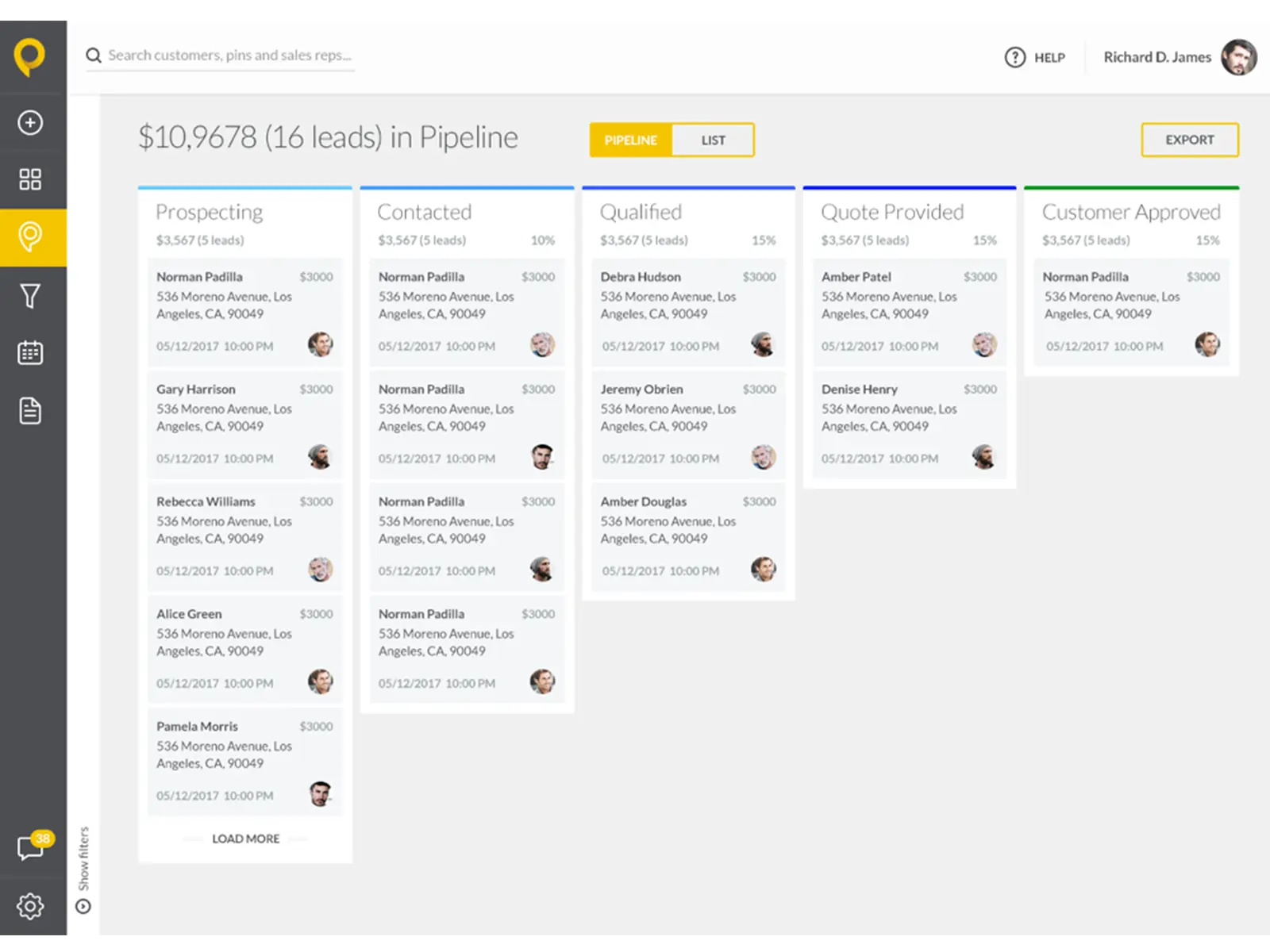
Image source: spotio.com
Overview
SPOTIO focuses on field sales execution with territory mapping, route optimization, and mobile‑first workflows for outside reps. For wholesalers with traveling sales teams, the platform augments CRM by ensuring efficient coverage, geo‑validated activity, and faster visit‑to‑quote transitions. It slots alongside or on top of a CRM to strengthen day‑to‑day field productivity.
Key features:
- Territory Mapping And Route Optimization: Visualize territories, plan efficient routes, and prioritize visits by account value and proximity.
- Mobile Check‑Ins And Activity Capture: Geo‑validated visits, photo attachments, notes, and follow‑ups designed for minimal taps.
- Rep Performance Dashboards: Coverage metrics, activity trends, and leaderboards aligned to territory goals.
- Integrations: Syncs with popular CRMs to bring field data into opportunities and account timelines.
Best for:
Distributors with significant outside sales motions that need route planning, coverage visibility, and mobile‑first capture to drive adoption and reduce windshield time.
Limitations:
- Not a full CRM; relies on integrations for quoting, approvals, and deeper account management.
- May require change management to standardize check‑in habits across teams.
Pricing:
- User-based, including B2B plan, B2C plan and custom
Real user feedback:
"Territory views make route planning obvious; reps spend more time with customers and less time driving."
Note: All reviews above are sourced from G2.
5. Pipeline CRM: Simple CRM for repeat wholesale sales
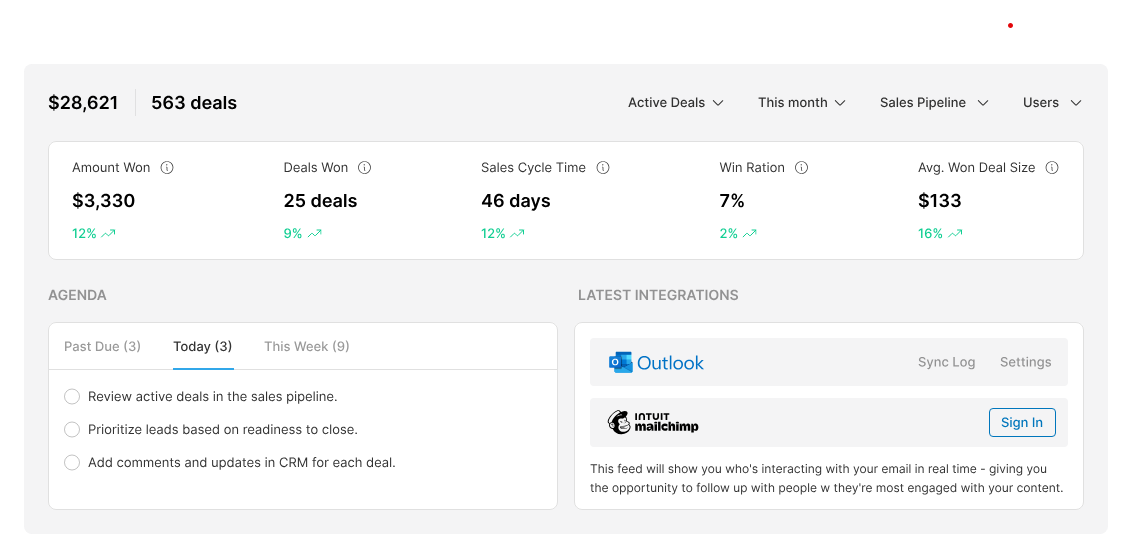
Image source: pipelinecrm.com
Overview
Pipeline CRM emphasizes simplicity, pipeline clarity, and quick setup for growing teams. For distributors seeking straightforward deal tracking with email integration and solid activity management, it offers an approachable alternative to heavier enterprise platforms. Its ease of use often translates into faster adoption for SMB wholesalers.
Key features:
- Pipeline And Activity Management: Customizable stages, tasks, reminders, and email sync for consistent follow‑through.
- Contact And Account Views: Simple record layouts that keep critical context front and center without overwhelming users.
- Reporting And Goals: Visual dashboards for pipeline health, rep performance, and goal tracking.
- Integrations: Connectors for email, forms, and popular tools; API for custom workflows.
Best for:
SMB distributors that want an easy‑to‑use CRM focused on pipeline and activity basics, with modest customization and minimal admin overhead.
Limitations:
- Lighter on complex quoting, approval workflows, and deep ERP integrations compared to enterprise platforms.
- May require add‑ons or custom work for distributor‑specific pricing and inventory scenarios.
Pricing:
- Free plan: Not available; 14-day free trial is available
- Paid plans: Start at $25/user/month(billed annually)
Real user feedback:
"Setup was quick and the team used it right away—no steep learning curve."
Note: All reviews above are sourced from G2.
6. Microsoft Dynamics 365 Sales: CRM with ERP alignment for distributors
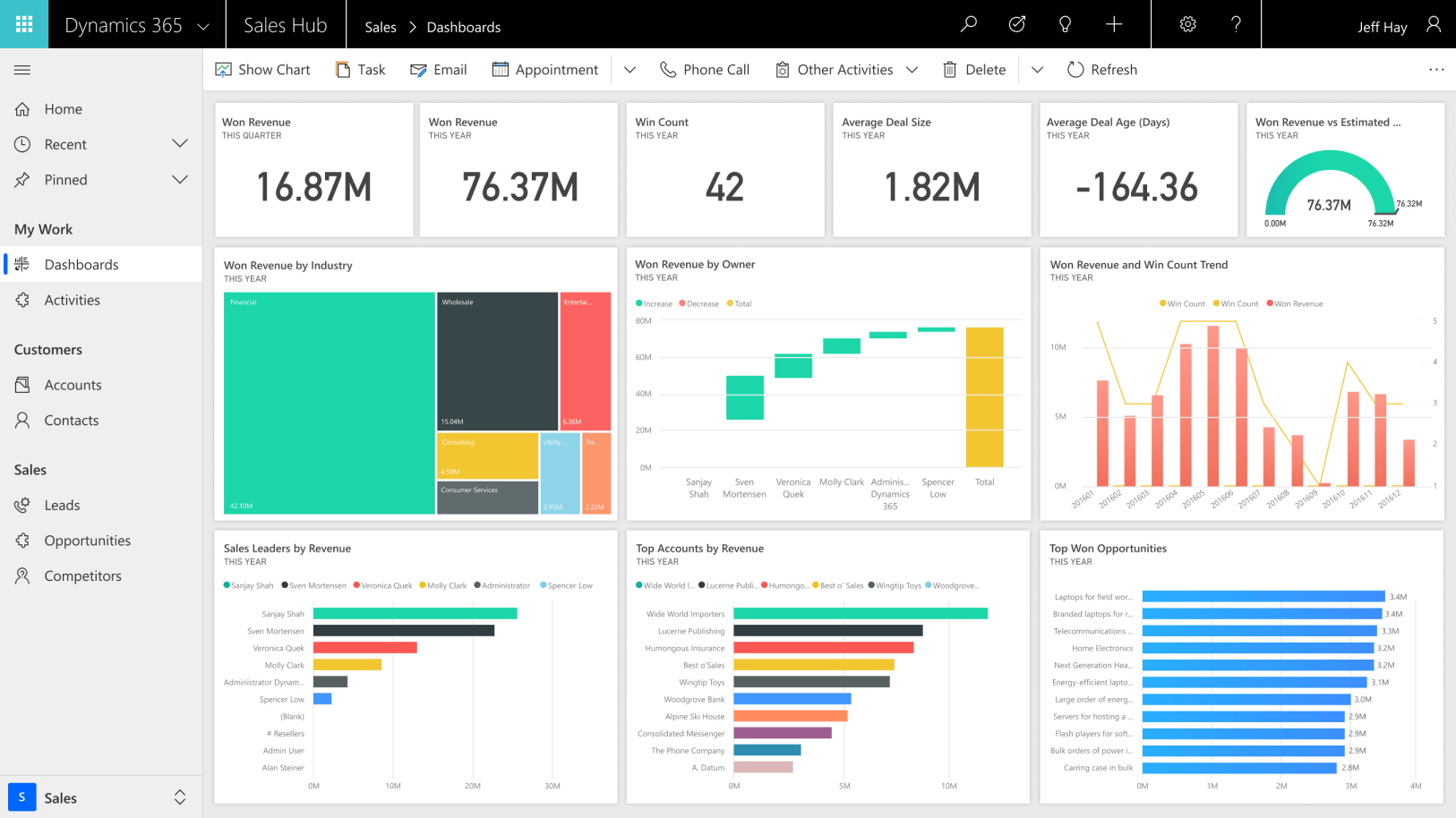
Image source: microsoft.com
Overview
Dynamics 365 Sales ties closely to Microsoft's ERP stack (Business Central, Finance & Supply Chain), Power Platform, and Teams, giving distributors account hierarchies, pricing/approval workflows, and field coordination within a single ecosystem.
Key features:
- Account/territory management with granular security and Azure AD governance.
- Power Automate workflows for discount thresholds, approvals, and reorder alerts.
- Native integrations to Business Central and Finance & Supply Chain for inventory, pricing, invoices.
- Teams/Outlook add‑ins, mobile app with offline notes and activity capture; Customer Insights for analytics.
Best for:
Distributors on Microsoft ERP or committed to Power Platform needing tight CRM‑to‑ERP sync and customizable approvals.
Limitations:
- Heavier reliance on partners for complex setups; licensing can be intricate across modules.
- UX depends on thoughtful model‑driven app design; CPQ depth may require add‑ons.
Pricing:
- Free plan: Not available (free trial available)
- Paid plans: Different Dynamics 365 features vary by price, but for Dynamics 365 Sales, it starts at $65 per user/month.
Real user feedback:
"Power Automate handled pricing approvals; ERP mappings took partner help but stayed stable."
Note: All reviews above are sourced from G2.
7. NetSuite CRM: Native CRM for NetSuite wholesale ERP
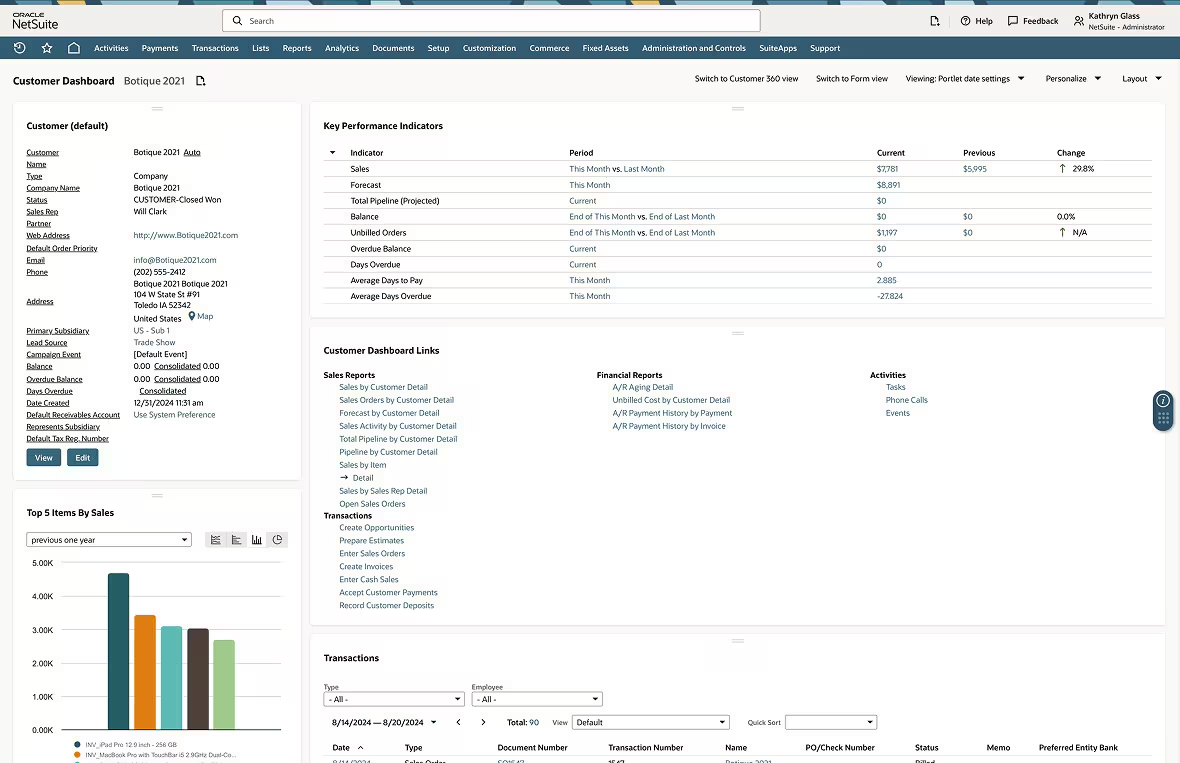
Image source: netsuite.com
Overview
NetSuite CRM sits on the same database as orders, inventory, and finance, giving wholesalers a single source of truth for contract pricing, availability, and customer history without sync jobs.
Key features:
- Unified records across customers, quotes, orders, RMAs, and inventory.
- Price levels, contracts, and workflows via SuiteFlow; SuiteAnalytics for margin and fill‑rate views.
- SuiteApps marketplace for EDI, logistics, and commerce; mobile access for field reps.
Best for:
Wholesalers already on NetSuite ERP seeking low‑friction CRM with native pricing and inventory visibility.
Limitations:
- CPQ sophistication may require third‑party tools; less flexible if you're not on NetSuite ERP.
- Custom development often needs SuiteScript expertise.
Pricing:
- Contact sales
Real user feedback:
"Single database ended our pricing sync issues; quoting became more reliable."
Note: All reviews above are sourced from G2.
8. Zoho CRM: Affordable CRM with automation for wholesalers
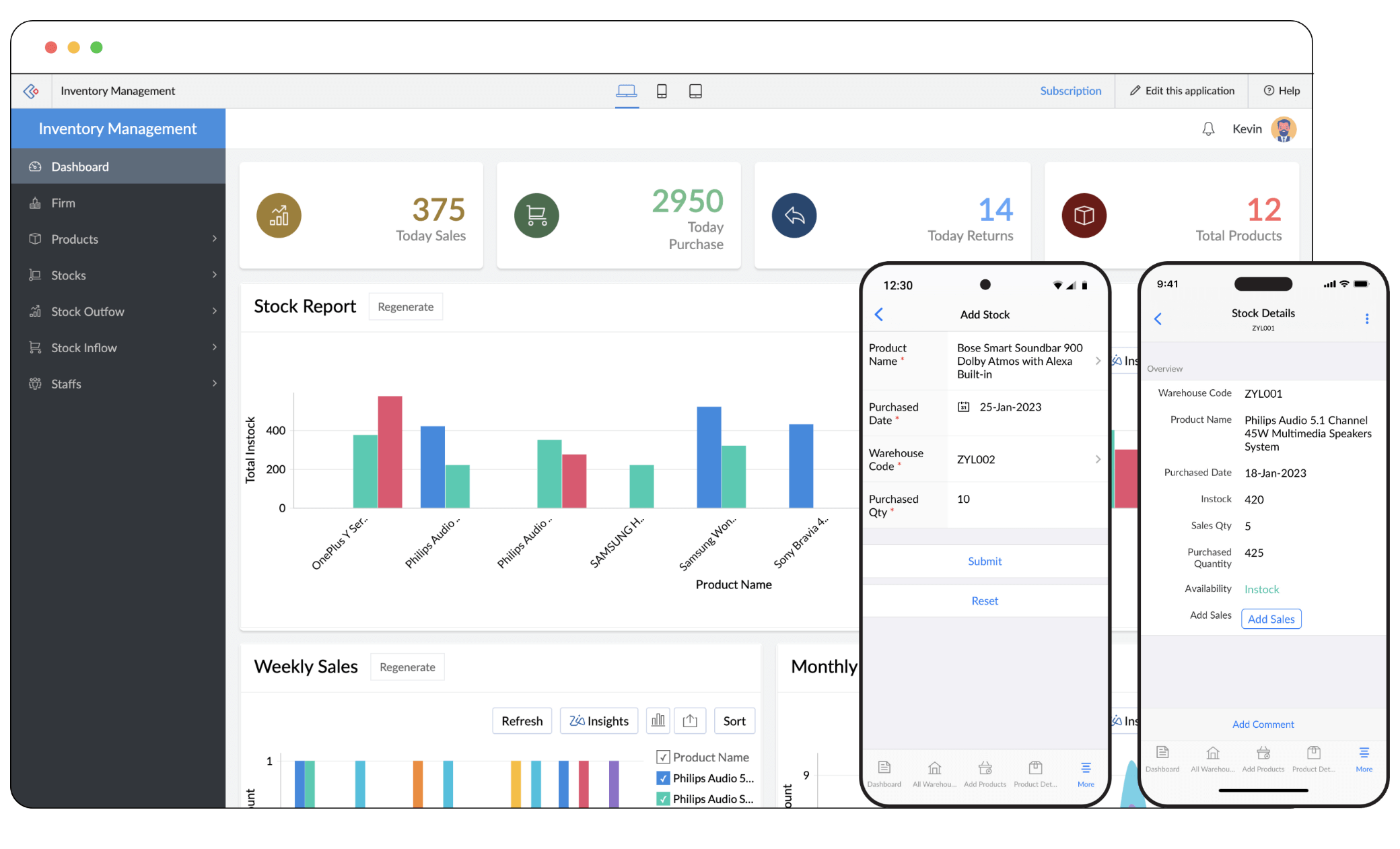
Image source: zoho.com
Overview
Zoho CRM offers strong value for SMB and mid‑market distributors, combining price books, approvals, and no‑code automation with an ecosystem (Inventory, Books, Flow) and a broad connector marketplace.
Key features:
- Price books, quotes, and approval paths via Blueprint and workflows.
- Custom modules/views, Canvas UI, mobile apps with check‑ins; telephony and email integration.
- Connectors to accounting/ops systems and middleware for ERP sync; analytics via Zoho Analytics.
Best for:
Cost‑conscious wholesalers needing structured pricing and approvals without heavy enterprise overhead.
Limitations:
- Complex contract pricing and guided selling may need add‑ons or custom work.
- Data governance and audit depth lighter than top enterprise suites.
Pricing:
- Free plan: Available(3 users)
- Paid plans: Starts at $14/month per user (free trial available)
Real user feedback:
"Price books and Blueprint covered most approvals; easy to iterate."
Note: All reviews above are sourced from G2.
9. HubSpot Sales Hub: Easy CRM with quotes for wholesalers
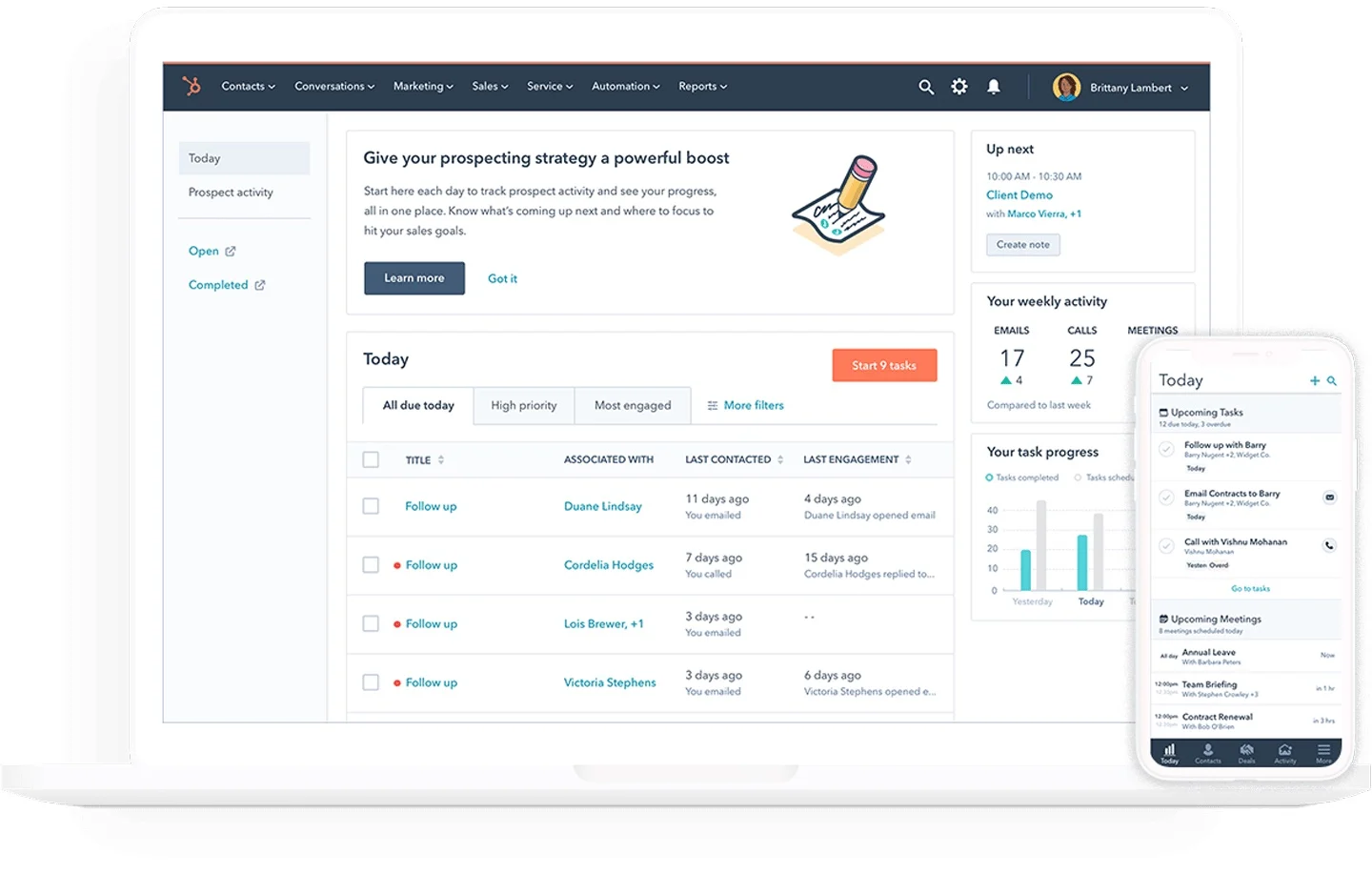
Image source: hubspot.com
Overview
HubSpot prioritizes usability and fast adoption, blending sales, marketing, and service; custom objects, quotes, and workflows support distributor pipelines, with ERP integrations available via Operations Hub and partners.
Key features:
- Deals, products, quotes, and approval workflows; custom objects for contracts or price lists.
- Operations Hub data sync with popular ERPs via iPaaS and marketplace apps.
- Strong email/meeting automation, playbooks, and mobile app for field reps.
Best for:
Wholesalers prioritizing ease of use and cross‑team visibility, with light‑to‑moderate quoting needs.
Limitations:
- Advanced CPQ and complex pricing tiers require workarounds or third‑party tools.
- Record/object limits and costs rise at higher tiers and data volumes.
Pricing:
- Free plan: Available for up to 2 users
- Paid plans: Start at $13/month per user (free trial available)
Real user feedback:
"ERP sync worked via partners, but required careful field mapping."
Note: All reviews above are sourced from G2.
10. Skynamo: Mobile CRM for field wholesale reps
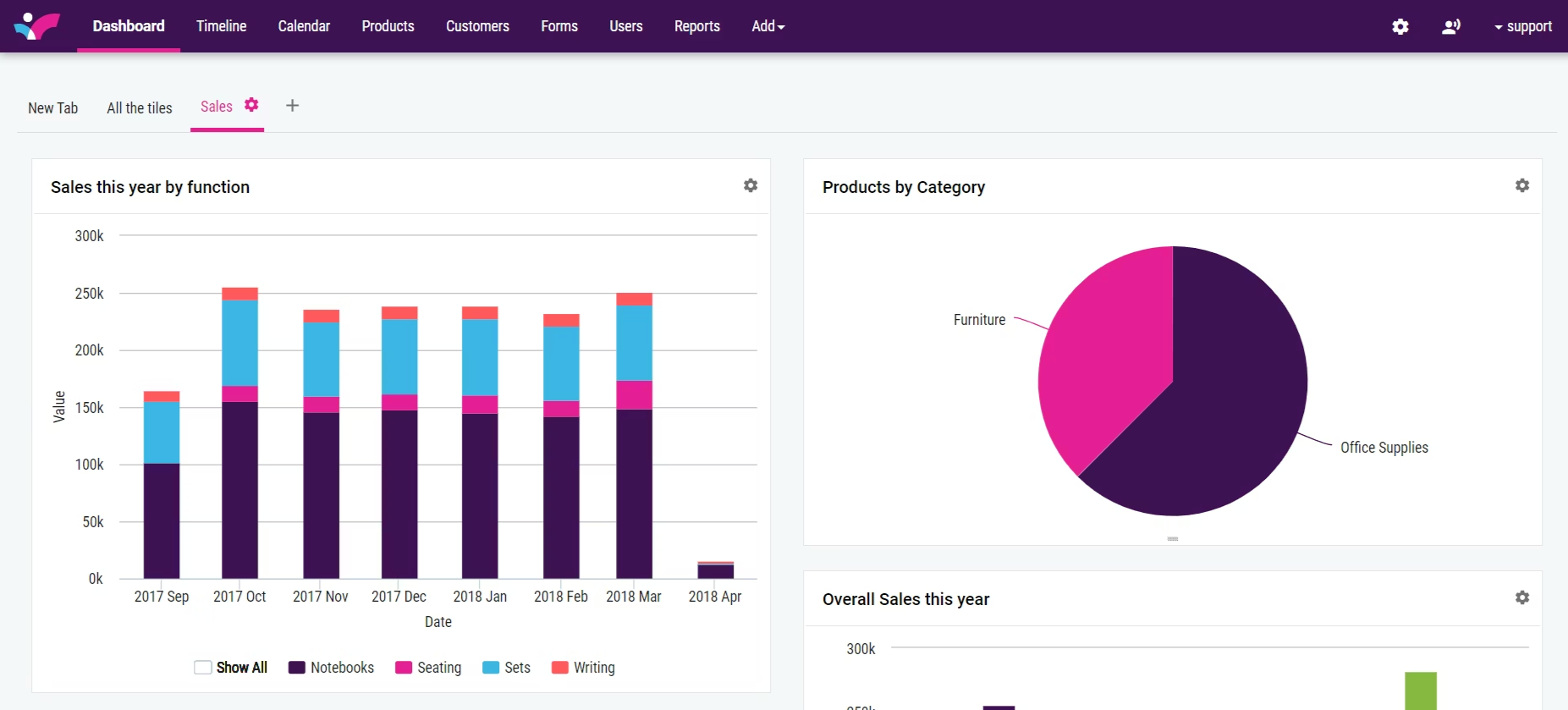
Image source: skynamo.com
Overview
Skynamo is a mobile‑first field sales platform for manufacturers and wholesalers, focused on route planning, offline order capture, and store visits with ERP‑synced pricing and inventory.
Key features:
- Route planning, geofenced check‑ins, photo notes, and tasking for outside reps.
- Mobile order capture with customer‑specific pricing and availability; offline‑first design.
- ERP connectors (e.g., Sage, Acumatica, Palladium) and dashboards for coverage and reorder cadence.
Best for:
Wholesalers with outside reps visiting accounts regularly who need reliable offline quoting and ordering.
Limitations:
- Not a full enterprise CRM for complex workflows or CPQ.
- Analytics and customization are lighter compared to broad CRM suites.
Pricing:
- Contact sales
Real user feedback:
"ERP integration setup needed vendor assistance but paid off in accuracy."
Note: All reviews above are sourced from G2.
How to choose CRM for wholesalers
Selecting the right CRM platform for wholesalers can be a streamlined process when grounded in the realities of distribution. By establishing clear criteria and utilizing a neutral scorecard, you can reduce risks and accelerate the realization of value.
- Selection criteria aligned to distribution: Look for a CRM that fully supports the complexities of account and bill-to/ship-to hierarchies. It's essential to have features like price books with approval workflows, inventory visibility, and automated reorder processes. Additionally, the ability to incorporate analytics tied to margin and fill rates is crucial. Consider platforms that offer integration readiness, robust governance, and mobile capabilities to facilitate offline access, photo uploads, check-ins, quick quoting, and routing. A no-code or low-code extension capability is also advantageous for fast iterations. Evaluate the total cost and vendor alignment, focusing on licensing, implementation, user training, administrative efforts, and the vendor’s financial stability.
- Build a vendor‑neutral scorecard: Prioritize must-have features over optional ones and test every demo against a consistent script that includes workflows such as contract-priced quotes, handling backorders with substitutions, processing RMAs, and managing reorder alerts—all while ensuring an accessible audit trail for discounts and approvals. Implement a 30-day pilot using live data (e.g., managing 50-100 accounts and 200-500 SKUs) to identify potential adoption barriers, data discrepancies, and workflow inefficiencies prior to making a commitment.
- Benchmark ROI realistically: Track baseline and pilot deltas in quote cycle time (faster cycles lift win rates and reduce end‑of‑quarter discounting), reorder capture (cadence alerts recover missed replenishments), margin control (approval thresholds curb leakage), and support efficiency (inventory/order status visibility cuts "where is my order?" calls and escalations).
- Avoid predictable pitfalls: Avoid getting caught in the trap of feature chasing. Start by prioritizing workflows that generate revenue and alleviate operational challenges. Keep the initial version user-friendly and aligned with platform best practices to minimize long-term maintenance. It's important to foster adoption with a mobile-first design that delivers immediate value while keeping tasks straightforward.
- Keep comparisons objective: Narrow down your choices to the best CRM for wholesalers and distributors based on the depth of integration, pricing governance, and usability in the field. When considering broader options in wholesale CRM software, ensure you scrutinize aspects such as ERP synchronization quality, rigor in approval processes, and support for reordering, rather than focusing solely on surface-level features like UI aesthetics.
Conclusion
Wholesale distribution depends on promises that align sales intent with operational reality. A CRM for wholesalers earns its keep by modeling account hierarchies, safeguarding contract pricing, exposing inventory truth, and protecting reorders—while keeping the workflow simple enough that reps use it daily. Success begins with a pragmatic data contract, reliable ERP and EDI integrations, and automation that accelerates quotes, approvals, and exception handling. Vendor selection should emphasize governance, mobile usability, and integration depth over splashy demos. For decision‑makers comparing categories, it remains wise to evaluate strategically best crm for wholesalers effectively through hands‑on pilots with real accounts and SKUs, not slideware.
Whether the choice lands on an all‑in‑one work platform with a no‑code database, an enterprise CRM with CPQ and a robust marketplace, or an industry‑focused distributor solution with tuned analytics, the fundamentals remain the same: protect margin, keep availability promises, rescue at‑risk reorders, and show leaders the KPIs that drive profitable growth. Used consistently and integrated thoughtfully, the right CRM becomes the distributor's growth engine—reducing friction for sellers, increasing transparency for customers, and aligning every team around reliable execution.
FAQs
What is CRM in wholesale?
CRM in wholesale is a sales‑operations system that models bill‑to/ship‑to hierarchies, contract pricing and approvals, and inventory/ATP, integrates with ERP/EDI/ecommerce, and automates reorders, RMAs, and field visits—so quotes stay accurate, margins protected, and fulfillment promises realistic.
What are the 4 types of CRM?
Operational (process automation), Analytical (data insights and forecasting), Collaborative (sharing across sales, service, partners, and portals), and Strategic (lifecycle value, segmentation, and journey design). Most modern platforms blend elements of all four types.
Does Google offer a free CRM?
Google doesn't provide a native free CRM. Google Workspace with AppSheet/Sheets can cover basics but remains limited. Consider free tiers from HubSpot or Zoho—or an all‑in‑one work platform like Lark that includes a no‑code CRM foundation.
What is the best software for a wholesale business?
It depends on size, ERP, and pricing complexity. For an integrated workspace, consider Lark (chat/docs/calendar plus no‑code CRM). Enterprise: Salesforce with CPQ. ERP‑native: NetSuite CRM. Distributor‑focused: White Cup. Field execution: SPOTIO. SMB pipeline simplicity: Pipeline CRM.
How can Lark be used as a lightweight CRM for wholesalers without heavy coding?
Lark combines chat, docs, calendar, meetings, tasks, and approvals with Lark Base (a no‑code database) to model accounts, SKUs, price lists, and quotes; automate discount approvals; capture field notes via mobile forms; link emails/meetings; integrate ERP via APIs/webhooks; and build dashboards. For complex CPQ, pair with Salesforce or NetSuite.
Related reading
Table of contents
Start using Lark today

Manage all your work in one place
Boost team efficiency by 10x
Save up to 70% on software costs
Table of contents
Start using Lark today
Manage all your work in one place
Boost team efficiency by 10x
Save up to 70% on software costs
Keep reading









2026 Lark Technologies Pte. Ltd.
Headquartered in Singapore with offices worldwide.






Explore: