














Best CRM with Gmail Integration: 12 Tools to Boost Your Productivity

Ryan Tanner
Product Marketing Specialist
Sep 18, 2026
Ryan Tanner
Sep 18, 2026

21 min read


Email remains the lifeline of modern business communication — but managing client conversations, follow-ups, and deal updates across platforms often slows teams down. That's where a CRM with Gmail integration comes in. These tools sync your inbox with your CRM, so every lead, email, and client interaction stays connected and visible in one place. Platforms like Lark, HubSpot, and Zoho CRM simplify sales workflows by combining email tracking, automation, and collaboration in a single ecosystem.
In this guide, we'll explore the 12 best CRM tools with Gmail integration that help streamline communication, improve productivity, and strengthen client relationships. Below is a list of all the tools featured in this article:
1. Lark: Unified CRM and Gmail-connected workspace
2. HubSpot CRM: Free and feature-rich CRM for Gmail
3. Zoho CRM: Scalable Gmail-integrated CRM with automation
4. Salesforce: Enterprise-grade CRM with Gmail connectivity
5. Copper CRM: Best CRM designed for Google Workspace
6. Pipedrive: Visual sales CRM with Gmail add-on
7. Freshsales: AI-driven CRM with Gmail sync
8. Streak CRM: Lightweight CRM built directly into Gmail
9. Capsule CRM: Simple Gmail-connected CRM for small teams
10. EngageBay: All-in-one CRM and marketing suite for Gmail
11. NetHunt CRM: Gmail-native CRM for sales teams
12. Nimble CRM: Social selling and Gmail-integrated CRM

Why CRM-Gmail integration is not an option but a necessity
Fast and efficient modern teams depend on Gmail as it is not just an email client but the center of everyday business communication. Yet, when crucial client information is scattered between inboxes and spreadsheets, productivity drops, and opportunities are missed. Integrating your CRM with Gmail solves this disconnect by unifying client communication, contact data, and workflows within a single platform.
It eliminates manual tasks, ensures every email is logged automatically, and provides complete visibility into deal progress. By bridging communication and management, a Gmail-integrated CRM helps teams collaborate better, respond faster, and maintain stronger client relationships without switching tools.
Challenges teams face without CRM-Gmail integration
Even the most organized and efficient teams struggle to stay efficient when client communication is relayed between inboxes and CRMs. Without proper and reliable integration, small inefficiencies quickly compound into missed opportunities and slower response times. Here's what most teams experience when their Gmail isn't connected to their CRM:
- Lost or fragmented client conversations: Important messages get buried in email threads, making it hard to track client history.
- Manual contact updates and poor record accuracy: Without automatic sync, maintaining clean data becomes a constant struggle.
- Missed follow-ups due to disconnected tools: Sales reps lose visibility on pending tasks or renewal reminders buried in emails.
- Inefficient task tracking across email and CRM: Teams waste time duplicating efforts instead of focusing on closing deals.
How CRM-Gmail integration streamlines sales workflows and enhances your productivity
When your CRM and Gmail work together, communication is not just exchange of emails but it also becomes an actionable sales engine. Every message, lead, and follow-up transforms into a structured, trackable part of your workflow. This seamless integration helps teams move faster, collaborate better, and spend less time on admin tasks.
- Auto-syncs email conversations with client profiles: Every exchange is automatically logged under the correct contact, keeping records complete and accessible.
- Enables one-click contact creation from Gmail: Add new leads or update existing ones directly from your inbox without switching platforms.
- Automates follow-ups and lead categorization: Automation of smart workflows schedules reminders and organizes leads based on interactions and responses.
- Reduces admin work and boosts transparency: Teams spend less time on manual updates and more on meaningful client engagement.
- Improves coordination across sales and support: With sales pipeline visibility, everyone stays informed, from first contact to deal closure.
Quick overview of the best CRM tools with Gmail integration
Top 12 CRM tools with Gmail integration
1. Lark: Unified CRM and Gmail-connected workspace
Lark brings together CRM functionality, Gmail integration, and team collaboration tools into one connected workspace. It's designed for sales and service teams that want to manage leads, automate workflows, and communicate seamlessly — all without switching between tools.
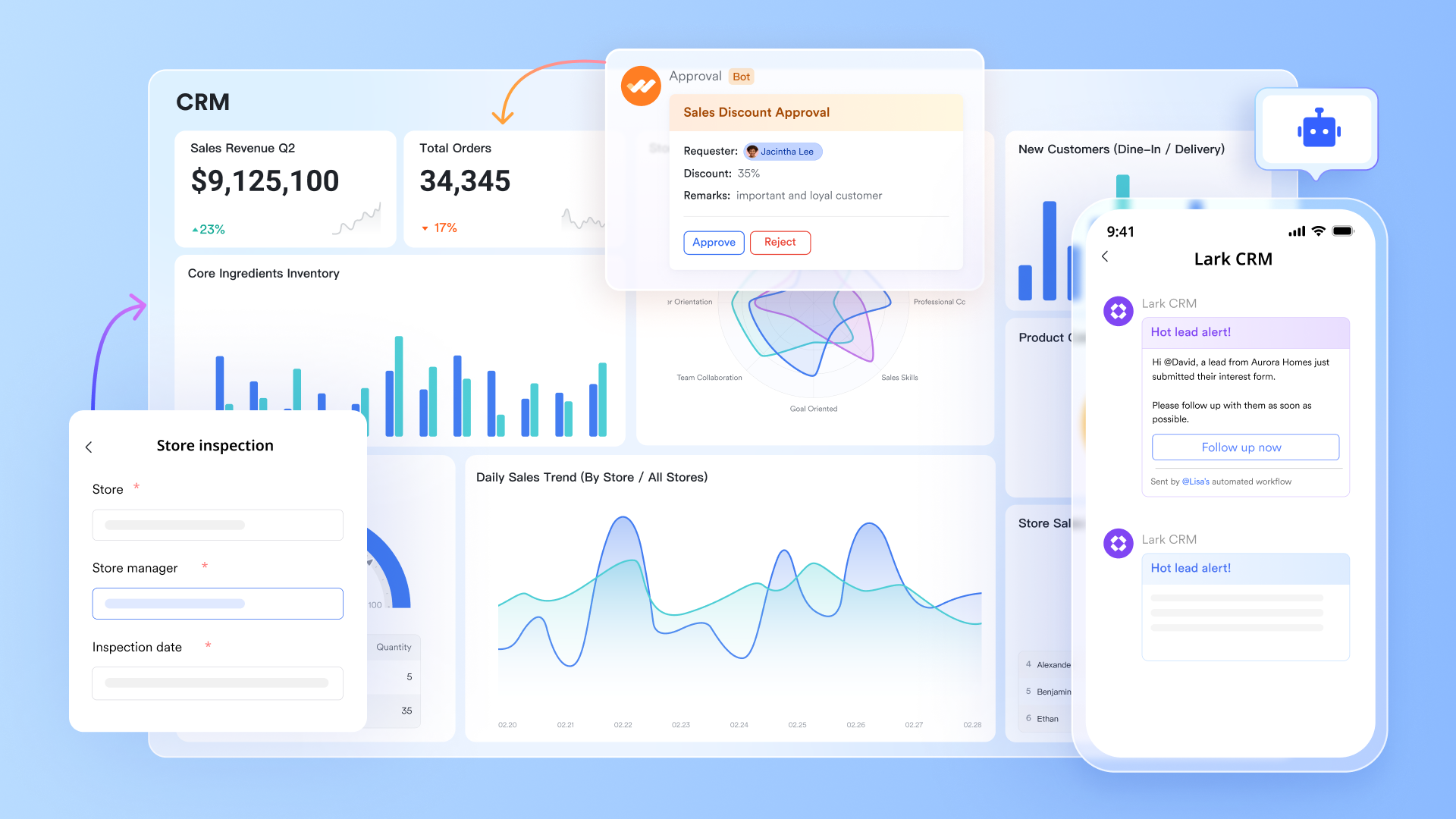
Instant Gmail integration & smart management
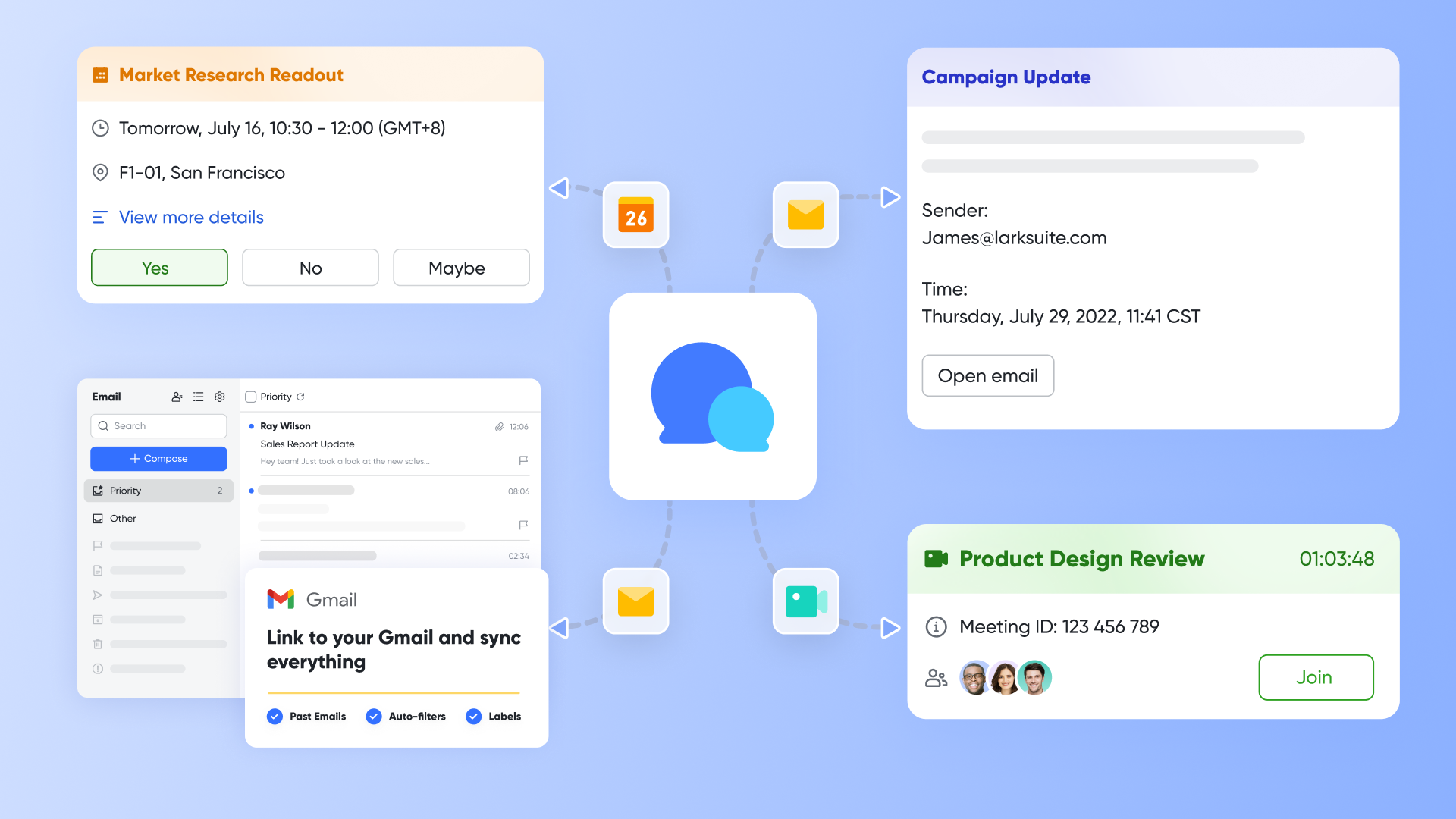
Lark Mail offers instant Gmail integration that lets users connect their Gmail accounts directly to Lark Mail for seamless two-way synchronization—sending, receiving, and organizing emails without leaving the Lark workspace. All Gmail labels, , and contacts are automatically synced, ensuring continuity and zero data loss. This integration enables users to share emails directly in chats or Docs, creating a smooth bridge between communication and collaboration.
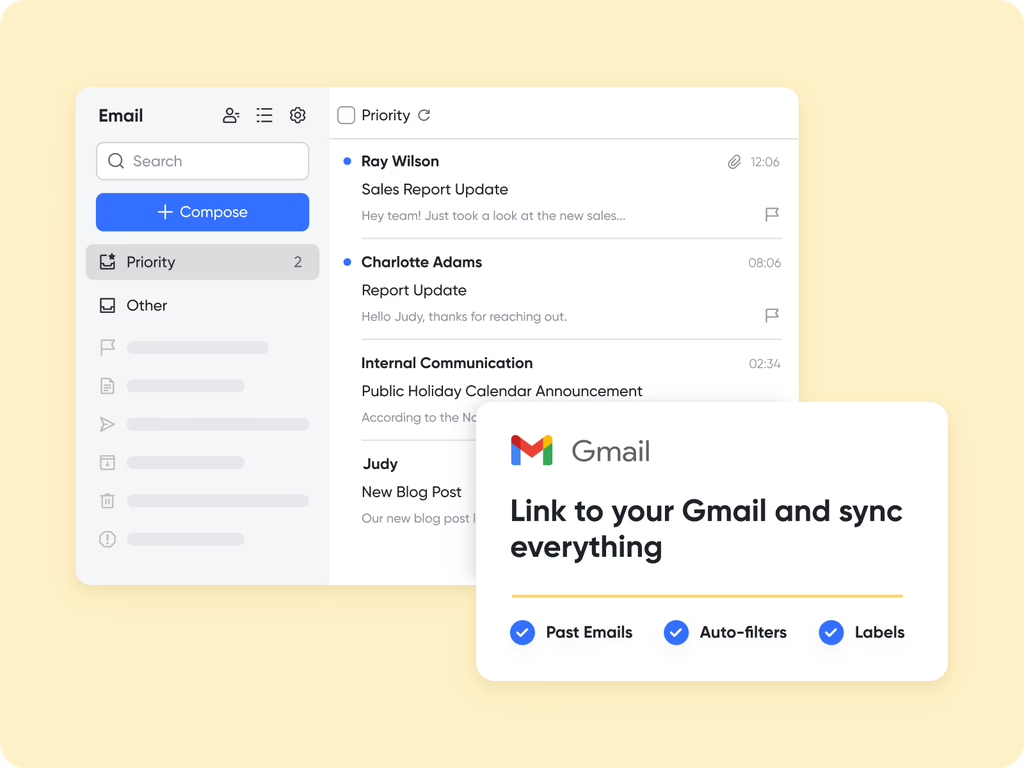
Complete customer interaction tracking
Lark Mail keeps your team's email workflows organized and searchable so internal conversations, threads, and attachments stay easy to find and act on. To capture important client touchpoints inside your CRM workspace, you can forward or attach selected messages and files directly to the correct Lark Base record, or set up simple automations that create or update Base entries when an email is starred or moved to a dedicated folder.
For example, a sales rep can forward a client thread into that client's Base record after a policy renewal conversation; the thread, attachments, and any follow-up notes then live alongside account details, tasks, and documents. Or configure automation to create a new lead in Base whenever a prospect email is flagged, ensuring timely follow-up.
These options let teams keep a single, up-to-date source of truth for every client interaction—making it faster for advisors or managers to review history, prepare for meetings, and hand off work without losing context.
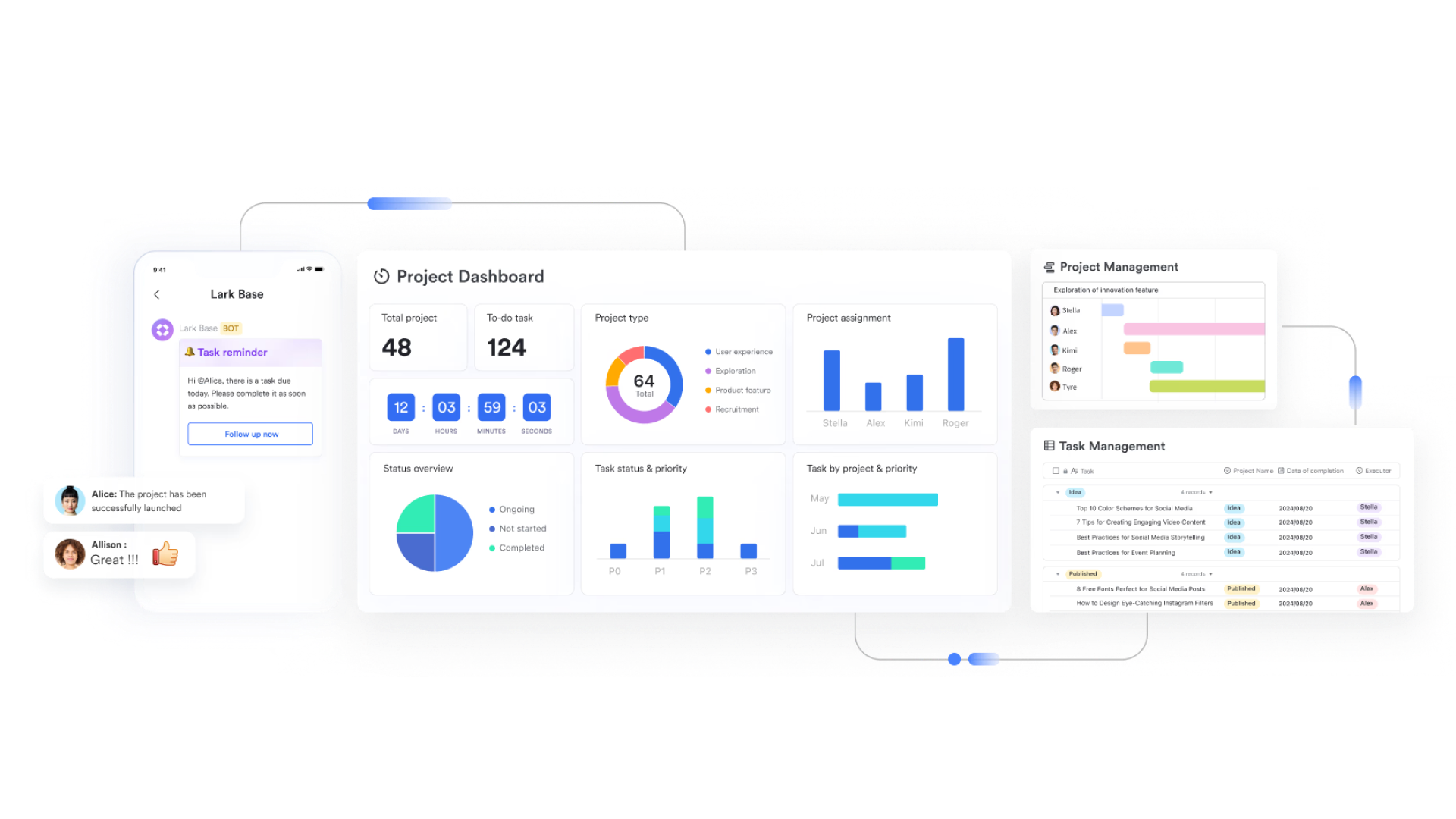
Deep CRM customization with Lark Base
Lark Base transforms into a flexible no-code CRM system, where teams can structure client information and synced communication data precisely as they need.
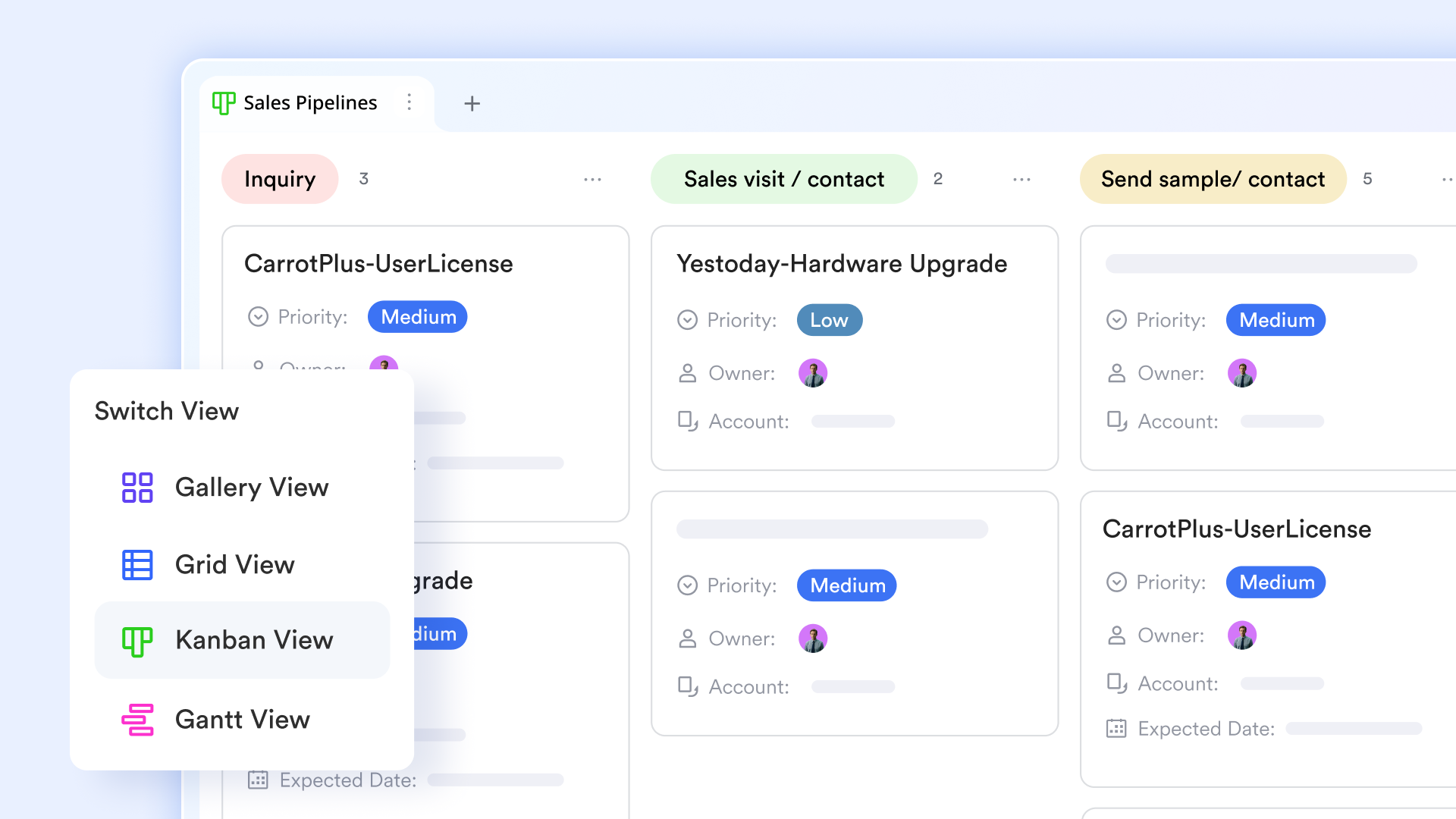
Agents can create custom fields — for example, "Last Email Date," "Follow-up Sent,” “Deal Stage," or "Renewal
Status" — and use formulas to calculate engagement metrics such as response rates or average follow-up time. Multiple views, like Kanban or Grid, give sales managers instant visibility into ongoing conversations and pipeline health.
Seamless collaboration between mail and chat
Lark bridges the gap between asynchronous emails and real-time discussions. When a client email needs internal input — such as feedback from underwriting or pricing — agents can discuss the message in a linked chat without forwarding or copying threads.
Team members can colleagues, share the email in a group chat, and make decisions collaboratively. Once a decision is made, it can be instantly turned into Lark Tasks, assigned to the right team member, and tracked until completion.
AI-powered productive tools
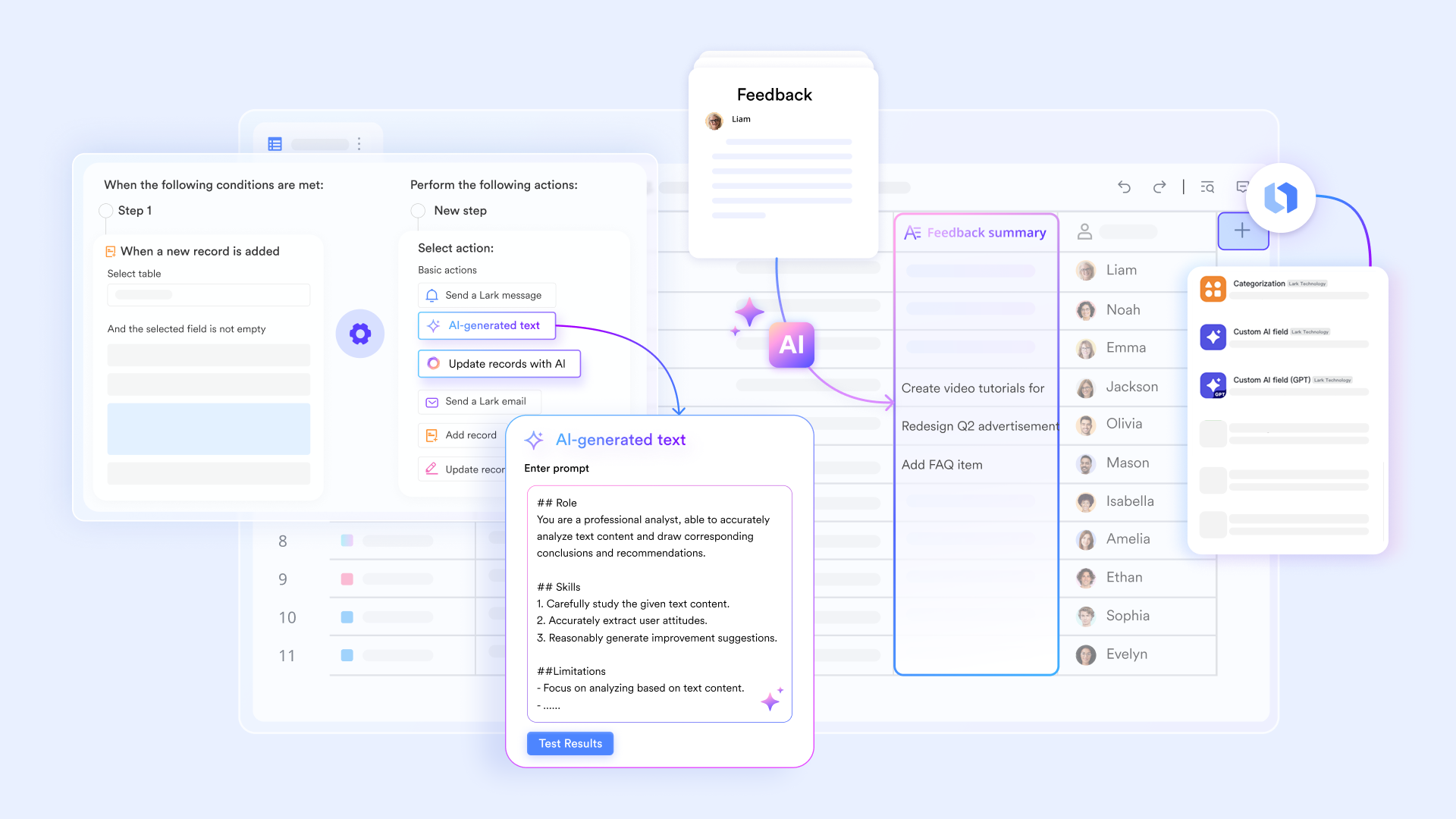
Lark's built-in AI assistance helps teams manage inbox load and maintain a consistent communication tone. The AI can summarize fields, identify unresolved issues, and even suggest following actions — like scheduling a meeting or sending a proposal.
It also assists with personalized email generation, drafting follow-up messages that reference prior interactions. This ensures that every response feels timely, relevant, and tailored to the client's needs.
Mobile reliability and secure communication governance
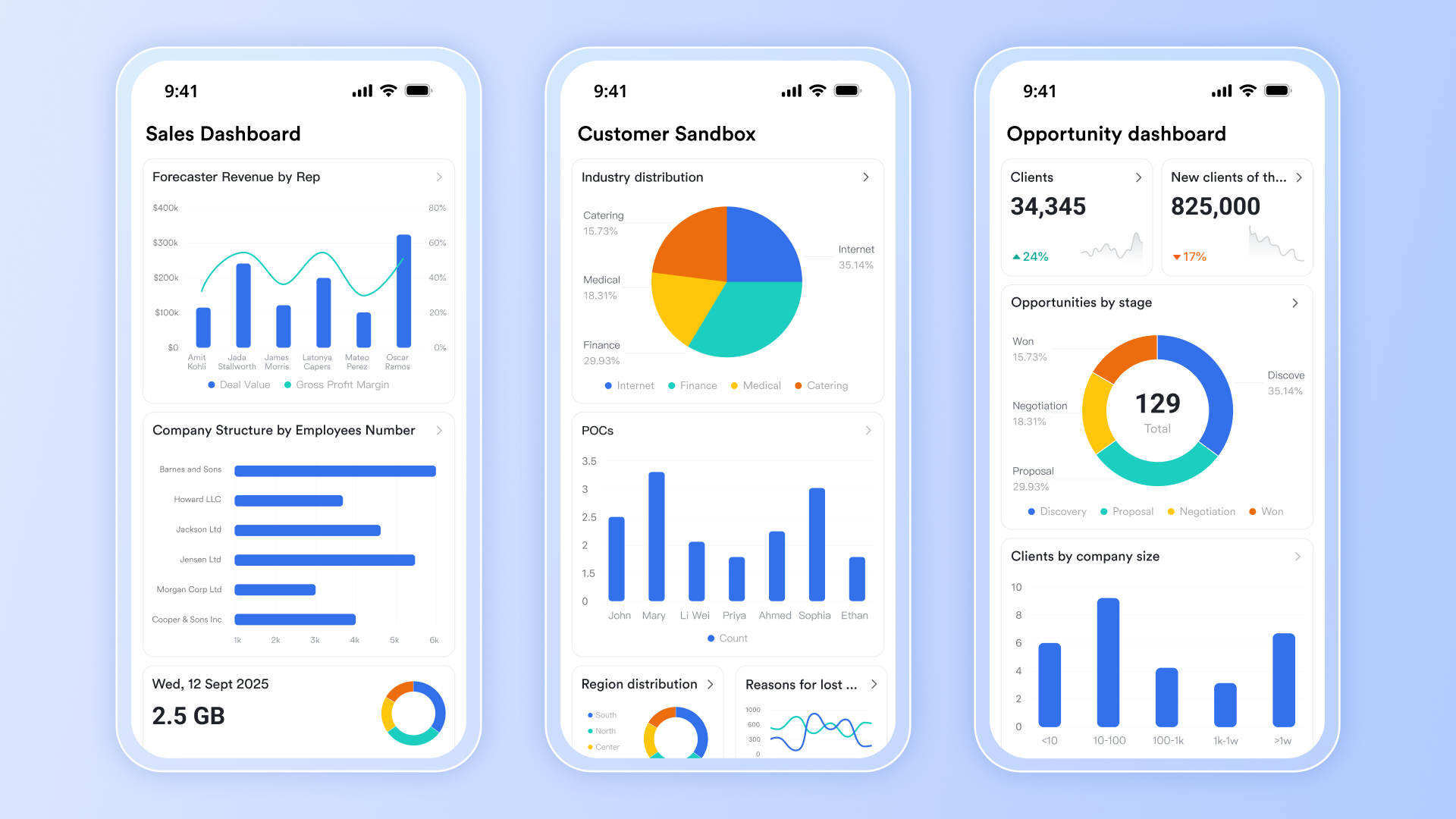
Lark ensures that client communication stays accessible and secure across all devices. Agents can respond to clients, check Base records, or approve requests directly from their mobile app.
Advanced permissions and audit logs give compliance teams full visibility into who accessed, edited, or shared specific communications. For organizations in regulated sectors like insurance or finance, this ensures data governance and compliance readiness at every step.
- Starter plan: Free forever plan that includes 11 powerful tools for up to 20 users. It also comes with 100GB of storage, 1000 automation runs, AI translations, and more.
- Pro plan: $12/user/month (billed annually) for up to 500 users. It includes everything in Starter plus group calling for up to 500 attendees, 15TB of storage, 50,000 automation runs, and more.
- Enterprise plan: Contact sales for custom pricing. Supports unlimited users and includes even more automation runs and advanced security, compliance, and management features.
2. HubSpot CRM: Free and feature-rich CRM for Gmail
HubSpot CRM remains one of the most trusted platforms for businesses looking to align their sales, marketing, and service workflows. Its Gmail integration ensures every email, follow-up, and lead update is automatically captured in one place. The platform's strength lies in its intuitive interface and ability to scale — from freelancers to enterprise teams. With automation, analytics, and customization built in, HubSpot helps teams stay connected and organized without adding complexity.
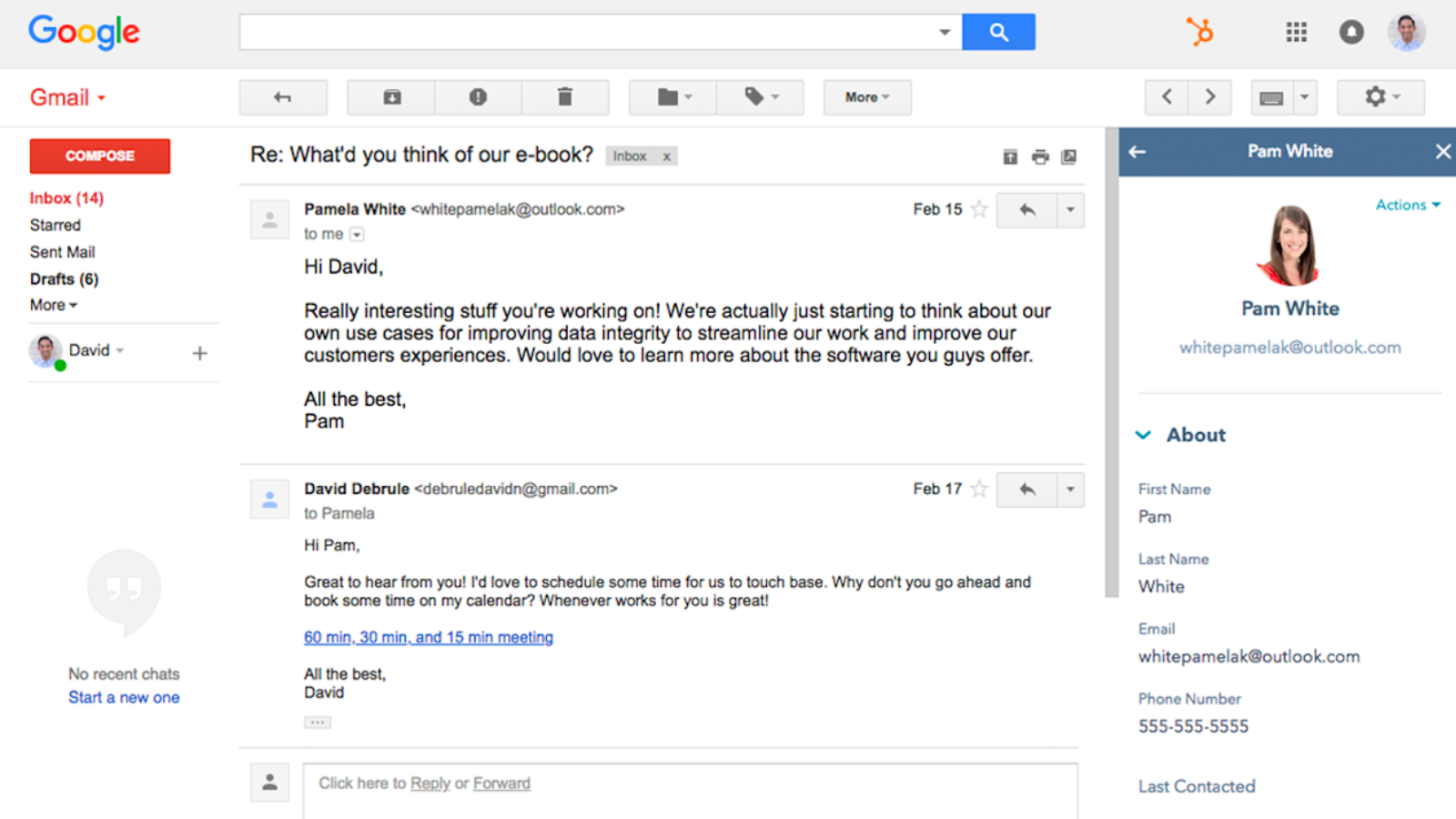
Image Source: hubspot.com
Key features:
- Two-way Gmail sync with real-time tracking
- Contact and deal management with activity timeline
- Built-in email templates and sequences
- Reporting dashboards and task automation
- Integration with marketing and customer support tools
What makes it stand out:
- Fully native Gmail integration for seamless workflow
- Comprehensive free plan suitable for small teams
- Combines CRM, marketing, and service tools in one hub
- Excellent reporting and analytics capabilities
What to note:
- Advanced automation available only in paid plans
- Can become expensive as you scale
Pricing:
- Free plan available
- Paid plans start at $45/month.
3. Zoho CRM: Scalable Gmail-integrated CRM with automation
Zoho CRM is designed for businesses that want structure, automation, and flexibility under one roof. Its Gmail integration syncs emails directly with contact records, creating a unified view of client communication. The platform stands out for its advanced workflow automation, AI-powered recommendations, and ability to adapt as businesses grow. Whether it's lead scoring or real-time deal tracking, Zoho CRM ensures that no opportunity slips through the cracks.
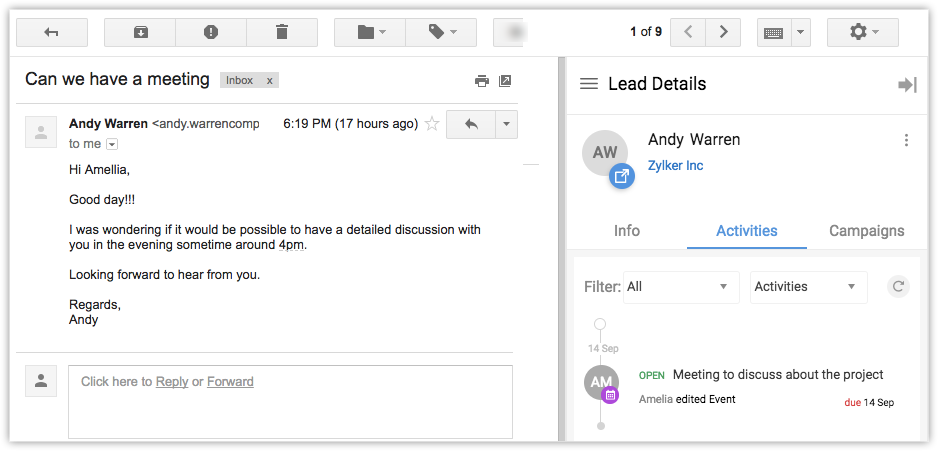
Image source: zoho.com
Key features:
- Two-way Gmail sync with real-time tracking
- AI-powered lead scoring and forecasting
- Custom workflows and automation rules
- Omnichannel communication (email, chat, social)
- Built-in analytics and dashboards
What makes it stand out:
- High level of customization for workflows and reports
- Affordable for small and mid-sized businesses
- Integrated AI (Zia) boosts lead prioritization
- Supports omnichannel communication in one place
What to note:
- The interface can feel overwhelming for new users
- Some integrations require extra setup time
Pricing:
- Free plan available
- Paid plans start at $14/user/month.
4. Salesforce: Enterprise-grade CRM with Gmail connectivity
Salesforce is built for large organizations that need powerful sales management and process automation. Its Gmail integration brings enterprise-grade data and insights directly to the inbox, helping sales teams maintain visibility across every customer interaction. The platform's extensive customization and automation tools make it suitable for companies managing complex pipelines or large teams. With analytics, dashboards, and AI assistance, Salesforce transforms scattered email activity into actionable business intelligence.
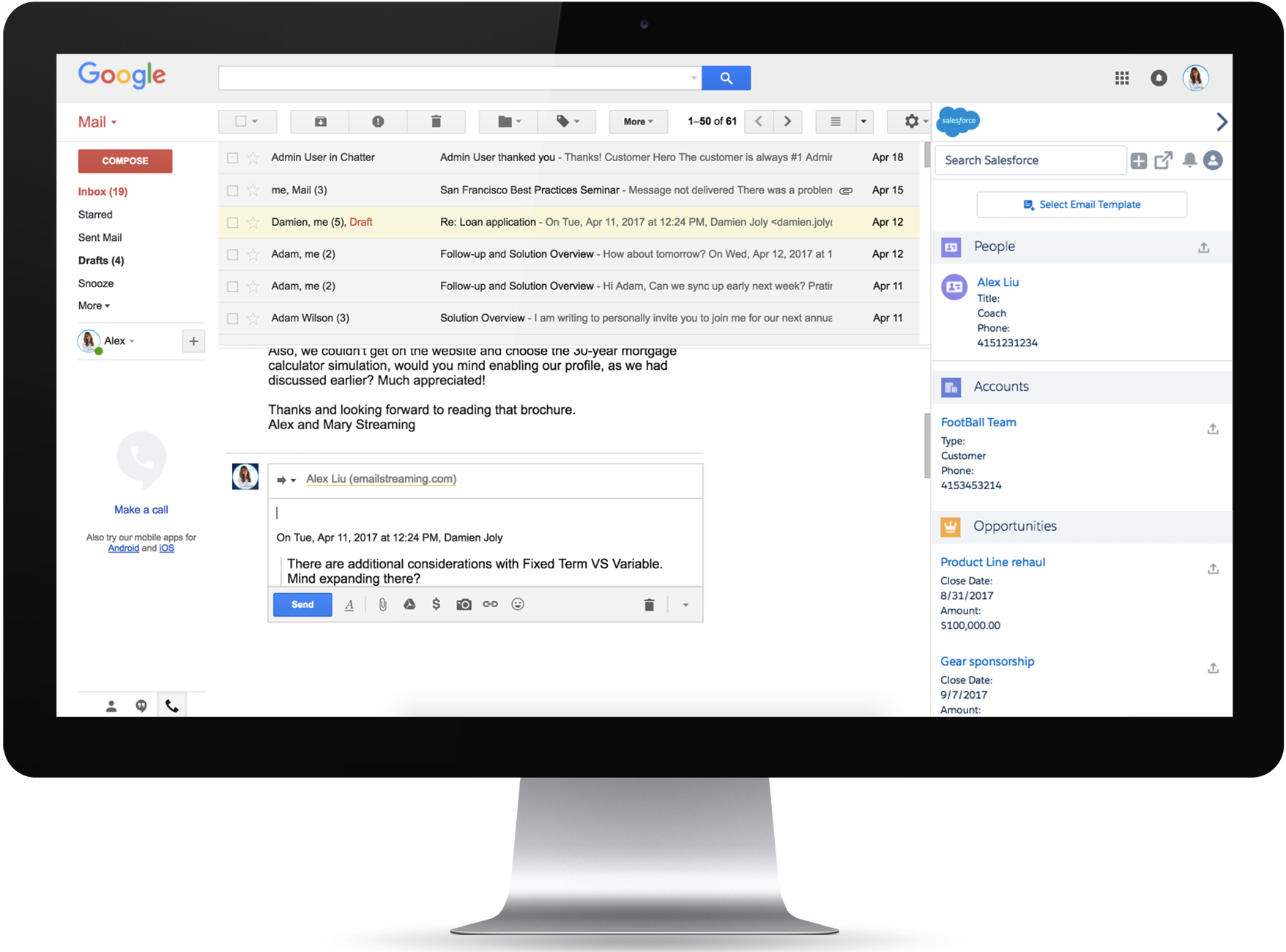
Image source: salesforce.com
Key features:
- Gmail and calendar integration via Salesforce Inbox
- Workflow automation and approval routing
- AI-driven opportunity insights (Einstein)
- Customizable dashboards and reports
- Large integration marketplace (AppExchange)
What makes it stand out:
- Extremely customizable for complex enterprise needs
- Robust reporting and analytics
- Deep Gmail and calendar synchronization
- Scalable for teams of all sizes and industries
What to note:
- Setup requires technical expertise
- Costs can increase significantly for full features
Pricing:
- Paid plans start at $25/user/month
- No free plan.
5. Copper CRM: Best CRM designed for Google Workspace
Copper CRM is purpose-built for teams that run entirely on Google Workspace. Its native Gmail integration makes it one of the most seamless CRMs for users who live in their inboxes. Every contact, deal, and conversation is automatically synced — without the need for extensions or manual updates. Designed with simplicity in mind, Copper eliminates repetitive admin work so teams can focus on selling, not switching between tabs.
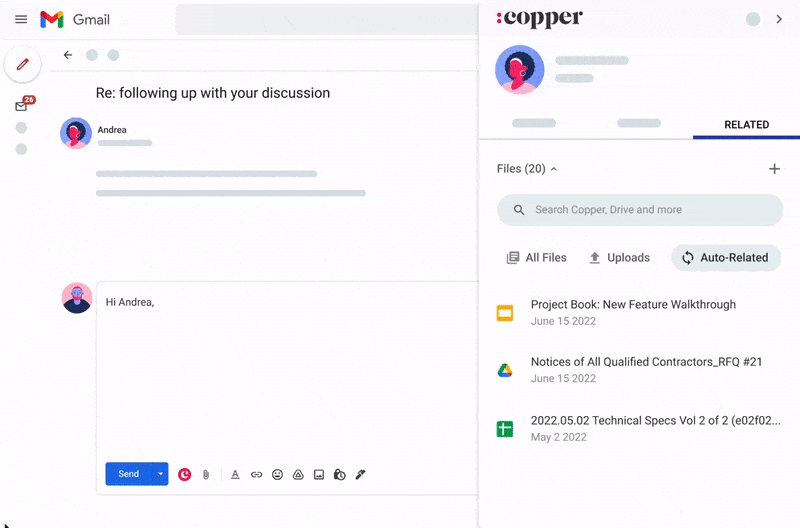
Image source: copper.com
Key features:
- Native integration with Gmail and Google apps
- Automated contact and lead creation
- Visual pipeline and task tracking
- Custom fields and filters
- Workflow automation and reminders
What makes it stand out:
- Built specifically for Google users
- Minimal setup with zero learning curve
- Clean, intuitive user interface
- Deep Gmail integration without third-party add-ons
What to note:
- Limited reporting features
- Few integrations outside Google Workspace
For more Google Workspace's information, you can refer to Google Workspace Pricing and Google Workspace alternatives.
Pricing:
- Paid plans start at $25/user/month
- No free plan.
6. Pipedrive: Visual sales CRM with Gmail add-on
Pipedrive is a visually driven CRM that helps sales teams manage deals with clarity and confidence. Its Gmail add-on integrates directly with your inbox, allowing users to track emails, add notes, and update deals without ever leaving Gmail. With its drag-and-drop interface and automation tools, it simplifies pipeline management for growing businesses. Pipedrive is ideal for teams that want efficiency, visibility, and speed across every stage of the sales process.
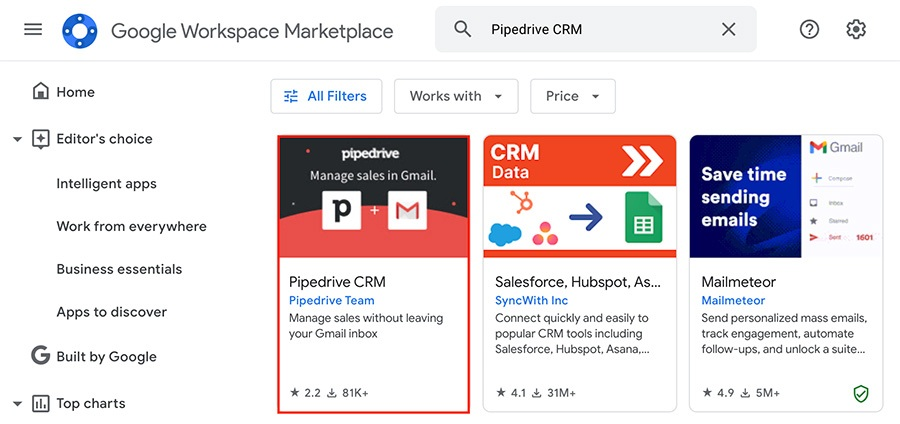
Image source: pipedrive.com
Key features:
- Two-way Gmail sync and tracking
- Visual drag-and-drop sales pipeline
- Email scheduling and templates
- Workflow automation and reminders
- Revenue forecasting tools
What makes it stand out:
- Exceptionally easy to use
- Clean visual pipeline interface
- Flexible customization for small teams
- Built-in automation for repetitive tasks
What to note:
- Limited marketing and support modules
- Basic reporting in lower-tier plans
Pricing:
- Paid plans start at $15/user/month
- No free plan.
7. Freshsales: AI-driven CRM with Gmail sync
Freshsales by Freshworks combines intelligent automation with user-friendly design. Its Gmail integration allows teams to send, track, and log emails instantly — ensuring no lead goes unnoticed. Backed by AI insights, Freshsales automatically prioritizes high-value opportunities and suggests next best actions for reps. Whether you're managing a small sales team or scaling operations, it brings clarity and structure to every client interaction.
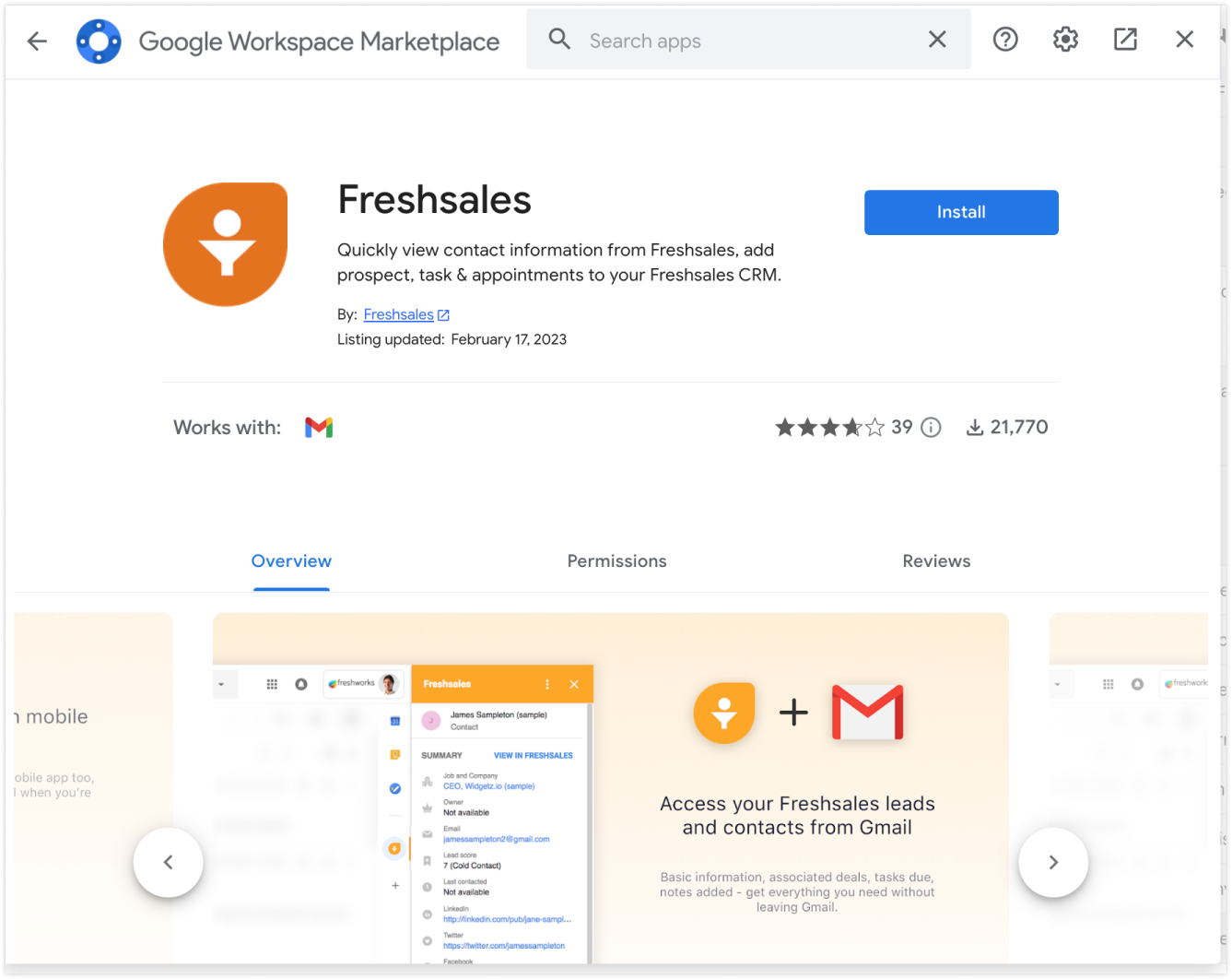
Image source: freshworks.com
Key features:
- Gmail sync with email tracking and templates
- AI-based lead scoring and recommendations
- Built-in phone and chat modules
- Workflow automation and reporting
- Real-time analytics dashboard
What makes it stand out:
- Integrated AI assistant (Freddy) enhances lead prioritization
- Combines CRM, chat, and telephony in one system
- Clean interface ideal for SMBs
- Affordable entry-level pricing with generous features
What to note:
- Advanced AI tools only in higher plans
- Limited third-party integration options
Pricing:
- Free plan available
- Paid plans start at $15/user/month.
8. Streak CRM: Lightweight CRM built into Gmail
Streak CRM is designed for professionals who want CRM functionality without ever leaving their inbox. Fully embedded inside Gmail, it transforms email threads into organized pipelines and deal stages. Every interaction — from client emails to follow-ups — can be tracked, categorized, and automated seamlessly. Its intuitive setup and minimal learning curve make it ideal for freelancers, consultants, and small teams who prioritize simplicity and speed.
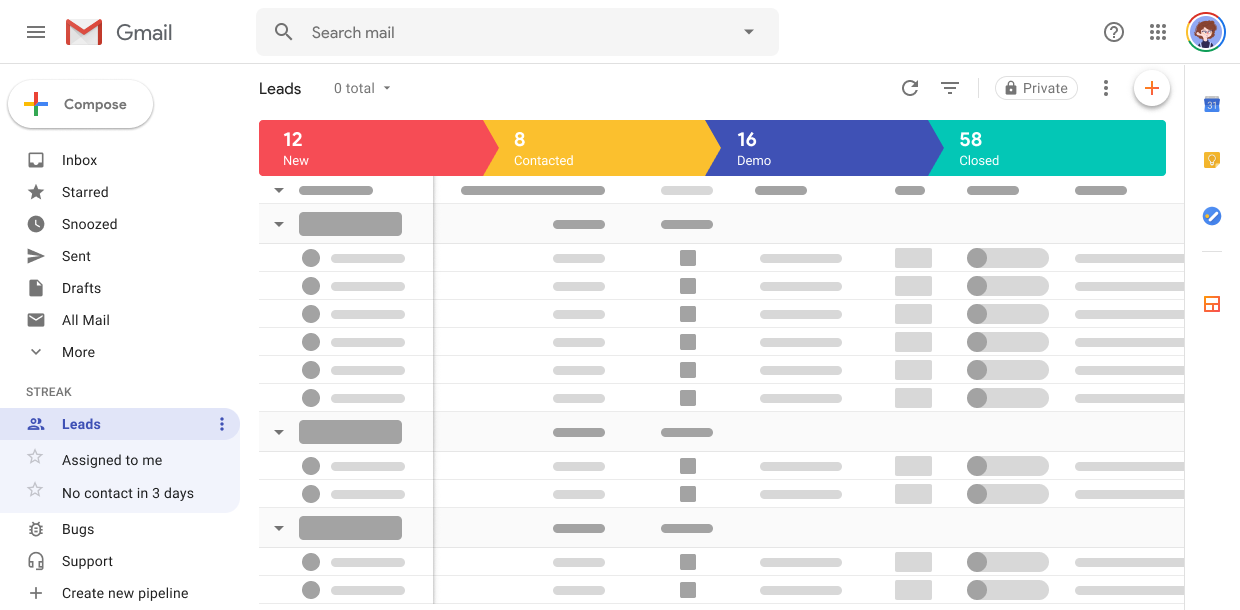
Image source: streak.com
Key features:
- Fully embedded in Gmail
- Custom pipelines and mail merge
- Shared inbox and collaboration tools
- Email tracking and scheduling
- API and mobile app support
What makes it stand out:
- Zero setup — works inside Gmail
- Excellent for solo professionals and small teams
- Clean, clutter-free interface
- Strong collaboration via shared pipelines
What to note:
- Not ideal for large teams or enterprises
- Basic reporting and analytics capabilities
Pricing:
- Free plan available
- Paid plans start at $15/user/month.
9. Capsule CRM: Simple Gmail-connected CRM for small teams
Capsule CRM offers an elegant solution for small businesses that want to stay organized without overwhelming features. Its Gmail integration allows users to save email conversations, create tasks, and manage opportunities directly from their inbox. Designed for clarity and ease of use, Capsule helps teams maintain a single, reliable source of client information. It's a perfect fit for small agencies and startups seeking a straightforward CRM that gets the job done efficiently.
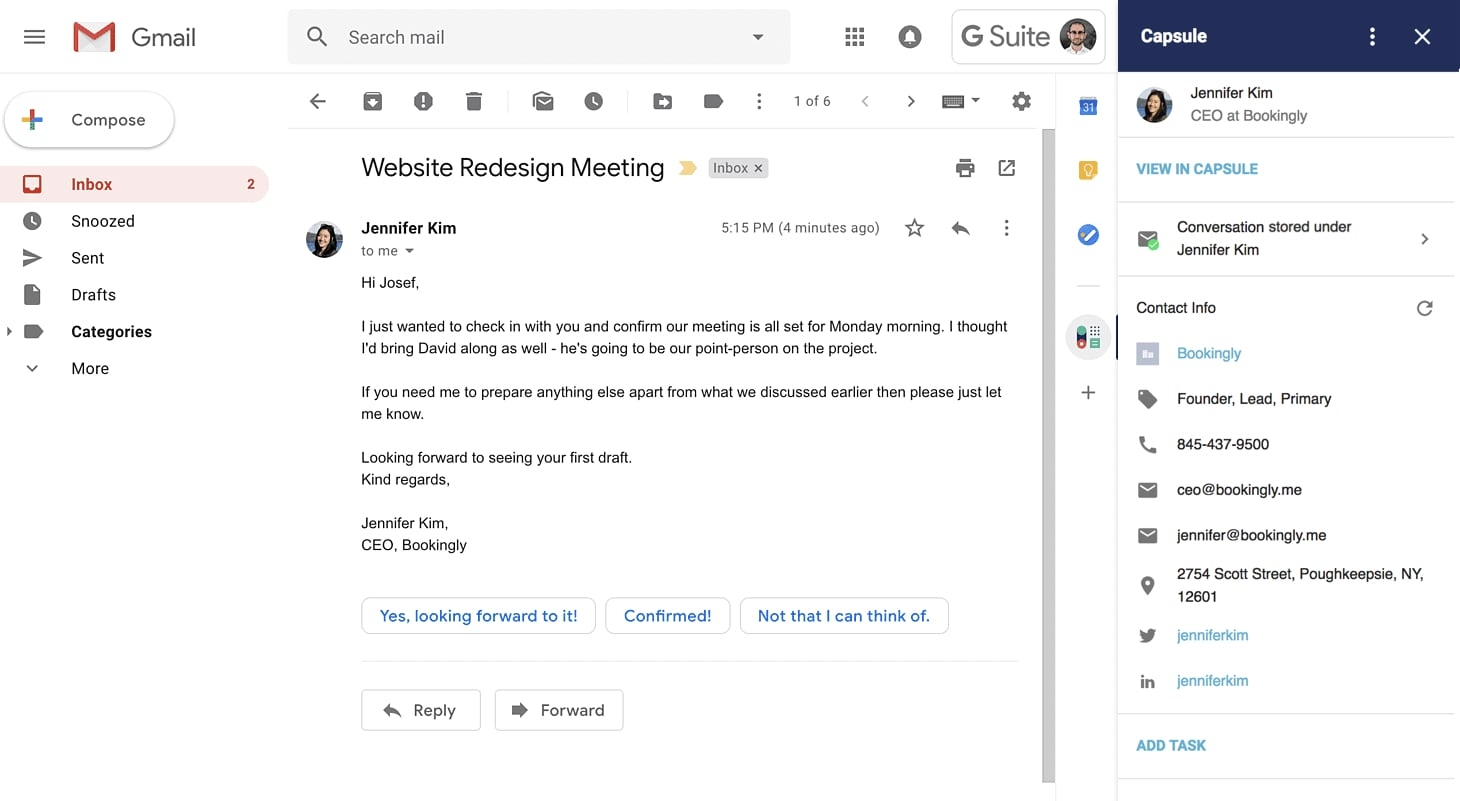
Image source: capsule.com
Key features:
- Gmail integration for saving email threads
- Contact and opportunity management
- Custom task creation and reminders
- Pipeline tracking dashboard
- Integrations with Xero and Mailchimp
What makes it stand out:
- Clean and intuitive interface
- Ideal for smaller teams or consultancies
- Easy Gmail integration setup
- Good balance of CRM essentials and affordability
What to note:
- Limited automation options
- Few advanced reporting capabilities
Pricing:
- Free plan available
- Paid plans start at $18/user/month.
10. EngageBay: All-in-one CRM and marketing suite for Gmail
EngageBay brings sales, marketing, and customer support together in one connected system. With Gmail integration, it allows users to send, track, and log emails while managing deals and campaigns from a unified dashboard. It's especially powerful for small businesses that want to automate lead nurturing and engagement without investing in multiple tools. EngageBay's combination of affordability and all-in-one functionality makes it one of the most versatile CRMs on this list.
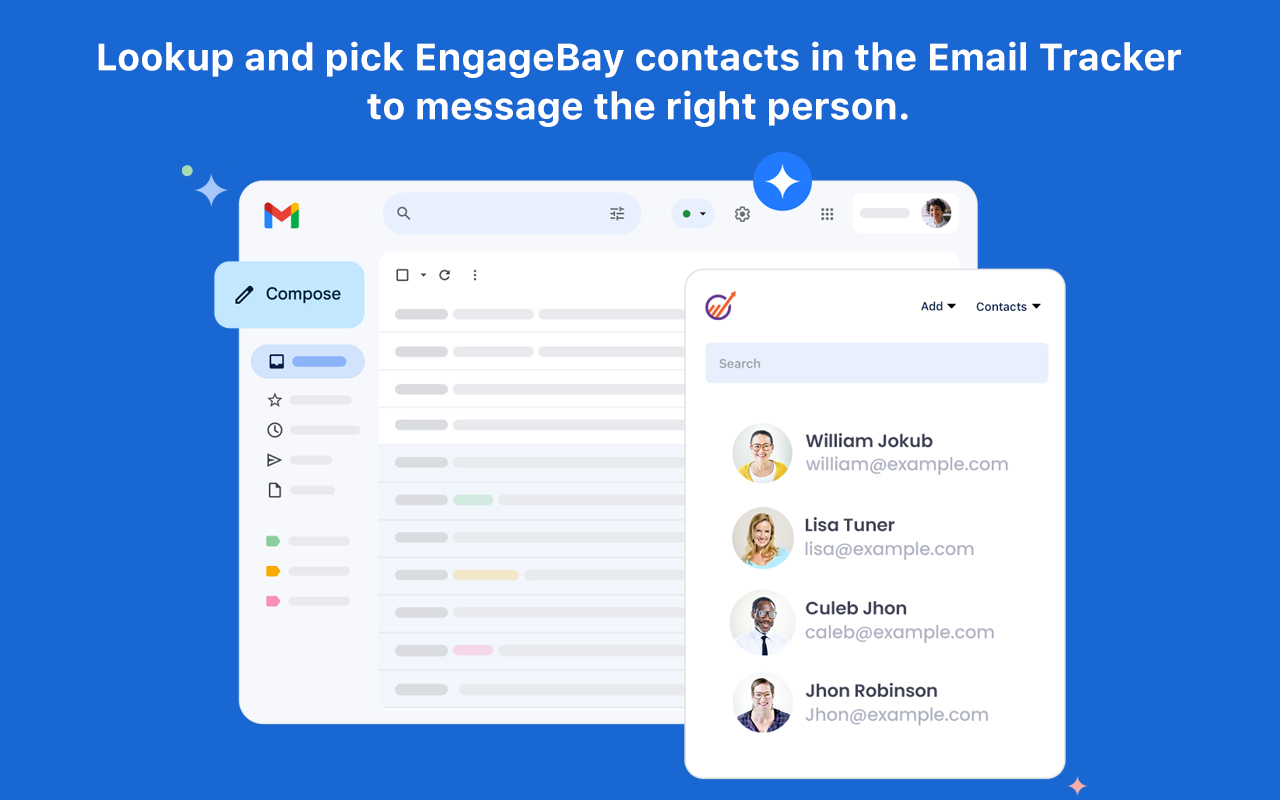
Image source: engagebay.com
Key features:
- Gmail sync with contact management
- Marketing automation and lead scoring
- Built-in email campaign tools
- Helpdesk and live chat integration
- Workflow builder and reports
What makes it stand out:
- Combines CRM and marketing automation
- Affordable all-in-one solution for SMBs
- Easy Gmail setup and tracking
- Strong email marketing and support suite
What to note:
- Interface feels busy for new users
- Limited customization in entry-level plans
Pricing:
- Free plan available
- Paid plans start at $15/user/month.
11. NetHunt CRM: Gmail-native CRM for sales teams
NetHunt CRM is built directly inside Gmail, transforming the inbox into a complete sales and client management hub. Every email, contact, and deal update stays synced automatically, keeping workflows simple and efficient. Its clean interface makes it easy to manage pipelines, set reminders, and track client conversations without juggling multiple tabs. NetHunt is ideal for small to mid-sized teams who want an embedded, Gmail-first CRM that prioritizes speed and usability.
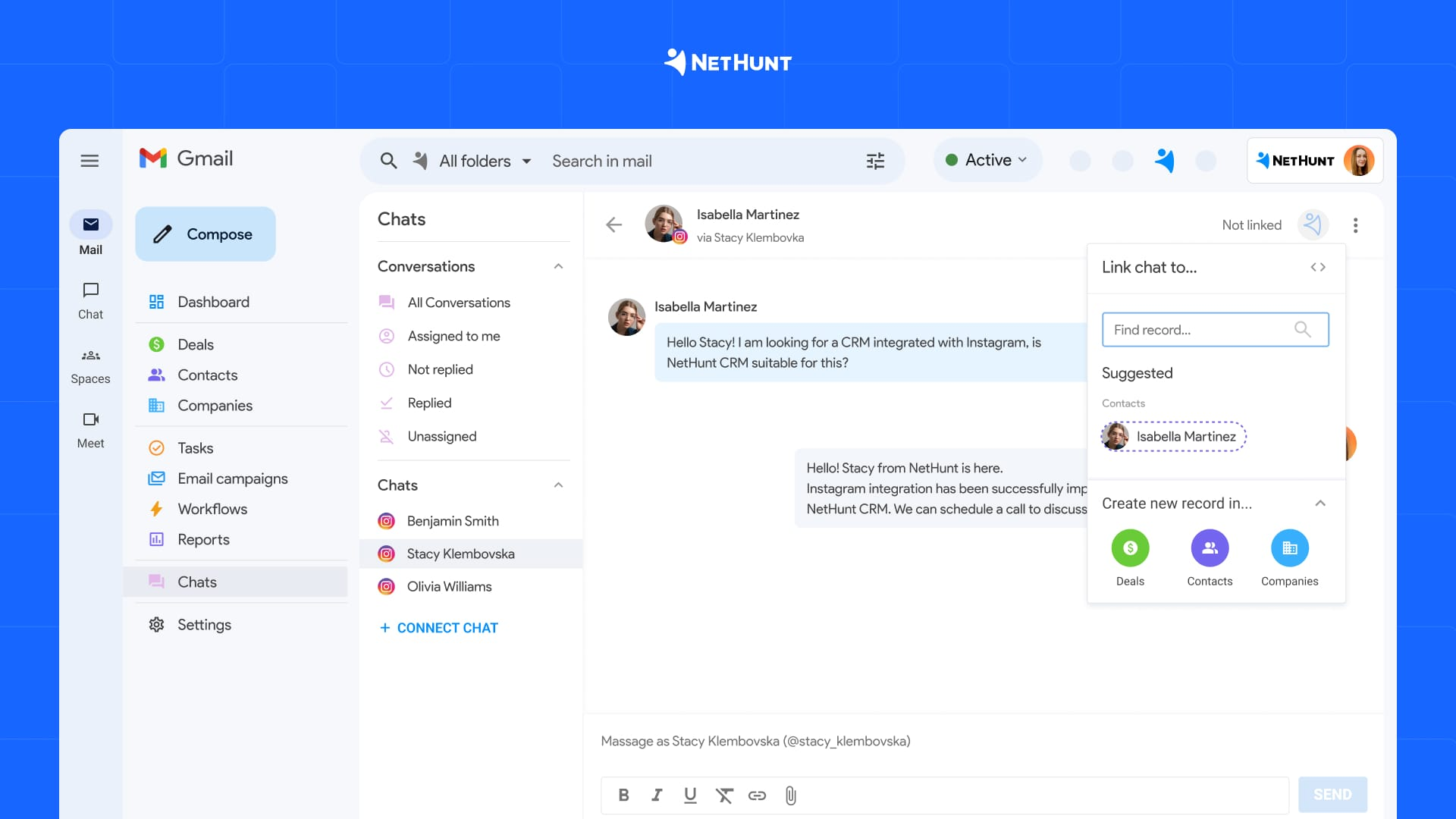
Image source: nethunt.com
Key features:
- Fully embedded inside Gmail with two-way sync
- Automated data capture from emails and web forms
- Workflow automation and task assignment
- Customizable pipelines and performance tracking
- Integration with Google Calendar, Sheets, and third-party apps
What makes it stand out:
- Seamless native experience inside Gmail — no external window switching
- Automation built for small sales teams needing efficiency without bloat
- Strong balance of simplicity and powerful customization
- Excellent support and onboarding for first-time CRM users
What to note:
- Some reporting and automation options are limited to higher plans
- May not scale well for large enterprise requirements
Pricing:
- Free plan available
- Paid plans start at $24/user/month.
12. Nimble CRM: Social selling and Gmail-integrated CRM
Nimble CRM blends relationship management with social insights to help businesses build stronger, more personal client connections. Its Gmail integration ties emails directly to enriched contact profiles, giving context before every conversation. Beyond just syncing communication, Nimble pulls in data from social platforms, ensuring a more holistic view of every lead or customer. It's the perfect fit for consultants, small teams, and relationship-driven businesses that value personalization in their outreach.
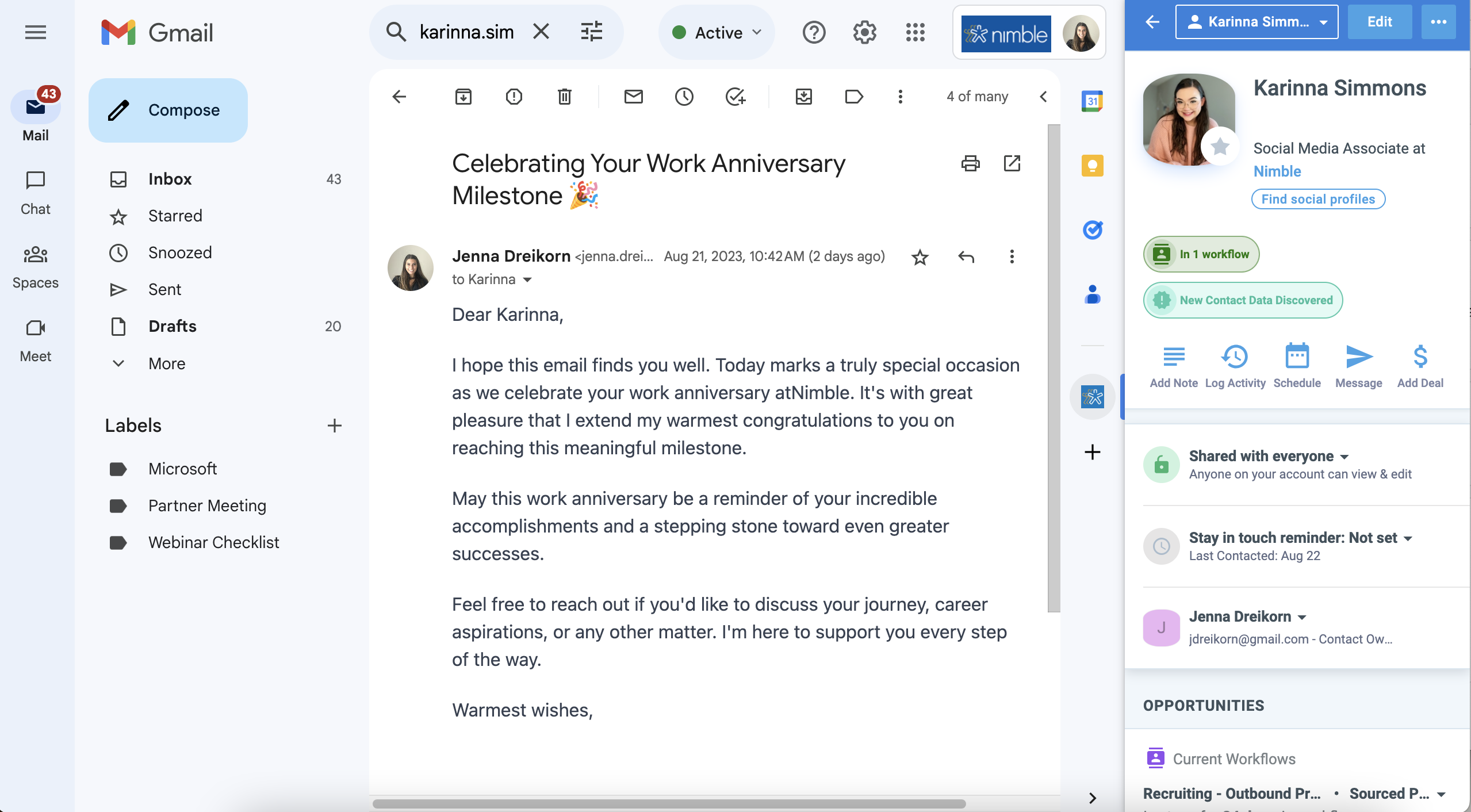
Image source: nimble.com
Key features:
- Two-way Gmail sync with automatic email logging
- Social profile enrichment from LinkedIn, Twitter, and more
- Deal and pipeline management with reminders
- Task scheduling and activity tracking
- Unified contact management across platforms
What makes it stand out:
- Focuses on social relationship management alongside CRM
- Automatically enriches contacts with online data and insights
- Intuitive Gmail integration for quick access and tracking
- Great for professionals building personal client relationships
What to note:
- Limited automation and reporting compared to enterprise CRMs
- Social data accuracy depends on external platforms
Pricing:
- Paid plans start at $24.90/user/month
- No free plan available.
Quick guide on choosing the right CRM with Gmail integration
With dozens of Gmail-connected CRMs available, the right choice depends on your team's workflow, size, and communication needs. An ideal CRM should feel like an extension of your inbox — not a separate platform. The goal is to simplify your sales process, not add more layers of work. Here's what to look for when making your decision:
- Check integration depth (native vs. plugin): Native integrations offer better stability, faster syncing, and fewer connection issues compared to third-party add-ons.
- Prioritize automation and lead syncing: The best CRMs automatically capture contacts, schedule follow-ups, and log interactions — saving hours of manual work.
- Evaluate pricing based on team size: Choose a CRM that offers scalability, ensuring it stays affordable as your client base and team grow.
- Ensure mobile access and security: Remote access, role-based permissions, and data encryption are crucial for maintaining productivity and compliance.
Conclusion
Integrating your CRM with Gmail is about transforming how your team communicates, tracks leads, and builds relationships. By keeping every email, deal, and client record connected, Gmail-integrated CRMs remove friction from daily workflows and ensure nothing falls through the cracks. Whether you're managing a growing sales team or handling multiple client accounts, these tools make productivity effortless. Among them, Lark stands out for combining Gmail integration with collaboration, analytics, and automation, helping modern teams manage their entire customer journey from inbox to success.
FAQs
How does CRM-Gmail integration help sales teams?
CRM-Gmail integration connects your email communication directly with client data, ensuring every conversation, lead, and follow-up is automatically tracked. It eliminates manual updates, improves accuracy, and keeps your pipeline visible in real time. This helps teams respond faster and maintain consistent communication. Lark enhances this by combining Gmail integration with workflow automation and shared workspaces — ensuring complete alignment across your sales team.
Are Gmail-integrated CRMs suitable for small businesses?
Yes. Gmail-integrated CRMs are designed to be scalable, allowing even small teams to manage clients and leads efficiently without complex setups. They reduce administrative tasks and centralize communication in one platform. For growing startups, this integration provides enterprise-level organization at an affordable cost. Lark offers a free plan with built-in CRM and Gmail syncing, making it ideal for small teams ready to scale.
Do CRMs with Gmail integration require additional plugins?
It depends on the CRM. Some platforms, like HubSpot or Zoho, offer native integration, while others rely on third-party extensions for Gmail connectivity. Native integrations provide smoother syncing and fewer compatibility issues. Lark delivers native Gmail integration as part of its workspace, removing the need for extra plugins and ensuring secure, stable performance across all devices.
Can Gmail integration improve client follow-ups and lead nurturing?
Absolutely. With Gmail-linked CRMs, follow-ups and reminders are automated, ensuring that no lead is forgotten. These systems track communication history, helping agents personalize outreach and respond quickly. Over time, this consistency builds trust and increases conversion rates. Lark automates reminders, tasks, and leads updates directly from Gmail, helping teams maintain meaningful client relationships effortlessly.
What should I look for when choosing a CRM with Gmail integration?
Look for a CRM that offers two-way syncing, automation, mobile accessibility, and secure data management. The integration should simplify your workflow, not complicate it. Also, ensure that it scales with your team's growth. Lark checks all these boxes by merging CRM, communication, and analytics — giving businesses a single, unified platform to manage clients and collaborate seamlessly.
Related reading
Table of contents
Start using Lark today

Manage all your work in one place
Boost team efficiency by 10x
Save up to 70% on software costs
Table of contents
Start using Lark today
Manage all your work in one place
Boost team efficiency by 10x
Save up to 70% on software costs
Keep reading









2026 Lark Technologies Pte. Ltd.
Headquartered in Singapore with offices worldwide.






Explore: