Managing CRM leads effectively is essential for any team aiming to improve conversions, strengthen follow-ups, and scale predictable revenue. Modern CRM platforms help capture leads from the web, social media, events, and ads, ensuring nothing slips through the cracks. From automated scoring to pipeline visibility and activity tracking, the right CRM for leads enables faster responses and better collaboration between marketing and sales. Whether your focus is Facebook leads, inbound prospects, or outbound calling, choosing the right tool makes a measurable difference. Here are the 12 best tools we have for you:
1. Lark: Best unified CRM for leads with connected team workflows
2. HubSpot CRM: Best free CRM for Facebook leads and inbound sales
3. Zoho CRM: Best CRM software for structured lead lifecycle management
4. Freshsales: Best CRM for AI-powered lead scoring and insights
5. Pipedrive: Best sales pipeline CRM to track leads visually
6. Salesforce CRM: Best enterprise CRM center for complex lead operations
7. Monday CRM: Best board-style CRM leads management software
8. Bitrix24: Best collaboration CRM for cross-team sales workflows
9. Agile CRM: Best CRM for SMB marketing campaigns and nurturing
10. Copper CRM: Best CRM for Gmail-users managing business contacts
11. Close CRM: Best high-volume outbound lead sales CRM tool
12. Keap: Best CRM funnel tool for small business lead automation
Get started with smarter lead tracking
CRM tools for lead management at a glance
Choosing the right starts with understanding how each tool handles capture, tracking, qualification, and follow-ups across different channels. A quick comparison helps highlight the strengths of each solution, whether you need a CRM for leads from Facebook, website forms, outbound calls, or email campaigns. The table below gives you a snapshot of features, ease of use, and ideal use cases, so you can quickly narrow down the best options.
Information source: Official vendor sites
Update time: 2025-11-30
Note: Pricing and plan details reflect publicly available data as of the update date and may vary based on region, billing cycle, and number of agents.
What are CRM leads and why do they matter?
CRM leads represent potential customers who have shown interest through web forms, social channels, ads, events, or direct inquiries. Managing them in a structured system ensures nothing gets lost, delayed, or mishandled across marketing and sales teams. helps centralize data, track conversations, and move prospects through the pipeline with greater clarity. Understanding what leads in CRM represent is essential for improving conversion rates and building predictable revenue growth.
How CRM for leads improves conversion efficiency
CRM for leads platforms help teams streamline follow-ups, improve response times, and maintain consistency across multiple channels like email, social media, and inbound forms. By centralizing conversations and automating key steps, becomes far more predictable and effective. These systems also reduce confusion between marketing and sales by ensuring every lead moves through a structured, visible pipeline. The result is fewer missed opportunities and higher conversion rates.
- Reduced response time using automated handoffs: CRM platforms route new leads instantly to the right salesperson, reducing delays caused by manual sorting or inbox tracking. Faster responses increase conversion likelihood, especially for Facebook or web leads where timing matters. Automated notifications ensure teams never miss an inquiry, improving overall lead engagement.
- Better accountability with ownership assignment: Assigning clear owners to each lead prevents confusion about who should follow up. document every touchpoint and automatically record activity, giving managers visibility into workload and performance. This accountability strengthens follow-through and ensures no lead falls through the cracks.
- Consistent follow-ups across channels: Whether leads come from ads, email, chat, or social platforms, CRMs allow teams to build consistent follow-up sequences. Automated reminders, , and tasks ensure every prospect receives timely communication. This uniform approach improves the buyer journey and removes the inconsistencies that arise when teams work manually.
- Clear visibility into lead aging and bottlenecks: CRMs show how long leads stay in each stage, helping teams identify slowdowns or neglected . Managers can diagnose where delays occur and take corrective action quickly. This transparency allows more accurate forecasting and prevents pipeline stagnation.
- Eliminates spreadsheet tracking risks: Manual spreadsheets lead to errors, version issues, and missed updates. CRM systems store everything centrally with real-time visibility for the entire team. This reduces operational risk, improves data accuracy, and supports scalable as the business grows.
Essential features for CRM leads management
Managing CRM leads effectively requires tools that capture prospects across multiple channels, centralize data, and support structured follow-ups. The best CRM for leads ensures teams never lose track of inquiries, whether they originate from Facebook ads, website forms, email campaigns, or offline events. Strong CRM leads management improves forecasting accuracy, strengthens collaboration, and helps businesses scale consistently. Below are the essential features every CRM platform should support for reliable lead handling.
- Source tagging for Facebook, website, event leads: Source tagging allows teams to track which channels and campaigns drive the highest-quality prospects. Whether using free CRM for Facebook leads or enterprise tools, clear attribution supports better marketing decisions. It also helps sales prioritize leads based on historical performance.
- Lead scoring based on activity: CRM systems use behavior signals—email opens, page visits, replies, form activity—to assign scores that indicate purchase readiness. AI-assisted scoring helps teams focus on the most engaged prospects first. This improves win rates and aligns sales efforts with high-quality opportunities.
- Pipeline stage tracking: show where each lead stands, how fast they move, and which deals require attention. CRM to track leads platforms help avoid stagnation and improve forecasting accuracy. Teams can identify patterns, refine processes, and optimize effort across stages.
- Team assignment and workload balancing: Automated routing ensures leads are distributed evenly among team members, preventing overload and ensuring quick responses. CRM center leads features also allow managers to reassign prospects when workloads shift. This helps maintain consistent performance across reps.
- Follow-up reminders and activity logging: System-generated reminders keep outreach on schedule while automatic logging creates a complete history of interactions. This is essential for teams handling large lead volumes. Activity visibility improves coaching, reporting, and pipeline clarity.
- Reporting and forecasting: CRM analytics reveal conversion rates, channel performance, and team productivity. show projected revenue and highlight gaps. These insights help leaders set realistic targets and refine strategy based on real data.
Try a CRM leads tool with all features
12 best CRM tools to manage leads effectively
Finding the right CRM for leads depends on how your team captures, tracks, and follows up with prospects across different channels. The tools below help simplify pipeline visibility, automate reminders, and improve conversions. Here are 12 of the most effective CRM platforms for managing leads today.
1. Lark: Best unified CRM for leads with connected team workflows
brings lead capture, communication, and workflow automation into a single workspace, making it easier for teams to without switching between their and other apps. Its integrated approach allows sales, marketing, and operations to through shared tasks, docs, and conversations. Lead records stay linked to chats, follow-ups, and files, reducing friction and improving visibility. Automated routing, reminders, and workflows help eliminate missed opportunities. Lark is ideal for teams that want a connected CRM for lead management without relying on multiple tools.
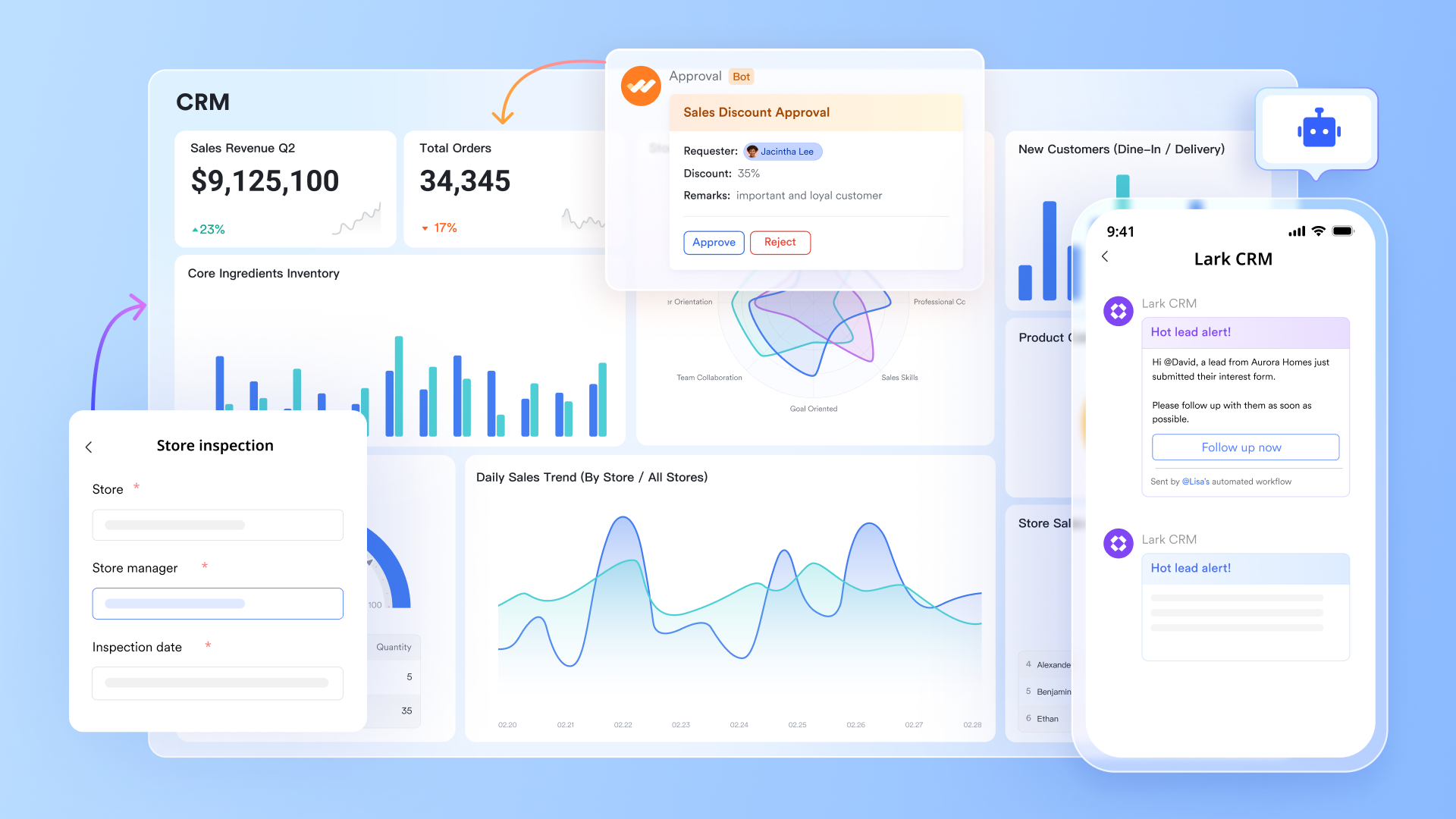
No-code lead database design in Lark Base
allows teams to build a fully customized CRM system without writing any code. Sales teams can create lead tables with adaptable fields tailored to their workflow, including contact details, source channels, qualification stage, lead score, deal value estimates, and follow-up status. Views can be grouped or filtered by region, rep ownership, industry, or campaign source—making it easy to focus on priority segments. Using one-way and two-way links, Lark Base allows you to connect records across different tables, such as linking lead records to other related records.
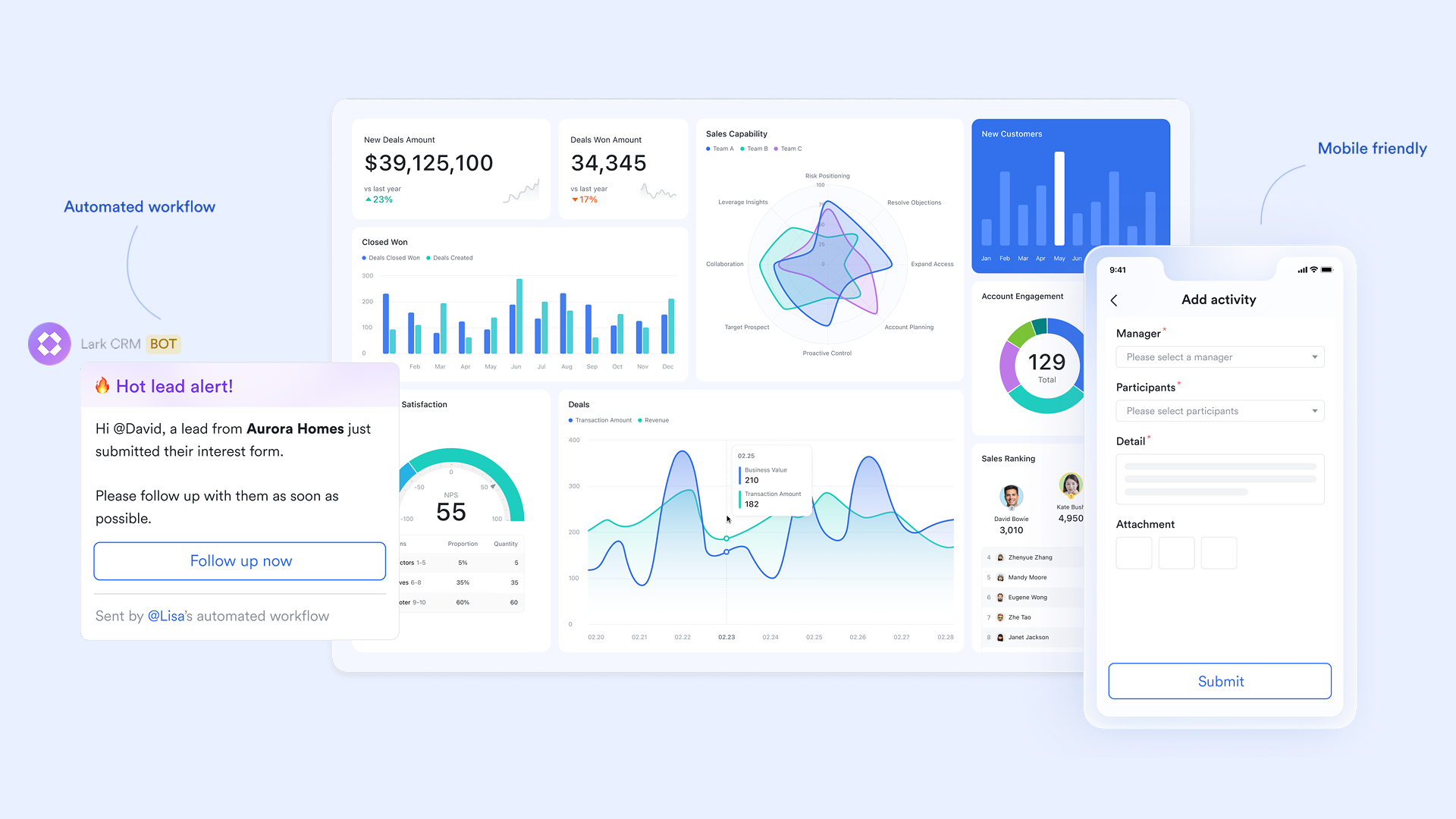
Automated workflow builder for lead qualification and follow-ups
Lark enables teams to visually design that handle repetitive CRM actions such as , scoring, assignment routing, and follow-up scheduling. These workflows run directly inside Lark Base and react to data changes—when a new lead enters the system, it can automatically be tagged, assigned to the right sales rep, and linked with a follow-up Task and reminder. prompts can suggest logical next steps based on customer behavior or pipeline status, helping sales teams build more efficient lead-handling processes without manual oversight. Because workflows are mobile-friendly, teams can manage lead automation in real time from any device.
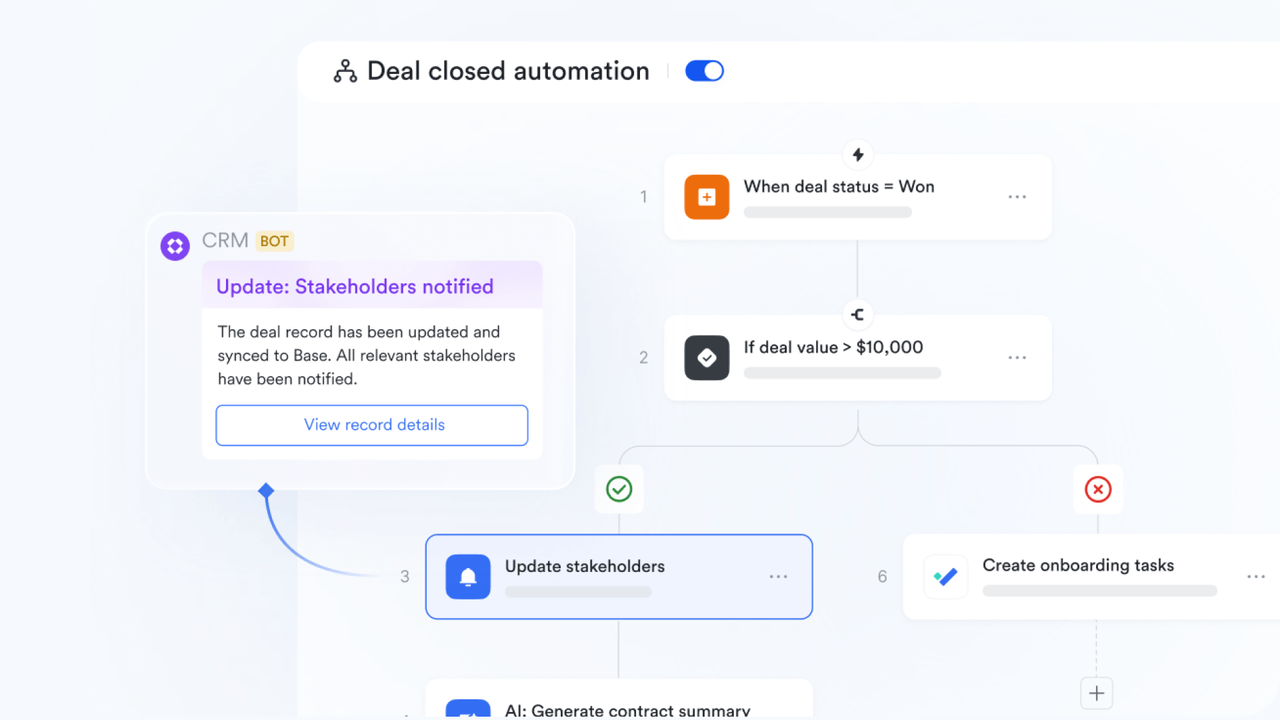
AI-powered shortcuts to streamline lead management
Lark Base leverages AI-powered field shortcuts for smarter data management. With the Categorization shortcut, you can automatically classify and organize data—like assigning industries or buyer personas to CRM leads—based on your own rules, examples, and custom criteria for improved accuracy. The Smart Tags shortcut lets you create, customize, and generate AI-powered tag suggestions for your data. Both shortcuts can be set to automatically update whenever your data changes, keeping your information accurate and up to date. 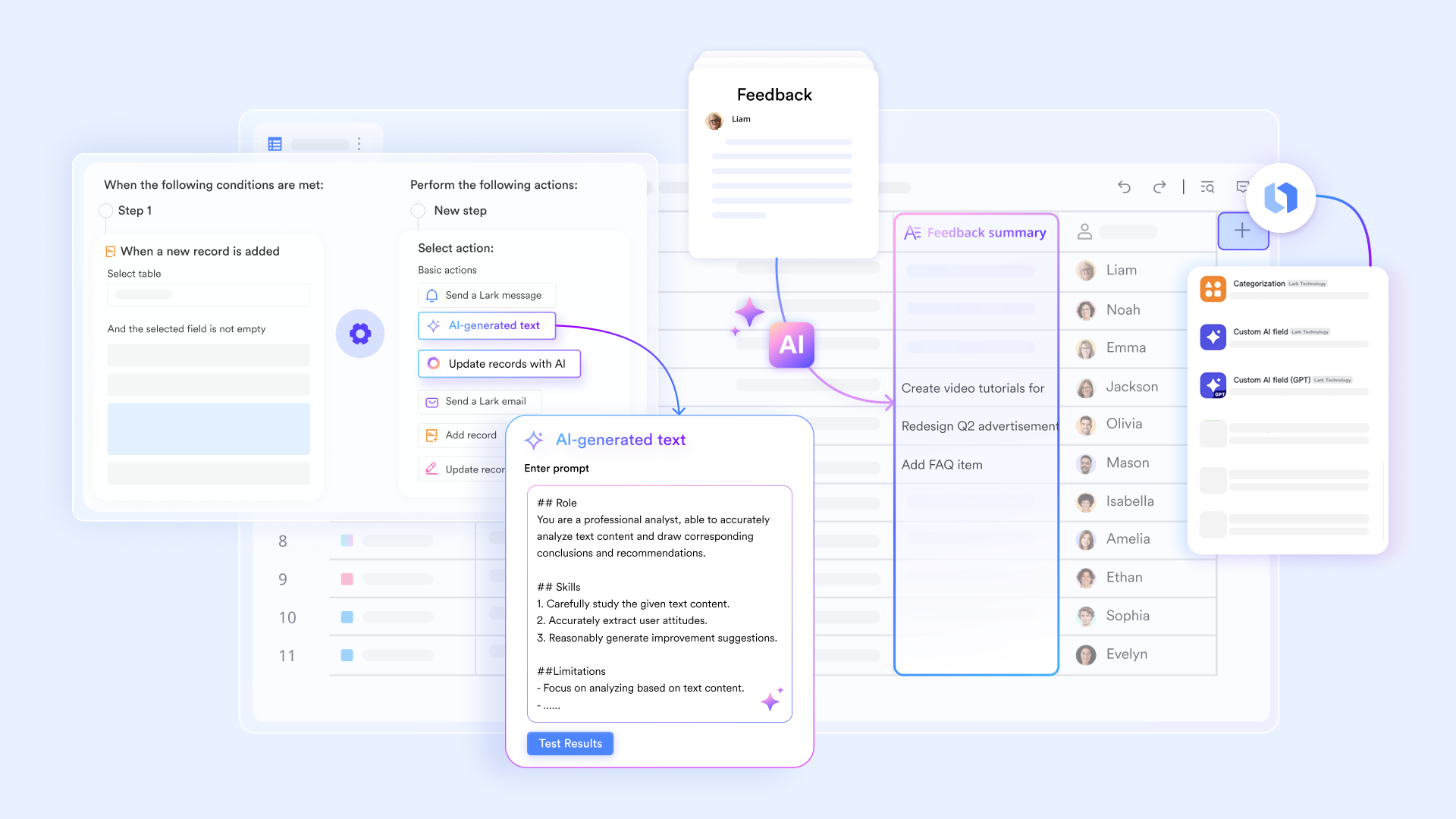
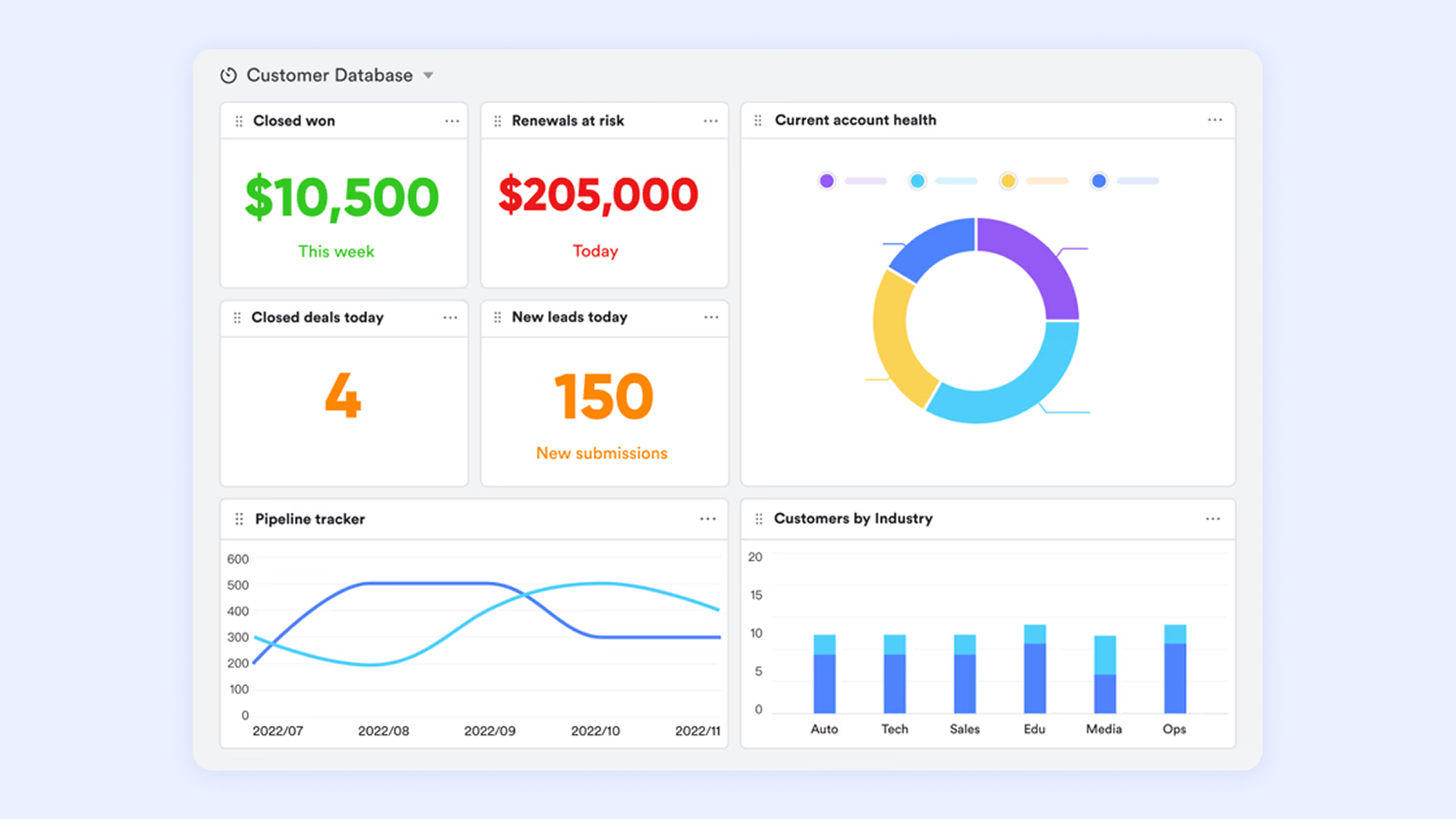
Customizable pipeline dashboards for lead visibility
Inside Lark Base, teams can create flexible that and sales activity across every stage. Managers can build high-level overviews showing lead volume, qualification rates, or follow-up SLAs, while reps can focus on personal task lists and closing priorities. Filters enable drill-downs by rep performance, campaign source efficiency, or regional conversion metrics. These real-time dashboards keep pipeline discussions data-backed and actionable during sales standups and revenue forecasting sessions.
Rich CRM templates for faster setup
For teams that want immediate functionality without building from scratch, Lark offers , including lead-tracking systems and follow-up pipelines. Templates include ready-made fields, workflows, and views for common processes like inbound qualification, outbound tracking, , and sales stage management. Teams can adjust these templates easily to match internal workflows, allowing them to deploy a functional lead management system within minutes instead of weeks.
Seamless team collaboration around leads
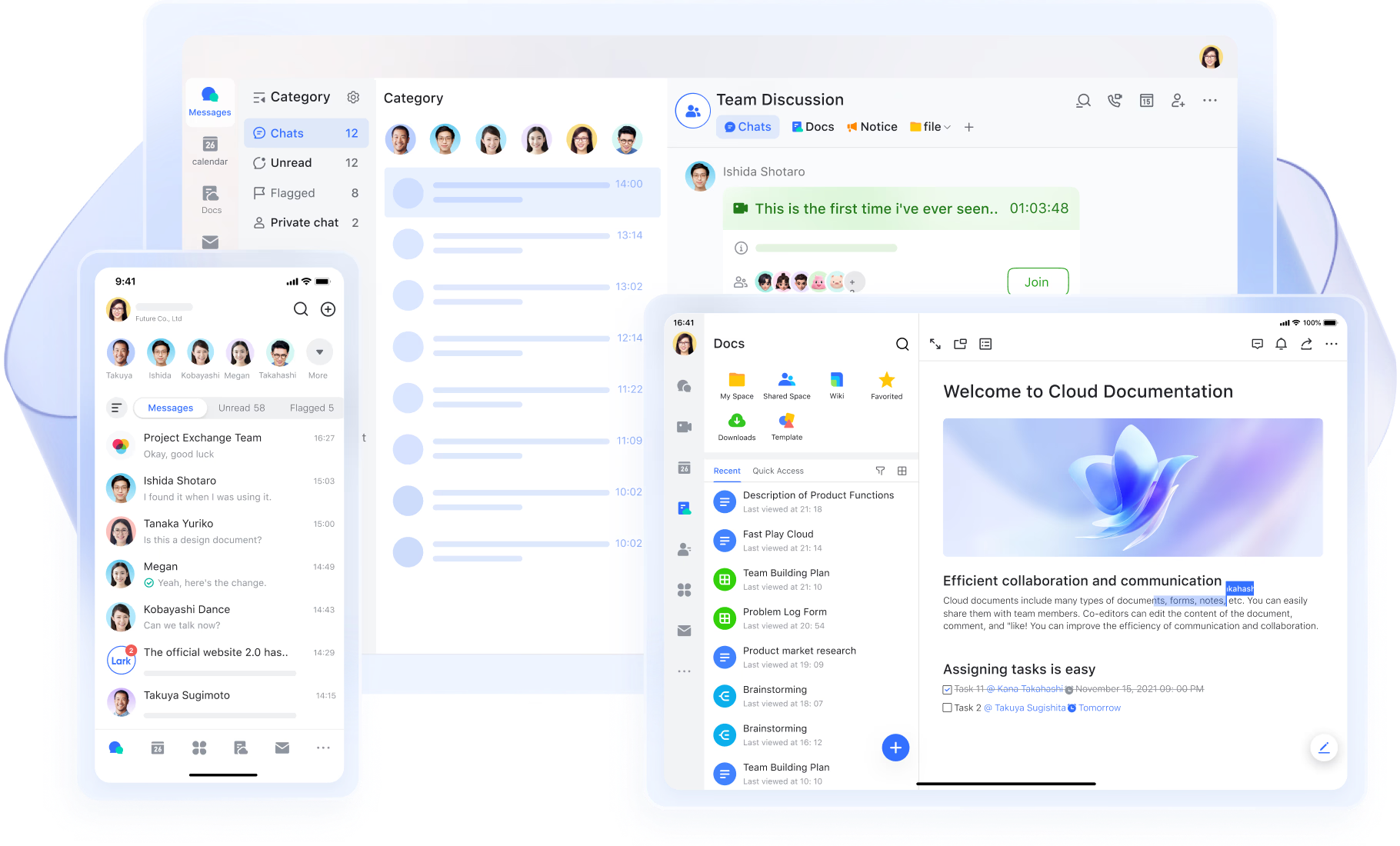
Lark combines communication, documentation, meetings, and email into one workspace to keep all lead activity connected. Sales reps can discuss leads inside threads tied directly to lead records, pin decision notes, and share voice or video updates. Demo recordings, discovery call notes, and proposal drafts can be stored in and linked to the appropriate Lark Base record for immediate reference. and follow-ups can be scheduled in , while tasks assign next steps to ensure no lead goes untouched. This unified collaboration keeps everyone aligned on pipeline actions while reducing tool-switching and lost context.
:
- Starter plan: Free forever plan that includes 11 powerful tools for up to 20 users. It also comes with 100GB of storage, 1000 automation runs, AI translations, and more.
- Basic plan: $6/user/month (billed annually) for up to 500 users. It includes everything in Starter plus group calling for up to 500 attendees, 5TB of storage, 1000 automation runs, and more. For more details, please .
- Pro plan: $12/user/month (billed annually) for up to 500 users. It includes everything in Basic plus group calling for up to 500 attendees, 15TB of storage, 50,000 automation runs, and more.
- Enterprise plan: for custom pricing. Supports unlimited users and includes even more automation runs and advanced security, compliance, and management features.
For small teams with simple communication needs

18 months message history
1000 Base automation runs/month
2000 rows per table in Base
Most POPULAR
For companies with comprehensive collaboration and management needs
Unlimited message history
500-participant video meetings
50k Base automation runs/month
20k rows per table in Base
For large companies with advanced security and organizational management needs
Get a personalized demo and pricing
Unlimited message history
500-participant video meetings
15 TB storage + 30 GB storage/user
500k Base automation runs/month
50k Base automation runs/month
Most POPULAR
For companies with comprehensive collaboration and management needs
Unlimited message history
500-participant video meetings
50k Base automation runs/month
20k rows per table in Base
2. HubSpot CRM: Best free CRM for Facebook leads and inbound sales
HubSpot CRM is a popular choice for businesses that rely heavily on inbound marketing and social lead capture. The platform offers powerful tools for forms, chatbots, email automation, and Facebook lead syncing, making it ideal for managing web and social traffic. Its interface is intuitive, and the free plan covers essential CRM functions, allowing small teams to get started quickly. HubSpot’s ecosystem also supports advanced sales automation and marketing features for scaling teams. This makes it a strong match for businesses wanting unified lead management at no cost.
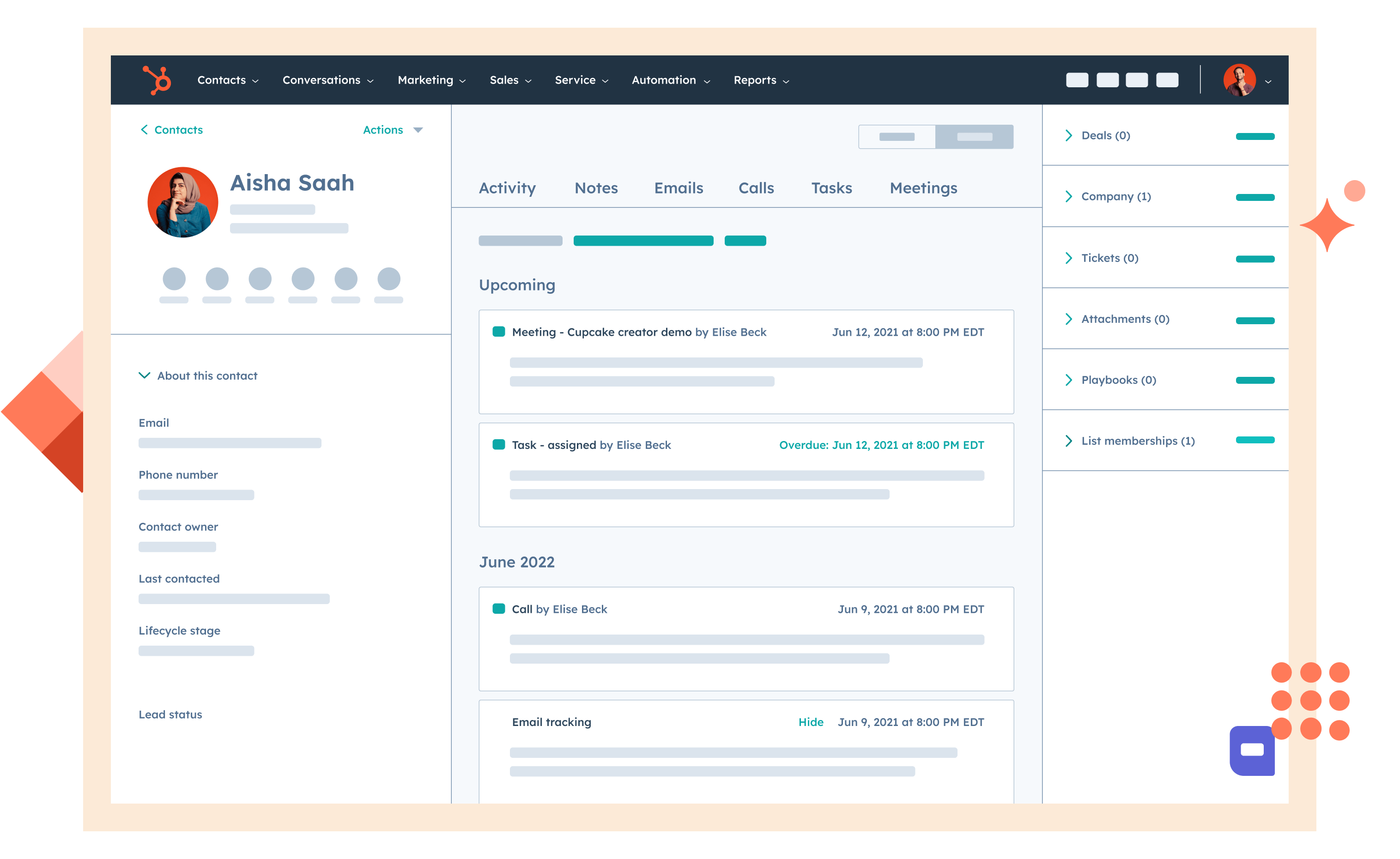
Image source: hubspot.com
Key features:
- Built-in Facebook and website lead capture
- Email automation and sequences
- Visual pipeline dashboard
- Marketing hub integration for inbound campaigns
Pros:
- One of the best free CRM for Facebook leads
- Very clean and easy-to-learn interface
- Strong integrations for sales and marketing teams
- Excellent for inbound acquisition strategy
Cons:
- Advanced automation locked behind paid tiers
- Can become expensive as your team grows
Pricing:
- Smart CRM Professional: $45/mo, includes 1 Core Seat
- Smart CRM Enterprise: $75/mo, includes 1 Core Seat
3. Zoho CRM: Best CRM software for structured lead lifecycle management
Zoho CRM is designed for teams that need end-to-end visibility into lead stages—from capture to qualification to closing. With multi-channel lead intake, custom scoring, and automated workflows, Zoho fits teams wanting a structured, rules-driven CRM for leads. Its customization depth makes it ideal for businesses with defined processes across sales, support, and marketing. Zoho also stands out for offering extensive features at an affordable price point. For teams managing medium to high lead volumes, Zoho provides a scalable and flexible framework.
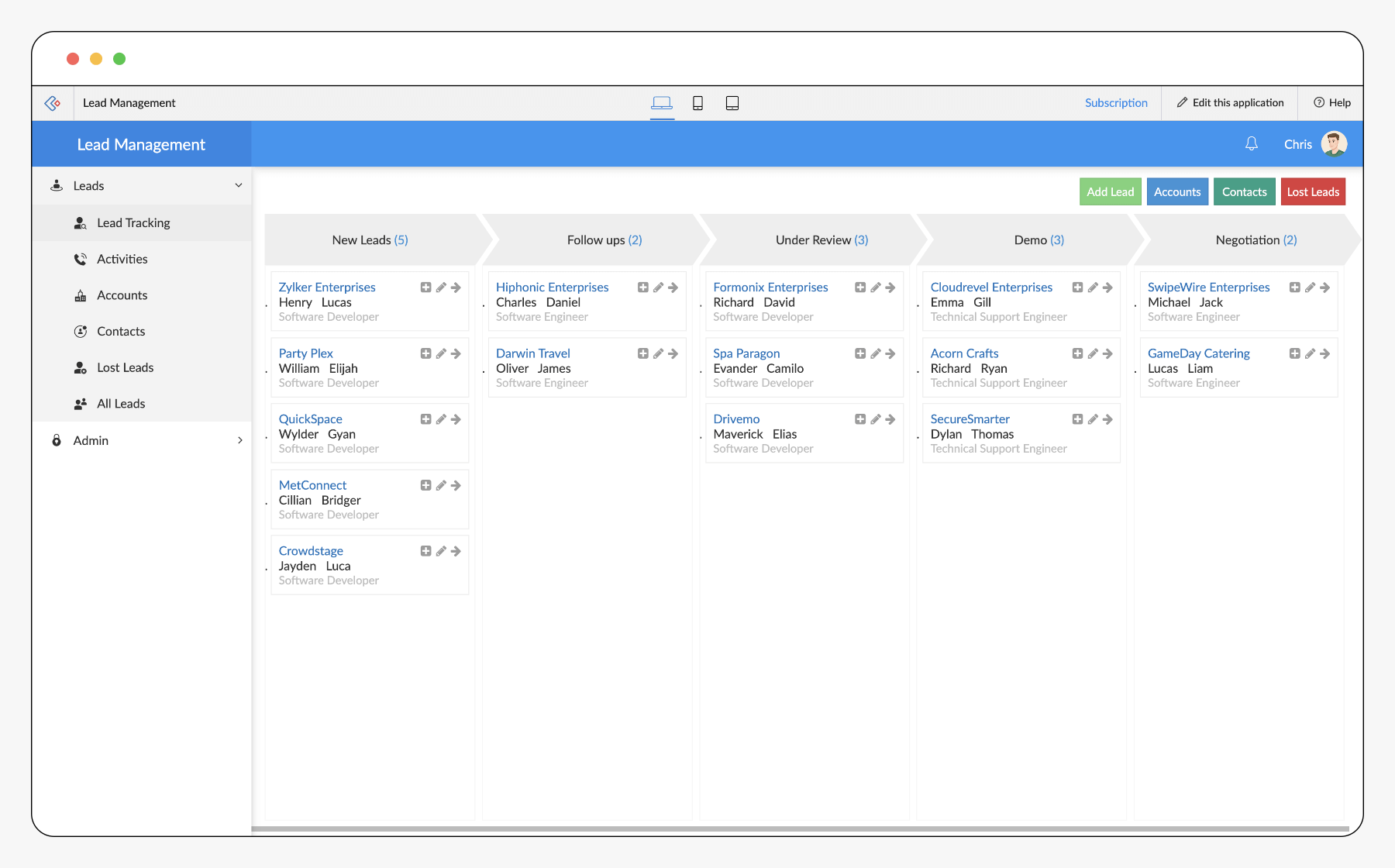
Image source: zoho.com
Key features:
- Multi-channel lead capture and scoring
- Advanced automation builder
- Customizable pipeline stages
- Integrations with Zoho apps and third-party tools
Pros:
- Very customizable for complex lead cycles
- Affordable for SMB and mid-market teams
- Strong automation and analytics options
- Great for structured lead processes
Cons:
- Interface can feel cluttered
- Setup time is longer for beginners
Pricing:
- Free: $0/month (up to 3 users)
- Standard: $14/month per user
- Professional: $23/month per user
- Enterprise: $40/month per user
- Ultimate: $52/month per user
4. Freshsales: Best CRM for AI-powered lead scoring and insights
Freshsales uses AI to improve lead quality assessment, making it easier for teams to prioritize high-intent prospects. Its AI engine, Freddy, analyzes behavioral and demographic signals to generate predictive scores. The platform includes built-in calling, email tracking, and activity timelines that reduce the need for separate tools. With a clean layout and automation features, Freshsales supports fast-growing sales teams effectively. The mix of AI-driven prioritization and intuitive design makes it one of the strongest CRM leads solutions for scaling companies.
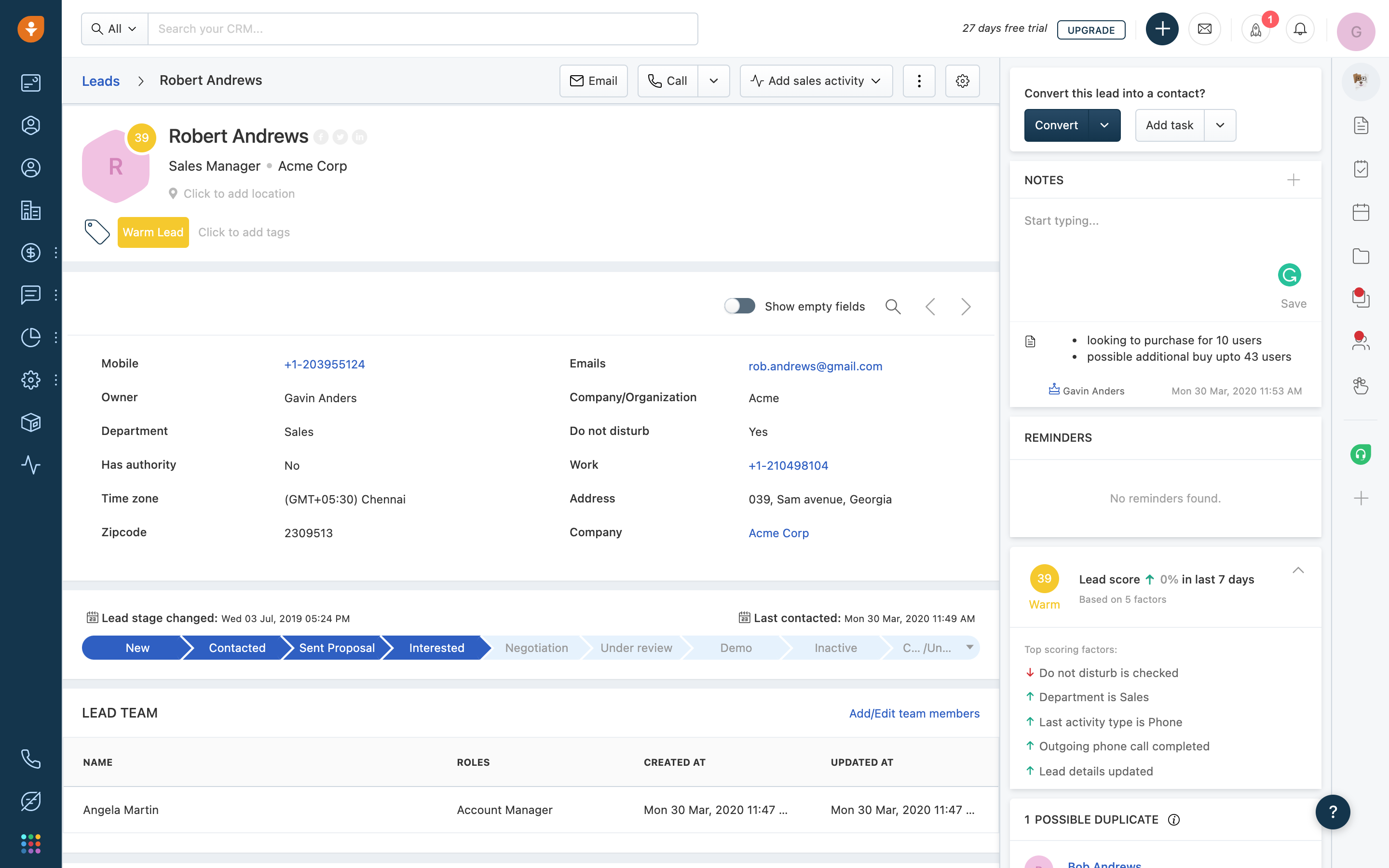
Image source: freshsales.com
Key features:
- Built-in phone and email tracking
- Workflow automation and sequences
- Deal management with visual pipelines
Pros:
- Strong AI insights for prioritization
- Great built-in communication tools
- Scales well for modern sales orgs
- Clean, user-friendly dashboard
Cons:
- AI features not available in lower plans
- Some integrations require paid add-ons
Pricing:
- Free: $0/month (up to 3 users)
- Growth: $9/month per user
- Enterprise: $59/month per user
5. Pipedrive: Best sales pipeline crm to track leads visually
Pipedrive is ideal for teams that want a visual, intuitive CRM to track leads through each pipeline stage. Its drag-and-drop interface makes it easy to update deals and manage follow-ups. Pipedrive is especially strong for outbound sales teams needing clarity, quick updates, and activity-driven workflows. Its automation features streamline repetitive tasks, helping teams stay focused on closing. Overall, Pipedrive is a powerful web leads CRM for visually managing large pipelines.
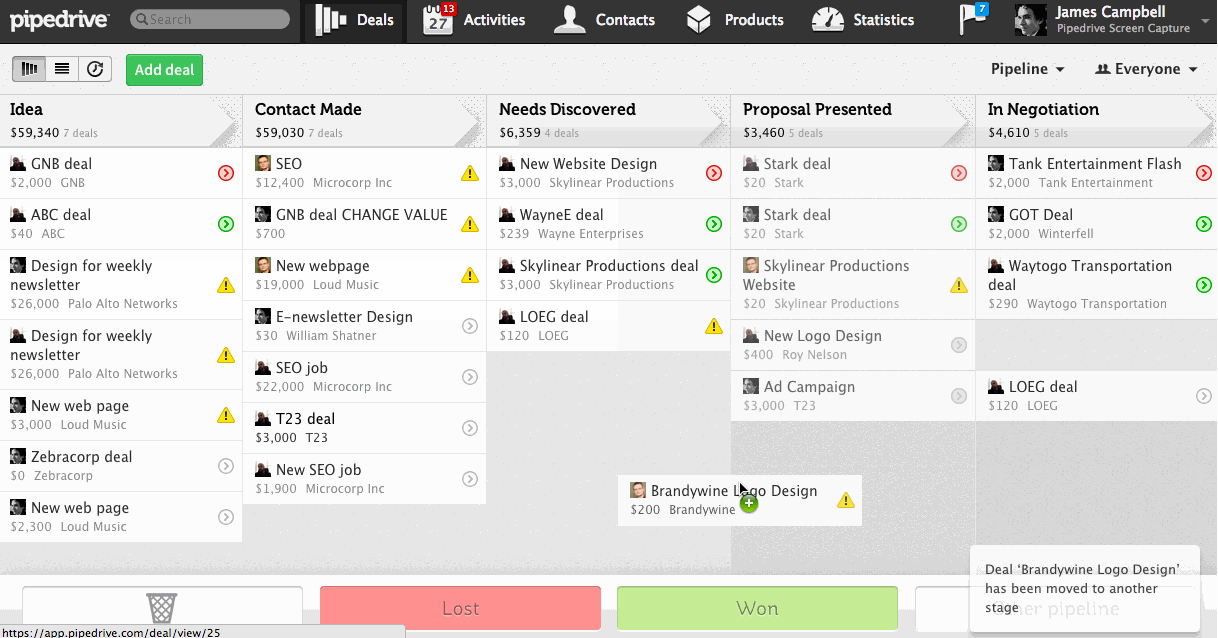
Image source: pipedrive.com
Key features:
- Visual pipeline with drag-and-drop stages
- Smart contact data enrichment
- Activity-based selling tools
- Workflow automation and reminders
Pros:
- One of the best visual CRMs
- Strong activity management
- Affordable for small teams
Cons:
- Limited native marketing tools
- Reporting features require higher tiers
Pricing:
- Lite: $14/month per user
- Growth: $39/month per user
- Premium: $59/month per user
- Ultimate: $79/month per user
6. Salesforce CRM: Best enterprise CRM center for complex lead operations
Salesforce is built for enterprises needing deep customization, large workflows, and sophisticated lead routing. Its ecosystem supports everything from lead capture to multi-layered approvals, forecasting, and automated actions. Salesforce integrates with thousands of apps, making it the central CRM center leads solution for global companies. Its AI engine, Einstein, provides insights across every stage of the lead lifecycle. While powerful, Salesforce requires trained admins and structured onboarding.
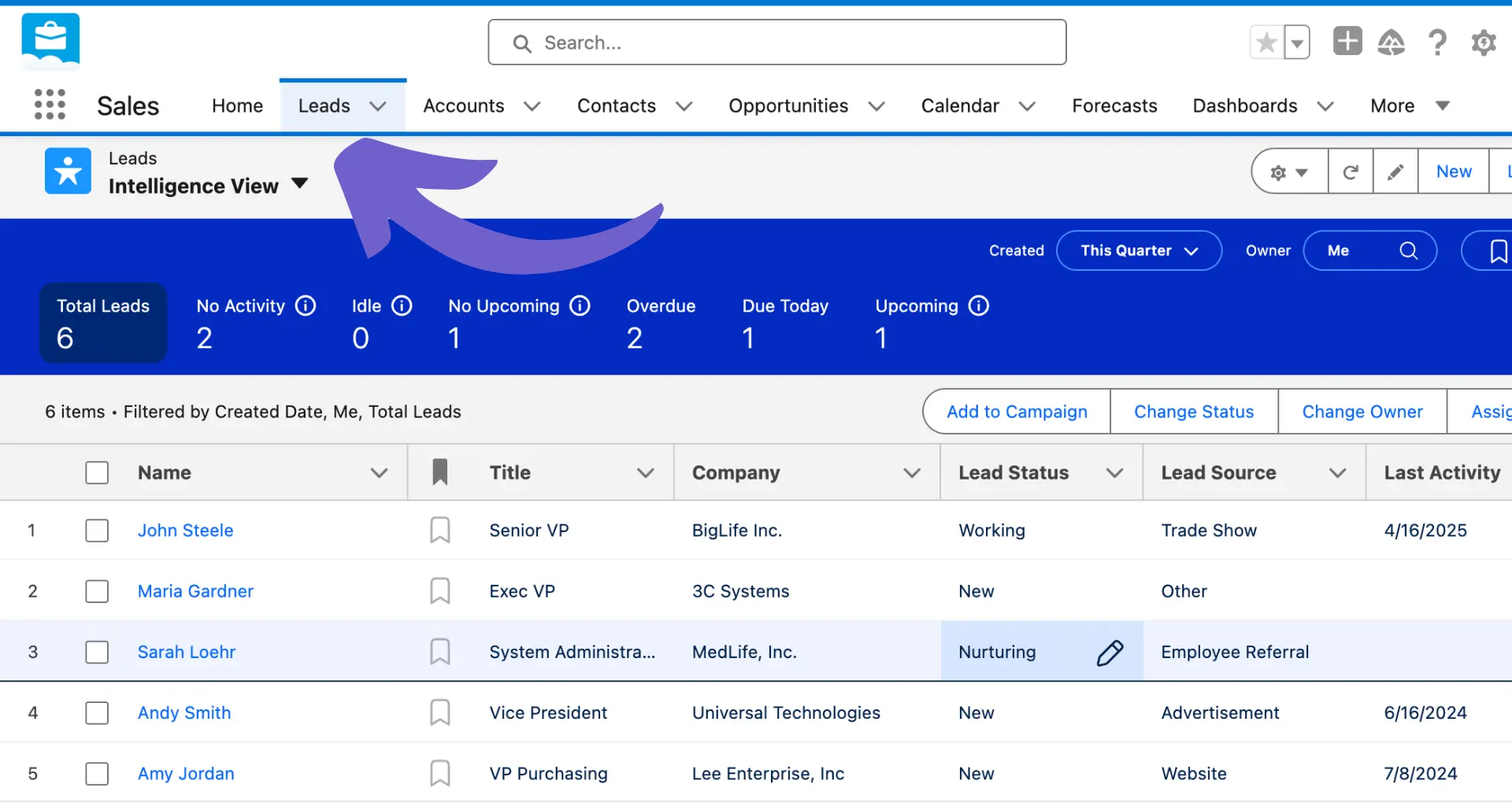
Image source: salesforce.com
Key features:
- Enterprise-grade lead management
- AI insights with Einstein
- Extensive app marketplace
- Customizable automation flows
Pros:
- Industry-leading scalability
- Exceptional reporting and forecasting
- Extensive integration ecosystem
- Highly customizable for complex workflows
Cons:
- Expensive for small teams
- Requires technical expertise to maintain
Pricing:
- Free Suite: $0/month (for up to 2 users)
- Starter Suite: $25/month per user
- Pro Suite: $100/month per user
7. Monday CRM: Best board-style CRM leads management software
Monday CRM uses a flexible board system to help teams visualize and collaborate on lead data. With customizable columns, automations, and integrations, it adapts easily to sales workflows. It is excellent for teams that prefer a more visual and collaborative style of CRM leads management. Monday also supports automations for reminders, assignments, and follow-ups. For teams wanting a hybrid of project tracking and CRM, Monday is a great fit.
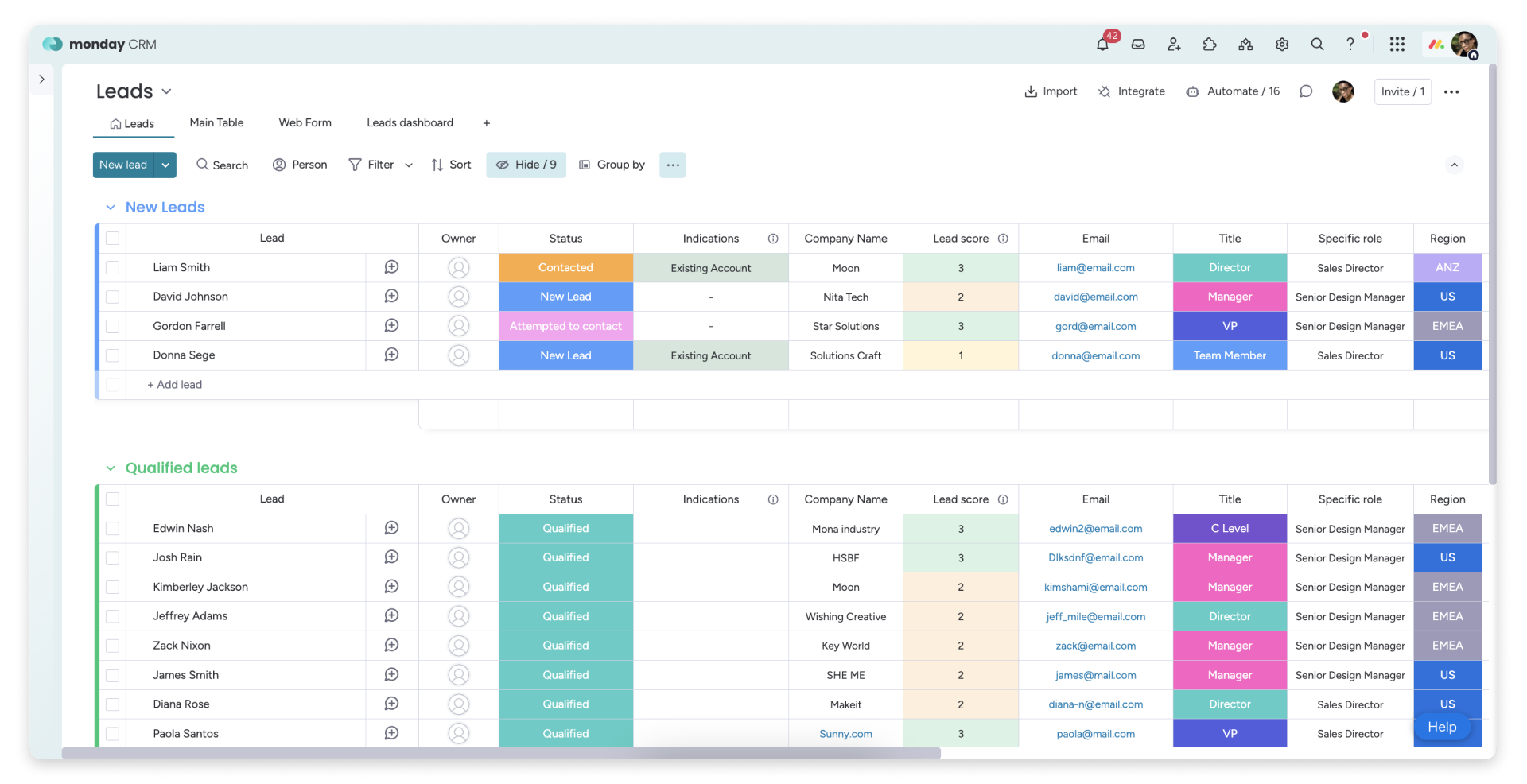
Image source: monday.com
Key features:
- Visual board-based CRM leads structure
- Custom automations and templates
- Integrations with marketing and productivity apps
Pros:
- Extremely flexible layout
- Great for cross-team collaboration
- Strong automation options
Cons:
- Reporting tools could be stronger
- Complex setups require multiple boards
Pricing:
- Free: $0/month (up to 2 users)
- Basic: $9/month per user
- Standard: $12/month per user
- Enterprise: custom pricing (contact sales)
8. Bitrix24: Best collaboration CRM for cross-team sales workflows
Bitrix24 combines CRM, collaboration, telephony, and task management in a single platform. It supports teams that want an all-in-one solution for managing leads, communication, and operations. Bitrix24 also offers a generous free plan, making it attractive for startups. Its CRM leads features include pipelines, automations, scoring, and bulk outreach tools. The platform is particularly useful for teams needing both CRM and workspace tools in one place.
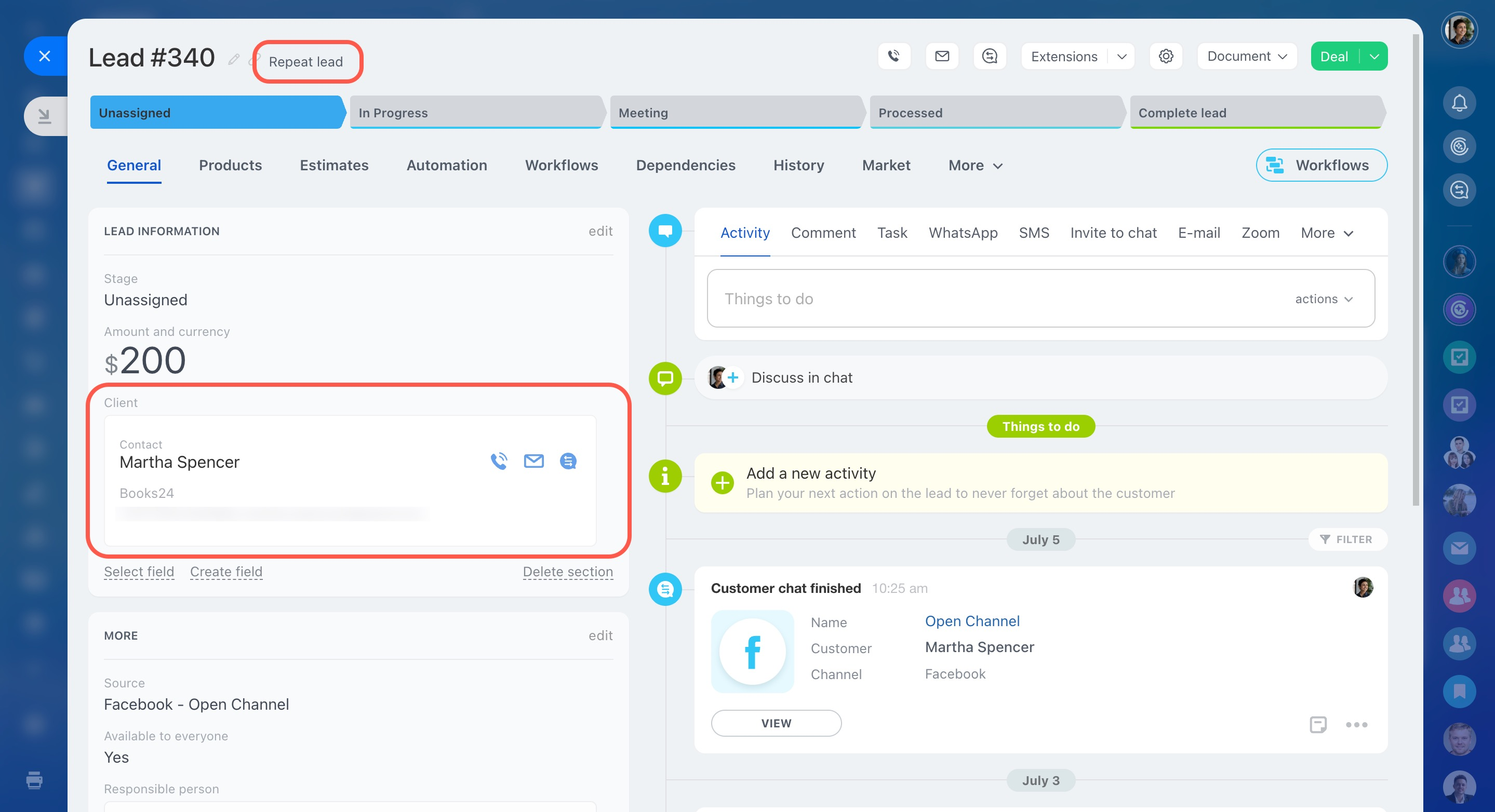
Image source: bitrix24.com
Key features:
- Built-in telephony and chat
- Lead capture and scoring
- Automations for email and task workflows
- Collaboration and project tools
Pros:
- Very feature-rich free plan
- Excellent for multi-team operations
- Strong automation for SMBs
- Centralized communication and CRM
Cons:
- Interface can feel overwhelming
- Some tools require advanced setup
Pricing:
- Free: $0/month (unlimited users)
- Basic: $49/month (up to 5 users)
- Standard: $99/month (up to 50 users)
- Professional: $199/month (up to 100 users)
- Enterprise: $399/month (starting for 250 users)
9. Agile CRM: Best CRM for smb marketing campaigns and nurturing\
Agile CRM is well-suited for small and medium businesses needing marketing automation, email campaigns, and lead scoring in one system. It merges CRM functionality with marketing tools like landing pages and drip sequences. Agile CRM helps teams nurture leads more effectively with automated campaigns. It also supports telephony and activity tracking for sales interactions. This makes it a comprehensive choice for SMBs running multi-channel nurturing.
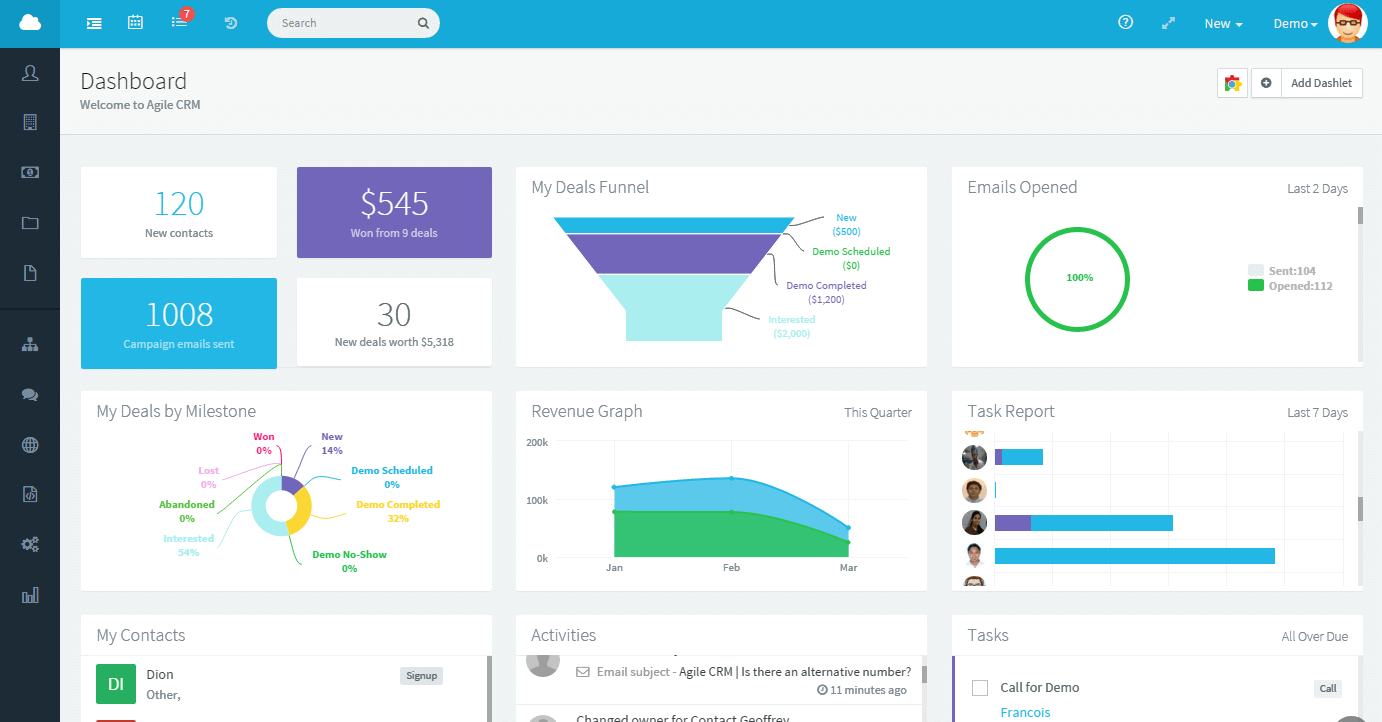
Image source: agilecrm.com
Key features:
- Built-in marketing automation
- Lead scoring and tagging
- Telephony and appointment scheduling
- Landing pages and email campaigns
Pros:
- Great blend of CRM + marketing tools
- Strong automation features
Cons:
- Limited for enterprise sales
- Some features feel outdated
Pricing:
- Free: $0 (for up to 10 users)
- Starter: $8.99/month per user
- Regular: $29.99/month per user
- Enterprise: $47.99/month per user
10. Copper CRM: Best CRM for Gmail-users managing business contacts
Copper CRM integrates deeply with Google Workspace, making it ideal for teams that rely heavily on Gmail and Google Calendar to get the most out of their . It automatically captures contacts, emails, and interactions directly from inbox activity. While it may not be suitable for companies using , Copper’s clean interface and automated data-entry features significantly reduce manual CRM maintenance for Google loyalists. It is best suited for small to mid-sized teams needing a simple, connected CRM for leads, as its Gmail-first approach creates a seamless experience for daily sales tasks.
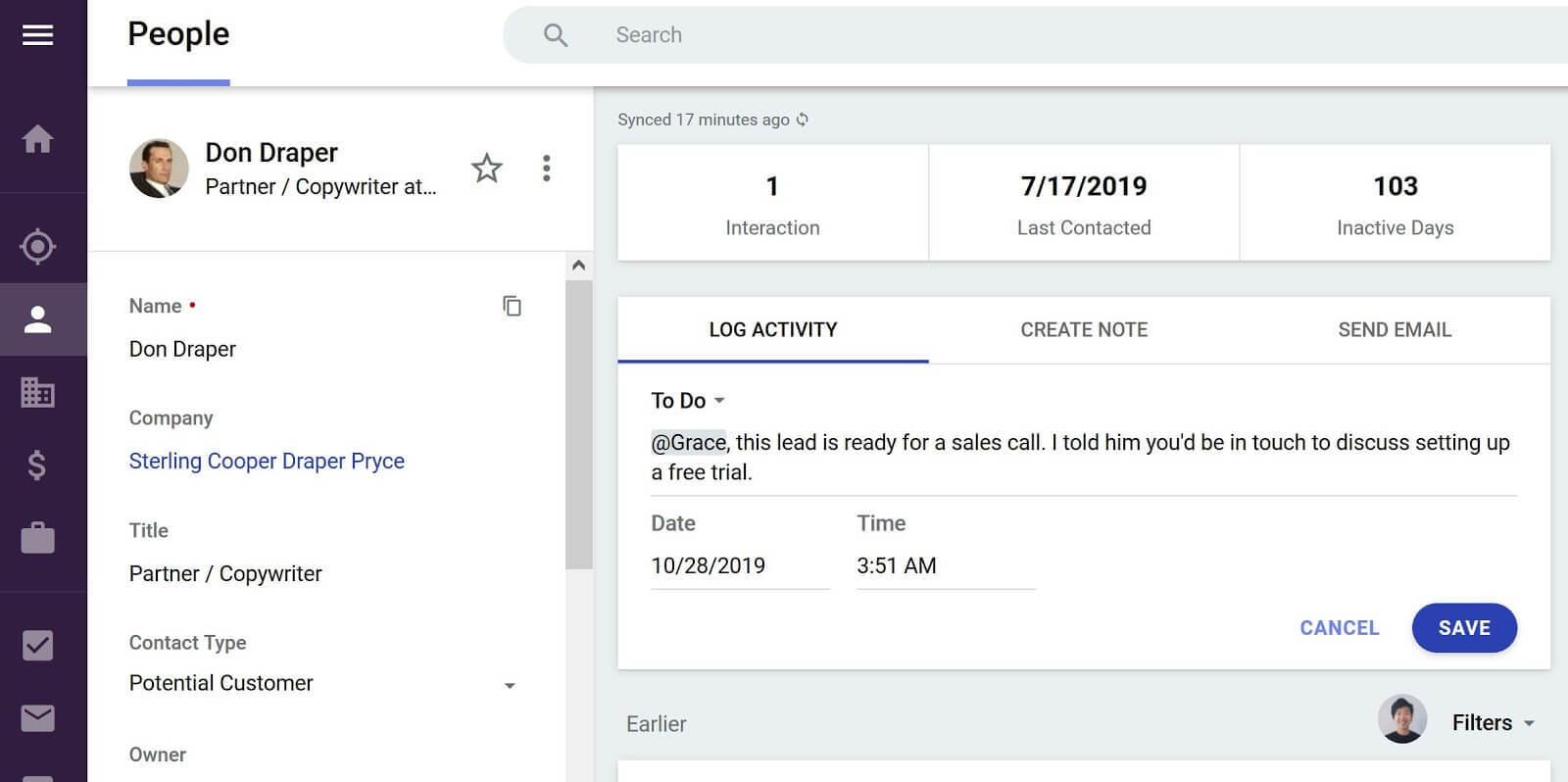
Image source: copper.com
Key features:
- Deep Google Workspace integration
- Automated contact and activity capture
- Pipeline and task management
- Email tracking and reminders
Pros:
- Perfect for Gmail-based teams
- Clean and intuitive design
- Reduces manual data entry
Cons:
- Lacks complex automation options
Pricing:
- Starter: $9 per seat, per month (paid annually)
- Basic: $23 per seat, per month (paid annually)
- Professional: $59 per seat, per month (paid annually)
- Business: $99 per seat, per month (paid annually)
11. Close CRM: Best high-volume outbound lead sales crm tool
Close CRM is built for outbound sales teams that make frequent calls, send sequences, and manage high-activity workflows. It has built-in calling, power dialers, SMS, and inbox syncing, making it ideal for reps handling large lead lists. Close emphasizes speed and productivity with automation that minimizes admin work. It also provides strong reporting for outbound-focused teams. This platform suits businesses prioritizing outreach efficiency and fast-paced engagement.
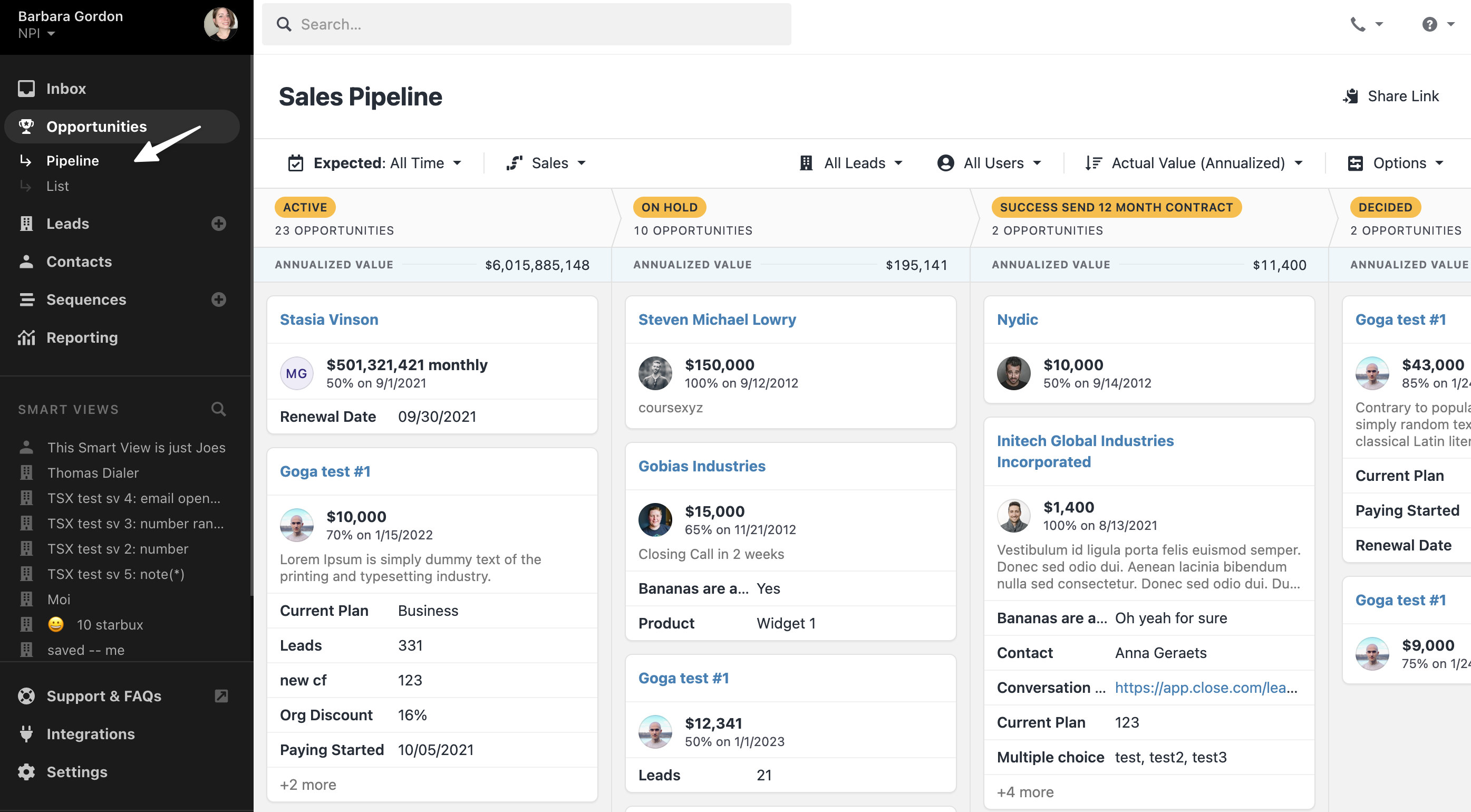
Image source: close.com
Key features:
- Built-in calling and SMS
- Power dialer for high-volume outreach
- Email sequences and tracking
- Smart pipeline activity views
Pros:
- Perfect for outbound-heavy teams
- Excellent calling features
- Strong automation for sequences
- Fast and simple interface
Cons:
- Not ideal for marketing automation
- Higher pricing for advanced calling tools
Pricing:
- Solo: $9 per seat/month (billed annually), limited to 1 user and 10k leads.
- Essentials: $35 per seat/month (billed annually)
- Growth (Popular): $99 per seat/month (billed annually)
- Scale: $139 per seat/month (billed annually)
12. Keap: Best CRM funnel tool for small business lead automation
Keap combines CRM, marketing automation, invoicing, and nurturing in a small-business-friendly package. It is known for helping teams build automated funnels that guide leads from first interaction to conversion. Keap’s drag-and-drop automation builder makes it easy to set up campaigns without technical skills. The platform also supports appointment booking and payment collection. It’s a strong choice for SMBs wanting lead capture, nurturing, and conversion tools in one place.
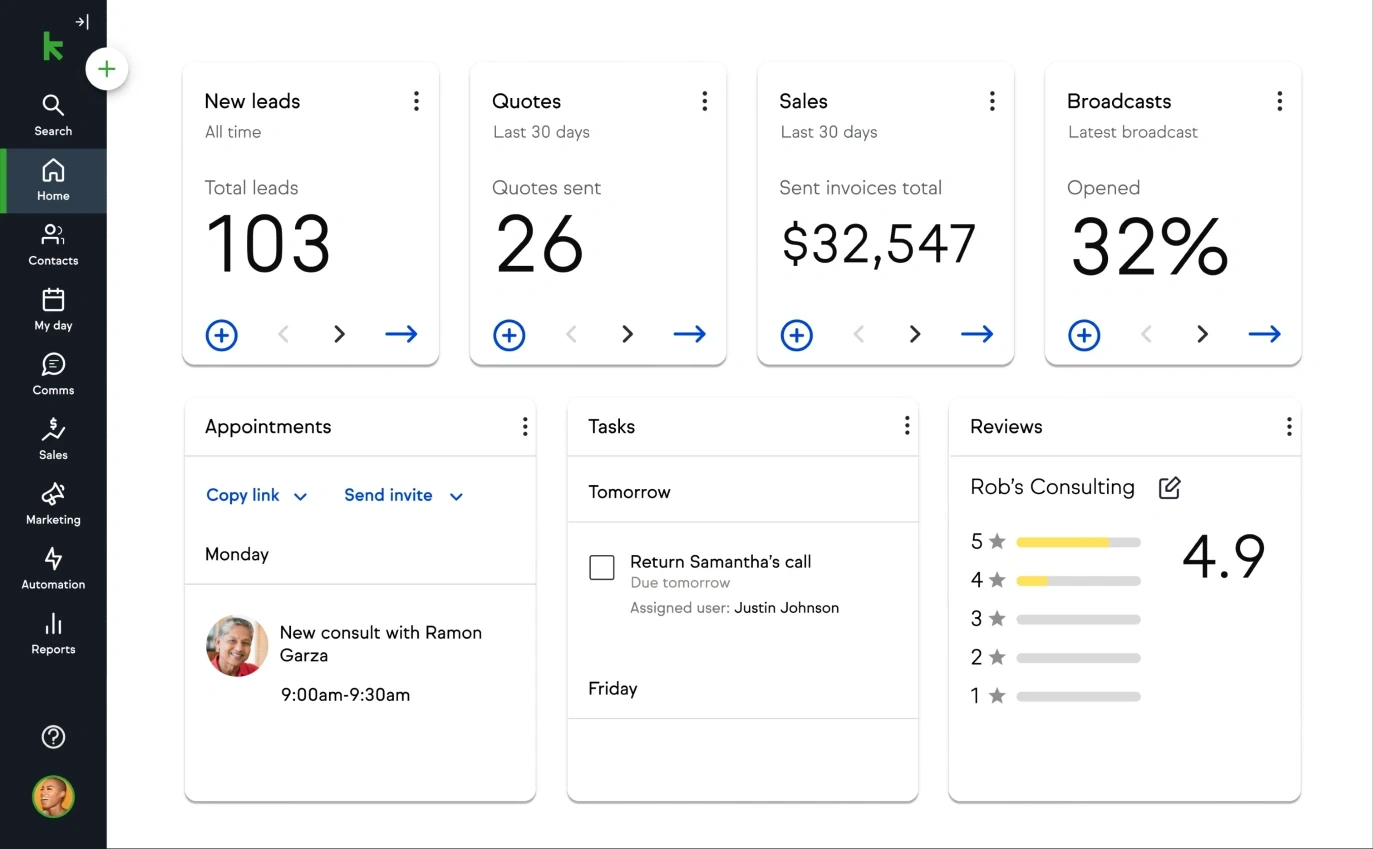
Image source: keap.com
Key features:
- Funnel and campaign automation
- Lead capture and scoring
Pros:
- Great for small businesses
- All-in-one CRM + marketing
Cons:
- Pricing is higher than typical SMB CRMs
- Interface feels busy for new users
Pricing:
- Keap Platform (Starting price): $299 per month (Billed annually at $2,988 per year). This starting price includes the full Keap software and two user licenses.
- Additional Users: $39 per month, per user.
Centralize lead tracking and follow-ups with Lark.
How to choose the right CRM leads platform
Selecting the right CRM leads platform depends on your lead volume, workflow complexity, and how closely your marketing and sales teams collaborate. A strong CRM for leads should help you track conversations, automate follow-ups, and maintain clear visibility across the entire pipeline. Whether you’re managing outbound calling, Facebook leads, or website inquiries, choosing the right system ensures smoother conversions and more predictable forecasting. Below are key factors to consider before making your decision.
- Lead volume vs team size: The number of incoming leads and the capacity of your sales team determine how automated your CRM setup needs to be. High lead volume requires strong routing, , and prioritization tools to avoid neglecting prospects. Smaller teams may prefer simpler systems with fewer steps.
- Data visibility requirements: Some organizations need detailed reporting, while others only require basic pipeline views. help teams monitor aging, conversion rates, and bottlenecks across various stages. Your CRM leads management tool should support the level of granularity your team needs for forecasting and decision-making.
- Automation complexity needed: Teams with multi-step follow-ups or cross-channel outreach may need CRM tools that support complex sequences. Simpler setups may rely on basic reminders and ownership assignments. Choosing a ensures smoother scaling as your lead strategy grows.
- Collaboration workflows across marketing and sales: A good CRM should unify your marketing and sales operations, making it easy to , conversation history, and campaign performance. Systems that integrate deeply with email, chat, and tasks reduce the lag between teams. This ensures leads transition smoothly between stages.
- Growth scalability vs cost: As your volume increases, your CRM should handle larger pipelines without slowing down or requiring urgent migrations. Cost plays an important factor, especially for SMBs comparing free CRM for Facebook leads options with premium tools. The right platform balances price with long-term scalability.
Conclusion
Choosing the right CRM leads platform can transform how your team captures prospects, responds to inquiries, and converts opportunities into revenue. With so many options—from lightweight social lead tools to full-scale enterprise CRMs—the best choice depends on your workflow complexity, lead volume, and collaboration needs. Platforms like HubSpot, Zoho, Salesforce, and others each offer unique strengths for specific stages of the lead lifecycle. For teams that prefer a unified workspace with built-in automation, connected communication, and streamlined CRM for leads, provides a more integrated approach that keeps every interaction and follow-up in one organized place.
Track and convert leads faster on Lark
FAQs
How do I organize Facebook and website leads in the same CRM workflow?
Most CRMs allow you to connect Facebook Lead Ads, website forms, and landing pages directly into one pipeline. This keeps all new inquiries centralized, tagged by source, and easy to route automatically to the right rep. Using a platform that unifies lead capture with collaboration, like Lark, makes cross-channel organization even smoother.
Should small teams use free CRM software or paid tools?
Small teams can start with free CRM tools to manage basic capture, follow-ups, and pipeline visibility. As lead volume grows, paid plans become useful for automation, advanced tracking, and reporting. Platforms that scale gradually, such as Lark, help teams upgrade capabilities without migrating data or changing systems.
What's the difference between a lead and a deal in CRM pipelines?
A lead is an unqualified inquiry that shows initial interest, while a deal represents an opportunity actively moving through sales stages. CRMs separate the two so teams can focus early efforts on qualification and later efforts on forecasting and closing. Systems with smooth transitions between leads and deals, like Lark, keep the workflow simple and consistent.
How can CRM tools prevent missed sales follow-ups?
Most CRM platforms provide automated reminders, scheduled tasks, and activity alerts to ensure every inquiry receives timely attention. Teams can also use sequences or workflows to automate long follow-up cycles. Using a CRM that centralizes communication and tasks, such as Lark, helps eliminate gaps that typically occur across multiple tools.
Can CRM platforms improve collaboration between marketing and sales teams?
Yes, modern CRMs connect campaign data, lead sources, scoring, and follow-up activity so both teams share the same context. This reduces errors, improves handoffs, and makes attribution clearer. A platform that combines CRM with real-time collaboration tools, like Lark, strengthens alignment and speeds up decision-making across both departments.
Related reading
































