














The 7 Best CRM Marketing Tools for Growing Businesses and Guides

Ryan Tanner
Product Marketing Specialist
Sep 18, 2026
Ryan Tanner
Sep 18, 2026

25 min read


CRM marketing has become essential for businesses looking to build stronger, data-driven relationships with their customers. By combining customer insights with automation, teams can deliver personalized experiences at every stage of the buyer's journey.
Modern platforms like Lark, HubSpot, and Salesforce make it easier to centralize data, align marketing and sales efforts, and track campaign performance in real time. Whether you’re managing email outreach, analyzing engagement, or automating follow-ups, a well-structured CRM marketing strategy helps teams work smarter, reduce manual effort, and focus on what matters most—turning leads into loyal, long-term customers.
Here is a list of 7 best CRM marketing tools:
1. Lark: Unified CRM marketing collaboration tool
2. HubSpot CRM: Inbound marketing and automation suite
3. Salesforce Marketing Cloud: Enterprise-grade customer engagement
4. Pipedrive: Visual CRM for marketing and sales
5. Zoho CRM: Affordable CRM and marketing automation
6. Creatio: No-code CRM and campaign management
7. ActiveCampaign: Email-first CRM marketing automation

What is CRM marketing?
CRM marketing, or Customer Relationship Management marketing, is the practice of using customer data to build stronger, more personalized relationships throughout the buyer journey. It combines CRM systems—which store contact details, purchase history, and engagement insights—with marketing strategies that target customers based on their behaviors and preferences.
Instead of relying on one-size-fits-all campaigns, CRM marketing allows teams to segment audiences, automate communication, and track interactions across multiple channels like email, social media, and chat. This ensures every message feels relevant and timely.
Modern CRM marketing tools also provide analytics that help businesses measure campaign performance, customer lifetime value, and retention. By aligning marketing, sales, and support teams around shared customer data, organizations can deliver consistent experiences that drive satisfaction, loyalty, and long-term growth. In essence, CRM marketing turns customer insights into meaningful, measurable actions.
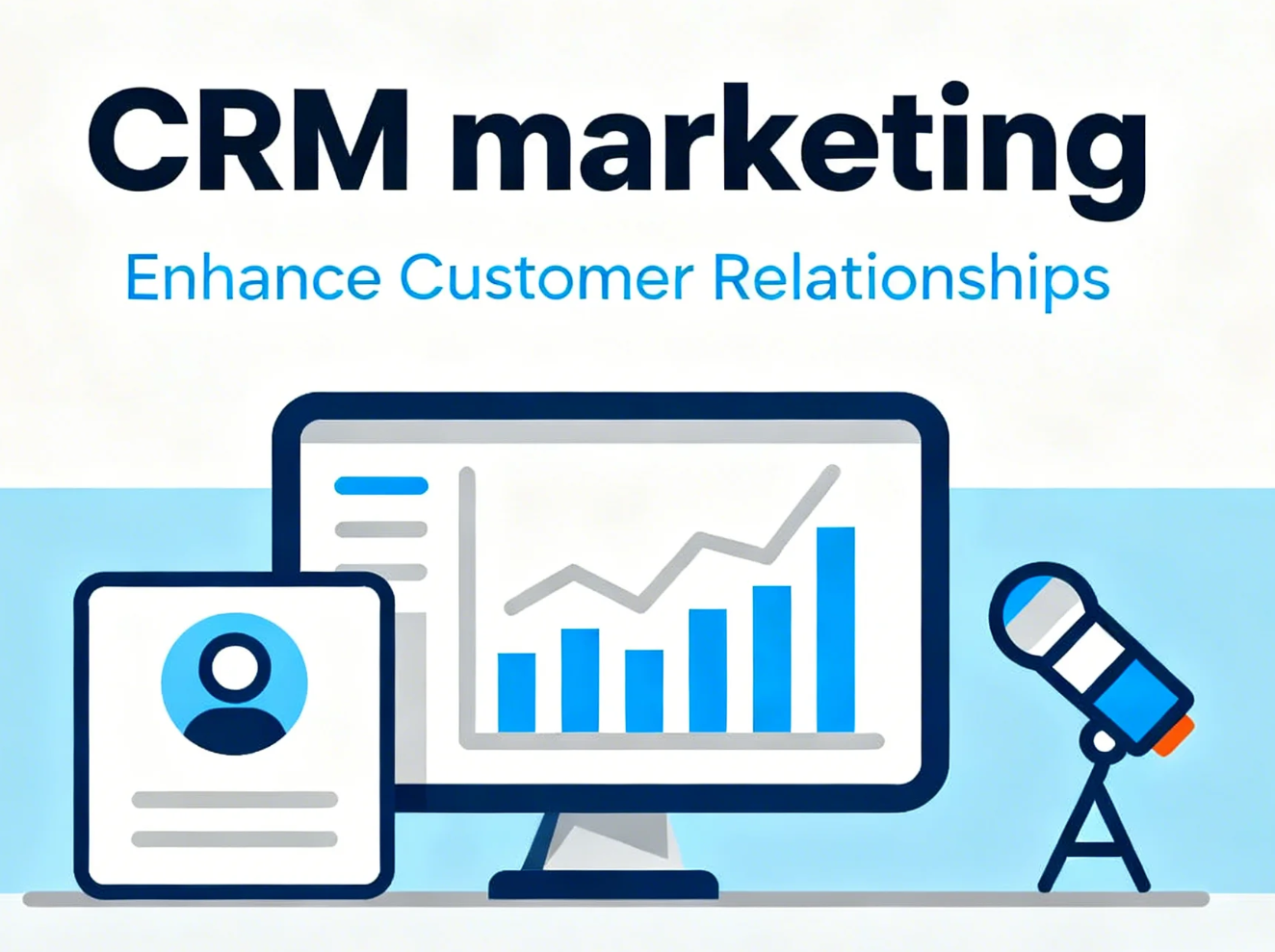
Image source: unsplash.com
Benefits of CRM marketing for growing businesses
As businesses scale, maintaining personalized customer relationships becomes more challenging. CRM marketing helps bridge this gap by combining data, automation, and analytics to deliver relevant, efficient, and measurable customer engagement. Here's how it supports business growth:
- Personalized communication and targeted campaigns: CRM systems help marketers segment audiences and tailor messaging based on preferences, purchase behavior, and engagement history. This ensures each customer receives content that resonates—from personalized emails to targeted offers—improving conversion rates and brand loyalty.
- Centralized data for better decision-making: All customer information—from contact details to interaction history—lives in one unified system. This single source of truth helps teams make data-driven decisions, identify high-value leads, and align marketing efforts with actual customer needs.
- Automation that saves time and reduces errors: Repetitive marketing tasks such as sending follow-up emails, scoring leads, or updating records can be automated through CRM workflows. This boosts efficiency, reduces human error, and frees up time for teams to focus on creative and strategic initiatives.
- Improved tracking for retention and satisfaction: CRM tools provide detailed insights into customer interactions, response patterns, and support history. With this visibility, businesses can spot at-risk customers early, address concerns proactively, and build stronger, long-term relationships that increase lifetime value.
Key components of an effective CRM marketing strategy
A strong CRM marketing strategy combines accurate data, precise targeting, and efficient automation to create meaningful customer experiences. Each component plays a key role in ensuring that marketing efforts are focused, measurable, and scalable.
- Data collection and cleanup: Reliable marketing starts with clean, organized data. Businesses must regularly capture and update customer information—such as demographics, behavior, and purchase history—while removing duplicates or outdated records. Clean data ensures accuracy in segmentation and campaign targeting.
- Segmentation and audience profiling: Once the data is refined, segmenting customers based on shared traits—like location, interests, or buying patterns—allows marketers to tailor messages. Proper audience profiling makes campaigns more relevant, increasing engagement and conversion rates.
- Personalization through targeted campaigns: CRM data helps marketers craft campaigns that speak directly to customer needs. From personalized emails to dynamic website content, targeted messaging strengthens relationships and drives repeat engagement.
- Workflow automation and scheduling: Automation keeps campaigns running smoothly by managing repetitive tasks like sending emails, tracking responses, and assigning leads. Scheduling ensures consistent communication—helping teams maintain regular touchpoints without manual oversight.
- Reporting and performance analysis: Regular reporting transforms data into actionable insights. CRM dashboards track metrics such as open rates, conversion ratios, and customer lifetime value, enabling marketers to refine strategies and focus on the tactics that deliver the best results.
7 Best tools to streamline CRM-driven marketing
1. Lark: Unified CRM marketing collaboration tool
Lark provides a complete workspace that brings marketing, sales, and customer teams together—making CRM-driven marketing smoother, faster, and more aligned. Instead of juggling multiple tools for data, messaging, approvals, and reporting, teams can manage the entire marketing lifecycle in one connected platform. Here's how each Lark feature enhances CRM marketing effectiveness:
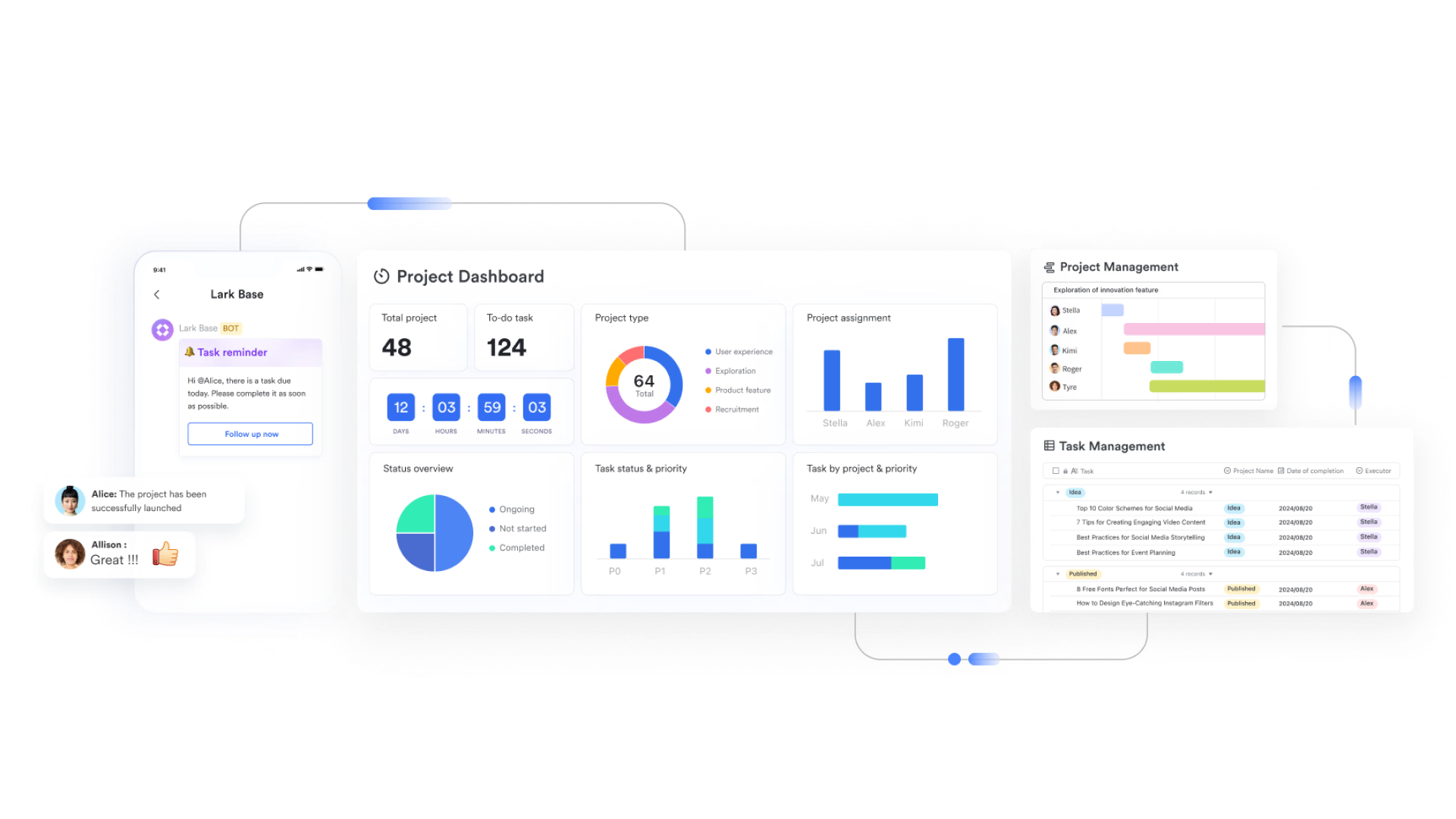
- Lark Base: Centralized customer and campaign data
Lark Base acts as your team's shared CRM database—storing leads, campaign details, and customer interactions in one structured view. Marketing teams can build dynamic dashboards that track everything from lead scores to engagement history. For example, a team can create a "Lead Nurturing Tracker" Base that automatically updates when a contact clicks a campaign email or fills out a form. With filters and automation, managers instantly see which leads are sales-ready, cutting down on manual tracking.
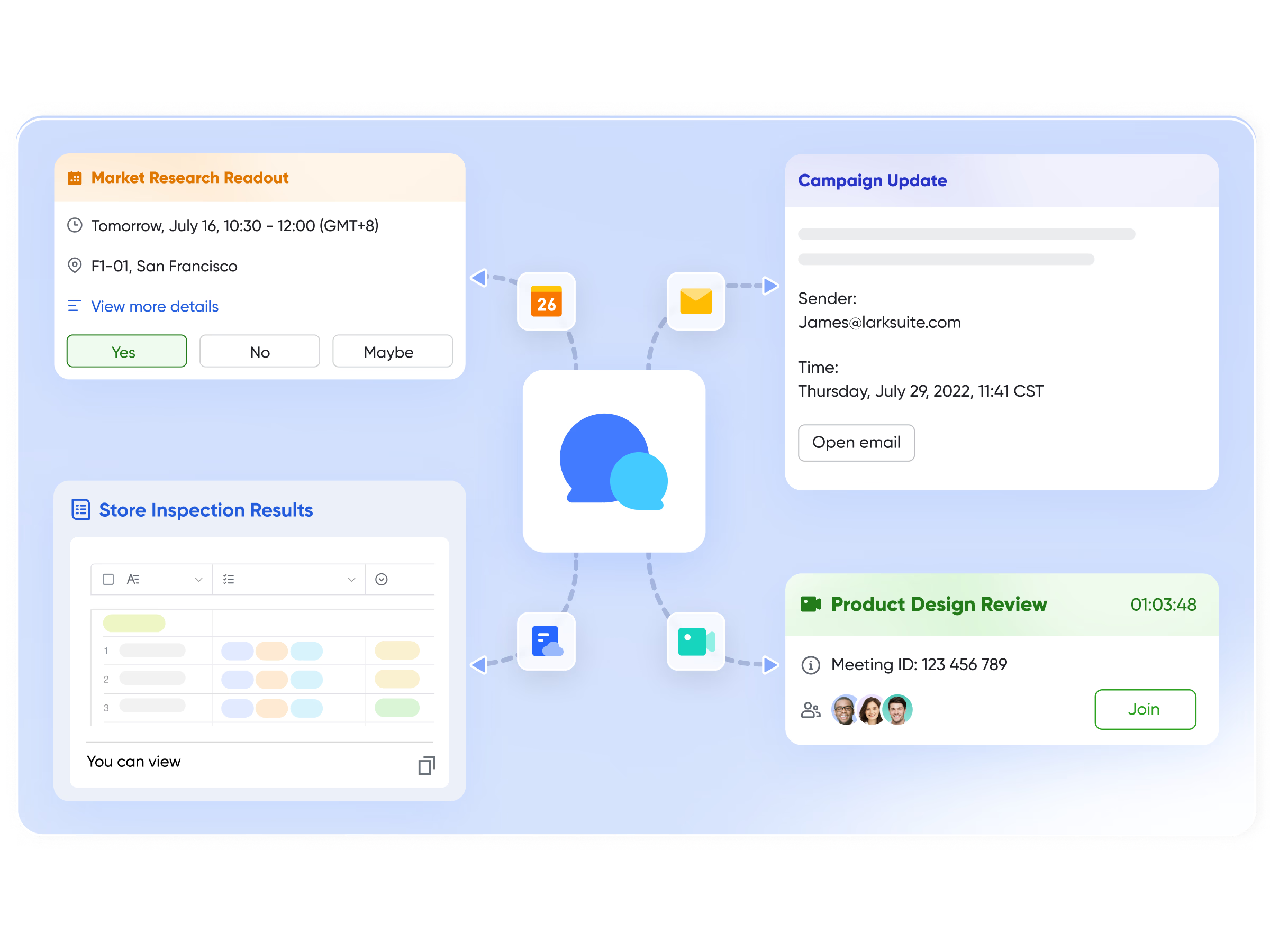
- Lark Messenger: Real-time coordination across departments
In CRM marketing, timing is everything—and delays between marketing, sales, and customer success can cost conversions. Lark Messenger enables instant updates, tagged discussions, and shared files in context. For instance, a marketer can share a campaign performance report directly in a Messenger group with sales and product teams, receiving quick feedback to adjust offers or messaging. The result: faster campaign iterations and consistent messaging across every customer touchpoint.
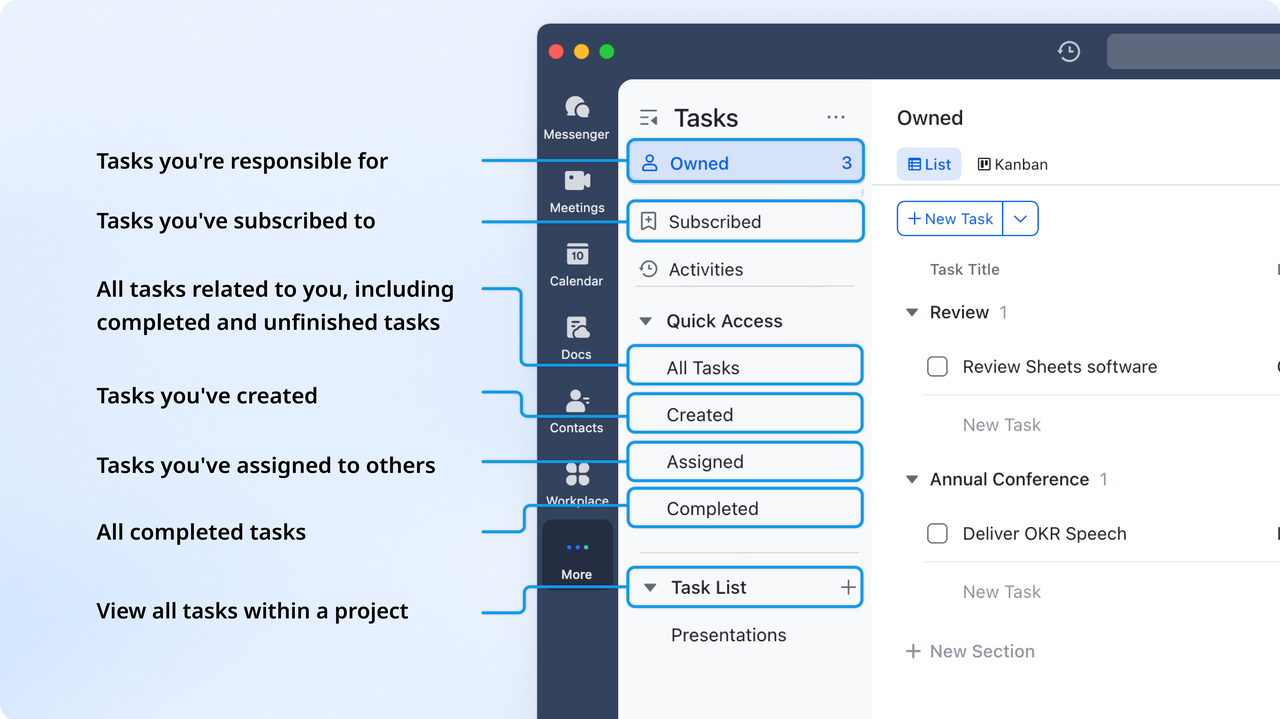
- Lark Tasks: Streamlined campaign execution and accountability
Campaigns often involve multiple teams and tight timelines. With Lark Tasks, marketers can break down campaigns into actionable steps—from "Design Email Templates" to "Review Campaign Analytics." Each task can be assigned, tracked, and linked to related Docs or Sheets. Automatic reminders keep the workflow on schedule, ensuring that every stage of the campaign—from planning to post-launch reporting—stays on track.
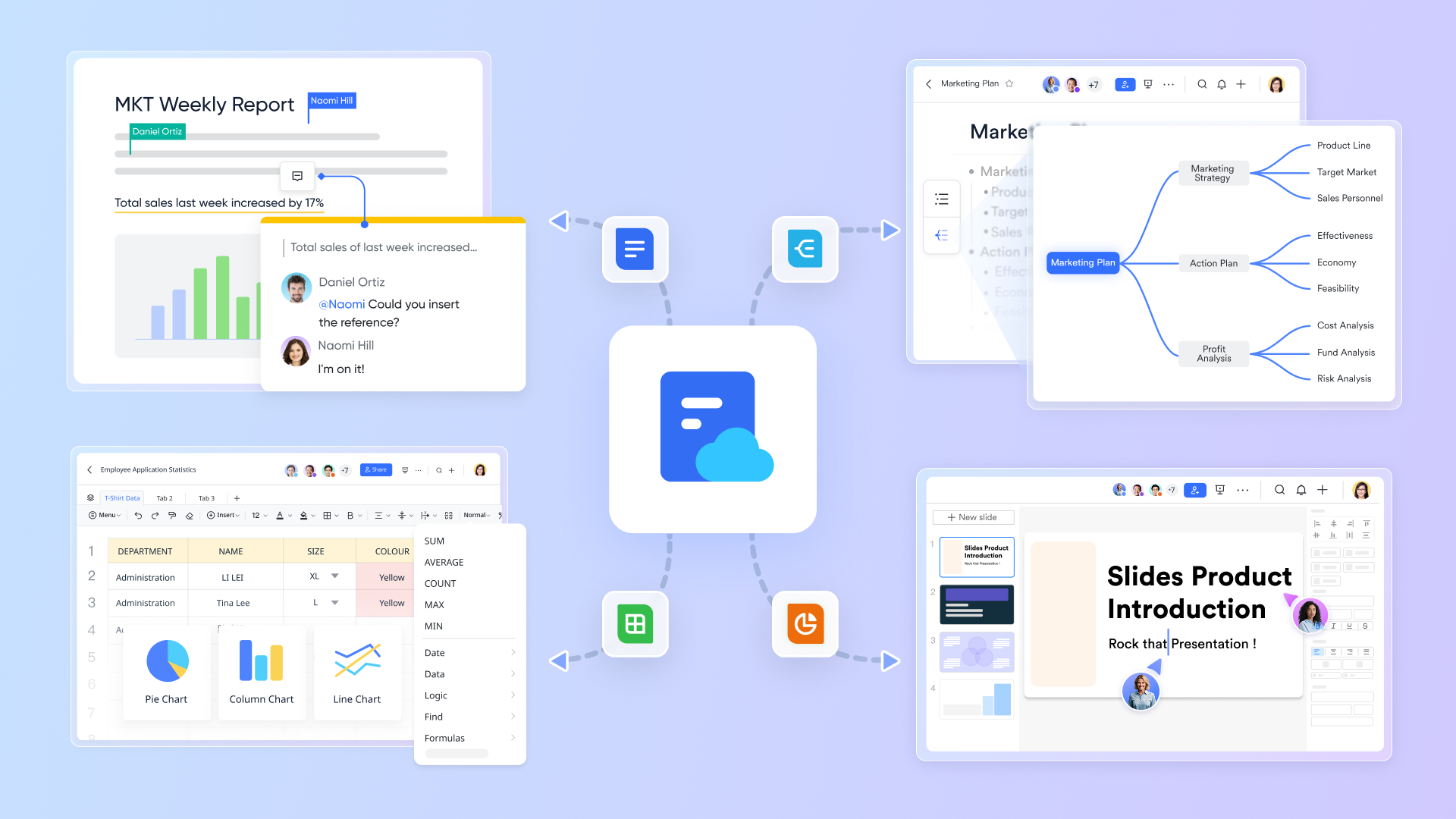
- Lark Docs & Lark Sheets: Live campaign documentation and performance analysis
Lark Docs provides a collaborative space for campaign briefs, strategy outlines, and meeting notes, while Lark Sheets powers real-time reporting and analytics. For example, marketers can embed live dashboards in a shared Doc, allowing the team to review open rates, click-throughs, and lead conversions together during performance reviews. These tools make collaboration seamless, reducing version confusion and ensuring everyone works from the same data set.
- Lark Approval: Faster campaign reviews and sign-offs
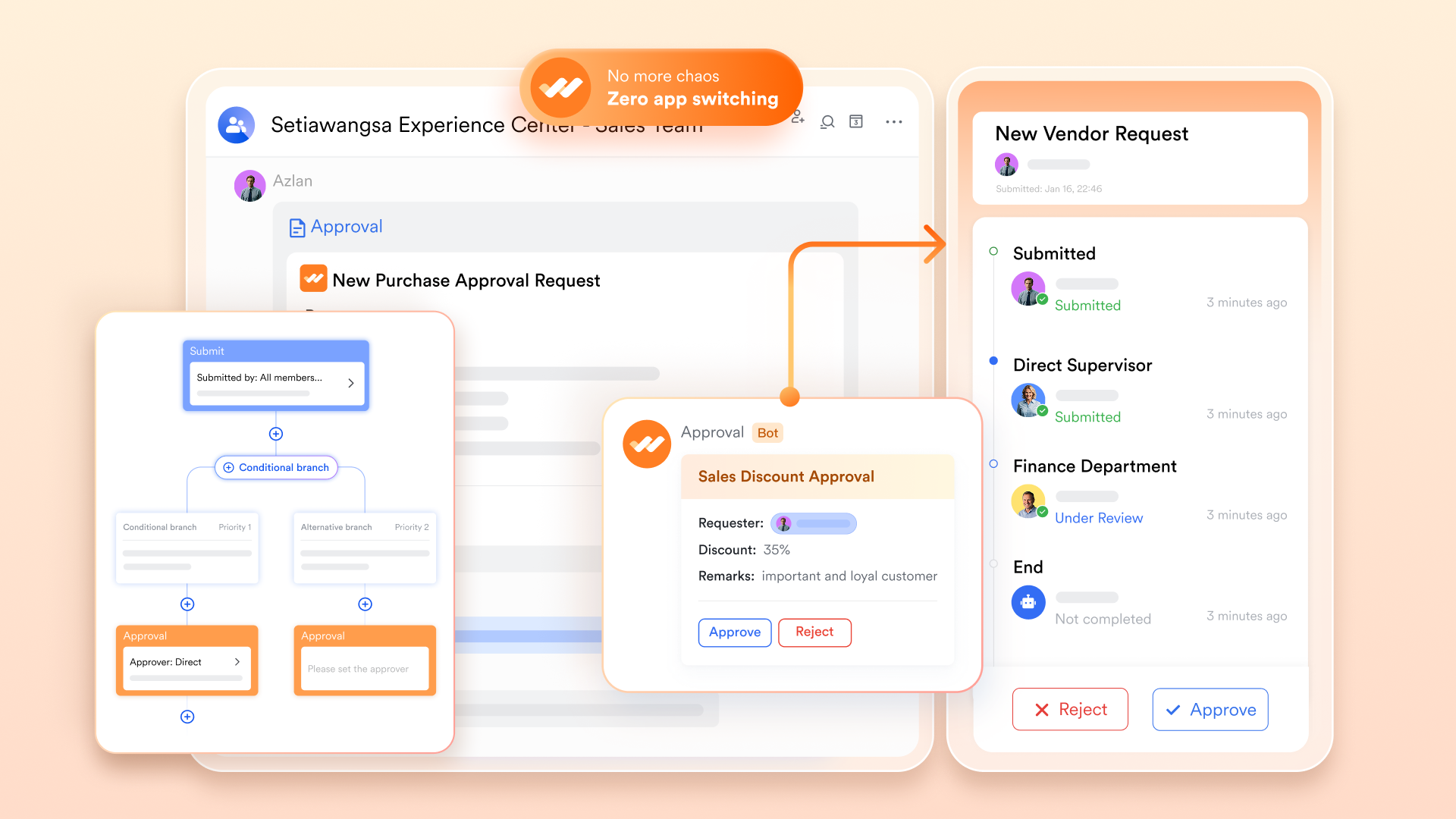
Approval delays are one of the biggest blockers in CRM marketing. Lark Approval simplifies this by providing structured workflows for budget requests, creative sign-offs, and promotional offers. For instance, once a campaign proposal is submitted, Lark automatically routes it to the right approvers, who can review and approve directly within Messenger. This ensures compliance and speed without endless email chains.
- Lark Calendar and Lark Meetings: Campaign planning and review syncs
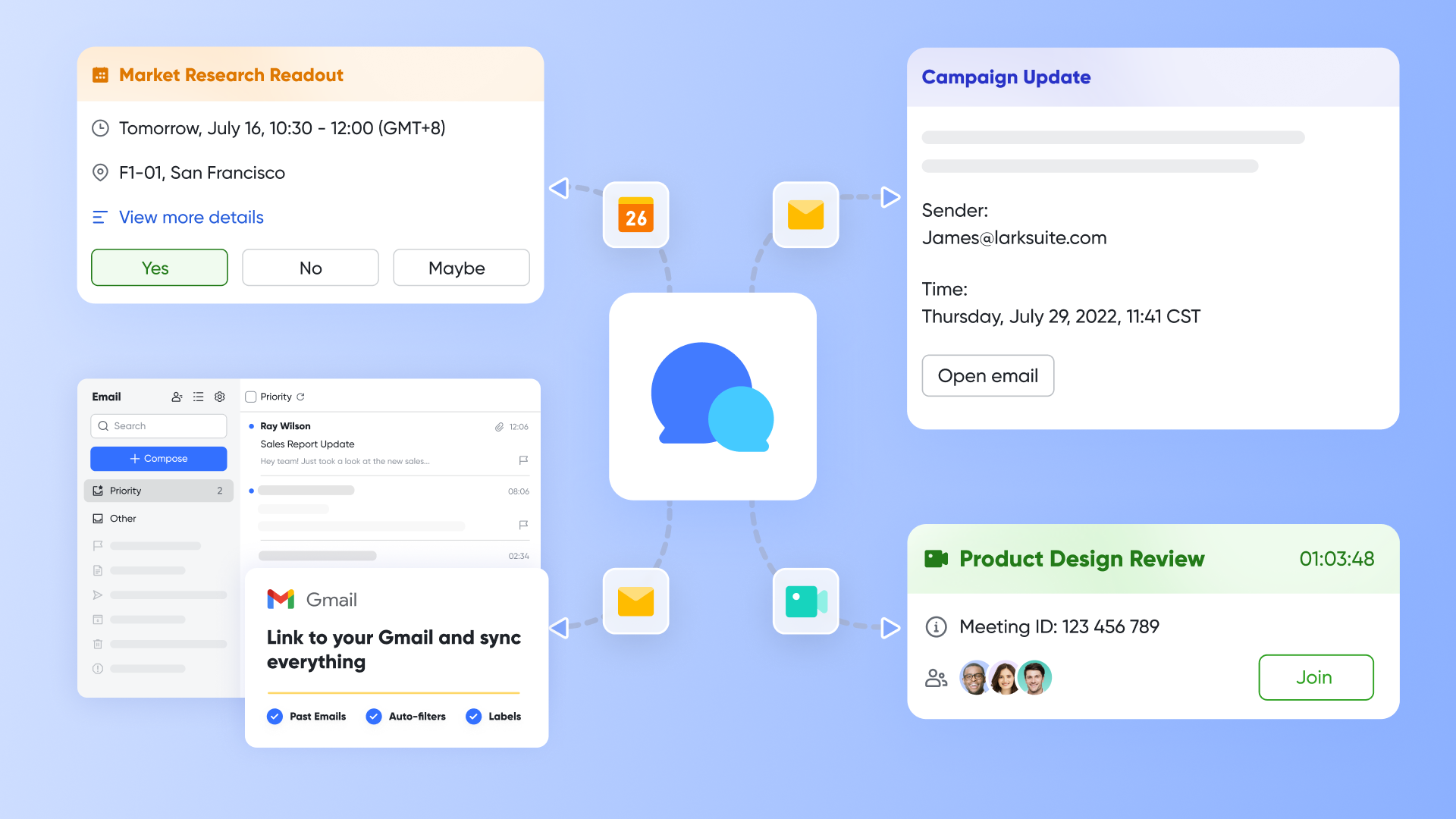
Coordinating campaign timelines across marketing, sales, and management is simple with Lark Calendar and Lark Meetings. Teams can schedule recurring "Campaign Review" sessions, attach Docs or Base dashboards, and add comments during the call. Automatic time-zone alignment keeps remote teams in sync, while recorded meetings and notes are stored for easy access later.
Best for: Teams that want one platform for customer data, campaign planning, and cross-department collaboration.
Strengths:
- All-in-one platform that eliminates the need for multiple disconnected tools.
- Real-time collaboration across marketing, sales, and customer support teams.
- Built-in automation reduces manual work in lead tracking and approvals.
- Scalable for teams of all sizes with flexible pricing and permissions.
- Seamless connection between data, communication, and documentation for full visibility.
Limitations:
- May require onboarding time for teams new to workflow automation.
Why teams choose it:
Teams choose Lark for its unified, collaborative workspace that connects customer data, communication, and campaign execution. It's ideal for organizations seeking a centralized CRM marketing environment where automation, visibility, and teamwork come together without switching tools.
- Starter plan: Free forever plan that includes 11 powerful tools for up to 20 users. It also comes with 100GB of storage, 1000 automation runs, AI translations, and more.
- Pro plan: $12/user/month (billed annually) for up to 500 users. It includes everything in Starter plus group calling for up to 500 attendees, 15TB of storage, 50,000 automation runs, and more.
- Enterprise plan: Contact sales for custom pricing. Supports unlimited users and includes even more automation runs and advanced security, compliance, and management features.
2. HubSpot CRM: Inbound marketing and automation suite
HubSpot CRM is a leader in CRM marketing automation, helping teams attract, nurture, and convert leads efficiently. It combines contact management, email workflows, and analytics into one cohesive platform. With built-in marketing tools and a visual pipeline, HubSpot helps teams focus on engagement instead of manual tracking. Its intuitive interface makes it easy for teams to scale as campaigns grow.
Best for: Mid-sized to large teams focusing on inbound marketing, lead nurturing, and campaign tracking.
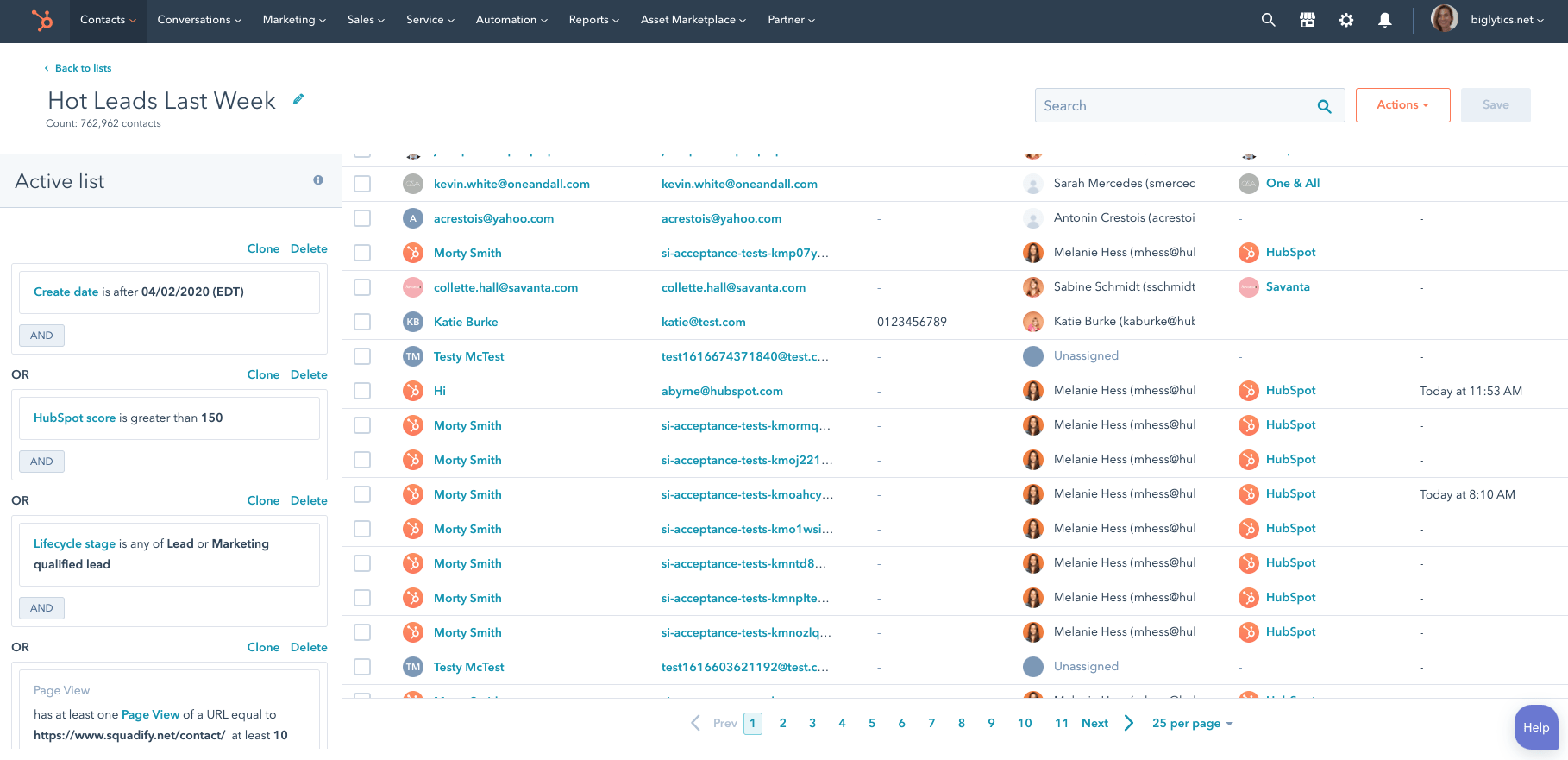
Image source: hubspot.com
Key features:
- Centralized contact and lead management with detailed interaction histories.
- Built-in email marketing automation and lead scoring workflows.
- Visual sales and marketing pipelines for tracking campaign progress.
- Comprehensive analytics for campaign performance and ROI.
- Seamless integration with social media and ad platforms.
Strengths:
- Intuitive user interface suitable for marketing and sales alignment.
- Offers powerful inbound marketing tools out of the box.
- Advanced automation and workflow customization options.
- Rich reporting dashboards for campaign and conversion tracking.
- Large library of educational resources and community support.
Limitations:
- Costs rise significantly as contact lists and features scale.
- Limited customization for complex enterprise workflows.
- Reporting can become overwhelming for new users.
- Email template design options are somewhat restrictive.
- Some advanced features are locked behind higher-tier plans.
Why teams choose it: User-friendly design and strong analytics make HubSpot ideal for teams prioritizing automation and data-driven growth.
Pricing:
- Free plan: Core CRM features, contact tracking, and pipeline management.
- Starter: From $20/month per user (billed annually).
- Professional: From $800/month for full marketing automation and analytics.
- Enterprise: Custom pricing with advanced permissions, predictive scoring, and scaling options.
3. Salesforce Marketing Cloud: Enterprise-grade customer engagement
Salesforce Marketing Cloud is one of the most recognized CRM and marketing automation platforms, built for enterprise-level engagement. It connects customer data, campaign management, and personalization tools into one powerful system. With predictive analytics and journey mapping, teams can create highly targeted and consistent customer experiences. Salesforce is known for its scalability and deep customization options.
Best for: Large enterprises managing complex multi-channel marketing operations.
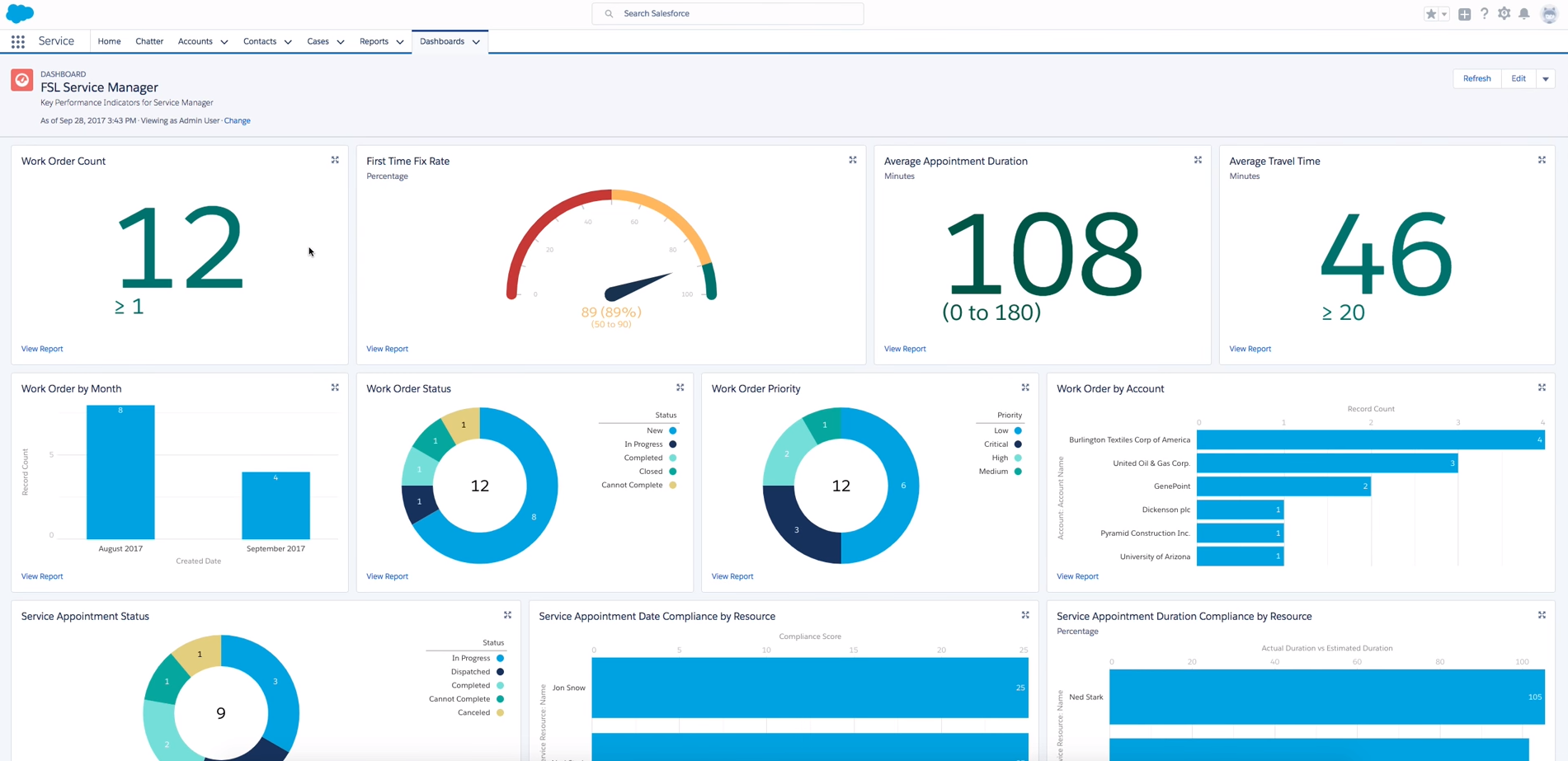
Image source: salesforce.com
Key features:
- AI-driven personalization across multi-channel marketing.
- Advanced journey mapping and automated campaign orchestration.
- Real-time data integration with CRM and analytics tools.
- Detailed audience segmentation and predictive insights.
- End-to-end campaign attribution tracking.
Strengths:
- Highly scalable for global enterprises and complex teams.
- Integrates deeply with Salesforce CRM and analytics modules.
- Powerful automation and data management capabilities.
- Excellent security, compliance, and data governance.
- Rich reporting with predictive recommendations.
Limitations:
- High learning curve and technical setup requirements.
- Premium pricing limits accessibility for smaller businesses.
- Complex to customize without admin expertise.
- Limited flexibility without additional Salesforce modules.
- Requires ongoing maintenance for optimal performance.
Why teams choose it:
Salesforce's scalability and deep customer insights make it ideal for large organizations managing multi-channel, high-volume marketing.
Pricing:
- Starter: From $25/user/month.
- Marketing Cloud Pro: From $1,250/month per org.
- Enterprise: Custom pricing for advanced analytics and personalization.
- Add-ons: Email Studio, Journey Builder, and Data Cloud modules available separately.
4. Pipedrive: Visual CRM for marketing and sales
Pipedrive is a marketing CRM platform designed to simplify lead management through a clean, visual interface. It focuses on clarity and collaboration, giving teams full visibility into their sales and marketing pipelines. Pipedrive automates repetitive steps like email follow-ups and status updates, helping small teams stay productive.
Best for: Startups and small businesses looking for a lightweight, visual CRM solution.
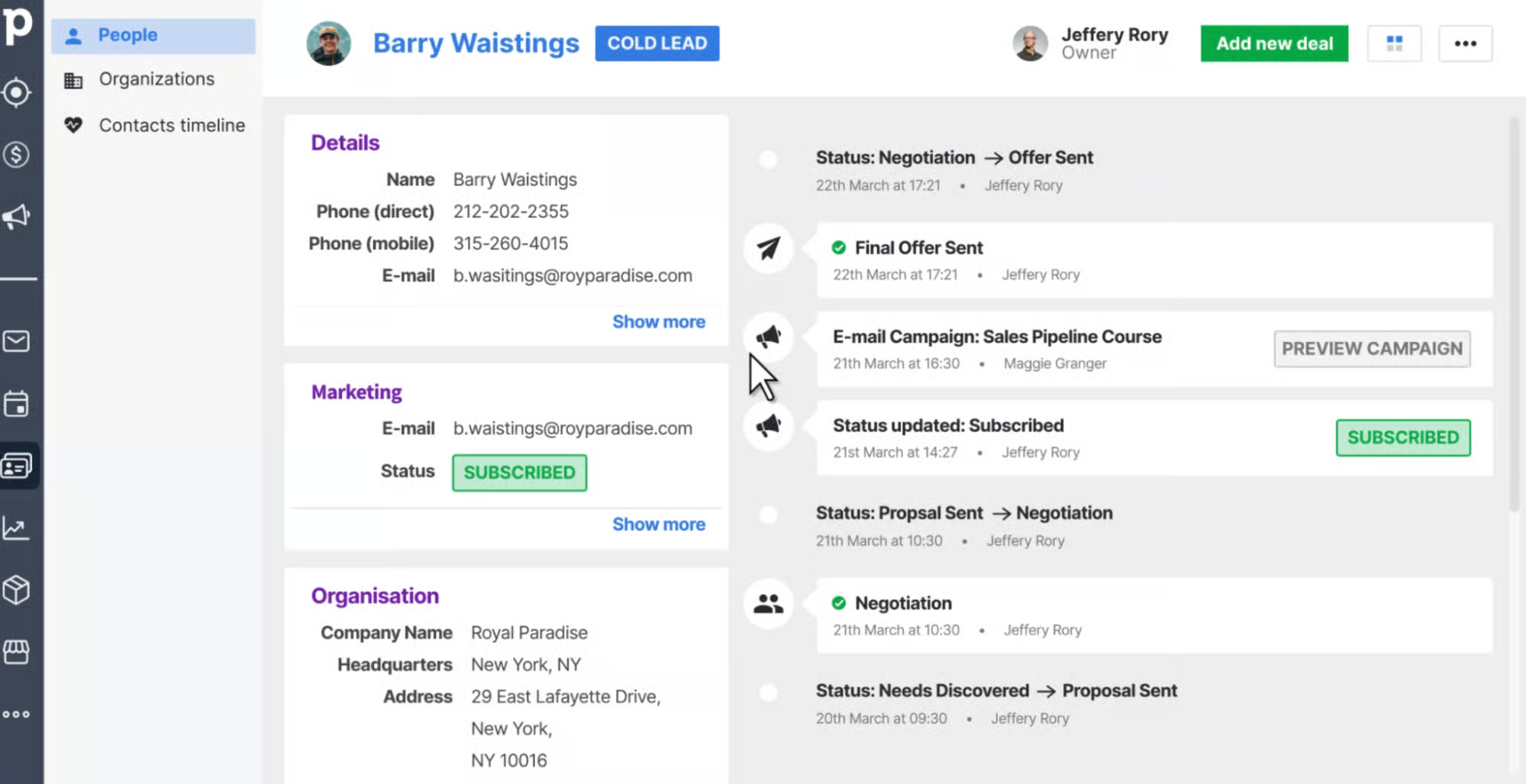
Image source: pipedrive.com
Key features:
- Drag-and-drop visual pipeline for tracking deals and leads.
- Email synchronization and automatic communication logging.
- Workflow automation for follow-ups and reminders.
- Goal tracking and performance forecasting dashboards.
- Integrations with campaign and lead generation tools.
Strengths:
- Clean, visual interface perfect for small teams.
- Easy to implement and customize without IT support.
- Affordable compared to enterprise CRMs.
- Streamlined workflow that promotes clarity and accountability.
- Fast setup and minimal onboarding time.
Limitations:
- Limited advanced marketing automation tools.
- Reporting features are basic compared to top-tier CRMs.
- Not suitable for large or complex organizations.
- Fewer native integrations than competitors.
- Add-ons required for lead generation and campaign tracking.
Why teams choose it:
Pipedrive's simplicity and intuitive interface make it a top choice for small sales and marketing teams that value visual tracking.
Pricing:
- Essential: From $14/user/month (billed annually).
- Advanced: From $29/user/month.
- Professional: From $49/user/month.
- Power & Enterprise: $64–$99/user/month with enhanced reporting and support.
5. Zoho CRM: Affordable CRM and marketing automation
Zoho CRM offers a comprehensive CRM email marketing platform for growing businesses. It combines affordability with flexibility, letting teams automate campaigns, manage contacts, and measure performance easily. With built-in analytics and workflow automation, it's suitable for both marketing and sales alignment.
Best for: Small to mid-sized teams looking for budget-friendly automation and analytics.
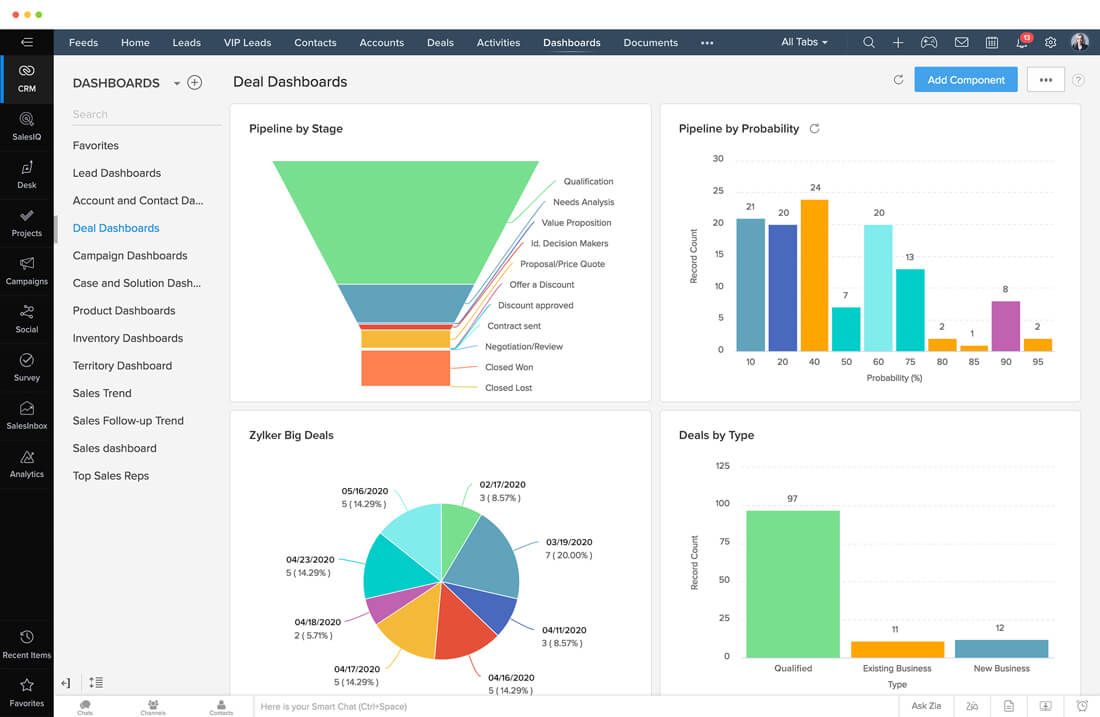
Image source: zoho.com
Key features:
- Multi-channel communication (email, social, live chat).
- Workflow automation with lead scoring and campaign triggers.
- AI-powered assistant (Zia) for insights and predictions.
- Custom dashboards for performance tracking and forecasting.
- Integration with Zoho Campaigns and third-party tools.
Strengths:
- Affordable and scalable for growing businesses.
- Strong automation tools for the price point.
- Flexible reporting and dashboard customization.
- Works seamlessly within the Zoho ecosystem.
- Active global support and resource library.
Limitations:
- UI can feel dated and cluttered.
- Occasional lag when handling large databases.
- Workflow setup can be complex for beginners.
- Limited marketing analytics compared to HubSpot.
- Customer support varies by region and plan.
Why teams choose it:
Zoho CRM offers a cost-effective way to manage leads, automate campaigns, and align sales and marketing operations.
Pricing:
- Free plan: Up to 3 users with basic CRM features.
- Standard: From $14/user/month.
- Professional: From $23/user/month.
- Enterprise: From $40/user/month.
- CRM Plus: $57/user/month for the full suite with advanced analytics.
6. Creatio: No-code CRM and campaign management
Creatio is a powerful marketing automation CRM that allows teams to design, customize, and automate campaigns without coding. It helps marketers map customer journeys, personalize communication, and manage pipelines through drag-and-drop workflows. Creatio's flexibility makes it ideal for industries needing agility in campaign setup and management.
Best for: Marketing teams that need customizable workflows without developer assistance.
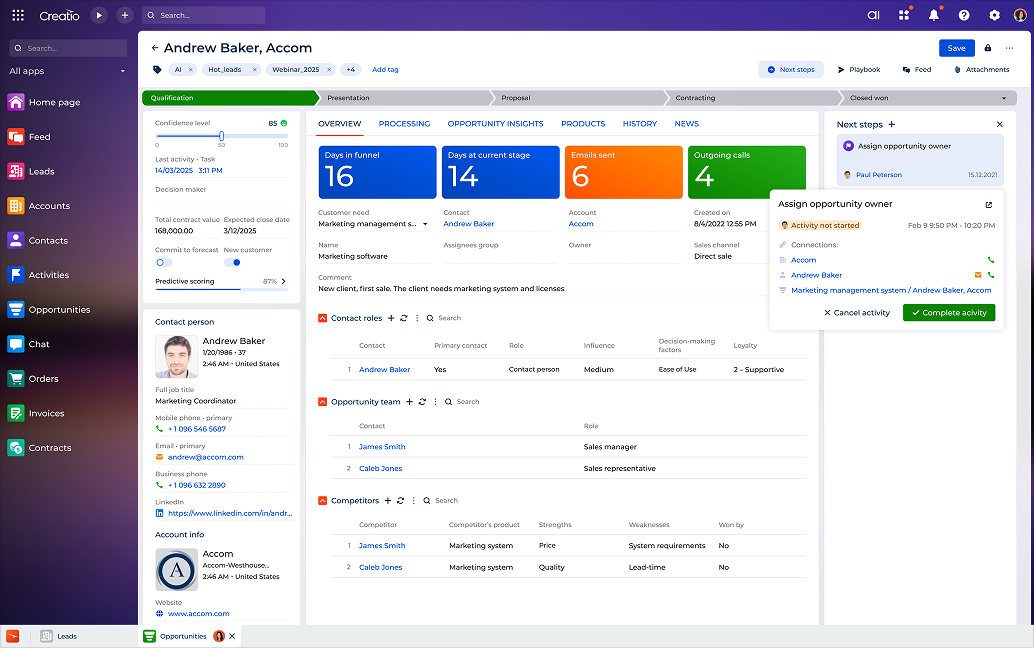
Image source: creatio.com
Key features:
- Drag-and-drop visual campaign builder.
- End-to-end automation for marketing and sales workflows.
- Real-time dashboards for lead and engagement tracking.
- Built-in AI for segmentation and performance prediction.
- Seamless connections to marketing, service, and data tools.
Strengths:
- No-code customization ideal for fast implementation.
- Powerful automation for complex customer journeys.
- Highly scalable for mid to large teams.
- Modular design enables cost control and flexibility.
- Robust analytics and personalization tools.
Limitations:
- Requires onboarding to master its modular setup.
- Interface can feel heavy with extensive data.
- Setup may need IT support for integrations.
- Fewer ready-made templates than competitors.
- Cost increases as modules are added.
Why teams choose it: Creatio's no-code flexibility allows teams to design, automate, and scale campaigns quickly without heavy technical reliance.
Pricing:
- Growth: From $15/user/month.
- Professional: From $25/user/month.
- Enterprise: From $55/user/month with unlimited automation.
- Full suite: Custom quote for all modules.
7. ActiveCampaign: Email-first CRM marketing automation
ActiveCampaign is a CRM digital marketing platform that combines email marketing, customer data, and workflow automation. It specializes in personalized outreach, helping teams send relevant messages to the right audiences at the right time. With robust segmentation tools, it strengthens lead nurturing and retention strategies.
Best for: Marketing teams prioritizing email automation and lifecycle management.
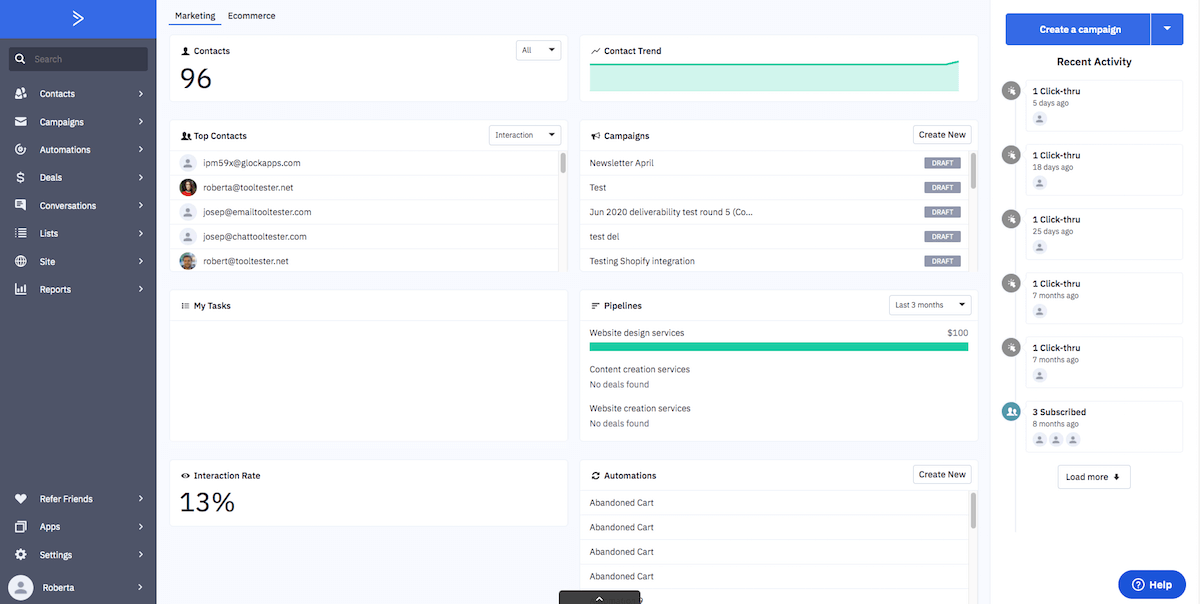
Image source: activecampaign.com
Key features:
- Advanced email automation with conditional logic.
- Lead scoring and segmentation for campaign targeting.
- Visual automation builder with drag-and-drop logic.
- Real-time analytics for engagement tracking.
- CRM pipeline for lifecycle management.
Strengths:
- Excellent email and marketing automation capabilities.
- Strong segmentation and behavioral targeting.
- Scales easily for small to mid-sized teams.
- Affordable compared to enterprise CRMs.
- Quick setup with robust onboarding support.
Limitations:
- Interface can become cluttered with large campaigns.
- Basic CRM functionality compared to all-in-one suites.
- Limited customization for reporting dashboards.
- Occasional syncing issues with large contact volumes.
- Pricing scales sharply as contact lists grow.
Why teams choose it: ActiveCampaign is ideal for marketing teams focused on email automation, lead nurturing, and personalized engagement at scale.
Pricing:
- Starter: From $15/month (up to 500 contacts).
- Plus: From $49/month with CRM features.
- Professional: From $149/month with predictive analytics.
- Enterprise: Custom pricing for advanced automation and integrations.
How CRM and marketing automation work together
CRM and marketing automation complement each other by combining customer insights with efficient execution. Together, they create a seamless workflow where every marketing and sales activity is informed by real-time data—ensuring consistent, personalized experiences across the customer lifecycle.
CRM's role (data) and automation's role (execution)
A CRM system stores customer information—including contact details, communication history, and purchase records—providing a clear picture of every interaction. Marketing automation uses that data to trigger actions, such as sending personalized emails, assigning leads to sales reps, or updating engagement scores, all without manual effort.
How both tools synchronize for lifecycle marketing
CRM captures and organizes the data, while automation uses it to deliver the right message at the right time. For example, when a customer moves from awareness to interest, the automation platform can send a relevant nurture sequence while the CRM updates their status for sales tracking.
Example: A lead who reopens an email triggers a sales follow-up
If a prospect revisits a campaign email or clicks a pricing link, the automation system detects this behavior and notifies the CRM. The lead's profile is updated, their engagement score increases, and a task is automatically assigned to a sales rep for timely follow-up—ensuring no opportunity is missed.
Best practices for CRM marketing success
A well-implemented CRM strategy is only as strong as the practices that guide it. To get the most out of your CRM marketing tools, teams should focus on consistency, collaboration, and data-driven optimization. Here's how to build a foundation for long-term success:
- Keep data accurate and updated: Regularly clean and verify your CRM database to prevent duplicate or outdated entries. Accurate data ensures campaigns reach the right audience and reports reflect true performance. Establish periodic data audits to maintain reliability across all marketing and sales efforts.
- Use segmentation for better engagement: Divide your audience based on behavior, demographics, or purchase history for more relevant outreach. Segmented campaigns achieve higher open and conversion rates because they speak directly to customer needs. CRM tools make it easy to automate and refine these segments over time.
- Align sales and marketing goals: Ensure both teams work toward shared objectives such as lead quality, conversion rates, or retention. Clear alignment eliminates silos, reduces miscommunication, and creates a seamless customer experience from first contact to sale. Use dashboards and shared KPIs to maintain visibility.
- Automate repeatable tasks: Set up workflows for lead nurturing, follow-ups, and campaign reminders to save time and minimize human error. Automation frees teams to focus on strategy and creativity rather than manual tasks. With platforms like Lark, these workflows stay transparent and easily adjustable.
- Review analytics regularly: Schedule consistent performance reviews to track campaign effectiveness, audience engagement, and ROI. Reviewing analytics helps teams identify what's working and where improvements are needed. Continuous monitoring ensures your CRM strategy evolves with customer behavior and market trends.
Common CRM marketing challenges
Even with the best CRM tools, teams often face obstacles like poor data quality, scattered communication, or lack of visibility across campaigns. Lark helps overcome these barriers by unifying collaboration, automation, and analytics in one connected workspace.
- Disconnected communication between teams: When marketing, sales, and support use separate tools, key updates get lost. Lark Messenger keeps everyone aligned with shared threads, tagged discussions, and instant file sharing so campaigns move forward seamlessly.
- Inconsistent or outdated customer data: Messy data can derail even the best marketing strategies. Lark Base centralizes customer information in live databases, ensuring all teams access the same up-to-date contact and engagement details.
- Delayed campaign approvals: Waiting for sign-offs can stall launches. With Lark Approval, teams can submit, review, and approve campaign budgets, content, or offers through structured workflows—speeding up decisions while maintaining compliance.
- Limited visibility into campaign progress: Without real-time tracking, it's hard to measure ROI accurately. Lark Sheets and Lark Base provide dashboards that update automatically, allowing marketers to monitor engagement, conversions, and revenue contributions.
- Poor alignment between content and data insights: Marketing content often loses relevance when not guided by analytics. Lark Docs enables teams to co-edit briefs and strategies while embedding live dashboards for context-driven decision-making.
- Manual, repetitive marketing workflows: Manually managing leads, follow-ups, or reporting wastes valuable time. Lark's automated workflow capabilities let teams set triggers—like sending a lead follow-up or updating a record—to maintain momentum without constant oversight.
Conclusion
CRM marketing empowers businesses to turn customer data into meaningful, measurable relationships. By combining data management, automation, and cross-team collaboration, it enables marketers to deliver personalized experiences that drive loyalty and growth. Tools like Lark take this even further by unifying communication, campaign tracking, and analytics in one workspace—removing silos and streamlining marketing operations. Whether you’re scaling outreach or refining engagement, a connected CRM marketing strategy ensures every interaction adds long-term value. Start building smarter, data-driven customer relationships today with Lark.
FAQs
How can small businesses start with CRM marketing?
Small businesses can begin by identifying their core customer data—such as purchase history, engagement, and demographics—and importing it into a simple CRM platform. From there, they can automate basic tasks like email follow-ups, campaign reminders, and customer segmentation. Starting small ensures data accuracy and smoother adoption before scaling into complex workflows.
What's the difference between CRM marketing and traditional email marketing?
Traditional email marketing focuses mainly on sending messages to a list of contacts, while CRM marketing uses deeper customer insights to personalize those messages. With CRM marketing, every campaign is based on customer behavior, purchase history, and lifecycle stage—leading to higher engagement and retention.
How can teams measure ROI from CRM marketing?
Teams can track ROI by linking CRM campaign data to sales outcomes—such as conversion rates, customer lifetime value, and retention metrics. Tools with built-in analytics (like Lark Sheets or HubSpot dashboards) make it easier to visualize campaign performance and identify which touchpoints drive the most revenue.
What data should be included in a CRM for effective marketing?
A well-structured CRM includes customer contact information, purchase history, engagement behavior (emails opened, links clicked), support tickets, and feedback scores. This data helps marketing teams segment audiences, create targeted campaigns, and personalize outreach at every stage of the customer journey.
How does CRM marketing help with data privacy and compliance?
Modern CRM platforms are built to comply with regulations like GDPR and CCPA by offering permissions management, consent tracking, and secure data storage. By using centralized systems, businesses can maintain transparency, protect customer data, and ensure compliant marketing communication.
Related reading
Table of contents
Start using Lark today

Manage all your work in one place
Boost team efficiency by 10x
Save up to 70% on software costs
Table of contents
Start using Lark today
Manage all your work in one place
Boost team efficiency by 10x
Save up to 70% on software costs
Keep reading









2026 Lark Technologies Pte. Ltd.
Headquartered in Singapore with offices worldwide.






Explore: