














Top CRM Vendors: Features, Pricing, Benefits & How to Choose

Ryan Tanner
Product Marketing Specialist
Sep 18, 2026
Ryan Tanner
Sep 18, 2026

17 min read


Choosing CRM vendors has become a strategic step for companies that want sustainable sales productivity, predictable forecasting, and digital collaboration across all teams. Many organizations now expect CRM software vendors to support document management, team messaging, automation, project updates, and sales data within a single digital workspace. Lark is positioned as a modern workspace where communication, docs, calendars, tasks, and CRM-style tables gradually come together during team adoption.
The list below gives a quick positioning snapshot for each vendor, so readers can instantly recognize usage fit before diving deeper into features, pros, cons, and pricing.
1. Lark: Unified CRM + collaboration workspace
2. Salesforce Sales Cloud: Enterprise-grade customizable CRM powerhouse
3. HubSpot CRM: Free-to-start all-in-one growth CRM
4. Zoho CRM: Budget-friendly full-feature CRM suite
5. Microsoft Dynamics 365 Sales: CRM embedded in the Microsoft ecosystem
6. Pipedrive: Sales-pipeline focused CRM for SMBs
7. SugarCRM: Highly customizable CRM for complex enterprise workflows
8. Freshsales (Freshworks): AI-powered modern CRM for growing sales teams
9. Zendesk Sell: CRM tied to support workflows and usability
10. SuperOffice CRM: European-centric CRM vendor with strong regional adoption

10 CRM vendor overview table: A quick snapshot
The table below presents a quick side-by-side look at different CRM vendors to help users compare purpose, strengths, and starting pricing at a glance. It allows faster decision scanning before reviewing detailed feature analysis, pros, cons, and suitability for different teams and workflows.
Information source: Official vendor sites
Update time: 2025-11-18
Note: Pricing and plan details reflect publicly available data as of the update date and may vary based on region, billing cycle, and number of agents.
What is a CRM vendor?
A CRM vendor is a software company that provides tools for managing business relationships, sales pipelines, customer activities, follow-ups, and performance tracking. CRM vendors support daily operations by storing data in structured fields and helping teams engage with prospects through calls, messages, email, and planned touchpoints. Modern CRM vendors have expanded beyond record storage and now offer workflow management, AI suggestions, document support, task management, mobile use, and data visualization. CRM software vendors must maintain data accuracy while offering flexible ways to adapt fields, views, and automation to real business needs.
Some CRM vendors operate in the SaaS subscription model, while others offer hybrid or on-premises setups for compliance-driven teams, such as healthcare CRM vendors. The important part of selecting CRM vendors is ensuring that data is always available, secure, and usable across sales, finance, service, and leadership teams without causing friction or manual duplication.
Signs it's time to switch CRM vendors
Switching CRM vendors becomes necessary when daily usage patterns show reduced efficiency, limited visibility, or rising operational friction. Teams must observe whether the CRM supports real workflow needs, drives active participation, and provides long-term scalability.
- Manual repetitive data entry: Teams that still rely on spreadsheets, screenshots, or external notes experience lost context and reporting delays.
- Fragmented communication and file storage in separate apps: Tools that do not combine messaging, docs, and CRM tracking require users to move between apps frequently.
- Unpredictable costs or expensive feature unlocks: Add-ons, premium modules, or integration fees can increase monthly ownership costs.
- Very low adoption rate or team resistance: If CRM data is updated only during reporting meetings, insights become unreliable.
- Limited personalization for industry requirements: Healthcare CRM vendors, manufacturing teams, and field sales units may require category-specific data fields and workflows.
Full list: Top 10 CRM software vendors
The following list compares CRM vendors across usability, features, adoption effort, automation strength, cost structure, flexibility, and team collaboration needs. Each tool suits different business categories, sales volumes, geographic markets, and workflow environments:
1. Lark: Unified CRM + collaboration workspace
Lark offers CRM-style experiences within a shared digital workspace for messages, docs, calendars, meetings, approvals, tasks, forms, sales analytics, and a dashboard. With multiple features, Lark is suitable for companies that want CRM data, communication, knowledge, and workflow alignment in a single platform, reducing app switching. This approach suits modern, fast-moving marketing that uses blended workflows rather than fixed sales-only processes.
Lark Base: CRM style records for structured tables
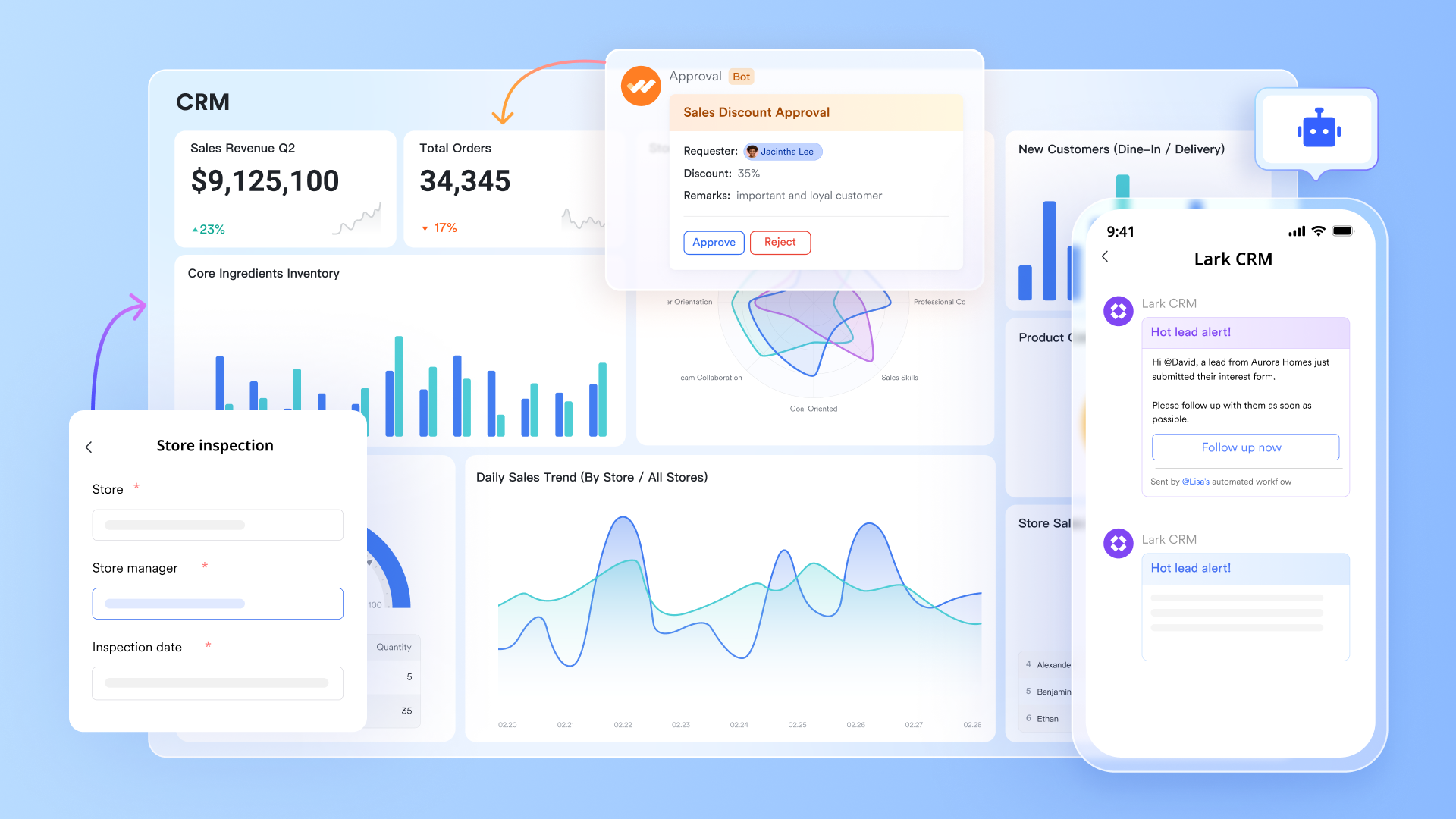
Lark Base stores leads, deals, accounts, contacts, dates, values, ownership, and stage details in structured tables with custom fields. It supports filters, Kanban, grid, and chart views for multidimensional visibility, while formula logic enables automated calculations and conditional data. Permissions can be applied based on role or team to protect sensitive information and maintain controlled editing. It is suitable for building CRM style pipelines, project trackers, procurement boards, and operational registers.
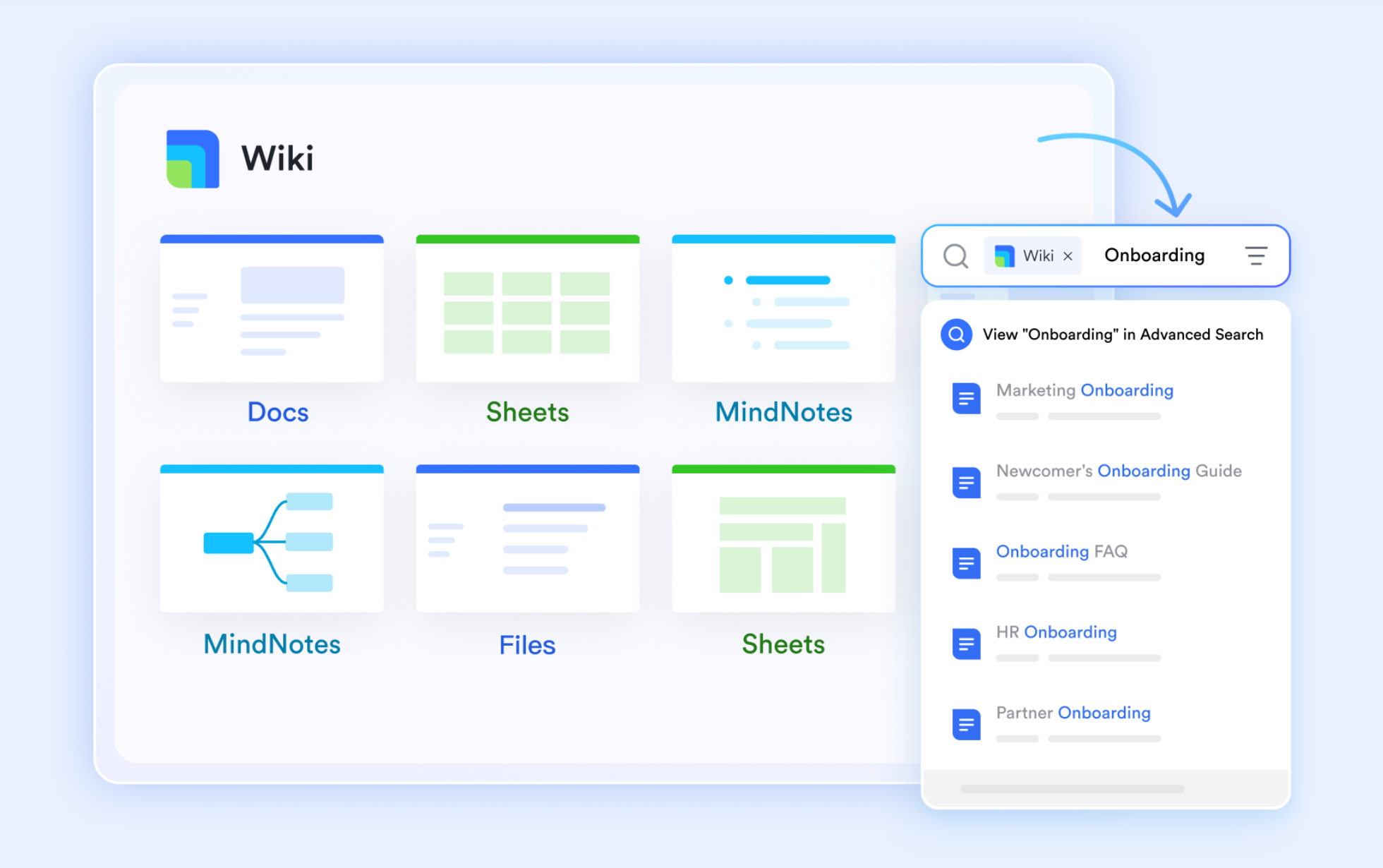
Lark Docs & Lark Wiki: Collaborative document platform & knowledge hub
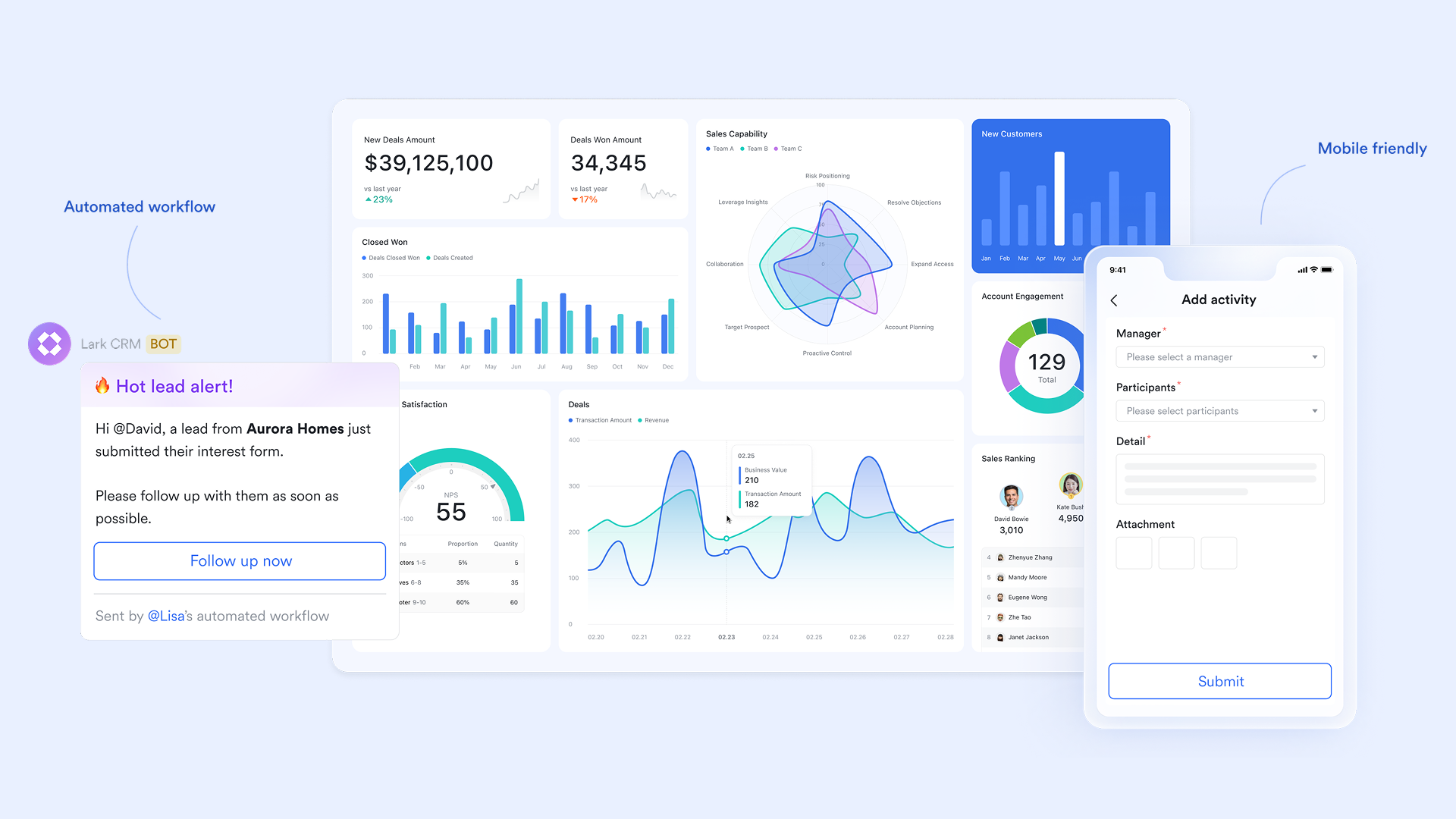
Lark Docs lets you create proposals, templates, pricing catalogs, onboarding playbooks, product notes, and internal SOPs with real-time co-editing. Users can add tables, embeds, task lists, comments, and links that connect directly to base records for contextual clarity. It helps maintain a single authoritative reference source for sales messaging and process guidelines. Documents can evolve with team knowledge without versioning conflicts.
Also, for storing CRM vendor information, managing customer profiles or portfolios, Lark Wiki can provide a centralized space to store, organize, and share important documents and information. You can create wiki pages for each customer, including text, images, videos, and links, making it easy for team members to access and update customer-related data.
Lark Tasks: Checklist tracking for follow-ups
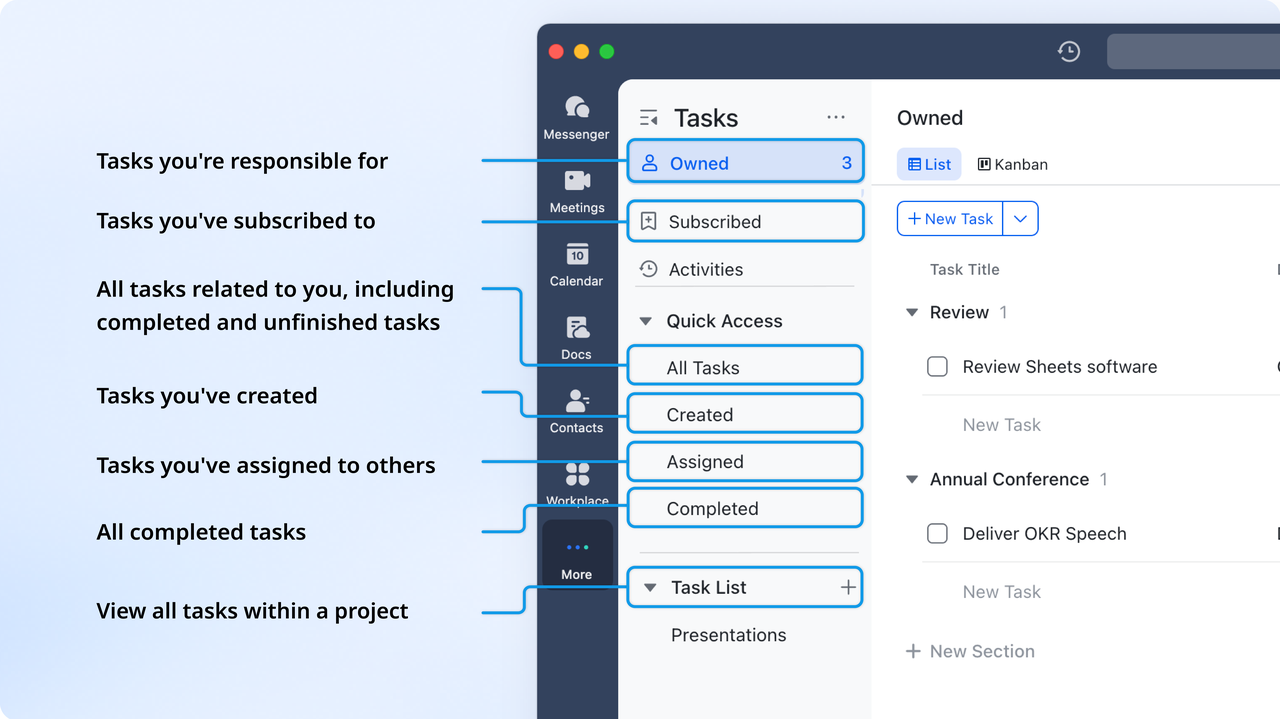
Lark Tasks manages deal-related follow-ups, proposal activities, demo preparation, and post-meeting commitments with clear ownership and due dates. It supports visibility into task status, so stakeholders can track action completion without manual reporting. Tasks can be linked to conversations and documents for contextual continuity. It enables smoother handoffs and accountability across sales and support teams.
Lark Calendar: Appointment automation and event alignment
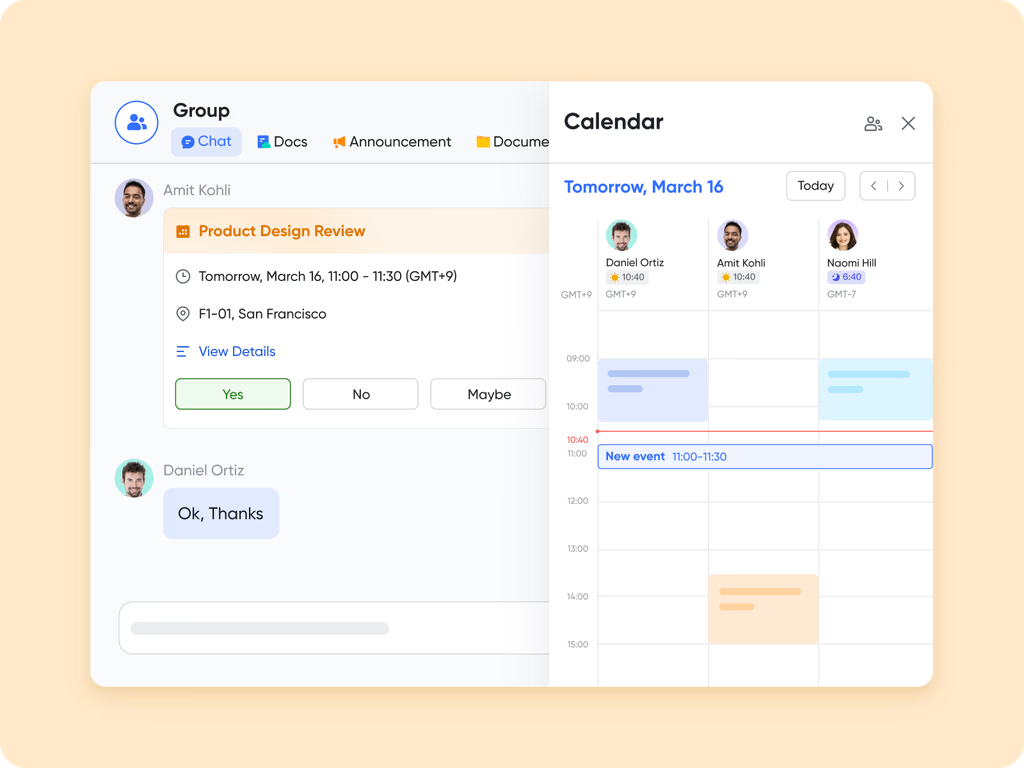
Lark Calendar schedules internal and client meetings, demos, review sessions, and campaign planning without additional tools. Reminders and alert notifications support timely engagement and reduce missed opportunities. It aligns CRM progress with scheduled interactions, so stage movement reflects real activity timelines. Shared visibility helps internal and cross-functional teams plan their workload and commitments.
Lark Messenger: Real-time collaboration and communication
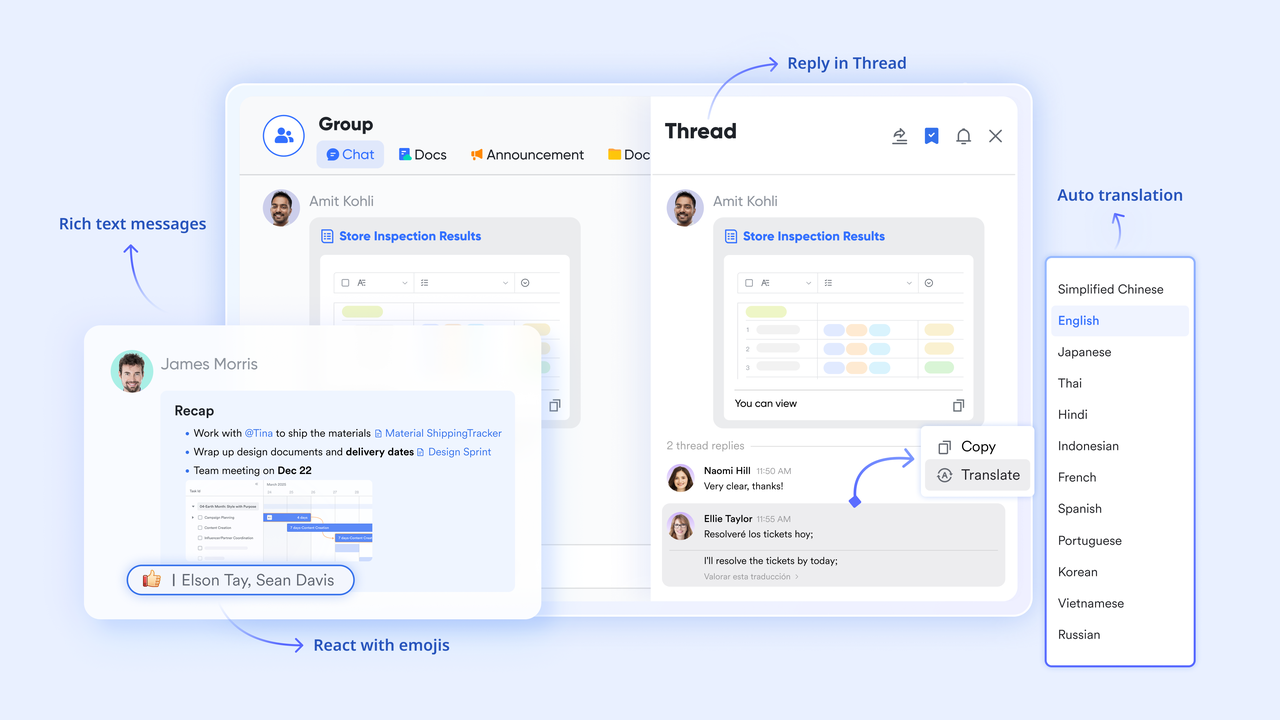
Lark Messenger enables quick coordination through chats, files, audio messages, , and reactions. It helps teams avoid email dependency while keeping conversations centralized, searchable, and context-rich. Attachments, notes, and message history stay connected with operational decisions, so users do not lose reference points. It is useful for quick clarifications, internal feedback, and customer-related collaboration.
Lark Meetings: Virtual collaboration with recording and notes
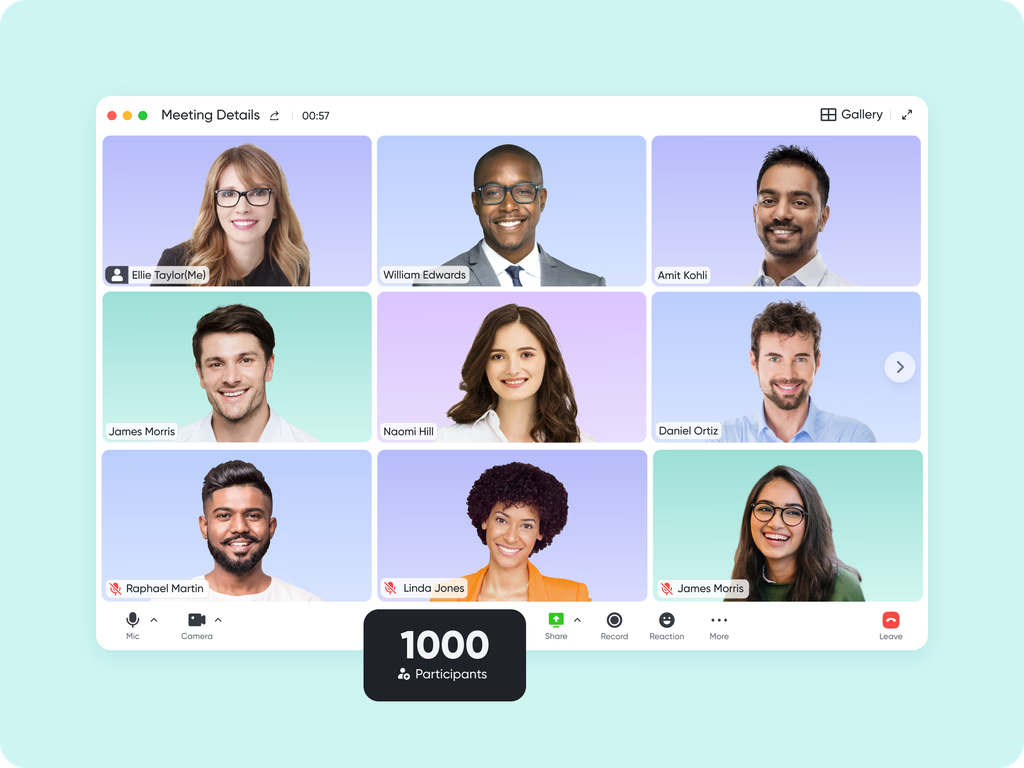
Lark Meetings is used for remote demos, pipeline reviews, onboarding sessions, and client presentations with recording and notes. Meeting summaries, chat highlights, and references can link back to Docs for historical clarity. It helps ensure that discussions convert into actions without information loss. The platform suits remote-first, hybrid, and multi-location teams.
Pros:
- Combines CRM records, communication, documentation, and meetings in one workspace
- Reduces tool switching and prevents fragmented workflows across departments
- Scales for multi-team usage, including HR, procurement, operations, support, and finance
- Friendly for distributed workforces and continuous cross-functional collaboration
Cons:
- Teams need time to learn the setup for the advanced features, while Help Center provides comprehensive guidance
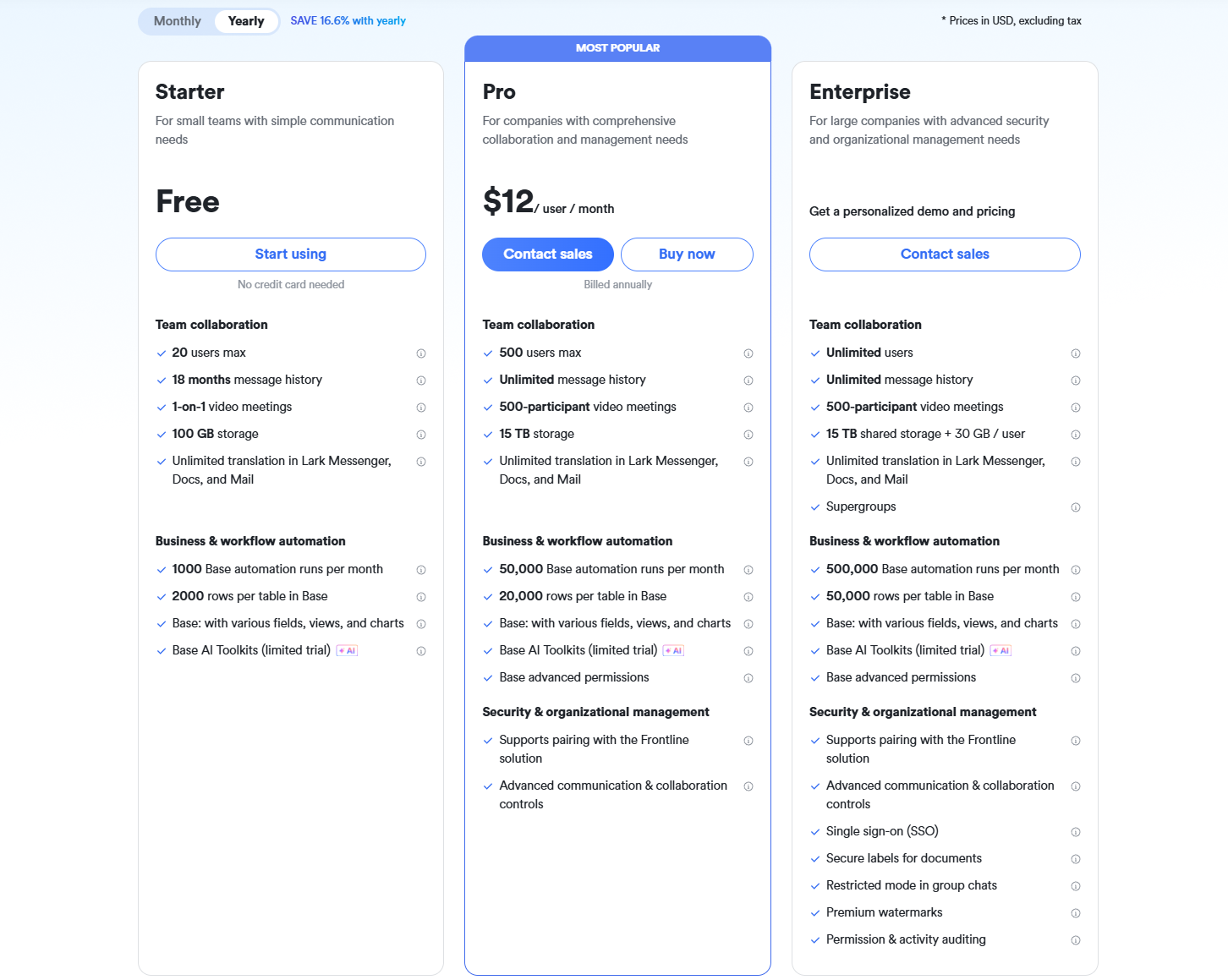
- Starter plan: Free forever plan that includes 11 powerful tools for up to 20 users. It also comes with 100GB of storage, 1000 automation runs, AI translations, and more.
- Pro plan: $12/user/month (billed annually) for up to 500 users. It includes everything in Starter plus group calling for up to 500 attendees, 15TB of storage, 50,000 automation runs, and more. Cost-conscious organizations often use Google Workspace pricing and ClickUp pricing as a benchmark when evaluating alternatives.
- Enterprise plan: Contact sales for custom pricing. Supports unlimited users and includes even more automation runs and advanced security, compliance, and management features.
2. Salesforce Sales Cloud: Enterprise-grade customizable CRM powerhouse
Salesforce is a well-established global CRM vendor designed for enterprise organizations with complex data flow, multi-region selling, and custom reporting needs. It is widely used by large companies that depend heavily on analytics and revenue forecasting. Salesforce can be tailored for industry-specific workflows through deep customization and partner support. It suits organizations that prioritize long-term system scalability.
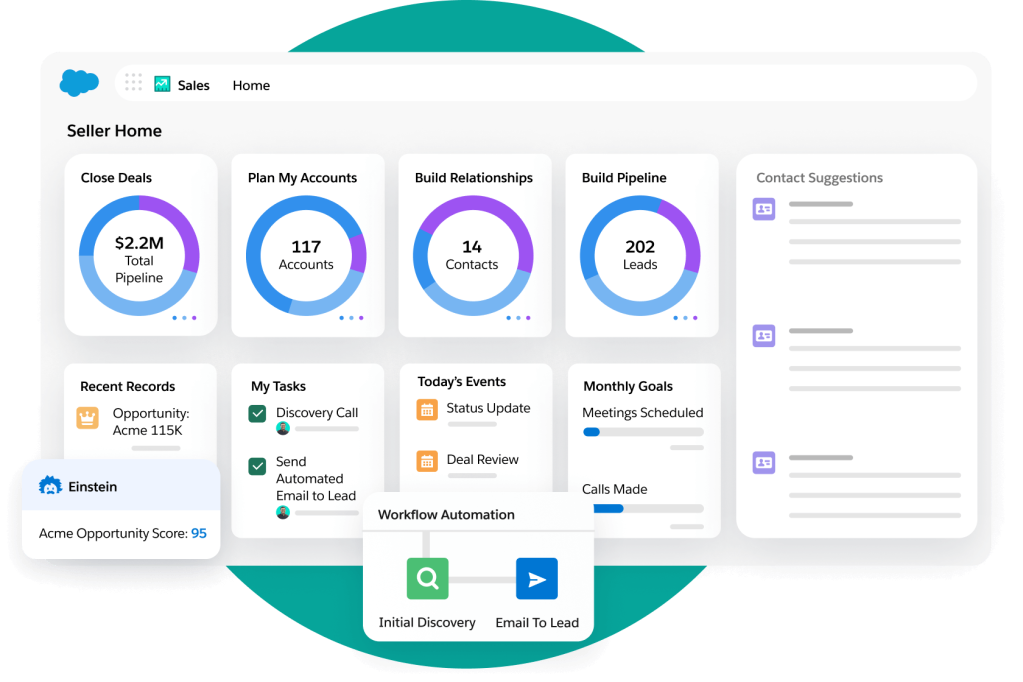
Image source: salesforce.com
Key features:
- Customizable objects, layouts, workflows, and approval structures for enterprise architecture
- AI-powered predictions through Einstein for scoring, forecasting, and deal outcome signals
- AppExchange marketplace for thousands of partner add-ons and industry solutions
- Automation flows for sales, service, partner management, and record governance
- Multi-cloud ecosystem enabling advanced collaboration and operational data design
Pros:
- Deepest customization capability among CRM vendors
- Widest certified partner and consultant marketplace
- Enterprise-grade reporting, dashboards, and audit insights
- Trusted long-term global vendor reputation
Cons:
- Complex for small teams or lightweight workflows
- Add-ons and customization can significantly increase cost
- Requires trained admins for daily optimization
Pricing:
- Starter: $25 per user monthly
- Professional: $80 per user monthly
- Enterprise: $165 per user monthly
- Unlimited: $330 per user monthly
3. HubSpot CRM: Free-to-start all-in-one growth CRM
HubSpot CRM suits small and mid-sized companies that need user-friendly CRM workflows supported by marketing and service features. It offers a generous free plan, making it a popular choice for new and growing teams. The system is built for inbound marketing methods and digital lead nurturing. HubSpot is ideal for teams that rely heavily on content engagement and campaign-based growth.
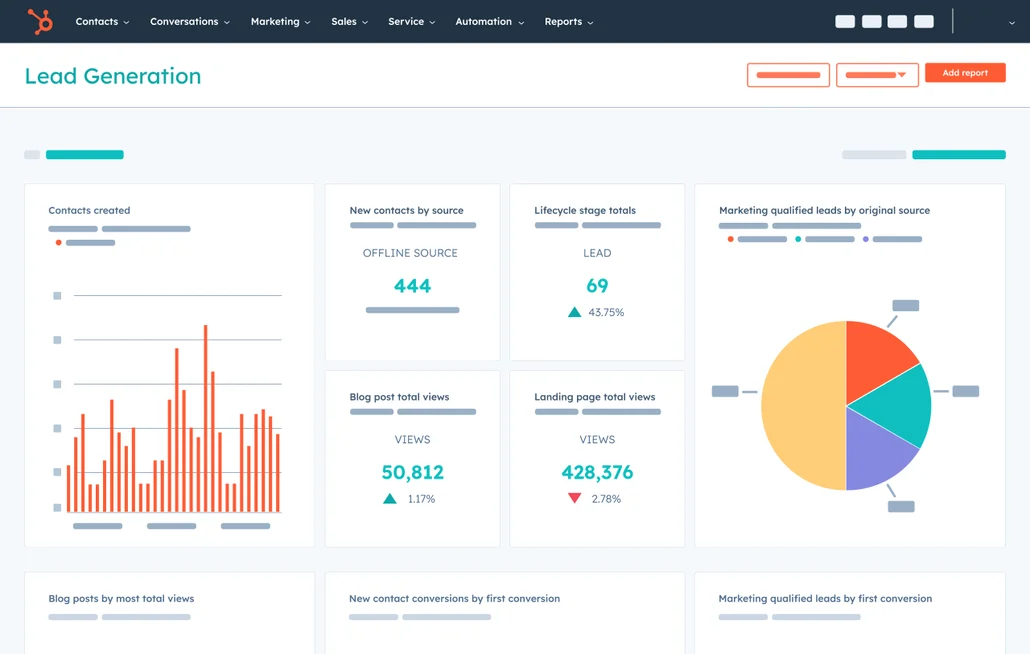
Image source: hubspot.com
Key features:
- Unified activity timeline capturing emails, meetings, chats, and deal notes
- Marketing, service, operations, and CMS hubs are available based on growth maturity
- Email templates, sequences, and tracking for outreach improvement
- Meeting scheduling, web chat, chatbot, and form capture tools
- Dashboard-level visibility backed by contact segmentation and smart lists
Pros:
- Very strong free tier ideal for early-stage organizations
- Intuitive user experience with minimal training required
- Smooth marketing alignment for nurturing led sales models
- Expands modularly without forced migration
Cons:
- Reporting and automation depth require paid plans
- Pricing rises when additional hubs or contacts scale
- Advanced forecasting less enterprise granular
Pricing:
- Free CRM with core modules
- Starter plans from $20 per user monthly
- Professional plans from $100 per user monthly
- Enterprise plans from $130 per user monthly
4. Zoho CRM: Budget-friendly full-feature CRM suite
Zoho CRM is suited for budget-focused teams that need wide functionality and access to a connected suite of business applications. It supports multi-channel communication and configurable workflows. The platform balances cost and capability, making it a strong option for developing teams. Zoho fits organizations planning to expand digital operations gradually.
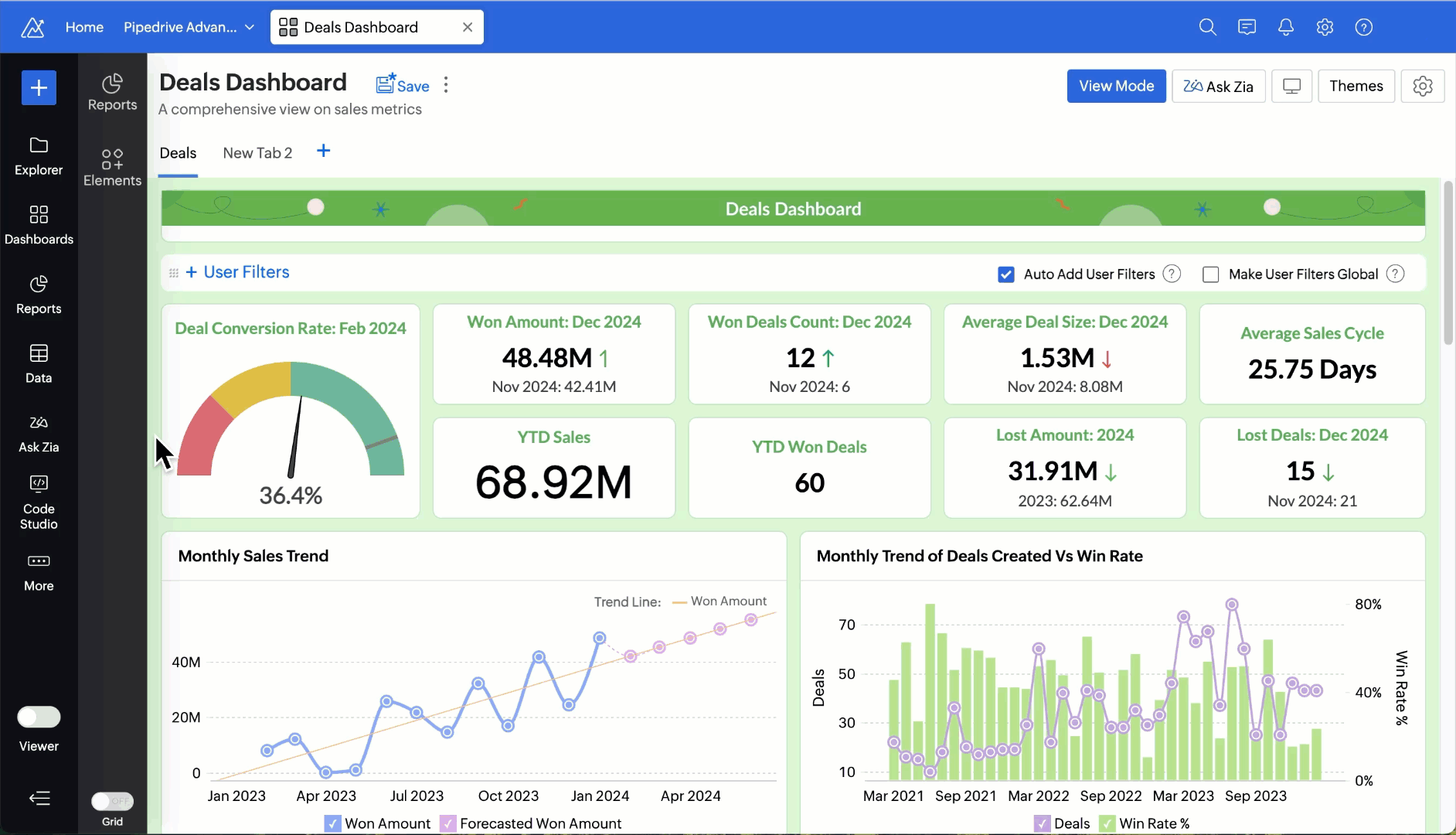
Image source: zoho.com
Key features:
- Multichannel communication, including email, phone, form capture, and omnichannel messaging
- AI assistant Zia for lead suggestions, scoring, and performance predictions
- Blueprint workflow builder for structured stage movement
- Large Zoho app ecosystem including finance, HR, support, and projects
- Strong mobile readiness for field and onsite use
Pros:
- Competitive pricing across all tiers
- Full suite ecosystem can replace multiple vendors
- Helpful AI features even in mid-range tiers
- Suitable for general business workflows and industry flexibility
Cons:
- Interface may feel dense to some users
- Learning curve for building advanced workflows
- Best features reserved for higher plans
Pricing:
- Standard: $14 per user monthly
- Professional: $23 per user monthly
- Enterprise: $40 per user monthly
- Ultimate: $52 per user monthly
5. Microsoft Dynamics 365 Sales: CRM embedded in the Microsoft ecosystem
Microsoft Dynamics 365 Sales is designed for companies deeply connected to Microsoft tools such as Teams, Outlook, and SharePoint. It is suitable for enterprise organizations that require structured data governance. The platform offers strong reporting capabilities and advanced compliance features. Dynamics supports long-term complex operational scale.
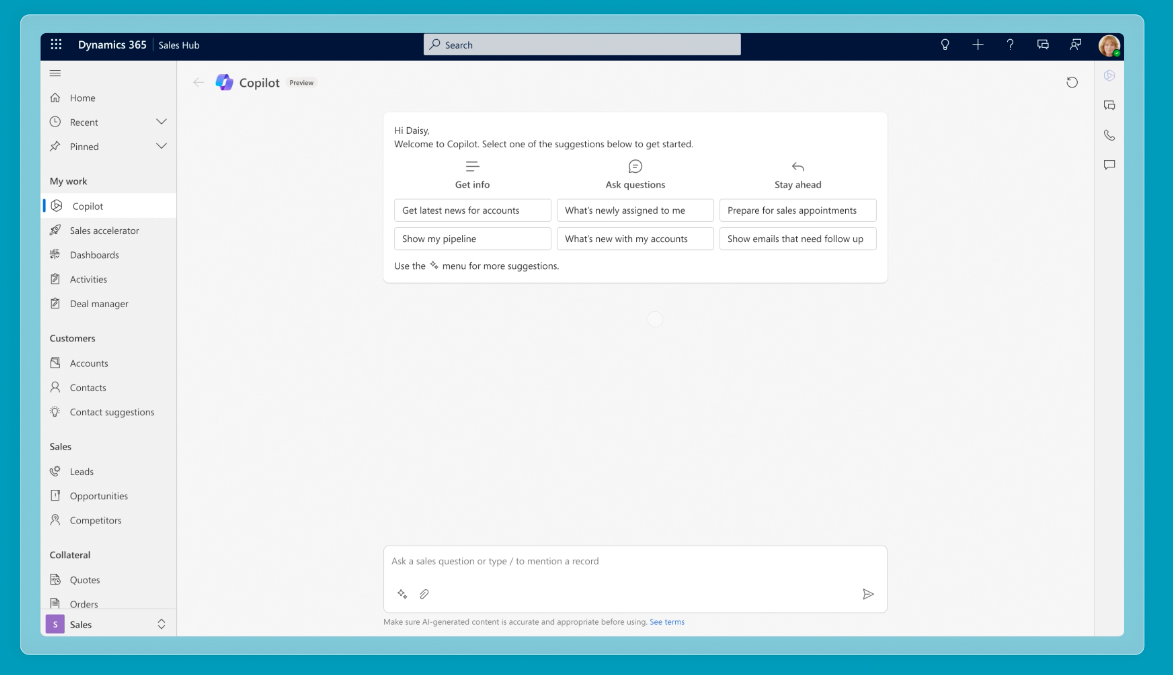
Image source: microsoft.com
Key features:
- Offers native alignment with Outlook, Teams, SharePoint, and Microsoft 365 apps, so communication, files, and meetings stay connected within the same workspace
- Provides AI-powered sales insights and relationship intelligence that help identify deal health, engagement patterns, and recommended next actions
- Includes customer journey mapping, forecasting views, pipeline analysis, and predictive scoring for enterprise-level deal planning
- Allows configurable security, governance, audit history, conditional access, and compliance support for regulated industries
- Supports Power BI dashboards for visual analytics, sales scorecards, operational metrics, and leadership reporting
Pros:
- Ideal for Microsoft-reliant teams using shared identity access, centralized files, and familiar collaboration workflows
- Reliable enterprise security supported by Microsoft cloud standards, encryption, and global compliance certifications
- Works smoothly across the Microsoft cloud stack, including Azure, Office apps, Teams, and Power Platform services
- Suitable for industries such as finance, government, and healthcare that require strict control and documentation
Cons:
- Setup and customization complexity require skilled internal admins or external implementation partners
- Can be expensive for small teams once additional modules, AI features, or Power Platform usage is added
- Learning curve may feel challenging for new CRM users who prefer lightweight task-based systems
Pricing:
- Sales Professional: $65 per user monthly
- Sales Enterprise: $95 per user monthly
- Sales Premium with advanced AI: $135 per user monthly
- Microsoft Relationship Sales with LinkedIn Sales Navigator: $162 per user monthly
6. Pipedrive: Sales-pipeline focused CRM for SMBs
Pipedrive is designed for small and mid sized sales teams needing a visual pipeline with minimal training requirements. It prioritizes simplicity and action-based selling. Pipedrive helps teams focus on follow ups and clear movement through deal stages. It is suitable for transactional selling environments.
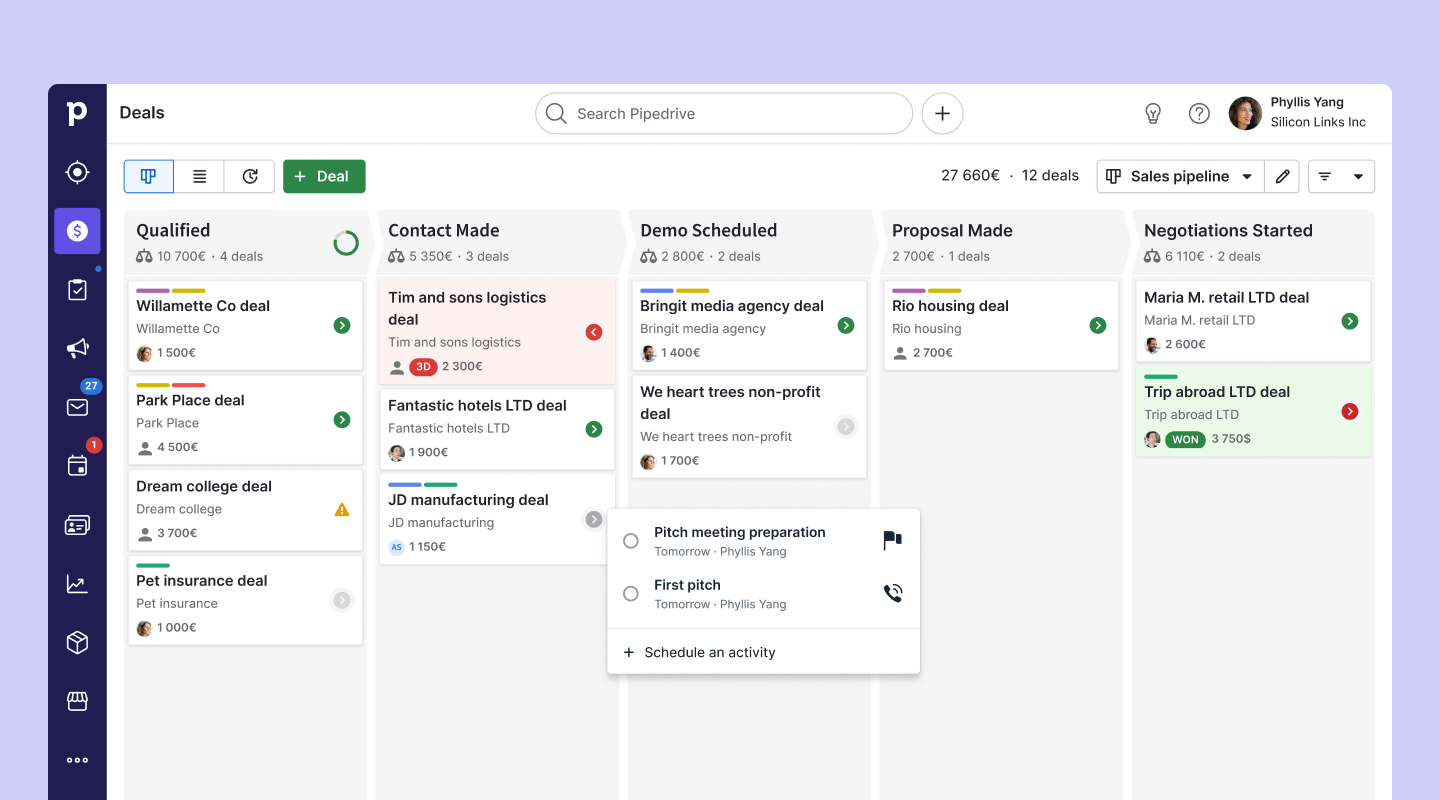
Image source: pipedrive.com
Key features:
- Drag and drop deal pipelines that allow easy visual management and quick stage updates, helping teams stay focused on progress rather than navigation.
- Email syncing with tracking, templates, and automated reminders that support repeatable outreach and prevent missed follow-ups.
- Lead capture options through web forms and data enrichment, helping users convert website interest into active opportunities without manual entry.
- Workflow automation for stage updates, notifications, and repetitive tasks, reducing manual work for daily selling activities.
- Optional caller and lead booster add-ons that expand communication capabilities without forcing ecosystem migration.
Pros:
- Very simple user experience with fast adoption for teams switching from spreadsheets or basic tools.
- Visual pipeline layout increases clarity and motivates follow-through for sales teams and managers.
- Pricing is friendly for SMB budgets, offering structured features without heavy implementation.
- Ideal for short sales cycles, direct selling motions, and small team coordination.
Cons:
- Limited customization depth makes it less suitable for enterprise or regulated workflows.
- Reporting and forecasting insights are simpler compared to advanced CRM vendors.
- Many useful features require add-ons that can increase ongoing costs.
Pricing:
- Essential: $14 per user monthly
- Advanced: $29 per user monthly
- Professional: $49 per user monthly
- Power: $64 per user monthly
- Enterprise: $99 per user monthly
7. SugarCRM: Highly customizable CRM for complex enterprise workflows
SugarCRM suits enterprise teams that require advanced workflow configuration, flexible deployment, and long term process control. It is a solid match for organizations with specialized operational or compliance requirements. SugarCRM allows highly tailored automation and record models. It fits teams willing to invest in system governance.
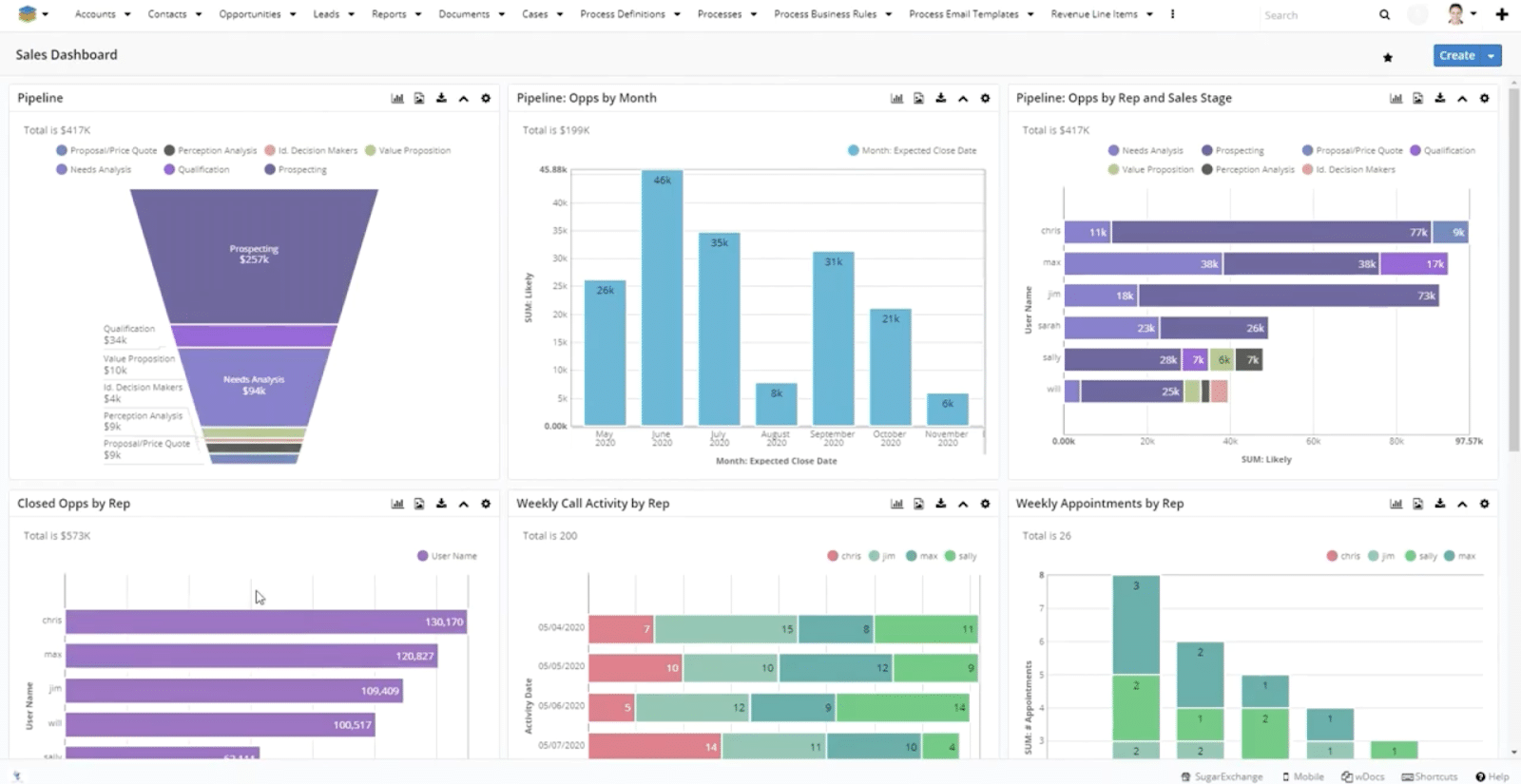
Image source: sugarcrm.com
Key features:
- Custom schema and workflow builder enabling tailored fields, modules, and logic for unique business processes across teams and locations.
- SLA, case management, and post-sale service tracking are suitable for organizations with support, warranty, or compliance-driven cycles.
- AI insights are used for predicting performance patterns, detecting risks, and highlighting opportunities throughout long deal cycles.
- Multiple hosting models, including cloud and on-premises, for regulatory or IT governance requirements.
- Developer-friendly environment enabling integration, expansion, and long-term personalization.
Pros:
- Extremely flexible for organizations that cannot adapt to standard CRM workflows.
- Long-term operational control and ownership are suited for businesses wanting vendor independence.
- Useful for regulated and niche industries where standard CRM systems fail to align.
- Allows deep internal build-outs rather than relying solely on external ecosystems.
Cons:
- Requires technical guidance, internal IT involvement, or external consulting partners.
- Not ideal for teams needing fast deployment, lightweight adoption, or minimal configuration.
- Add-ons and extended customization can create long-term ownership complexity.
Pricing:
- Sell: $49 per user monthly
- Serve: $80 per user monthly
- Enterprise: custom pricing
8. Freshsales: AI-powered modern CRM for growing sales teams
Freshsales fits digital-centric selling models that require AI scoring, built-in phone tools, and omnichannel engagement at affordable pricing. It works well for remote and online teams. Freshsales is part of the Freshworks suite and aligns with Freshdesk for unified service operations. It suits organizations scaling digital channels.
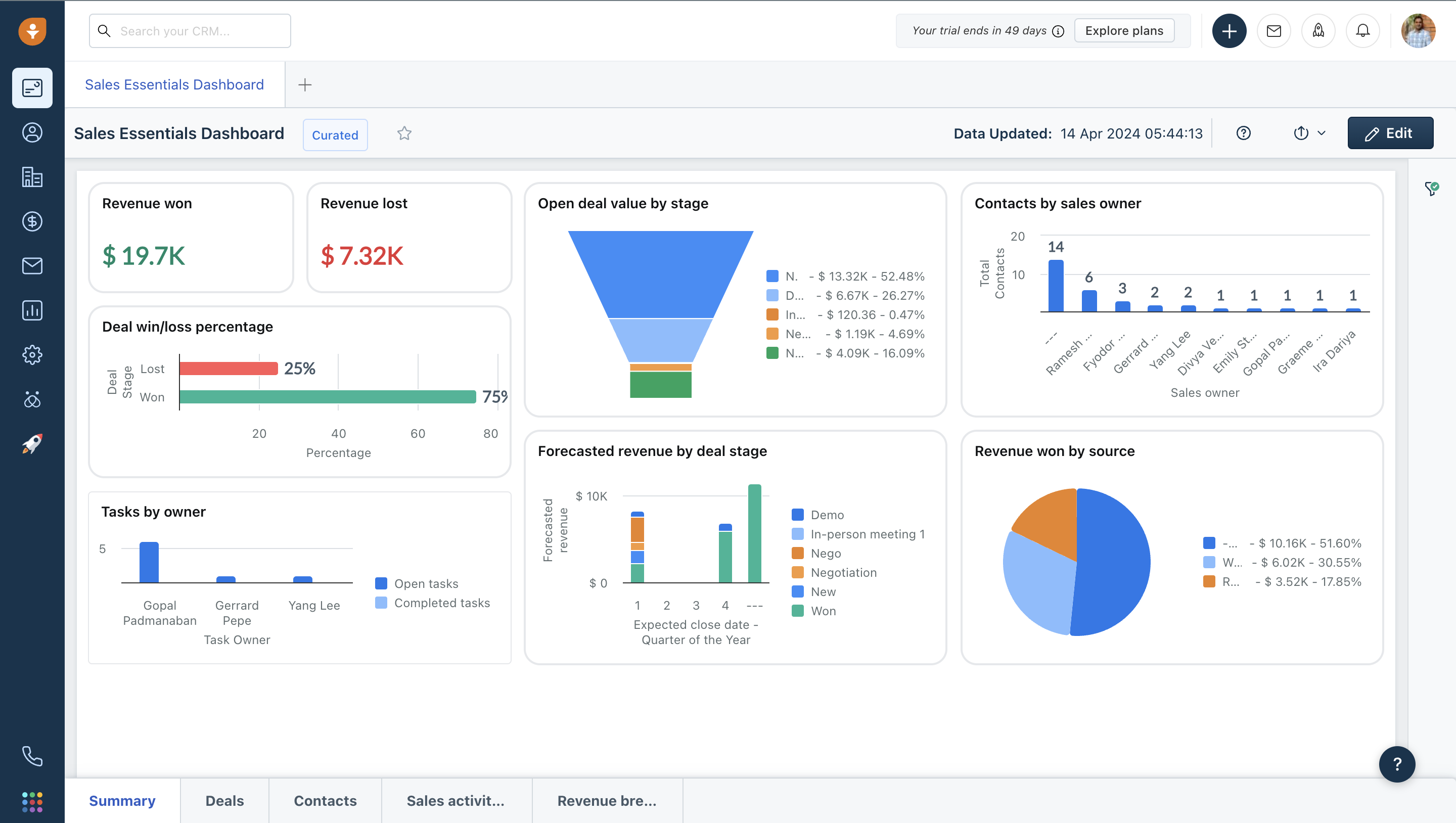
Image source: freshworks.com
Key features:
- Built-in cloud telephony that eliminates dependence on third-party call tools for logging and communication.
- AI predictive scoring that identifies priority leads based on interaction, behavior, and engagement history.
- Omnichannel communication includes chat, email, mobile, and messaging for real-time context.
- Web tracking helps identify buyer interest patterns and timing relevance for outreach.
- Mobile app that supports field or fully remote teams requiring quick data updates.
Pros:
- Modern, intuitive interface with easy onboarding for digital teams.
- Strong value for pricing, delivering advanced capability at an accessible cost.
- Works well with Freshdesk, forming a connected sales-service workflow ecosystem.
- Suitable for fast-moving, online-focused business environments.
Cons:
- Limited deep customization for enterprises needing complex records and workflows.
- Advanced automation and analytics are available only on higher plans.
- Best suited for digital-centric teams, not heavy compliance environments.
Pricing:
- Free tier available
- Growth: $9 per user monthly
- Pro: $39 per user monthly
- Enterprise: $59 per user monthly
9. Zendesk Sell: CRM tied to support workflows and usability
Zendesk Sell suits teams that work closely with customer service operations and want a CRM aligned with support workflows. It offers simple adoption and clear activity tracking. Zendesk Sell is well suited for organizations that balance sales and service teams. It helps maintain continuity between support and sales conversations.
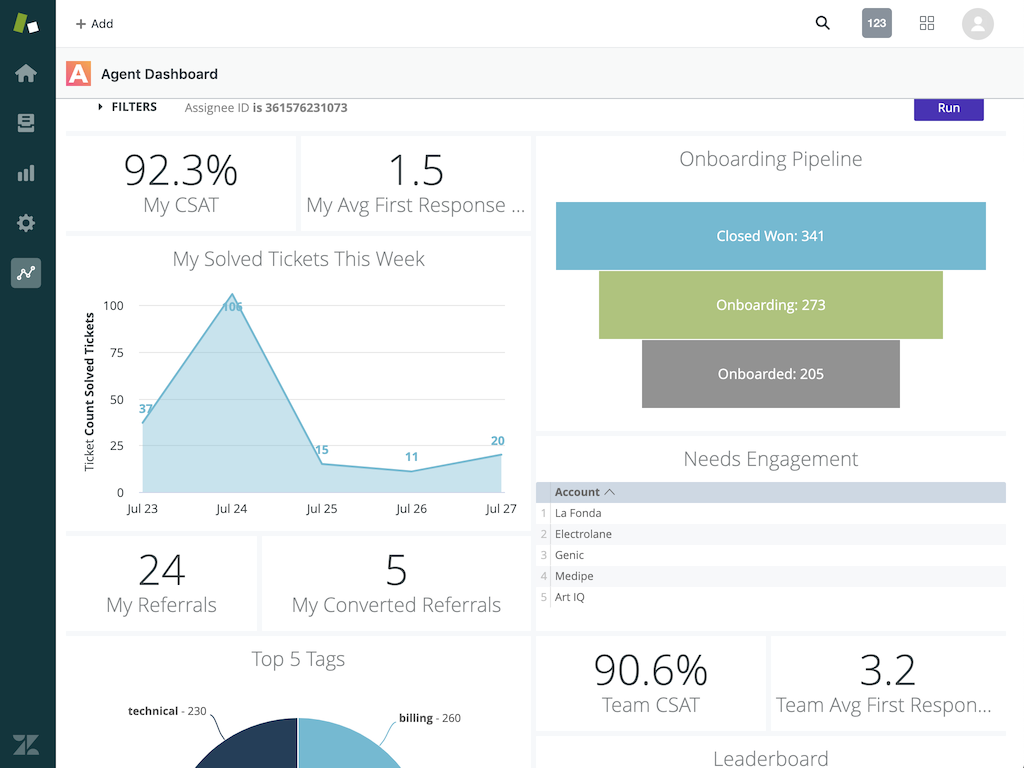
Image source: zendesk.co
Key features:
- Deal and activity management focused on clarity and smooth tracking across daily sales tasks.
- Email and call recording features that store communication history without manual documentation.
- Smart lists that support segmentation, prioritization, and targeted follow-up planning.
- Mobile access is suitable for field reps and on-site client visits requiring updates from anywhere.
- Reporting that helps sales leaders monitor pipeline status and team activities.
Pros:
- Very quick to set up, making it ideal for teams migrating from basic tools.
- Works smoothly with Zendesk Support for connected service-sales environments.
- Clean and simple user interface that minimizes training complexity.
- Best suited for service-driven or ticket-based selling motion teams.
Cons:
- Limited options for deep enterprise customization or cross-department architecture.
- Marketplace and extension choices are smaller than those of major CRM vendors.
- Predictive intelligence features are less advanced than AI-driven competitors.
Pricing:
- Team: $19 per user monthly
- Growth: $49 per user monthly
- Professional: $99 per user monthly
- Enterprise: $150 per user monthly
10. SuperOffice CRM: European-centric CRM vendor with strong regional adoption
SuperOffice CRM suits European organizations that focus on compliance, long-term customer relationships, and steady operational adoption. It is designed for teams that value structured account management rather than fast sales cycles. The CRM is built for regulated and regional usage environments. It fits long-term B2B business models.
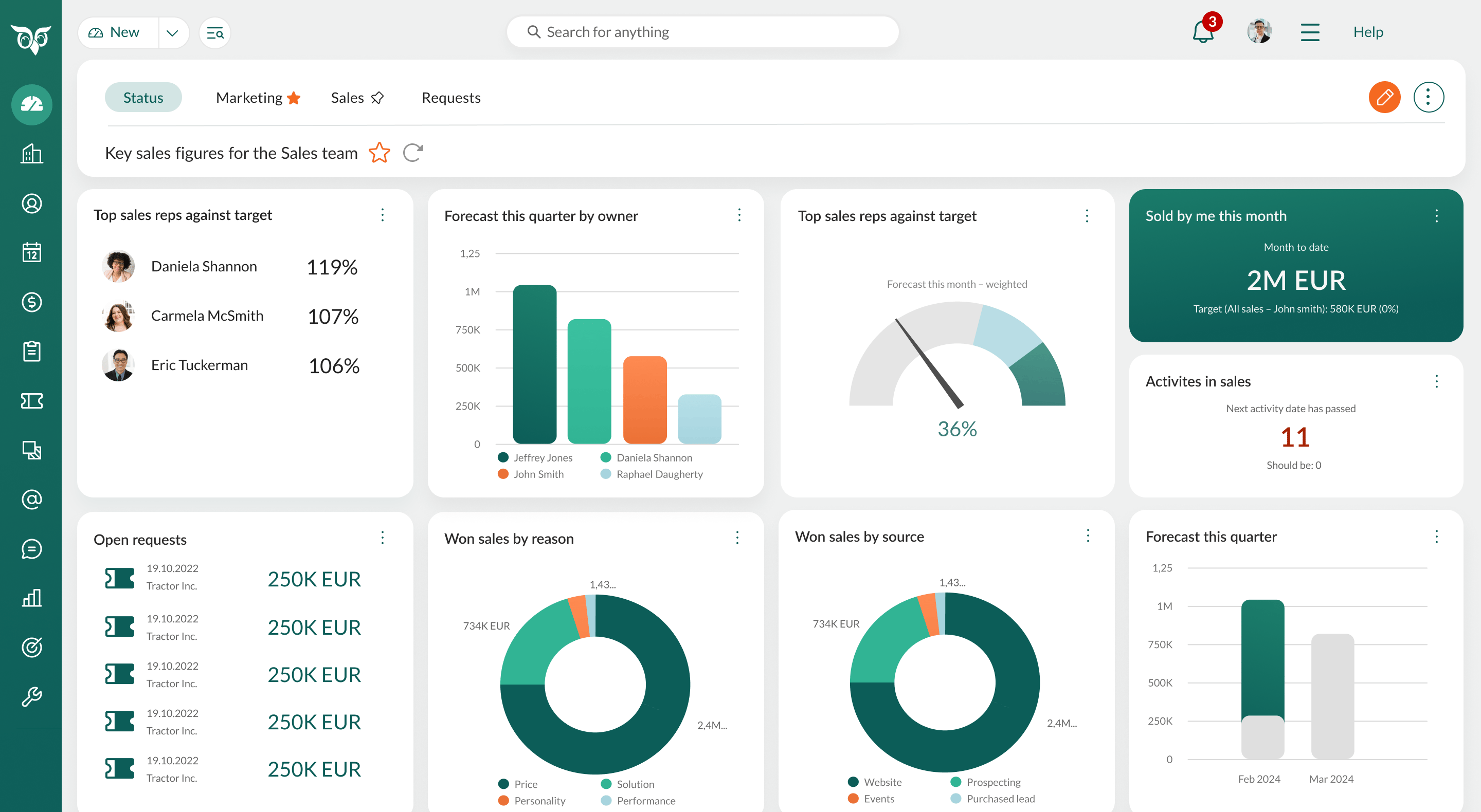
Image source: superoffice.com
Key features:
- GDPR aligned data handling that suits European legal and privacy expectations.
- Account and lifecycle management are designed for long-duration client relationships.
- Service modules for ticketing, task assignment, and follow-up collaboration.
- Project and activity planning that connects operational work with customer history.
- Regionally informed vendor support with market-specific guidance.
Pros:
- Very strong compliance confidence for European organizations.
- Built to support long-term customer retention rather than transactional selling.
- Stable platform with predictable usage patterns and documentation focus.
- Suitable for traditional, relationship-based industries.
Cons:
- Smaller global presence compared to major SaaS CRM vendors.
- Limited extension marketplace for advanced or niche use cases.
- Pricing is not openly listed, requiring quote discussions.
Pricing:
- Region-based custom pricing upon request
Which vendors should I consider for CRM?
Choosing CRM vendors must focus on daily workflow usability, collaboration patterns, automation needs, reporting goals, and long-term adaptability rather than only brand recognition. Teams must evaluate how closely the CRM matches real working behavior while balancing onboarding simplicity, total ownership cost, and future scalability. SMBs and startups may prefer quick setup and lightweight usage, while larger enterprises may need compliance alignment, customization depth, and structured multi-team workflows. The best CRM vendor is the one that fits how people actually work every day while keeping data reliable, accessible, and easy to update.
- Check industry fit for specific data types by validating whether the CRM supports regulated, specialized, or compliance-driven records, such as healthcare CRM vendors or cross-border operations
- Evaluate automation and record ownership by confirming that tasks, triggers, notifications, and routing reduce manual work and maintain clarity around who controls which data points
- Identify adoption and user experience by testing navigation simplicity, number of clicks, mobile usability, learning effort, and whether real teams can update data consistently
- Calculate total yearly ownership by reviewing subscription plans, add-ons, API usage, storage, training, deployment support, future licenses, and expected scaling effort
Why choosing the right CRM vendor matters
Selecting CRM vendors influences operational success, user behavior, growth potential, cost planning, and system longevity.
- Sales performance and forecasting accuracy: Accurate CRM systems allow leaders to track ongoing deals, relevant actions, customer confidence, and revenue with clarity, so decisions become data-driven and early warnings are visible.
- Team adoption and everyday workflow comfort: CRM vendors must support a natural user experience and user-friendly screen layouts. Adoption is the biggest success metric, and it requires simple data update patterns.
- Company-wide visibility and data sharing: CRM vendors must support unified data across different roles, departments, territories, and approval workflows. Visibility prevents repetitive conversations and missed context.
- Scalability and long-term flexibility: Growing businesses must avoid changing CRM software vendors frequently because it increases training costs and migration risk.
- Financial planning and ownership cost: Leaders must evaluate user-based pricing, feature tiers, onboarding cost, mandatory add-ons, and maintenance resources.
Conclusion
CRM vendors have evolved from basic record-keeping platforms into central systems that support collaboration, visibility, and long-term growth alignment. Selecting the right platform depends on working rhythm, automation expectations, adoption readiness, and cross-team visibility rather than only feature lists. Companies that experience workflow delays, low user adoption, rising ownership costs, or record management gaps should explore when to switch CRM vendors USA to understand timing and suitability in a structured way.
Lark offers a unified workspace approach where CRM style records, communication, and documentation stay connected, helping teams maintain operational continuity while improving collaboration. The ideal CRM choice should simplify work, maintain clean data, reduce switching fatigue, and remain scalable as processes mature.
FAQs
What data security standards should a CRM vendor comply with?
Security standards are important when choosing CRM vendors because customer, deal, and operational data must remain protected across teams and devices. Requirements may change based on company size, geography, and industry category, especially for regulated sectors. CRM vendors should comply with international standards like SOC2, ISO 27001, and GDPR, and healthcare CRM vendors may need HIPAA. Lark includes enterprise grade security controls, role permissions, and protected workspace layers designed for modern collaboration. Encryption, backups, and controlled access remain core parts of evaluation criteria.
How do CRM vendors differ in terms of customer support quality and availability?
The quality of customer support varies across CRM vendors based on pricing tier, deployment complexity, and geographic coverage. Some vendors offer only ticket guidance while others provide chat, training resources, onboarding sessions, or customer success specialists. Support expectations may also differ for SMB users versus large enterprise buyers with longer rollout timelines. Lark provides help center resources and guided assistance that aligns with its all in one workspace usage pattern. Teams should align support needs with internal adoption capability.
Can I migrate historical data easily when switching CRM vendors?
Data migration success depends on preparation, mapping, and cleanup before importing information into new CRM vendors. Most tools support migration using spreadsheets, APIs, and third party partners for more complex transformations. Companies should review duplicates, naming rules, record ownership, and field compatibility before moving data. Lark Base allows structured field mapping so information can align with table formats for clean ongoing usage. Planning and testing before full adoption helps avoid long term data issues.
What KPIs should I monitor after adopting a new CRM vendor?
Tracking success metrics after adoption ensures that CRM vendors support measurable sales and workflow improvement. Teams should measure data update frequency, lead qualification quality, deal movement speed, win ratio, and forecast reliability. Other indicators include user adoption, collaboration response time, and time spent on manual tasks. Lark supports KPI visibility through base views, dashboards, tasks, and messaging alignment for shared accountability. Continuous monitoring helps refine workflows and improve long term results.
How do regional CRM vendors differ from global SaaS CRM providers?
Regional CRM vendors may focus more on local compliance, language fit, and regional business workflows, especially for regulated industries and government aligned customers. Global SaaS CRM vendors often provide larger ecosystems, marketplaces, and scalability for multinational operations. Selection depends on compliance expectations, growth plans, and operational footprint. Lark provides globally accessible workspace features that support distributed teams across borders. Understanding expansion goals helps decide between regional or international platforms.
Related reading
Table of contents
Start using Lark today

Manage all your work in one place
Boost team efficiency by 10x
Save up to 70% on software costs
Table of contents
Start using Lark today
Manage all your work in one place
Boost team efficiency by 10x
Save up to 70% on software costs
Keep reading









2026 Lark Technologies Pte. Ltd.
Headquartered in Singapore with offices worldwide.






Explore: