If you walk into any mid-sized or large company today, you will likely find a tech stack overflowing with artificial intelligence. Marketing bought an AI writing tool, engineering is paying for a specialized code assistant, and sales just deployed a predictive analytics dashboard. Instead of working faster, employees spend their days hunting down information across disconnected platforms. This fragmentation—often called "AI sprawl"—drains IT budgets and frustrates users. To fix this, operations leaders are moving away from scattered point solutions. This guide breaks down the best enterprise AI software designed to consolidate your tools, secure your data, and embed intelligence directly into the workflows your team already uses.
How does enterprise AI software work?
When we talk to CIOs about artificial intelligence, many still picture massive data science teams building custom machine learning algorithms from scratch. While that was the reality five years ago, the landscape has fundamentally shifted.
Today, AI enterprise software works by applying pre-trained large language models (LLMs) and intelligent automation directly to a company's internal data and daily operations. Rather than building the underlying infrastructure, organizations purchase that act as an intelligent layer over their existing workflows.
Think of it as the difference between manufacturing a car engine and buying a finished vehicle. Some platforms—like NVIDIA or AWS—give you the heavy machinery to build custom predictive models. But for the vast majority of businesses, enterprise AI works best when it is already baked into the collaboration tools employees log into every morning. It functions by reading context from your internal wikis, using to transcribe your video meetings in real time, and automatically routing approval requests based on natural language commands.
The hidden cost of AI sprawl in modern teams
The prevailing belief over the last two years was that giving employees more AI tools would automatically result in more output. We now know the opposite is true. Purchasing specialized AI apps for every minor task creates severe bottlenecks.
First, there is the issue of context switching. If a project manager wants to summarize a client meeting, they have to download the transcript from their video app, upload it to a third-party , copy the result, and paste it into their team messaging app. This disjointed process negates the time the AI supposedly saved.
Mini-scenario: The cross-border bottleneck. Imagine a Tokyo-based designer requesting budget approval from a manager in New York. In a fragmented setup, the designer writes the request in Japanese, uses an external , pastes the English text into an email, and waits. The manager receives the email, logs into a separate financial system to check the budget, and replies. This simple request takes three tools and 48 hours to resolve.
Beyond lost productivity, AI sprawl creates massive security blind spots. When employees continually copy and paste proprietary company data into unsanctioned, third-party AI web browsers instead of consolidating on vetted , IT loses all control over data governance.
For organizations dealing with AI sprawl, platforms such as Darktrace / SECURE AI can help by giving security teams visibility into unexpected AI activity, unapproved services, and potential exposure of sensitive business data. This helps organizations identify Shadow AI while guiding employees toward sanctioned tools and workflows.
Core capabilities to evaluate in your next platform
When evaluating vendors, IT directors must look past flashy generative text features. True operational efficiency requires assessing how the intelligence interacts with your actual business processes.
- Native workspace integration: The most effective AI is the one users do not have to actively search for. Look for platforms where AI capabilities (like document summarization or data querying) are built directly into your chat, shared documents, and video conferencing interfaces, or where popular models like ChatGPT can be .
- Multilingual accessibility: For hybrid and global teams, language is the hardest barrier to scale. Enterprise tools should offer real-time, in-line translation for chat messages and live captions for video meetings, ensuring everyone has equal access to information regardless of their native language.
- No-code workflow automation: Intelligence means nothing if it cannot trigger an action. The platform should allow operations managers to build custom automated workflows—such as routing a PTO request or updating an OKR tracker—without needing to submit a ticket to the engineering department.
- Unified data security: Consolidated platforms allow IT administrators to set strict permission controls in one place, ensuring that an AI assistant only pulls answers from documents the specific user is actually authorized to view.
Simplify work with AI in one unified platform
7 best enterprise AI software solutions for 2026
Evaluating AI platforms requires looking past the marketing noise to understand how these tools actually function within a corporate environment. The most effective software does not just offer raw computing power; it provides high adoption rates, strict data security, and clear alignment with your company's daily operations. If you force employees to learn complex, disconnected systems, your AI initiatives will likely fail. Below is a comparison of the top platforms leading the market, categorized by their primary operational strengths.
1. Lark: Best for unified workflows and eliminating AI app fatigue
is an all-in-one super app that brings messaging, video calls, document collaboration, file sharing, project management, approvals, and AI-powered workflows into a single platform. For organizations suffering from app fatigue, Lark eliminates the need to buy disjointed, standalone AI tools by embedding intelligence directly into the interface your team already uses every day.
Deep dive
AI-powered document collaboration
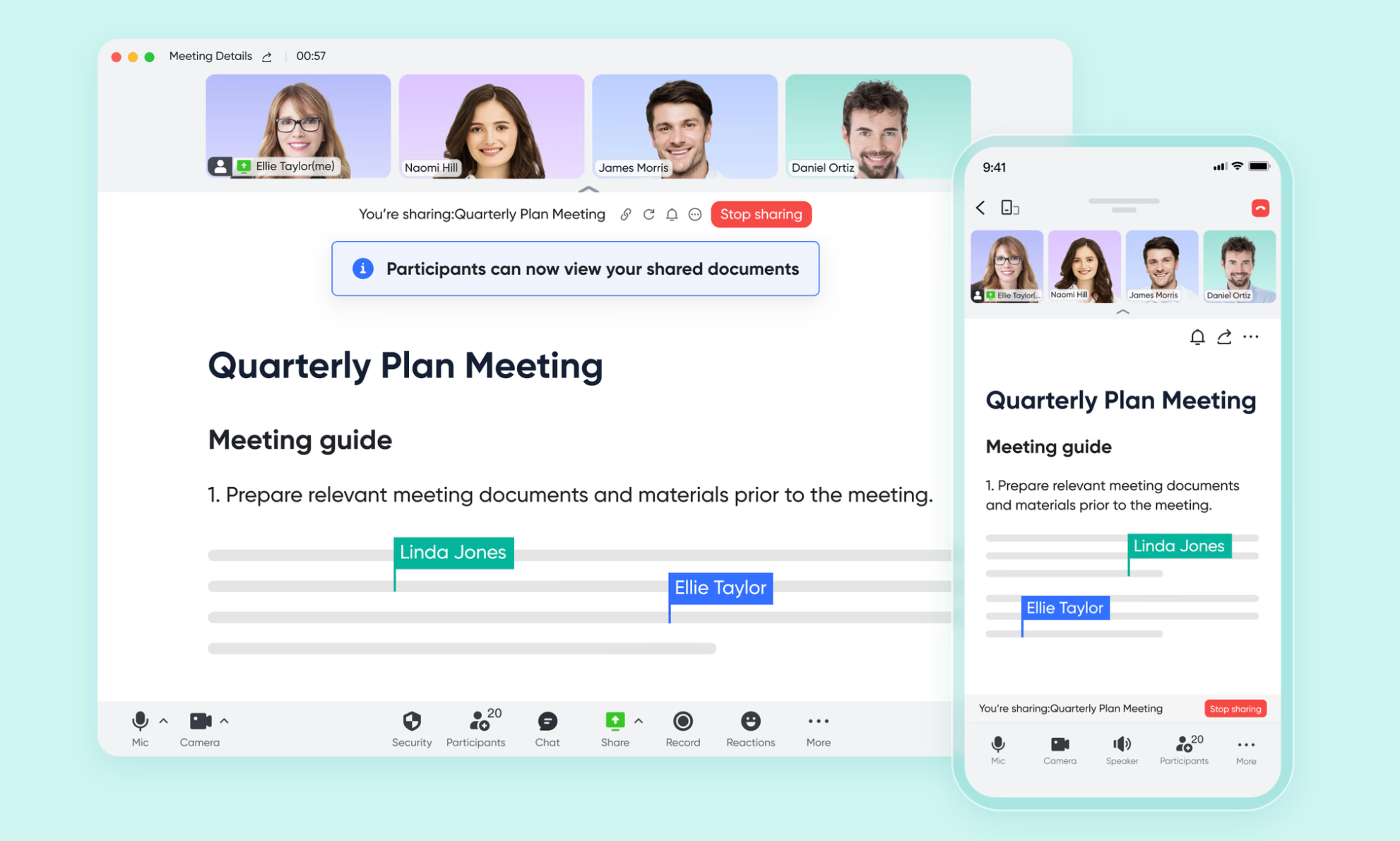
Legacy word processors isolate knowledge. With , internal teams and external stakeholders can co-edit strategies in a cloud-native environment where built-in AI assists with translating complex project scopes instantly.
Automated operational routing
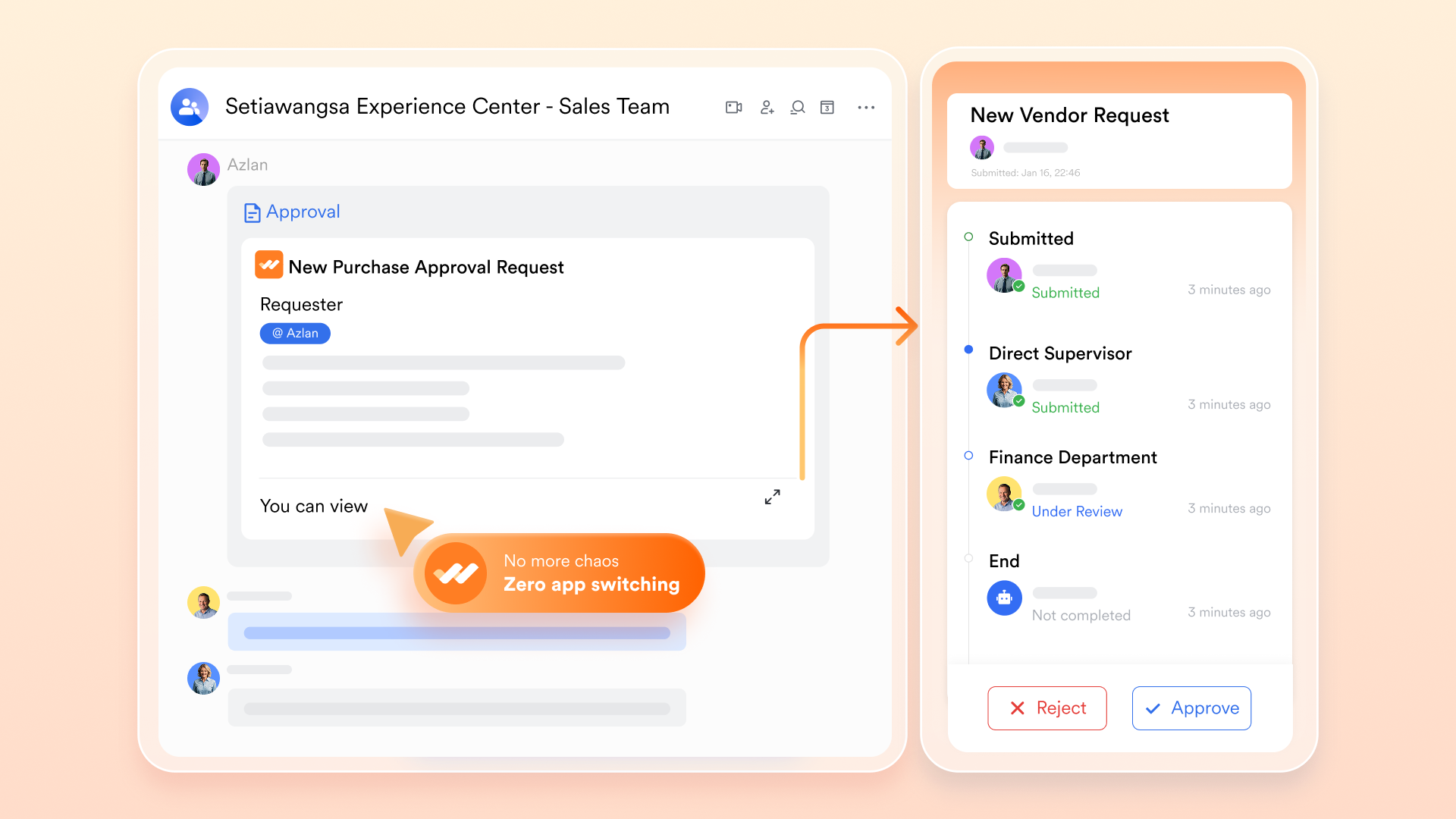
AI is most effective when it moves work forward. With , operations managers can design customized, multi-step workflows. A finalized project request triggers an automatic approval card directly in the approver's chat, allowing executives to authorize items with a single tap.
Structured intelligent databases
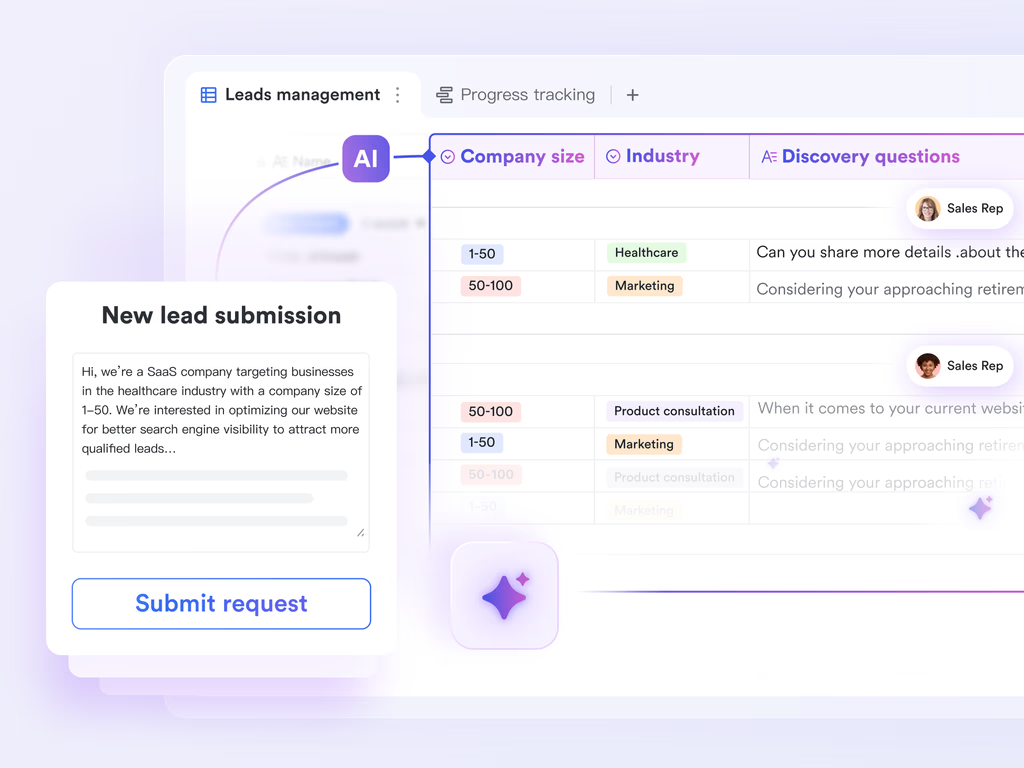
Managing projects in isolated spreadsheets leads to data loss. acts as a highly structured, relational database where teams can track vendor profiles, active agreements, and schedules, leveraging automation to send alerts when deadlines approach.
Contextual multilingual communication
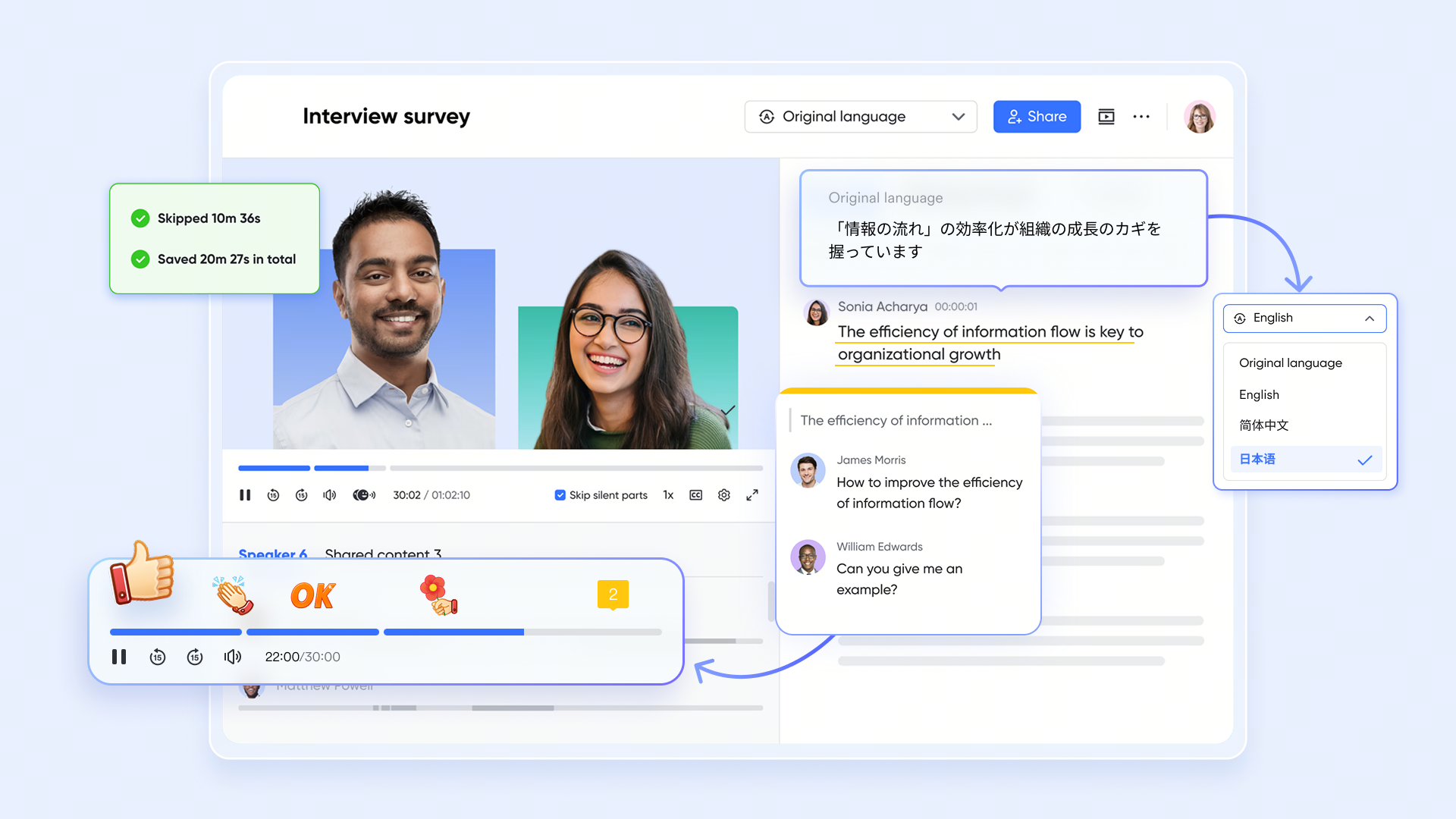
Lark brings the AI directly into the team chat and video meetings. With real-time translation capabilities, a sales rep in London and an engineer in Tokyo can communicate directly on a built-in video call, resolving issues instantly without leaving the platform.
Pros
- It consolidates project workflows, document drafting, and AI team communication into a single, unified interface.
- The customizable database and approval systems easily scale to support highly complex, multi-departmental operations.
- It offers an incredibly generous free tier that includes powerful automation runs, AI translations, and robust storage.
Cons
- Although it may require new beginner onboarding time, its provides step-by-step guides for them.
:
- Starter plan: Free forever plan that includes 11 powerful tools for up to 20 users. It also comes with 100GB of storage, 1000 automation runs, AI translations, and more.
- Basic plan: $6/user/month (billed annually) for up to 500 users. It includes everything in Starter plus group calling for up to 500 attendees, 5TB of storage, 1000 automation runs, and more. For more details, please .
- Pro plan: $12/user/month (billed annually) for up to 500 users. It includes everything in Basic plus group calling for up to 500 attendees, 15TB of storage, 50,000 automation runs, and more.
- Enterprise plan: for custom pricing. Supports unlimited users and includes even more automation runs and advanced security, compliance, and management features.
For small teams with simple communication needs

18 months message history
1000 Base automation runs/month
2000 rows per table in Base
Most POPULAR
For companies with comprehensive collaboration and management needs
Unlimited message history
500-participant video meetings
50k Base automation runs/month
20k rows per table in Base
For large companies with advanced security and organizational management needs
Get a personalized demo and pricing
Unlimited message history
500-participant video meetings
15 TB storage + 30 GB storage/user
500k Base automation runs/month
50k Base automation runs/month
Most POPULAR
For companies with comprehensive collaboration and management needs
Unlimited message history
500-participant video meetings
50k Base automation runs/month
20k rows per table in Base
2. Glean: Best for enterprise search and cross-app knowledge retrieval
Glean operates as an intelligent work assistant designed to connect the disparate data silos across your organization. Rather than replacing your existing software stack, Glean integrates with over 100 different applications to create a centralized, AI-driven search layer.
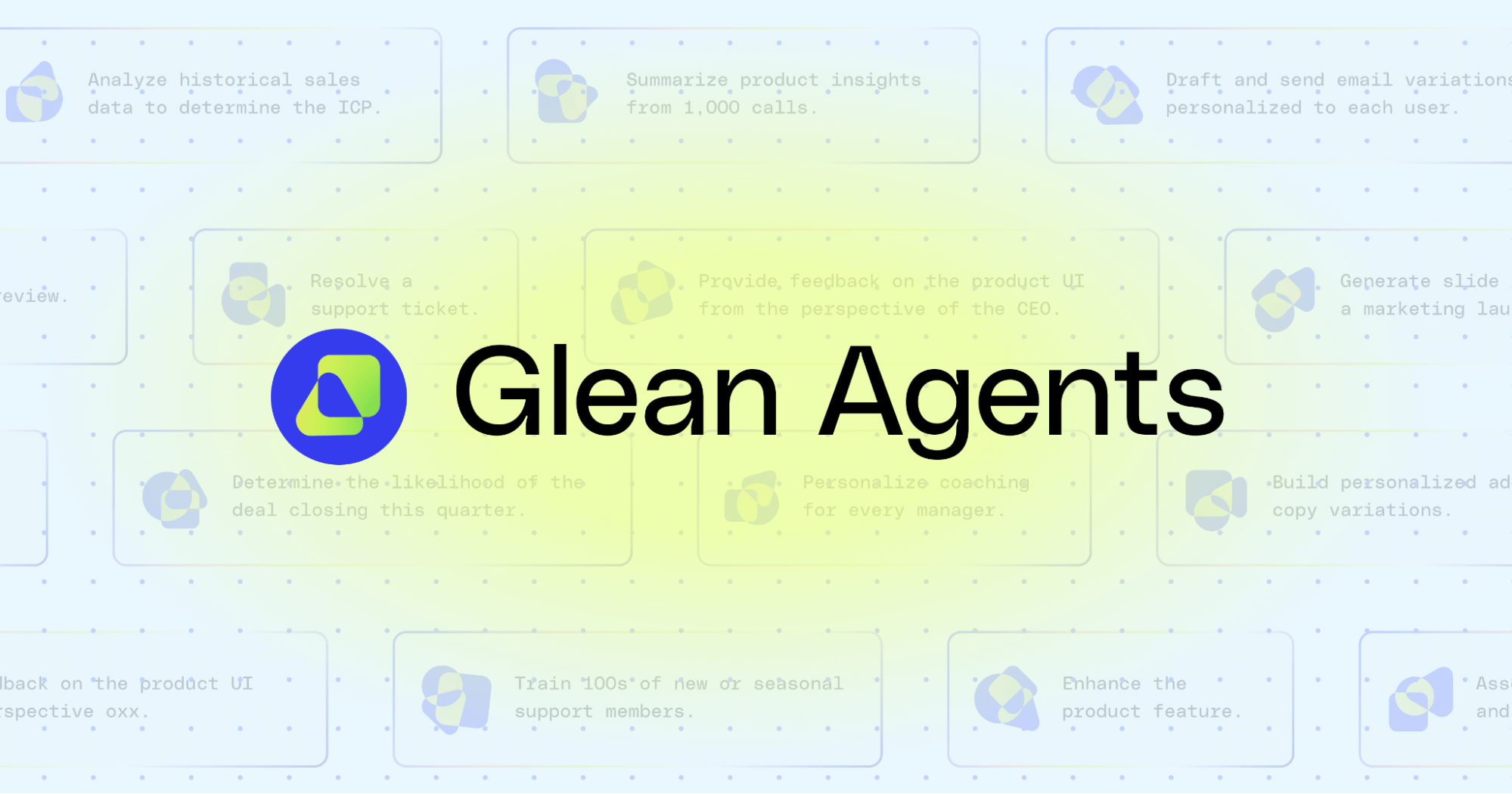
Image source: glean.com
Deep dive
Glean focuses heavily on retrieving scattered knowledge. According to internal product data, Glean saves users an average of 110 hours annually by reducing the time spent hunting for information. The platform is particularly effective for large organizations suffering from bloated internal support requests, demonstrating a 20% reduction in IT and HR ticketing. Acting as a universal search bar across all your company's fragmented apps, it helps employees find specific documents, policies, or previous chat conversations instantly.
Pros
- It connects deeply with over 100 enterprise applications to break down information silos.
- The centralized search significantly reduces the time spent looking for internal documentation.
- It offers measurable ROI by decreasing the volume of repetitive HR and IT support tickets.
Cons
- It functions as an overarching search layer rather than a core workspace, meaning you still have to pay for all the underlying fragmented apps.
- Implementing the connections across dozens of legacy systems can require significant IT oversight.
Pricing
- Glean does not publicly list its pricing tiers. Buyers must contact sales for a custom quote based on organizational size and integration requirements.
3. Salesforce Einstein: Best for CRM and predictive sales analytics
For organizations where revenue generation is the primary focus of digital transformation, Salesforce Einstein embeds AI directly into sales and customer service workflows.
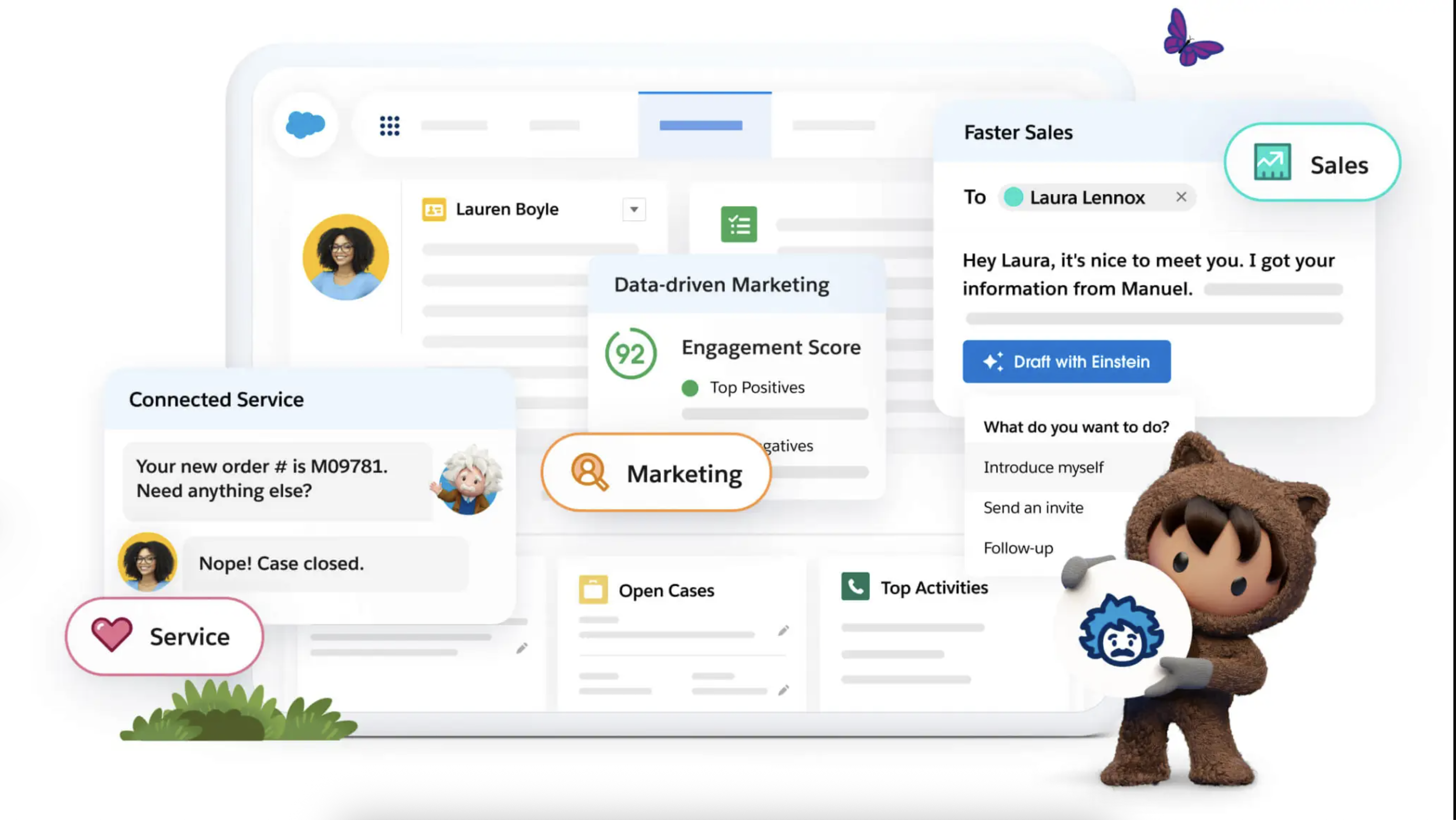
Image source: salesforce.com
Deep dive
Einstein is built to improve customer interactions and streamline sales processes through predictive analytics. It analyzes historical deal data, email interactions, and customer touchpoints to help sales teams prioritize their efforts. Instead of expecting sales reps to act as data analysts, the platform surfaces insights naturally within the CRM interface that they already check every morning. It can automatically score leads based on recent engagement and historical win rates, drafting personalized outreach emails based on specific customer profiles.
Pros
- It integrates native predictive analytics directly into the daily routines of sales representatives.
- The automated lead scoring helps revenue teams prioritize high-value prospects efficiently.
- It generates tailored communication drafts based on historical customer interaction data.
Cons
- The AI capabilities are heavily restricted to customer-facing revenue workflows and do not extend well to general internal operations.
- The pricing structure can become highly expensive for smaller teams or those needing advanced feature tiers.
Pricing
- Starter Suite: $25/user/month
- Pro Suite: $100/user/month
- Enterprise: $165/user/month
- Unlimited: $330/user/month
- Advanced AI features: Custom pricing or add-on pricing depending on package
4. DataRobot: Best for agentic workflows in legacy ERP environments
DataRobot focuses on providing a unified agent workforce platform explicitly engineered for enterprises that need to build and deploy custom AI agents, particularly within complex, legacy environments like the SAP ecosystem.
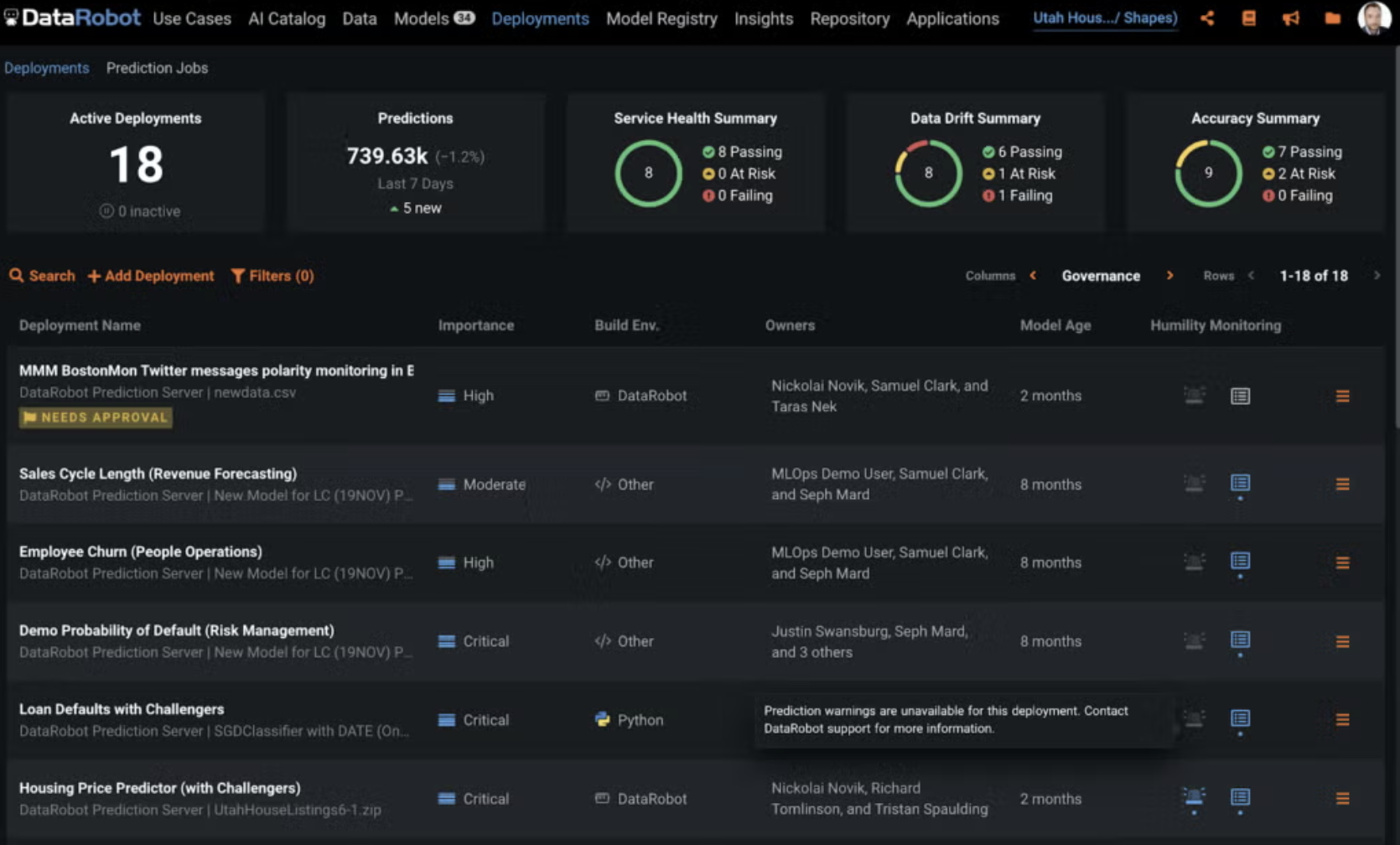
Image source: datarobot.com
Deep dive
DataRobot allows technical teams to launch purpose-built agents that operate securely across both cloud and on-premise settings. This flexibility is vital for massive organizations that cannot simply move all their data to a public cloud due to strict internal policies. The platform boasts proven ROI across sectors like supply chain management and enterprise analytics by prioritizing secure, monitorable AI deployments that interact directly with deep backend data.
Pros
- It enables the creation of highly customized AI agents for complex supply chain and analytics workflows.
- The platform supports highly secure deployments across both on-premise and hybrid cloud environments.
- It features strong native integration capabilities for massive legacy ERP systems like SAP.
Cons
- Building and maintaining custom AI agents requires a dedicated team of highly skilled data scientists.
- It is structurally too complex and expensive for mid-market companies looking for basic productivity AI.
Pricing
- DataRobot operates on a custom enterprise pricing model; interested organizations must contact sales for specific quotes based on their infrastructure and deployment needs.
5. NVIDIA AI Enterprise: Best for cloud-native infrastructure and GPU orchestration
While many platforms focus on the end-user interface, NVIDIA AI Enterprise focuses on the foundational infrastructure. It is a production-ready software suite featuring the microservices, frameworks, and libraries required to build and deploy advanced AI models safely.
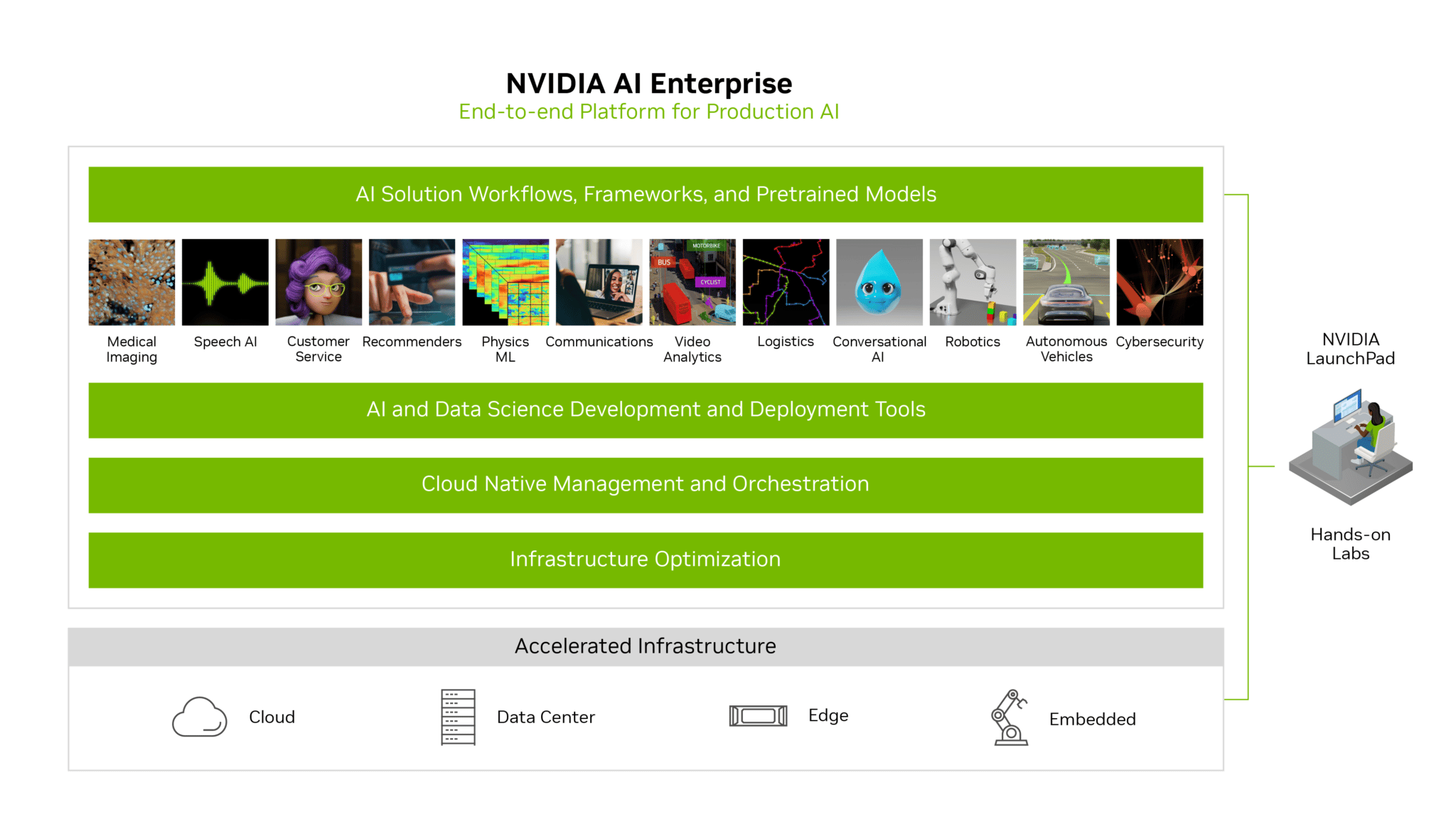
Image source: nvidia.com
Deep dive
NVIDIA is the backbone for companies developing their own AI agents using architectures like Llama. The platform's core advantage is hardware optimization; through advanced GPU orchestration, NVIDIA AI Enterprise can boost processing productivity by up to 10 times. It provides the reliable, highly secure environment data science teams need to move complex machine learning projects out of the testing phase and into active production.
Pros
- It provides unparalleled GPU orchestration to maximize the computational power required for heavy AI workloads.
- The platform offers a secure, production-ready environment for deploying powerful open-source models.
- It significantly reduces development time for engineering teams building proprietary AI applications.
Cons
- The software is strictly an infrastructure layer for developers and offers no out-of-the-box workflow interface for standard business users.
- The total cost of ownership is extremely high when factoring in the required physical hardware investments.
Pricing
- 1-year Subscription: $4500 per GPU per year
- 3-year Subscription: $13500 per GPU
- 5-year Subscription: $18000 per GPU
- Perpetual License: $22500 per GPU
6. IBM Watsonx: Best for highly regulated industries and strict data governance
Enterprises operating in healthcare, finance, or government contracting face aggressive compliance standards that make standard public AI models too risky to use. IBM Watsonx is built explicitly for these environments, offering a robust platform for managing AI solutions with a heavy emphasis on data governance.
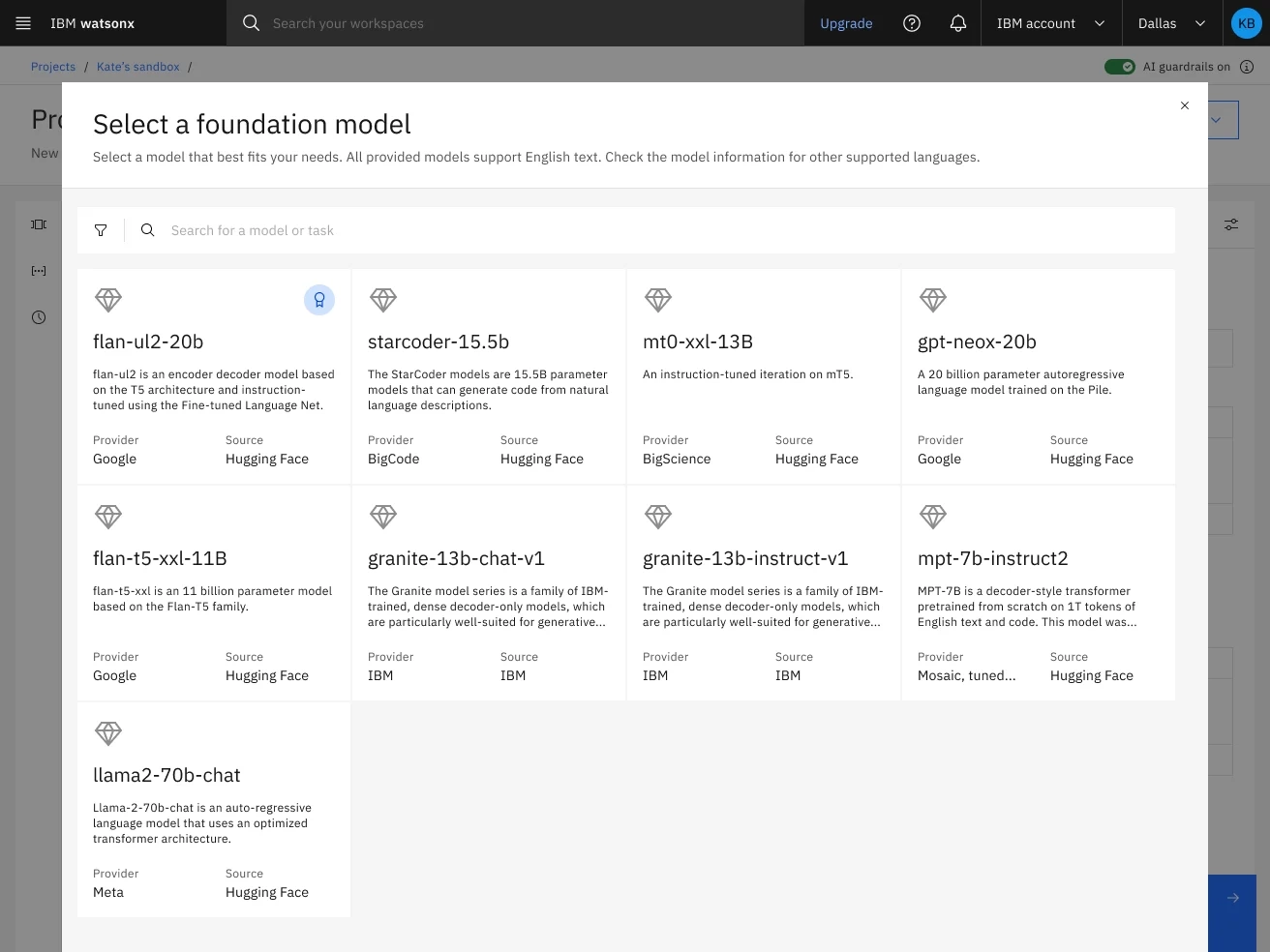
Image source: ibm.com
Deep dive
Watsonx provides an enterprise-grade studio where companies can train, validate, and deploy AI models while maintaining complete visibility over how data is used and stored. It provides the guardrails necessary to ensure that AI-driven decisions are explainable, unbiased, and fully compliant with global data privacy regulations, preventing sensitive client information from leaking into public LLM training sets.
Pros
- It provides industry-leading data governance features necessary for strict compliance in healthcare and finance.
- The platform ensures that all AI-driven decisions maintain a clear, auditable trail for regulatory bodies.
- It allows enterprises to train models securely without exposing sensitive client data to public networks.
Cons
- The user experience can feel heavy and rigid compared to modern, agile AI SaaS applications.
- Implementation cycles are notoriously long due to the extensive compliance and security configurations required.
Pricing
- Essentials: Starting at $0/month, pay-as-you-go
- Standard: Starting at $1110/month
- Advanced support with SLAs: Starting at $200/month
7. AWS AI: Best for scalable, customized machine learning pipelines
Amazon Web Services (AWS) AI provides a highly scalable, flexible environment for enterprises that want to build bespoke machine learning pipelines without investing heavily in physical on-premise servers.
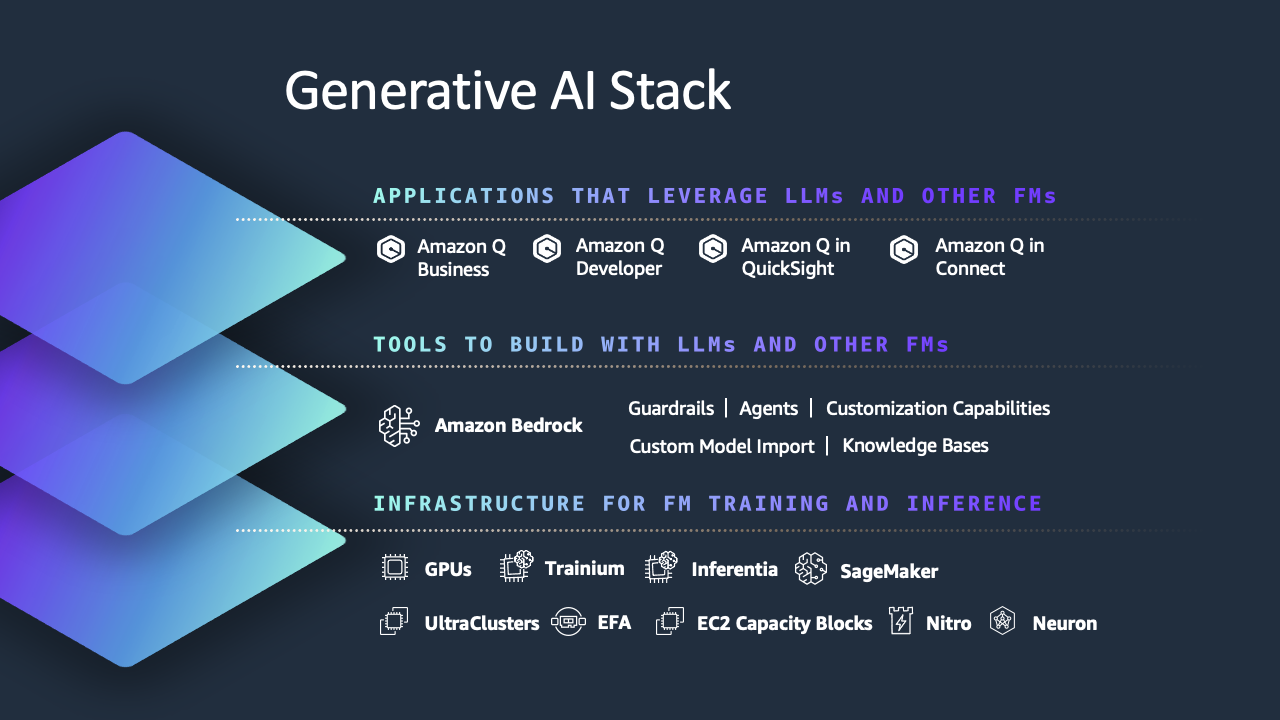
Image source: amazon.com
Deep dive
AWS AI offers a massive suite of tools ranging from pre-trained AI services (like computer vision and natural language processing) to foundational platforms like Amazon SageMaker, which allows developers to build and train their own models. Because it operates on a consumption-based cloud architecture, AWS AI is highly cost-effective for organizations that experience fluctuating computational demands, allowing them to scale their operations up or down based on specific project requirements.
Pros
- It offers a flexible, modular ecosystem where teams only pay for the specific AI services they consume.
- The seamless integration with existing AWS cloud environments accelerates deployment for current Amazon customers.
- It provides a massive library of pre-trained models alongside deep tools for custom machine learning development.
Cons
- The sheer volume of modular services can overwhelm IT leaders trying to piece together a unified AI strategy.
- Without strict oversight, the consumption-based pricing model can lead to unpredictable and spiraling monthly cloud costs.
Pricing
- AWS AI operates on a pay-as-you-go consumption model, with specific costs varying wildly based on the exact services, computing power, and storage utilized by the engineering team.
How to build an AI-driven workflow without dedicated developers
A persistent myth in IT is that integrating artificial intelligence requires a team of software engineers and complex API management. While that is true for raw machine learning models, modern unified platforms allow operations managers to build intelligent workflows using simple visual interfaces.
To see how this works in practice, let's map out a cross-border procurement request using a unified workspace like Lark and . Instead of relying on a fragmented chain of emails and external translation apps, you can consolidate the entire process.
Step 1: Data intake
A regional manager in Tokyo submits a new vendor request through a structured form in (a cloud-native relational database). They write the business justification in Japanese.
Step 2: Instant AI translation
Because AI is native to the platform, the system automatically translates the Japanese text into English within the database, ensuring the global finance team in New York can read the request immediately without manually copying the text into a third-party browser tool.
Step 3: Automated routing
Using no-code automation rules, the system detects that the request exceeds $5,000. It automatically triggers an approval workflow. Instead of sending an email that might get lost, it pushes an interactive approval card directly into the CFO’s daily chat interface.
Step 4: One-tap execution
The approver reviews the request and completes the approval in the same workspace. The system then updates the request status automatically and notifies the original requester, keeping the process fast, consistent, and fully traceable.
This entire sequence utilizes AI and automation to reduce a 48-hour administrative delay into a five-minute task, all without writing a single line of code or forcing users to switch applications.
Build AI-driven workflows without writing code
Market trends: Enterprise software AI news shaping the industry
According to recent enterprise software AI news, the market is experiencing a massive course correction regarding how businesses buy technology. Over the past two years, IT departments rushed to purchase specialized point solutions. Now, those same leaders are consolidating their budgets by prioritizing that can flex across multiple use cases.
A recent Frost & Sullivan report highlights that 89% of organizations believe AI and ML can enhance revenue, operational efficiency, and customer experience, especially when embedded into systems like . However, realizing those gains requires a structured approach to data. Venture capital firms investing in AI enterprise software are heavily shifting their focus away from niche, single-feature generative apps. Instead, the funding is flowing toward comprehensive platforms capable of replacing multiple legacy systems.
We are seeing previously isolated categories—like the top AI enterprise learning software or standalone document summarizers—being absorbed into broader productivity suites. This consolidation allows IT directors to govern their data security from a single admin panel while drastically reducing their annual software licensing fees, particularly when they centralize critical knowledge into .
Conclusion
Bringing enterprise AI into your organization should not mean buying a dozen disconnected apps that confuse your team. True operational return on investment comes from high adoption rates, which demand absolute simplicity. By choosing a unified platform, you secure your company data, eliminate app sprawl, and provide your employees with tools they will actually use. Start small by embedding AI translations and basic automated approvals into your daily communication channels, and scale your workflows as your team grows comfortable with the technology, ideally within a platform such as .
Get a better all-in-one platform for free
FAQs
What is the difference between AI point solutions and unified AI platforms?
AI point solutions are standalone applications built to perform a single task, such as drafting marketing copy or generating meeting transcripts. They require their own subscriptions and separate logins. Unified AI platforms, on the other hand, embed intelligence directly into the chat, document, and video tools your team already relies on, eliminating context switching and reducing overall software costs.
Is enterprise AI software secure for proprietary data?
It depends on the vendor's architecture. Consumer-grade AI often trains its models on user input, posing a severe risk to proprietary company data. True enterprise platforms provide strict administrative controls, ensuring that the AI does not train on your private data and only retrieves information that a specific user is explicitly authorized to view.
How do venture capital firms view ai enterprise software investments right now?
Investors are currently prioritizing platforms that demonstrate clear, measurable ROI and strong data governance. The market trend has moved sharply away from funding narrow generative text tools toward backing comprehensive, all-in-one enterprise suites that help CIOs consolidate fragmented tech stacks and manage organizational knowledge securely.
Related reading






























