Managing procurement effectively is the backbone of any growing business, yet many teams still struggle with disorganized buying processes. Using Excel purchase order templates provides a familiar, low-cost entry point for tracking expenses and maintaining vendor accountability without the need for complex software right away.
However, as order volumes increase, the limitations of static spreadsheets—like broken formulas and a lack of real-time approval status—become significant bottlenecks. This exploration covers how to maximize Excel's utility for your purchasing needs while identifying when it is time to transition to a more collaborative, automated ecosystem for long-term operational success.
What are Excel purchase order templates?
Excel purchase order templates are pre-designed for creating and managing in a simple, structured format. They typically include fields for vendor details, item descriptions, quantities, pricing, taxes, and total amounts, helping businesses consistently record purchases.
These templates are popular because they are easy to customize and require no specialized software beyond Microsoft Excel. Many small businesses use Excel purchase order templates to standardize purchasing, reduce manual errors, and keep basic financial records organized.
However, they rely heavily on manual data entry and file sharing. While effective for low-volume or straightforward purchasing, Excel templates can become harder to manage as order volume increases or when multiple team members need real-time access and approvals.
4 common types of purchase order templates in Excel
Different businesses need to call for different formats. Purchase order Excel templates are available in multiple styles, each designed to support specific purchasing scenarios, levels of detail, and complexity.
- Standard purchase order template: A standard template is the most widely used format. It includes buyer and supplier details, PO number, item descriptions, quantities, pricing, taxes, and totals. This type of purchase order Excel template works well for routine goods purchases with clear pricing and delivery terms.
- Service-based purchase order template: Service-based templates are designed for non-tangible purchases such as consulting, maintenance, or freelance work. Instead of quantities, they focus on service descriptions, duration, hourly or fixed rates, and , making them suitable for contract-based or professional services.
- Simple vs detailed PO formats: Simple templates include only essential fields and are ideal for quick, low-value purchases. Detailed formats add tax breakdowns, approval sections, delivery terms, and notes. Choosing between them depends on purchase complexity and internal control requirements.
- One-time vs recurring purchase templates: One-time templates are used for single purchases with no repeat schedule. Recurring templates support repeat orders for the same vendor, helping businesses track ongoing expenses and maintain consistency across frequent purchases using purchase order Excel templates.
What needs to be included in a purchase order Excel template
A well-structured purchase order helps avoid confusion and keeps purchasing records clean. Most free purchase order templates in Excel include the following core sections to ensure clarity, accuracy, and accountability throughout the buying process.
- Vendor and buyer information: This section captures essential details such as , address, contact information, and buyer details. Including this data ensures clear communication, proper record keeping, and helps avoid disputes related to billing, delivery, or supplier identification later.
- Item descriptions, quantities, and pricing: Item-level details outline exactly what is being purchased. Clear descriptions, quantities, unit prices, and line totals reduce misunderstandings and pricing errors. In free purchase order templates in Excel, this section forms the backbone of the document.
- Taxes, delivery dates, and terms: This area covers applicable taxes, shipping costs, expected delivery dates, and payment terms. Clearly defining these elements helps both parties align expectations and ensures smoother financial reconciliation and on-time delivery.
- Approval and reference fields: Approval fields allow managers or authorized staff to sign off on purchases. Reference fields like PO numbers or internal codes help track orders efficiently, especially when using free purchase order in Excel for audits or future reviews.
6 Excel templates for purchase orders
Excel offers a variety of purchase order formats to suit different business needs. From simple layouts to more detailed structures, these templates help standardize purchasing and keep order details clear and organized.
Excel basic purchase order template
The Excel basic purchase order template is designed for straightforward purchasing needs. It includes essential fields like vendor details, item descriptions, quantities, unit prices, and totals. This template is ideal for small businesses or teams that want a quick, no-frills way to document purchases without dealing with complex calculations or approval workflows.
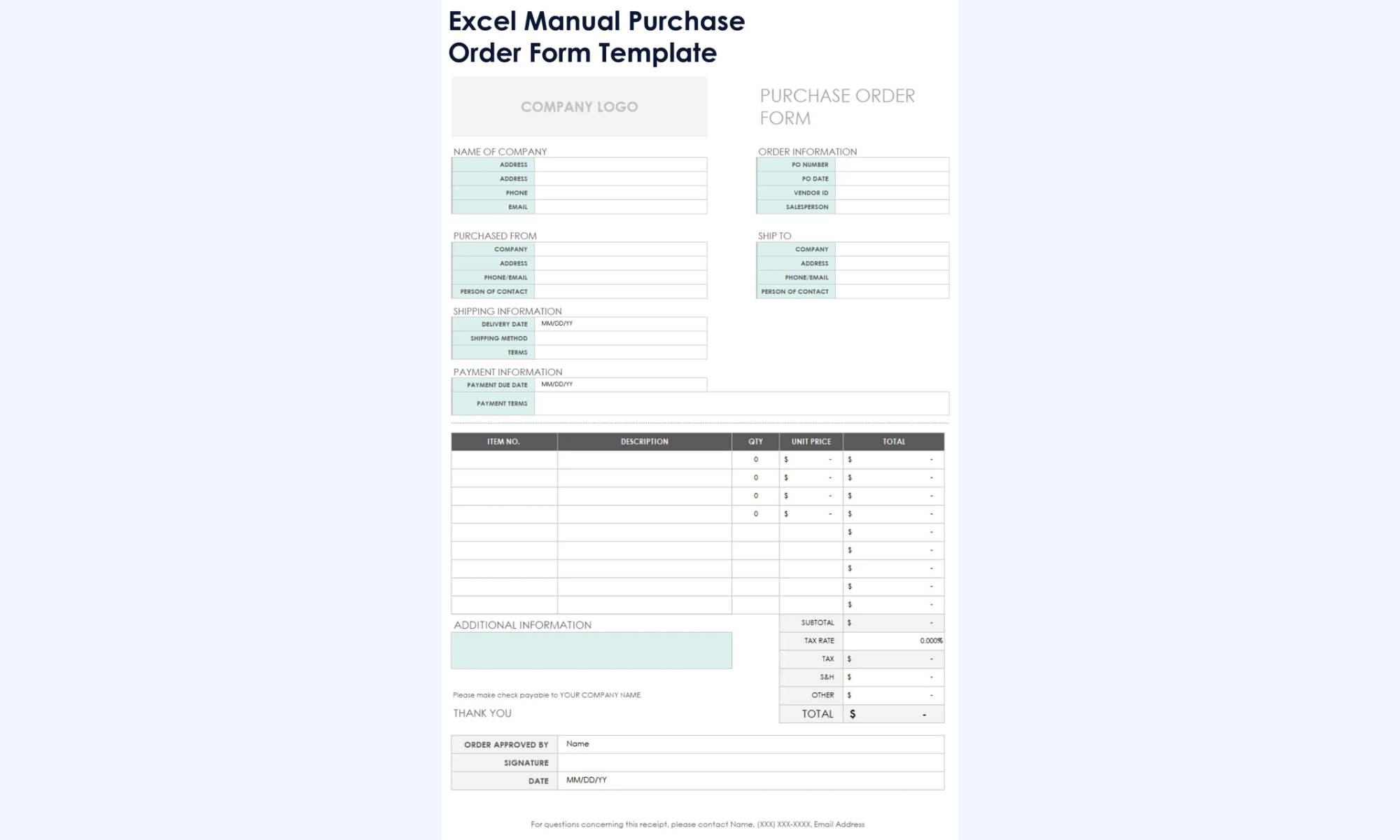
Image source: microsoft.com
Excel blanket purchase order (BPO) template
The Excel blanket purchase order (BPO) template is used for recurring purchases from the same vendor over a specific period. Instead of creating multiple purchase orders, a single BPO outlines agreed pricing, quantities, and terms. This helps simplify repeat ordering, improve cost control, and reduce administrative effort for ongoing supplier relationships.
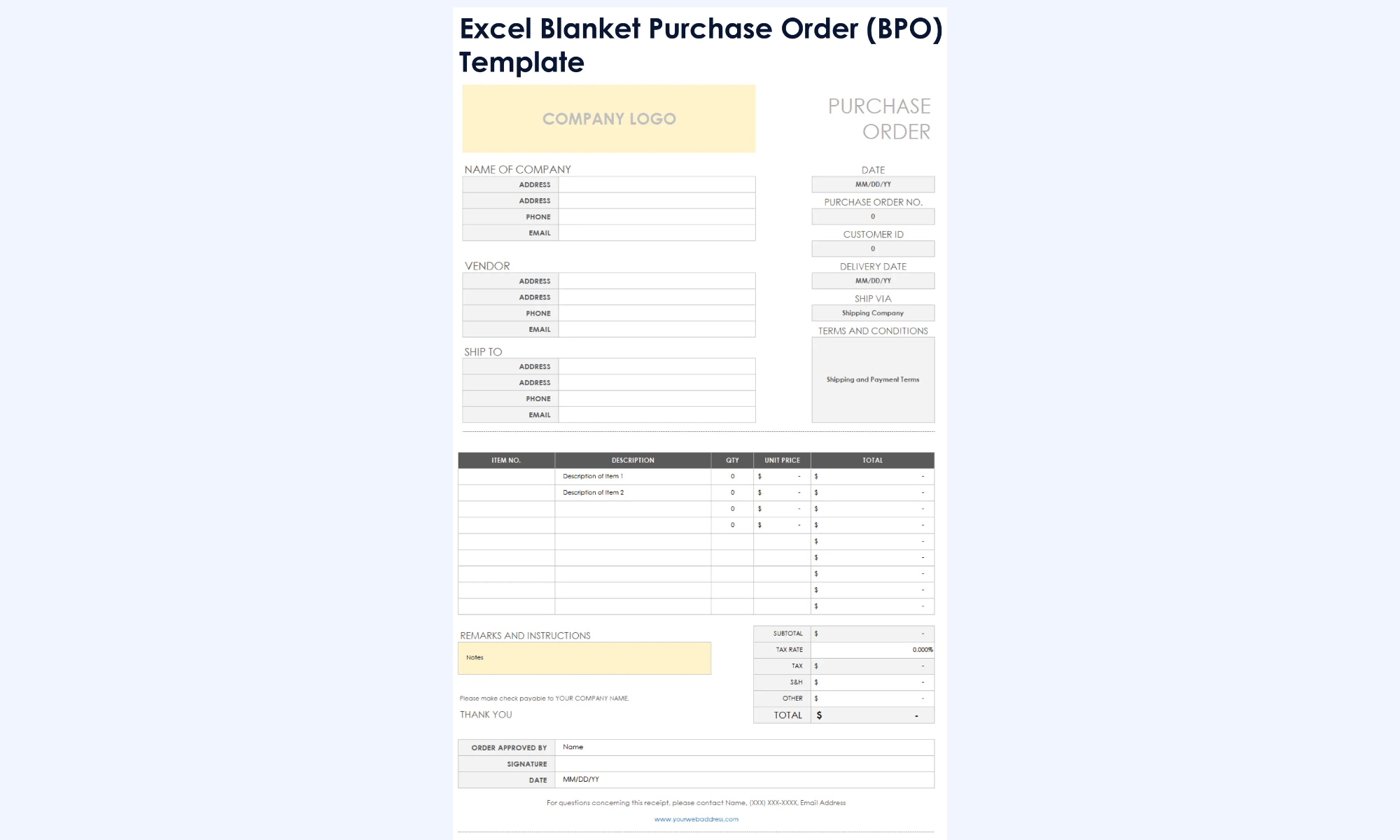
Image source: microsoft.com
Excel service purchase order template
The Excel service purchase order template is designed for purchasing services rather than physical goods. It focuses on service descriptions, scope of work, timelines, and agreed pricing, such as hourly rates or fixed fees. This template helps ensure clear expectations, proper approvals, and accurate billing for professional or contract-based services.
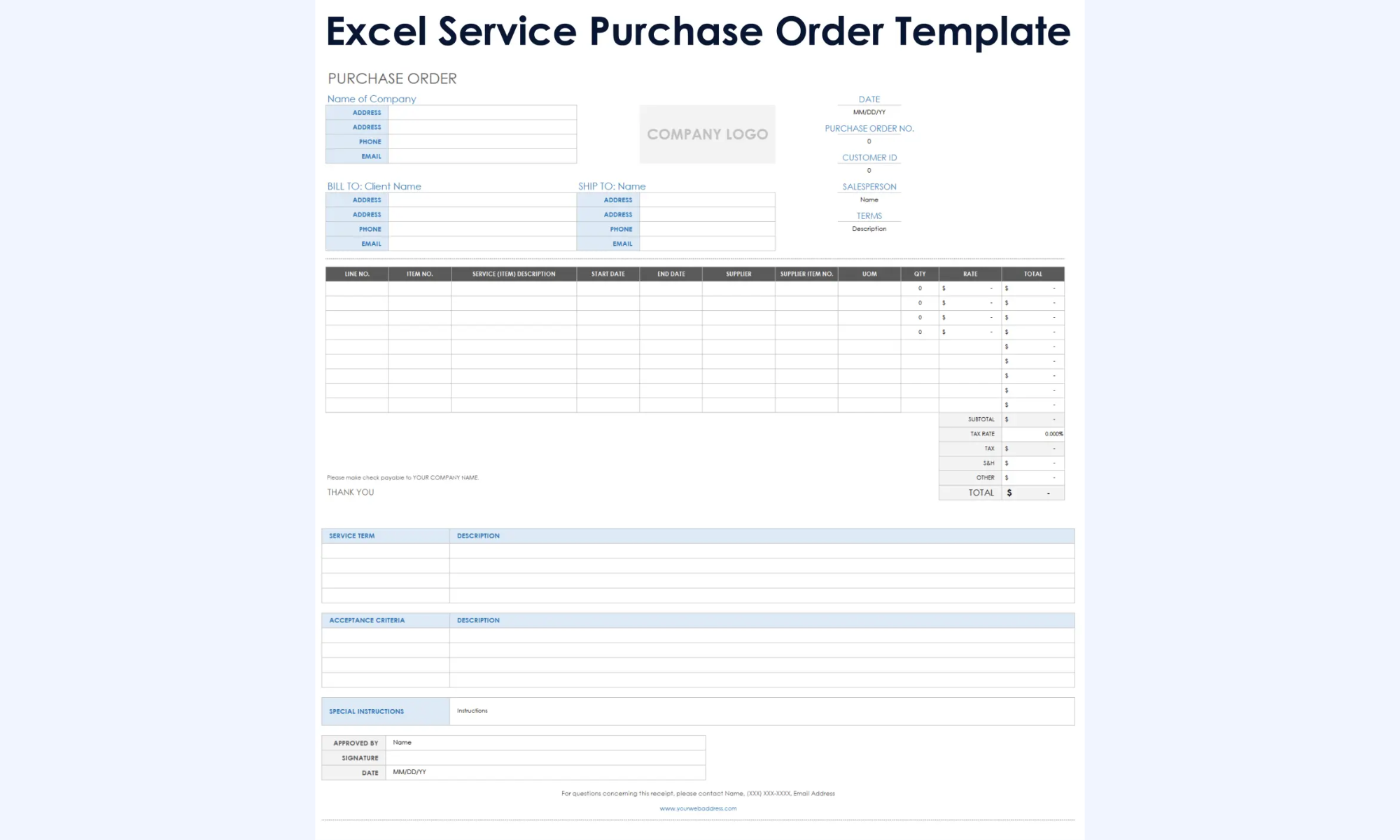
Image source: microsoft.com
Excel planned purchase order (PPO) template
The Excel planned purchase order (PPO) template is used for future or forecasted purchasing needs. It helps businesses plan upcoming orders based on expected demand, budgets, or production schedules. While not a final commitment, this template supports better planning, cost estimation, and smoother procurement when orders are later confirmed.
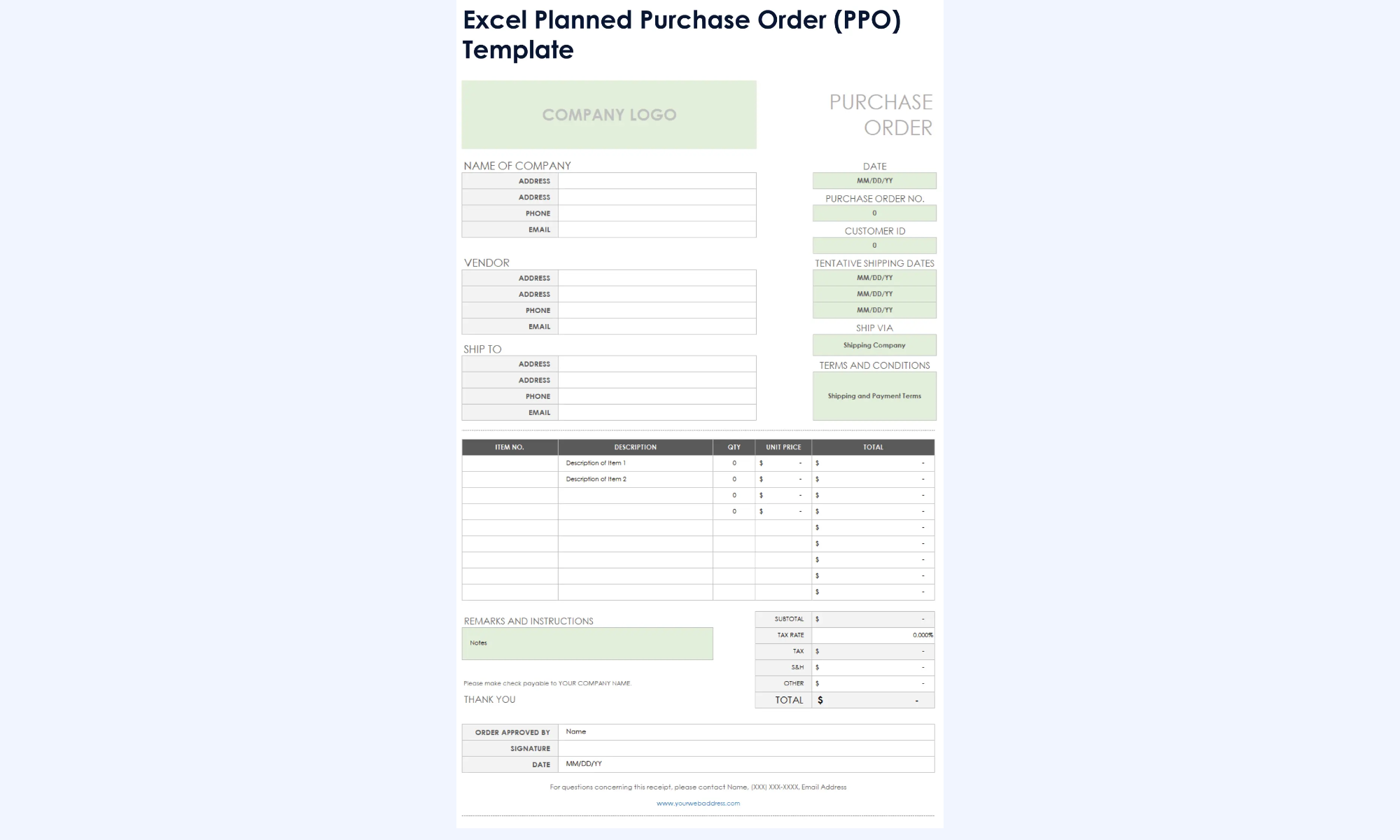
Image source: microsoft.com
Excel contract purchase order (CPO) template
An Excel contract purchase order (CPO) template is used when purchases are governed by a formal contract. It references agreed terms such as pricing, delivery schedules, service levels, and contract duration. This template helps ensure purchases stay aligned with contractual agreements and supports better compliance and vendor management.
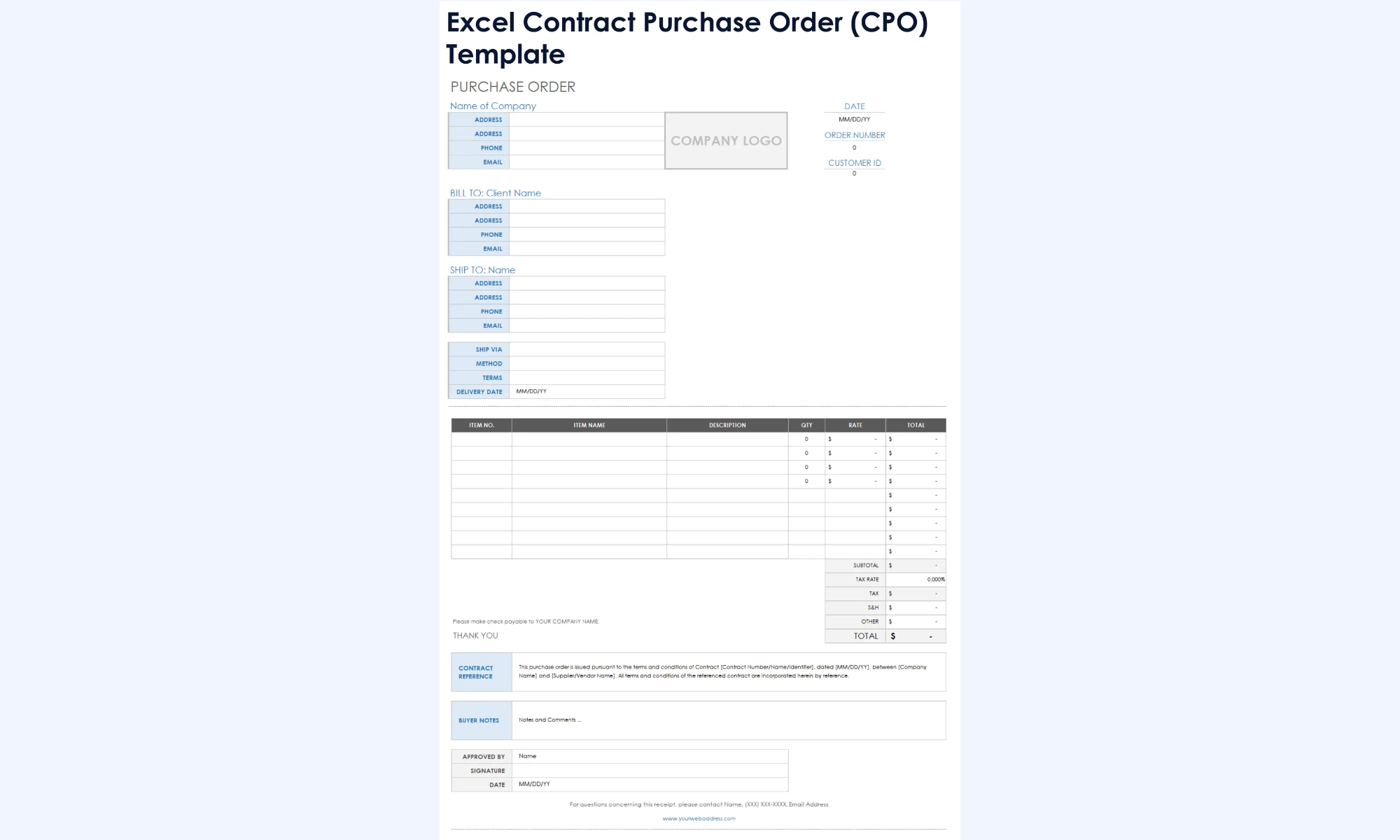
Image source: microsoft.com
Excel manual purchase order form template
An Excel Manual Purchase Order Form Template is a simple, fill-in-style document used when automation is not required. It relies on manual entry for vendor details, items, pricing, and approvals. This template is suitable for small teams, offline use, or situations where quick documentation matters more than advanced tracking or integration.
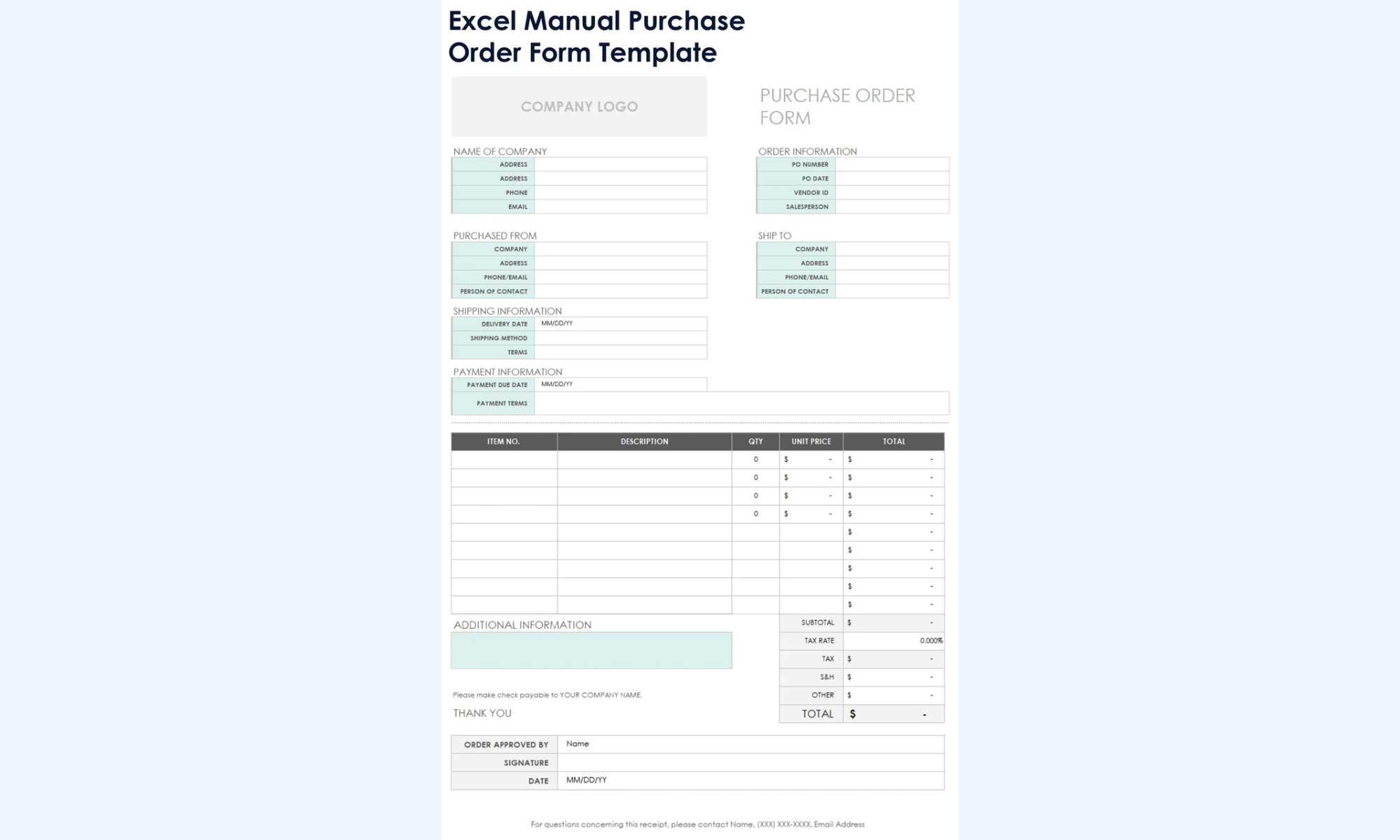
Image source: microsoft.com
When teams outgrow Excel purchase order templates
- Increasing purchase frequency: As purchasing volume grows, manually managing orders in spreadsheets becomes time-consuming and error-prone. While Microsoft Excel templates purchase order formats work well for occasional purchases, frequent orders require automation, real-time tracking, and faster processing to avoid delays and duplication.
- Multiple approvers or departments: When purchases involve multiple teams or approval layers, Excel templates struggle to keep . Tracking who approved what and when across departments is difficult in static files, making Microsoft Excel templates purchase order solutions less effective for collaborative procurement.
- Need for audit trails and accountability: Excel lacks built-in audit logs, making it hard to track changes, approvals, and purchase history. As compliance and accountability become critical, teams need systems that provide clear audit trails beyond what Microsoft Excel templates and purchase order files can offer.
- Scaling vendors and recurring orders: Managing a growing vendor list and recurring purchase orders in Excel often leads to version control issues and inconsistent data. When vendor relationships and repeat orders increase, teams need centralized systems that go beyond basic Microsoft Excel templates and to ensure accuracy and scalability.
Meet Lark: Manage purchase orders with a systematic approach
Moving from Excel to a comprehensive system like Lark for purchase order management is a significant upgrade for any procurement team. While Excel feels "free," it often costs businesses more in the long run through manual data entry errors, broken formulas, and the lack of a clear audit trail. transforms the static spreadsheet into a dynamic, automated ecosystem where your purchase orders, vendor lists, and budget approvals are all interconnected and updated in real time.
Relational databases
is the "smarter" version of a spreadsheet. In PO management, you can use two-way links to connect your "Orders" table to a "Vendor" table and an "Inventory" table. This ensures that when you select a supplier, their contact info and agreed-upon pricing are pulled in automatically—eliminating the "copy-paste" errors that plague Excel. 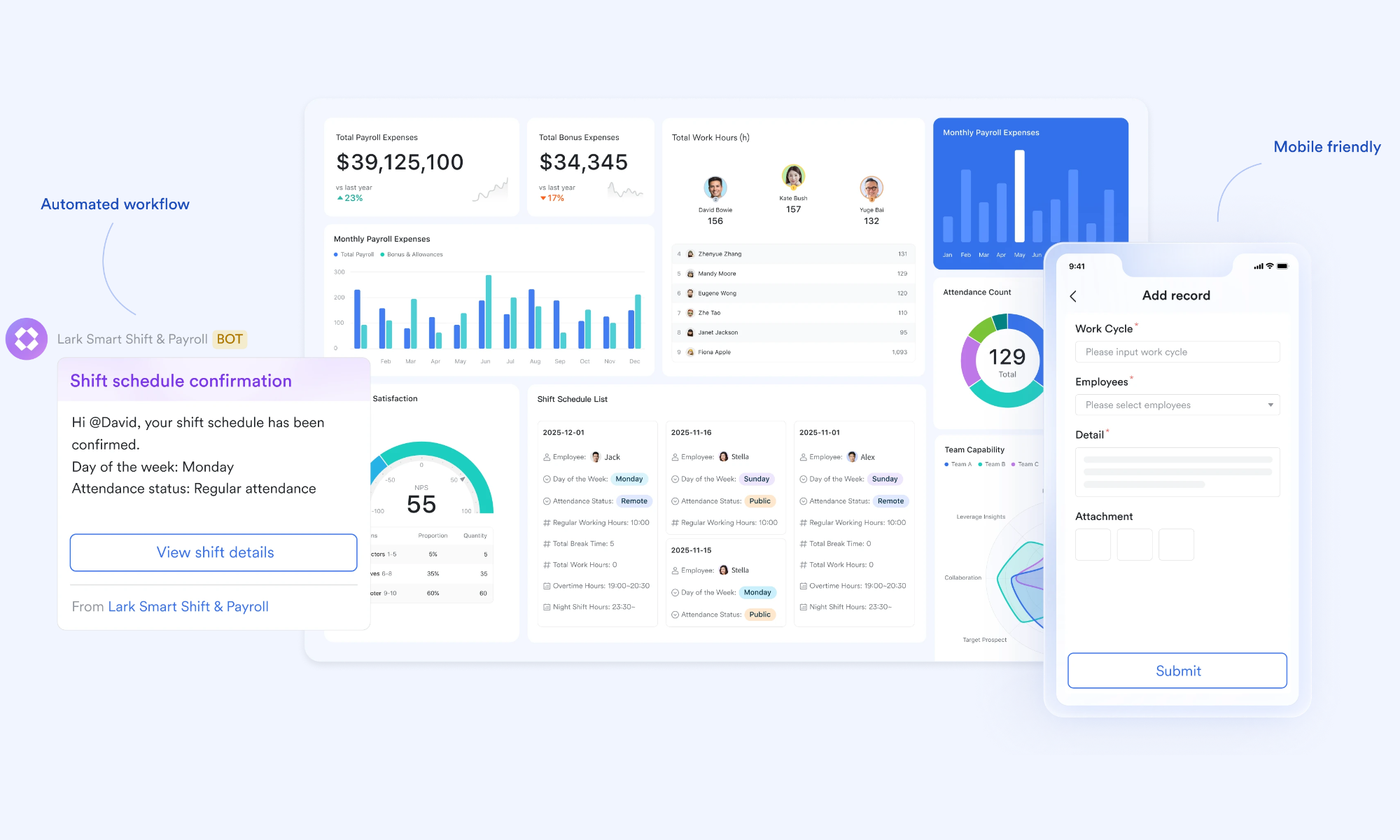
Native barcode scanning and digital intake
Lark Base includes a built-in barcode field. When goods arrive at the warehouse, staff can use the Lark mobile app to scan the item's barcode. This immediately updates the status of the related purchase order to "Received" and adjusts inventory levels across the entire company—no manual typing required. 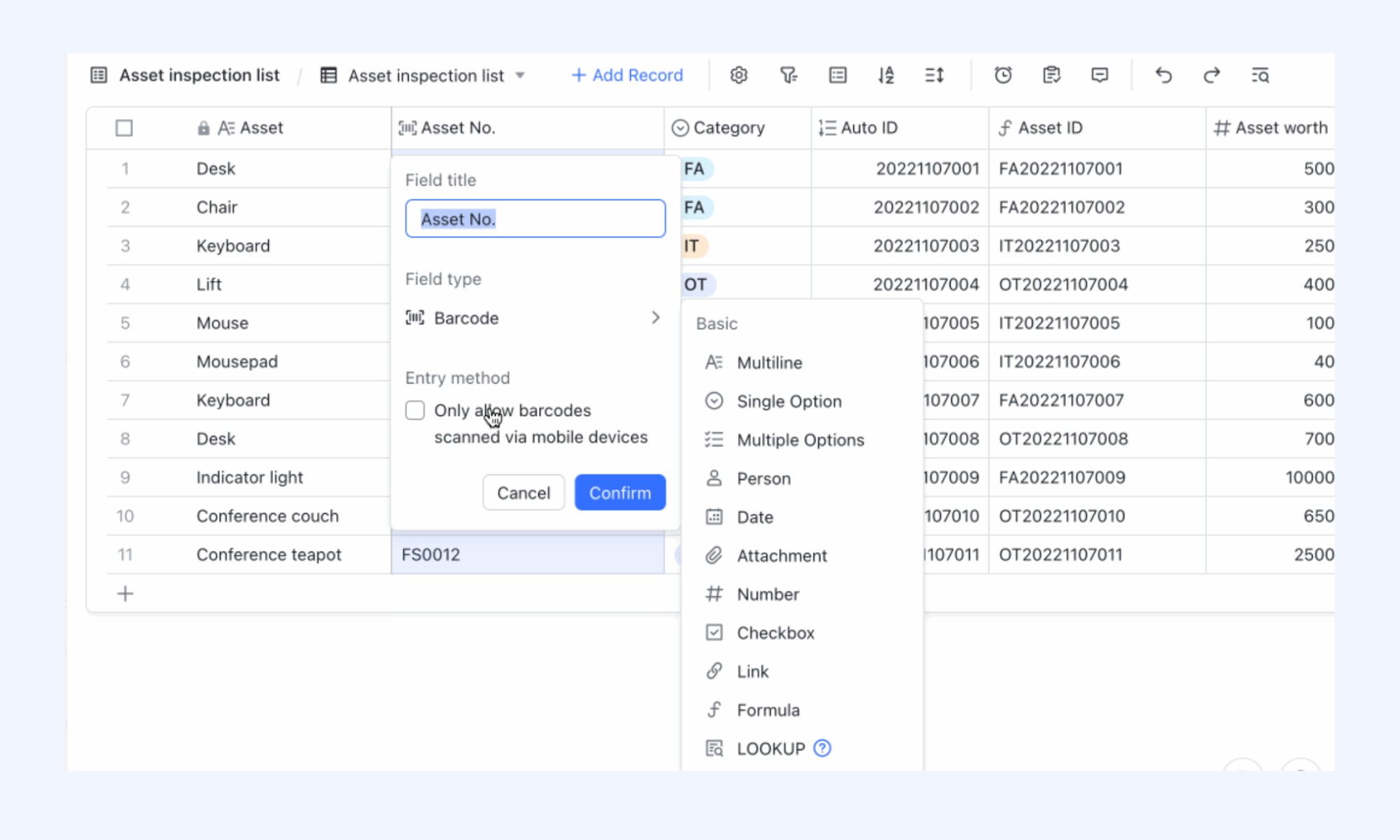
Automated stock and budget alerts
You can set up automation triggers within Lark Base to monitor your data. For example, if a purchase order causes a department to exceed its monthly budget, Lark can send an immediate alert to the requester. Similarly, it can notify the procurement team when inventory levels for a specific item hit a "reorder point," triggering the creation of a new PO draft. 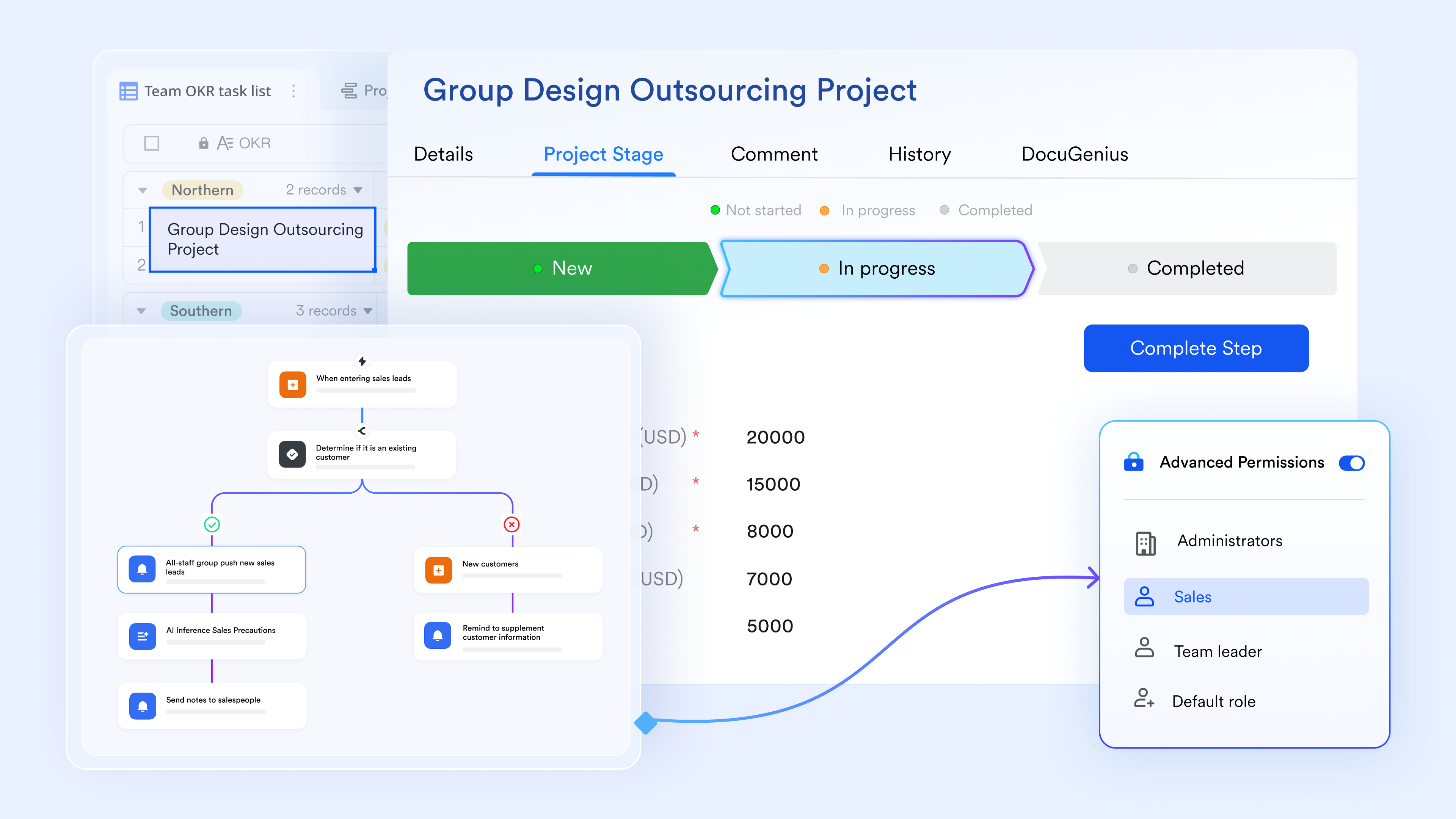
Multi-tier approval workflows
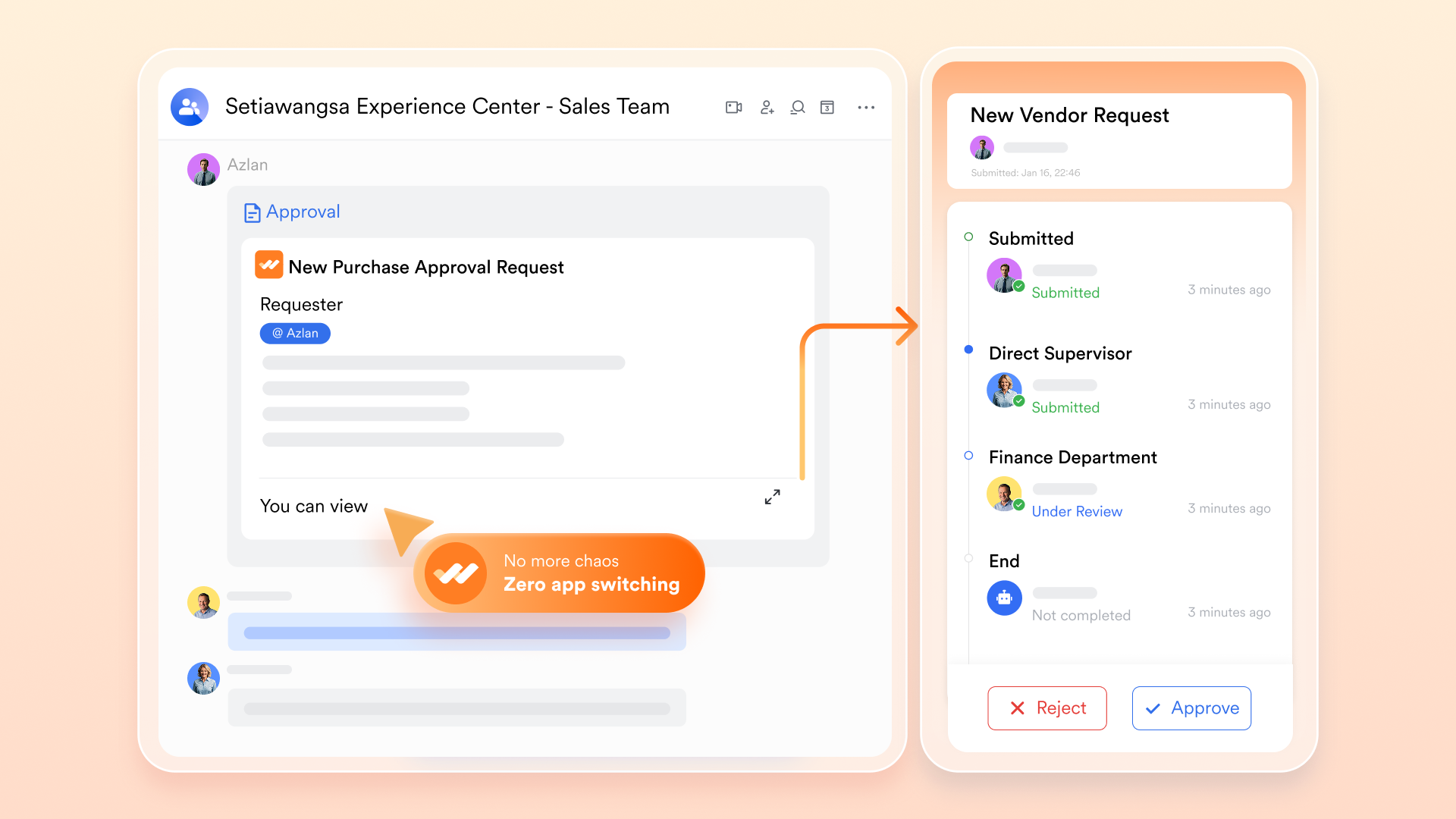
Unlike Excel, which requires you to manually email files back and forth, allows you to build automated routing rules. You can set conditional logic so that a PO under $1,000 is instantly approved by a manager, while anything over $10,000 is automatically routed to the Finance Director. Approvers receive a notification in their chat and can sign off with one click from their phone.
:
- Starter plan: Free forever plan that includes 11 powerful tools for up to 20 users. It also comes with 100GB of storage, 1000 automation runs, AI translations, and more.
- Pro plan: $12/user/month (billed annually) for up to 500 users. It includes everything in Starter plus group calling for up to 500 attendees, 15TB of storage, 50,000 automation runs, and more.
- Enterprise plan: for custom pricing. Supports unlimited users and includes even more automation runs and advanced security, compliance, and management features.
For small teams with simple communication needs

18 months message history
1000 Base automation runs/month
2000 rows per table in Base
Most POPULAR
For companies with comprehensive collaboration and management needs
Unlimited message history
500-participant video meetings
50k Base automation runs/month
20k rows per table in Base
For large companies with advanced security and organizational management needs
Get a personalized demo and pricing
Unlimited message history
500-participant video meetings
15 TB storage + 30 GB storage/user
500k Base automation runs/month
50k Base automation runs/month
Most POPULAR
For companies with comprehensive collaboration and management needs
Unlimited message history
500-participant video meetings
50k Base automation runs/month
20k rows per table in Base
Ready-to-use Lark purchase order templates
Ready-to-use Lark purchase order templates help teams standardize procurement workflows and manage vendor transactions efficiently. These templates simplify order tracking, approval processes, and documentation to support accurate purchasing across departments.
Purchase order
Managing purchase orders can quickly become complex, especially when working with multiple vendors and line items. This purchase order template simplifies the process by offering a structured and easy-to-use format for recording and tracking every order. It includes essential fields such as PO number, issue date, company and vendor details, item descriptions, quantities, pricing, delivery information, due dates, and order status—giving you complete visibility and helping ensure accurate tracking and on-time fulfillment.
Purchase order management
Get started with seamless purchase order management using a template built to simplify every step of the process. Easily create, manage, and print purchase orders with customizable formats, while improving tracking and accuracy from order creation through completion.
Retail purchase order management
This template helps to streamline and improve the process of handling incoming orders and suppliers. It provides a central order tracking dashboard for greater visibility and helps simplify the purchasing process.
Supply chain purchase order tracking
Supply chain analysts, procurement managers, inventory managers, and logistics professionals can benefit from using this purchase order tracking template. It provides a centralized platform to track and manage all purchase orders, streamline communication with suppliers, and identify any potential delays or issues in the procurement process.
Purchase management (Dashboard)
Keeping track of purchases can be a daunting task, especially when dealing with a variety of items and purchase types. This purchase management dashboard template is designed to simplify this process. It provides a clear and organized view of all your purchases, including item names, purchase types, and purchase status. It allows you to add records, configure fields, and sort and filter data as per your needs. The template also includes visual aids like color-coding for better readability and understanding.
Orders & inventory
Managing online orders and inventory can be a daunting task, especially when dealing with multiple products, suppliers, and customer service operations. This template is designed to simplify the process by providing a comprehensive dashboard that tracks operations performance, order statuses, shipment issues, refunds, and customer reviews. It also includes features for managing product inventory, supplier information, and customer service interactions. With customizable fields, view settings, and conditional coloring, you can tailor the template to fit your specific needs and streamline your workflow.
How to choose between Excel templates and modern tools
- Team size and purchase complexity: For small teams with limited purchasing needs, Microsoft templates' purchase order in Excel can be a quick and familiar way to manage basic orders. However, as team size grows and purchase requests become more frequent or complex, Excel templates can lead to version control issues, manual errors, and slower processing. Modern tools handle higher volumes more efficiently with centralized access and automation.
- Compliance and approval needs: Excel templates lack built-in and audit trails, making it difficult to track who approved a purchase and when. While Microsoft templates purchase order in Excel may work for informal processes, organizations with compliance requirements or multi-level approvals benefit from modern tools that offer role-based access, approval tracking, and clear accountability.
- Long-term scalability considerations: Excel is not designed to scale with growing procurement operations. As vendors, recurring orders, and reporting needs increase, managing everything through Microsoft templates, and purchase orders in Excel becomes time-consuming and error-prone. Modern procurement and purchase order tools are built for long-term scalability, offering integrations, , and process standardization that support business growth.
Conclusion
Free Excel purchase order templates are a convenient starting point for small teams looking to manage basic purchasing needs with minimal setup. They offer familiarity and flexibility for simple workflows, but their limitations become clear as order volumes, approval requirements, and compliance needs grow. Manual updates, lack of audit trails, and scalability challenges can slow teams down over time. For businesses ready to move beyond spreadsheets, modern tools like provide a more efficient alternative—combining purchase order templates with collaboration, approvals, and in one centralized workspace.
Manage and track orders faster with Lark today
FAQs
What's the best format for a PO template?
The best PO template format clearly includes essential details such as purchase order number, buyer and vendor information, item descriptions, quantities, pricing, delivery dates, and payment terms. Whether you're using Excel or a digital tool, a well-structured format ensures accuracy, consistency, and easy tracking.
Can I get a free purchase order template?
Yes, many platforms offer free purchase order templates that you can download and use immediately. These are ideal for small businesses or teams with basic purchasing needs and can help standardize orders without upfront costs.
Are there free Excel templates?
Absolutely. There are many free Excel purchase order templates available that work well for simple purchasing workflows. They're easy to customize and suitable for low-volume orders, though they lack automation and approval controls.
Are Excel purchase order templates legally binding?
An Excel purchase order template can be legally binding if it includes required details and is accepted by both the buyer and the vendor. However, enforceability depends on local laws, terms agreed upon, and proper authorization, not the file format itself.
When should businesses stop using spreadsheets for purchasing?
Businesses should consider moving beyond spreadsheets when purchase volumes increase, multiple approvers are involved, compliance or audit trails are required, or errors become frequent. At this stage, modern purchase order tools provide better control, visibility, and scalability than Excel.
Related reading





























