Providing excellent customer support is essential for any business. Freshdesk is a widely recognized customer support platform that helps companies manage customer interactions efficiently. This article aims to deliver an in-depth Freshdesk review, exploring its features, benefits, and potential drawbacks, while also comparing it to notable alternatives like Lark. If you're searching for effective customer support software, you're in the right place to make an informed decision.
Freshdesk review: An in-depth overview
Freshdesk is a software designed to help businesses streamline their customer service processes. It is part of the, which includes various tools aimed at enhancing customer engagement, team collaboration, and overall business productivity. Freshdesk, as a central component of the Freshworks suite, leverages a range of functionalities that appeal to small and medium-sized enterprises. While Freshdesk is a complex platform with a wide range of features and functionalities, it remains accessible and user-friendly for small and medium-sized businesses.
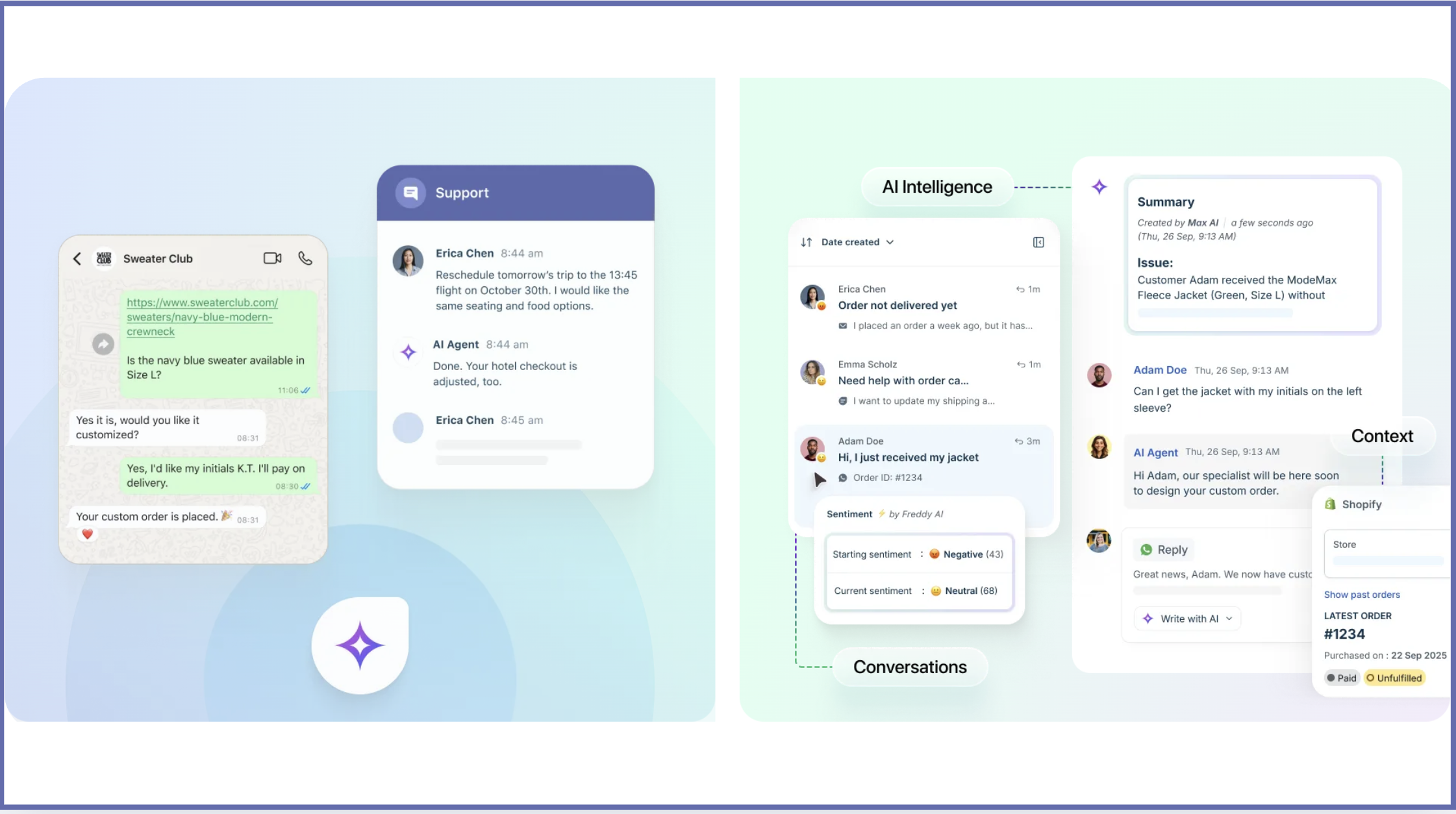
Image source: freshworks.com
Many businesses utilize Freshdesk for its , multi-channel support, and user-friendly interface. The software is particularly praised for its ability to consolidate communication from various channels into a single platform, making it easier for customer support teams to manage interactions effectively. Freshdesk Omni serves as the all-in-one solution for managing customer conversations across channels, centralizing interactions for improved efficiency.
The primary use cases for Freshdesk include:
- Managing customer queries efficiently across various channels: With support for email, chat, social media, and phone, Freshdesk enables businesses to wherever they are. Unlike basic ticketing systems that may lack automation and collaboration tools, Freshdesk provides advanced features to ensure no customer query goes unanswered.
- Automating repetitive tasks to improve team productivity: Freshdesk offers robust automation features that allow businesses to streamline workflows. This helps reduce the workload on support agents, allowing them to focus on more complex queries that require human intervention. Freshdesk offers robust automation tools like , scenario automation, and time-triggered automation for ticket assignment.
- Providing detailed insights through analytics and reporting: The software offers extensive reporting tools that help track performance metrics like response times and resolution rates. Freshdesk's AI Copilot, known as Freddy, assists agents by drafting replies and summarizing long conversations. These insights are valuable for businesses aiming to optimize their strategies and improve overall satisfaction.
- Consolidating communication: Freshdesk centralizes customer conversations from multiple channels, making it easier for support teams to manage and respond efficiently.
Users have found that Freshdesk greatly simplifies customer support by allowing clients to track their ticket status and view ticket history. Freshdesk is particularly beneficial for small to medium-sized businesses looking for a cost-effective, yet comprehensive solution to manage their customer support needs. Its integration with other Freshworks products allows for a cohesive service experience, further enhancing its appeal to organizations seeking an unified approach to customer engagement and support.
Know successful cases that deal well with tickting
Key features of Freshdesk
Freshdesk is packed with features that cater to businesses aiming to enhance their customer support operations. Freshdesk CRM offers a comprehensive solution for customer support and , including multi-channel ticketing and analytics. Customization Freshdesk allows you to personalize support portals with your branding, such as logos, colors, and themes, though there are some limitations in customization, especially in reporting and mobile app flexibility. The platform also provides that facilitate internal communication and coordination among support agents. Here are some of the standout features that you can expect from this customer support platform review:
Multi-channel support
Freshdesk allows businesses to engage with their customers through multiple channels, including email, chat, phone, phone calls, and social media. This means that no matter how a customer reaches out, the support team can respond effectively and maintain a seamless dialogue. The ensures that no inquiry falls through the cracks, allowing for a more organized approach to customer interactions.
Reporting and analytics
Freshdesk provides that enable businesses to measure their customer support performance, including tracking agent performance as a key metric. The platform offers customizable reports that can be tailored to specific business needs, allowing users to gain in-depth insights and enhance data-driven decision-making. Customer satisfaction surveys are integrated into Freshdesk's reporting and analytics, enabling teams to gather, visualize, and analyze customer feedback directly from the support dashboard.
Integration capabilities
Integrating Freshdesk with other business tools enhances its functionality significantly. The platform connects seamlessly with popular applications like Slack, various CRM systems, and Google Workspace—though it works equally well with popular for businesses looking to reduce overhead. This integration fosters better collaboration across teams, making it easier to share customer insights and resolve issues more efficiently.
Knowledge base
Freshdesk brings together a comprehensive and thoughtfully designed self-service tools that genuinely enhance customer satisfaction while making life easier for support teams. The foundation of this approach centers on a flexible customer portal where your customers can confidently find answers to common questions, explore helpful articles, and submit support requests—all seamlessly integrated in one welcoming space. The knowledge base experience is enriched through Freddy AI, which thoughtfully applies natural language processing to help craft, refresh, and fine-tune articles for maximum relevance and clarity.
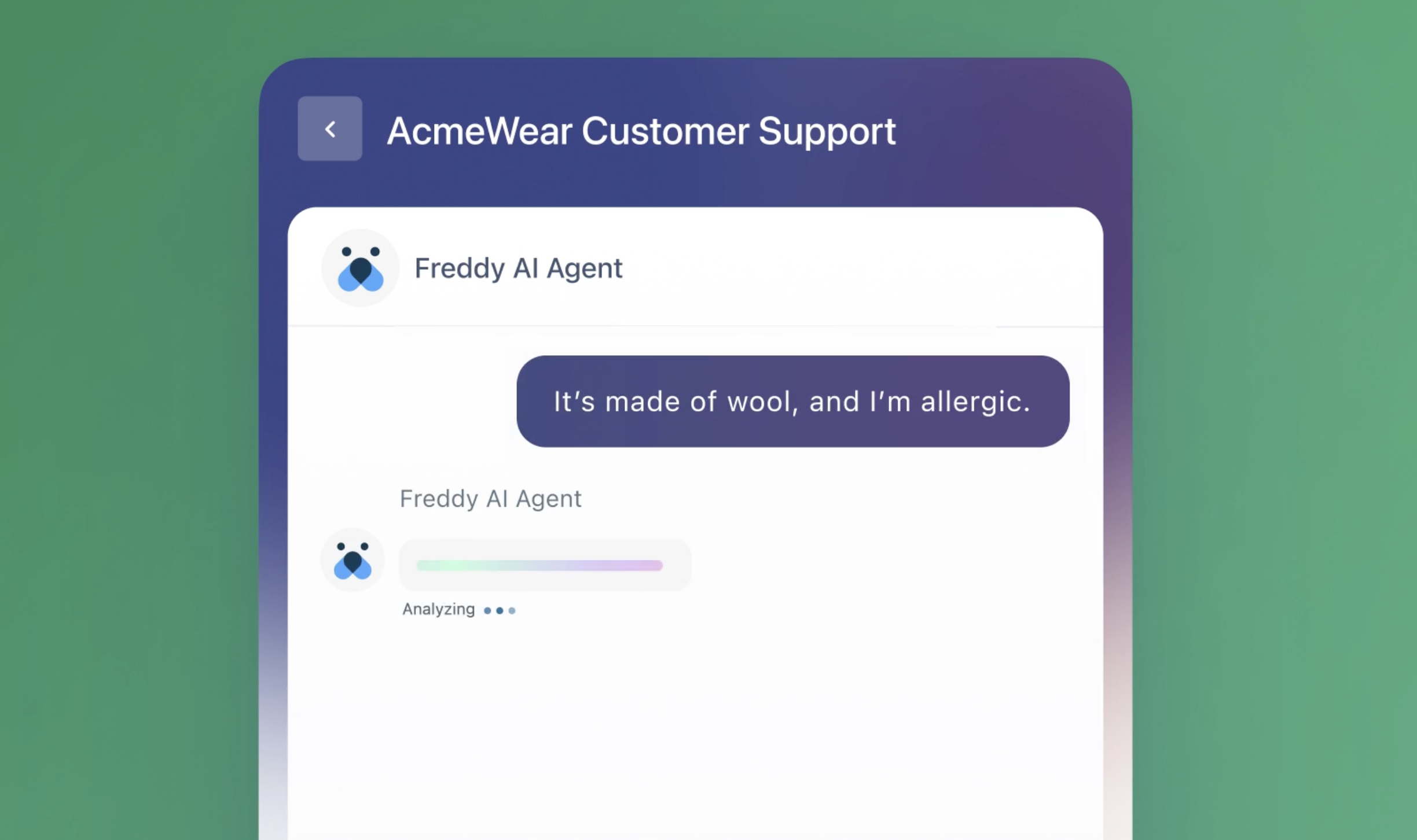
Image source: freshworks.com
Self-service options
Self-service capabilities in Freshdesk go well beyond simply managing ticket volumes; they're fundamentally about enhancing efficiency while creating genuinely positive customer experiences. Intuitive dashboards and insightful analytics enable support teams to thoughtfully monitor customer interactions, track ticket patterns, and understand . These valuable insights empower teams to create meaningful reports that reveal important trends, assess how well self-service resources are performing, and continuously enhance their support approach.
Automation and workflow management
One of the key advantages of using Freshdesk is its automation capabilities, which help boost efficiency in customer support workflows. Users can automate repetitive tasks such as ticket assignment, follow-ups, and reminders, which not only saves time but also enhances efficiency. This feature helps support teams focus more on complex issues that require human intervention, and automation also helps support teams resolve tickets more quickly and efficiently, ultimately leading to improved .
Try automated workflows to transform customer service
Pricing plans for Freshdesk
Freshdesk offers a range of pricing plans to accommodate businesses of different sizes and needs, including a free plan designed for small teams or startups to access basic features without upfront costs. There is also a 14-day trial period available across various plans, providing full feature access with no credit card required and onboarding support to help evaluate the platform. The tiered structure allows organizations to select a plan that aligns with their support requirements and budget. Below is a breakdown of the current pricing tiers for Freshdesk as of 2026:
Information source: freshworks.com
Update time: 2025-12-18
Note: Pricing and plan details reflect publicly available data as of the update date and may vary based on region, billing cycle, and number of agents.
Freshdesk also provides add-ons such as Freddy AI, which enhances the software's capabilities with artificial intelligence for a fee, allowing businesses to customize their experience further. Overall, Freshdesk's pricing plans offer a variety of features that can cater to many types of businesses, and some may find it difficult to choose a suitable plan, because of the multi-layered plans.
To know more about Freshworks & Freshdesk pricing, read another article:
Shift to a better tool without considering complex plans
Freshdesk's customer support and user experience
Customer support and user experience are crucial elements that can significantly influence a business's choice of software. Insights from Freshdesk users reveal a mixed bag of experiences regarding the platform's customer support quality.
Customer support quality and customer satisfaction
Many users have highlighted the responsive nature of Freshdesk's support team, appreciating the availability of multiple support channels, including chat, email, and phone. However, others have mentioned occasional delays in receiving assistance or inconsistency in the quality of responses. These mixed experiences suggest that while Freshdesk aims to provide quality support, there may be room for improvement in response times and the depth of assistance provided.
User interface and overall satisfaction
Freshdesk is often praised for its clean and organized user interface, which facilitates ease of use. Users report that the layout is intuitive, allowing team members to find necessary tools and information quickly, leading to a smoother workflow. Many users, particularly those new to customer support software, find that the learning curve is relatively gentle compared to other platforms.
In terms of overall user satisfaction, many customers affirm that Freshdesk's features align well with their business needs. However, some users have voiced the desire for more advanced analytics tools and , indicating a need for even deeper insights into their customer service operations.
In summary, while Freshdesk generally performs well in terms of customer support and user experience, continual enhancements in these areas could further elevate user satisfaction.
Pros and cons of Freshdesk
Like any software, Freshdesk comes with its own set of strengths and weaknesses. Based on user feedback, here's a summary of the pros and cons:
Pros
- User-friendly interface: Many users commend Freshdesk for its intuitive and easy-to-navigate interface, which lowers the learning curve for new staff.
- Multi-channel communication: The ability to manage customer queries across different platforms (email, chat, social media) is a significant advantage, allowing for a seamless customer experience.
- Cost-effective: Especially for small to medium-sized businesses, the pricing tiers provide valuable features at affordable rates, making it accessible for those on a tight budget.
- Robust automation: Users appreciate the automation capabilities that help streamline workflows, saving time and reducing manual errors in ticket management.
Cons
- Mixed customer support experiences: Some users have reported inconsistencies in the quality of customer support, citing delays in response times and varying levels of helpfulness from staff.
- Customization constraints: Users wanting extensive customization options may find Freshdesk's features somewhat limiting compared to other more flexible CRM solutions.
Overall, while Freshdesk offers an impressive range of benefits, potential users should weigh these pros and cons carefully based on their specific needs and expectations.
Shift to a customer service tool that satifies clients
Freshdesk alternatives & competitors to think about
1. Lark: A collaborative hub for support teams
is a unified collaboration platform that combines communication, document management, and customer support tools. It focuses on enhancing team productivity and streamlining processes, making it an excellent choice for organizations looking for an all-in-one solution. With features that cater to both collaboration and customer service, Lark offers a capable alternative to Freshdesk.
Key features:
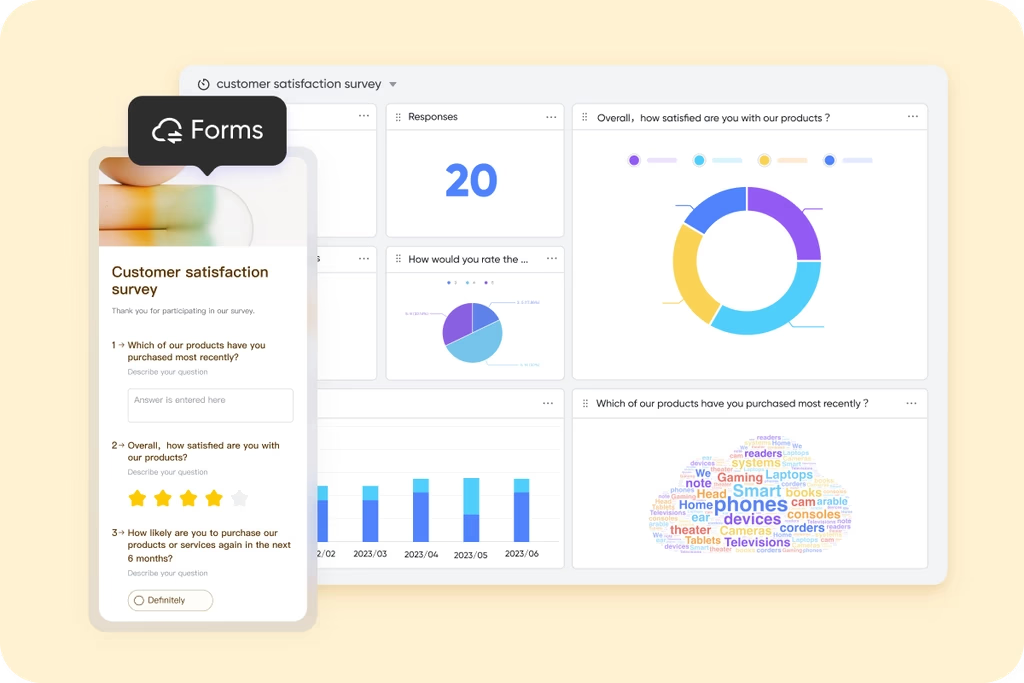
Automated data collection with and : Lark allows users to utilize Forms to gather essential customer service data, while Lark Base helps . With a variety of field types and visualization tools, teams can efficiently assign tasks and manage personnel allocations to address customer issues comprehensively. This means that inquiries are handled from different angles, ensuring better problem resolution.
Customizable Help Desk: Lark's Support Desk can be tailored to meet specific organizational needs, allowing teams to create custom workflows for tickets. This flexibility ensures that support processes can be optimized according to individual business requirements. 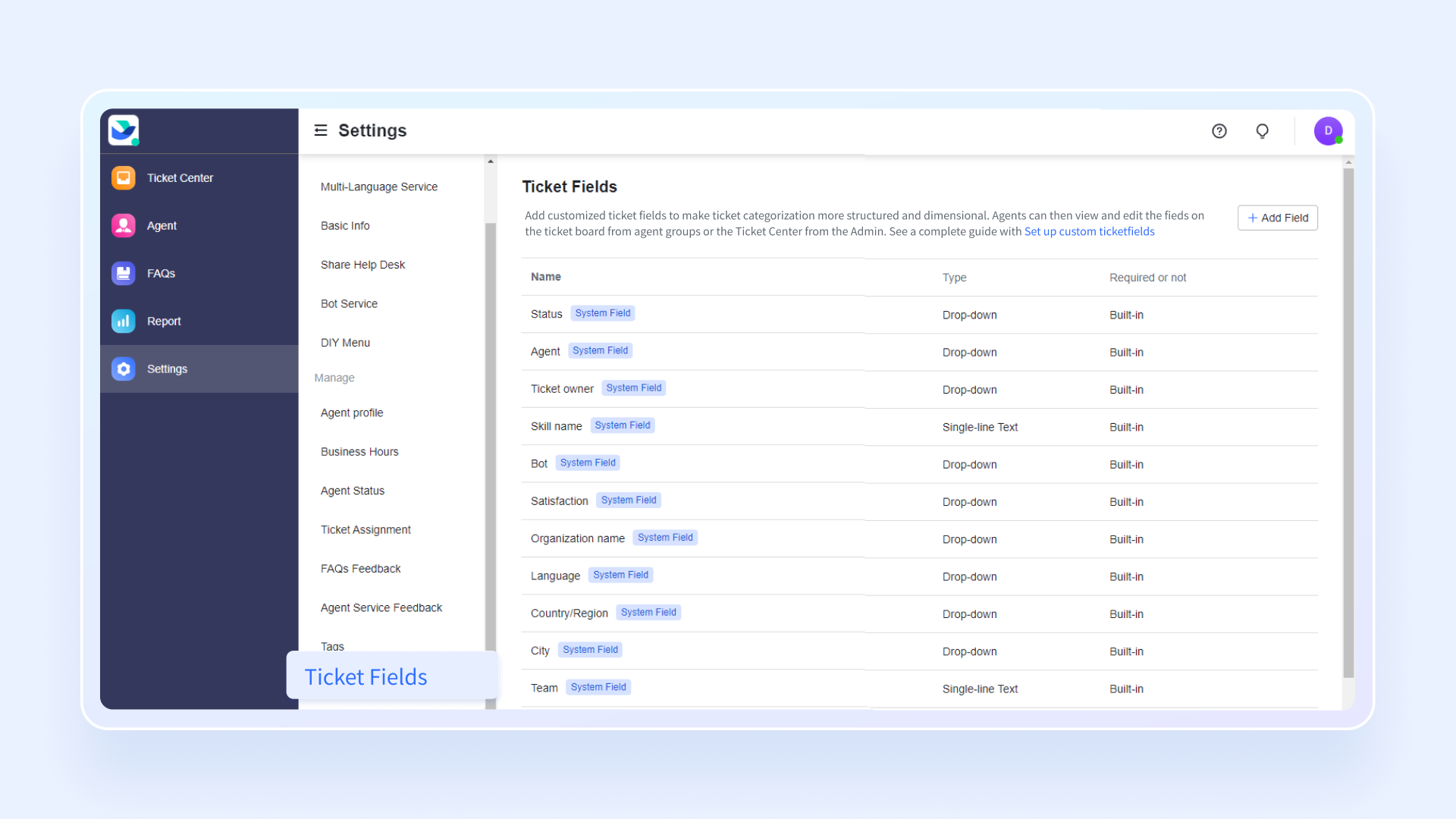
Seamless combination of Lark ecosystem: Lark's various functionalities, including messaging via , document collaboration via , video conferencing via , and task management via Lark Tasks, are tightly combined, enabling teams to perform all support-related tasks within a single platform. This cohesive ecosystem not only improves efficiency but also minimizes the need to switch between different applications, enhancing the overall user experience. 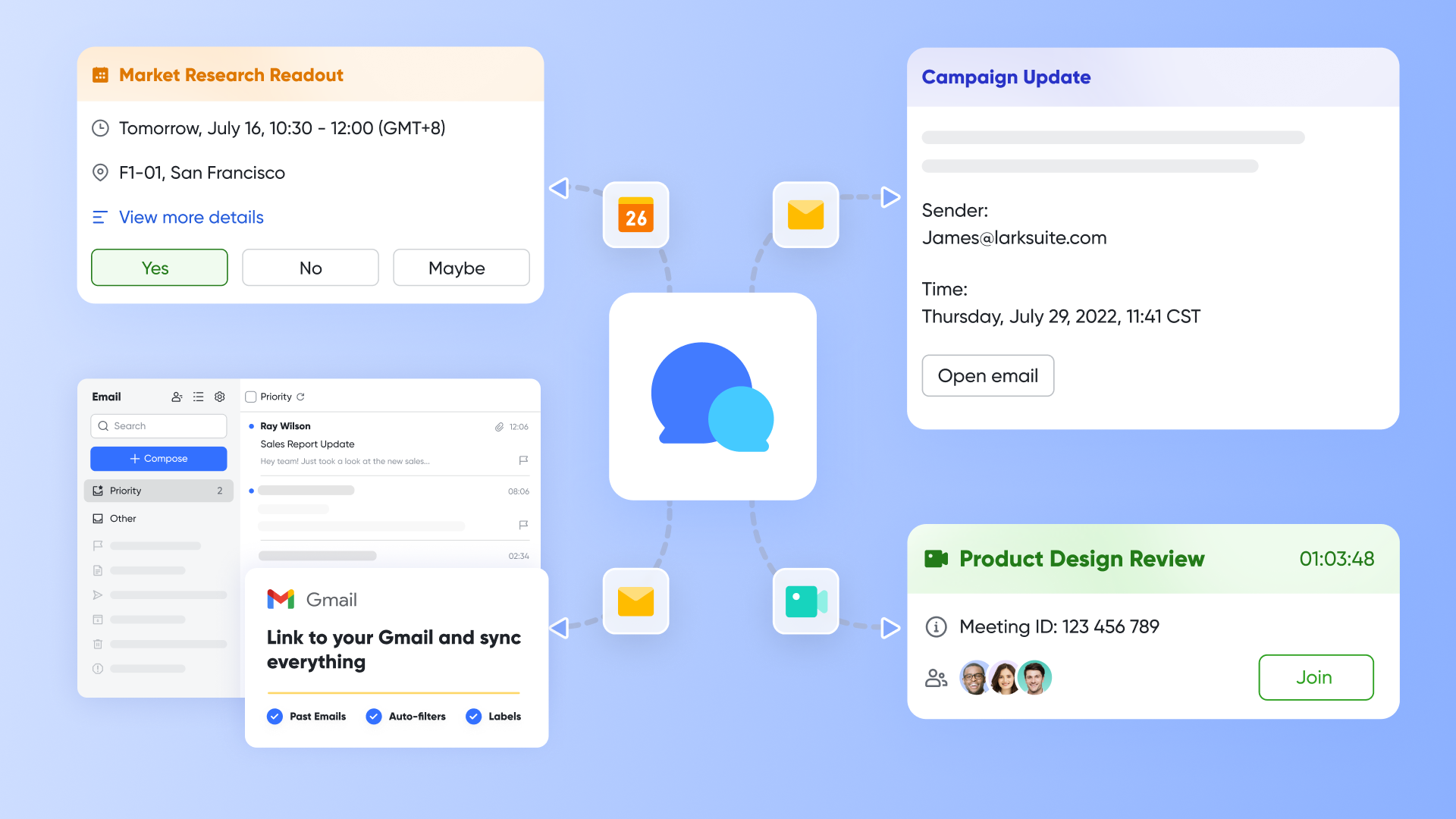
Robust mobile version: With Lark's mobile application, team members can access support tools anytime and anywhere. This mobility ensures that support staff can respond to customer inquiries on the go, maintaining high responsiveness and service levels regardless of location. This feature is crucial for modern businesses that prioritize flexibility and remote operations, similar to Freshdesk's emphasis on accessibility.
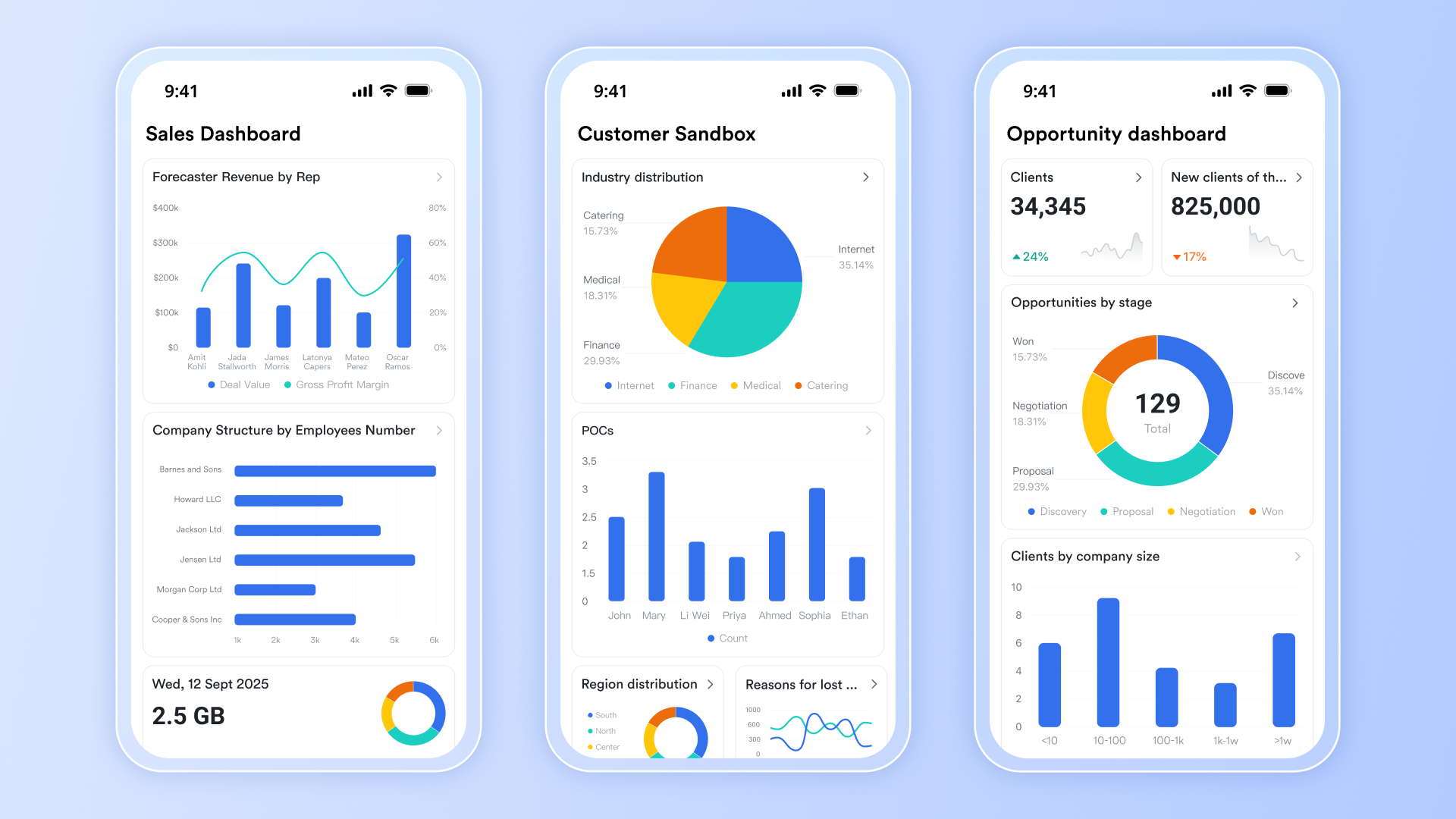
Why Lark is an alternative to Freshdesk: Lark is a Freshdesk alternative due to its comprehensive approach to collaboration and support, making it suitable for teams seeking integrated tools to enhance workflow. By leveraging these features, Lark not only helps users understand the benefits of customer service platforms like Freshdesk but also provides a flexible and efficient solution that can adapt to various organizational needs.
:
- Starter plan: Free forever plan that includes 11 powerful tools for up to 20 users. It also comes with 100GB of storage, 1,000 automation runs, AI translations, and more.
- Basic plan: $6/user/month (billed annually) for up to 500 users, including everything in Starter plus 1-on-1 video meetings, 5TB of storage, 1,000 automation runs, and more. To know more about Basic plan, .
- Pro plan: $12/user/month (billed annually) for up to 500 users. It includes everything in Basic plus a group calling for up to 500 attendees, 15TB of storage, 50,000 automation runs, and more.
- Enterprise plan: for custom pricing. Supports unlimited users and includes even more automation runs and advanced security, compliance, and management features.
For small teams with simple communication needs

18 months message history
1000 Base automation runs/month
2000 rows per table in Base
Most POPULAR
For companies with comprehensive collaboration and management needs
Unlimited message history
500-participant video meetings
50k Base automation runs/month
20k rows per table in Base
For large companies with advanced security and organizational management needs
Get a personalized demo and pricing
Unlimited message history
500-participant video meetings
15 TB storage + 30 GB storage/user
500k Base automation runs/month
50k Base automation runs/month
Most POPULAR
For companies with comprehensive collaboration and management needs
Unlimited message history
500-participant video meetings
50k Base automation runs/month
20k rows per table in Base
2. Zendesk: A powerful platform for customer engagement
Zendesk is a well-established customer service software that provides a wide range of tools designed to improve customer interaction and support operations. Its flexibility and scalability make it suitable for businesses of all sizes, from startups to large enterprises.
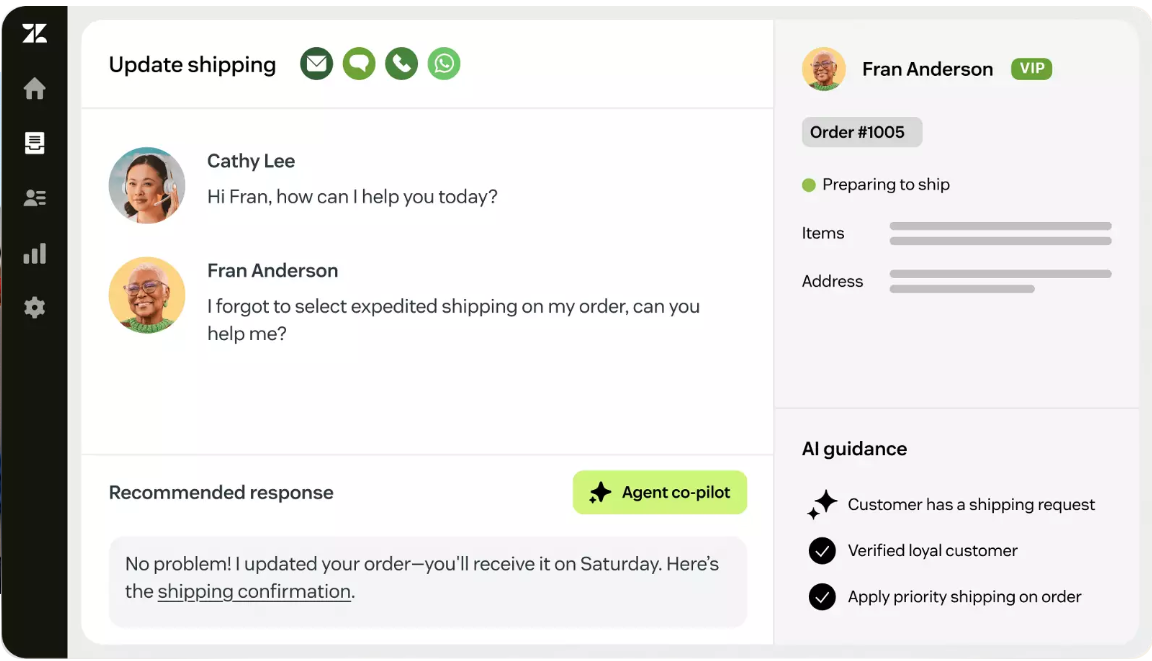
Image source: zendesk.com
Key features:
- Omni-channel support: Supports communication across email, social media, chat, and voice.
- Advanced ticket management: Customizable workflows streamline ticket sorting and prioritization.
- Self-service options: Allows businesses to create knowledge bases and help centers for customer self-help.
- Analytics and reporting: Provides insights into performance metrics and customer satisfaction.
Why Zendesk is an alternative to Freshdesk: Zendesk is a Freshdesk alternative known for its robust feature set, particularly for businesses looking for extensive customer relationship management capabilities.
Pricing (billed annaully):
- Support Team: $19/agent/month
- Suite Team: $55/agent/month
- Suite Professional: $115/agent/month
- Suite Enterprise: $169/agent/month (or talk to sales)
Read this Freshdesk vs Zendesk review to help your decision-making:
3. Zoho Desk: Integrated solutions for businesses
Zoho Desk is part of the Zoho suite, designed to enhance customer support through seamless integration with other Zoho applications. Ideal for growing businesses, it offers comprehensive tools that foster effective communication and customer engagement.
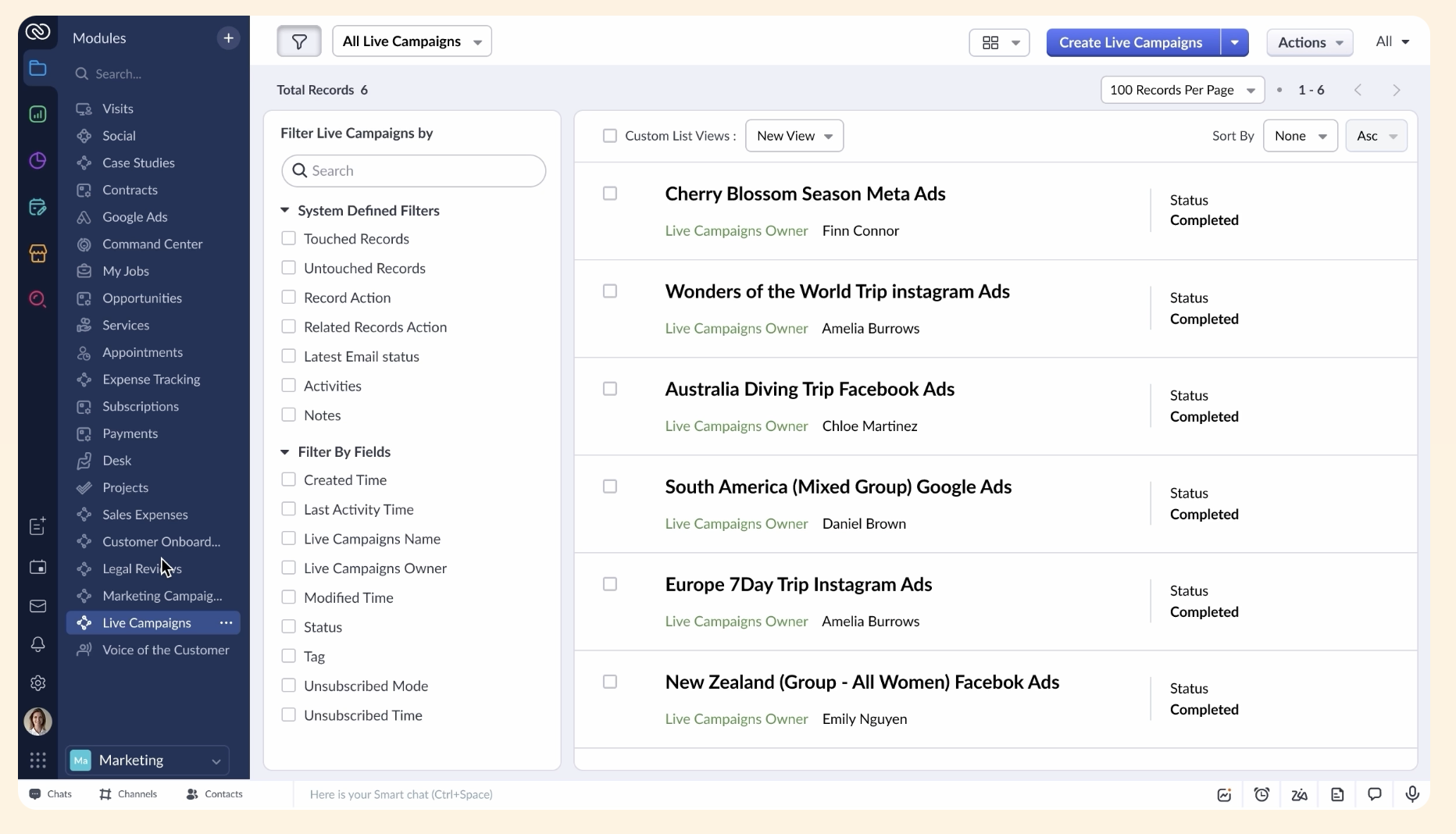
Image source: zoho.com
Key features:
- AI-powered ticketing: Uses artificial intelligence to prioritize tickets and suggest solutions.
- Multi-channel support: Manages inquiries from various platforms, including email, mobile, and social media.
- Custom dashboards: Offers personalized views to track key performance indicators and manage support activities.
- Collaboration tools: Supports teamwork with shared notes and onboard capabilities.
Why Zoho Desk is an alternative to Freshdesk: Zoho Desk is a Freshdesk alternative that excels in integration and collaboration, making it beneficial for companies using or planning to use the larger Zoho ecosystem.
Pricing (billed annaully):
- Free trial available for up to 3 agents
- Standard: $14/user/month
- Professional: $23/user/month
- Enterprise: $40/user/month
4. Atera: Tailored for IT service management
Atera is a remote monitoring and management platform specifically designed for IT professionals and managed service providers. It combines customer support features with powerful IT management tools, catering to the unique challenges of IT service delivery.
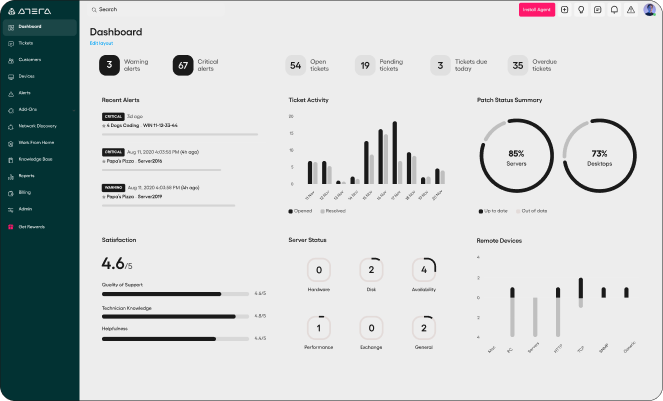
Image source: atera.com
Key features:
- Integrated help desk: Merges ticketing with IT management for streamlined operations.
- Remote access capabilities: Allows technicians to provide immediate support on client systems.
- Automated billing: Simplifies invoicing and financial tracking for IT services rendered.
- Performance reporting: Offers insight into service quality and ticket resolution efficiency.
Why Atera is an alternative to Freshdesk: Atera is a Freshdesk alternative for IT-focused businesses, integrating essential support functions with technical management processes for effective service delivery.
Pricing (billed annually):
- Professional: $149/mo/technician
- Expert (most popular): $189/mo/technician
- Master: $219/mo/technician
- Enterprise: Custom pricing
5. ServiceNow: Comprehensive service management
ServiceNow is an enterprise-level service management platform that extends beyond customer support to include broader IT and operational functions. It is ideal for organizations looking for a holistic approach to service delivery across multiple departments.
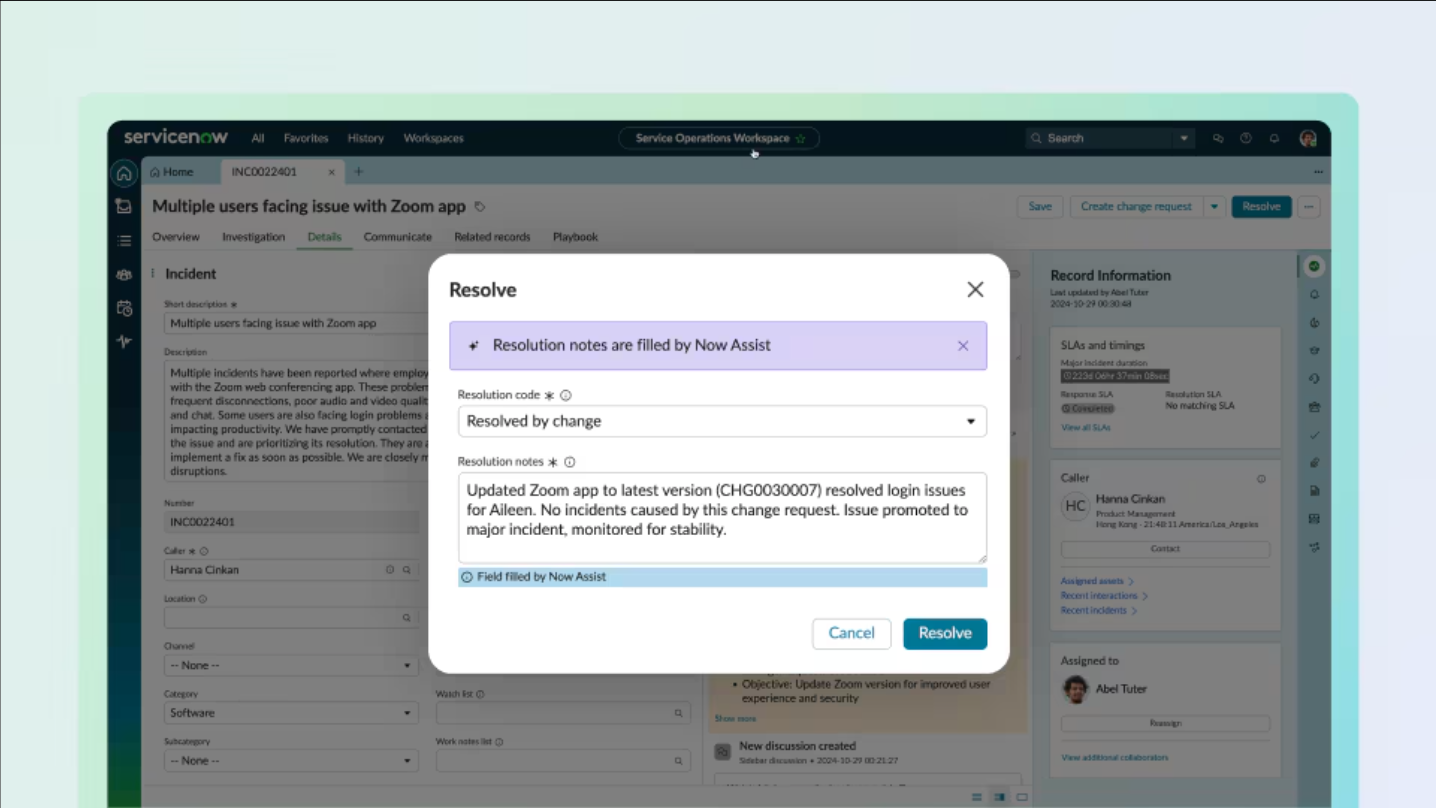
Image source: servicenow.com
Key features:
- Workflow automation: Streamlines and automates business processes across various service departments.
- Extensive analytics: Provides in-depth reporting and data visualization for performance tracking.
- Integration capabilities: Connects seamlessly with numerous enterprise applications to centralize service management.
- Omni-channel support: Ensures consistent customer interactions across various communication channels.
Why ServiceNow is an alternative to Freshdesk: ServiceNow is a Freshdesk alternative favored by large organizations due to its comprehensive capabilities and the ability to integrate support functions across departments.
Pricing: Custom pricing tailored to specific business needs and required features.
This tool list of Freshdesk alternatives showcases a range of software options, each offering unique benefits and features that can cater to diverse business needs and enhance customer support operations.
Start collecting customer feedback effortlessly
Conclusion
In summary, Freshdesk is an effective customer support software that excels in helping businesses streamline their service processes through features like multi-channel support, automation, and insightful analytics. It's particularly well-suited for small to medium-sized enterprises seeking a user-friendly platform at a reasonable cost. However, organizations with more complex needs or specific requirements may find alternatives such as , Zendesk, Zoho Desk, Atera, and ServiceNow to be better fits. Each of these options offers unique strengths that can cater to different business environments and support strategies, making it essential to evaluate your customer support needs carefully before making a choice.
FAQs
Is Freshdesk any good?
Yes, Freshdesk is generally well-regarded for its user-friendly interface and the comprehensive features it offers. Many users appreciate its automation capabilities and multi-channel support, which help streamline customer service processes. Positive reviews often highlight its clean design and effectiveness for small to medium-sized businesses, making it a solid choice for those seeking reliable helpdesk software.
Why is Freshdesk so expensive?
Freshdesk can be considered expensive due to its tiered pricing model, where costs increase as you add features and users. Advanced functionalities, such as automated reporting and enhanced customer analytics, often come with additional fees. Furthermore, businesses may find costs accumulating quickly as their team scales due to the per-agent pricing structure.
What is better than Freshdesk?
Some alternatives reputed to deliver comparable or superior features include Zendesk, Zoho Desk, and Help Scout. These platforms may provide specific strengths, such as better customization options, advanced reporting capabilities, or an easier integration process, making them suitable depending on individual business needs.
What is Freshdesk used for?
Freshdesk is primarily used for customer support and help desk management. It aids organizations in managing customer inquiries across various channels such as email, chat, and social media while automating workflows, tracking support tickets, and generating detailed reports to improve service quality.
Why are Freshdesk alternatives like Lark attracting more attention?
Freshdesk alternatives, particularly Lark, are gaining traction for several reasons. Firstly, Lark offers a comprehensive suite that includes messaging, document collaboration, and task management besides customer support, making it a versatile tool for teams. Its user-friendly interface and integration capabilities with various third-party apps enhance productivity and collaboration across departments.
What do users generally think of Freshdesk Slack integration?
According to various reviews, users appreciate Freshdesk Slack integration for its ability to facilitate real-time communication and updates regarding support tickets. Many find it easy to set up and useful for keeping team members informed without needing to switch between platforms. However, some users mention in their Freshdesk Slack integration review that while it meets basic notification needs, it could benefit from enhanced features for deeper collaboration.
Related reading






























