Efficient ticket tracking systems have become the backbone of modern team operations—particularly for IT, HR, and customer service departments handling a high volume of requests. Businesses today need more than digital spreadsheets or endless email threads; they need structured platforms that enhance visibility, ownership, and accountability. In this guide, we'll explore the best ticket tracking tools available in 2026, focusing on how they simplify service workflows, enable faster response, and help teams stay aligned. From feature-rich help desk platforms to integrated collaboration suites like Lark, these solutions transform how teams capture, assign, and resolve issues across departments.
Key takeaways: Overview of top 3 picks
Experience efficient ticket tracking
What are ticket tracking tools?
A ticket tracking tool—also known as ticket tracking software—is a structured system used to record, prioritize, and monitor service requests or reported issues throughout their lifecycle. Each "ticket" represents a single case, such as an IT interruption, a or an HR support request, which passes through defined stages until resolution. Unlike ad-hoc communication, ticket tracking systems ensure transparency and traceability for every request. Another common name for these platforms is a ticketing system, which highlights their role in managing and .
Modern ticket tracking tools often feature a user friendly interface to improve adoption and efficiency. These tools come in various forms, including cloud-based, on-premises, and open source ticketing system options for organizations seeking flexibility and customization.
Core purpose and workflow
At its core, a ticket tracking platform turns chaos into clarity. When a new issue is reported—whether through email, web form, chat, or internal automation—the tool automatically generates a ticket. From there, it follows a standardized journey:
- The ticket is categorized and prioritized based on urgency and type.
- It's then assigned to the right person or team using automated rules or manual routing.
- Updates, conversations, and file attachments live within the same record, allowing teams to track the ticket's progress throughout its lifecycle and ensuring that no information is lost.
- Once the problem is resolved, the ticket is closed, creating a complete audit trail and ticket history for reference or .
Such a workflow helps businesses track ownership, avoid duplicate responses, and capture insights into recurring challenges.
How modern ticket tracking tools evolved
The earliest trouble ticket tracking tools were often simple help desk systems used by IT departments. Over time, this model evolved into cross-functional solutions for HR, facilities, customer support, and operations. Modern ticket tracking software now integrates automation, analytics, and even real-time chat to reduce friction between teams. Many of these platforms offer automation features that help automate repetitive tasks such as ticket routing, notifications, and predefined responses, and allowing agents to focus on more complex customer needs.
By combining with collaboration, these systems go far beyond basic data logging. For instance, some of the best ticket tracking tools with SLA enforcement now automatically escalate overdue tickets or notify managers before Service Level Agreements are breached. This ensures timely responses while maintaining accountability across service operations. When adopting modern systems, it's important to note that some platforms are designed for easy implementation without extensive training, while others, like Jira Service Management, may present a steep learning curve for new users.
Integration and collaboration at the forefront
Today's teams rarely work in silos; ticket tracking tools often sit at the heart of a broader productivity ecosystem. Systems now connect directly with CRMs, communication platforms, such as Basecamp, and offer email integration as a crucial feature for seamless communication and automated ticket creation. This integration prevents context switching, so users can track requests and project issues together.
A newer trend is the rise of customer support ticket assignment tracking tools that enable agents to monitor workloads in real time and manage performance through . These tools blend automation with human oversight—empowering managers to optimize response speed and resource allocation. For enhanced collaboration, many platforms now include private notes, allowing team members to add internal comments to tickets that are not visible to customers, improving internal communication and coordination.
Enhance your ticket tracking with the right tool
Types of ticket tracking tools
Ticket tracking tools present exciting opportunities in numerous forms, each thoughtfully crafted to meet specific and enhance workflows. Discovering these categories will empower you to confidently select the ticket tracking software that harmoniously aligns with your support operations, elevates your , and helps you exceed customer satisfaction goals.
- Cloud-based ticket tracking tools: Cloud-based ticket tracking software brings the convenience of online hosting, empowering teams to seamlessly access support requests and efficiently manage tickets from virtually anywhere. This remarkable flexibility proves invaluable for remote or distributed teams, as it delivers real-time visibility into ticket creation and streamlines the ticket resolution process.
- On-premise ticket tracking tools: For organizations with stringent data security requirements or distinctive customization aspirations, on-premise ticket tracking systems provide complete control and peace of mind. Installed on local servers, these reliable tools enable comprehensive customization and seamless integration with internal systems.
- Open-source ticket tracking tools: Open-source ticketing systems are enthusiastically embraced by organizations seeking flexibility and extensive customization possibilities. With valuable access to source code, teams can skillfully tailor workflows, incorporate custom fields, and develop unique automation rules that perfectly match their specific ticket handling processes.
- Help desk software with ticket tracking: Help desk ticket tracking software is expertly designed for managing customer support requests with remarkable efficiency. These intelligent platforms successfully combine ticket tracking with valuable features like integrated , engaging community forums, and smart automation rules to enhance the ticket resolution process.
- with ticket tracking: Progressive project management platforms thoughtfully incorporate ticket tracking as an integral part of their comprehensive suite, skillfully blending issue tracking with collaborative editing, , and transparent status tracking.
- Automated ticket tracking tools: Automation-focused ticket tracking systems intelligently leverage smart automation to effortlessly streamline repetitive tasks such as ticket assignment, routing, and escalation. By automating routine steps in the ticketing process, these powerful tools help teams save valuable time, minimize manual errors, and ensure that tickets are automatically directed to the most qualified agents, significantly improving both agent performance and overall service quality.
- Multi-channel ticket tracking tools: Today's dynamic support operations often benefit from managing tickets across multiple channels—email, web forms, phone, and social media. Multi-channel ticket tracking software effectively centralizes all incoming support requests into one , providing a comprehensive view of ticket volume and timely status updates.
- Customizable ticket tracking tools: For organizations with unique workflows or sophisticated requirements, customizable ticket tracking systems offer impressive customization options that truly make a difference. These adaptable platforms allow teams to thoughtfully define custom fields, build precisely tailored workflows, and integrate effortlessly with other essential tools like Google Workspace or .
When choosing a ticket tracking tool, thoughtfully consider the types of support requests you manage, the level of automation and integration that will benefit you most, and your important data security priorities. The right tracking software will not only streamline ticket handling and enhance customer satisfaction but also provide valuable insights while empowering your team to confidently deliver exceptional service at scale.
Key features to look for in ticket tracking software
When evaluating potential ticket tracking systems, it's tempting to focus solely on price or brand recognition. Here are the key features you need to know when looking for a suitable ticket tracking tool.
- Streamlined ticket organization and routing: The heart of any tracking platform lies in how quickly it captures and sorts requests. Tickets-based systems automate ticket creation and categorization, efficiently managing tickets from various sources to streamline workflow and improve overall efficiency.
- Robust automation and SLA tracking: ensures that repetitive tasks don't delay critical work. Systems with SLA enforcement send alerts before deadlines expire or reassign tickets to backup agents when response times lag.
- Collaboration and contextual updates: The most effective tools bridge communication gaps. They provide internal notes, @mentions, comment threads, and document attachment options so that every can follow the context of an issue. Platforms that integrate real-time collaboration—like embedded chat or connected documents—allow agents and specialists to resolve tickets faster without jumping between apps.
- Omnichannel ticket intake: Workflows rarely start in a single inbox. Quality customer support ticket assignment tracking tools accept requests from diverse channels—web forms, email, messaging apps, or integrations with . For teams that receive inbound calls alongside digital tickets, pairing a ticket tracker with an ensures phone inquiries are automatically captured and routed so voice doesn't become the one channel that falls outside the system.
- Analytics and : Visibility drives improvement. The best ticket tracking software offers built-in reporting tools that visualize ticket volume, resolution time, and SLA compliance. These insights reveal trends in demand, resource gaps, and recurring pain points—allowing teams to refine operations continuously.
- Security, scalability, and integration: Business data must remain protected while teams scale their operations. Reliable ticket tracking systems support access controls, role-based permissions, and secure data storage. Seamless, HR systems, or project tools further extends flexibility, aligning ticket insights with broader organizational goals.
Whether your team's priority is automation, SLA management, or collaborative workflow, these criteria will serve as a practical evaluation framework. Forward‑thinking platforms such as Lark, Zendesk, and Jira Service Management demonstrate that when request management and communication align, teams resolve issues faster—and work smarter—not harder.
Try an efficient ticket tracking tool with all key features
10 best ticket tracking tools for different teams in 2026
Choosing the right ticket tracking tools depends on your team's structure, goals, and workload. The following list highlights ten excellent platforms that balance automation, visibility, and collaboration. Each tool provides its unique approach to , offering scalability across IT, HR, and customer support teams.
1. Lark — unifying collaboration and ticket tracking in one workspace
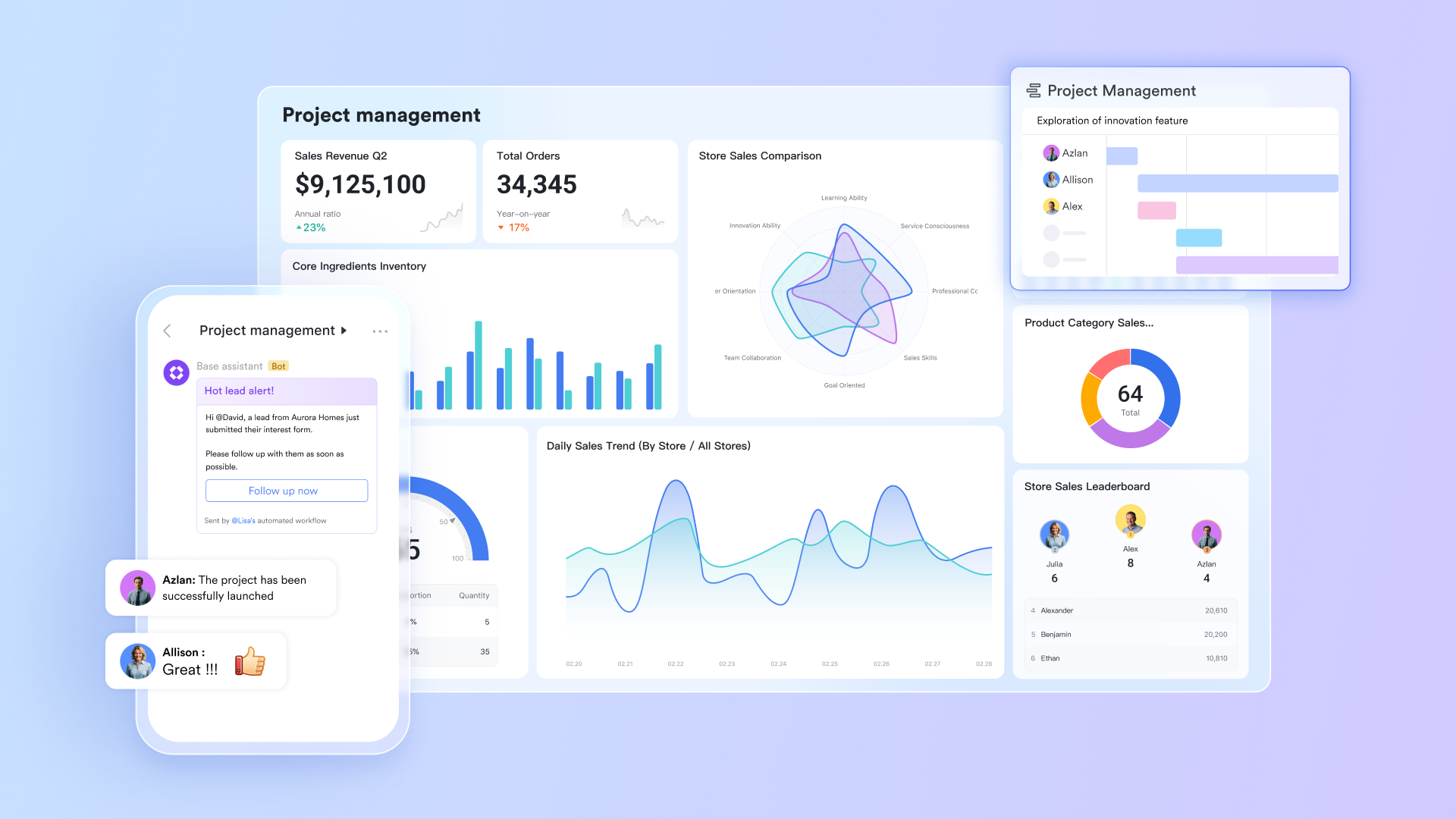
Lark is an all-in-one collaboration platform designed to unify workflows, and its built-in Ticket Center elevates service and task management to new heights. The following are its core capabilities, connecting standardized workflows with flexible, business-specific configurations. It covers both scenarios of "serving external customers" and "facilitating internal collaborative work".
Key features
Built-in functions for client ticketing: Users can use and together to build an external ticket tracking system, which provide an end-to-end workflow for capturing, organizing, and managing customer or partner requests in a unified digital environment.
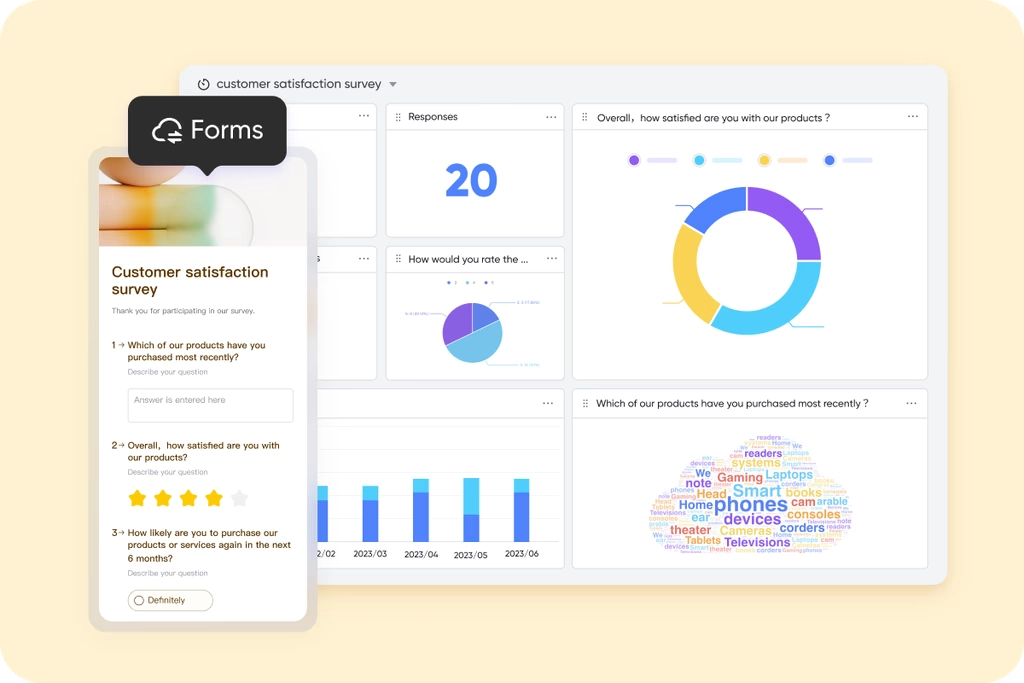
With, organizations can create customizable forms to collect external submissions such as service requests, feedback, or support issues through customizable, shareable online forms. Each submission is automatically recorded as structured data in with pre-set trigger rules, which functions as a dynamic ticket management database.
Ticket tracking and visualization: Inside Base, support teams can track ticket status, assign responsible agents, and build —for example, triggering notifications when a new ticket is submitted or changing ticket status as work progresses. And the powerful visualization features in Base—like Kanban boards, charts, and reports—allow teams to monitor service performance, pinpoint recurring issues, and analyze response efficiency. 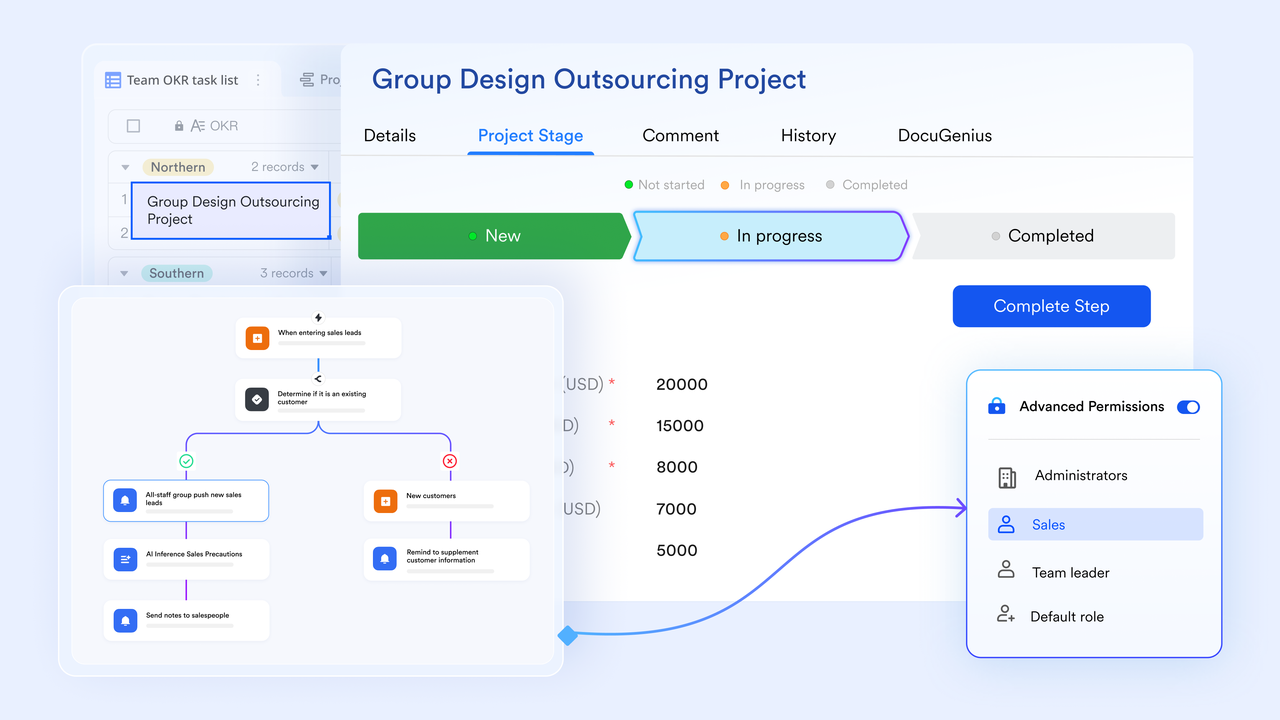
Lark Help Desk and Ticket Center for internal ticketing: Help Desk is a Lark tool that organizations can use to enable employees from both their own organization and from other, external organizations to find answers to their questions. When a user enters a help desk and chats with the help desk bot or an agent, a ticket is generated for the user's enquiry. In Ticket Center, help desk owners and administrators can view ticket information and export historical data to better understand the experience users have. As a help desk administrator, users can enable the pre-inquiry form feature to require users to complete a form before transferring to agents. By enabling pre-inquiry forms, agents can obtain the information they need to resolve questions. 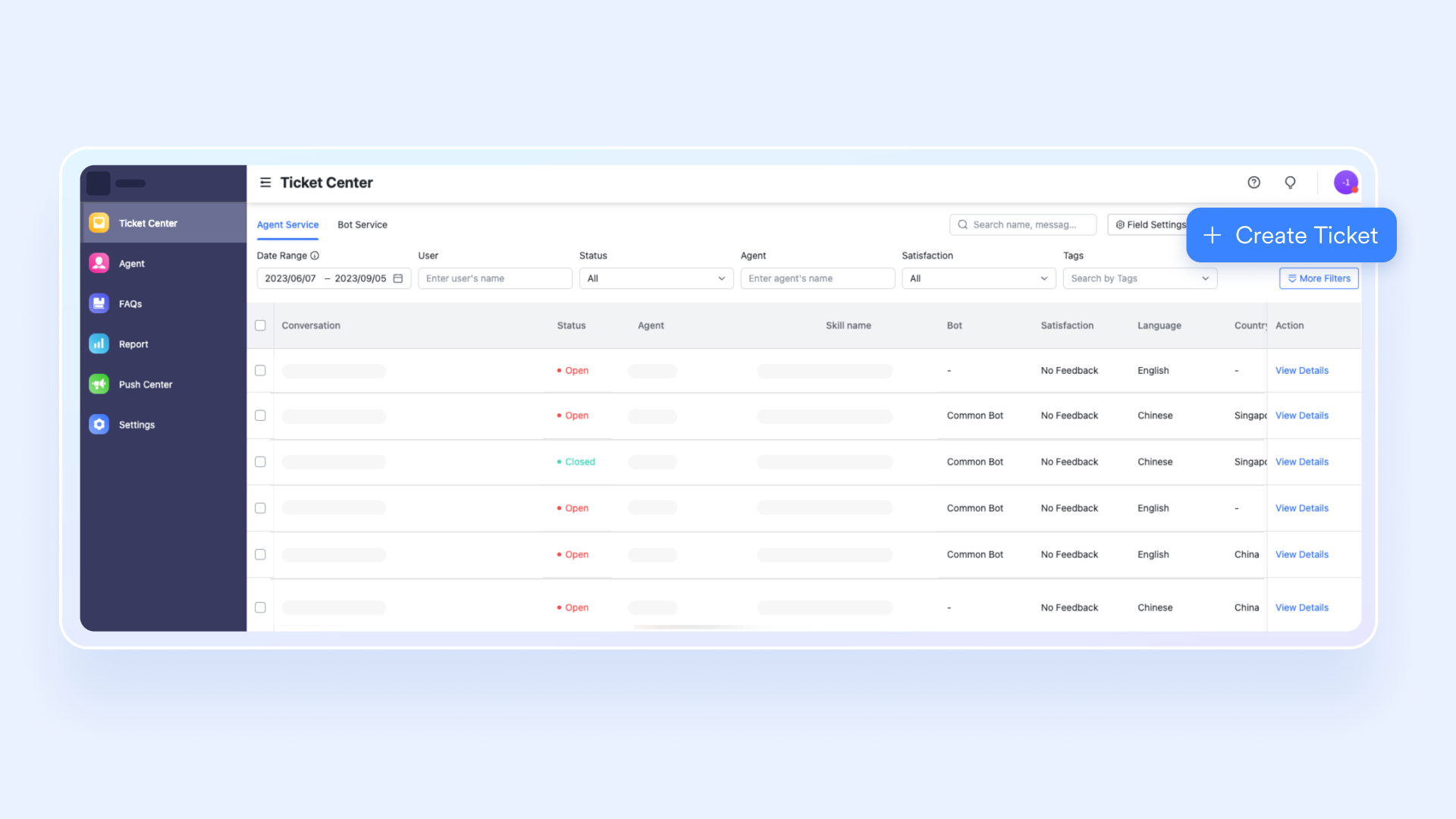
Ticket Center's advanced filtering and export can support multi‑dimensional filtering and precise . Combine filters using system fields (date range, agent, status) and custom fields such as fault level or request type in Help Desk. You can filter tickets using filters such as "Date Range", "User, Status", "Agent", "Satisfaction". You can also click "More Filters" to see more filter options. 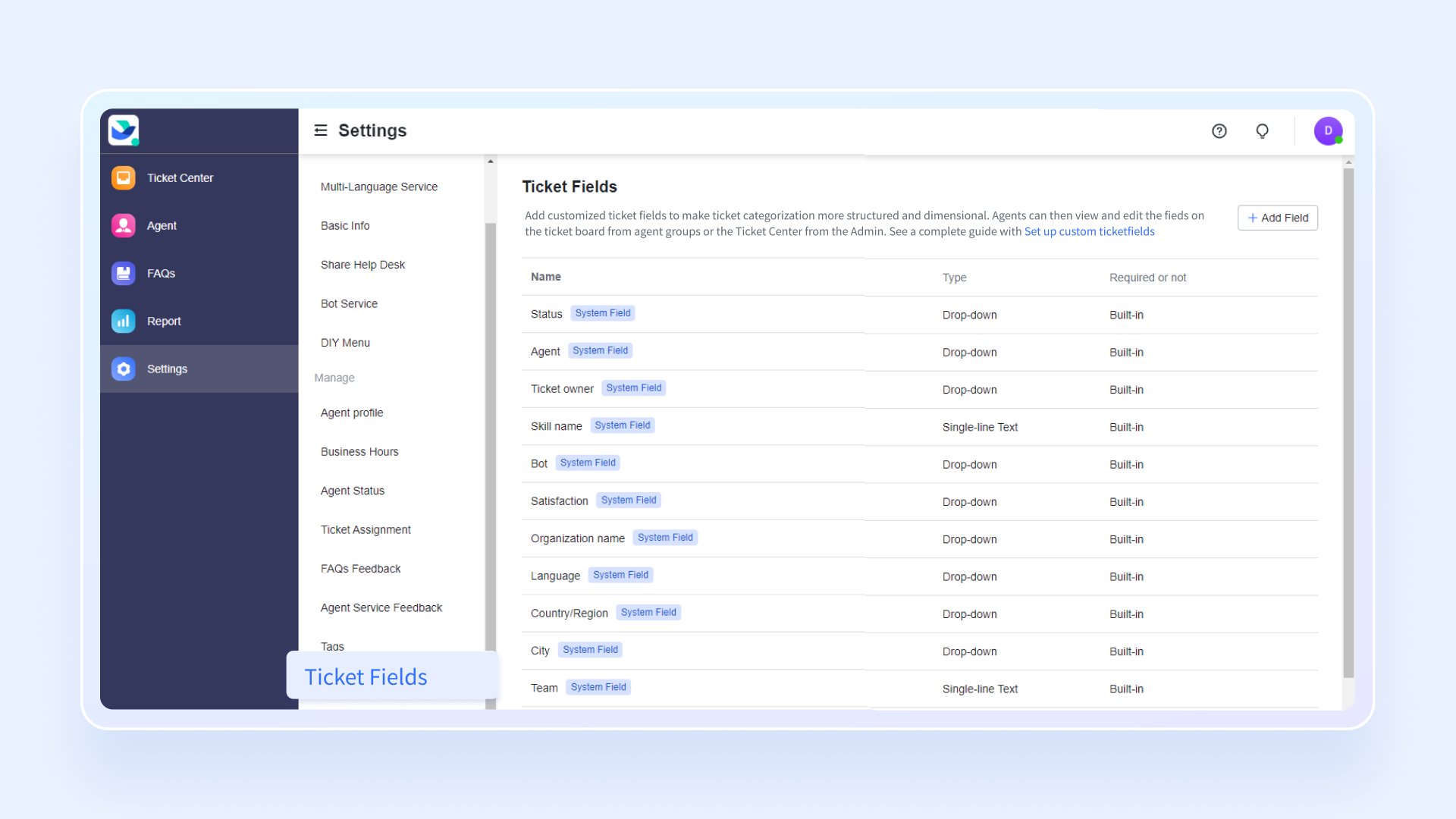
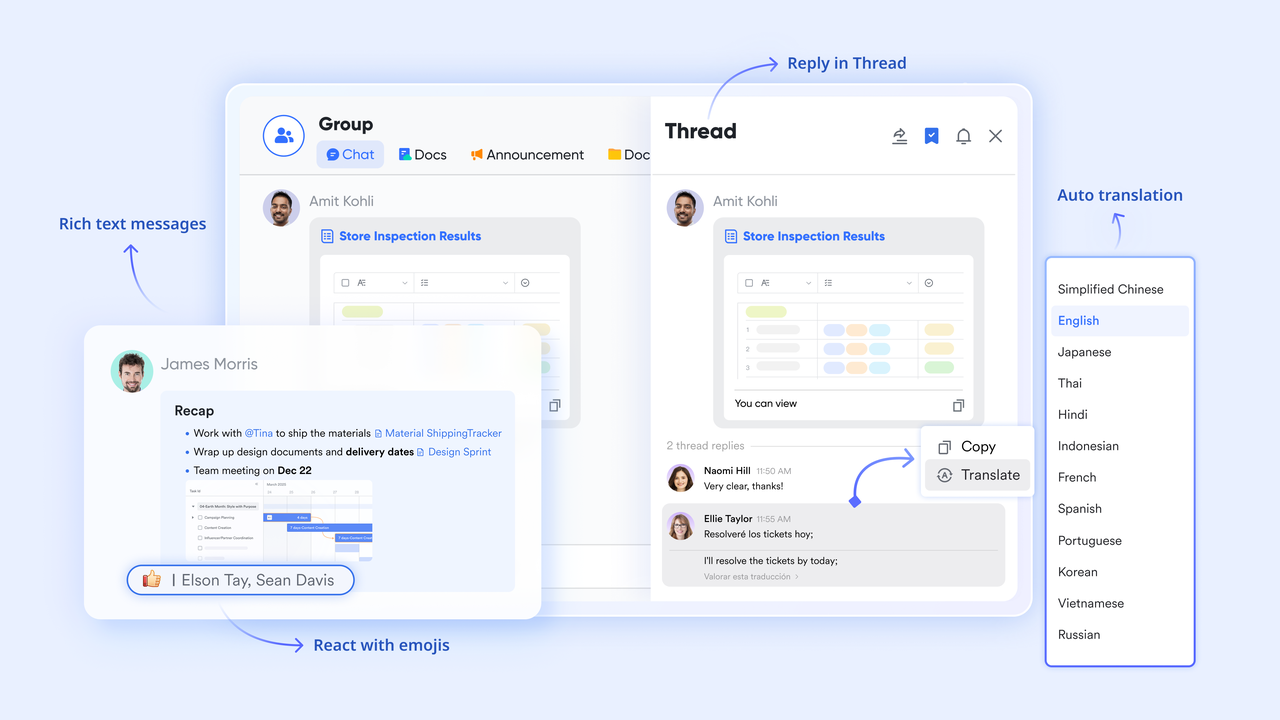
Real‑time chat collaboration: Lark bridges information gaps through contextual conversation via . For example, users can create a chat group connecting the requester and relevant staff, syncing ticket status and ongoing discussions in real time. It is perfect for high‑priority or time‑sensitive cases that need instant clarification without leaving the ticket interface.
Why it stands out
Lark transforms ticket tracking systems into connected workspaces where happens around the ticket—not outside of it. This combination of automation, visibility, and real-time communication makes Lark an excellent all-in-one alternative to standalone help desk or trouble ticket tracking tools.
Best for: Hybrid teams, internal service departments, and cross-functional operations that want to manage requests and communication in a single workflow.
:
- Starter plan: Free forever plan that includes 11 powerful tools for up to 20 users. It also comes with 100GB of storage, 1,000 automation runs, AI translations, and more.
- Basic plan: $6/user/month (billed annually) for up to 500 users, including everything in Starter plus 1-on-1 video meetings, 5TB of storage, 1,000 automation runs, and more. To know more about Basic plan, .
- Pro plan: $12/user/month (billed annually) for up to 500 users. It includes everything in Basic plus a group calling for up to 500 attendees, 15TB of storage, 50,000 automation runs, and more.
- Enterprise plan: for custom pricing. Supports unlimited users and includes even more automation runs and advanced security, compliance, and management features.
For small teams with simple communication needs

18 months message history
1000 Base automation runs/month
2000 rows per table in Base
Most POPULAR
For companies with comprehensive collaboration and management needs
Unlimited message history
500-participant video meetings
50k Base automation runs/month
20k rows per table in Base
For large companies with advanced security and organizational management needs
Get a personalized demo and pricing
Unlimited message history
500-participant video meetings
15 TB storage + 30 GB storage/user
500k Base automation runs/month
50k Base automation runs/month
Most POPULAR
For companies with comprehensive collaboration and management needs
Unlimited message history
500-participant video meetings
50k Base automation runs/month
20k rows per table in Base
2. Zendesk — built for global customer support scalability
Zendesk remains one of the most established ticket tracking software solutions globally. It specializes in omnichannel customer support, enabling organizations to manage requests coming from email, chat, voice, and social platforms.
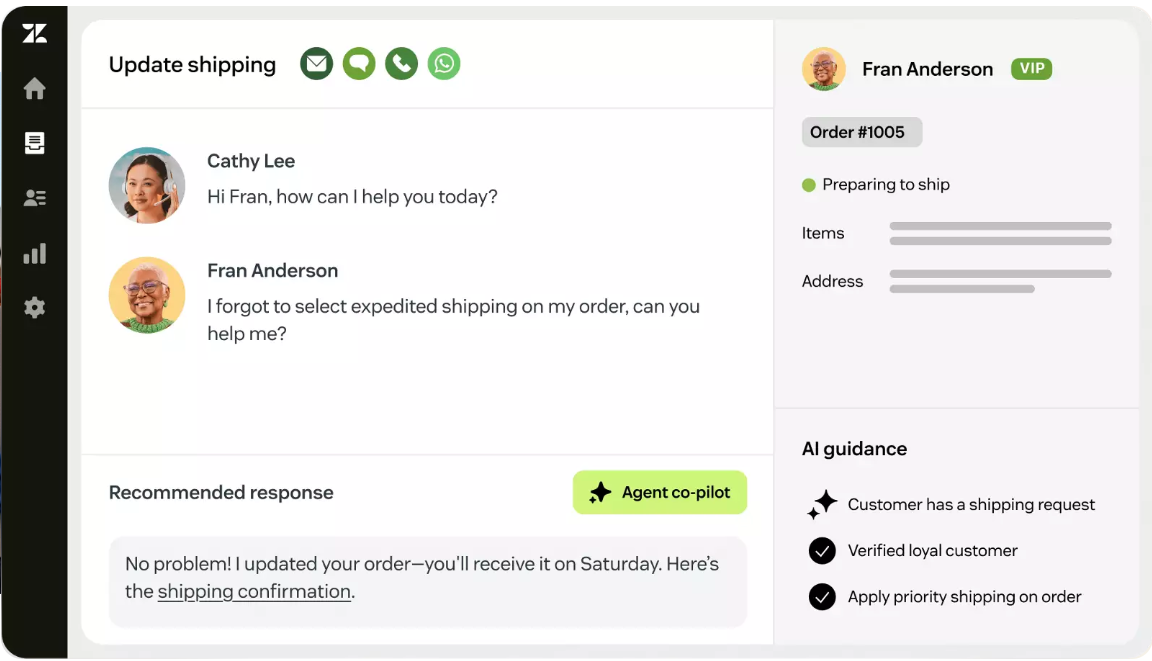
Image source: zendesk.com
Key features
- Unified dashboard that consolidates all agent interactions.
- Advanced automation and SLA setup for large-scale request management.
- Built-in AI to suggest responses and categorize tickets.
- Over 1,000 integrations with CRM, analytics, and collaboration tools.
Why it stands out
Zendesk's strength lies in its mature ecosystem and flexibility. It provides granular visibility across complex organizations while maintaining high service reliability.
Best for: Enterprises and customer support teams managing high ticket volumes with strict SLA enforcement requirements.
Pricing (billed annaully)
- Support Team: $19/agent/month
- Suite Team: $55/agent/month
- Suite Professional: $115/agent/month
- Suite Enterprise: $169/agent/month (or talk to sales)
3. Freshdesk — for teams that prioritize simplicity and automation
Part of the Freshworks suite, Freshdesk offers intuitive automation for customer service and internal help desks alike. Its user-friendly design helps teams scale without hiring full-time administrators.
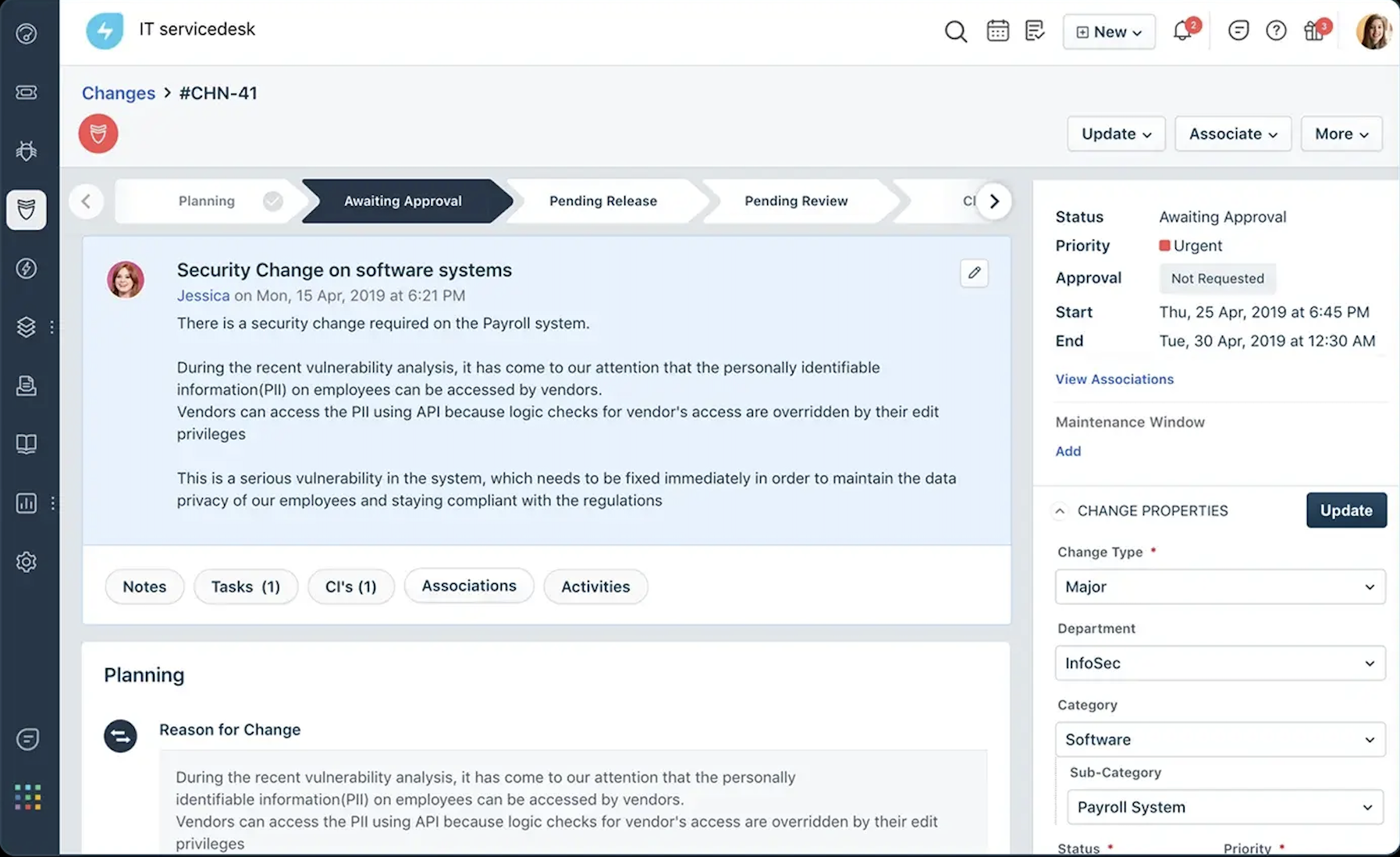
Image source: freshworks.com
Key features
- Shared inbox and quick ticket categorization.
- Workflow automation is based on time, keyword, or agent availability.
- Built-in AI (Freddy) to recommend solutions from your knowledge base.
- Self-service portals that help reduce ticket volume.
Why it stands out
Freshdesk delivers a clear interface that balances ease of use with robust workflow rules. Its automation functions rival the best ticket management systems, ensuring teams stay organized even during high-demand periods.
Best for: Small and mid-sized companies looking for fast deployment and efficient ticket tracking tools with intelligent routing.
Pricing (annual billing):
- Free plan: Up to 2 agents
- Pro + AI Copilot (bundle): $78/agent/month
- Enterprise: $79/agent/month
4. Jira Service Management — for technical and DevOps teams
Developed by Atlassian, Jira Service Management extends its famous project-tracking power into IT and operations support.
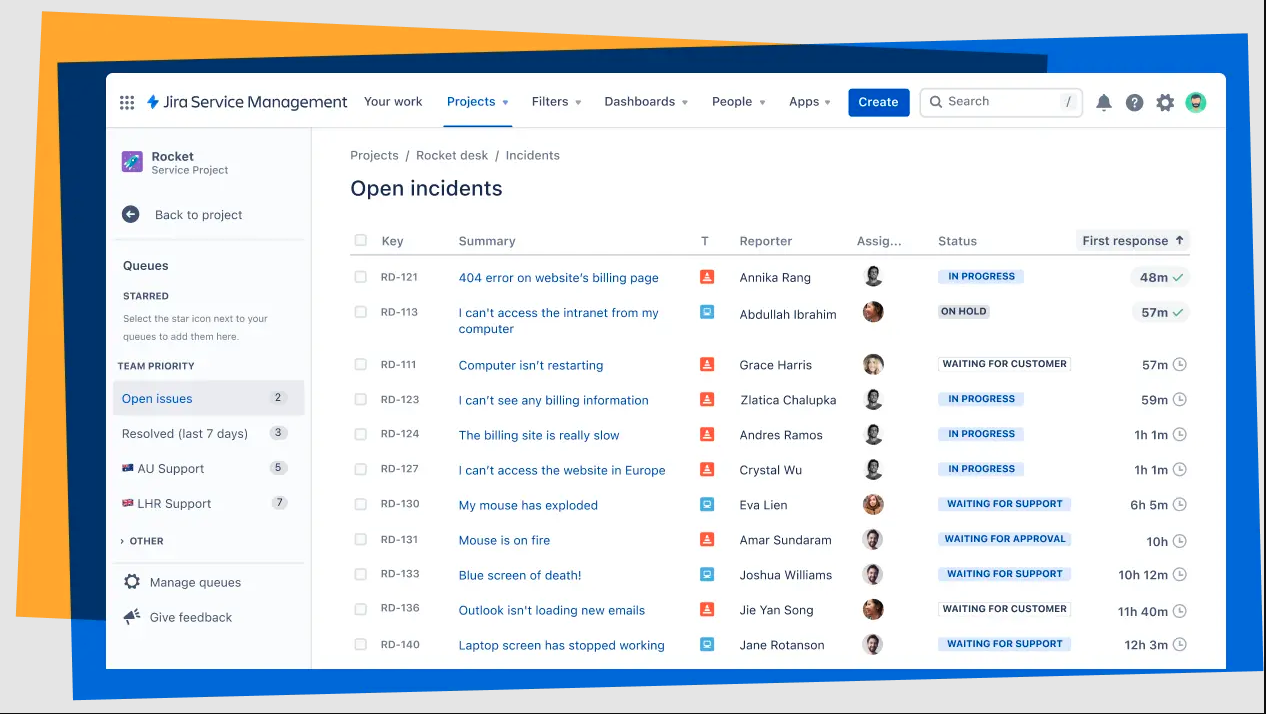
Image source: atlassian.com
Key features
- Request queues with customizable workflows.
- SLA monitoring for each ticket type.
- Incident, change, and problem management modules.
- Extensive integration with development tools like Bitbucket and Confluence.
Why it stands out
It offers one of the most flexible frameworks for handling IT service requests. This makes it especially powerful for organizations that already rely on Atlassian tools.
Best for: IT departments, engineering support, and DevOps teams needing precise, rule-based ticket tracking systems.
Pricing (billed annaully)
- Free tier: Up to 3 agents
- Standard: $20/agent/month
- Premium: $51.42/agent/month
- Enterprise: Custom pricing
5. ServiceNow — for enterprise-level workflow management
ServiceNow is a comprehensive platform designed to manage large-scale workflows across IT, HR, and customer operations.
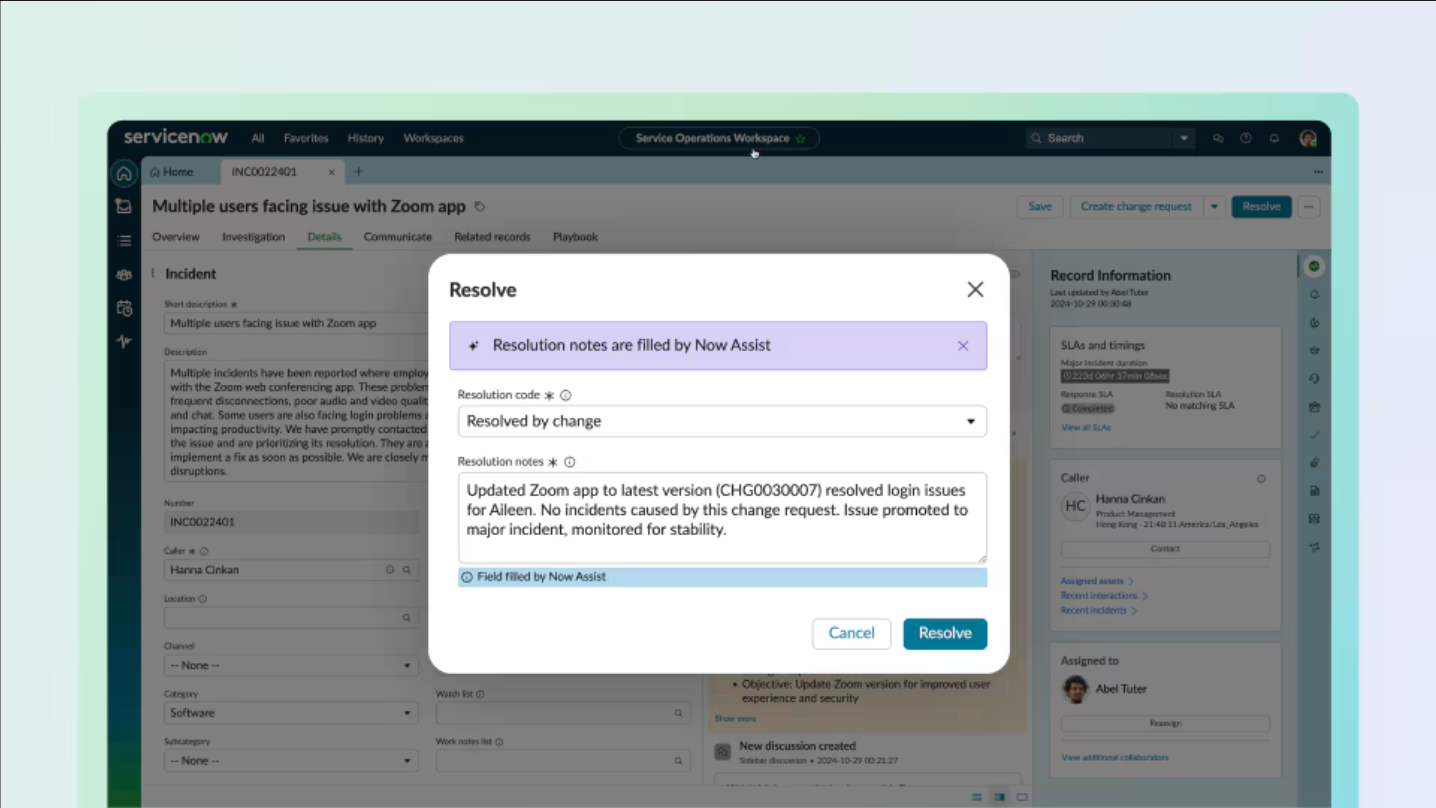
Image source: servicenow.com
Key features
- Centralized service catalog for organization-wide use.
- Real-time dashboards for ticket tracking and SLA enforcement.
- CMDB integration for asset management and change tracking.
- Advanced AI analytics for request prediction and prioritization.
Why it stands out
ServiceNow thrives in enterprise environments with layered responsibilities. It integrates processes beyond ticketing, allowing visibility across every business function.
Best for: Large enterprises with complex compliance and multi-department service management needs.
Pricing: ServiceNow provides custom enterprise pricing upon request
6. HappyFox — for simple and structured internal ticketing
HappyFox is a user-friendly yet capable help desk ticket tracking software that aligns with both internal and customer-facing teams.
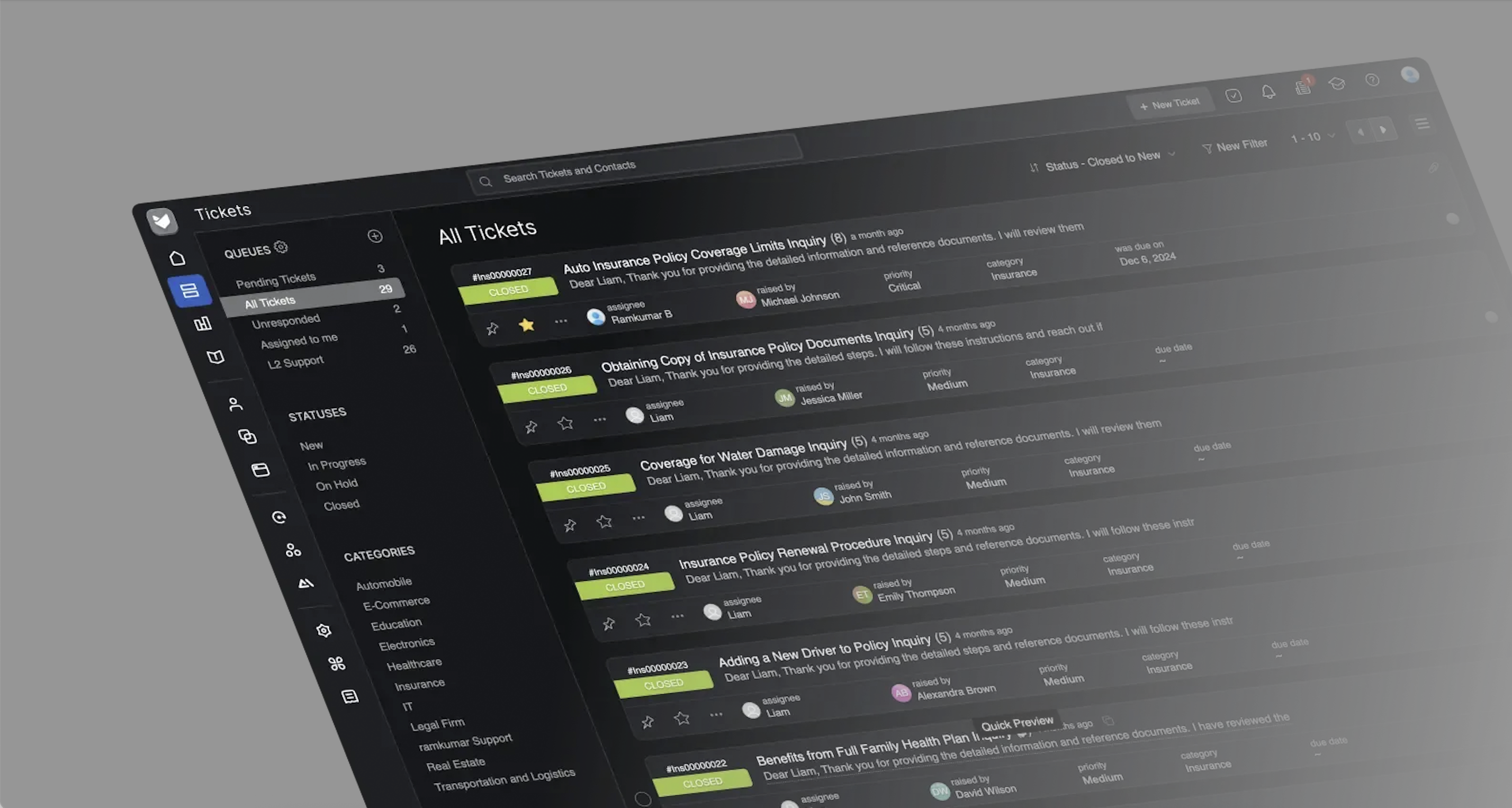
Image source: happyfox.com
Key features
- Category-based ticket routing and recurring task templates.
- Automation workflows that handle assignments and reminders.
- Rich reporting features with visual performance metrics.
- Internal notes and tagging for effective collaboration.
Why it stands out
HappyFox focuses on accessibility—teams can implement structured incident management quickly without technical setup.
Best for: HR and service support teams needing reliable trouble ticket tracking tools with low training overhead.
Pricing (annual billing):
- Enterprise Pro: Custom pricing
7. Zoho Desk — for customer-centric operations
As part of the Zoho ecosystem, Zoho Desk blends support ticket management with CRM data to improve customer experience.
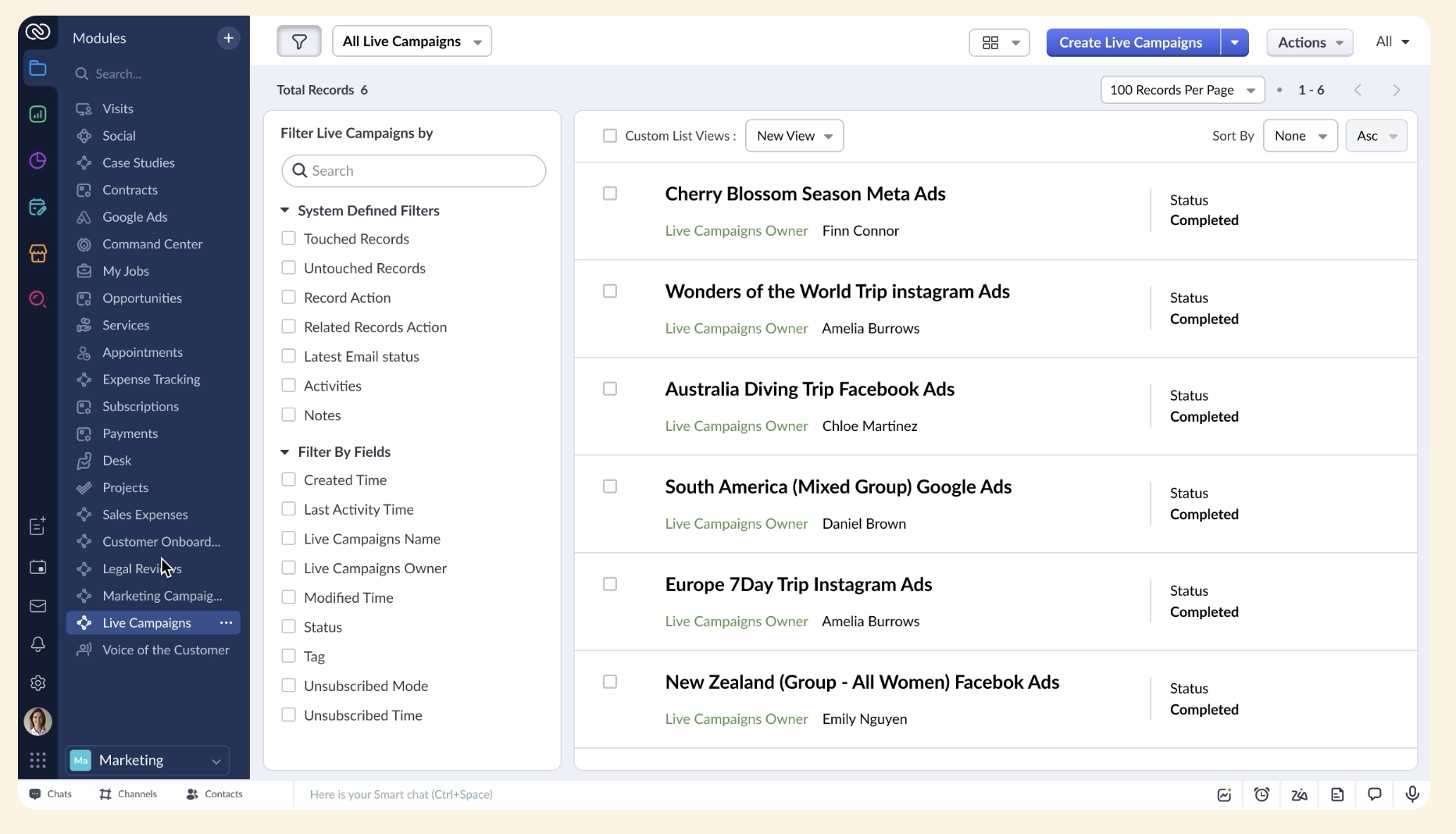
Image source: zoho.com
Key features
- Multichannel intake: email, chat, phone, and social channels.
- Workflow rules and AI chatbot ("Zia") for smart ticket classification.
- Analytics dashboard synced with Zoho CRM for holistic insights.
- Self-service knowledge base for recurring issues.
Why it stands out
It creates a seamless customer experience by linking sales, marketing, and service data.
Best for: Customer-centered businesses using Zoho tools and needing tight CRM–help desk integration.
Pricing(billed annaully)
- Standard: $14/user/month
- Professional: $23/user/month
- Enterprise: $40/user/month
8. HubSpot Service Hub — for relationship-driven ticket tracking
HubSpot's Service Hub integrates seamlessly with its CRM to offer transparent customer support tracking.
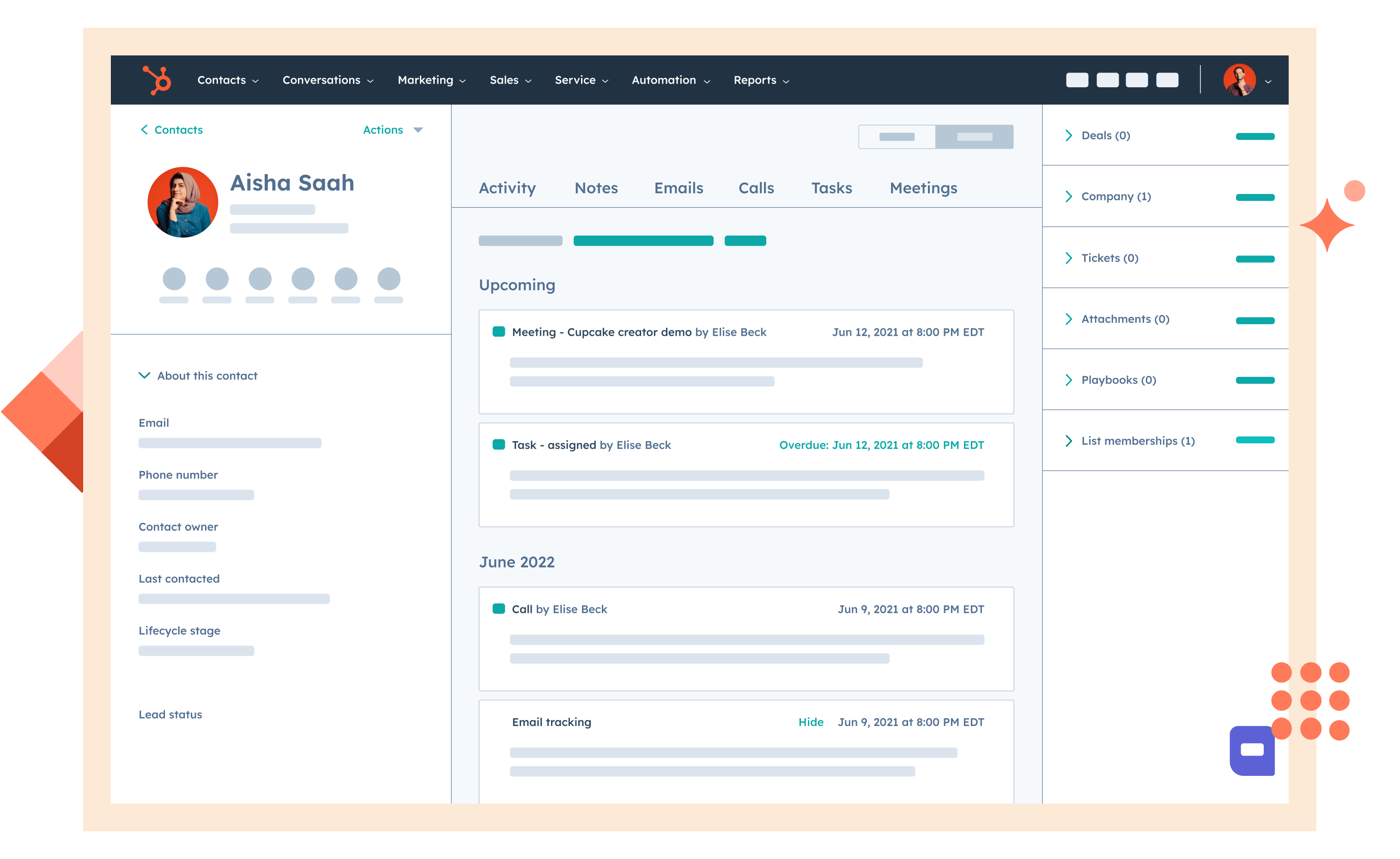
Image source: hubspot.com
Key features
- Unified interface for managing email, chat, and form-based tickets.
- Automation workflows and SLA management.
- Feedback surveys integrated with customer profiles.
- Reporting dashboards for service analytics.
Why it stands out
It links service, marketing, and sales teams, turning ticket tracking systems into tools for growth and retention.
Best for: Organizations aiming to align support with customer lifecycle management.
Pricing (billed annaully)
- Free: Up to 2 users with limited functions
- Starter: $9/mo/seat (Free tools with increased limits)
- Professional: $90/mo/seat
- Enterprise: $150/mo/seat
9. ProProfs Desk — for agile and budget-friendly teams
ProProfs Desk delivers an affordable, lightweight ticket tracking software solution focused on productivity and automation. It is particularly suitable for teams with budget constraints, as it offers cost-effective pricing and essential features without unnecessary extras.
Image source: proprofs.com
Key features
- Shared inbox consolidating multiple support channels.
- Custom labels and filtering for issues and priority levels.
- SLA timers and escalation workflows for timely resolution.
- Reporting and analytics tools for team performance.
Why it stands out
Its strength lies in simplicity—it offers what most teams need without overcomplicating setup or pricing, making it a strong choice for those working within budget constraints.
Best for: Small support teams or startups that need cost-effective ticket management systems.
Pricing: Free plan available; Team plan: $19.99/user/month
10. Spiceworks Help Desk — for IT and technical support
Spiceworks provides a free, community-backed ticket tracking tool widely used among IT professionals.
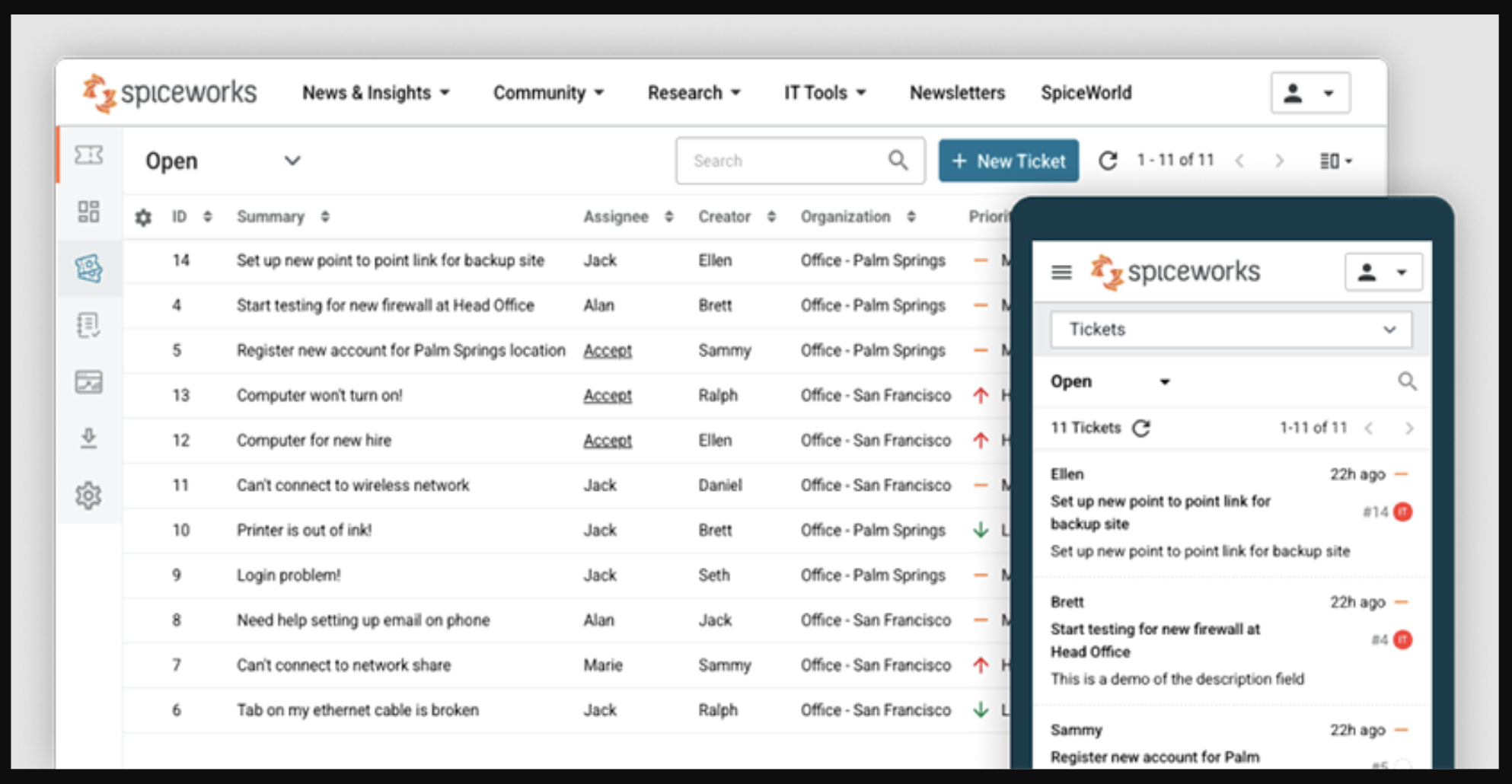
Image source: spiceworks.com
Key features
- Email-based ticket creation and device asset management.
- Predefined automation rules for assigning and escalating tickets.
- Reporting tools for basic SLA tracking and workload visibility.
- Optional on-premises installation for data control.
Why it stands out
Spiceworks stands out as an accessible, zero-cost solution that still delivers structured request tracking.
Best for: IT administrators and managed service providers who need dependable trouble ticket tracking tools without additional cost.
Pricing: Custom pricing
Each of these platforms supports different scenarios—from enterprise compliance to agile service desks—but all share a core mission: to make ticket tracking transparent, accountable, and fast. Whether you're implementing a customer support ticket assignment tracking tool or designing internal workflows in a collaborative suite like Lark, the right system can transform your team's daily operations into a seamless problem-solving ecosystem.
Explore ticket tracking automation with the right tool
Comparing the leading ticket tracking tools
Selecting from the many ticket tracking tools available can feel overwhelming—every platform claims to simplify workflows or boost resolution speed. A direct comparison helps illustrate where each system excels and which type of team it best serves. The following table and overview highlight key differences in collaboration, automation, and scalability among the top contenders.
- Lark stands out for teams that prioritize collaboration alongside ticket tracking. Unlike traditional , it merges problem-solving, communication, and reporting in one unified workspace.
- Zendesk and ServiceNow dominate large-scale environments where SLA enforcement and multi-department ticket control are critical.
- Freshdesk and ProProfs Desk offer accessible options for smaller organizations that value simplicity over granular configuration.
- Jira Service Management remains unmatched for IT workflows that require integration with development pipelines.
- Each system serves a distinct culture: structured enterprise compliance versus agile, interdepartmental collaboration. Evaluating which matches your team's goals can save both cost and operational friction.
Ultimately, the best ticket tracking tools that align your team's daily tasks with performance objectives and communication flow, ensuring not just faster resolutions but better teamwork.
Pick the ticket tracking tool that suits you best
2026 trends shaping the future of ticket tracking software
The landscape of ticket tracking tools continues to evolve rapidly, shaped by changing work patterns, smarter automation, and growing expectations for transparency. As we move into 2026, teams are rethinking how they manage requests, emphasizing both efficiency and collaboration. The following trends highlight where ticket tracking systems are headed next:
AI-driven automation
Artificial intelligence is no longer limited to auto-categorizing tickets. Emerging ticket tracking software now predicts ticket urgency, suggests responses, and even drafts resolution steps based on past patterns. This helps reduce manual triage and improves SLA adherence by proactively flagging where attention is needed most.
Conversational ticketing and chat combination
The line between communication tools and systems is blurring. In 2026, more teams will adopt chat-based ticket tracking programs, where requests originate directly from messaging platforms. A message in a shared chat can become a live ticket, trackable with context intact. Tools like Lark already exemplify this shift—linking requests to relevant discussions and automating updates.
Personalized dashboards and analytics
Modern teams demand not just ticket volume data but insights specific to their goals. The future of customer support ticket assignment tracking tools will bring , allowing managers to combine SLA performance, agent workload, and satisfaction metrics into tailored views. These personalized analytics empower teams to make smarter, faster decisions.
Unified service operations
Organizations are merging internal workflows, such as IT, HR, facilities, into shared platforms. Instead of dozens of separate help desks, there's a growing movement toward unified service ecosystems where employees use one interface for all requests. Platforms that integrate data, automation, and communication (like Lark or ServiceNow) are setting this trend in motion.
With hybrid work here to stay, ticket tracking systems are prioritizing mobility, security, and real‑time synchronization. Cloud‑based solutions now emphasize , ensuring agents can track and update tickets on the go. Offline access features and automated syncing make continuity possible even when connectivity dips.
Ethical automation and compliance
Data governance will become a key decision factor when selecting trouble ticket tracking tools. In 2026, enterprises will expect built‑in compliance features—automated data retention, secure storage, and permission visibility—baked directly into .
As these trends mature, the future of ticket tracking clearly moves beyond management efficiency. It's about collaboration, automation, and insight coexisting to deliver seamless problem‑solving experiences that fit naturally within daily workflows.
Embrace future tick tracking trends with experts
Conclusion
Effective ticket tracking is no longer a back‑office process—it's a core part of how modern organizations communicate and deliver value. The best ticket tracking tools now function as collaboration hubs as much as they do case management systems.
For teams balancing transparency with speed, platforms like demonstrate where the industry is heading: toward connected experiences where capturing, tracking, and resolving tickets all happen in one unified workspace. This not only shortens resolution cycles but also keeps stakeholders informed in real time.
Whether you're guiding a growing IT department, coordinating internal HR requests, or improving customer response times, the future belongs to adaptable, secure, and data‑driven ticket tracking software. The right platform will empower teams—not burden them—with structure, clarity, and insight.
FAQs
What is the best ticketing tool?
The best ticketing tool depends on your team's specific needs. For cross‑functional collaboration, Lark offers integrated communication and tracking. For enterprise‑level customer service, Zendesk and ServiceNow provide robust automation and analytics. Smaller teams may favor Freshdesk or ProProfs Desk for their simplicity and fast setup.
Are free ticketing tools worth it?
Free ticket tracking tools like Spiceworks Help Desk are valuable for small IT or startup teams testing out structured workflows. However, free versions often limit automation, SLA tracking, and reporting. As request volume grows, investing in a scalable platform ensures better efficiency, visibility, and data security.
What is a CRM ticketing tool?
A CRM ticketing tool combines customer relationship management with support ticket tracking. Examples include HubSpot Service Hub and Zoho Desk, which merge tickets, contact history, and sales data. This integration helps businesses personalize communication, track customer interactions in context, and build stronger long‑term relationships.
What is a ticket tracking program?
A ticket tracking program is software that captures, monitors, and manages issues or service requests from creation to closure. Each ticket records details like requester, description, priority, and resolution history. Over time, these systems—also known as ticket tracking systems—provide insights into team performance, customer satisfaction, and workload patterns, helping organizations continuously improve their service delivery.
Related reading
































