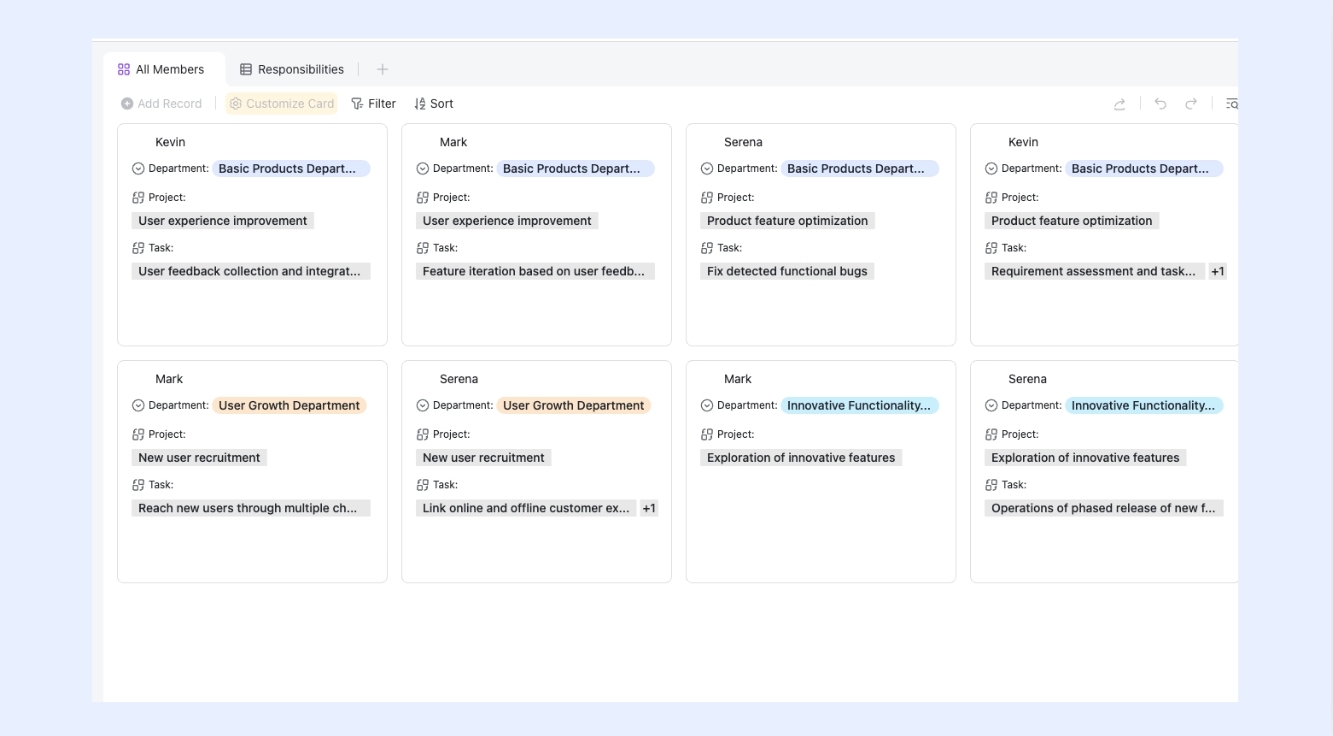
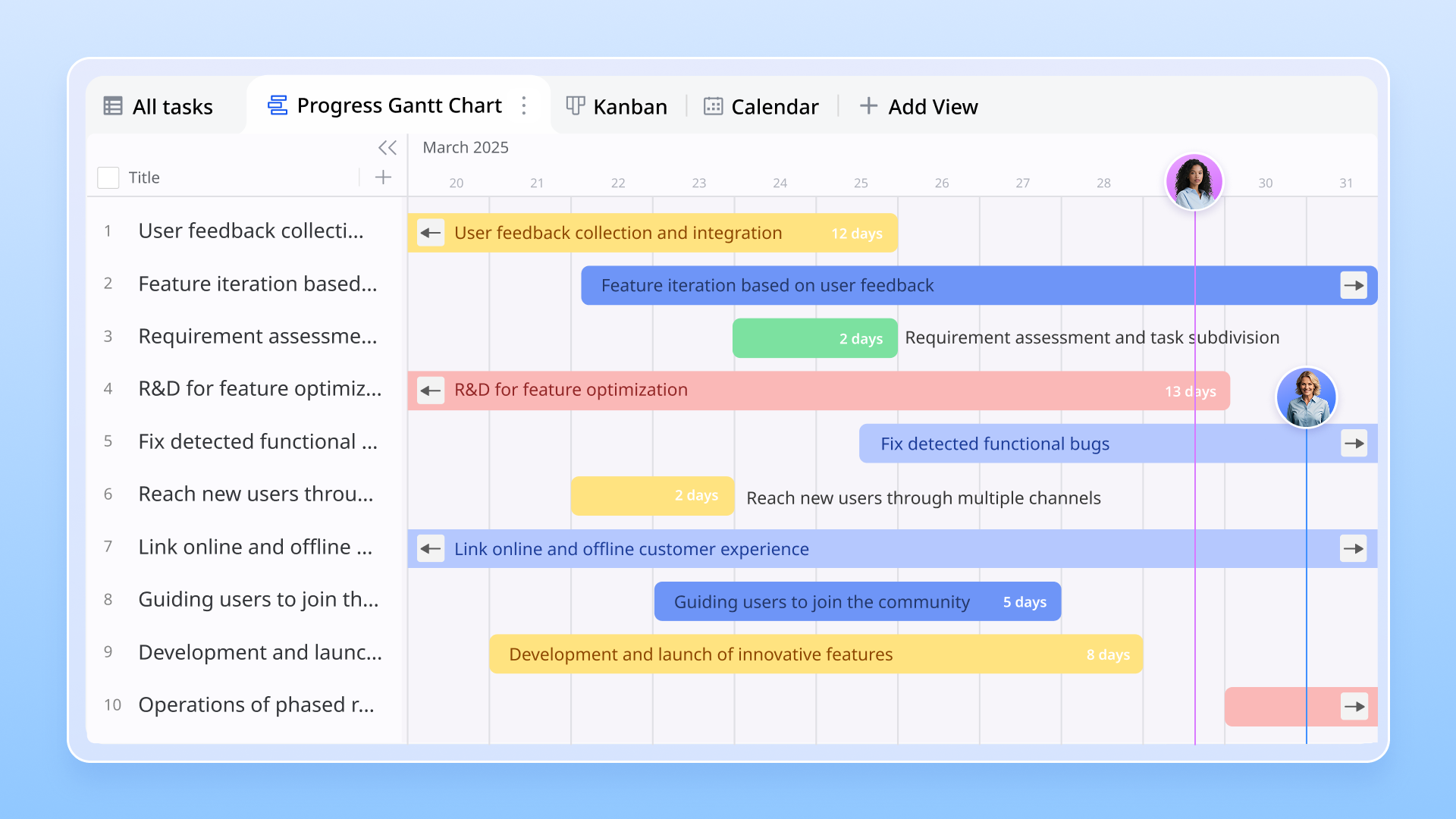
Gantt chart timelines are one of the most effective ways to visualize, plan, and manage projects. They provide a clear overview of tasks, deadlines, and dependencies, helping teams stay organized and on track. By using a Gantt chart, project managers can identify potential bottlenecks, allocate resources efficiently, and monitor progress at a glance.
Modern software solutions like make creating and updating Gantt charts easier than ever, with real-time collaboration, drag-and-drop scheduling, and automated updates. Whether you're managing small projects or complex workflows, understanding how to leverage a Gantt chart timeline can improve productivity, communication, and overall project success.
Build smarter timelines and track progress
What is a Gantt chart timeline?
A timeline is a visual representation of a , showing tasks, their durations, and dependencies along a timeline. Developed by Henry L. Gantt in the 1910s, the original charts were hand-drawn to help managers plan and track progress efficiently. Over time, Gantt charts evolved from paper-based tools into digital solutions, enabling , collaboration, and automation. Modern like Lark has taken this evolution further, offering interactive timelines, drag-and-drop task adjustments, and seamless team communication. Today, Gantt chart timelines are essential for planning, coordinating, and monitoring projects of all sizes, helping teams deliver work on time and within scope.
Why Gantt chart timelines still matter today
Gantt chart timelines remain crucial for managing complex, multi-phase projects. They break down large initiatives into manageable tasks, making it easier to and meet deadlines. By providing cross-team visibility, can see the status of each task, understand dependencies, and identify potential bottlenecks early. Gantt charts also foster accountability, clearly showing who owns each task and when it's due. Modern like Lark enhance these benefits by offering real-time updates, features, and easy adjustments, ensuring teams stay coordinated and projects move forward smoothly, even as requirements evolve.
Plan projects smarter with Lark
Who benefits most from Gantt chart timelines
- Construction projects: Teams handling construction rely on Gantt chart timelines to manage strict dependencies between tasks, such as permitting, material delivery, and on-site work. This ensures stays on schedule and resources are allocated efficiently.
- Software development teams: Development teams use Gantt charts alongside agile practices to track sprints, releases, and milestones. help visualize dependencies between features and keep projects aligned with deadlines.
- Marketing campaigns: Marketing teams benefit from to coordinate overlapping deliverables like content creation, ad launches, and social media scheduling, reducing conflicts and missed deadlines.
- Remote teams: For distributed teams, Gantt chart timelines provide transparency and alignment, making it easier to see who is responsible for what and when. Tools like Lark enhance this by offering real-time collaboration and task updates.
Gantt chart vs timeline: Choosing the right approach
- Gantt timeline chart: Gantt charts are ideal for structured projects with multiple tasks and dependencies. They provide a detailed view of task , milestones, and resource allocation, making them perfect for complex projects where timing and dependencies are critical.
- Simple timelines: For lightweight projects or quick overviews, simple timelines work well. They show the sequence of tasks and deadlines without overwhelming detail, helping teams visualize progress at a glance.
- Hybrid approaches: Some projects benefit from combining both approaches. For example, a team may use a Gantt chart to manage core dependencies while maintaining a simple timeline for stakeholder updates. Modern tools like Lark make it easy to switch between detailed Gantt views and simpler timelines, offering and flexibility based on the project's needs.
Why teams choose Lark for Gantt chart timelines
Lark makes Gantt chart timelines practical, powerful, and approachable for every kind of team—from startups to large enterprises. By combining visual planning, automated workflows, and real-time collaboration, turns complex project schedules into connected, actionable timelines. Whether you're managing campaigns, events, or development cycles, Lark's Gantt templates and flexible Base layouts help you plan faster and execute smarter.
Below are examples of how different teams use Lark to simplify project planning and delivery.
Project managers: Plan, track, and deliver with precision
Project managers use Lark Base to design structured project timelines that adapt automatically to real-time changes. The Gantt view lets them assign owners, define dependencies, and see the entire project at a glance.
The helps managers visualize every phase—from initiation to delivery—alongside progress bars and milestone markers.
Example: A project lead managing a software rollout uses Base to track development, QA, and release phases. When a testing milestone is delayed, the Gantt timeline updates instantly, and automated reminders notify dependent teams, ensuring schedules stay accurate without manual edits.
Marketing teams: Manage campaigns and launch schedules
Marketing teams rely on to plan campaigns, track deliverables, and align creative, content, and analytics teams in one place. Timelines connect seamlessly with for project briefs, for quick discussions, and Lark Meetings for review sessions and team check-ins.
This template helps marketers visualize production cycles, organize approvals, and maintain consistency across multiple channels.
Example: A social media team maps its monthly campaigns using the Gantt view. Each task—copywriting, design, posting—is color-coded by channel, and automated reminders ensure posts go live on time across platforms.
Event planners: Coordinate details with clarity
From corporate conferences to community fundraisers, event planners use Lark's Gantt chart timelines to coordinate logistics, vendors, and deliverables effortlessly. The offers structured views for venue booking, speaker coordination, and marketing activities—all linked to real-time updates. Example: A corporate event team plans a product launch using . When the "Venue Confirmation" milestone is completed, Base automatically triggers reminders for "Catering Coordination" and "Guest Invitations," ensuring every detail moves smoothly toward the event date.
Product development teams: Track sprints and feature milestones
Product managers and developers use to visualize product roadmaps, set dependencies between features, and monitor progress across sprints. The helps them manage parallel workstreams for design, development, and QA within a unified timeline.
Example: A development team plans a new feature rollout. When the design phase finishes, the system triggers a task for QA and notifies the lead developer in . The updated shows overall progress and readiness for release.
HR and operations teams: Oversee internal projects and onboarding
HR teams and operations managers use Gantt timelines in Base to coordinate onboarding, policy rollouts, and training programs. The provides fields for owners, due dates, and progress updates to maintain full visibility.
Example: The HR department uses Base to manage onboarding for new hires. When "Equipment Setup" is marked complete, automatically reminds the training team to start their sessions and updates the overall timeline, keeping each stage accountable.
Consultants and agencies: Manage multiple client projects seamlessly
Consulting firms and creative agencies use Lark Base to manage multiple client timelines simultaneously. With custom filters and group views, teams can see progress by project, client, or team member. The template provides customizable columns for project scope, deadlines, responsible owners, and deliverables—ideal for maintaining transparency with clients.
Example: An agency handling five campaigns uses one Base workspace to monitor all projects. Automated alerts notify account managers when client feedback is overdue, preventing bottlenecks and improving turnaround times.
OKR-driven teams: Align goals with measurable progress
For organizations using (OKRs), Lark Base provides an that links daily execution with strategic outcomes. Each key result appears as a timeline milestone, giving leadership visibility into progress without separate reports. Example: A startup uses the OKR Gantt Template to connect quarterly goals—like "Launch new feature" or "Increase retention by 10%"—with underlying projects. Automated status updates keep progress transparent across teams.
:
- Starter plan: Free forever plan that includes 11 powerful tools for up to 20 users. It also comes with 100GB of storage, 1000 automation runs, AI translations, and more.
- Pro plan: $12/user/month (billed annually) for up to 500 users. It includes everything in Starter plus group calling for up to 500 attendees, 15TB of storage, 50,000 automation runs, and more.
- Enterprise plan: for custom pricing. Supports unlimited users and includes even more automation runs and advanced security, compliance, and management features.
For small teams with simple communication needs

18 months message history
1000 Base automation runs/month
2000 rows per table in Base
Most POPULAR
For companies with comprehensive collaboration and management needs
Unlimited message history
500-participant video meetings
50k Base automation runs/month
20k rows per table in Base
For large companies with advanced security and organizational management needs
Get a personalized demo and pricing
Unlimited message history
500-participant video meetings
15 TB storage + 30 GB storage/user
500k Base automation runs/month
50k Base automation runs/month
Most POPULAR
For companies with comprehensive collaboration and management needs
Unlimited message history
500-participant video meetings
50k Base automation runs/month
20k rows per table in Base
Best practices for project timeline Gantt charts
- Keep tasks short and measurable: Break down larger tasks into smaller, actionable items. This makes progress easier to track and ensures .
- Define milestones clearly: Set clear milestones to mark critical points in the project. They provide checkpoints that help monitor overall progress.
- Review progress weekly: Check timelines regularly, ideally weekly, rather than monthly. Frequent reviews allow teams to spot delays early and make timely adjustments.
- Use color codes for clarity: Apply color coding to differentiate task types, priorities, or team responsibilities. make timelines easier to understand at a glance.
- Align with overall business goals: Ensure each task and milestone supports the broader objectives of the project or organization. This alignment keeps teams focused on high-impact work.
Advanced features to look for in Gantt chart timeline tools
- Baseline tracking: Track planned versus actual progress to identify delays early. Comparing timelines helps teams make informed adjustments and ensures projects stay on schedule.
- Critical path analysis: Identify tasks that directly impact project completion. Focusing on the critical path helps prioritize work and avoid bottlenecks.
- Collaboration features: Leverage comments, , and real-time updates to keep team members aligned. Tools like Lark make collaboration seamless, even across remote teams.
- Automations & AI suggestions: Use automations for recurring tasks and for scheduling or reminders. These features reduce manual work and improve efficiency, keeping projects moving smoothly.
Boost collaboration using Gantt timelines
Common mistakes to avoid with Gantt chart timelines
- Overcomplicating with too many dependencies: Adding excessive dependencies can make the chart cluttered and confusing. Focus on key relationships that truly affect project flow.
- Not updating regularly: Failing to update timelines leads to outdated charts, which can misguide the team and stakeholders. Tools like Lark make real-time updates easy, keeping everyone on the same page.
- Failing to communicate changes: Changes in tasks, deadlines, or priorities must be communicated clearly. Regular updates and notifications ensure stakeholders are aware of adjustments and avoid misunderstandings.
Conclusion
Gantt chart timelines provide a clear visualization of tasks, deadlines, and dependencies, making project management more organized and efficient. They enhance accountability, improve cross-team communication, and help teams stay on track even in complex projects.
Adopting modern tools like can take these benefits further, offering real-time updates, collaboration features, and automation that simplify project planning and execution. For teams aiming to boost productivity and deliver projects on time, using Gantt chart timelines is a practical step toward smarter, more efficient project management.
Get started with Lark's Gantt chart timeline today
FAQs
What industries benefit most from Gantt chart timelines?
Gantt chart timelines are valuable across many industries, including construction, software development, marketing, event management, and education. They help manage complex tasks, track dependencies, and coordinate resources efficiently.
How do Gantt chart timelines help remote teams?
For remote teams, Gantt charts provide transparency and clarity. Everyone can see task ownership, deadlines, and progress in real time. Tools like Lark enhance collaboration with live updates, comments, and file sharing, keeping distributed teams aligned.
Can Gantt timeline charts integrate with Agile methods?
Yes, Gantt charts can complement Agile workflows by providing an overall project timeline while Agile boards manage sprints and iterations. Hybrid approaches help teams maintain flexibility without losing long-term visibility.
Do small businesses need Gantt chart timelines?
Absolutely. Even small teams benefit from visualizing tasks, deadlines, and dependencies. Gantt charts simplify planning, prevent missed deadlines, and improve communication without requiring large-scale project management processes.
What are the newest trends in Gantt timeline tools?
Modern Gantt tools are incorporating AI-driven scheduling suggestions, real-time collaboration, automation for recurring tasks, mobile-friendly interfaces, and integrations with other productivity apps. Platforms like Lark lead the way in combining these trends for smarter project planning.
Related reading