














10 Best Inbound Marketing Tools: Choose Right and Win Easily

Ryan Tanner
Product Marketing Specialist
Sep 18, 2026
Ryan Tanner
Sep 18, 2026

20 min read


Inbound marketing has become the cornerstone of sustainable business growth. Instead of relying on ads or cold calls, today's brands attract, engage, and convert customers through valuable content, automation, and data-driven personalization. Choosing the right inbound marketing tools ensures teams stay aligned and campaigns run efficiently from awareness to conversion.
In this guide, we'll explore 10 of the best inbound marketing tools — starting with Lark, HubSpot, Mailchimp, Semrush, Notion etc, to help you build smarter, scalable inbound campaigns that truly deliver results.
- Lark: The workspace that brings strategy and execution together
- HubSpot: The trusted powerhouse for inbound growth
- Mailchimp: Simple automation that nurtures leads
- Semrush: Smarter SEO and content intelligence
- Notion: Plan, create, and manage campaigns together
- Zapier: Automation that keeps your marketing in sync
- Google Analytics 4: Insights that drive better decisions
- Canva: Design tools that make content pop
- Ahrefs: Deep SEO insights to attract the right audience
- Hotjar: Understand what visitors really want

What is inbound marketing?
Inbound marketing focuses on attracting, engaging, and delighting customers by offering valuable experiences rather than interruptive ads. It's a customer-centric approach built on trust, not interruption.
- Attract: Draw in the right audience with SEO, blogs, and social content.
- Engage: Nurture leads through automation, personalized email campaigns, and targeted messaging.
- Delight: Turn customers into promoters with exceptional post-sale experiences and data-driven follow-ups.
Unlike outbound marketing—where businesses push their messages outward—inbound marketing empowers potential customers to discover your brand organically. The right inbound marketing tools amplify this process, connecting each stage through automation, analytics, and collaboration.
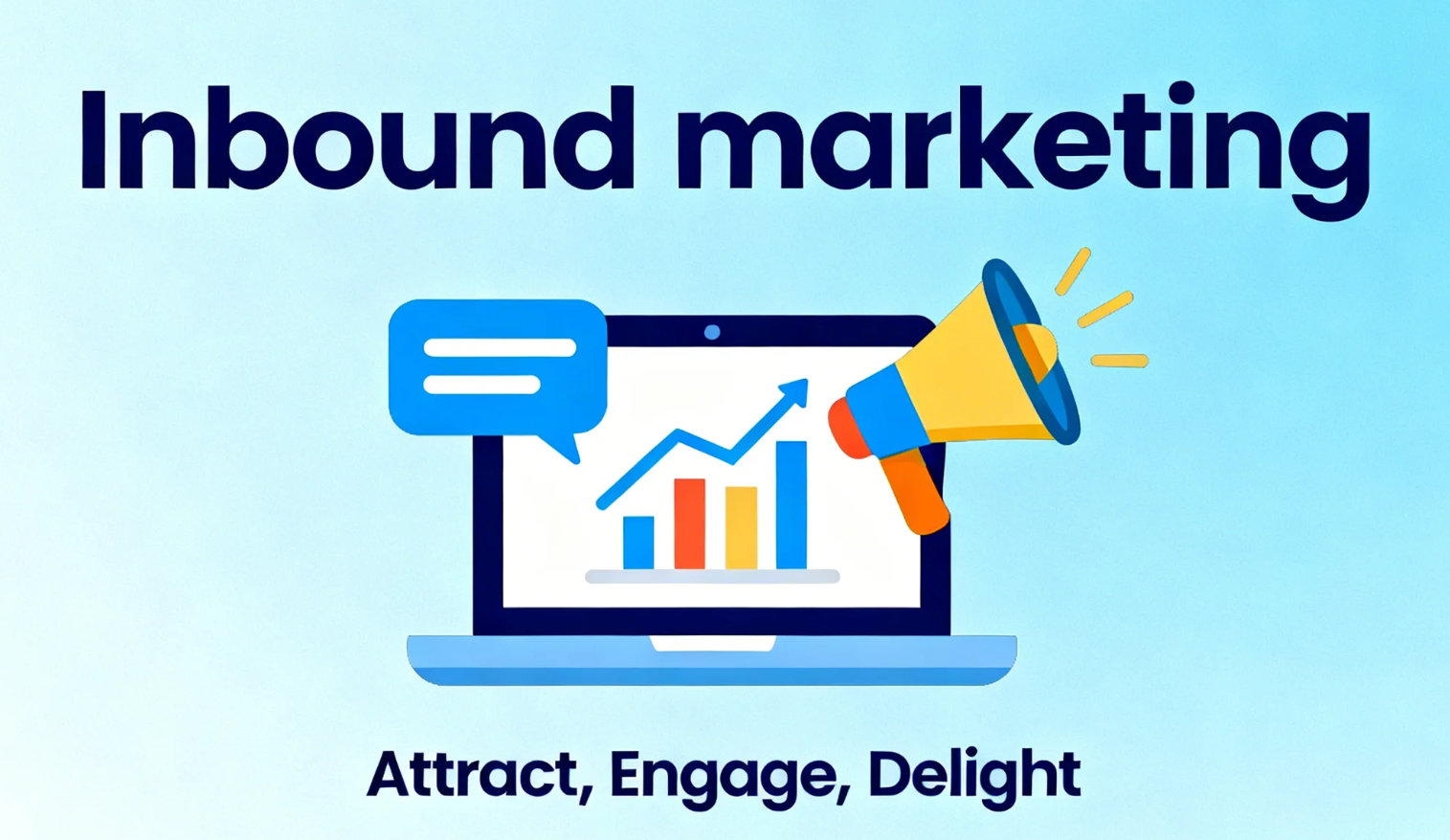
Image source: unsplash.com
Key features to look for in an inbound marketing tool
Selecting the right inbound marketing tools means understanding which features truly move the needle. The best platforms combine automation, analytics, and collaboration to help teams attract, engage, and convert leads efficiently.
- CRM and lead tracking: A CRM system is the foundation of inbound success. It captures and organizes customer data—from first contact to conversion, so that teams can track interactions, score leads, and forecast revenue accurately. Robust CRM and lead-tracking features ensure every prospect receives timely, personalized engagement.
- Marketing automation: Automation allows marketers to focus on strategy instead of repetitive tasks. From scheduling campaigns and assigning leads to nurturing workflows and analytics updates, automation ensures consistent communication and measurable results. The right tool helps streamline multi-channel marketing for maximum ROI.
- Email campaigns & workflows: Email remains the heart of inbound marketing. With workflow automation, teams can send the right message at the right time—based on customer behavior or lifecycle stage. Advanced email features support segmentation, personalization, and A/B testing to optimize engagement rates.
- Content creation & distribution: High-quality content attracts leads and builds trust. Look for inbound marketing software that simplifies content planning, collaboration, and publishing across blogs, social media, and email channels. Streamlined distribution tools help maintain consistency while expanding your brand's reach organically.
- Analytics & reporting: Data-driven marketing is what separates good campaigns from great ones. Built-in analytics and reporting features track key performance metrics such as website traffic, conversions, and ROI. They empower teams to refine strategies using insights rather than intuition.
- Collaboration & project management: Inbound marketing is a team sport—requiring coordination between content creators, designers, and strategists. Tools with project management capabilities ensure visibility across tasks, deadlines, and deliverables. Centralized collaboration keeps campaigns on track and aligned with overall goals.
Quick overview of the best inbound marketing tools
Top 10 inbound marketing tools for smarter campaigns
1. Lark: The workspace that brings strategy and execution together
Lark is a comprehensive all-in-one workspace designed to help teams plan, collaborate, and execute campaigns seamlessly. It combines communication, project management, automation, and analytics tools in a single platform, reducing the need for multiple disconnected apps.
Marketing teams can manage clients, track tasks, create content, and monitor performance all in one place. With Lark, organizations streamline workflows, enhance collaboration, and make data-driven decisions faster. It's built to empower teams of all sizes to work smarter and achieve measurable results.
Lark Base: Keep clients and projects under one roof
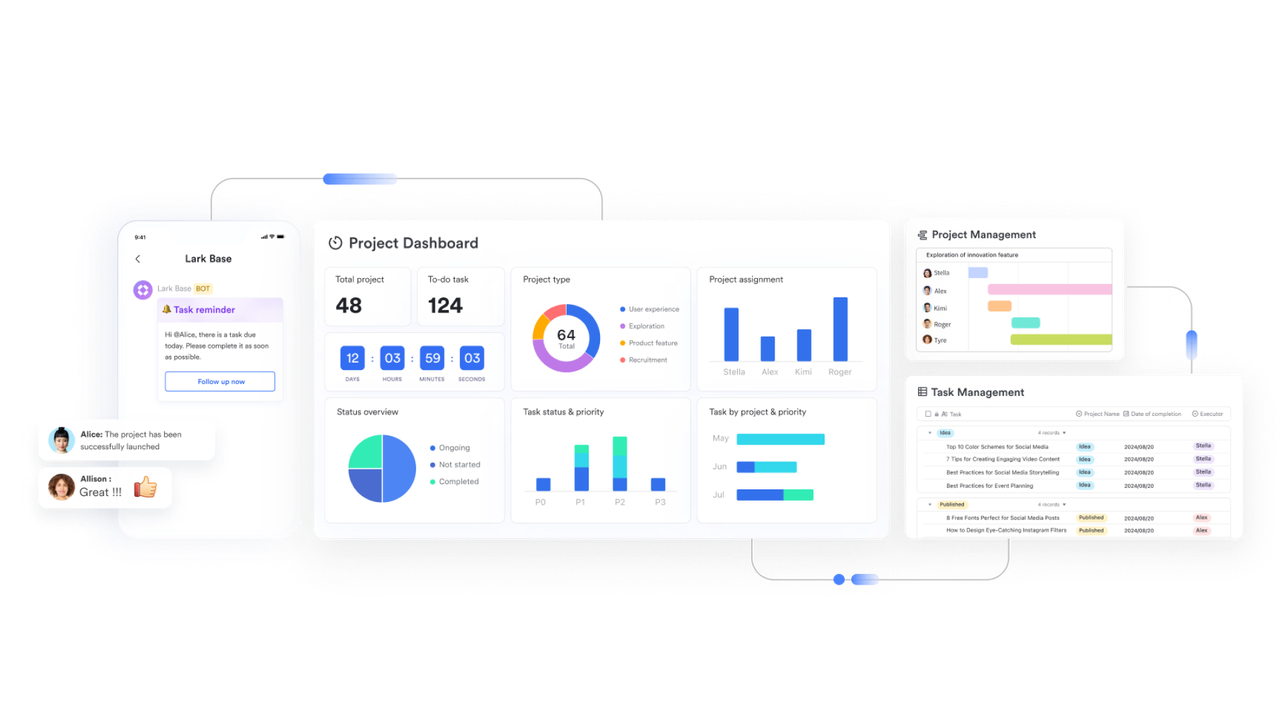
Lark Base centralizes all your client data, projects, and campaigns in one collaborative workspace. It replaces scattered spreadsheets with a dynamic database that updates in real time. Teams can track progress, assign responsibilities, and monitor results efficiently.
How it works: Lark Base allows you to create customizable tables for clients, campaigns, and tasks. Each entry can include key information like deadlines, status, and assigned team members.
Example use: A marketing manager sets up a table with columns for "Client Name," "Campaign Stage," "Deadline," and "Assigned Team Member," making it easy to track all active projects.
Additional features: Customizable views (grid, kanban, calendar), real-time collaboration, automatic reminders, and conditional formatting for priorities.
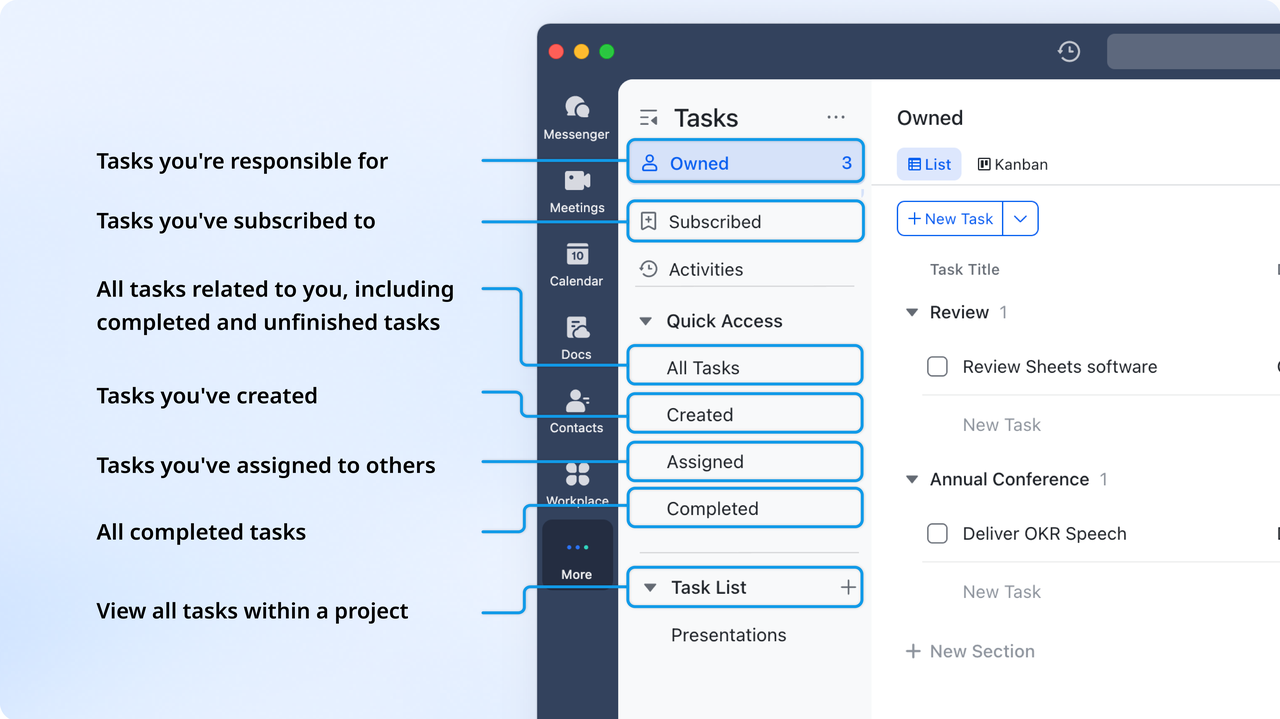
Lark Tasks: Make task management effortless
Lark Tasks turns complex workflows into simple, trackable tasks. Teams can assign responsibilities, set deadlines, and monitor progress in one place. This ensures nothing falls through the cracks during campaign execution.
How it works: Tasks can include subtasks, deadlines, and priority levels, all linked to projects in Lark Base.
Example use: The content team sets up tasks for blog posts, social media scheduling, and graphic design—all tied to a campaign.
Additional features: Drag-and-drop prioritization, task templates, integration with Calendar, and task dependency tracking.
Lark Messenger: Communicate without friction
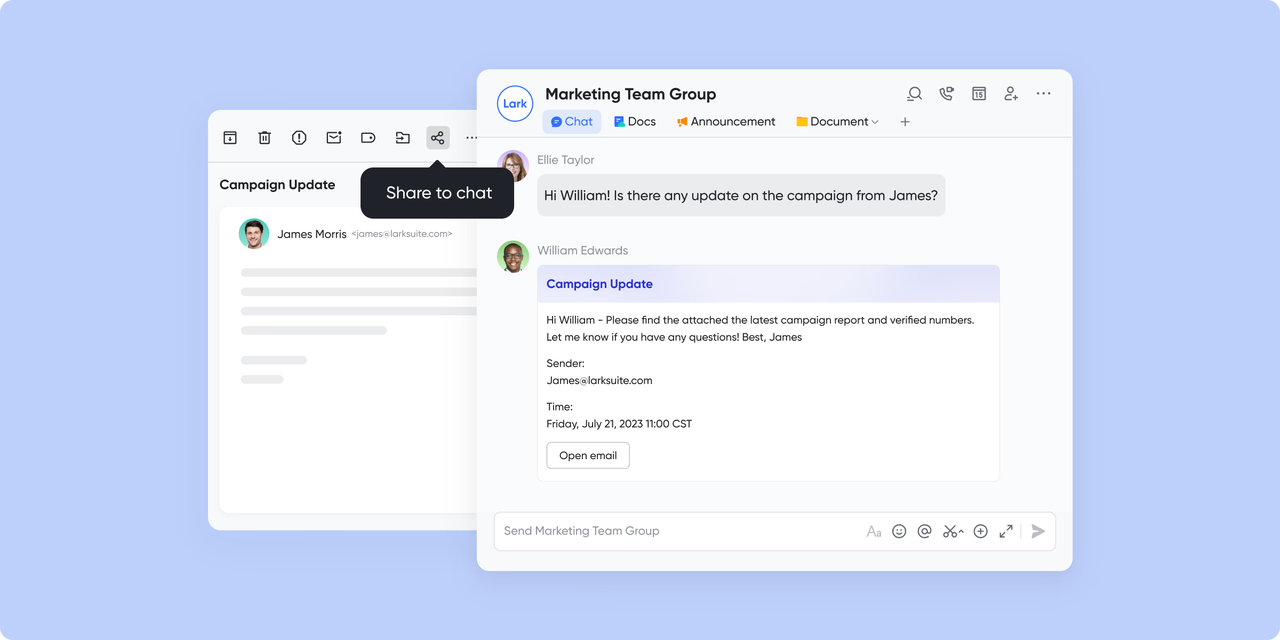
Lark Messenger enables seamless team communication via chat, group discussions, and video calls. It reduces the need for external apps and keeps conversations centralized. Messages, files, and feedback are all in one searchable space.
How it works: Teams can create groups, start threaded conversations, and hold video calls directly in the workspace.
Example use: Marketing managers share campaign updates in a group chat while conducting a live video review with designers.
Additional features: Threaded conversations, file sharing and editing, reactions and mentions, searchable history.
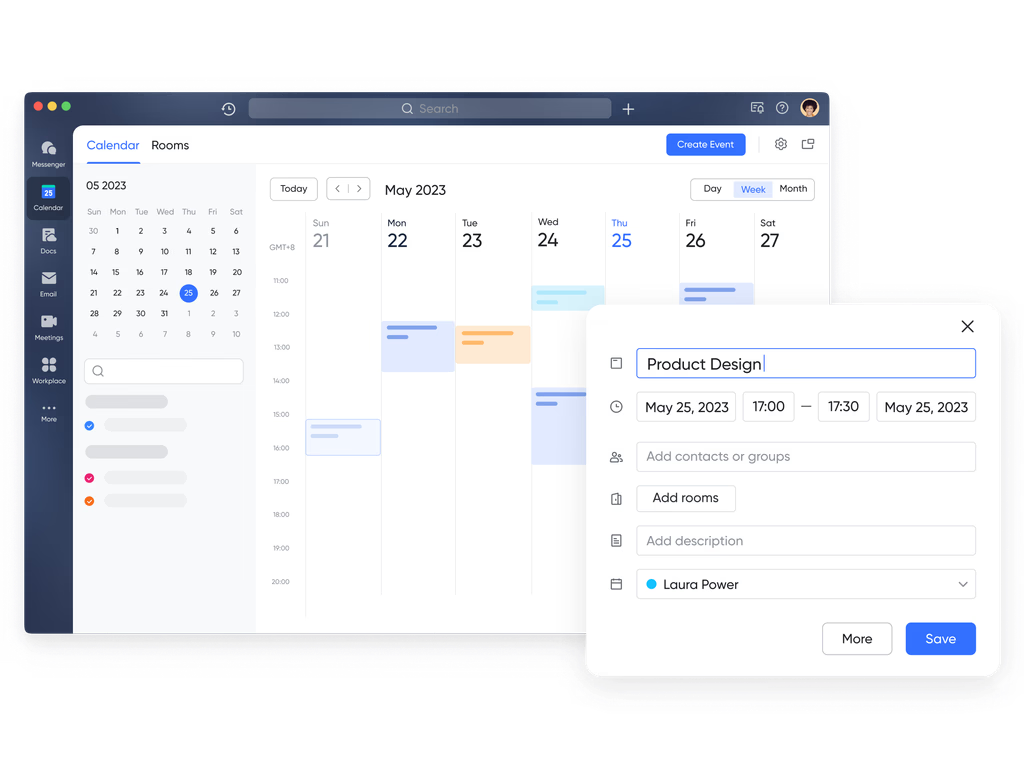
Lark Calendar: Stay on top of every appointment
Lark Calendar organizes meetings, deadlines, and campaign schedules in one shared view. It keeps teams aligned and ensures nothing is overlooked. Integration with tasks and approvals adds full workflow visibility.
How it works: Create events, set reminders, and link tasks or documents directly to calendar entries.
Example use: A team schedules client calls, campaign launches, and internal planning sessions in a shared calendar.
Additional features: Multiple views (day, week, month), shared team calendars, booking links, and event notifications.
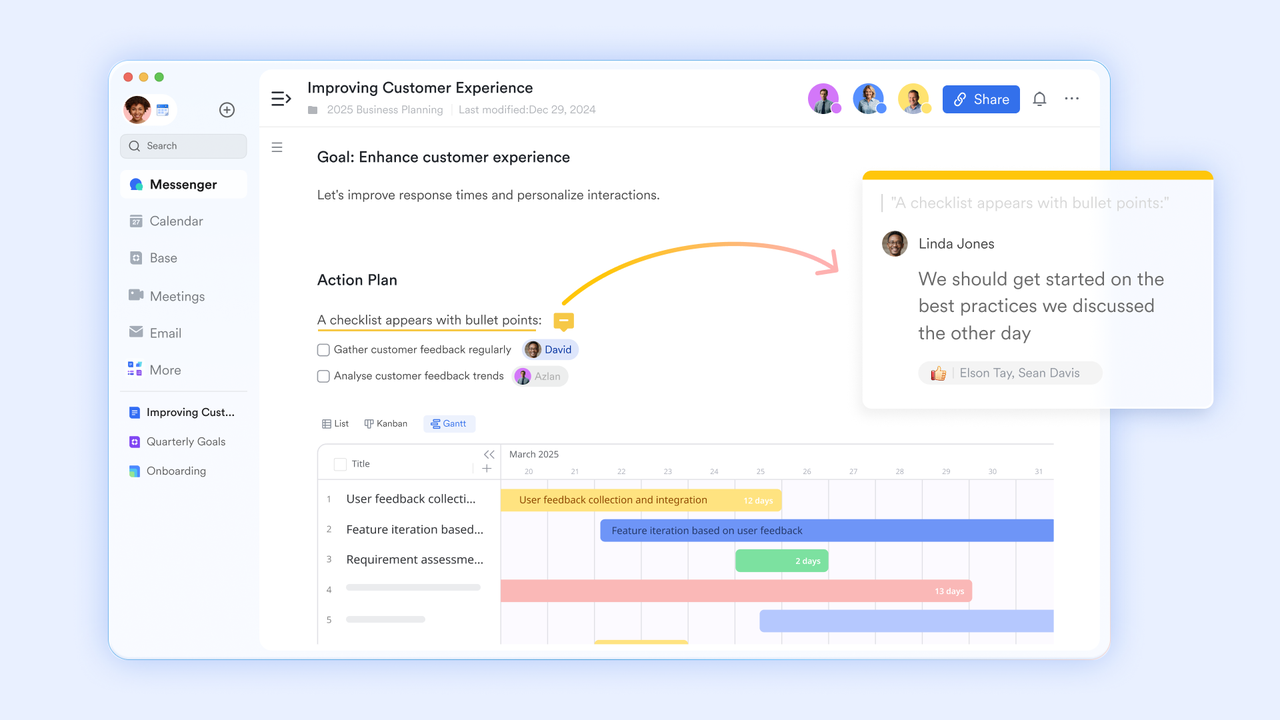
Lark Docs: Streamline quotes, invoices, and documents
Lark Docs allows real-time collaboration on documents, proposals, and reports. Teams can co-edit, comment, and track changes instantly. This eliminates endless email threads and version confusion.
How it works: Share documents with team members or clients, edit simultaneously, and manage feedback within the doc.
Example use: Marketing and design teams collaborate on a campaign proposal, adding comments and revisions directly in Lark Docs.
Additional features: Version history, templates, and collaborative comments.
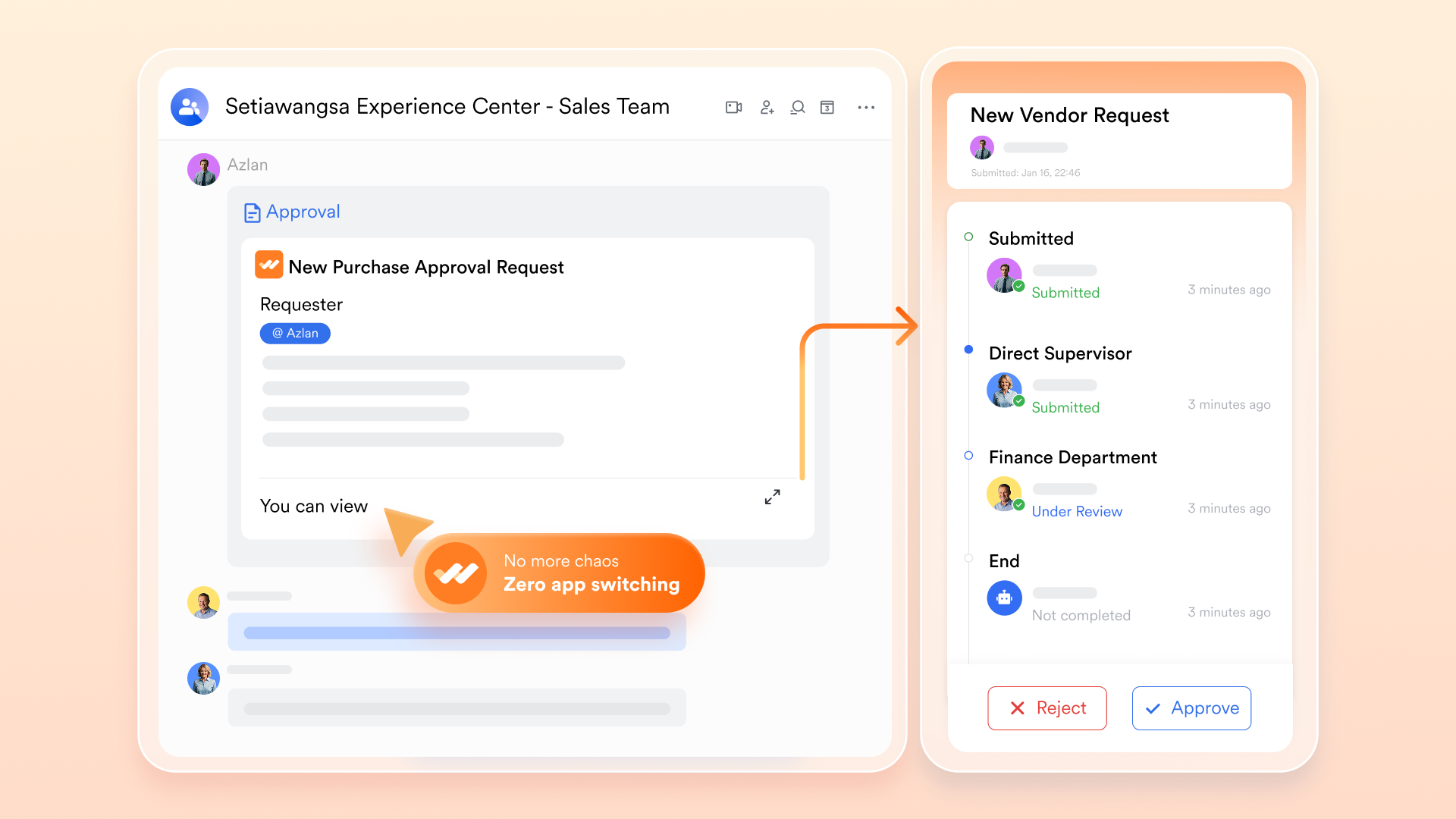
Lark Approval: Speed up workflow sign-offs
Lark Approval simplifies the approval process for budgets, campaigns, and documents. Requests are routed automatically, reducing delays and improving accountability.
How it works: Multi-step approval chains can be created, tracked, and reported in real time.
Example use: A marketing manager submits a campaign budget, which is automatically routed to finance and leadership for approval.
Additional features: Multi-step approvals, custom templates, and automatic reminders.
- Starter plan: Free forever plan that includes 11 powerful tools for up to 20 users. It also comes with 100GB of storage, 1000 automation runs, AI translations, and more.
- Pro plan: $12/user/month (billed annually) for up to 500 users. It includes everything in Starter plus group calling for up to 500 attendees, 15TB of storage, 50,000 automation runs, and more.
- Enterprise plan: Contact sales for custom pricing. Supports unlimited users and includes even more automation runs and advanced security, compliance, and management features.
2. HubSpot: The trusted powerhouse for inbound growth
HubSpot is a leading inbound marketing tool that integrates CRM, marketing automation, and analytics to attract, engage, and nurture leads. Teams can track performance in real time and manage campaigns efficiently. HubSpot is ideal for businesses of all sizes looking to unify marketing efforts in a single, powerful platform.
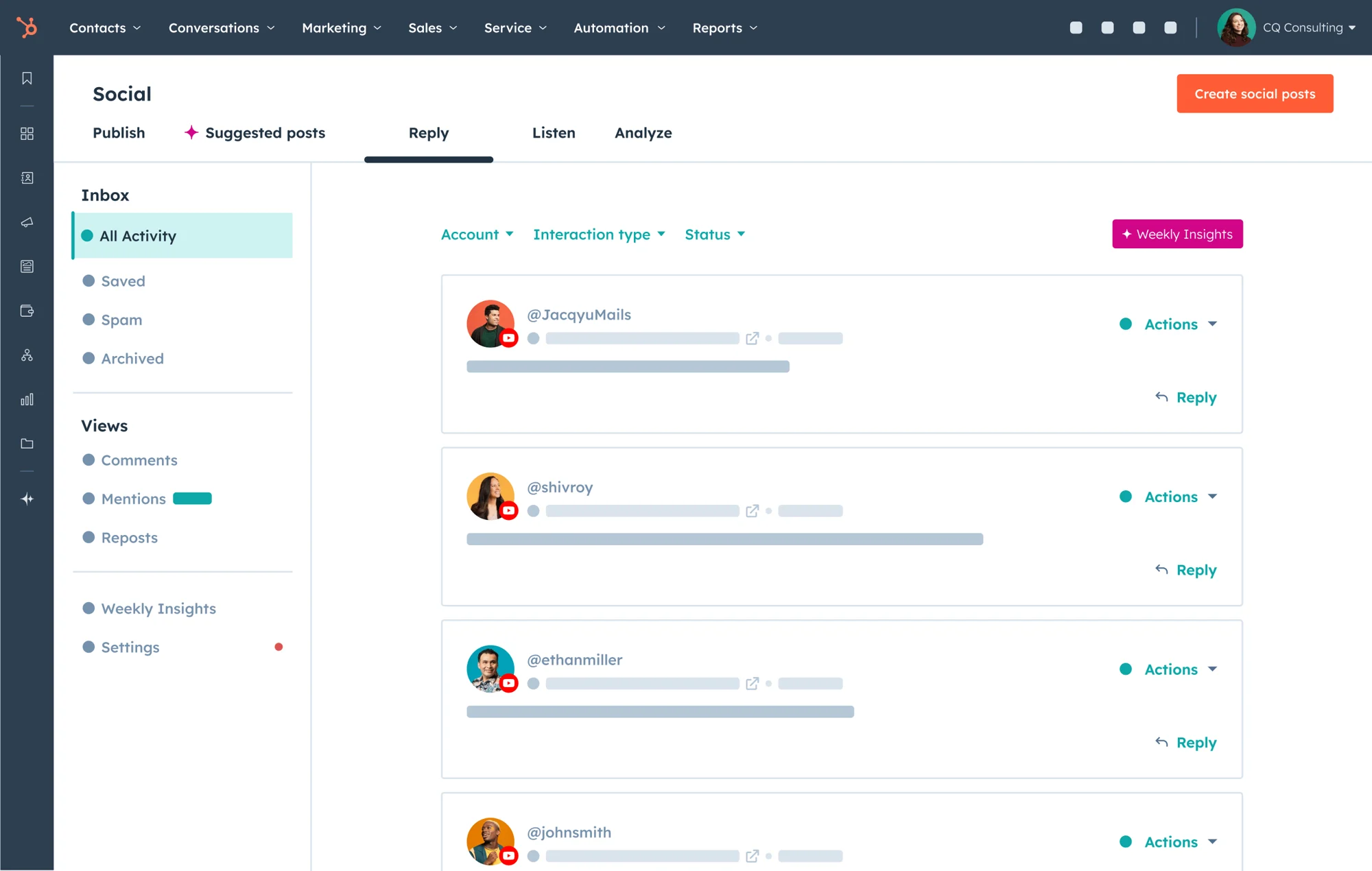
Image source: hubspot.com
Key features:
- Comprehensive CRM: Centralizes contact management, deal tracking, and customer communication for marketing and sales teams.
- Marketing automation: Enables drip campaigns, lead scoring, and personalized customer journeys for better engagement.
- Detailed analytics: Offers deep insights into website traffic, lead behavior, and campaign ROI for data-backed decisions.
Strengths:
- Industry-leading inbound marketing automation
- Deep integration across content, CRM, and sales funnels
- Excellent for scaling marketing operations
Limitations:
- Pricing scales quickly as you add features and contacts
- It can be overwhelming for small businesses with limited tech expertise
Pricing:
HubSpot offers a free CRM plan with essential contact management features. Its paid Marketing Hub plans start from around $15 per month per seat (billed annually), while advanced Professional and Enterprise tiers—built for scaling teams—can range from $890 to over $3,000 per month, depending on contacts and automation needs.
3. Mailchimp: Simple automation that nurtures leads
Mailchimp is a user-friendly inbound marketing tool for email marketing, audience segmentation, and workflow automation. It helps teams design campaigns, track engagement, and optimize results quickly. Small and medium businesses benefit most from Mailchimp's ease of use and clear reporting features.
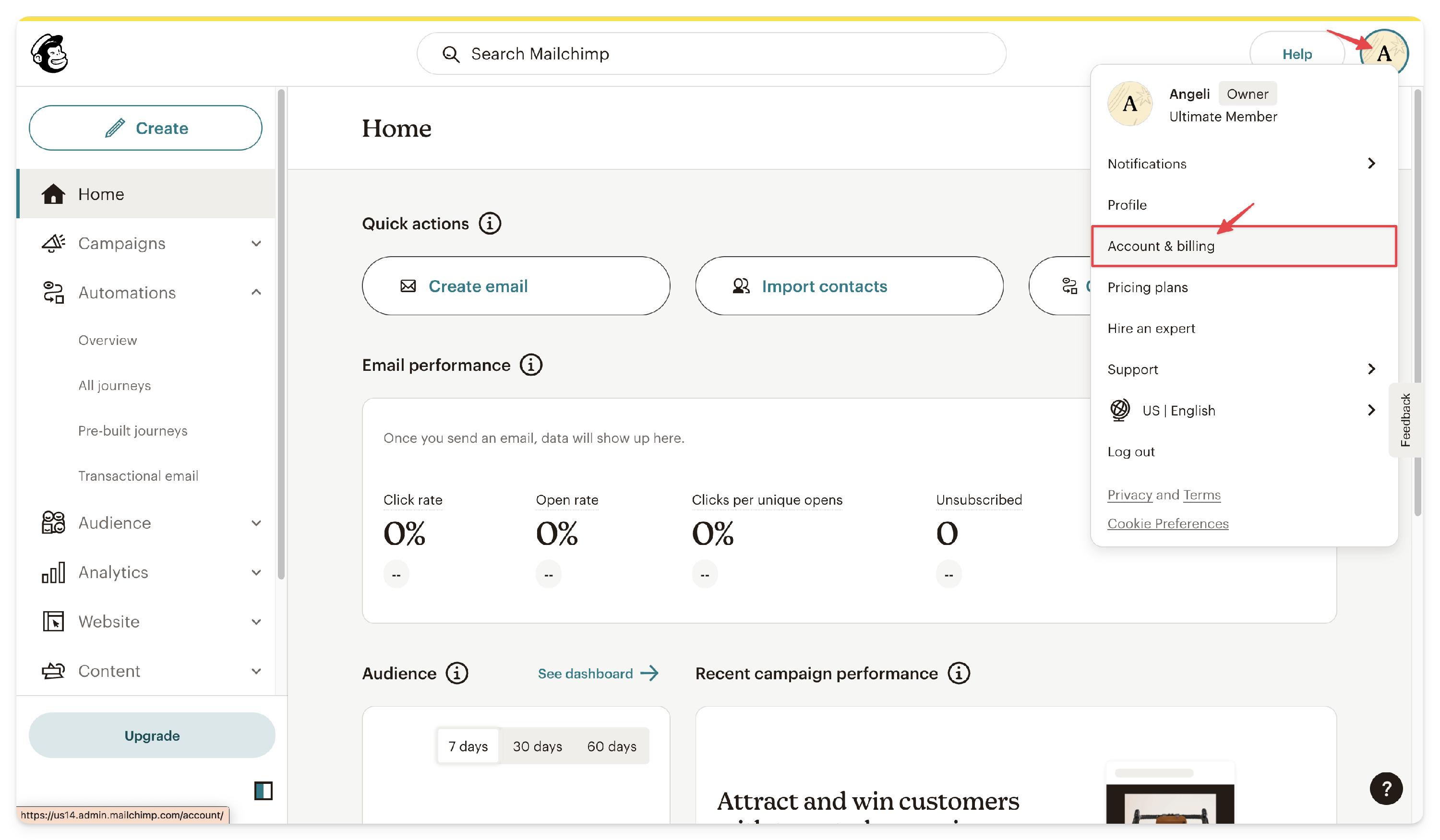
Image source: mailchimp.com
Key features:
- Email marketing builder: Drag-and-drop tools make it easy to create newsletters, promotions, and drip campaigns quickly.
- Audience segmentation: Target subscribers based on behavior, demographics, or purchase history for higher engagement.
- Pre-built workflows: Automate welcome emails, cart reminders, and re-engagement campaigns with minimal setup.
Strengths:
- Extremely user-friendly for beginners
- Affordable entry point for startups and small businesses
- Strong analytics for email engagement and ROI tracking
Limitations:
- Limited advanced CRM and automation features
- Pricing can increase with audience growth
Pricing:
Mailchimp provides a free plan for up to 500 contacts. The Essentials plan starts at $13/month, while the Standard plan is around $20/month for small audiences. For advanced segmentation and analytics, the Premium plan can reach $350+ per month, scaling with contact volume.
4. Semrush: Smarter SEO and content intelligence
Semrush is one of the best inbound marketing tools for SEO, keyword research, and competitive analysis. It empowers teams to optimize content and improve search rankings. By providing actionable insights, Semrush helps marketers attract the right audience and measure campaign effectiveness.
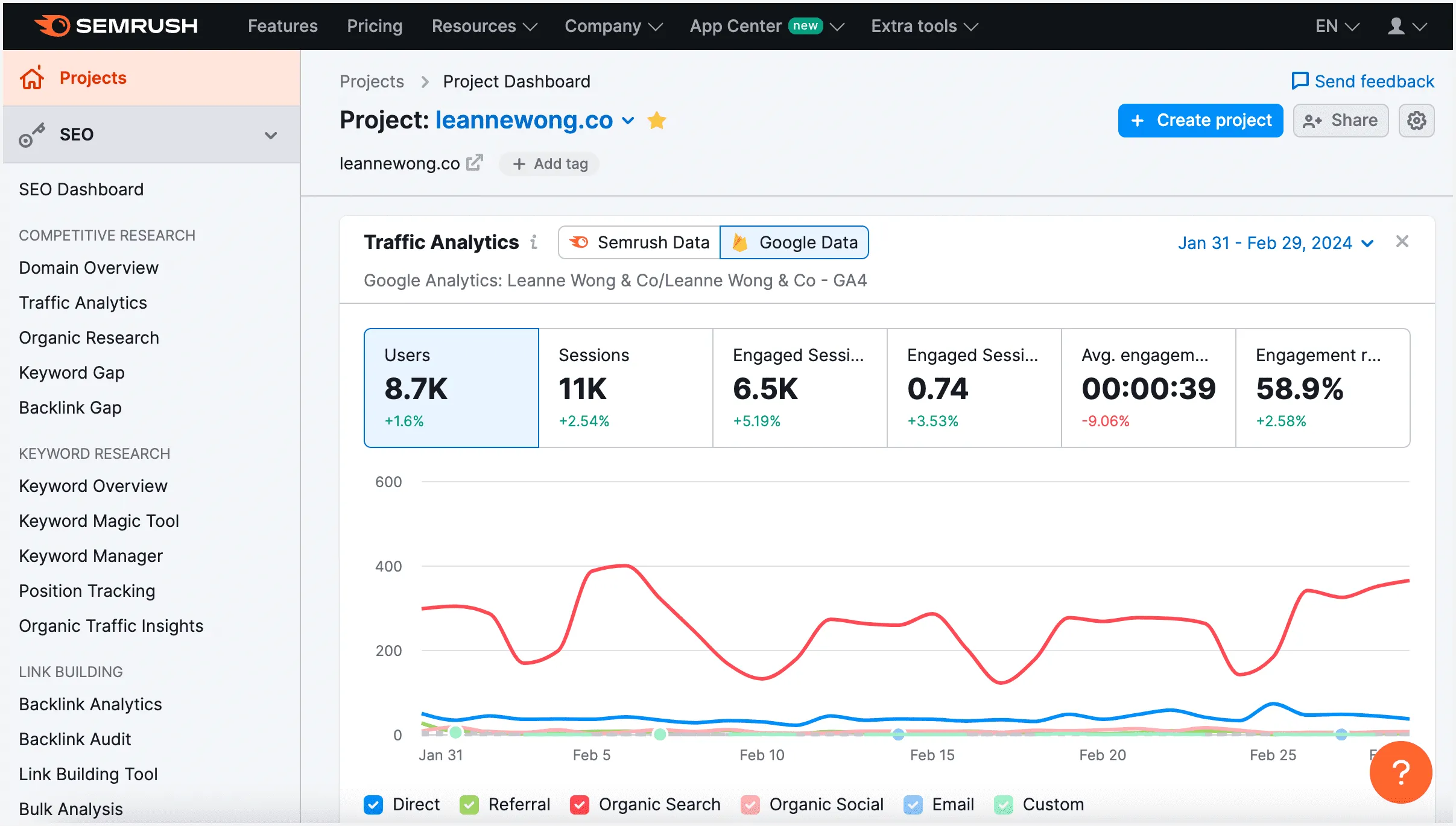
Image source: semrush.com
Key features:
- Keyword and SEO tools: Research search terms, analyze backlinks, and audit site performance for stronger organic visibility.
- Content marketing toolkit: Find trending topics, track keyword rankings, and measure content effectiveness.
- Competitor insights: Analyze rival domains, ad strategies, and traffic sources to uncover growth opportunities. For obtaining raw search engine data to build custom analytics tools, HasData provides a powerful API solution.
Strengths:
- Comprehensive data for SEO and content marketing
- Ideal for marketers focused on organic growth
- Excellent competitor benchmarking tools
Limitations:
- Expensive for small teams or solo marketers
- Can feel data-heavy without proper SEO understanding
Pricing:
Semrush's Pro plan starts at $139.95/month, ideal for freelancers and small teams. The Guru plan, priced around $249.95/month, includes historical data and content tools, while the Business plan goes up to $499.95/month for enterprises managing multiple domains.
5. Notion: Plan, create, and manage campaigns together
Notion is a flexible project management and content planning platform that doubles as an inbound marketing tool. Teams can create databases, task boards, and documentation all in one workspace. Notion is perfect for coordinating marketing campaigns, tracking progress, and keeping everyone aligned.
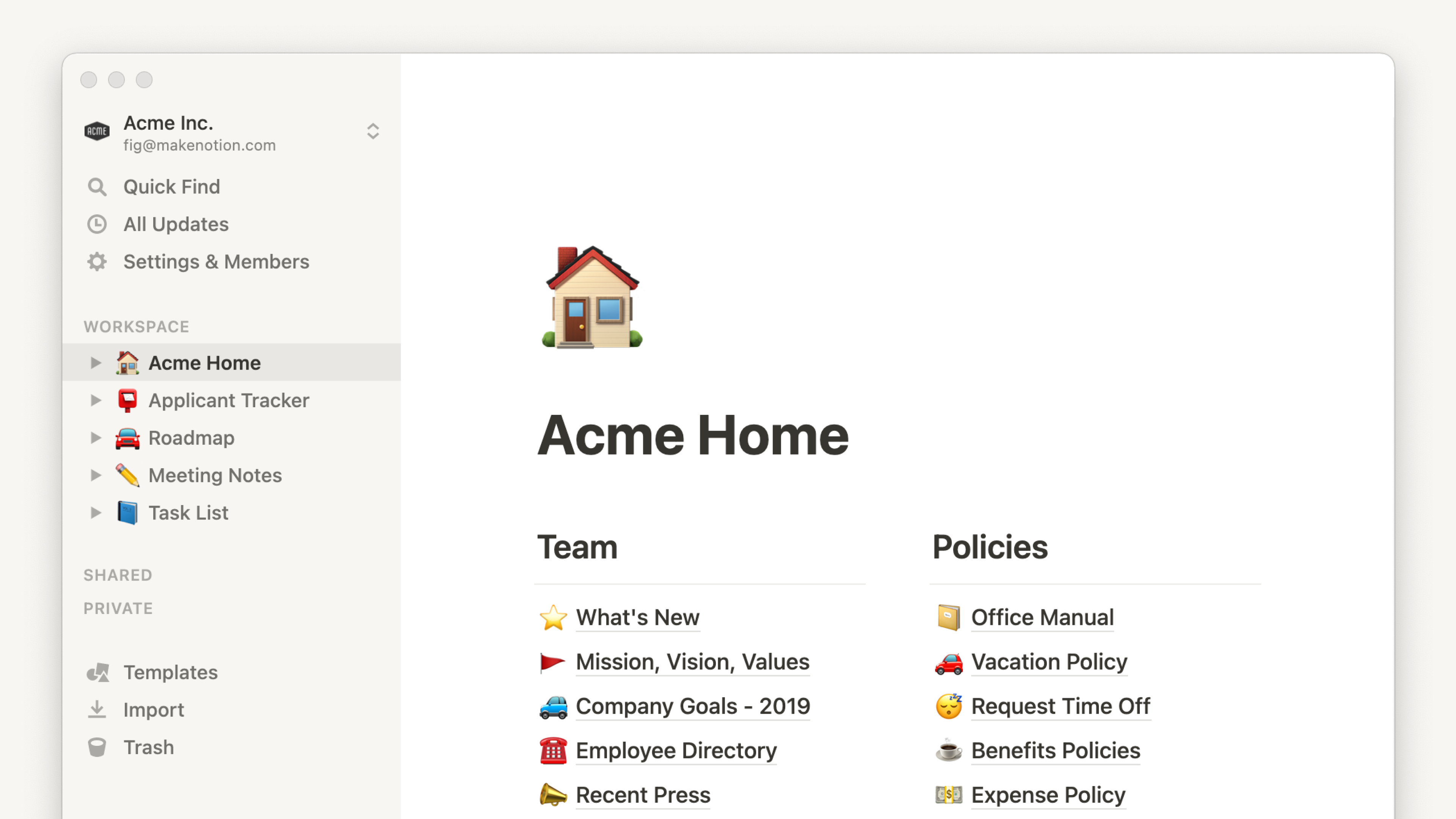
Image source: notion.com
Key features:
- Flexible workspace: Let teams organize campaign plans, documents, and creative assets in one collaborative hub.
- Custom templates: Use ready-made frameworks for editorial calendars, marketing pipelines, and task management.
- Database-style organization: Track leads, deadlines, and performance metrics visually with tables and boards.
Strengths:
- Highly customizable and visually intuitive
- Great for creative and content-driven teams
- Encourages organized, transparent project management
Limitations:
- Lacks native marketing automation
- Needs external tools for analytics and CRM functions
Pricing:
Notion offers a generous free version. The Plus plan costs $10 per user/month, while the Business plan is around $15–20 per user/month.
6. Zapier: Automation that keeps your marketing in sync
Zapier is a powerful inbound marketing tool for automating workflows across multiple apps. It allows teams to sync data, trigger actions, and reduce manual effort. By connecting different marketing platforms, Zapier ensures campaigns run efficiently without constant oversight.
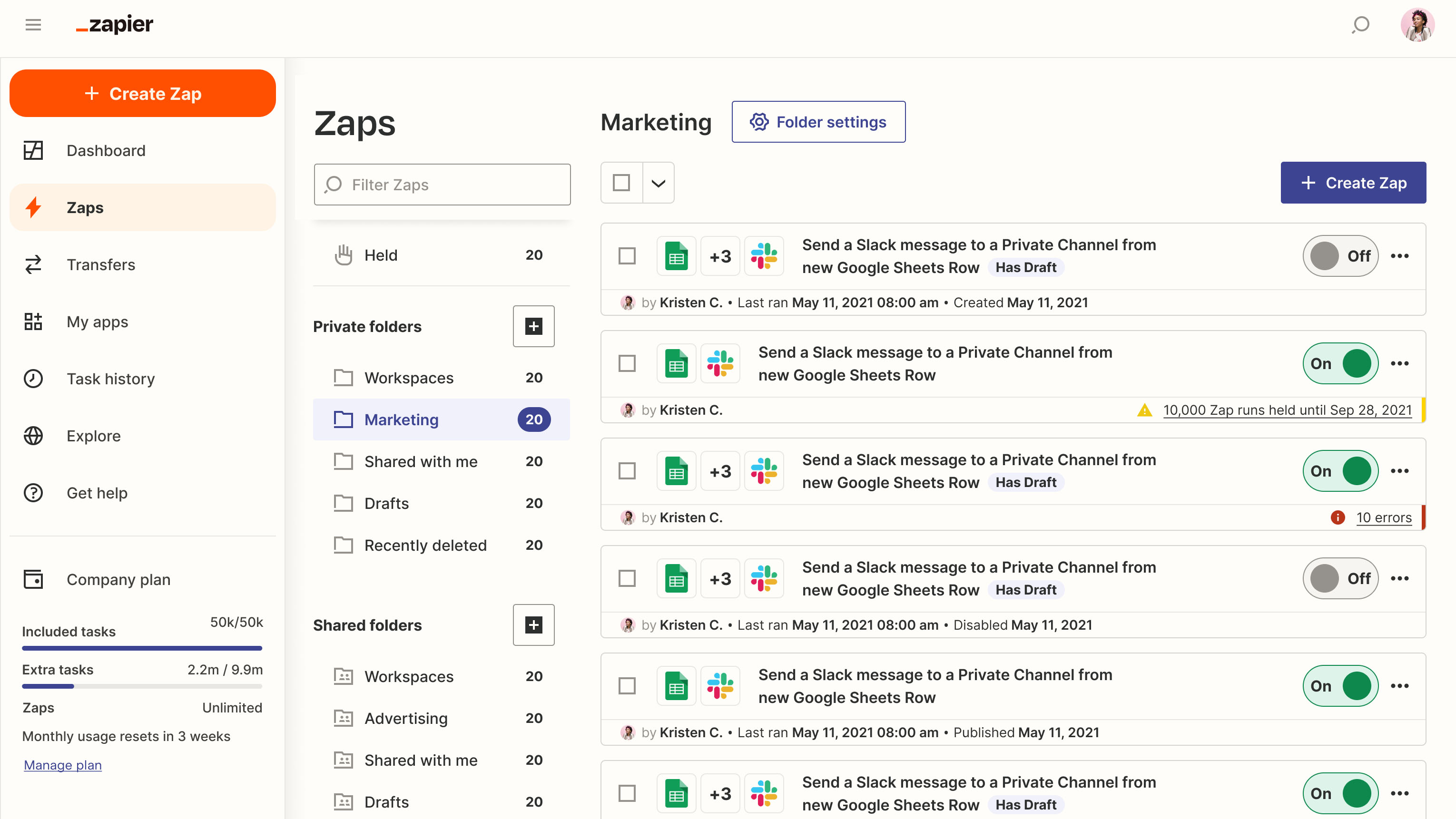
Image source: zapier.com
Key features:
- App connectivity: Links thousands of marketing and productivity tools like HubSpot, Gmail, and Slack without coding.
- Automated workflows: Set "Zaps" to automatically move data between apps, reducing repetitive manual work.
- Scalable automation: Handles complex marketing operations and syncs systems as your team or stack grows.
Strengths:
- Saves time by automating manual marketing tasks
- Expands functionality of existing tools without coding
- Scales easily as your tech stack grows
Limitations:
- Can get complex when managing multiple "Zaps"
- Costs rise with higher automation volume
Pricing:
Zapier's free plan allows for basic automation. For more complex workflows, the Professional plan starts at $19.99/month, while the Team plan is approximately $69/month, supporting higher task volumes and multi-user management.
7. Google Analytics 4: Insights that drive better decisions
Google Analytics 4 (GA4) is a critical inbound marketing tool for tracking website performance, conversions, and user behavior. It provides actionable insights to guide marketing strategies and optimize campaigns. GA4 helps teams make data-driven decisions to improve ROI and user engagement.
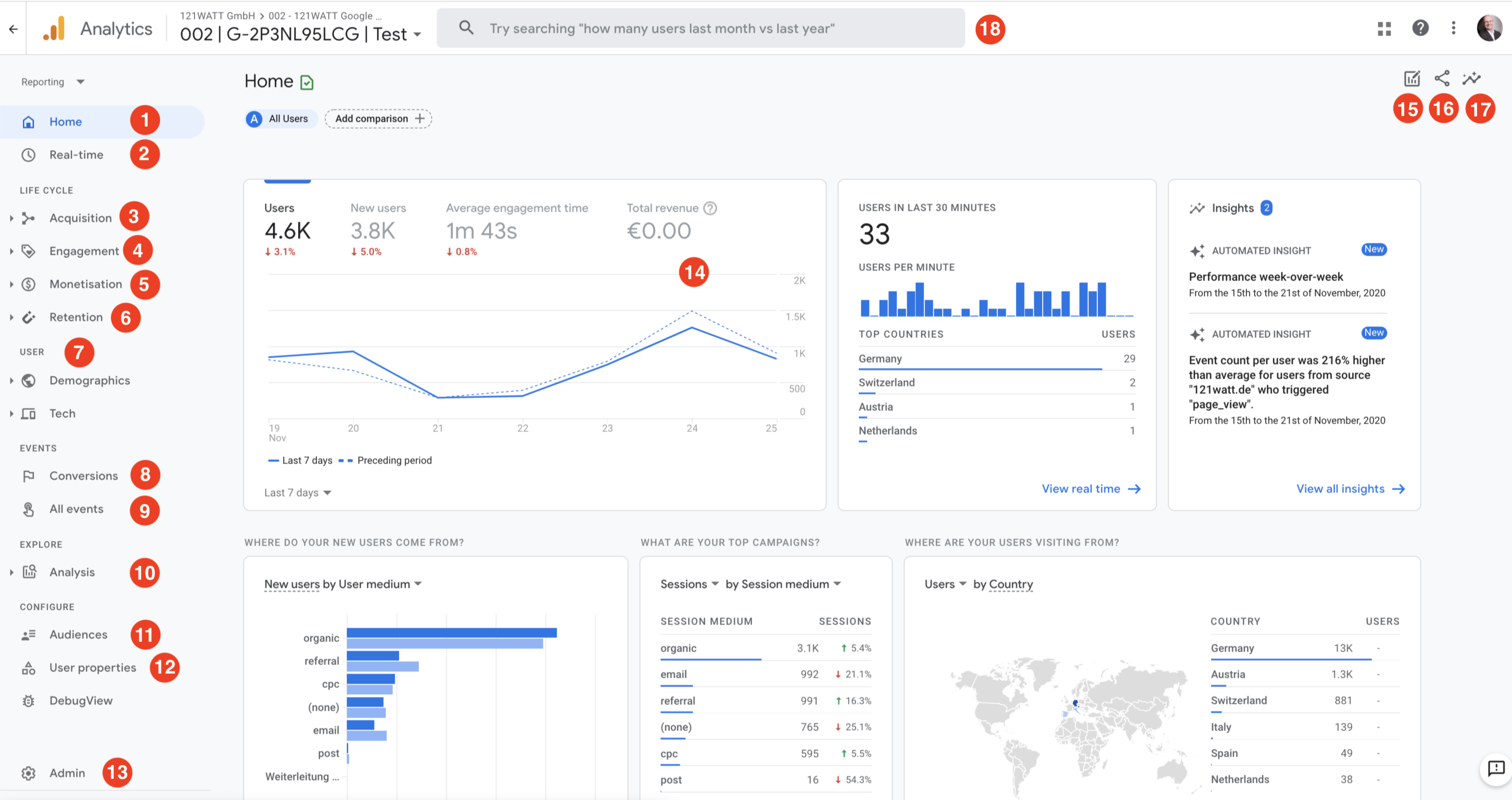
Image source: google.com
Key features:
- Cross-platform tracking: Monitors website and app user behavior in a single unified dashboard for holistic insights.
- Predictive metrics: Uses machine learning to forecast conversions, churn probability, and engagement trends.
- Custom reporting: Create tailored dashboards for different campaigns, channels, and audience segments.
Strengths:
- Deep data analytics for every inbound channel
- Free and integrates easily with Google Ads and Search Console
- Ideal for data-driven marketing optimization
Limitations:
- Steeper learning curve than Universal Analytics
- Requires setup expertise to unlock full potential
Pricing:
GA4 is completely free, offering powerful tracking and analytics capabilities. For large-scale enterprises, Google's Analytics 360 provides extended data limits and dedicated support, starting at around $50,000/year.
8. Canva: Design tools that make content pop
Canva is an intuitive inbound marketing tool for creating graphics, presentations, and social media visuals. It offers templates and editing tools that help teams produce professional content quickly. Canva ensures consistent branding and visually engaging campaigns for marketers of all levels.
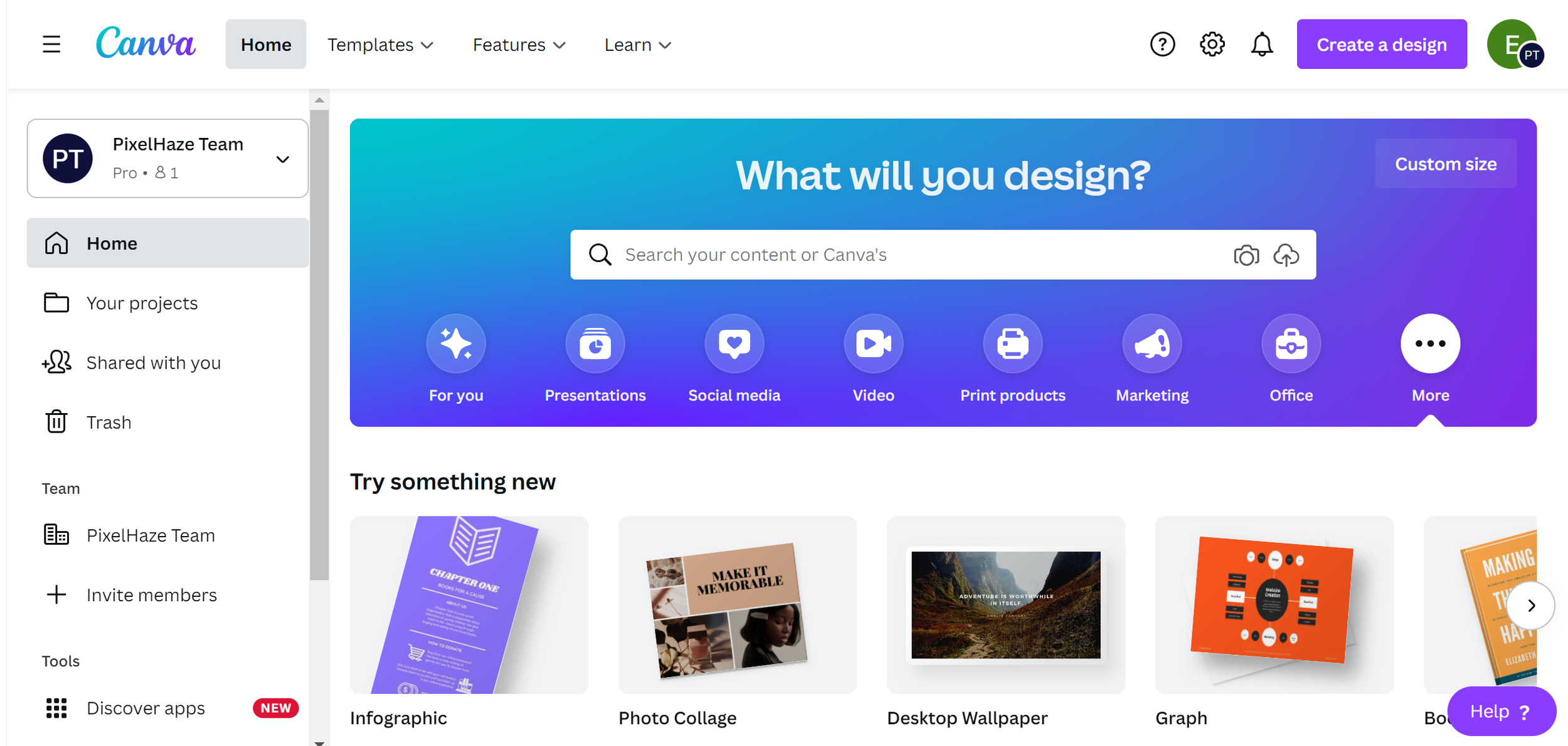
Image source: canva.com
Key features:
- Visual design editor: Simplifies content creation with templates for social media, blogs, presentations, and ads.
- Team collaboration: Allows marketing teams to co-create, share, and review designs in real time.
- Brand management tools: Keep colors, fonts, and assets consistent with the built-in brand kit feature.
Strengths:
- Enables non-designers to create professional visuals
- Affordable for small and mid-size marketing teams
- Supports fast content production for campaigns
Limitations:
- Limited customization for advanced design projects
- Some templates may look generic if overused
Pricing:
Canva's Free plan is great for basic use. The Pro plan costs $15/month for premium templates and brand management tools. Teams can opt for the Canva for Teams plan, starting at $10/month for the first five users.
9. Ahrefs: Deep SEO insights to attract the right audience
Ahrefs is one of the best inbound marketing tools for backlink analysis, keyword research, and competitive intelligence. Marketing teams can identify opportunities to improve organic traffic and content performance. Ahrefs provides actionable insights to attract and retain the most relevant audience.
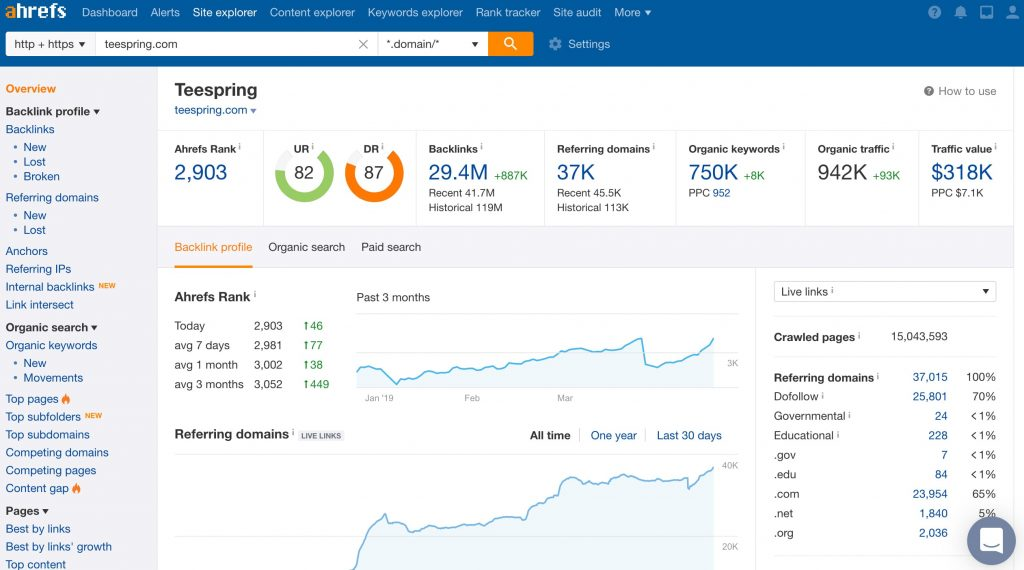
Image source: ahrefs.com
Key features:
- Comprehensive SEO suite: Conduct keyword research, track rankings, and analyze backlinks to improve visibility.
- Content explorer: Discover high-performing topics and analyze what drives engagement in your niche.
- Site audit tool: Identify SEO issues and receive recommendations to boost site health and rankings.
Strengths:
- Industry-leading SEO data accuracy
- Excellent for link-building and keyword strategy
- Comprehensive reports for content performance
Limitations:
- Premium pricing for small businesses
- Lacks built-in social or email marketing features
Pricing:
Ahrefs starts with a Lite plan at $129/month, suitable for small marketing teams. The Standard plan is $249/month, and advanced packages like Advanced ($449/month) and Enterprise ($1499/month) cater to larger organizations.
10. Hotjar: Understand what visitors really want
Hotjar is an inbound marketing tool focused on understanding user behavior through heatmaps, session recordings, and feedback polls. It helps teams identify friction points and optimize website experiences. Hotjar empowers marketers to enhance engagement, conversions, and customer satisfaction.
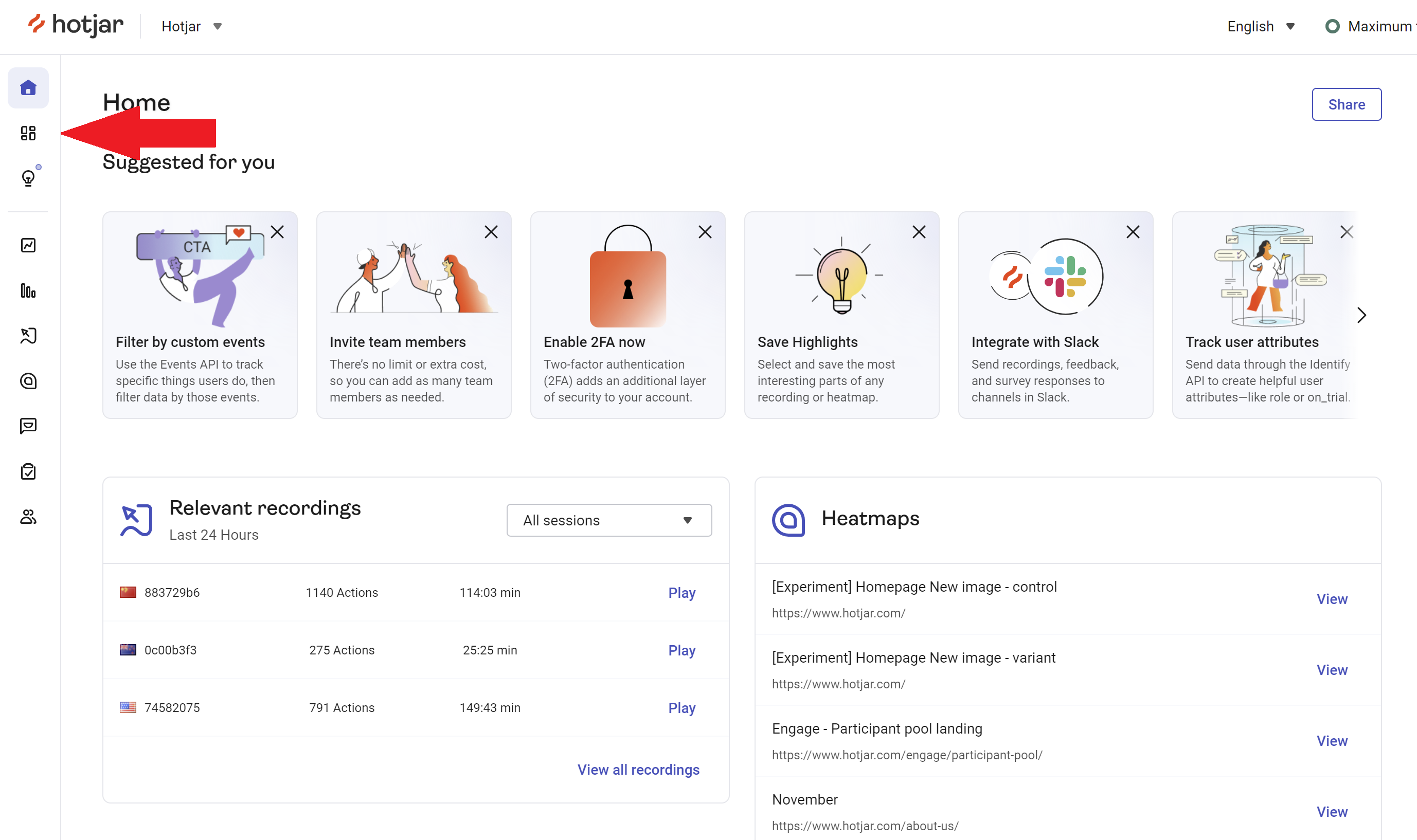
Image source: hotjar.com
Key features:
- Heatmaps & recordings: Visualize how users interact with your site—what they click, scroll, or ignore.
- User feedback tools: Collect insights through on-page surveys and feedback widgets to understand intent.
- Conversion analysis: Map user journeys and identify friction points affecting lead generation and sales.
Strengths:
- Provides qualitative insights beyond analytics data
- Easy to install and interpret
- Great for optimizing website conversions
Limitations:
- Limited data sampling in free plan
- Best used alongside other analytics tools for complete insight
Pricing:
Hotjar offers a Free Basic plan for limited heatmaps and recordings. The Growth plan begins at $49/month, while the Pro and Enterprise plans require talks.
Common mistakes to avoid when choosing tools
Even with a wide range of powerful inbound marketing tools available, it's easy for teams to make choices that limit their results. Understanding common pitfalls helps ensure your marketing stack remains strategic, efficient, and scalable.
- Using too many disconnected platforms: When teams rely on multiple standalone tools that don't communicate with each other, data becomes fragmented and workflows slow down. This makes it difficult to track campaign performance or maintain consistency. Choosing unified platforms like Lark, which centralize collaboration and analytics, helps keep operations smooth and aligned.
- Ignoring analytics and ROI: Without accurate data, even the most creative campaigns can underperform. Ignoring analytics means missing out on valuable insights about traffic, engagement, and conversions. The best inbound marketing tools—like Google Analytics 4 and Lark Base—enable teams to measure outcomes and make smarter, evidence-based decisions.
- Not aligning tool features with marketing goals: Every marketing tool should serve a clear purpose that supports your strategy. Investing in software without aligning its capabilities with your goals often results in wasted resources and increased complexity. Constantly evaluate how each feature—whether automation, content creation, or reporting—directly contributes to your inbound objectives.
Conclusion
The success of any inbound marketing strategy depends on how effectively your tools work together to attract, engage, and convert customers. A well-chosen set of inbound marketing tools enables teams to automate workflows, track performance, and collaborate effortlessly—all while keeping the customer experience at the center.
Among the many platforms available, Lark stands out for unifying communication, task management, and analytics in one workspace. Instead of switching between multiple disconnected systems, marketers can manage campaigns, documents, approvals, and insights seamlessly in a single environment. As explored throughout this guide, the best inbound marketing tools do more than execute campaigns—they connect data, creativity, and strategy to deliver measurable results. Whether you're starting with free inbound marketing tools or scaling to advanced automation, the key is choosing solutions that align with your marketing goals and workflows.
FAQs
What is the difference between inbound marketing tools and traditional marketing tools?
Inbound marketing tools focus on attracting, engaging, and nurturing leads using content, automation, and analytics. Traditional marketing tools rely more on outbound methods like cold calls, print ads, or paid campaigns. Inbound tools help build long-term relationships and track measurable results.
Can small businesses benefit from using multiple inbound marketing tools at once?
Yes, small businesses can combine multiple tools to cover different needs, such as email marketing, SEO, and content planning. However, using too many disconnected tools can create inefficiencies. Platforms like Lark help centralize tasks, data, and collaboration to reduce complexity.
Are free inbound marketing tools effective compared to paid platforms?
Free inbound marketing tools can be effective for startups or small teams, especially for basic email campaigns, social posting, or analytics. Paid tools usually offer advanced features, automation, and scalability, but free tools are great for testing strategies before investing.
How do I measure ROI from inbound marketing tools?
ROI can be measured through KPIs like website traffic, lead generation, email engagement, and conversions. Tools like Google Analytics 4 track performance, while platforms like Lark or HubSpot combine campaign data and analytics to give a complete picture of results.
How do I choose the right inbound marketing tool for my team?
Consider your team size, budget, campaign goals, and workflow complexity. Look for tools that provide automation, analytics, and collaboration capabilities. Testing a few platforms or starting with a free plan (like Lark) helps ensure the tool fits your marketing needs before committing.
Related reading
Table of contents
Start using Lark today

Manage all your work in one place
Boost team efficiency by 10x
Save up to 70% on software costs
Table of contents
Start using Lark today
Manage all your work in one place
Boost team efficiency by 10x
Save up to 70% on software costs
Keep reading








2026 Lark Technologies Pte. Ltd.
Headquartered in Singapore with offices worldwide.






Explore: