Notion CRM has become a popular starting point for individuals and small teams looking to manage contacts and deals without committing to traditional CRM software. By using databases and templates, Notion allows users to shape their own systems around how they actually work. This flexibility makes it especially appealing for personal use, early-stage sales efforts, and niche workflows.
At the same time, many teams eventually discover that CRM needs change as collaboration increases. What begins as a simple Notion setup can gradually require more structure, shared accountability, and workflow consistency. Some teams later explore connected workspaces like Lark, which combine documentation, communication, and structured data, but only after understanding the strengths and limits of using Notion as a CRM.
Explore scalable CRM workflow approaches
What is Notion CRM?
Notion CRM is a CRM system built manually inside Notion rather than a dedicated sales platform. Users create databases for contacts, companies, and deals, then connect them using relations and rollups. Over time, this structure functions as a lightweight CRM.
For those asking if Notion is a CRM, the answer depends on expectations. Notion supports organization and visibility but does not include native or forecasting. Many professionals use Notion personal CRM setups to , conversations, and follow-ups in one place.
Because CRM Notion systems are fully customizable, results vary widely between teams. Success depends on how consistently users maintain data and follow shared structures.
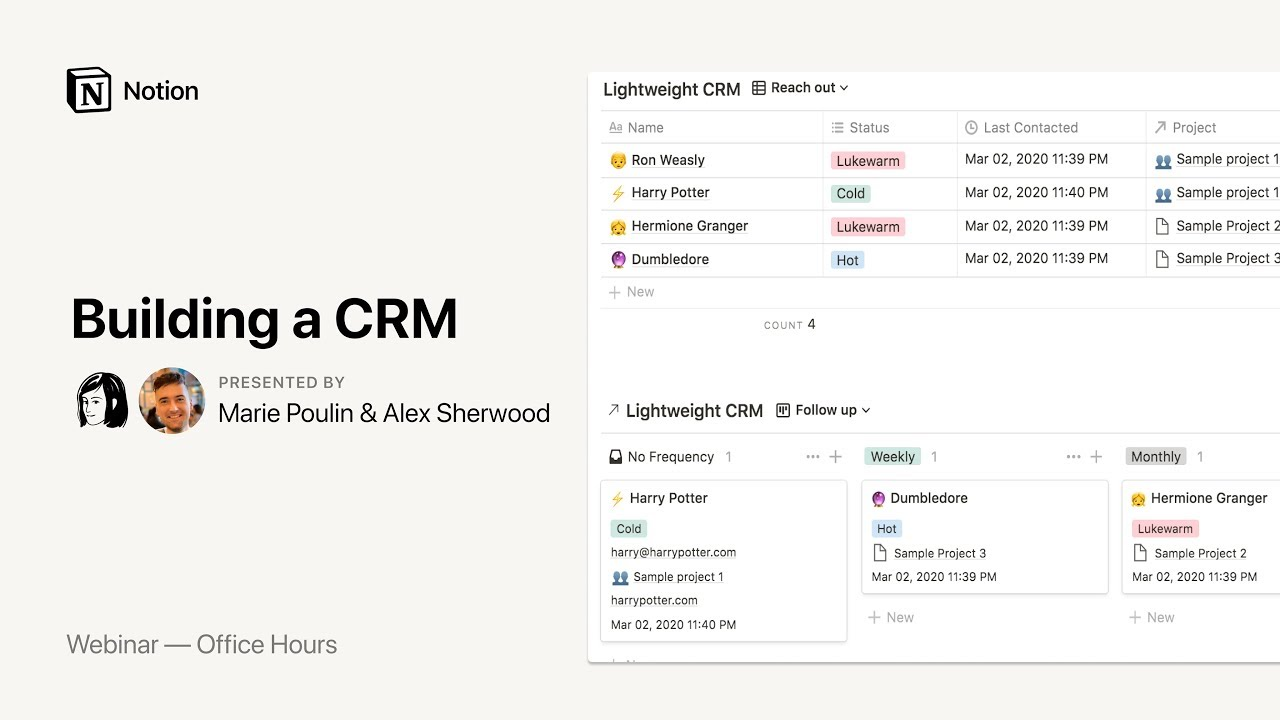
Image source: notion.com
How using Notion as a CRM works
Using Notion as a CRM requires assembling building blocks rather than enabling a ready-made system. Each component shapes how is stored, connected, and reviewed.
- Databases for contacts, companies, and deals: Most Notion CRM setups start with separate databases for contacts, companies, and deals. Each record contains custom fields, notes, and statuses aligned with the workflow. This structure is common in Notion CRM template free download setups. As teams grow, keeping fields consistent becomes more difficult. This challenge is common when scaling Notion as a CRM beyond individual use.
- Relations and rollups for pipeline tracking: Relations connect contacts to companies and deals, while rollups summarize connected data across databases. This enables pipeline tracking and calculated views in many Notion CRM templates. While powerful, relations require careful maintenance. Changes in one database can affect others. Teams using a Notion real estate CRM template often revisit these links frequently.
- Views for sales workflows: Notion views such as Kanban, table, and calendar allow teams to visualize pipelines from different perspectives. are especially popular for tracking deal stages in CRM Notion systems. The tradeoff is flexibility without enforcement. Deals can skip stages or remain stagnant without alerts. This works for personal CRM Notion use but creates gaps in team accountability.
Best Notion CRM templates to try
Templates help teams start faster by providing prebuilt structures for common CRM needs. They are often the first step for users experimenting with Notion CRM.
Sales CRM
Sales CRM templates focus on tracking deals through defined stages using . They typically include properties for deal value, stage, owner, and expected close date. This structure works well for freelancers and small sales teams testing Notion as a CRM. Manual updates are required to keep stages accurate. Over time, teams may need to refine fields as pipelines grow.
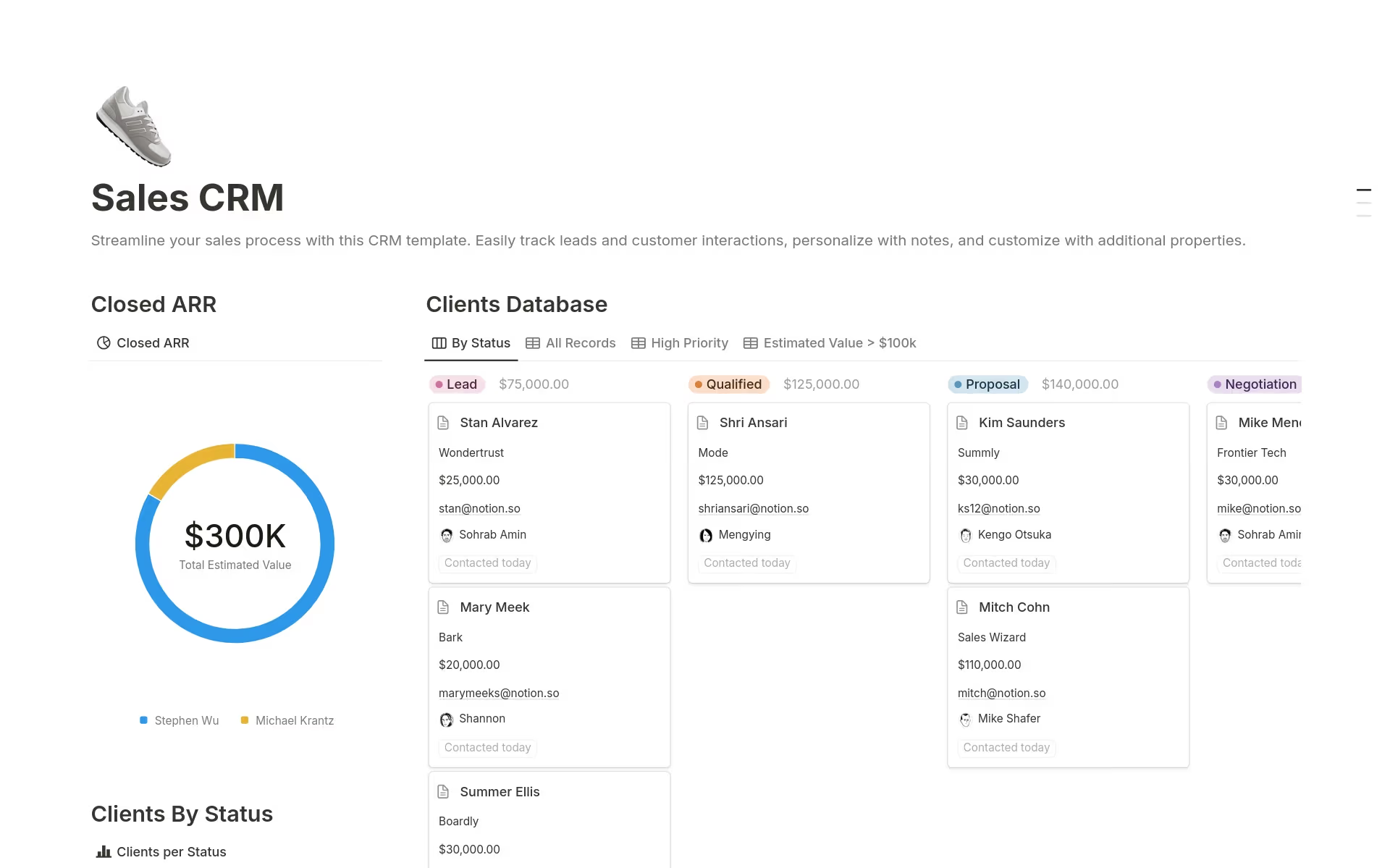
Image source: notion.com
CRM Tracker
CRM tracker templates prioritize contact lists and activity history over pipeline movement. They are commonly used as a Notion personal CRM for managing relationships and follow-ups. These templates usually rely on table views with filters and tags. They work well for visibility and organization. However, they provide limited insight into revenue forecasting or deal momentum.
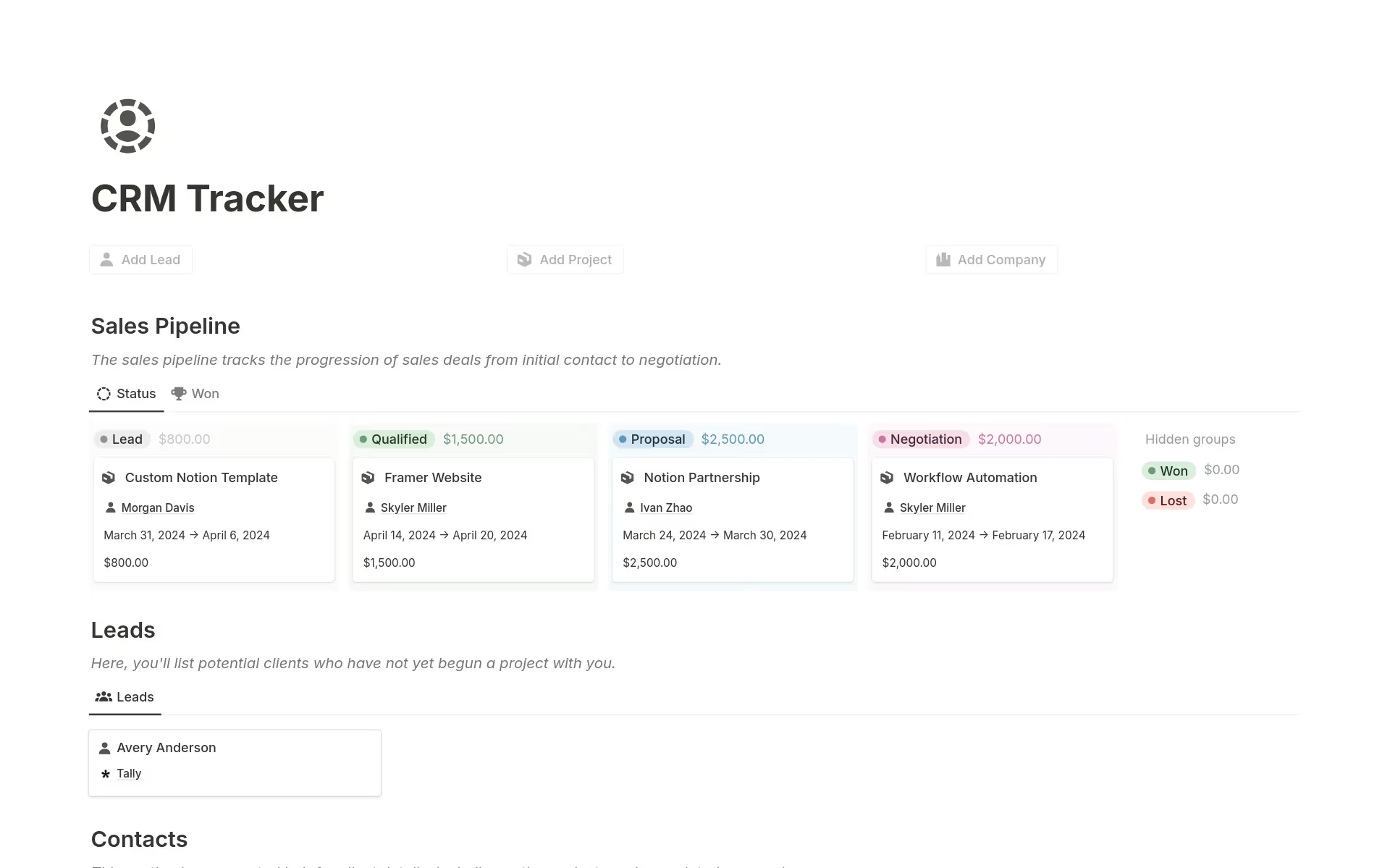
Image source: notion.com
Ultimate CRM
Ultimate CRM templates attempt to combine contacts, companies, deals, tasks, and notes into a single workspace. They are designed for users who want an all-in-one CRM structure inside Notion. This approach can feel powerful at first. As data volume increases, maintenance effort often grows. Teams need strong discipline to keep everything consistent.
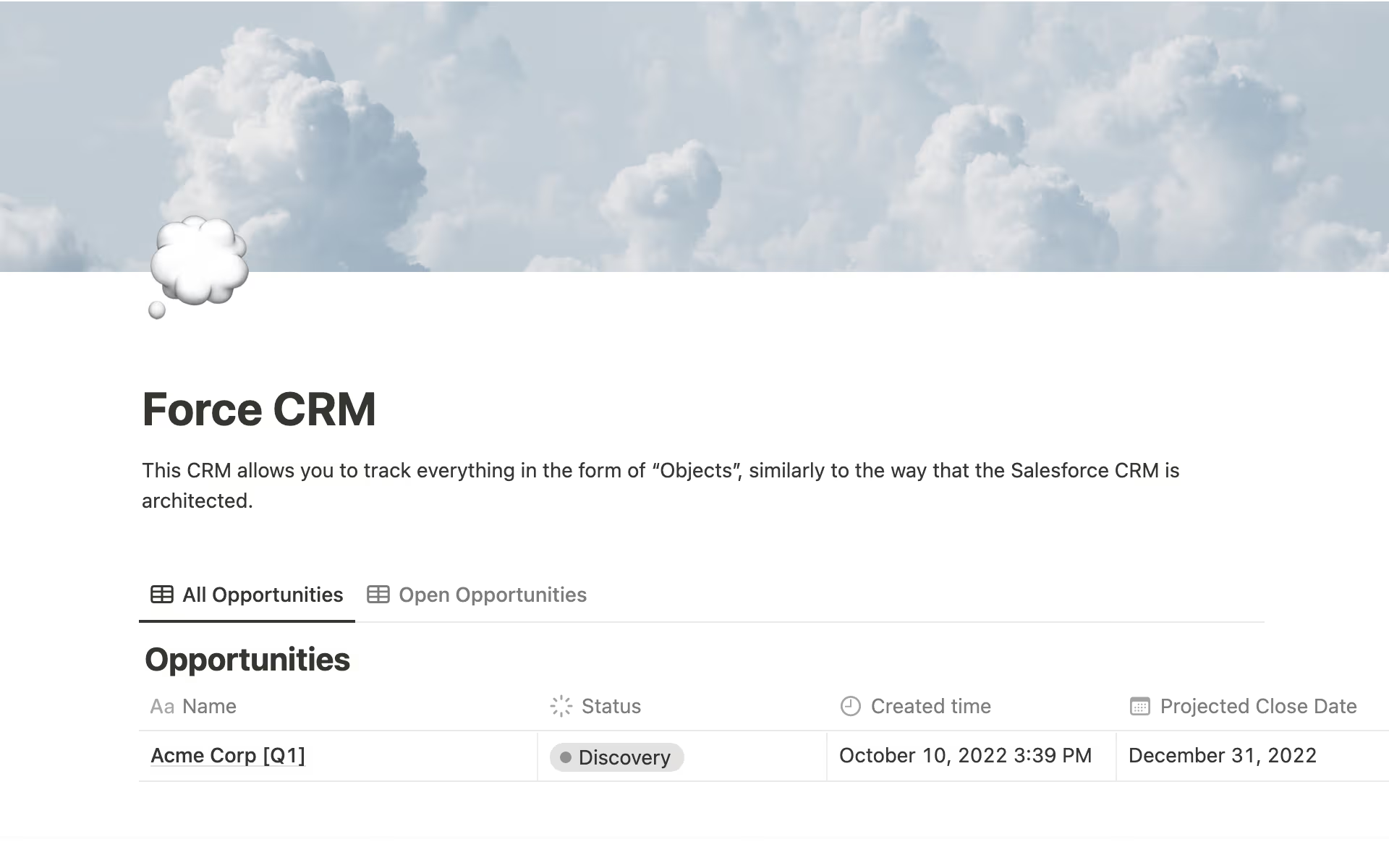
Image source: notion.com
Client list CRM
Client list CRM templates focus on long-term rather than active sales pipelines. Agencies and consultants often use this structure to store client details, notes, and engagement history. It works well for retention-focused workflows. Sales tracking is usually secondary. This makes it suitable for relationship-heavy CRM use cases.
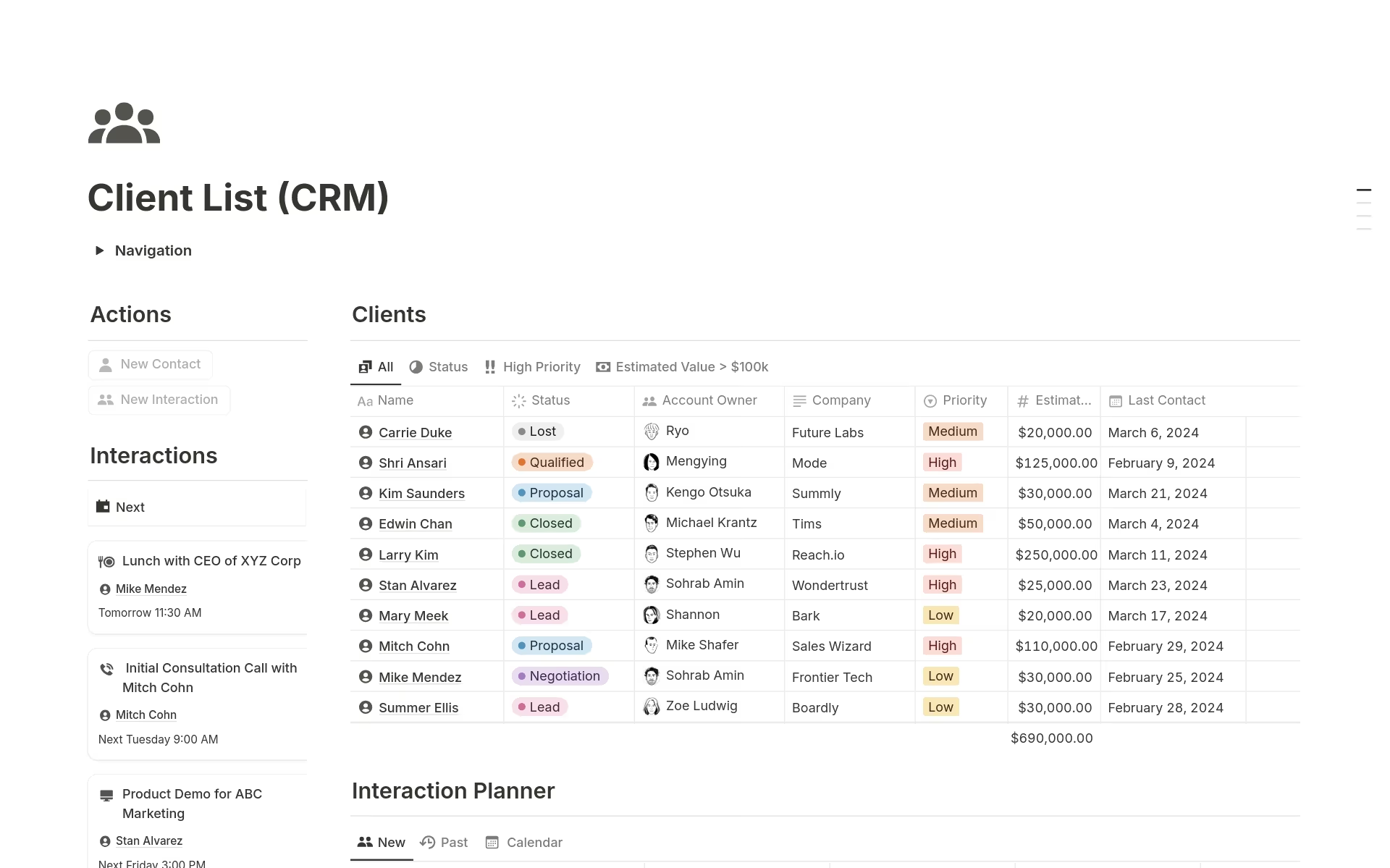
Image source: notion.com
Sales CRM Board
Sales CRM board templates are built almost entirely around Kanban views. They emphasize visual deal movement and stage clarity. This format is intuitive and easy to explain to new users. It works well for small teams managing limited pipelines. Without automation, stalled deals can be hard to spot consistently.
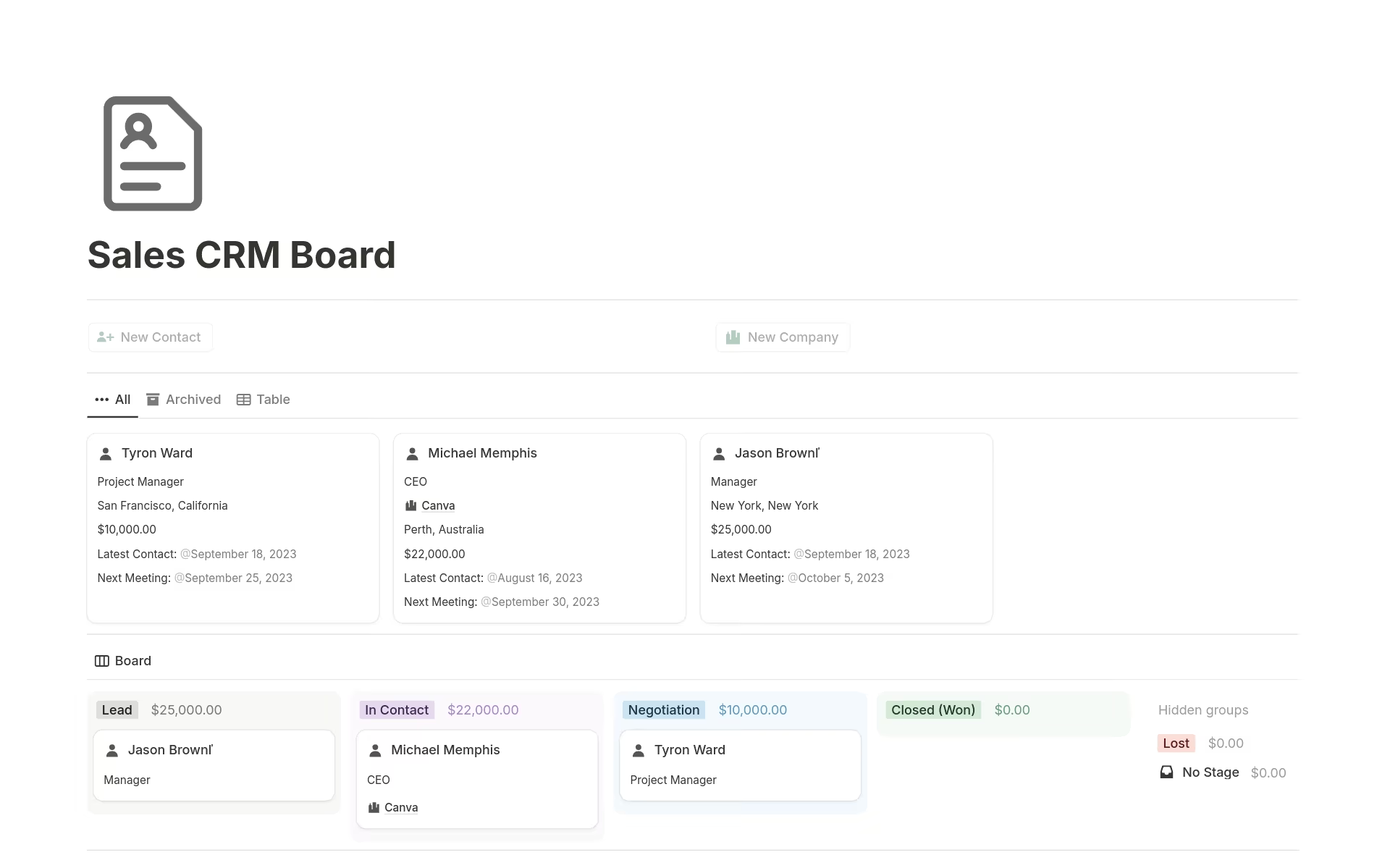
Image source: notion.com
When Notion CRM is a good choice
Notion CRM works best in situations where flexibility and simplicity matter more than automation and enforcement. For individuals and small teams, the ability to shape a CRM system freely can be a major advantage. These use cases typically involve lower deal volume and fewer dependencies between users. Understanding these scenarios helps teams choose Notion CRM with realistic expectations.
- Personal and lightweight CRM needs: Notion CRM is well-suited for individuals managing relationships, notes, and follow-ups. Custom fields can be added quickly without formal setup. Manual updates are manageable at this scale. This makes it effective as a personal CRM.
- Early-stage businesses: Startups often adopt Notion CRM during early growth phases. Low cost and flexibility support experimentation. Sales processes are still evolving, making rigid CRM tools unnecessary.
- Teams that value customization over automation: Some teams prefer designing workflows manually rather than relying on . Notion CRM allows complete control over structure and layout. This works well when team discipline is high and processes change frequently.
Limitations of using Notion as a CRM
Many teams initially adopt flexible tools like Notion when searching for to avoid rising . Using Notion as a CRM offers flexibility, but that flexibility comes with tradeoffs as usage grows. What feels lightweight and adaptable early on can introduce friction when more users, data, and processes are added. These limitations are not always obvious during initial setup. However, they often become clear once CRM usage shifts from personal tracking to team operations.
- Manual updates and data consistency issues: Every CRM update in Notion depends on manual input. When users forget to update stages or fields, data accuracy declines quickly. Over time, reports and views become unreliable. This creates confusion during reviews and handoffs.
- No native sales automation or deal logic: Notion does not include for CRM workflows. Deals can move between stages without triggers or rules. Follow-ups rely on memory rather than system prompts. This increases the risk of missed opportunities.
- Limited reporting and forecasting: CRM reporting in Notion requires custom formulas and rollups. Forecasts are difficult to standardize across teams. Leadership visibility depends heavily on setup quality. As pipelines grow, maintaining accuracy becomes challenging.
- Scaling challenges for growing teams: Permissions, ownership, and workflow enforcement are limited. increases the risk of errors. Larger teams often struggle to maintain consistent CRM discipline. This slows execution over time, often forcing leaders to re-evaluate their tech stack and compare or dedicated CRMs for better structural support.
See how teams manage CRM at scale
When you should consider a Notion CRM alternative
Notion works well for early CRM experimentation, but certain signals indicate the need for more structure. These signals usually appear when revenue tracking, accountability, and automation become critical. Recognizing these moments helps teams avoid operational bottlenecks. A more structured CRM foundation can restore clarity and momentum.
- Managing large : As deal volume increases, manual CRM updates become time-consuming. Errors multiply and visibility drops. Teams struggle to prioritize the right opportunities. Pipeline health becomes harder to assess accurately.
- Multi-user accountability and permissions: Clear ownership is harder to enforce in Notion. Sensitive CRM data lacks granular access control. Managers have limited oversight without custom workarounds. Accountability weakens across teams.
- Automated follow-ups and : Manual reminders do not scale reliably. CRM processes depend too much on individual discipline. Automation becomes necessary to maintain consistency. Without it, follow-ups are often delayed or missed.
- CRM reporting and revenue tracking: Reliable forecasting requires structured logic. Manual rollups break down as data grows. Leadership decisions suffer from incomplete insights. This often drives teams toward alternatives.
Explore structured CRM options for growth
Lark: No-code CRM that scales beyond templates
As teams outgrow DIY CRM setups, they often look for tools that add structure without sacrificing flexibility. represents this shift by combining no-code with collaboration and workflow tools. Instead of stitching multiple systems together, teams work within a connected environment. This approach supports growth while keeping CRM usage practical and consistent.
Custom CRM databases for contacts and deals
allows teams to create structured CRM databases using tables with various field types such as text, single select, multi-select, date, number, and user fields. Contacts, companies, and deals can be stored in separate tables and connected through relationships, ensuring every deal is linked to the right customer and owner. This structure prevents data sprawl and keeps CRM records clean as pipelines grow. Teams can also enforce required fields to avoid incomplete or unusable records. For teams migrating from spreadsheets, existing Excel CRM data can be imported directly into Base, allowing teams to preserve historical records while moving to a more structured system. 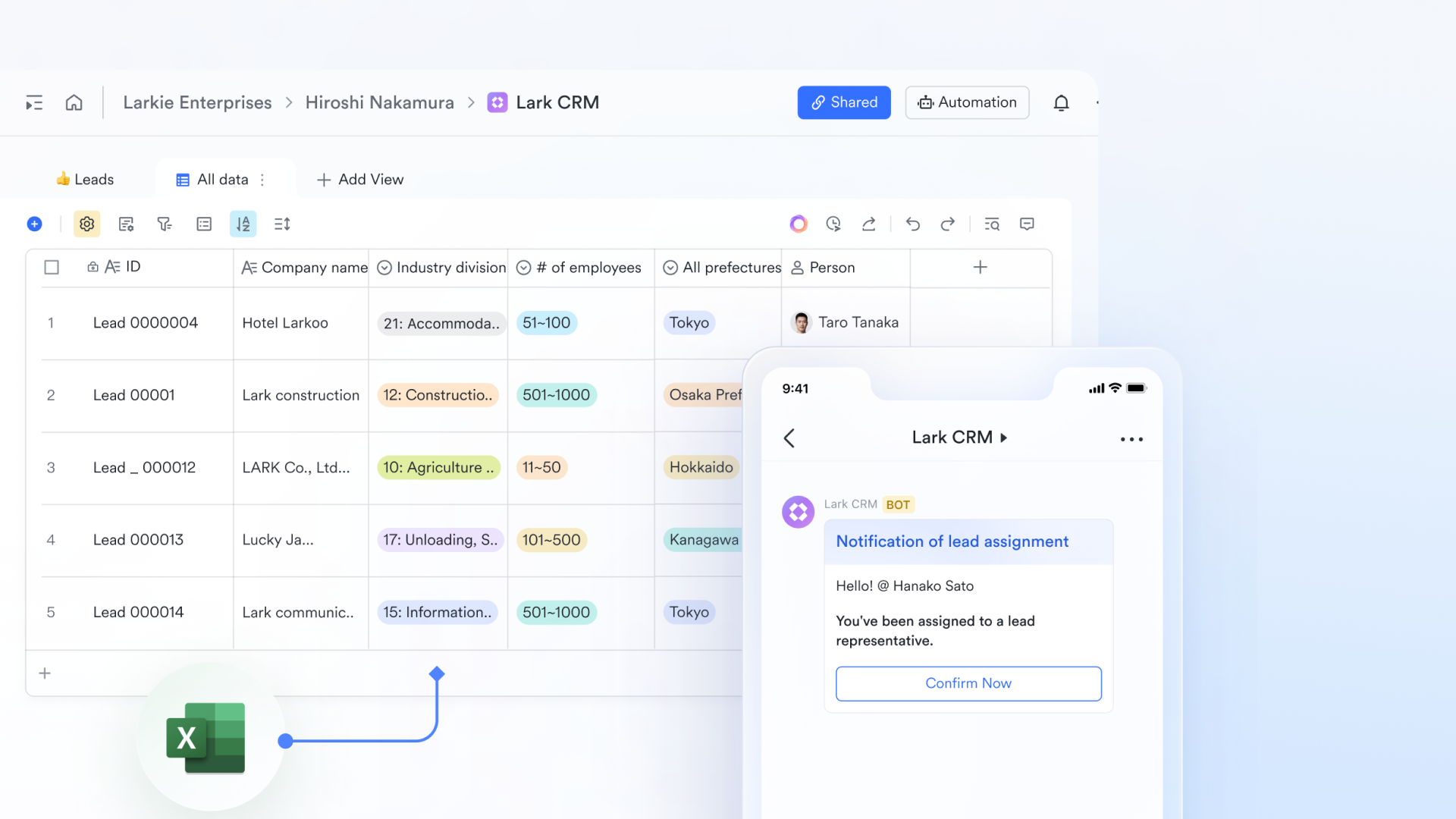
Pipeline tracking with Kanban and table views
supports multiple views on the same CRM data, allowing teams to track deals visually or in detail without duplicating information. Kanban views represent deal stages clearly, enabling drag-and-drop movement as deals progress. Table views provide a full operational view with filters and sorting, helping managers monitor pipeline health, overdue deals, and stalled opportunities in real time. 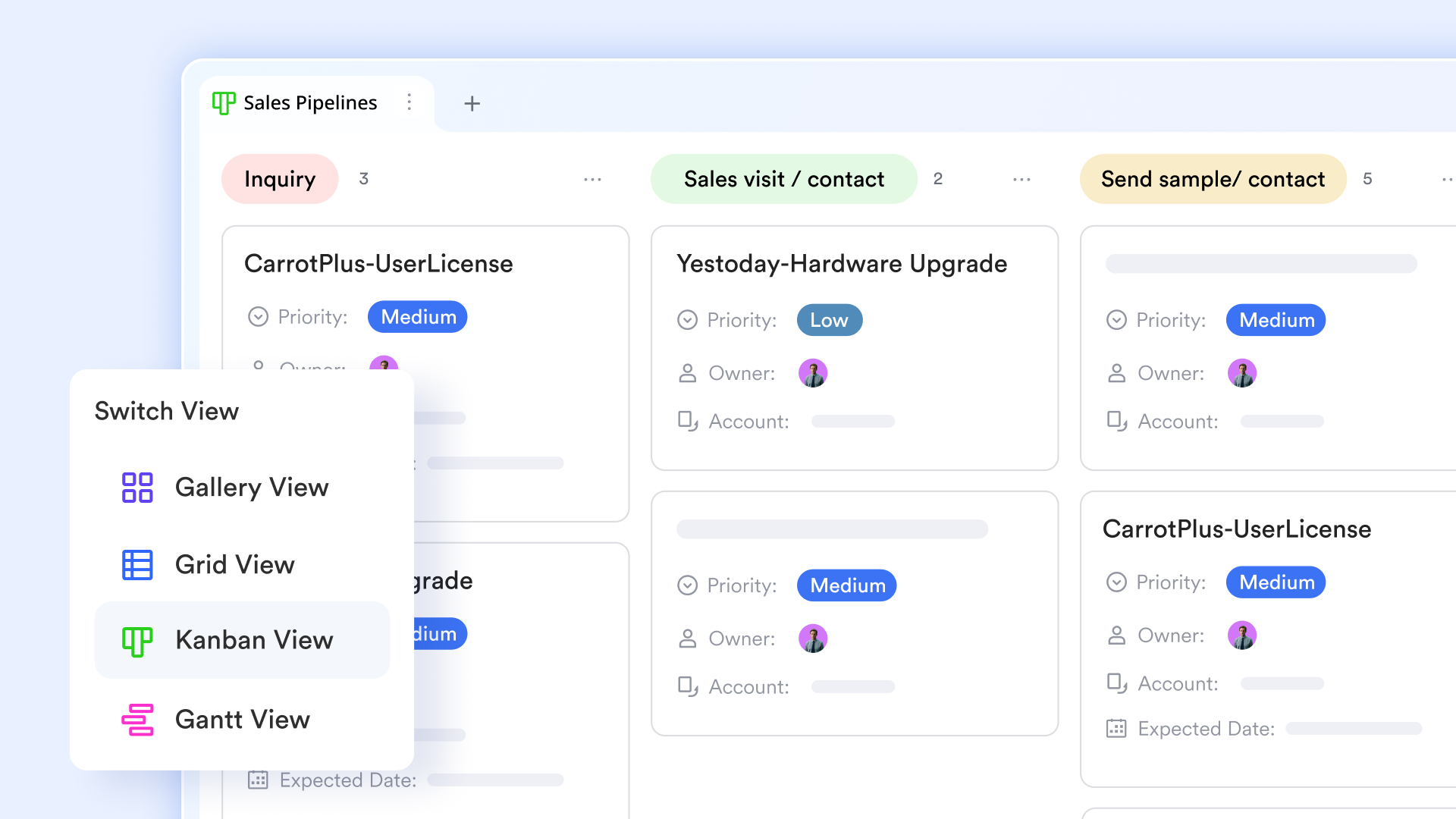
Workflow visualization across the sales lifecycle
Each CRM record in Lark Base workflow reflects its position within the broader sales process, from lead creation to deal closure. Teams can define clear lifecycle stages and see how records flow between them over time. This makes it easier to identify bottlenecks, understand where deals slow down, and standardize how each stage should be handled across the team. The result is a more predictable and repeatable sales process. 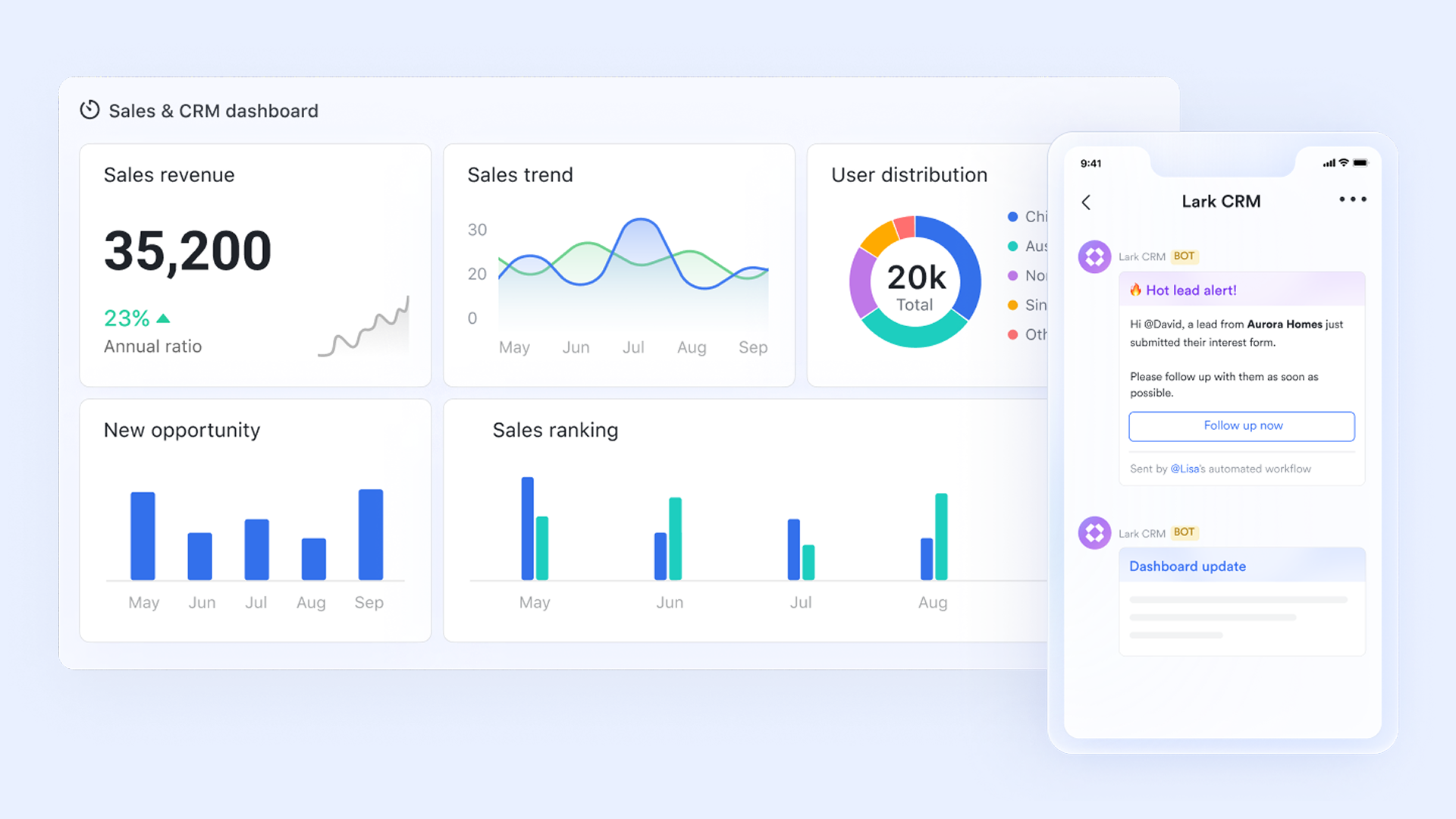
Automated workflow for CRM operations
Lark Base enables automated workflow actions triggered by changes in CRM records. For example, when a deal moves to a new stage, ownership can be assigned automatically, follow-up tasks can be created, or reminders can be sent to the responsible team member. These automations reduce manual updates, eliminate missed follow-ups, and ensure CRM processes run consistently without relying on individual discipline. 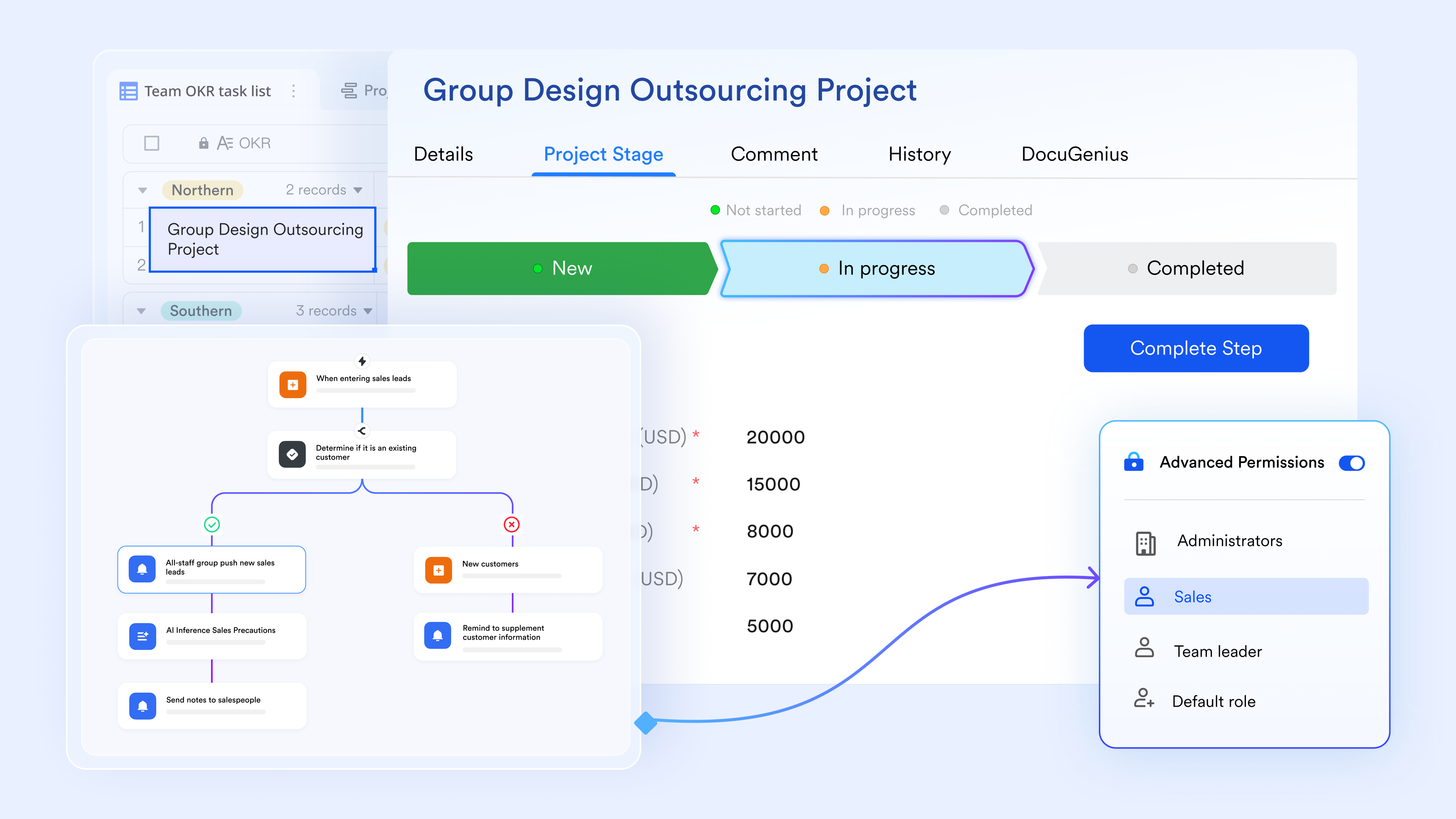
Permission control at row and field level
Lark Base offers granular permission settings that allow teams to control access to CRM data at both the row and field level. Sales reps may only see their own deals, while managers can view the full pipeline. Sensitive fields such as deal value or contract terms can be restricted to specific roles. This ensures data security while maintaining transparency where it matters. 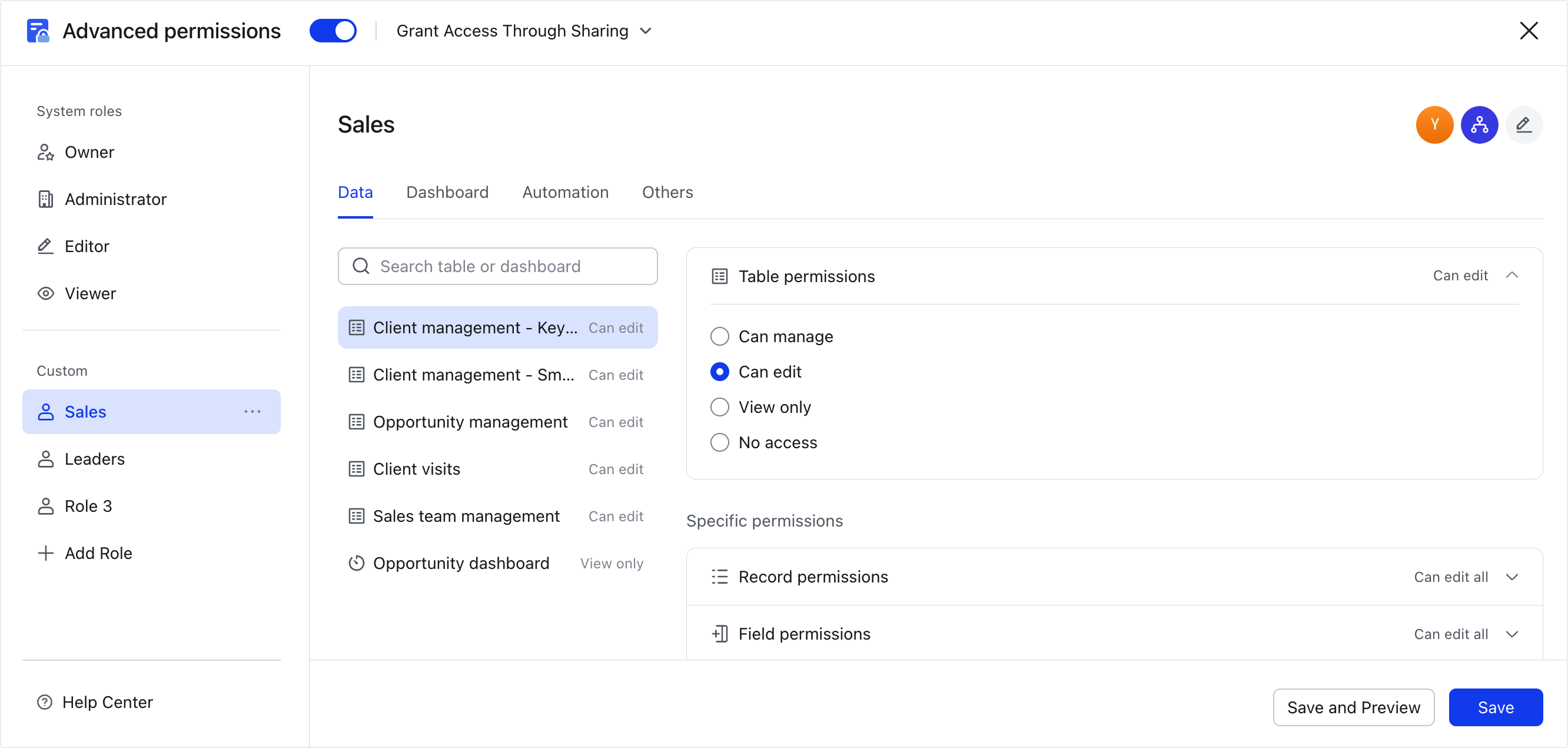
:
- Starter plan: Free forever plan that includes 11 powerful tools for up to 20 users. It also comes with 100GB of storage, 1000 automation runs, AI translations, and more.
- Basic plan: $6/user/month (billed annually) for up to 500 users. It includes everything in Starter plus group calling for up to 500 attendees, 5TB of storage, 1000 automation runs, and more. For more details, please .
- Pro plan: $12/user/month (billed annually) for up to 500 users. It includes everything in Basic plus group calling for up to 500 attendees, 15TB of storage, 50,000 automation runs, and more.
- Enterprise plan: for custom pricing. Supports unlimited users and includes even more automation runs and advanced security, compliance, and management features.
For small teams with simple communication needs

18 months message history
1000 Base automation runs/month
2000 rows per table in Base
Most POPULAR
For companies with comprehensive collaboration and management needs
Unlimited message history
500-participant video meetings
50k Base automation runs/month
20k rows per table in Base
For large companies with advanced security and organizational management needs
Get a personalized demo and pricing
Unlimited message history
500-participant video meetings
15 TB storage + 30 GB storage/user
500k Base automation runs/month
50k Base automation runs/month
Most POPULAR
For companies with comprehensive collaboration and management needs
Unlimited message history
500-participant video meetings
50k Base automation runs/month
20k rows per table in Base
Lark ready-to-use CRM templates
offers a collection of ready-to-use CRM templates designed to help teams move quickly without starting from scratch. These templates provide , predefined fields, and clear ownership models that support consistent CRM usage from day one. Instead of building complex systems manually, teams can adapt proven layouts to their workflows. This approach reduces setup time while preserving flexibility. It is especially useful for teams transitioning from lightweight CRM setups to more structured processes.
CRM template
This general CRM template is designed to give teams a structured starting point for managing contacts, companies, and deals. It includes predefined fields that support consistent data entry across users. Pipelines and ownership fields help teams track progress without heavy customization. The structure works well for teams moving beyond personal CRM setups. It can be expanded gradually as CRM usage grows.
Client relationship management template
This template is built for long-term client engagement rather than transactional sales. It emphasizes relationship history, notes, and ongoing activities. Teams can track communication and account context in one place. Agencies and service teams often prefer this structure. It works well alongside a sales-focused CRM setup.
Daily sales report template
This template focuses on activity tracking and performance visibility. It helps teams log follow-ups, calls, and deal updates consistently. Managers can review daily progress without digging into individual records. It supports accountability and transparency. It works best when paired with a core CRM system.
Client success template
This template supports post-sale CRM workflows focused on retention and satisfaction. It tracks onboarding stages, engagement milestones, and customer health indicators. Teams gain visibility into ongoing client status. It is useful for customer success and account management teams. The structure complements sales CRM workflows well.
Manufacturing sales order management template
This template is designed for CRM workflows tied to sales orders and fulfillment. It connects customer data with order stages and delivery tracking. Manufacturing teams benefit from added operational context. The structure supports coordination between sales and production. It is best suited for order-driven environments.
Light CRM system template
This template offers a simplified structure for small teams. It focuses only on essential fields to reduce maintenance effort. This makes onboarding quick and intuitive. It works well for early-stage teams. It provides a clean foundation for future expansion.
Sales tracker lead analysis and follow-up template
This template is designed for tracking leads from capture through follow-up. It helps teams analyze lead quality and prioritize outreach. Status fields and reminders support consistent engagement. Inbound sales teams benefit most from this structure. It reduces the risk of missed opportunities.
Customer relationship management template
This customer relationship management template provides a balanced CRM structure covering contacts, deals, and activities. It is adaptable across industries and team sizes. It supports both sales and relationship tracking. Teams can customize fields without breaking the core structure. It serves as a flexible long-term CRM foundation.
What drives teams to switch to Lark CRM template
Teams that move away from DIY CRM systems often reach a point where clarity and consistency become critical. As collaboration increases, informal setups start to create friction rather than flexibility. Lark CRM templates are designed to provide structure without removing adaptability. Starting with defined workflows helps teams focus on execution instead of system maintenance.
- Structured CRM workflows out of the box: Pipelines, , and ownership fields are predefined. Teams avoid weeks of manual design and testing. Processes are clear from the first day. This creates consistency across users.
- Single source of truth for customer data: Contacts, deals, and activities live in one connected workspace. Data duplication is reduced significantly. Updates remain visible to all stakeholders. This improves alignment across teams.
- Better team accountability: Deal owners and statuses are clearly assigned within the CRM. Follow-ups are easier to track consistently. Handoffs between team members become smoother. Visibility reduces missed responsibilities.
- Contextual collaboration built into CRM records: Discussions and comments stay attached to customer and deal records. Context is preserved alongside data. Teams avoid scattered conversations. Communication remains actionable.
- Scales beyond personal or DIY CRMs: Lark CRM templates support growing teams and larger pipelines. Processes remain consistent as volume increases. Growth does not require constant rework. Structure holds as complexity rises.
- Automated workflow support without code: Lead routing, status changes, and reminders can run automatically. Manual coordination effort is reduced. Human error decreases over time. CRM discipline becomes easier to maintain.
- and adoption: Ready-to-use templates reduce learning curves. Familiar collaboration tools help new users ramp quickly. Training effort stays minimal. Teams become productive sooner.
Conclusion
Notion CRM remains a flexible and approachable option for individuals and early-stage teams exploring relationship management. Its allows customization without upfront complexity. For personal CRM use and lightweight pipelines, it continues to deliver value.
As teams grow, CRM needs evolve. Automation, accountability, and reporting become essential rather than optional. At this stage, many teams begin evaluating more structured that preserves flexibility while reducing manual effort. Platforms like offer a connected approach that brings CRM data, collaboration, and workflows into one environment. The right choice depends on whether CRM remains a personal tool or becomes a shared operational foundation.
Build scalable CRM workflows for teams
FAQs
Is Notion a CRM tool?
Notion can function as a CRM when teams use databases and templates together. It works well for organizing contacts, deals, and notes in a flexible way. However, it relies heavily on manual updates and shared discipline. As CRM usage grows, some teams begin exploring more structured workspaces like Lark that reduce manual effort.
Can Notion replace Salesforce or HubSpot?
Notion is not designed to replace enterprise like Salesforce or HubSpot. It focuses on flexibility rather than automation, forecasting, and enforcement. Many teams use Notion CRM as a starting point. As requirements expand, platforms such as Lark are sometimes evaluated for added structure and workflow support.
Is there a free Notion CRM template?
Yes, many free Notion CRM templates are available through Notion's template gallery and community resources. These templates provide basic CRM structures for early use. Most require ongoing customization and maintenance. Teams that prefer ready-made structures may later consider tools like Lark with built-in CRM templates.
Can Notion handle sales pipelines?
Notion can handle sales pipelines using and custom stages. This approach works well for small pipelines and early sales activity. Follow-ups and reporting remain manual. As pipelines grow, some teams gradually look at platforms like Lark to support consistency and visibility.
When do teams move away from Notion CRM?
Teams usually move away from Notion CRM when collaboration, automation, and reporting become critical. Manual updates start to slow execution and reduce accuracy. Visibility across users becomes harder to maintain. This is often when teams explore connected CRM platforms such as Lark to support growth.
Related reading






























