On-premise CRM remains a preferred choice for organizations that require complete control over their customer data, infrastructure, and security protocols. By hosting the system on internal servers, businesses can customize workflows, integrations, and compliance settings with greater flexibility. However, as digital operations expand, on-premise CRM systems often struggle with high maintenance costs, slower upgrades, and limited scalability. Many companies are now comparing CRM cloud vs on-premise models to evaluate long-term efficiency and agility. Modern cloud-based alternatives like Lark offer faster deployment, automated updates, and real-time collaboration, making them a compelling option for teams looking to streamline operations and reduce IT burden.
Experience smarter CRM automation instantly
What is on-premise CRM?
An on-premise CRM is a customer relationship management system installed and operated on a company's internal servers instead of a cloud platform. This setup gives organizations complete control over data, infrastructure, and customization, making it ideal for industries with strict data residency or compliance needs. Because all on-premises is managed locally, businesses maintain direct oversight of security, access rules, and workflows. However, this model requires hardware investment, IT expertise, and regular maintenance. As CRM cloud vs. on-premises debates grow, many companies are reevaluating long-term costs and scalability.
When is an on-premise CRM suitable?
On-premise CRM is suitable for organizations that must store sensitive customer data within local infrastructure for compliance or regulatory demands. It also benefits companies requiring deep, system-level customization that platforms cannot support easily. Businesses with strong internal IT teams or existing on-premises CRM solutions tied to legacy systems often choose this model for stability and control. Additionally, environments with poor or inconsistent internet access rely on CRM On-premise to maintain uninterrupted operations. These factors make on-premise CRM ideal for highly controlled and specialized workflows.
- Strict data residency requirements: When regulations require customer data to be stored on in-house servers or within specific geographic boundaries. Organizations choose on-premise CRM to maintain full compliance without relying on third-party hosting.
- Highly customized infrastructure needs: When organizations depend on deep system-level customization that cloud platforms cannot support easily. On-premise setups allow teams to modify architecture, workflows, and integrations without vendor limitations.
- Full control over security protocols: When internal IT teams must manage encryption standards, firewall rules, and access systems directly. Companies can design their own security framework instead of depending on cloud provider policies.
- Limited or unstable internet connectivity: When consistent cloud access is unreliable and offline operations must continue uninterrupted. On-premise CRM ensures that daily workflows, data entry, and reporting remain accessible at all times. It helps prevent productivity losses in regions or facilities with poor network stability.
- Legacy system dependencies: When critical integrations exist only within existing on-premise and migration risk is high. Businesses can continue using long-standing internal systems without compatibility issues. This reduces disruption and preserves the reliability of established processes.
CRM on-premises vs cloud CRM: What's the real difference?
CRM On-premise gives organizations complete control over data, customization, and security because everything runs on internal servers. Cloud CRM vs On-premise systems offer faster deployment, lower upfront costs, and automatic updates managed by the provider. The real difference lies in scalability and long-term flexibility, areas where cloud CRM solutions typically outperform traditional on-premise CRM setups.
Limitations of on-premise CRM
On-premise require heavy infrastructure, ongoing maintenance, and constant IT involvement. They lack flexibility, slow down scalability, and demand frequent manual updates to stay secure. As businesses grow, these limitations make cloud CRM vs On-premise comparisons increasingly favor cloud alternatives.
- Upfront cost: On-premise CRM requires a large initial investment in servers, networking equipment, data storage, and licensed software. Implementation, customization, and IT staffing also increase deployment costs. Unlike cloud systems, there is no pay-as-you-go model, making budgeting more difficult for smaller businesses. These upfront expenses become a major barrier for fast-growing teams.
- Hardware requirements: Organizations must purchase, configure, and maintain physical hardware to run the CRM. This includes servers, backup systems, power units, and cooling infrastructure. As data grows, additional hardware upgrades are needed, which increases cost and complexity. These requirements make scaling slow and expensive.
- Limited remote access (unless configured): By default, on-premise CRMs are accessible only within the company network, restricting remote or mobile usage. Setting up secure remote access requires VPNs, firewall rules, and specialized IT configurations. This adds complexity and can impact accessibility for distributed teams. Without these setups, users have limited flexibility outside the office.
- Maintenance burden: Internal IT teams must handle all updates, bug fixes, performance tuning, and system monitoring. Routine maintenance tasks consume time and resources that could be spent on strategic work. Any downtime or hardware failure must be resolved internally, often requiring additional support contracts. This workload increases the total cost of ownership.
- Upgrade delays: On-premise systems do not receive automatic updates, so organizations must manually plan and execute upgrades. This can result in outdated features or security gaps if upgrades are postponed. The process is often time-consuming, risky, and disruptive. Many companies delay updates because of the cost and effort involved.
- Security considerations: Although on-premise CRM offers control, it also places full security responsibility on the organization. IT teams must manage encryption, access controls, vulnerability scanning, and incident response. Any oversight can expose the system to risks or compliance issues. Maintaining strong security standards requires continuous effort and investment.
Overcome these limitations with an all-in-one solution
Meet Lark: An affordable, cloud-based alternative to on-premise CRM
provides a unified, highly customizable, and secure cloud-based alternative to traditional on-premise CRM systems. Its Lark Base centralizes all sales data in configurable tables and visualizes the entire through adaptive views like for easy management. This is enhanced by AI field shortcuts that automatically categorize and summarize data, ensuring high quality and reducing manual input. Crucially, built-in workflows automate repetitive tasks like lead assignment and notifications, while Advanced Permissions deliver granular control over records and fields, ensuring data is secure and accessible only to the right people.
Centralised CRM database with multiple views
enables a centralized by using tables as the backbone for storing sales data, including lead details and deal stages. Multiple views then provide specialized perspectives of this data, allowing different teams to see only what they need. For example, a sales team can instantly switch to a Kanban view to manage their pipeline visually, while managers use the Grid view for detailed data entry and auditing. This unified data layer, visible through tailored views, ensures the entire sales cycle is tracked and managed consistently. 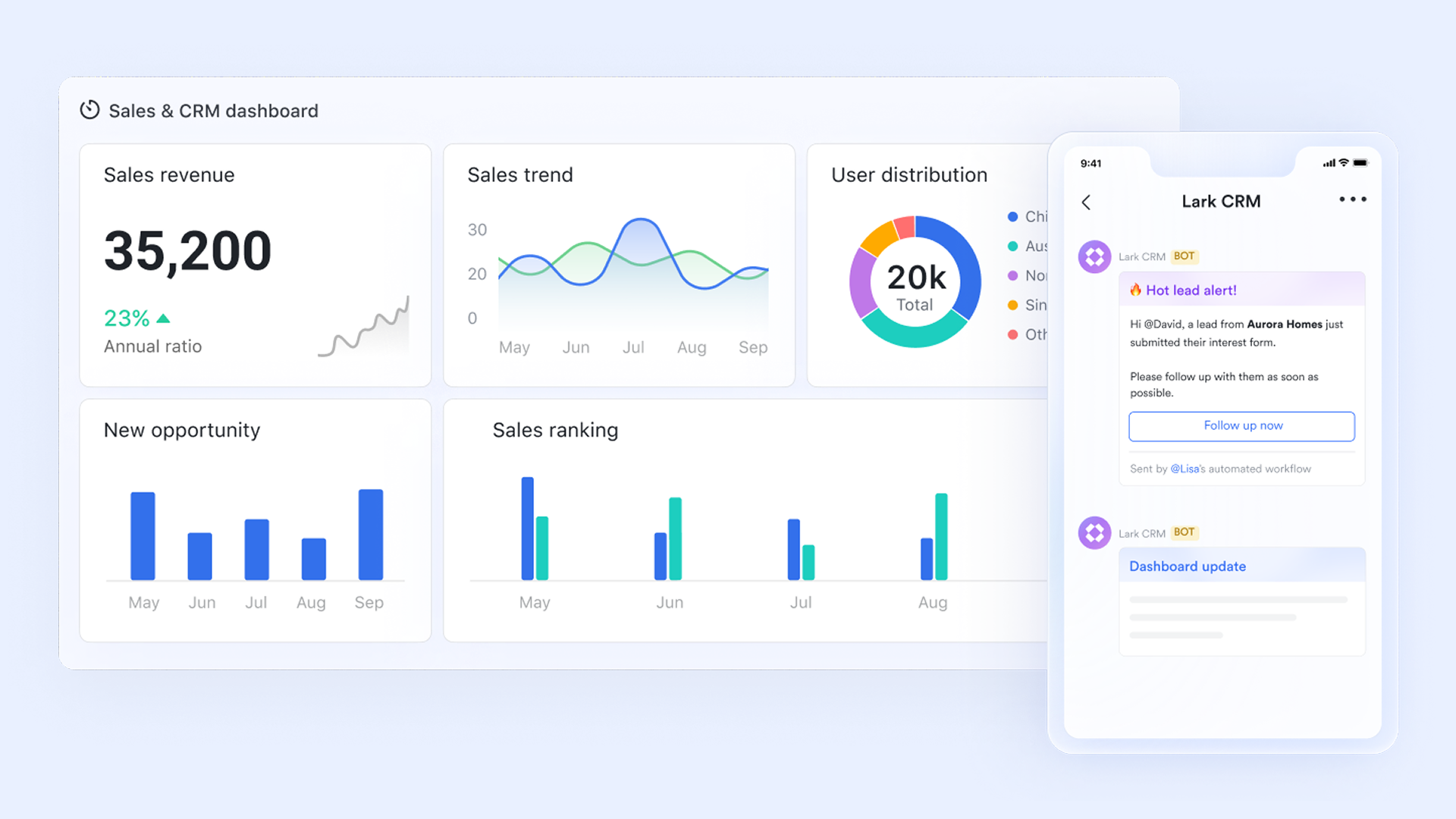
OpenAI-powered tools for easy data entry & categorization
AI field shortcuts in Lark Base significantly automate and enhance CRM data quality and analysis. These tools can automatically categorize leads and deals based on custom rules, ensuring consistent data organization for segmentation. Sales teams benefit from shortcuts that can summarize long email chains or activity logs, providing quick context on client interactions. Furthermore, AI can extract critical information, such as dates and numbers, directly from text fields, drastically reducing manual data entry and potential human error. 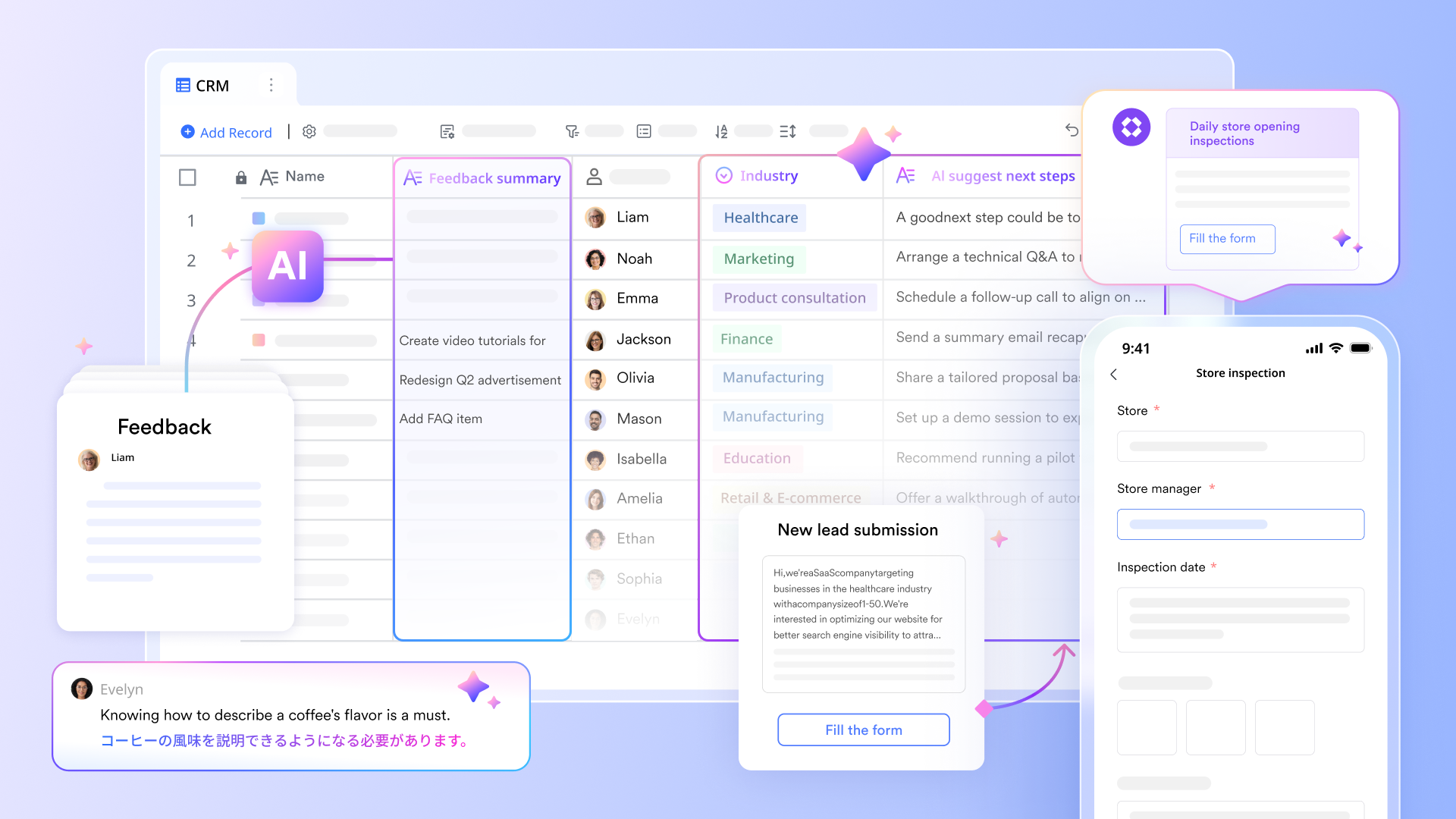
Built-in automated workflow to reduce human efforts
Lark Base uses the built-in workflow feature to handle repetitive CRM tasks, eliminating manual effort and improving speed. These features use specific triggers such as a new lead being added or a deal status update to initiate immediate, corresponding actions. Examples include automatically assigning leads to the correct sales representative, sending instant Lark messages or emails as notifications, or creating related calendar events or tasks, thereby automating the entire sales pipeline based on data in the CRM table. 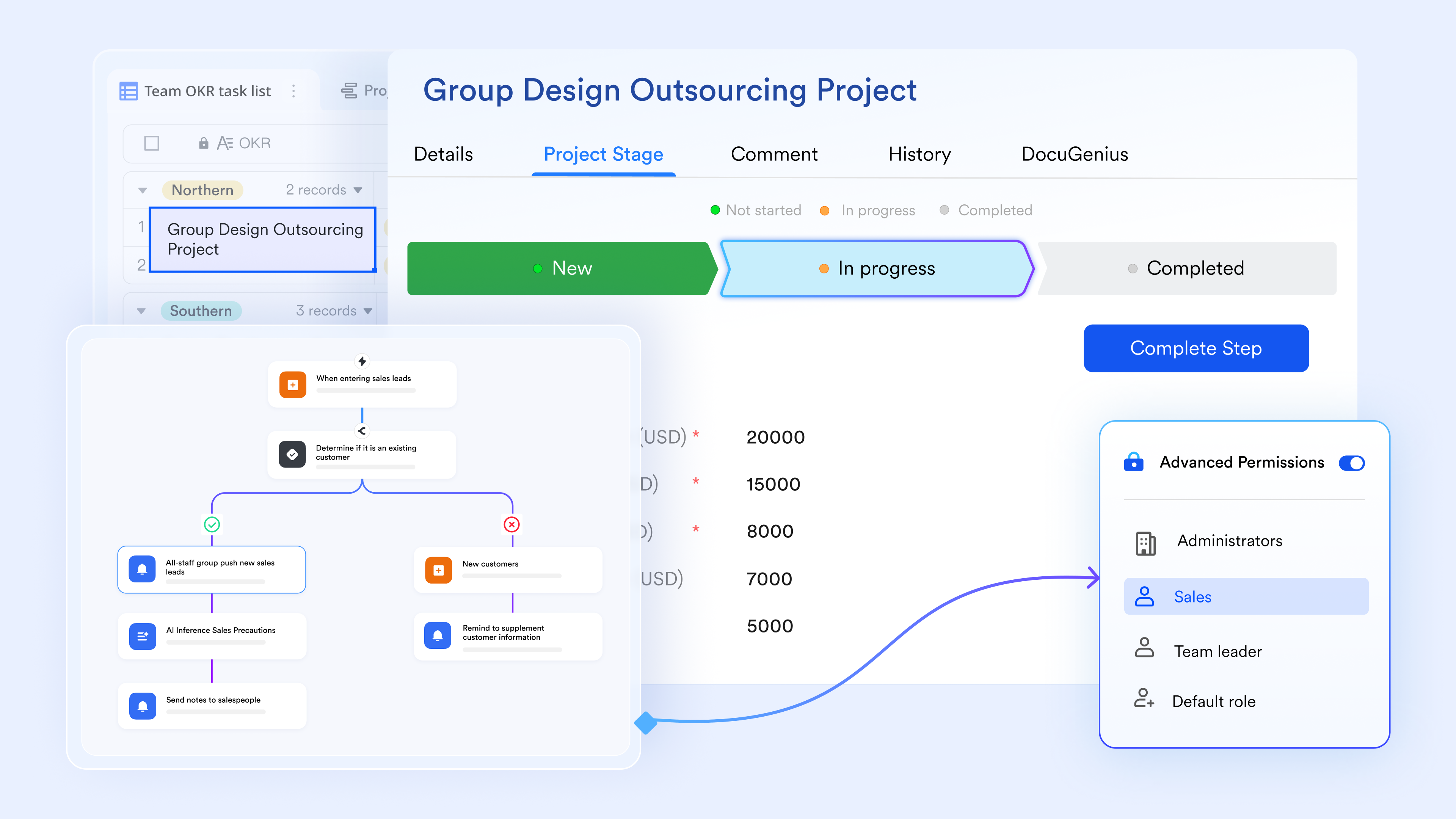
Dashboard provides data insights in multiple dimensions
Lark Base dashboards transform raw CRM data into crucial, actionable business intelligence. They allow users to analyze performance from multiple dimensions using a variety of charts, such as funnel charts to visualize the conversion rate through the sales pipeline. Dashboards also offer metrics blocks to track key performance indicators like totals and averages, and ranking blocks to . By visualizing real-time operational data, dashboards empower managers to make data-driven decisions swiftly. 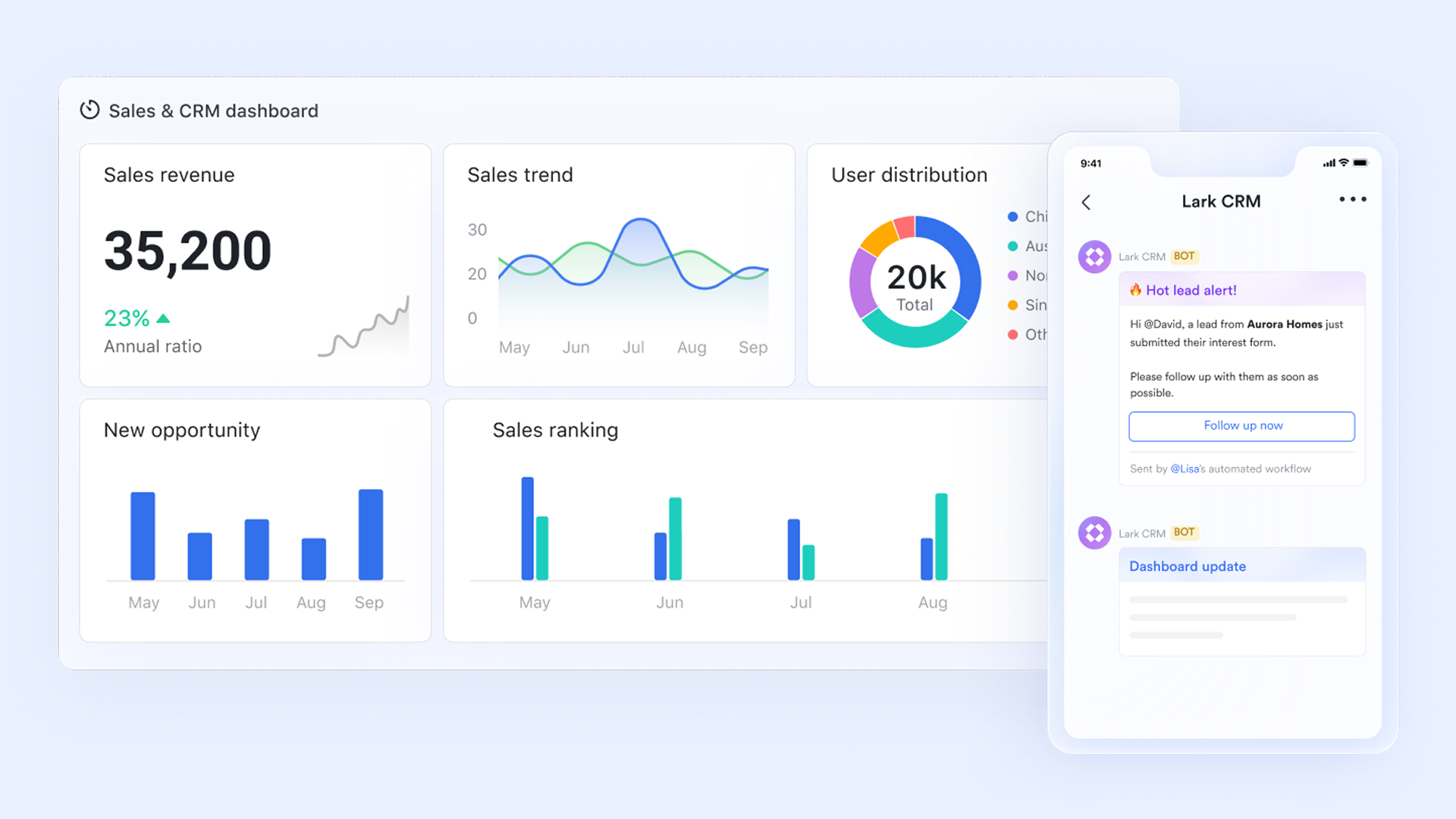
Granular and clean permission control
Lark Base advanced permissions ensure data safety through granular control, allowing administrators to define precise access levels down to the record (row) and field (column) level. This control is managed through customizable roles that dictate who can view, edit, or delete specific data, such as allowing only authorized finance personnel to review sensitive account information. By implementing the principle of least privilege, Base protects privacy and prevents data leakage by ensuring employees only access the specific information necessary for their responsibilities. Seamless team communication & CRM-related collaboration
Lark fundamentally enhances team communication by tightly integrating real-time chat and video conferencing. serves as the central hub, offering instant communication with features like checking a message's read status, real-time translation for global teams, and converting messages directly into tasks. builds on this by allowing calls to be started instantly from any chat, offering live subtitles and translation during the call for universal understanding. Critically, people can discuss and co-edit documents or base during the meeting via Magic Share, removing the barriers between action and talking. 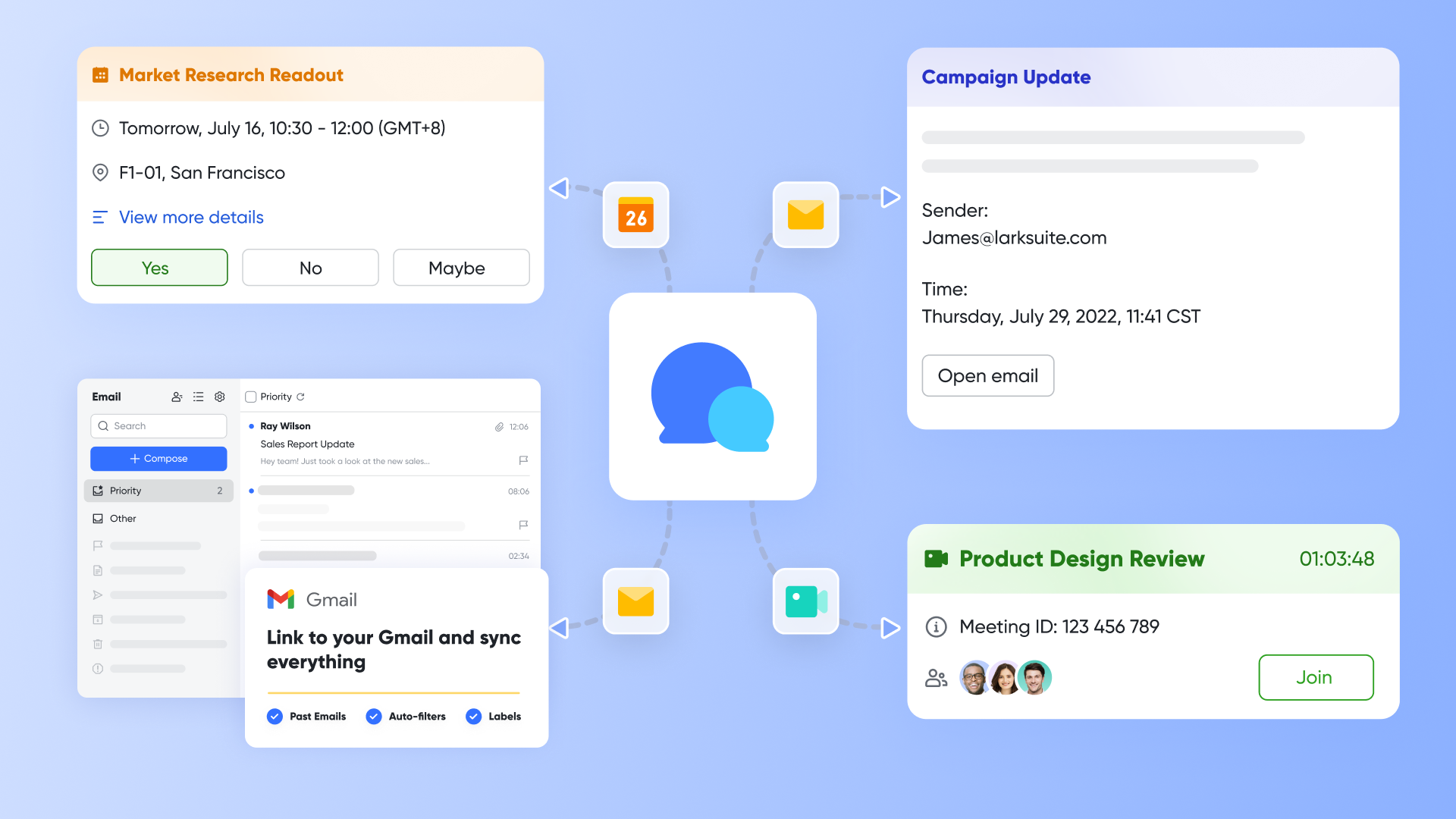
:
- Starter plan: Free forever plan that includes 11 powerful tools for up to 20 users. It also comes with 100GB of storage, 1000 automation runs, AI translations, and more.
- Pro plan: $12/user/month (billed annually) for up to 500 users. It includes everything in Starter plus group calling for up to 500 attendees, 15TB of storage, 50,000 automation runs, and more.
- Enterprise plan: for custom pricing. Supports unlimited users and includes even more automation runs and advanced security, compliance, and management features.
For small teams with simple communication needs

18 months message history
1000 Base automation runs/month
2000 rows per table in Base
Most POPULAR
For companies with comprehensive collaboration and management needs
Unlimited message history
500-participant video meetings
50k Base automation runs/month
20k rows per table in Base
For large companies with advanced security and organizational management needs
Get a personalized demo and pricing
Unlimited message history
500-participant video meetings
15 TB storage + 30 GB storage/user
500k Base automation runs/month
50k Base automation runs/month
Most POPULAR
For companies with comprehensive collaboration and management needs
Unlimited message history
500-participant video meetings
50k Base automation runs/month
20k rows per table in Base
Future of CRM on-premise
The future of on-premise CRM is steadily shifting as businesses adopt more flexible cloud ecosystems. Some industries will continue using on prem models for strict data control, but rising maintenance demands and upgrade delays limit long-term value. Modern cloud platforms offer , seamless integrations, and real-time collaboration that outperform rigid on-premise systems. Hybrid cloud approaches are emerging, allowing businesses to keep sensitive data locally while using cloud tools for scalability. This trend signals a gradual move away from fully on-premise CRM solutions.
- Hybrid cloud : The future of CRM is moving toward hybrid cloud models, where businesses keep sensitive data on-premise while using . This approach balances control with flexibility and reduces infrastructure pressure on internal IT teams.
- Remote access improvements: Modern on-premise CRMs are adopting better remote access capabilities through secure VPNs, mobile apps, and optimized network configurations. These enhancements help teams stay connected outside the office without fully switching to cloud systems.
- AI-driven features: such as predictive analytics, automated workflows, and intelligent recommendations are increasingly being integrated into CRM systems. Even on-premise setups are adopting AI modules to enhance decision-making and reduce manual tasks.
- Data compliance growth: Stricter global regulations are pushing organizations to maintain tighter control over customer data. As compliance needs grow, businesses using on-premise CRM must implement stronger governance, documentation, and auditing processes to stay aligned with evolving standards.
Conclusion
On-premise CRM systems continue to support organizations that need strict data control, deep customization, and dedicated infrastructure. However, rising maintenance demands, higher upfront costs, and limited scalability make it challenging for businesses to stay competitive in a rapidly evolving digital environment. When comparing on-premise CRM vs cloud CRM, cloud models consistently offer greater flexibility, faster deployment, and lower operational complexity. Modern cloud platforms provide , automated updates, and built-in integrations that help teams work more efficiently. For companies aiming to reduce IT burden and scale operations seamlessly, cloud CRM solutions likedeliver a future-ready advantage. As digital transformation accelerates, more organizations are moving toward cloud-first strategies to unlock long-term efficiency and innovation.
Streamline your CRM operations with Lark now
FAQs
Does on-premise CRM require continuous internet connectivity?
On-premise CRM systems run entirely on local servers, so they do not require continuous internet access for daily operations. This makes them ideal for environments with unstable or restricted connectivity. However, internet is needed for updates, remote access, or external integrations. Cloud solutions like Lark eliminate these gaps by offering reliable access from any device without dependency on local infrastructure.
How long does it take to deploy an on-premise CRM solution?
Deployment timelines can range from several weeks to months depending on server setup, custom configurations, and . IT teams must manage installation, security hardening, and system testing before the CRM goes live. These steps extend rollout time compared to cloud tools like Lark, which can be activated instantly without hardware provisioning.
Can I migrate from on-premise to cloud CRM later?
Yes, businesses can transition from on-premise CRM to a cloud-based platform by exporting data, rebuilding workflows, and reconfiguring integrations. The process requires careful mapping and testing to maintain data accuracy. Modern solutions like Lark simplify migrations with built-in connectors and automated data syncing that reduce manual effort.
Do vendors provide remote support for on-prem installations?
Many CRM vendors offer remote support for software-related issues such as patches, configuration fixes, and diagnostics. However, physical hardware failures still require onsite IT intervention. Cloud CRMs like Lark remove this burden entirely by delivering managed support, automatic updates, and centralized monitoring without dependence on local servers.
What happens if hardware becomes outdated over time?
Aging hardware can lead to slow performance, security vulnerabilities, and unplanned downtime. Organizations must periodically upgrade servers, storage systems, and network equipment to keep their on-premise CRM stable. Cloud solutions like Lark eliminate hardware since all updates, scaling, and performance optimizations are handled automatically in the cloud.
Related reading
































