We all want a straightforward fix for our chaotic workdays. In the rush to adopt powerful AI tools, many teams have accidentally created a completely new problem: tool sprawl. Operations managers are now dealing with a fragmented mess of separate subscriptions, where employees spend more time moving data between tabs than actually doing deep work. I want to cut through the marketing fluff and focus on what provides real value. In this guide, we will look at how to audit your tech stack, identify tools that genuinely save time, and consolidate your workflows to avoid AI tool fatigue.
Why more AI tools don't equal higher productivity
There is a common misconception in tech adoption right now: if one AI app makes a team member 10% faster, buying five different apps will make them 50% faster. In practice, the exact opposite happens.
Every time you ask your team to adopt a new, specialized AI-powered tool, you add friction to their day. Let's look at a common scenario I see in modern marketing teams. A manager uses a standalone AI application to generate a project brief. They then have to copy that text, paste it into a separate document app, format it, switch to a chat app to notify the team, and finally open a dedicated project management tool to assign the tasks.
The intelligence of the AI is entirely isolated from the execution of the work.
This constant context switching disrupts focus and creates data silos. When you stack dozens of single-purpose AI apps, you are not buying productivity; you are paying for fragmentation. The goal should not be to collect the highest number of AI powered tools. Instead, the focus must shift toward finding high-leverage applications that fit naturally into the spaces where your .
Beyond the hype: Auditing the most popular AI tools in your stack
If you are paying for multiple software subscriptions, you need a reliable way to separate the tools that do real work from those that just look impressive in demo videos. When evaluating the most popular AI tools currently used by your team, I recommend running a simple "No-Hype" audit.
The core of this audit focuses on one metric: the ratio of .
You can set up a basic spreadsheet to track this. For every tool your team uses, ask your leads to measure how much time a specific AI feature actually shaves off a task. Then, subtract the "human-in-the-loop" time. This includes the minutes spent writing complex prompts, fact-checking hallucinations, fixing formatting errors, and transferring the final output to your main company database.
If a tool takes 15 minutes of prompting and editing to save 20 minutes of writing, the net gain is minimal. Furthermore, if the tool requires a steep learning curve or forces employees to leave their primary workspace, it is likely causing a net negative impact on team velocity.
To clean up your tech stack, start categorizing your software into three simple buckets:
- Keep: The with your core database or communication platform and provides a clear, measurable net gain in time.
- Consolidate: The tool performs a function (like basic text summarization) that is already you currently pay for.
- Discard: The tool is a standalone novelty that requires heavy manual data transfer to be useful.
Essential categories of AI powered tools for modern teams
To make sense of the market, I find it helpful to ignore technical jargon like "large language models" or "neural networks." Instead, look at the software through the lens of the jobs they actually do for your team. When you categorize tools by their core utility, it becomes much easier to see where you have overlap and where you are missing critical capabilities. For content teams producing video assets, AI video generation is now a distinct category worth evaluating. Models like have matured to the point where they handle short-form cinematic video without a production team.
Orchestration and workflow automation
Automation tools serve as the connective tissue between different applications. Instead of relying on a human to manually move data from an inbox to a database, orchestration tools use AI to read, categorize, and route information automatically.
Consider a customer support escalation process. A powerful AI tool in this category can read an incoming client email, identify the sentiment as "urgent," extract the client's account ID, and automatically in your project management system. By removing the manual triage step, you reduce response times and free up your team to focus on resolving the actual issue rather than sorting through an inbox.
Content creation and AI powered research tools
Most people associate AI with writing emails or generating marketing copy, but the real value for operations teams lies in research and synthesis. An AI powered research tool is essential for , summarizing long documents, and gathering scattered data into cohesive briefs.
Imagine an employee joining a new project halfway through the quarter. Instead of reading through months of chat logs and a dozen different strategy documents, they can ask their workspace AI to summarize the project history, identify key stakeholders, and list pending action items. This transforms content creation from a blank-page exercise into a structured editing process, .
Data visualization and artificial intelligence with Power BI
Making sense of raw data used to require a dedicated analyst writing complex SQL queries. Now, the unification of artificial intelligence with Power BI and similar analytics platforms allows managers to interact with their databases using natural language.
You no longer need to know how to build a pivot table from scratch. Instead, an operations manager can type a question like, "Show me the revenue growth by region for the last three quarters, excluding enterprise clients," and the AI generates a clean, accurate chart instantly. This conversational approach to data visualization democratizes analytics, allowing team leads to on the spot during meetings without waiting days for a requested report.
The cost of context switching: Why consolidation is the future
While the categories above are powerful, buying a separate subscription for each one creates a financial and operational mess. I often speak with companies that pay for a dedicated AI meeting note-taker, a separate generative AI writing assistant, an independent automation tool, and a distinct chat application.
This fragmented approach guarantees data silos. If your AI research tool does not talk directly to your , your team has to act as the manual bridge between the two. The cognitive cost of this context switching is massive. Every time an employee jumps from a chat window to a standalone AI tab, they lose focus. Over a week, these micro-interruptions add up to hours of lost productivity per person.
The next evolution of workplace technology is not about adding more apps to your stack; it is about subtraction. The most efficient teams are moving away from patched-together software and adopting native, unified collaboration platforms where AI is built directly into the fabric of the workspace.
Consolidate your AI tools with Lark
Top powerful AI tools evaluated for 2026
To help you audit your stack, I have evaluated seven standout platforms based on how they actually perform in a daily business environment. I prioritized real-world utility over marketing claims, looking specifically at how these tools handle everyday workflows.
1. Lark: Unified workspace for collaboration and productivity.
Best suited for remote or hybrid teams struggling with fragmented software subscriptions. It stands out by combining chat, documents, project management, and AI into one unified, cost-effective workspace. takes a fundamentally different approach to productivity by consolidating the tech stack. Instead of acting as a standalone AI power tool, it integrates AI directly into the places where teams are already working. Whether you are in a , drafting , or organizing tasks in a spreadsheet, the intelligence layer is right there.
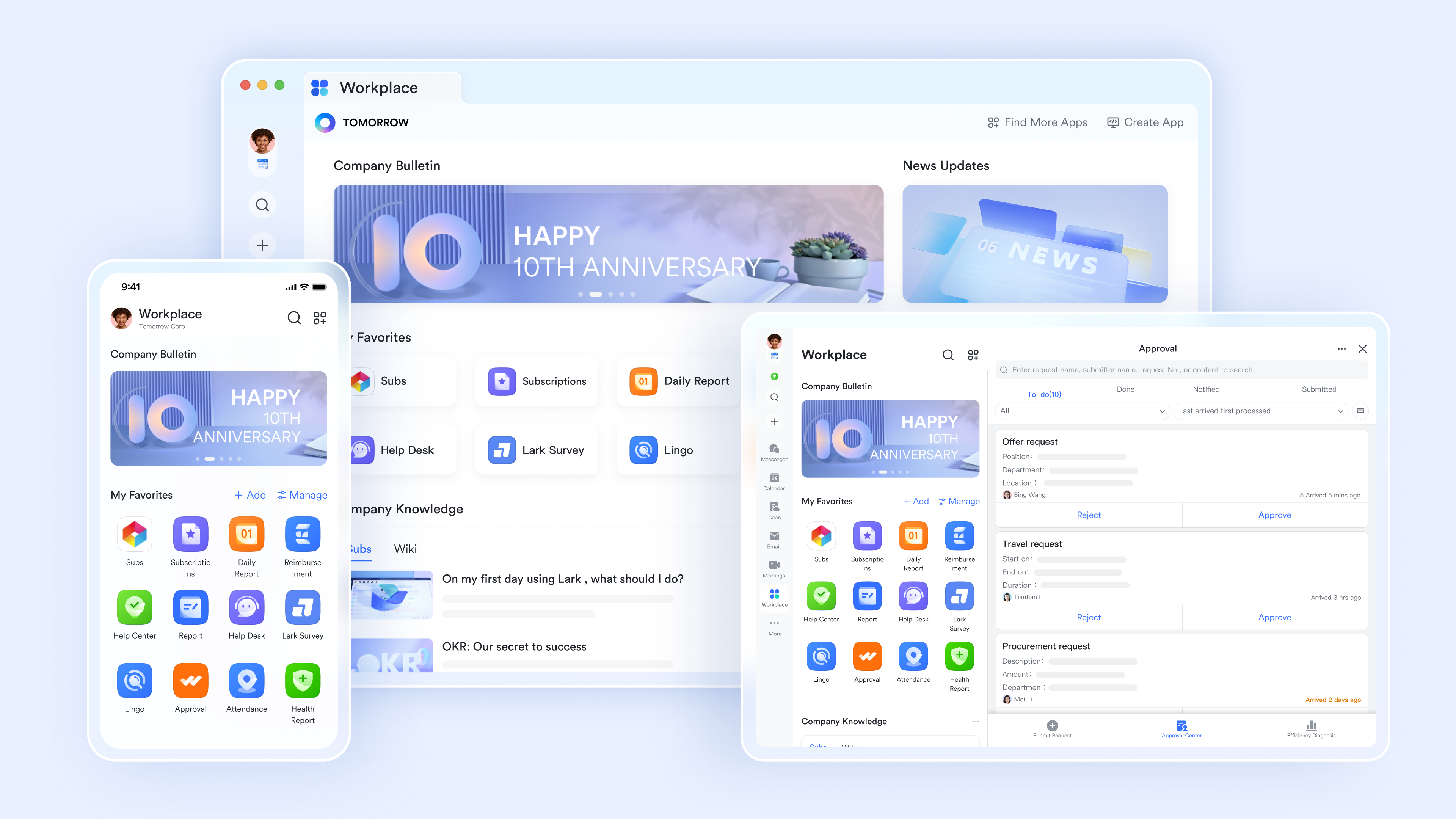
This unified architecture solves the context-switching problem. For example, you can use Lark's AI and automatically insert them into a shared project tracker—all without opening a new tab. By keeping the AI contextual to the work, operations managers can automate approval workflows and manage OKRs much faster than they could by stringing together five different applications.
Pros:
Lark provides powerful AI content generation and organization
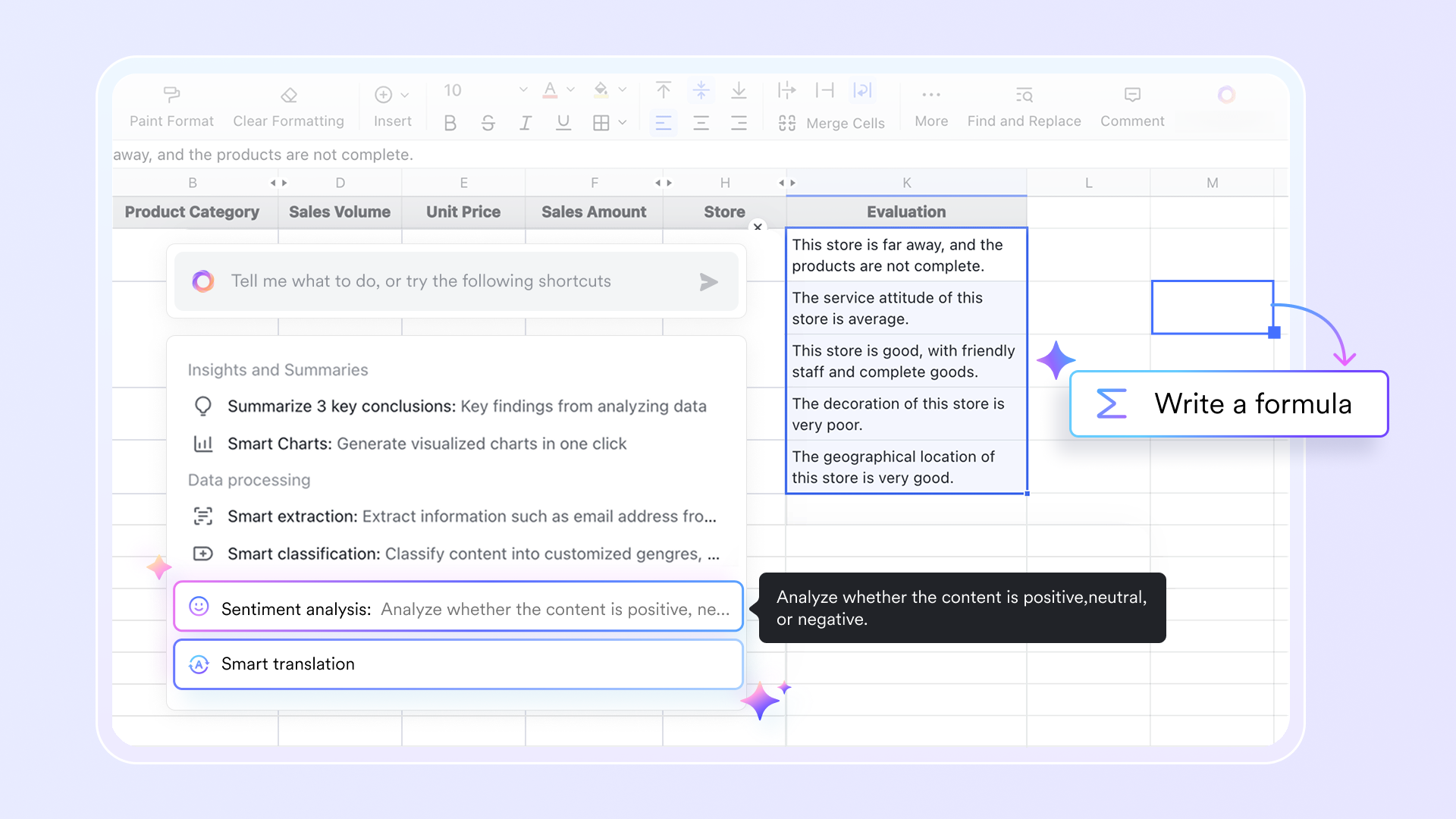
In , built-in AI can generate complex formulas, build custom data tracking templates, and automate data formatting based on your instructions. It can also analyze large datasets to instantly extract key insights. Beyond numbers, the AI empowers your workflow with advanced text processing capabilities, allowing you to perform instant sentiment analysis on text data like customer feedback, and utilize smart translation to effortlessly manage and collaborate on multilingual spreadsheets.
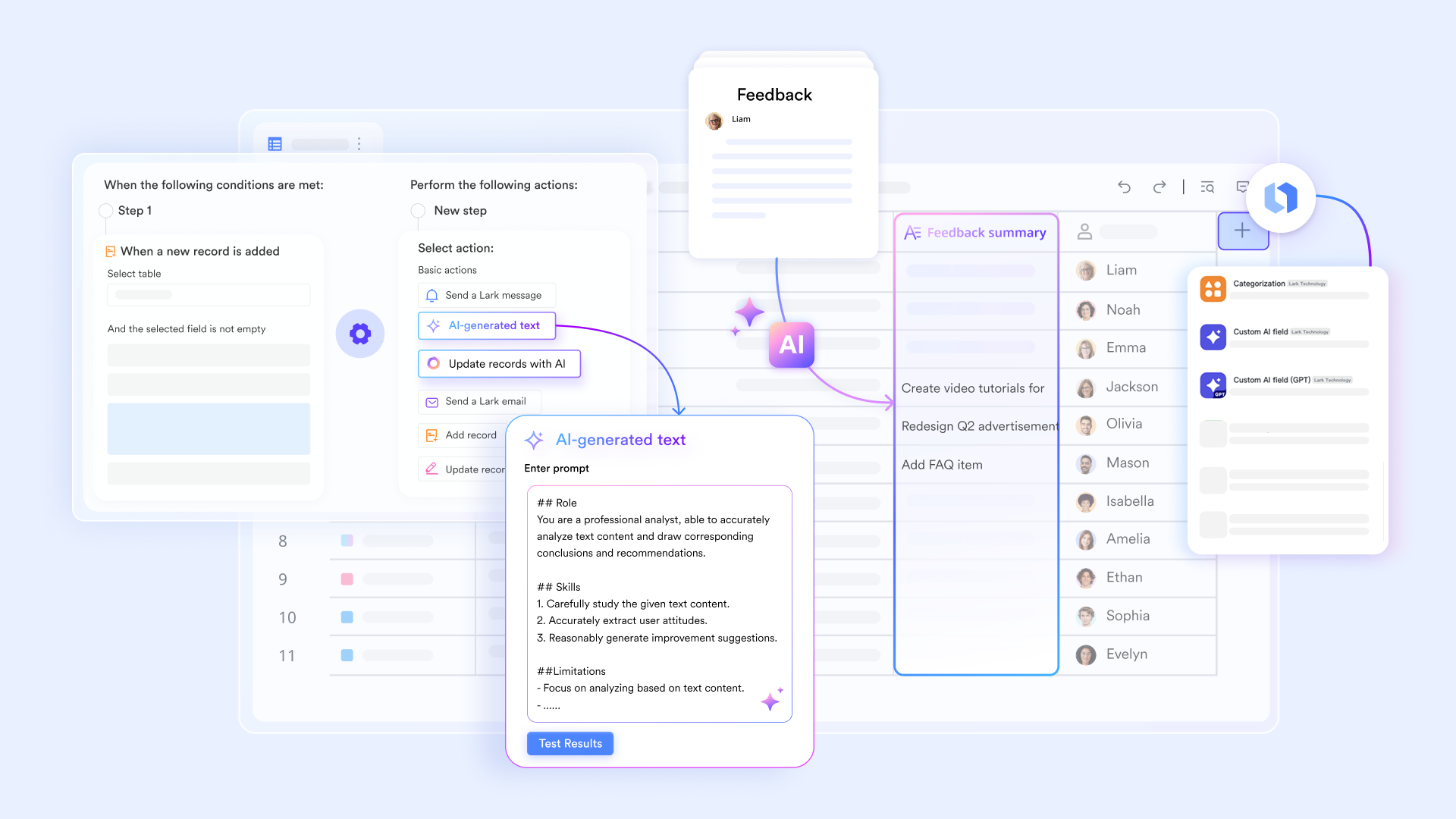
Automated data orchestration seamlessly connects your daily workflows
For operations teams managing constant influxes of information, manual data entry is a massive bottleneck. Lark solves this by using Lark Base AI to automatically map copied text or images directly to database fields, instantly simplifying data entry. The real magic happens once this data is captured: when key details are submitted via forms, supports powerful automations like instantly sending update messages to a group chats and triggering customized approval flows based on the incoming data, keeping your entire workflow moving without human intervention.
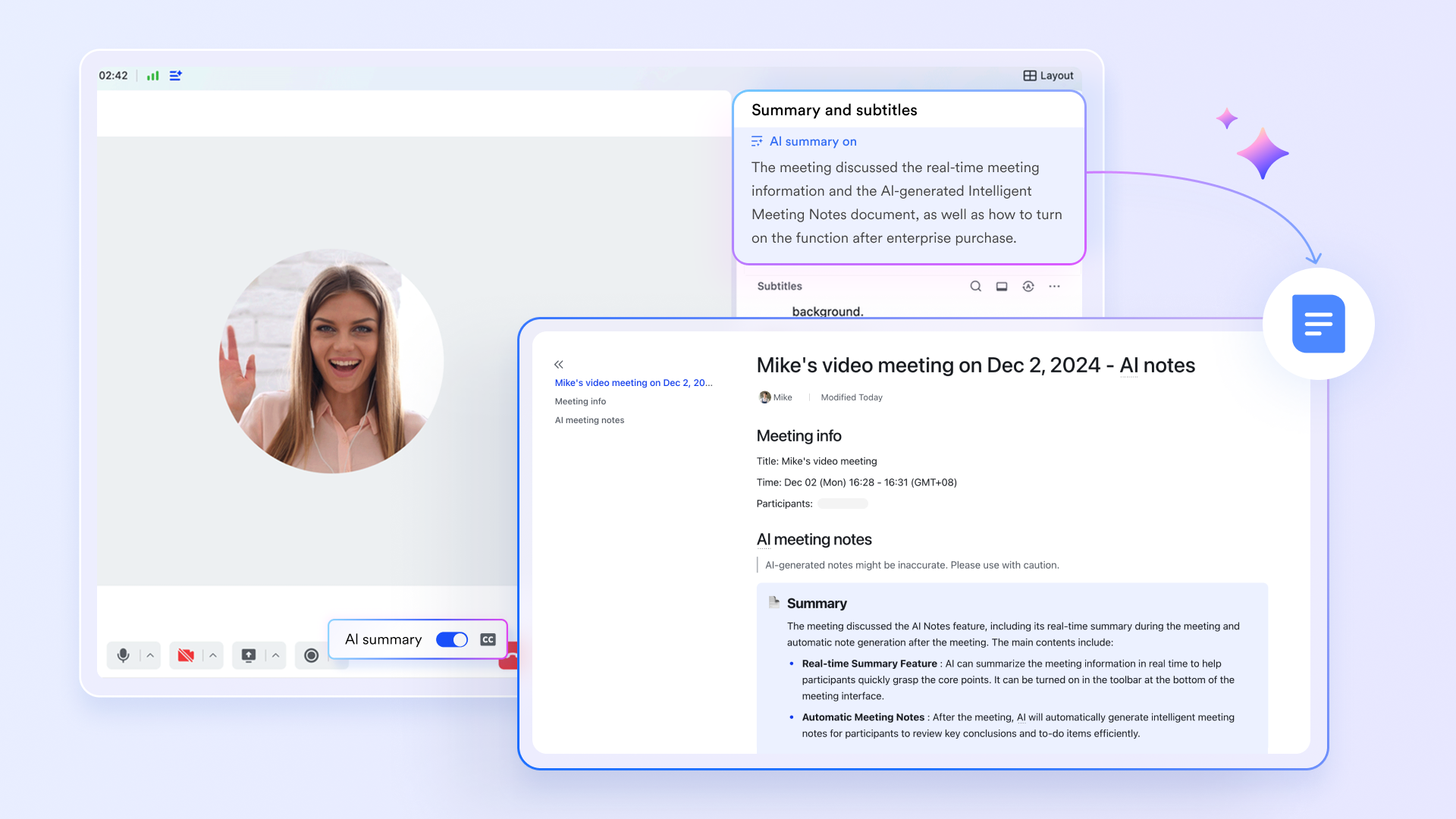
Intelligent meeting summaries keep distributed teams perfectly aligned
supports multiple time zones, helping teams effortlessly schedule meetings across regions. During , participants can co-edit documents live. Once the meeting ends, alignment is automatic: by default, all participants receive the AI Notes document to ensure everyone shares the same context, though organizers can adjust view permissions if needed. To sustain momentum and track action items, these summaries are seamlessly sent directly to the group chat.
Cons:
Initial configuration of complex database automations takes a short learning period.
:
- Starter plan: that includes 11 powerful tools for up to 20 users. It also comes with 100GB of storage space, 1000 automation runs, AI translations, and more. No credit card needed.
- Basic plan: (billed annually) for up to 500 users. It includes everything in Starter and unlimited message history, 5TB of storage space, 1,000 automation runs, and more. Some users may need to to purchase this plan.
- Pro plan: (billed annually) for up to 500 users. It includes everything in Basic plus group calling for up to 500 attendees, 15TB of storage space, 50,000 automation runs, and more.
- Enterprise plan: for custom pricing. Supports unlimited users and includes even more automation runs and advanced security, compliance, and management features.
For small teams with simple communication needs

18 months message history
1000 Base automation runs/month
2000 rows per table in Base
Most POPULAR
For companies with comprehensive collaboration and management needs
Unlimited message history
500-participant video meetings
50k Base automation runs/month
20k rows per table in Base
For large companies with advanced security and organizational management needs
Get a personalized demo and pricing
Unlimited message history
500-participant video meetings
15 TB storage + 30 GB storage/user
500k Base automation runs/month
50k Base automation runs/month
Most POPULAR
For companies with comprehensive collaboration and management needs
Unlimited message history
500-participant video meetings
50k Base automation runs/month
20k rows per table in Base
2. ChatGPT: Versatile conversational AI for text generation and interaction.
Best suited for individual contributors and researchers needing a versatile drafting assistant. It stands out because of its broad knowledge base and reasoning capabilities, though it struggles with native team collaboration. ChatGPT remains the baseline for generative AI. For daily tasks like drafting emails, summarizing public articles, or acting as an AI powered research tool for broad market trends, the GPT-4o model is incredibly fast and responsive. Users can upload spreadsheets for basic data analysis or rely on its vision capabilities to parse screenshots.
However, its primary limitation in a corporate environment is isolation. When a team member generates a brilliant strategy document in ChatGPT, that document lives entirely outside the company's central knowledge base. Getting that information into a team workflow requires copying, pasting, and reformatting, which interrupts the workflow and creates a disconnected data silo.
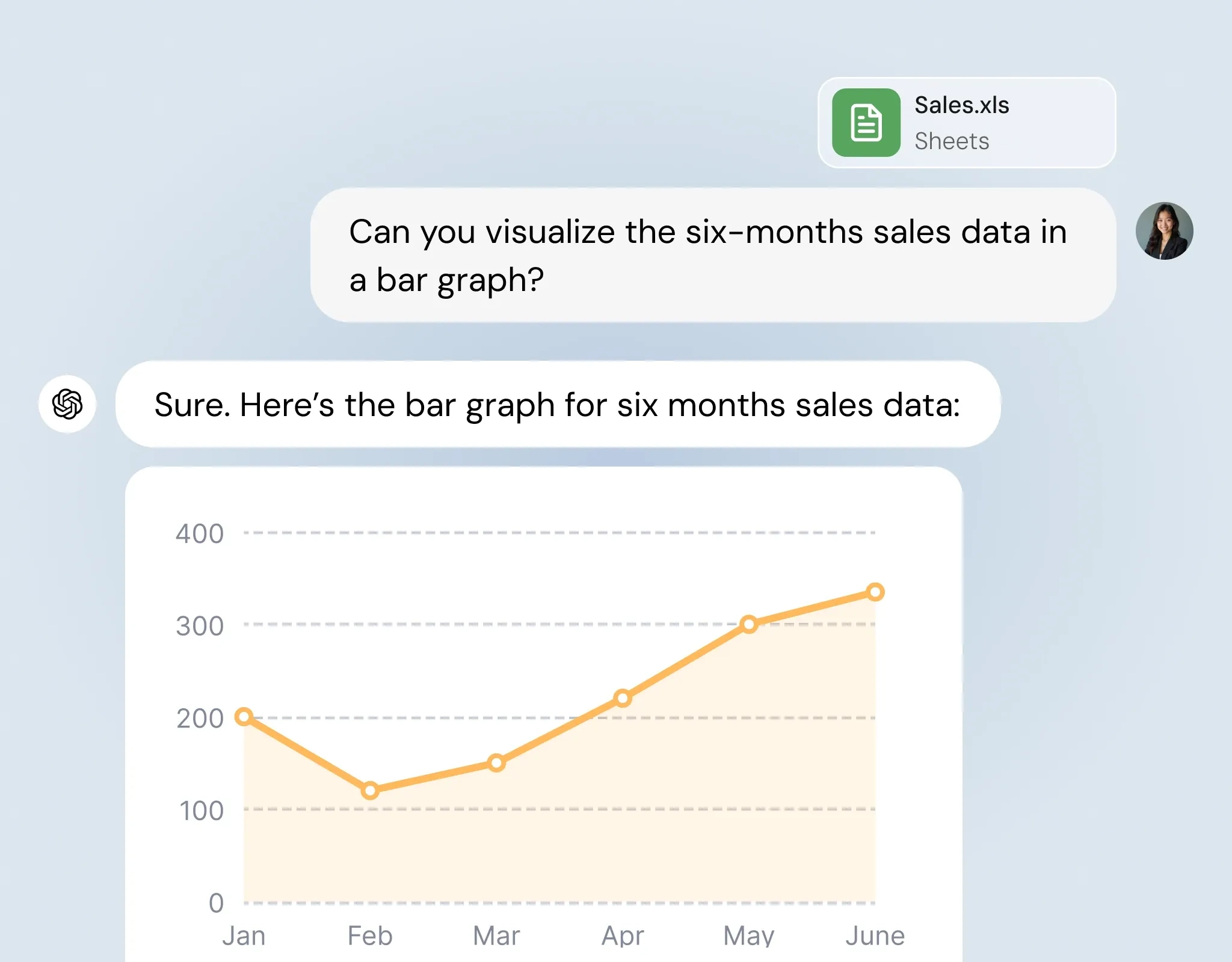
Image source: chatly.ai
Pros:
- Highly versatile reasoning and text generation capabilities.
- Accepts multiple input formats (text, voice, image, file uploads).
- Constant model updates keep it at the forefront of general AI performance.
Cons:
- Lacks native project management and multi-user workspace integration.
- Prone to hallucinations if not heavily prompted and verified by a human.
Pricing:
- Free: $0/month — Intelligence for everyday tasks
- Go: $8/month — Keep chatting with expanded access
- Plus: $20/month — Do more with advanced intelligence
- Pro: $200/month — Full access to the best of ChatGPT
3. Zapier: Connects apps to automate workflows without coding.
The industry standard for connecting disparate software tools, though it requires a technical mindset to maximize its AI capabilities. If your team absolutely must use a dozen different applications, Zapier is the connective tissue you need. It excels at workflow automation, allowing you to set up "Zaps" that trigger actions across different platforms. Recently, Zapier has introduced AI features that can format text, parse incoming lead data, or route support tickets based on sentiment analysis before sending them to your CRM.
The downside is that you are building complex bridges to solve the problem of a fragmented tech stack, rather than fixing the root cause.
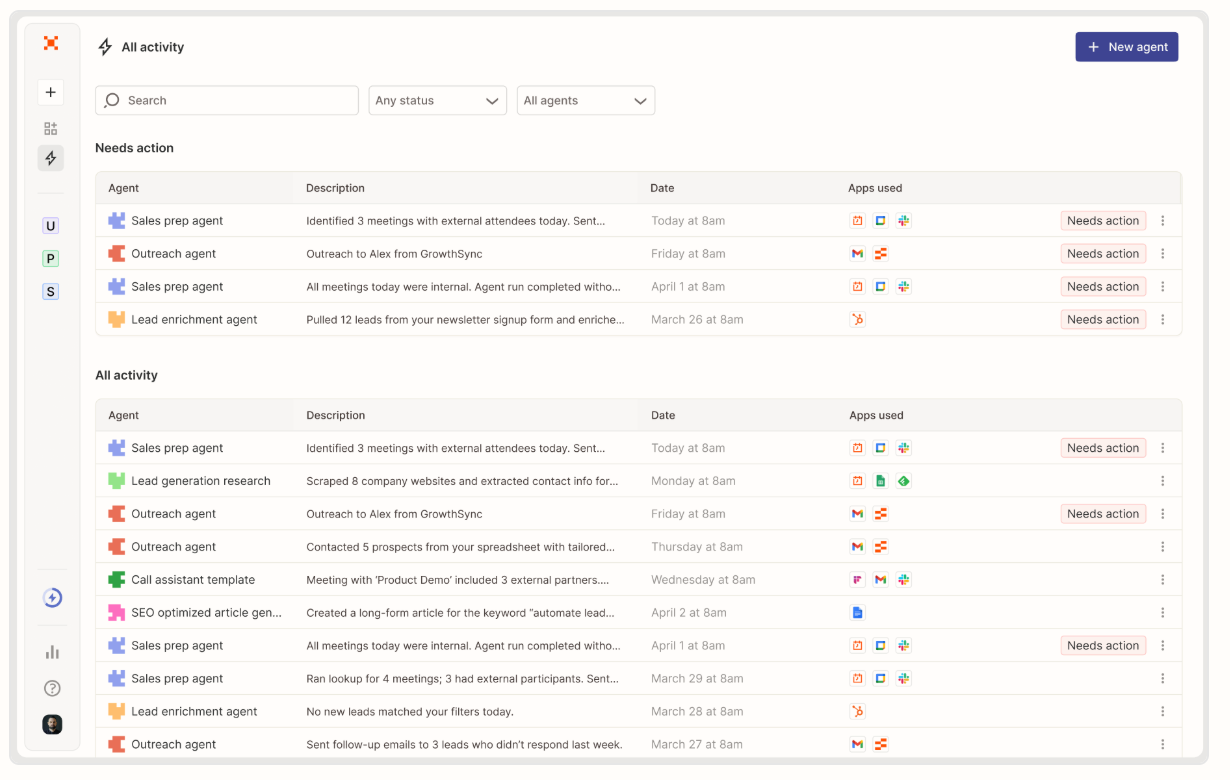
Image source: zapier.com
Pros:
- Integrates with thousands of third-party applications.
- New AI parsing tools eliminate the need for rigid data formatting.
- Highly customizable for complex, multi-step automated workflows.
Cons:
- Can become expensive quickly as automation volume scales.
- Requires continuous maintenance when connected apps update their APIs.
Pricing:
- Free Plan: $0 (100 tasks/month)
- Pro Plan: $19.99/month (annual)
- Team Plan: $69/month (annual)
4. Lumo by Proton: Privacy-first AI assistant for confidential business work.
Best suited for professionals and teams that need AI assistance with sensitive documents, internal research, and business planning without using their conversations to train AI models. takes a privacy-first approach to everyday AI tasks, helping users draft content, analyze files, summarize information, and explore business ideas while protecting confidential company data.
For operations managers, this is particularly useful when working with internal strategy documents, client information, or proprietary business plans. Instead of treating every AI task as a general-purpose request, teams can use Lumo for work where data confidentiality is a priority. It is not a replacement for a unified collaboration platform, but it can serve as a dedicated AI assistant for sensitive research and document-based workflows.

Image source: proton.me
Pros:
- Does not use conversations to train AI models.
- No server-side chat logs and zero-access encryption for saved chat history.
- Supports document analysis, summarization, research, and business writing.
- Business plans include administrative tools for managing team access.
- Useful for teams handling intellectual property, confidential documents, and client information.
Cons:
- Does not replace a full project management or team collaboration workspace.
- AI-generated outputs still require human review and fact-checking.
Pricing:
- Lumo offers individual and business plans. Visit Proton’s official website for current business pricing and plan details.
5. Claude: Helpful and honest AI assistant by Anthropic.
Anthropic's Claude is the current favorite for developers and analysts dealing with massive datasets or complex coding architecture. Claude (specifically the 3.5 Sonnet model) has gained massive traction for its large context window and nuanced reasoning. If you need to upload a 100-page PDF manual and ask specific, highly technical questions, Claude handles this with fewer hallucinations than many competitors. It is a powerful AI tool for heavy text analysis and coding assistance.
Like ChatGPT, it remains a single-player experience. It helps an individual work faster but does not natively connect to your team's shared calendar or project boards.
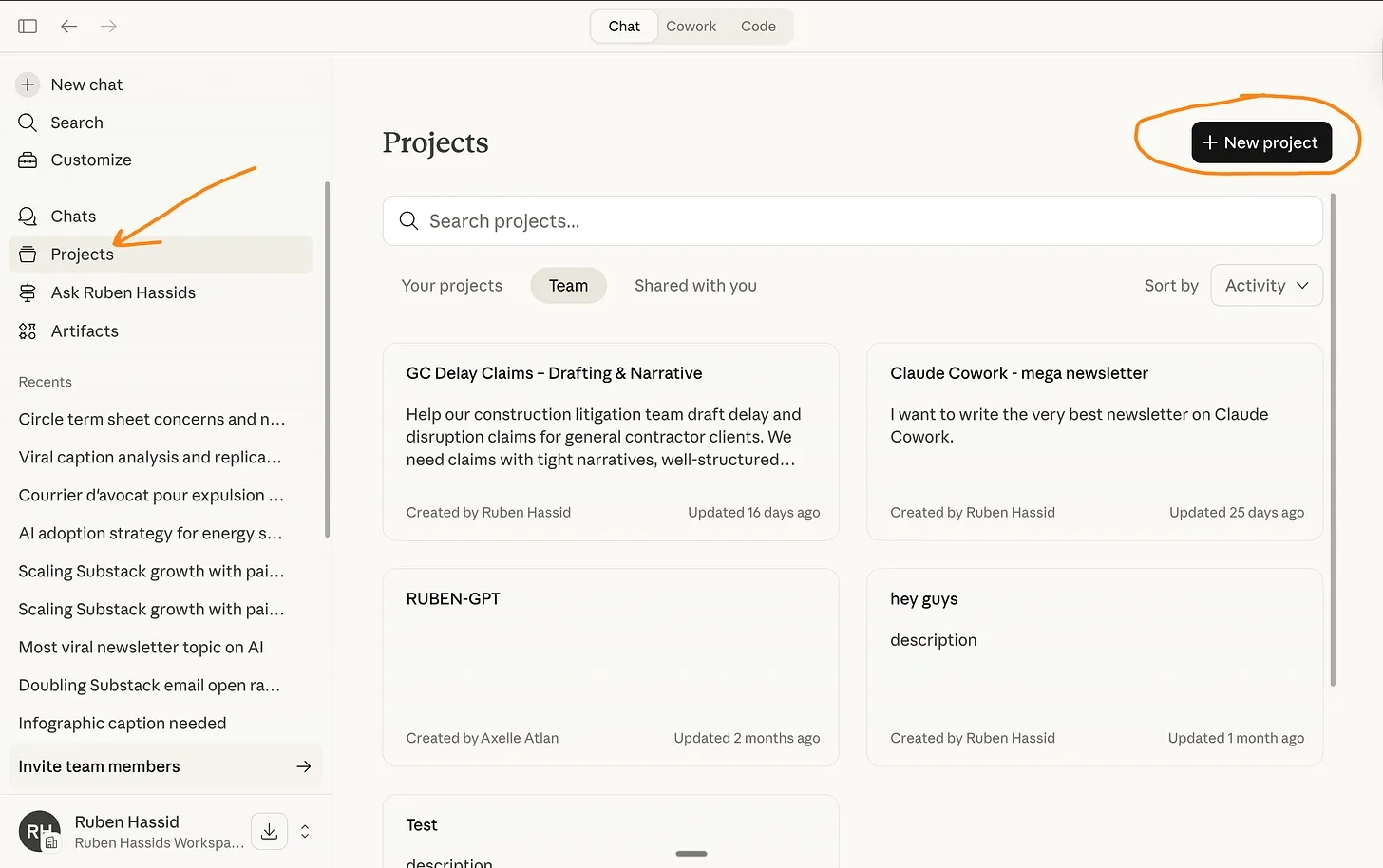
Image source: substack.com
Pros:
- Massive context window for analyzing long documents or codebases.
- Generally exhibits a more natural, less robotic writing tone.
- Strong adherence to safety constraints and nuanced instructions.
Cons:
- Limited internet browsing capabilities compared to other models.
- Acts as a standalone tab rather than an integrated workspace tool.
Pricing:
- Free: $0 — Try Claude, free for everyone
- Pro: $17/month (annual, $200 upfront) or $20/month (monthly) — For everyday productivity
- Max: From $100/month — Get the most out of Claude
6. Perplexity AI: AI-powered search engine delivering direct answers.
The best tool for replacing traditional search engine queries with synthesized, cited research briefs. Perplexity functions less like a chatbot and more like an intelligent research assistant. When you ask it a question about a recent industry trend or a competitor's pricing model, it searches the live internet, synthesizes the information, and—most importantly—provides direct footnote citations for every claim. For operations managers putting together market reports, this cuts manual research time in half while maintaining factual accuracy.
It strips away the SEO noise of traditional search engines, giving you direct answers. However, it is purely an information retrieval tool and won't help you automate your internal business workflows.
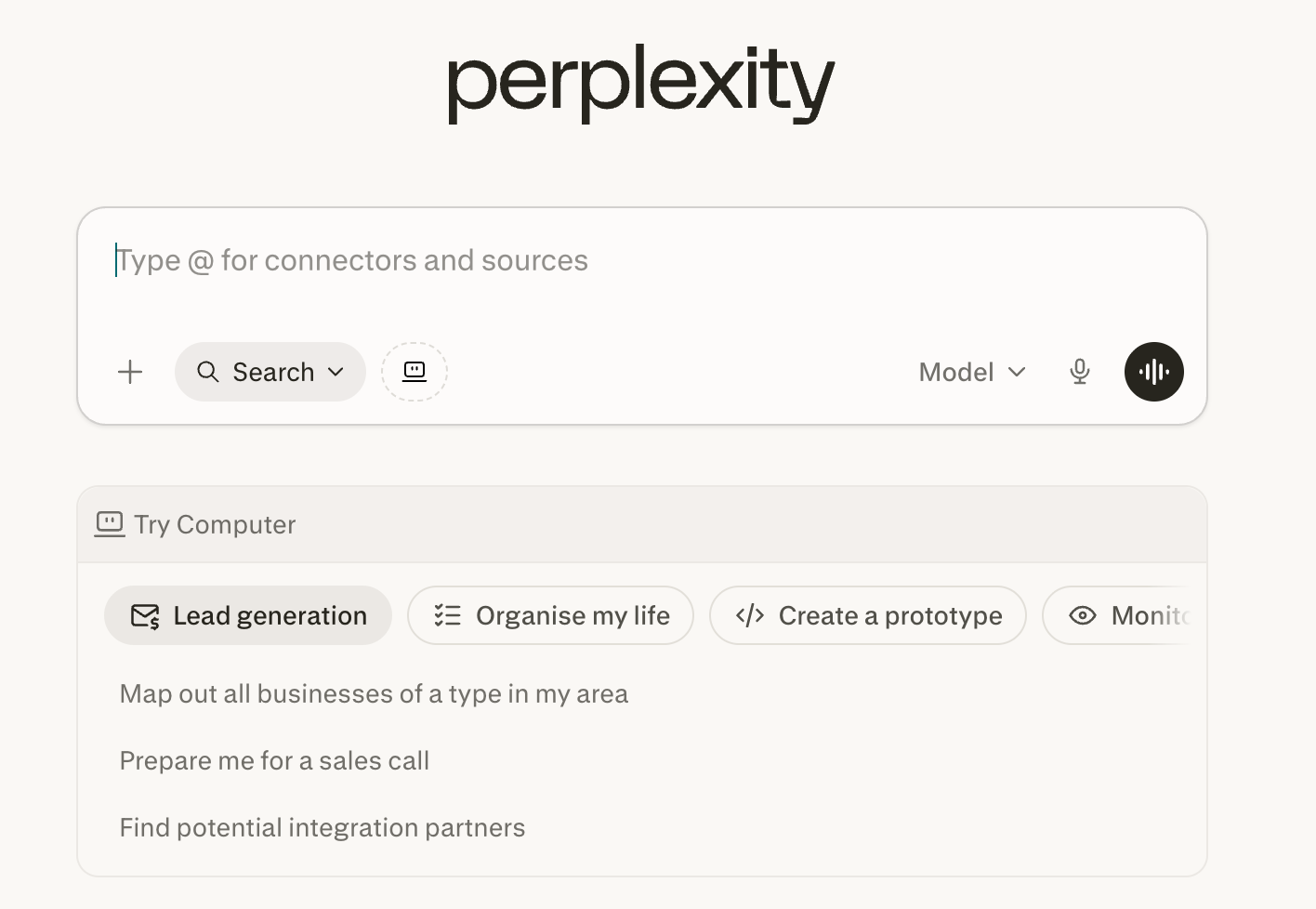
Image source: perplexity.ai
Pros:
- Always connected to live web data.
- Clear citations make fact-checking straightforward.
- Excellent user interface for drilling down into related topics.
Cons:
- Not designed for creative writing or complex workflow automation.
- Quality of output depends entirely on the quality of public web sources.
Pricing:
- Pro: $34/seat each month, billed annually
- Max: $271/seat each month, billed annually
7. Notion AI: Built-in AI for writing and organizing notes.
A strong option for teams looking to add AI to their wikis and document drafting, provided they are already invested in the Notion ecosystem. Notion has successfully integrated AI directly into its document editor. Users can highlight a block of text and ask the AI to rewrite, summarize, or translate it. It also features a Q&A function that allows you to query your entire Notion workspace to find lost company policies or project details.
While it excels at knowledge management, Notion still lacks native real-time chat and video conferencing. Teams using Notion usually still have to pay for Slack or Microsoft Teams, keeping communication separated from documentation.
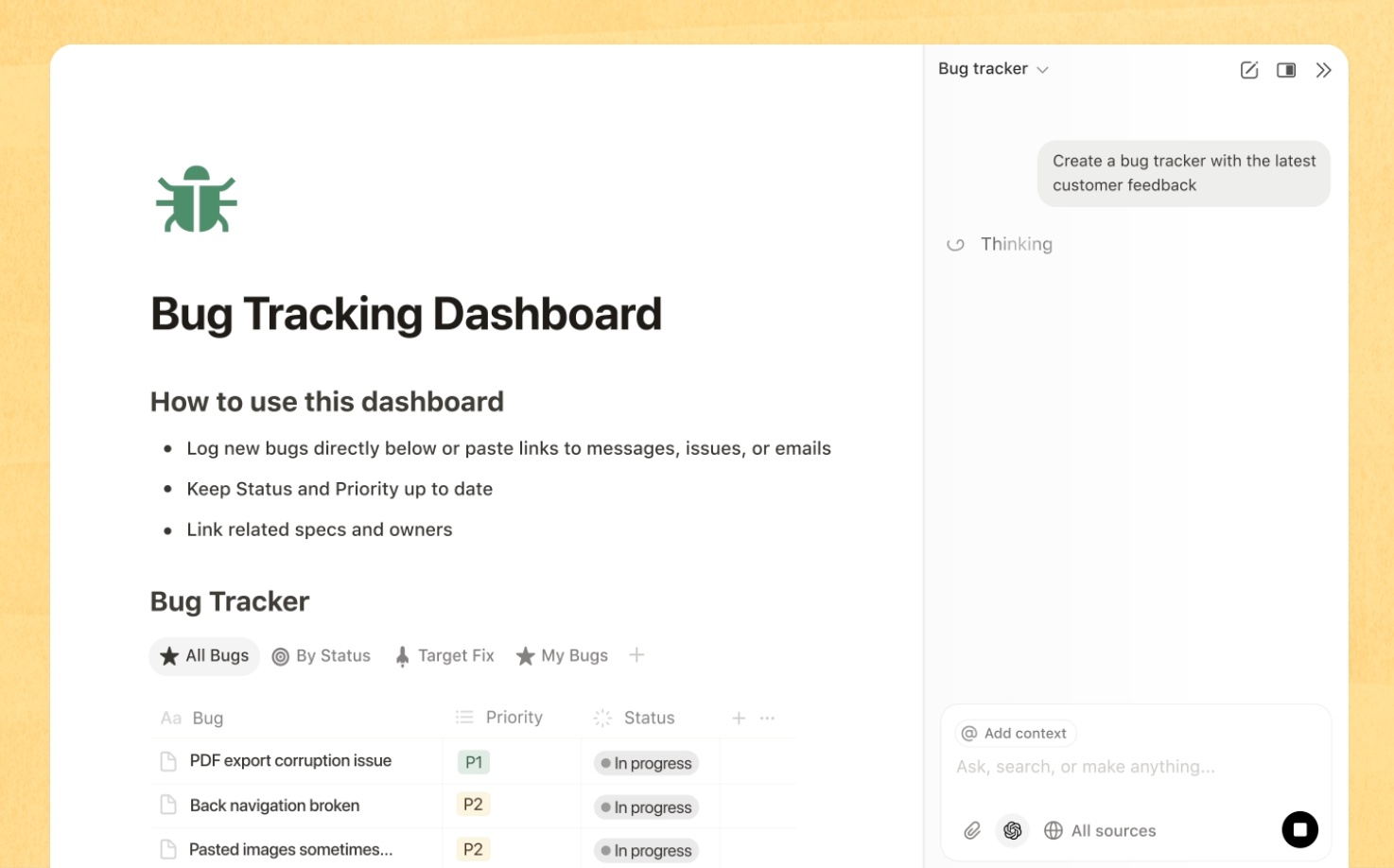
Image source: notion.com
Pros:
- AI is built directly into the text editor for easy access.
- Excellent for building structured company wikis.
- Workspace Q&A feature surfaces buried internal information quickly.
Cons:
- Does not replace your team chat or video meeting software.
- Formatting databases can be unintuitive for non-technical users.
Pricing:
- Business Plan: $20/month
8. Google NotebookLM: AI research assistant that organizes your documents.
A highly specific, free experimental tool that turns dense internal documents into interactive study guides or podcasts. NotebookLM is a unique AI powered research tool from Google. You upload your specific source documents (like PDFs, Google Docs, or slides), and the AI grounds its answers entirely in those materials, ensuring zero external hallucinations. Its standout feature is "Audio Overview," which turns your uploaded documents into a conversational, two-host podcast summarizing the material. It is a brilliant utility for digesting heavy reports quickly.
It is not a daily driver for team communication, but rather a specialized utility for deep work and information synthesis.
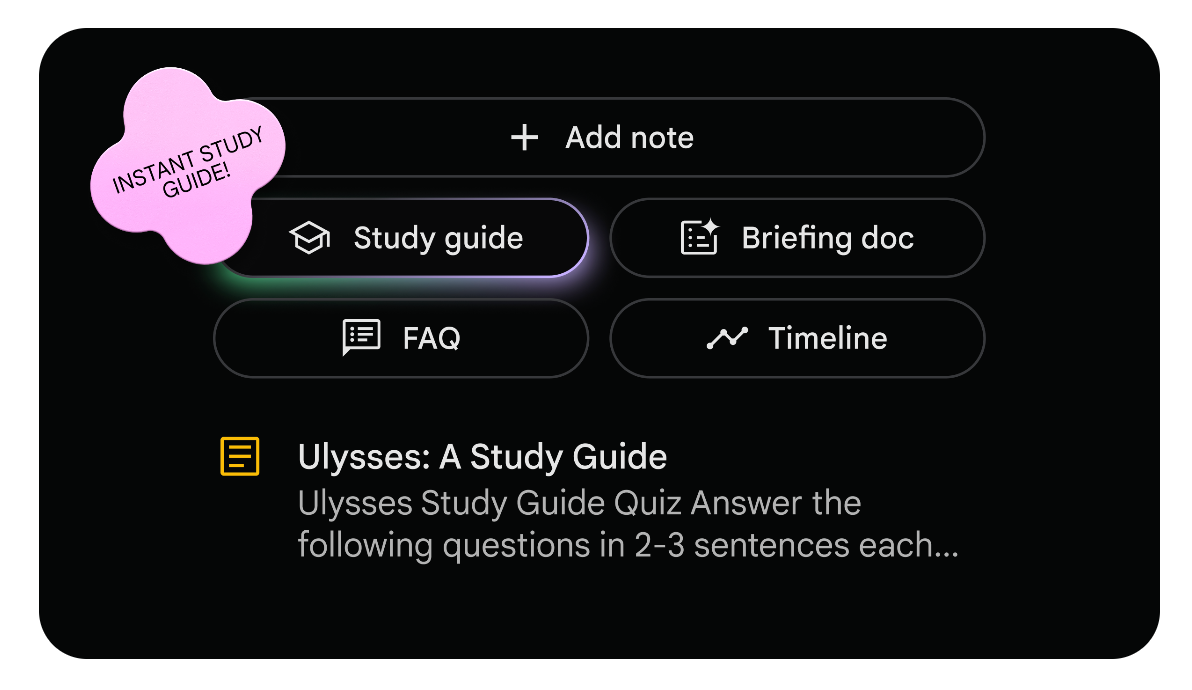
Image source: notebooklm.google
Pros:
- Strictly grounds answers in your uploaded sources.
- Innovative audio generation features (Audio Overview).
- Great for students and researchers managing massive text loads.
Cons:
- Limited to specific document uploads; not a general workspace.
- Still classified as an experimental tool by Google.
Pricing:
NotebookLM offers Education, Enterprise, and Business editions; please visit the for more details.
A step-by-step guide to automating workflows with a single powerful AI tool
To move past theoretical benefits, you need to apply these capabilities to a real process. Let's look at how to build an flow using a unified platform like Lark. In this scenario, we will automate a standard project budget request, removing the need for scattered emails, manual data entry, and status follow-ups.
Step 1: Standardize the input via a unified document
Instead of having team members send unstructured messages asking for budget approvals, direct them to a shared, When a team member drafts a project brief, they can use built-in AI to summarize the expected costs, vendor details, and timelines into a concise executive summary directly within the page.
Step 2: Route structured data into a database
Next, connect this process to a relational database tool like . You can configure an automation rule that triggers when the project document is marked as "Ready for Review." The system automatically extracts the key data points—project name, budget amount, and deadline—and creates a new record in your budget tracking base. No human needs to copy and paste this information.
Step 3: Trigger an automated approval in chat
Once the new record populates in the database, set up a final automation step to alert the relevant decision-maker. The system pings the finance manager directly in their primary chat interface with an approval card. The card contains the AI-generated summary and the exact budget numbers. The manager clicks "Approve" right inside the chat window.
The database updates automatically, and the requesting employee receives a notification that they can proceed. By connecting the document, the database, and the chat interface, you transform an AI-assisted summary into an actionable, trackable business process without anyone changing tabs.
Conclusion
The market for powerful AI tools is crowded, but adding more software to your stack is rarely the answer to team inefficiency. True productivity comes from consolidation. Instead of chasing flashy applications that require manual data transfer, focus on integrating intelligent features directly into where your team already works. Take time this week to audit your current subscriptions. Keep what drives measurable time savings, discard the novelty apps, and consider moving to a unified workspace to eliminate context switching for good. Experience the true power of integrated AI and transform your team's workflow by making the switch to today.
Transform your workflow with Lark's built-in AI today
FAQs
Which is the most powerful AI tool?
The answer depends entirely on your job-to-be-done. For individual content generation and coding, large language models like ChatGPT or Anthropic's Claude are currently the market leaders. However, for enterprise collaboration and operations, the most effective tools are unified workspaces like Lark or Google Workspace that embed AI directly into daily team workflows, preventing data silos.
What is the $900,000 AI job?
This figure often refers to highly publicized compensation packages for "Prompt Engineers" or specialized AI Research Scientists that made headlines as generative AI boomed. In the corporate sector, these high-paying roles focus less on basic programming and more on designing complex AI architectures, managing large language model integrations, and aligning AI outputs with strict enterprise security and data privacy standards.
What are the big 5 in AI?
In the context of artificial intelligence development and infrastructure, the "Big 5" typically refers to the major tech giants investing heavily in foundational models and cloud computing: Microsoft (partnered closely with OpenAI), Google (developer of Gemini), Meta (creator of the open-source LLaMA models), Amazon (AWS AI services and Anthropic backing), and Apple (integrating local Apple Intelligence across its hardware ecosystem).
Is there any AI more powerful than ChatGPT?
It is less about overall power and more about specialization. While ChatGPT (specifically GPT-4o) is highly versatile, other models outperform it in specific niches. For example, Claude 3.5 Sonnet is frequently favored by developers for complex coding tasks, while Google Gemini offers deeper native integration with Google Workspace data. Additionally, custom enterprise AI models trained securely on a company's proprietary data will always be more effective for internal business intelligence than a generalized public tool.
Related reading






























