Choosing the right process and workflow management tool can make a big difference in how smoothly a team operates. Modern platforms help streamline tasks, cut manual work, and keep projects moving with fewer delays. Tools like Lark, Monday.com, ClickUp, Asana, and Kissflow give teams clear visibility into what needs attention and help reduce back-and-forth communication.
Whether you're managing complex projects or simple everyday processes, the right system can improve consistency and speed. This guide highlights 15 top tools that are changing how teams plan, coordinate, and deliver work across fast-moving environments. Here is the tool list:
1. Lark: Aall-in-one platform with robust workflow and process management
2. Monday.com: Visual workflow & work OS automation tool
3. ClickUp: All-in-One workflow automation & productivity suite
4. Asana: Team workflow & task process management software
5. Smartsheet: Enterprise workflow automation & project processes
6. Notion: Docs + workflow management for flexible teams
7. Kissflow: Workflow & business process management system
8. ProcessMaker: Low-code BPM & workflow automation engine
9. Nintex: Enterprise workflow automation & document processing
10. Pega: Advanced BPM, case management & automation platform
11. IBM BAW: Enterprise process automation & system integration
12. Zoho Flow: Workflow integration & automation tool
13. Make: Visual workflow builder for complex automations
14. Workato: AI-powered workflow automation & system integration
15. Pipefy: Workflow management for operations teams
Explore top workflow tools
Quick comparison table: Top 15 workflow & BPM tools
A quick side-by-side view makes it easier to see how today's leading workflow and process management tools compare. Use this table to spot the strengths of each platform at a glance. Information source: Official vendor sites
Update time: 2025-11-21
Note: Pricing and plan details reflect publicly available data as of the update date and may vary based on region, billing cycle, and number of agents.
What is process & workflow management?
Process and is the practice of organizing, tracking, and improving the steps involved in completing work. It helps teams map out tasks, set clear responsibilities, and move work through a defined sequence without confusion or delays. When done well, workflow and give teams a structured way to handle routine activities, reduce errors, and work more efficiently. It also helps organizations spot gaps, automate repetitive steps, and create a consistent experience across departments.
Modern teams handle more tasks, tools, and cross-functional work than ever, which makes a clear system essential. Business process and workflow management help teams stay organized, avoid duplicate effort, and keep important work from slipping through the cracks. It creates a consistent way to manage tasks, , and automate routine steps so people can focus on higher-value work. As teams grow and projects move faster, having a defined workflow becomes key to maintaining quality, improving collaboration, and delivering work on time.
What is BPM and its link to automation, analytics, integration
is the discipline of designing, monitoring, and improving the steps that make up an organization's day-to-day operations. It focuses on creating clear, repeatable processes that reduce errors and speed up execution. Modern BPM goes beyond simple task tracking. It connects automation, analytics, and system integration to help teams streamline work, make data-driven decisions, and unify tools across departments. When supported by strong and business process management systems, BPM becomes a foundation for smoother operations, faster turnaround times, and more predictable outcomes.
Top 15 workflow automation & business process management tools
These tools stand out for helping teams organize work, cut manual effort, and bring more clarity to daily operations. Each one supports smoother workflows and stronger in its own way.
1. Lark: All-in-one platform with robust workflow and process management
is an all-in-one workspace designed to help engineering teams simplify complex workflows, enhance , and manage projects from planning to delivery—all within a single, connected platform. It combines messaging, meetings, , automation, and project tracking, ensuring engineers, designers, and managers stay aligned at every stage.
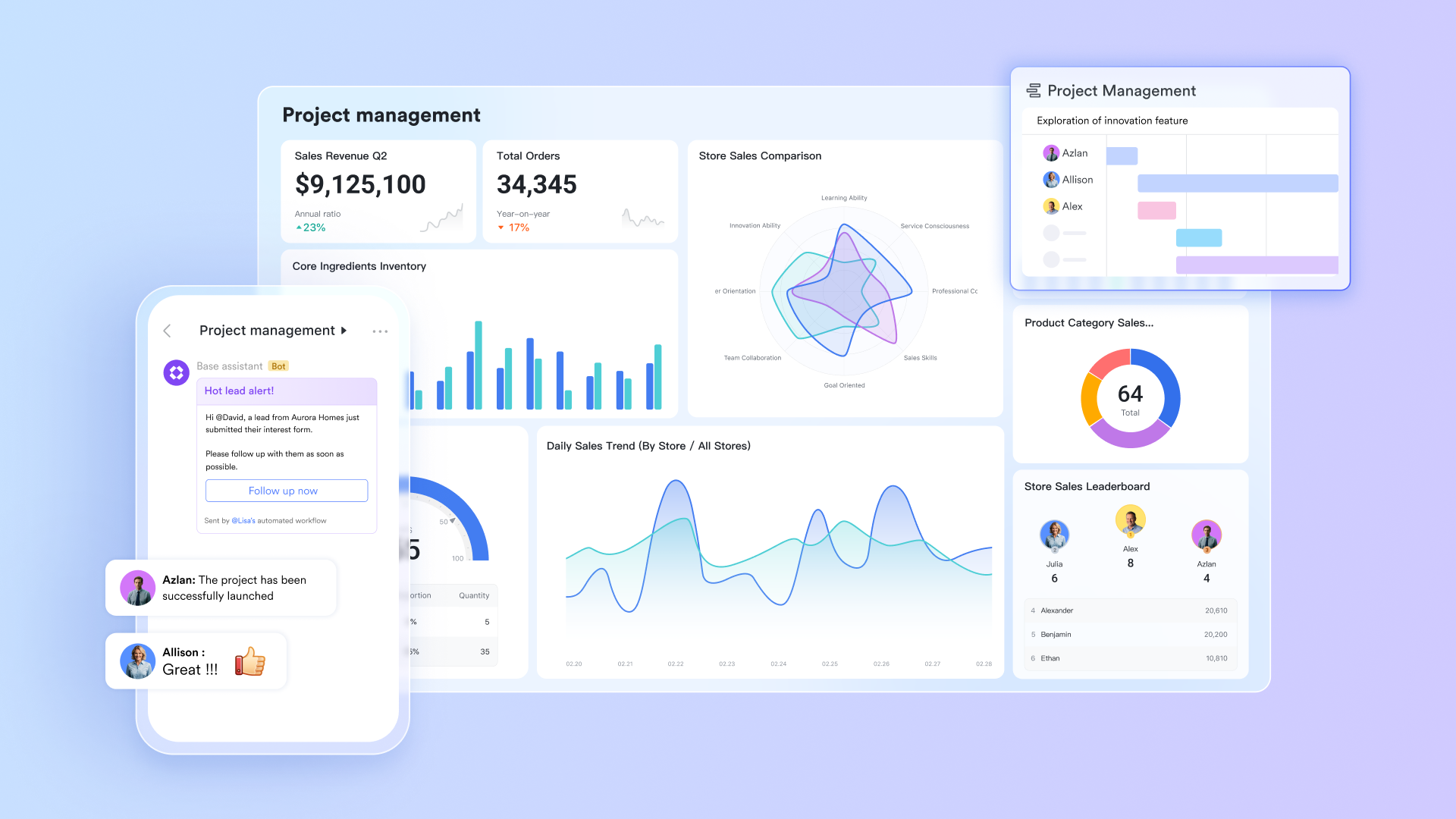
Lark Base: Centralized database and workflow automation
The workflow feature in Lark Base lets teams build around structured records—requests, tickets, approvals, tasks, or any operational data. Lark Base also supports automation, allowing tasks to progress automatically as conditions are met. Triggers and actions interact instantly to changes such as new submissions, updated fields, or stalled items. This keeps processes active without manual follow-ups. For example, when a design passes review, it can automatically move to the "Submitted" column, send a notification to the procurement team, and update a linked schedule. These automations reduce manual effort and help ensure no critical steps are missed. 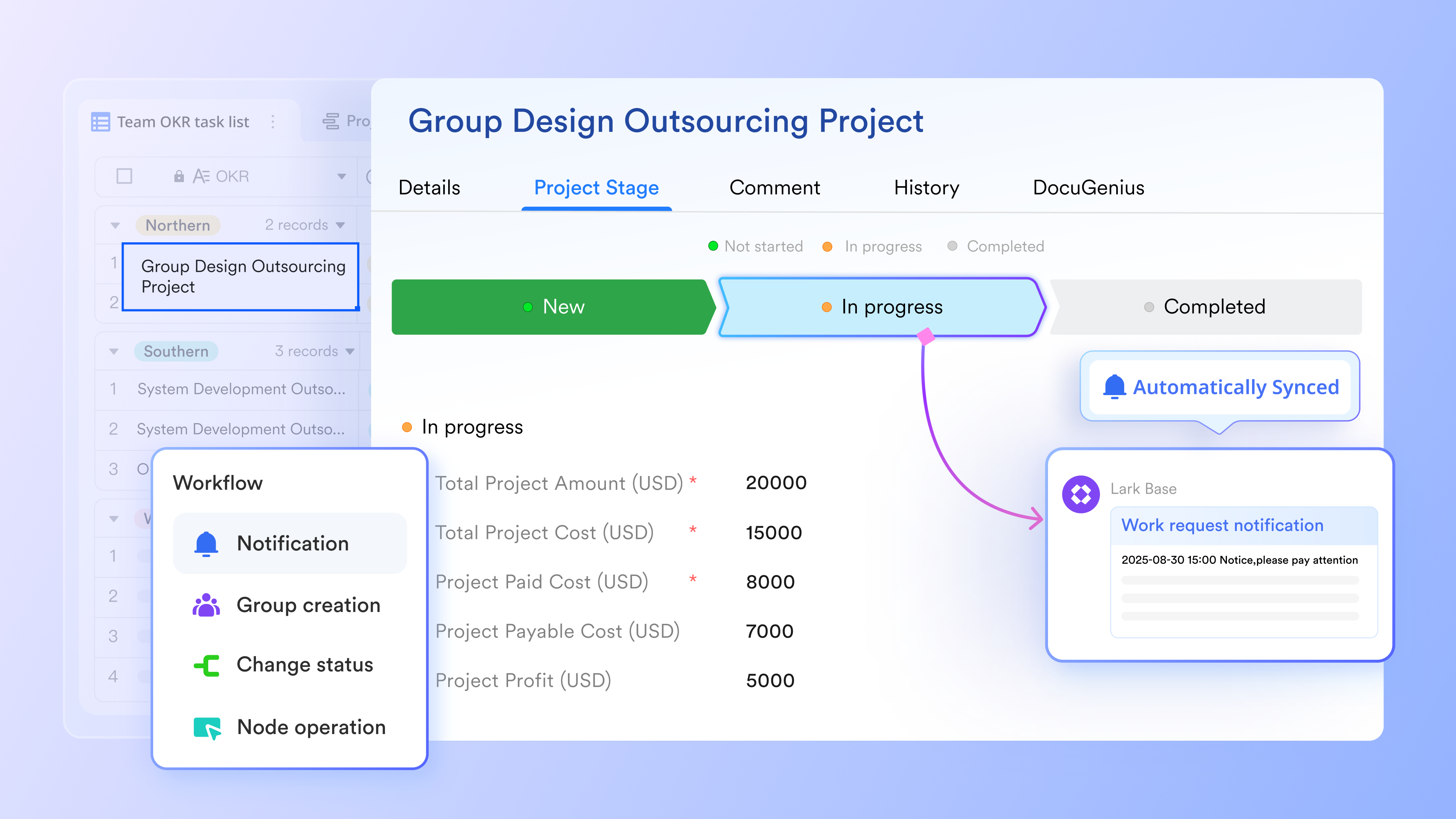
Lark Approval: Specialized request & approval automation
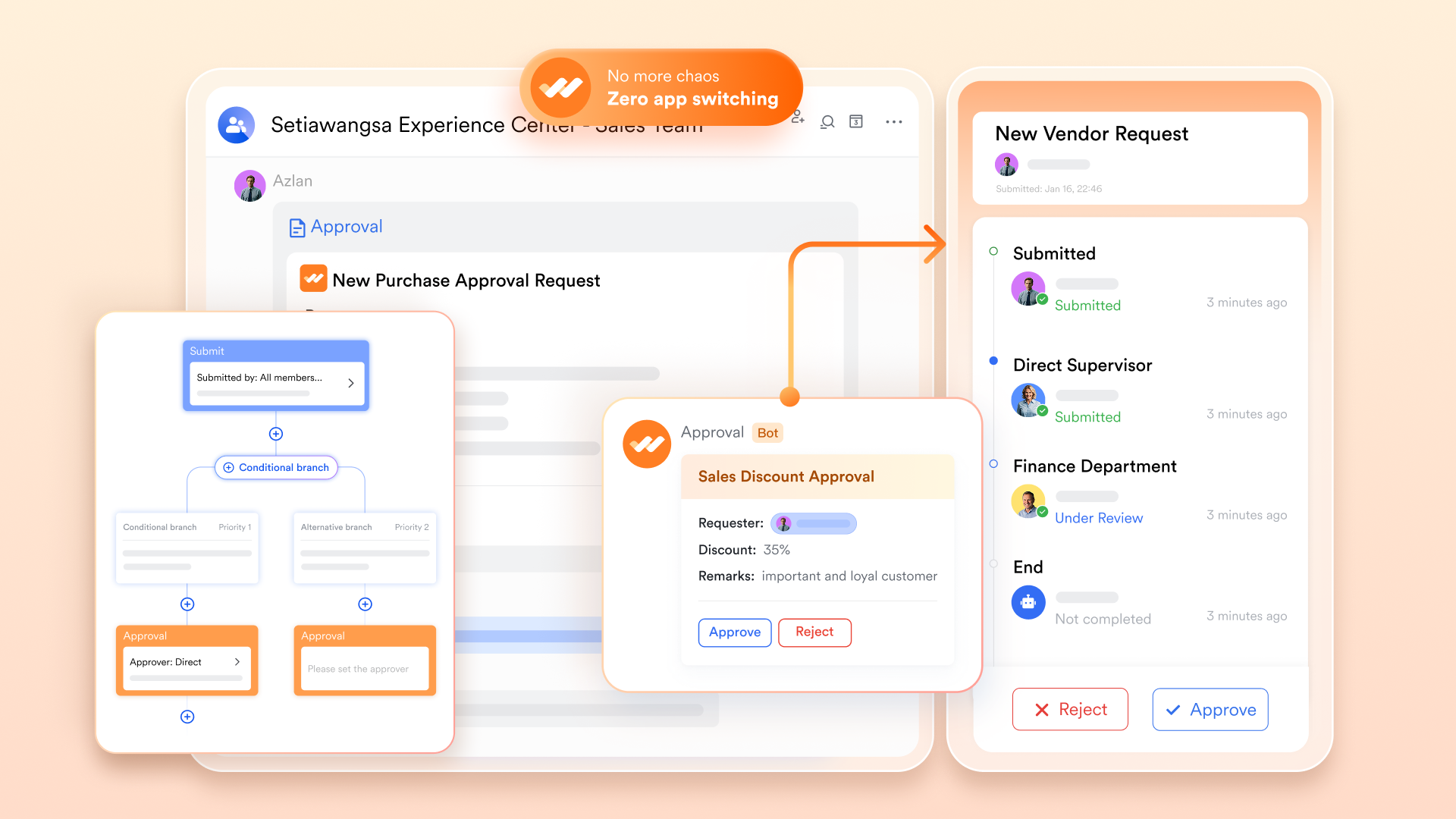
streamlines process and workflow management with fully customizable approval forms and processes tailored to your organization's needs. It offers a variety of templates for HR, administration, finance, and more, so teams can get started quickly. Collaborated with other Lark features, approvals can automatically sync data and trigger group chats for smooth collaboration.
Flexible rules let you handle different scenarios, from multi-step approvals to conditional routing based on request type or duration. Real-time tracking and notifications ensure everyone stays updated on approval progress, keeping workflows transparent and efficient.
Lark Messenger & Lark Meetings: Real-time communication for faster coordination
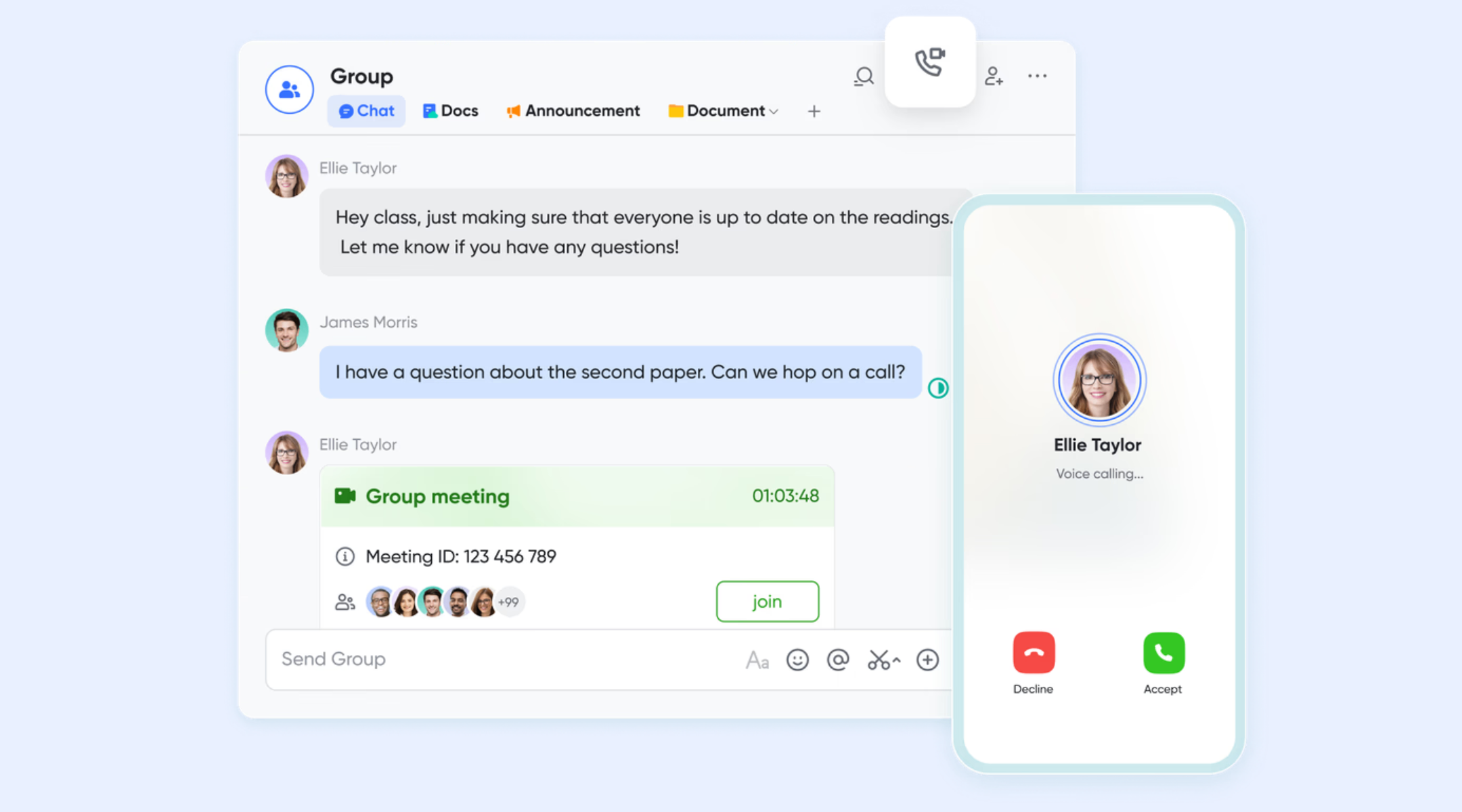
provides a centralized hub where engineering teams can communicate instantly—whether they're in the office, on-site, or working remotely. Teams can create dedicated chat groups for specific projects or disciplines (like structural, mechanical, or electrical engineering), ensuring discussions stay organized.
Built-in video conferencing allows quick review sessions or daily standups without switching apps. Teams can share drawings, CAD screenshots, or project documents directly in chat. sync automatically with Lark Calendar, and engineers can access recordings, notes, and shared files after sessions. This immediate communication flow helps eliminate delays caused by disconnected tools and ensures that all project updates are transparent and traceable.
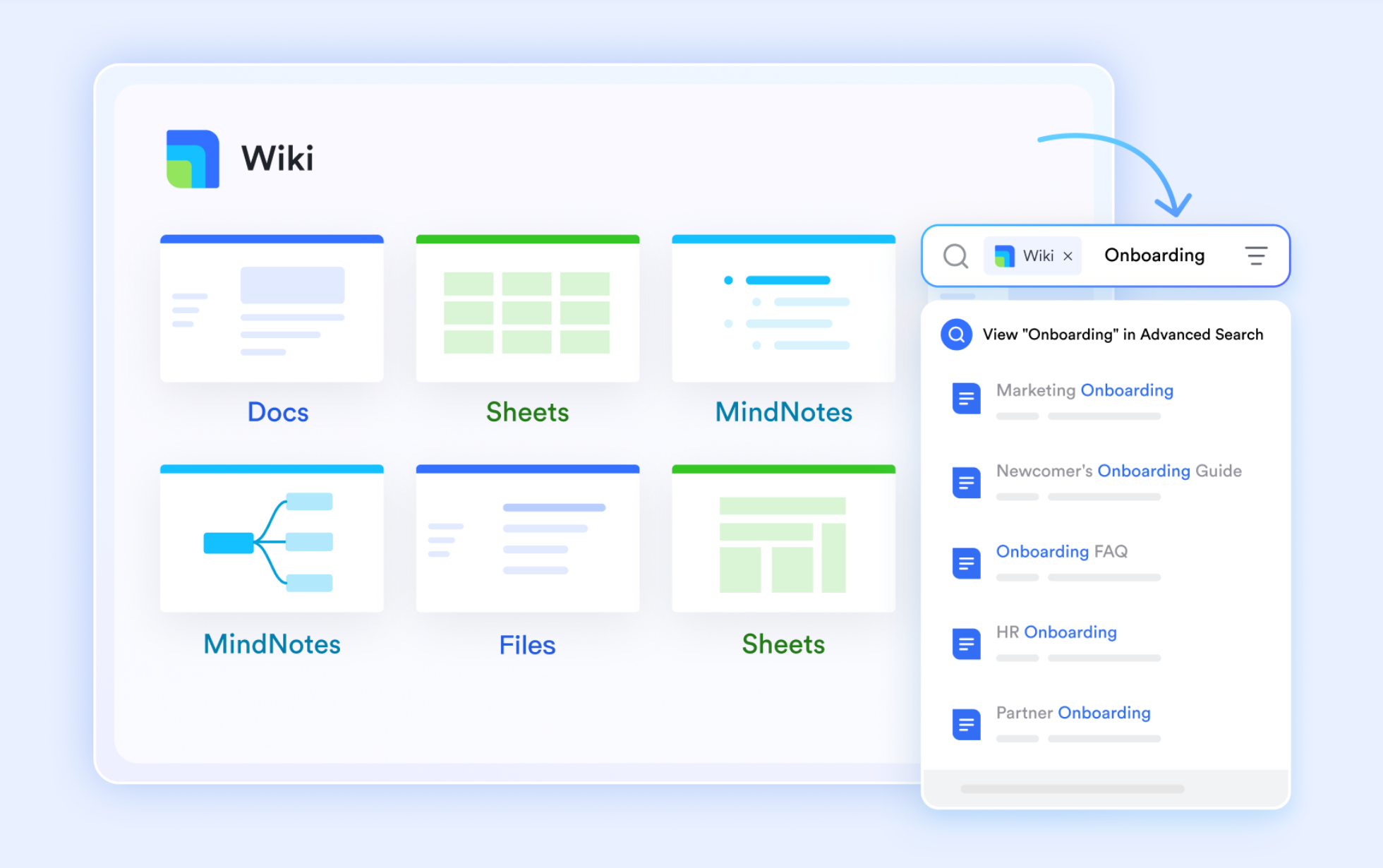
Lark Docs & Lark Wiki: Collaborative documentation for design and reporting
Documentation plays a vital role in engineering—from design specifications to compliance reports. enables multiple team members to co-edit proposals, project briefs, and technical reports simultaneously. Comments, annotations, and version history ensure that feedback is tracked without losing previous data.
Teams can also use to build a structured knowledge base containing technical manuals, process guidelines, or standard operating procedures. This enables every engineer—whether new or experienced—to access reference materials in a single searchable repository. Together, Docs and Wiki create a living documentation system where information remains consistent and accessible across departments and project phases.
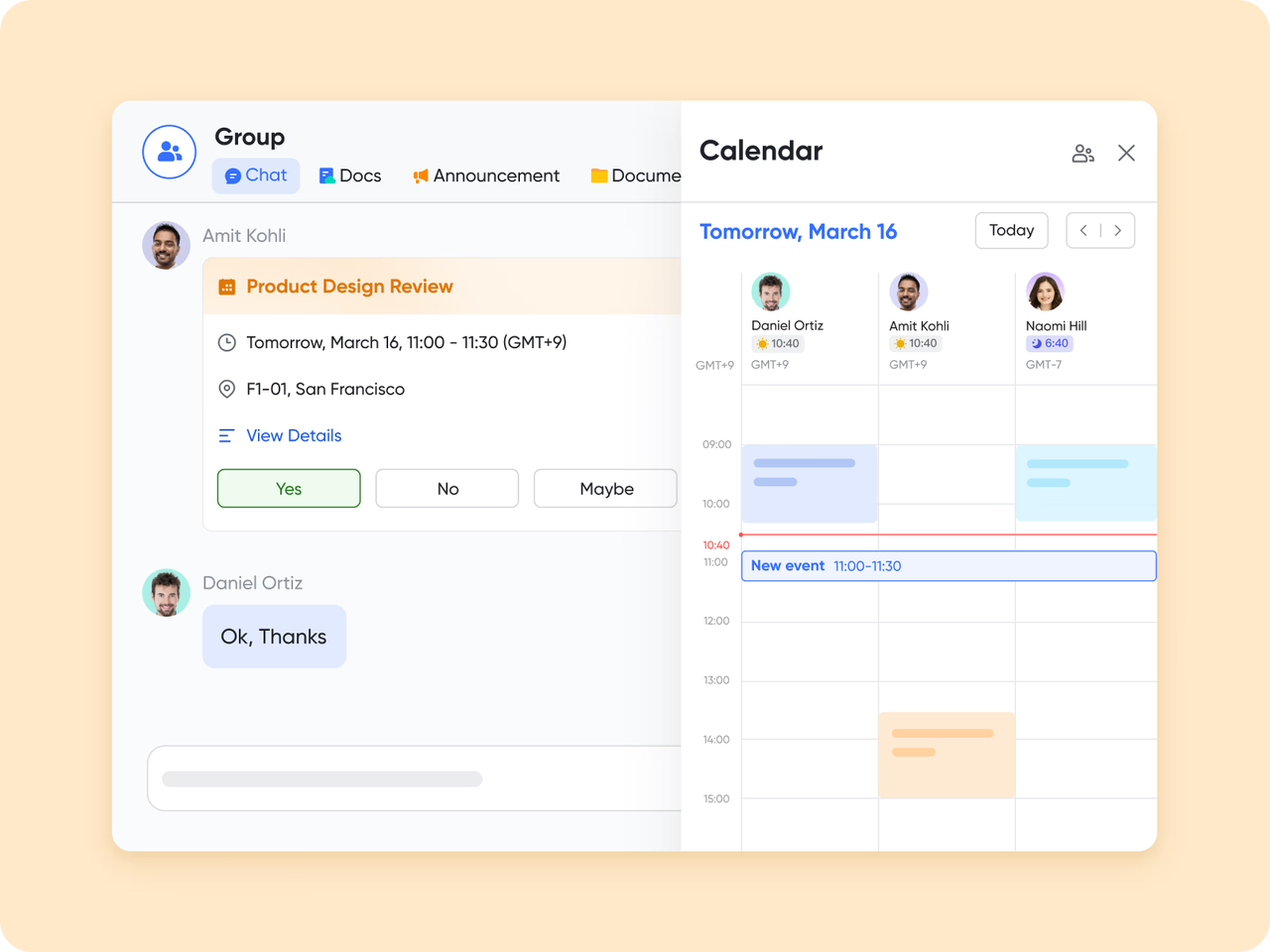
Lark Calendar: Smart scheduling and milestone management
Managing schedules across multiple engineering projects can be complex. simplifies the process by syncing with team availability to automatically suggest optimal meeting times based on working hours and time zones. It supports scheduling regular meetings—such as daily stand-ups or weekly check-ins—to maintain clear communication and alignment. Teams can also publish product release schedules to share milestones and subscribe to public calendars for inter-team awareness.
Lark Tasks: Aligning goals with project deliverables
Engineering projects often involve multiple goals, dependencies, and sub-tasks. Lark Tasks provides the structure to manage them effectively. It enables teams to assign responsibilities, set priorities, and track progress across every level of a project. Tasks can be organized by project, team, milestone, or role—such as Owned, Subscribed, Created, or Assigned—and viewed in list, board, or calendar formats. 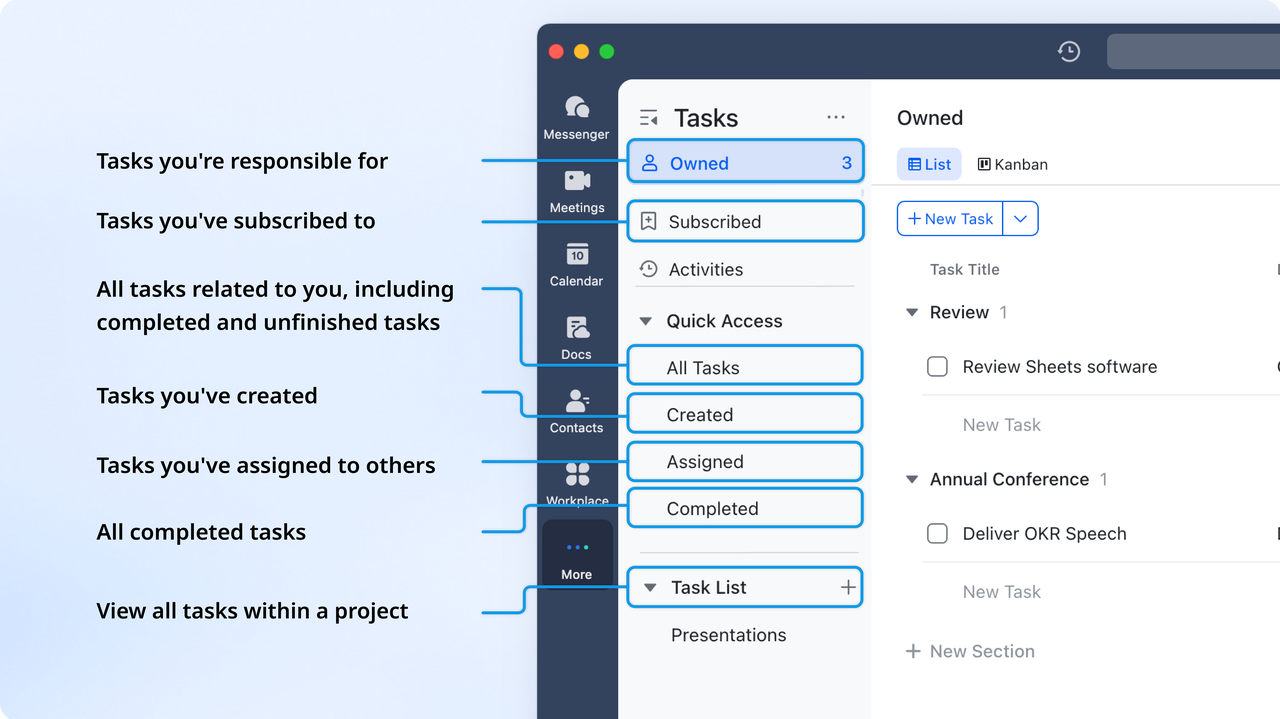
:
- Starter plan: Free forever plan that includes 11 powerful tools for up to 20 users. It also comes with 100GB of storage, 1000 automation runs, AI translations, and more.
- Basic plan: $6/user/month (billed annually) for up to 500 users. It includes everything in Starter plus group calling for up to 500 attendees, 5TB of storage, 1000 automation runs, and more. For more details, please .
- Pro plan: $12/user/month (billed annually) for up to 500 users. It includes everything in Starter plus group calling for up to 500 attendees, 15TB of storage, 50,000 automation runs, and more.
- Enterprise plan: for custom pricing. Supports unlimited users and includes even more automation runs and advanced security, compliance, and management features.
For small teams with simple communication needs

18 months message history
1000 Base automation runs/month
2000 rows per table in Base
Most POPULAR
For companies with comprehensive collaboration and management needs
Unlimited message history
500-participant video meetings
50k Base automation runs/month
20k rows per table in Base
For large companies with advanced security and organizational management needs
Get a personalized demo and pricing
Unlimited message history
500-participant video meetings
15 TB storage + 30 GB storage/user
500k Base automation runs/month
50k Base automation runs/month
Most POPULAR
For companies with comprehensive collaboration and management needs
Unlimited message history
500-participant video meetings
50k Base automation runs/month
20k rows per table in Base
2. Monday.com: Visual workflow & work OS automation tool
Monday.com is a popular work management platform that helps teams plan, track, and automate their workflows. With its colorful boards and flexible layouts, it's designed to give everyone a clear view of project progress in real time. The platform supports multiple views, including timelines, Gantt charts, and calendars, allowing teams to visualize tasks the way they prefer.
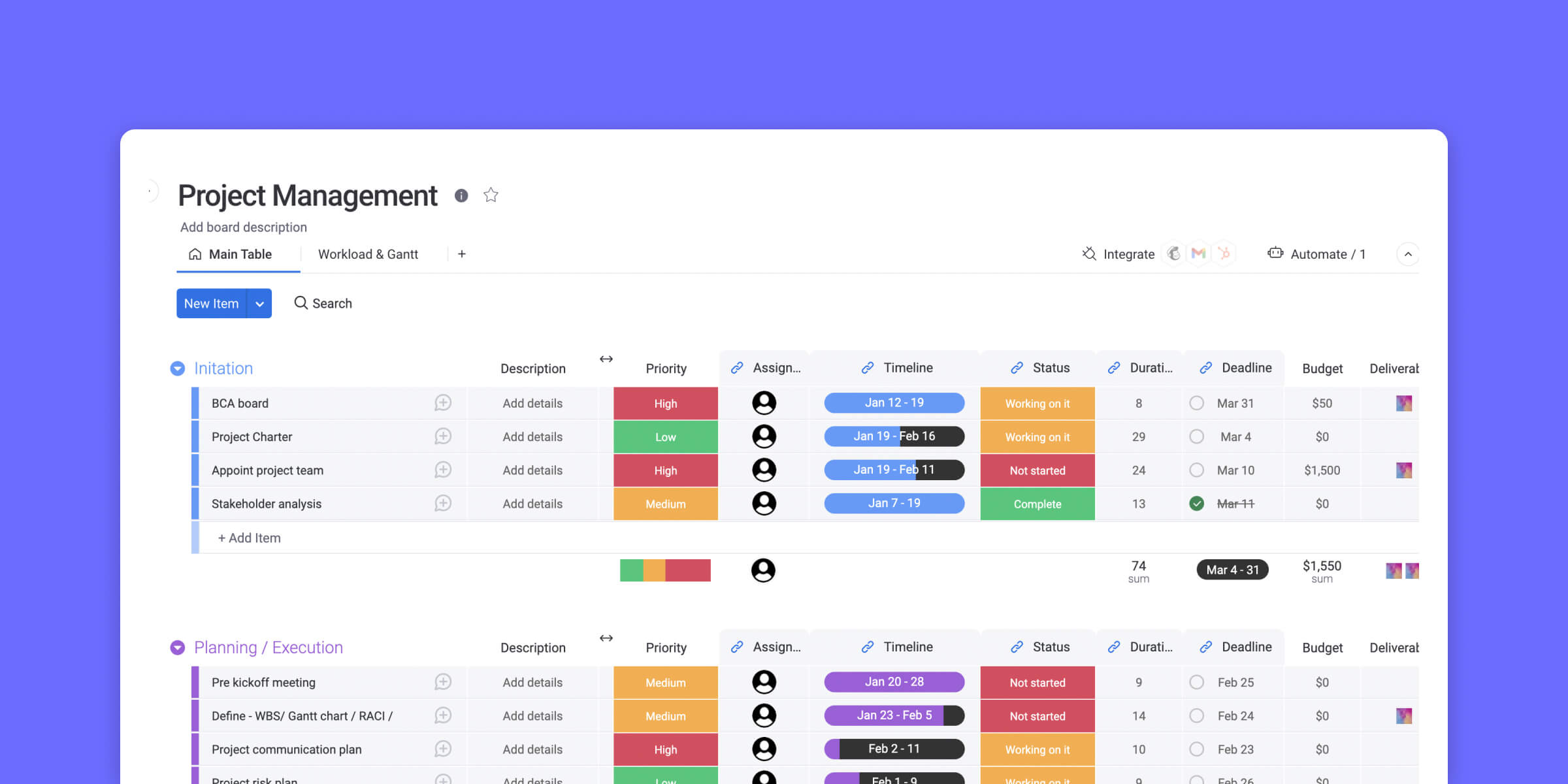
Image source: monday.com
Key features:
- Visual project boards for easy task tracking
- Workflow automation to save time and reduce manual work
- Customizable dashboards for better visibility
- Integrations with popular tools like Slack, Google Drive, and Zoom
- Real-time collaboration and progress updates
Pros:
- Intuitive and highly visual interface
- Flexible layouts to match your workflow
- Excellent automation and integration options
- Great for managing multiple projects in one place
Cons:
- Can feel overwhelming for smaller teams
- Pricing increases quickly as the team size grows
Pricing:
- Free: Up to 2 seats (limited features).
- Basic: $9/user/month (min. 3 users, unlimited items, 5GB storage).
- Standard: $12/user/month (automations, integrations).
- Pro: $19/user/month (advanced reporting).
- Enterprise: Custom pricing (enhanced security).
3. ClickUp: All-in-One workflow automation & productivity suite
ClickUp is a highly flexible platform built to support a wide range of workflows—including those common in engineering teams. It allows teams to structure their projects with a hierarchy of spaces, folders, and lists, and offers custom task fields and automations so you can tailor the system to your engineering processes. Highly flexible tool that lets engineering teams build tailored workflows, automate updates, and visualize progress in multiple views.
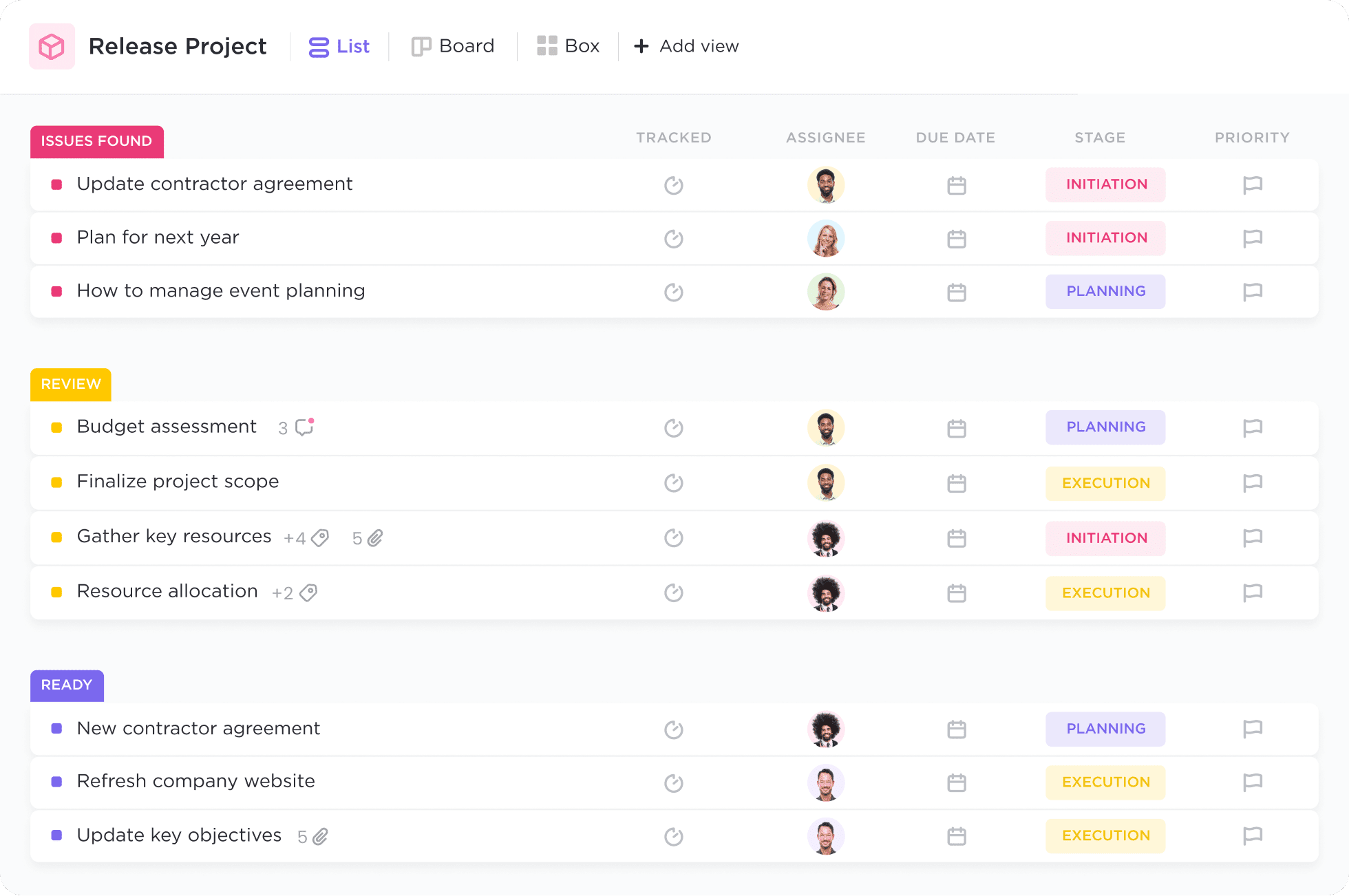
Image source: clickup.com
Key features:
- AI-powered writing, task generation, and project summarization
- Customizable dashboards, lists, boards, and goal tracking
- Workflow automation with conditional triggers
- Built-in chat, docs, and whiteboards for seamless collaboration
- Integrations with Slack, Google Drive, Zoom, and more
Pros:
- Highly customizable for different team structures and industries
- AI boosts productivity through automation and instant insights
- Centralized workspace reduces tool-switching
- Great balance between flexibility and ease of use
Cons:
- Feature-rich interface can feel overwhelming for new users
- Some advanced AI capabilities are limited to higher-tier plans
Pricing:
- Free: Unlimited tasks (Free Forever).
- Unlimited: $7/user/month (100 AI uses/month, unlimited storage).
- Business: $12/user/month (unlimited AI, advanced reporting).
- Enterprise: Custom pricing (SSO, dedicated support).
For more information? 👉
4. Asana: Team workflow & task process management software
Asana is a versatile project management tool that helps engineering teams organize workflows, set milestones, and stay aligned across every stage of a project. Its clean interface and flexible task structure make it ideal for tracking complex engineering processes without losing sight of priorities or dependencies. Teams can map out timelines, assign responsibilities, and monitor progress in real time, making Asana one of the most approachable yet powerful platforms for structured project coordination.
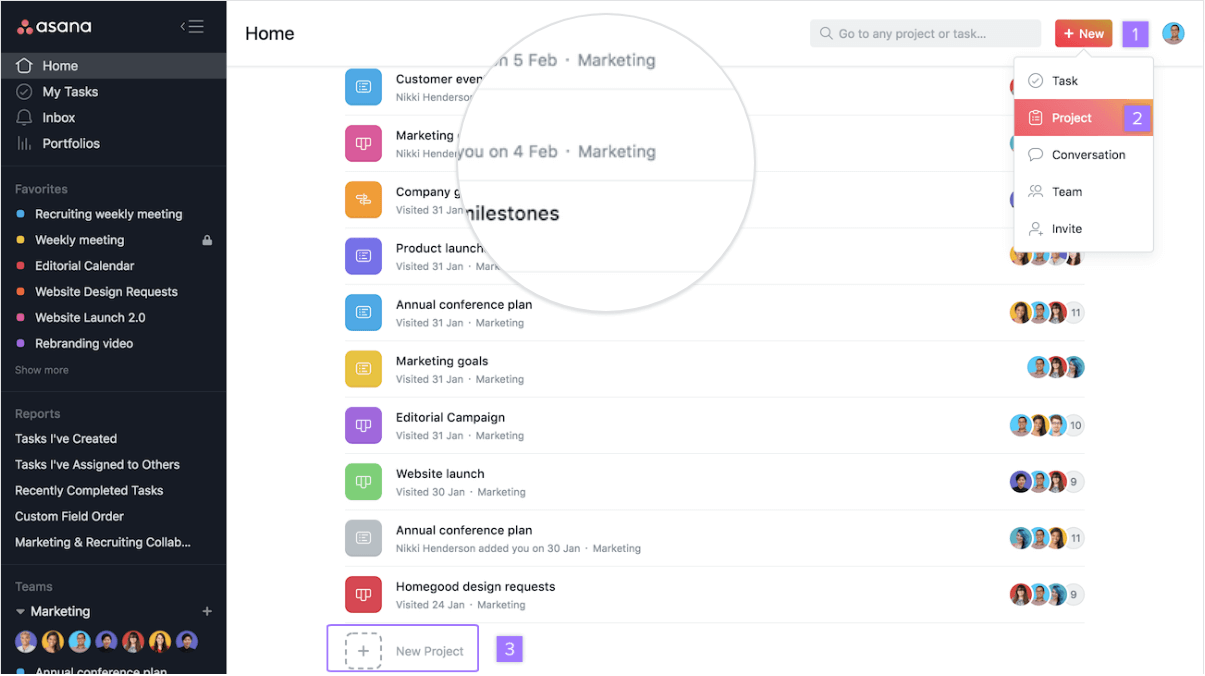
Image source: asana.com
Key features:
- Timeline and milestone tracking for structured project delivery
- Task dependencies and priority setting for clear accountability
- Real-time collaboration with comments, attachments, and updates
- Customizable project templates for engineering workflows
- Integration with Slack, Google Drive, and cloud modeling tools
Pros:
- Simple interface suited for both technical and non-technical team members
- Excellent visibility into project timelines and dependencies
- Helps manage multi-phase engineering projects with defined milestones
- Highly adaptable to various engineering disciplines
Cons:
- Limited resource management compared to enterprise tools
- May require integrations for advanced reporting or version control
Pricing:
- Free: Up to 10 users (basic tasks).
- Starter: $10.99/user/month (timeline views, 5GB storage).
- Advanced: $24.99/user/month (portfolios, goals, 100 automations/month).
- Enterprise: Custom ($35/user/month; advanced security, unlimited storage).
5. Smartsheet: Enterprise workflow automation & project processes
Smartsheet brings the familiarity of spreadsheets into modern project management, making it a great fit for engineering teams that prefer a structured, data-driven approach. It combines grid-based task tracking with powerful automation, dashboards, and collaboration tools. Engineering teams can use Smartsheet to manage project timelines, track resource allocation, and maintain visibility across multiple workflows—all within a layout that feels intuitive and flexible.
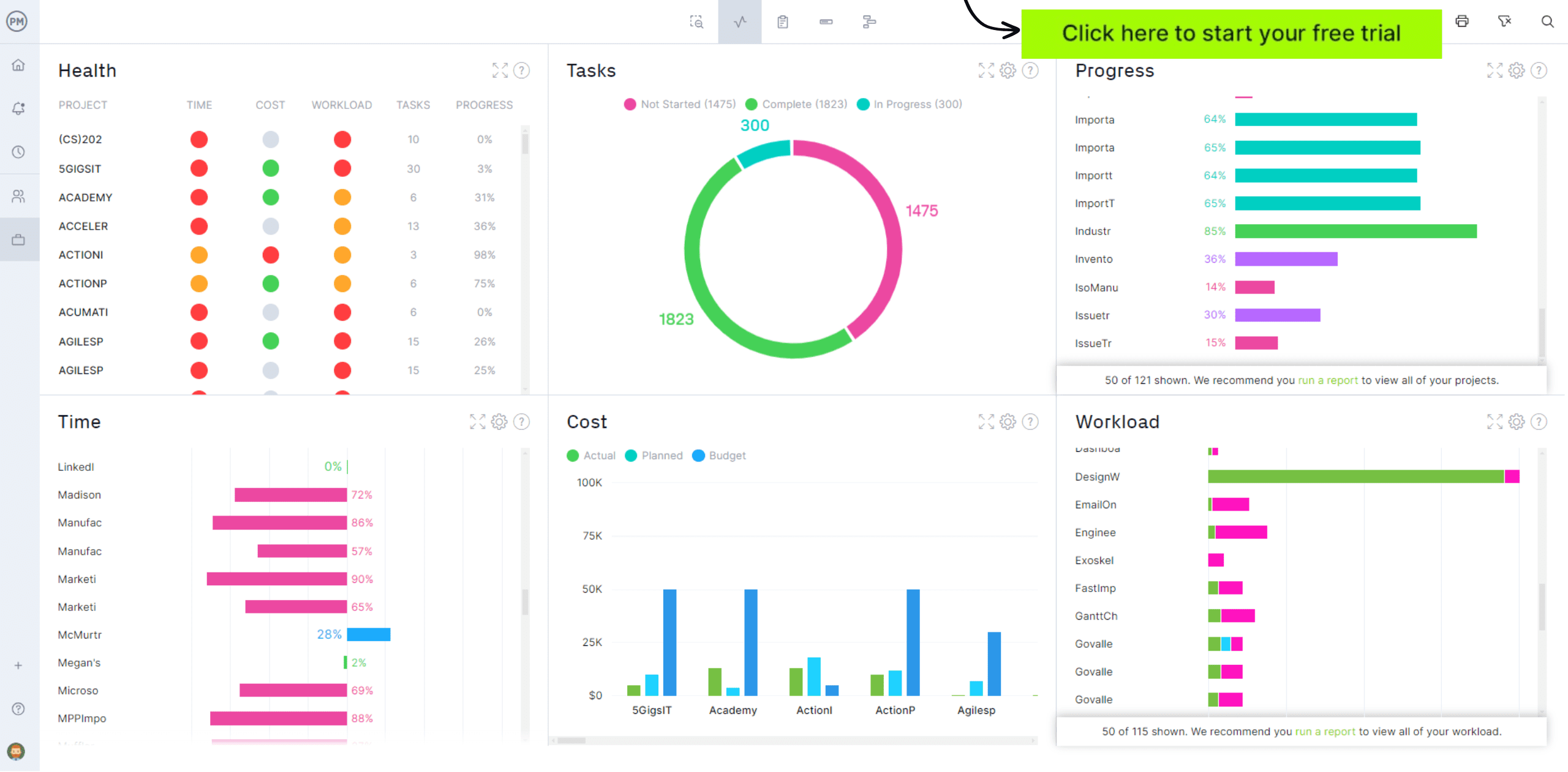
Image source: smartsheet.com
Key features:
- Spreadsheet-style interface with Gantt, Kanban, and calendar views
- Automated workflows and alerts for status updates and approvals
- Centralized dashboards for project performance and reporting
- Real-time collaboration with file attachments and comments
- Integrations with Microsoft 365, Google Workspace, and design tools
Pros:
- Easy transition for teams used to Excel or Google Sheets
- Strong automation and dashboard capabilities for complex engineering projects
- Great visibility into project progress and budgets
- Highly scalable for large organizations with multiple concurrent projects
Cons:
- Can be overwhelming for small teams or simple projects
- Some advanced features require higher-tier subscriptions
Pricing:
- Free: No free plan (30-day trial).
- Pro: $9/user/month (unlimited sheets, 10 editors, 5GB storage).
- Business: $19/user/month (unlimited editors, advanced automation, 20GB storage).
- Enterprise: Custom pricing (unlimited storage, SSO, advanced security).
6. Notion: Docs + workflow management for flexible teams
Notion combines note-taking, task management, and team collaboration in a single flexible workspace, making it ideal for engineering teams that value documentation as much as task tracking. Its modular setup allows teams to build custom pages, databases, and dashboards that fit their unique workflows—from design documentation and test logs to sprint planning and resource tracking. By centralizing project notes, schedules, and files, Notion helps engineers keep context and communication organized in one place.
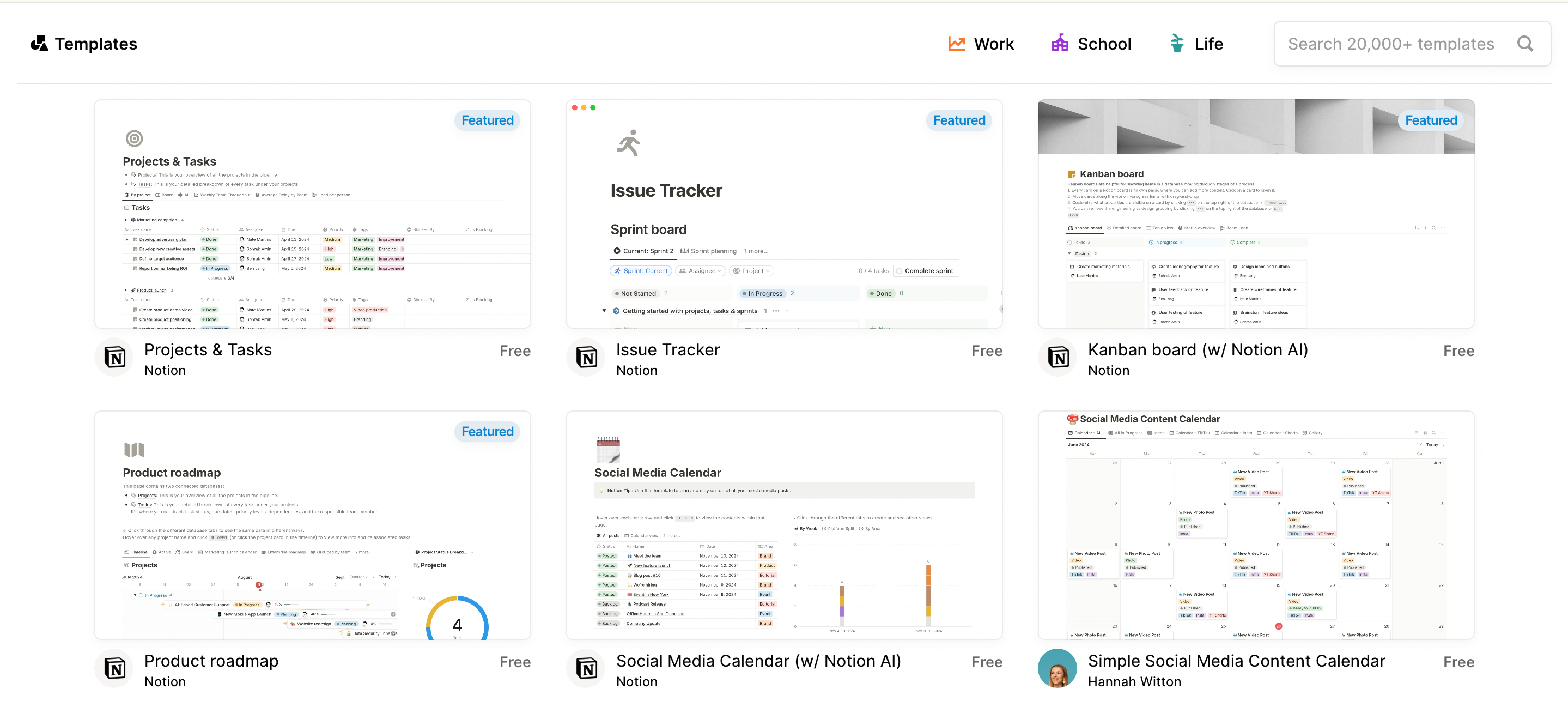
Image source: notion.com
Key features:
- Customizable pages and databases for project documentation
- Task tracking with Kanban boards, timelines, and calendars
- Real-time collaboration and commenting on shared documents
- Integration with GitHub, Slack, and cloud storage tools
- Templates for engineering workflows and documentation systems
Pros:
- Excellent for teams that need strong documentation and collaboration tools
- Highly flexible and customizable to match engineering workflows
- Great for combining project plans, technical notes, and reports in one hub
- Clean, intuitive interface with minimal setup required
Cons:
- Lacks native advanced project tracking or resource management
- Can become cluttered if not organized with clear structure
Pricing:
- Free: Unlimited pages/blocks (limited AI trial).
- Plus: $8/user/month (unlimited file uploads, 30-day version history).
- Business: $15/user/month (Notion AI, SAML SSO, private teamspaces).
- Enterprise: Custom pricing (advanced security, dedicated support).
7. Kissflow: Workflow & business process management system
Kissflow is a no-code platform designed to help teams build, automate, and manage business processes without relying on engineering support. It's built around clear routing rules, workflow templates, and an intuitive drag-and-drop designer that makes it easy to map out approval flows, form submissions, and routine operational tasks. Teams use it to streamline requests, standardize multi-step processes, and reduce manual follow-ups across departments like HR, finance, operations, and procurement.
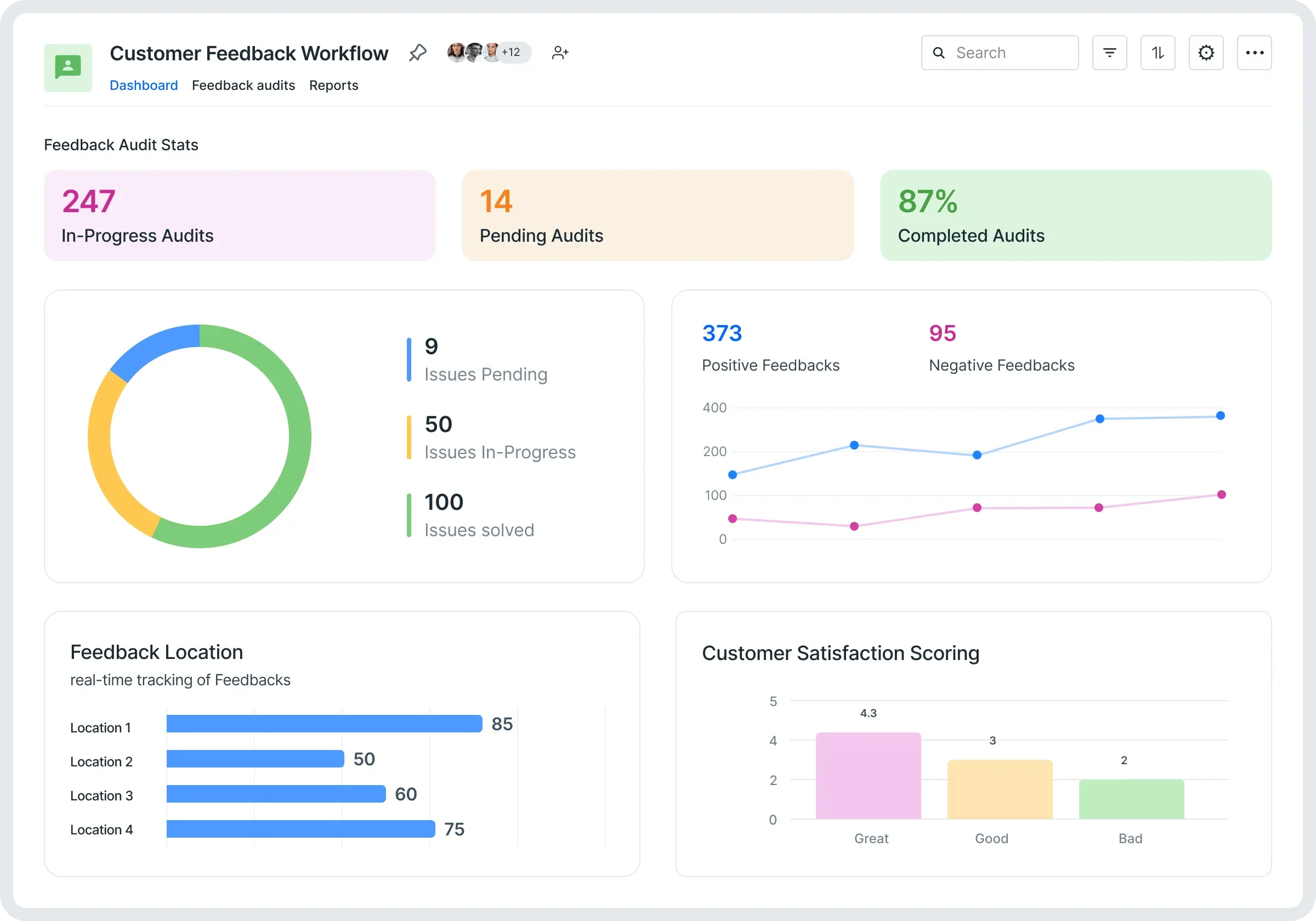
Image source: kissflow.com
Key features:
- No-code workflow builder with drag-and-drop design
- Pre-built workflow and process templates
- Rule-based routing for approvals and task assignments
- Process performance analytics and reports
- Integrations with popular apps through APIs and connectors
Pros:
- Easy for non-technical teams to create and automate processes
- Strong rule-based automation to reduce manual work
- Clean interface with ready-made templates for quick setup
- Scales well for cross-department workflows
Cons:
- Limited flexibility for highly complex, custom logic
- Advanced automation and integrations may require higher-tier plans
Pricing:
- Free: No free plan (free trial).
- Basic: $1,500/month flat (unlimited users, core workflows).
- Enterprise: Custom pricing (advanced governance, integrations).
8. ProcessMaker: Low-code BPM & workflow automation engine
ProcessMaker gives teams a low-code way to build and automate workflows without relying heavily on developers. It helps streamline approvals, requests, and multi-step processes across departments. The platform makes it easy to design, test, and optimize workflows in one place. Data flows smoothly between systems through its connectors and integrations. It's a strong fit for organizations that want flexible, scalable BPM capabilities.
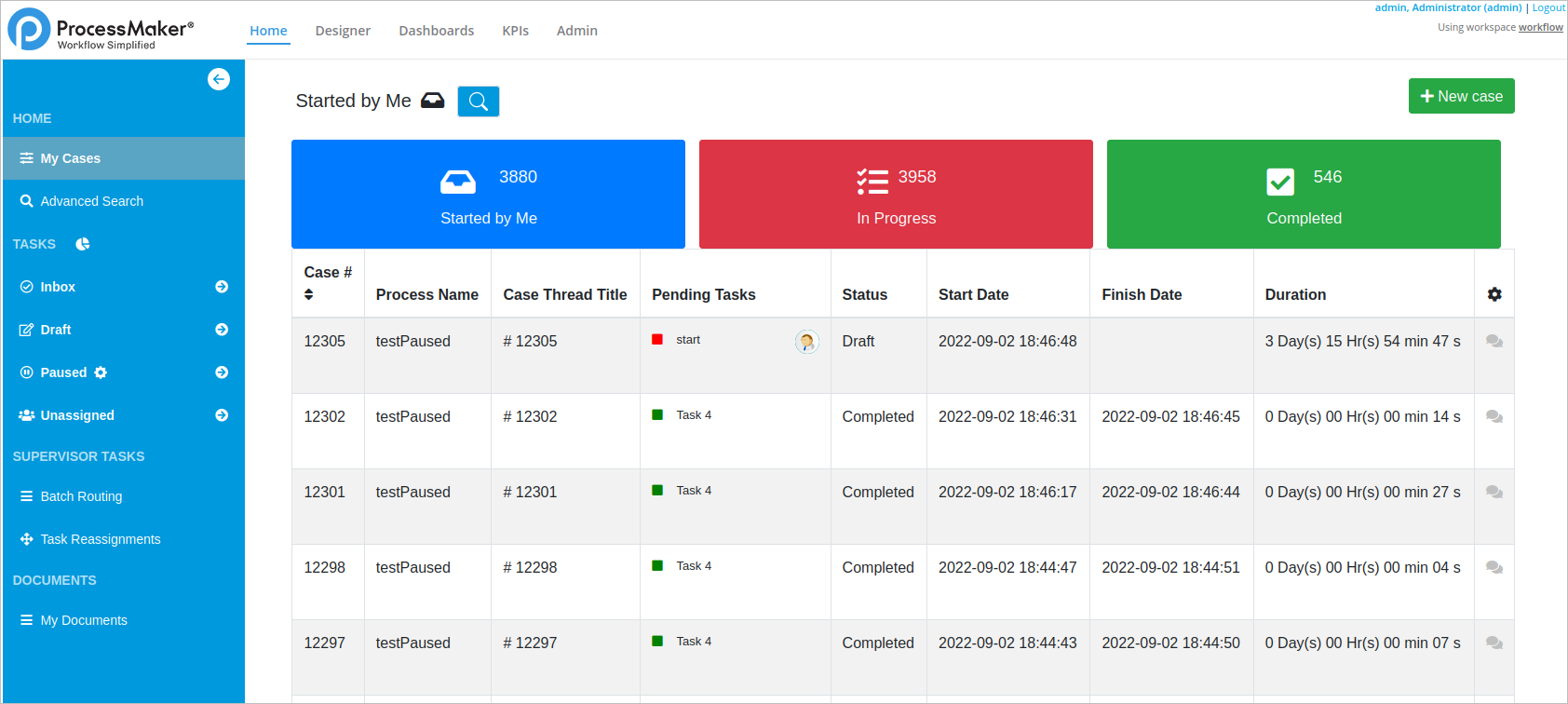
Image source: processmaker.com
Features:
- Interactive dashboards with real-time data visualization
- Integration with a wide range of data sources, including CRM and ERP systems
- AI-driven insights and predictive analytics
- Customizable reports and data modeling capabilities
- Role-based access and collaboration for teams
Pros:
- Powerful analytics suitable for large, complex organizations
- Real-time dashboards and reporting for accurate decision-making
- Advanced AI and predictive analytics for deeper insights
- Flexible data modeling and visualization options
Cons:
- Steeper learning curve for new users
- Licensing and setup costs can be high for smaller teams
Pricing:
- Free: Community Edition (self-hosted, basic BPMN).
- Platform: Custom quote-based (advanced features, unlimited processes).
- Enterprise: Custom pricing (AI tools, process mining, dedicated support).
9. Nintex: Enterprise workflow automation & document processing
Nintex helps teams automate workflows and handle document-heavy processes with less effort. It streamlines approvals, forms, and data routing across departments. The platform connects easily with popular business apps, keeping information consistent. Its drag-and-drop tools make building workflows simple, even for non-technical users. It's a practical choice for organizations that want faster, cleaner process execution.
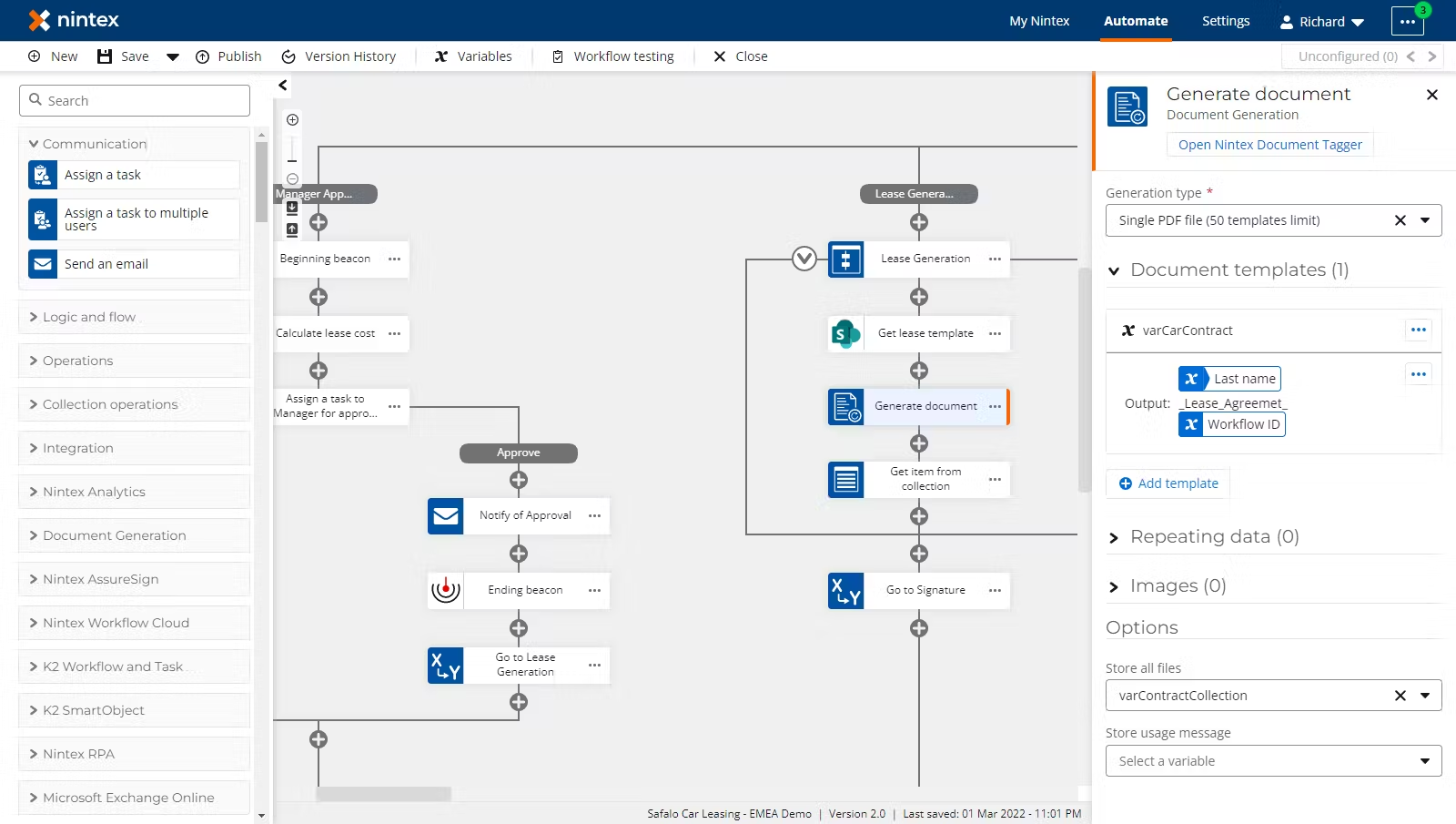
Image source: nintex.com
Key features:
- Task creation, assignment, and scheduling with Gantt charts
- Built-in issue and risk tracking for engineering projects
- Time tracking and meeting management tools
- Collaboration with comments, file sharing, and real-time updates
- Integrations with Slack, Google Calendar, and Microsoft Teams
Pros:
- Easy to set up and use for small to mid-sized engineering teams
- Combines task, issue, and risk management in one platform
- Affordable pricing with strong functionality for project tracking
- Clean, intuitive interface with minimal learning curve
Cons:
- Limited customization options for advanced engineering workflows
- Reporting and analytics features are basic compared to enterprise tools
Pricing:
- Basic: $625/month flat (unlimited users, 10 workflows).
- Professional: $1,500/month (advanced forms, integrations).
- Enterprise: Custom pricing (unlimited workflows, AI agents).
10. Pega: Advanced BPM, case management & automation platform
Pega offers a powerful platform for advanced BPM, case management, and end-to-end automation. It helps teams manage complex decisioning, handle exceptions, and streamline work across departments. Its low-code tools make it easier to build and update workflows as requirements change. AI-driven insights guide actions and improve consistency. It's well suited for organizations that need smart, scalable process automation.
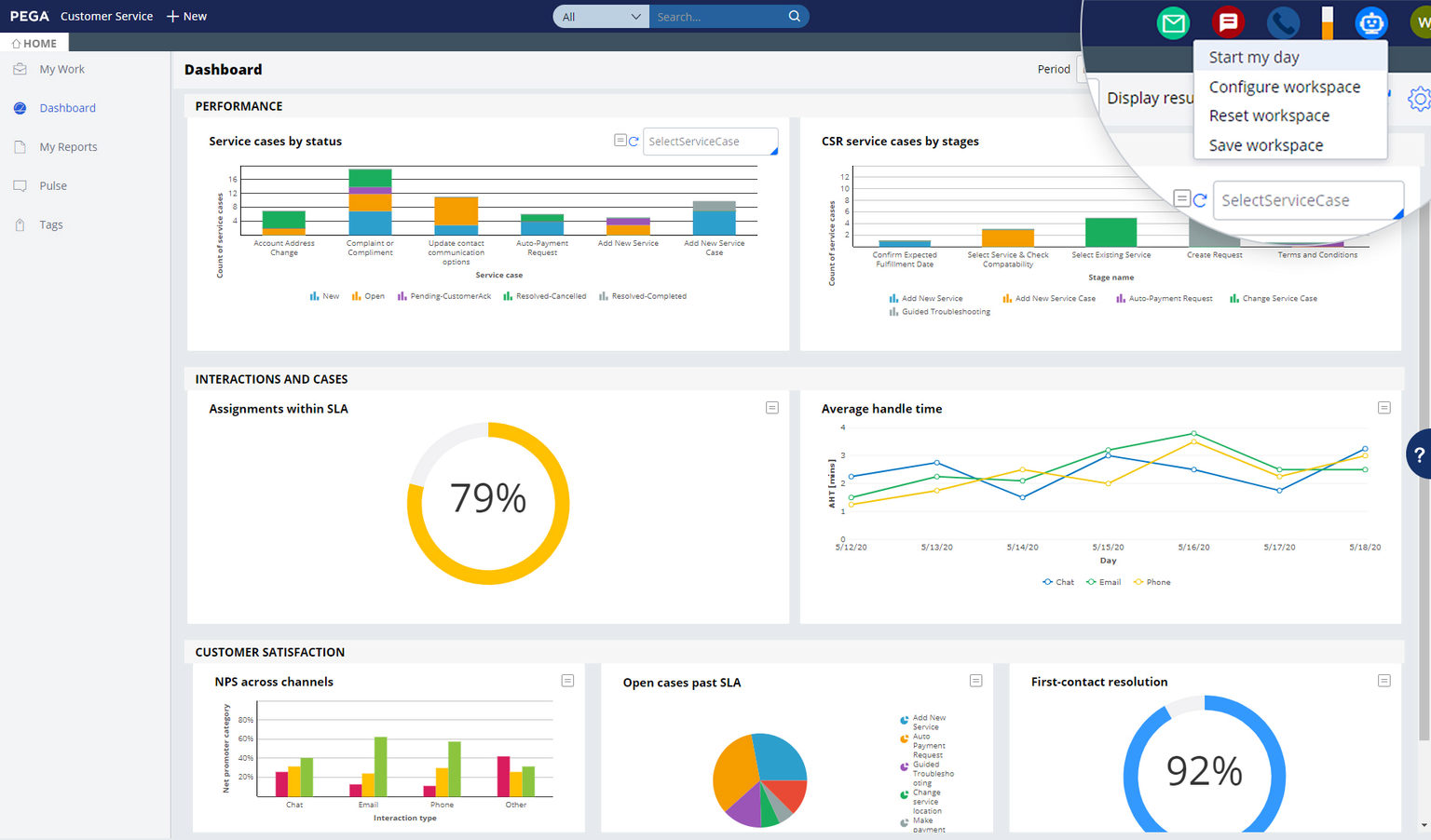
Image source: pega.com
Key features:
- Task and milestone tracking with Gantt and Kanban views
- Built-in time tracking and timesheet management
- Workflow automation for approvals and recurring processes
- Resource utilization charts for capacity planning
- Integrations with Pega ecosystem tools, Google Workspace, and Microsoft apps
Pros:
- Affordable option with features comparable to premium tools
- User-friendly interface suited for technical and non-technical users
- Scalable for small to mid-sized engineering firms
- Strong time tracking and reporting capabilities
Cons:
- Limited customization for highly complex engineering workflows
- Interface can feel less polished compared to enterprise-grade tools
Pricing:
- Basic: $5,000/user/month (min. 500 users; core BPM).
- Enterprise: Custom pricing (case-based: $100,000+/year minimum).
11. IBM BAW: Enterprise process automation & system integration
IBM BAW helps large organizations automate complex processes and connect systems at scale. It brings workflow, case management, and decision automation into one platform. Teams get a clear structure for handling high-volume, high-risk operations. Its integration capabilities keep data consistent across enterprise apps. It's built for companies that need strong governance and dependable process orchestration.
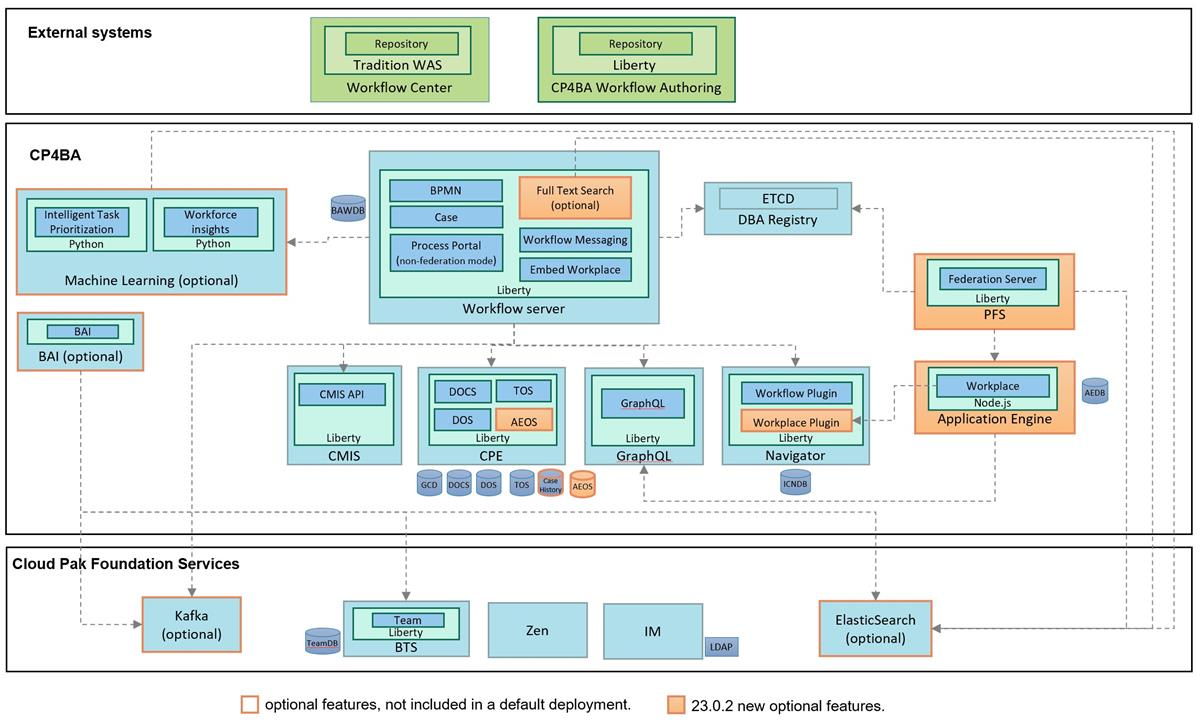
Image source: ibm.com
Key features:
- Advanced Gantt charts for scheduling and task dependencies
- Resource management for workforce and equipment planning
- Budget tracking and cost forecasting tools
- Integration with Power IBM for reporting
- Supports Waterfall, Agile, and hybrid project methodologies
Pros:
- Excellent for enterprise-level engineering and construction projects
- Highly detailed planning and reporting capabilities
- Strong resource allocation and financial tracking features
- Seamless integration with other Microsoft products
Cons:
- Steeper learning curve for new users
- Requires significant setup for smaller or agile engineering teams
Pricing:
- Standard/Advanced/Enterprise: Custom quote-based (typically $100+/user/month and up).
12. Zoho Flow: Workflow integration & automation tool
Zoho Projects is a cost-effective project management solution designed to help engineering teams organize tasks, collaborate efficiently, and monitor progress without breaking the budget. It offers a full suite of features, including task tracking, time management, automation, and reporting—all within an easy-to-navigate interface. For engineering teams looking for balance between functionality and affordability, Zoho Projects delivers strong value while supporting complex workflows.
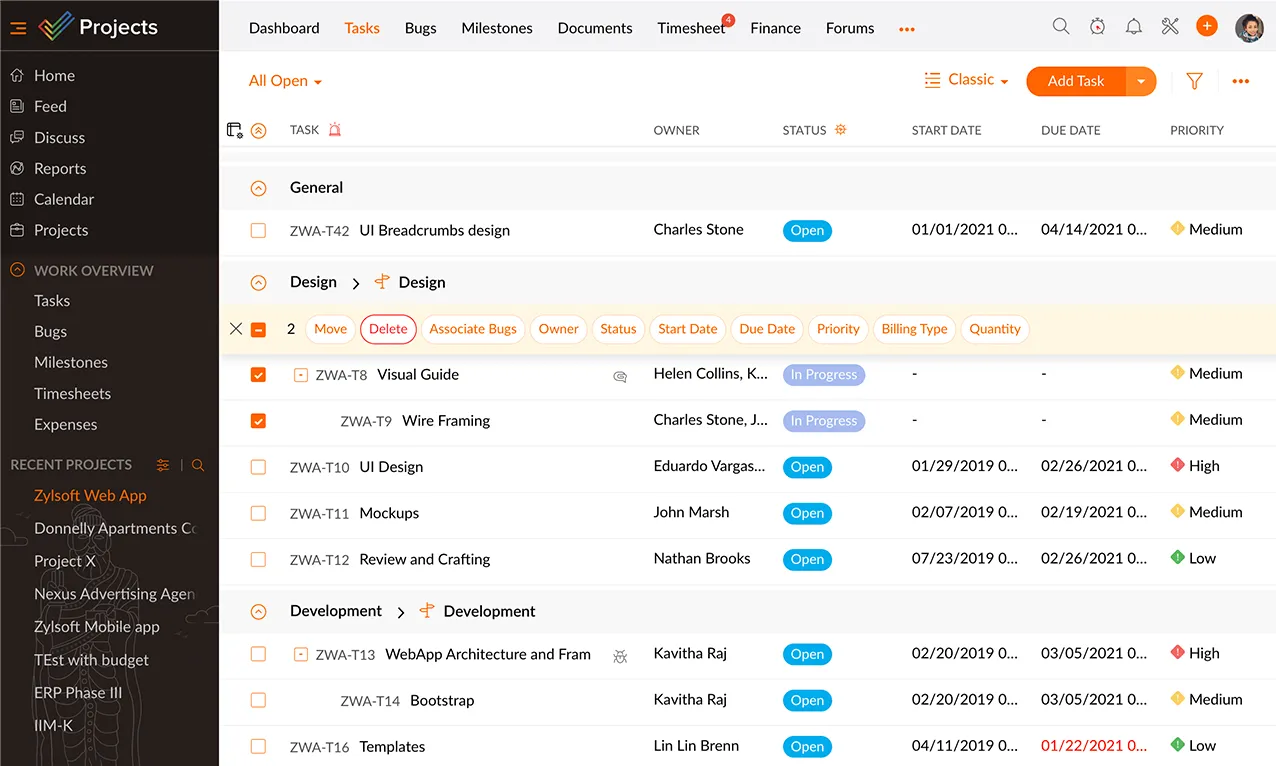
Image source: zoho.com
Key features:
- Task and milestone tracking with Gantt and Kanban views
- Built-in time tracking and timesheet management
- Workflow automation for approvals and recurring processes
- Resource utilization charts for capacity planning
- Integrations with Zoho ecosystem tools, Google Workspace, and Microsoft apps
Pros:
- Affordable option with features comparable to premium tools
- User-friendly interface suited for technical and non-technical users
- Scalable for small to mid-sized engineering firms
- Strong time tracking and reporting capabilities
Cons:
- Limited customization for highly complex engineering workflows
- Interface can feel less polished compared to enterprise-grade tools
Pricing:
- Free: Up to 5 flows, 100 tasks/month.
- Professional: $10/org/month (500 tasks/month, multi-step flows).
- Enterprise: $24/org/month (2,000 tasks/month) or custom (unlimited tasks).
13. Make: Visual workflow builder for complex automations
Make gives teams a visual way to design and run complex automations. Its drag-and-drop builder helps map out workflows across multiple apps without touching code. Every step is easy to track, adjust, and expand as needs grow. It handles everything from simple triggers to advanced multi-step logic. It's a solid pick for teams that want flexible automation with a clear visual layout.
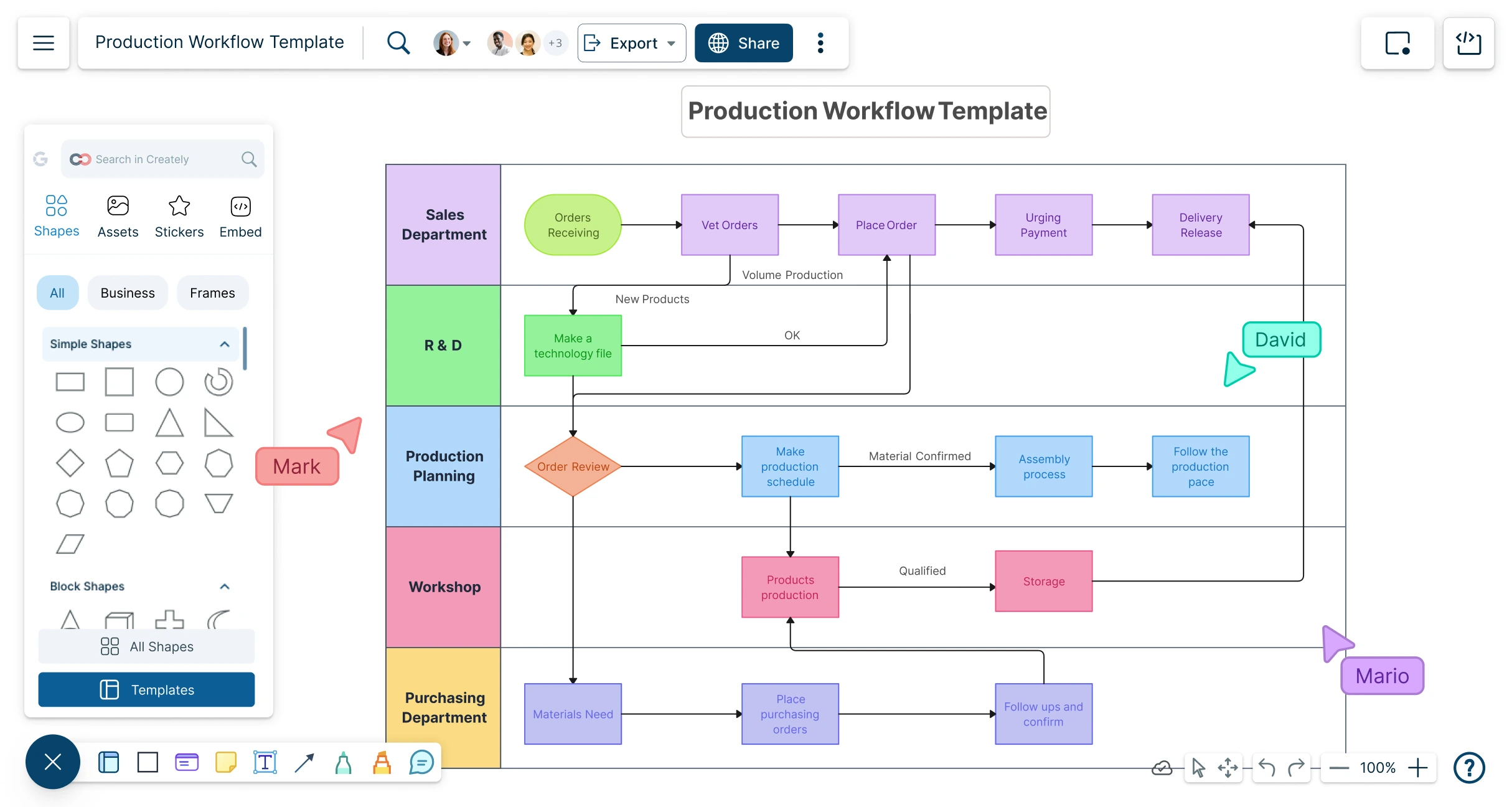
Image source: make.com
Key features:
- To-do lists, message boards, and real-time chat for collaboration
- Centralized file storage and document sharing
- Project schedules with automatic reminders and notifications
- Hill Charts for visual progress tracking
- Client access for project visibility and feedback
Pros:
- Simple and intuitive for teams new to project management software
- Streamlines communication and keeps everyone aligned
- Reduces reliance on long email threads and external messaging tools
- Great for smaller engineering projects or teams with flexible workflows
Cons:
- Limited advanced project tracking or resource management tools
- Not ideal for large-scale or data-intensive engineering projects
Pricing:
- Free: 1,000 operations/month, 2 active scenarios.
- Core: $9/month flat (10,000 operations/month).
- Enterprise: Custom pricing (unlimited operations, SLAs).
14. Workato: AI-powered workflow automation & system integration
Workato brings AI-powered automation and integration into a single platform. It connects apps across your stack and keeps data moving without manual effort. Teams can build smart workflows that adapt to changing conditions. Complex processes become easier to manage through its ready-made connectors. It's a strong choice for companies that want faster, more reliable system coordination.
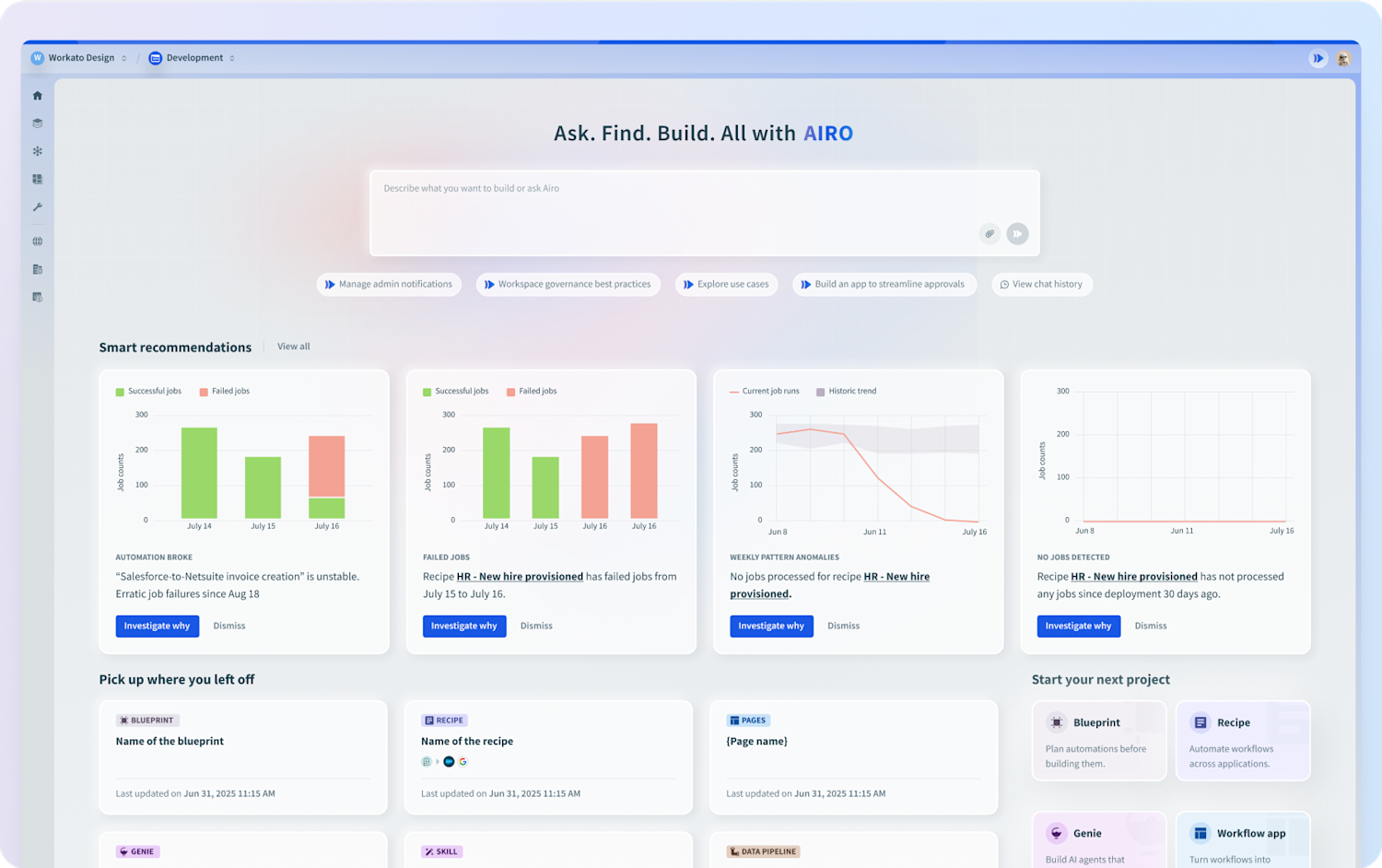
Image source: workato.com
Key features:
- Task and milestone tracking with Gantt and board views
- Time tracking and billable hours management for client projects
- Resource planning to allocate workloads effectively
- Client portal for real-time progress visibility
- Integrations with HubSpot, Slack, and Google Workspace
For more Google Workspace's information, you can refer to and .
Pros:
- Excellent for engineering agencies handling multiple client accounts
- Strong time tracking and billing features built into project workflows
- Easy to share updates and progress reports with clients
- Scalable for small to mid-sized engineering firms
Cons:
- Fewer advanced engineering integrations compared to technical tools
- Interface may feel basic for highly complex or specialized projects
Pricing:
- Base: $10,000/year flat (1M tasks/year).
- Professional/Enterprise: Custom pricing (typically $20,000–$100,000+/year).
15. Pipefy: Workflow management for operations teams
Pipefy helps operations teams organize work, standardize processes, and cut down on manual tasks. It gives teams a clear view of every step so nothing gets missed. Requests, approvals, and handoffs move smoothly from one stage to the next. Teams can create custom workflows without relying on developers. It's a practical way to run operations with fewer mistakes and less busywork.
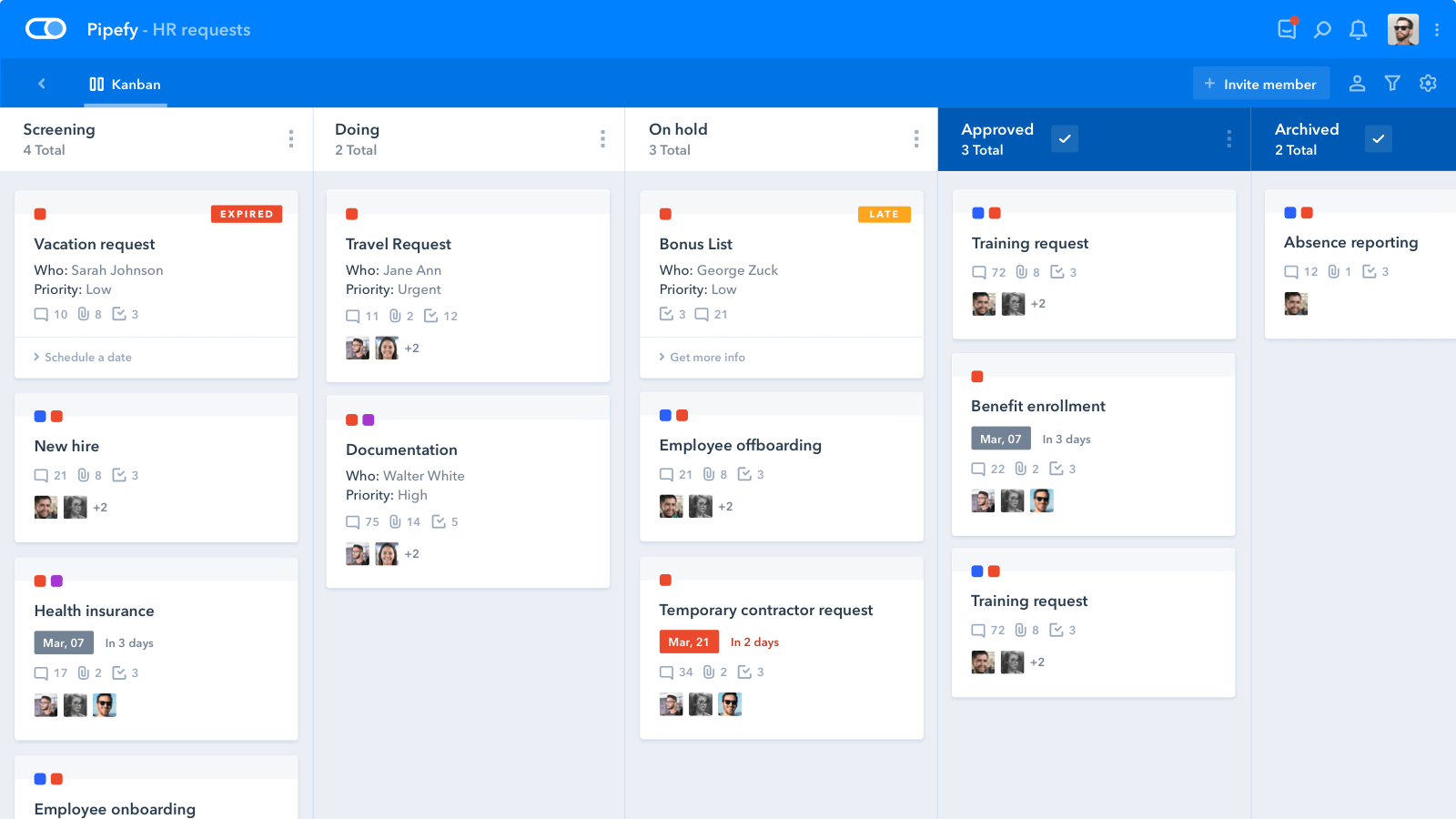
Image source: pipefy.com
Key features:
- Centralized document and drawing management with version tracking
- BIM-based design collaboration for architecture and civil engineering
- Field and site management tools for issue tracking and inspections
- Real-time data dashboards for project performance monitoring
- Integrations with AutoCAD, Revit, Navisworks, and other Autodesk tools
Pros:
- Ideal for large-scale architectural and civil engineering projects
- Excellent version control and data accuracy for design workflows
- Seamless collaboration between design, engineering, and construction teams
- Reduces rework through connected BIM and project insights
Cons:
- Steeper learning curve for smaller teams or non-BIM users
- Premium pricing suited for mid to large organizations
Pricing:
- Free: Starter (5 processes, 10 users, 500 records).
- Business: $26/user/month (unlimited processes, 2GB storage).
- Enterprise: Custom ($36/user/month; advanced security).
- Unlimited: Custom (no limits, expert support).
How does workflow management help reduce operational errors?
In today's fast-moving work environment, even small mistakes—like a missed approval, a skipped step, or a form filled out incorrectly—can snowball into delays, frustrated customers, and lost revenue. The good news is that modern workflow management turns these risks into non-issues by creating structured, foolproof processes that run the same way every time. Here's exactly how it protects your team and your results:
- Reduces operational errors: Provides a clear, visual, and repeatable path for every task, so nothing is left to memory or interpretation.
- Eliminates guesswork: Locks step into the correct sequence, preventing team members from accidentally jumping ahead or skipping critical actions.
- Clarifies ownership at every stage: Automatically assigns tasks and shows exactly who is responsible and when, removing confusion in hand-offs.
- Catches mistakes early with built-in checks & approvals: Requires reviews, , or validations before a process can move forward, stopping errors before they escalate.
- Sends instant automated alerts: Notifies the right people the moment a deadline is approaching, a form is incomplete, or an exception occurs.
- Enforces standardized forms & required fields: Guarantees all necessary data is captured correctly the first time—no more chasing missing details later.
- Gives real-time visibility & tracking: Managers and team members can see exactly where each item is in the process, spot bottlenecks instantly, and intervene if needed.
- Delivers consistent, high-quality outcomes: Because every instance follows the same proven path, results become predictable, compliant, and far less likely to require rework or cause costly .
Conclusion
A strong makes it easier for teams to stay organized, move faster and keep quality high as work becomes more complex. Tools like bring structure, automation and visibility to everyday operations, helping teams avoid errors and maintain steady progress. With so many reliable platforms available today, it's easier than ever to find one that fits your needs. Investing in a clear process now sets the foundation for smoother collaboration and better results as your team grows.
Boost your team's workflow
FAQs
What is workflow and process management?
It's the practice of organizing tasks, setting clear steps and improving how work moves from start to finish. It helps teams reduce confusion, stay consistent and complete tasks on time.
What is the difference between workflow automation and BPM?
Workflow automation focuses on automating individual tasks or sequences, while looks at improving entire processes across a team or department. BPM is broader and often involves analytics, monitoring and optimization.
What types of businesses need BPM systems?
Any organization with repeatable processes can benefit. This includes startups, mid-sized companies and large enterprises that want more control, visibility and consistency in daily operations.
Which is the best all-in-one business process management tool?
The best choice for depends on your needs, but many teams prefer platforms that combine communication, automation and project tracking in one place. Lark is often chosen for this because it brings messaging, documents, approvals and workflows together in a single hub.
Related reading





























