














Practical Process Automation Examples and Ready-to-Use Templates

Ryan Tanner
Product Marketing Specialist
Sep 18, 2026
Ryan Tanner
Sep 18, 2026

15 min read


As the pace of work accelerates, every minute counts—teams need to focus on impact, not repetitive manual tasks. Process automation has become the quiet engine driving productivity, precision, and focus across industries. By turning routine actions into self-running workflows, it frees people to spend time where it matters most — on strategy, creativity, and innovation.
This article explores practical process automation examples and ready-to-use templates you can apply today. You'll also discover how Lark empowers teams to automate communication, data, and projects—all within one intelligent, connected workspace.

Understanding process automation in business
Process automation refers to using digital tools to execute recurring business processes automatically. It replaces manual intervention with rule-based systems that carry out specific actions — such as sending notifications, updating records, or generating reports — based on triggers you define.
The benefits of process automation are wide-ranging. It saves time by removing repetitive work, enhances accuracy by reducing the risk of manual errors, and ensures consistency in outcomes. Scalability is another major advantage — as your business grows, automated workflows handle more processes without added complexity.
Whether it's a small startup trying to manage its first client pipeline or a global enterprise coordinating thousands of transactions daily, automation makes operations smoother and more predictable. It also frees employees to focus on more strategic, creative, and relationship-driven work.
Lark provides a unified solution where communication, workflows, and documentation connect seamlessly. By integrating automation into its ecosystem — from chat to approvals to data management — Lark ensures that teams of all sizes can collaborate efficiently while keeping processes running automatically in the background.
Common business process automation examples and templates
Each department can apply automation differently to improve everyday tasks, increase accountability, and save time. Below are some of the most common business process automation examples, along with how teams can use Lark templates to implement them easily.
HR and employee onboarding
Human resources departments deal with a range of routine yet crucial processes — from new-hire paperwork to employee reviews. Automating these steps ensures new employees have a smooth experience while HR saves valuable time.
Lark streamlines onboarding by automating new-hire approvals through Lark Approval, sending automatic notifications for scheduled training in Lark Calendar, and using Lark Messenger to remind managers about probation reviews. A new employee's entire onboarding flow — from offer acceptance to final documentation — can be triggered from a single Lark Base record. The result is a consistent, transparent, and timely onboarding experience for everyone involved.
Sales and CRM
Sales teams thrive on quick responses and accurate data. However, manually updating lead stages, sending follow-ups, or managing dashboards can be overwhelming.
With Lark, sales workflows can be fully automated. When a lead submits a form, Lark Base can instantly assign it to the right sales rep. As deals move through stages, Lark Tasks can trigger automatic follow-up messages in Lark Messenger. Meanwhile, performance metrics and sales dashboards stay updated in real time through Lark Sheets, ensuring leadership always has an accurate view of progress. These automations help sales teams focus on conversations that matter instead of admin-heavy data entry.
Project management
For project managers, keeping track of milestones and tasks across multiple contributors can be challenging. Automation simplifies coordination and status tracking.
Teams using Lark can automatically generate new project templates through Lark Docs, with pre-filled sections for deliverables and timelines. Lark Tasks can send automatic updates when milestones are completed, while Lark Sheets track progress against goals. Notifications in Lark Messenger ensure no one misses critical updates. This integrated setup keeps projects moving without constant manual check-ins, allowing leaders to maintain visibility and accountability effortlessly.
Marketing
Marketing teams handle multiple moving parts: campaign planning, approvals, content reviews, and performance analysis. Automating these workflows eliminates bottlenecks and accelerates delivery.
Lark supports marketing automation through Lark Approval, enabling seamless campaign sign-offs with automatic notifications to stakeholders. Lark Docs helps update content statuses — for instance, moving from "draft" to "approved" automatically after review. Performance tracking becomes effortless using Lark Base or Lark Sheets dashboards that pull live metrics from other tools. Together, these features create a synchronized marketing ecosystem where every stakeholder stays informed.
Finance and administration
Finance operations require precision, consistency, and timeliness. Automating approval cycles and data updates ensures better compliance and fewer delays.
Lark's automation capabilities allow finance teams to auto-generate expense approvals through Lark Approval, send monthly reporting reminders in Lark Messenger, and track invoices directly in Lark Sheets. Real-time updates keep financial data accurate, while automated routing minimizes manual follow-up. This creates a transparent, error-free process that scales easily with organizational growth.
Business process automation use cases across industries
Process automation adapts to different industries with remarkable flexibility. Here's how various sectors are using it to save time, improve accuracy, and scale effortlessly:
- Retail
- Automates inventory updates and stock-level alerts.
- Triggers reordering workflows when inventory hits defined thresholds.
- Keeps product availability synchronized across online and offline channels.
- Manufacturing
- Monitors production workflows in real time for efficiency and quality control.
- Automates maintenance reminders and safety checks to prevent downtime.
- Streamlines reporting by capturing machine and operator data automatically.
- Technology
- Simplifies bug triage by auto-assigning issues to the right engineers.
- Syncs sprint progress updates across teams through connected dashboards.
- Generates automated release notes and project summaries.
- Education
- Handles student enrollment workflows and course registrations.
- Automates attendance tracking and report generation.
- Sends timely updates to students and faculty through connected systems.
- Healthcare
- Routes patient forms and test results to the correct departments automatically.
- Sends appointment confirmations and follow-up reminders.
- Maintains compliance by auto-logging key actions for audits.
Across all these industries, automation strengthens efficiency and transparency while reducing human error. With Lark, teams can design and deploy tailored automation workflows that connect communication, data, and execution—all within a single intelligent platform.
How Lark simplifies process automation
Lark's unified ecosystem brings together collaboration, communication, and automation tools into a single interface. Here's how its individual components contribute to building end-to-end process automation.
Lark Base: Helps you organize and automate your data in one place
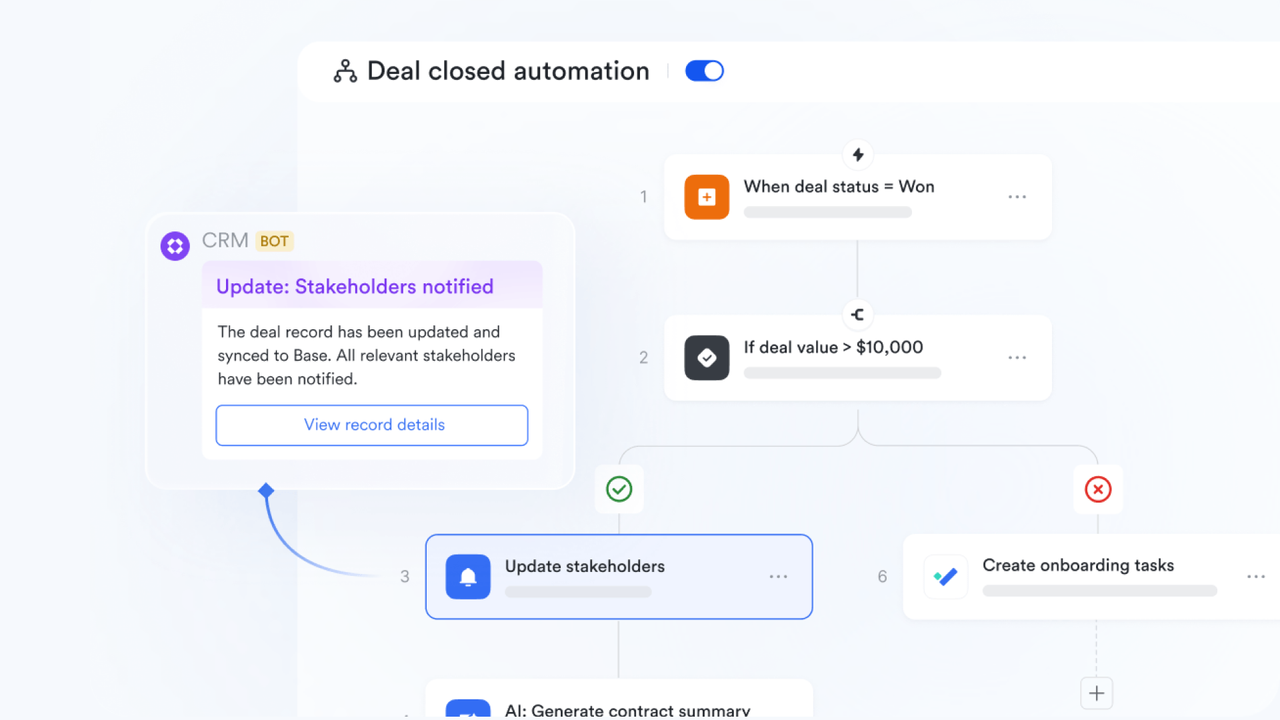
Lark Base acts as the foundation of automation, allowing teams to store, manage, and manipulate structured data. You can configure triggers that respond to data changes — such as automatically updating records or sending alerts. It enables no-code process design where every workflow starts with reliable data and clear logic. Whether tracking leads, projects, or employee onboarding, Lark Base gives users full control to build customized automation sequences.
Lark Messenger: Keeps everyone connected with instant updates and smart notifications
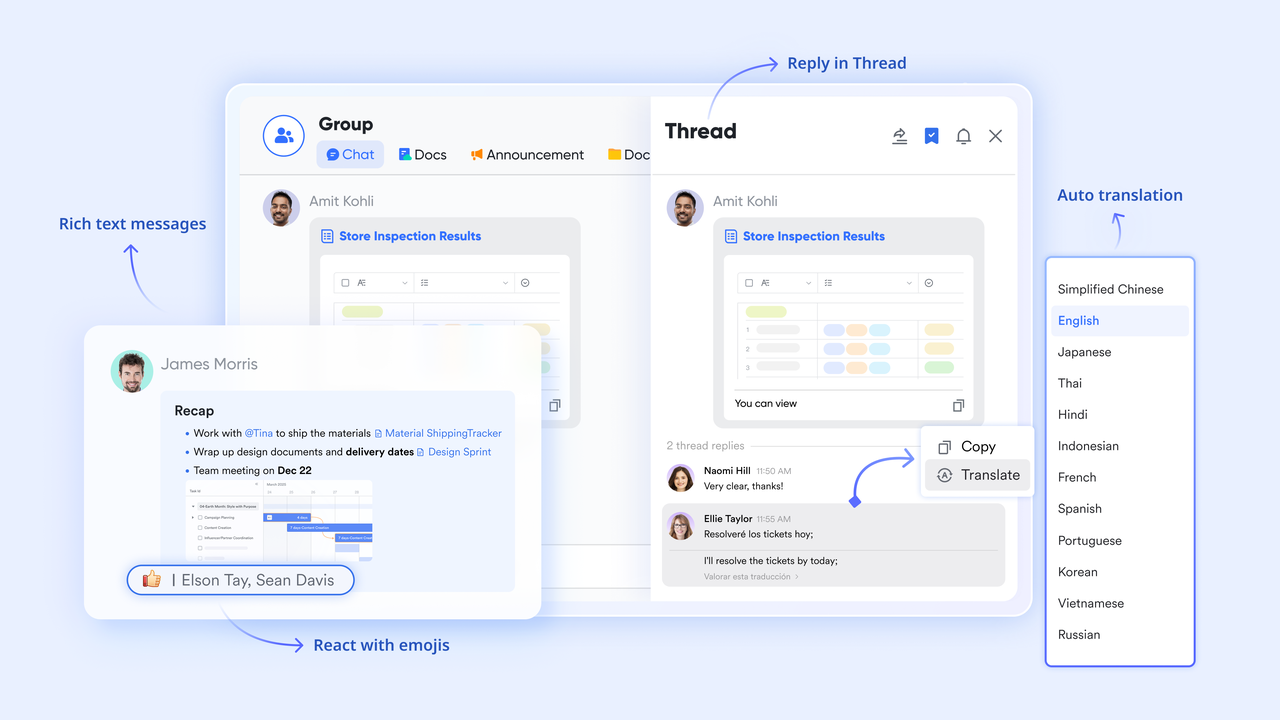
Communication remains central to process efficiency. With Lark Messenger, updates, reminders, and workflow triggers are to relevant individuals or groups. For example, when a project milestone is achieved or an approval is pending, the system can notify users instantly. This keeps collaboration timely and ensures no one overlooks critical actions. Messenger unifies link conversations directly to tasks, enabling a smoother flow between communication and execution.
Lark Calendar: Manages meetings and reminders automatically so your schedule stays on track
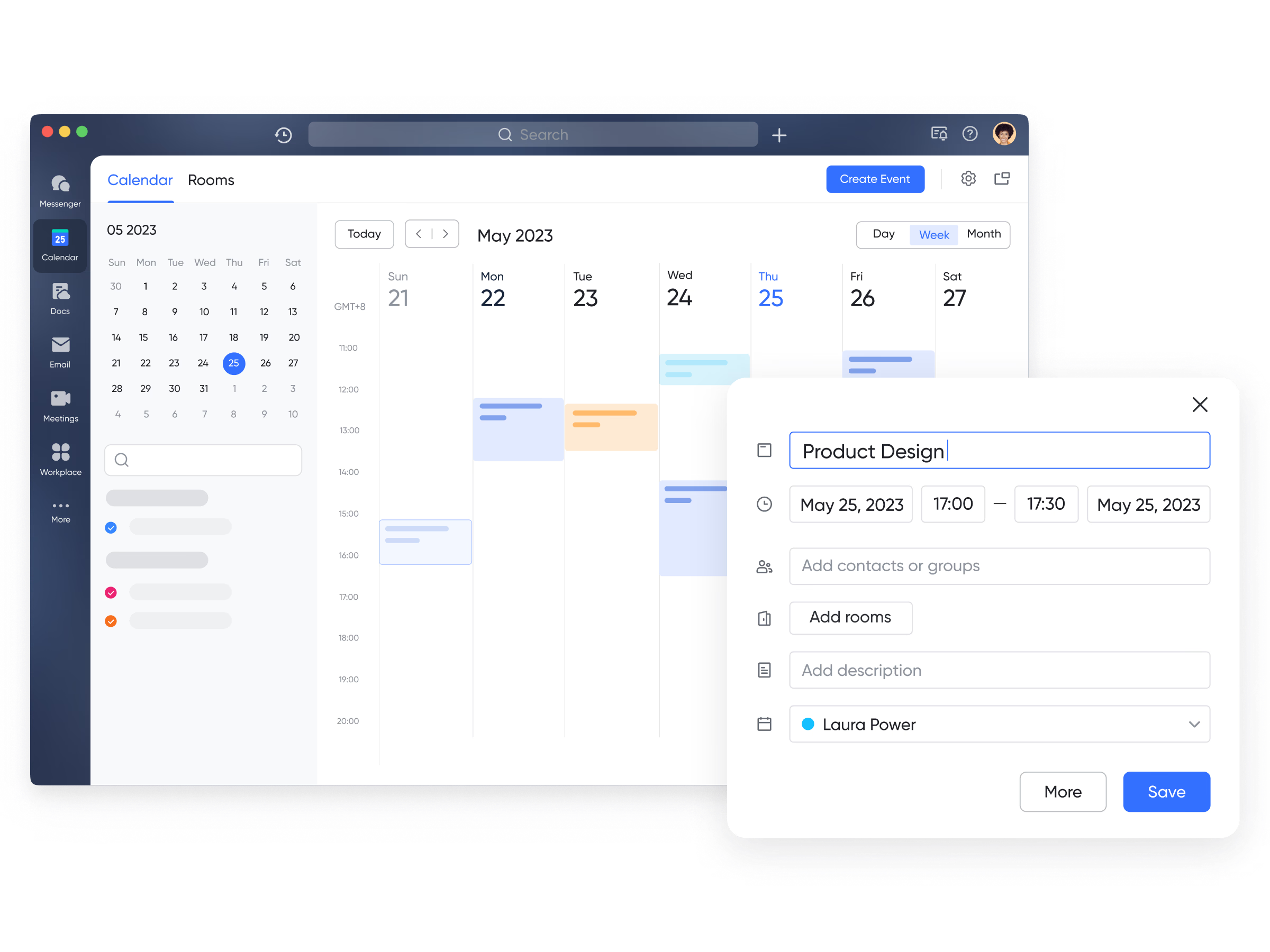
Lark Calendar automates recurring meetings, and reminders. It helps teams stay aligned by linking schedules with project milestones and task deadlines. This coordination keeps meetings consistent and ensures every stage of the workflow runs on time.
Lark Tasks: Lets you track progress and stay focused as work moves forward
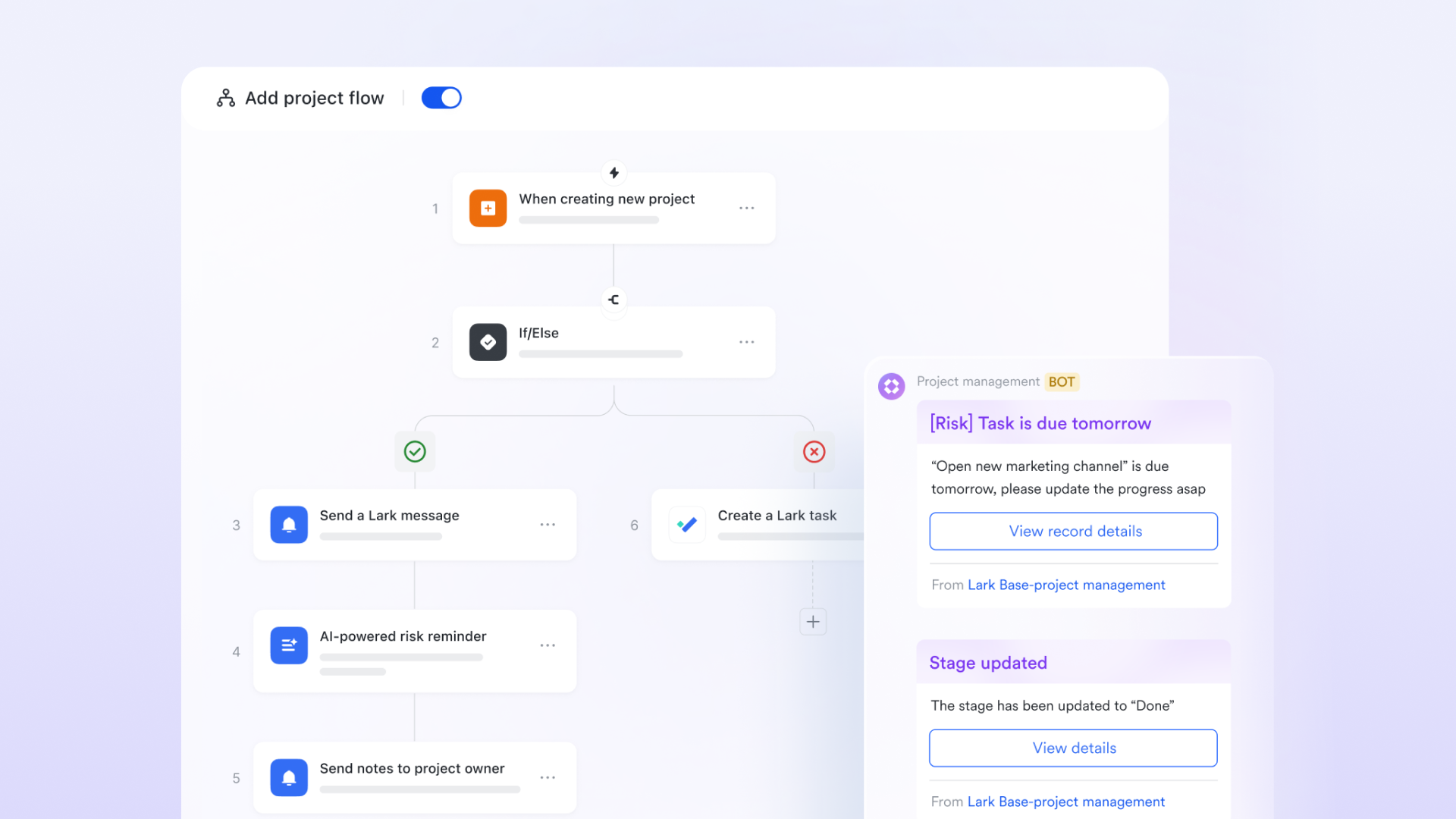
Tracking work progress is easier when status updates are automated. Lark Tasks connects individual assignments to broader workflows. When one stage of a process is marked complete, Lark’s automation flows can prompt the next assignee or create a follow-up task—ensuring a seamless handoff and continuous progress. Lark Tasks makes it easy to monitor completion rates, identify bottlenecks, and keep accountability visible to everyone involved.
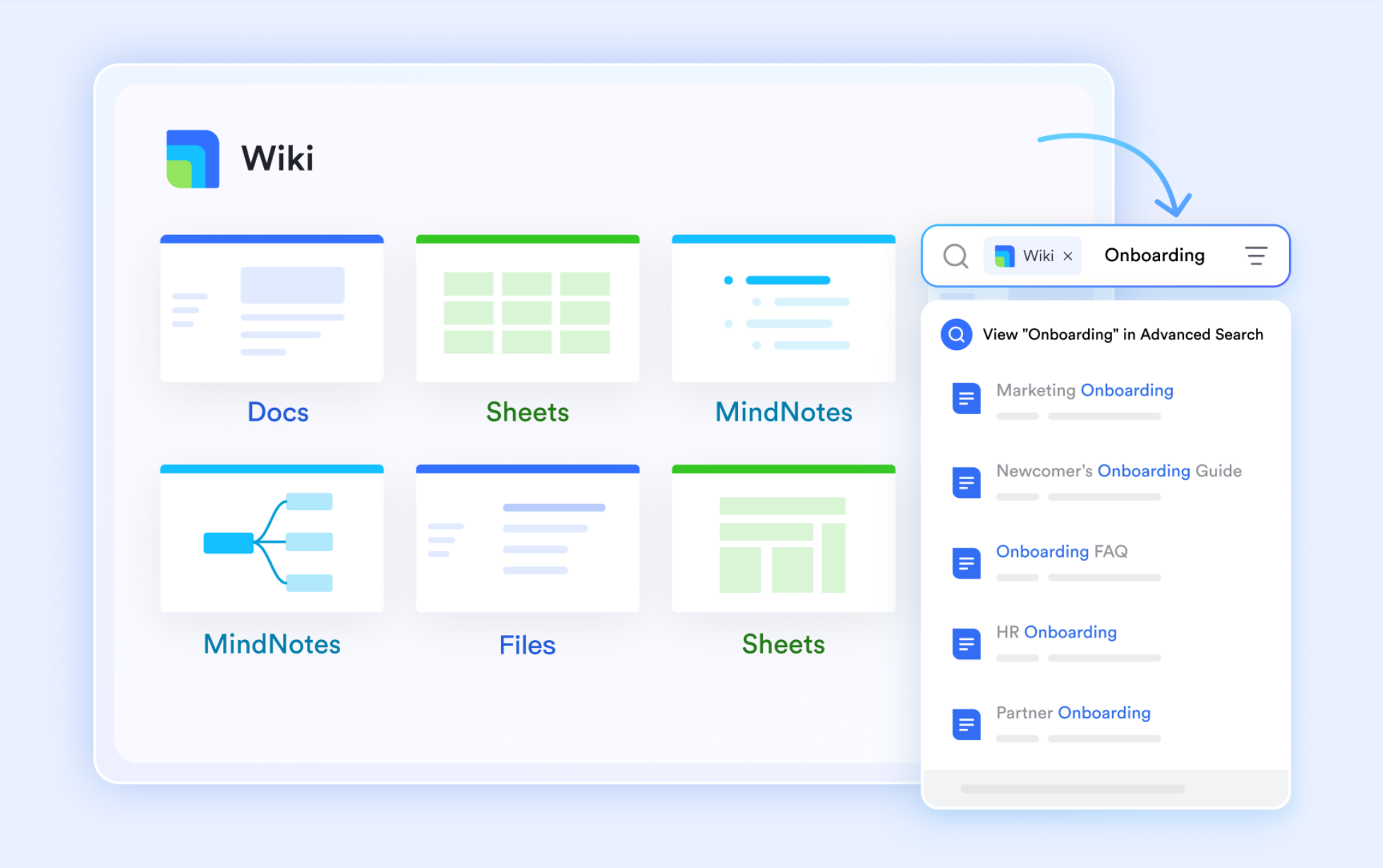
Lark Docs & Lark Wiki: Brings teams together to create, edit, and share documents in real time
Documentation is essential for clarity and continuity. Lark Docs and Lark Wiki provide living documents that evolve with your workflows. Automated versioning, change tracking, and linkable templates allow teams to maintain a single source of truth. Teams can automatically generate or update process documentation when new workflows go live, ensuring information stays accurate without constant manual editing.
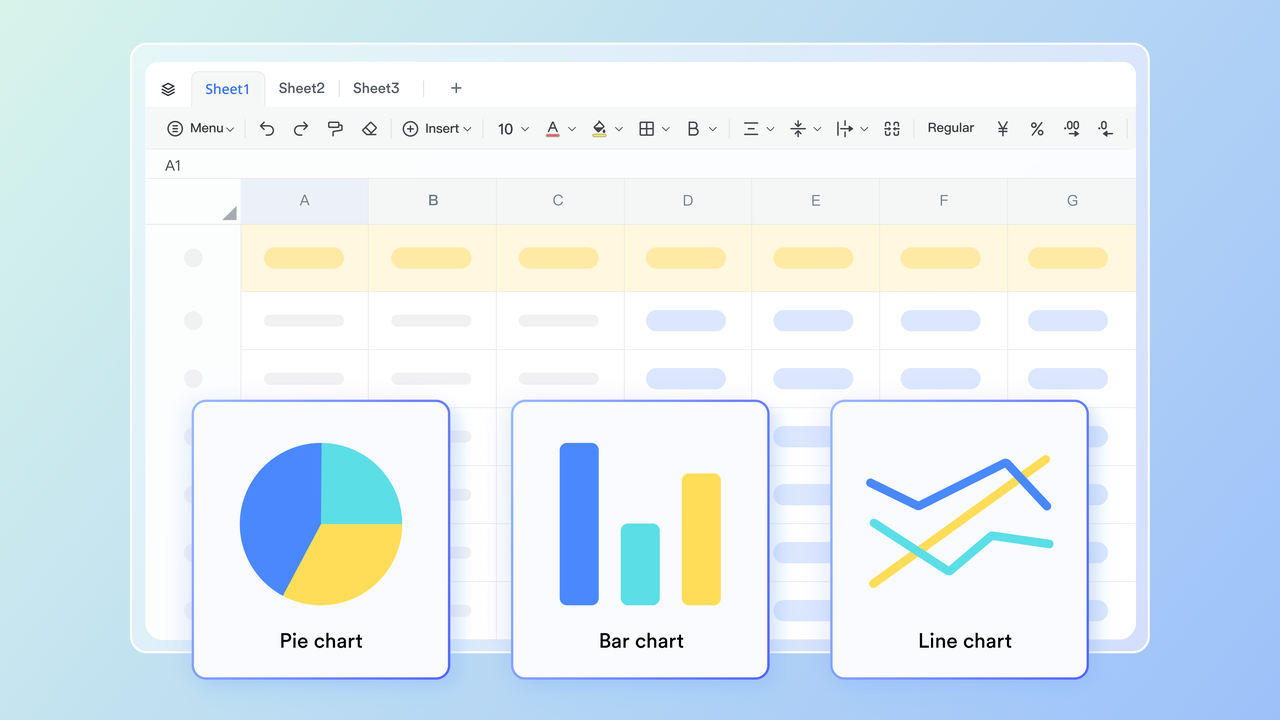
Lark Sheets: Updates your data automatically and keeps every number accurate
Data-driven teams benefit greatly from Lark Sheets. This tool supports automated data updates, cross-sheet synchronization, and connections with external data sources. When paired with automation flows, Sheets can calculate metrics, generate reports, and instantly share key figures with stakeholders. This eliminates repetitive data entry and keeps management informed with real-time business insights.
Lark Meetings: Turns discussions into actions with auto summaries and follow-ups
Lark Meetings goes beyond video conferencing by embedding automation directly into the meeting experience. After each meeting, the platform can generate summaries, capture next steps, and assign action items. These notes can sync with Lark Tasks or Docs, ensuring that follow-up happens seamlessly. This feature turns meetings into actionable outcomes instead of isolated discussions.

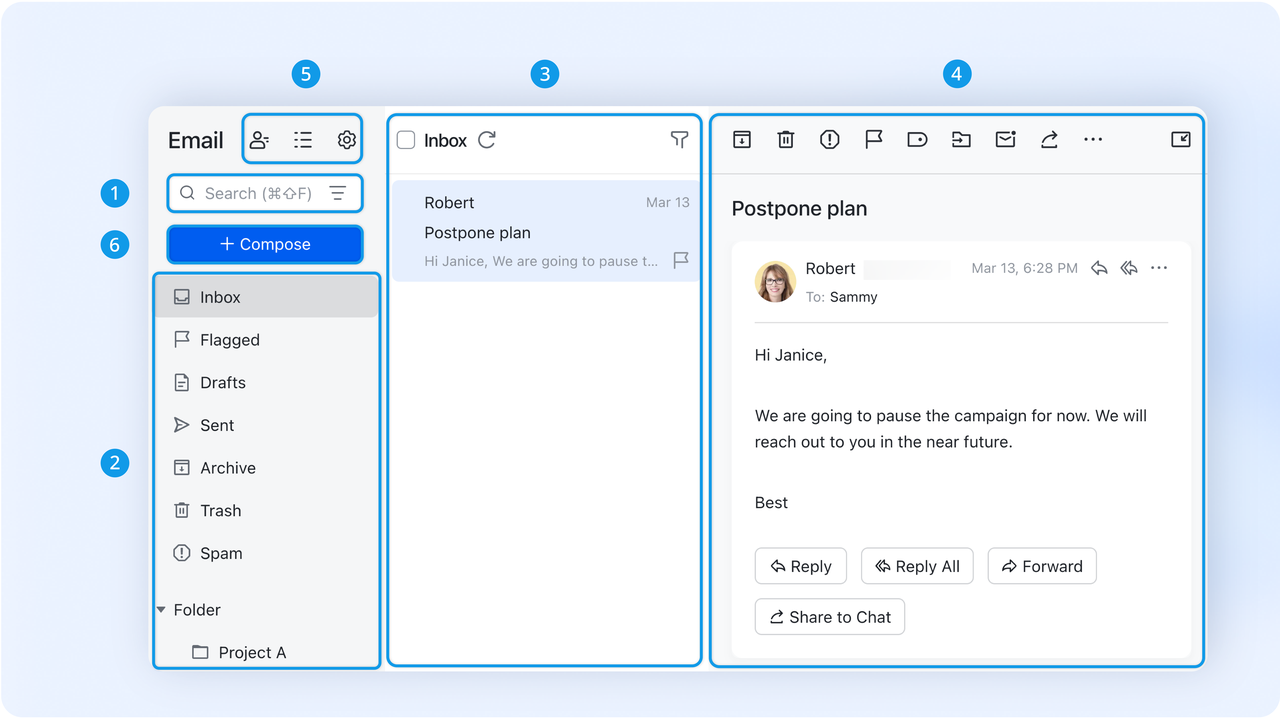
Lark Mail: Sorts and routes your emails so you never miss what matters
Managing communication through email can be time-consuming. Lark Mail's intelligent automation helps categorize, tag, and route messages based on pre-set conditions. Important emails can trigger reminders or be automatically forwarded to relevant teams. This reduces inbox clutter and ensures that key communications become part of actionable workflows rather than lost threads.
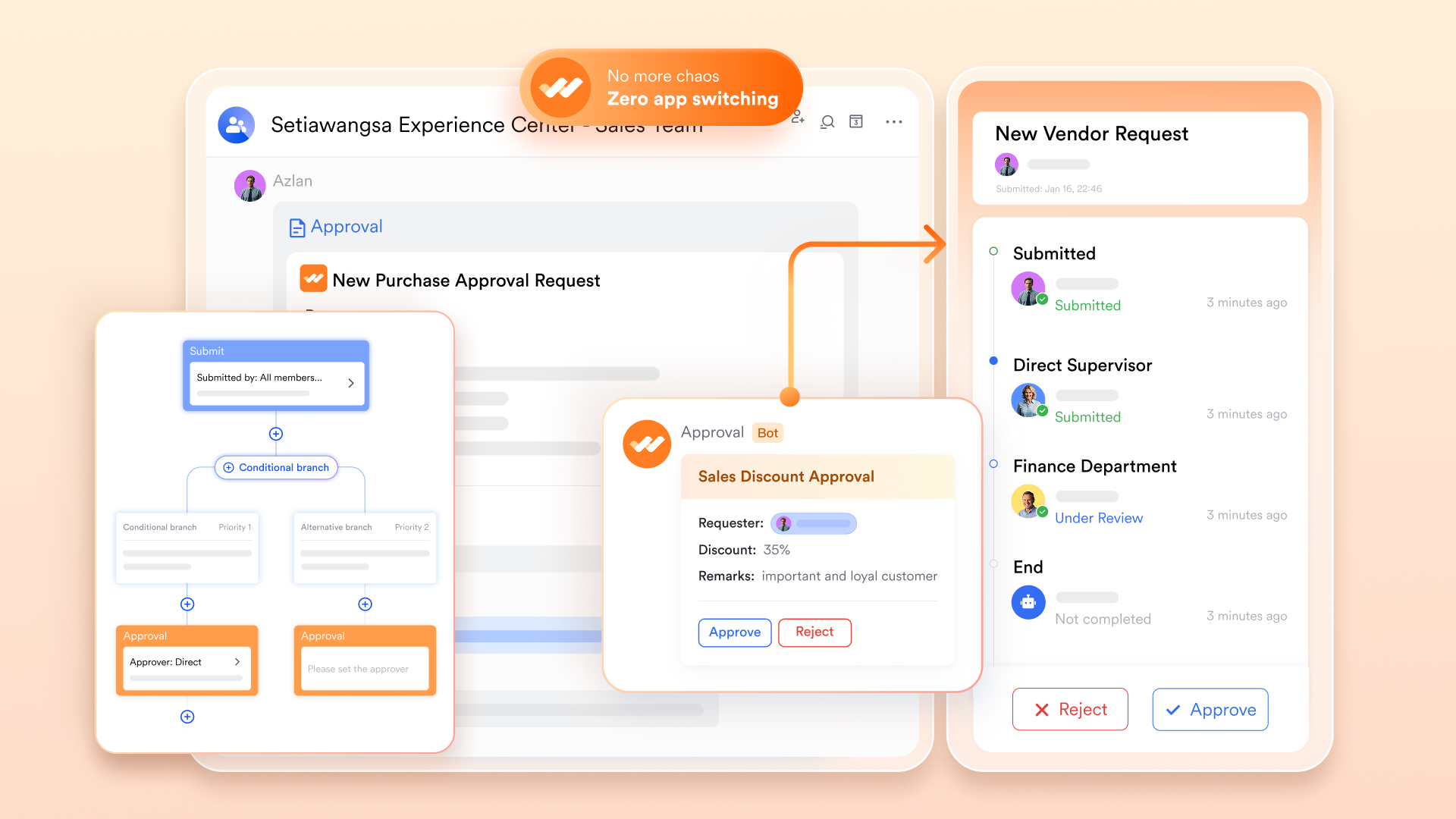
Lark Approval: Makes approvals faster and easier for every team and project
Approvals often create bottlenecks in business processes. Lark Approval simplifies this with customizable automation rules for routing requests to the right stakeholders. Conditional logic allows multi-level approvals without back-and-forth confusion. Notifications keep everyone updated, and completion triggers can initiate follow-up actions such as data entry or record updates. The result is a faster, clearer, and more accountable decision-making process.
- Starter plan: Free forever plan that includes 11 powerful tools for up to 20 users. It also comes with 100GB of storage, 1000 automation runs, AI translations, and more.
- Pro plan: $12/user/month (billed annually) for up to 500 users. It includes everything in Starter plus group calling for up to 500 attendees, 15TB of storage, 50,000 automation runs, and more.
- Enterprise plan: Contact sales for custom pricing. Supports unlimited users and includes even more automation runs and advanced security, compliance, and management features.
Benefits of process automation with Lark
The true value of process automation goes beyond efficiency—it transforms how teams collaborate and make decisions. Here's how Lark enhances those outcomes across every level of the organization.
- Improved operational efficiency: Automation in Lark minimizes repetitive work, allowing employees to focus on high-value tasks. Routine updates, reminders, and reporting happen automatically, ensuring smoother coordination and quicker turnaround times.
- Reduced manual errors: By relying on automated triggers and pre-defined workflows, Lark reduces the chances of human error in data entry or task execution. Teams can trust that every process runs consistently according to set rules.
- Faster decision-making: With approvals and notifications automated, managers get instant updates on what requires their attention. This shortens response times and empowers teams to act on insights rather than waiting for manual reviews.
- Real-time visibility into workflows: Lark's connected dashboards, Sheets, and Tasks make process performance transparent. Leaders can monitor progress, identify inefficiencies, and make adjustments proactively using live data.
- Better cross-team collaboration: By integrating automation within chat, docs, and project tools, Lark eliminates silos. Teams can coordinate seamlessly across departments while automation ensures information moves freely and accurately between them.
Conclusion
Automation is no longer an advantage reserved for large enterprises — it's a necessity for any organization aiming to stay agile and productive. From HR onboarding to financial approvals, automated processes empower teams to move faster and with greater accuracy.
Lark brings these benefits together in one connected platform, helping businesses simplify complex workflows without coding or external integrations. By adopting automation within communication, data management, and task tracking, companies can build a truly efficient workplace where collaboration and innovation thrive side by side.
FAQs
What is the difference between workflow automation and process automation?
Workflow automation focuses on streamlining a specific sequence of tasks within a team or department, like approving a document or sending reminders. Process automation, on the other hand, connects multiple workflows across departments to create an end-to-end system that manages larger business operations. In essence, workflow automation improves individual efficiency, while process automation enhances organizational performance. The two often work together to build scalable, consistent systems that require minimal manual intervention. With Lark, you can seamlessly combine both — managing interconnected workflows and processes within one unified platform.
How do I know which processes to automate first?
Start by identifying tasks that are repetitive, predictable, and consume significant time but add limited strategic value — such as approvals, follow-ups, and report generation. These are often low-risk areas where automation delivers quick results without disrupting daily operations. Once you see measurable time savings, expand automation into more complex cross-functional processes. The key is to begin small, analyze outcomes, and scale intelligently. Lark helps you do this with pre-built templates and intuitive tools that let you visualize, test, and optimize workflows easily.
Can small businesses benefit from process automation?
Absolutely. Small businesses often face resource constraints, making efficiency crucial for growth. Process automation can eliminate repetitive administrative work, improve customer response times, and create better operational consistency. Even without dedicated IT teams, small organizations can build automated workflows that connect tasks, communication, and data. Lark's no-code automation builder allows startups and small teams to implement sophisticated automations without technical expertise, helping them scale faster while staying organized.
Is coding required to create automated workflows in Lark?
No, coding is not required to create automations in Lark. The platform is designed to be accessible to everyone, offering a simple drag-and-drop interface to define triggers, actions, and conditions. You can set up automations for things like approvals, notifications, or data updates in just a few clicks. This eliminates the need for developer support or external software integrations. With Lark's intuitive no-code builder, anyone on your team can automate workflows quickly and confidently.
How does Lark compare with standalone automation tools?
Standalone automation tools typically focus on one specific function—like notifications or data sync—often requiring integrations with other systems to complete workflows. Lark takes a unified approach by combining communication, documentation, data management, and automation within a single workspace. This eliminates the need to switch between apps or rely on third-party connectors. The result is a smoother, more cohesive experience where all tools work together naturally. By using Lark, teams gain a connected ecosystem that simplifies automation and amplifies productivity.
Related reading
Table of contents
Start using Lark today

Manage all your work in one place
Boost team efficiency by 10x
Save up to 70% on software costs
Table of contents
Start using Lark today
Manage all your work in one place
Boost team efficiency by 10x
Save up to 70% on software costs
Keep reading






2026 Lark Technologies Pte. Ltd.
Headquartered in Singapore with offices worldwide.






Explore: