














Process vs Project Management: Which One Fits Your Team's Goals?

Ryan Tanner
Product Marketing Specialist
Sep 18, 2026
Ryan Tanner
Sep 18, 2026

22 min read


As organizations expand, distinguishing between process management and project management becomes both crucial and challenging. Teams often blur these concepts, confusing ongoing operational excellence with change-driven initiatives. The result? Misaligned goals, inefficiencies, and missed opportunities.
Understanding the distinction matters because it directly impacts how businesses scale, adapt, and deliver results. Processes bring structure and consistency; projects spark innovation and transformation. But when both operate in harmony, they form the foundation of agile, high-performing organizations.
In this guide, we'll break down the core differences between process management vs project management, how to decide which approach fits your goals, and how Lark empowers teams to manage both—seamlessly, within one unified workspace.

Defining process management
A process is the heartbeat of an organization—a structured, repeatable flow of work that ensures consistency and quality in operations. Think of it as the blueprint for how your team gets things done, day after day.
Process management, also known as business process management (BPM), focuses on designing, monitoring, and optimizing these recurring workflows. The goal isn't one-time success, but sustainable efficiency and continuous improvement.
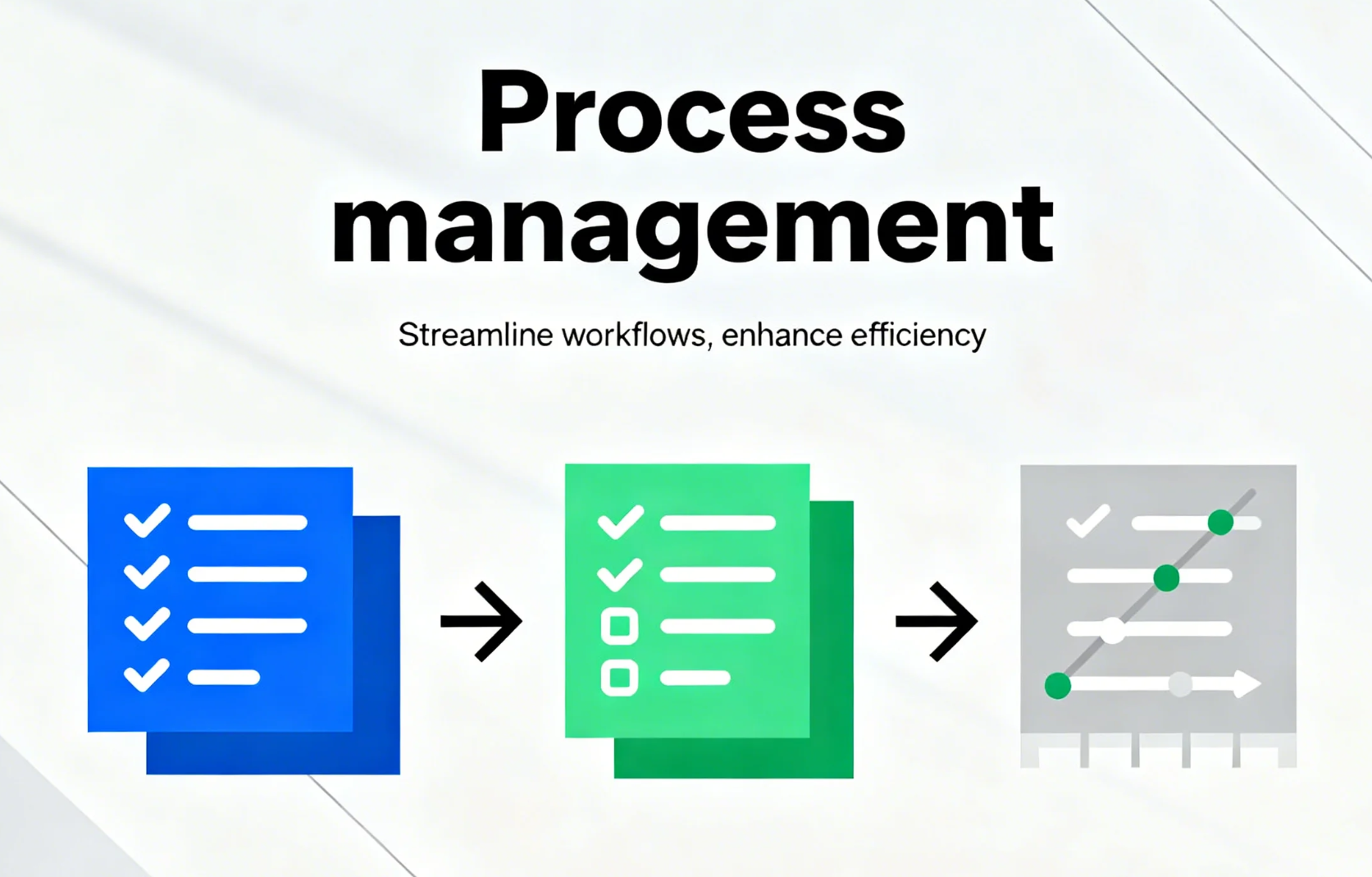
Image source: unsplash.com
A typical process management lifecycle includes five key phases:
- Design: Map the workflow—who does what, when, and how.
- Model: Simulate or document it for clarity.
- Execute: Put the process into motion across the team.
- Monitor: Track performance using defined metrics.
- Optimize: Refine for higher speed, lower errors, and better outcomes.
Examples of business processes include:
- Order-to-cash cycles in retail or finance
- Invoice approval and expense reimbursement workflows
- Employee onboarding and offboarding
- IT ticketing or support request handling
The beauty of process management lies in stability and scalability. When processes are well-defined, teams waste less time reinventing steps and more time improving them.
Defining project management
A project is, by nature, temporary. It's a time-bound initiative with a clear start, end, and specific deliverables. Projects introduce change—launching a new product, upgrading a system, or redesigning a process.
Project management ensures these one-off efforts are completed efficiently, within scope, budget, and timeline. It's about driving outcomes through planning, execution, and control.
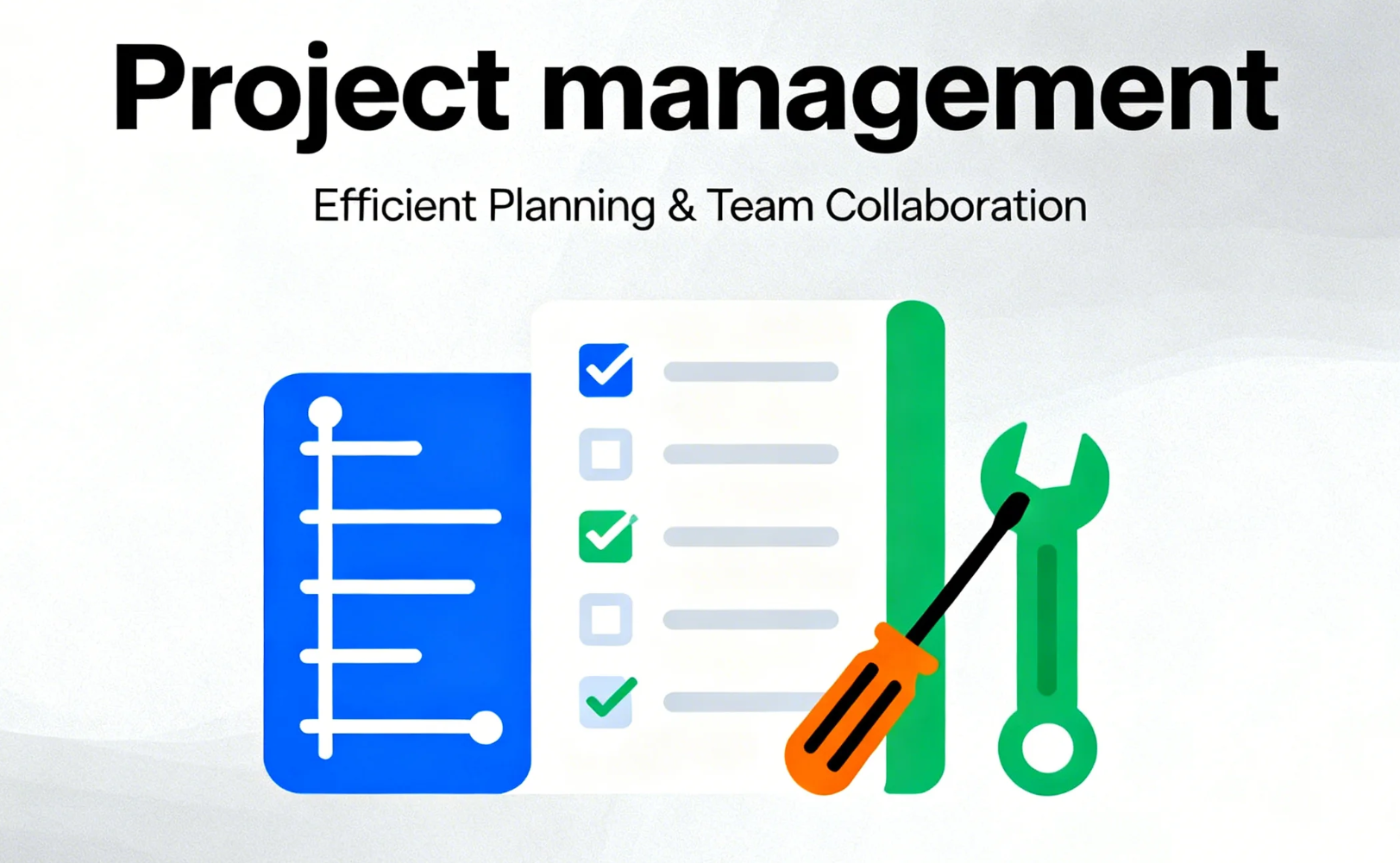
Image source: unsplash.com
Key phases of project management often include:
- Initiation: Define goals, scope, and stakeholders.
- Planning: Build a roadmap, set milestones, allocate resources.
- Execution: Carry out tasks, coordinate teams, communicate progress.
- Monitoring and Controlling: Track progress, manage risks, and adjust plans.
- Closure: Deliver results, evaluate success, and document lessons learned.
Typical project examples:
- Launching a new marketing campaign
- Implementing a CRM or ERP system
- Redesigning a customer onboarding process
- Expanding operations into a new market
While processes focus on consistency, projects focus on change. A project's success isn't measured by repeatability—it's about achieving transformation, innovation, or a defined result.
Process management vs project management: Key contrasts
Understanding the difference between process management and project management helps teams allocate the right tools, roles, and mindsets to the right objectives.
A project may create or modify a process, while a process may host project-like improvements within it. This interplay ensures organizations continuously evolve while maintaining operational reliability.
How Lark supports both process and project management
Managing processes and projects simultaneously requires visibility, coordination, and automation. Lark brings every layer of work—from modeling and execution to monitoring and reporting—into a single workspace, making it easy for teams to move from repetitive tasks to strategic outcomes. Each product plays a unique role in helping organizations streamline workflows while maintaining oversight and control.
Lark Base: Modeling processes and tracking projects
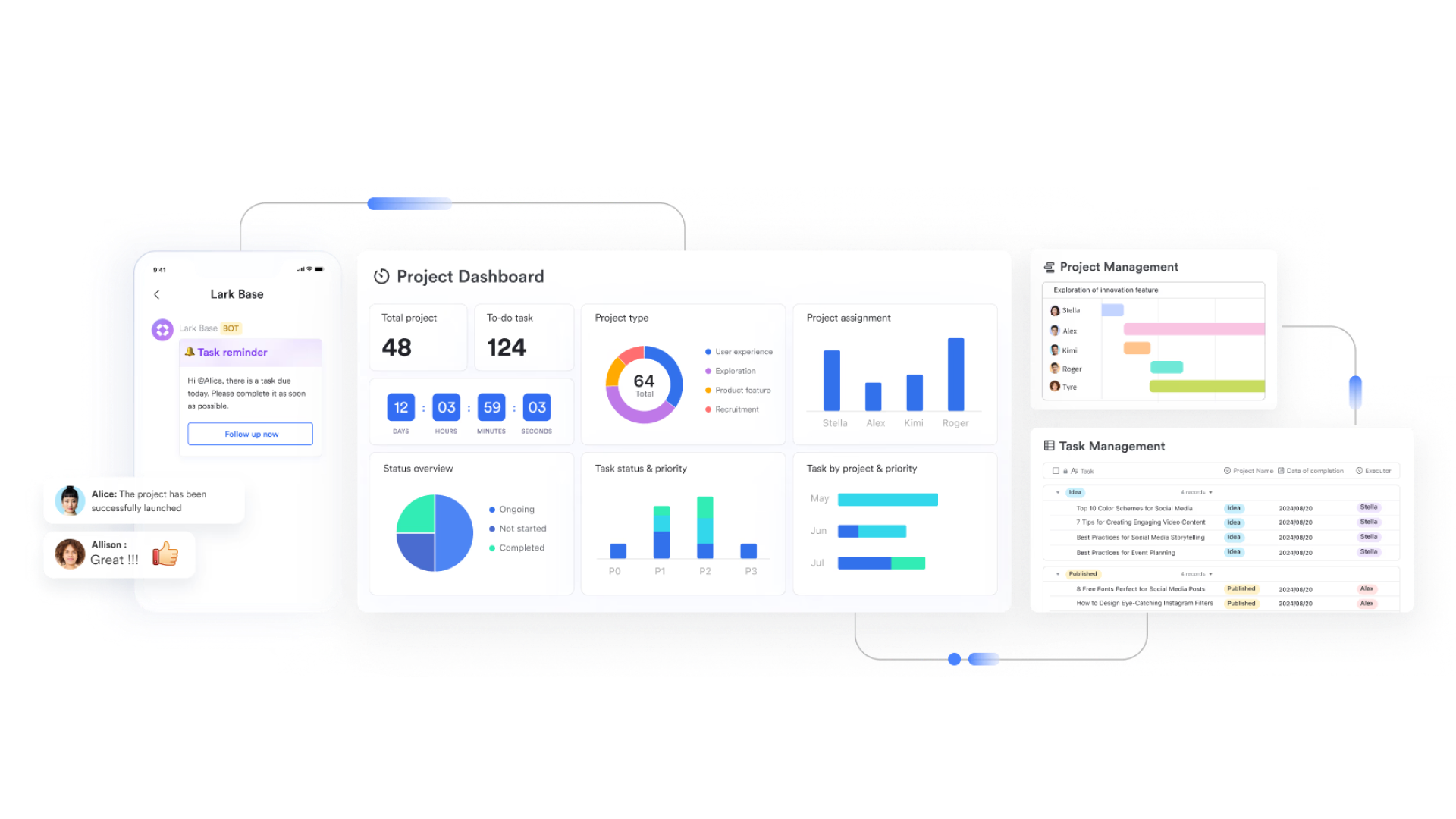
With Lark Base, teams can design structured workflows for ongoing processes or track multiple projects in dynamic tables.
- How it works: Build dynamic tables in Lark Base with fields such as Process Step, Owner, Timeline, Status, and Linked Project Goal. As team members update progress, the data automatically rolls up into real-time dashboards, giving managers a live snapshot of operational health — without manual tracking or spreadsheet chaos.
- Example: Automating a customer onboarding process while tracking a redesign project in the same Base table allows teams to see progress and dependencies in real time.
Lark Tasks & Workflows: Running recurring and project tasks
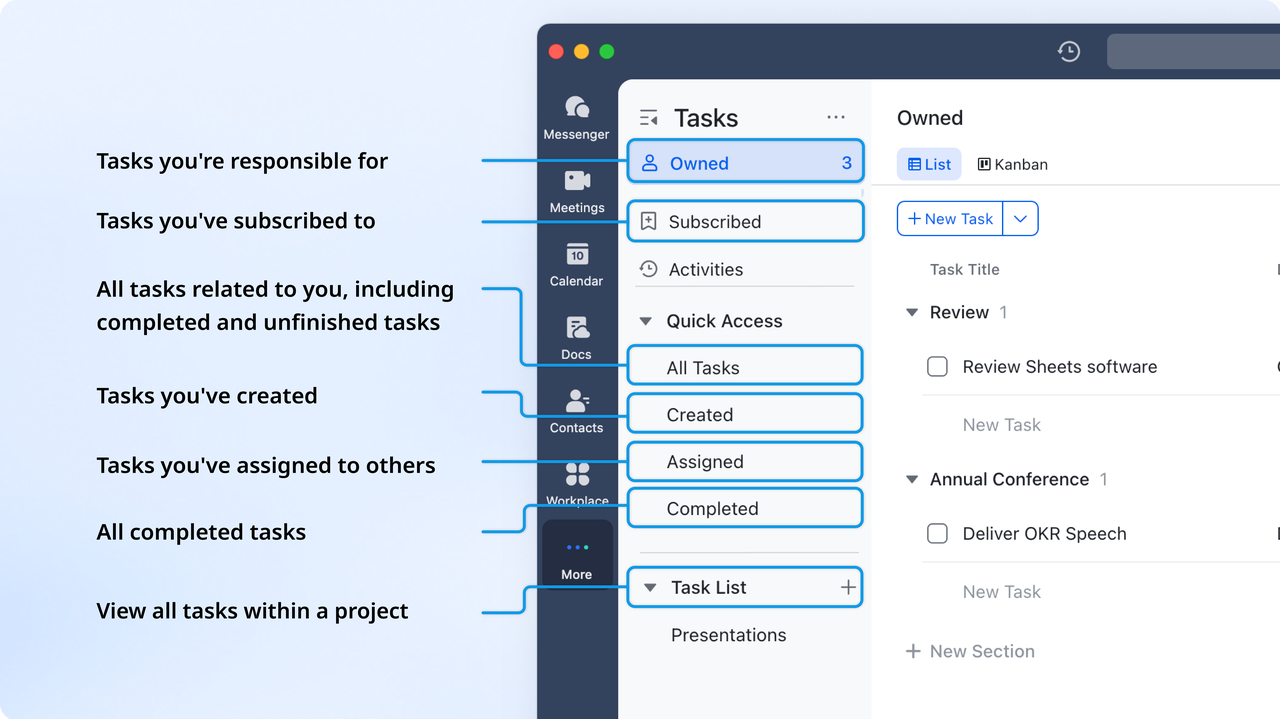
Lark Tasks ensures accountability by managing both recurring process tasks and unique project tasks.
- How it works: Assign tasks, set deadlines, and define priorities. Connect tasks to process steps or project milestones.
- Example: Track daily invoice approvals while managing a project to reduce onboarding time—both task types appear in a single dashboard.
- Additional features: Enable recurring tasks, use Kanban or list views, and link tasks to Base tables or OKRs..
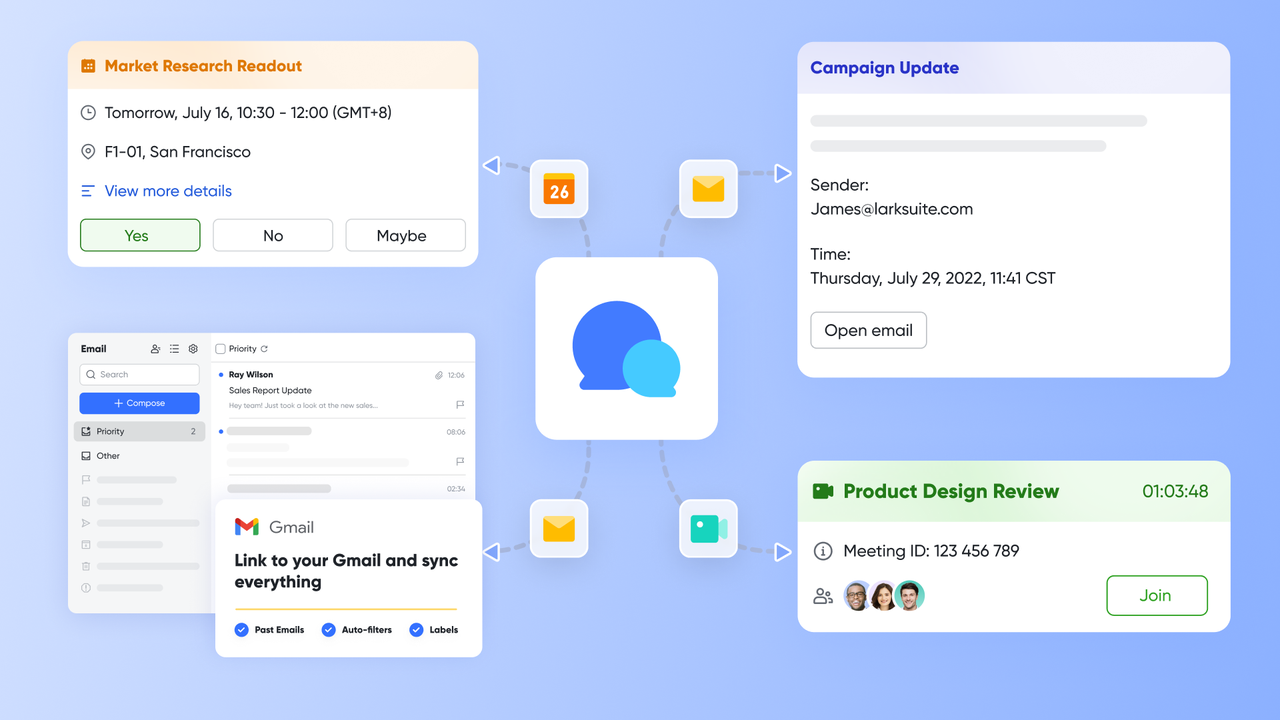
Lark Messenger, Calendar & Meetings: Coordinating across both domains
These project management tools keep teams connected, aligned, and productive. Lark Messenger enables instant communication, Lark Calendar tracks milestones, and Lark Meetings supports live collaboration. Together, they unify coordination for both process and project work.
- How it works: Teams chat in dedicated channels, schedule milestones, and hold meetings, all while sharing Docs or task updates.
- Example: During a process automation project, teams coordinate approvals in Messenger, schedule testing in Calendar, and review updates in Meetings—no tools switched.
- Additional features: Message for topic-specific discussions, shared calendars with milestones, and recording or auto-generating meeting notes.
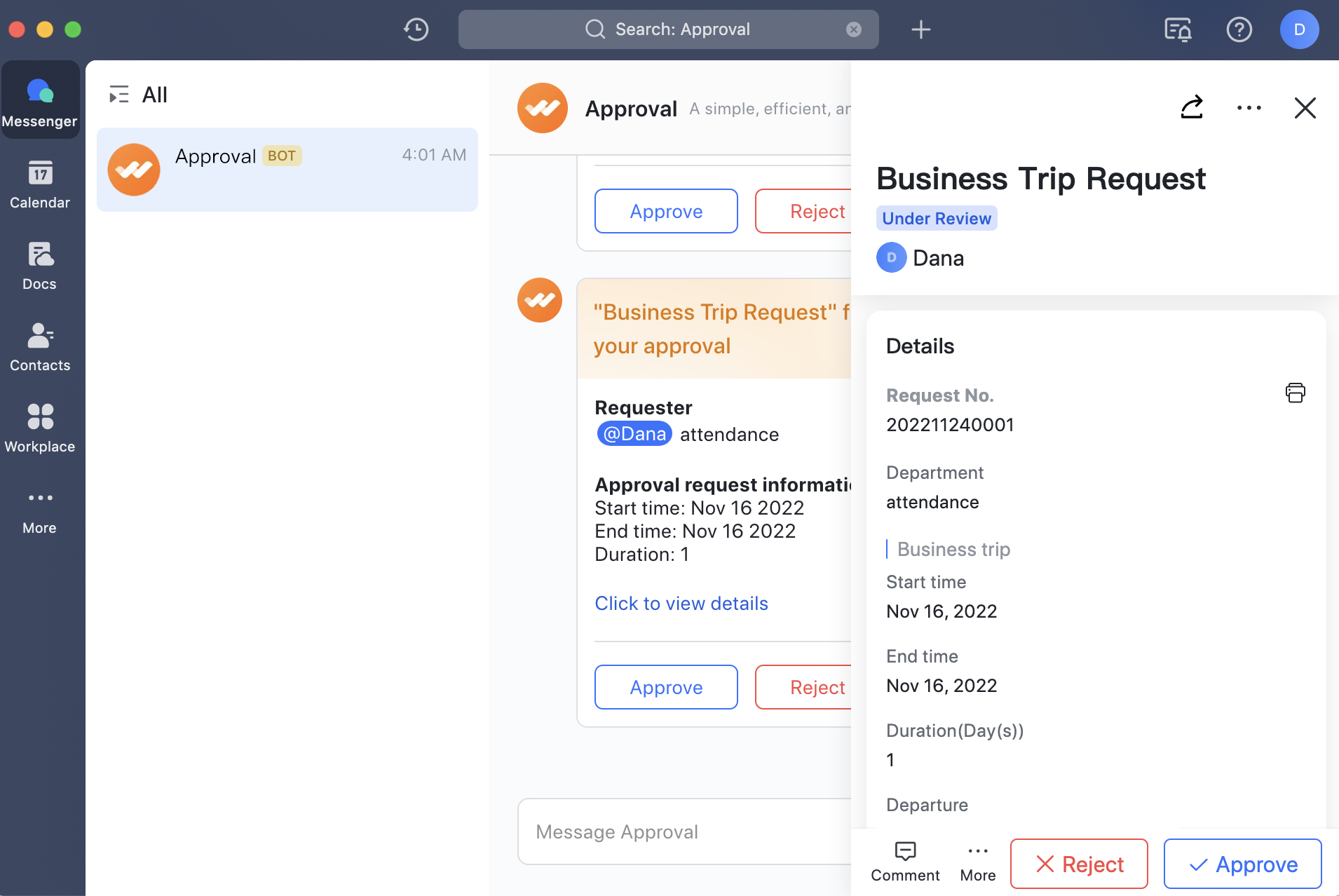
Approval: Triggering workflows automatically
Lark Approval reduces manual effort by automating process steps and approvals. Teams can design multi-step flows that run automatically based on conditions. This ensures efficiency, compliance, and faster decision-making.
- How it works: Auto-trigger process steps and approvals based on specific conditions.
- Example: When a document is submitted, Lark automatically moves it to the next process step and sends an approval request to the responsible manager.
- Additional features: Set multi-step approval chains, conditional logic, and track approvals for audit readiness.
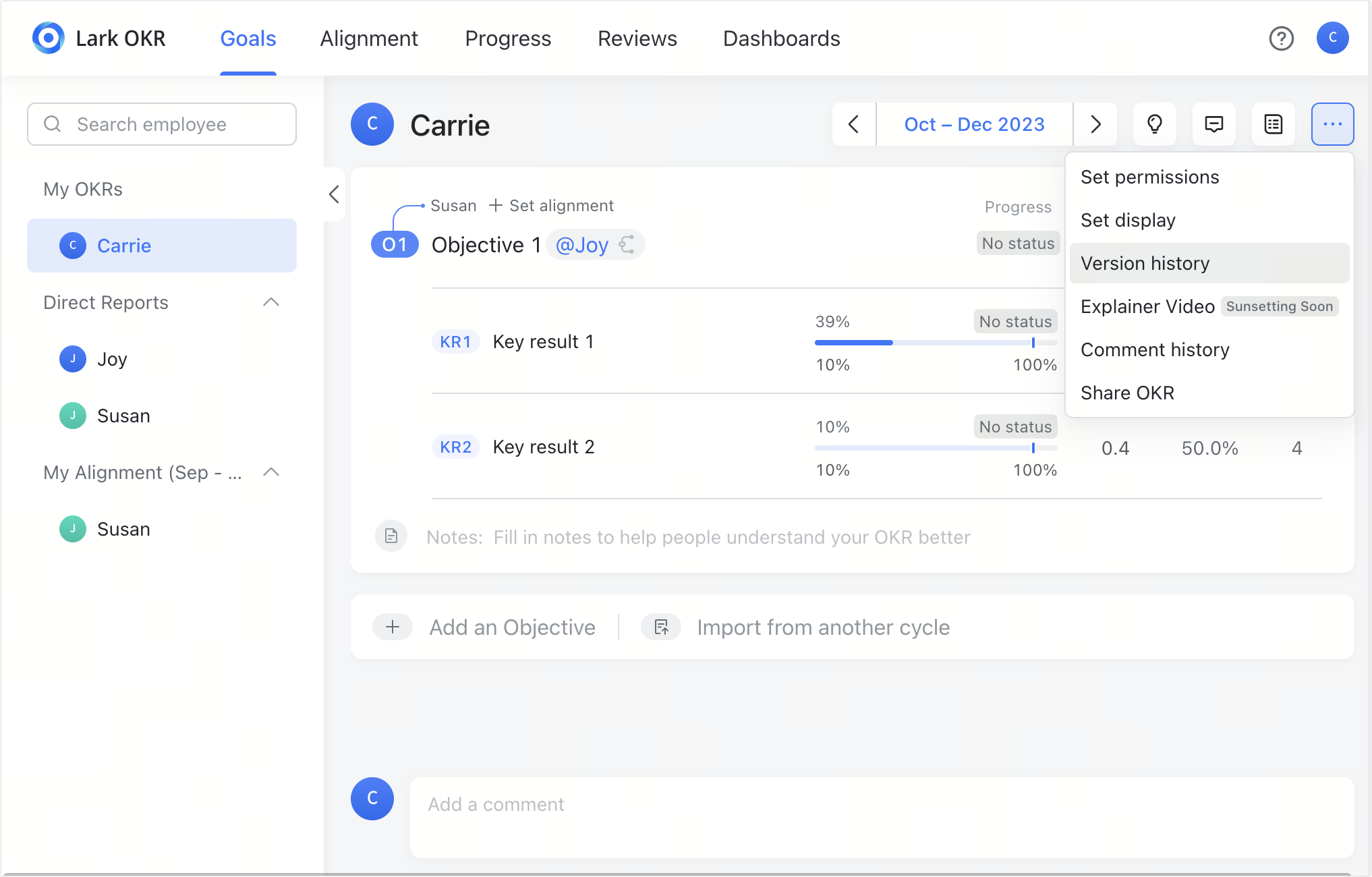
Lark OKR: Connecting outputs to strategic goals
Lark OKR aligns daily work and project outcomes with organizational strategy. Progress on processes and projects rolls up to measurable objectives. Teams can visualize goal achievement and ensure work drives meaningful results.
- How it works: Set OKRs for teams and individuals to align process or project goals with broader organizational objectives; progress from each OKR contributes to overall company outcomes.
- Example: Track how onboarding process improvement contributes to customer satisfaction KPIs and strategic growth objectives.
- Additional features: Visualize progress, align individual OKRs with company-level outcomes, and automate goal reminders.
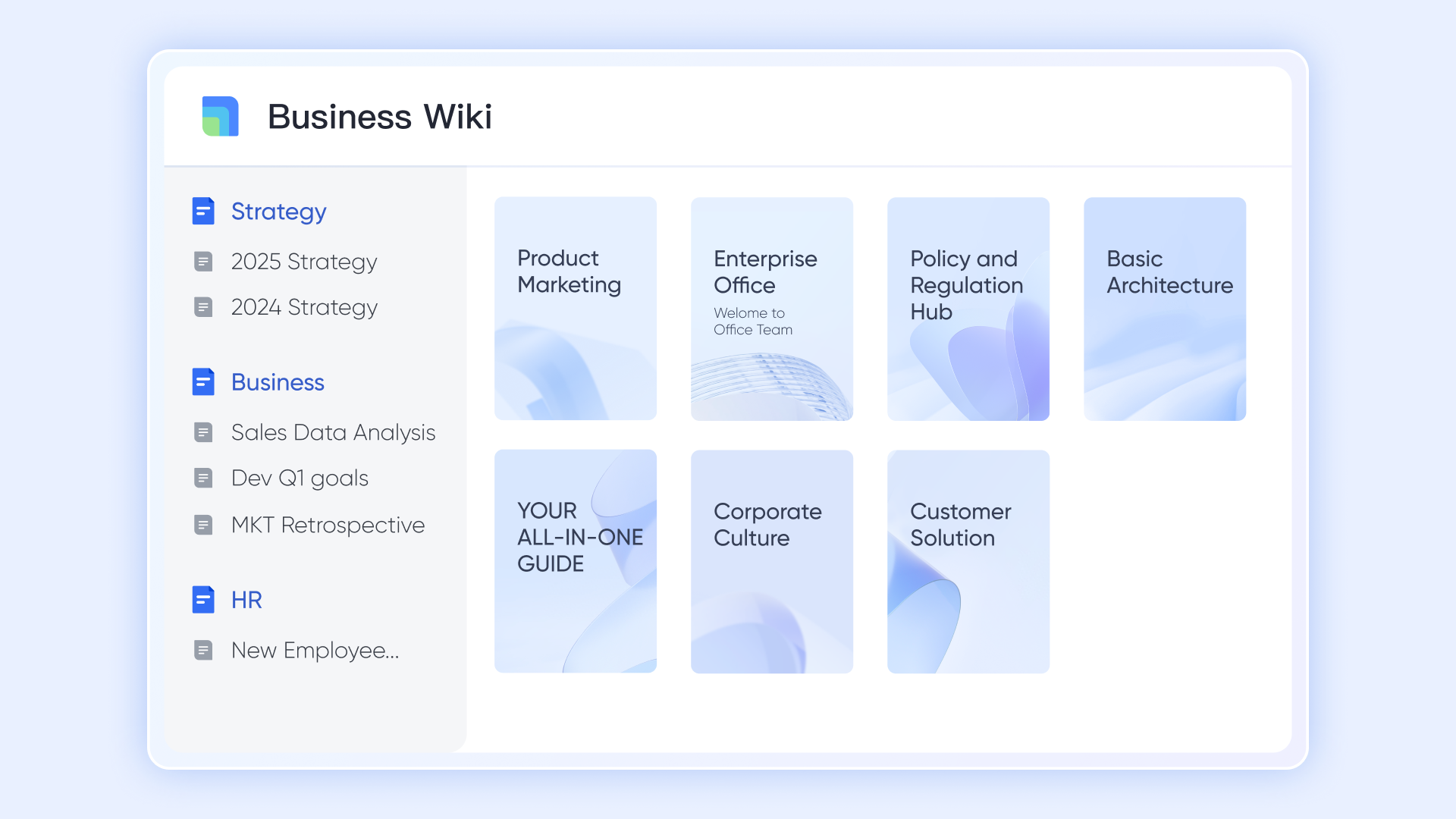
Lark Docs / Wiki: Documenting SOPs and project plans
Lark Docs and Wiki centralize knowledge and governance for processes and projects. Teams can create SOPs, project plans, and lessons learned in searchable, shareable spaces. Version history and live data ensure accuracy and context.
- How it works: Document SOPs, process steps, project plans, and lessons learned. Use Wiki spaces for easy search and sharing.
- Example: After completing an onboarding optimization project, teams document the new process in Wiki for continuous use.
- Additional features: Version history, live data embedding, and integration with Tasks or Meetings for context.
- Starter plan: Free forever plan that includes 11 powerful tools for up to 20 users. It also comes with 100GB of storage, 1000 automation runs, AI translations, and more.
- Pro plan: $12/user/month (billed annually) for up to 500 users. It includes everything in Starter plus group calling for up to 500 attendees, 15TB of storage, 50,000 automation runs, and more.
- Enterprise plan: Contact sales for custom pricing. Supports unlimited users and includes even more automation runs and advanced security, compliance, and management features.
Example use case: automating customer onboarding
The process
Customer onboarding involves a repeatable series of steps:
- Collecting documents
- Verifying identity
- Activating accounts
- Sending welcome emails
These steps repeat every time a new customer joins—making them ideal for process management.
The project
However, the team realizes onboarding takes too long—five days on average.
They launch a project to redesign and automate it with Lark Base and Lark Workflows, aiming to cut time to two days.
- The project manager coordinates design, automation, and testing.
- The process owner ensures new flows comply with policies.
- Once the project succeeds, the new automated workflow becomes part of the routine process management.
When to use process management vs project management
Both approaches are essential. The key is knowing when to apply each:
- Use process management when dealing with repetitive, stable functions that need optimization—like HR onboarding, order approvals, or helpdesk operations.
- Use project management when launching new initiatives or implementing significant changes, such as system migrations or new product rollouts.
Hybrid scenarios
Some initiatives start as projects but evolve into processes:
- A project to develop an automated approval system becomes a process once it's running daily.
- A process improvement project may transition into ongoing process monitoring and optimization.
The line between the two often depends on:
- Organizational maturity: Are workflows documented and standardized?
- Change appetite: Is the team ready for transformation or better suited to refine existing workflows?
- Resource flexibility: Can you sustain one-time projects alongside core operations?
Action in real life: Best practices & pitfalls
The real challenge in mastering process management vs project management isn't just understanding their differences. It's knowing how to make them work together smoothly. These best practices help teams maintain stability while driving change, avoiding common traps that slow growth and execution.
- Ensure clear hand-off between project and process phases: When a project ends, its deliverables often become part of a repeatable process. Without a structured hand-off, valuable learnings and improvements can get lost. Clearly defining ownership, documentation, and follow-up ensures the project's outcomes live on through sustained process performance.
- Avoid over-automating immature processes: Automation should amplify efficiency, not chaos. If a process is poorly designed or inconsistent, automating it only magnifies the flaws. Before introducing automation tools or workflows, refine and stabilize your process through proper design, testing, and iteration.
- Involve process owners early in project planning: Project managers drive change, but process owners understand operational reality. Involving them from the start ensures alignment between transformation goals and day-to-day execution. Their insights help anticipate risks, maintain compliance, and ensure the new process runs smoothly after project completion.
- Monitor both process KPIs and project deliverables: Balancing process management vs project management means tracking performance on both sides—the ongoing and the finite. While process KPIs focus on speed, accuracy, and quality, project deliverables measure timelines and scope. Monitoring both ensures you achieve efficiency without sacrificing innovation.
- Beware scope creep in projects that aim to "optimize everything": Ambitious teams often expand project goals midstream, trying to fix every related issue at once. This "scope creep" drains resources and delays outcomes. Define clear success criteria upfront, stay disciplined, and channel broader optimizations into future process improvement cycles instead.
Conclusion
While they serve distinct roles, process management and project management complement each other as two sides of the same coin. Process management delivers stability, consistency, and scalability—the structure that keeps operations running smoothly. Project management, on the other hand, fuels agility, innovation, and transformation.
Together, they form the foundation of modern business success, ensuring organizations operate efficiently while continually evolving. With Lark, you don't have to choose between them—the platform unites both disciplines in one intelligent workspace, empowering teams to design, execute, and optimize every workflow from routine tasks to transformative initiatives.
FAQs
Can a process have a start and end like a project?
Processes typically repeat continuously, unlike projects, which have defined start and end points. However, a process can have phases or milestones, such as onboarding steps or monthly reporting cycles, giving it structured checkpoints without being a one-time initiative.
What is the role of process owners vs project managers?
Process owners focus on operational efficiency, consistency, and continuous improvement. Project managers drive temporary initiatives and changes, ensuring deliverables are completed on time and within scope. Both roles collaborate to align transformation projects with ongoing operations.
How do you move from a project to a process?
After a project delivers a new system, workflow, or improvement, document the steps, assign ownership, and establish performance metrics. This transition turns a one-time initiative into a repeatable, sustainable process.
How often should processes be reviewed/updated?
Processes should be reviewed regularly—at least quarterly or after major projects—to ensure efficiency, compliance, and alignment with evolving business goals. Monitoring KPIs helps identify optimization opportunities continuously.
Can Lark automate recurring process tasks?
Yes. Lark Workflows, Automation, and Approvals can trigger recurring tasks automatically, streamline approvals, and reduce manual effort, allowing teams to focus on strategic priorities while maintaining consistent operations.
Related reading
Table of contents
Start using Lark today

Manage all your work in one place
Boost team efficiency by 10x
Save up to 70% on software costs
Table of contents
Start using Lark today
Manage all your work in one place
Boost team efficiency by 10x
Save up to 70% on software costs
Keep reading







2026 Lark Technologies Pte. Ltd.
Headquartered in Singapore with offices worldwide.






Explore: