














The Ultimate Guide to Project Collaboration Tools

Fecilia Clarke
Solutions Marketing Specialist
Sep 18, 2026
Fecilia Clarke
Sep 18, 2026

16 min read


Managing projects has become incredibly complex. Information is scattered across emails, various documents, and endless chat threads. For any form of team collaboration to succeed, every team member needs to be on the same page, but that’s easier said than done. If you've ever felt the frustration of a missed deadline because key information was lost, you know the challenge. This is the modern reality of collaborative work, but it doesn’t have to be a struggle. The right collaboration software can make all the difference.
Project collaboration tools are designed to solve this very chaos. They act as a central hub, a single source of truth that brings your team's communication, tasks, and knowledge together in one organized space. But with so many options, how do you choose the right collaboration tools? In this guide, we'll walk you through everything you need to know. We'll explore the core benefits, what essential features to look for, and how to select the perfect fit. To make it even easier, we'll provide a clear comparison of the top options available, empowering you to make a confident and informed decision.
Key takeaways: Best project collaboration tools in 2026
- Lark: The all-in-one suite that unifies chat, docs, and workflows
- Asana: A collaboration tool with project management capabilities
- Trello: A simple and visual collaboration tool for organizing projects on Kanban boards
- ClickUp: The customizable "one app to replace them all" for any workflow
- Monday.com: A visual Work OS for creating custom workflows and apps
- Slack: The channel-based messaging hub for team communication and integration
- Microsoft Teams: The collaboration hub for teams invested in the Microsoft 365 ecosystem
- Basecamp: The straightforward, all-in-one workspace for simple project collaboration
- Confluence: A team workspace for creating and organizing knowledge and documentation
- Wrike: A versatile work management platform for enterprise teams with complex projects
The 10 best project collaboration tools for modern teams
We've reviewed the market and selected the 15 best project collaboration tools that can help transform your workflow. Each platform has unique strengths and project management capabilities. Some excel as a dedicated project management app, while others offer a broader suite of features. In this section, we'll provide a clear overview of each one, highlighting its key project management features and pricing structure to help you find the perfect match.
1. Lark: The all-in-one suite that unifies chat, docs, and workflows
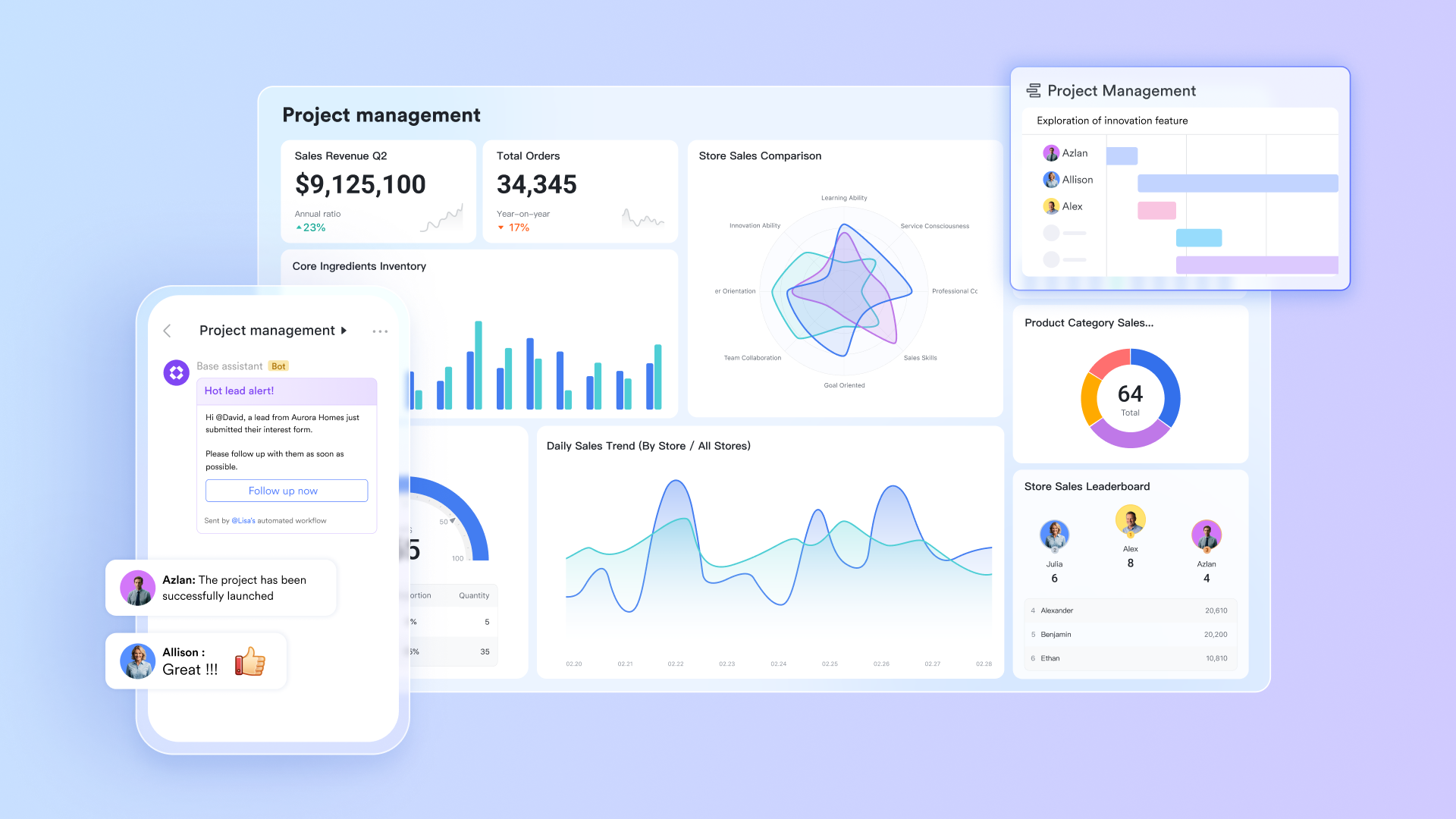
Overview: Lark is a next-generation, all-in-one collaboration software that redefines how teams work. It seamlessly unifies chat, video meetings, calendar, documents, and workflow automation into a single, intuitive application, available as both desktop apps and mobile apps. By using its powerful built-in chat as the central nervous system for all work, Lark eliminates app switching and keeps all project communication, tasks, and knowledge perfectly in context, making it ideal for managing projects of any size.
Key features
Powerful task management: Lark contains robust task management features and streamlined workflows. You can instantly create tasks from any conversation, assign tasks to specific team members, set due dates, and track tasks all the way to completion. This system ensures that action items are never lost and provides clear visibility, helping keep all your team's tasks organized and on schedule.
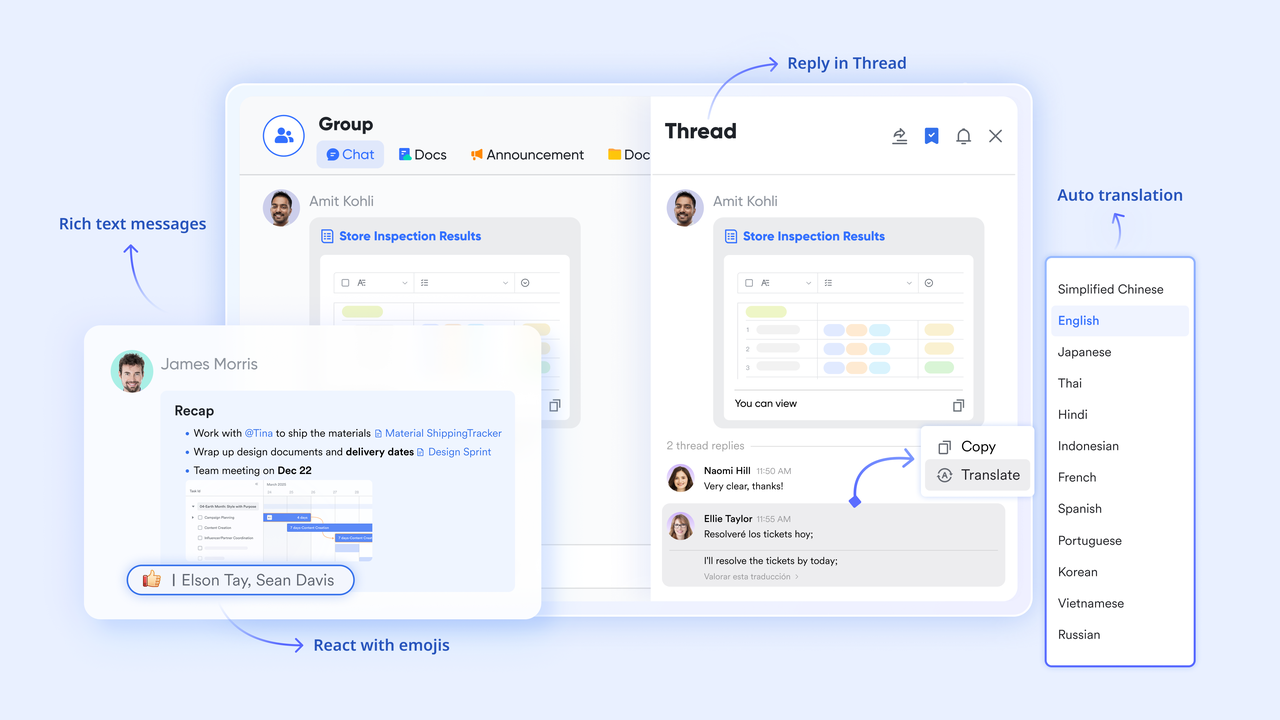
Seamless instant messenger: Lark Messenger, a powerful built-in chat, serves as the command center for all team communication. More than just a simple team chat, it allows you to create channels to organize conversations by project or topic, use threaded replies to keep discussions focused, and ensure every chat message is contextual and searchable. This facilitates clear and efficient communication for teams of any size.
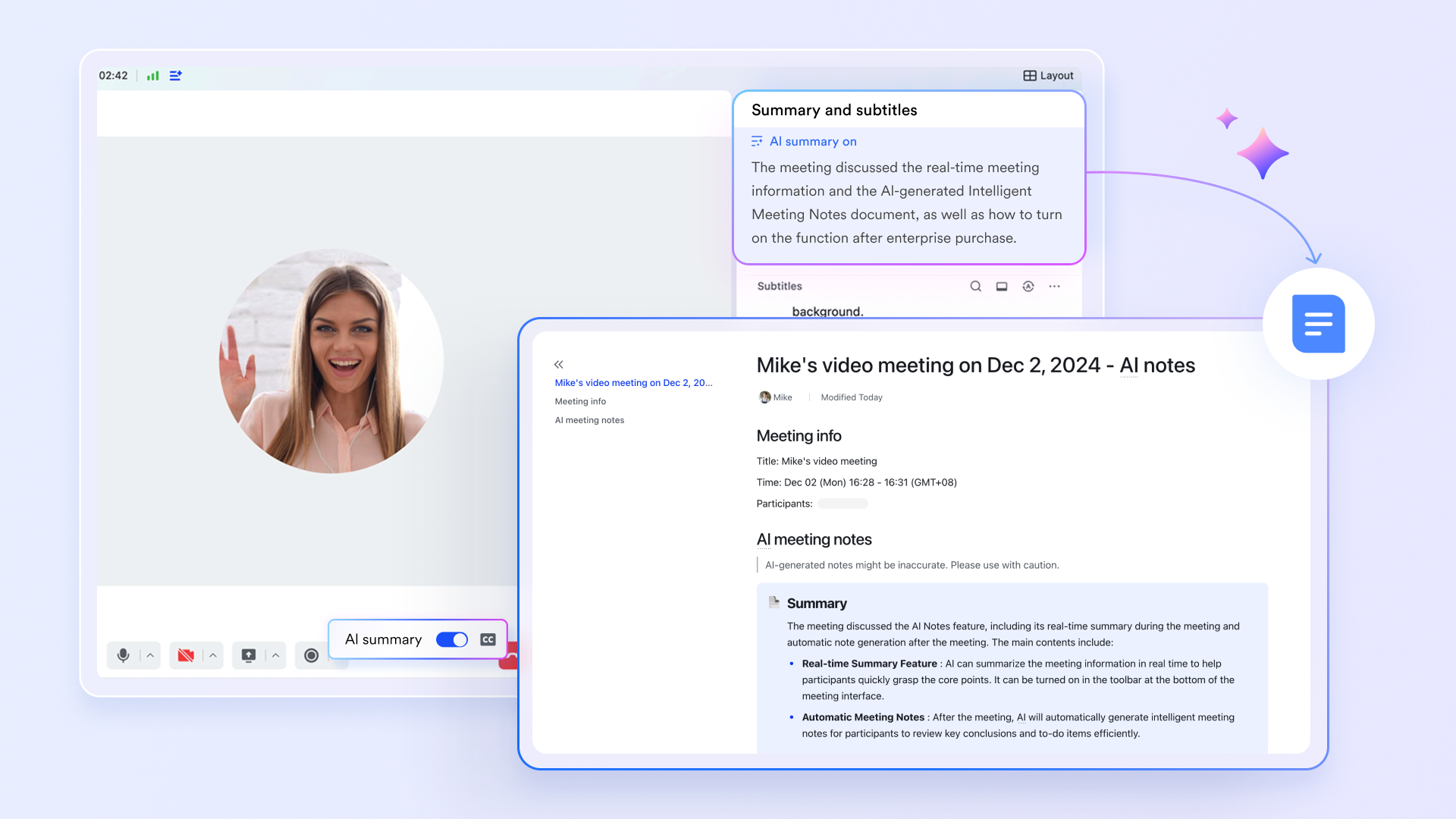
AI-powered meeting notes: Lark transforms video conferencing with its intelligent AI assistant. During any meeting, Lark can automatically transcribe the conversation in real-time, generate concise summaries, and pull out clear action items. This ensures that every meeting is productive, allows attendees to focus on the discussion rather than on taking notes, and creates a searchable record of all decisions made.
Advanced document collaboration: Lark's Docs and Sheets enable exceptional real-time document collaboration. Teams can co-edit project plans and reports simultaneously, leave comments, and track changes with a detailed version history. You can embed rich content directly within a document, creating a dynamic single source of truth that keeps everyone on the same page.
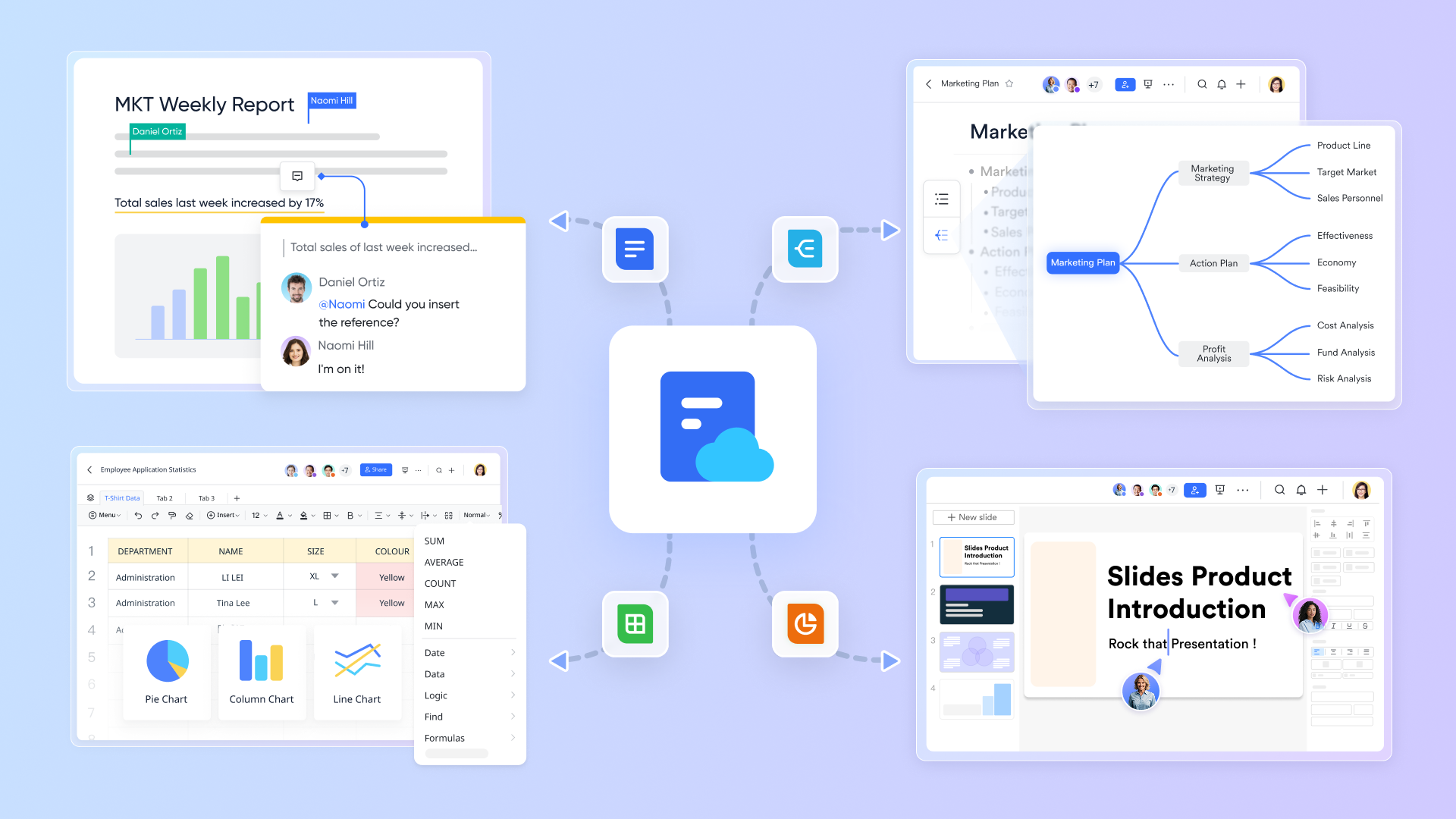
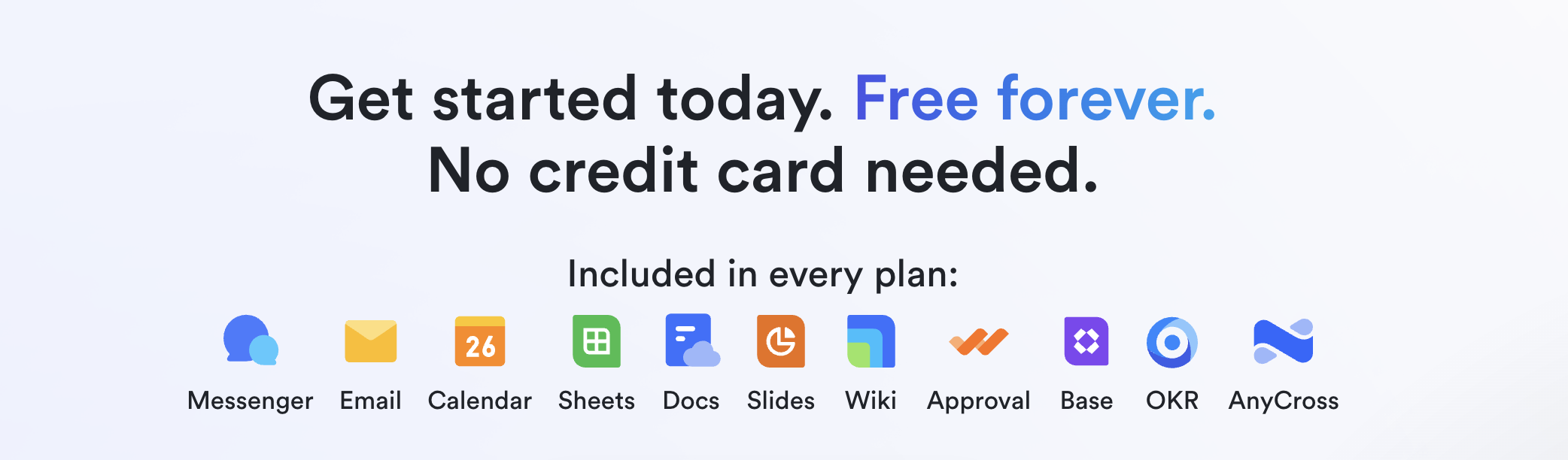
A true all-in-one suite: Unlike solutions that require you to purchase and integrate multiple different apps, Lark is a genuine all-in-one suite. It combines Messenger, Tasks, Calendar, Meetings, Docs, and Base (for custom workflows) into one cohesive application. This not only simplifies team collaboration process and eliminates project information silos but also reduces costs and streamlines IT management for your entire organization.
Pricing:
- Free plan: Includes 11 powerful products, supporting up to 20 users, 100 GB storage, 1,000 automation runs and unlimited AI translation in chats, docs and email.
- Basic plan: $6/user/month (billed annually) for up to 500 users. Includes everything in Starter plan plus unlimited message history, 1-on-1 video meetings and 5TB storage. ( Need to contact sales to learn more about this plan. )
- Pro plan: $12/user/month (billed annually) for up to 500 users. Includes everything in Basic plan plus group calling for up to 500 attendees, 15TB of storage space, 50,000 automation runs, and more.
- Enterprise plan: Custom pricing. Supports unlimited users and includes even more automation runs and advanced security, compliance, and management features.

2. Asana: A collaboration tool with project management capabilities
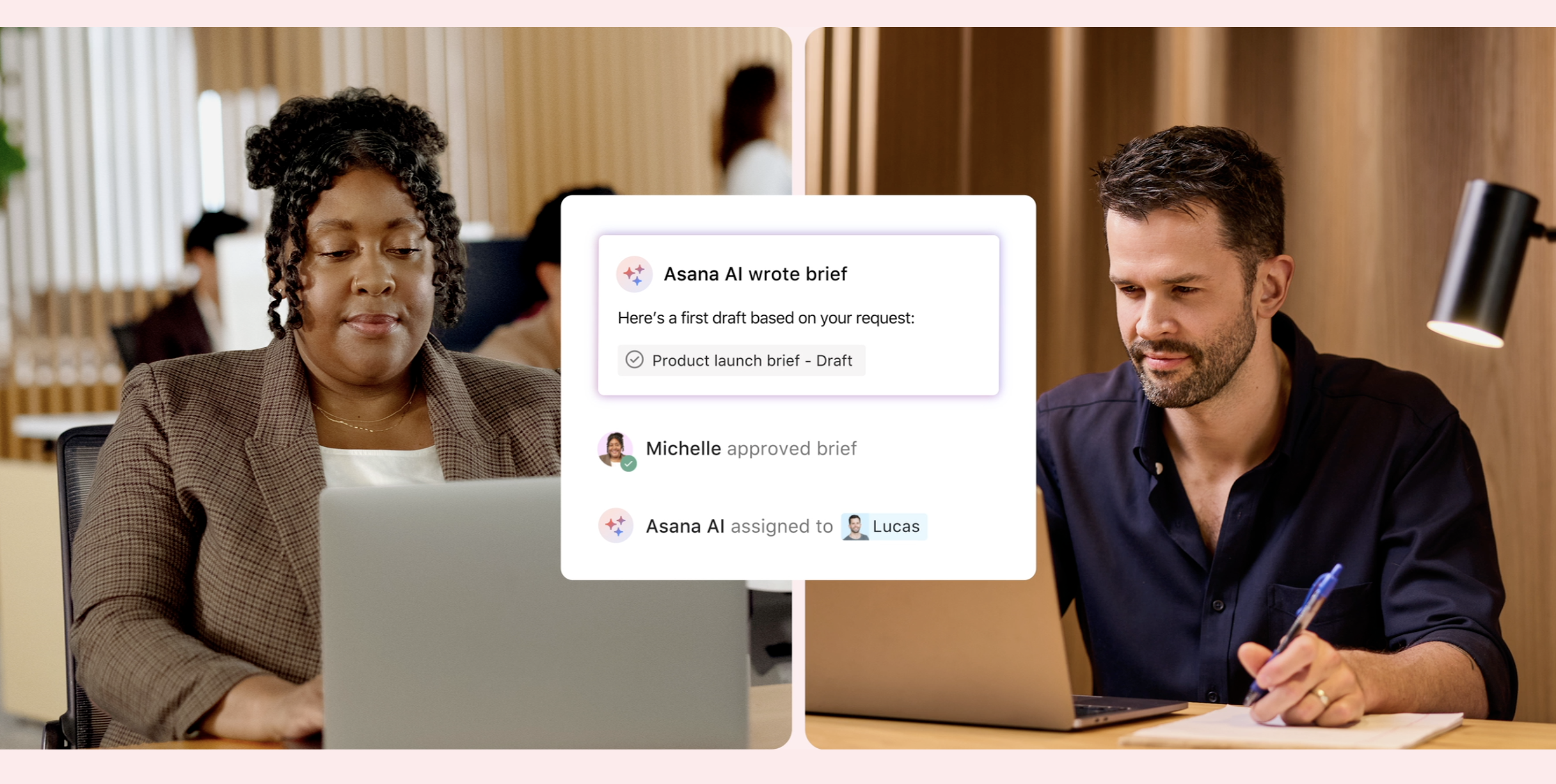
Image source: asana.com
Overview: Asana is a popular project management tool that helps teams orchestrate their work. It excels at providing clarity into who is doing what, by when. Its flexible interface allows teams to visualize projects in various ways, including lists, boards, and project timelines, making it adaptable to different workflow preferences. Asana is excellent for those who need to categorize tasks with a high level of detail and track them across different initiatives.
Key features
Multiple project views: Switch between List, Board, Timeline (Gantt-style), and Calendar views to manage work effectively.
Workflow automation: Use Rules to automate routine actions, such as assigning tasks or updating statuses.
Goals: Set and track company-wide goals to connect your team's day-to-day work to strategic objectives.
Portfolio management: Group related projects into Portfolios to get a high-level view of progress.
Pricing: With a free plan. Paid plans start at $10.99/user/month.
3. Trello: A simple and visual collaboration tool for organizing projects on Kanban boards
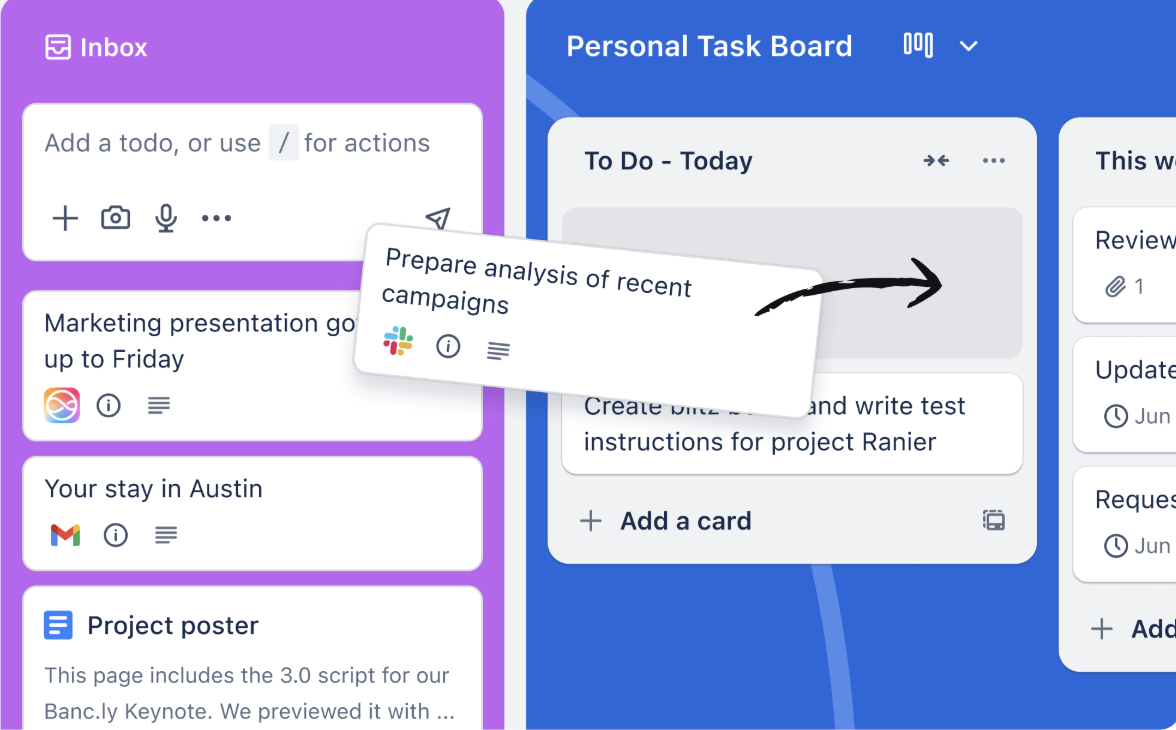
Image source: trello.com
Overview: Trello is a visual collaboration tool that organizes your projects into boards. It is famously known for its simple and intuitive kanban board interface, where "cards" (tasks) are moved across "lists" (stages). This simplicity makes it incredibly easy for anyone to pick up and use. For teams that need to manage workflows across multiple boards, Trello offers a visually intuitive solution that is less intimidating than more complex systems.
Key features
Visual kanban boards: The core of Trello is its drag-and-drop board interface for tracking workflow progress.
Butler automation: Trello's built-in automation allows you to create rules and scheduled commands to handle repetitive tasks.
Power-ups: Enhance your boards with integrations that bring features from other apps directly into your Trello workspace.
Templates: Start new projects quickly with pre-built templates for a wide range of use cases.
Pricing: With a free plan (up to 10 users). Paid plans start at $5/user/month.
4. ClickUp: The customizable "one app to replace them all" for any workflow
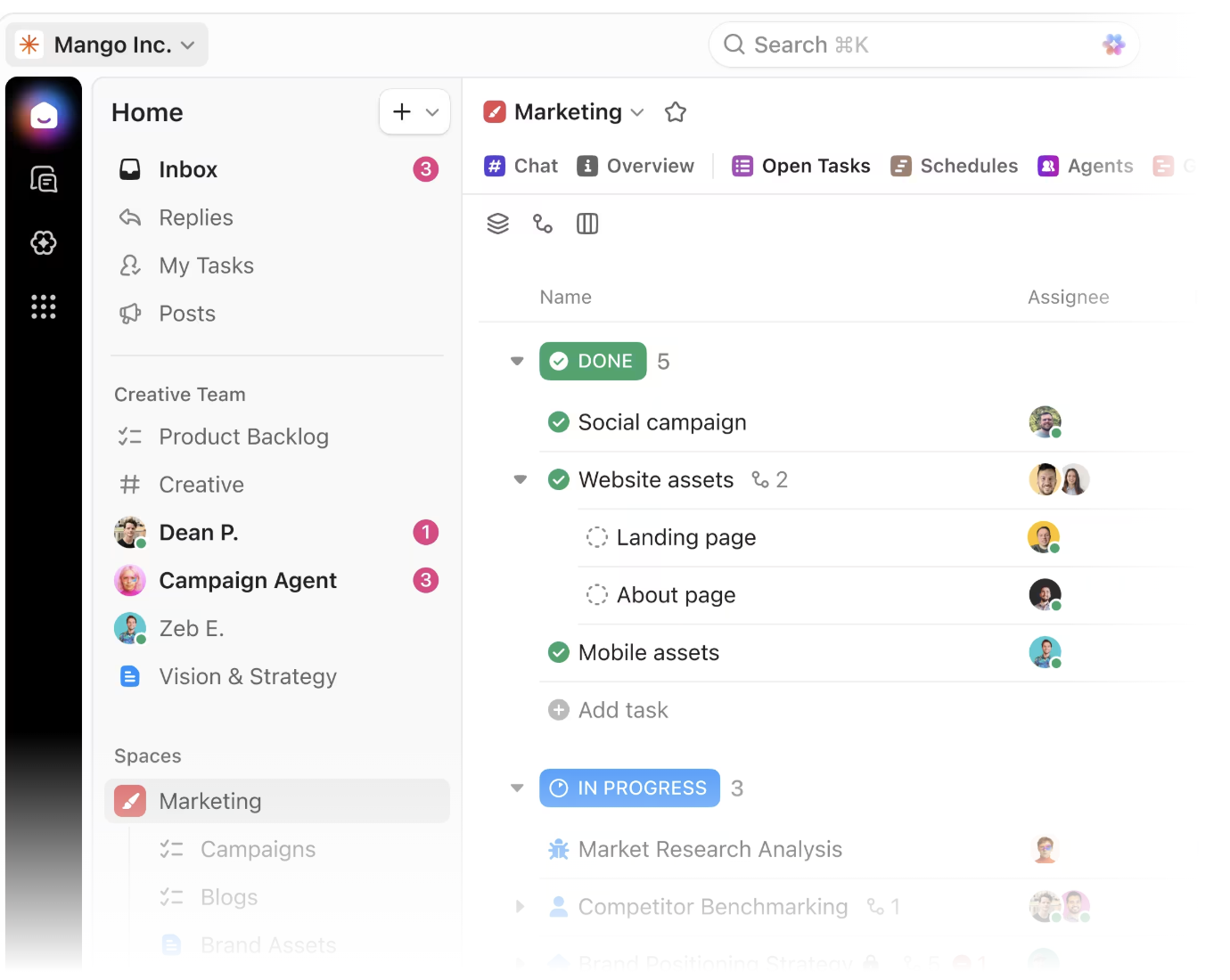
Image source: clickup.com
Overview: ClickUp positions itself as the "one app to replace them all." It's an incredibly feature-rich and customizable platform designed to manage everything from tasks and documents to goals and chat. A key strength is its handling of task dependencies, allowing teams to create logical sequences for their work. Its flexibility allows you to customize almost every aspect of the platform to fit your team's specific needs, making it a powerful hub for all your work.
Key features
15+ views: View your work in over 15 different ways, including List, Board, Calendar, and Gantt views.
Customizable everything: Create custom statuses, fields, and workflows tailored to your project's requirements.
Integrated docs & whiteboards: Create documents and wikis directly within ClickUp to keep all project information in one place.
Goals & Targets: Set clear goals and link them to specific tasks to track progress toward your objectives.
Pricing: ClickUp has a "Free Forever" plan for individual users. Its paid plans (Unlimited, Business, and Enterprise) , starting from $7/user/month, unlock more storage and advanced capabilities.
5. Monday.com: A visual Work OS for creating custom workflows and apps
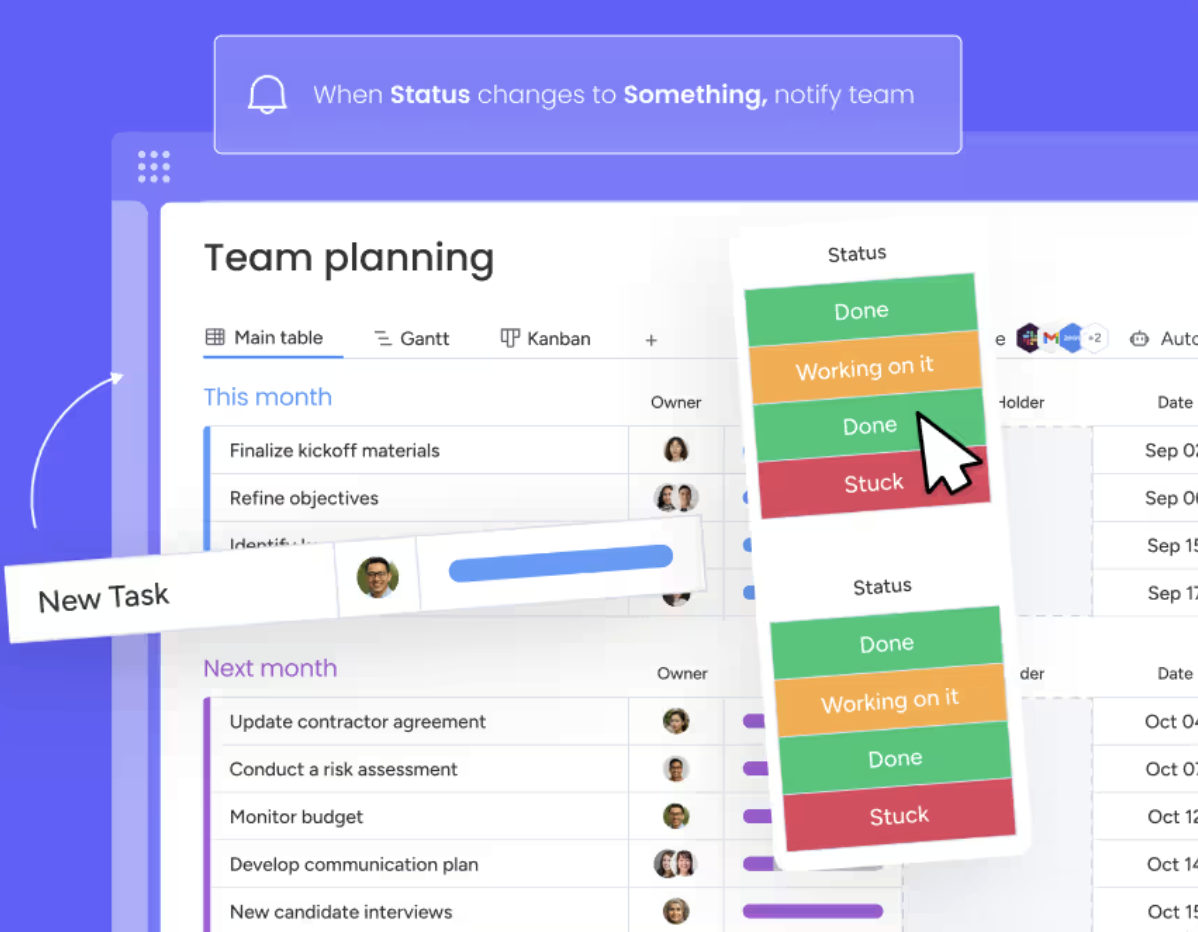
Image source: monday.com
Overview: Monday.com is a Work Operating System (Work OS) that allows teams to create workflows and custom apps to run any project. It's known for its colorful, highly visual interface that makes it easy to see the status of work at a glance. A key benefit is the ability to create dashboards that pull data from multiple boards, offering powerful visualization and the ability to generate detailed reports on team performance and project health.
Key features
Visual and customizable boards: Build boards with dozens of column types to track anything from status to timelines.
Powerful automations: Create "if-this-then-that" recipes to handle recurring tasks, notifications, and status updates.
Dashboards and reporting: Build real-time dashboards with various widgets for a high-level view of project data.
Extensive integrations: Connect with a wide array of popular tools to centralize your work.
Pricing: Monday.com offers a free plan for individuals. For teams, it offers four paid plans (Basic, Standard, Pro, and Enterprise), each providing progressively more advanced features and automations.
6. Slack: The channel-based messaging hub for team communication and integration
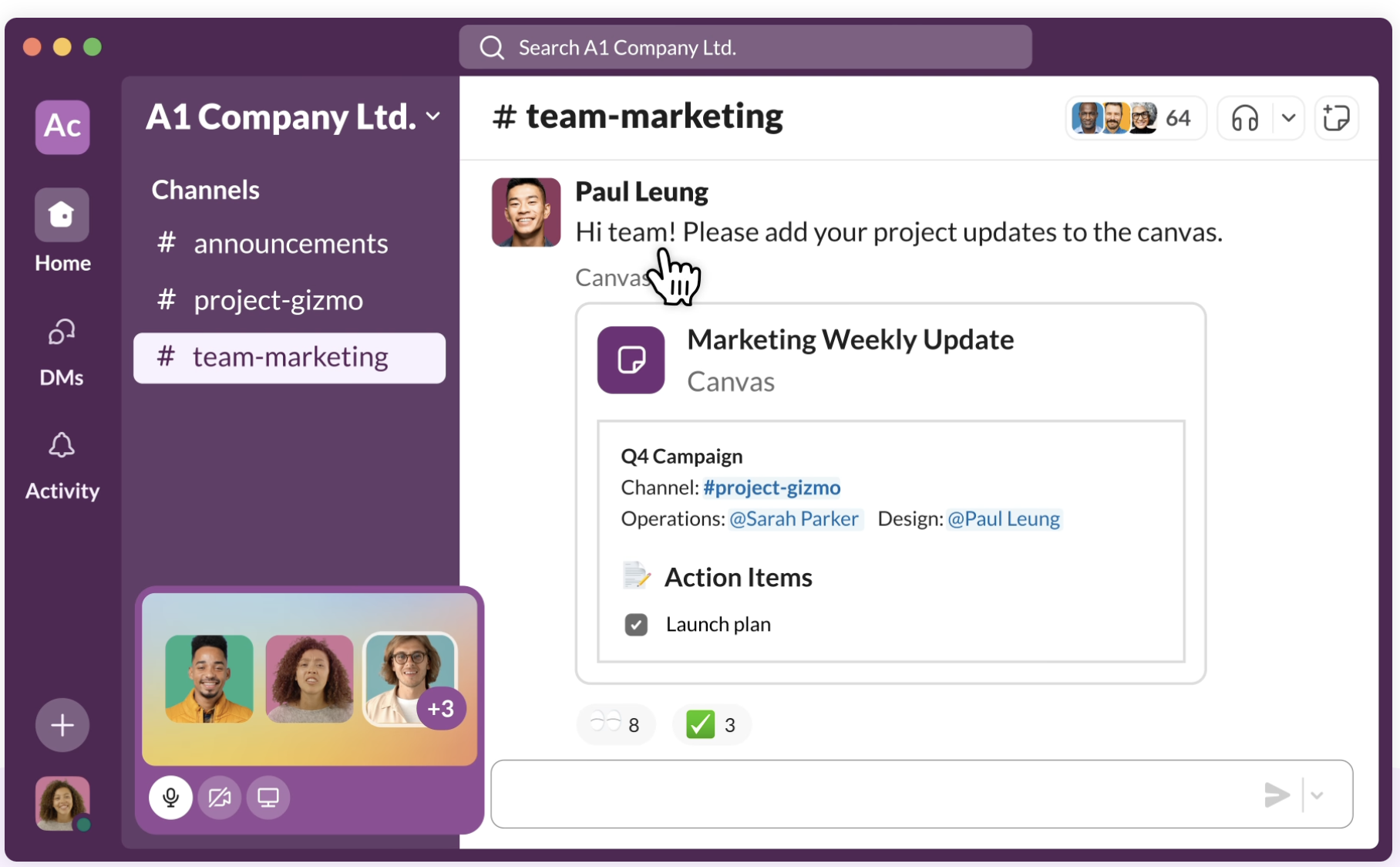
Image source: slack.com
Overview: While primarily a team chat tool, Slack has evolved into a powerful hub for online collaboration. Its channel-based messaging system is excellent to organize conversations by project, topic, or team. By integrating with thousands of other applications, Slack can act as a central notification center for your entire tech stack. However, on its free plan, the searchable message history is limited, which can be a drawback for long-term projects.
Key features
Organized channels: The ability to create channels for every project keeps conversations focused and easy to find.
Slack connect: Collaborate with external clients and partners in a secure channel without leaving Slack.
Workflow builder: A simple, no-code tool that lets you automate routine communications and tasks.
Deep app integrations: Slack's extensive app directory allows you to bring notifications and actions from other tools into your chats.
Pricing: Slack offers a free plan with a limited message history. A paid subscription to its Pro, Business+, or Enterprise+ plans provides unlimited history and advanced features.
7. Microsoft Teams: The collaboration hub for teams invested in the Microsoft 365 ecosystem
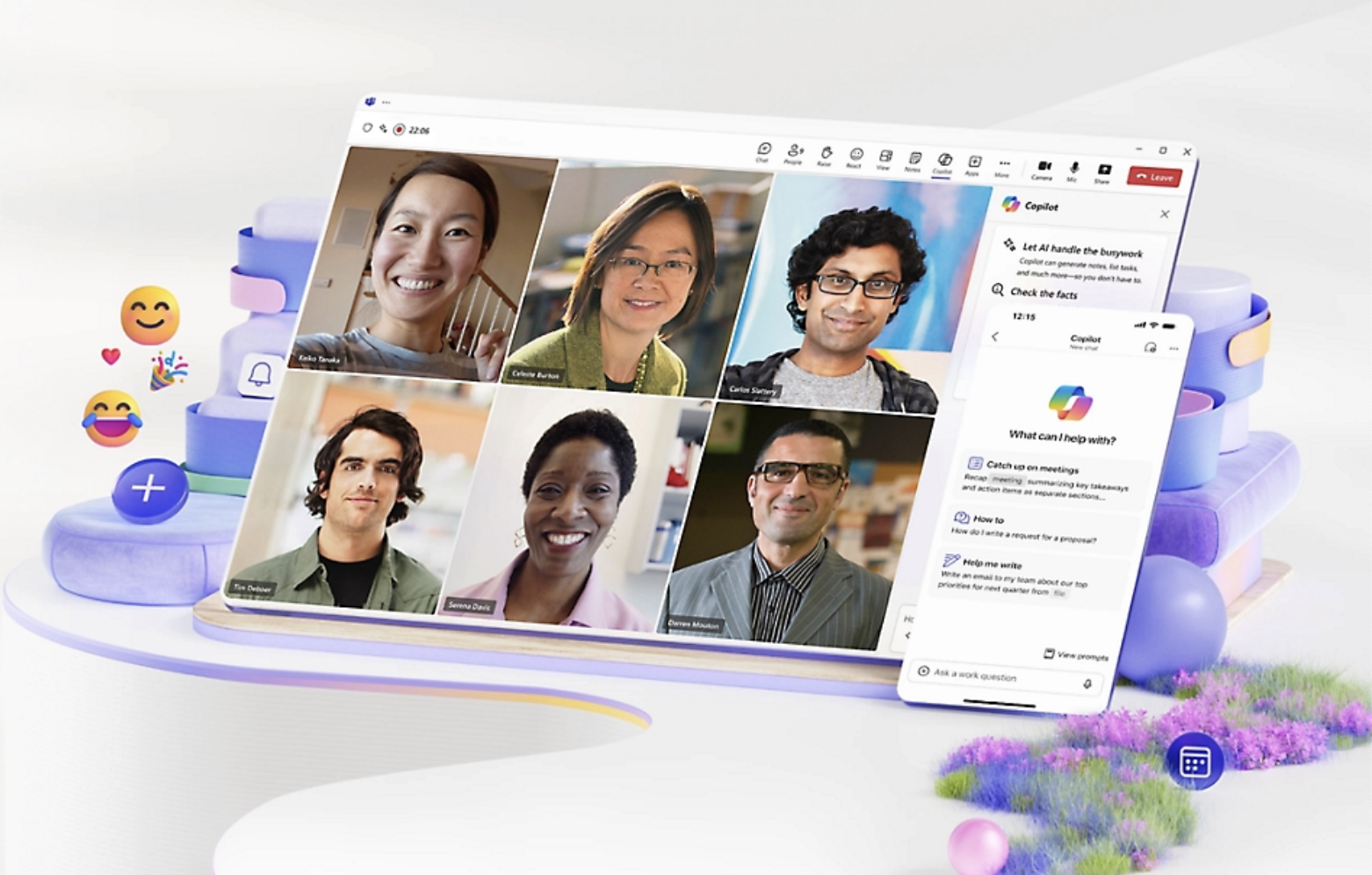
Image source: microsoft.com
Overview: Microsoft Teams is the collaboration hub within the Microsoft 365 ecosystem. It combines workplace chat, video conferencing, file storage, and deep integration with Microsoft Office applications. For organizations already invested in Microsoft apps, Teams provides a natural and powerful way to bring all their collaborative work together. It serves as a strong central platform, connecting chat, documents, and meetings in one tightly integrated environment.
Key features
Deep Office 365 Integration: Co-author and edit Word, Excel, and PowerPoint files directly within Teams.
Teams and Channels: Organize conversations, files, and apps into specific "Teams" and sub-topic "Channels."
Integrated Meetings and Calls: Host video conferences and record meetings, with everything connected to your team channels.
Extensive App Marketplace: Integrate with a wide range of first-party and third-party apps to extend functionality.
Pricing: Microsoft Teams has a free plan for personal use. The full-featured version is included with Microsoft 365 Business and Enterprise subscriptions.
8. Basecamp: The straightforward, all-in-one workspace for simple project collaboration
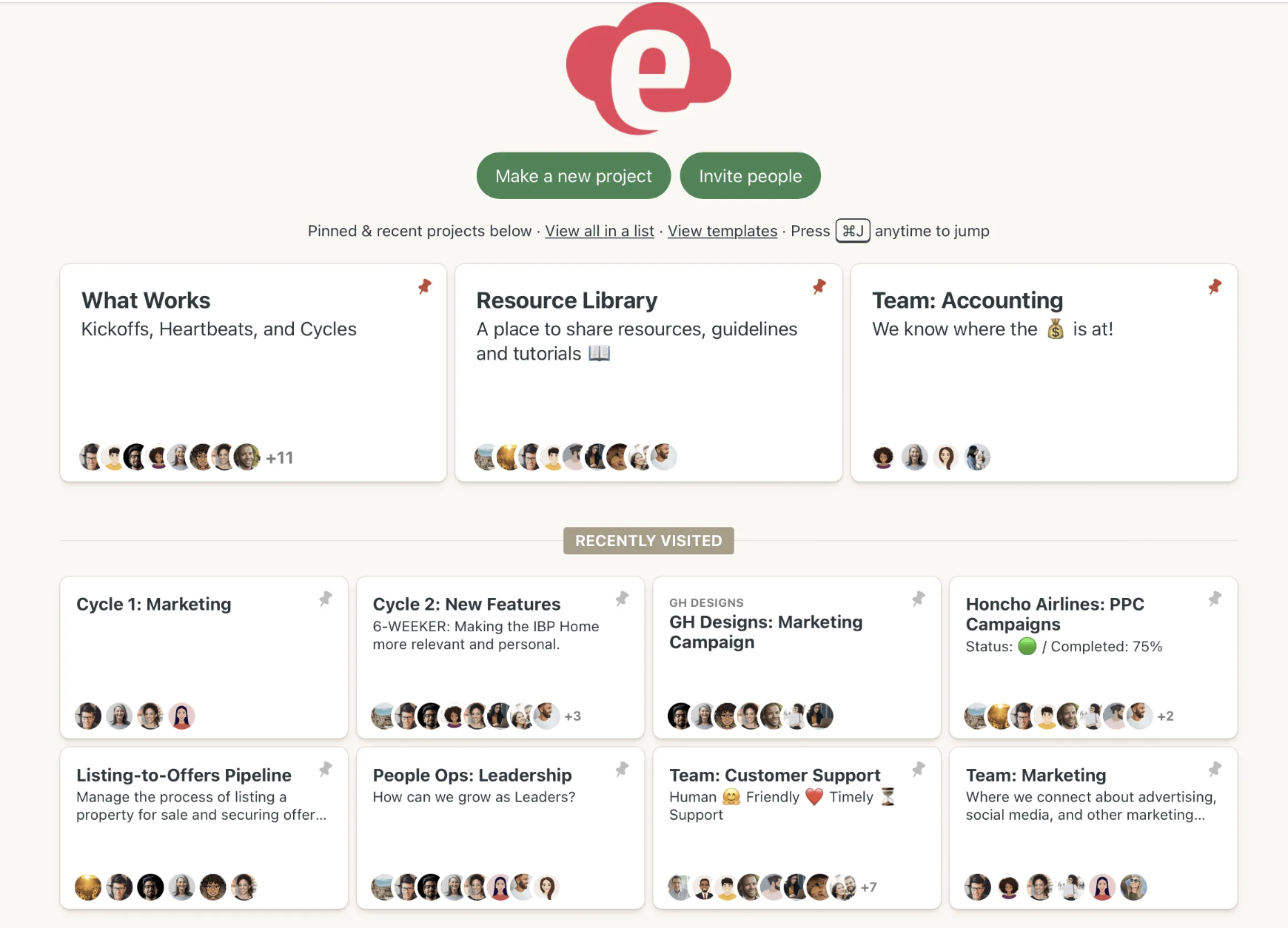
Image source: basecamp.com
Overview: Basecamp is a pioneer in the project collaboration space, known for its straightforward approach. It brings everything a team needs—to-do lists, a message board, a schedule, and file storage—into a single project space. Basecamp intentionally avoids complexity, focusing on a simple set of features to help teams get work done, making it great for team coordination without a steep learning curve.
Key features
All-in-one project spaces: Each project gets a dedicated space containing a message board, to-dos, a schedule, and files.
Hill charts: A unique feature that helps teams visualize progress on tasks.
Automatic check-ins: Automate recurring questions to get regular updates from your team without holding meetings.
Simple, flat pricing: Basecamp is known for its straightforward pricing model.
Pricing: Basecamp offers a limited free plan (run one project at a time). Its main offering consists of two paid plans: a standard plan ($15/user/month) and a Pro Unlimited plan ($299/month for the whole organization) with more features, which can be cost-effective for larger teams.
9. Confluence: A team workspace for creating and organizing knowledge and documentation
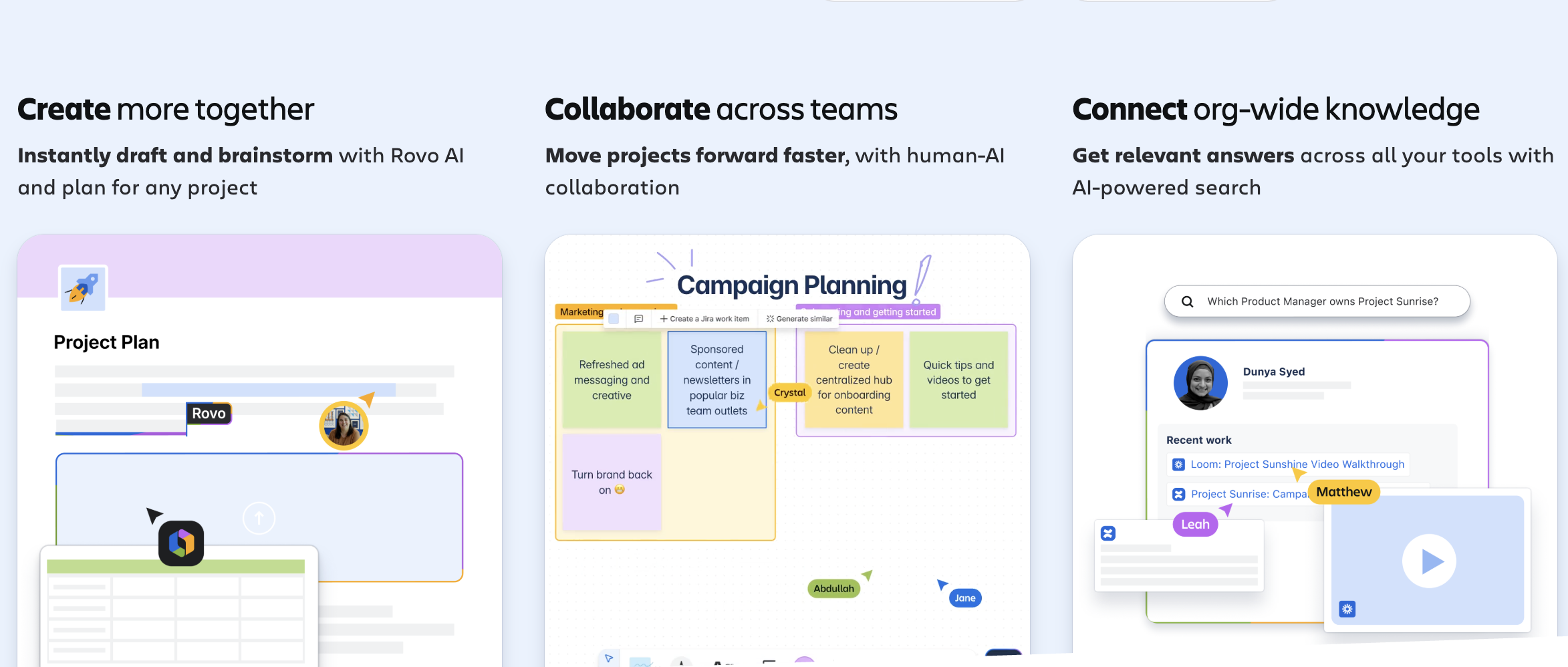
Image source: atlassian.com
Overview: Developed by Atlassian, Confluence is a team workspace where knowledge and collaboration meet. Its core strength lies in its function as a knowledge management system or team wiki. It's a place to create, organize, and discuss work, and it integrates seamlessly with its sister product, Jira, a popular choice for software developers to manage their work.
Key features
Structured pages and spaces: Organize your work into "Pages" (documents) and group them into "Spaces" (workspaces).
Powerful templates: Get started quickly with pre-built templates for project plans, retrospectives, and more.
Seamless Jira integration: Create and display real-time Jira information directly within your Confluence pages.
Collaborative editing: Real-time co-editing and inline comments make it easy for teams to create content together.
Pricing: Confluence has a Free plan for up to 10 users. Its paid plans (Standard, Premium, and Enterprise) offer more users and advanced features,starting from $5.42/user/month.
10. Wrike: A versatile work management platform for enterprise teams with complex projects
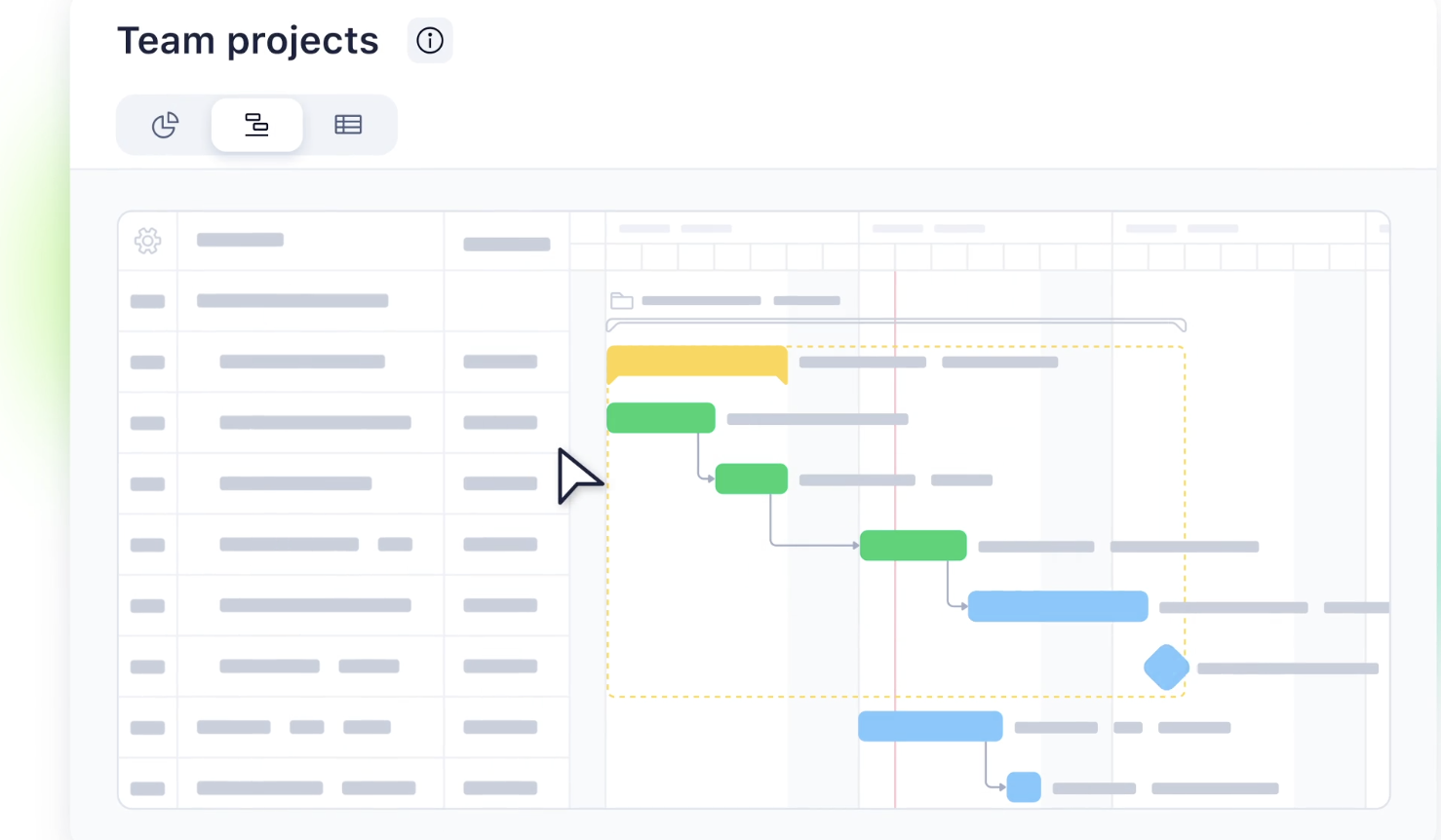
Image source: wrike.com
Overview: Wrike is a robust work management platform designed for enterprise teams, providing a high degree of control and security for complex projects. Wrike excels at detailed project planning, resource management, and reporting. Its customizable nature allows different departments to tailor the platform to their specific needs, though this flexibility can come with a higher learning curve.
Key features
Customizable dashboards and reports: Build real-time dashboards to track project health and team performance with granular detail.
Dynamic request forms: Create custom forms to standardize work intake, ensuring you have all necessary information.
Gantt charts and workload views: Use interactive Gantt charts for planning and workload views for resource management.
Wrike proof: An integrated proofing and approval tool for creative assets.
Pricing: Wrike offers a free plan for small teams. Its paid plans (Team, Business, Enterprise, and Pinnacle) are designed for more complex needs. Paid plans start at $10/user/month.
Why your team's success depends on the right tool
Adopting a new tool can seem like a big step, but the cost of not having a dedicated platform is often far greater. Disorganization creates friction, wastes time, and hinders your team's ability to do its best work, especially when trying to manage projects simultaneously. The right collaboration tool isn't just another piece of software; it's an investment in efficient communication, clarity, and your team's overall success. Let's break down the core reasons why these platforms are a must-have for modern teams, from small teams to large enterprises.
Escape the chaos of information silos
Think about a typical project. You have strategy discussions in email, urgent updates in a group chat, and plans living in a Google Drive. This separation creates silos where context is lost and team members waste time searching for what they need. A unified collaboration tool breaks down these walls. It acts as a central repository for all project-related communication and file sharing, keeping conversations, tasks, and files in a contextual workspace. This ensures everyone has access to the same information, dramatically reducing miscommunication and boosting alignment across the board.
Empower your remote and hybrid teams to thrive
The rise of remote and hybrid work has transformed how we collaborate, but it also presents unique challenges for distributed teams. Without a shared physical space, it's easy to feel disconnected, and managers can lose visibility into project workflows. Online project collaboration tools are the digital headquarters that bridge this distance. They facilitate seamless team communication, provide clarity on all assigned tasks, and foster connection, regardless of location. These platforms ensure that remote work is not a barrier to productivity but an opportunity for focused, flexible execution and better team coordination.
Gain true visibility into project progress
"Who is working on that?" "What's the latest project status?" "Are we on track to meet the deadline?" If these questions sound familiar, you're likely suffering from a lack of visibility. Robust collaboration tools for project managers provide a single source of truth where you can easily track project progress. The status of every task, its owner, and its deadline are clear to everyone. This transparency empowers individuals to manage their own work and gives leaders the high-level overview they need to identify bottlenecks, reallocate resources, and keep multiple projects moving forward without constant check-in meetings.
What to look for: Key features of great project collaboration tools
When you start evaluating different platforms, the sheer number of collaboration features can be overwhelming. To help you focus on what truly matters, we've identified the key capabilities that separate the best collaboration apps from the rest. These are the features that deliver the most impact on a team's day-to-day workflow, turning disorganized effort into streamlined success. Look for a solution that excels in these core areas, from basic task management to advanced automation, to ensure you're choosing a tool that will grow with your team.
Unified communication and powerful task management
The most effective collaboration happens when conversation naturally leads to action. A top-tier tool should offer robust task management tools integrated directly with communication. This means you can assign tasks to specific team members or create tasks from any chat message. This creates a seamless link between discussion and execution, ensuring no to-do item gets lost. To truly organize tasks efficiently, you need features that allow you to set deadlines, add details, and track tasks from start to finish. This level of integrated task tracking is fundamental to keeping your tasks organized.
Seamless real-time document collaboration and file sharing
Version control nightmares are a thing of the past. Modern teams need real time document collaboration. The best tools allow multiple people to co-edit documents, spreadsheets, and presentations simultaneously. This is essential for everything from brainstorming project briefs to finalizing reports and is a core component of platforms that integrate with a full office suite. Look for features like live cursors, a robust commenting system for feedback, and a clear version history. This ensures everyone is always working from the latest information without having to constantly re-share files.
Customizable workflows and process automation
Every team has unique processes, from content approval pipelines to bug-tracking. The best tools don't force you into a rigid structure; they allow you to create workflows that match the way your team already works. Furthermore, they should help you with workflow automation to eliminate the repetitive tasks that consume valuable time. This could involve automatically notifying the next person in an approval chain or updating a project's status when a task is completed. The ability to handle complex workflows frees your team to focus on strategic, high-impact work.
Seamless integration with your other essential apps
No single tool is an island. A great platform should act as your central hub, connecting seamlessly with the other apps your team relies on, whether it’s your Google Workspace account or a specialized design tool. Strong integration capabilities ensure that data flows smoothly between systems, preventing manual data entry and allowing you to create powerful, cross-platform automations. Look for a tool with a robust marketplace of integrations or an open API that can connect your chat platform to your entire tech stack for maximum efficiency.
Go beyond the software: build a true culture of collaboration
Choosing the right tool is a critical first step, but it's only half the battle. The most successful teams understand that software is an enabler, not a silver bullet. To truly unlock your team's potential, you need to pair your new platform with a conscious effort to build a strong culture of team collaboration. This means establishing clear expectations and using the features of your chosen tool to foster connection and build trust, transforming how your team communication happens on a fundamental level.
Establish clear communication etiquette for your team
A powerful tool is only effective when everyone agrees on how to use it. Before rolling out a new platform, take the time to establish clear guidelines. When should the team use an urgent chat message versus an email? What is the standard format for a new task? Defining this etiquette upfront prevents confusion, reduces digital noise, and ensures the tool is used consistently and effectively by everyone, fostering efficient communication.
Use your new tool to build trust and celebrate wins
Project collaboration tools are not just for tracking tasks; they are for connecting people. Use the features at your disposal to foster a positive and supportive team environment. Create a dedicated channel for non-work-related chat to encourage social interaction. Use announcement features to publicly recognize a team member's hard work. Run a poll to celebrate hitting a major project milestone. These small actions help build morale and make your digital workspace a more human and motivating place to be.
Conclusion
In the end, the best project collaboration tools are the ones that not only provide the right features but also align with your team's unique culture and workflow. They should reduce friction, not add to it. They should provide clarity, not confusion. By focusing on the core principles of unified communication, seamless workflow, and user empowerment, you can select a platform that will serve as a powerful engine for your team's productivity and success.
Ready to experience a truly unified workflow where everything is in sync? Try Lark today and discover how your team can achieve more, together.
FAQs
What is the best collaboration tool?
The "best" collaboration tool is subjective and depends entirely on your team's specific needs, size, and workflows. For a creative team, a visual tool like Miro might be essential, while development teams may prioritize Jira integration. However, the most effective tools for most businesses are all-in-one platforms like Lark, which reduce complexity by combining chat, task management, documents, and meetings into a single, unified workspace, eliminating the need to juggle multiple applications.
Which tool helps with collaborative projects?
Any tool that facilitates teamwork on shared goals can help with collaborative projects. The most effective ones provide a centralized space for communication, task management, and file sharing. Platforms like Asana are great for tracking tasks, while Slack excels at communication. All-in-one tools like Lark are particularly helpful as they integrate these functions seamlessly, ensuring that conversations, project plans, and action items are always connected and accessible in one place for your team.
What are the 5 Ps of collaboration?
The 5 Ps of collaboration provide a framework for successful teamwork. They are: Purpose (having a clear, shared goal), People (having the right individuals with the right skills), Process (agreeing on how the team will work together), Platform (using the right tools to facilitate the work), and Performance (measuring progress and outcomes). By addressing each of these five elements, teams can create a structured and highly effective collaborative environment to achieve their goals.
What is the main purpose of collaboration tools in a project?
The main purpose of collaboration tools in a project is to centralize and streamline all related activities to boost efficiency and clarity. They create a single source of truth, breaking down communication silos and ensuring every team member is on the same page. By providing features for task tracking, file sharing, and real-time communication, these tools enhance transparency, improve accountability, and ultimately help teams deliver better results, faster and with fewer misunderstandings.
Related reading
Table of contents
Start using Lark today

Manage all your work in one place
Boost team efficiency by 10x
Save up to 70% on software costs
Table of contents
Start using Lark today
Manage all your work in one place
Boost team efficiency by 10x
Save up to 70% on software costs
Keep reading








2026 Lark Technologies Pte. Ltd.
Headquartered in Singapore with offices worldwide.






Explore: