














Project Lifecycle Management: Phases, Tools, and Best Practices

Ryan Tanner
Product Marketing Specialist
Sep 18, 2026
Ryan Tanner
Sep 18, 2026

17 min read


Project lifecycle management is the structured process of guiding a project from initiation to closure through defined stages. It helps teams plan, execute, monitor, and deliver results efficiently while maintaining alignment and accountability. By understanding each phase, organizations can improve predictability, collaboration, and performance across projects of any size.
Modern tools like Lark make lifecycle management more seamless by connecting documentation, communication, and task tracking in one workspace. This ensures clarity and coordination throughout every stage, reducing delays and duplication. Whether following a traditional or agile model, effective project lifecycle management is key to consistent, high-quality project outcomes. Here are the 7 best project lifecycle management software:
1. Lark: A connected workspace for complete project lifecycle management
2. Zoho Projects: Scalable project management for growing teams
3. Smartsheet: Spreadsheet-style project tracking and automation
4. ClickUp: Customizable lifecycle management with automation
5. Wrike: Advanced lifecycle control for enterprise projects
6. Adobe Workfront: Enterprise-level governance for lifecycle workflows
7. Asana: Simple and visual project lifecycle management for teams

What is project lifecycle management?
Project lifecycle management (PLM) is the process of managing a project from its initial concept to its final completion through a structured series of phases. It provides a clear roadmap that helps teams define objectives, plan resources, execute tasks, monitor progress, and evaluate outcomes systematically. Each stage initiation, planning, execution, monitoring and control, and closure, plays a critical role in ensuring the project meets its goals on time and within scope.
PLM focuses on improving visibility, accountability, and efficiency across the entire project journey. It helps organizations identify risks early, manage changes effectively, and maintain alignment among stakeholders. Modern tools simplify project lifecycle management by integrating documentation, communication, and task tracking, ensuring teams stay connected and informed. In essence, PLM transforms complex projects into manageable, repeatable processes that drive successful results across industries.
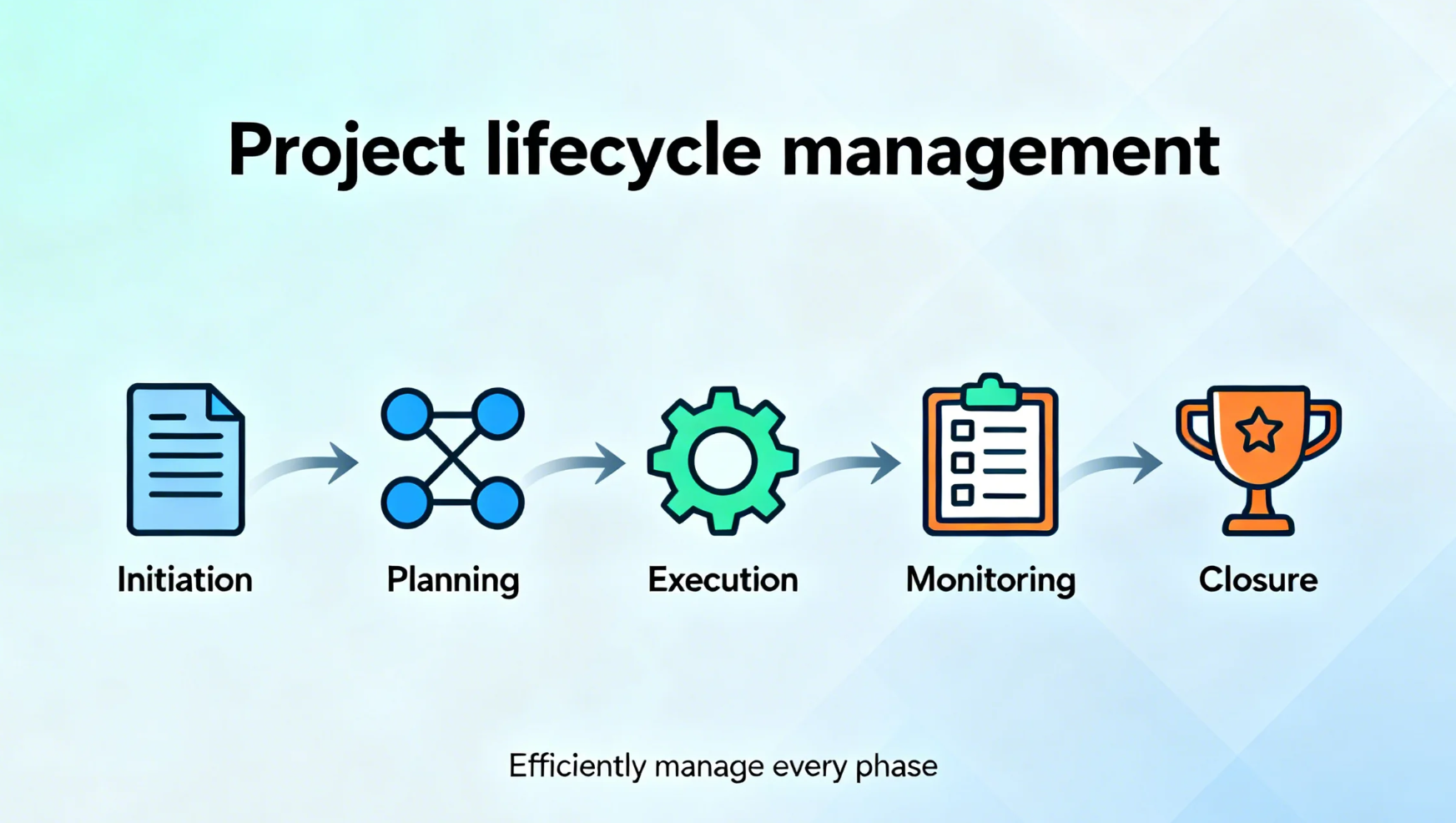
Image source: unsplash.com
The 5 key phases of the project management lifecycle
Every successful project follows a structured path from concept to completion. The project management lifecycle breaks this journey into five key phases, each with its own objectives, deliverables, and checkpoints. Understanding these stages helps teams maintain control, improve communication, and ensure smooth project execution from start to finish.
- Initiation: This phase defines the project's purpose, goals, and feasibility. Teams identify key stakeholders, assess risks, and create a project charter to secure approval and alignment before moving forward.
- Planning: Here, the roadmap for execution is developed. Teams outline scope, timelines, budgets, resources, and communication strategies, ensuring everyone understands their responsibilities and milestones.
- Execution: The plan comes to life as teams perform assigned tasks and produce deliverables. Effective coordination, communication, and task tracking are crucial during this phase.
- Monitoring: Project performance is tracked against the plan using key metrics. Managers monitor progress, identify deviations, manage time, and take corrective actions to keep the project on track.
- Closure: Once deliverables are completed, the project is formally closed. Teams review outcomes, document lessons learned, and hand over final reports or products, marking the project's completion.
Quick preview of the best project lifecycle management software
Information source: Official websites
Update time: 2025-11-12
Full list: 7 best project lifecycle management software
1. Lark: A connected workspace for complete project lifecycle management
Successful project lifecycle management depends on clarity, coordination, and continuous visibility across all stages—from defining goals to closing deliverables. Many teams rely on multiple disconnected tools to manage these processes, which often leads to communication gaps, duplicate work, and data silos. Lark eliminates these challenges by bringing documentation, communication, task management, and data visualization into one connected workspace.
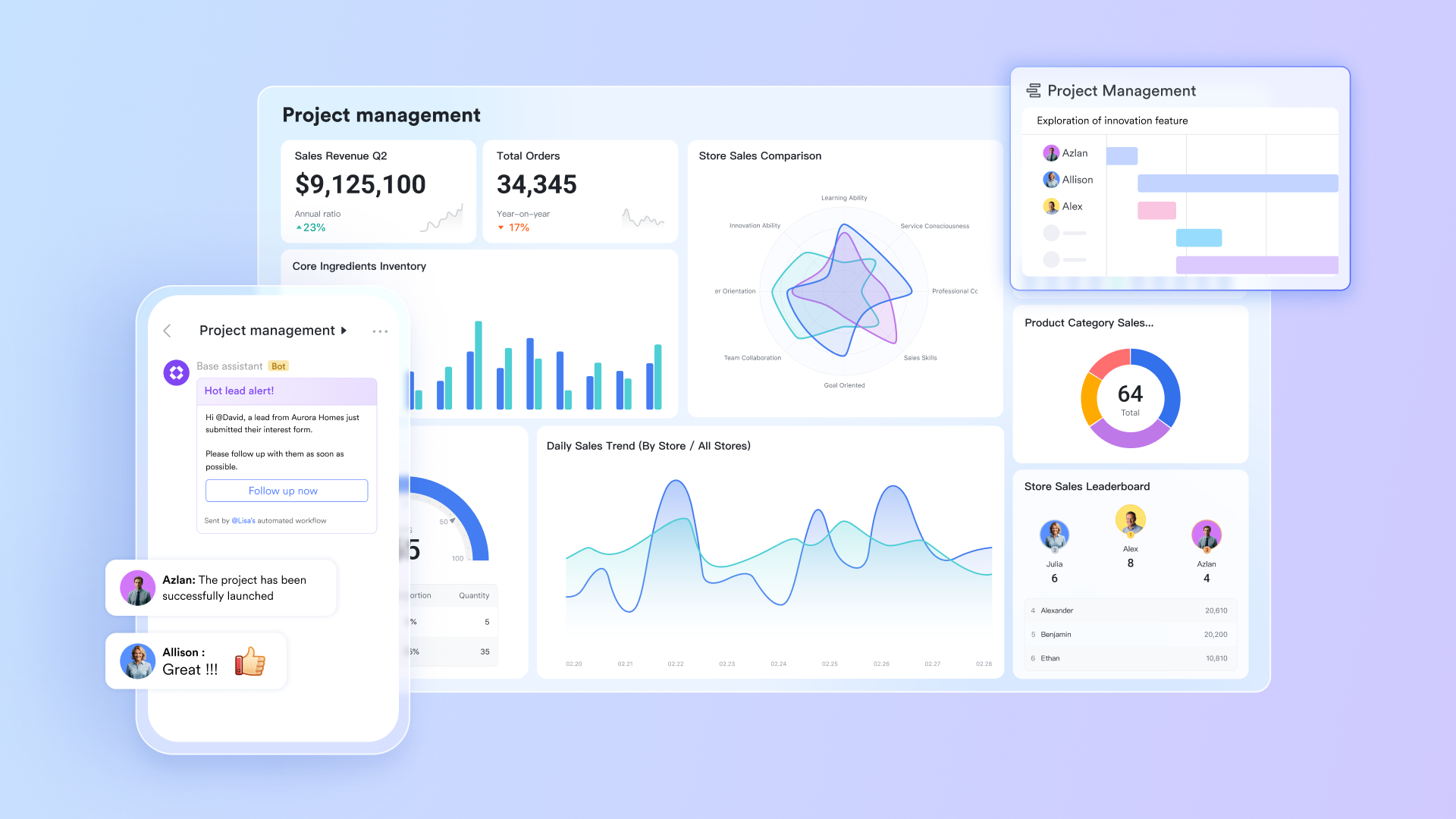
Lark Base: The engine for planning, visualization, and monitoring
At the heart of project lifecycle management lies planning and control—and that's where Lark Base excels. Base functions as both a project database and a visual management tool, helping teams plan workflows, track dependencies, and monitor progress across phases. With multiple views such as Kanban, Gantt, and Grid, teams can visualize the entire project timeline, allocate resources, and track milestones dynamically. Automation rules and linked data fields allow for real-time updates, notifications, and task synchronization, reducing manual oversight and errors.
Lifecycle value: Lark Base ensures smooth execution and monitoring by providing a centralized hub for tracking objectives, schedules, and performance indicators throughout the project.
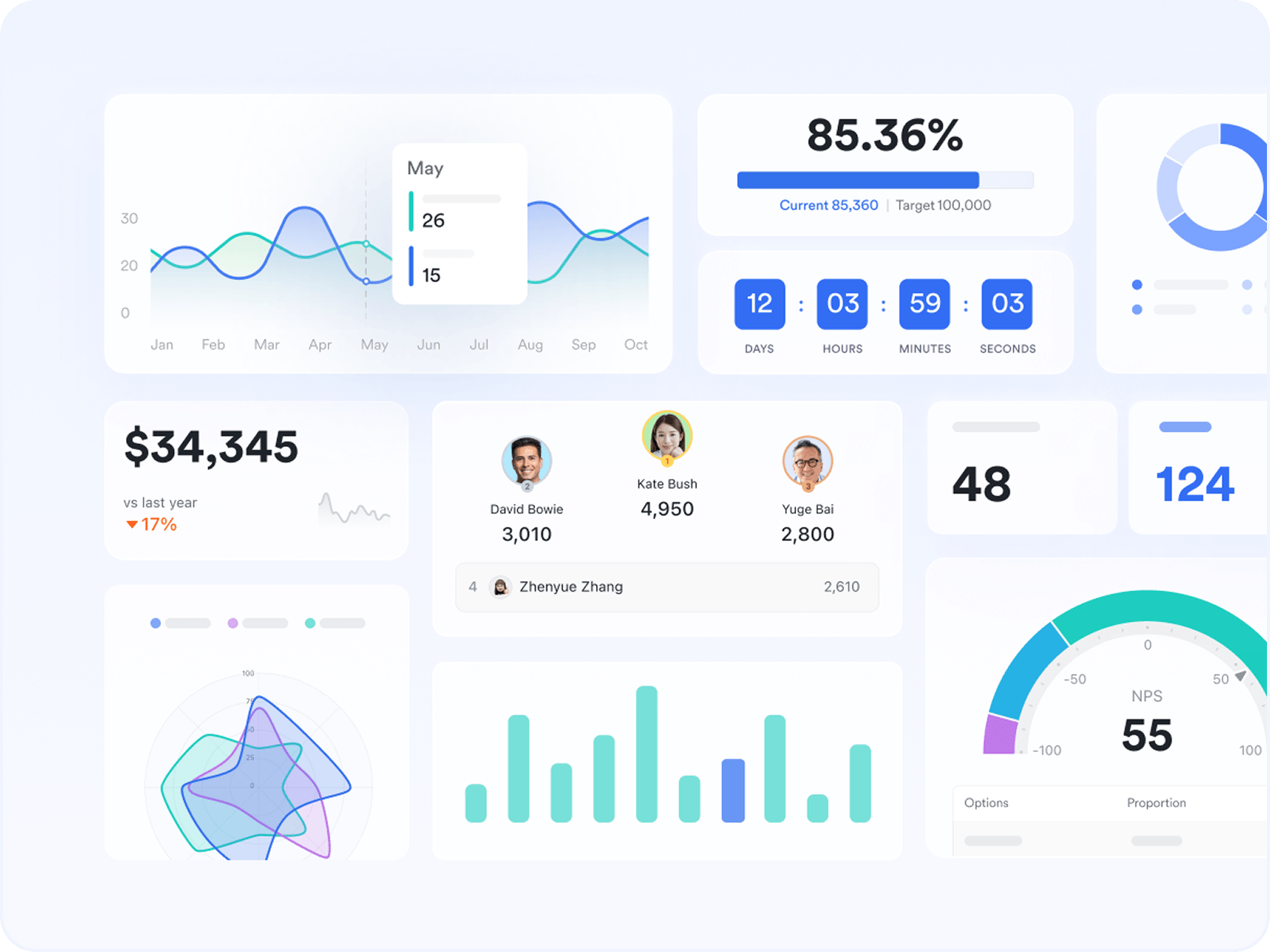
Lark Docs: Laying the foundation for project clarity and alignment
In the initiation and planning phases, teams need clear documentation of objectives, scope, and deliverables. Lark Docs provides a collaborative environment where stakeholders can co-edit documents, outline requirements, and refine project charters in real time. Version history, inline comments, and mentions make it easy to collect feedback and finalize project frameworks collaboratively. Because Docs is directly connected to Messenger, Base, and Tasks, discussions and decisions remain contextual linking documentation with actionable next steps.
Lifecycle value: Lark Docs ensures every project starts with alignment, clarity, and accessible records—setting a structured foundation for the entire lifecycle.
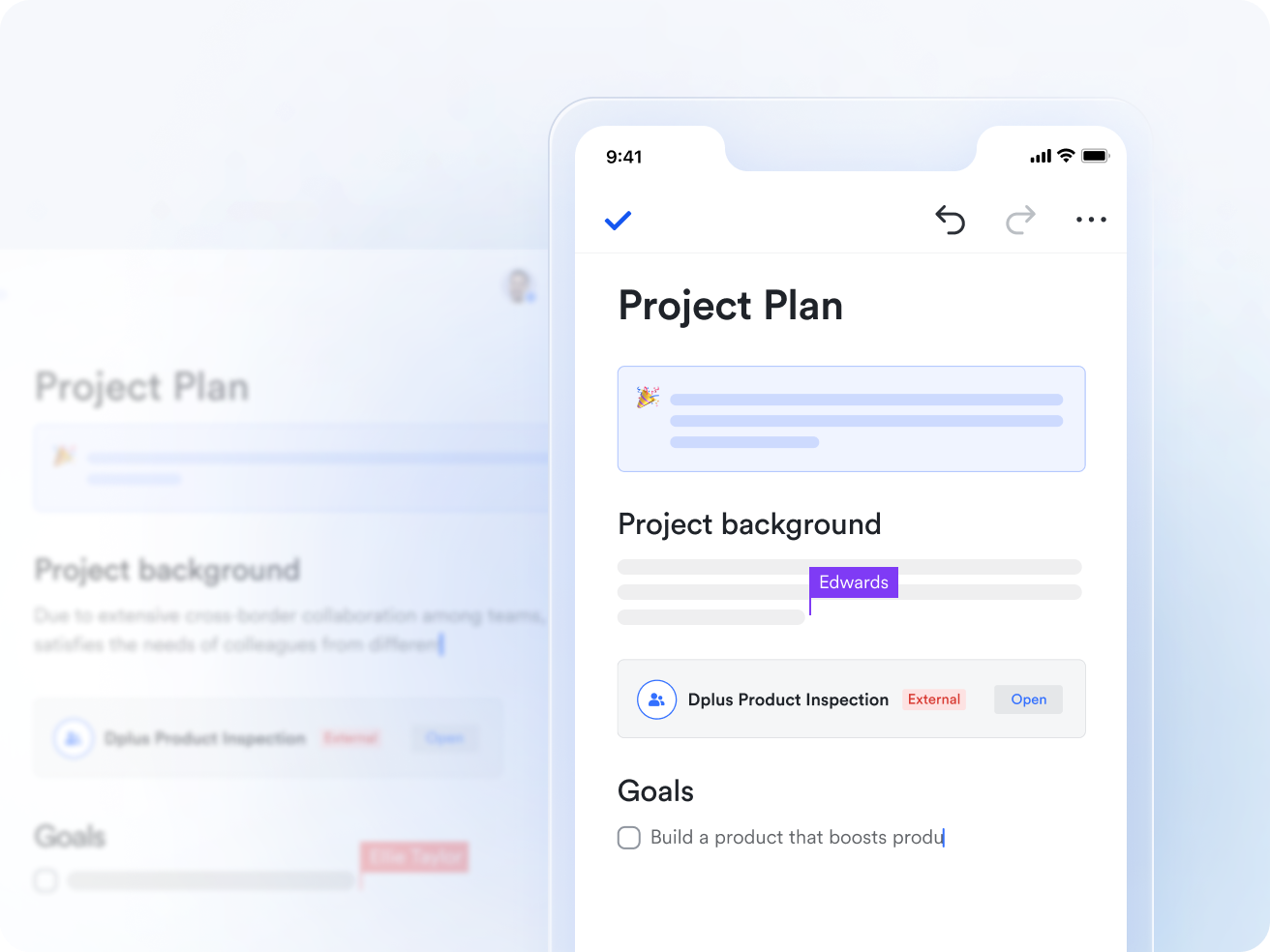
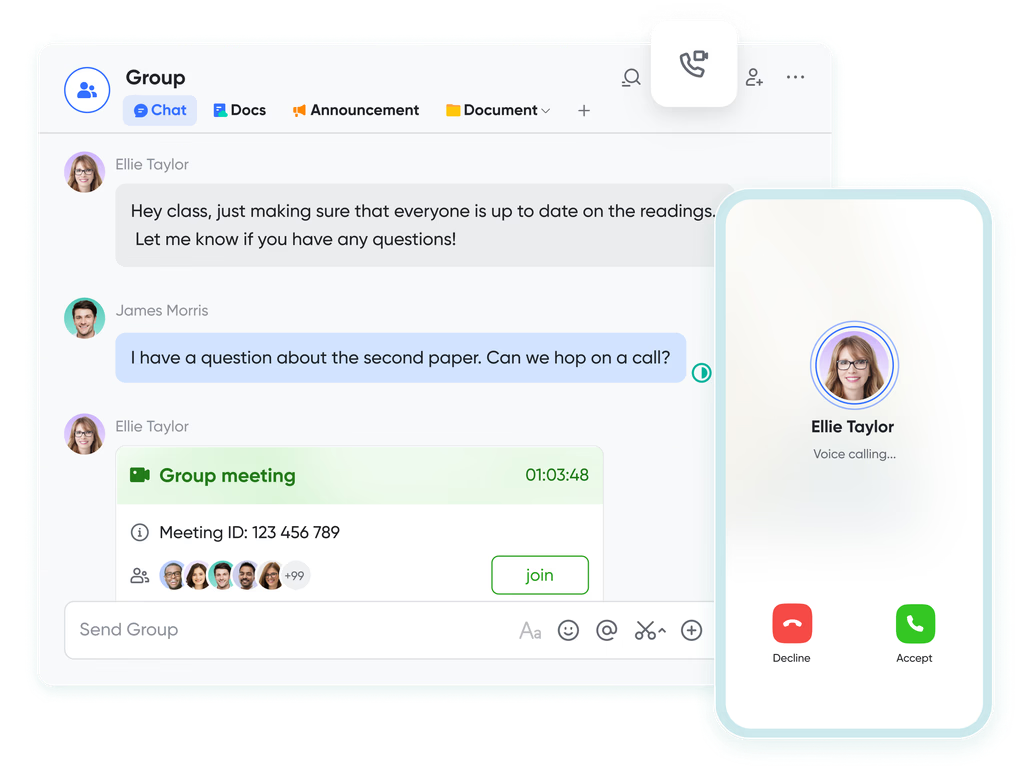
Lark Messenger and Lark Meetings: Driving communication across every phase
In execution and monitoring, communication is the backbone of success—and that's where Lark Messenger and Lark Meetings make a critical difference.
Messenger keeps every discussion connected to the project context. Whether it's sharing task updates, reviewing deliverables, or asking for quick approvals, all communication happens in the same workspace where the work itself lives. Teams can share Docs, assign Tasks, and update project threads without switching between project management tools. Lark Meetings adds real-time collaboration, allowing teams to host video conferences, share screens, and co-edit documents during discussions. Meeting recordings and summaries are automatically stored, reducing miscommunication and improving accountability.
Lifecycle value: Messenger and Meetings maintain alignment, speed up decisions, and ensure that updates, risks, and changes flow seamlessly across teams—supporting both execution and monitoring phases.
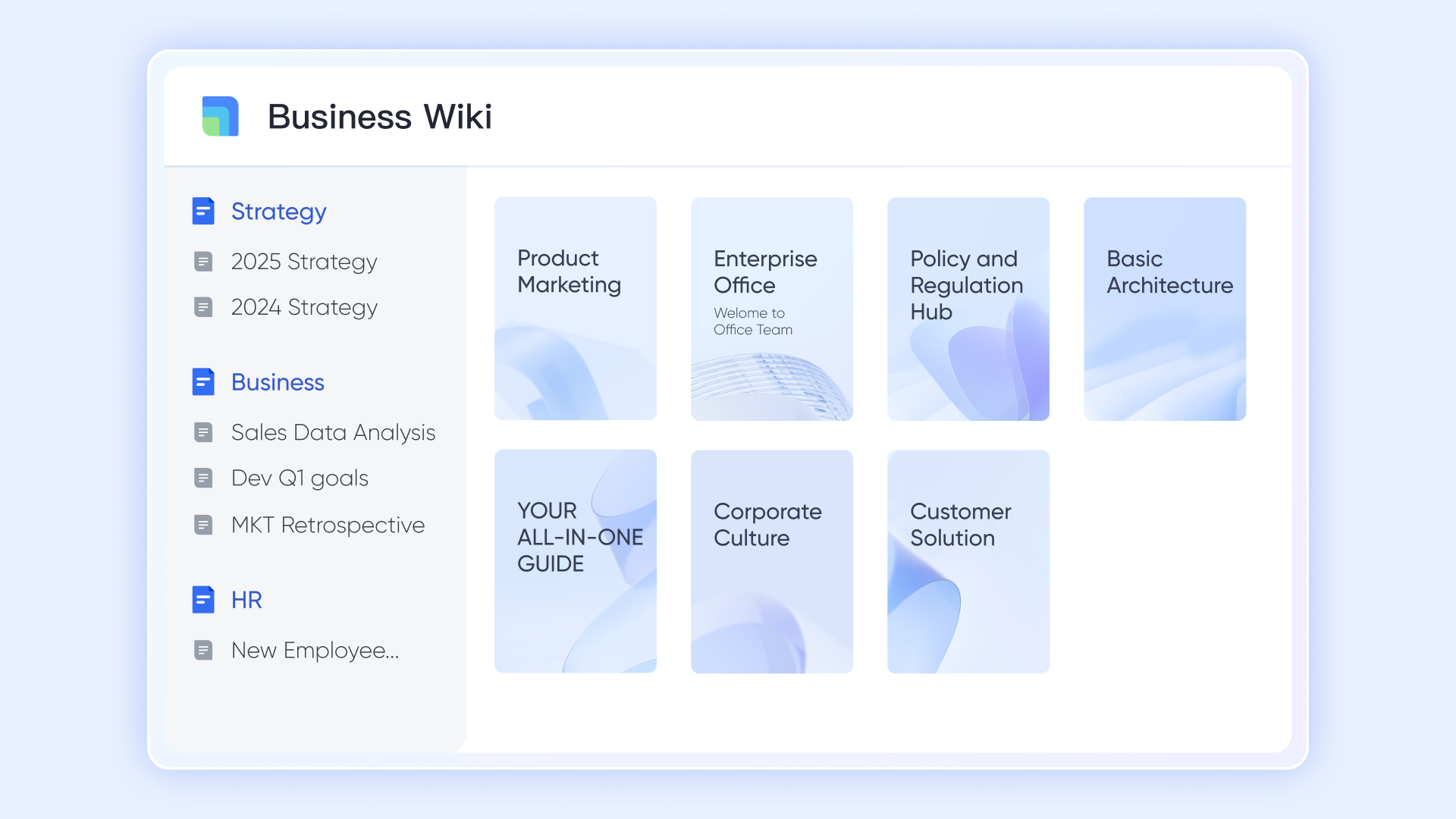
Lark Wiki: Capturing knowledge and closure for future success
During the closure phase, organizations need a space to document outcomes, insights, and post-project evaluations. Lark Wiki provides that centralized knowledge base. It acts as a permanent repository for project documentation—from process guides and final reports to retrospective findings and archived deliverables. Unlike static folders, Wiki structures information into searchable pages that can be updated, linked, or reused in future projects.This not only helps with compliance and reference but also creates a culture of continuous learning. New teams can revisit past projects, understand what worked, and replicate best practices.
Lifecycle value: Lark Wiki transforms project closure into an opportunity for long-term organizational improvement by turning documentation into accessible, living knowledge.
- Starter plan: Free forever plan that includes 11 powerful tools for up to 20 users. It also comes with 100GB of storage, 1000 automation runs, AI translations, and more.
- Basic plan: $6/user/month (billed annually) for up to 500 users. It includes everything in Starter plus group calling for up to 500 attendees, 5TB of storage, 1000 automation runs, and more.
- Pro plan: $12/user/month (billed annually) for up to 500 users. It includes everything in Starter plus group calling for up to 500 attendees, 15TB of storage, 50,000 automation runs, and more.
- Enterprise plan: Contact sales for custom pricing. Supports unlimited users and includes even more automation runs and advanced security, compliance, and management features.
2. Zoho Projects: Scalable project management for growing teams
Zoho Projects is a versatile project management solution designed to help teams plan, collaborate, and track work efficiently as they scale. It combines task management, automation, time tracking, and reporting in an easy-to-use interface. With strong customization options and integration across the Zoho ecosystem, it adapts well to businesses of all sizes. Zoho Projects is particularly effective for growing teams looking to balance structure with flexibility in their workflows.
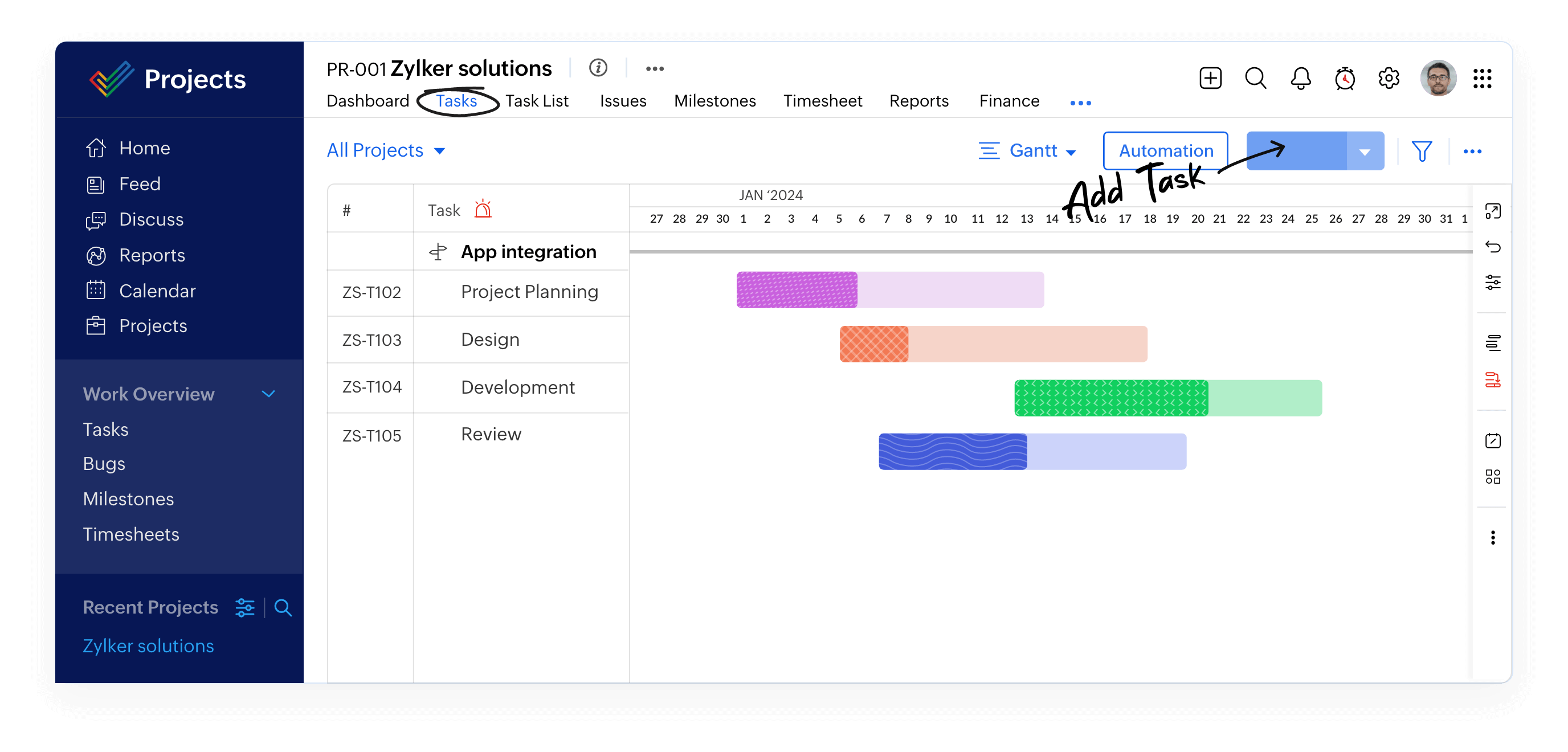
Image source: zoho.com
Key Features:
- Task management with Gantt charts, milestones, and dependencies.
- Built-in time tracking and timesheet approvals for better accountability.
- Automation of workflows and task reminders to save time.
- Comprehensive reporting and analytics dashboards.
- Seamless integration with Zoho apps and third-party tools like Slack, Google Drive, and Microsoft Teams.
Pros:
- Affordable pricing with scalable plans.
- User-friendly interface and quick setup.
- Strong automation and reporting capabilities.
- Tight integration within the Zoho ecosystem.
Cons:
- Limited customization compared to enterprise-grade tools.
- Mobile app can feel less intuitive for complex projects.
Pricing:
- Free plan: For up to 3 users.
- Premium: $5/user/month (billed annually).
- Enterprise: $10/user/month (billed annually).
3. Smartsheet: Spreadsheet-style project tracking and automation
Smartsheet combines the familiarity of spreadsheets with advanced project management capabilities, making it a powerful choice for teams that manage data-driven projects. It enables planning, tracking, and automating workflows across departments while maintaining real-time visibility. With its flexible views and reporting options, Smartsheet helps organizations streamline processes and improve collaboration on complex projects.
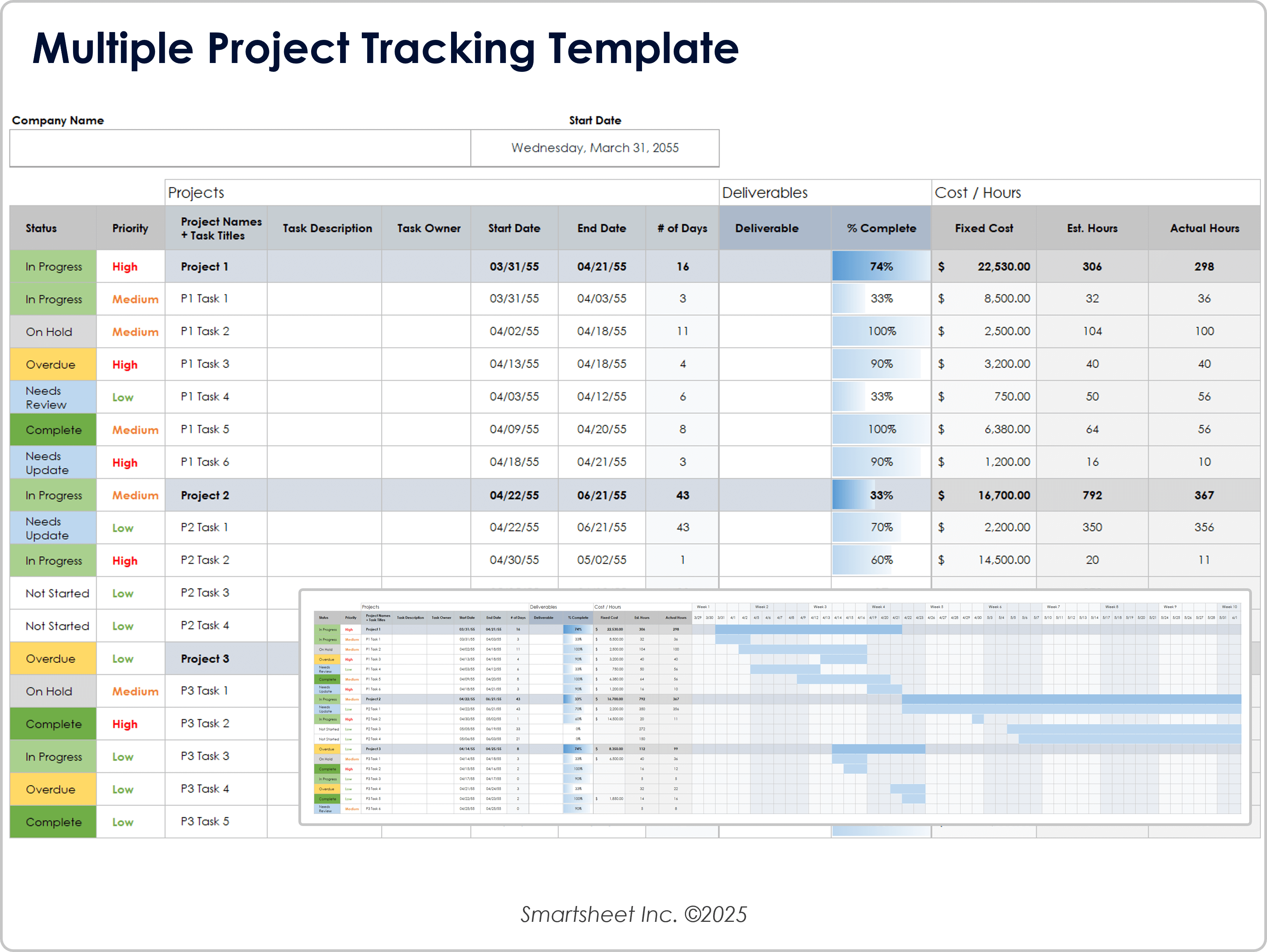
Image source: smartsheet.com
Key features:
- Task and project tracking using grid, card, and Gantt views.
- Workflow automation and approval tracking.
- Resource and capacity management tools.
- Real-time dashboards and performance analytics.
- Integrations with tools like Google Workspace, Slack, and Microsoft Teams.
Pros:
- Highly customizable and scalable for various industries.
- Strong automation and reporting features.
- Familiar spreadsheet-style interface.
- Excellent for managing multi-department projects.
Cons:
- Can feel overwhelming for smaller teams.
- Higher-tier plans can be costly.
Pricing:
- Pro plan: $7/user/month.
- Business plan: $25/user/month.
- Enterprise plan: Custom pricing.
4. ClickUp: Customizable lifecycle management with automation
ClickUp is a flexible and feature-rich project management platform built to adapt to different workflows and team structures. It supports everything from task tracking to goal management, allowing full customization of how projects are viewed and managed. With automation and reporting tools, ClickUp is ideal for teams seeking control and visibility across the entire lifecycle.
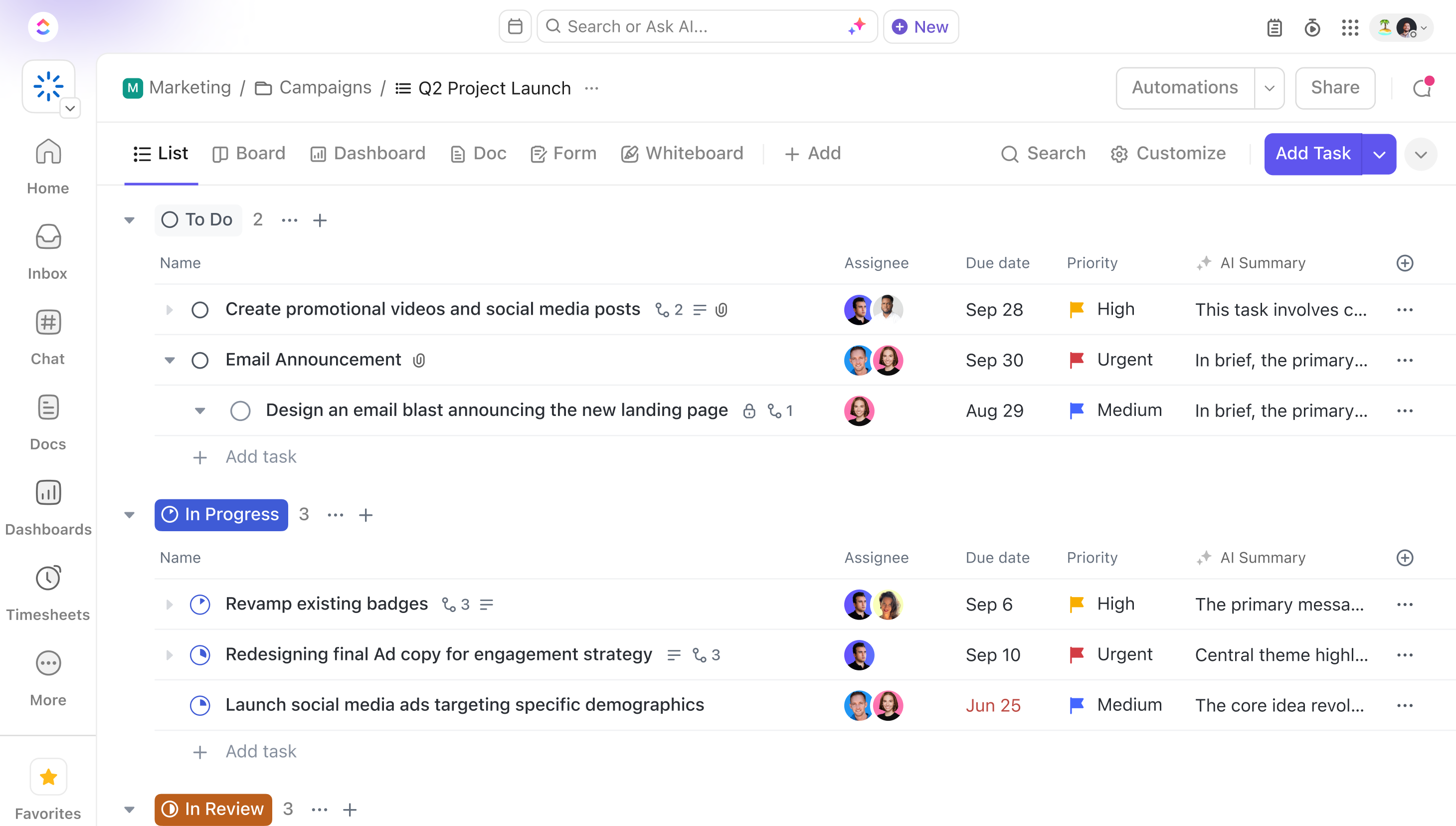
Image source: clickup.com
Key features:
- Customizable task views, including list, board, and timeline.
- Goal setting, time tracking, and progress monitoring.
- Workflow automation and recurring task setup.
- Advanced reporting and dashboard customization.
- Integrations with Slack, Zoom, Google Drive, and more.
Pros:
- Highly customizable to fit any workflow.
- Rich feature set suitable for all project types.
- Supports agile, hybrid, and traditional management.
- Strong integration capabilities.
Cons:
- Steeper learning curve for new users.
- Interface can feel cluttered with too many options.
Pricing:
- Free plan: Available for individuals.
- Unlimited plan: $7/user/month.
- Business plan: $12/user/month.
- Enterprise plan: Custom pricing.
5. Wrike: Advanced lifecycle control for enterprise projects
Wrike delivers advanced tools for managing large-scale, complex projects with real-time collaboration and visibility. It helps enterprises maintain control over planning, execution, and performance through customizable workflows, dashboards, and reports. Wrike's flexibility makes it suitable for teams that require scalability and precise resource management.
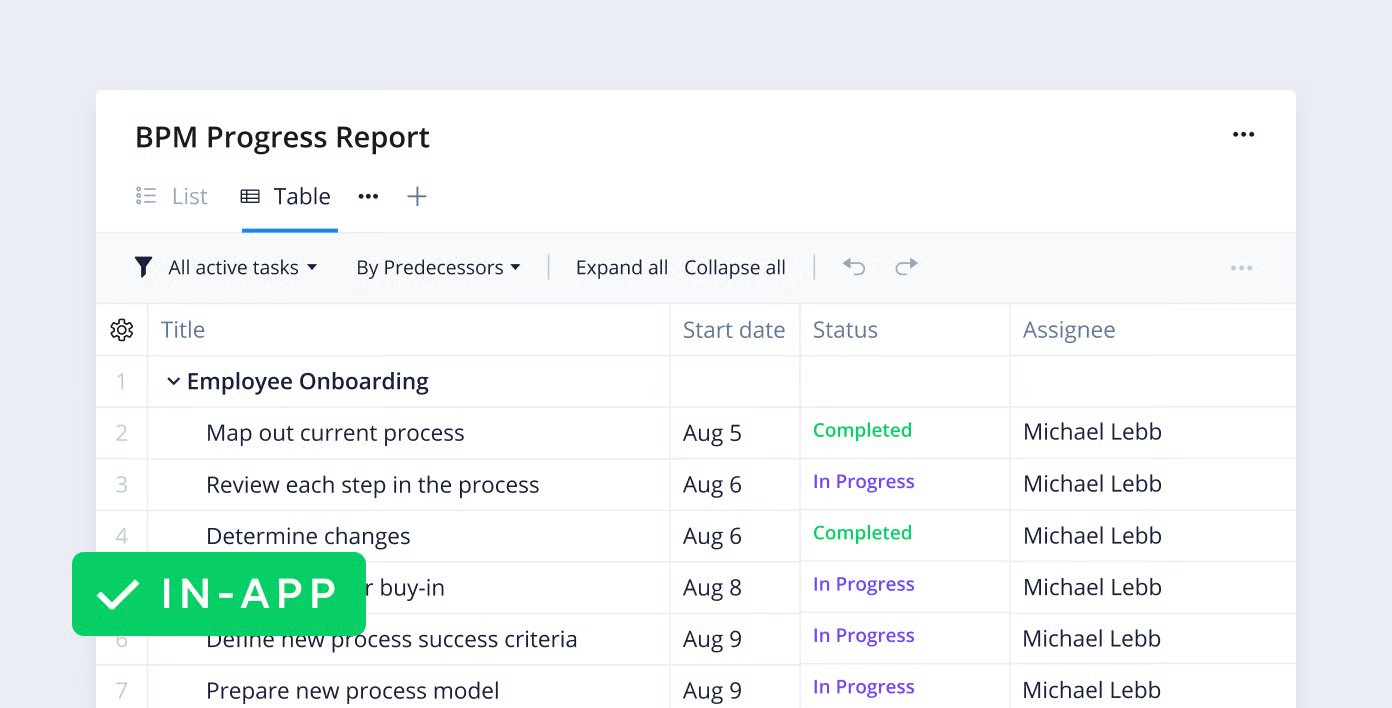
Image source: wrike.com
Key features:
- Real-time project tracking and dashboards.
- Custom workflows and automation.
- Portfolio and resource management.
- Detailed time tracking and reporting.
- Integrations with Salesforce, Slack, and Microsoft 365.
Pros:
- Excellent for large, distributed teams.
- Advanced reporting and workload balancing.
- Highly secure and scalable infrastructure.
- Supports multiple project methodologies.
Cons:
- Can be expensive for smaller businesses.
- Interface may take time to master.
Pricing:
- Free plan: For up to 5 users.
- Team plan: $9.80/user/month.
- Business plan: $24.80/user/month.
- Enterprise plan: Custom pricing.
6. Adobe Workfront: Enterprise-level governance for lifecycle workflows
Adobe Workfront is designed for enterprises managing large, complex projects that require strict governance, compliance, and resource visibility. It integrates deeply with Adobe Creative Cloud, making it especially valuable for marketing and design teams. Workfront provides robust approval workflows, analytics, and strategic alignment features that enhance enterprise-level project oversight.
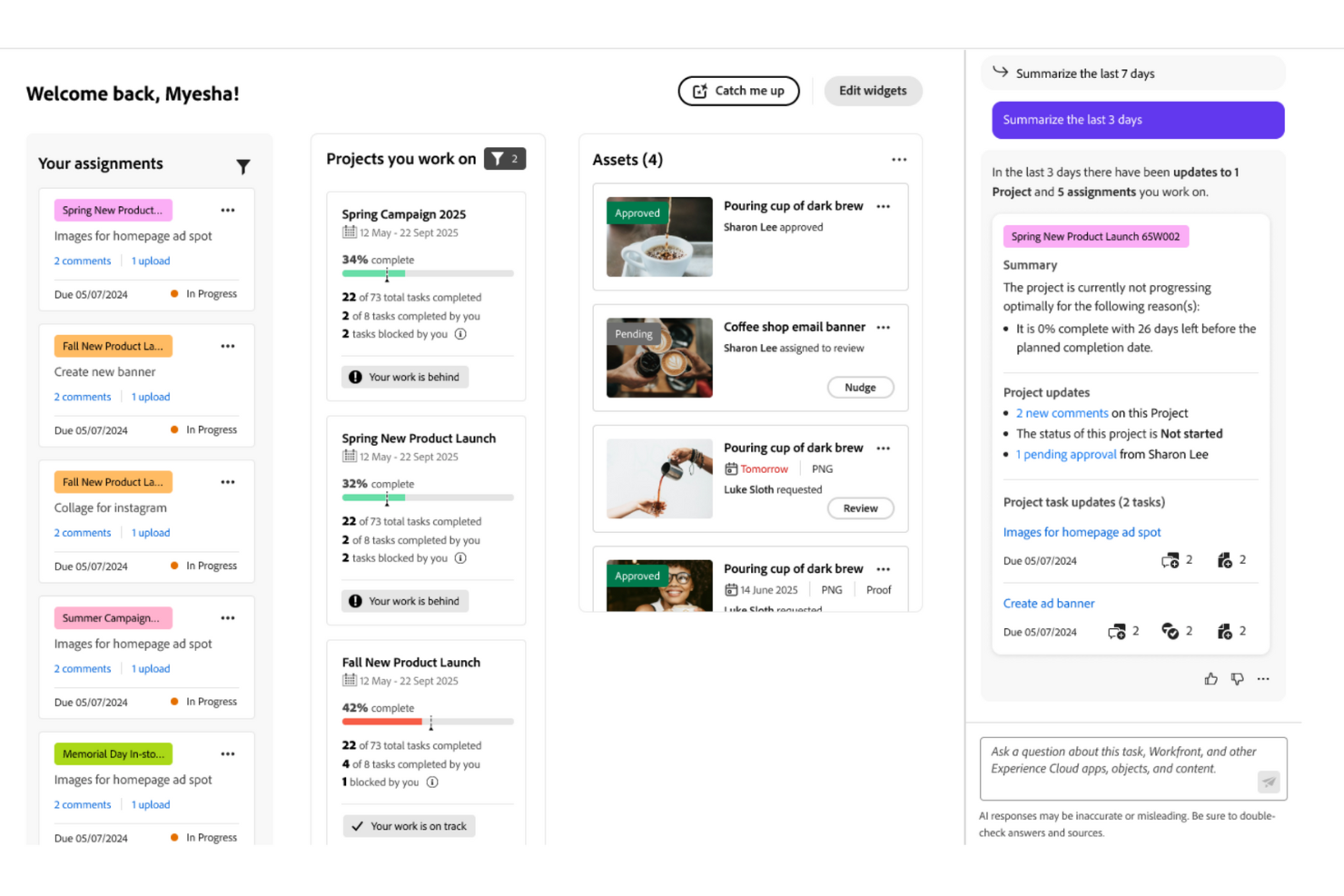
Image source: adobe.com
Key features:
- Portfolio and resource management.
- Custom approval workflows and request queues.
- Advanced reporting and performance tracking.
- Deep integration with Adobe Creative Cloud.
- Centralized communication and document management.
Pros:
- Ideal for large enterprises with compliance needs.
- Strong reporting and data visualization.
- Seamless integration with creative workflows.
- Excellent for standardized project governance.
Cons:
- High cost for smaller organizations.
- Requires time and expertise to implement.
Pricing:
- Enterprise plan: Custom pricing based on requirements.
7. Asana: Simple and visual project lifecycle management for teams
Asana simplifies project management with its clean interface and visual organization tools. It helps teams plan, execute, and monitor projects efficiently across all lifecycle phases. Asana's flexible views and automation features make it suitable for teams of any size looking to improve coordination and accountability.
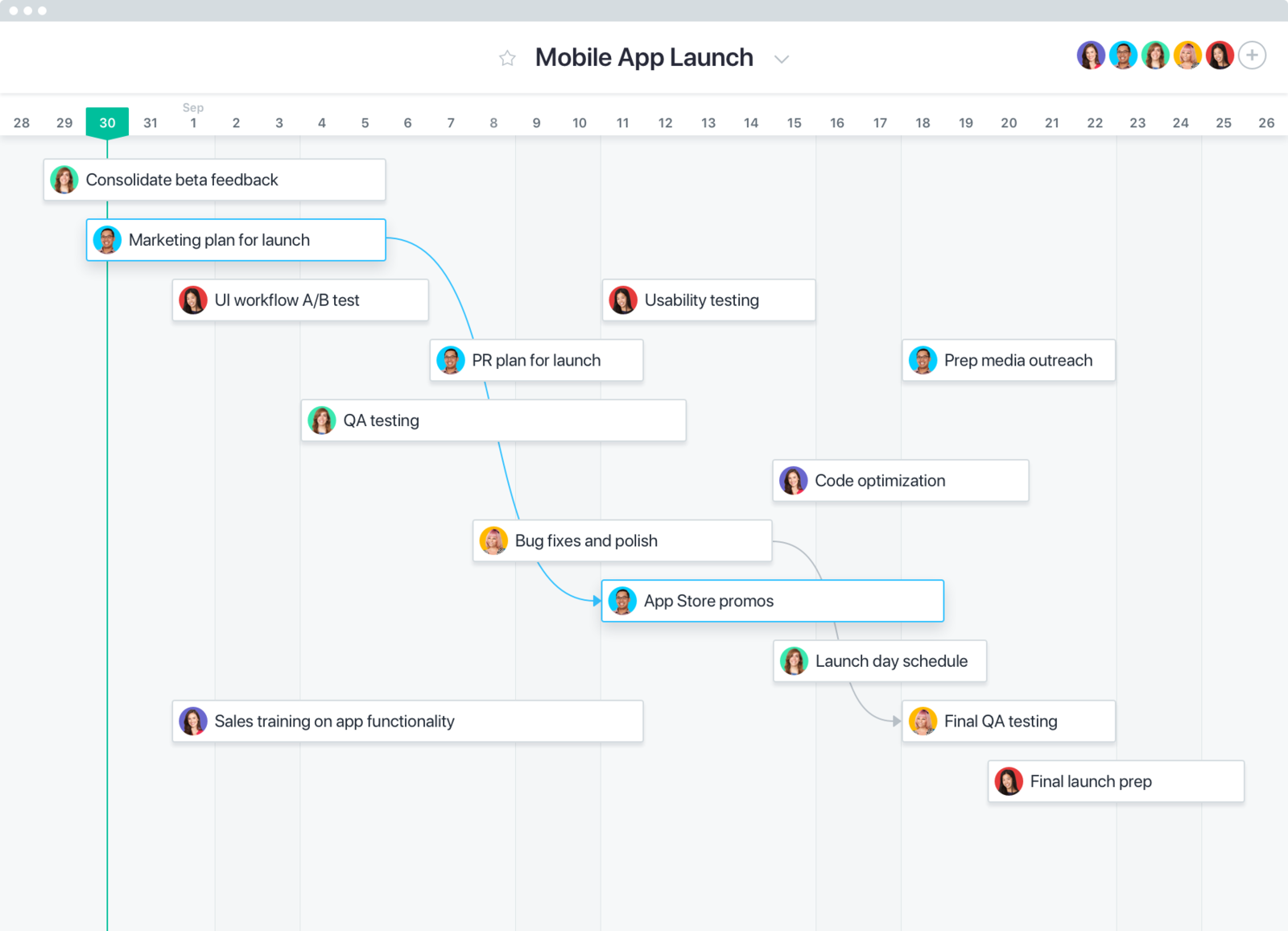
Image source: asana.com
Key features:
- Task management with list, board, and timeline views.
- Workflow automation and rule-based triggers.
- Workload and deadline tracking.
- Integration with over 200 apps.
- Reporting dashboards and status updates.
Pros:
- User-friendly and easy to learn.
- Visually organized project views.
- Great for team collaboration and transparency.
- Strong integration ecosystem.
Cons:
- Limited reporting in lower plans.
- Premium features can be costly for large teams.
Pricing:
- Free plan: For individuals and small teams.
- Starter plan: $10.99/user/month.
- Advanced plan: $24.99/user/month.
Bonus know-how: Types of project life cycles
Different projects require different management approaches depending on their goals, complexity, and level of uncertainty. The type of project life cycle chosen determines how teams plan, execute, and adapt throughout the process. From structured methods to flexible, adaptive models, each life cycle offers unique advantages for managing projects effectively.
- Predictive (Waterfall) life cycle: In a predictive or Waterfall life cycle, all project phases—initiation, planning, execution, and closure are completed sequentially. The full scope, timeline, and budget are defined early, making it ideal for projects with stable requirements. However, changes are difficult to accommodate once execution begins. Waterfall methodology suits industries like construction or manufacturing, where predictability and control are key.
- Iterative life cycle: The iterative approach delivers the project in repeated cycles, allowing teams to refine deliverables with each iteration. Feedback gathered after every cycle helps improve outcomes before the next phase begins. This model works well when requirements are not fully defined at the start and need gradual evolution.
- Incremental life cycle: In an incremental life cycle, the project is divided into smaller, manageable parts (increments). Each increment delivers a functional portion of the final product, adding value progressively. This approach enables quicker results and early user feedback while maintaining flexibility for future enhancements.
- Adaptive (Agile) life cycle: The adaptive or Agile life cycle embraces change through short, time-boxed iterations called sprints. Adhering to Agile project management principles, teams collaborate continuously, review progress frequently, and adapt priorities based on stakeholder feedback. It's best for dynamic environments such as software development, where responsiveness and speed are crucial.
- Hybrid life cycle: The hybrid model blends predictive planning with agile flexibility. Core project elements like budget and scope are defined upfront (predictive), while execution adapts to changes through iterative cycles (agile). This balance allows organizations to maintain control while responding efficiently to evolving requirements.
Conclusion
Effective project lifecycle management ensures that every stage—from initiation to closure—runs smoothly, efficiently, and with clear accountability. By following a structured approach, teams can plan better, communicate more effectively, and deliver projects that meet goals on time and within budget. Choosing the right software further enhances this process by connecting documentation, tracking progress, and streamlining collaboration.
Tools like Lark, Zoho Projects, and Wrike empower teams to manage complexity with transparency and precision. Whether you follow a predictive, agile, or hybrid model, success depends on clarity, coordination, and continuous improvement. With the right lifecycle management strategy, organizations can transform projects into predictable, scalable, and high-performing operations that drive long-term business value.
FAQs
How is the project lifecycle different from project management?
The project lifecycle defines the structured stages a project passes through from initiation to closure. Project management, on the other hand, is the discipline and methodology used to guide and control these stages. In essence, the lifecycle is the framework, while project management is the process that ensures success within that framework.
What software is best for managing project lifecycles?
Top project lifecycle management tools include Lark, Zoho Projects, Wrike, and Smartsheet. These platforms help teams plan, execute, and monitor work through integrated communication, documentation, and automation features. The best choice depends on team size, complexity, and preferred workflow model.
How does the agile lifecycle differ from traditional project management?
The agile lifecycle emphasizes flexibility, collaboration, and continuous feedback through short iterations or sprints. Traditional project management, often based on the Waterfall model, follows a linear, sequential path. Agile adapts quickly to change, while traditional methods focus on upfront planning and fixed deliverables.
Can Lark be used for managing complex project lifecycles?
Yes, Lark is designed to support complex, multi-phase projects by integrating communication, documentation, and tracking in one workspace. Its tools—Docs, Base, Wiki, Messenger, and Meetings—connect every stage of the project lifecycle, ensuring real-time visibility, collaboration, and control for large or distributed teams.
Related reading
Table of contents
Start using Lark today

Manage all your work in one place
Boost team efficiency by 10x
Save up to 70% on software costs
Table of contents
Start using Lark today
Manage all your work in one place
Boost team efficiency by 10x
Save up to 70% on software costs
Keep reading







2026 Lark Technologies Pte. Ltd.
Headquartered in Singapore with offices worldwide.






Explore: