In today's dynamic work environment, managing tasks effectively across a team can feel like orchestrating a complex symphony. As managers, we're constantly juggling multiple projects, ensuring deadlines are met, and keeping our teams aligned. The days of relying on individual sticky notes or isolated spreadsheets are long gone. What we need now are shareable to-do list app tools that not only help us keep track of tasks but also facilitate seamless collaboration, ensuring everyone is on the same page, literally and figuratively. This article aims to cut through the noise and provide a clear, actionable guide for managers looking to leverage the power of these essential applications. We'll explore why these tools are no longer a luxury but a necessity, highlight the key features that truly matter for team success, and review some of the leading options available today. Our goal is to equip you with the insights needed to make an informed decision, ultimately helping your team achieve its highest potential.
Why a shareable to-do list is essential for managers
The landscape of work has fundamentally shifted. Teams are more interconnected than ever, often working across different locations and time zones. In this context, effective task management transcends individual productivity; it becomes a cornerstone of team performance and project success. A shareable to-do list app isn't just about listing items; it's about creating a centralized, transparent hub for all team activities.
These tools are crucial for managers, primarily enhancing visibility, accountability, and proactive management.
Improved visibility and transparency
A key benefit is gaining an immediate, real-time overview of who is working on what, the current status of each task, and impending deadlines. This eliminates the need for constant check-ins and reduces the risk of miscommunication. For example, a marketing manager preparing for a product launch can instantly verify the readiness of social media assets or the press release status, without individually querying team members.
Enhanced task delegation and accountability
Shareable to-do lists revolutionize how tasks are assigned and owned. You can assign specific tasks to individuals or groups, set clear due dates, and. This fosters a culture of ownership, as each team member understands their responsibilities. When a task is completed, it's visible to everyone, creating a sense of shared accomplishment. Critically, if a task falls behind, its status is immediately apparent, allowing for proactive intervention rather than reactive damage control. Consider a sales manager assigning follow-up calls after a conference; a shared list instantly shows contacted leads and those needing attention, enabling quick reassignments to ensure no opportunity is missed.
Key features to look for in a shareable to-do list app
Selecting the right shareable to-do list app involves more than just picking a tool with a nice interface. For managers, the focus should be on features that genuinely enhance team collaboration, efficiency, and oversight. A few core functionalities consistently stand out as critical for driving team success:
Real-time synchronization and updates
In a fast-paced environment, static are simply inadequate. Your chosen app must instantly reflect changes made by any team member, ensuring everyone is always working with the most current information. This prevents confusion, avoids duplicate work, and keeps discussions productive by always referencing the latest task state. Whether a team member updates a status, adds a comment, or attaches a document, that information should be immediately available to everyone involved.
Granular task assignment and permission settings
Beyond basic assignment, advanced tools allow for assigning subtasks, setting different levels of access for team members (e.g., view-only, editor, assignee), and even securely delegating tasks to external collaborators. This level of control is crucial for managing complex projects with diverse stakeholders and ensuring sensitive information remains protected. For example, a project manager can grant full editing access to core team members while providing view-only access to external vendors for specific deliverables, balancing control with necessary information sharing. Robust unification capabilities
Your to-do list app shouldn't operate in a silo. It must connect seamlessly with your team's existing communication platforms (like Slack or Microsoft Teams), calendar applications, and file storage solutions. This interconnectedness minimizes context switching, , and reduces friction. When a task's due date automatically appears in a team calendar or a new task notification pops up in a chat channel, it saves valuable time and ensures nothing falls through the cracks, creating a unified ecosystem for all team work.
Top shareable to-do list apps reviewed
Choosing the right shareable to-do list app can significantly impact your team's productivity and collaboration. We've reviewed several leading options, assessing their strengths in a team environment.
1. Lark: An all-in-one suite for growing teams
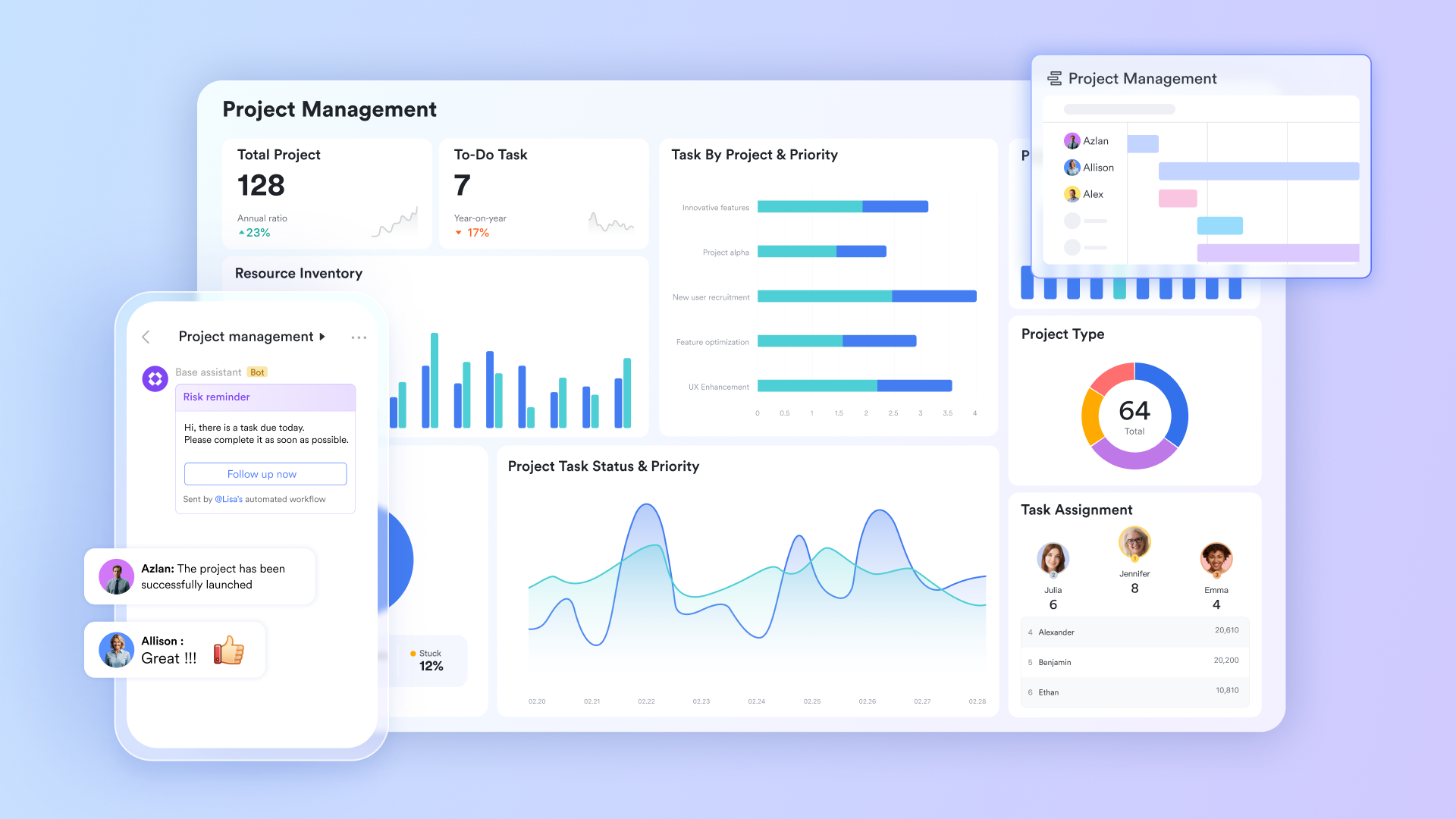
stands out as the ultimate shareable to-do list app for teams seeking a unified, AI-powered platform to streamline collaboration and project management. It's especially suited for growing teams and enterprises aiming to reduce context switching, consolidate tools, and foster efficient, transparent workflows.
Teams often struggle with "context switching" between separate apps for communication, documents, and tasks, leading to fragmented information and project delays. Lark tackles this by offering an all-in-one digital workspace,unifying messaging, video calls, document collaboration, and into a single, cohesive platform.
For shareable to-do list app functionality, Lark shines through its unified approach. Its powerful Lark Base tool allows teams to create highly customizable and truly shareable to-do lists, directly linked with communication. Managers can easily assign tasks, set deadlines, and attach relevant context. Lark's AI-powered workflows can further automate reminders and suggest task prioritization, transforming static lists into dynamic, intelligent project trackers that prevent projects from falling behind due to communication gaps.
Pros:
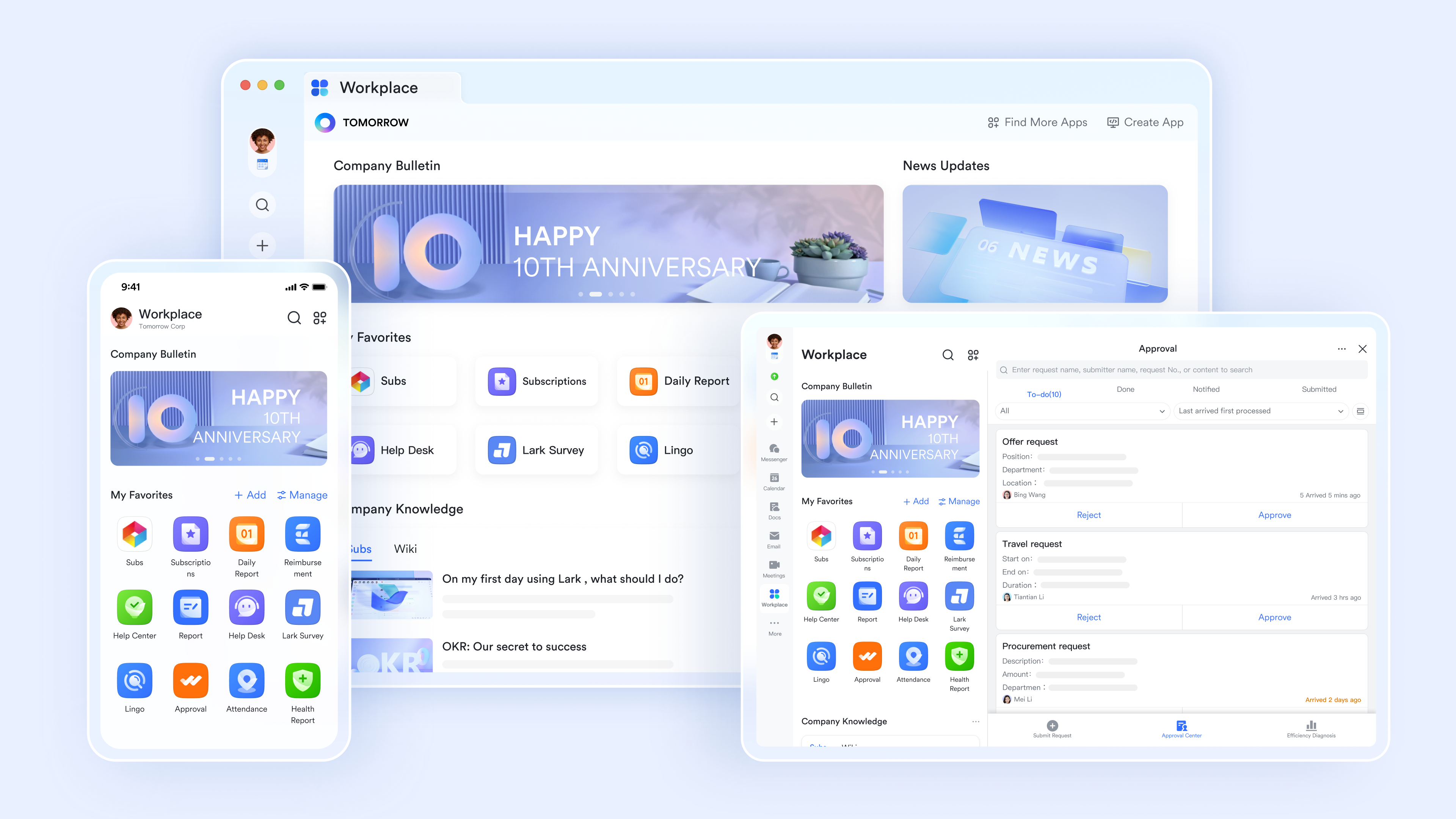
Comprehensive collaboration hub: Beyond task management, acts as a complete digital workspace, unifying Chat, Video Meetings, and Docs workflows within a single interface. This consolidation drastically reduces the need for multiple, expensive subscriptions to various specialized tools, simplifying IT management and onboarding. Its robust free plan and scalable paid tiers offer a cost-effective solution for growing teams seeking efficient, shared task management alongside a full suite of collaboration tools.
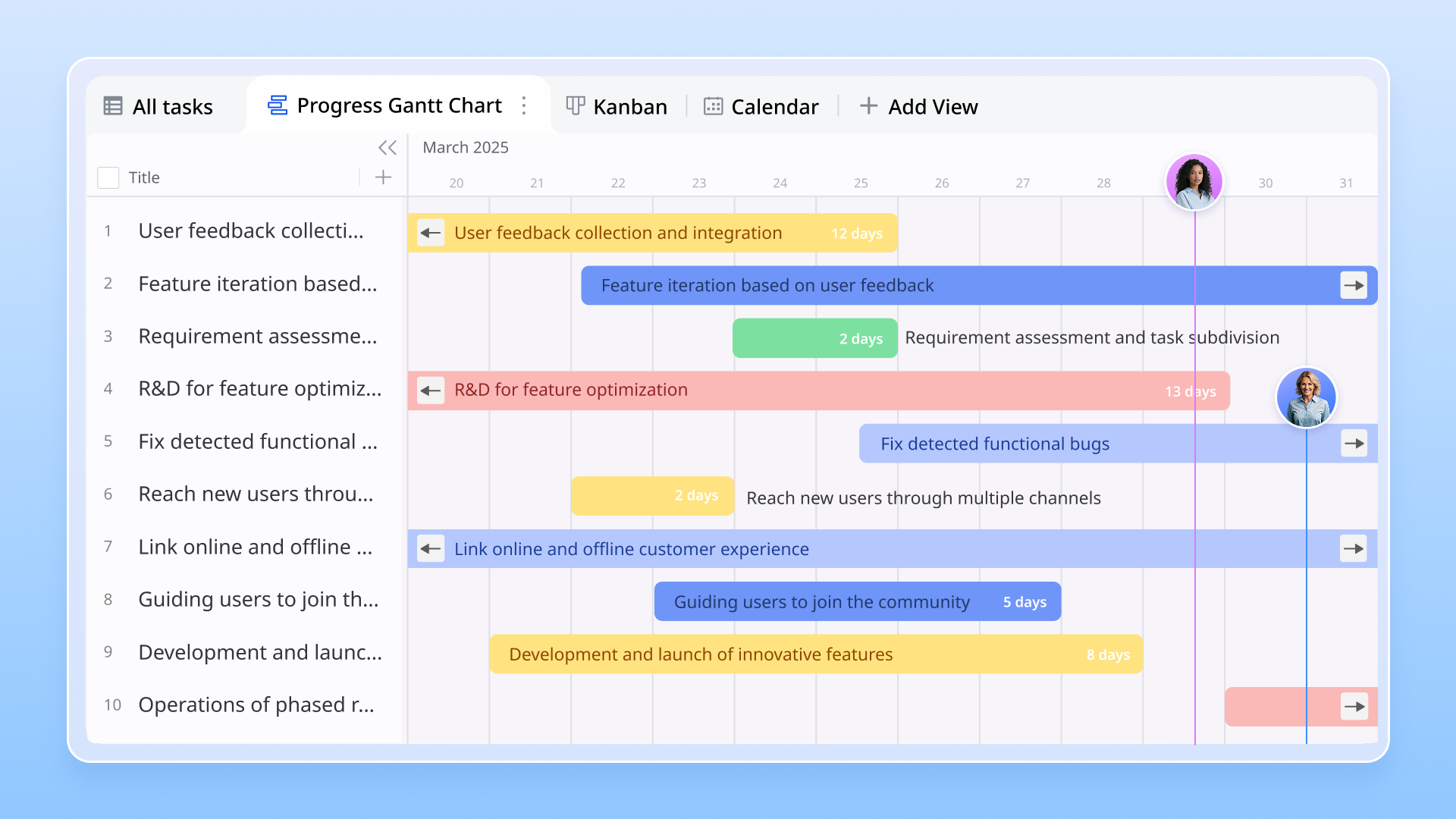
Contextualized task management with Lark Base: Unlike standalone to-do list apps, Lark leverages its feature to create dynamic, shareable task databases. Users can directly mention tasks within Chat messages to instantly pull up task details, or embed task lists within co-editable for direct project management. This means task discussions and updates happen where the work is, eliminating context switching and ensuring all team members have immediate access to relevant information without leaving their workflow.
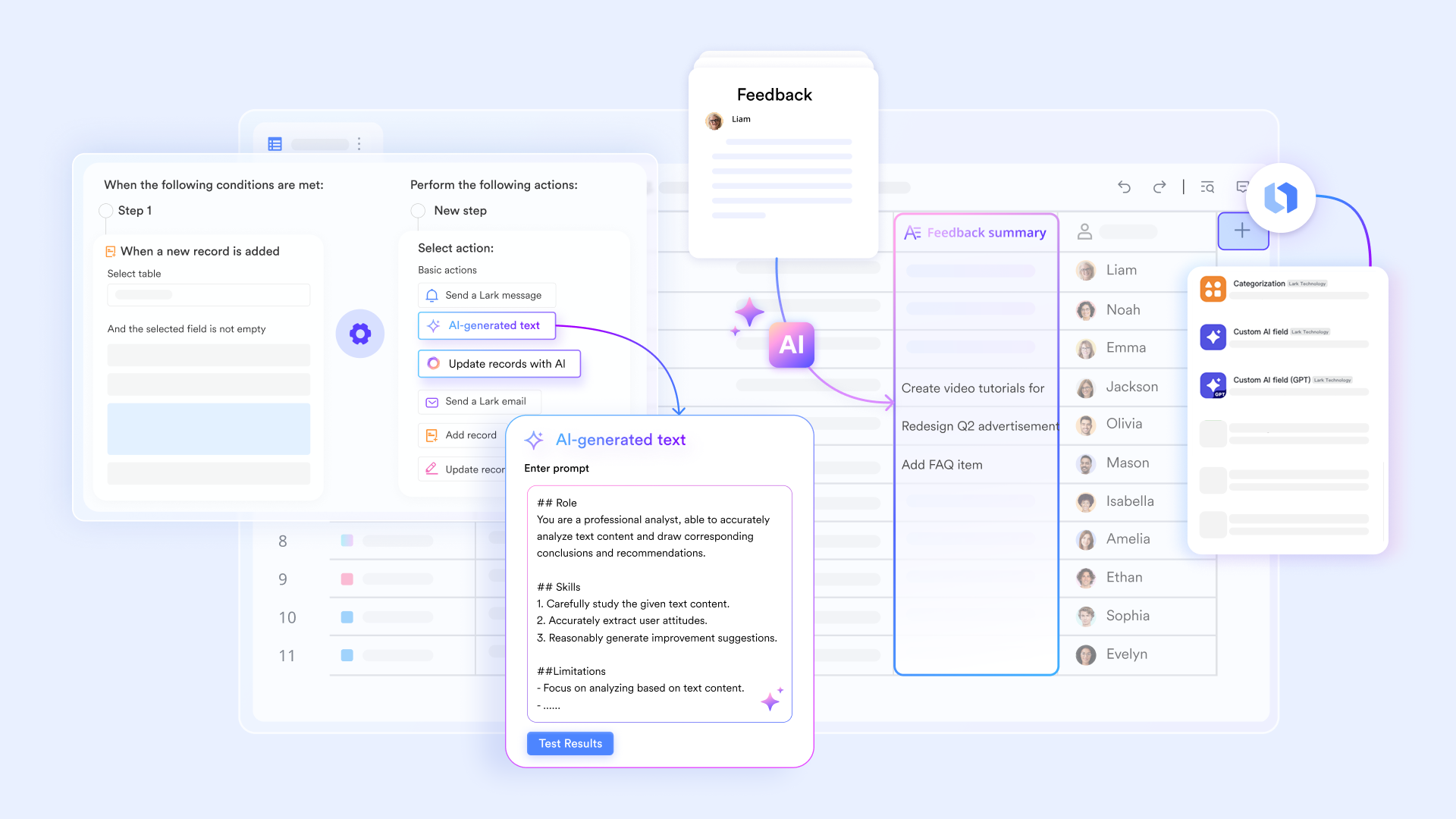
Proactive task automation and AI assistance: Lark empowers teams with intelligent features for managing shared tasks. With its automation engine, users can set up rules in to based on criteria, send deadline reminders directly to Chat for assigned individuals, or update task statuses upon completion of dependent items. Additionally, Lark's AI capabilities can generate summaries from meeting notes, which can then be converted into action items in Base, fostering proactive management and reducing manual follow-ups.
Cons:
Initial Learning Curve for Feature Adoption: The platform's extensive features require time to explore and fully utilize, potentially needing an adjustment period when transitioning from simpler tools.
:
- Starter plan: that includes 11 powerful tools for up to 20 users. It also comes with 100GB of storage space, 1000 automation runs, AI translations, and more. No credit card needed.
- Pro plan: (billed annually) for up to 500 users. It includes everything in Starter plus group calling for up to 500 attendees, 15TB of storage space, 50,000 automation runs, and more.
- Enterprise plan: for custom pricing. Supports unlimited users and includes even more automation runs and advanced security, compliance, and management features.
For small teams with simple communication needs

18 months message history
1000 Base automation runs/month
2000 rows per table in Base
Most POPULAR
For companies with comprehensive collaboration and management needs
Unlimited message history
500-participant video meetings
50k Base automation runs/month
20k rows per table in Base
For large companies with advanced security and organizational management needs
Get a personalized demo and pricing
Unlimited message history
500-participant video meetings
15 TB storage + 30 GB storage/user
500k Base automation runs/month
50k Base automation runs/month
Most POPULAR
For companies with comprehensive collaboration and management needs
Unlimited message history
500-participant video meetings
50k Base automation runs/month
20k rows per table in Base
2. Todoist: A versatile cross-platform to-do list manager
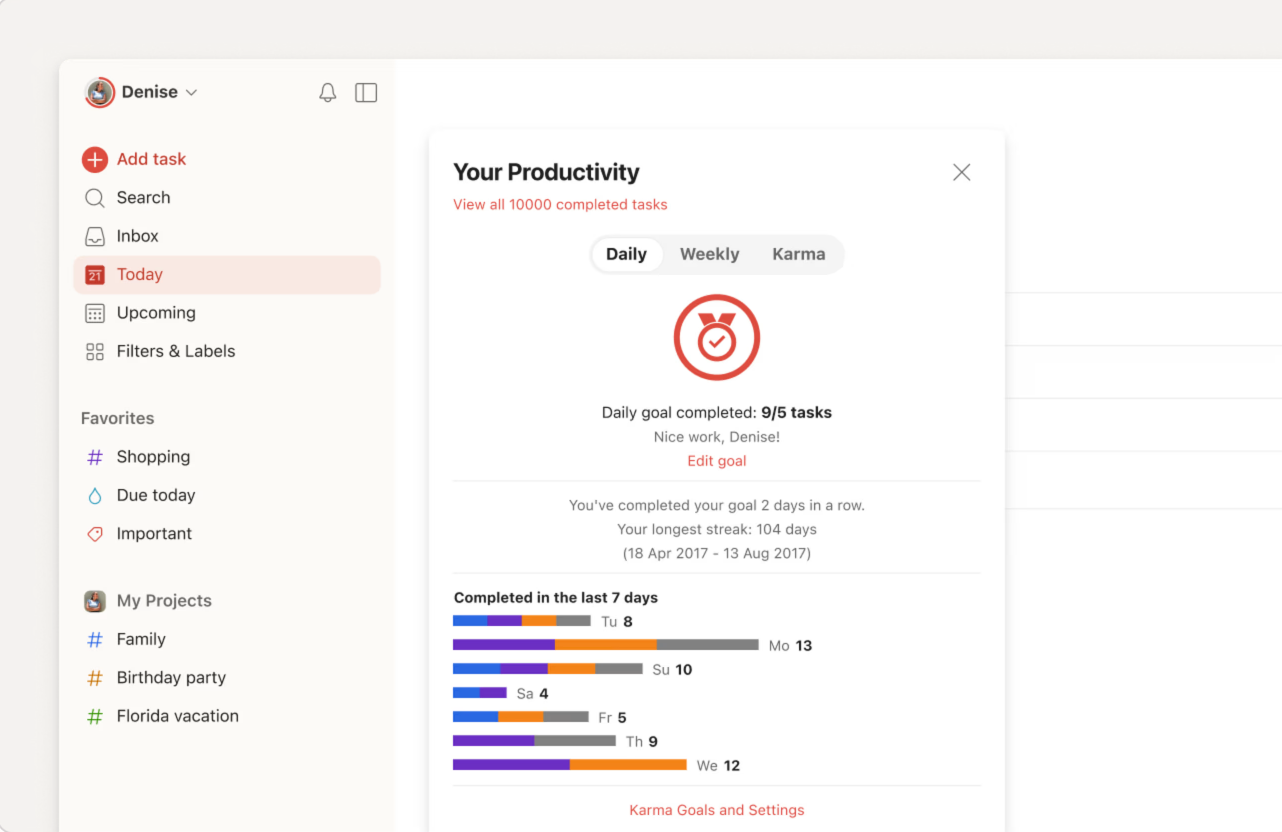
Image source: todoist.com
Todoist is ideal for teams who need a straightforward yet powerful task manager with excellent cross-platform support and robust unifications. It stands out for its intuitive interface and natural language processing capabilities that simplify task creation.
Todoist excels at simplifying task management, making it remarkably easy to create, organize, and assign tasks across various platforms. Its intuitive design is bolstered by natural language input, allowing users to quickly add tasks like "Review marketing report tomorrow 9 AM," with Todoist automatically scheduling it. This feature significantly reduces the administrative burden of task setup, enabling teams to focus more on execution.
While Todoist is highly effective for individual task management, its collaborative features extend to shared projects, comments, and file attachments, fostering clear communication around tasks. It's particularly useful for agile teams that need to quickly iterate on tasks and track progress within a shared project space. Its wide array of unifications ensures it can connect with many other productivity tools, fitting well into existing workflows.
Pros:
- Intuitive interface with natural language input for quick task creation.
- Strong cross-platform availability, ensuring accessibility for all team members.
- Extensive unifications with many other productivity tools.
Cons:
- Advanced project management features (like Gantt charts) are not natively available.
- Reporting features for team progress can be less comprehensive than dedicated project management suites.
Pricing:
3. Microsoft To Do: The native Windows companion for personal focus
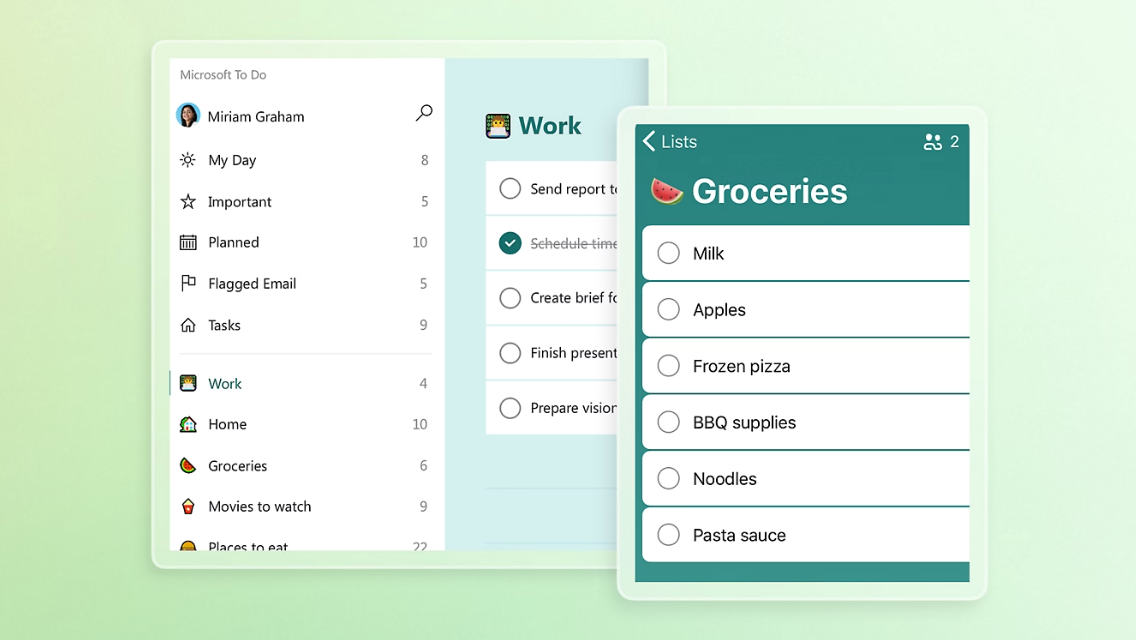
Image source: microsoft.com
Microsoft To Do is a logical choice primarily for individual contributors already deeply embedded in the Microsoft ecosystem, particularly for personal task management and daily prioritization. It's best suited for those needing a lightweight, native Windows experience rather than comprehensive team collaboration.
Developed by the team behind Wunderlist, Microsoft To Do offers a highly optimized native experience, especially for Windows users. Its standout feature, "My Day," acts as a daily planning tool, helping individuals reset and prioritize their morning tasks. This focus on personal productivity and daily organization makes it excellent for managing individual workloads.
However, where Microsoft To Do shines for personal use, its capabilities for team collaboration are more limited. While it integrates closely with Outlook to-dos, making it convenient for Microsoft 365 users, it lacks the structural depth required for complex project management, assigning tasks to multiple team members, or linking sophisticated cloud documents. Managers often find its design restrictive when projects demand deep, multi-user collaboration and detailed oversight.
Pros:
- Native Windows feel; lightweight; “My Day” encourages daily reset and prioritization.
- Strong Outlook to-dos unification for Microsoft 365 users.
- Simple and intuitive interface for individual task management.
Cons:
- Primarily for personal to-dos; limited team collaboration and delegation structure.
- Lacks advanced project management features required for complex team efforts.
Pricing:
4. TickTick: The built-in Pomodoro tool for habit tracking
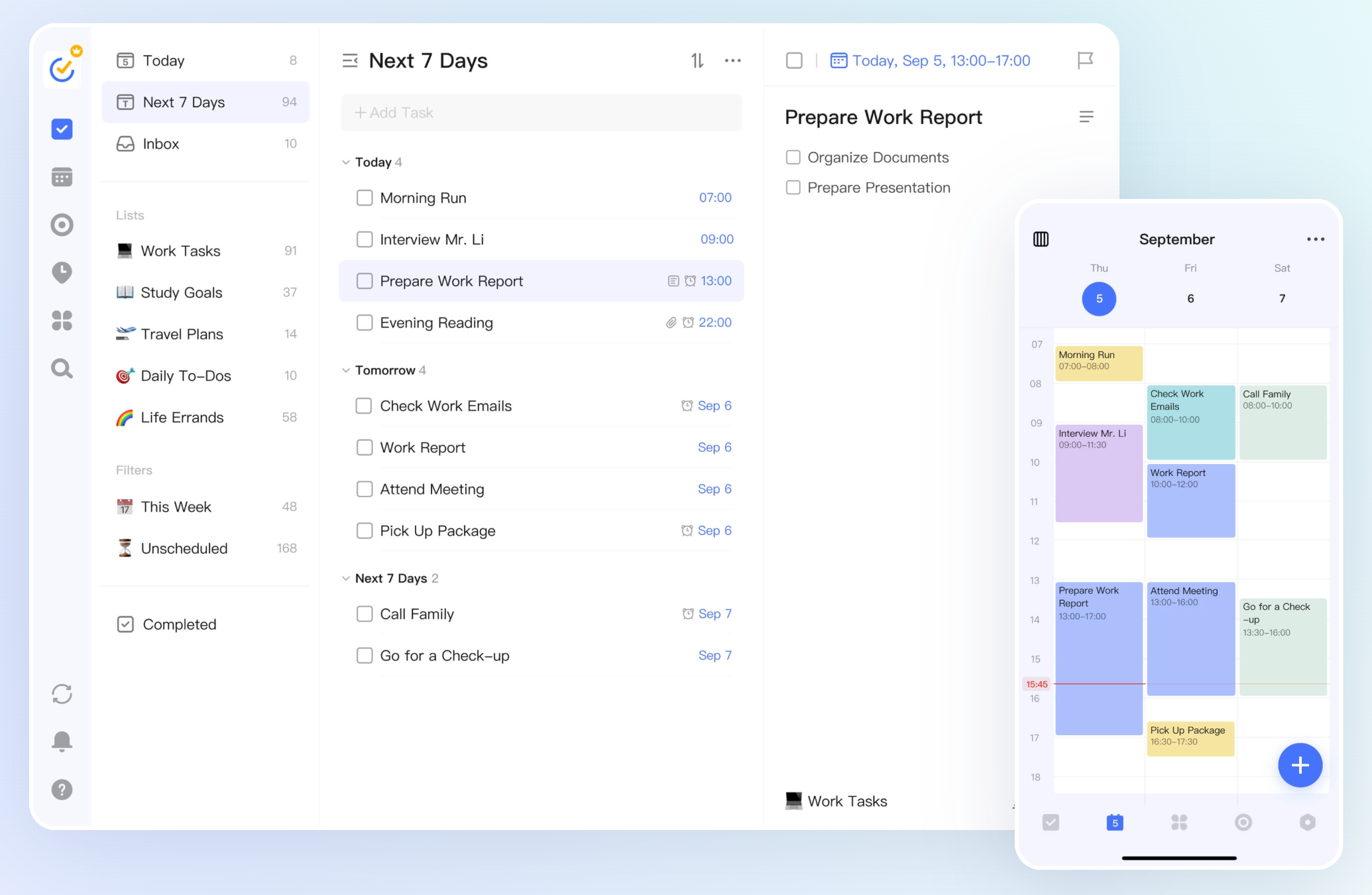
Image source: ticktick.com
TickTick is best for individuals and small teams who prioritize personal time management, habit tracking, and integrating productivity techniques like the Pomodoro method directly into their task workflow. It excels at helping users minimize personal distractions and track time spent on tasks.
TickTick goes beyond a standard to-do list by embedding robust time management methodologies directly into its application. It offers various calendar views—monthly, weekly, daily, and agenda—alongside a built-in Pomodoro timer and comprehensive habit tracking capabilities. This unification is highly effective for users aiming to enhance personal focus, manage their time granularly, and build consistent routines.
While TickTick boasts a mature cross-platform ecosystem and is quick to adopt for individual Getting Things Done (GTD) workflows, its primary strength lies in individual productivity. It is not designed as an enterprise collaboration platform, meaning it has limited features for complex team workflows, permission settings, or extensive document sharing compared to dedicated team suites. Therefore, it rarely replaces a comprehensive team management platform for larger, collaborative projects.
Pros:
- Strong personal time management: tasks + multiple calendar views, suitable for daily execution.
- Built-in Pomodoro timer and habit tracking help reduce distraction and track time spent per to-do.
- Mature cross-platform ecosystem; quickly adopted for individual GTD workflows.
Cons:
- Not designed as an enterprise collaboration platform (limited workflow/permission/document sharing compared with team suites).
- Pricing can vary by purchase channel (web vs app stores), which can be confusing.
Pricing:
- Premium: annual plan for $35.99 (less than $3/month)
5. WeekToDo: The minimalist privacy-focused calendar
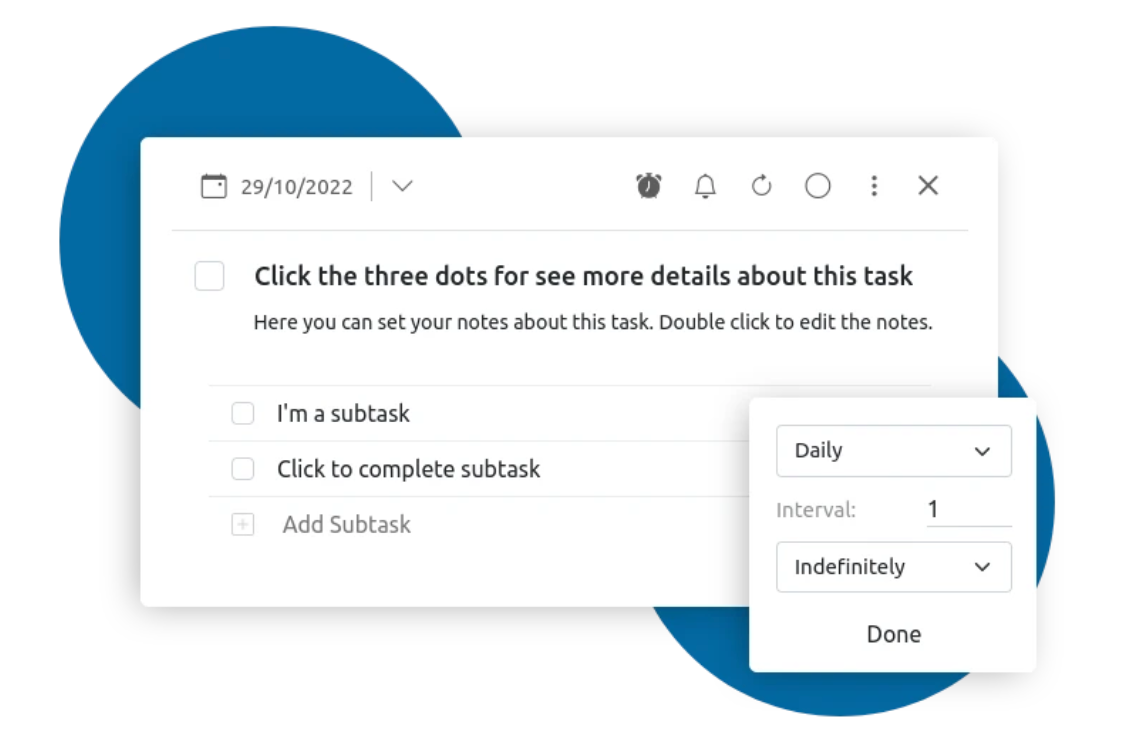
Image source: weektodo.me
WeekToDo is ideal for individuals prioritizing extreme privacy and a minimalistic, offline-first approach to task management, especially those comfortable with a text-based, paper planner-like layout. It stands out for keeping all data local and being free and open-source.
WeekToDo takes a unique angle by focusing entirely on user privacy and minimalistic design. Its core appeal lies in its local storage model, meaning all your data remains securely on your Windows machine and is not stored on any cloud server. This is a significant advantage for users with strict personal data control requirements or those needing an offline planning solution.
The text-based planning layout is intentionally simple, mimicking a basic paper planner, which can be very intuitive for some. While this approach is great for offline needs and personal data control, the fundamental lack of cloud synchronization makes it impractical for any form of team collaboration, file sharing, or remote task delegation. Its minimalist design also means fewer advanced unifications and team-oriented features, making it unsuitable for complex project management in a collaborative environment.
Pros
- Strong focus on privacy and minimalism; suitable for offline / local-first planning.
- Free and open-source; simple weekly layout similar to a paper planner.
- No cloud synchronization means data stays on your local device.
Cons
- Lack of cloud sync makes it impractical for cross-device workflows and team collaboration.
- Minimalist approach means fewer advanced unifications and team features essential for collaborative projects.
Price
- Subscription: contact sales
Choose features that sync, control, and unite
Choosing the right shareable to-do list app for your team
Selecting the optimal shareable to-do list app requires a careful evaluation of your team's specific context and needs. There isn't a one-size-fits-all answer, but by asking the right questions, you can pinpoint the solution that best supports your workflow.
Evaluate team size and task complexity: For smaller teams with simple tasks, a straightforward app like Todoist works well. Larger teams with intricate projects need robust platforms such as Asana or Lark, offering advanced features like and for complex initiatives.
Assess current tools and unification needs: The new app must integrate seamlessly with existing communication, calendar, and file storage systems. Strong unification prevents friction and boosts adoption. Consider unified platforms like Lark to consolidate tools, reducing costs and learning curves.
Prioritize scalability and reliable support: The chosen tool must adapt as your team grows and projects evolve. Check for user growth support, future advanced features (e.g., enterprise security, analytics), and comprehensive customer service. Excellent support saves time and prevents productivity bottlenecks during expansion.
Empower your team with Lark
Common misconceptions about to-do list apps
Even with the clear benefits, some lingering misconceptions can prevent teams from fully leveraging shareable to-do list apps. Addressing these helps foster a more open-minded approach to adopting and utilizing these valuable tools.
More features do not automatically equal better productivity
While a comprehensive feature set can be powerful, an overwhelming array of options often leads to decision paralysis and a steep learning curve, ultimately hindering rather than helping. The truth is, the right features—those that align with your team's specific workflows and communication patterns—are far more valuable than simply having the most features. For a manager, identifying core needs, such as clear task assignment,, and basic communication within tasks, is more effective than chasing every possible bell and whistle. Sometimes, a simpler tool that is consistently adopted and used by the entire team will yield better results than a feature-rich solution that only a few understand.
Free tools are not always sufficient for professional teams
While many free versions of to-do list apps offer a good starting point, they often come with limitations on user count, storage, advanced features, or unifications that become critical as a team grows or takes on more complex projects. Relying solely on a free personal to-do list for professional team management can lead to inefficiencies, lack of scalability, and potential security vulnerabilities. For professional operations, a dedicated, purpose-built solution, even a paid one, often provides the necessary reliability, advanced functionality, and support that a free tool cannot match. The initial cost of a robust solution is often quickly offset by the , reduced errors, and improved project outcomes.
Implementing an app doesn't instantly solve all organizational challenges
The true value of these tools comes from consistent user adoption and unification into existing workflows. A tool, no matter how good, is only effective if the team actively uses it as intended. This requires not only selecting an intuitive app but also providing adequate training, setting clear expectations for its use, and continuously reinforcing its benefits. Without active engagement and a clear strategy for its implementation, even the best shareable to-do list app can become another unused piece of software in your team's toolkit.
By understanding and debunking these common myths, teams can approach the adoption of shareable to-do list apps with a clearer perspective, leading to more effective implementation and sustained benefits.
Future trends in team task management
The world of work is constantly evolving, and shareable to-do list apps are adapting to these changes. Understanding upcoming trends can help managers anticipate future needs and choose tools that are built for longevity.
Increased unification of AI and machine learning: Beyond simple automation, AI will enhance task prioritization based on deadlines and dependencies, suggest optimal team assignments, and predict project delays by analyzing historical data. An AI-powered assistant, for example, could proactively flag behind-schedule tasks and recommend adjustments, shifting managers towards more proactive, .
Evolution towards distributed work support: As remote and hybrid teams become standard, demand for robust asynchronous collaboration, video conferencing unifications, and comprehensive knowledge management within task apps will grow. These tools are becoming central hubs for tracking tasks, communicating updates, sharing files, and holding discussions across different locations and time zones, emphasizing cross-platform accessibility and real-time features.
Emphasis on unified productivity suites: The trend toward "all-in-one" platforms, like Lark, is gaining traction to address the pain point of context switching. Future solutions will continue converging messaging, documents, and , minimizing fragmentation, reducing subscription costs, and simplifying the digital workspace for seamless project management and collaboration from a single interface.
Understanding these emerging trends allows managers to strategically select task management solutions that not only meet current demands but also position their teams for future success and innovation.
Conclusion
In today's dynamic work environment, a well-chosen shareable to-do list app is essential. These tools transcend mere organization, becoming fundamental for team transparency, accountability, and seamless collaboration. From and granular task control to robust system unifications, the right application significantly boosts project efficiency and helps achieve collective goals.
Our review of leading apps, including Todoist, Asana, Trello, ClickUp, Notion, Microsoft Teams, and Google Workspace, along with 's all-in-one approach, highlights a diverse market. Selecting the optimal tool hinges on understanding your team's size, project complexity, and existing technology. This ensures managers choose a solution that streamlines current workflows, scales effectively, and guarantees long-term success.
Choose Lark for unified, intelligent task management.
FAQs
What is a shareable to-do list app?
A shareable to-do list app is a digital tool that allows multiple users to create, assign, track, and manage tasks collaboratively. It provides real-time updates and ensures that all team members are aware of project progress and individual responsibilities.
How do I create a shared to-do list for my team?
Most shareable to-do list apps allow you to create a new project or list, then invite team members to collaborate. Once invited, you can assign tasks, set deadlines, and add details that everyone can see and update.
Can I use a shareable to-do list app for personal tasks?
Yes, many shareable to-do list apps offer features for both personal and professional task management. You can often create private lists for your individual tasks while maintaining separate shared lists for team projects.
Are free shareable to-do list apps good enough for businesses?
Free versions can be a good starting point for very small teams or basic needs. However, for growing businesses with complex projects, they often lack advanced features like robust reporting, extensive unifications, or larger storage capacities that are crucial for efficient team collaboration and scalability.
How do shareable to-do lists improve team accountability?
By providing clear task assignments, visible due dates, and real-time progress tracking, shareable to-do lists make individual responsibilities transparent. This clarity naturally fosters greater accountability as team members can easily see who is responsible for each task and its current status.
What is a shareable to-do list app?
A shareable to-do list app is a digital tool that allows multiple users to create, assign, track, and manage tasks collaboratively. It provides real-time updates and ensures that all team members are aware of project progress and individual responsibilities.
How to make a shareable to-do list?
Creating a shareable to-do list typically involves using a dedicated app. You would generally start by creating a new list or project within the app, and then invite team members to join it. Once they accept, you can assign tasks, set due dates, add descriptions, and collaborate on items.
Can you collaborate on a to-do list app?
Yes, collaboration is the primary purpose of shareable to-do list apps. They are designed to allow multiple individuals to work together on tasks, share updates, comment on progress, and collectively track project completion.
Can Microsoft To Do be shared?
Yes, Microsoft To Do allows users to create and share task lists with others. It integrates well with the Microsoft 365 ecosystem, making it a convenient option for teams already using Microsoft products for their work.
Does Google have a shareable to-do list?
Google Tasks, part of the Google Workspace suite, can be shared. While it's relatively simple compared to more robust project management tools, it integrates with Gmail and Google Calendar, allowing users to create and manage tasks that can be shared with others within the Google ecosystem.
Related reading



















![What Is a 2-2-3 Work Schedule? Explanation and More [2026]](https://framerusercontent.com/images/uKHRfkp4v7y4azRNTYUmuteNQz8.png)








