










Tool fragmentation
Juggling Webex for calls, Slack for chat, and Drive for docs creates severe context switching and data loss.




 alternatives
Looking for a simpler way to manage meetings and collaboration?
Discover Lark, the best Cisco Webex alternative that unifies video, chat, and docs into a seamless, AI-driven workspace to boost team efficiency.
Juggling Webex for calls, Slack for chat, and Drive for docs creates severe context switching and data loss.
Webex costs can become harder to predict as teams add advanced features such as AI, expanded storage, global calls, and webinars.
Browser limits, audio errors, sharing delays, and connection drops often disrupt Webex.
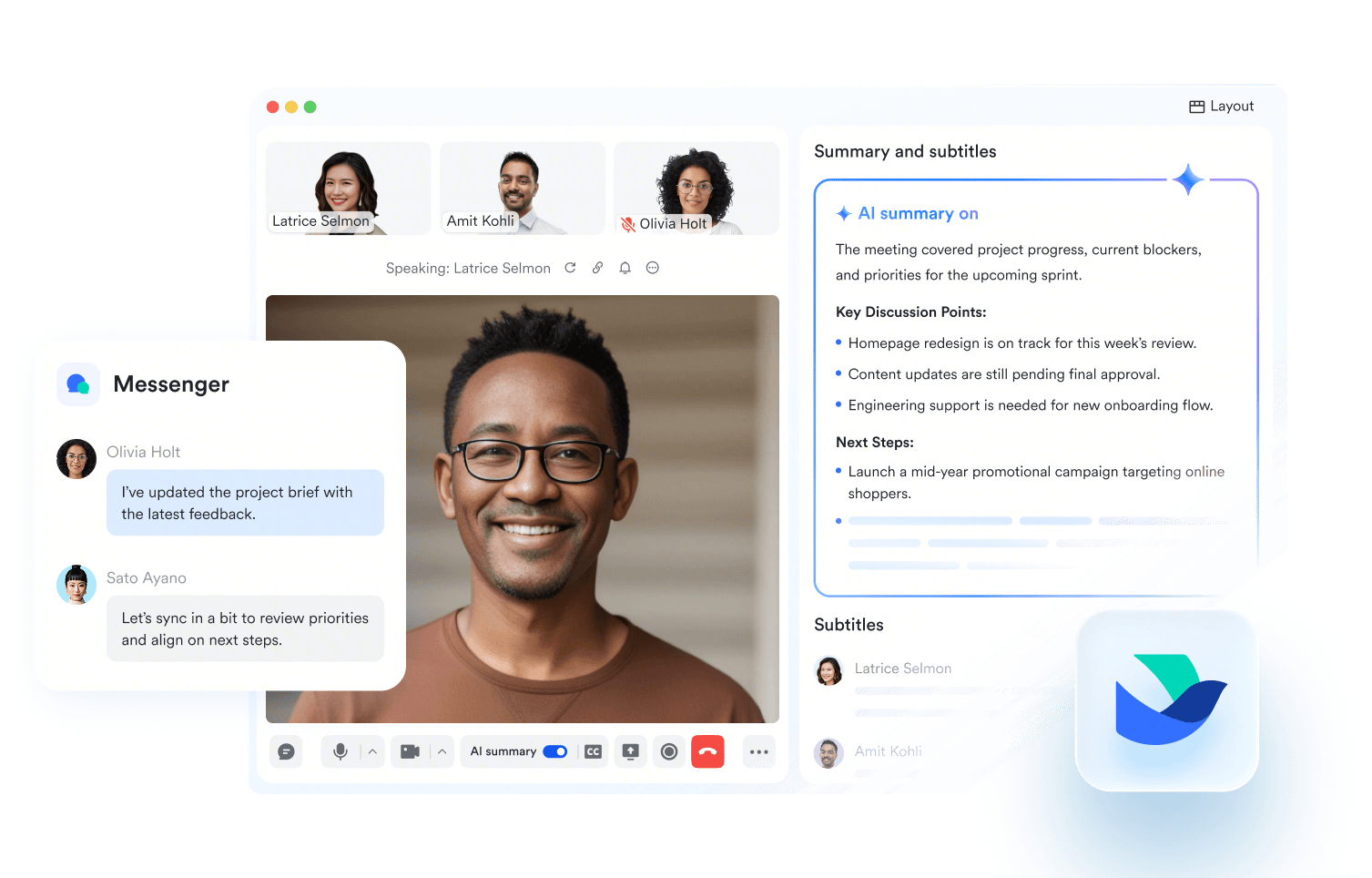
Lark unifies video meeting, chat, docs, and tasks into a single app, keeping all meeting context naturally preserved without constant context switching.
Explore the Lark platform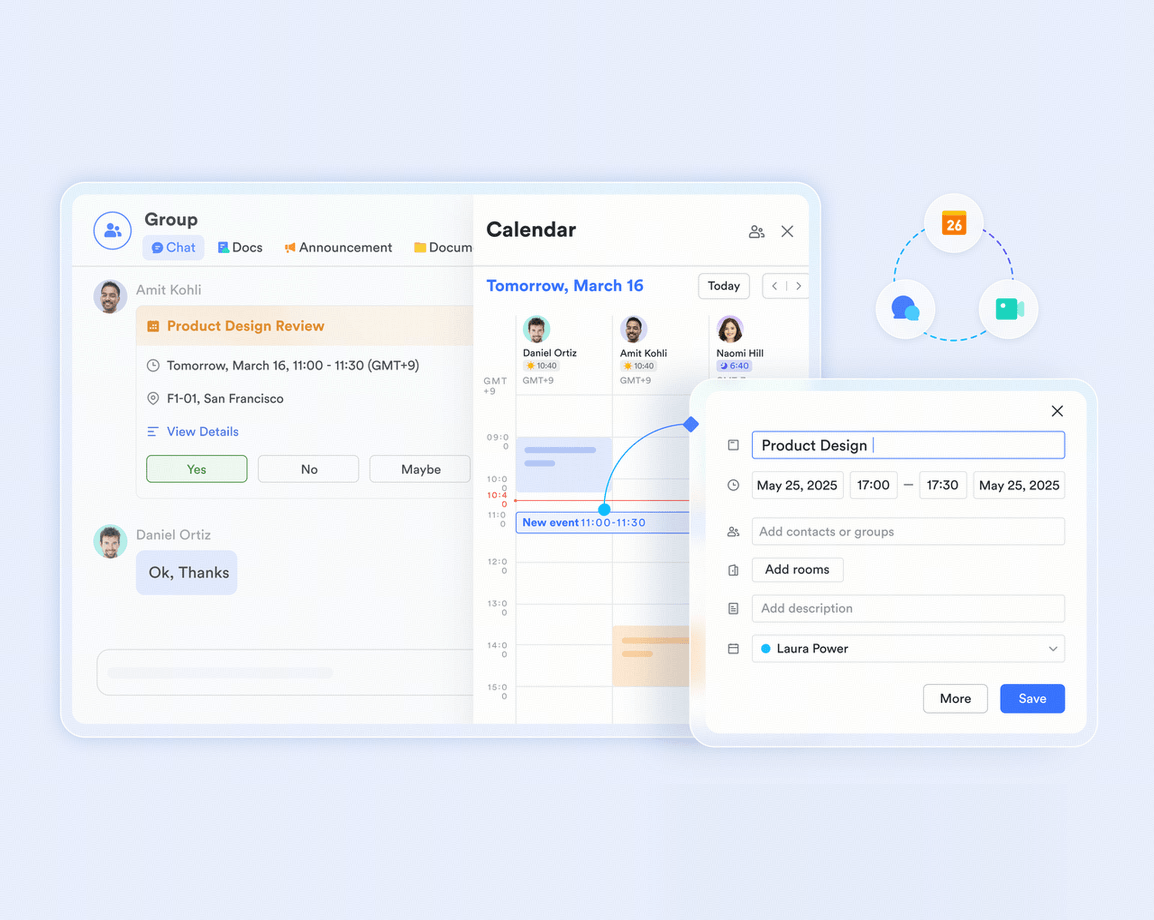
Lark unifies video meeting, chat, docs, and tasks into a single app, keeping all meeting context naturally preserved without constant context switching.
Explore the Lark platformCut software bloat while keeping teams fast, clear, and connected.
Book a demo Basic $6/ user / month | Pro $12/ user / month |  suite $22.5/ user / month | |
|---|---|---|---|
| Cloud storage | 5 TB | 15 TB | 10 GB |
| Message history | Unlimited | Unlimited | Unlimited |
| Video conferencing | 1 on 1 | 500 participants | 200 participants |
| Meeting duration | 24 hours | 24 hours | 24 hours |
| Meeting recording |  |  | |
| Breakout rooms |  | | |
| Meeting lobby | | | |
| Built-in whiteboard | | | |
| Webinar | | | Separate paid product |
| Real-time multilingual subtitles | | | $300/license/year add-on |
| Meeting transcription | | | Limited |
| In-meeting co-editing | | | |
| Team messaging | | | |
| Docs & wiki | | | |
| No-code database | | | |
| Calendar & scheduling | | | Requires integration |
| | | |
| Workflow automation | | | |
| Approval workflows | | | |
| End-to-end encryption | | | |
| All-in-one workspace | | | |
Calculate how much you can save by replacing your tools


We chose Lark because it's just better. The tools are better, it's all in one, and the price is also actually much less expensive than buying different tools separately. It increased our efficiency by 30% since instant messaging, email sync, calendar, live docs and meetings all inside the app made it extremely quick to communicate internally.

For various daily operations in our group, we are able to share information more closely across teams. Thanks to Lark, meetings have become more efficient, communication has improved and work across the company has become more seamless.

Since we have started using Lark, we hardly use other applications like PowerPoint. Lark Docs has allowed us to share and co-edit information more efficiently and the real-time interpretation and subtitling is an incredible feature for cross-border meetings.
Trusted by 2000+ global leaders across 125+ countries














Pros
Cons
Pricing
Pros
Cons
Pricing
Pros
Cons
Pricing
Pros
Cons
Pricing
Pros
Cons
Pricing
Teams replacing Webex often need more than calls: chat, docs, calendar, workflows, searchable decisions, and one workspace for daily execution.

Lark connects Meetings, Messenger, Docs, Base, and Approvals, making it ideal for teams replacing several tools with one collaborative workspace.

Microsoft Teams works well for Office 365 companies that want familiar chat, meetings, and file collaboration inside their existing stack.

Distributed teams need reliable meetings, async updates, shared notes, time-zone friendly coordination, and clear follow-through after every discussion across locations.
Lark keeps Meetings, Messenger, Docs, and Minutes together, helping remote teams align before calls, capture decisions, and follow up asynchronously.

Zoom is strong for hybrid teams that prioritize polished video quality, webinar support, and familiar external meeting experiences at scale.

Large organizations need dependable video meetings, guest-friendly access, webinar support, security controls, recordings, and smooth handoffs from conversations to action.
Lark pairs stable meetings with chat, docs and approvals, helping enterprise teams turn calls into documented decisions and next steps.

Zoom fits organizations needing high-quality video, webinars, rooms, and familiar external meeting experiences for large groups and customer-facing sessions globally.

Project teams need task ownership, shared context, timelines, approvals, and decisions connected across meetings, documents, databases, and daily communication channels.
Lark combines Messenger, Docs, Base, Calendar, and Approval so project teams can plan work, track progress, and resolve blockers in one place.

Google Workspace suits teams already using Gmail, Drive, Docs, and Meet for lightweight file collaboration and familiar project communication.

Small and growing teams need affordable collaboration, fast onboarding, flexible workflows, and scalable tools that avoid forcing early tool sprawl.
Lark gives growing teams chat, meetings, docs, calendar, and approvals together, reducing software costs while keeping collaboration scalable.

GoTo Meeting works for smaller teams that mainly need dependable online meetings, simple setup, and straightforward external conferencing.

Compare pricing tiers, free plans, and ROI to avoid low sticker prices that hide missing features and extra fees.
Prioritize intuitive UI, quick onboarding, and browser access so teams adopt it fast and IT support load stays low.
Look for strong video meetings plus screen sharing, recordings, whiteboards, and in-meeting tools that keep sessions interactive.
Check how well it connects to CRM, project tools, and suites like Lark to reduce context switching.
Ensure it supports small meetings and large webinars, with plans and capacity that grow with your headcount and event size.
Verify encryption, certifications like GDPR or HIPAA, plus responsive support and resources to keep data safe and users productive.

2026 Lark Technologies Pte. Ltd.
Headquartered in Singapore with offices worldwide.