














Finding Your Perfect Fit: The Best 10 Webex Alternatives for Modern Collaboration in 2026

Jennifer Taylor
Product Demand Generation Specialist
Sep 8, 2026
Jennifer Taylor
Sep 8, 2026

18 min read


Are your virtual meetings feeling sluggish, or is your team struggling with fragmented communication across multiple apps? In today's fast-paced digital environment, seamless team collaboration is non-negotiable, and many organizations find their current platform, even a long-standing one like Cisco Webex, isn't quite keeping pace with evolving needs for dynamic features or effortless integration. This often prompts a search for Webex alternatives that offer more cost-effective solutions, enhanced usability, or specialized virtual event capabilities. This comprehensive guide is designed to help you navigate the landscape of alternatives to Webex, exploring top platforms like Lark, to discover the ideal fit for elevating your team's productivity and connectivity.
Understanding your needs: What makes a great Webex alternative?
Before diving into specific platforms, we encourage you to consider what truly defines a superior Webex alternative for your organization. Your ideal solution should address any pain points you've experienced with current tools while offering a robust suite of features that support your communication and collaboration goals. It's about finding a perfectly tailored solution that fosters efficiency and enhances teamwork.
- Cost-effectiveness and value: A crucial consideration for many, evaluating pricing models, available free tiers, and the overall return on investment is paramount. Before selecting a productivity suite, it's worth reviewing the latest Google Workspace pricing and ClickUp pricing plans. A truly effective Cisco Webex alternatives search often begins with budget in mind, ensuring you're getting the most for your money without compromising essential capabilities. We look for platforms that offer clear value propositions across their pricing structures.
- Ease of use and user experience: The importance of an intuitive interface, a minimal learning curve, and convenient browser-based access cannot be overstated to ensure high adoption rates across your team. Platforms that seamlessly simplify team chat, video calls, and project management tasks will invariably improve user satisfaction and reduce IT support overhead. A solution that prioritizes user experience often sees greater engagement.
- Core features and functionality: Beyond basic video conferencing, consider specific needs like advanced screen sharing, customized virtual backgrounds, reliable meeting recording, and interactive whiteboards. When evaluating alternatives to Webex conferencing, a rich feature set that supports dynamic collaboration is essential. These elements contribute significantly to effective virtual interactions.
- Integration capabilities: How well does the platform connect with your existing tech stack, such as your CRM, project management tools, or productivity suites like Microsoft 365 or Google Workspace? Seamless integration is a hallmark of modern collaboration tools, reducing context switching and streamlining workflows. A well-integrated platform ensures your tools work harmoniously together.
- Scalability and flexibility: Can the platform grow with your team, supporting varying numbers of participants for both small, focused meetings and large-scale alternatives to Webex events? The ability to scale up or down effortlessly, accommodating different event sizes and team expansions, is vital for long-term suitability. We assess how flexibly a platform adapts to changing organizational demands.
- Security and compliance: Data protection, end-to-end encryption, and adherence to industry standards (e.g., GDPR, HIPAA) are absolutely paramount for many businesses. Choosing a platform with robust security measures and clear compliance certifications helps safeguard sensitive information and maintain trust. This is non-negotiable for any serious Cisco Webex meeting alternatives.
- Support and community: The availability of responsive customer support and a vibrant user community can be invaluable for troubleshooting, sharing best practices, and staying informed about new features. An active support ecosystem contributes significantly to user satisfaction and ensures you can leverage the platform to its full potential.

How we selected the best Webex alternatives for this list
Our editorial team employs a transparent, repeatable methodology for unbiased software reviews. We base assessments on realistic working scenarios and consistent scoring criteria, covering features, ease of use, security, integrations, pricing, and support. We verify official product details and gather diverse user feedback, strictly avoiding paid placements. Our content is reviewed quarterly and updated promptly for significant changes, ensuring accurate, fair, and user-focused evaluations.
For more information about our review methodology, read the full rundown of how we evaluate software at Lark.
Our top 3 picks: Best Webex alternatives for seamless collaboration
After a thorough evaluation, we've identified three platforms that consistently stand out as highly capable Webex alternatives, each bringing distinct strengths to the table. These solutions address various organizational needs, from comprehensive integrated workspaces to robust meeting functionality and powerful ecosystem integrations. Here are our top picks, designed to help you streamline your communication and collaboration.
These three platforms represent the forefront of digital collaboration, each offering compelling reasons to consider them as a significant upgrade or alternative to your current setup. Their distinct feature sets and integration capabilities mean there's a strong option here for diverse business requirements.
Diving deeper: A closer look at the top 10 Webex alternatives
Now, let's explore each of these powerful platforms in more detail, along with seven other prominent Webex alternatives, providing a comprehensive view of what each offers for your communication and collaboration needs. This section is designed to give you a clearer picture of their distinct advantages and ideal use cases.
1. Lark: Best for all-in-one workspace
Overview: Lark stands out as a pioneering "all-in-one" modern workspace, meticulously engineered to centralize all essential team functions. Far beyond basic video conferencing, it seamlessly combines chat, calendar, documents, wikis, and more into a single, cohesive application. This design philosophy directly addresses the common challenge of context switching, aiming to significantly boost team efficiency and productivity. For organizations exploring Cisco Webex alternatives that provide a truly unified digital environment, Lark presents a compelling, streamlined solution that simplifies daily workflow and enhances collaboration.
Key strengths:
Intelligent meeting management
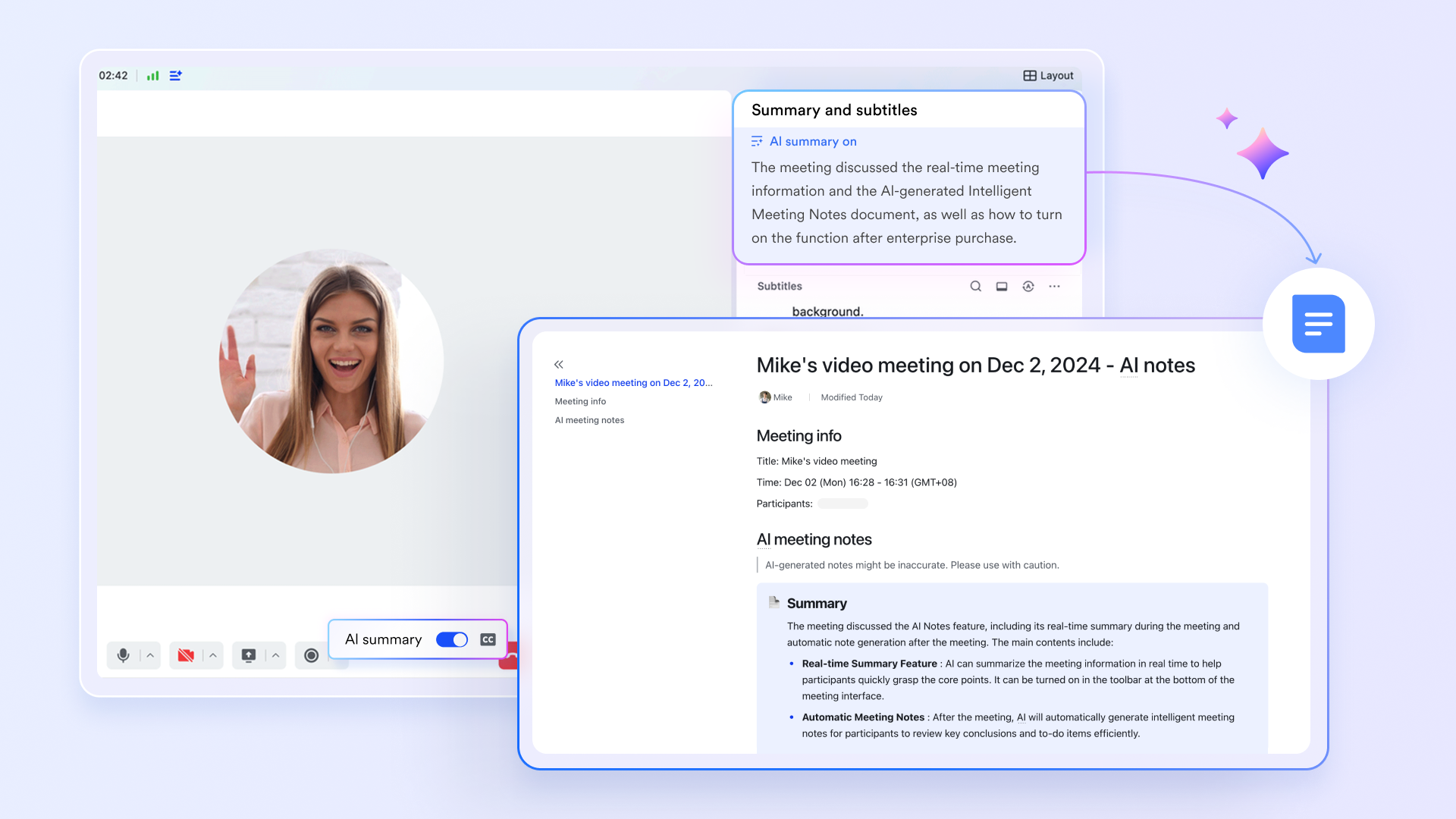
Lark Meetings provides a robust platform for high-definition video conferencing, fostering productive discussions. Facilitators often struggle to lead while documenting. Minutes offers a transformative solution with one-click live transcription, generating a complete, searchable record. This frees leaders to focus on guiding conversations. Building on these transcripts, AI Meeting Notes allows seamless conversion of decisions into actionable tasks: Simply highlight a statement, create a task, assign it, and set a deadline. This effortless transition from spoken commitment to trackable responsibility ensures project momentum is maintained, enhancing overall team efficiency.
Transforming conversations into actionable outcomes
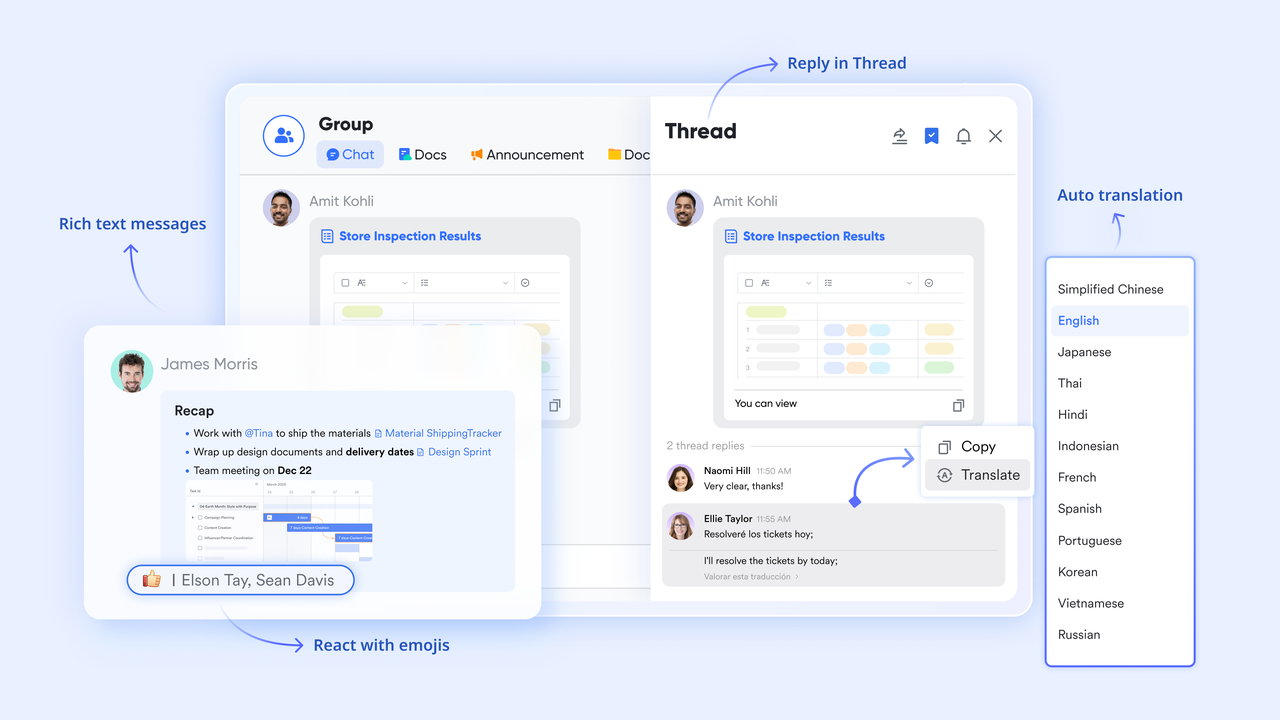
Lark Messenger serves as a central communication hub, seamlessly connecting with Lark Docs and Lark Tasks to create a unified environment where discussions directly drive productivity. Teams can co-edit documents collaboratively within chat threads, removing the need to navigate to external applications. A key capability is the instant conversion of messages or document sections into assignable tasks, ensuring action items are always visible and traceable.
Streamlined operations with no-code automation
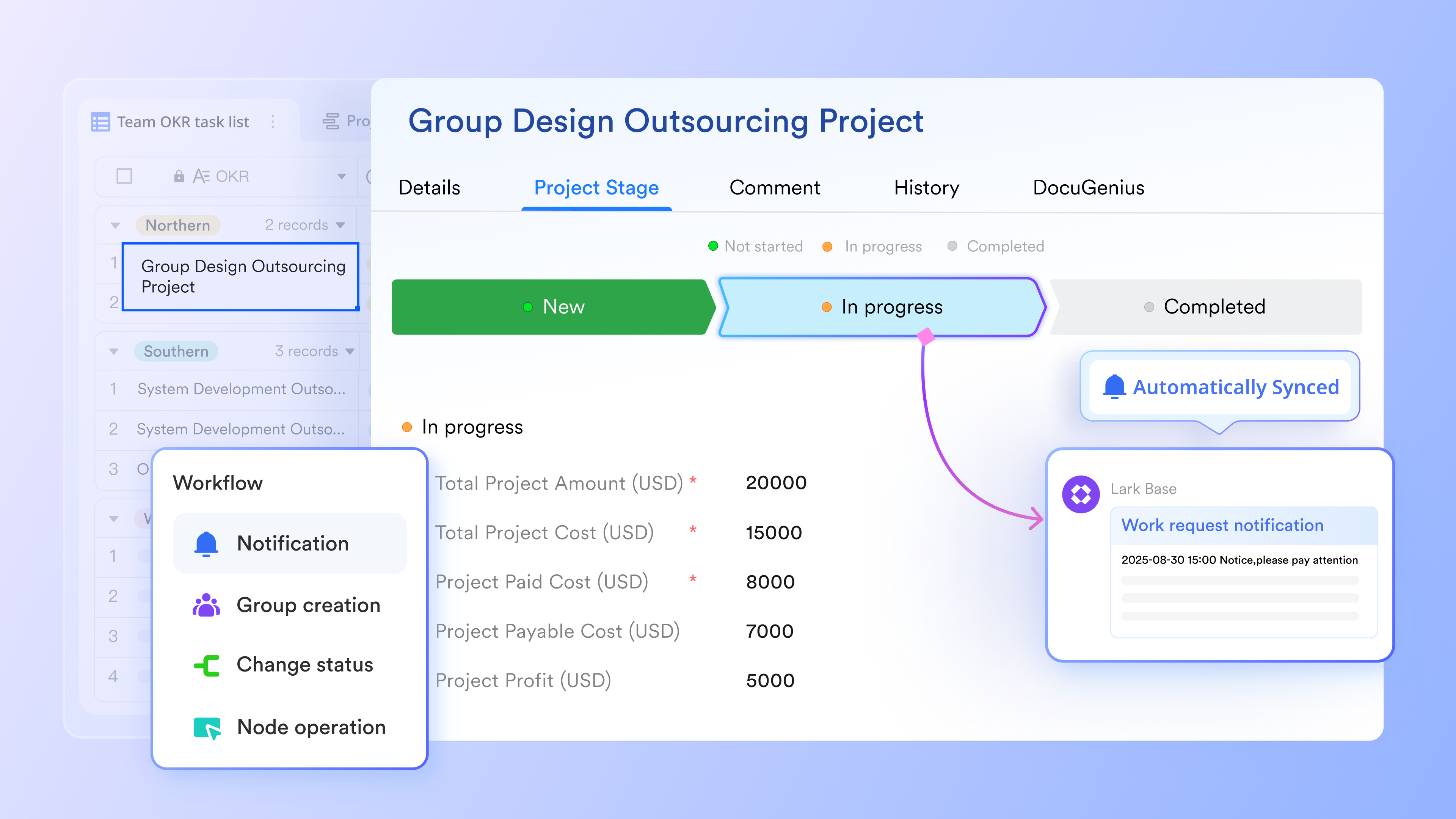
Lark Base empowers teams with intuitive, no-code automation features, enabling them to optimize operations without requiring specialized technical skills or incurring additional software costs. Users can easily design custom workflows for approvals, notifications, and data management directly within the platform. Automated reminders and triggers minimize manual follow-ups, ensuring processes run smoothly and efficiently. This functionality allows even non-technical staff to independently create and refine bespoke processes, fostering greater efficiency and agility, which is a notable advantage when evaluating Cisco Webex alternatives.
Why it stands out:
- Lark significantly reduces context switching by centralizing workflows where conversations, tasks, and content live together.
- It offers an intelligent assistant for daily operations beyond simple meetings, making it a powerful and effective alternative to Webex for holistic team management.
- Its mobile-first design ensures seamless access and productivity from any device, anytime.
Best for: Teams seeking a comprehensive, modern, AI-enhanced digital workspace with strong document co-creation capabilities.
- Starter plan: Free forever plan with 11 powerful tools for up to 20 users, 100GB storage, 1,000 automation runs, AI translations, and more. No credit card needed.
- Basic plan: $6/user/month (billed annually) for up to 500 users. Includes everything in Starter plus unlimited message history, 5TB storage, 1,000 automation runs, and more. Some users may need to contact sales to purchase.
- Pro plan: $12/user/month (billed annually) for up to 500 users. Includes everything in Basic plus group calling for up to 500 attendees, 15TB storage, 50,000 automation runs, and more.
- Enterprise plan: Contact sales for custom pricing. Supports unlimited users and includes advanced automation, security, compliance, and management features.
2. Zoom Meetings: Best for scalable, reliable video conferencing
Overview: Zoom Meetings has earned its reputation as a global leader in video conferencing, celebrated for its unwavering reliability and robust feature set. It proficiently handles everything from small team check-ins to large-scale virtual events, offering consistently high-quality video and audio. This platform is often the first choice for those seeking Cisco Webex meetings alternatives due to its user-friendly interface, vast participant capacity, and a wealth of advanced features like breakout rooms, virtual backgrounds, and an AI companion. Its widespread adoption underscores its effectiveness for diverse business communication needs.
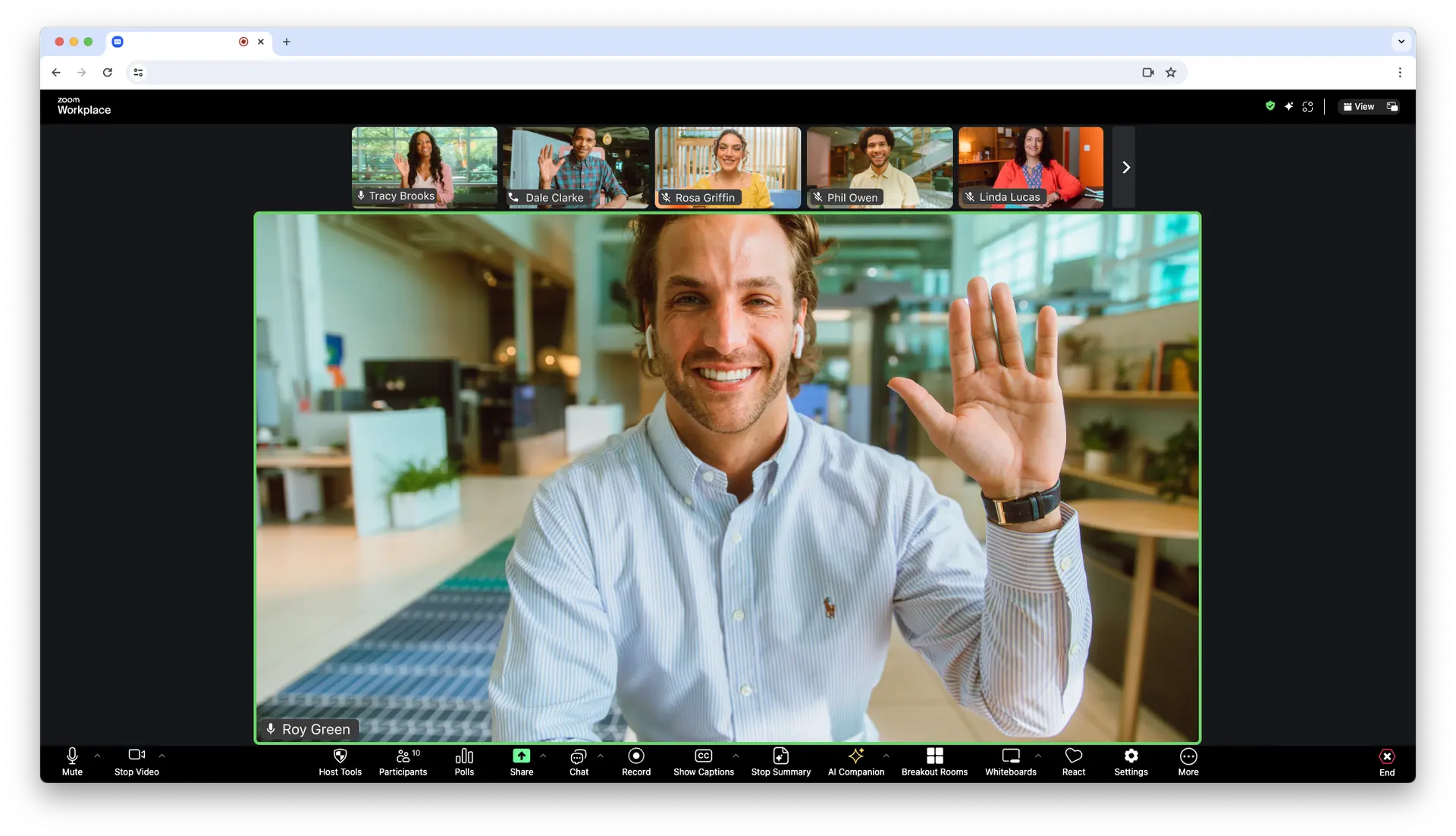
Image source: developers.zoom.us
Key strengths:
- Delivers consistently high-quality video and audio, ensuring clear communication.
- Supports a large participant capacity, making it suitable for anything from small teams to extensive online gatherings.
- Offers extensive third-party integrations, allowing it to fit into diverse existing tech stacks.
- Includes advanced meeting features like virtual backgrounds, breakout rooms, and an AI companion for enhanced productivity.
Why it stands out:
- Zoom's widespread adoption and robust meeting features make it a strong contender for virtually any Cisco Webex meetings alternatives search.
- Its consistent performance and user-friendly interface ensure smooth virtual interactions for all, reducing technical hurdles.
- The platform offers flexible options for both casual catch-ups and formally organized events.
Best for: Organizations prioritizing reliable, scalable video conferencing with broad integration capabilities and a focus on dynamic meeting experiences.
Pricing
- Free plan: Not available (free trial available)
- Paid plans: Start at $20 per user/month
3. ClickMeeting: Best for interactive webinars and online events
Overview: ClickMeeting is a highly specialized online meeting and webinar platform designed specifically for maximum engagement and impact. It moves beyond standard alternatives to Webex conferencing by focusing on interactive events, offering tools like polls, surveys, Q&A sessions, and customizable branding. Its robust analytics provide deep insights into attendee engagement, making it an ideal solution for educators, marketers, and businesses aiming to host compelling online presentations, training sessions, or lead generation webinars. It truly transforms passive viewing into an interactive experience.
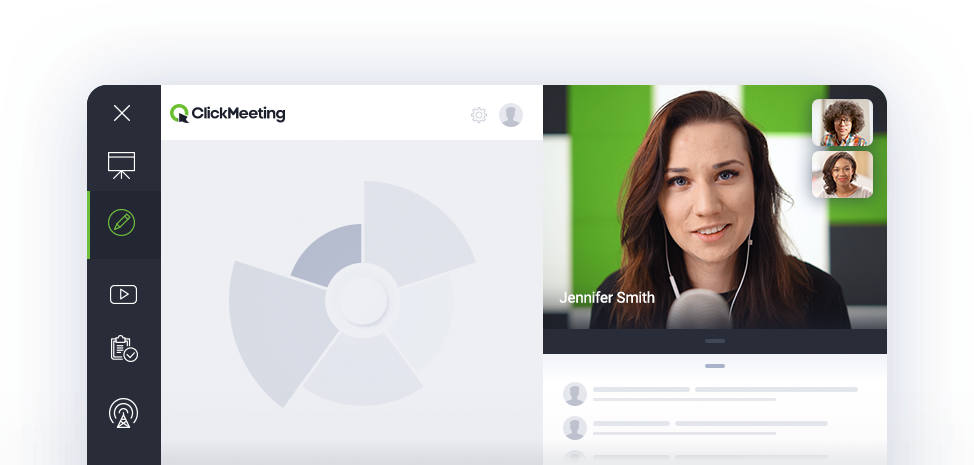
Image source: clickmeeting.com
Key strengths:
- Offers a rich set of interactive tools, including polls, Q&A sessions, surveys, and digital whiteboards.
- Provides customizable branding options to maintain a consistent company image throughout your events.
- Includes robust analytics for measuring event success and tracking attendee engagement.
- Features automation capabilities that streamline webinar workflows, from registration to follow-ups.
Why it stands out:
- Specifically tailored for highly engaging presentations and educational courses, ClickMeeting is an innovatively designed alternative to Webex events that helps drive participation and lead generation effectively.
- Its focused feature set makes it an expert tool for maximizing event impact and capturing audience attention.
- The platform emphasizes ease of use for both presenters and attendees, enhancing the overall experience.
Best for: Educators, marketers, and businesses needing interactive webinar solutions for lead generation, training, and online courses.
Pricing
- Free plan: Not available (free trial available)
- Paid plans: Start at $37 per user/month
4. Microsoft Teams: Best for Microsoft 365 integrated collaboration
Overview: Microsoft Teams serves as the central hub for teamwork within the extensive Microsoft 365 ecosystem. This unified communication and collaboration platform deeply integrates chat, video calls, file sharing, and project management tools directly with familiar Microsoft applications like Word, Excel, and PowerPoint. It's a natural choice for businesses already invested in Microsoft's environment, offering a comprehensive and secure Cisco Webex Teams alternative that streamlines workflow, facilitates real-time collaboration, and simplifies IT management and compliance across the organization.
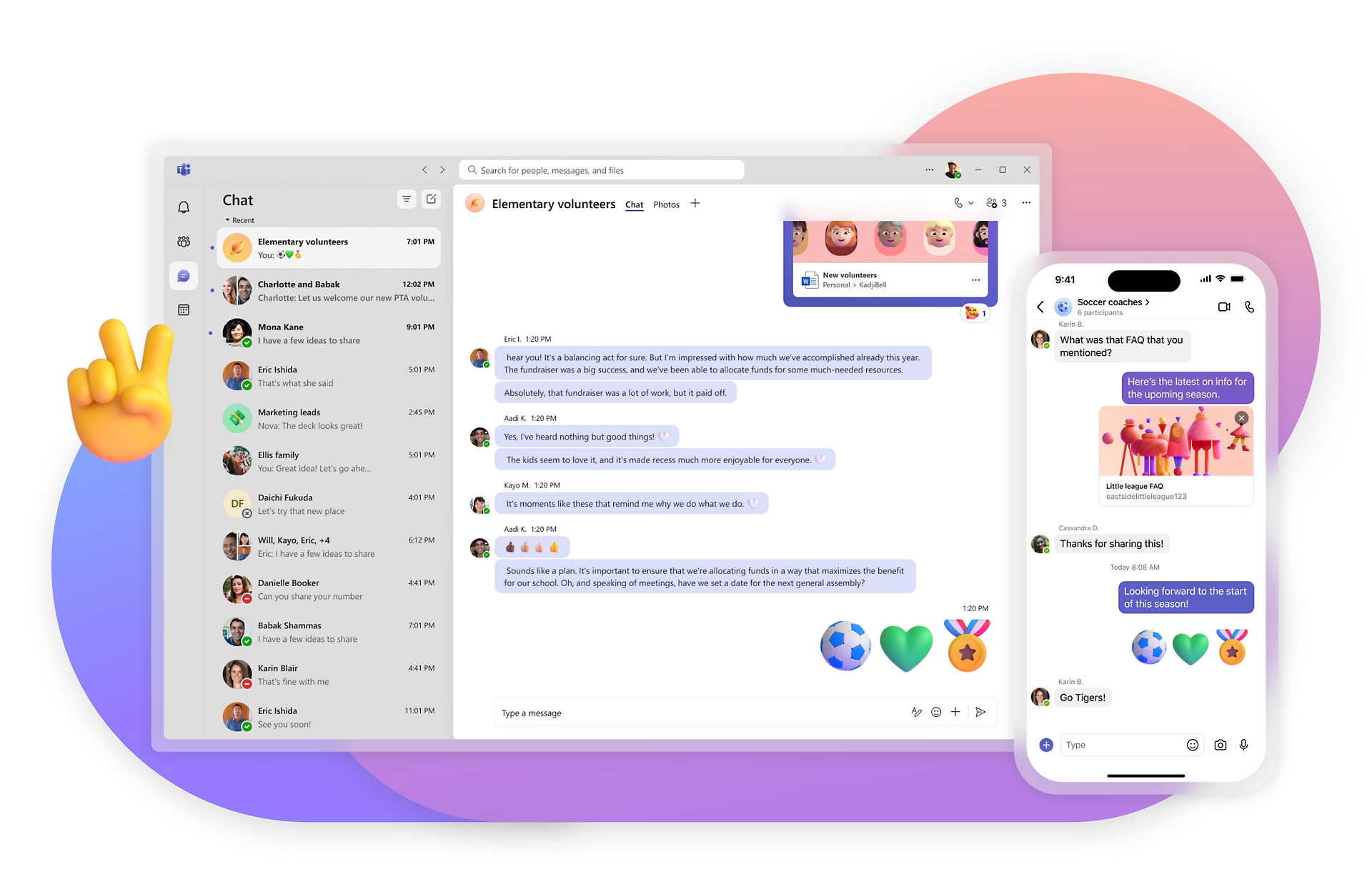
Image source: microsoft.com
Key strengths:
- Seamless integration with other Office apps like Word, Excel, and PowerPoint is a major advantage for productivity.
- Comprehensive chat functionalities, high-quality video calls, robust file sharing, and project management tools are all included.
- Offers strong enterprise-grade security and compliance features inherent to the Microsoft environment.
- Supports a wide range of third-party integrations and custom app development.
Why it stands out:
- Ideal for organizations already invested in Microsoft's ecosystem, Teams offers a holistic environment that serves as a highly integrated Cisco Webex teams alternatives, consolidating communication and productivity tools.
- Its capability to host massive online events and live broadcasts extends its utility beyond daily team interactions.
- The familiar interface reduces the learning curve for existing Microsoft users, accelerating adoption.
Best for: Businesses heavily reliant on Microsoft 365 services seeking a unified communication hub that seamlessly integrates with their existing productivity suite.
Pricing
- Free plan: Not available (free trial available)
- Paid plans: Start at $4 per user/month
5. Google Chat (and Google Meet): Best for Google Workspace users
Overview: As integral components of Google Workspace, Google Chat and Google Meet provide a powerful and seamless communication solution for organizations already operating within the Google ecosystem. Google Chat offers integrated messaging, while Google Meet delivers robust video conferencing capabilities. Their deep integration with apps like Gmail, Drive, and Calendar ensures effortless meeting scheduling, quick content sharing, and powerful search across your entire digital workspace. For cloud-native teams prioritizing a familiar, efficient, and highly integrated alternative to Webex, this duo offers exceptional value and ease of use.
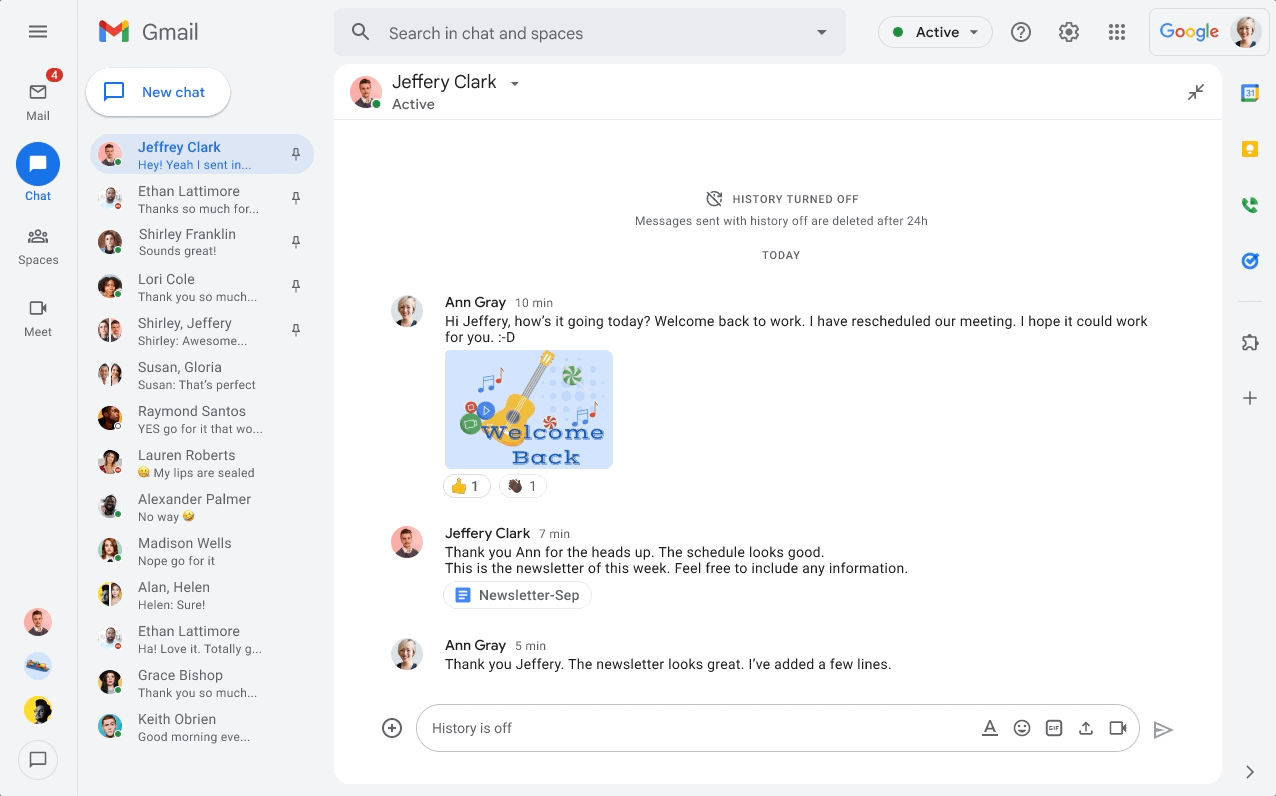
Image source: workspace.google.com
Key strengths:
- Tight integration with all other Google Workspace apps (Gmail, Drive, Calendar, Docs) allows for easy meeting scheduling and quick content sharing.
- Delivers high-definition video and audio, ensuring clear communication for online meetings.
- Offers powerful search capabilities across your entire digital workspace, making information retrieval simple.
- Features advanced security measures and compliance within the Google Cloud infrastructure.
Why it stands out:
- It provides a familiar and efficient experience for users already in the Google ecosystem, making it a strong alternative to Webex for cloud-native teams who value seamless workflow and accessibility.
- The platform is inherently designed for collaboration, allowing for real-time co-editing of documents during calls.
- Its scalability supports large-scale meetings and live streaming to vast audiences, offering flexible options for all types of events.
Best for: Organizations that primarily use Google Workspace for their productivity and email needs, seeking a natural extension for their communication.
Pricing
- Free plan: Not available (free trial available)
- Paid plans: Start at $6.58 per user/month(included in Google Workspace)
6. BigMarker: Best for comprehensive virtual events
Overview: BigMarker is a browser-based platform that excels in delivering comprehensive virtual events, webinars, and online courses. It provides a full suite of event management tools, from registration and marketing automation to diverse interactive features for engagement, along with detailed analytics. For marketers, event organizers, and educators, BigMarker stands out among alternatives to Webex events by offering extensive customization, robust lead generation capabilities, and a user-friendly experience for attendees, making it ideal for hosting large-scale and impactful online gatherings.
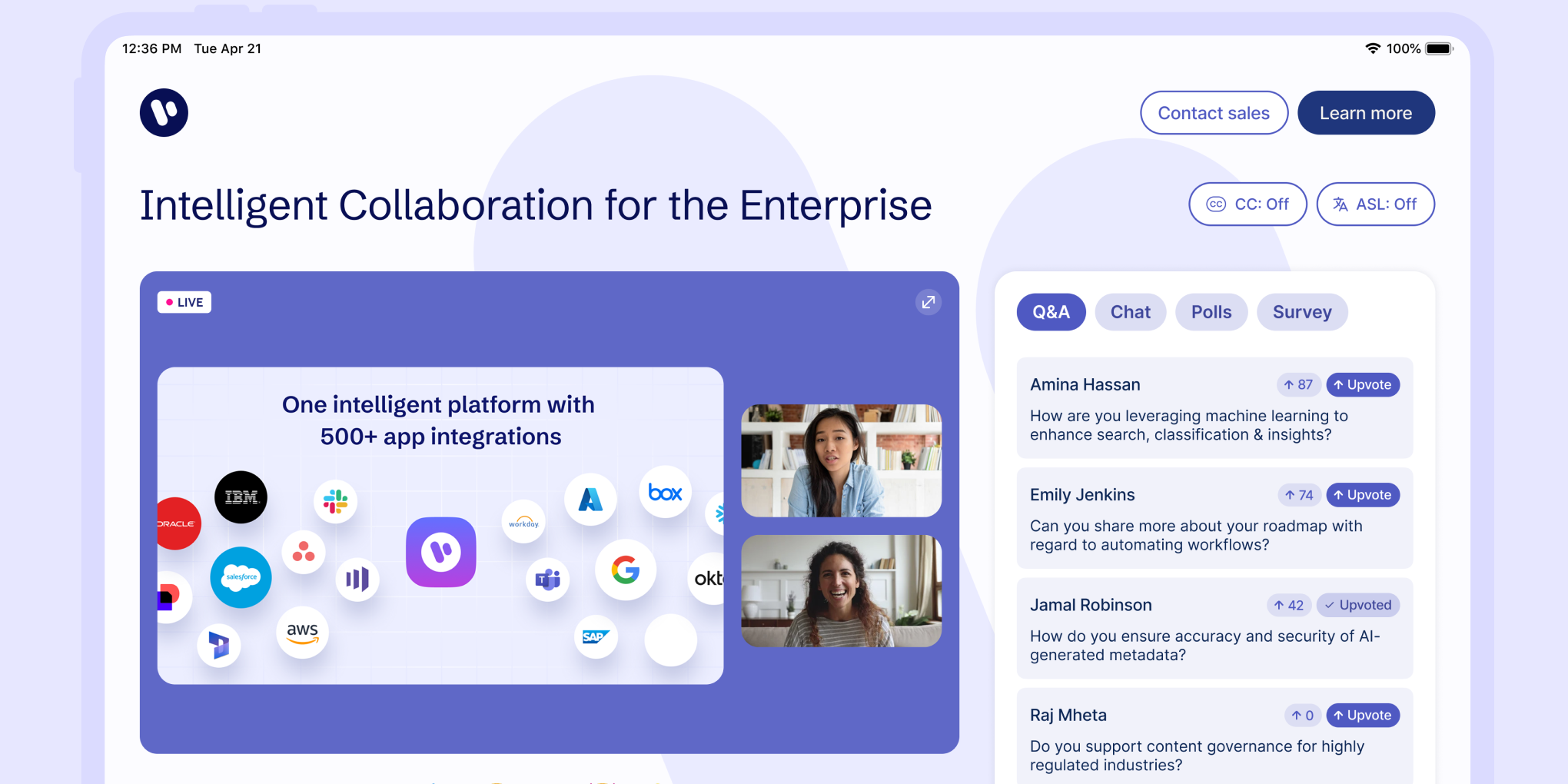
Image source: bigmarker.com
Key strengths:
- Provides robust event management tools from registration to post-event analytics.
- Offers a diverse range of interactive features for engagement, including polls, Q&A, and virtual handouts.
- Features deep marketing automation integrations to streamline lead generation and nurturing.
- Includes extensive customizable branding options to create a unique event experience.
Why it stands out:
- Specifically designed for comprehensive event hosting, BigMarker offers advanced alternatives to Webex events capabilities, including sophisticated lead generation and attendee management features, ensuring a high ROI for your virtual gatherings.
- Its browser-based nature simplifies access for attendees, requiring no downloads and enhancing ease of use.
- The platform supports live, on-demand, and hybrid event formats, providing immense flexibility.
Best for: Marketers, event organizers, and educators who host large-scale webinars and virtual conferences.
Pricing
- To know its pricing, users should request.
7. GoTo Meeting (and GoTo Webinar): Best for simple, reliable meetings
Overview: GoTo Meeting, along with its counterpart GoTo Webinar, represents a long-standing and highly respected suite of communication tools known for its simplicity and reliability. This platform provides professional online meetings with consistent high-quality video and audio, along with essential features like screen sharing and meeting recording. For businesses prioritizing ease of use and dependable performance without an overly complex feature set, GoTo Meeting offers straightforward alternatives to Webex conferencing. Its focus is on providing a stable and efficient environment for both impromptu discussions and structured webinar presentations.
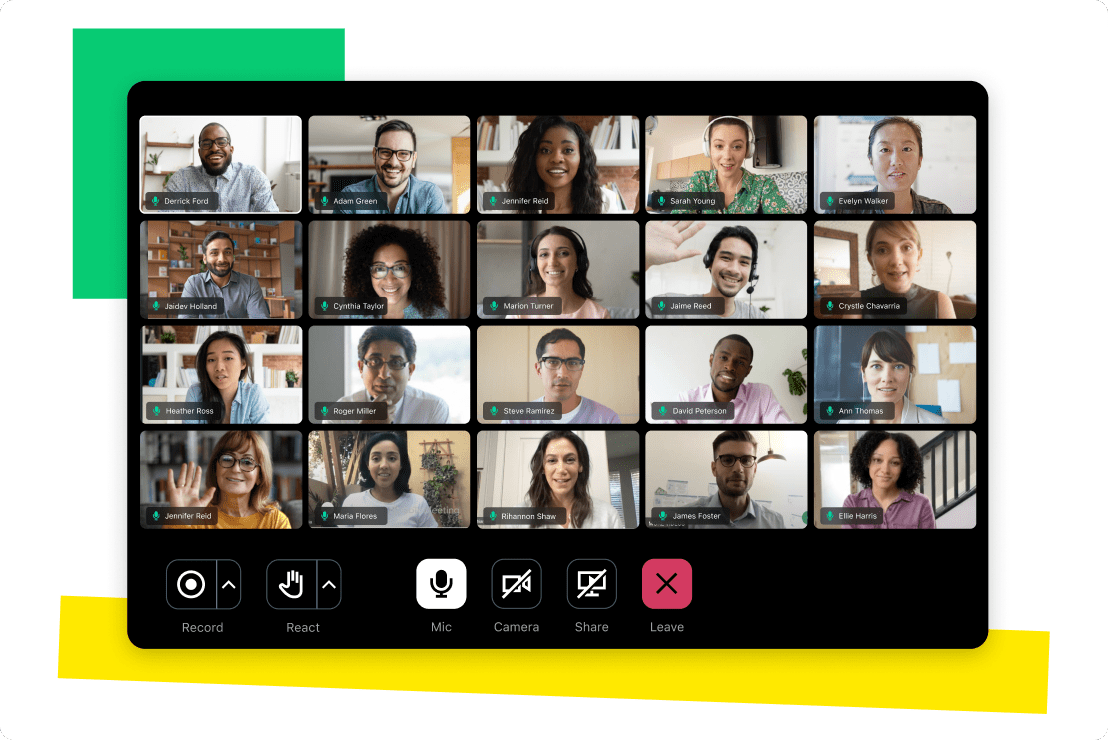
Image source: gotomeeting.com
Key strengths:
- Known for its simple and intuitive interface, facilitating ease of use for all users.
- Delivers high reliability in video and audio delivery, ensuring consistent communication.
- Offers core features like robust screen sharing, meeting recording, and desktop control.
- GoTo Webinar provides specialized functionality for large audiences and professional event management.
Why it stands out:
- It offers a straightforward yet robust solution for both impromptu meetings and planned, surprisingly feature-rich alternatives to Webex conferencing.
- Its focus on reliability and ease of use is a core differentiator, minimizing technical disruptions during important discussions.
- The GoTo product family also offers contact center solutions for a more integrated communication approach.
Best for: Businesses valuing simplicity, reliability, and dedicated tools for both everyday meetings and professional webinar delivery.
Pricing
- Free plan: Not available
- Paid plans: Start at $12 per user/month
8. Miro: Best for visual collaboration and whiteboarding
Overview: Miro is a leading visual collaboration platform that transforms how teams brainstorm, plan, and innovate. While not a direct video conferencing tool, it seamlessly integrates with meeting platforms to provide an infinite online whiteboard canvas. This allows teams to collaborate in real-time on ideas, diagrams, and projects, utilizing a rich template library and interactive tools. Miro is an essential addition for any team seeking to enhance their alternatives to Webex with dynamic visual communication, making meetings more engaging and productive.
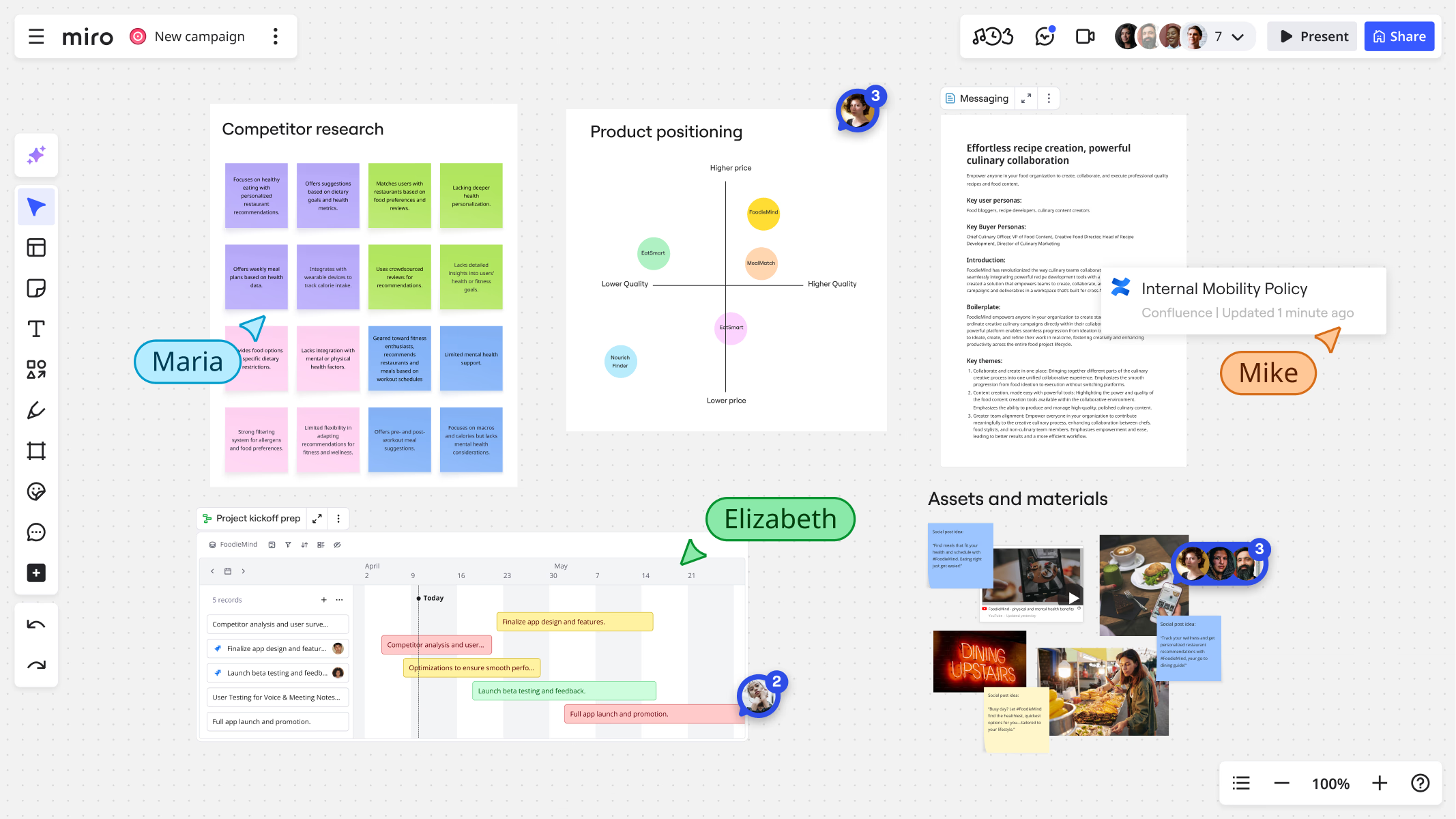
Image source: miro.com
Key strengths:
- Features an infinite online whiteboard canvas, providing unlimited space for ideas and visuals.
- Offers a rich template library for various activities, accelerating workflow and structured collaboration.
- Provides robust real-time collaboration tools, allowing multiple users to work simultaneously.
- Integrates effectively with popular video conferencing platforms to enhance meetings and workshops.
Why it stands out:
- While not a direct Webex competitor for video calls, Miro is a critical collaboration layer that profoundly enhances any meeting by providing superior visual and interactive capabilities. It truly excels at facilitating dynamic team interaction.
- Its flexibility supports diverse use cases, from strategic planning to design sprints.
- The platform transforms passive meetings into highly engaging and productive sessions.
Best for: Teams needing dynamic visual collaboration, brainstorming, ideation, and project planning in remote or hybrid settings, complementing their chosen video communication tool.
Pricing
- Free plan: Available
- Paid plans: Start at $8 per user/month
9. Adobe Connect: Best for immersive virtual training
Overview: Adobe Connect is an advanced platform renowned for crafting highly immersive and interactive virtual experiences, particularly excelling in corporate training, e-learning, and branded online events. Its unique strengths include customizable meeting rooms, persistent virtual spaces where content remains available, and powerful "engagement pods" that facilitate diverse interactive activities. For organizations prioritizing a rich learning environment, Adobe Connect offers robust alternatives to Webex events for training and development, providing detailed analytics to measure participant engagement and learning outcomes.
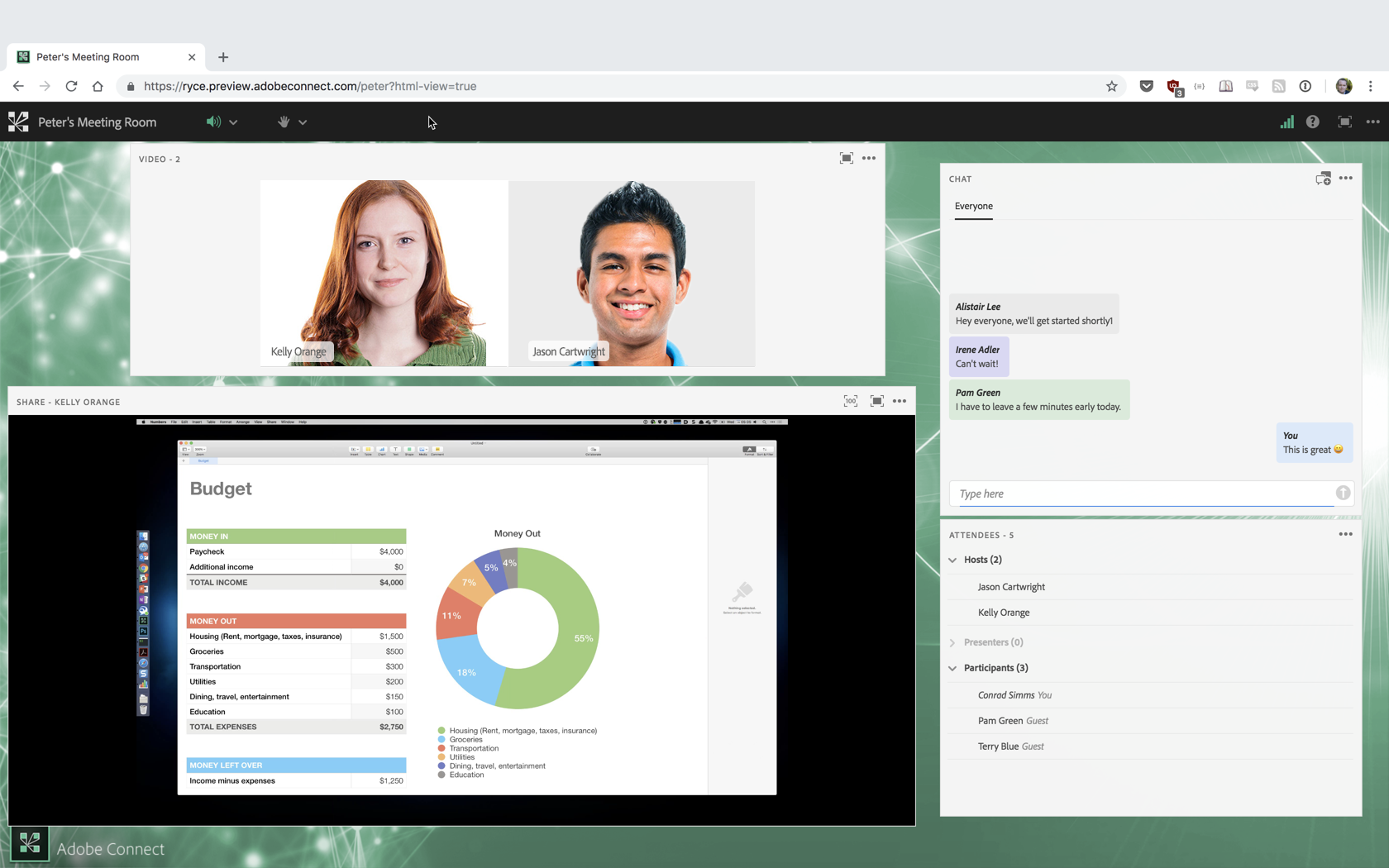
Image source: blogs.connectusers.com
Key strengths:
- Boasts highly customizable meeting rooms and virtual classrooms, allowing for extensive branding.
- Features the concept of persistent meeting spaces, enabling content to remain available between sessions.
- Includes advanced "engagement pods" that allow for a wide range of interactive activities like polls, quizzes, and simulated exercises.
- Offers comprehensive analytics for learning outcomes and participant engagement.
Why it stands out:
- Adobe Connect offers unparalleled customization for virtual classrooms and training environments, making it a powerfully effective alternative to Webex events for learning and development.
- Its focus on rich multimedia and interactive elements creates truly engaging virtual spaces.
- The platform supports intricate event flows and breakout rooms for complex learning scenarios.
Best for: Organizations focused on virtual training, e-learning, and highly branded, interactive presentations that require a rich, customizable online environment.
Pricing
- Free plan: Not available
- Paid plans: Start at $15.83 per user/month
10. RingCentral: Best for full UCaaS with VoIP
Overview: RingCentral provides a comprehensive Unified Communications as a Service (UCaaS) solution, integrating voice, video, messaging, and even contact center solutions into a single, cohesive platform. Beyond video conferencing, it offers a robust VoIP phone system with advanced call management capabilities, AI-powered meeting summaries, and a full-featured mobile app for on-the-go communication. For enterprises seeking a full-stack Cisco Webex alternative that extends communication beyond just meetings to include telephony and customer service, RingCentral delivers an integrated and highly reliable solution.
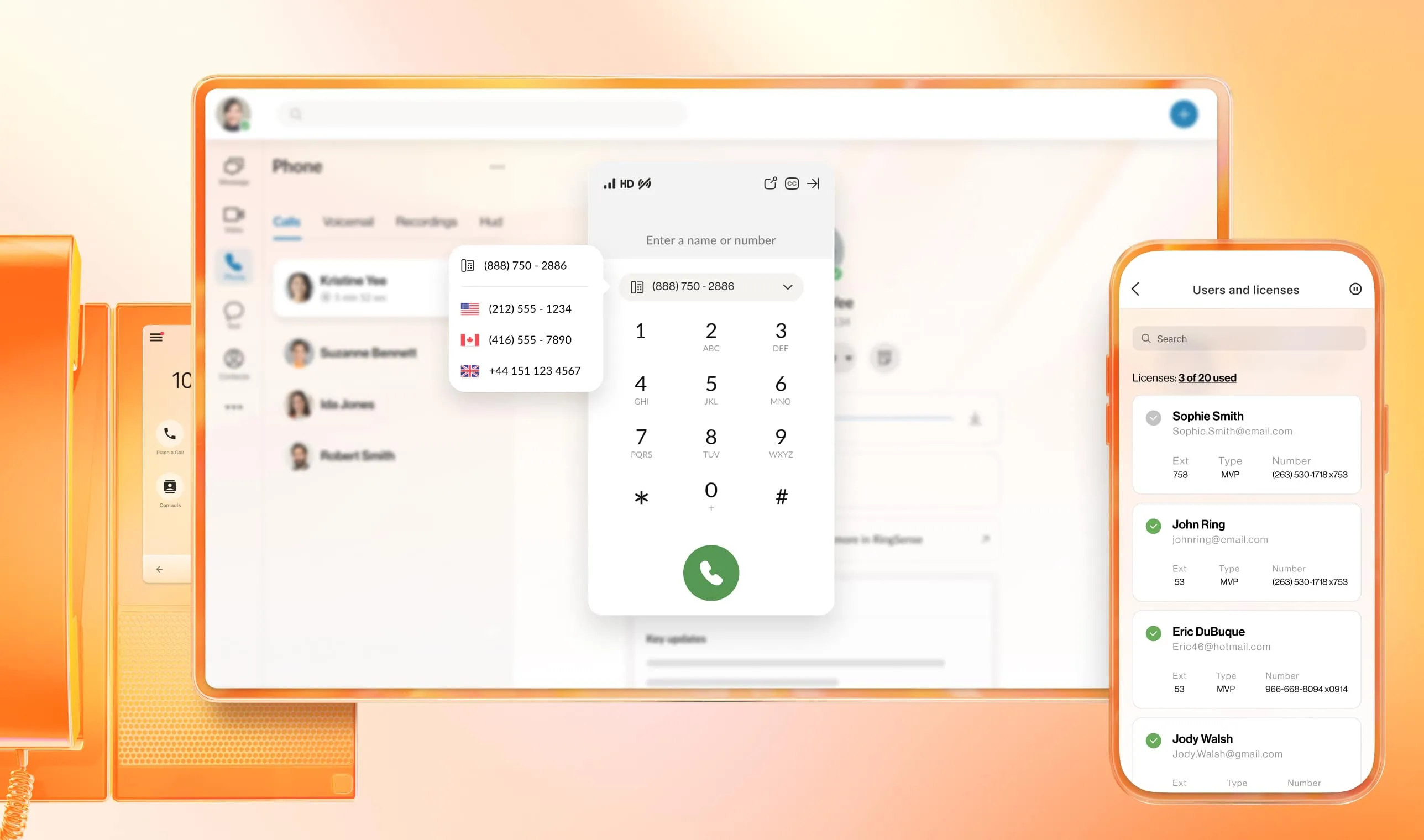
Image source: ringcentral.com
Key strengths:
- Features a robust VoIP phone system, providing advanced call management capabilities like IVR and call queues.
- Delivers high-quality video conferencing with screen sharing and collaborative whiteboards.
- Includes AI-powered meeting summaries, transcription, and insights for enhanced productivity.
- Offers a full-featured mobile app that ensures communication and collaboration on the go.
Why it stands out:
- RingCentral offers a fully integrated communication suite that extends far beyond just meetings, providing strong Cisco Webex alternatives for telephony and UCaaS needs.
- Its AI insights genuinely streamline workflow and productivity, turning conversations into actionable information.
- The platform is built with enterprise-grade security and reliability in mind, ensuring consistent and protected operations.
Best for: Enterprises and businesses requiring a full-stack unified communication solution with advanced voice, video, and AI capabilities, looking for a truly comprehensive solution.
Pricing
- Free plan: Not available (free trial available)
- Paid plans: Start at $20 per user/month
Making your choice: How to select the right Webex alternative
Selecting the optimal Webex alternative is more than just checking off features; it's about finding a platform that truly aligns with your team's culture, operational dynamics, and long-term vision. This crucial decision significantly impacts daily productivity and overall collaboration effectiveness. Based on insights from the diverse landscape of available alternatives, here's a structured approach to guide your decision-making process, ensuring you find a solution that not only meets but exceeds your expectations.
Key steps to choosing your ideal platform:
1. Assess your team's unique needs:
- Begin by clearly defining your primary use cases. Are you mainly conducting regular team meetings, facilitating large-scale webinars, or do you require a comprehensive unified communications as a service (UCaaS) solution that includes robust telephony capabilities beyond just video conferencing?
- Identify your desired integrations with existing tools, budget constraints, and long-term scalability requirements. This step is critical for a perfectly tailored search.
- For instance, if your team heavily relies on integrated task management alongside chat and video, prioritizing solutions with comprehensive project features like Lark would be beneficial. Conversely, if your focus is on client engagement through online presentations, alternatives offering advanced branding and interactive tools (such as ClickMeeting or BigMarker) should be at the top of your list.
2. Pilot test top contenders:
- Once you've narrowed down your choices to a few strong contenders, we strongly recommend conducting short-term trials with your top two or three candidates. This hands-on experience allows your team to test ease of use, communication workflows, and integration effectiveness in a real-world setting.
- Pay close attention to how intuitive the interface feels for everyday tasks and how well it supports your specific business processes.
- For example, if online document collaboration during video calls is paramount, testing platforms like Lark's integrated documents during a trial period would be invaluable. If reliability for large-scale video conferences is key, putting Zoom through its paces is essential. Don't just rely on marketing materials; let your team experience the platform firsthand.
3. Gather diverse user feedback:
- Crucially, collect input from various user groups within your organization, including IT administrators, power users, and casual participants. Their practical experience is invaluable for understanding adoption potential and identifying any unexpected challenges or benefits.
- A platform might appear ideal on paper, but user feedback will reveal its true usability and fit within your organization. This step helps ensure the chosen solution is welcomed and used effectively across all departments, leading to higher engagement and productivity.
4. Evaluate vendor support and future vision:
- Assess the responsiveness and quality of customer service, the availability of comprehensive training resources, and the platform's future development plans.
- A provider with a clear vision and a commitment to continuous improvement can ensure your chosen solution remains relevant and supports your evolving needs for years to come. Look for transparency in their roadmap and a history of reliable updates and innovations. This long-term perspective is vital for a strategic investment.
For many businesses today, the ideal solution streamlines communication and collaboration into a single, cohesive experience. This is precisely where platforms like Lark truly shine. If your team struggles with context switching between chat, video, email, and document editing, Lark's profoundly "all-in-one" workspace offers a compelling answer. It brings AI-powered productivity into every aspect of your workflow, from intelligent summaries to proactive task management, making it a top contender for those seeking an entirely new way to work.
Matching the right tool to specific needs:
While Lark offers the best all-in-one platform, the "best" alternative is always the one that best fits your specific requirements.
- If your primary need is unparalleled video conferencing reliability, Zoom might be your choice.
- If deep integration with Microsoft Office is paramount, then Microsoft Teams offers unparalleled control.
- Specialized events and webinars might lead you to ClickMeeting or BigMarker.
- Visual collaboration innovators will find Miro indispensable for dynamic whiteboarding.
Ultimately, a careful assessment of your team's unique demands will lead you to the perfect platform.
Conclusion
The landscape of digital communication is dynamic, and finding the right collaboration platform is a strategic decision for any organization. We hope this exploration of Webex alternatives has provided clarity and confidence in your search. As we've seen, whether you prioritize deep integration, advanced AI capabilities, specialized webinar features, or simply a more user-friendly experience, there is an ideal solution waiting for your team.
By carefully assessing your needs and leveraging these powerful alternatives to Webex, you can unlock new levels of productivity, connectivity, and innovation. Moving beyond the traditional offerings of platforms like Cisco Webex, the market now provides tools that are more tailored to modern workflows, remote teams, and specific business goals. We encourage you to try out a few options like Lark and discover how a change can profoundly enhance your team's digital workplace, enabling them to achieve more together with seamless collaboration. The perfect tool is out there, ready to empower your team to excel.
FAQs
What is better than Webex?
Many platforms offer more integrated experiences or specialized features. For instance, Lark provides an all-in-one workspace with chat, docs, and AI meeting notes, reducing context switching. Zoom often wins on user-friendliness for pure video. Microsoft Teams integrates deeply with the 365 ecosystem.
What replaced Webex?
Webex hasn't been entirely "replaced," but its market share is challenged by modern platforms. Zoom became dominant for pure video, while Microsoft Teams gained ground, especially for Microsoft 365 users. Lark and Google Meet also offer compelling integrated solutions, shifting user preferences.
What is the best virtual meeting platform?
The "best" platform depends on specific organizational needs. For seamless, integrated collaboration encompassing chat, documents, and AI tools, Lark stands out. Zoom is often preferred for its simplicity and reliability in pure video. Microsoft Teams excels for users already deep in the Microsoft ecosystem.
Why do people still use Webex?
Webex retains users due to its long-standing enterprise presence, robust security features, and integration with Cisco's networking solutions. Many large organizations have existing contracts and infrastructure built around Webex, making transitions challenging despite evolving market alternatives offering different benefits.
How can teams improve collaboration beyond just video calls?
Integrated platforms like Lark combine chat, video, documents, and tasks in one workspace, reducing the context switching that often happens with traditional, separate tools. This fosters more cohesive team collaboration and productivity, unlike platforms primarily focused on just video conferencing. Microsoft Teams also offers deep integration.
Related reading
Table of contents
Start using Lark today

Manage all your work in one place
Boost team efficiency by 10x
Save up to 70% on software costs
Table of contents
Start using Lark today
Manage all your work in one place
Boost team efficiency by 10x
Save up to 70% on software costs
Keep reading



Lark recognized in 2023 Gartner® Collaborative Content Workspaces and Meeting Solutions reports
Lark, the global superapp for productivity, is delighted to announce it receives recognition in the Gartner's 2023 Innovation Insight for Collaborative Content Workspaces and Market Guide for Meeting Solutions.





2026 Lark Technologies Pte. Ltd.
Headquartered in Singapore with offices worldwide.






Explore: