Microsoft Power Platform has become a popular low-code framework for teams aiming to modernize processes, automate repetitive tasks, and build custom applications without full-code development. For beginners, asking what is Power Platform, its appeal lies in a modular ecosystem that brings apps, workflows, analytics, and secure data management into one environment. As digital transformation accelerates, the platform helps non-technical users contribute to operational systems. However, many teams also encounter complexities around setup, connectors, licensing, and governance. Understanding these components—and how lighter alternatives, like Lark, differ in approach—helps organizations choose the right balance between power, simplicity, and long-term maintainability.
Learn how to streamline everyday business processes
What is Microsoft Power Platform?
The Microsoft Power Platform is a low-code ecosystem designed to help organizations create apps, automate workflows, analyze data, and without relying heavily on custom development. For anyone asking what Microsoft Power Platform is, it's a unified suite that connects business logic, data, and automation across teams. Understanding what is Power Platform Microsoft begins with recognizing how its components—Power Apps, Power Automate, Power BI, Power Pages, and Dataverse—work together to support both simple departmental workflows and . When users explore what is the Microsoft Power Platform, they discover a framework built to modernize operations by enabling non-technical employees to build solutions alongside IT. Through connectors, templates, and integrations with the broader Microsoft ecosystem, the platform helps organizations adapt quickly to changing processes while maintaining governance, security, and scalability.
What are Power Platform components?
The core Power Platform components form a unified ecosystem that supports application design, automation, analytics, websites, and secure data storage across teams. When teams ask what is the power platform, the answer begins with how these tools connect and operate together within one environment. Each tool performs a distinct function while contributing to a shared architecture that enables organizations to build end-to-end operational systems. The modular structure helps teams expand capabilities gradually rather than adopting everything at once. This flexibility makes the suite useful for departments with but shared data needs. With a foundation built for extensibility, organizations can scale their digital operations at a pace that aligns with their maturity.
Power Apps: Power Apps lets teams create customized applications through drag-and-drop interfaces or model-driven designs tailored to structured workflows. It supports rapid prototyping so teams can experiment before deploying solutions widely. The platform deeply integrates with enterprise data to ensure app behavior is consistent across business units. For those exploring what Power Platform is used for, Power Apps often become the first entry point for building internal tools. It helps reduce developer backlog by enabling business users to participate directly in solution creation.
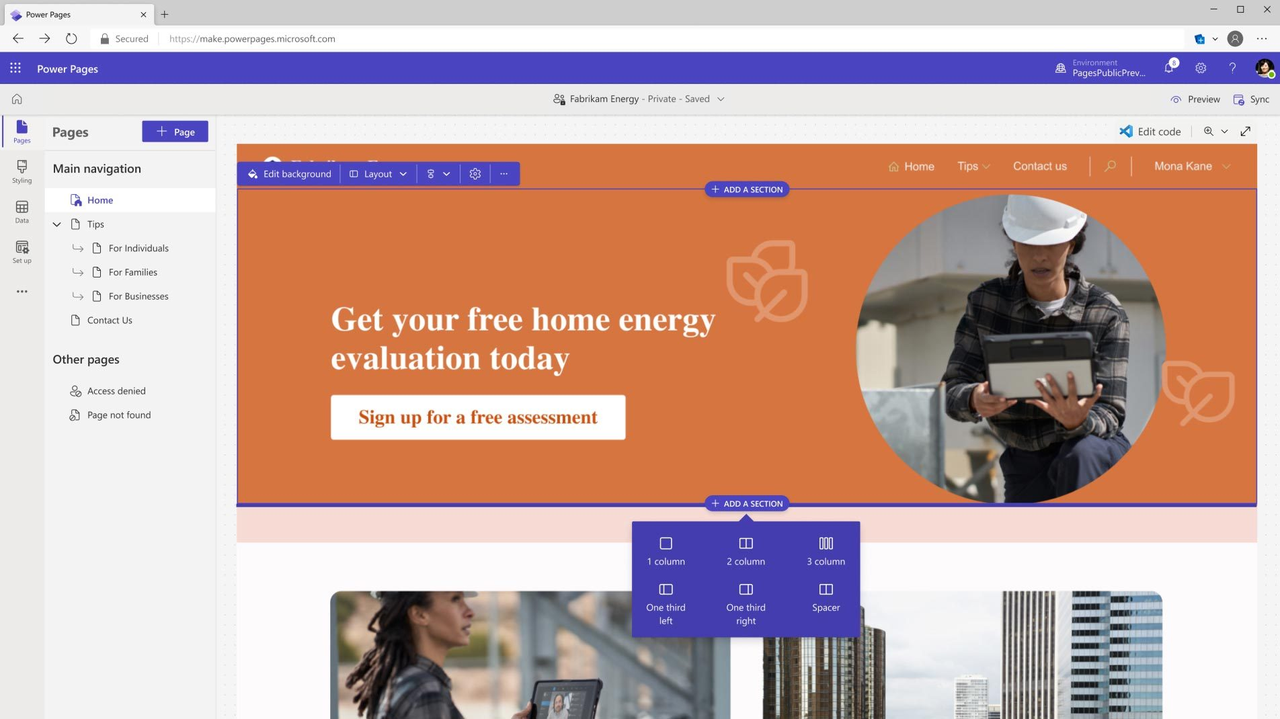
Image source: microsoft.com
Power Automate: Power Automate enables organizations to design flows that trigger actions, move data, and . Users can create advanced or straightforward workflows depending on operational needs. It supports real-time triggers, scheduled processes, and conditional logic to manage complex sequences. With extensive connectors, it can sync information between multiple enterprise systems. Teams often turn to Power Platform documentation to explore advanced actions, templates, and governance recommendations for automation.
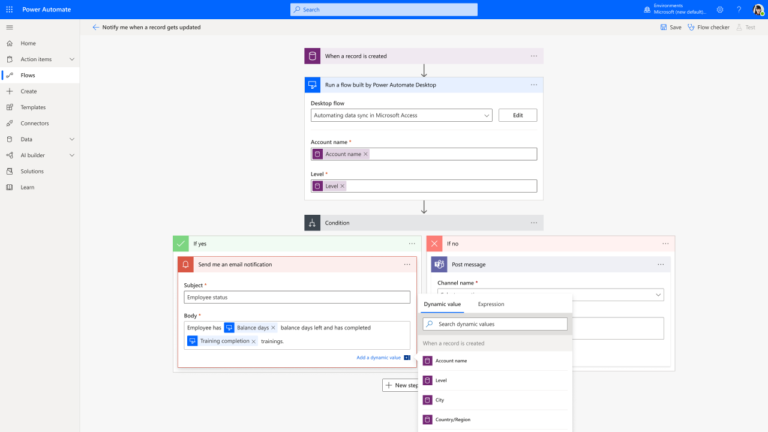
Image source: microsoft.com
Power BI: Power BI transforms business data into , reports, and visual insights. It allows teams to connect multiple data sources and model information for deeper analysis. Users can track performance indicators, operational trends, and forecasting scenarios through intuitive visualization tools. The platform also supports embedded analytics within custom applications. Many organizations rely on Power Platform services, such as connectors and gateways, to streamline how Power BI accesses and refreshes datasets.
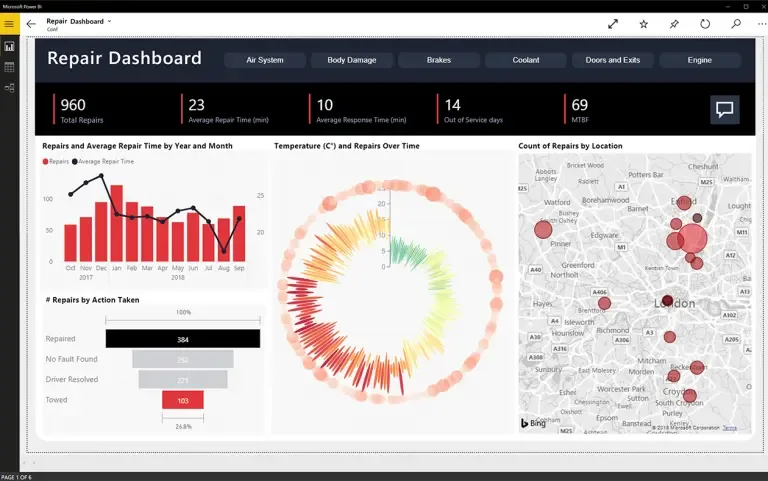
Image source: microsoft.com
Power Pages: Power Pages provides a secure platform for building external-facing websites without full-code development. It allows organizations to design informational portals, customer service pages, registration systems, and data-driven web interactions. The tool includes templates, visual editors, and identity management features to support both public and authenticated experiences. Teams can integrate structured data to power dynamic website content. Its alignment with enterprise governance ensures consistent compliance and reliability across deployments.
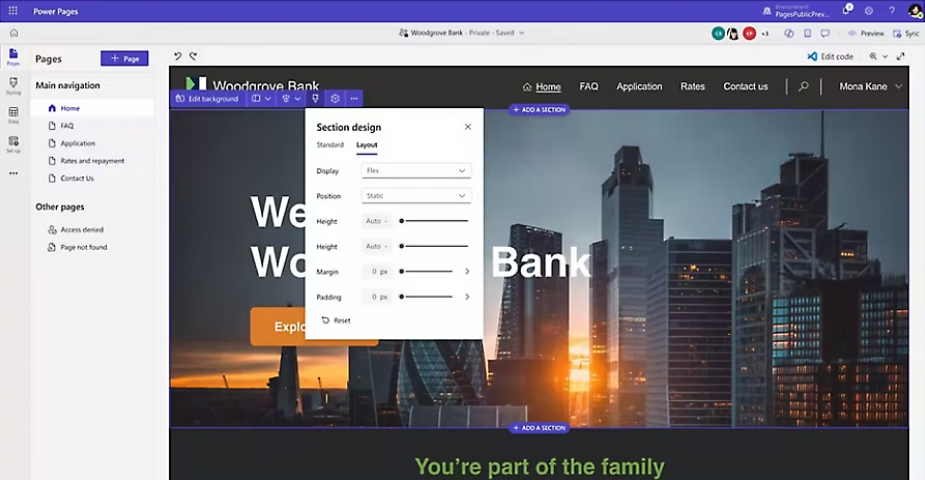
Image source: microsoft.com
Microsoft Dataverse: Microsoft Dataverse serves as the underlying structured data layer for the entire ecosystem. It stores business tables, relationships, metadata, and access-controlled information for secure app usage. Dataverse supports data consistency by acting as a central repository for all solutions built on the platform. It integrates with enterprise authentication and security models for reliable governance. Teams designing rely on Dataverse for scalable performance. Because of its importance to the stack, Dataverse is frequently highlighted throughout Power Platform components guides and architectural references.
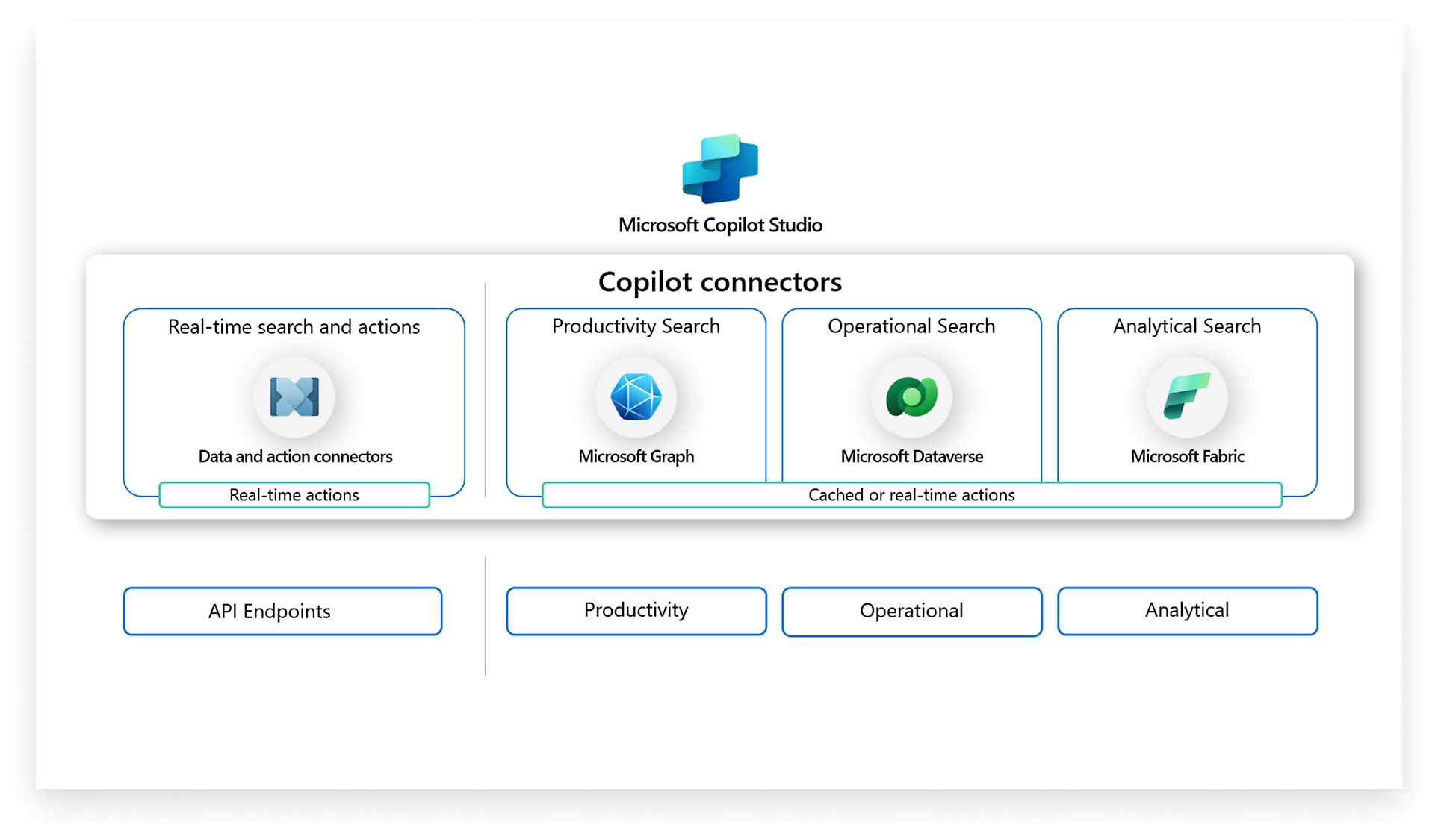
Image source: microsoft.com
What are Power Platform services and integrations?
Power Platform services and integrations help organizations extend their workflows, connect data systems, and unify operational processes across business units. These capabilities determine how the suite interacts with internal and external applications, allowing teams to build end-to-end solutions. The broader ecosystem relies on shared infrastructure that links automation, data models, and user access. Many organizations explore how these layers interact with Power Platform components to plan governance and scalability. The integration model also enables businesses to mix Power Platform tools with existing . As companies grow, these services become central to maintaining consistency and performance across digital operations.
- Power Platform services for connectors & automation: Power Platform offers an extensive catalog of connectors for moving data between apps, , and triggering workflows. These connectors allow teams to link cloud platforms, on-premise systems, and external services without writing complete code. Automations can run instantly in response to events or on schedules, depending on business needs. While connectors expand capabilities, complexity increases as you scale across departments. New users often explore is Power Platform free to understand which connectors fall under standard versus premium licensing.
- Reliance on the Microsoft 365 ecosystem: Power Platform relies heavily on Microsoft 365 tools such as SharePoint, Teams, OneDrive, Outlook, and Excel for daily operations and integration. Many workflows depend on these services for notifications, document routing, approvals, and collaboration. This tight coupling allows organizations already invested in Microsoft 365 to expand smoothly into low-code solutions. However, it also means configuration changes can ripple across connected systems. Teams integrating these services often search for resources on how to use Power Platform to ensure setups follow recommended practices.
- Common enterprise use cases: Organizations use Power Platform to build solutions for approvals, HR onboarding, CRM pipelines, request management, asset lifecycle tracking, and operational reporting. These solutions help unify fragmented processes that previously relied on spreadsheets or email. Enterprises often build department-specific tools that share common data for consistency. Many use cases start small and expand as more teams join the platform. New learners usually look for a free Power Platform course to build skills before contributing to organizational projects.
- Need for Azure & Dataverse for scale: Scaling Power Platform solutions often requires deeper reliance on Azure services and Dataverse for structured storage, security, and performance. Azure Logic Apps, API Management, and Function Apps extend workflow capacity beyond simple automations. Dataverse ensures consistent data modeling for multiple apps and teams working in the same environment. As organizations create more complex systems, governance and security become essential considerations. Architecture teams oversee environments, permissions, and data classification to maintain reliability. Many advanced guides highlight how these services support enterprise-grade scalability.
Pricing details: Is Microsoft Power Platform free?
Microsoft Power Platform offers a mixture of free capabilities and paid licensing options, which can make the cost structure confusing for new users. While some tools include limited free tiers or trial access, most production-grade features—such as premium connectors, Dataverse storage, and advanced automation—require paid plans. Organizations evaluating the platform often begin by testing basic features before committing to full licenses. The overall cost also varies depending on usage type, , and integration needs across departments. As a result, whether the suite feels affordable depends heavily on how deeply a team plans to adopt it. Understanding these distinctions helps teams budget accurately.
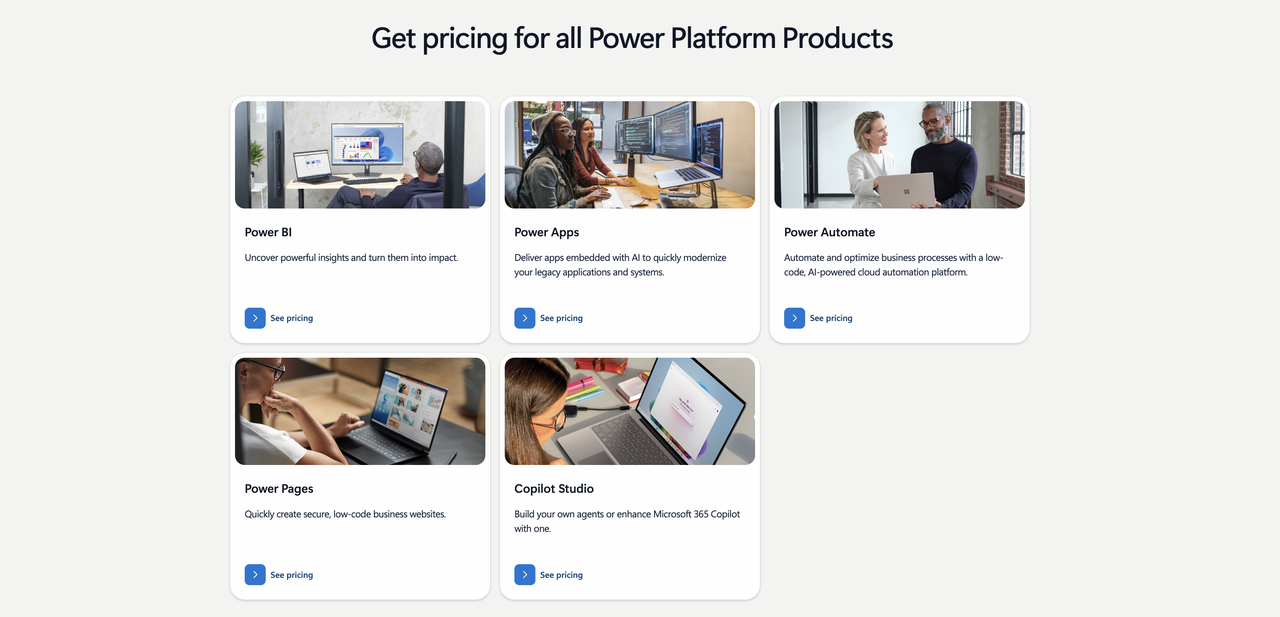
Image source: microsoft.com
Power BI
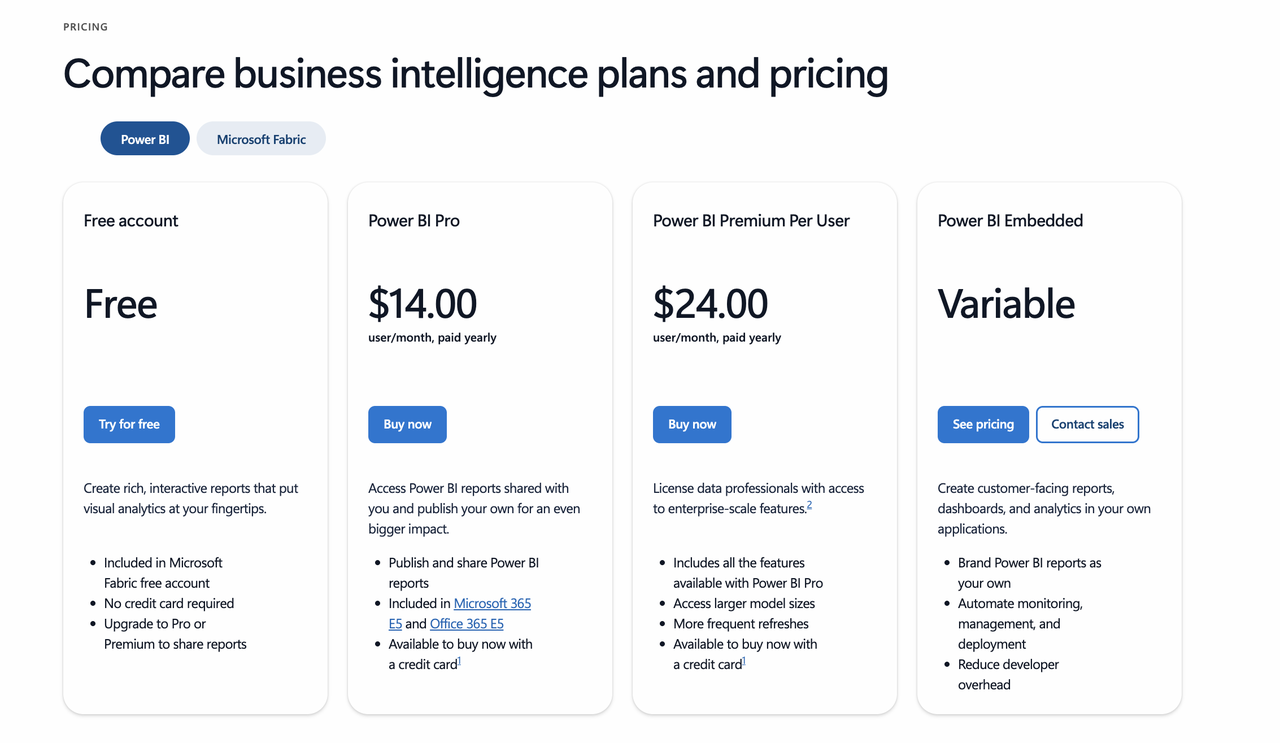
Image source: microsoft.com
Information source: Official vendor sites
Update time: 2025-11-30
Note: Pricing and plan details reflect publicly available data as of the update date and may vary based on region, billing cycle, and number of agents.
Power Apps
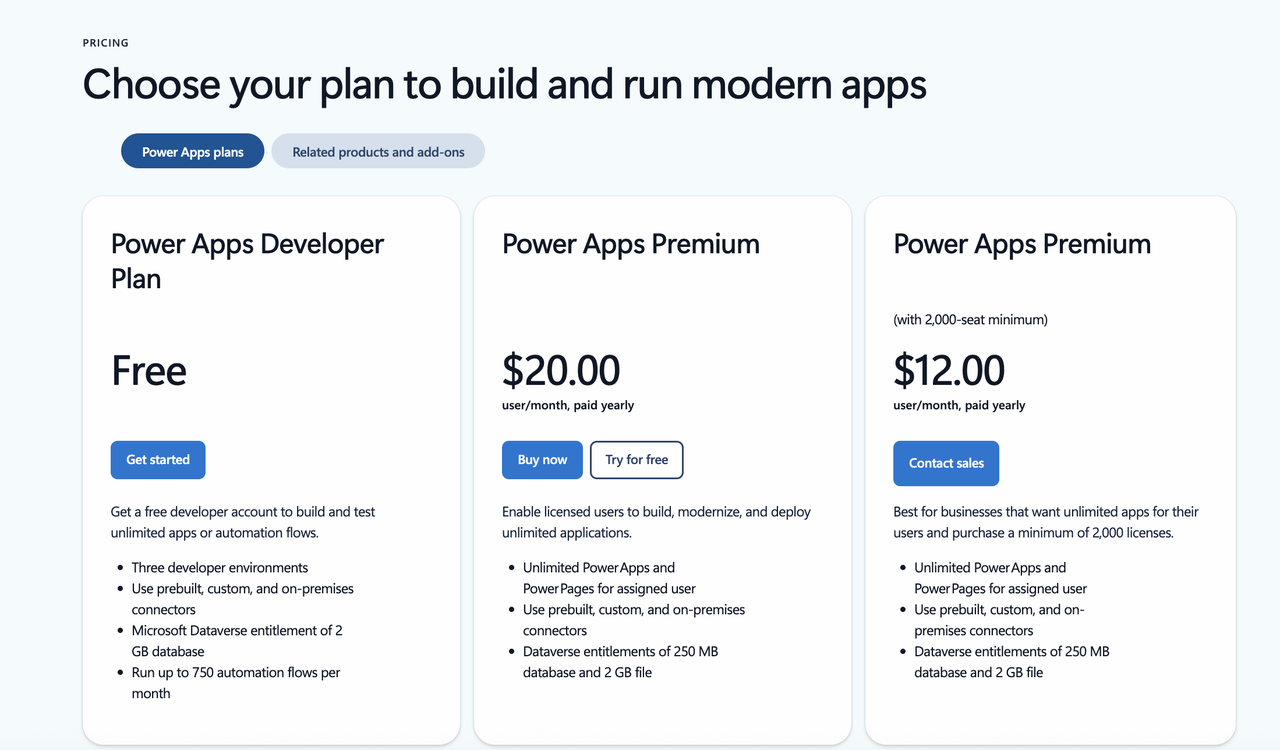
Image source: microsoft.com
Power Automate
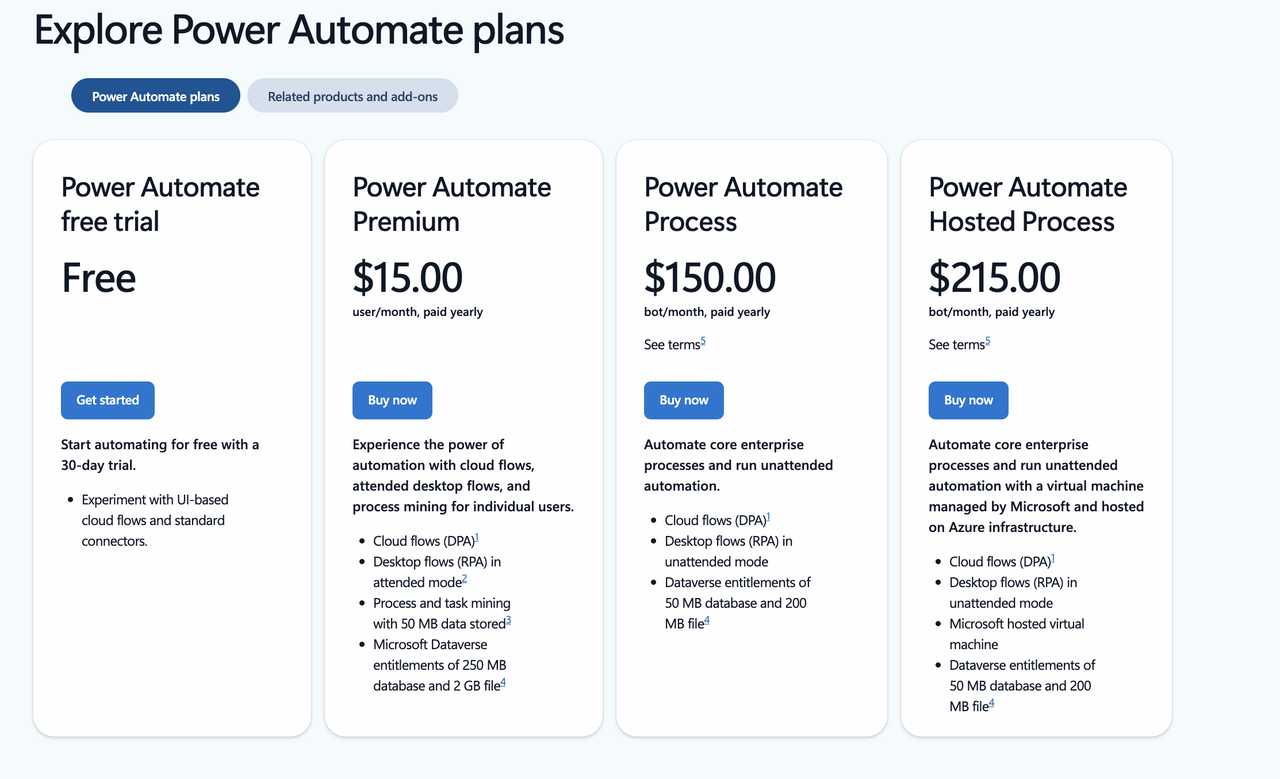
Image source: microsoft.com
Power pages
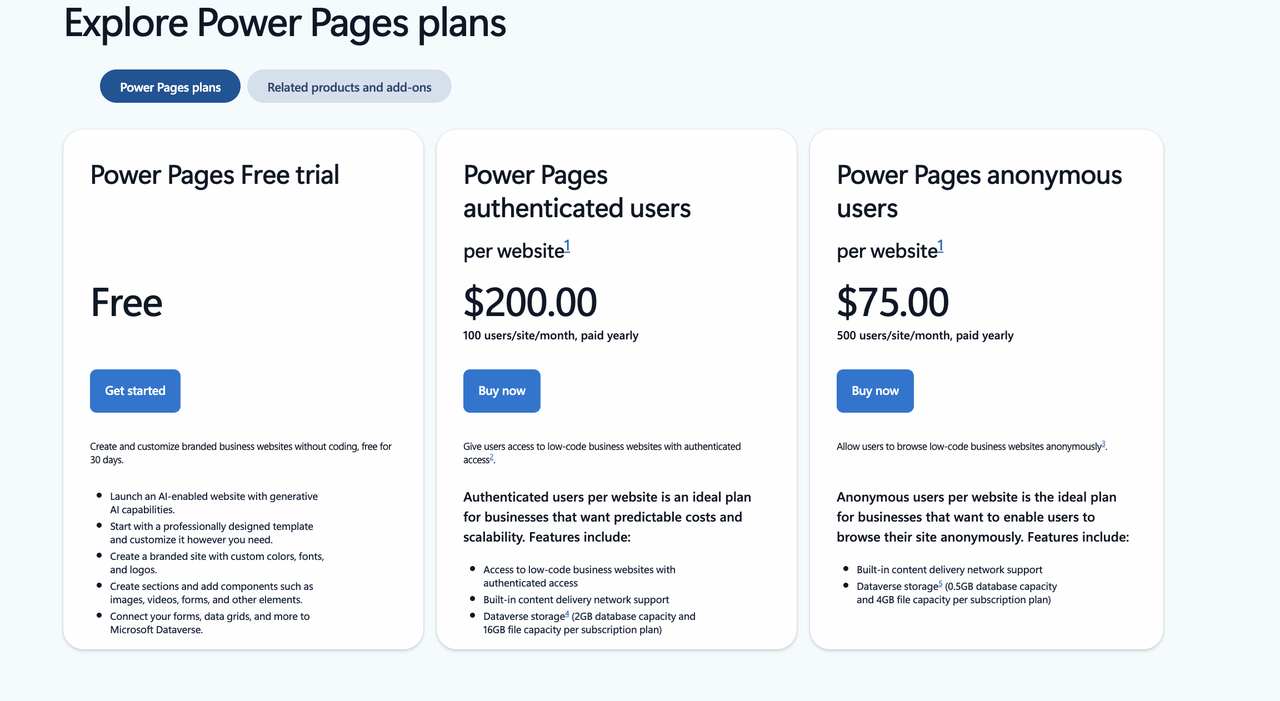
Image source: microsoft.com
Power platform capabilities for business workflows
Microsoft Power Platform enables organizations to digitize operational processes without heavy coding, making it adaptable across departments with varying needs. Its low-code tools help teams streamline routine tasks, manage data efficiently, and create workflows that reflect real business operations. Many teams explore what is Power Platform used for as they begin identifying which processes to automate first. By combining automation, apps, analytics, and secure data storage, the platform supports end-to-end visibility across business functions. Each department can build solutions tailored to its own procedures while still maintaining shared governance. This flexibility helps organizations modernize gradually, scaling their workflows as maturity increases.
- HR department: HR teams use Power Platform to automate onboarding tasks, document submissions, and role-based approvals. Workflows can notify hiring managers, track pending steps, and automatically update records. This reduces manual follow-ups and improves the employee onboarding experience. Centralized data also ensures compliance and consistency across all new hires. HR departments exploring often turn to a Power Platform course free to skill up before building complete solutions.
- IT department: IT teams rely on Power Platform to manage support tickets, equipment requests, and access provisioning. Automated routing ensures the right technician receives each request based on category or urgency. Self-service apps allow employees to log issues without email chains, improving transparency. Dashboards highlight recurring problems, helping IT identify long-term fixes. This system reduces resolution time and centralizes operational visibility.
- Ops department: Operations teams use Power Platform to monitor equipment, inventory, and facility assets through and custom apps. Automated alerts can notify teams when maintenance is due or when items reach low stock levels. Barcode or QR code scanning helps track items across locations. Visual dashboards show asset utilization patterns over time. These capabilities reduce loss, improve oversight, and streamline operational processes.
- Sales department: Sales teams build custom lead management apps to track prospects from first contact to conversion. Automated workflows assign leads, send follow-up reminders, and update pipeline stages in real time. Dashboards help sales managers forecast revenue and analyze performance trends. Mobile-friendly apps ensure reps can update deal information on the go. These capabilities strengthen accountability and improve visibility into the sales cycle.
- Finance department: Finance teams use Power Platform to automate expense submission, validation, and approvals. Employees can upload receipts, categorize expenses, and track status through a self-service app. enforce policy checks before requests reach approvers. Dashboards provide real-time visibility into spending patterns and reimbursement timelines. This reduces manual paperwork and speeds up financial processing.
Where Power Platform creates complexity for lean teams
Although Microsoft Power Platform offers strong low-code capabilities, many lean teams encounter operational complexity when adopting it at scale. The platform's architecture is both skillful and layered, requiring multiple , licensing, governance, and security configuration. Smaller teams without dedicated IT resources often struggle to manage these moving parts, mainly when workflows depend on Dataverse or premium connectors. As projects expand, the administrative overhead can become significant, affecting agility and deployment speed. While powerful, the platform assumes a level of technical maturity that not all teams have. Understanding these challenges helps organizations decide whether Power Platform aligns with their operational capacity.
- Dataverse configuration complexity: Dataverse is central to the Power Platform ecosystem, but configuring it properly requires understanding schemas, relationships, permissions, and storage limits. Lean teams often find the setup to be unintuitive and time-consuming, primarily when multiple apps rely on shared tables. Adjusting data models after deployment can cause downstream issues in apps and flows. Without technical expertise, maintaining consistency becomes difficult over time. This creates a dependency on IT even for simple operational workflows.
- Licensing confusion: Power Platform licensing can be challenging because features vary widely across Free, Premium, Per User, Per App, and Pay-as-you-go models. Teams must also consider connector tiers, capacity add-ons, and Dataverse consumption rules. As usage grows, costs often increase unpredictably, making budgeting harder for smaller organizations. Understanding which user needs which license can become an ongoing administrative task. This complexity usually slows adoption and discourages experimentation.
- Security & tenant dependence: Power Platform relies heavily on Microsoft Entra ID and tenant-level policies, which require careful configuration to avoid security risks. Lean teams that lack centralized IT oversight may struggle to manage permissions, environment access, and . Misconfigurations can lead to overexposed data or blocked workflows. Dependence on tenant management also limits the flexibility of departments that want autonomy. This makes secure scaling difficult without consistent administrative control.
- Need for IT governance: Because Power Platform integrates deeply with corporate systems, organizations must establish governance frameworks before allowing widespread use. This includes rules for environment creation, solution ownership, connector usage, and data classification. Lean teams often lack the resources to design and enforce such policies. Without governance, workflows can become fragmented and complex to maintain. As teams grow, the absence of structure leads to duplication and inconsistent standards.
- Maintenance overhead: Even low-code apps require updates, , and troubleshooting as processes evolve. Power Platform solutions can break when data sources change, connectors update, or dependencies shift. This leads to ongoing maintenance demands that lean teams may not be equipped to handle. Over time, technical debt accumulates, affecting performance and reliability. What begins as simple automation can turn into a system that requires regular IT intervention.
While Microsoft Power Platform is highly capable, many lean or fast-moving teams find that it introduces more operational overhead than expected. Setting up environments, managing licenses, connecting data sources, coordinating permissions, and maintaining app logic often require dedicated admin support and technical upkeep. For smaller teams or non-technical departments, this complexity can slow down deployment, limit adoption, and create dependency on IT resources just to keep daily workflows running. Instead of empowering teams to move faster, the setup and ongoing maintenance can become a barrier to productivity.
This is where Lark stands out as a simpler, more accessible alternative. Lark provides built-in tools for workflow creation, data management, collaboration, and automation within a single workspace—allowing teams to launch operational processes quickly without extensive configuration or developer resources. The focus shifts from maintaining systems to actually getting work done.
Find the right workflow solution for your needs
Meet Lark: Lightweight no-code alternative for modern teams
is a lightweight no-code alternative for teams that want to build operational workflows without the technical overhead of traditional platforms. It brings , automation, collaboration, and together in a single workspace, reducing the need for multiple disconnected tools. Unlike systems that require extensive setup or specialized governance, Lark lets teams create and refine workflows quickly through intuitive interfaces.
Lark Base for structured business applications without development overhead
functions as a true no-code business application builder, allowing teams to create structured databases for operations such as CRM, project tracking, defect logging, approvals, or asset inventory—without scripting or specialized configuration. Users can design custom tables and fields, define relationships between records using one-way or two-way links, and layer logic with flow fields that visually reflect process stages. Groups and Filters let teams instantly shift views between ownership, priority, deadline, or status perspectives. Unlike more complex platforms that require environment setup or connector configuration, everything operates directly within a single workspace—so business users can build and evolve their systems independently.
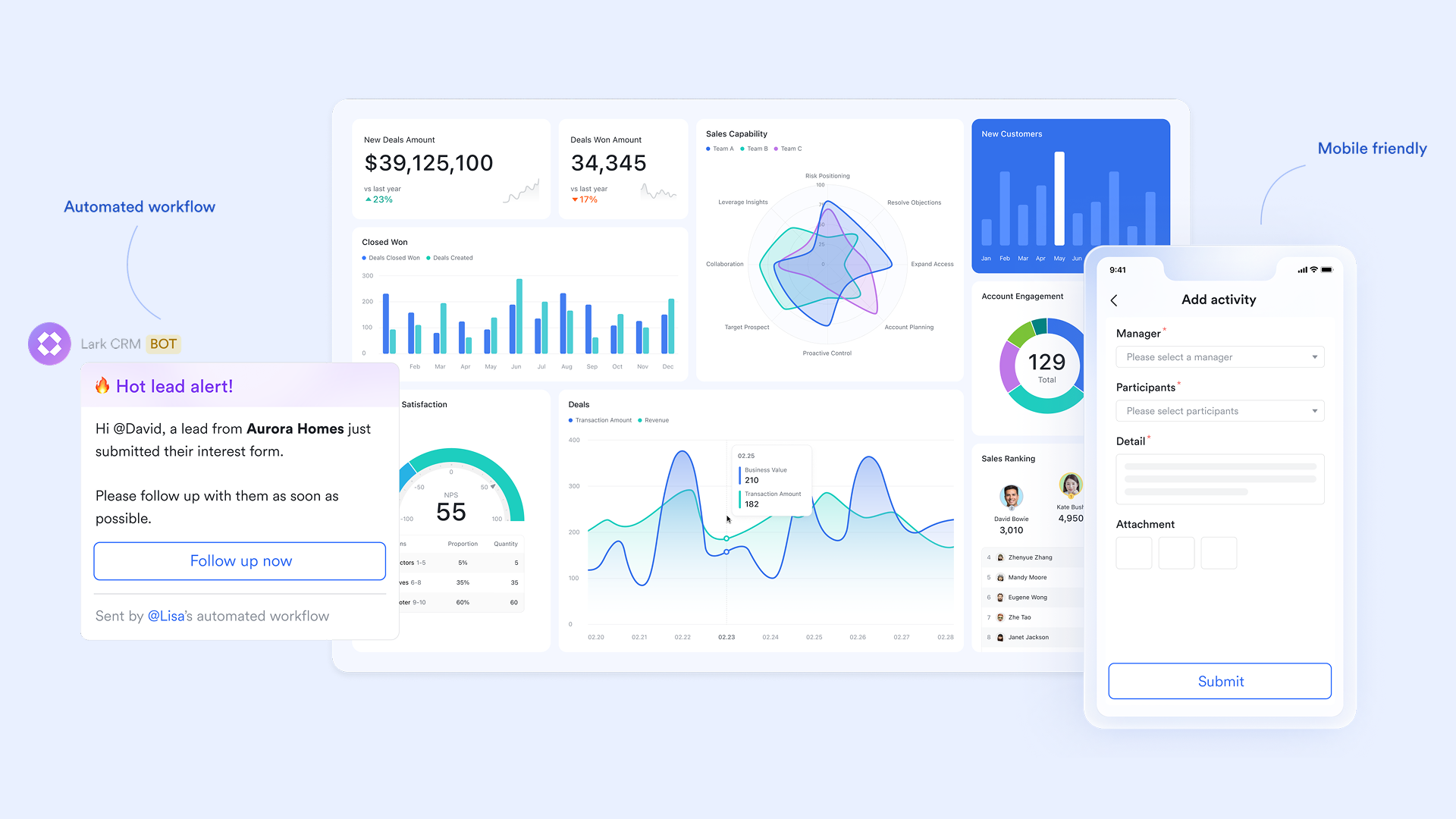
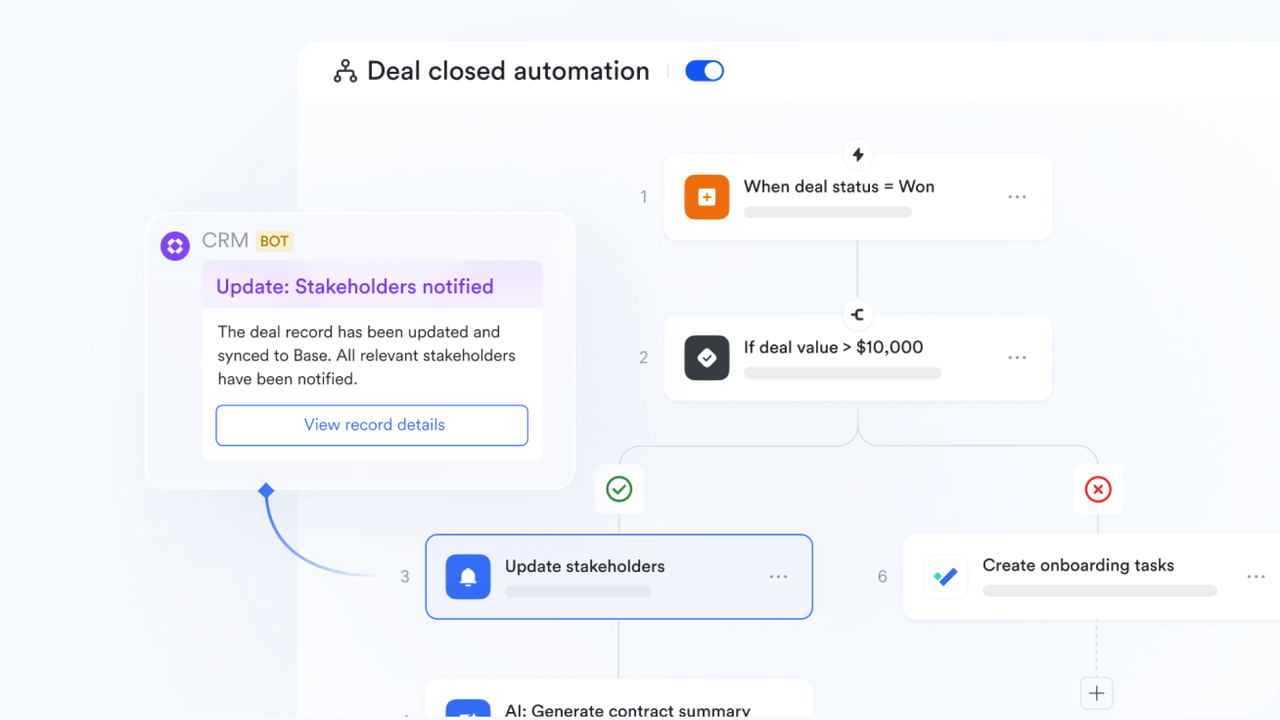
Built-in automated workflows that replace complex flow builders
that allow teams to trigger actions based on record updates—such as automatic assignment notifications, review reminders, escalation alerts, or handoff prompts. These workflows are built directly into Base, without requiring separate tools or flow configuration panels. Teams can customize workflows to reflect standard business processes such as lead qualification, issue triage, onboarding checklists, or approval preparation. Because automation is native to the workspace, workflows are easier to manage, refine, and monitor than systems that rely on external orchestration tools.
Visual dashboards and forms for real-time operational clarity
Within Lark Base dashboard, teams can create dynamic dashboards that transform structured data into actionable visual summaries—highlighting workload balances, pipeline progression, backlog risk, or customer response patterns. Dashboards pull directly from live tables and update automatically as records change. For data intake, shareable forms make it simple to collect structured submissions from teammates, customers, or partners—such as support tickets, lead captures, or internal requests—without building apps or embedding code. These inputs create records instantly within Base, feeding dashboards and workflows in real time. 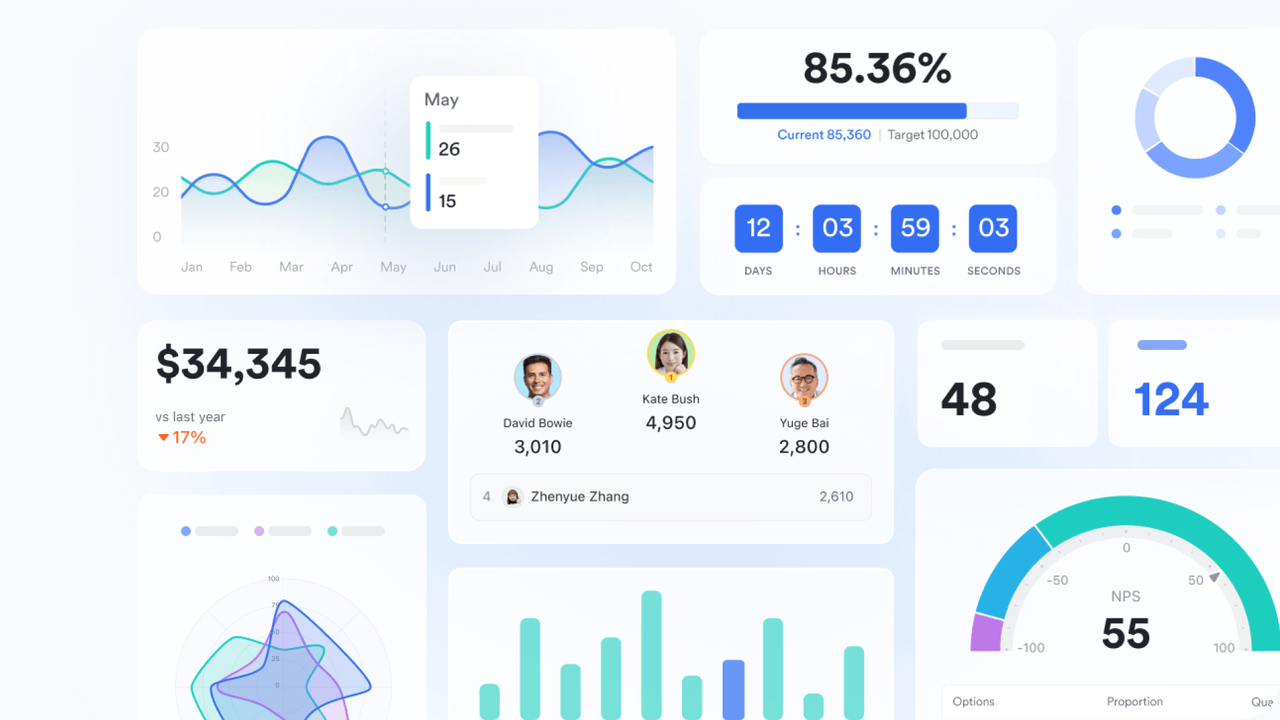
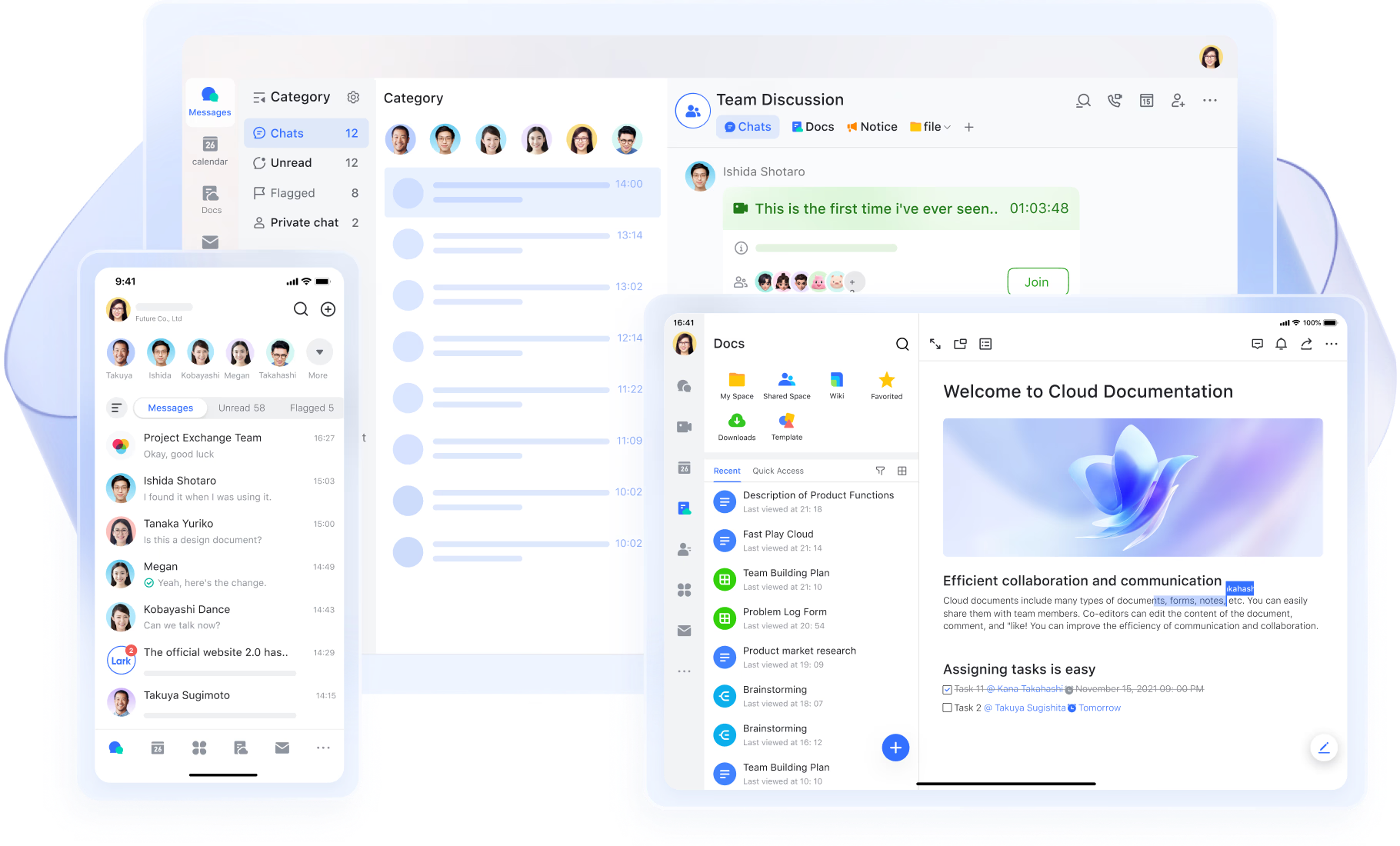
Messenger, Docs, Calendar, and Tasks operate inside the same workspace
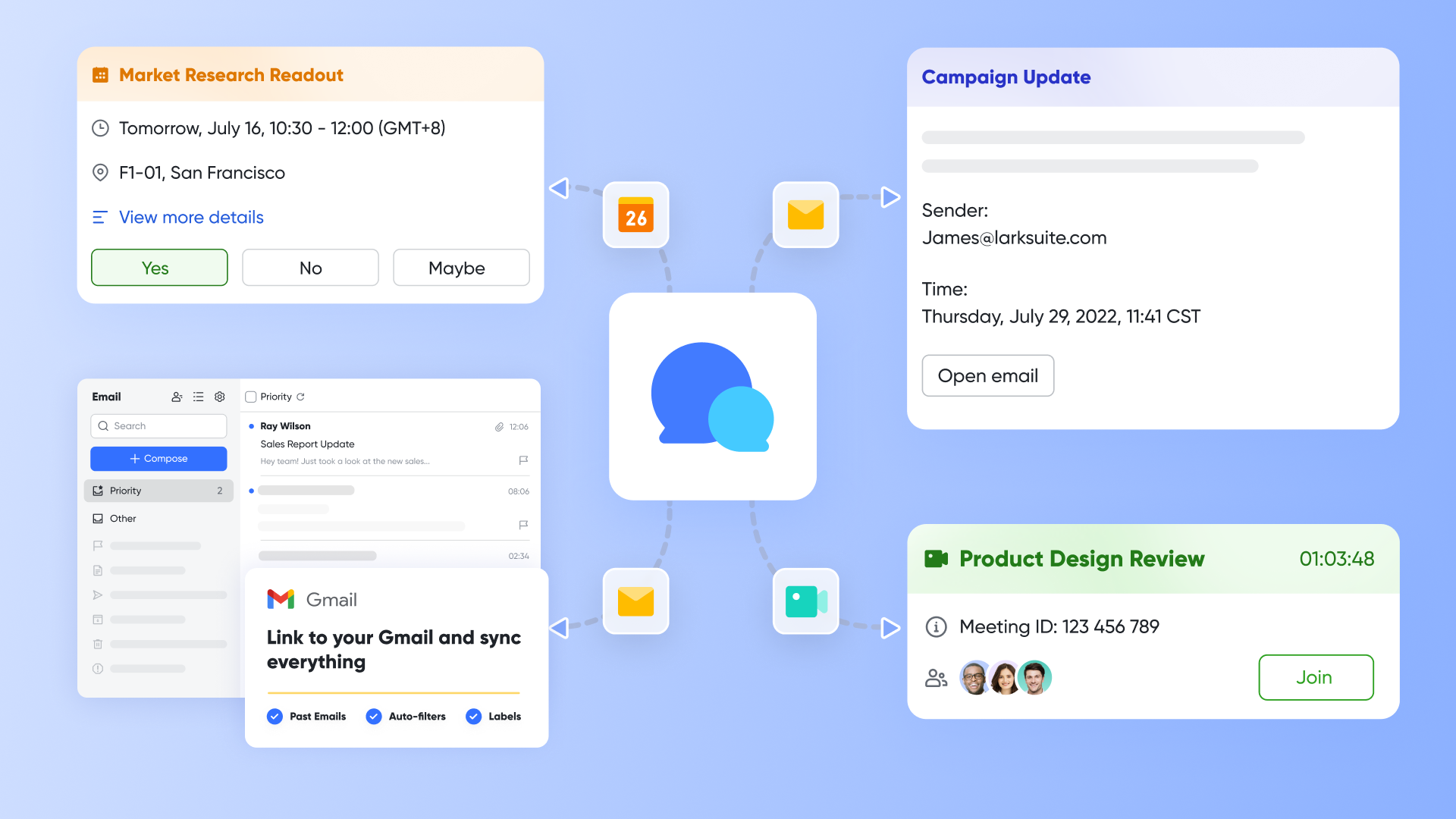
Unlike multi-platform solutions that require stitching together chat, documentation, task tracking, and scheduling tools, Lark houses all collaboration inside the same environment as the no-code data layer. Teams can discuss records directly through threads, pin key decisions, flag follow-ups, and quote specific messages for clarity. (and ) store SOPs, project requirements, or process documentation that can be linked directly to records for contextual reference. Tasks connect execution directly to workflows, assigning accountability for next-step actions tied to database records. Calendar synchronizes timelines for releases, milestones, review cycles, and deadlines, keeping structured data and day-to-day scheduling aligned without switching tools.
Templates that replace complex app-building processes
for common operational workflows, including CRM pipelines, bug tracking, , purchase requests, onboarding checklists, and marketing campaigns. These templates provide pre-built tables, automation rules, dashboards, and forms—allowing teams to launch functional business systems instantly rather than building apps from scratch. Users can customize templates by adjusting fields, workflows, or layouts to match their processes, without dealing with layered environments, licensing tiers per connector, or specialized configuration steps. This approach reduces setup time from weeks to minutes while remaining flexible enough for real-world customization.
:
- Starter plan: Free forever plan that includes 11 powerful tools for up to 20 users. It also comes with 100GB of storage, 1000 automation runs, AI translations, and more.
- Pro plan: $12/user/month (billed annually) for up to 500 users. It includes everything in Basic plus group calling for up to 500 attendees, 15TB of storage, 50,000 automation runs, and more.
- Enterprise plan: for custom pricing. Supports unlimited users and includes even more automation runs and advanced security, compliance, and management features.
For small teams with simple communication needs

18 months message history
1000 Base automation runs/month
2000 rows per table in Base
Most POPULAR
For companies with comprehensive collaboration and management needs
Unlimited message history
500-participant video meetings
50k Base automation runs/month
20k rows per table in Base
For large companies with advanced security and organizational management needs
Get a personalized demo and pricing
Unlimited message history
500-participant video meetings
15 TB storage + 30 GB storage/user
500k Base automation runs/month
50k Base automation runs/month
Most POPULAR
For companies with comprehensive collaboration and management needs
Unlimited message history
500-participant video meetings
50k Base automation runs/month
20k rows per table in Base
Power Platform vs Lark for everyday teams
Conclusion
Microsoft Power Platform provides a robust ecosystem for organizations that need advanced customization, enterprise-grade data modeling, and structured governance. Its combination of Power Apps, Power Automate, Power BI, and Dataverse enables profound —but it also introduces complexity that smaller or fast-moving teams may find challenging to manage. For these everyday operational teams, the need for admin oversight, licensing clarity, and ongoing maintenance can slow adoption and limit flexibility.
offers an alternative for teams that want to build workflows quickly without navigating multiple tools or technical layers. By unifying databases, automation, dashboards, documents, chat, and scheduling in one workspace, Lark enables teams to design, iterate, and collaborate at speed.
If your organization is looking for a more straightforward, more accessible way to build operational workflows, Lark provides a streamlined approach that reduces setup effort and empowers non-technical users to get started immediately.
Discover simpler ways to automate your daily tasks
FAQs
Can Power Platform replace traditional CRM software?
Power Platform can replace traditional CRM systems when organizations need flexible, customizable tools that are built around their workflows. With Power Apps and Dataverse, teams can design lead tracking, pipelines, and customer management features without relying on rigid off-the-shelf products. However, building a full CRM requires governance and technical support. Teams seeking simpler, ready-to-use often explore workspace solutions like Lark that offer lighter, no-code database tools.
Do I need coding experience to build apps with Power Platform?
Power Platform is designed to be low-code, meaning users can build apps without traditional programming. However, more complex logic, integrations, or data models may require knowledge of formulas or IT support. This creates a learning curve for non-technical teams. In contrast, many everyday users choose platforms like Lark for simpler, visual no-code workflows that require minimal training.
How secure is Dataverse for business-critical data?
Dataverse offers enterprise-grade security with role-based access controls, encryption, and governance aligned with Microsoft's cloud standards. It is built to handle sensitive or regulated data with strong compliance capabilities. However, configuring these settings requires careful IT oversight to avoid mismanagement. Teams that need secure, yet simpler, operational data handling sometimes adopt unified workspaces like Lark for everyday use cases.
Can Power Platform be used for project management tools?
Yes, teams can build project trackers, task tools, and approval workflows using Power Apps and Power Automate. The flexibility allows highly customized solutions, but setup may require time, schema design, and connector configuration. This can be challenging for small teams. Some organizations prefer platforms like Lark for lightweight, built-in project views, , and collaboration in one place.
Is Power Platform suitable for teams without dedicated IT support?
Non-technical teams can use the Power Platform, but scaling it typically requires IT involvement for licensing, environments, connectors, and Dataverse management. Without this support, maintenance and troubleshooting may become difficult. Teams that need autonomy and low complexity often opt for simpler no-code systems, such as Lark, that reduce reliance on technical oversight.
Related reading

















