Are you overwhelmed by the sheer volume of new artificial intelligence apps launching every week? You are not alone. Finding a reliable AI tools list that actually improves productivity without adding clutter to your workflow can be challenging. Whether you need a comprehensive list of all AI tools for enterprise collaboration or a free AI tools list for personal content creation, we have you covered. In this ultimate 2026 guide, we cut through the hype to bring you the best platforms designed to help you work smarter, save time, and eliminate software fatigue once and for all.
The complete categorized list of AI tools
When searching for an all ai tools list, the biggest mistake enterprise teams make is adopting text generators without a clear use case. To help you build a highly functional tech stack, here is our curated list of AI apps tailored for content workflows.
Strategic Note: As you explore these standalone applications, remember that buying dozens of separate apps causes data silos. The most powerful foundational models (like OpenAI and Claude) should ideally be . We will highlight how this works below.
1. Best AI tools for text, writing & content creation
remains the most widely adopted use case for artificial intelligence. This segment of our AI tool list focuses on applications that help you draft emails, brainstorm marketing copy, and analyze massive documents.
ChatGPT (OpenAI)
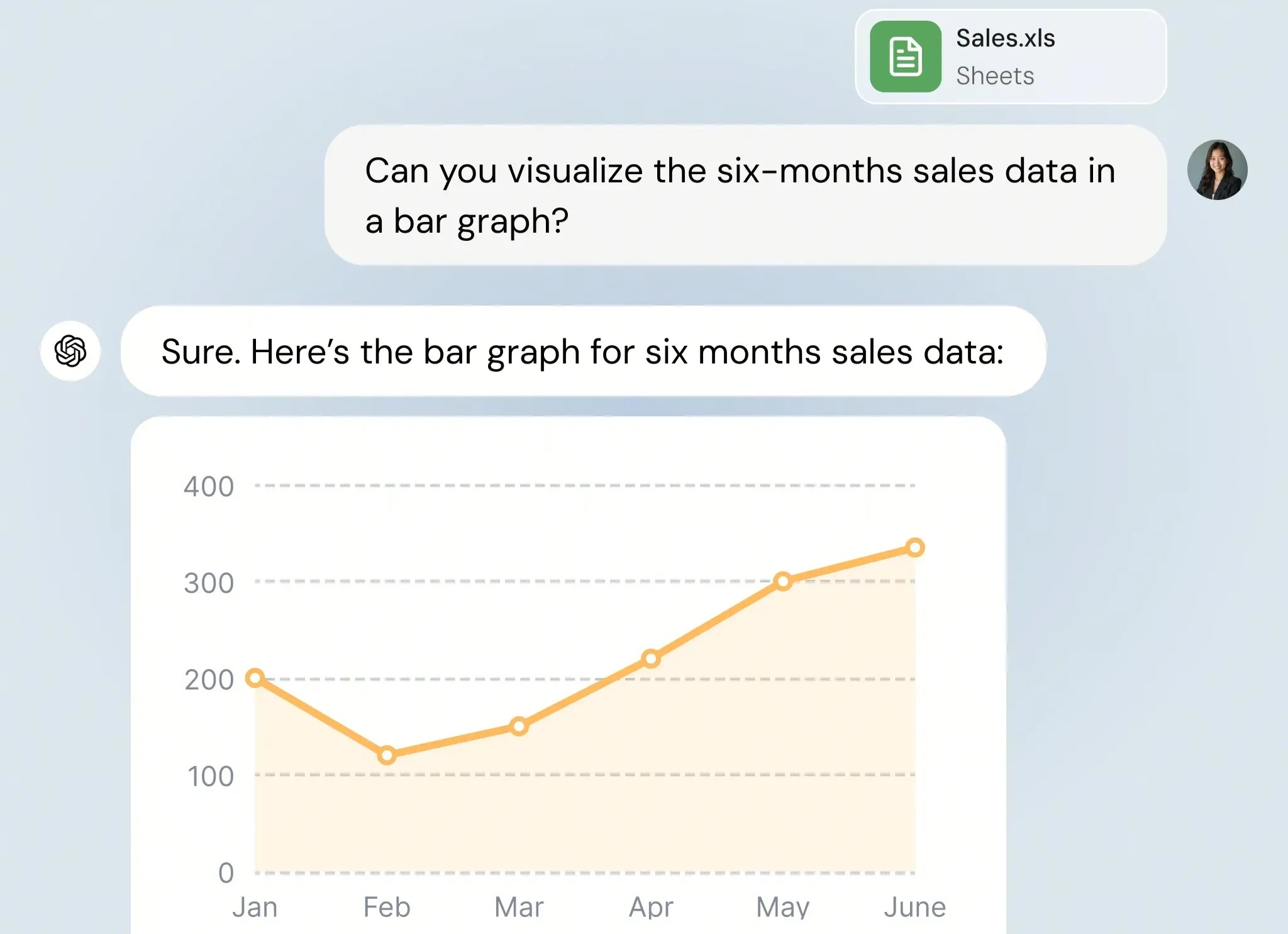
Image source: chatly.com
ChatGPT is the ultimate , best for general knowledge workers and developers looking for a versatile assistant that handles everything from complex coding to rapid brainstorming.
ChatGPT, powered by the , features a remarkably intuitive chat-based interface that has set the industry standard. Its core strength lies in its multimodal capabilities; users can upload data spreadsheets for instant data analysis, prompt with voice commands on mobile, or generate code snippets. It solves the everyday pain point of the "blank page syndrome" by instantly generating structured outlines, emails, and reports.
However, its true enterprise value lies outside of its native web interface. Instead of forcing employees to keep a ChatGPT tab open and copy-paste text back and forth, forward-thinking businesses utilize OpenAI's robust API. By integrating ChatGPT's underlying models directly into an all-in-one platform like via open APIs and webhooks, teams can trigger GPT-4 to , , or, keeping all corporate data centralized and secure.
Pros:
- Unmatched multimodal capabilities (voice, vision, and advanced data analysis).
- Massive plugin and API ecosystem for easy enterprise integration.
- Highly adaptable reasoning skills for complex problem-solving.
Cons:
- Can suffer from (stating false facts confidently).
- The web UI can quickly become cluttered with long, disorganized chat histories.
Pricing:
- Free Plan: Includes limited access to GPT-4o capabilities and basic data analysis.
- Plus Plan: $20/user/month for priority access and higher message caps.
- Team Plan: Starts at $30/user/month with enhanced workspace administration.
Claude (Anthropic)
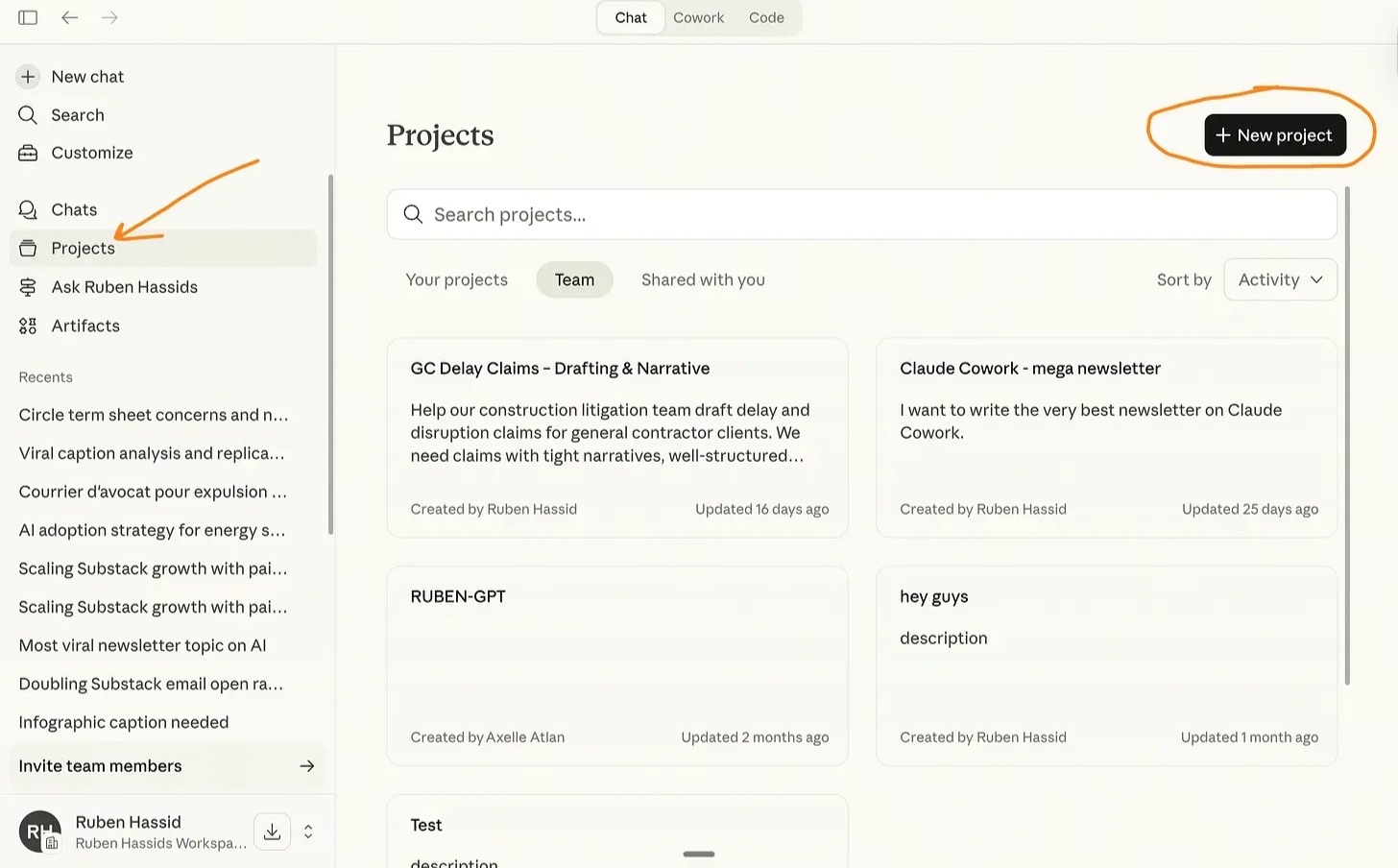
Image source: substack.com
Claude is the undisputed king of long-form text and coding logic, best for researchers and legal teams who need to analyze massive documents securely with a human-like tone.
Claude distinguishes itself with an , allowing users to upload dozens of PDFs, dense financial reports, or massive codebases simultaneously without the AI losing its train of thought. Its "Artifacts" UI feature is a game-changer, opening generated code, websites, or long documents in a dedicated side-panel for easy real-time editing. Furthermore, Claude is widely praised for its nuanced, less robotic writing style, solving the pain point of AI content sounding overly synthetic.
Similar to OpenAI, Claude's highest ROI comes from system integration rather than standalone web usage. Because Anthropic prioritizes enterprise security and reduced hallucinations, businesses frequently use integration frameworks to plug Claude directly into their daily communication hubs. For instance, teams can integrate Claude into to securely query their and large document repositories directly from their chat boxes, entirely eliminating app-switching fatigue.
Pros:
- Massive context window capable of reading whole books or codebases at once.
- The most natural, conversational, and human-like writing tone on the market.
- Strong focus on data security and minimizing harmful outputs.
Cons:
- Lacks the native internet browsing depth found in ChatGPT.
- Strict safety filters can occasionally block entirely benign creative requests.
Pricing:
- Free Plan: Basic access to the Claude 3.5 Sonnet model with strict usage limits.
- Pro Plan: $20/user/month for 5x more usage and access to the Opus model.
- Team Plan: $30/user/month for increased limits and team billing.
Jasper
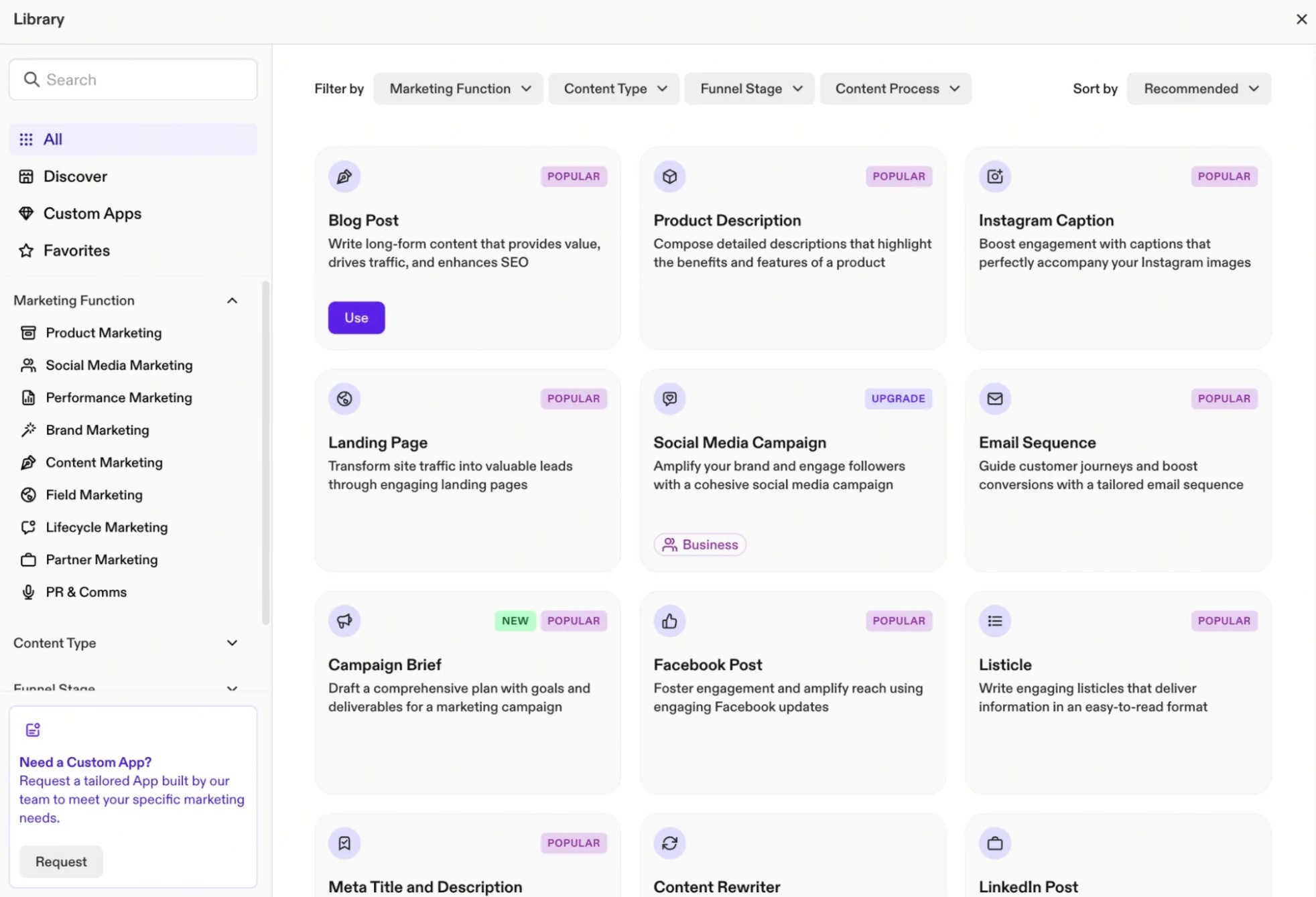
Image source: zapier.com
Jasper is the ultimate copywriting machine, best for marketing teams and agencies that require strict brand voice adherence and high-volume asset generation.
Unlike general-purpose chatbots, Jasper is a purpose-built Go-To-Market engine. Its interface is heavily template-driven, offering dozens of specific use cases ranging from SEO blog posts to LinkedIn updates. Marketers can feed Jasper their style guides and past successful campaigns, ensuring the AI strictly adheres to the company's specific tone, formatting, and industry jargon.
Besides, it includes built-in SEO optimization integrations (such as SurferSEO) and campaign-level asset generation. While it doesn't replace a unified workspace like Lark for internal team communication, it is a specialized weapon that every .
Pros:
- Excellent brand voice customization that perfectly mimics your company’s tone.
- Campaign-level generation saves hours of cross-channel marketing work.
- Pre-built templates eliminate the need for complex prompt engineering.
Cons:
- Extremely expensive for solo users, freelancers, or small startups.
- Not suitable for general knowledge tasks or complex coding logic.
Pricing:
- Free Plan: None. Jasper only offers a 7-day free trial.
- Creator Plan: Starts at 39/month(billed annually)or 39/month(billed annually)or 49/month (billed monthly) for individual marketers.
- Pro Plan: Starts at $59/month (billed annually) for advanced features, team collaboration, and multiple brand voices.
Clever AI Humanizer
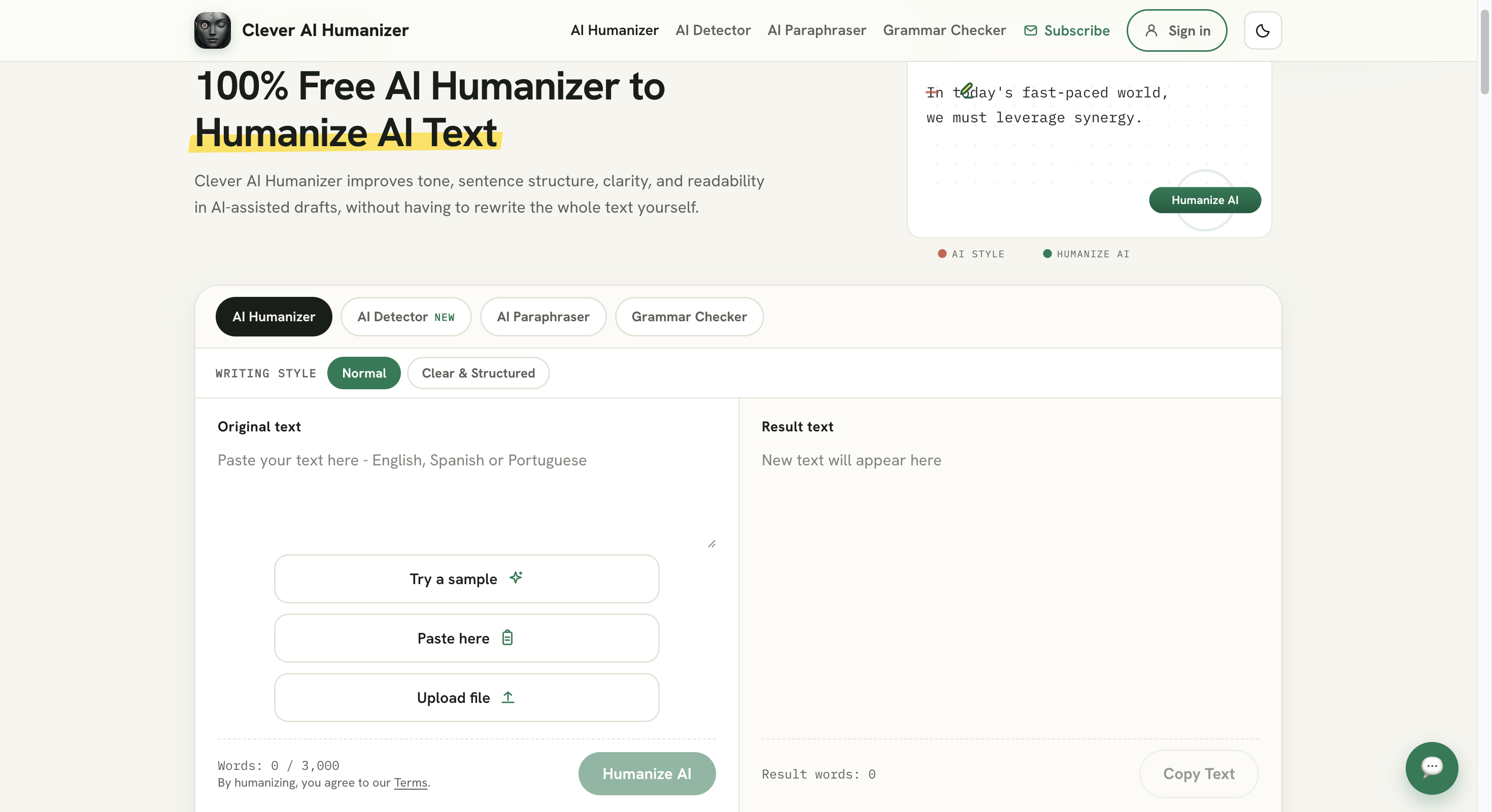
Image source: cleverhumanizer.ai
is the ultimate free humanizing tool, best for students, bloggers, and content teams that need AI-generated text to read naturally without paying for premium access.
Unlike detection-bypass-only tools, Clever AI Humanizer is a well-rounded writing platform. Its interface offers multiple writing styles, including Normal, Clear & Structured, and Simple Formal, letting users match the output tone to blogs, reports, or professional communication. Users can paste in AI-generated drafts from any source and get rewritten text that reads naturally while keeping the original meaning intact.
Besides, it includes built-in tools like an AI Detector, Grammar Checker, and Paraphraser, so users can check, clean, and humanize content in one place. While it doesn't offer advanced enterprise features like multi-brand voice management, it is a solid all-in-one pick that every content creator should have on their AI tools list.
Pros:
- Completely free with unlimited use, no signup wall
- Multiple writing styles for different content types
- Comes bundled with detector, grammar, and paraphrasing tools
- Simple, straightforward interface with no learning curve
Cons:
- Limited to 3,000 words per request
- Only supports English and Spanish
Pricing:
- Free Plan: 100% free, no paid tiers currently offered
- All features, including all writing styles and bundled tools, are available at no cost
GrammarlyGO
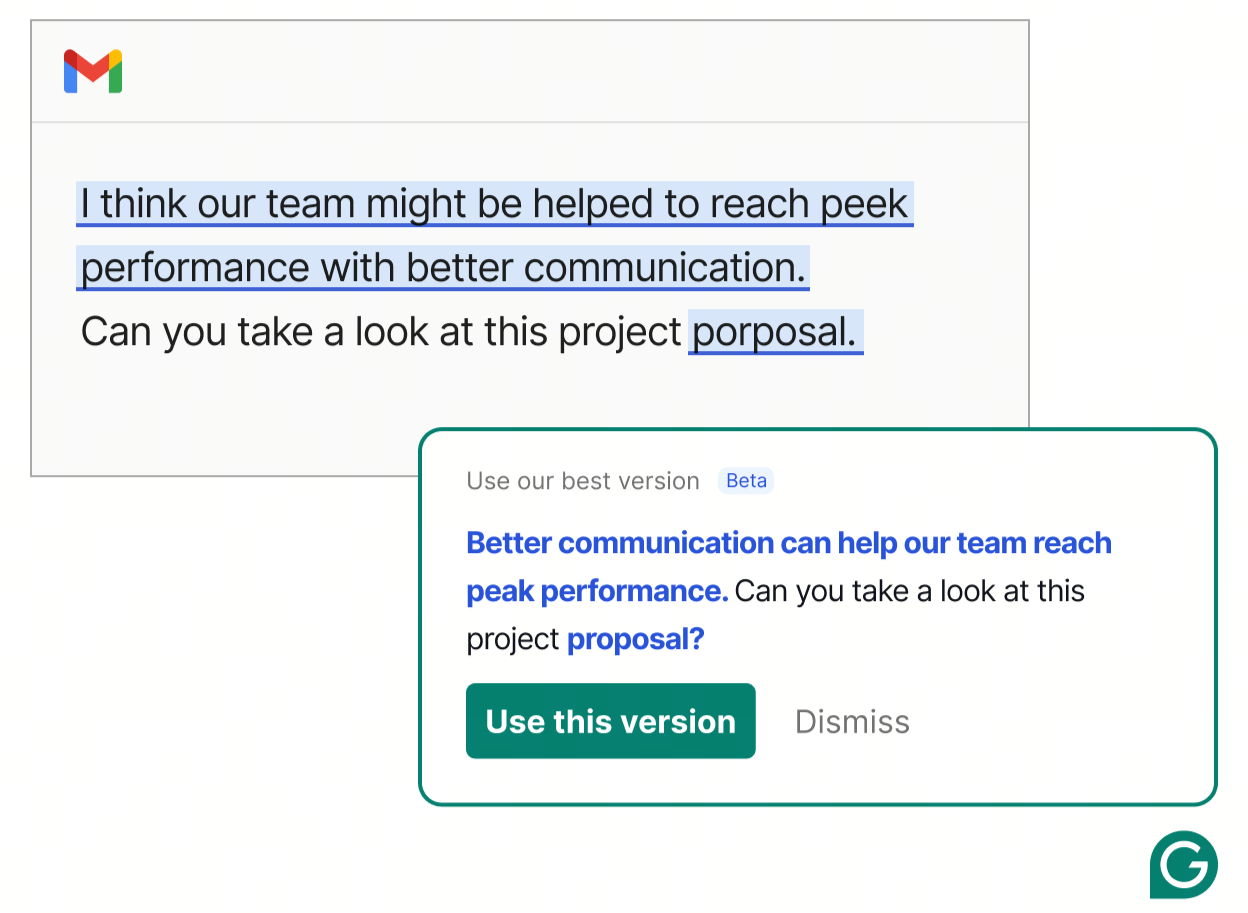
Image source: grammarly.com
is the essential writing assistant for daily communication, best for professionals who need real-time grammar correction and tone adjustments across all their web apps.
Grammarly has evolved from a simple spell-checker into a robust . GrammarlyGO lives wherever you type via a browser extension, offering a frictionless user experience. It solves the anxiety of sending poorly worded emails or unpolished Slack messages. With a single click, users can ask the AI to "make this sound more confident," "shorten it," or generate an entire reply based on a short prompt.
However, many modern platforms, like Lark have made standalone grammar extensions largely obsolete by building these capabilities natively into the workspace. For instance, you can simply use Lark's smart toolbar within or to instantly polish, summarize, translate, or adjust your text to sound more confident and concise. Going a step further than mere spell-checking, Lark allows you to generate complete, automated replies based on brief prompts using —keeping all your corporate communication highly professional and securely contained within one system.
Pros:
- Works natively everywhere you type (browser, desktop, mobile).
- Incredibly intuitive for adjusting tone (confident, friendly, professional).
- Catches complex grammatical errors that native spell-checkers miss.
Cons:
- The generative text features are relatively basic compared to GPT-4.
- Can sometimes suggest overly formal corrections for casual internal chats.
Pricing:
- Free Plan: Excellent free tier for basic grammar and spell checking (100 AI prompts/month).
- Premium: Starts at $12/month (unlocks full AI rewrites and advanced tone adjustments).
2. Top AI tools for visuals, image & video design
Content creation has moved far beyond text. In 2026, from simple text prompts is a reality. Here is the visual segment of our list of all AI tools.
Midjourney
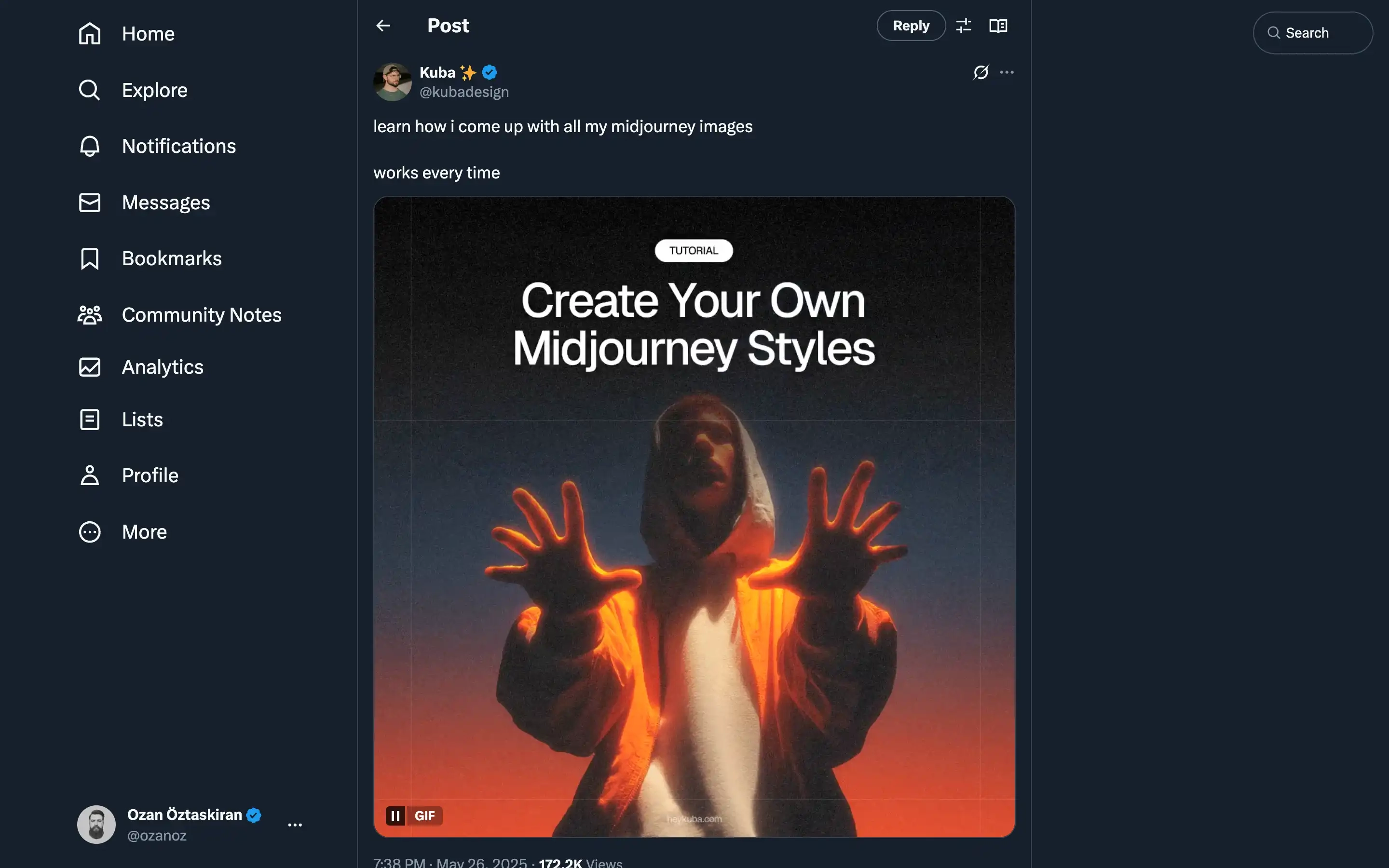
Image source: Midjourney.com
is the king of industrial-grade original art, best for professional graphic designers and creative agencies requiring hyper-realistic, cinematic image generation.
Whether you need photorealistic product mockups, intricate concept art, or high-fashion editorial shots, Midjourney's V6 architecture delivers unparalleled aesthetic quality. It excels at understanding complex lighting, textures, and artistic styles, solving the pain point of expensive stock photography or lengthy illustration processes.
However, the user experience has historically been a significant hurdle. Midjourney operates primarily through Discord, requiring users to type slash commands (/imagine) in chat rooms. It demands a solid understanding of "prompt engineering" and parameters (like aspect ratios and stylization weights) to get the most out of the tool.
Pros:
- Unmatched aesthetic, artistic, and photorealistic visual quality.
- Highly customizable with advanced parameter commands.
Cons:
- Still lacks built-in team collaboration and shared workspace features.
- No free tier available; users must pay just to test the software.
Pricing:
- Basic Plan: $10/month (limited fast GPU hours).
- Standard Plan: $30/month (unlimited relaxed GPU hours).
Canva Magic Studio
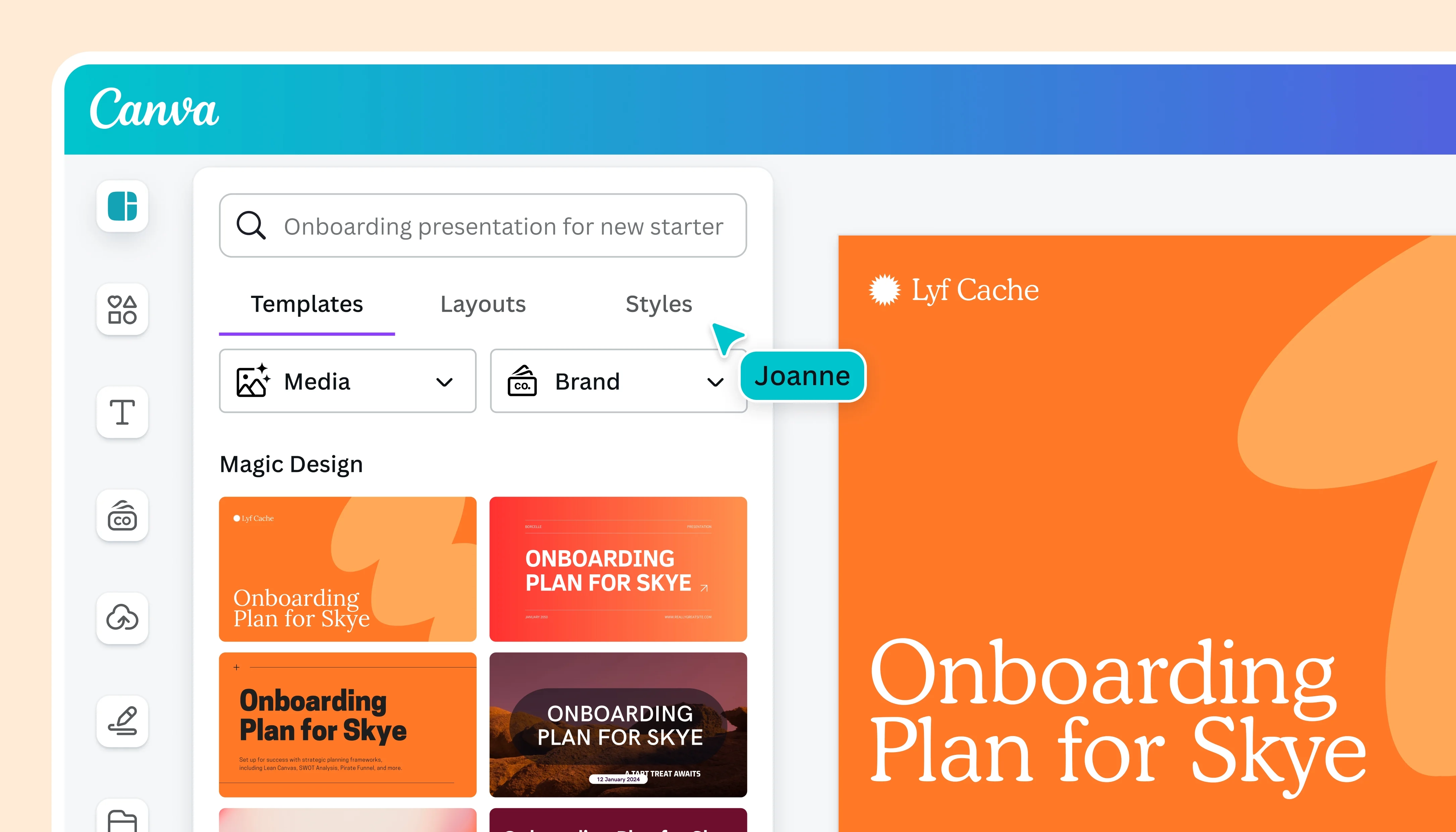
Image source: Canva.com
is the ultimate zero-barrier design suite, best for non-designers, marketers, and founders who need to create professional graphics instantly.
Canva has successfully democratized design, and its Magic Studio features take this a step further. The user interface remains the incredibly intuitive, drag-and-drop web dashboard that Canva is famous for. Magic Studio solves the pain point of time-consuming manual edits: users can remove backgrounds in one click, use "Magic Switch" to instantly resize a presentation into a vertical Instagram Reel, or generate custom images directly within their slide deck.
However, using a standalone design app for everyday internal docs creates an unnecessary workflow disjoint. When you design weekly reports or project updates in Canva, your documents become separated from where your team actually communicates. Today, unified platforms like Larkalready solve this by offering seamless , ensuring your team's feedback is never disconnected. Furthermore, Lark provides a rich library of that beautifully cover most daily office needs, making specialized tools like Canva unnecessary for routine internal teamwork.
Pros:
- Incredibly intuitive, zero-learning-curve drag-and-drop interface.
- Magic Switch saves hours by auto-resizing designs for multiple platforms.
- Massive library of pre-built templates for every business need.
Cons:
- AI image generation can sometimes look slightly generic compared to Midjourney.
- The best AI features (like background remover) are locked behind the Pro paywall.
Pricing:
- Free Plan: Generous free tier with basic templates and limited AI credits.
- Canva Pro: $15/user/month (unlocks all Magic Studio features and brand kits).
Runway Gen-3
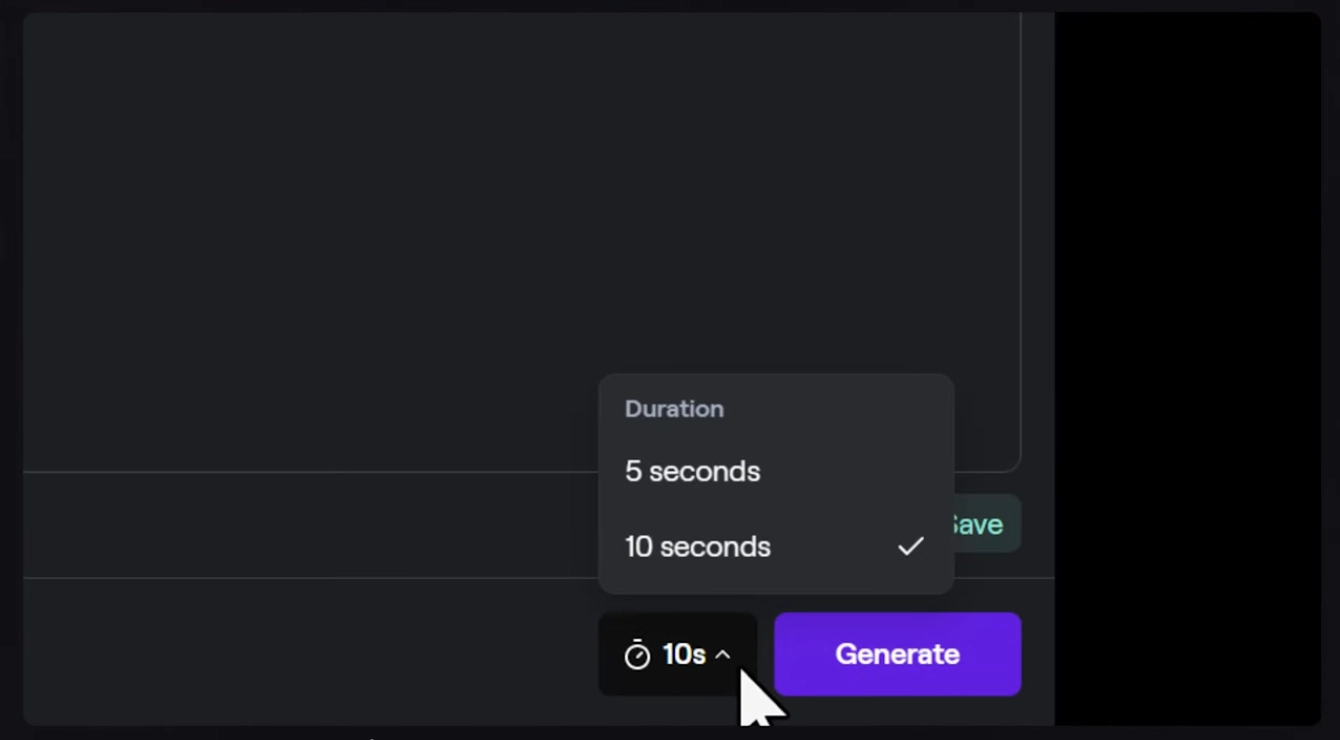
Image source: runway.com
is the leader in the video generation revolution, best for video editors and marketers looking to create stunning b-roll and cinematic sequences from text prompts.
Video production is historically expensive, requiring cameras, actors, and locations. Runway Gen-3 is disrupting this entire industry. Operating through a clean web interface, it allows creators to generate highly realistic, physics-accurate video clips simply by typing a description (Text-to-Video) or uploading a static image (Image-to-Video). It solves the massive bottleneck of sourcing specific stock footage.
However, generating the video is only a fraction of the battle. The true bottleneck for creative teams is the fragmented workflow. Runway is a standalone app. Once you generate a heavy video file, you are forced to download it, upload it to a separate cloud drive, paste the link in a disconnected chat app, and track revisions in scattered emails. This creates massive data silos and slows down campaign launches.
Pros:
- Industry-leading text-to-video and image-to-video fidelity.
- Advanced controls like Motion Brush and camera tracking.
- Web-based editor makes it accessible without heavy local hardware.
Cons:
- Generations are short and can sometimes feature physics warping or artifacts.
- High credit consumption makes it expensive for heavy daily use.
Pricing:
- Free Plan: Basic tier with limited credits (watermarked exports, restricted to older models).
- Standard Plan: $15/user/month (625 credits/month and upscaled exports).
- Pro Plan: $35/user/month (2250 credits/month and custom video exports).
- Unlimited Plan: $76/user/month (includes unlimited relaxed video generations).
Magichour AI
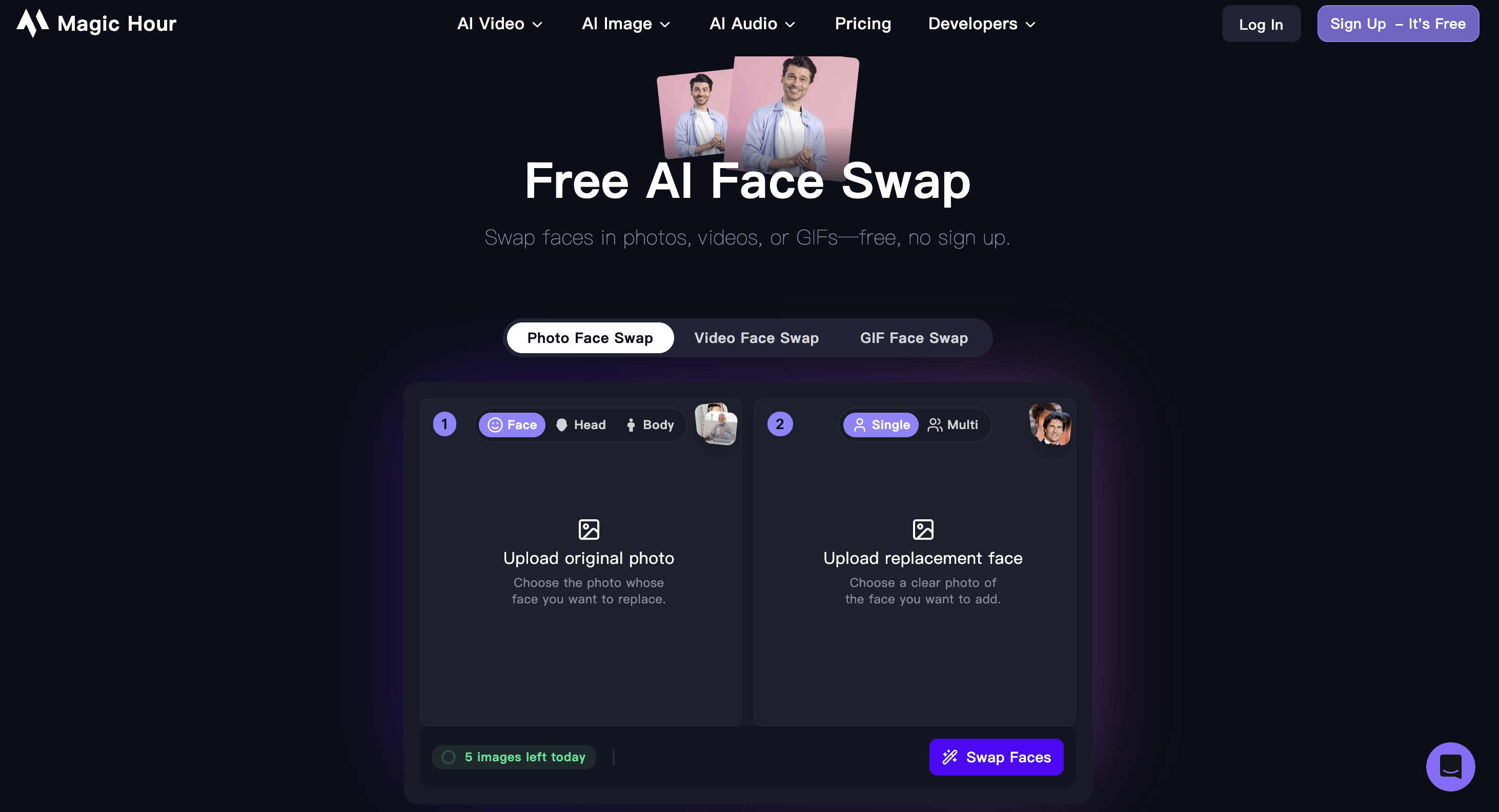
Image source: magichour.ai
Magichour is a leading platform built for creators, marketers, and businesses that need realistic, high-quality face-swapped images without advanced editing skills. Whether you're creating personalized marketing assets, social media content, entertainment visuals, or digital campaigns, Magichour uses advancAI Face Swap - Free Online, No Watermark, No Sign Uped AI to deliver natural-looking face swaps while preserving facial expressions, lighting, skin tones, and image quality.
Unlike traditional photo editing tools that require manual masking and retouching, Magichour automates the entire face-swapping process through an intuitive browser-based interface. Users can generate professional-quality results in just a few clicks, making it easy to experiment with creative concepts or produce branded content at scale. Beyond face swapping, the platform also includes , video face swap, lip sync, talking photos, image-to-video, and AI image editing tools, providing a complete AI-powered creative workflow.
Pros & Cons:
Pros:
- Realistic AI face swaps with natural facial expressions and lighting
- Simple browser-based interface with no editing experience required
- All-in-one AI creative suite including video face swap, lip sync, and image-to-video
- Fast processing and high-quality output for marketing and social media content
Cons:
- Best results require clear, high-quality source images
- Some premium features and higher usage limits require a paid plan
Pricing & Free Plan:
- Free Plan: Available with limited AI credits
- Creator Plan: Starts at $15/month (or $10/month billed annually)
- Pro & Business Plans: Offer additional AI credits, faster processing, and advanced features for creators and teams
3. Leading AI tools for coding & development
Software engineering has been completely revolutionized. Developers looking for a list of ai apps to accelerate their sprints should look no further than these industry leaders.
GitHub Copilot
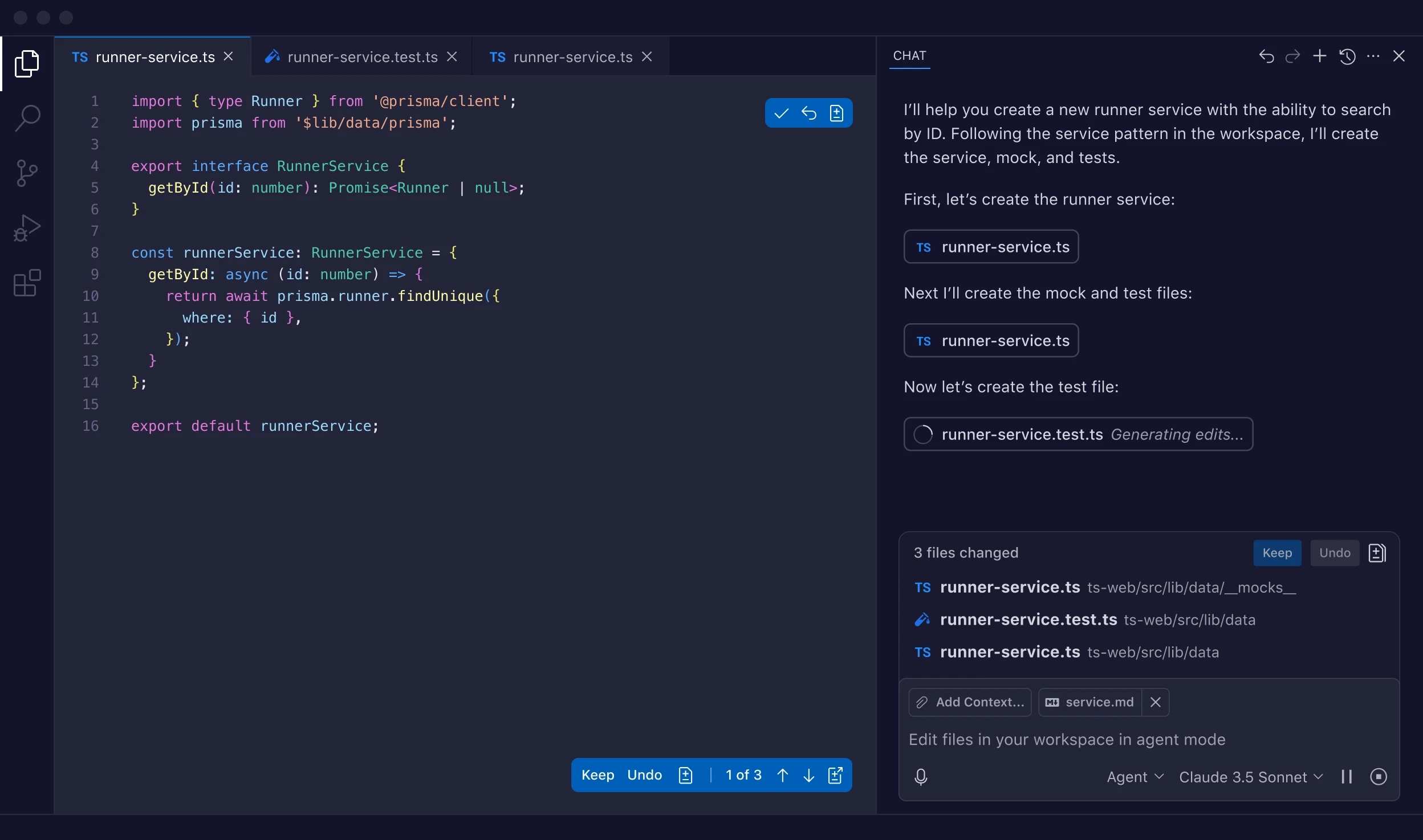
Image source: github.com
is the industry standard for AI pair programming, best for developers who want reliable, inline code suggestions right inside their existing IDE.
Backed by Microsoft and OpenAI, GitHub Copilot integrates directly into popular IDEs like VS Code, Visual Studio, and JetBrains. As developers type, Copilot suggests entire lines or blocks of code in real-time. It acts as an intelligent pair programmer, drastically reducing the time spent writing boilerplate code or searching Stack Overflow for syntax solutions.
However, writing code is only half of software development. Copilot makes developers incredibly fast in isolation, but it does nothing to solve the friction of cross-functional communication. Bug tracking, sprint planning, and product requirements still end up scattered across disconnected project management tools and chat apps, creating severe alignment silos between engineers, QA, and product managers.
Pros:
- Seamless integration into almost all major IDEs.
- Massively reduces the time spent on repetitive boilerplate coding.
- Backed by Microsoft, ensuring enterprise-grade security and uptime.
Cons:
- Can sometimes suggest outdated or deprecated library functions.
- Lacks the deep, multi-file codebase indexing found in newer tools like Cursor.
Pricing:
- Free Plan: Free for verified students, teachers, and maintainers of popular open-source projects.
- Individual Plan: $10/month.
- Enterprise: $39/user/month.
Cursor
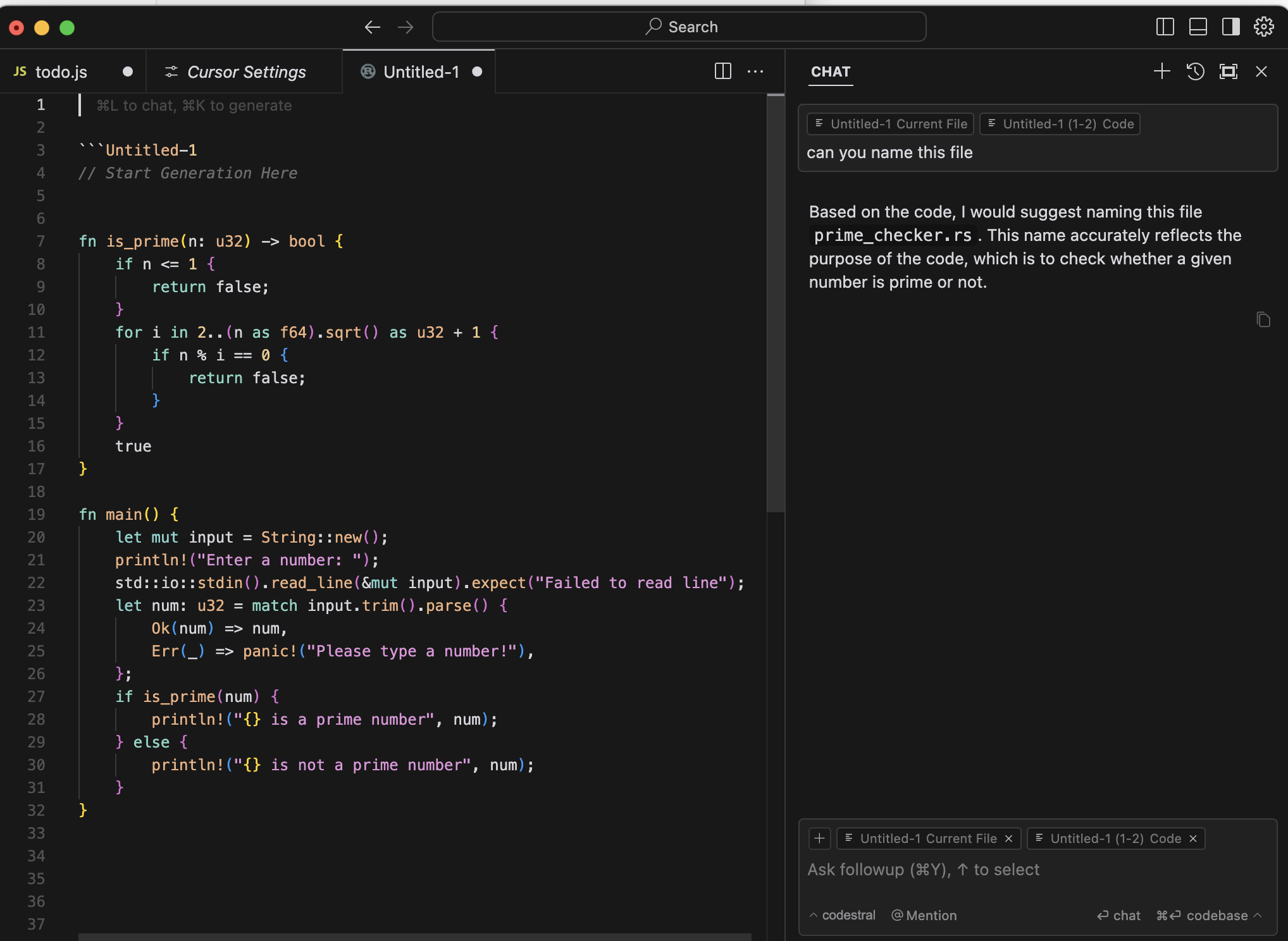
Image source: alexanderfyoung.com
is the ultimate AI-first software development environment, best for engineers looking to drastically accelerate sprints with codebase-wide understanding and multi-line edits.
Cursor has taken the developer world by storm as a superior alternative to standard code assistants. Built as a fork of VS Code, the user experience is instantly familiar, allowing developers to import all their existing extensions and themes with one click. Cursor’s core strength is its native AI integration (Cursor Tab). It doesn't just suggest the next word; it understands the context of your entire repository.
However, writing the code is only a fraction of the software development lifecycle (SDLC). Cursor’s major drawback is that it is strictly a developer-only sandbox. It doesn’t help engineers align on product requirements with PMs, track QA bug reports, or manage deployment approvals, so product delivery slows to a crawl.
Pros:
- Understands your entire codebase for intelligent, repo-wide refactoring.
- Frictionless transition for VS Code users (supports all extensions natively).
- Tab-autocomplete predicts multi-line edits with incredible accuracy.
Cons:
- Requires developers to adopt a new IDE, which some enterprise IT departments restrict.
- Indexing extremely large codebases can consume high memory on older machines.
Pricing:
- Free Plan: Basic tier includes a 14-day trial of Pro features and basic completions.
- Pro Plan: $20/user/month (includes unlimited Cursor Tab and premium model requests). For a full breakdown of subscriptions and features, explore the full details on .
Tabnine
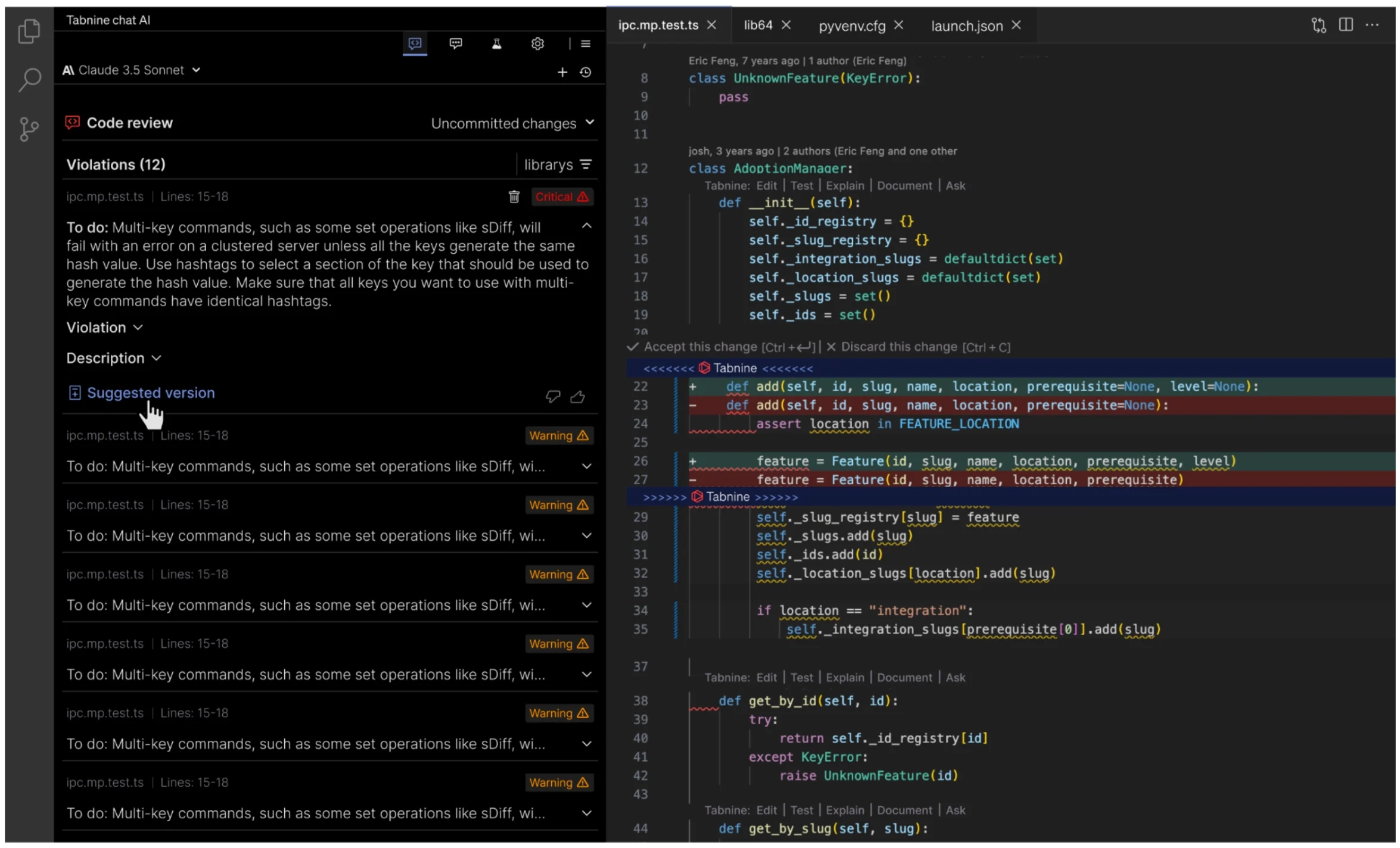
Image source: devops.com
is the privacy-first champion of coding assistants, best for enterprise teams and developers handling highly sensitive, proprietary codebases.
While Copilot and Cursor rely heavily on , Tabnine was built from the ground up with strict data privacy in mind. It offers developers the ability to run the AI models locally on their own machines or on secure corporate servers. This completely eliminates the risk of proprietary code leaking into public AI training datasets, solving the massive security compliance pain point for banks, healthcare companies, and government contractors.
However, it doesn't rely on massive cloud-based LLMs like GPT-4, so Tabnine lacks deep creative reasoning and complex multi-file understanding. It excels at basic, line-by-line completions but struggles with generating entirely new architectural logic or solving complex bugs. Additionally, setting up and maintaining secure, localized AI servers requires significant IT overhead and hardware resources that smaller teams simply cannot afford.
Pros:
- Industry-leading privacy: zero code retention and local deployment options.
- Can be custom-trained on your specific corporate codebase.
- Supports a massive variety of IDEs beyond just VS Code.
Cons:
- Code suggestions are generally less "creative" or expansive than Copilot.
- Setting up local or secure server deployments requires IT overhead.
Pricing:
- Free Plan: Basic inline code completions for individual developers.
- Pro Plan: $12/user/month (advanced AI chat and longer completions).
- Enterprise: Custom pricing (includes local deployment and custom model training).
4. Essential AI tools for audio & video
The days of manually editing podcasts or spending a fortune on professional voice actors are over. This segment of our AI tool list focuses on audio generation and video mastery.
Descript
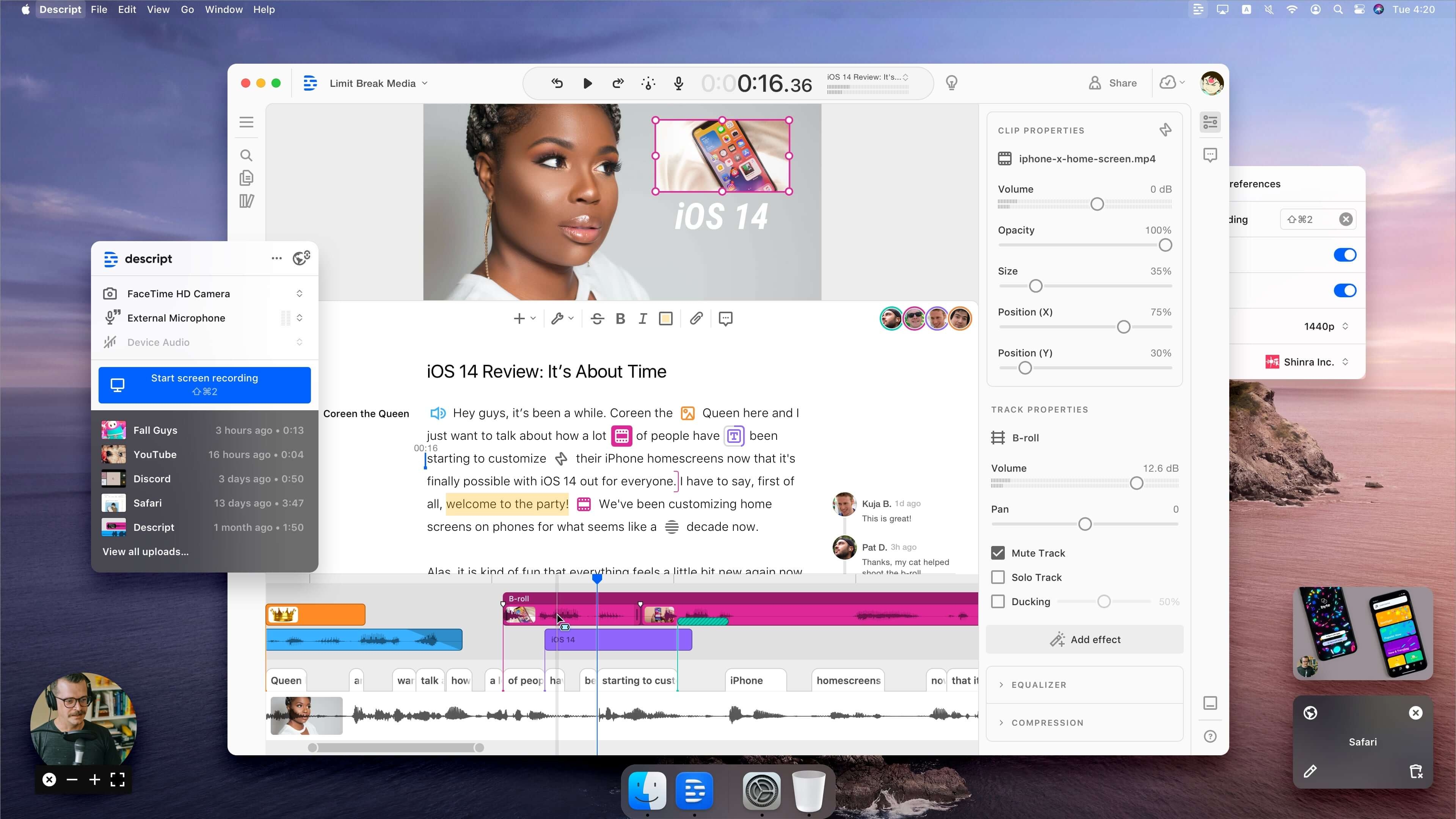
Image source: descript.com
Descript is a revolutionary tool for content creators, best for podcasters and marketers who want to edit audio and video as easily as editing a text document.
Descript completely changed the video editing user experience by introducing a text-based editing paradigm. When you upload a video or audio file, Descript transcribes it instantly. To cut a scene or remove filler words (like "ums" and "uhs"), you simply delete the text in the transcript, and the timeline automatically cuts itself. This solves the massive pain point of requiring complex timeline-editing skills just to trim a corporate webinar.
Its flagship feature, "Overdub," allows users to clone their own voice. If you misspoke during a recording, you simply type the correct word into the transcript, and the AI generates your voice saying the new word seamlessly. While the traditional timeline interface at the bottom can feel a bit clunky for veteran video editors, it is an absolute game-changer for content marketing teams.
Pros:
- Text-based editing makes video production accessible to non-editors.
- "Studio Sound" instantly removes background noise and echo with one click.
- Overdub voice cloning allows for easy fixes of audio mistakes without re-recording.
Cons:
- Can experience syncing and lagging issues when working with massive 4K video files.
- Traditional video editors may find the timeline controls lacking in advanced precision.
Pricing:
- Free Plan: Includes 1 hour of transcription per month and basic editing features.
- Creator Plan: $12/user/month (10 hours of transcription).
- Pro Plan: $24/user/month (30 hours of transcription and advanced AI features).
ElevenLabs
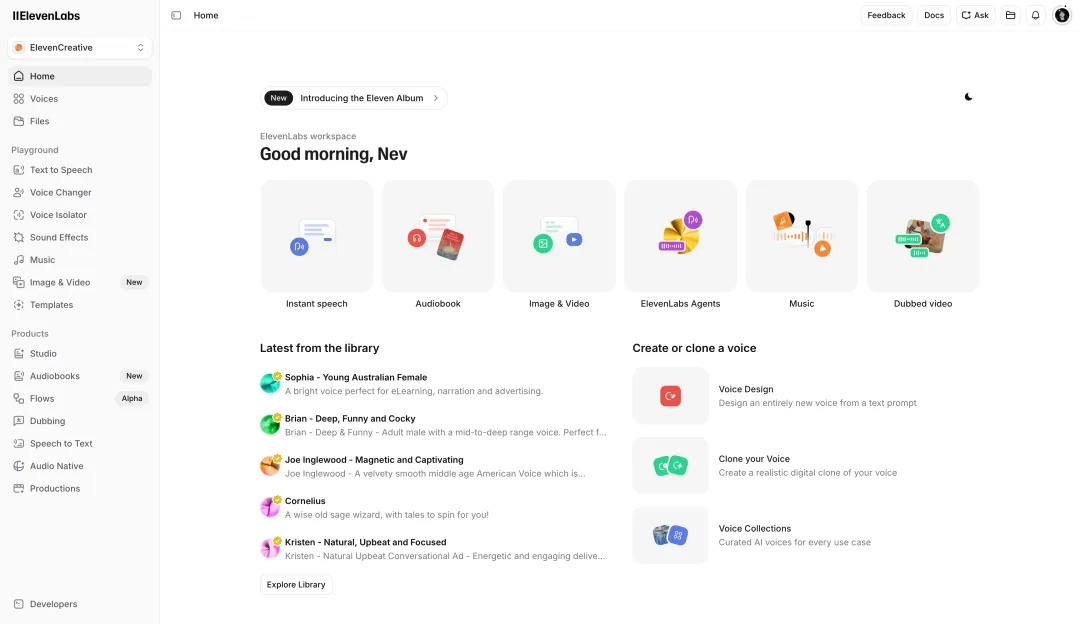
Image source: elevenlabs.com
provides the most realistic synthetic voices on the market, best for audiobook creators, game developers, and YouTube creators needing ultra-realistic voiceovers.
Before ElevenLabs, AI text-to-speech (TTS) sounded distinctly robotic. ElevenLabs cracked the code on emotional delivery, pacing, and intonation. Through its simple web interface, users can type a script and generate audio that is virtually indistinguishable from a professional human voice actor. It solves the costly bottleneck of hiring voice actors and renting recording studios for simple content projects.
However, the platform comes with notable drawbacks. Its pricing model is strictly tied to character counts, making long-form projects (like audiobooks or extensive corporate training videos) surprisingly expensive. Furthermore, while the voices are highly realistic, getting the exact inflection you want often requires tedious manual tweaking—such as phonetic spelling, adjusting stability sliders, and regenerating the audio multiple times. Unfortunately, every single failed generation still deducts from your monthly character quota, which can lead to rapid credit exhaustion.
Pros:
- The most realistic, emotionally expressive AI voices available today.
- Incredibly fast and accurate custom voice cloning.
- Supports text-to-speech in nearly 30 different languages.
Cons:
- Pricing is based on character counts, which can get expensive for long audiobooks.
- Requires careful prompting (like adding punctuation or phonetic spelling) to get the perfect inflection.
Pricing:
- Free Plan: 10,000 characters per month (attribution required, no commercial rights).
- Starter Plan: $5/month (30,000 characters, unlocks commercial rights and voice cloning).
- Creator Plan: $22/month (100,000 characters and higher quality audio outputs).
The ultimate foundation: How Lark unifies your AI tool list
After exploring that massive list of ai apps above, you might be wondering: How does my team actually manage all these different platforms without going crazy?
The truth is, paying for dozens of fragmented SaaS tools destroys productivity. If your employees are constantly toggling between a standalone chat app, a separate project management tool, a disconnected video conferencing software, and multiple AI tabs, efficiency plummets. Remote and hybrid teams struggling with fragmented tool stacks don't need another isolated app—they need a unified productivity suite.
is an all-in-one super app and digital workspace that brings , , cloud-native, and into a single platform. It gives growing SMEs and large enterprises the robust , combined with built-in communication that reduces friction and keeps work moving.
The integration advantage: Fusing your favorite AI tools
What makes Lark the absolute most critical platform on this ai tool list is its unparalleled ability to fuse with the other external AI technologies you just read about. Lark does not force you into a walled vendor garden.
Through robust open frameworks like OpenClaw, Lark allows you to seamlessly integrate top-tier foundational models, including OpenAI (GPT-4) and Anthropic (Claude), directly into your workspace. Instead of opening a new browser tab to ask ChatGPT a question or use Claude to analyze a document, you can bring these directly into your Lark chats, wikis, and approval workflows. You get the raw, cognitive intelligence of the best LLMs on the market combined with Lark's rich enterprise data, entirely eliminating app-switching fatigue.
If you'd like to learn more about how to actually make this happen, check out these quick guides:
Integrate top AI agents directly into your Lark workspace
Lark’s native AI & built-in productivity powerhouse
Beyond integrating external models, Lark stands out as an AI-powered work management platform in its own right. As a powerful (like combining Slack, Zoom, Google Workspace, and Notion), Lark offers deeply embedded native AI features designed specifically for modern team collaboration:
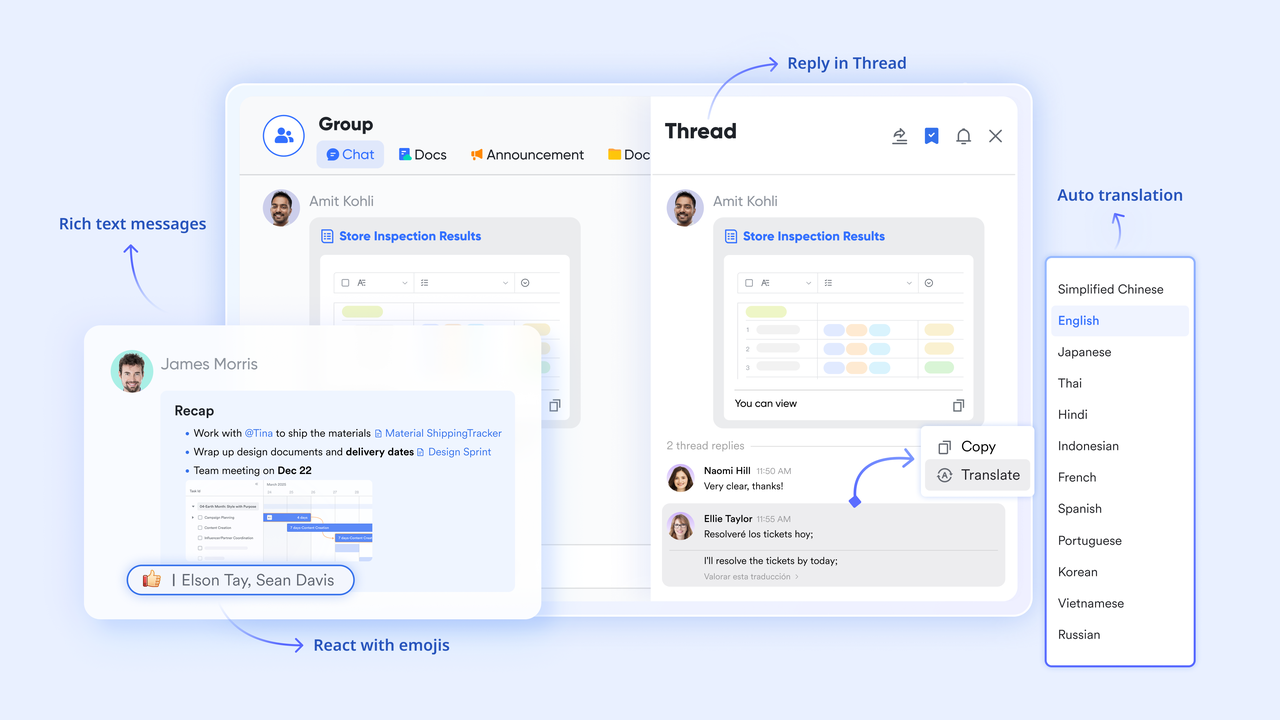
Native AI translations & global collaboration
Break down language barriers instantly. Lark features built-in AI translations across live , , and , making it the perfect solution for multinational and hybrid teams.
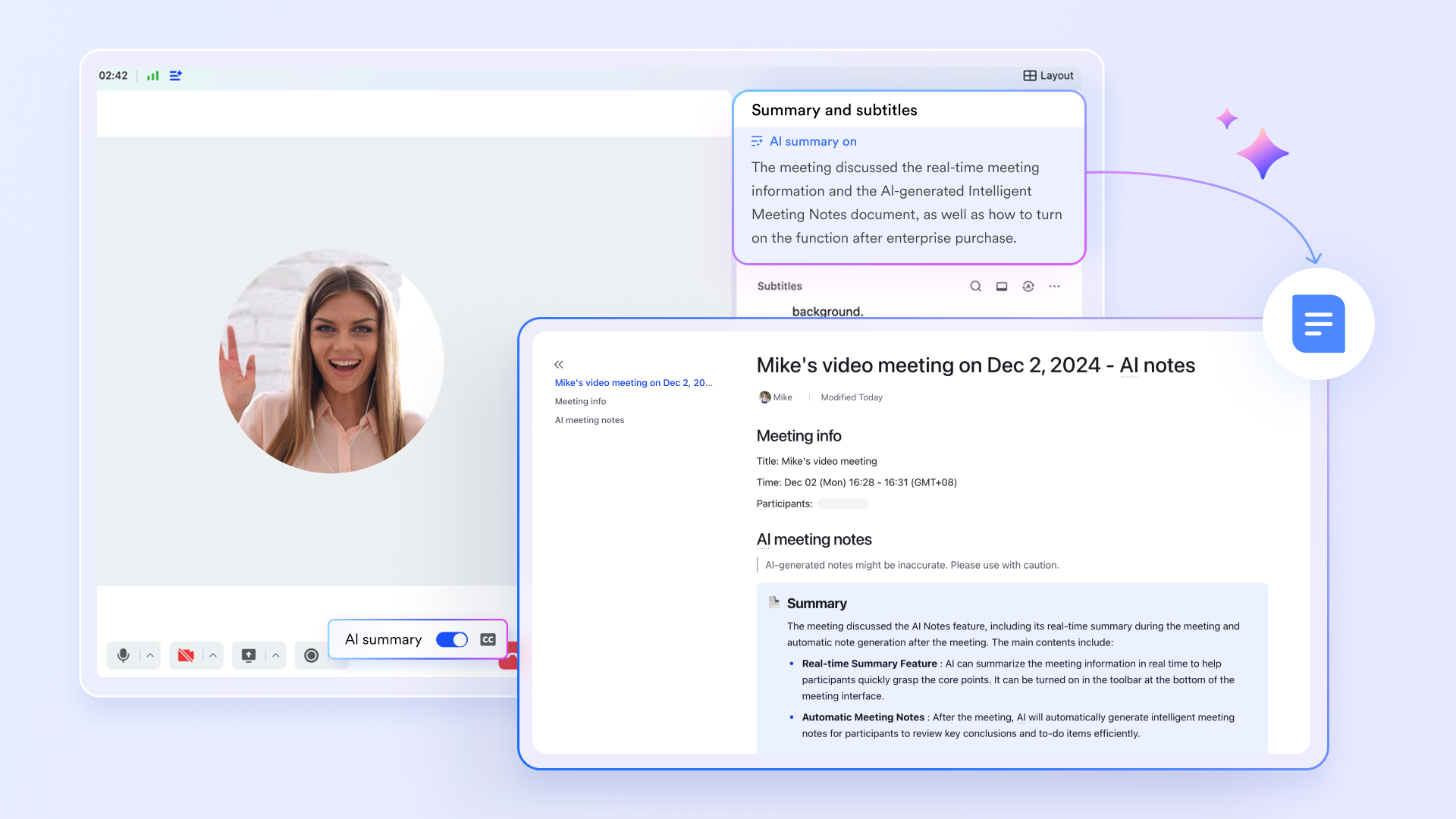
AI-powered meeting summaries & transcripts
Transform how your team captures information. automatically transcribes video calls in real-time and generates smart, actionable summaries, ensuring you never lose a critical insight or have to pay for third-party transcription tools again.
Instant data insights with Base AI
Turn complex project spreadsheets into clear takeaways. Lark Base allows you to summarize table data, search records instantly, and generate business insights without writing complicated formulas, giving project managers the power of a data analyst directly in their workspace.
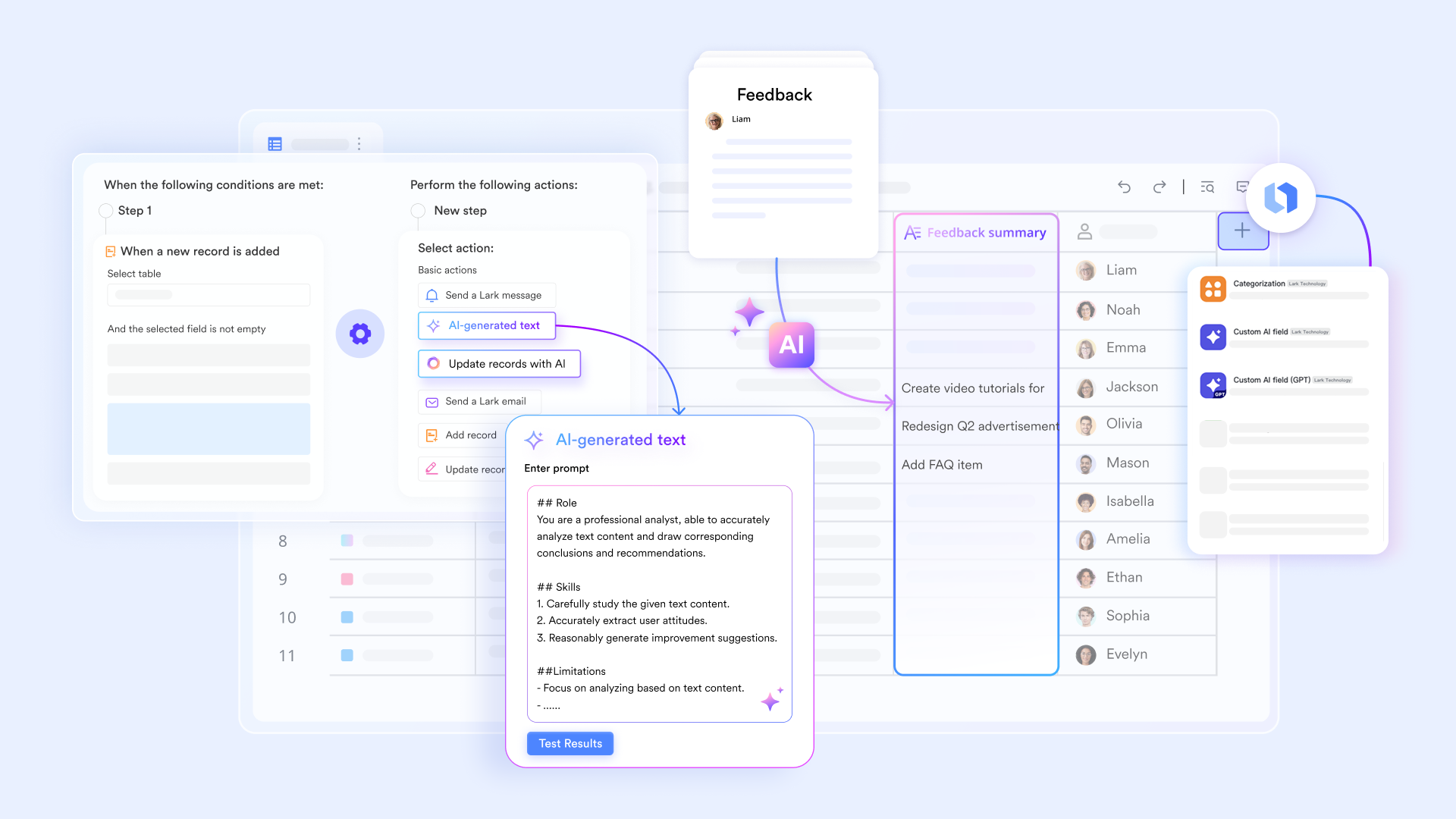
Intelligent workflow automation
Eliminate repetitive manual tasks. Lark provides powerful, built directly into your workspace to handle complex approval workflows and data routing without needing third-party connectors.
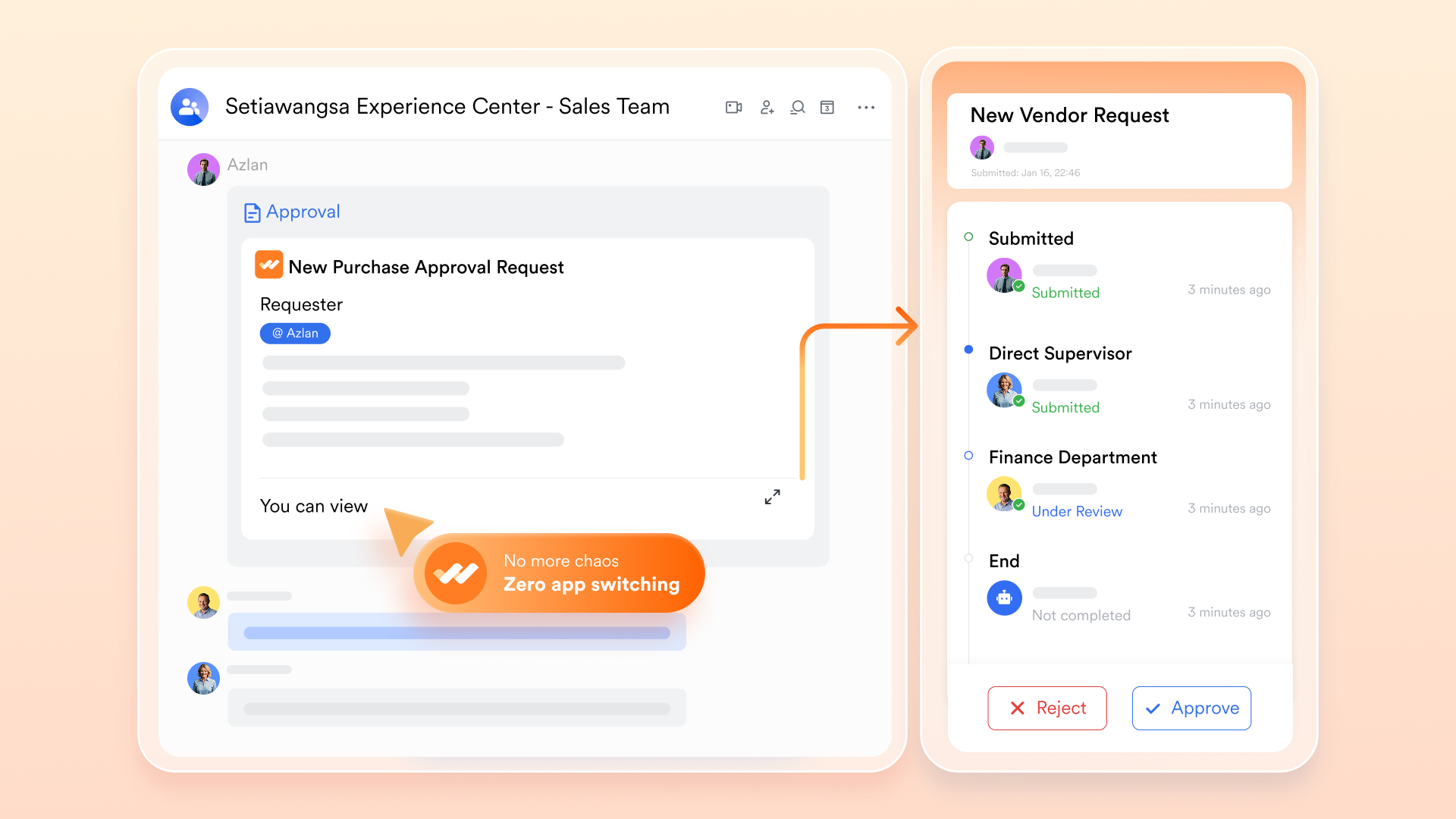
Unified knowledge management
Combine real-time document collaboration, shared sheets, and a centralized company in one place, allowing your team to draft, edit, and organize information flawlessly. 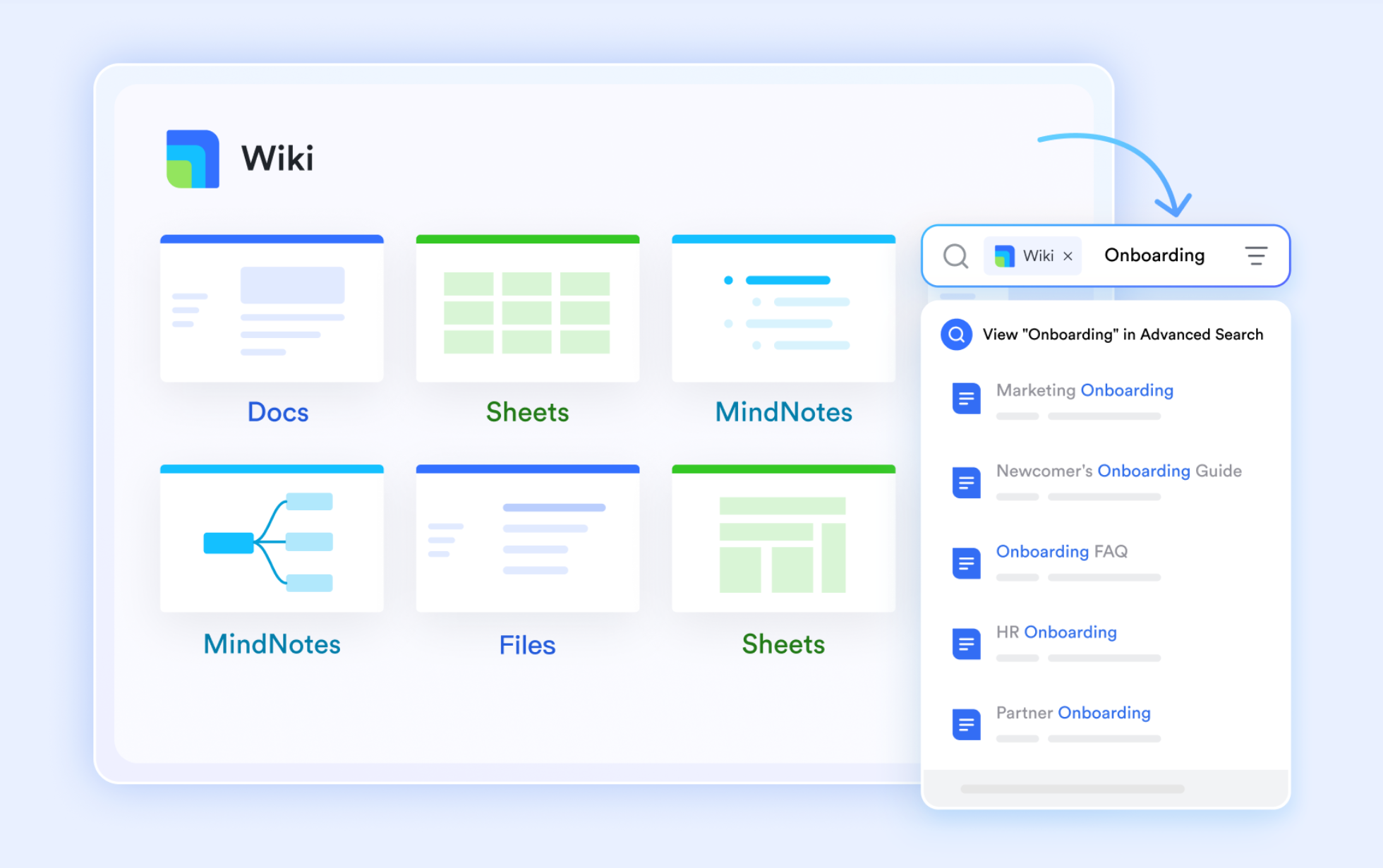
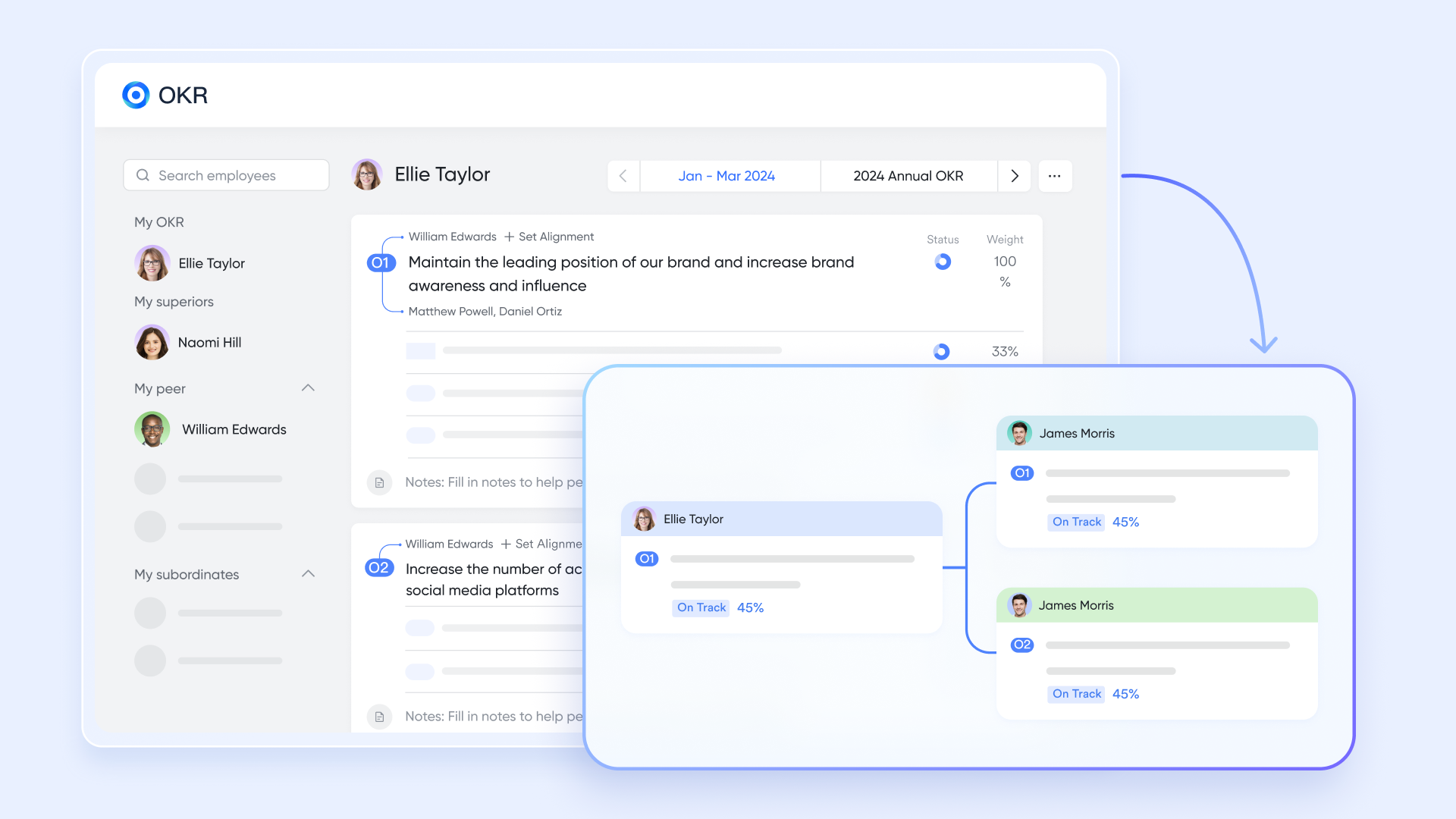
Complete team alignment
Lark natively integrates shared calendars, email integration, and , ensuring that high-performing teams stay aligned from mobile to desktop.
Ratings & pricing (a top pick for any free AI tools list)
Highly trusted by users globally with a G2 rating of 4.5/5 and a Capterra rating of 4.4/5, is a modern, cost-effective solution that offers one of the most generous freemium models in the B2B SaaS industry:
- Starter plan: Free forever plan with 11 powerful tools for up to 20 users, 100GB storage, 1,000 automation runs, AI translations, and more. No credit card needed.
- Basic plan: $6/user/month (billed annually) for up to 500 users. Includes everything in Starter plus unlimited message history, 5TB storage, 1,000 automation runs, and more. Some users may need to to purchase.
- Pro plan: $12/user/month (billed annually) for up to 500 users. Includes everything in Basic plus group calling for up to 500 attendees, 15TB storage, 50,000 automation runs, and more.
- Enterprise plan: for custom pricing. Supports unlimited users and includes advanced automation, security, compliance, and management features.
For small teams with simple communication needs

18 months message history
1000 Base automation runs/month
2000 rows per table in Base
Most POPULAR
For companies with comprehensive collaboration and management needs
Unlimited message history
500-participant video meetings
50k Base automation runs/month
20k rows per table in Base
For large companies with advanced security and organizational management needs
Get a personalized demo and pricing
Unlimited message history
500-participant video meetings
15 TB storage + 30 GB storage/user
500k Base automation runs/month
50k Base automation runs/month
Most POPULAR
For companies with comprehensive collaboration and management needs
Unlimited message history
500-participant video meetings
50k Base automation runs/month
20k rows per table in Base
Instead of navigating a cluttered list of all ai tools, make Lark your foundational layer. By adopting a collaboration suite that seamlessly integrates messaging, meetings, email, documents, and essential workflows within a single interface, you dramatically reduce software costs, eliminate app fatigue, and genuinely transform how your team works.
Conclusion
Navigating the AI revolution doesn't mean subscribing to every tool on the market. Doing so only causes fragmented data, ballooning costs, and severe app fatigue. True productivity requires strategic consolidation. Instead of juggling disconnected tabs, adopt a unified workspace like . By centralizing messaging, documents, and meetings, while seamlessly integrating top-tier AI models, you can truly transform team efficiency. Bookmark this list, identify your workflow bottlenecks, and build a smarter tech stack today. Stop switching tabs and start collaborating!
Consolidate your fragmented AI tools into the unified workspace
FAQs
What are the top 10 AI tools?
While the "best" software depends heavily on your specific workflow, a definitive list of ai tools for modern professionals must include the industry leaders across various categories. Based on our 2026 guide, the top 10 standalone tools include:
1. ChatGPT (General knowledge & reasoning)
2. Claude (Long-form document analysis)
3. Jasper (Marketing copywriting)
4. GrammarlyGO (Real-time communication polish)
5. Midjourney (Cinematic image generation)
6. Canva Magic Studio (Everyday zero-barrier design)
7. Runway Gen-3 (Text-to-video creation)
8. Synthesia (AI virtual avatars)
9. GitHub Copilot (Inline coding assistant)
10. Descript (Text-based audio/video editing)
Note: To prevent data silos, forward-thinking teams use an all-in-one superapp like Lark to integrate these powerful foundational models (like OpenAI and Claude) directly into their daily workspace.
What are the tools of AI?
The "tools of AI" refer to software applications that utilize machine learning, natural language processing (NLP), and computer vision to automate tasks, generate content, and analyze data. When looking at an all ai tools list, these applications are generally divided into functional categories: text generators (LLMs), visual design engines, code assistants, and audio processors. However, the most vital "tool" in a modern tech stack is the unified digital workspace—like Lark—that acts as the central hub, allowing you to connect and operate multiple AI frameworks securely in one place.
What are the 7 types of AI?
When researching artificial intelligence, you will often see AI categorized in two ways: by capability and by functionality. The 7 widely recognized types of AI are:
1. Reactive Machines: Basic AI that reacts to specific inputs (e.g., chess supercomputers).
2. Limited Memory: AI that learns from historical data to make decisions (nearly every app on our free ai tools list, including ChatGPT and Claude, falls here).
3. Theory of Mind: Future AI that can understand human emotions and beliefs.
4. Self-Awareness: Theoretical future AI with human-level consciousness.
By Capability:
5. Artificial Narrow Intelligence (ANI): AI programmed for a single, specific task (all current AI tools are ANI).
6. Artificial General Intelligence (AGI): AI that equals human cognitive abilities across all subjects.
7. Artificial Superintelligence (ASI): AI that surpasses human intelligence.
Are there any completely free AI tools available?
Yes, many top-tier platforms offer robust free tiers that are perfect for individuals and small teams. If you are looking for a highly capable free ai tools list, you should start with ChatGPT (which offers limited access to its GPT-4o model), Claude (free access to the Sonnet model), and Canva (generous free design credits). However, managing multiple free accounts across different tabs can quickly lead to scattered data. To maximize your cost savings and efficiency, the best free foundational tool is Lark. Lark’s Starter Plan is completely free forever for up to 20 users, providing 100GB of storage, built-in AI translations, document collaboration, and automated workflows without requiring a credit card.
What is the NO.1 AI tool?
If you are looking for raw, general-purpose intelligence, ChatGPT (OpenAI)is widely considered the #1 foundational AI model globally due to its vast multimodal capabilities (voice, vision, and advanced data analysis). However, if you are asking what the #1 AI tool is for business productivity and team collaboration, the answer is Lark. Having the smartest AI is useless if it lives in a disconnected browser tab. Lark is the ultimate all-in-one workspace that allows you to seamlessly plug top-tier AI models directly into your company's chats, wikis, and approval workflows, completely eliminating software fatigue.
How do I choose the right AI tools for my business without causing app fatigue?
When faced with a massive list of all ai tools, the biggest mistake businesses make is "shiny object syndrome"—subscribing to dozens of standalone apps that don't communicate with each other. This forces employees to constantly switch tabs, leading to severe app fatigue. To choose the right tools, start by auditing your team's core bottleneck (e.g., is it content creation, coding, or communication?). Then, instead of buying isolated apps, invest in a unified ecosystem. By adopting an all-in-one workspace like Lark, you get enterprise-grade messaging, video meetings, and project management in one place. More importantly, Lark's open ecosystem allows you to plug top LLMs (like OpenAI) directly into your workspace, ensuring your team gets the best AI capabilities without ever having to leave their primary work hub.
Related reading




























