15 Amazing Airtable Alternatives to Boost Efficiency in 2026

Jess Cheung

Product Marketing Specialist

Aug 5, 2026

Jess Cheung

Product Marketing Specialist

Aug 5, 2026

Try Lark for free
16 min read
Are you searching for alternatives to Airtable? While Airtable combines the simplicity of spreadsheets with the functionality of a database, many users find that it may not meet their specific needs. Although it excels in managing complex workflows, Airtable has received criticism for its high costs, limited collaboration features, and absence of advanced reporting tools.
In this comparison of Airtable alternatives, we will highlight the best options based on their features and pricing to help you find the right tool for your team.

Top Airtable alternatives

Here's a quick look at the top 3 alternatives to Airtable out of the 15 we tested and reviewed.
Product
Why we recommend it
Key features
Pricing
🥇 Lark
The overall best Airtable alternative for teams
Chat, video meetings, docs, project management, custom workflows, AI, advanced reporting/analytics, automation, approvals, attendance management, multiple views, OKRs, and no-code app building
Free plan available
Pricing starts at $6 per user/month
🥈 Wrike
Best alternative for versatile workflows
Custom workflows, multiple project views, advanced reporting and analytics, time tracking, and automation
Pricing starts at $10 per user/month
🥉 Asana
Best alternative for Agile project management
Project and task management, multiple views, resource management, dashboards, workflows, AI, automation, custom workflows
Pricing starts at $10.99 per user/month

What is Airtable?

Airtable offers a spreadsheet-like interface and database functionality, making it a user-friendly platform for managing and organizing data.
An image that displays Airtable
Image source: airtable.com
It functions as a relational database, allowing records from one table to be linked to records in another, thereby creating relationships between components and objects. It also serves as a cloud-based project management software that enables teams to store, organize, and collaborate on structured data.
Airtable excels at consolidating and storing data in formats such as spreadsheets and Kanban boards, helping business teams organize and structure their data workloads.

Why teams look for Airtable alternatives

Airtable is a popular choice for teams that need both spreadsheet and database features. Its flexible views, automation, and free plan make it easy to see why people like it. But after reviewing feedback from G2, Capterra, Reddit, and running our own tests, we found several common reasons users look for alternatives.

Airtable costs increase quickly

Airtable's pricing isn't exactly budget-friendly. Its entry-level paid plan starts at $20 per seat per month (billed annually), which already puts it on the higher end compared to other project or work management tools.
The biggest frustration for many teams is how quickly costs rise once you need more than the basics. Several essential features are included in higher-tier plans or paid add-ons. For instance, multi-source data syncing requires the Business plan, which jumps to $45 per seat per month. And if you want to use Airtable's AI features at scale, be prepared to spend even more. AI credits start at $120 per month for just 10,000 credits.
For teams looking to leverage AI or advanced project management tools, Airtable can become an unexpectedly expensive choice.

Airtable lacks built-in collaboration tools

Strong collaboration is a must for project teams, but Airtable falls short in this area. It doesn't offer native messaging or business email, which means teams need to pay for extra tools like Slack or Microsoft Teams to communicate.
We also found that Airtable lacks built-in video conferencing, something many teams consider essential when projects hit a roadblock. Instead, you'll rely on Zoom or similar platforms. Beyond the added costs, this creates a fragmented workflow, with one app for planning, another for email, another for calls, and so on.
Even with integrations, workflows can slow down, and there's still a risk that important information gets scattered across different platforms.

Airtable lacks advanced reporting

Airtable’s reporting capabilities cover the basics, but if you need unified dashboards, advanced visualizations, or cross-project insights, you may find the platform limiting. While it works well for single-base tracking and simple charts, teams often hit a ceiling when trying to scale their reporting or aggregate data across multiple projects.
Many Airtable alternatives—like Lark, Wrike, and Jira—offer more advanced reporting features, making it easier to create rich dashboards and gain deeper insights. For teams that prioritize best-in-class reporting, trying alternatives to Airtable may be better.

15 best Airtable alternatives in 2026

1. Lark: The overall best Airtable for businesses

Lark is an all-in-one collaboration platform that seamlessly integrates project management, communication, and database functionality, making it the best alternative to Airtable. While Airtable focuses mainly on database-style project tracking, Lark goes further by combining powerful spreadsheet-like databases with built-in messaging, video calls, document collaboration, and calendars—all in a single platform.
loading...
This unified approach means teams can manage projects, track tasks, collaborate on documents, and communicate in real time without switching between multiple apps. Whether you’re running complex projects, coordinating cross-functional teams, or handling day-to-day workflows, Lark keeps everything organized and visible, so your team always knows what’s next.
Features:
  • All-in-one platform: Chat, meetings, email, docs, calendar, and cloud storage are all integrated in one workspace. This eliminates app-switching, keeps information centralized, and ensures teams spend more time working and less time hunting for updates.
  • Keep everyone in sync: Start projects with a dedicated group chat where ideas, updates, and files are shared in one place. No more hunting through emails or switching between apps—your team is always on the same page.
  • Track progress effortlessly: Use Lark Base to assign tasks, set deadlines, and prioritize work. Switch between Gantt, Kanban, or table views to see both the big picture and granular details. Drag-and-drop reassignment makes adapting to shifting workloads simple.
  • Automate repetitive work: Auto-reminders, status updates, and notifications keep your team moving without manual follow-ups—no coding required. Projects stay on track, and nothing slips through the cracks.
  • Simplify approvals: Approve budgets, resource requests, or travel directly in your chat feed. Managers can respond instantly, keeping projects moving without tool-hopping.
Pricing:
  • Starter plan: Free forever plan that includes 11 powerful tools for up to 20 users. It also comes with 100GB of storage space, 1000 automation runs, AI translations, and more, making it the best free Airtable alternative on the market with no credit card needed.
  • Basic plan: $6/user/month (billed annually) for up to 500 users. It includes everything in Starter and unlimited message history, 5TB of storage space, 1,000 automation runs, and more. Some users may need to contact sales to purchase this plan.
  • Pro plan: $12/user/month (billed annually) for up to 500 users. It includes everything in Basic plus group calling for up to 500 attendees, 15TB of storage space, 50,000 automation runs, and more.
  • Enterprise plan: Contact sales for custom pricing. Supports unlimited users and includes even more automation runs and advanced security, compliance, and management features.
Starter
Pro
Enterprise

Starter

For small teams with simple communication needs

$0

/ user / month

Try for free

No credit card needed

20 users max
18 months message history
1-on-1 video meetings
100 GB storage
Lark Docs & Mail
1000 Base automation runs/month
2000 rows per table in Base

Pro

For companies with comprehensive collaboration and management needs

$12

/ user / month

Billed annually

500 users max
Unlimited message history
500-participant video meetings
15 TB storage
Lark Docs & Mail
50k Base automation runs/month
20k rows per table in Base

Enterprise

For large companies with advanced security and organizational management needs

Get a personalized demo and pricing

Unlimited users
Unlimited message history
500-participant video meetings
15 TB storage + 30 GB storage/user
Lark Docs & Mail
500k Base automation runs/month
50k Base automation runs/month
Single sign-on (SSO)

Pro

For companies with comprehensive collaboration and management needs

$12

/ user / month

Billed annually

500 users max
Unlimited message history
500-participant video meetings
15 TB storage
Lark Docs & Mail
50k Base automation runs/month
20k rows per table in Base

2. Wrike: Best Airtable alternative for versatile workflows

An image that displays the Airtable alternative Wrike
Image source: financesonline.com
Wrike presents itself as a versatile platform aiming to streamline workflows across all departments of an organization. It is positioned as a single solution for managing projects, organizing work, and enhancing collaboration and efficiency, adaptable to various working styles through its customizable dashboards and tailored team-specific workflows.
Features:
  • Visualize project timelines and dependencies.
  • Streamline processes with automation, reducing manual input.
  • Provides insights through dashboards to help in better decision-making.
Pricing: Free plan available. Paid plans start at $10 per user per month.

3. Asana: Best Airtable alternative for Agile project management

An image that displays the Airtable alternative Asana
Image source: asana.com
Asana, a well-regarded platform for work management and team collaboration, serves as another viable alternative to Airtable for teams needing project and task management tools. It's especially beneficial for cross-team collaboration and reducing duplicate work.
Features:
  • Built-in functions for time tracking, workload estimation, and workload visualization.
  • Manage your projects with full visibility and precision using diverse views, task lists, and time tracking.
  • Goals, progress, and dashboards are available to link teamwork back to company goals and focus efforts on high-priority items.
Pricing: Free plan available. Asana pricing starts at $10.99 per user per month.

4. Trello: Best Airtable alternative for Kanban boards

An image that displays the Airtable alternative Trello
Image source: bureauworks.com
Trello is a visual task management tool that simplifies complex projects and processes through its intuitive board, list, and card system. It's a good choice for project teams of all kinds, ranging from product, marketing, and operations, to engineering.
Features:
  • User-friendly interface without a steep learning curve when using automation features.
  • Transition from the traditional board view to new views like timeline, table, or dashboard to visualize data better.
  • Offers a comprehensive range of connectors that enable teams to seamlessly integrate Trello with other business tools, enhancing productivity and efficiency.
Pricing: Free plan available. Trello pricing starts at $5 per user per month when paid annually, making it an affordable Airtable alternative.

5. ClickUp: Best Airtable alternative for work management

An image that displays the Airtable alternative ClickUp
Image source: taskup.com.br
ClickUp is a work management platform that offers a suite of tools to manage people, projects, and everything in between. With its customizable views, ClickUp serves as an alternative to Airtable, as it can manage any type of project without the need for code or add-ons.
Features:
  • ClickUp offers a variety of powerful views, including grid, Kanban, Gantt, Form, and more. These views allow you to consolidate all work information in one place.
  • The user interface is easy to navigate, helping make complex databases easier to manage.
  • ClickUp recently released its AI assistant to help users improve their writing and summarize content in its documents.
Pricing: Free plan available for personal use. Paid plans start at $7 per user per month.
Want to know more about it? 👉 ClickUp Pricing

6. Smartsheet: Best Airtable alternative for a spreadsheet-style interface

An image that displays the Airtable alternative Smartsheet
Image source: smartsheet.com
Smartsheet comes with a spreadsheet-like interface and is known for its project and work management capabilities, especially useful for managing large datasets. It's a suitable Airtable alternative, especially for those looking to manage tasks on a large scale and with layered granularity. The platform provides various views and workflows to tailor to your needs, making it a strong contender for managing company-wide initiatives.
Features:
  • Switch between Grid, Card, Gantt, or Calendar views to visualize work in different ways for easier progress and task tracking.
  • Enhance team collaboration with shared views, real-time updates, review process visualization, and comment threads.
  • Gantt chart with dependencies and predecessor columns to visualize crucial elements and milestones for projects.
Pricing: Free plan available. Paid plans start at $20 per user per month.

7. Google Sheets: Best Airtable alternative for teams with Google Workspace

An image that displays the Airtable alternative Google Sheets
Image source: zapier.com
Google Sheets provides a straightforward yet powerful alternative to Airtable, especially for users experienced in spreadsheet management who want to improve collaboration. As a part of Google Workspace suite, it seamlessly integrates with other Google services.
Features:
  • Share spreadsheets and collaborate with others in real-time, ensuring a single source of truth for data usage and analysis.
  • Access and edit your spreadsheets even without an internet connection by enabling offline access.
  • If your company and team already use Google Workspace as your primary stack, using Google Sheets can save you the hassle of integrating everything together.
Pricing: You can use Google Sheets for free as an individual. If you want to use it as part of Google Workspace, paid plans start at $7 per user per month.
Note: For more its information, you can refer to Google Workspace Pricing and Google Workspace alternatives.

8. ProofHub: Best Airtable alternative for project planning and implementation

An image that displays ProofHub, the Airtable alternative.
Image source: proofhub.com
ProofHub is a centralized platform that helps teams effectively organize, collaborate, and complete projects on time. It offers project management tools, notes, reports, and chat. Similar to Lark, ProofHub also provides a centralized workspace that combines all these features.
Features:
  • Easily assign, schedule, and track tasks all in one place without a steep learning curve.
  • Visual timeline for project planning and tracking.
  • Track time spent on tasks for better productivity analysis.
Pricing: No free plan. Paid plans start at $89 per month.

9. Jira: Best Airtable alternative for software development projects

An image that displays Jira, the Airtable alternative.
Image source: venturebeat.com
From Atlassian, Jira is a powerful project management tool tailored for software development teams. It offers advanced issue and bug tracking, agile project management, and customizable workflows. Jira is ideal for agile teams who need a robust platform to manage backlogs, plan sprints, and track development progress.
Features:
  • Agile boards for Scrum and Kanban teams.
  • Advanced reporting, real-time insights, and Gantt charts.
  • Robust data security ensures that large datasets are secure.
  • Integration with CI/CD tools like Bitbucket and GitHub.
Pricing: Free plan available. Paid plans start at $7.53 per user per month.

10. Zoho Sheet: Best Airtable alternative for spreadsheets

An image that displays Zoho Sheet, the Airtable alternative.
Image source: zoho.com
Zoho Sheet is a cloud-based spreadsheet application designed for real-time collaboration and data analysis. It allows teams to create, edit, and share spreadsheets seamlessly, making it an excellent alternative to Airtable. Zoho Sheet is perfect for teams that need an intuitive platform for managing data, running calculations, and visualizing insights collaboratively.
Features:
  • Real-time collaboration with team members.
  • Visual charts and pivot tables for data management and analysis.
  • User-friendly interface for new users.
  • Integration with Zoho apps and third-party tools.
Pricing: Zoho Sheet is free to use as an individual. To use Zoho Sheet as part of Zoho Workplace, paid plans start at $14 per user per month.

11. Feedcamp: Best cheap Airtable alternative

An image that displays Feedcamp, the Airtable alternative.
Image source: blog.freedcamp.com
Freedcamp offers a clean, easy-to-use interface for managing tasks, projects, calendars, and discussions—without the complexity or cost of more advanced platforms. It's a great fit for small teams, freelancers, and nonprofits that need basic project management features in one place.
Features:
  • Task lists with subtasks and priorities to stay on top of work.
  • Gantt and Kanban views for viewing project tracking.
  • Time tracking and milestones.
Pricing: Feedcamp has a free plan. Its paid plans start at $1.49 per user per month.

12. Baserow: Best open-source Airtable alternative

An image that displays Baserow, the Airtable alternative.
Image source: baserow.io
As the top open-source Airtable alternative, Baserow is a versatile project management tool offering transparency, flexibility, and community-driven development. It provides essential tools like task management, collaboration boards, and reporting.
Features:
  • Intuitive interface with spreadsheet-style UI.
  • Support for relational data and custom fields.
  • REST API and plugin system for integrations.
Pricing: Cloud and self-hosted options are available. Both offer free plans and paid plans that start at $10 per user per month.

13. Notion: Best Airtable alternative for note-taking and document editing

An image that displays Notion, the Airtable alternative.
Image source: tech2geek.net
Notion is a versatile workspace that combines note-taking, task management, databases, and collaboration tools. While it may not have some of the spreadsheet features of Smartsheet, Notion is ideal for teams who want a flexible, highly customizable platform with simpler tools for organizing notes, tasks, and projects.
Features:
  • Drag-and-drop interface for creating custom workflows.
  • Linked databases to track projects and tasks.
  • Real-time collaboration and team workspaces.
  • Customizable templates for quick project setup.
Pricing: Notion offers a free plan. Paid plans start at $10 per user per month.

14. Basecamp: Best Airtable alternative for remote teams

An image that displays Basecamp, the Airtable alternative.
Image source: help.zapier.com
Basecamp is a popular tool designed to streamline remote team collaboration. It centralizes task management, team communication, and file sharing into a simple interface. Basecamp is great for remote teams seeking an intuitive, no-frills platform to manage work and communicate effectively.
Features:
  • To-do lists allow teams to handle task management.
  • Message boards for team discussions.
  • Real-time group chat with Campfire.
Pricing: Basecamp offers a free plan. Paid plans start at $15 per user per month.

15. Microsoft Excel: Best Airtable alternative for teams with Microsoft 365

An image that displays Microsoft Excel, the Airtable alternative.
Image source: edu.gcfglobal.org
Microsoft Excel remains the go-to spreadsheet tool for data analysis, financial modeling, and project tracking, especially for Microsoft 365 users. With robust formulas, pivot tables, and chart options, Excel seamlessly integrates into Microsoft’s ecosystem. Excel is ideal for businesses and individuals already using Microsoft 365, offering advanced tools for complex data management.
Features:
  • Advanced formulas and functions for data manipulation.
  • Pivot tables and charts for data visualization of structured data.
  • Real-time co-authoring with OneDrive integration.
  • Macros and scripting for task automation.
  • Seamless integration with Microsoft 365's other apps.
Pricing: Excel is included in Microsoft 365 subscriptions. Paid plans start at $6 per user per month.

Discover why Lark is the #1 Airtable alternative for teams

What to look for in Airtable alternatives

When exploring Airtable alternatives, focus on options that not only match its core features but are also easy to learn, quick to onboard, and flexible enough to adapt to your business’s unique needs.
  • Customization: Choose a platform that lets you tailor workflows and views to your specific needs. Also, the platform should allow you to build custom apps if that's what your team needs.
  • Efficient collaboration: Opt for tools that support real-time collaboration and that are user-friendly, enabling everyone to work together effectively.
  • Automation: Platforms that offer automation capabilities to streamline manual, repetitive tasks can significantly enhance productivity. Look for software that simplifies complex workflows.
  • Access management: Segmented access to the same data or table for different teams can help businesses maintain a single source of truth while facilitating collaboration. Look for role-based access control for even greater access management.
  • Seamless integration: Look for tools that seamlessly integrate with your existing tech stack. In addition, make sure the tool can integrate with any custom apps you've built on third-party platforms.
  • Data security: Ensure the platform follows strong data protection practices, including encryption, regular backups, and compliance with standards such as GDPR or SOC 2.

How to choose an Airtable alternative

With so many options available, choosing the right Airtable replacement can feel overwhelming. Here’s how to simplify the process:

1. Assess your team's size, budget, and workflow

Consider the unique characteristics of your team. How many users need this tool? What is your budget? Do you need a basic spreadsheet tool, or are you looking for a more comprehensive solution that includes managing projects?
Knowing the answers to these types of questions will help you eliminate tools that don’t align with your requirements.

2. Focus on tools that integrate with your existing software

To avoid disruptions, look for software that allows users to continue using their current tools through integrations.
For example:
  • If your team already uses Google products as part of their work, your best option is most likely Google Sheets.
  • If your team relies on Zapier to connect tools, then software such as Lark or Trello may be an ideal choice.
Alternatively, you can choose an all-in-one collaboration tool if you're looking to save money on multiple third-party tools. This way, you cut costs while creating a smoother workflow without having to switch between apps.

3. Test free trials and free plans to find the best fit

Many tools offer free trials or freemium plans. Take advantage of this to test the tool's features, user experience, and compatibility with your team's workflow. Invite your team to try out the software during the trial period to gather feedback and identify pain points early.
Choosing the right alternative to Airtable is all about finding the best fit for your team’s unique needs. Tools like Lark offer a complete suite of features, including messaging, document coediting, and video conferencing, all in one platform. Don’t hesitate to explore Lark and other tools mentioned in this article to discover the best solution for your team.

The best Airtable alternative: Lark

We've highlighted many great tools, but the one that stands out is Lark. When you consider Airtable vs Lark side-by-side, you soon realize that Lark's feature set, pricing, data management, and project management features eclipse what Airtable offers. Here's a breakdown of why Lark is the top Airtable alternative.

A complete digital workspace for teams

Lark has all the key features a business needs in one app. This includes:
Feature
Description
Ideal for
Base
A no-code platform to build custom databases, automate workflows, and generate dashboards from your data.
Creating tailored applications, real-time project tracking, and managing custom workflows.
Messenger
A centralized hub for team communication that integrates chats, threads, and files to keep discussions organized.
Advanced instant messaging, streamlined team collaboration, and searchable work conversations.
Lark Docs
An integrated suite for creating and collaboratively editing documents, spreadsheets, slides, boards, forms, and databases.
Real-time co-authoring and collaborative project work in a unified workspace.
Meetings
Host and join HD video/audio calls, scheduled via calendar or launched instantly from chats, with built-in collaboration tools.
Virtual meetings, quick team huddles, and presentations with interactive features.
Calendar
Visually schedule, manage, and sync events across teams, with smart scheduling and meeting room integration.
Coordinating availability, planning projects, and organizing recurring events efficiently.
OKR
Set, track, and align company Objectives and Key Results to ensure team efforts contribute to strategic goals.
Strategic planning, aligning team focus, and measuring progress toward measurable outcomes.
Approval
Design and automate approval workflows to streamline request processes and accelerate decision-making.
Simplifying and speeding up internal processes like purchase orders, leave requests, and compliance sign-offs.
Airtable, on the other hand, is good for basics, but lacks almost all the features mentioned above. With Lark, you get a complete solution. Whereas with Airtable, you get only part of the solution your business needs.

Built-in collaboration tools

Lark offers robust collaboration features. This includes:
  • Messaging and video calls: Easy communication and video meetings. Video meetings support up to 500 users.
  • Call recording: Record meetings or training sessions for later review.
  • AI summaries: Lark AI summarizes your project discussions and gives you action items based on what you need to do next.
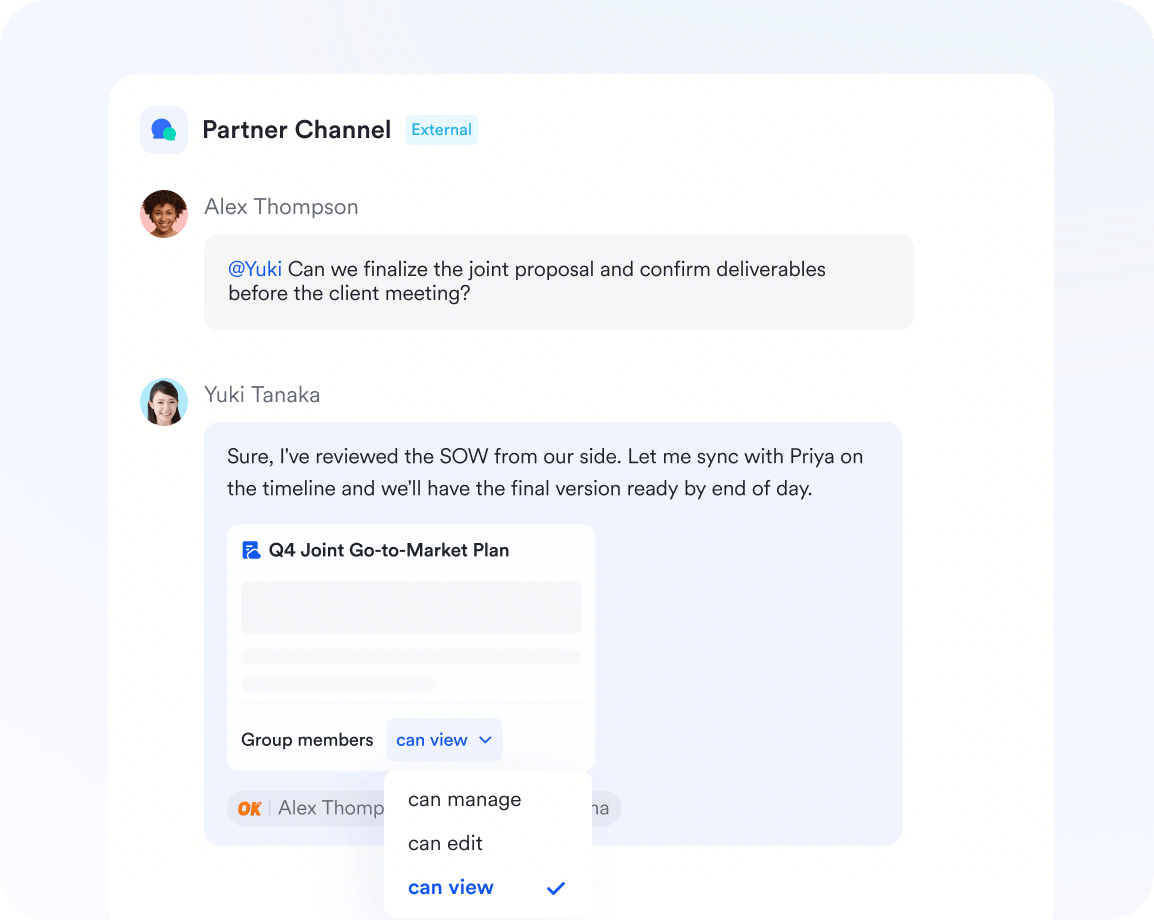
An image that shows collaboration tools in Lark
Airtable lacks integrated collaboration features such as instant messaging or video calls. Therefore, you'll need to rely on external apps for communication. This not only means more time spent switching apps but also more costs for your business.

Advanced project management tools

Lark offers a powerful project management solution with Lark Base that surpasses Airtable's capabilities. It provides unmatched flexibility, allowing teams to streamline tasks, automate workflows, and collaborate seamlessly from a single platform.
With Lark Base, you can create custom project tracking systems tailored to your processes, automate repetitive tasks, and easily monitor progress with intuitive tables and real-time dashboards.
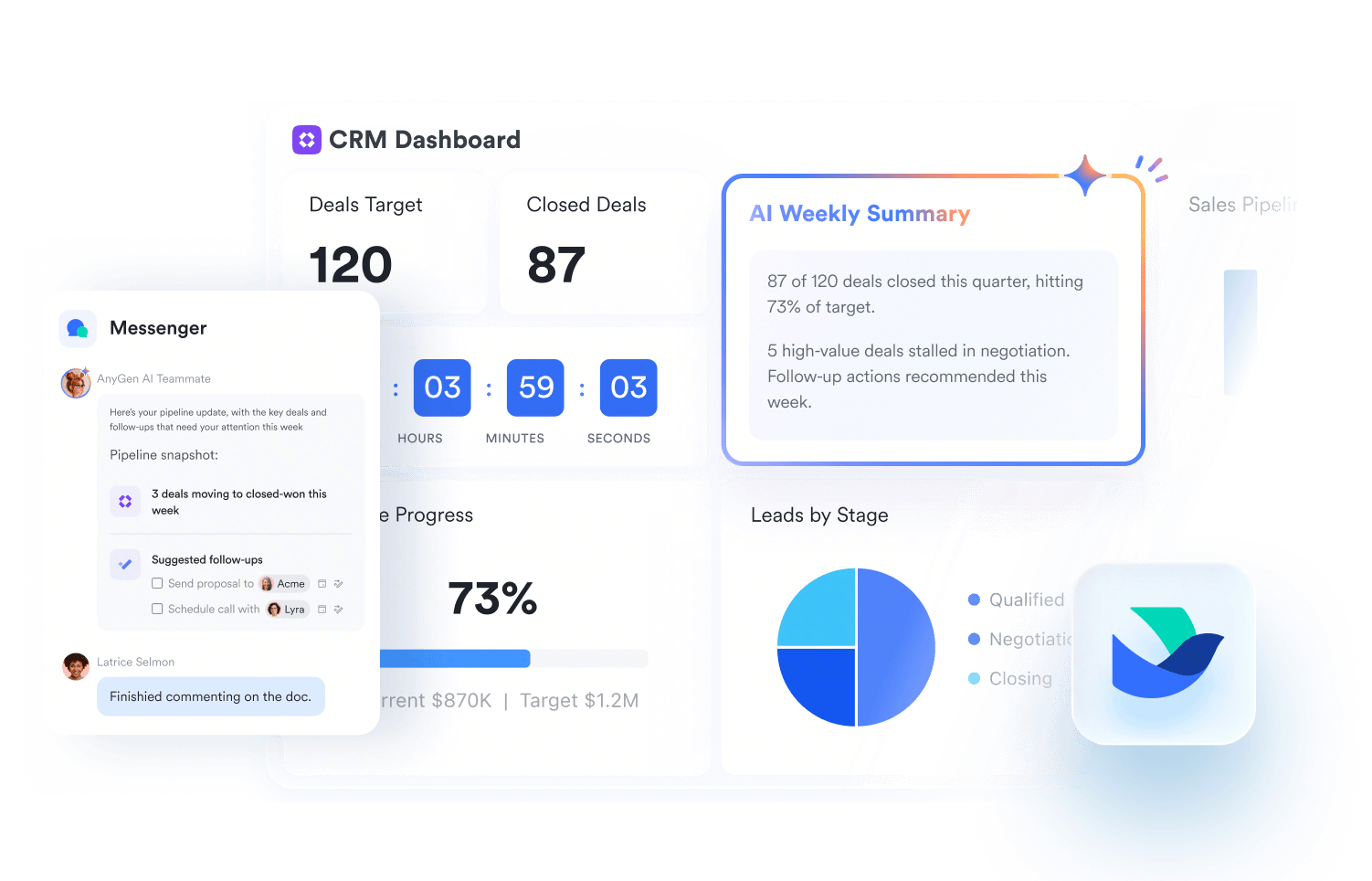
An image that displays a dashboard in Lark
What truly sets Lark apart is its integration within the Lark ecosystem. Project management, team communication, document sharing, and task tracking all occur in one app, eliminating the need for multiple tools. This results in a smooth, all-in-one experience that keeps your team organized and productive.

More affordable and cost-effective

Lark offers a powerful free plan that supports up to 20 users. In addition, the free plan comes with 11 products designed for handling projects, communication, and collaboration. Paid plans start at just $6 per user per month for up to 500 users.
Airtable doesn’t offer a free plan built for businesses. Their free plan only allows 5 users to edit the database, which makes it better suited to individuals. In addition, its pricing can become expensive as your business scales. For example, their paid plan starts at $20 per user per month, which is much higher than Lark’s but with less functionality.
Teams that switch to Lark often save thousands of dollars a year. Try Lark's savings calculator. to find out your potential savings.
How many employees work at your company?
By number of people
1
20
500
5000+
1000
Which tools do you use?
Estimates are for reference only, contact us for an official quote
Calculate savings
Replace
0
1
2
3
4
5
6
7
8
9
apps
Lark Enterprisecan replace and surpass at least 4 of your existing business tools.
Saves$
0
1
2
3
4
5
6
7
8
9
0
1
2
3
4
5
6
7
8
9
0
1
2
3
4
5
6
7
8
9
,
0
1
2
3
4
5
6
7
8
9
0
1
2
3
4
5
6
7
8
9
0
1
2
3
4
5
6
7
8
9
/year
With 1000 employees, your company could save at least $390,000 per year by using Lark.
Estimates are for reference only, contact us for an official quote
Contact us for a quote
Calculate again

Conclusion

The best Airtable alternative will be different for different teams. If you're in need of a database tool, then Smartsheet may be an ideal solution. Want an open-source platform that still has powerful features? Baserow is a great tool. But if you're looking for an all-in-one solution that can do everything Airtable does and more, Lark stands out. Unlike most alternatives, Lark combines instant messaging, video conferencing, shared calendars, cloud storage, and document collaboration into one seamless platform.
Whether you’re a part of a small business or an established organization, its design and focus on efficiency can maximize your team’s productivity and communication.

Cut your software costs by 70% with Lark's all-in-one platform

FAQs

What is the best free Airtable alternative?

Many tools offer free versions, but they’re often too limited for team use. For the best free Airtable alternatives, try Trello for simple task management, or Lark, which includes 11 free tools—like messaging, project management, email, tasks, and performance management.

Who are the top competitors of Airtable?

Top Airtable competitors include Asana, Wrike, Smartsheet, Google Sheets, and Lark. These platforms offer similar features, such as no-code databases, workflow automation, and team collaboration.

What are open-source alternatives to Airtable?

Besides Baserow, we recommend checking out NocoDB, AppFlowly, Rowy, and Grist.

How are open-source alternatives different from other Airtable alternatives?

Open-source alternatives allow you to self-host and control the software on your own servers, ensuring full data ownership and no user fees. In contrast, proprietary SaaS platforms require a subscription for managed service, offering convenience at the cost of control. The main difference is that open-source tools focus on customization, while proprietary options prioritize ease of use and vendor support.

Can Google Sheets replace Airtable?

Google Sheets can handle basic spreadsheets and databases. However, teams may notice it lacks advanced relational database features, automation, and customizable views compared to Airtable.

Does Google have an Airtable alternative?

Yes. Google offers AppSheet, a tool that lets you build custom apps and manage relational data. However, some teams may find AppSheet is less intuitive than Airtable.

Does Microsoft have an Airtable alternative?

Yes. Microsoft offers Microsoft Lists and Power Apps which provide functionality similar to Airtable, including database management and workflow automation.

Is Airtable worth it?

Many teams use Airtable for their work. The platform excels at consolidating and storing data. However, Airtable costs can rise quickly with its entry-level plan costing significantly more than Airtable alternatives. For example, the entry-level paid plan starts at $20 per seat per month when billed annually. For a similar feature-set, you can get Lark for $6 per seat per month, or Asana for $10.99. Therefore, we recommend you test out different products to decide which is worth it.

Related reading

Jess Cheung

Product Marketing Specialist

Jess Cheung is a Product Marketing Specialist who helps teams translate customer needs into compelling messaging. With a robust portfolio spanning web copy, high-impact email campaigns, and strategic sales enablement assets, she crafts content that supports the buyer's journey.

Keep reading