Many teams start with Airtable because it combines the familiarity of spreadsheets with the structure of relational databases. As workflows expand, users increasingly compare how Airtable fits alongside other tools, especially in common evaluations such as Airtable vs Notion, where both platforms approach organization and collaboration differently. As teams grow, they often look for systems that bring communication, execution, and automation together in one connected workspace. This Airtable review helps you understand Airtable's strengths, challenges, long-term suitability, and where modern alternatives like Lark begin to enter the conversation for more combined operational workflows.
Start smarter collaboration today
What is Airtable, and where does it actually fit best?
This section introduces used by creators, agencies, and product teams that need flexible data modeling with minimal setup. Airtable functions like a spreadsheet at first glance, but underneath it behaves like a relational database that supports linked records, structured fields, and dynamic workflows. This makes it appealing for teams that want more power than spreadsheets but less complexity than traditional database systems. Understanding where Airtable adds value helps determine when it becomes too complex or costly for long-term operations.
Image source: airtable.com
- Database plus spreadsheet hybrid explained simply: usability with database logic, allowing teams to create tables, assign field types, and link records across datasets. Users can store structured information such as long text, attachments, dropdowns, URLs, numbers, and more. This hybrid format supports structured data modeling that is more flexible than a spreadsheet but easier than coded databases. Teams organizing content calendars, projects, CRMs, or asset libraries often adopt Airtable for this balance of simplicity and structure.
- Why creators, agencies, and product teams adopt it: Creators appreciate Airtable for organizing content pipelines and campaign ideas. Agencies manage client projects, briefs, and deliverables within linked tables. Product teams use it for research synthesis, feature mapping, and internal coordination. These groups rely on visual data modeling that feels approachable while still offering relational power. Airtable also scales moderately well for early-stage workflows where flexibility is more important than strict operational control.
- Where Airtable excels vs where it overcomplicates workflows: Airtable excels in situations where teams need flexible data entry, visual organization, and lightweight process automation. It becomes more complex when require multiple approval layers, cross-team coordination, or strict data governance. Users often feel overwhelmed by interface customization, automation ceilings, and permission settings as bases grow. Many teams later explore alternatives such as Lark when workflows become too heavy for spreadsheet-style structures.
What Airtable offers: key features & capabilities
This section explains Airtable's core functions and how they support everyday workflows across small teams and mid-sized organizations. Airtable provides data flexibility, multiple visual views, automation tools, and interface building capabilities that help teams adapt bases for different use cases. These features make Airtable a popular choice in Airtable review Reddit posts, Airtable reviews Glassdoor discussions, and among productivity platforms.
Spreadsheet plus relational-database hybrid
This feature represents the core of Airtable's identity, blending the familiarity of spreadsheets with the structured logic of databases. It allows teams to organize information visually while supporting relationships across datasets. This balance provides flexibility for users who want more structure than spreadsheets without adopting highly technical database software. It is one of the primary reasons Airtable appears frequently in Airtable review Reddit conversations and Airtable rating discussions.
Airtable gives you a familiar spreadsheet-like interface but with the power of a database: Airtable displays information in rows and columns, making it intuitive for users transitioning from spreadsheets. Behind that interface, it supports structured field types and allows teams to build organized datasets that behave like lightweight relational databases. This combination helps teams manage varied information without a complex setup. It also reduces the errors and inconsistencies that often occur in . Users appreciate how the system scales from simple lists to more advanced models.
Supports many data types beyond plain text/number: Teams can store files, dropdown options, checkboxes, URLs, long text, email addresses, phone numbers, and more inside a single table. This variety makes Airtable flexible enough for content teams, product teams, operations, and . Different data types let teams structure their databases for clarity and better data validation. This helps reduce formatting inconsistencies that appear in standard spreadsheets. It also enables more adaptable workflows across departments.
You can build relational links between tables using rollups, lookups, and formulas: Airtable lets users connect tables so information flows dynamically across datasets. Rollups allow teams to aggregate values, while lookups reference fields from linked records. Formulas help create calculated fields that adapt to changing data. These capabilities support structured relational modeling for multi-step workflows. They also help maintain accuracy by reducing duplicate data entries across teams and projects.
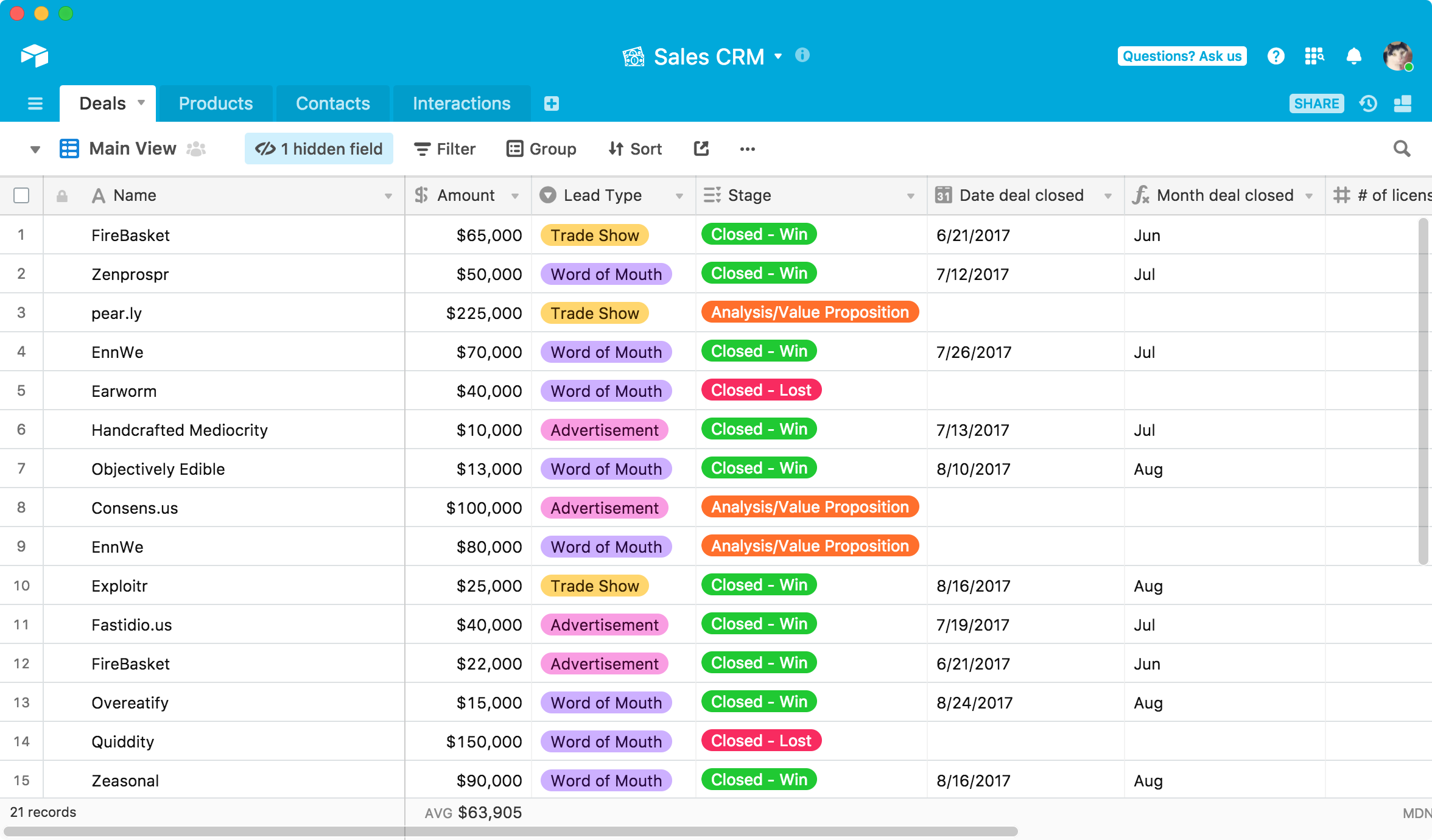
Image source: airtable.com
Flexible views for data, different lenses depending on your needs
This feature allows users to switch how they visualize the same dataset, supporting multiple workflows without creating duplicate tables. Views cater to different functions across a team, helping individuals organize work in a format that matches their role. This flexibility is often highlighted in Airtable review 2025 discussions, where ease of visualization is a major advantage. Teams benefit from clearer insights and more adaptable workflow structures.
List view: List view presents data in a familiar row and column structure that simplifies data entry. It is useful for bulk editing and reviewing detailed information at a glance. Teams often use this view for operational lists, content calendars, or inventory datasets. Its familiarity reduces the learning curve for new users. It also acts as the base structure that other views build upon.
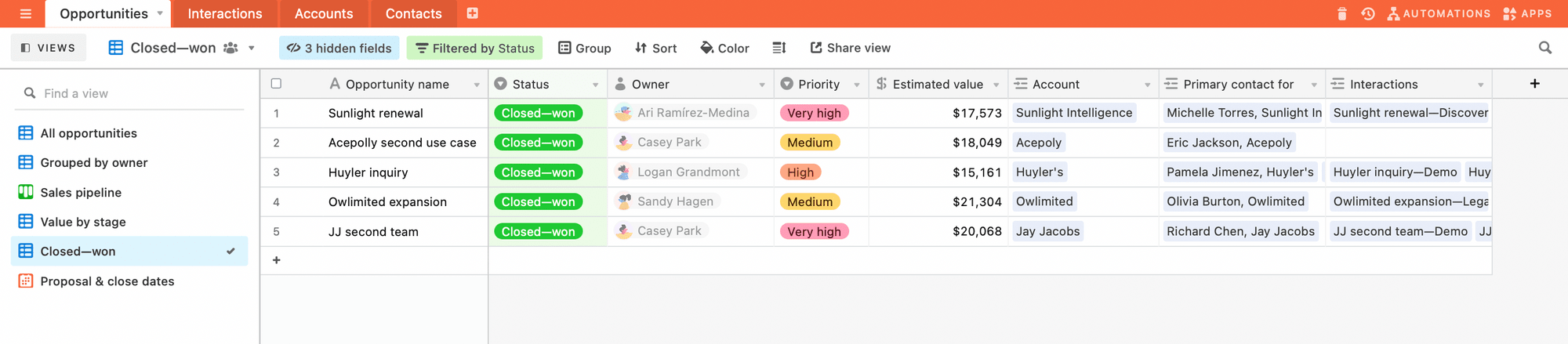
Image source: airtable.com
Kanban view: Kanban converts records into cards grouped by status, category, or another defined field. This helps teams visualize workflows such as production stages, sales pipelines, or editorial review cycles. drag and drop movement, making updates easy and intuitive. It also improves visibility into project progress for distributed teams. Users managing multi-step workflows frequently rely on this format.
Calendar view: Calendar view arranges records based on date fields, helping teams understand schedules and deadlines clearly. It is especially useful for campaign planning, project milestones, or event management. This format provides a time-based structure that supports better planning and resource allocation. Teams can also switch between weekly or monthly layouts for improved clarity. It ensures deadlines remain visible and trackable.
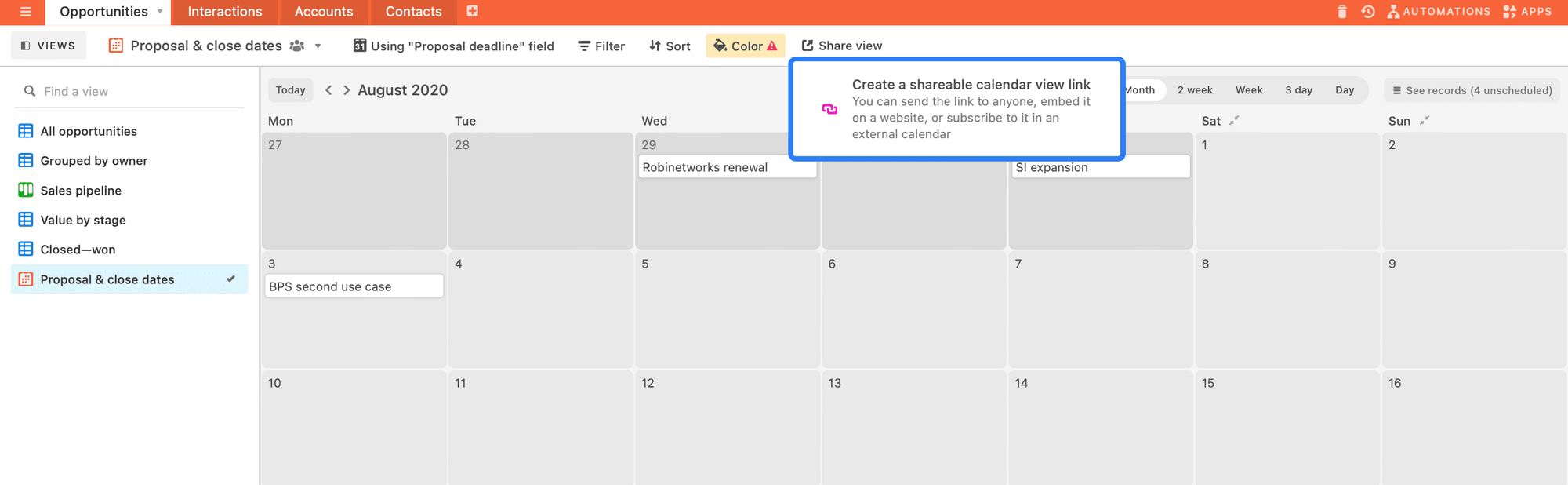
Image source: airtable.com
Gallery view: Gallery view highlights visuals and large text fields, making it ideal for creative teams and asset-heavy workflows. It presents information in card-style formats that are easy to browse quickly. Product catalogs, design portfolios, and media libraries benefit from this format. It supports teams that need fast visual scanning rather than dense data review. This format enhances clarity when images are central to decision-making.
Timeline views and Gantt: These timeline views help teams arrange tasks or milestones across a span of weeks or months. They provide visibility into dependencies and overlapping work that may impact delivery. This makes them helpful for , product planning, and resource allocation. They create a structured timeline for understanding sequencing and workload. Higher-tier plans offer more control and customization for advanced planning.
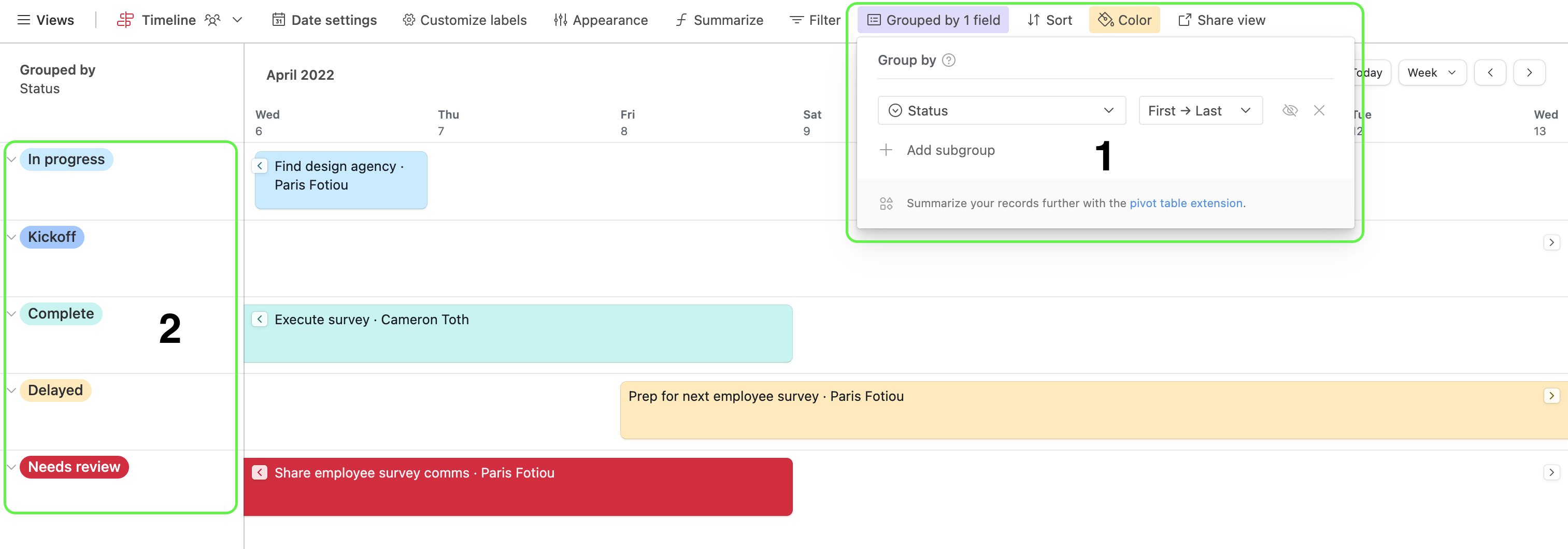
Image source: airtable.com
Form view: Form view allows teams to collect clean, validated data directly into their Airtable base. Forms support external submissions, making them convenient for surveys, registrations, or feedback. Each submission becomes a new record without manual data entry. This improves accuracy and consistency across datasets. It is especially valuable for teams with recurring intake workflows.
Built-in automation, combinations, and extensibility
This section highlights how Airtable expands beyond simple data storage by supporting automated actions, external tool connections, and customizable extensions. These capabilities help users streamline repetitive tasks, connect multiple systems, and build more dynamic internal tools. Many teams explore these features when discussing or comparing Airtable alternatives for long term workflow automation. The combination of triggers, combinations, and scripting makes Airtable adaptable to a wide range of operational needs.
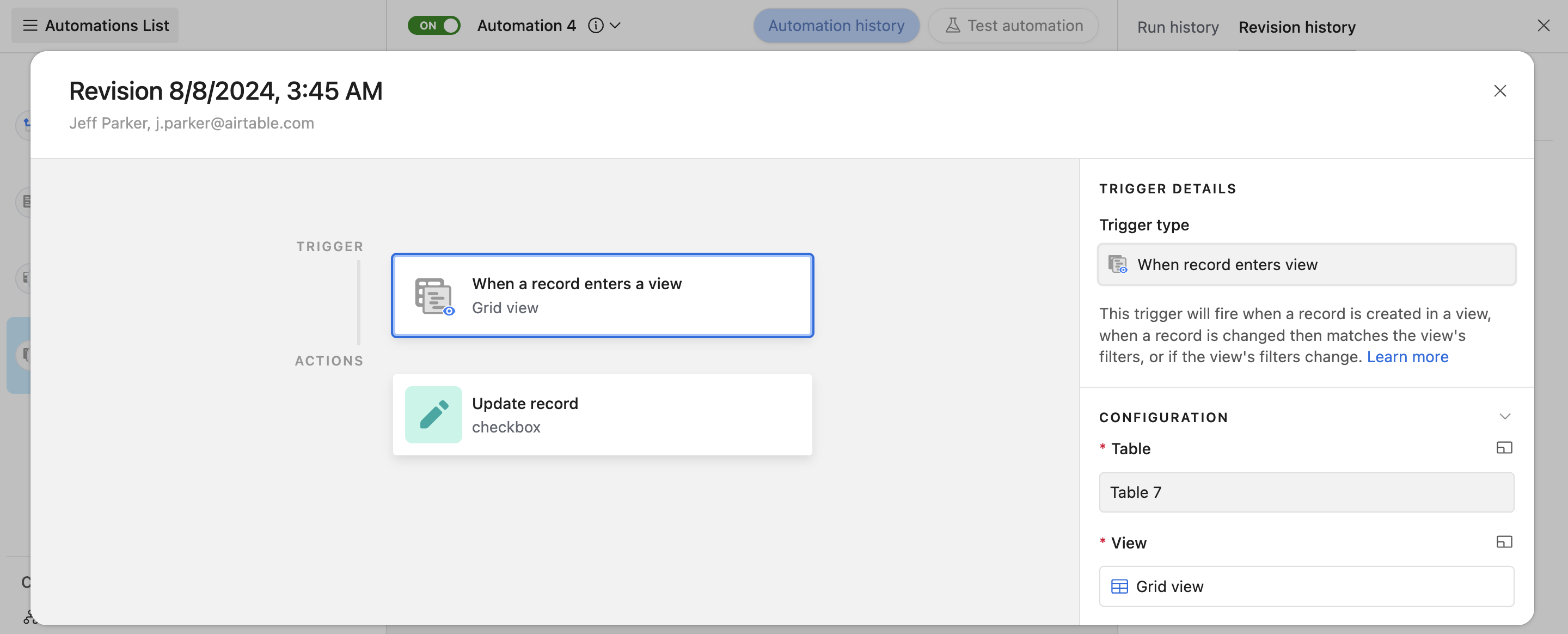
Image source: airtable.com
- Automations: Airtable automations allow users to set rules that act when a specific condition is met. These triggers can send notifications, update records, or connect actions across different views. This reduces manual data entry and helps maintain consistency throughout the system. are especially useful for approval steps, content updates, and handoffs between teams. As workflows expand, automations help reduce administrative workload and support scalable processes.
- API & scripting: Airtable includes an API that enables developers to pull data, push updates, or synchronize information with external systems. The scripting environment provides space for writing JavaScript-based automations that execute custom logic. This gives technical teams the ability to design workflows that are not possible with basic triggers alone. These tools help create more tailored internal systems that adapt to specific organizational needs. They also support combinations that extend Airtable beyond its native features.
- Combinations and connected apps: Airtable supports combining with productivity tools, , communication apps, and external services. These connections allow information to flow between systems, reducing the need for manual updates. Teams often combine Airtable with marketing tools, project platforms, and communication channels for unified operations. This flexibility helps Airtable serve as a central data hub. Such combinations are commonly mentioned in Airtable Reddit discussions where teams evaluate how well Airtable fits into their ecosystem.
- Custom interface building and dashboards: The interface designer lets teams create simplified screens or dashboards that present only essential fields to stakeholders. This reduces complexity for users who do not need to view raw tables. Custom interfaces help product managers, executives, and clients understand data at a glance. These interfaces also encourage adoption by making the system easier to navigate for non-technical users. As workflows grow, interfaces help maintain clarity and usability across large bases.
Collaboration and teamwork-oriented features
This section explores Airtable's collaboration capabilities that support shared editing, team communication, and coordinated updates across projects. These features allow multiple users to work within the same data environment while maintaining accuracy and clarity. They enhance teamwork, especially in remote or hybrid environments where real-time alignment is necessary. Airtable reviews on Glassdoor often strength as a key advantage for distributed teams.
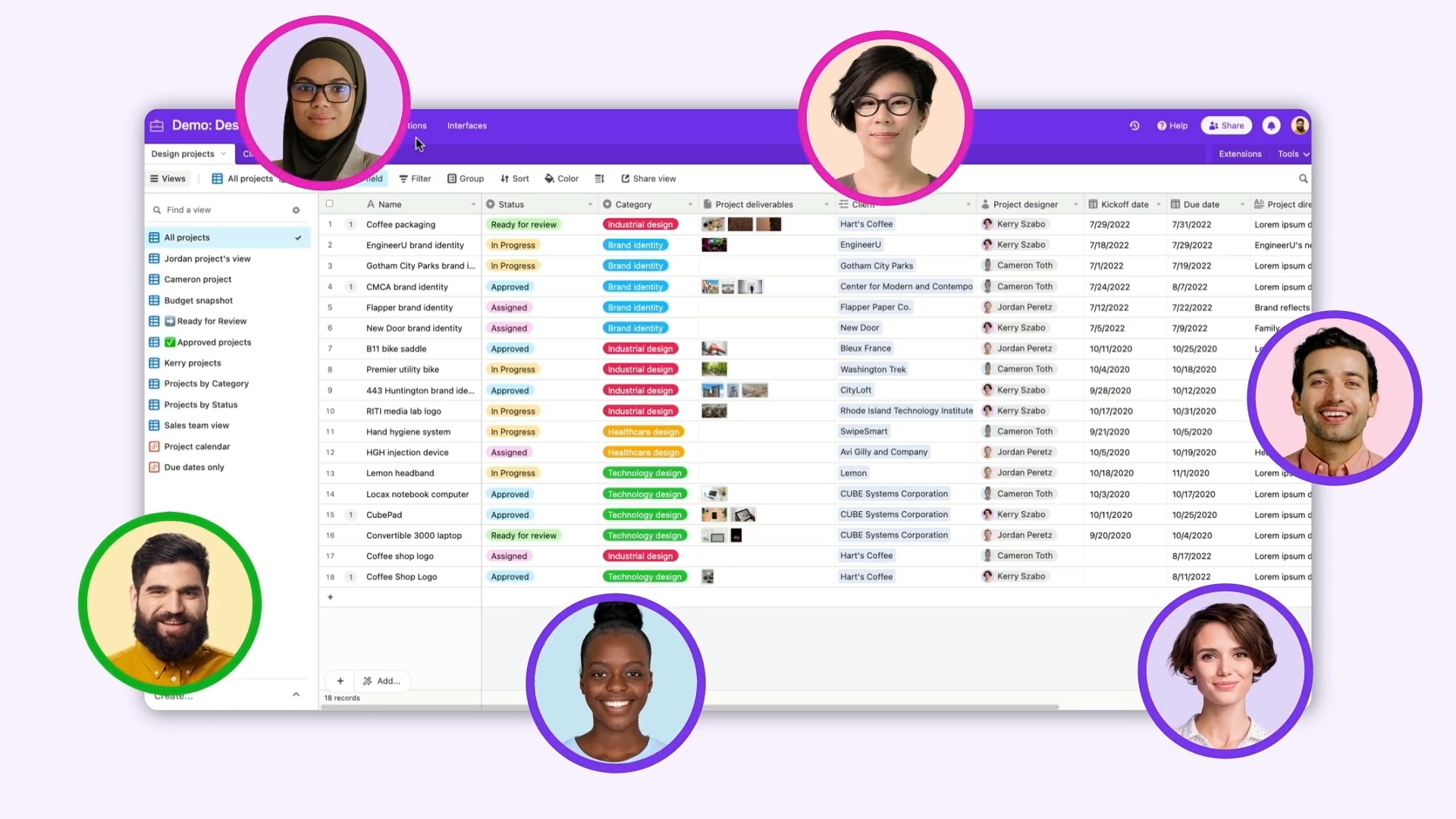
Image source: airtable.com
- Real-time collaboration: Multiple users can edit the same Airtable base simultaneously, with updates appearing instantly across devices. This supports fast-paced projects where teams must coordinate frequently. Real-time editing also prevents version conflicts that occur in traditional spreadsheets. Users can view activity from teammates and stay aligned during data updates. This is especially helpful for content planning, project tracking, or operations work.
- Permissions and access control: Airtable allows administrators to control who can view or modify specific data. Different levels of access help protect sensitive information and maintain data stability. These controls are essential for teams handling HR pipelines, customer records, or financial data. Permissions also support scalable team structures as an organization grows. They ensure each contributor has appropriate visibility without compromising security.
- Commenting on records, change history, and audit trail: Teams can comment directly on individual records to keep discussions tied to specific data points, which reduces scattered communication and maintains a clearer context across workflows. Change history and show who updated a record and when, helping teams maintain accountability and understand how information evolves. These tracking features are especially valuable for regulated industries or quality-driven environments where transparency is essential. They also support smoother collaboration by simplifying reviews, resolving inconsistencies quickly, and reinforcing Airtable's role as a dependable source of truth for operational data.
Versatility across many use cases
Airtable's adaptable data model and custom views make it suitable for a wide range of team workflows. Its ability to behave like a spreadsheet and a database lets users organize information in ways traditional tools cannot. These capabilities are often highlighted in Airtable review Reddit discussions where teams evaluate how well Airtable fits creative, operational, and cross-functional environments.
- Because of its flexible data model plus high customizability: Airtable supports project management, inventory tracking, , HR pipelines, and product launch coordination through its adaptable tables and visual views. Teams can organize tasks, resources, schedules, and operational data in a single workspace that adjusts to different workflow styles. This flexibility helps operational teams maintain clarity and structure without relying on rigid or highly specialized software.
- Airtable is used across a wide variety of workflows: Airtable is also widely used for , content planning and editorial calendars, and managing large asset libraries. Its relational database capabilities help teams track customer or sales pipelines, schedule publishing timelines, and store creative materials in a centralized system. This makes Airtable especially useful for marketing, sales, and creative departments that need both workflow coordination and organized, easily searchable information.
Low-code or no-code app platform capabilities
This section describes how Airtable extends beyond spreadsheets by enabling teams to build custom internal tools. Users can create lightweight applications without writing server-side code, making it accessible to non-technical teams. These capabilities often appear in Airtable alternatives comparisons because they influence how organizations evaluate long-term scalability. Airtable positions itself as a centralized hub for workflows that require flexible data structures and automation.
- No code platform for building internal tools: Airtable combines relational data, automations, combinations, and its interface builder to move beyond traditional spreadsheets and function as a. Teams can create lightweight internal tools and workflows without writing backend code, making it accessible for non-technical users. This approach lets businesses design modular systems for campaigns, , product launches, and department-specific processes while keeping everything synchronized in one workspace.
- Centralized source of truth for company-wide workflows: Airtable positions itself as a single source of truth by allowing teams to build custom apps powered by linked tables and structured data. These apps unify information that would otherwise be scattered across multiple tools or spreadsheets. Whether used for project coordination, operational tracking, HR pipelines, or marketing schedules, Airtable helps teams maintain connected workflows and reduce data fragmentation across the organization.
Airtable pricing and whether it's worth upgrading
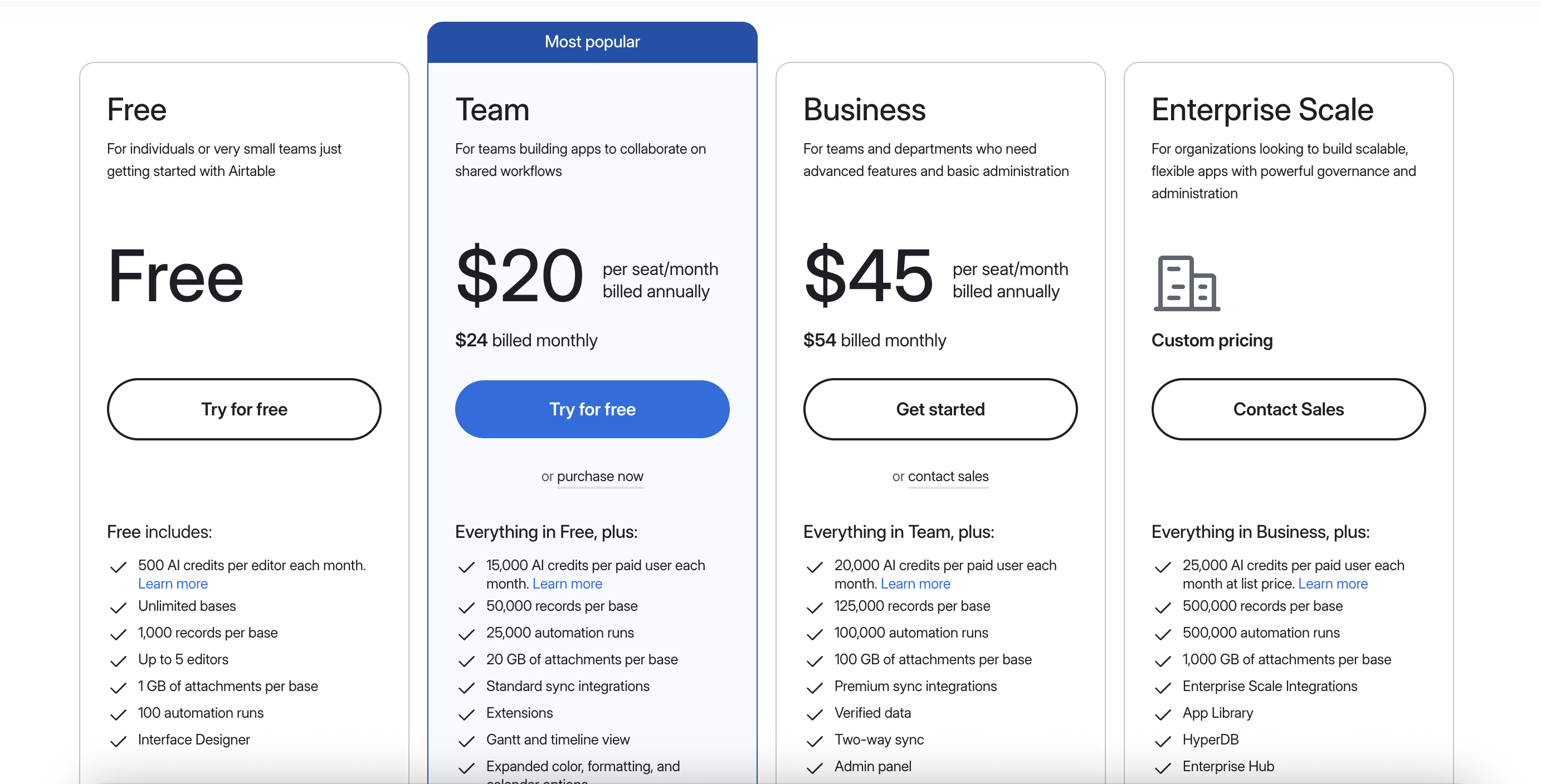
This section outlines tiers, their included features, and their limitations. Pricing significantly impacts whether Airtable remains affordable as teams scale. Many Airtable review Reddit discussions mention cost as a deciding factor in choosing Airtable alternatives. Understanding these tiers helps teams decide whether upgrading is worthwhile.
Bonus of pricing comparisons: Airtable vs Lark
Information source: airtable.com
Update time: 2025-12-10
Note: Pricing and plan details reflect publicly available data as of the update date and may vary based on region, billing cycle, and number of agents.
Airtable pros and cons: Who benefits and who should avoid it
This section gives a balanced view of Airtable's strengths and weaknesses. Airtable appeals to teams that want flexibility without building a traditional database, but it also introduces constraints that become more visible as data volume and complexity increase. Understanding these pros and cons helps readers determine whether Airtable fits their operational model or whether they should consider designed for execution-heavy workflows.
Pros
- Hybrid spreadsheet plus database gives flexibility and power: Airtable's mix of spreadsheet usability and relational database power makes it adaptable for many workflows. Teams manage structured data without needing engineers or database administrators. This versatility is frequently praised in Airtable review Reddit threads and Airtable reviews Glassdoor discussions.
- Multiple views and flexible data visualization: Views like grid, kanban, calendar, gallery, and timeline help teams work with data in the most intuitive format. These views make Airtable suitable for planning, scheduling, creative projects, and general .
- Easy to use and relatively quick to set up: New users can navigate Airtable quickly because it feels familiar to spreadsheet users. This reduces training time and lets teams build workflows without needing technical setup. Early-stage teams often choose Airtable for this reason.
- Strong collaboration and centralized data management: Real-time editing, commenting, record-level discussions, and access controls help teams stay aligned. Airtable centralizes data and conversations that would otherwise be scattered across multiple platforms.
- Combinations, automation, and no-code app building: Airtable offers meaningful value with its automation engine, API, interface designer, and combination library. Teams can create lightweight internal tools without writing backend code.
Cons
- Limited advanced : Airtable lacks native dependency management, robust workload planning, detailed task reporting, and advanced execution tracking. Many teams must export tasks to other tools as workflows mature.
- Learning curve for advanced usage: While Airtable is easy at first, relational linking, interface building, formulas, and automation setup require a learning curve. Teams without technical comfort may struggle as bases grow.
- Cost becomes significant for bigger teams: Airtable pricing becomes challenging for companies with many users, as automation ceilings, record limits, and per-seat pricing influence operational expenses. Cost concerns appear frequently in Airtable review Reddit discussions.
- Limited offline access, attachment & media handling issues: Airtable relies heavily on cloud availability. Image-heavy or attachment-heavy bases may slow performance or hit storage limits quickly.
- Vendor lock-in and limited self-host/open-source option: Organizations needing self-hosted or open-source solutions may find Airtable restrictive. Migrating away from complex Airtable bases can require significant effort.
Despite Airtable's initial flexibility and ease of use, its constraints become evident as data volume and process complexity grow, particularly the limited native advanced project management features, performance degradation with heavy usage, and a cost structure that scales aggressively with team size. This is where a fully integrated platform like Lark provides a necessary solution. Let's check out where Lark makes all the differences.
Streamline your project structure with a different approach
Smart alternative: Meet Lark's all-in-one workspace for smooth collaboration
Many teams begin with an because it offers a flexible way to organize information visually, but they soon realize that growing operations require more than data storage and custom views. As workflows expand, teams need platforms that connect tasks, approvals, communication, and documentation inside one environment. This is where Lark enters the conversation naturally as a more connected alternative.
Lark combines databases, messaging, , automation, and shared knowledge tools in a unified workspace that supports day-to-day execution. Its approach helps teams maintain clarity and reduce the fragmentation that often appears when multiple tools are used for planning, communication, and decision-making.
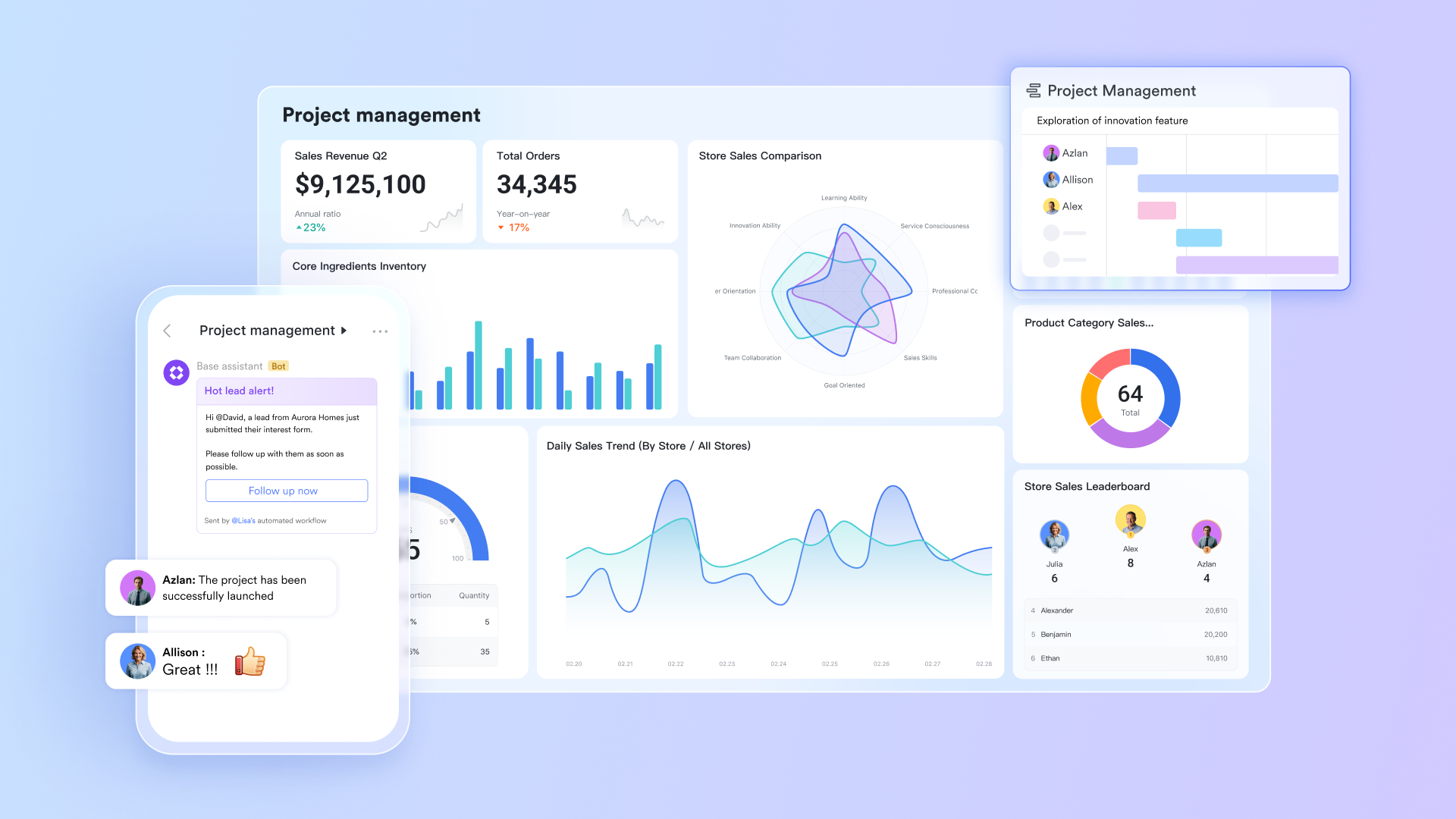
Robust database management in one single source of truth
Like Airtable, functions as a relational database where teams create linked tables, assign field types, and structure operational data. Views such as Grid, Kanban, Calendar, and Timeline enable flexible data visualization for project tracking, , or inventory workflows. Lark surpasses Airtable by unifying dashboards, workflow automation, approvals, tasks, and directly within the same workspace, eliminating the need for layered UI builders or multiple third-party tools to complete daily workflows.
Instant data collection and fast data import
Both platforms offer form-based data intake where submissions populate live databases. Lark Forms go further by supporting fully connected internal processes-new form entries can immediately trigger approvals, task creation, or status updates within the same environment. Unlike Airtable, where actions often end at data capture or require external tools, Lark enables true operational follow-through from a single form submission. 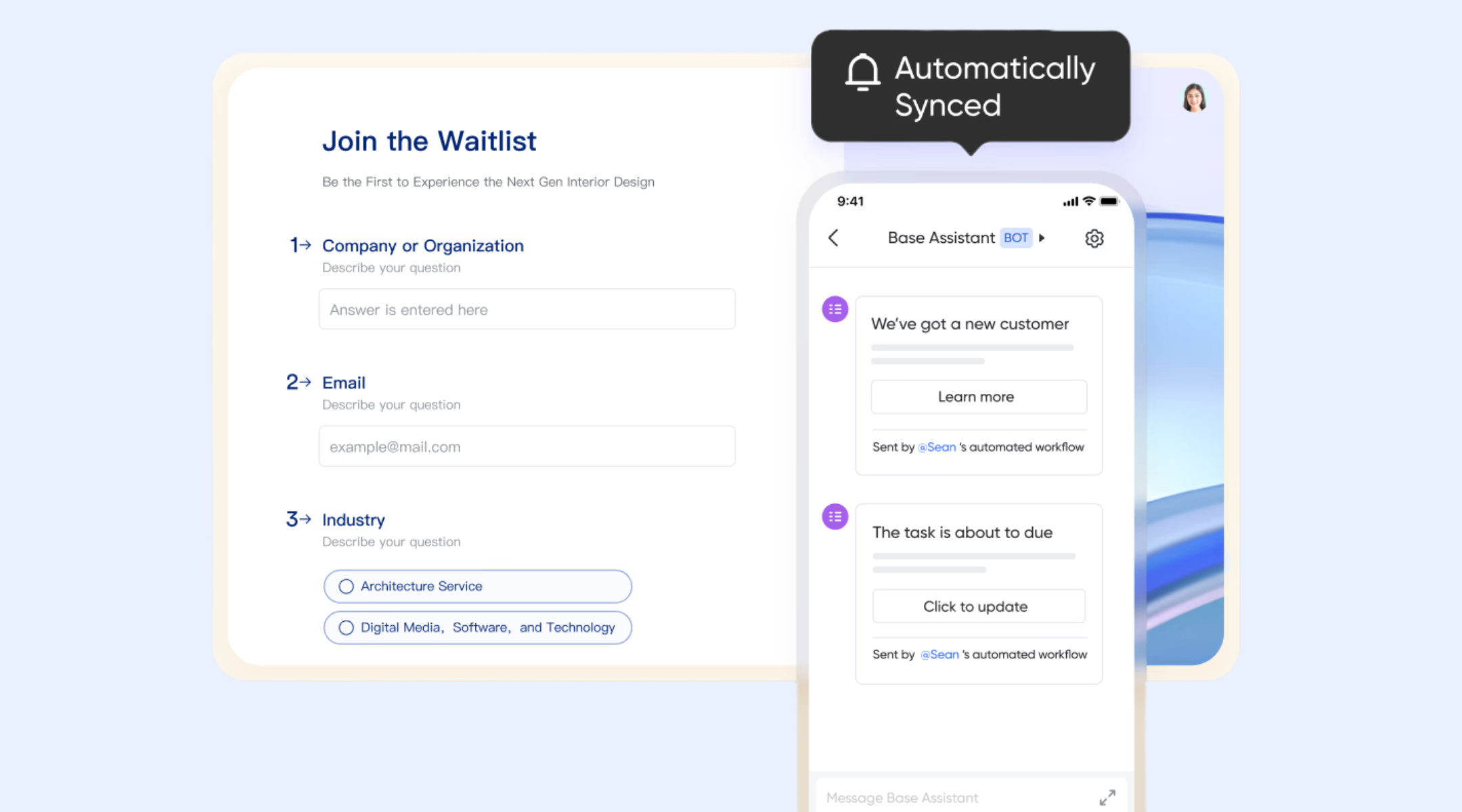
Automated workflow with multiple functions
Airtable automations trigger simple actions like sending notifications or updating records. In contrast, automated workflow in enables full process orchestration-including conditional routing, layered approvals, real-time notifications, task creation, and record updates across connected workflows. Instead of running isolated automations, Lark manages end-to-end operations, making it more suitable for scaling internal workflows across departments. 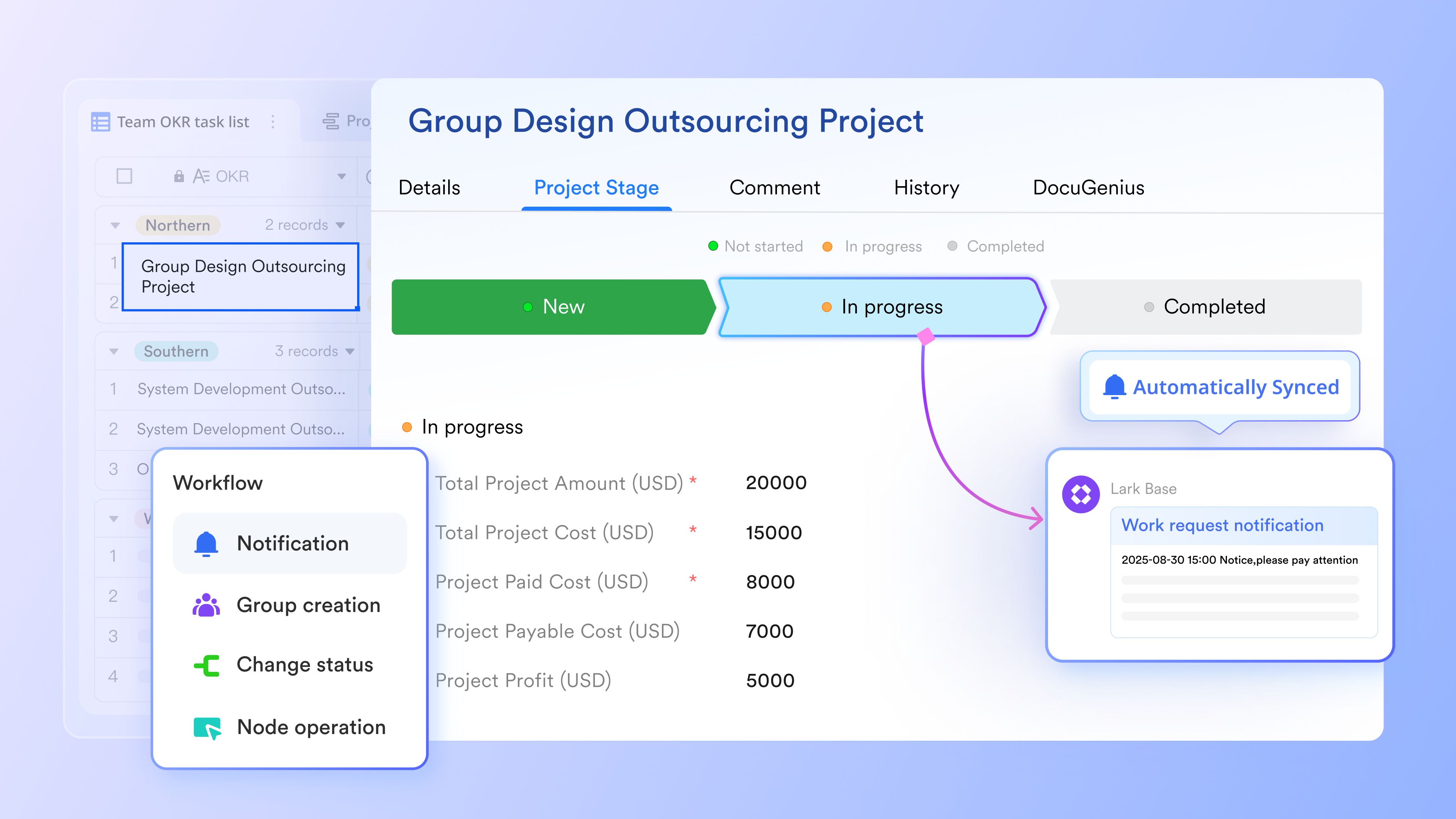
Instant communication and document collaboration
Airtable enables collaboration mainly through record comments and mentions. Lark dramatically expands this capability with for persistent real-time group and 1:1 conversations and for shared documentation, SOPs, meeting notes, and collaborative planning. Teams collaborate continuously without being confined to record-level discussions. This approach improves decision velocity and ensures context is retained beyond individual data rows.
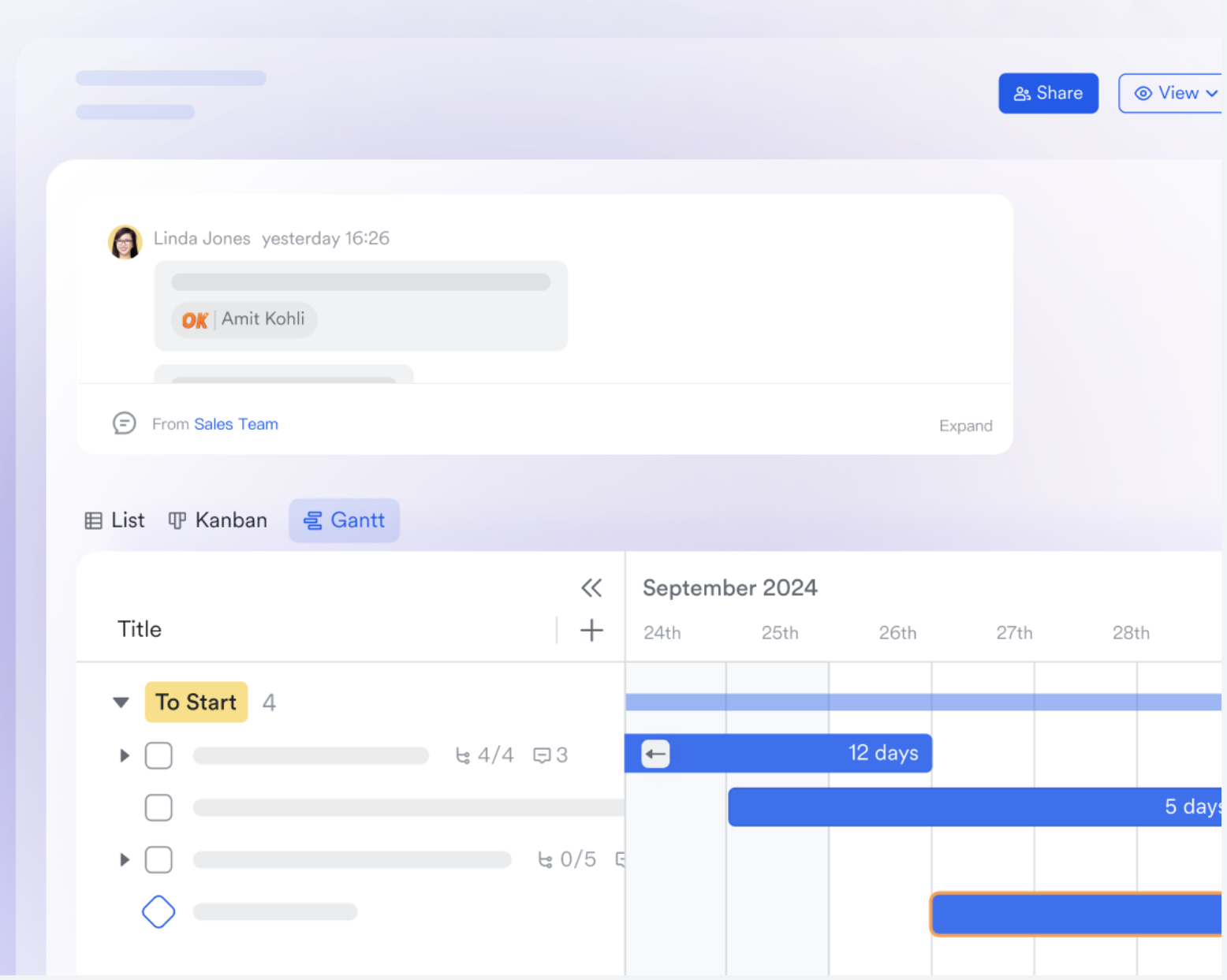
Clear task execution and accountability
While Airtable's Kanban view offers basic task visualization, Lark Tasks provides full execution management-task ownership, deadlines, dependencies, reminders, workload tracking, and priority assignments. Task lists can be synced directly to database records, inserted into documents, and shared in chats. This delivers structured accountability and that extends well beyond Airtable's board-style views. 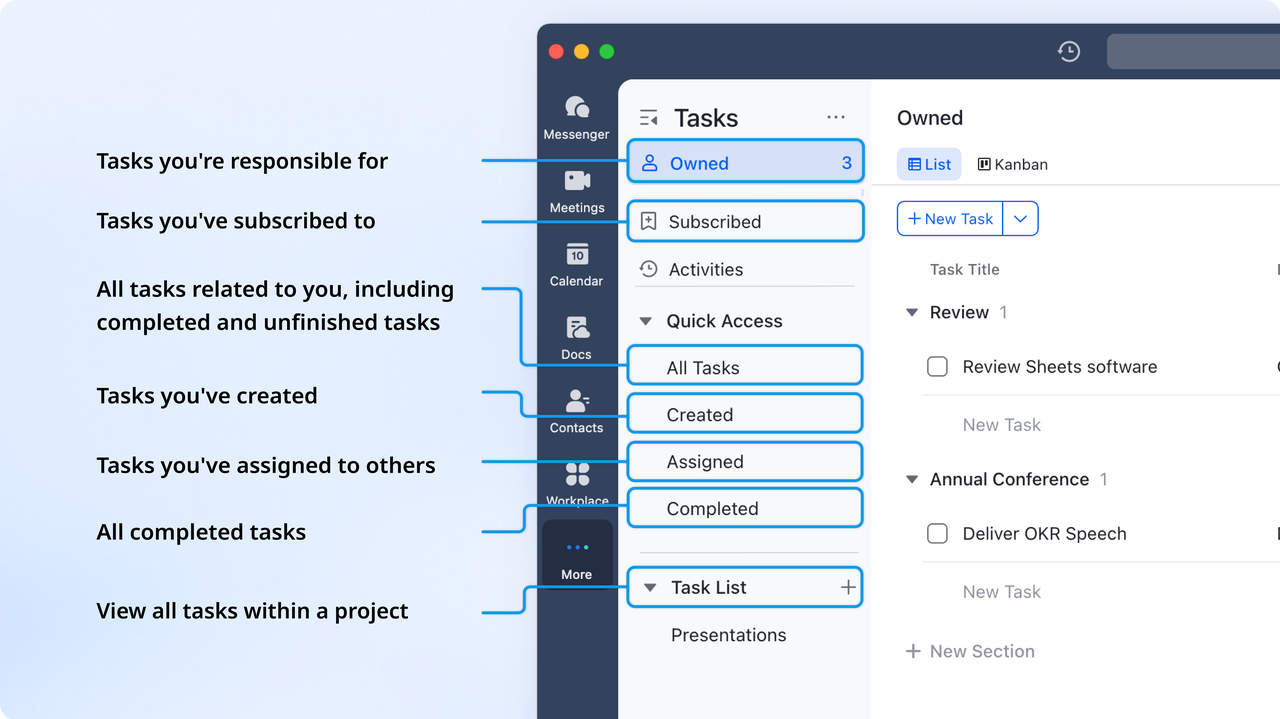
Smart scheduling and timeline coordination
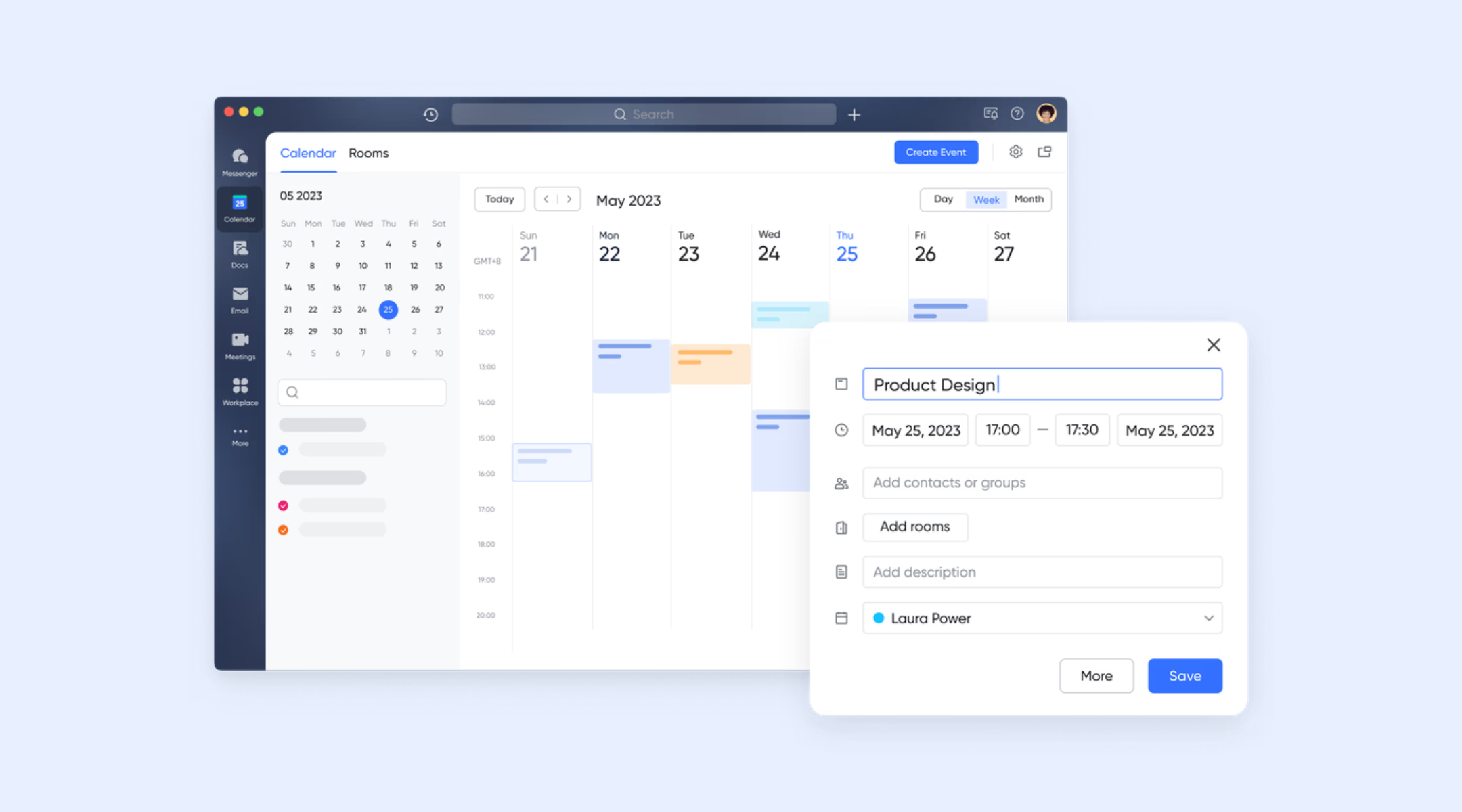
Airtable's timelines are primarily visuals tied to databases. moves beyond visualization by managing real-world schedules-syncing meetings, deadlines, shift assignments, and milestones with personal and team calendars. Changes update instantly and notify participants automatically, ensuring project planning translates into actionable execution rather than remaining static timelines.
:
- Starter plan: Free forever plan that includes 11 powerful tools for up to 20 users. It also comes with 100GB of storage, 1000 automation runs, AI translations, and more.
- Basic plan: Compared to Airtable Team's pricing at $20/seat/month, Lark provides an equivalent plan $6/user/month (billed annually) for up to 500 users. It includes everything in Starter plus group calling for up to 500 attendees, 5TB of storage, 1000 automation runs, and more. For more details, please .
- Pro plan: Unlike Airtable Business's pricing at $45/seat/month, Lark saves your budget at $12/user/month (billed annually) for up to 500 users. It includes everything in Basic plus group calling for up to 500 attendees, 15TB of storage, 50,000 automation runs, and more.
- Enterprise plan: for custom pricing. Supports unlimited users and includes even more automation runs and advanced security, compliance, and management features.
For small teams with simple communication needs

18 months message history
1000 Base automation runs/month
2000 rows per table in Base
Most POPULAR
For companies with comprehensive collaboration and management needs
Unlimited message history
500-participant video meetings
50k Base automation runs/month
20k rows per table in Base
For large companies with advanced security and organizational management needs
Get a personalized demo and pricing
Unlimited message history
500-participant video meetings
15 TB storage + 30 GB storage/user
500k Base automation runs/month
50k Base automation runs/month
Most POPULAR
For companies with comprehensive collaboration and management needs
Unlimited message history
500-participant video meetings
50k Base automation runs/month
20k rows per table in Base
Final checklists: Should you choose Airtable or Lark
This section helps teams determine which tool aligns best with their operational structure and long-term plans. Airtable offers powerful flexibility for teams who need custom databases or lightweight applications. Lark provides a broader workspace with merged communication, tasks, approvals, and automation for teams that need more than data organization. Choosing between depends on workflow maturity, collaboration needs, and execution requirements.
Summary
Choosing between depends on how your team plans, collaborates, and executes work across daily operations. Airtable is a strong fit for teams that want flexible data modeling without needing deeper workflow execution in the same system. Lark suits organizations that prefer a unified workspace where structured data, tasks, communication, and approvals all connect naturally. These differences shape how well each platform supports long-term coordination and growth.
- If your main requirement is flexible data modeling, relational databases, custom views or ad hoc tracking, and you do not mind using separate tools for chat, tasks, and email, then Airtable remains a strong choice. It gives teams creative freedom to shape their own data structures and workflows.
- If your team needs end-to-end workflow support where databases connect to tasks, approvals, communication, scheduling, and , Lark often provides a smoother and more merged experience. This helps reduce switching between tools and keeps daily processes consistent.
Conclusion
a powerful and flexible way to organize information, build relational databases, and visualize data through multiple views. It works best for teams that value customization and want to shape their workflows around adaptable tables and forms. As teams grow, though, managing communication, documentation, approvals, and ongoing task execution often requires additional platforms. This creates fragmentation that becomes challenging for long-term operational coordination.
introduces a more connected approach by bringing structured data, tasks, messaging, meetings, automation, and documentation into a single workspace. This allows ideas and plans created in databases to move directly into approvals, assignments, and final delivery without shifting between multiple tools. Teams looking to simplify daily operations and maintain visibility across departments often find that this unified model supports sustainable growth.
Try a more connected workflow and achieve success
FAQs
Can Airtable replace your CRM or is a dedicated CRM still necessary?
While not a dedicated , Airtable can handle CRM-style pipelines with linked tables and custom views, making it useful for small teams. As customer volume grows, the setup requires more manual upkeep and additional automation tools to maintain data accuracy. Many teams add third-party systems to close these gaps. Some later explore connected workspaces such as Lark to manage conversations, approvals, and documents tied to CRM data.
How does Airtable handle role-based data access at scale?
Airtable supports permission controls that limit who can edit, view, or comment on specific bases or fields. These tools help maintain data security, although fine-grained roles can become complex to administer in larger setups. permissions across multiple teams requires careful design. Organizations that need unified access controls sometimes evaluate platforms like Lark for centralized governance.
How many automations can Airtable manage before performance drops?
Automation volume depends on plan level, record count, and workflow complexity. Heavy automations across multiple bases may affect speed or reliability, especially for teams using extensive scripting. Many users highlight these limits in Airtable review discussions. Teams needing higher consistency often explore workflow systems such as Lark for more scalable automation.
What is the learning curve for non-technical team members?
Airtable is easy to begin using, but advanced features such as relational modeling, formulas, and interface building require time to learn. Non-technical teams may need training to use Airtable effectively at scale. As workflows evolve, some teams shift toward unified platforms like Lark for easier onboarding and shared workspace familiarity.
Can Airtable handle enterprise security or compliance?
Airtable provides strong security foundations and supports enterprise controls in higher tiers. Compliance requirements vary by industry and may require additional documentation or administrative oversight. Some organizations compare Airtable with that offer built-in approvals, logs, and connected documentation. This leads some enterprises to explore platforms such as Lark for larger governance needs.
Related reading






























