














10 Cloud-based Workflow System Options to Improve Team Efficiency

Ryan Tanner
Product Marketing Specialist
Sep 18, 2026
Ryan Tanner
Sep 18, 2026

15 min read


Manual workflows often lead to delays, errors, and costly inefficiencies. A cloud-based workflow system centralizes approvals, project tracking, and compliance into one accessible hub—automating repetitive work, boosting collaboration, and giving teams real-time visibility. This helps businesses of all sizes move faster while staying accountable.
From startups managing HR onboarding to enterprises scaling global processes, the right workflow cloud solution makes all the difference. In this guide, we'll take you through what cloud workflow management means, why it matters, common use cases, and the 10 best systems for 2025—including Lark, Kissflow, Asana, Monday.com, and more:
- Lark: Cloud-based workflow with automation
- Kissflow: Workflow builder for enterprises
- Cflow: No-code cloud workflow system
- Asana: Task and project workflows
- Monday: Customizable cloud workflows
- Zoho Creator: Low-code workflow management
- Wrike: Workflow automation with reporting
- Nintex: Enterprise workflow automation
- Pipefy: Cloud workflow management for operations
- Trello: Simple cloud workflow tracking

What is a cloud-based workflow system?
A cloud-based workflow system is software that allows organizations to design, execute, and track workflows entirely online. Instead of relying on manual processes or on-premise servers, teams can manage approvals, projects, and documentation in a centralized, digital workspace accessible from anywhere.
At its core, cloud-based workflow management improves efficiency by automating repetitive tasks, routing approvals, and providing real-time visibility into progress. Unlike traditional systems, these platforms scale easily for remote or hybrid teams and ensure secure, compliant record-keeping. From HR onboarding to finance approvals, cloud workflows help businesses run faster, smarter, and more transparently.
Why businesses need cloud workflow management
Modern organizations can't afford delays or errors caused by manual processes. Cloud workflow management gives businesses a streamlined way to automate tasks, centralize information, and keep teams accountable across departments.
- Centralized process tracking: With a cloud system, every task, approval, and update lives in one place. This prevents duplicate work, reduces confusion, and ensures managers always know the status of projects—whether it's an HR request or a sales contract.
- Automation reduces repetitive tasks: Cloud workflows automate routine steps like reminders, routing, and escalations. For example, instead of manually following up on purchase approvals, automated triggers notify the right person at the right time, saving hours each week.
- Transparency & accountability across teams: By keeping workflows visible, teams know who owns what and when it's due. This clarity prevents missed deadlines, encourages accountability, and builds trust between managers and employees.
- Secure and compliant record-keeping: Most cloud-based workflow platforms provide audit trails, encryption, and compliance features. Finance teams, for example, can rely on secure logs for audits, while HR can maintain protected employee approval records.
- Scalability for remote and hybrid teams: Cloud workflows scale effortlessly as teams grow or work remotely. Whether five employees or 5,000, everyone can access workflows from any device, ensuring continuity and collaboration no matter the location.
Common use cases of cloud-based workflow management systems
A cloud-based workflow management system is versatile, serving multiple functions across departments. By digitizing approvals and automating tasks, businesses can streamline operations and ensure consistency. Here are some of the most common use cases:
- HR: Employee onboarding, leave approvals
HR teams can set up workflows for new hires that cover documentation, orientation, and IT access. Leave requests can also be automated, with approvals routed to managers instantly, reducing back-and-forth emails.
- Finance: Purchase order approval, expense reimbursements
Instead of paper trails, finance workflows move requests through automated steps. Purchase orders can be routed for multi-level approval, while expense claims are processed faster with digital verification and audit trails.
- Operations: Project tracking, task assignments
Operations teams use workflows to monitor progress across projects. Automated task assignments ensure the right people get notified, while dashboards provide managers with a clear overview of bottlenecks and timelines.
- Sales: Deal approvals, contract sign-offs
Sales workflows speed up approvals for pricing exceptions, discounts, or client contracts. Automated routing ensures legal and finance sign-offs happen quickly, reducing delays in closing deals.
- IT: Ticket approvals, system access requests
IT departments can manage service requests like new software access or system permissions through cloud workflows. Automated escalation ensures urgent tickets are handled promptly without manual follow-up.
Quick preview of the best workflow management systems
Best cloud-based workflow management systems in 2026
1. Lark: Cloud-based workflow with automation system
Lark is more than a collaboration app—it's a powerful cloud-based workflow system that unites automation, communication, and documentation in one place. Unlike tools that only track tasks, Lark turns workflows into real-time, actionable processes that scale with your business. From HR onboarding to finance approvals, every step can be automated, monitored, and discussed without leaving the platform. This makes it ideal for businesses that want to reduce delays, eliminate silos, and empower remote or hybrid teams to stay aligned.
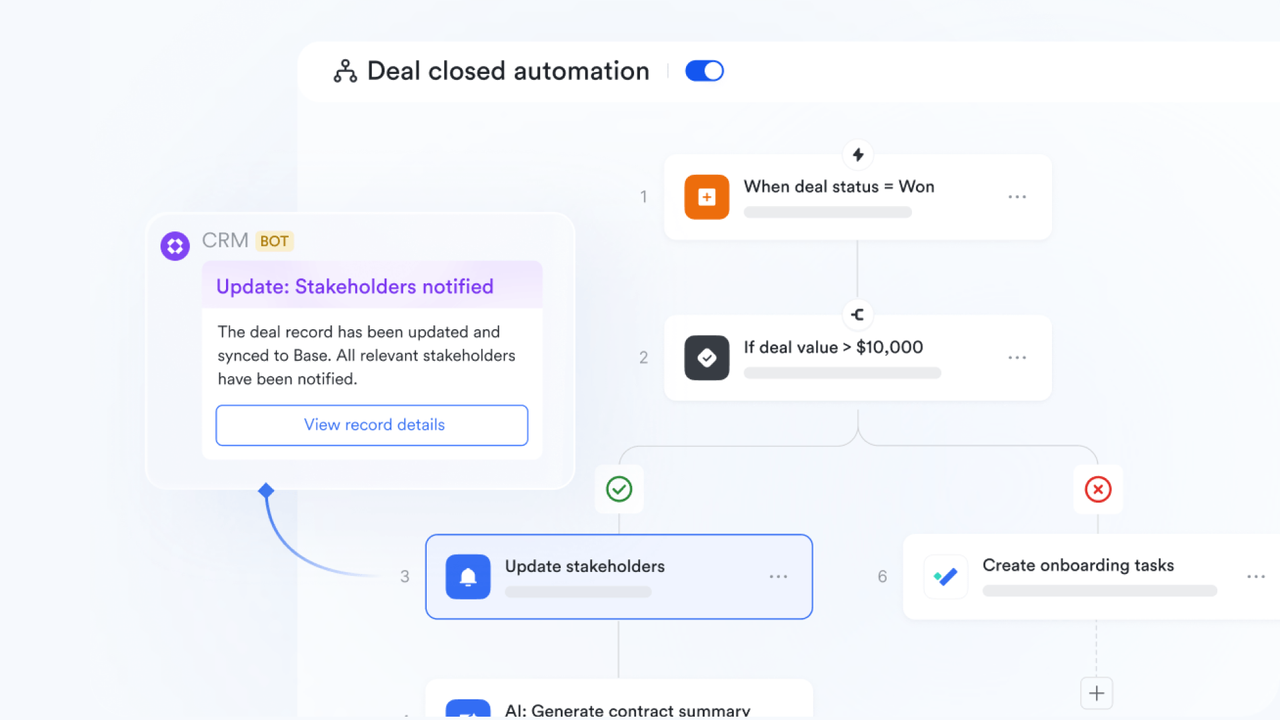
Features:
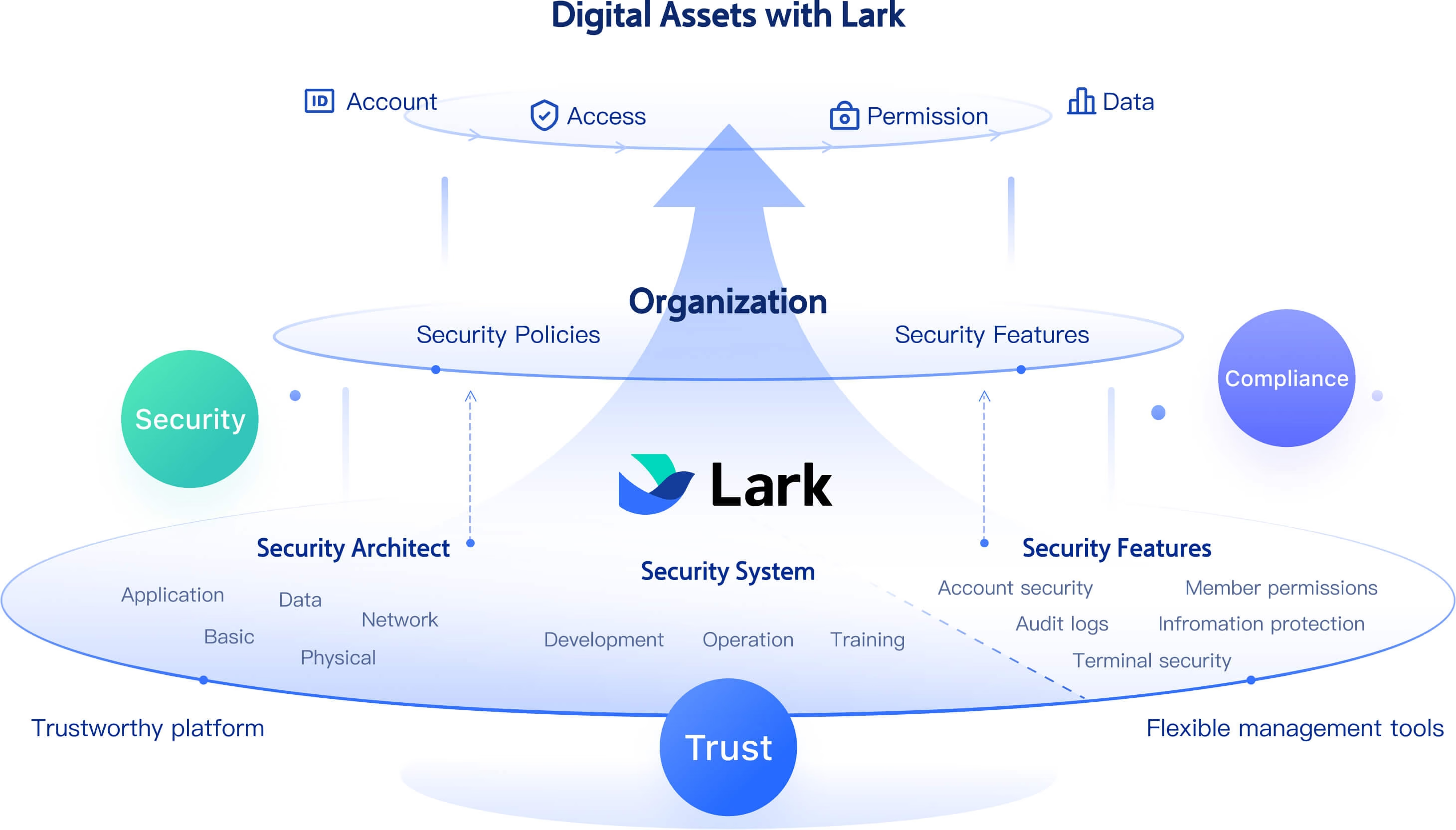
Trustworthy fundamental security architect
- Secure cloud storage with permission management
Lark provides secure, encrypted cloud storage to protect sensitive workflow data. Administrators can set granular permissions, defining exactly who can view, edit, or share specific content. This ensures that only authorized team members have access to critical information. For example, in Lark Base, admins can configure field- or record-level access, control who can see dashboards, and assign roles for different permission needs—ideal for finance, HR, or compliance teams managing sensitive records.
- Ample cloud storage capacity
Whether you're a startup or a large enterprise, Lark offers flexible storage to grow with your business. The Starter plan includes 100GB for up to 20 users, while the Pro plan provides 15TB for teams of up to 500 users. For enterprises, custom options ensure unlimited scalability. This means teams can manage workflows without worrying about storage limits, from storing approvals and contracts to tracking large project files.
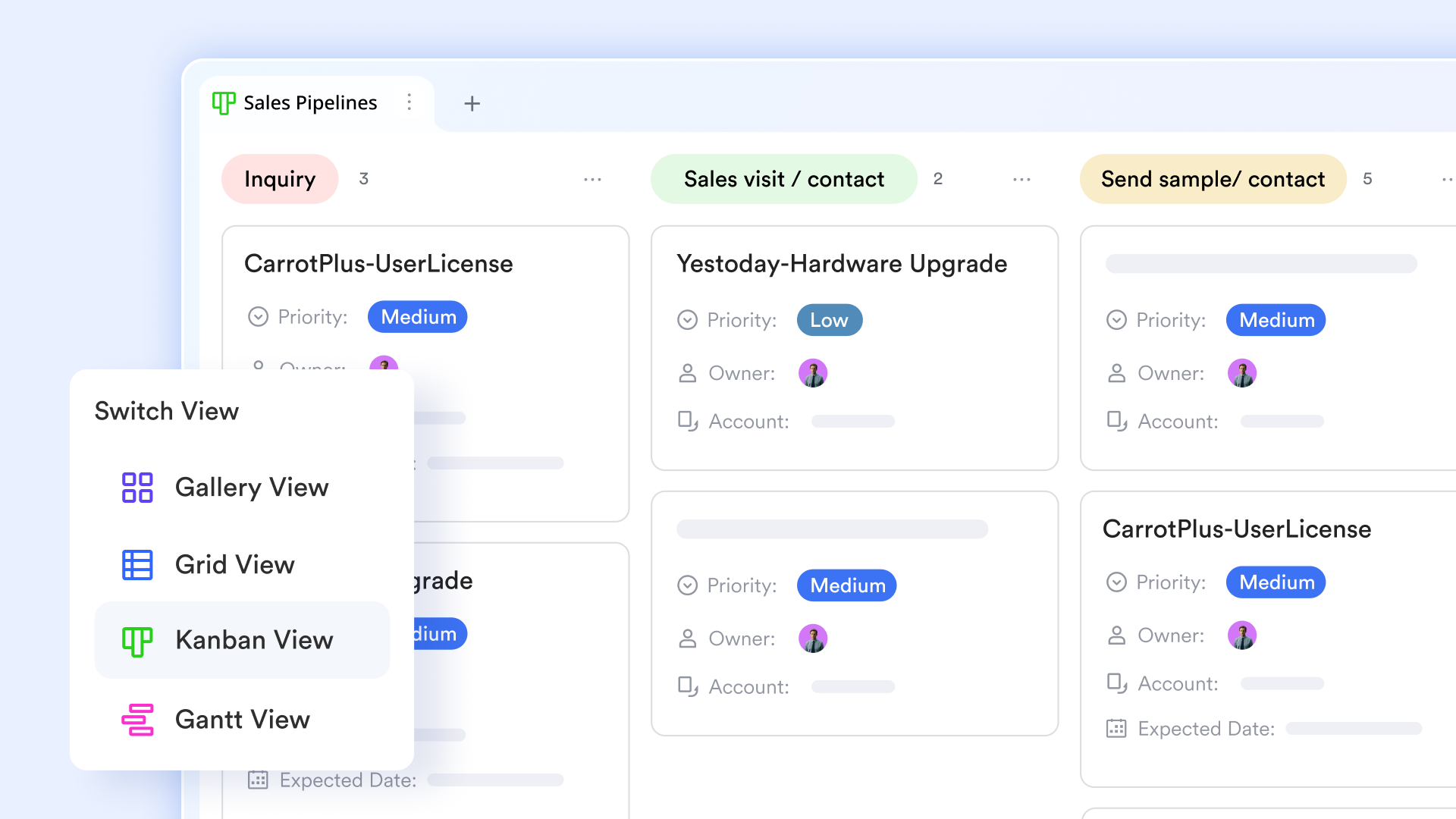
Lark Base acts as a central workflow database where teams securely store and access customer or project information. Real-time synchronization ensures that updates are instantly reflected across devices, so everyone works from the same source of truth. Beyond storage, Base powers automated workflow management, from task assignments to approval chains, keeping processes efficient and reducing manual effort. Teams can also use diverse views—table, Kanban, or timeline—to manage workflows according to their go-to-market strategies. For example, sales teams can track leads through pipelines, triggering follow-up tasks automatically as deals progress.
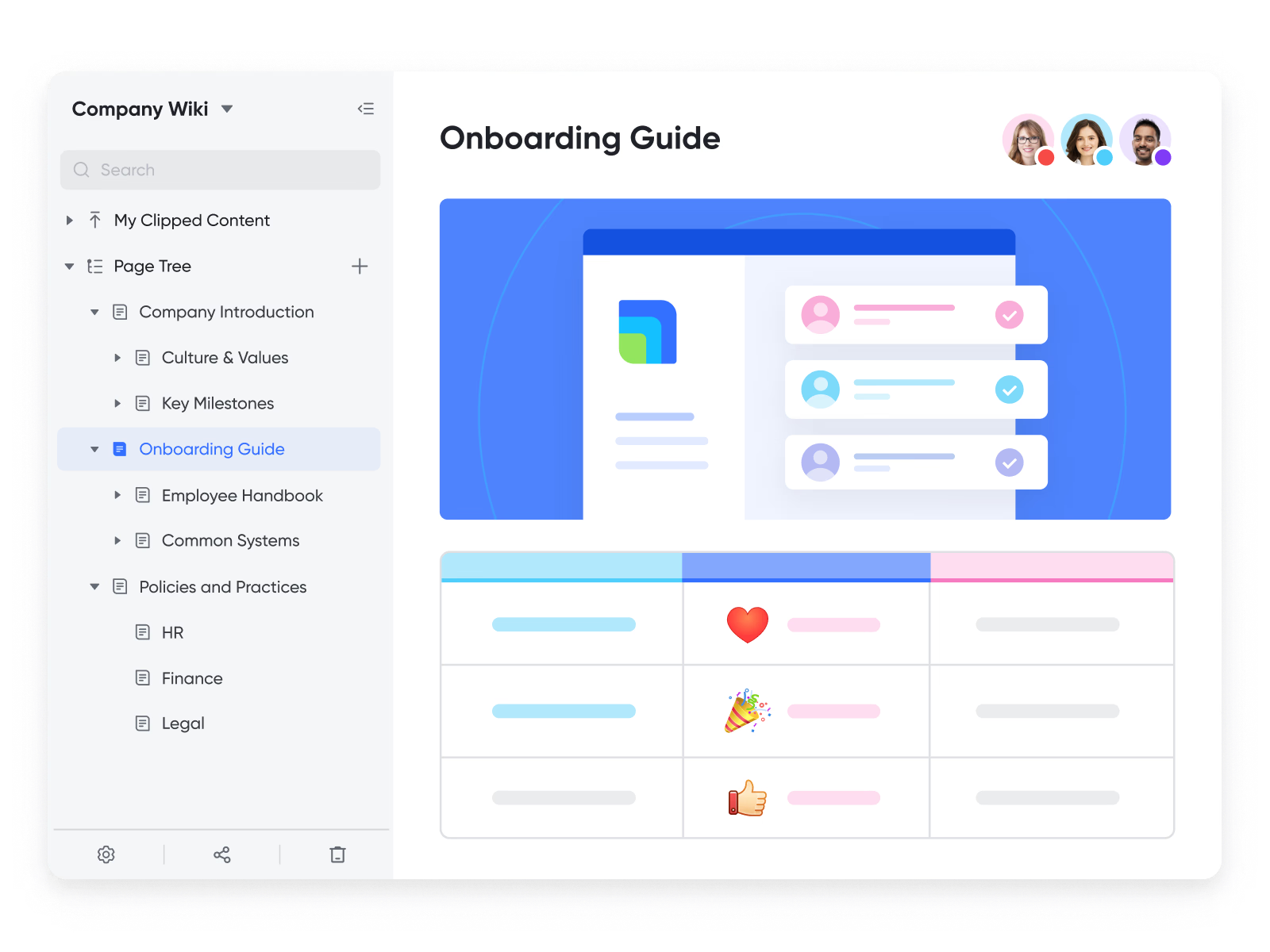
Lark Wiki: Cloud knowledge hub
With Lark Wiki, organizations can centralize documentation, policies, and guides in a searchable knowledge base. It stores Lark Docs, ensuring every team member has access to the latest workflows, SOPs, and reference materials. For instance, a new employee can quickly locate onboarding procedures, while project teams can reference shared process guidelines, improving consistency and collaboration across departments.
Cross-platform and offline access
Lark is built for flexibility, running seamlessly on desktop, mobile, and web browsers. Its mobile-optimized interface makes it easy to access and update workflows on the go. Offline functionality lets teams log tasks, update deal stages, or record approvals without internet access—changes sync automatically once back online. This is especially useful for field teams or remote employees who need reliable, always-updated workflow access.
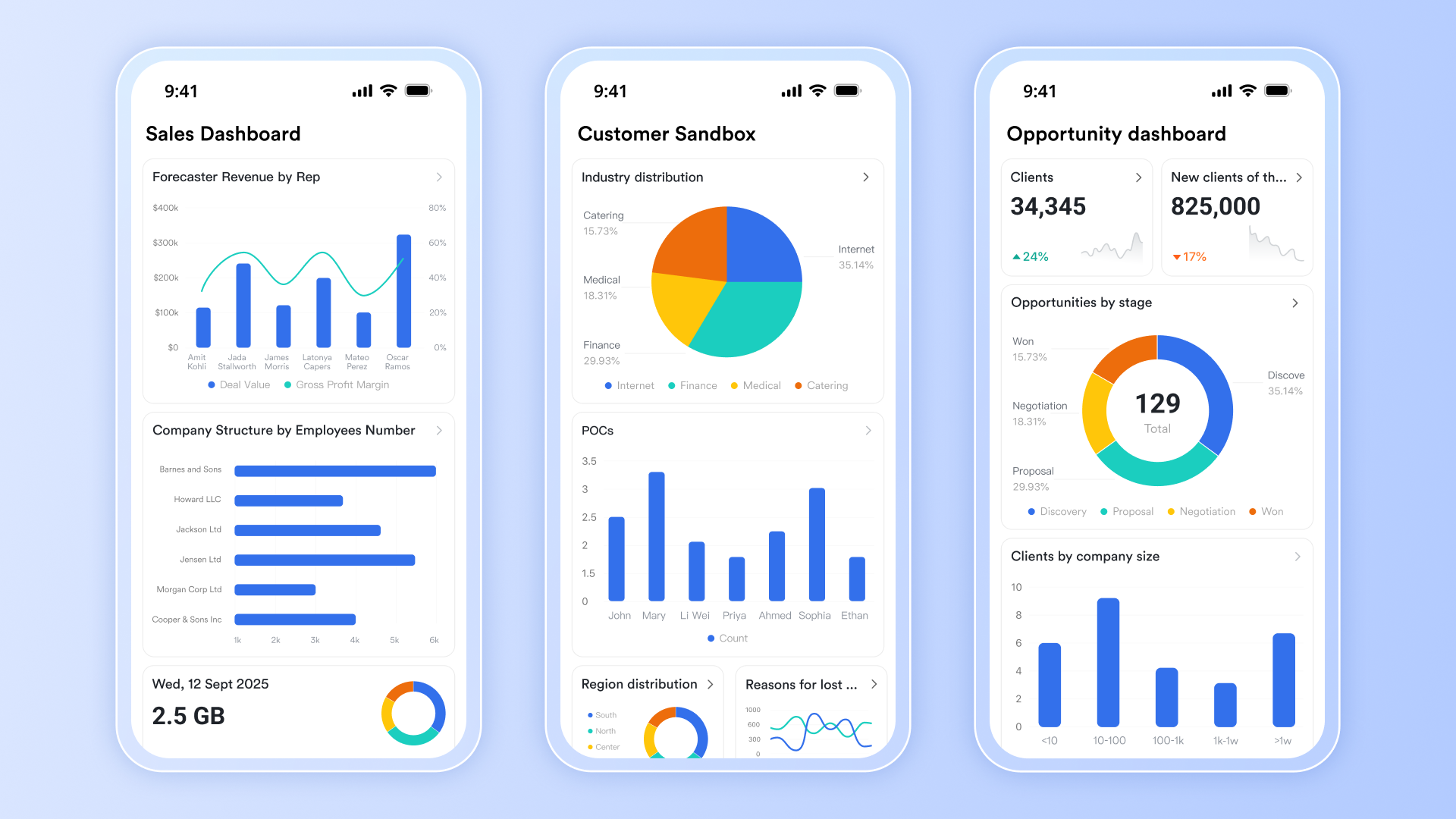
Pre-built, cloud-based templates
To help teams get started quickly, Lark offers ready-to-use workflow templates for scenarios like lead tracking, contract management, and content publishing. For example, a Content Creation Workflow Management template can guide teams through drafting, reviewing, and publishing across multiple channels, ensuring deadlines are met and reviews stay on track. These templates accelerate adoption and productivity from day one.
All-in-one cloud platform
Unlike standalone apps, Lark unifies workflows, communication, and document collaboration in a single cloud-based platform. Teams can automate tasks, co-edit documents, and chat in real time—without switching tools. This reduces friction, boosts transparency, and accelerates decision-making. From startups to enterprises, businesses choose Lark to streamline operations, improve employee engagement, and scale workflows efficiently.
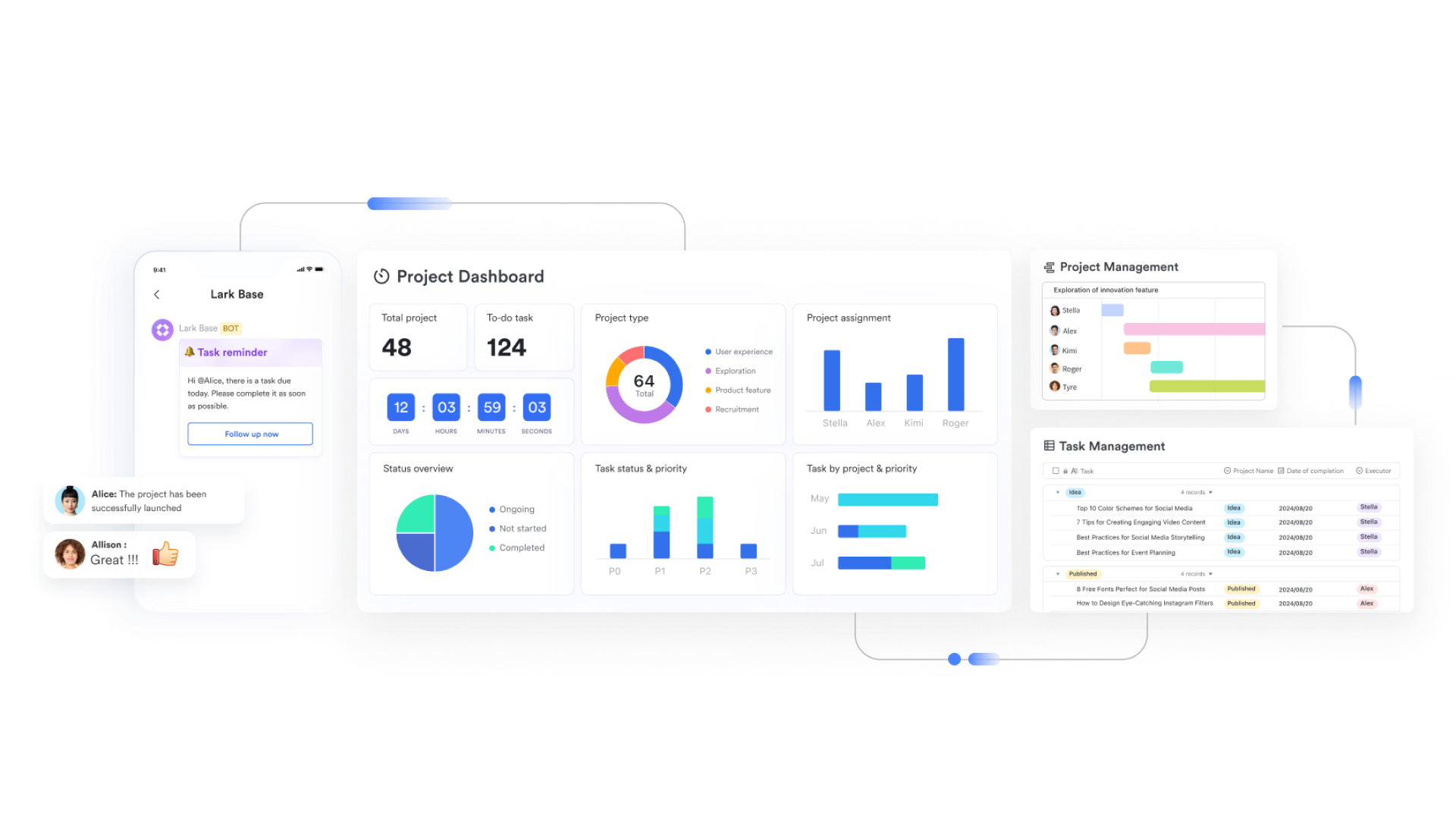
Best for: Businesses wanting automation + communication in one workflow cloud.
- Starter plan: Free forever plan that includes 11 powerful tools for up to 20 users. It also comes with 100GB of storage, 1000 automation runs, AI translations, and more.
- Pro plan: $12/user/month (billed annually) for up to 500 users. It includes everything in Starter plus group calling for up to 500 attendees, 15TB of storage, 50,000 automation runs, and more.
- Enterprise plan: Contact sales for custom pricing. Supports unlimited users and includes even more automation runs and advanced security, compliance, and management features.
2. Kissflow: Workflow builder for enterprises
Kissflow is a popular cloud-based workflow management system built for large organizations that need robust automation. With its no-code interface, enterprises can design, execute, and scale workflows across departments without heavy IT involvement. From finance approvals to HR onboarding, Kissflow enables fast adoption while offering strong customization. It's widely used by global companies looking to centralize processes in the cloud.
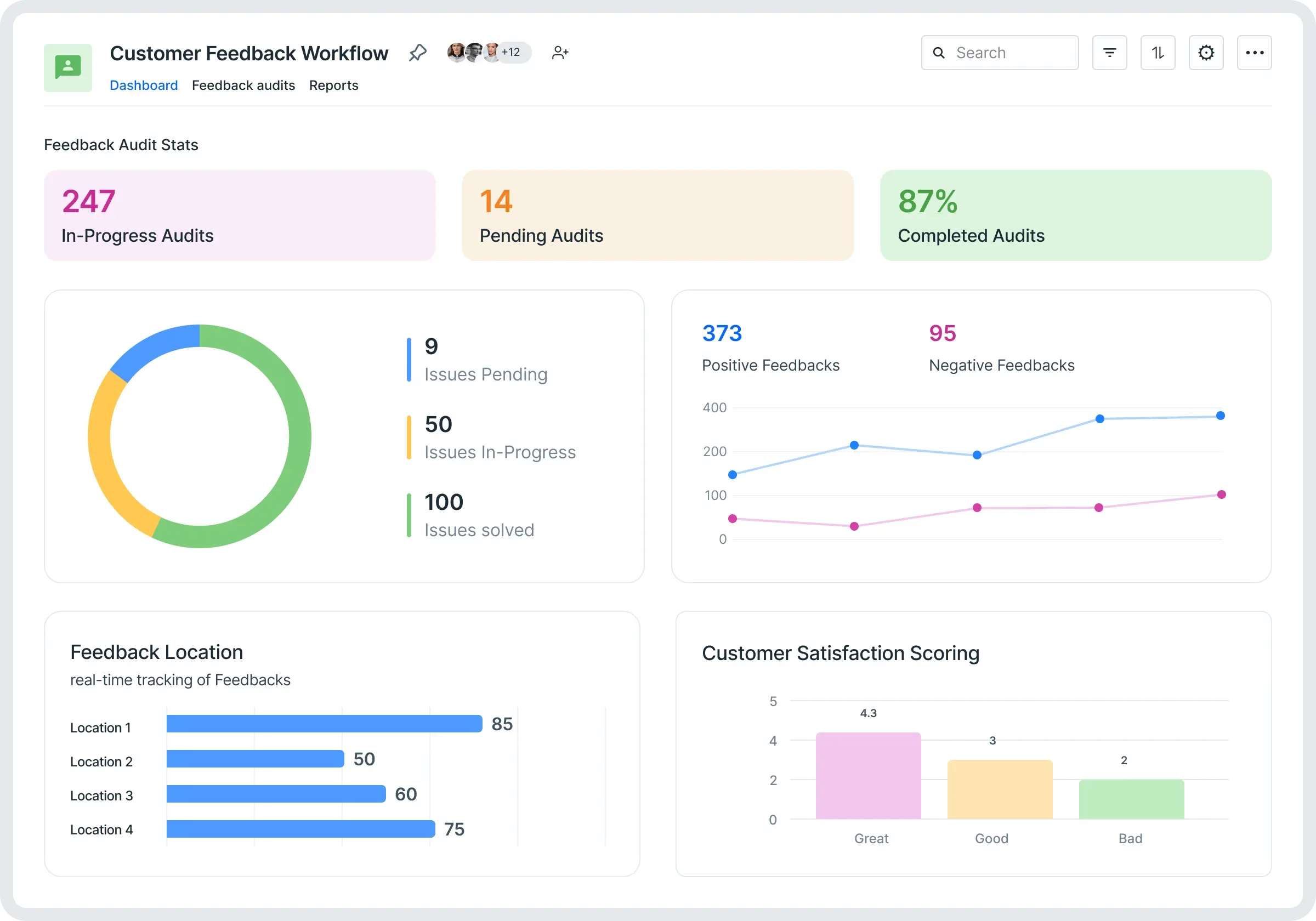
Image source: kissflow.com
Features
- No-code drag-and-drop workflow builder.
- Pre-built templates for HR, finance, and IT.
- Real-time tracking and analytics dashboards.
- Role-based access controls for security.
- Mobile access for approvals on the go.
Best for: Enterprises needing scalable, customizable workflows.
Pricing:
- Basic plan starts at about US $1,500/month for core workflows
- Enterprise plan — custom pricing based on user count and complexity
3. Cflow: No-code cloud workflow system
Cflow is designed as a workflow cloud platform for SMBs and mid-sized businesses. Its strength lies in a visual drag-and-drop designer, enabling users to build workflows without coding. The tool is highly customizable and focuses on making process automation easy to implement for non-technical users. With built-in reporting and cloud storage, it's a strong choice for cost-conscious teams.
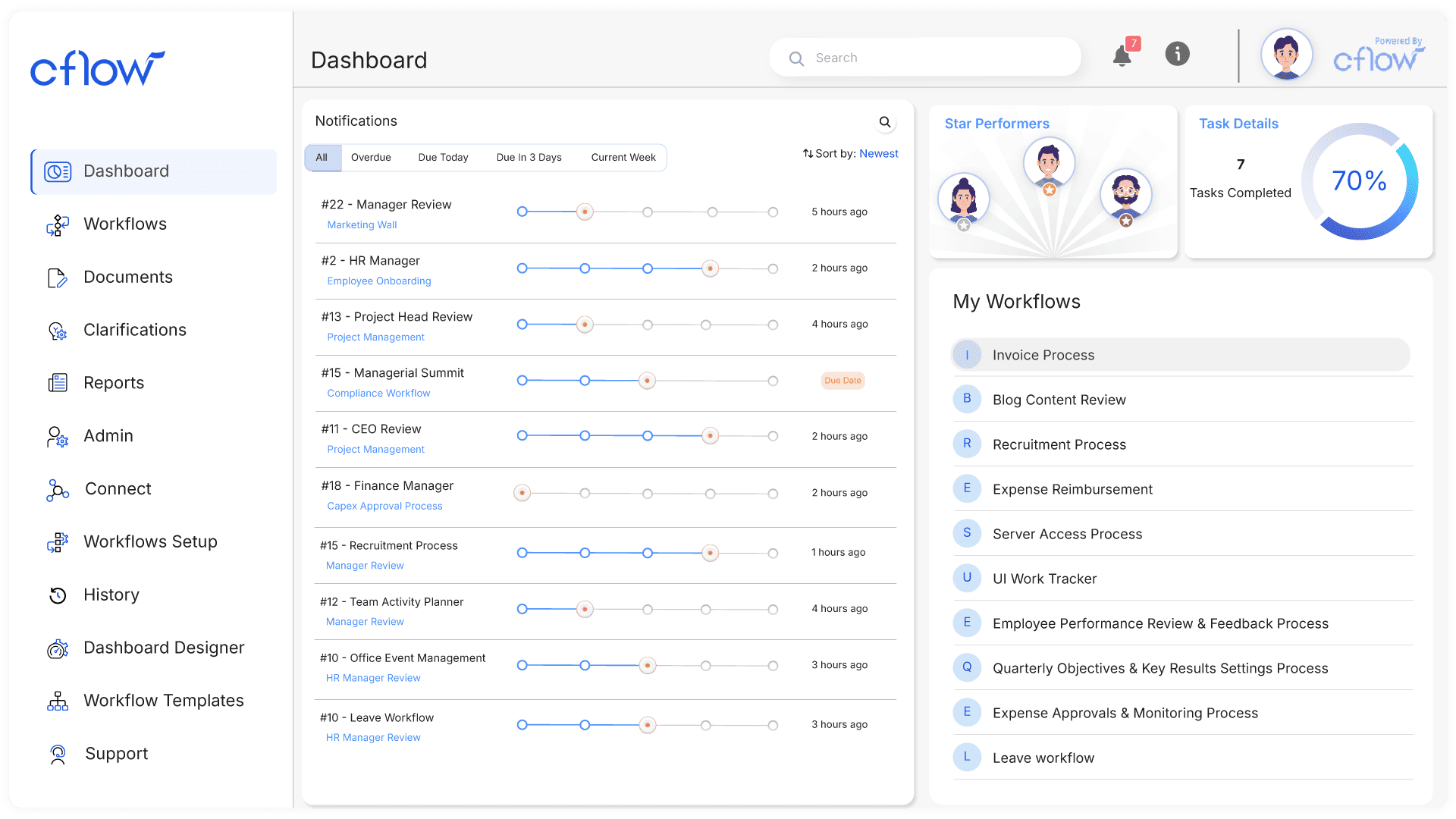
Image source: cflow.com
Features
- Intuitive drag-and-drop workflow creator.
- Unlimited step customization.
- Built-in reporting and audit logs.
- Email and Slack notifications for updates.
- Cloud-based access for remote teams.
Best for: SMBs wanting no-code workflow automation.
Pricing:
- Pricing typically available via enterprise quote
- No public per-user pricing disclosed
4. Asana: Task and project workflows
Asana is a project workflow software known for simplifying task management and workflow tracking. While primarily task-focused, it supports workflows through rules, automations, and customizable boards. Teams use Asana to manage projects, assign responsibilities, and keep tasks moving across stages. It's well-suited for teams already invested in agile or hybrid project management styles.
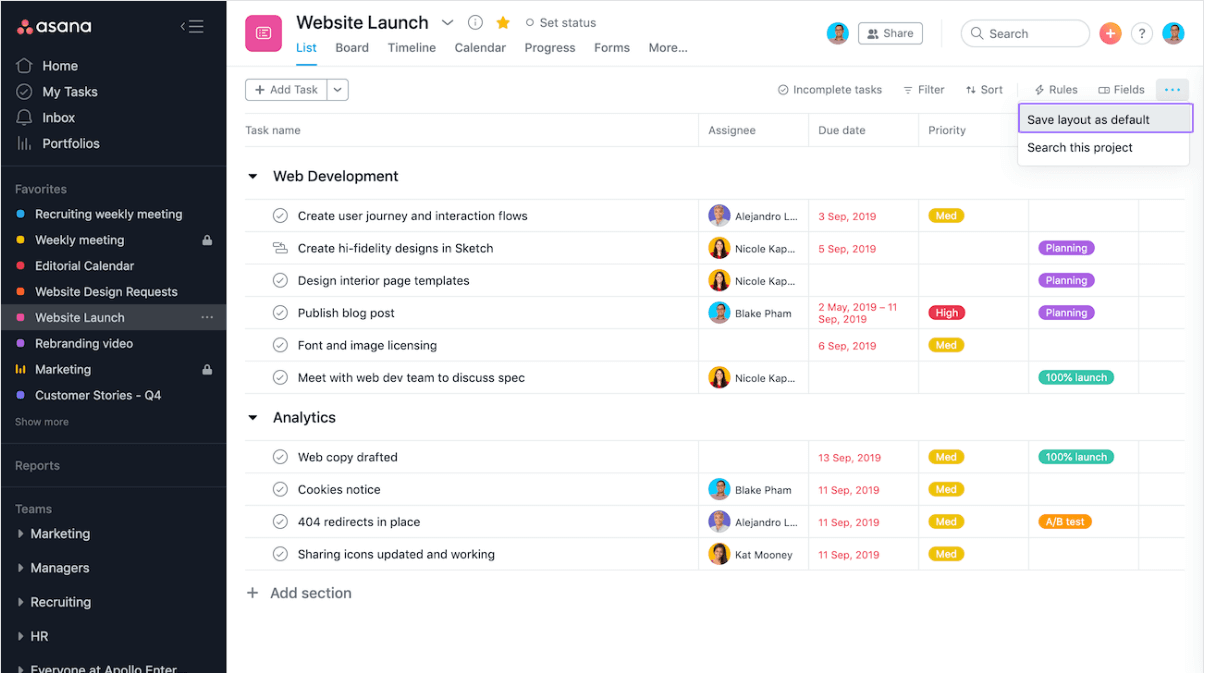
Image source: asana.com
Features
- Kanban boards, timelines, and calendars.
- Workflow automation with rule triggers.
- Task assignment with priority levels.
- Project dashboards with milestones.
- Integrations with Slack, Google Drive, and more.
Best for: Task-driven teams managing projects and workflows.
Pricing:
- Free plan: up to 10 users
- Starter (Premium): US $10.99/user/month (billed annually) or US $13.49/user/month (monthly)
- Advanced (Business): US $24.99/user/month (billed annually) or US $30.49/user/month (monthly)
- Enterprise: custom pricing
5. Monday: Customizable cloud workflows
Monday.com offers a visually engaging workflow management platform that balances flexibility with ease of use. Known for its colorful dashboards, it helps teams customize workflows for HR, sales, marketing, and operations. Its automation and integrations make it suitable for both startups and enterprises that need a scalable cloud system.
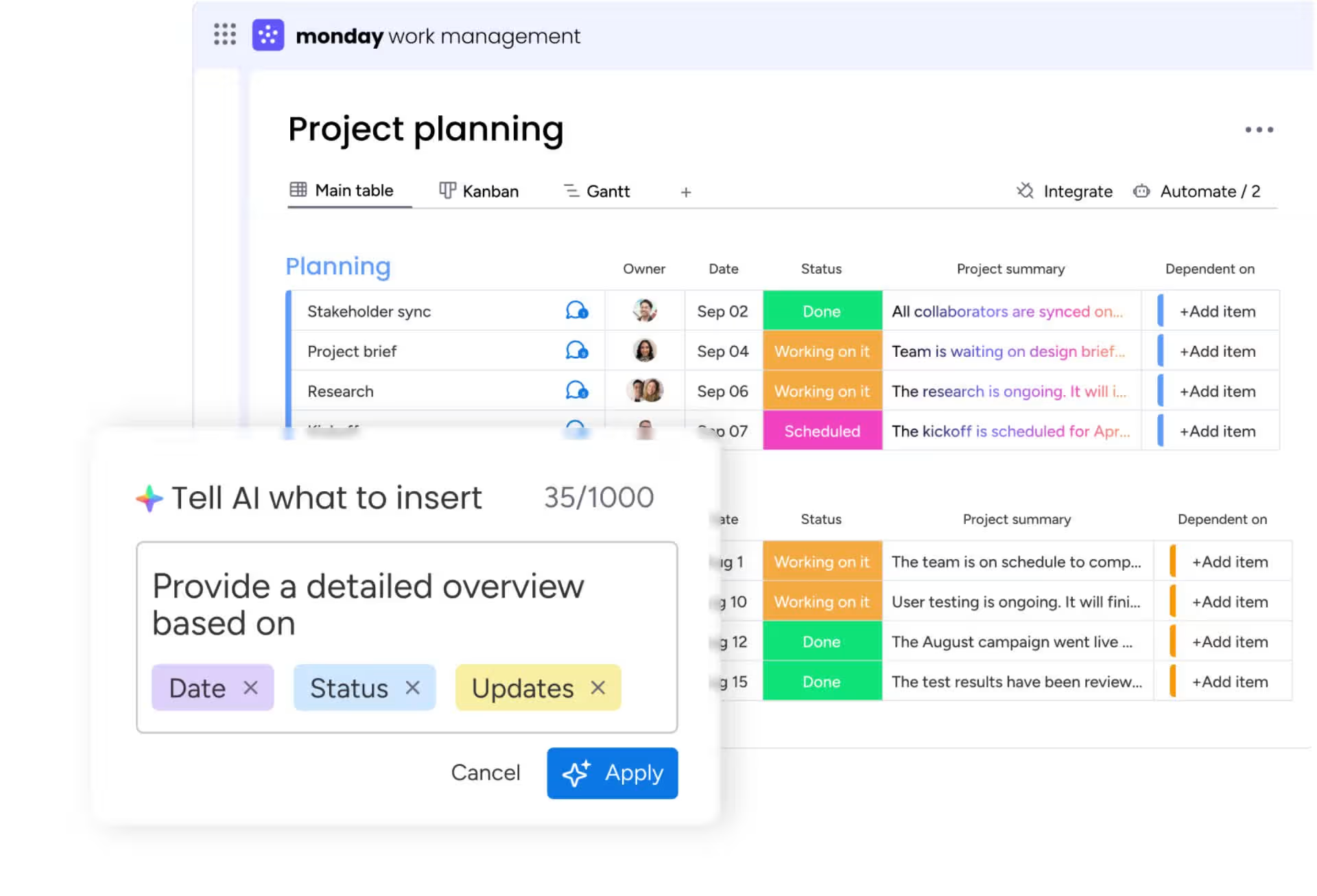
Image source: monday.com
Features
- Custom boards for project and workflow tracking.
- Automated notifications and task routing.
- Templates for HR, CRM, and marketing.
- Integrations with 40+ apps including Slack and Teams.
- Timeline and Gantt chart views for planning.
Best for: Teams wanting highly visual, customizable workflows.
Pricing:
- Free plan: for small teams
- Basic: US $14/seat/month (billed annually)
- Standard: US $19/seat/month (billed annually)
- Pro: US $30/seat/month (billed annually)
- Enterprise: custom pricing
6. Zoho Creator: Low-code workflow management
Zoho Creator is part of the Zoho ecosystem and focuses on low-code workflow management. It allows businesses to build custom workflow apps, integrate them with existing systems, and automate routine tasks. Its scalability and flexibility make it popular among SMBs and enterprises looking for tailored workflow solutions in the cloud.
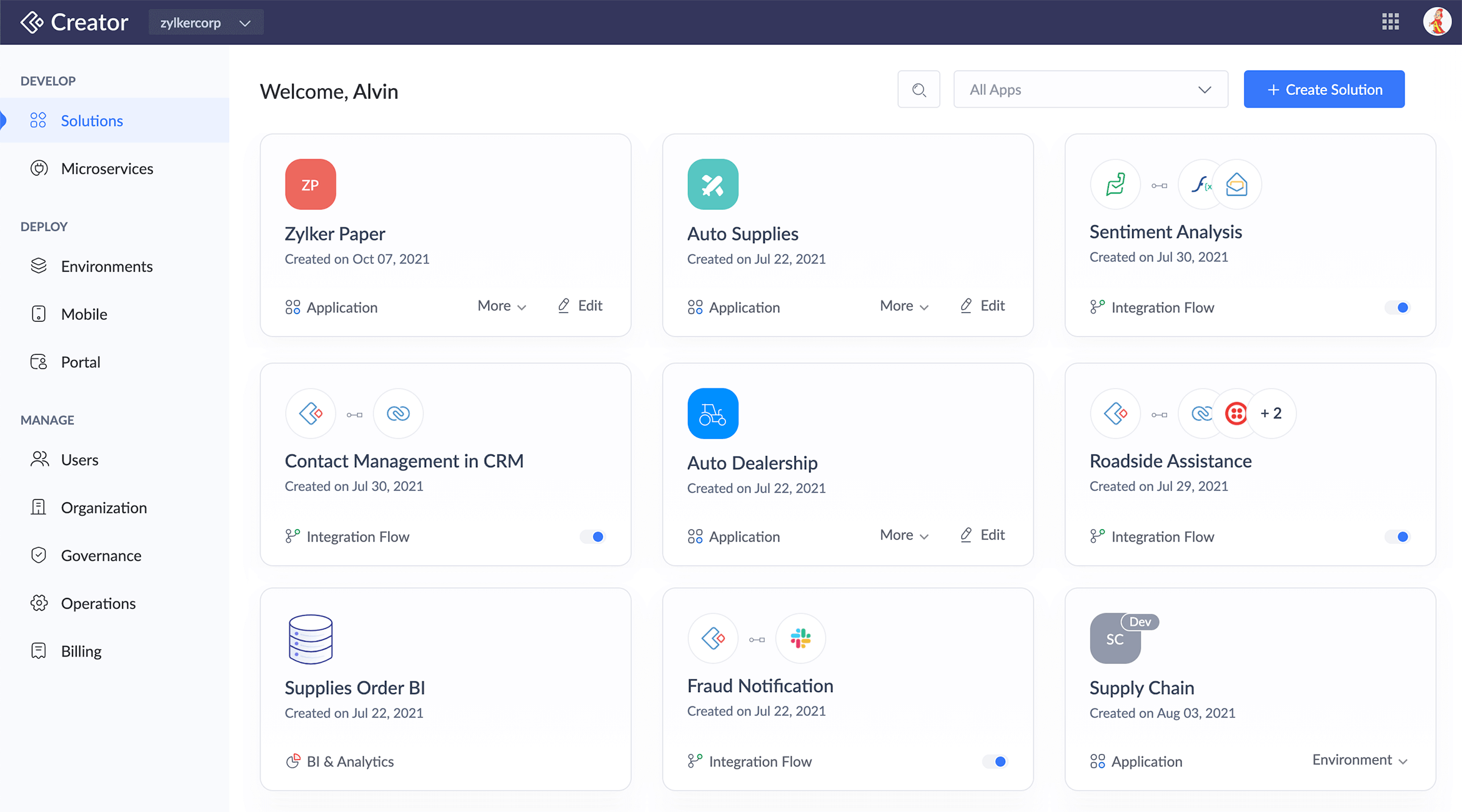
Image source: zoho.com
Features
- Drag-and-drop app and workflow builder.
- Automations for approvals and escalations.
- Cloud database to store workflow data.
- Reporting and analytics dashboards.
- Native integration with Zoho Suite apps.
Best for: Businesses building custom workflows with low-code.
Pricing:
- Pricing: varies by plan and number of apps/users
- Typical range: US $8–20/user/month (billed annually)
- Enterprise: custom pricing
7. Wrike: Workflow automation with reporting
Wrike is an enterprise-ready workflow management tool with strong project tracking and reporting capabilities. It supports complex workflows and integrates deeply with collaboration tools, making it ideal for larger teams managing cross-functional projects. Wrike focuses on transparency, accountability, and analytics, helping organizations improve performance over time.
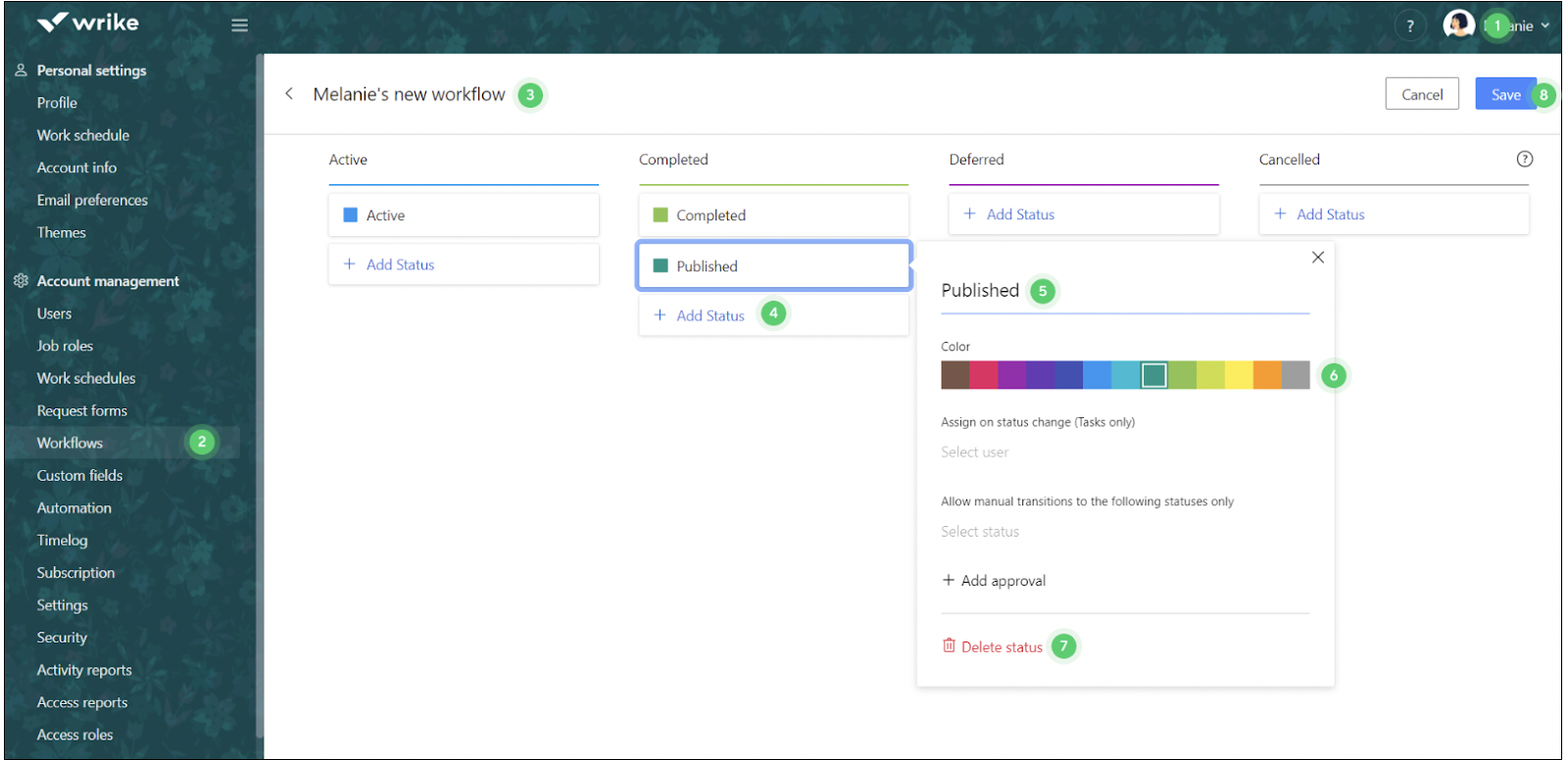
Image source: wrike.com
Features
- Customizable workflow templates.
- Time tracking and resource management.
- Advanced analytics and performance dashboards.
- Workflow automations with triggers.
- Role-based access and permissions.
Best for: Enterprises needing reporting-driven workflow automation.
Pricing:
- Team: US $9.80/user/month
- Business: US $24.80/user/month
- Enterprise: custom pricing
8. Nintex: Enterprise workflow automation
Nintex is a leading enterprise workflow tool built for complex, large-scale operations. It specializes in automating sophisticated workflows such as compliance, procurement, and finance. Nintex combines workflow automation with robotic process automation (RPA) and document generation, making it one of the most powerful tools for enterprise transformation.
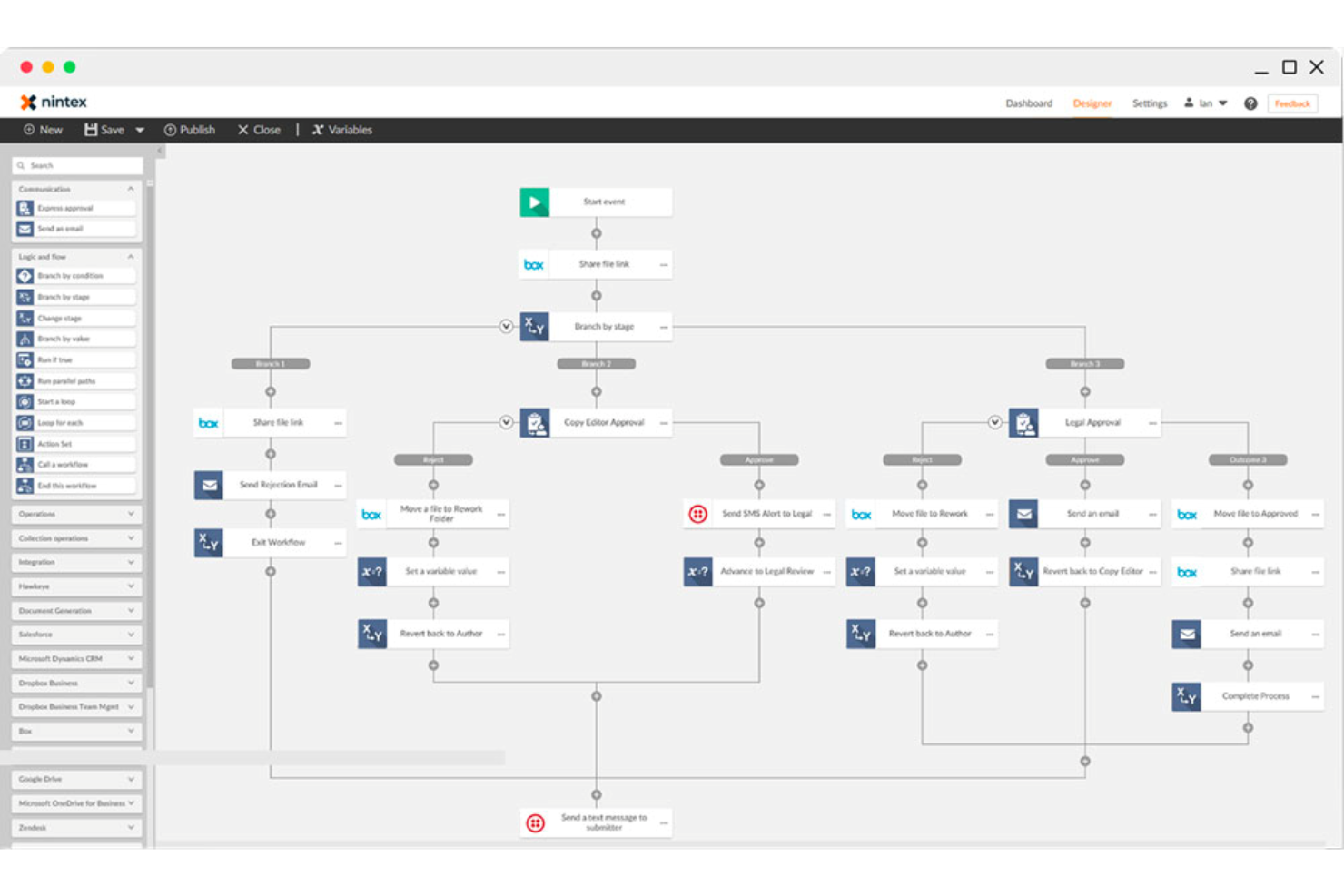
Image source: nintex.com
Features
- Workflow designer for advanced processes.
- Robotic Process Automation (RPA).
- Document generation and e-signatures.
- Integration with Microsoft 365 and Salesforce.
- Real-time monitoring dashboards.
Best for: Enterprises automating large-scale, compliance-heavy workflows.
Pricing:
- Standard Edition: around US $650/month
- Enterprise Edition: around US $950/month
- Large-scale deployments: custom pricing
9. Pipefy: Cloud workflow management for operations
Pipefy is a workflow cloud platform focused on operational excellence. It provides pre-built templates for processes like procurement, HR, and finance, making it easy for teams to standardize their operations. With conditional logic and automation, Pipefy ensures processes run smoothly with minimal human intervention.
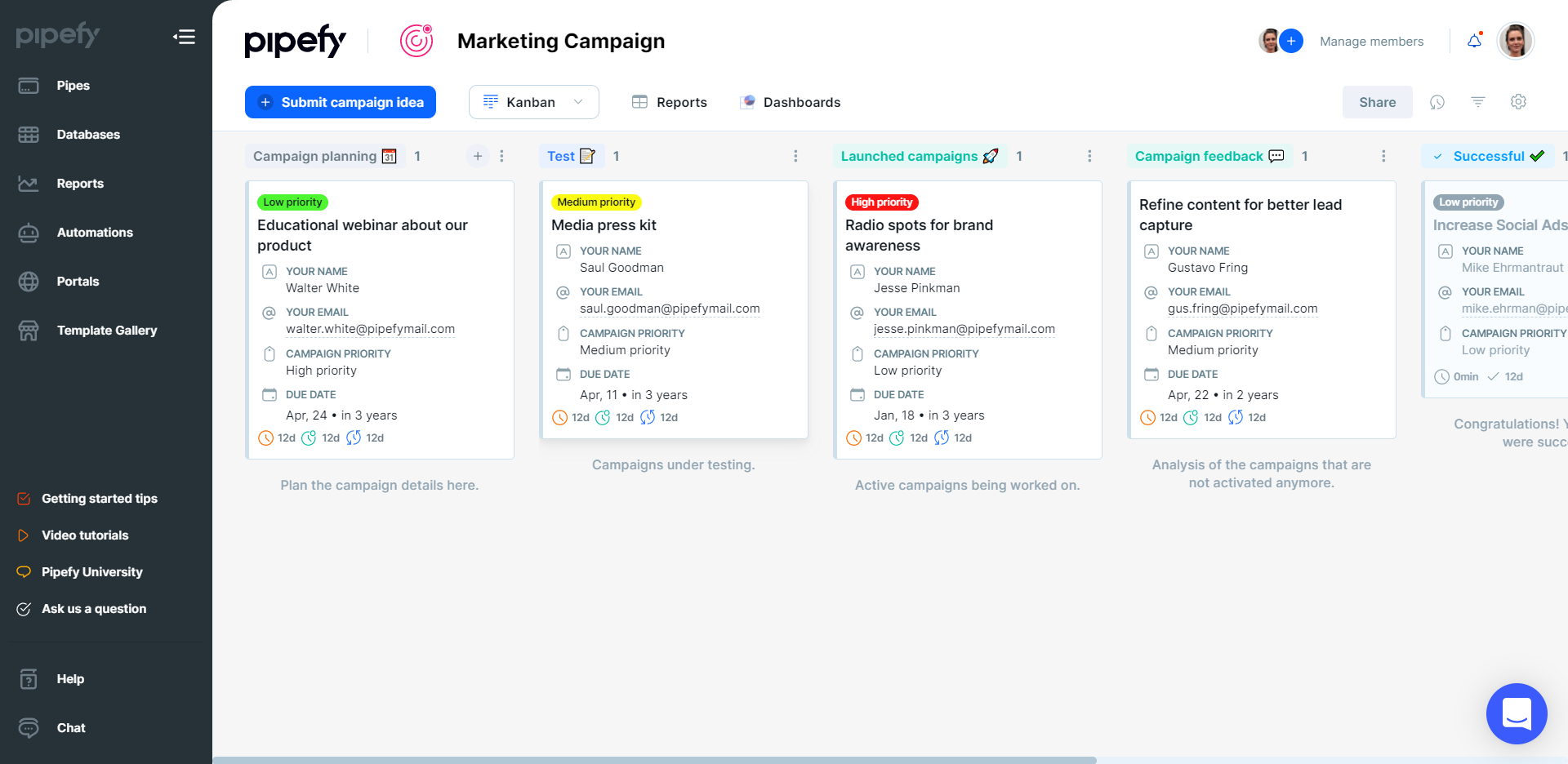
Image source: pipefy.com
Features
- Pre-built templates for common processes.
- Custom forms for intake requests.
- Conditional logic for approvals.
- Automation for task routing.
- Performance tracking dashboards.
Best for: Operations teams standardizing repeatable workflows.
Pricing:
- Starter: around US $30/user/month
- Business: US $60/user/month
- Enterprise: custom pricing
10. Trello: Simple cloud workflow tracking
Trello is a lightweight, simple workflow software that uses Kanban boards to manage tasks and workflows. It's ideal for small teams and startups that need a visual, easy-to-use tool without the complexity of enterprise systems. Trello offers automations through Butler and integrates with many productivity apps.
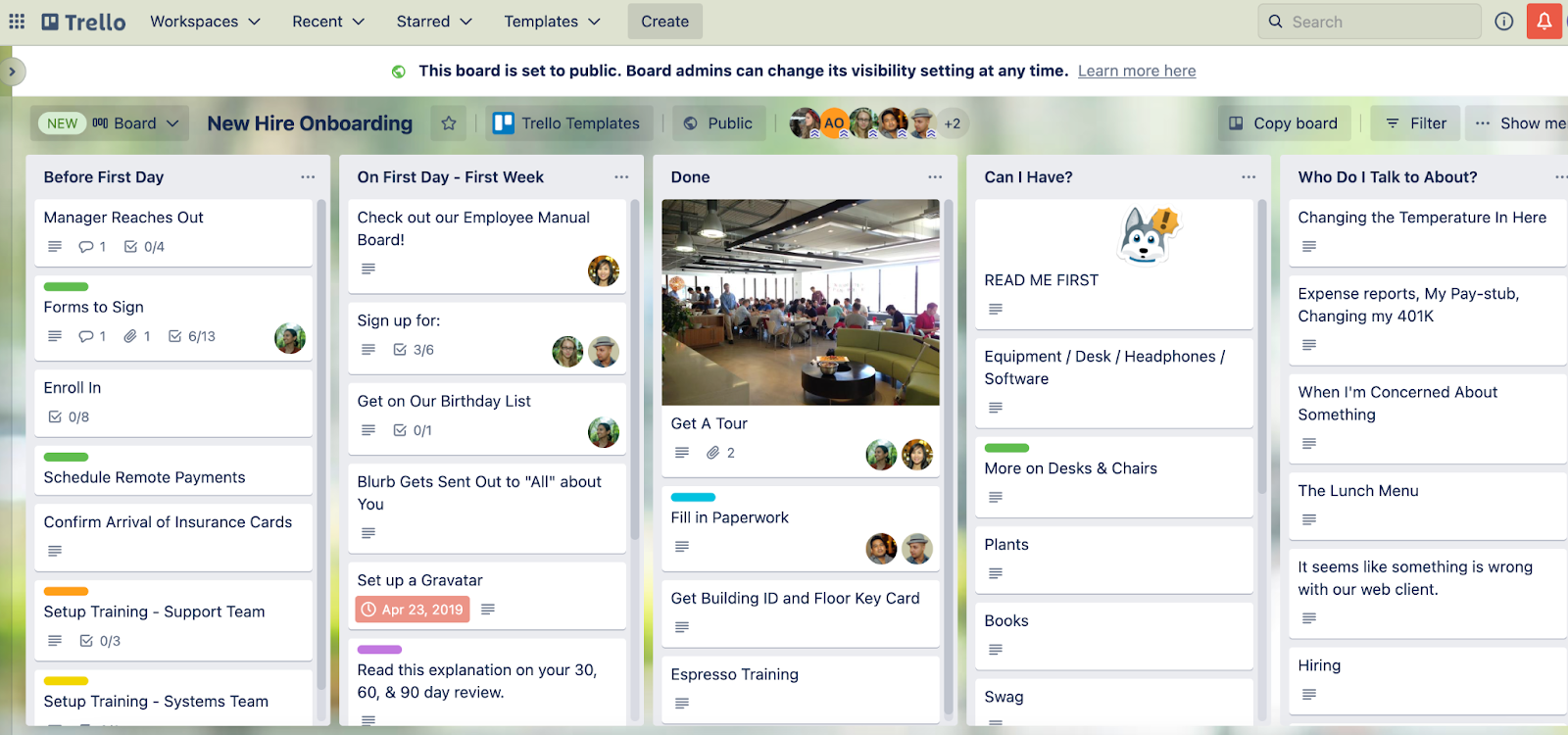
Image source: trello.com
Features:
- Drag-and-drop Kanban boards.
- Lists, cards, and checklists for tasks.
- Butler automations for reminders and rules.
- Integrations with Slack, Google Drive, and Dropbox.
- Mobile and desktop apps with sync.
Best for: Small teams managing simple workflows.
Pricing:
- Free plan: core boards and task features
- Standard: US $5/user/month
- Premium: US $10/user/month
- Enterprise: custom pricing
Metrics to measure workflow success
- Cycle time reduction: This measures how quickly a task or process moves from start to finish. Shorter cycle times indicate streamlined workflows and improved efficiency across departments.
- Approval turnaround time: Tracks the speed at which approvals are completed. Faster turnaround shows that bottlenecks have been removed, enabling smoother operations and quicker decision-making.
- Error reduction percentage: Monitors how much mistakes or rework decrease after workflow automation. A higher reduction signals stronger accuracy and more consistent processes.
- Cost savings & productivity gains: Calculates the money and time saved through automation, visibility, and reduced manual work. This metric highlights the overall ROI of a workflow system.
Emerging trends in workflow cloud
The future of cloud-based workflow management is shaped by innovation, making systems more intelligent, accessible, and collaborative. Here are the top trends redefining how teams manage workflows:
- AI-driven workflows (predictive approvals, smart routing): Artificial intelligence is being integrated into workflows to predict bottlenecks, auto-route tasks to the right people, and even flag anomalies before they occur. For example, AI can auto-prioritize urgent purchase requests or suggest next steps based on historical data.
- Low-code/no-code workflow builders: Businesses are shifting toward platforms where non-technical users can design workflows using drag-and-drop tools. This democratizes process building, allowing HR, sales, or operations teams to quickly create and adjust workflows without IT support.
- Mobile-first workflows for remote teams: With distributed teams, mobile-optimized workflows are essential. Employees can approve requests, track tasks, and update records directly from smartphones or tablets, ensuring business continuity anytime, anywhere.
- Integration with collaboration platforms: Workflows are increasingly being connected to communication hubs like chat, email, and meetings. This allows teams to discuss, approve, and act on workflows directly within their collaboration tools, reducing delays and keeping context intact.
Conclusion
Cloud-based workflow management has become a cornerstone of modern business productivity, ensuring processes are faster, more transparent, and less error-prone. With automation, centralized tracking, and scalability, these systems empower teams to work smarter rather than harder. Among the many tools available, Lark stands out by blending workflow automation with real-time communication, Docs, and task management in one unified space. This all-in-one approach reduces friction, strengthens collaboration, and supports growth for teams of any size. Ultimately, the best workflow cloud solution is one that balances cost, flexibility, and scalability—helping businesses stay agile in an ever-evolving digital world.
FAQs
How does cloud workflow automation save time?
Cloud workflow automation eliminates repetitive manual tasks like reminders, approvals, and escalations by routing them automatically. This reduces delays and frees teams to focus on high-value work. Platforms like Lark take it further by combining automation with chat and task management, so teams act on workflows instantly.
Is cloud workflow software secure for sensitive data?
Yes, most cloud workflow systems use encryption, audit trails, and role-based permissions to safeguard information. Lark provides enterprise-grade security along with advanced permission controls in Base and Docs, ensuring only the right people access critical workflows.
Can small businesses use workflow cloud tools?
Absolutely—cloud workflow systems scale easily from startups to enterprises. Lark's free Starter plan makes it simple for small teams to automate onboarding, approvals, and project tracking without heavy investment, while leaving room to grow.
How does Lark simplify workflow automation compared to others?
Unlike single-purpose workflow apps, Lark unifies automation with real-time communication, documents, and scheduling in one workspace. Teams don't need to jump between tools—approvals, tasks, and discussions all happen in context, reducing friction and speeding execution.
Related reading
Table of contents
Start using Lark today

Manage all your work in one place
Boost team efficiency by 10x
Save up to 70% on software costs
Table of contents
Start using Lark today
Manage all your work in one place
Boost team efficiency by 10x
Save up to 70% on software costs
Keep reading







2026 Lark Technologies Pte. Ltd.
Headquartered in Singapore with offices worldwide.






Explore: