














CMS CRM Integration: A Complete Digital Strategy Guide

Cecilia Lane
Go-to-Market Associate
Sep 18, 2026
Cecilia Lane
Sep 18, 2026

20 min read


Nowadays, businesses can no longer afford to let content and customer data operate in isolation. The line between marketing and sales is blurring, and success now depends on how seamlessly data flows between systems that manage content (CMS) and those that manage relationships (CRM). This alignment, which is known as CMS CRM integration, is the foundation for a unified customer experience, intelligent automation, and efficient collaboration.
While integration tools and platforms make the technical side possible, the human layer—how teams share insights and act on them—is just as important. That's where collaborative ecosystems like Lark complement traditional systems, helping organizations connect content, communication, and customer data in real time.

CMS vs CRM: Understanding their distinct yet connected roles
Before exploring the integration between CMS and CRM systems, it's essential to understand what each does individually—and how together they create a more complete digital strategy.
Key features of CRM
A Customer Relationship Management (CRM) system acts as the operational heart of marketing and sales. It tracks leads, manages contacts, records interactions, and helps teams nurture prospects into loyal customers.
CRMs are designed to provide visibility into the customer journey by organizing data across channels—email, social, events, and customer support. The best platforms also enable automation, lead scoring, and data-driven insight. When integrated properly with a CMS, a CRM becomes part of a seamless customer engagement workflow that bridges content creation with conversion tracking.
Common CRM features include:
- Contact and lead management: Storing and segmenting customer data for targeted outreach.
- Pipeline tracking: Monitoring opportunities and forecasted revenue.
- Sales and marketing automation: Streamlining follow-ups and workflow sequences.
- Analytics and reporting: Offering real-time views of campaign effectiveness and customer health.
When connected with a CMS, these CRM features can enrich every customer touchpoint with context—turning basic interactions into data-backed engagement.
Key features of CMS
A Content Management System (CMS) is where digital content—from blog posts to landing pages and media—is created, edited, and published. For many organizations, it forms the foundation of their online identity and serves as the primary destination for customers discovering the brand.
Modern CMS platforms go beyond publishing; they support SEO optimization, localization, and flexible design frameworks. Some even include video CMS CRM integration capabilities, allowing embedded multimedia content to connect directly with customer data for personalized recommendations.
Core CMS strengths include:
- Content creation and workflow management: Streamlining authoring, approval, and publishing.
- Site customization and scalability: Supporting diverse digital properties and user experiences.
- SEO and analytics tools: Offering visibility into performance and ranking opportunities.
- Omnichannel content delivery: Sharing content seamlessly across multiple touchpoints.
Some modern architectures—like headless CMS integration with CRM tools—take flexibility further. They decouple front-end design from back-end logic, making content reusable across websites, apps, and customer interfaces while still leveraging CRM data for personalization.
Similarities and differences between CMS and CRM
While CMS and CRM operate in different spheres, they share a common goal: to engage customers more effectively.
- Shared data dependency: Both systems rely on accurate, timely information to perform well. A CRM manages structured customer data; a CMS manages content data—but both must align to tell a consistent story.
- Complementary workflows: A CMS attracts and nurtures; a CRM captures and converts. Integration ensures that when content sparks interest, CRM workflows can immediately act on that engagement.
- Different ownership, shared accountability: Marketing teams often lead CMS management, while sales teams rely on CRMs. Integration bridges these departments, creating mutual accountability through shared insight.
In essence, CRM and CMS integration delivers the intelligence and agility needed to turn content into relationships, and relationships into measurable growth. Whether you're using the best CMS with SEO audits and CRM integration features or exploring lightweight solutions, the goal remains the same: transform disconnected systems into a single, insight-driven engine for engagement.
To know more about the comparison between CMS and CRM, read this blog:
What is CMS CRM integration and why it matters today
The phrase CMS CRM integration might sound technical, but at its core, it's a strategic initiative to connect content creation with customer intelligence. It's about ensuring that every story your brand publishes—and every customer action your CRM records—feed into one another for a unified, data-informed experience.
Defining the integration
At a basic level, seamless CMS & CRM integration links content management and customer relationship tools through data synchronization. This allows both systems to “speak” the same language—matching customer profiles with the content they consume, and aligning marketing activities with real-time sales metrics. In practice, this could mean a CMS automatically recording lead form submissions directly into your CRM or syncing campaign performance analytics between both systems.
How integration bridges content and relationships
A CMS powers brand storytelling and digital presence. CRM powers customer understanding and business growth. When integrated:
- A visitor's website behavior from the CMS instantly updates their profile in the CRM.
- CRM segmentation informs what type of content or offers they see next.
- Automated triggers can nurture leads without manual handoffs.
This data flow forms what's often called the content-to-conversion pipeline—a continuous loop of engagement insight and optimization.
Why it matters today
Digital expectations are rising. Customers interact with brands across multiple channels, and personalization has become the minimum standard. Without integration, businesses are left guessing who their customers are or what content drives results.
Integration matters because it:
- Aligns marketing automation with true customer behavior.
- Breaks down data silos, allowing teams to act faster with confidence.
- Supports scalable personalization—every page view or interaction refines the customer profile.
For many teams, the challenge isn't deciding whether to integrate but how to maintain it efficiently. That's where flexible systems, collaboration-enabled platforms such as Lark, and modern architectures like headless CMS become central—turning what used to be technical complexity into operational clarity.
Ultimately, CMS CRM integration is not just a connection between systems—it's a bridge between content, people, and growth.
Key benefits of integrating your CMS and CRM
Integrating your CMS and CRM systems unlocks more than data convenience—it reshapes how organizations approach growth. When performed thoughtfully, seamless CMS & CRM integration results in a unified digital ecosystem that improves productivity and enhances every stage of the customer lifecycle.
Centralized data and unified customer insight
A joined CMS–CRM framework connects marketing content and customer information within a single environment. Instead of scattered spreadsheets or partial analytics, teams can view campaign results, customer behavior, and lead scoring together. This helps decision-makers respond faster and strategize with clarity.
Automated workflows that reduce manual work
One of the top reasons businesses adopt CRM and CMS integration is automation. Leads generated through a CMS form, video landing page, or blog subscription automatically create or update records in the CRM.
- It eliminates the need for repeated manual data entry.
- It ensures sales and marketing teams always work with the latest information.
- It improves response times for inquiries and follow-ups.
Improved personalization and faster conversions
By linking content data with customer profiles, integrated systems deliver relevant messages when audiences are most engaged. Personalized recommendations, dynamic web content, and timely email sequences lead customers naturally from curiosity to conversion. Even video CMS CRM integration can capture audience intent—feeding playback data back into CRM segments for more accurate targeting.
Enhanced cross-team collaboration and transparency
A shared data environment supports smoother coordination between content creators, marketers, and sales professionals. Everyone accesses the same metrics and insights, reducing miscommunication and duplicated effort. Collaboration tools such as Lark further enhance transparency by enabling integrated communication and task visibility around campaigns.
Enhances personalization and customer journeys
When insights flow freely between CMS and CRM, marketers can orchestrate journeys that feel both human and consistent. Automated yet relevant messaging keeps customers connected—no matter which channel they start from or return to later.
Common challenges and solutions in CMS and CRM integration
Even with the clear benefits, integrating complex business systems comes with challenges. From technical setup to organizational alignment, success depends on preparing both the tools and the teams involved.
Data silos and inconsistent structures
When CMS and CRM databases store information differently, synchronization can be messy. Customer names, emails, or lead attributes might not match precisely.
Solutions include:
- Creating standardized data formatting across systems.
- Using middleware or integration platforms to reconcile mismatched fields.
- Performing regular audits to maintain clean, reliable records.
Technical integration hurdles
Every seamless CMS & CRM integration relies on good architecture. Connecting applications typically involves APIs or middleware, especially when using modular environments such as headless CMS integration with CRM tools.
To ensure stability:
- Establish secure API authentication for both systems.
- Map fields accurately before running large-scale data syncs.
- Test automation workflows incrementally to avoid overwriting critical data.
Lack of collaboration between teams
Integration projects often fall apart not because of technology, but because of workflow gaps. Marketing focuses on content, while sales prioritizes pipeline metrics. Aligning these groups through shared dashboards, meetings, or messaging platforms builds mutual accountability. Collaborative environments such as Lark or Basecamp demonstrate how integrating people processes can be as valuable as integrating data systems.
Choosing integration tools and governance
Selecting the right platform is not about popularity—it's about compatibility with current workflows. Businesses should assess:
- The scalability of the solution as marketing demands grow.
- The ability to maintain compliance and data security standards.
- Customization potential without overcomplicating daily operations.
Integration maturity also varies by company size; enterprises might deploy API-first middleware, while small organizations benefit from built-in native connectors in the best CMS with SEO audits and CRM integration capabilities.
Step-by-step guide to a successful CMS CRM integration
The process of CMS CRM integration involves careful planning, communication, and ongoing optimization. Following a clear roadmap helps teams minimize disruption and achieve long-term efficiency.
Define your integration goals and KPIs
Start by clarifying why integration matters for your organization. Is the aim to increase lead quality, accelerate campaign reporting, or personalize customer journeys? Establishing measurable goals ensures the integration supports tangible outcomes rather than technical novelty.
Map your customer data flow across platforms
Identify data origins, transitions, and endpoints. Determine:
- What data the CMS collects (e.g., form submissions, video interactions).
- How the CRM uses it (e.g., segmentation, automation sequences).
By visualizing this flow, you can plan connections that maintain accuracy and consistency across systems.
Select the right CMS and CRM pair
Compatibility defines success. A robust stack—such as WordPress paired with HubSpot or a headless CMS linked to Salesforce—provides flexibility without creating fragmentation. The ideal combination reflects your organization's scale, technical resources, and growth ambitions. For a team that doesn't want to handle two or more software at the same time, choosing an all-in-one tool for both CMS and CRM is definitely the best option.
Use APIs or middleware for secure data connection
Whether using native connectors or external platforms, APIs are the backbone of data pipeline automation. Implement secure tokens, encryption, and role-based permissions to protect sensitive information. Middleware solutions can handle transformations between systems automatically, simplifying maintenance. For SaaS companies that provide customizing extensions, API integrations, and other Apps installing, this service helps their customers secure data connection while migrating.
Test, monitor, and continuously optimize performance
An integration isn't finished once the connection works—it must evolve with your processes. Regularly monitor:
- Sync frequency and data accuracy.
- Time savings from automation versus manual work.
- Team feedback on usability and reporting improvements.
Once patterns form, refine workflows further. Over time, the integrated environment becomes a living system—adapting to changes in marketing strategy, customer behavior, and technology trends.
Implementing CRM and CMS integration with this measured approach helps ensure alignment across content, communication, and data. When supported by collaborative frameworks like Lark, organizations can manage those integrations dynamically instead of treating them as one-time technical projects—turning connected software into truly connected teamwork.
Choosing the right tools for effective CMS CRM integration
Selecting the right tools for CMS CRM integration is a strategic process that determines how well your content, data, and customer insights will work together. The most effective tools are those that not only connect systems but also encourage collaboration, visibility, and adaptability across your marketing and sales operations.
Below is a curated list of reliable platforms and ecosystems—each addressing a specific layer of seamless integration, from collaboration to automation.
1. Lark: All-in-one collaboration-centered integration management
Lark provides a human-first layer to your integration strategy. Rather than replacing your CMS or CRM, it connects them through unified communication, automation, and shared data visibility.
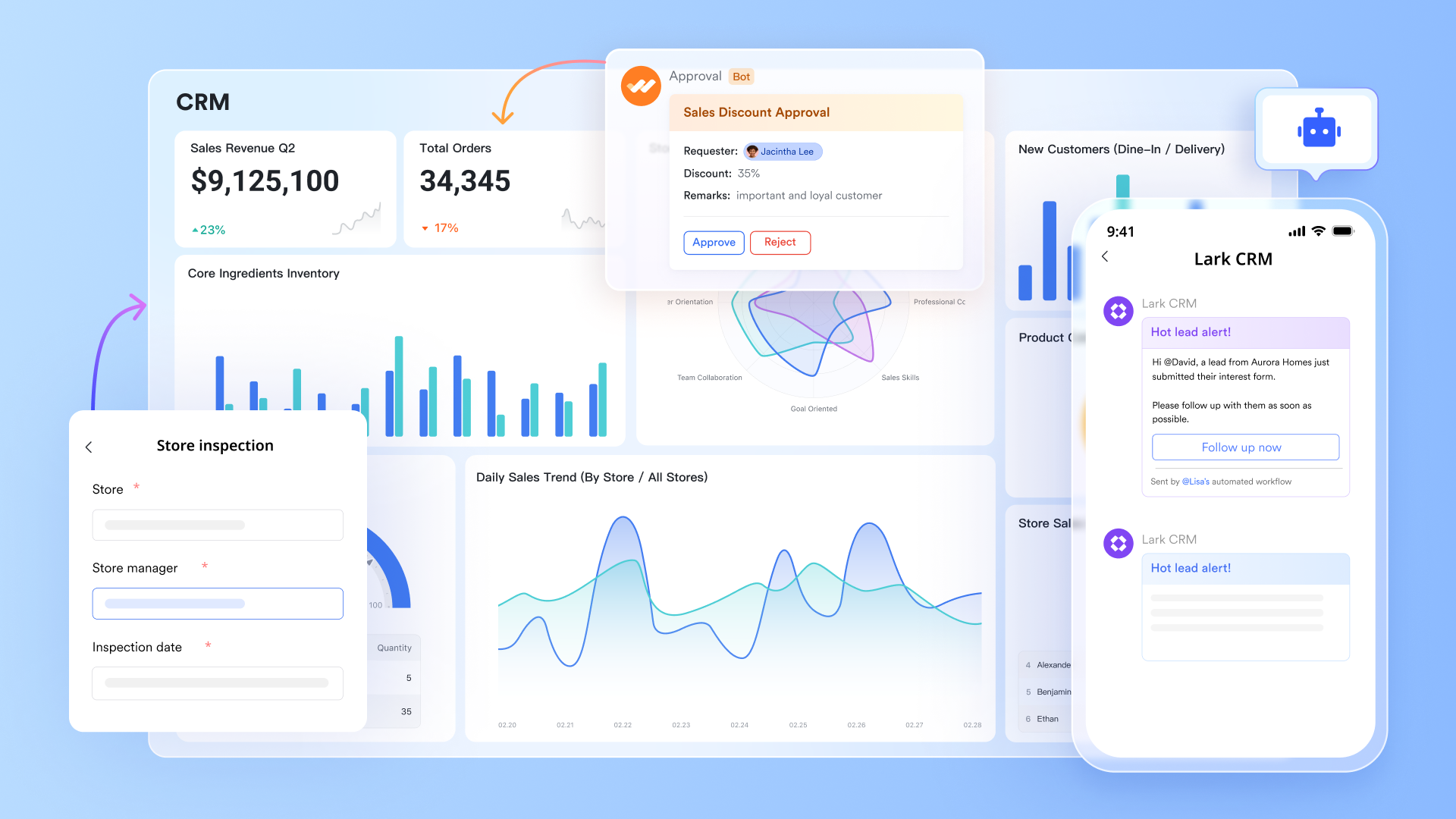
Data integration and visualization: Lark Base aggregates and tracks integration data from both CRM and CMS tools, offering a no‑code CRM database interface to visualize campaigns, leads, and performance in one place. Teams can customize views, link records, and build dashboards that reflect live information from connected systems—eliminating the need for constant spreadsheet updates.
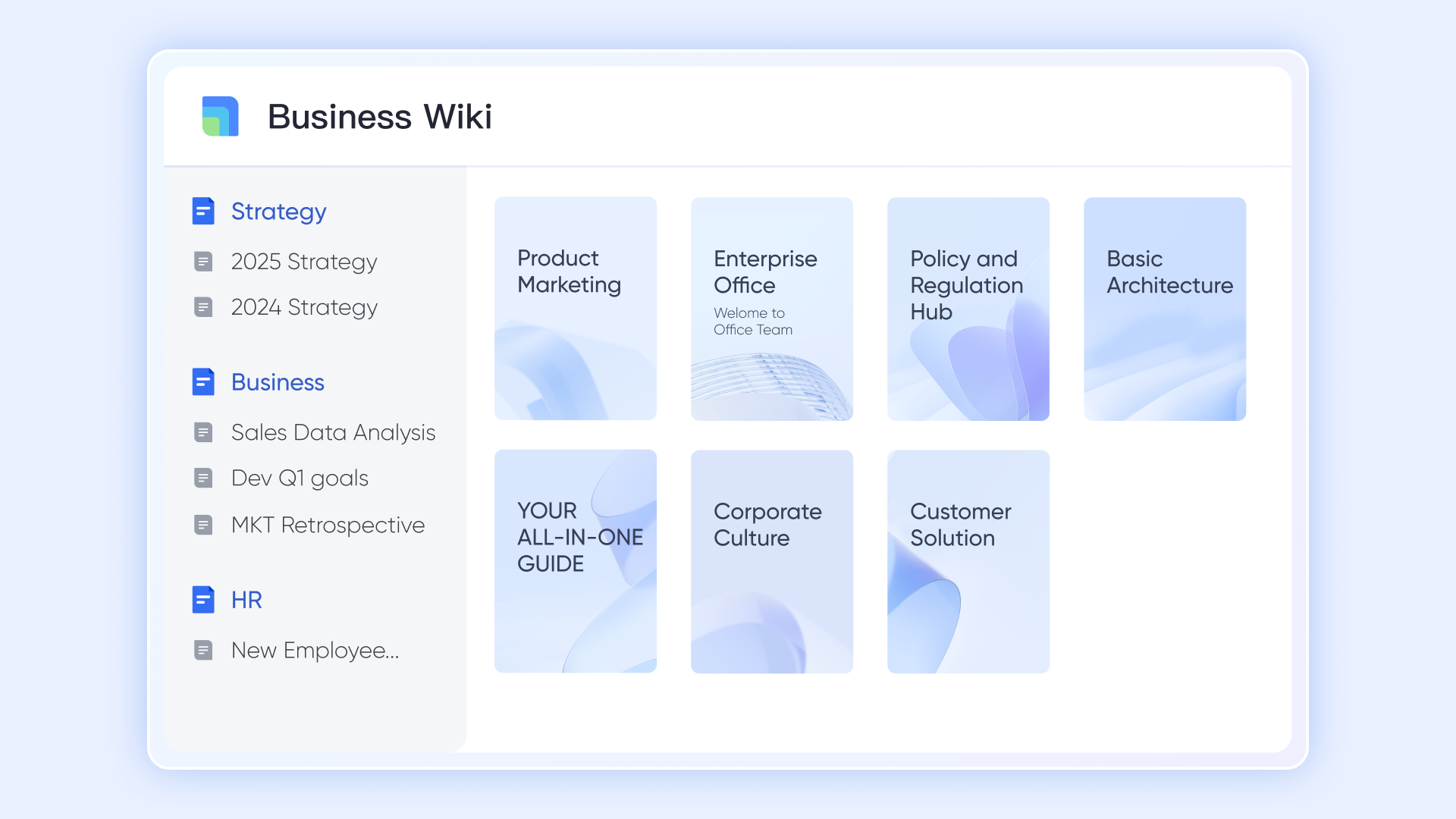
Real-time content management collaboration: Lark Docs & Wiki enable teams to co-edit documents, customer profile analysis, and marketing campaign plans in real time. Whether outlining campaign drafts or reviewing business milestones, everyone works on the same version with embedded comments and linked tasks. This creates transparency across departments while keeping content and data accessible in one environment.
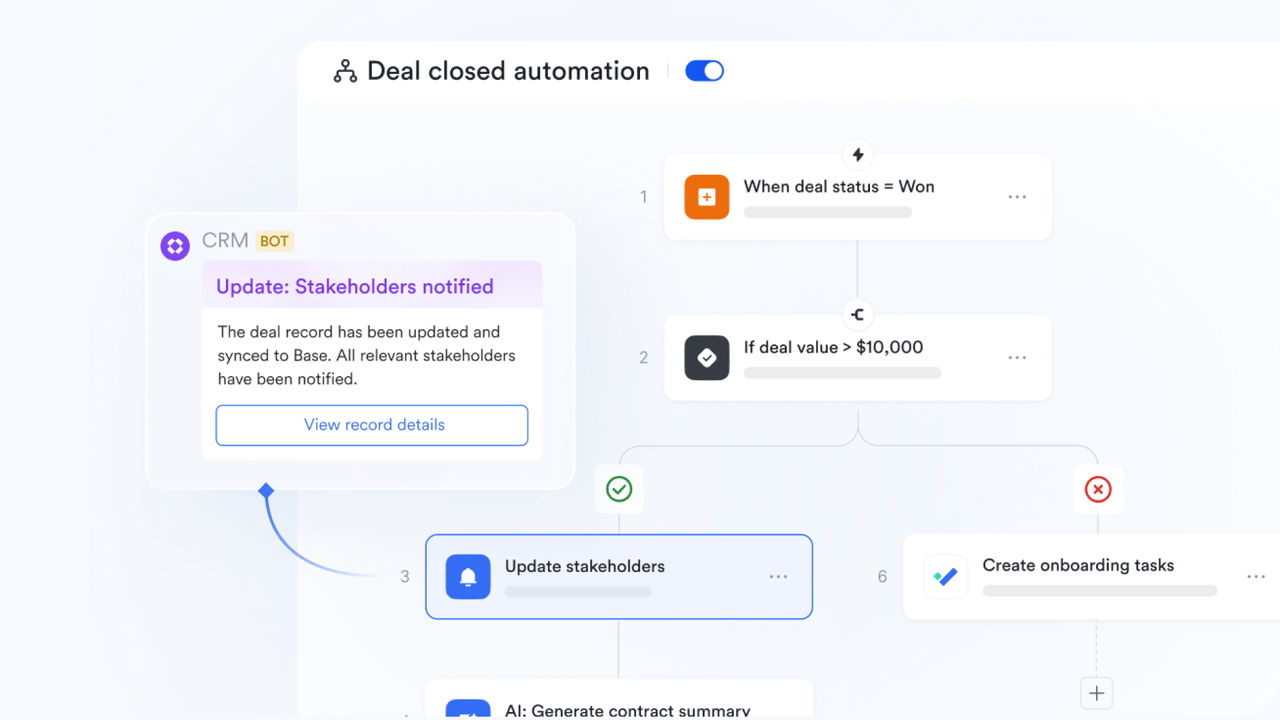
Automation and instant updates: Lark's built-in automation and bots streamline daily coordination. Teams receive automatic alerts when a new lead enters the CRM, a blog post goes live in the CMS, or campaign metrics hit a defined milestone. These updates can appear directly in chats or notifications, ensuring that no change goes unnoticed and that workflows stay consistent across platforms.
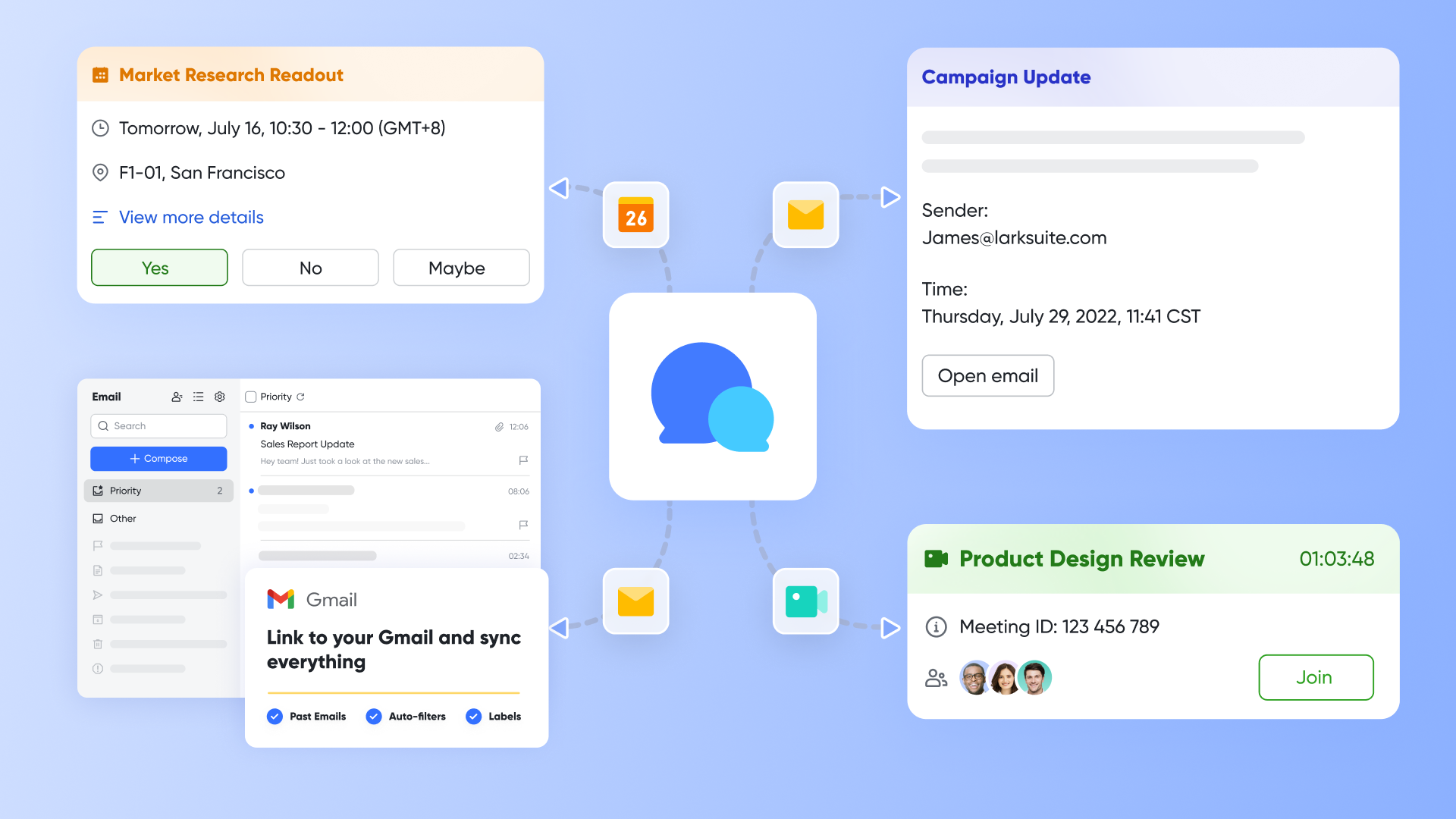
Syncronized discussion and information: With Lark Messenger, collaboration happens alongside context. Teams can discuss integration data, attach relevant documents, or share dashboards from Lark Base within the chat itself. This synchronized approach eliminates tool-switching—decisions can be made faster because everyone has the same insights at hand.
Best for: Ideal for organizations that value seamless communication between marketing, sales, and development teams.
- Starter plan: Free forever plan that includes 11 powerful tools for up to 20 users. It also comes with 100GB of storage, 1000 automation runs, AI translations, and more.
- Basic plan: $6/user/month (billed annually) for up to 500 users, including everything in Starter plus 1-on-1 video meetings, 5TB of storage, 1,000 automation runs, and more. To know more about Basic plan, contact sales.
- Pro plan: $12/user/month (billed annually) for up to 500 users. It includes everything in Basic plus a group calling for up to 500 attendees, 15TB of storage, 50,000 automation runs, and more.
- Enterprise plan: Contact sales for custom pricing. Supports unlimited users and includes even more automation runs and advanced security, compliance, and management features.
2. HubSpot + WordPress: Combining marketing infrastructure
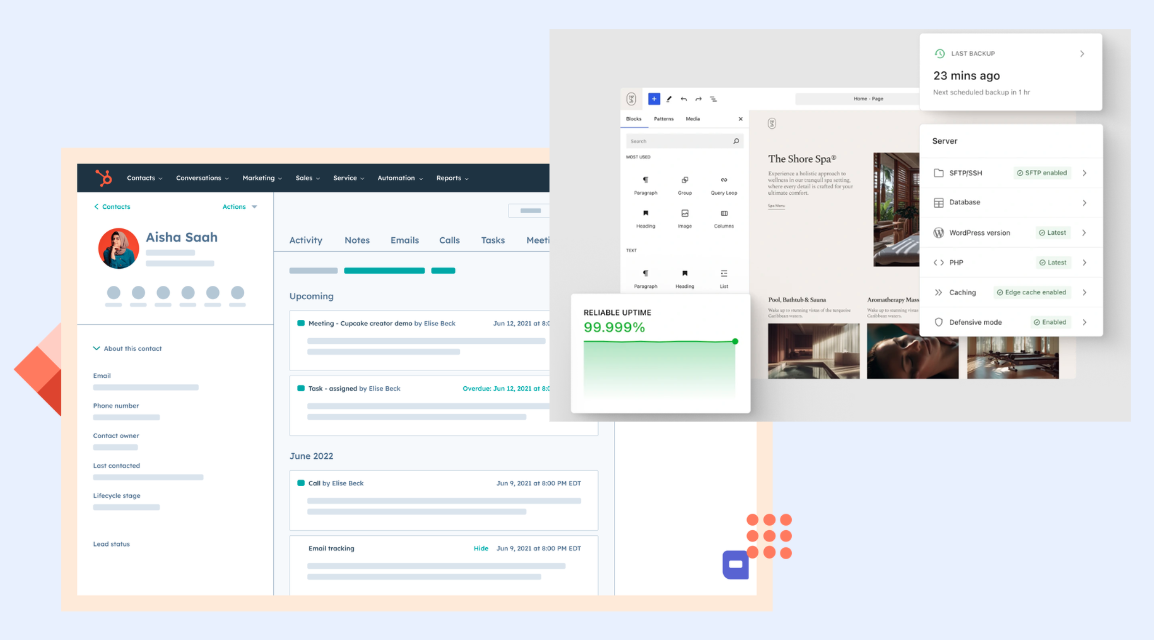
Image source: hubspot.com & wordpress.com
This widely used combination supports seamless CMS & CRM integration, making it a strong choice for marketing-driven businesses.
- HubSpot's CRM directly integrates with WordPress through plugins, syncing form submissions, leads, and analytics.
- Marketers can automate email workflows or live chat responses triggered by CMS user actions.
- Excellent for content-heavy operations and inbound marketing workflows.
Best for: Best fit for companies wanting native analytics and automation in one ecosystem.
3. Salesforce + Drupal: Scalability for enterprise ecosystems
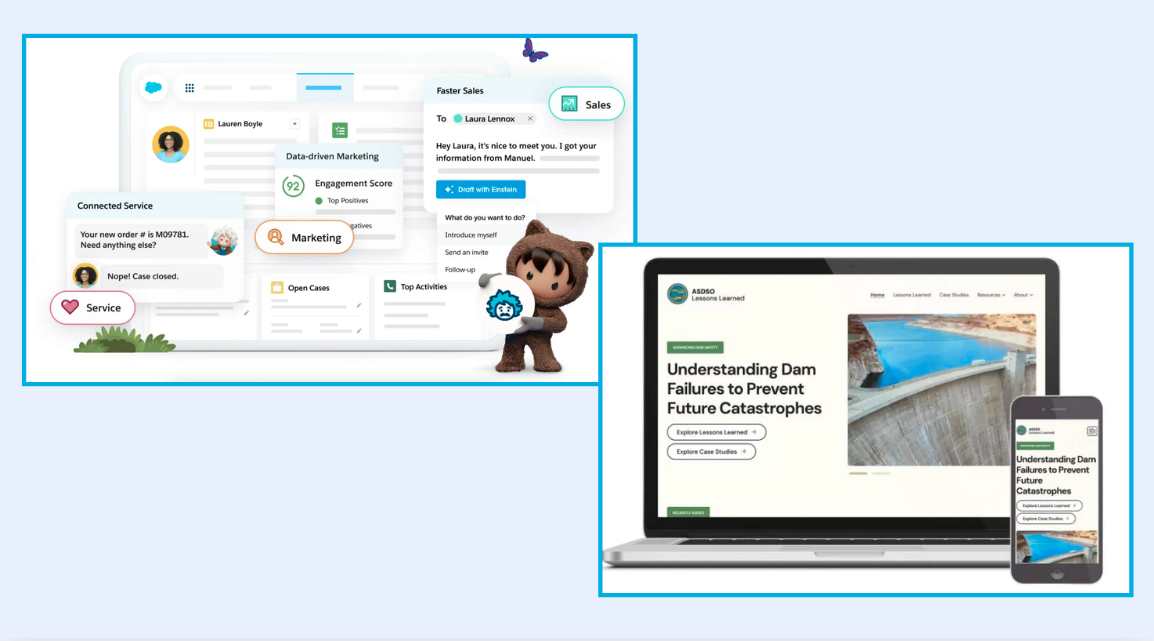
Image source: salesforce.com & drupal.com
Powerful and secure, Salesforce and Drupal provide the flexibility enterprises need.
- Salesforce's robust API ecosystem allows two-way synchronization with Drupal's open-source CMS architecture.
- Marketing, service, and product divisions can share customer profiles sourced directly from campaign landing pages.
Best for: Ideal for enterprises prioritizing scalability, governance, and advanced automation.
4. Contentful + HubSpot: Headless CMS integration with CRM tools
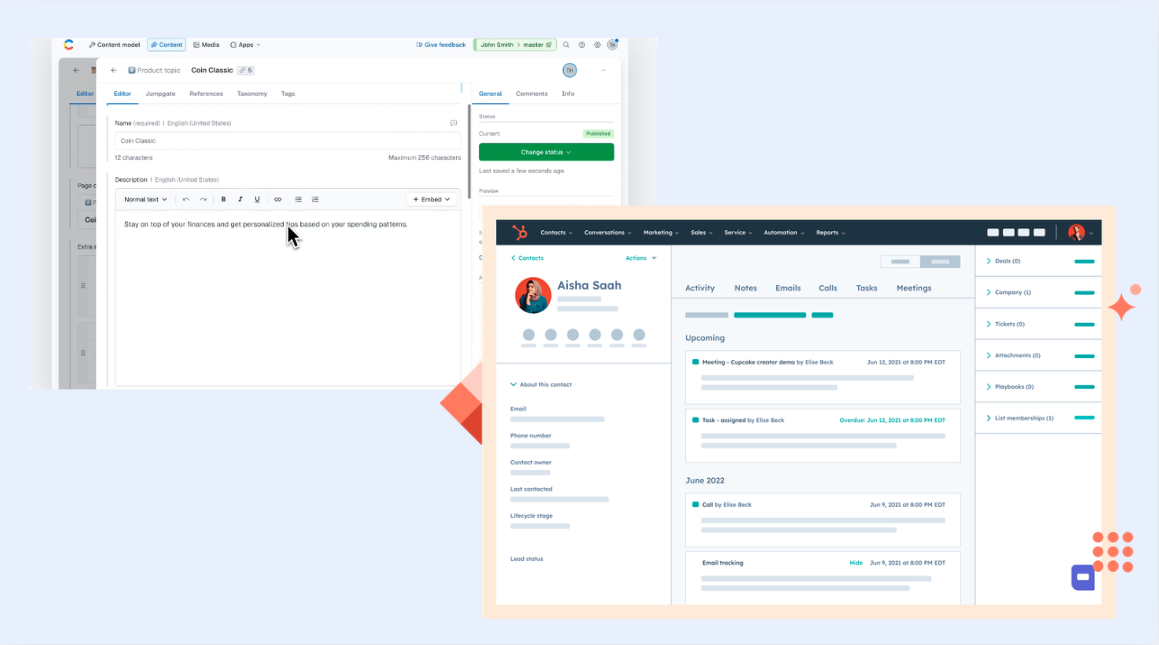
Image source: contentful.com & hubspot.com
For digital-first companies using modular or headless systems, this combination supports omnichannel publishing tied directly to CRM-based insights.
- Contentful decouples content creation from presentation, while HubSpot delivers customer intelligence.
- Connecting them allows marketing teams to repurpose personalized content across multiple platforms while using CRM data to shape messaging.
Best for: Recommended for tech-forward teams focusing on flexibility and composability.
5. Zoho CRM + Webflow: Streamlined integration for SMBs
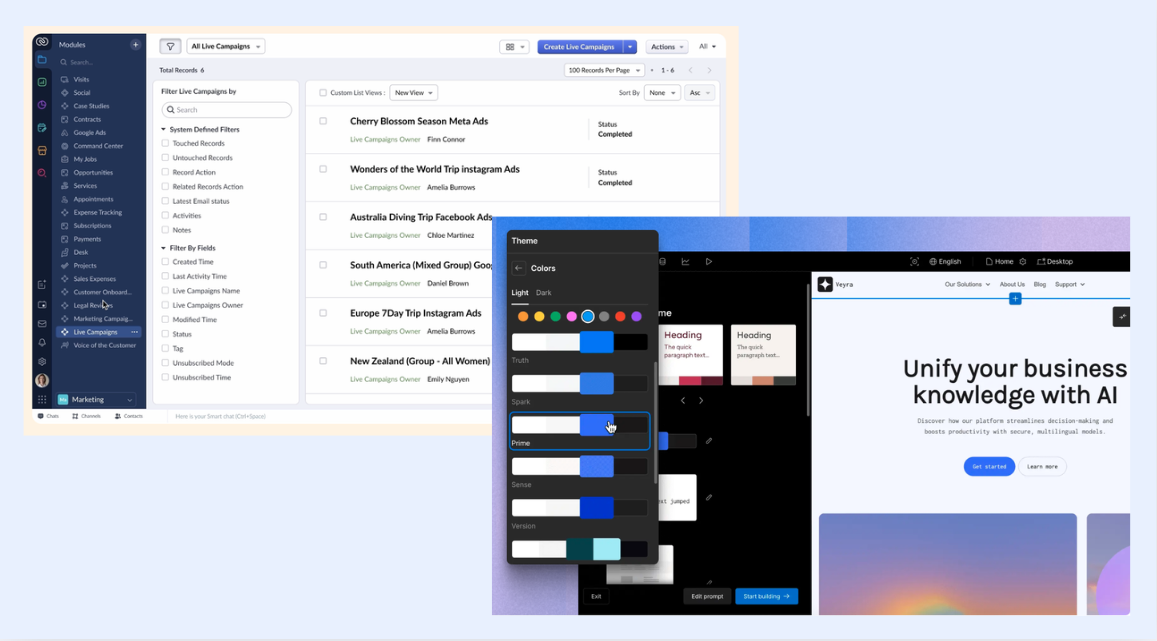
Image source: zoho.com & webflow.com
This pairing simplifies CMS–CRM connectivity for smaller teams.
- Webflow offers a visually driven CMS; Zoho provides automation and contact management within a unified workspace.
- Without complex middleware, data still syncs effectively through native connectors or Zapier-style integrations.
Best for: Best for startups seeking quick deployment without deep technical maintenance.
6. Storyblok + Salesforce — enterprise-grade headless integration
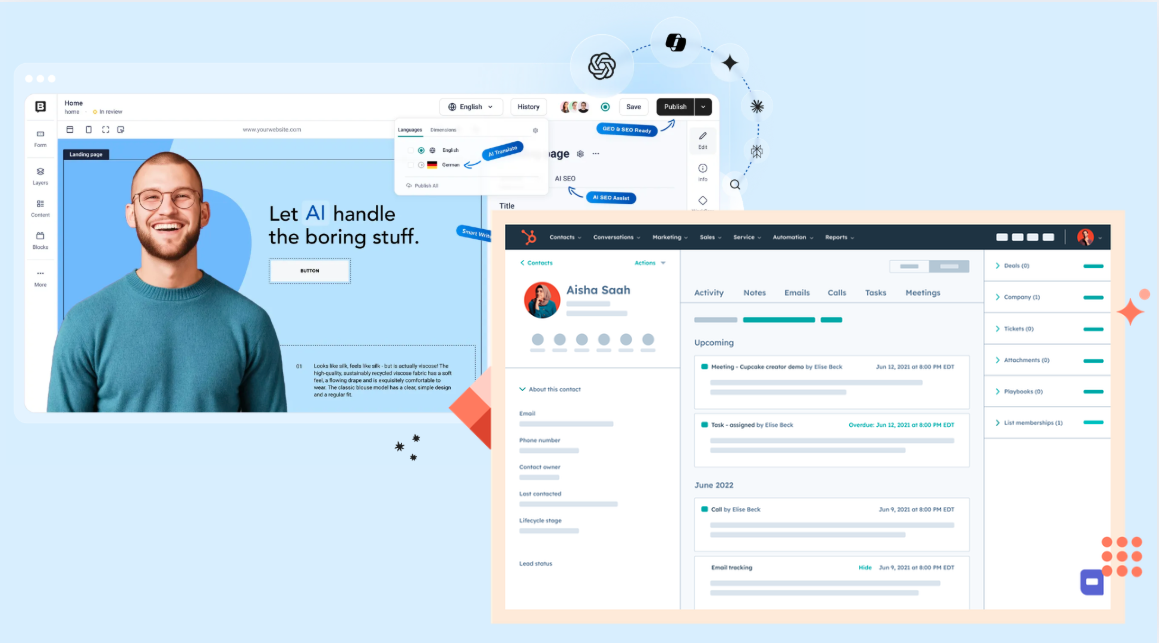
Image source: storybook.com & salesforce.com
A strong combo for enterprise teams seeking scalability and personalization.
- Storyblok provides a modern headless CMS with visual editing and multi‑language content delivery.
- Salesforce powers customer data management, lead tracking, and personalized recommendations.
- Together, they create a seamless content‑to‑customer pipeline—where every page view links directly to actionable CRM insights.
Best for: Best for global enterprises prioritizing speed, personalization, and structured workflows.
7. Airtable + Notion: Integration coordination complements
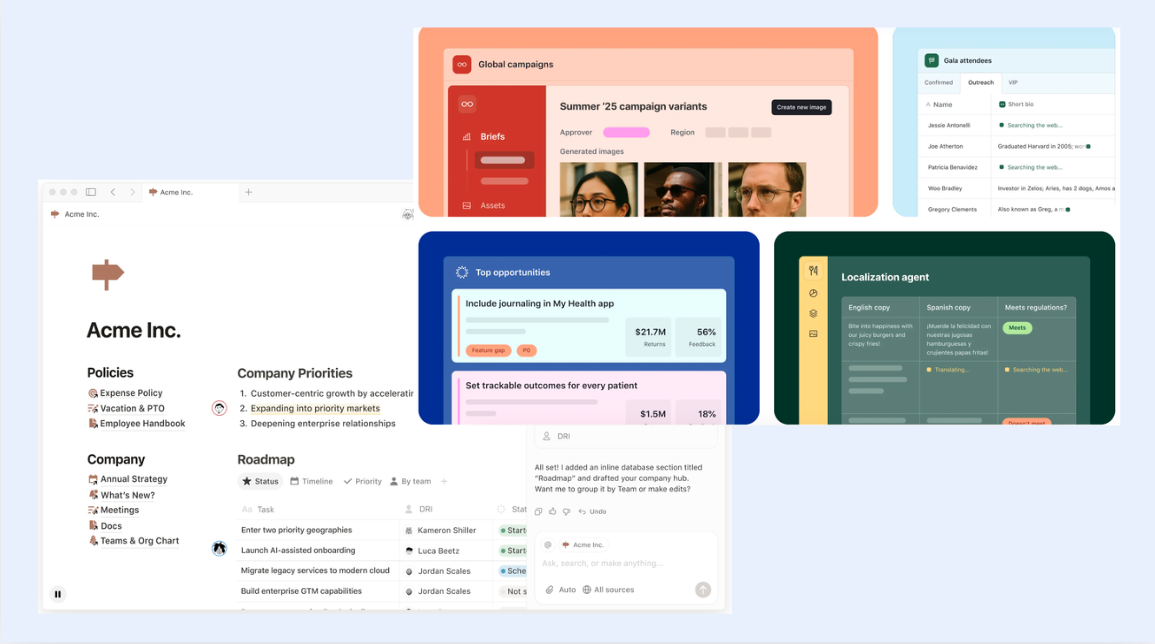
Image source: airtable.com & notion.com
While not CRMs or CMSs themselves, these tools serve as project coordination layers for integration teams.
- Organize field mappings, track integration status, or document API configurations.
- Both platforms integrate smoothly with webhooks, letting you visualize the connection between marketing content and user data flow.
Best for: Useful for teams managing multiple integrations simultaneously.
8. Basecamp: Integration project management essentials
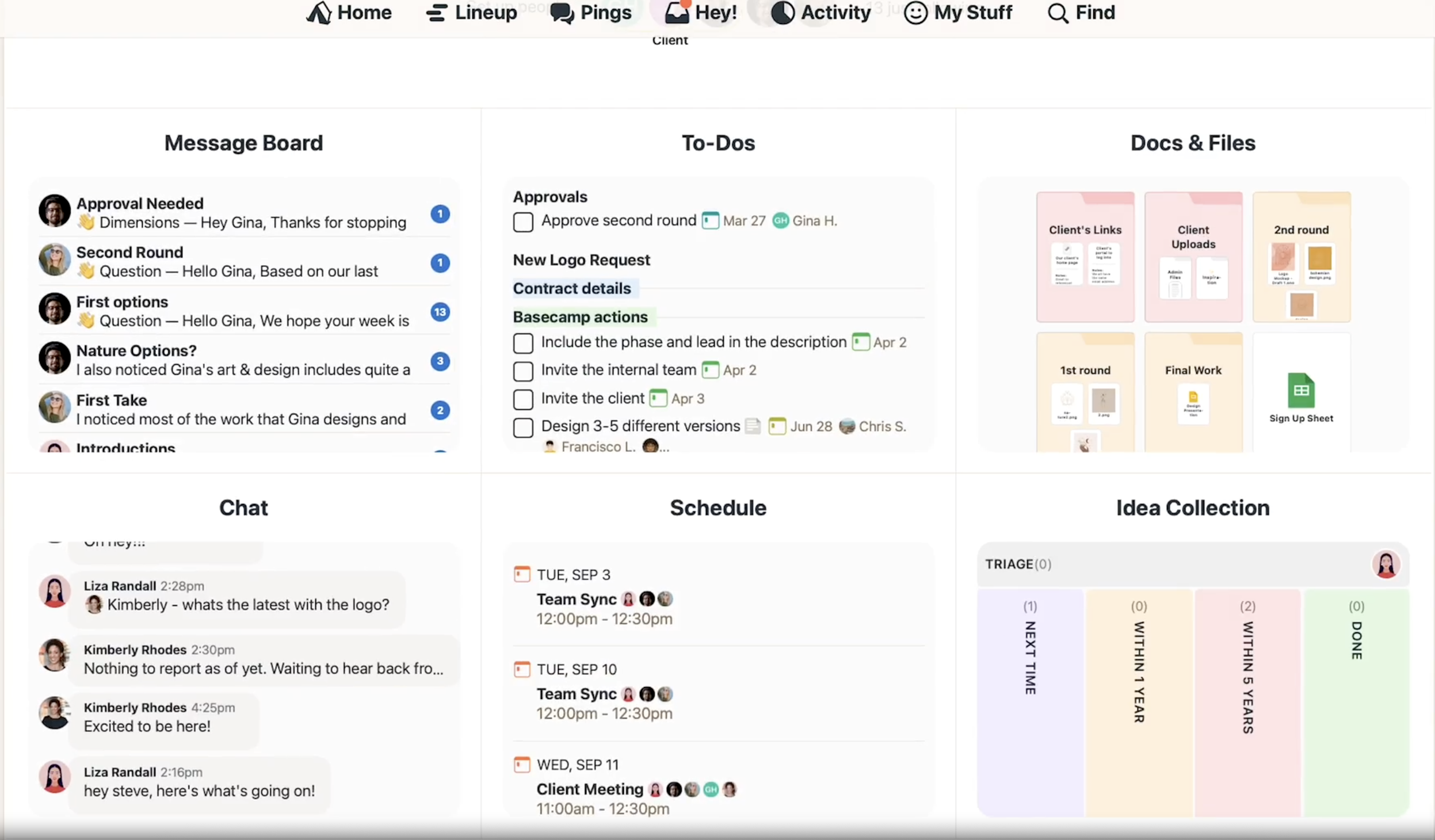
Image source: basecamp.com
Basecamp remains a strong option for managing integration timelines and responsibilities.
- Teams can outline integration goals, set deliverables, and log milestones in one workspace.
- Discussion threads help ensure the CMS and CRM teams remain aligned during both setup and refinement stages.
Best for: Perfect for distributed teams managing complex coordination.
How to decide on your stack
When selecting your CRM and CMS integration toolkit, focus on these core criteria:
- Scalability: Choose systems that can handle evolving workflows and growing volumes of data.
- Automation capacity: Ensure tools can trigger actions—like lead creation or content updates—without manual intervention.
- Security and flexibility: Modern infrastructures, like headless CMS integration with CRM tools, should maintain strong authentication protocols.
- Collaboration readiness: Prefer platforms that promote transparency, making cross-team efforts visible and actionable.
Ultimately, your best CMS–CRM stack is one that meets business goals without complicating human workflows. By pairing flexible content systems with collaborative solutions like Lark, organizations move past mere technical connection—they achieve an integrated, insight-driven, and people-friendly ecosystem that supports long-term growth.
Ensuring long-term success of your CMS CRM integration
Achieving CMS CRM integration is not a one-time milestone—it's an evolving process that thrives on continuous improvement, collaboration, and adaptability. Once systems are connected, the next challenge is maintaining alignment between technology, teams, and strategy. Successful integration depends on how well organizations monitor performance, refine automation, and reinforce cross‑functional communication as goals shift.
- Regular audits: Periodically evaluate integration accuracy, data consistency, and workflow relevance. As your business scales, minor mismatches can grow into major inefficiencies.
- Process optimization: Encourage teams to revisit automation triggers, campaign sequences, and customer journey touchpoints to ensure they still align with evolving objectives.
- Collaboration culture: Ongoing training keeps marketing, sales, and support teams confident using integrated systems. A strong communication culture helps turn data insights into coordinated action.
Conclusion
True digital efficiency doesn't come merely from linking systems—it comes from uniting the people who use them. A well‑maintained CMS CRM integration empowers marketing and sales to operate on shared insights, adapt quickly, and deliver consistent customer experiences. By blending seamless data connections with collaborative workflows, businesses create a responsive, data‑driven foundation for growth. Platforms like Lark, which merge communication, automation, and real‑time data visibility, help ensure that integration success isn't temporary—but an ongoing advantage.
FAQs
What is CMS and CRM?
A CMS (Content Management System) is a platform used to create, manage, and publish digital content—commonly used for websites, blogs, or marketing pages. Examples include WordPress, Drupal, and Contentful.
A CRM (Customer Relationship Management) system manages customer data, interactions, and sales pipelines. It helps businesses track leads, improve customer relationships, and streamline communication. Popular CRMs include Salesforce, HubSpot, and Zoho CRM.
What is a CRM integration?
A CRM integration connects a CRM system with other platforms—such as a CMS, email marketing tool, or analytics solution—to synchronize data and processes. This ensures information like customer profiles, form submissions, or campaign metrics flow automatically between systems, helping teams deliver more personalized experiences and reduce manual data entry.
What are the 4 types of CRM?
There are four main types of CRM systems, each designed for specific business needs:
- Operational CRM: Focuses on automating sales, marketing, and service tasks.
- Analytical CRM: Analyzes data to improve decision-making and customer insight.
- Collaborative CRM: Enables information sharing between departments to improve communication.
- Strategic CRM: Aligns customer-focused strategies with long-term business goals.
Is Salesforce a CRM or CMS?
Salesforce is a CRM platform—it specializes in managing customer relationships, automating sales processes, and analyzing customer data. Although Salesforce offers tools for marketing and content delivery (like Experience Cloud), its core function remains CRM‑based rather than content management.
Is HubSpot a CRM or CMS?
HubSpot is both. It started as a CRM and later expanded into a full CMS platform with its product HubSpot CMS Hub. This dual functionality allows businesses to manage content creation, SEO, marketing automation, and customer data seamlessly in one interconnected system.
Why is collaboration important after CMS CRM integration?
Even the most advanced integration can fail if teams don't collaborate effectively. Without clear communication and shared visibility, data alignment loses impact. A collaborative platform like Lark bridges this gap by combining data management, chat, automation, and real‑time dashboards—helping teams transform integration from a technical connection into a genuine, ongoing collaboration.
Related reading
Table of contents
Start using Lark today

Manage all your work in one place
Boost team efficiency by 10x
Save up to 70% on software costs
Table of contents
Start using Lark today
Manage all your work in one place
Boost team efficiency by 10x
Save up to 70% on software costs
Keep reading









2026 Lark Technologies Pte. Ltd.
Headquartered in Singapore with offices worldwide.






Explore: